
Personalized Outbound Strategy
Get The Right Outbound Strategy In Minutes
Enter your email to get a custom plan & stack recommendation for your business
It's being carefully crafted by AI
Please check your mailbox in 5 minutes
Weezly makes a bold claim on its demo screen. One $79 seat can replace Lemlist, Prospeo, Loom, Calendly, Sendspark, and Gong. Together, those tools cost $655 a month.
If that swap works, it could be the easiest sales budget cut you make this year. If it doesn't, you'll find out after moving your LinkedIn accounts to an outreach product that's still in Beta.
I'd start with the fine print. The $79 seat rises to $99 after three months and supports only one email mailbox. AI video minutes cost extra, while Weezly doesn't publish the price of the lead credits powering its database.
You also need to consider how prospects may react when they learn you didn't personally record the video they received.
I followed one lead through every screen, from search to booked meeting, and priced Weezly for a solo founder, a five-rep team, and a 25-sender agency.
Weezly wants to be the last LinkedIn tool you pay for. I can find leads, score them, send outreach, follow up, and book meetings from one login. Its pricing is built around replacing the five or six tools you already use.
The feature I'd test first is AI video. I record myself once for about two minutes, and every lead gets a video greeting them by name with their website scrolling behind me. It arrives as a playable video inside LinkedIn, so the prospect doesn't need to open another page.
Fit scoring tackles a problem every LinkedIn sender faces. My daily invites are limited, so wasting one on the wrong person matters. Weezly reads my website, scores every lead from 1 to 10, and stops anyone below my chosen score before they enter the sequence.
Once someone replies, I don't need another CRM or scheduler for basic follow-up. I can label the reply, move the deal through the pipeline, add a reminder in two clicks, and send a booking link in the chat.
The gaps begin with email. The $59 Growth plan includes no email. A $99 Multichannel seat gives me one Gmail or Outlook mailbox. If I depend on cold email at scale, I'd need several seats, and Weezly doesn't warm those mailboxes.
I'd also think carefully before enabling AI video. A cloned face and voice can look personally recorded, and some prospects may feel misled when they learn it wasn't. Weezly can also post AI-written comments publicly under my name.
The outreach product is still in Beta. Almost every public review I found covers Weezly's older video and scheduling tool, so no one has publicly shared what it's like to run outreach sequences on the new product.
Pricing also grows in two places the plan cards don't make clear. AI video costs $99 per 500 minutes, while the database uses credits with no published price.
Salesforge takes a different approach. It's designed to run email and LinkedIn outreach at scale in the same sequence, without per-seat fees for profiles or mailboxes.
Before trusting the star rating, check the dates on Weezly's G2 reviews. Most appeared between February 8 and February 20, 2024. The tenth came through a G2 invite in September 2025.
Those dates matter more than the 4.5 to 5-star scores. The outreach product with lead data, sequences, and cloned AI video is still in Beta. These reviews cover Weezly's older video messaging and scheduling product, not the outreach platform reviewed here.
I still found them useful. Here's what carries over and what doesn't.
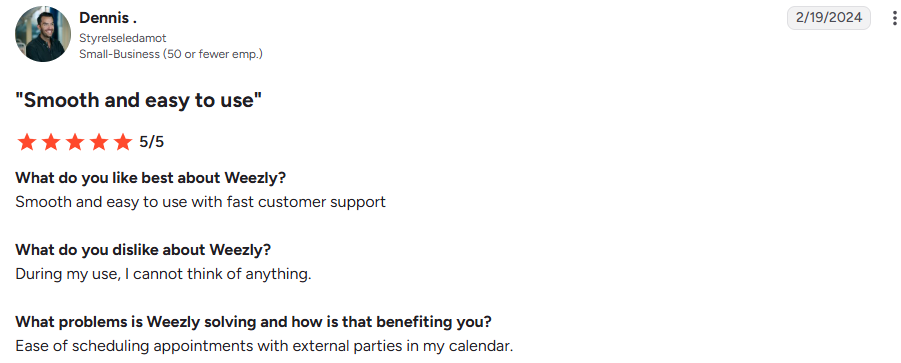
Five reviewers highlight scheduling. Dennis, (G2, Feb 19, 2024, 5/5), uses it for "scheduling appointments with external parties."
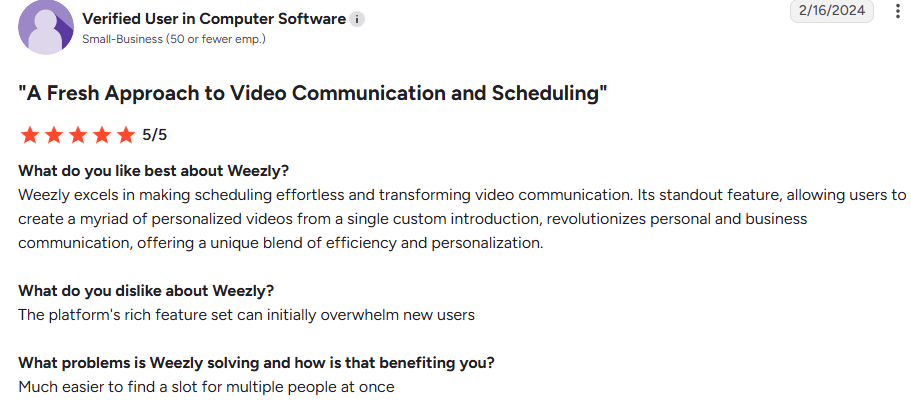
Another user (G2, Feb 16, 2024, 5/5) says it's "much easier to find a slot for multiple people at once."
That feedback still matters. The booking pages they liked are the same ones you can send inside a LinkedIn conversation through Weezly Outreach.
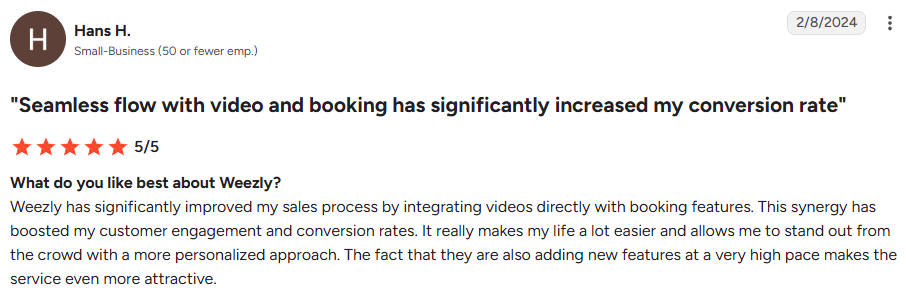
Hans H. (G2, Feb 8, 2024, 5/5) says combining video with booking increased his conversion rate.
Hans adds that the benefit appears "once you get comfortable with recording yourself." These reviewers recorded real videos. None used a face clone, so their results don't show how prospects respond to AI video.
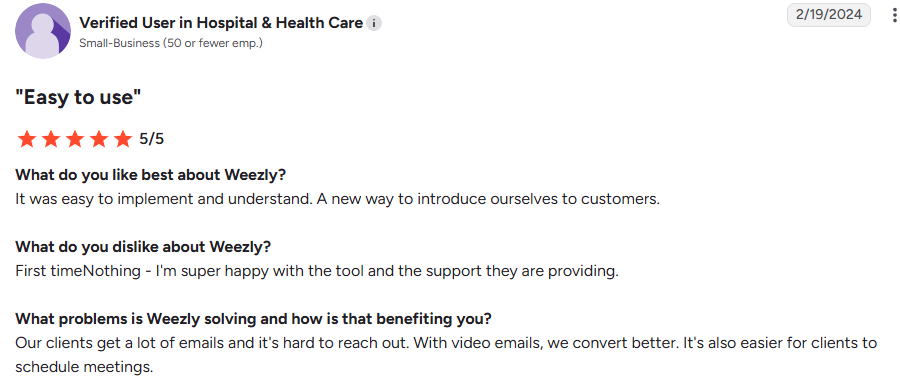
Another user in Hospital and Health Care (G2, Feb 19, 2024, 5/5) says, "With video emails, we convert better."
Haris B. (G2, Feb 15, 2024, 5/5) uses Weezly for one-to-one LinkedIn conversations where he shares demos and books meetings. That's personal messaging, not automated outreach.

Hugo R., a founder (G2, Sep 23, 2025, 5/5), reviews Weezly Connect, a LinkedIn inbox with video, voice notes, labels, reminders, and booking.
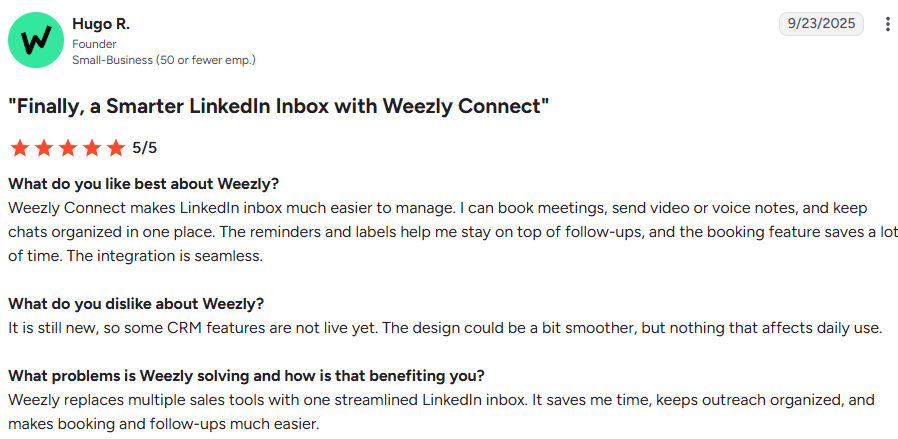
It's the closest review to Weezly Outreach, but it only covers the inbox.
A reviewer says the feature set "can initially overwhelm new users."

Dzenis S. says analytics "could be improved."

Hugo R. noted in 2025 that "some CRM features are not live yet." The current pipeline may address Hugo's concern, but no reviewer has confirmed that.

Weezly follows one clear path from a stranger in search results to a booked meeting. Instead of listing every feature, I'll walk through that path and explain what each screen means for your work.
The Search screen works like a prospecting database. I can filter by job title, seniority, function, location, and education. A search for "sales manager" returns more than 3.3 million people.
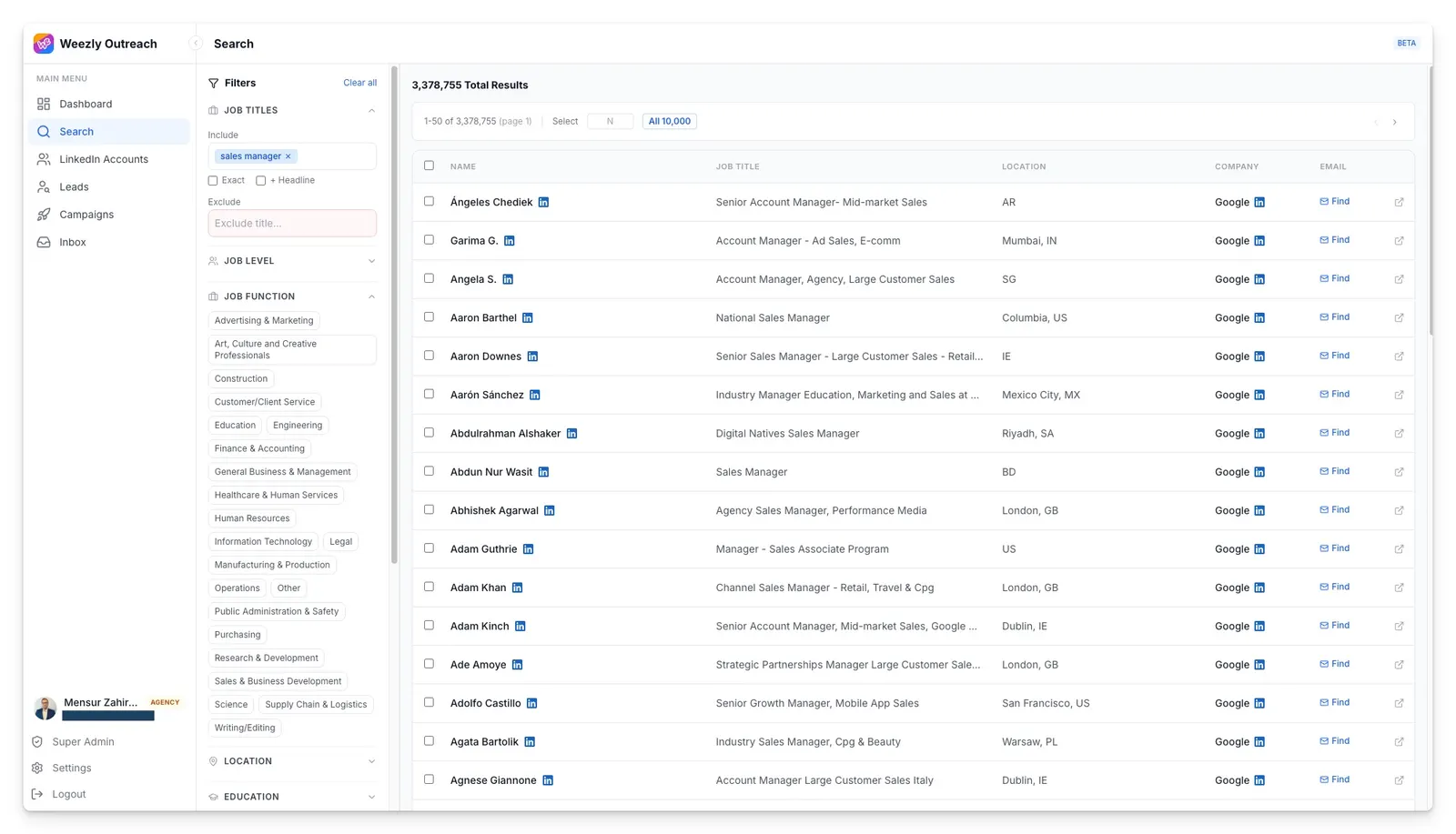
Each row has a Find button that looks up and verifies a work email. I can then send up to 10,000 results directly into a campaign, skipping the export and import step for every list-building session.
Keep an eye on the credit counter in the corner. It includes a Buy more button, but I couldn't find the price of a credit or how many an email lookup uses. Ask during your trial because this part of the bill could grow quietly.
Weezly reads your website and builds a buyer profile covering job titles, headline keywords, industries, company sizes, locations, and disqualifiers. It then gives every lead a coloured score from 1 to 10.
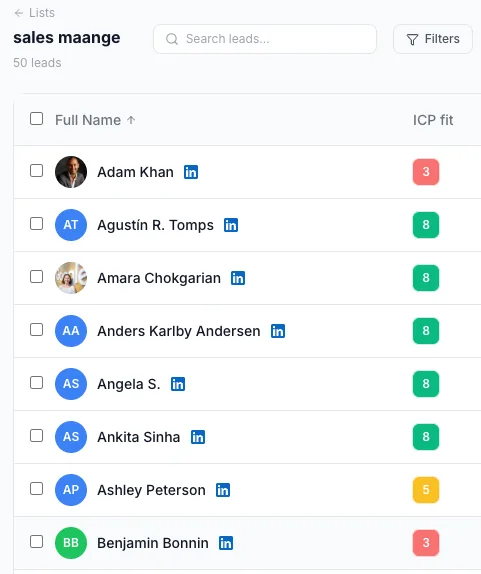
Your website shows who you want to sell to, but that may differ from who actually buys. Open the profile in Settings on day one, add the titles that close deals, and list disqualifiers such as competitors or poor-fit industries. That should make every later score more useful.
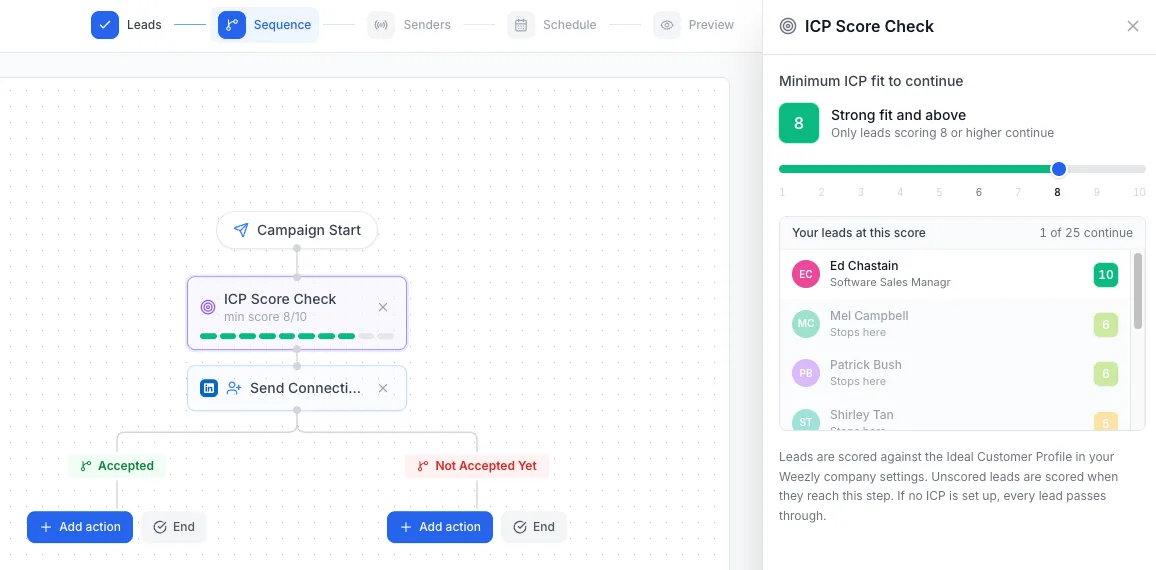
Add an ICP Score Check to your sequence and choose a minimum score. The panel updates as you move the slider, showing how many leads will continue. In Weezly's example, a minimum score of 8 allows only 1 of 25 leads through.
That preview prevents you from launching a campaign that reaches almost no one. If you haven't created an ICP profile, however, every lead passes the check.
The builder branches based on whether someone accepted, has an open profile, or has an email. In the example, an accepted lead receives an AI video after one day, followed by a voice note. Someone who doesn't accept moves to email if an address is available.
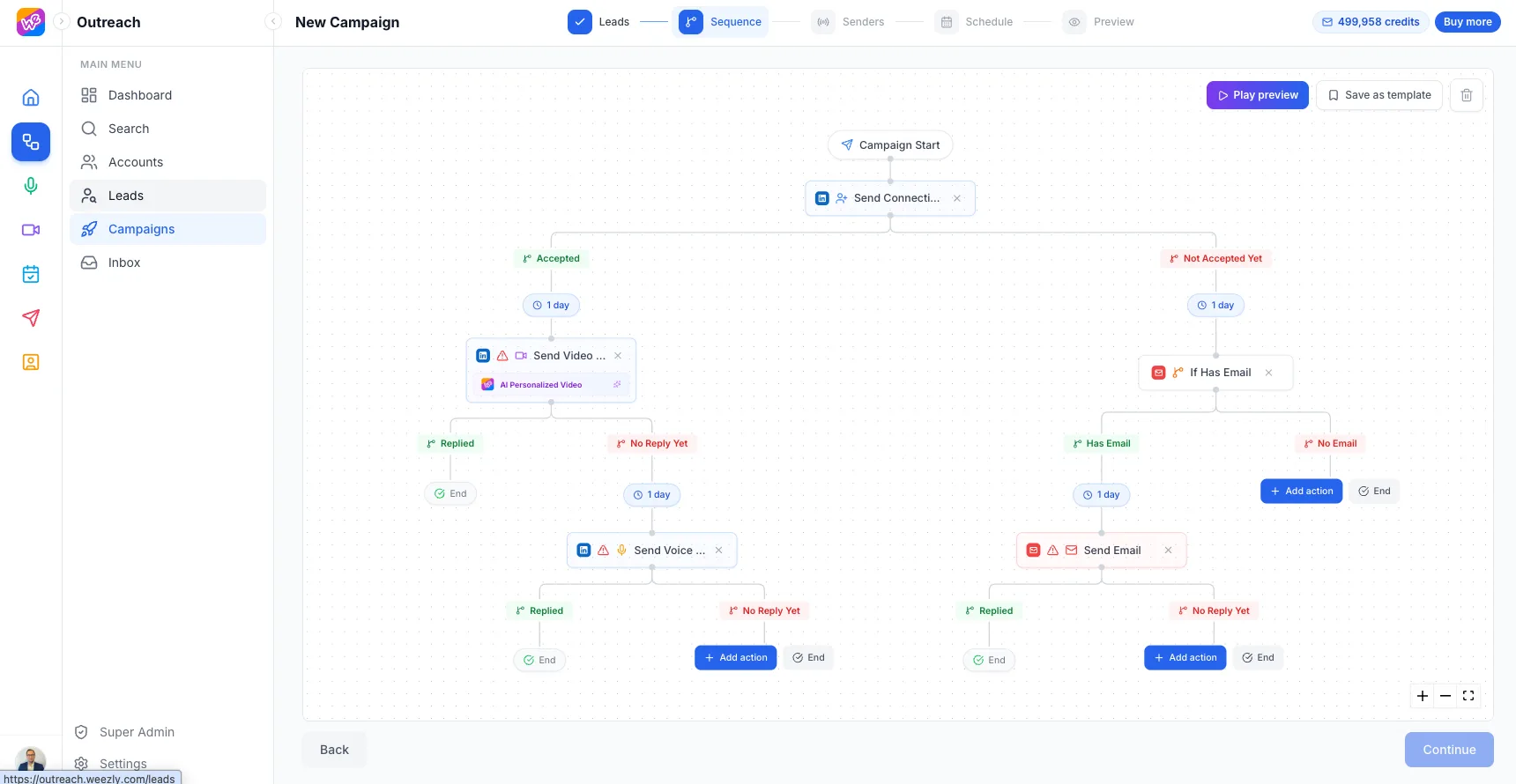
The email branch requires a Multichannel seat. I couldn't find options to branch on email opens or link clicks, or to run any A/B tests. That means you'll need to compare entire campaigns to judge different messages.
You can preview the sequence and save it as a template, which helps once you find a flow that works.
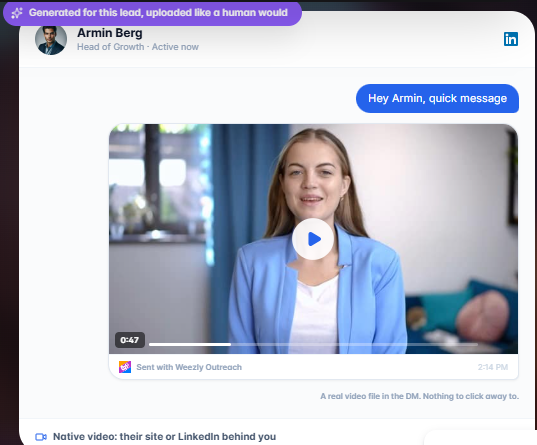
The video arrives as a playable file in the chat, greeting the prospect by name with their website behind you and a booking page below. At $99 per 500 minutes, a 47-second video costs roughly 15 cents.
Look closely at the example, and you'll see "Sent with Weezly Outreach" below the player. During your trial, confirm whether prospects see that label, because it could affect how personal the video feels.
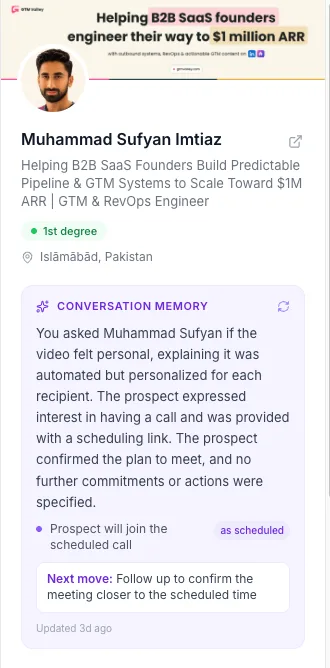
You should also know what you'll say if someone asks whether you recorded it. Weezly's conversation memory example shows a sender telling a prospect that the video was automated.
The recorded video step sends the same clip to everyone. That works for a product walkthrough, but it isn't personalized like AI video.
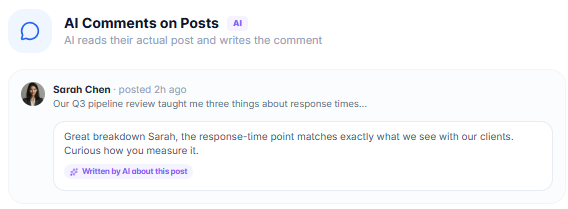
I'd be especially careful with AI comments. The AI reads a prospect's post and publishes a comment under your name. One awkward comment remains visible to the prospect's network, so review these before using them at scale.
Weezly checks each LinkedIn account's Social Selling Index and recommends daily limits. An account with an SSI of 61 gets suggested caps of 30 invites, 50 messages, 13 InMails, and 80 profile views, while 25 follows and 25 post likes are marked safe.
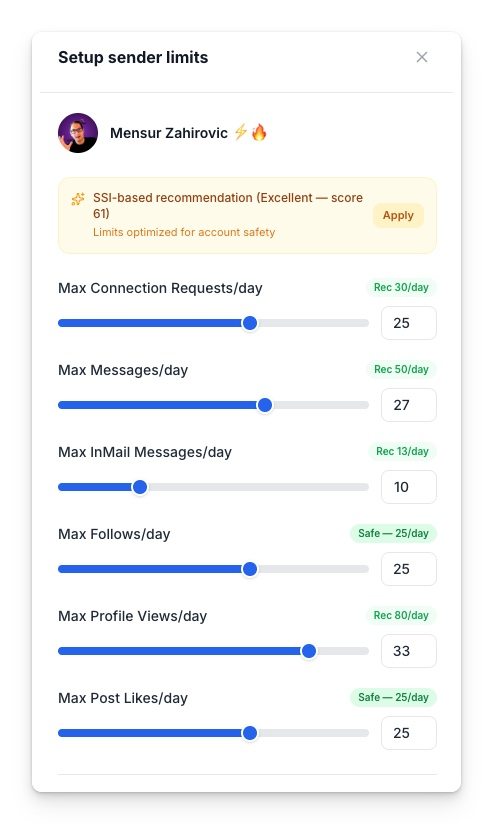
The example account uses lower limits, and I'd do the same with any account that's new to automation. Add several senders to a campaign, and Weezly divides the work between them while respecting each account's limits and schedule.
Replies from every sender and mailbox enter the Unibox. Beside each thread, you can see the lead's profile, the video they watched, and a button that summarizes the conversation.
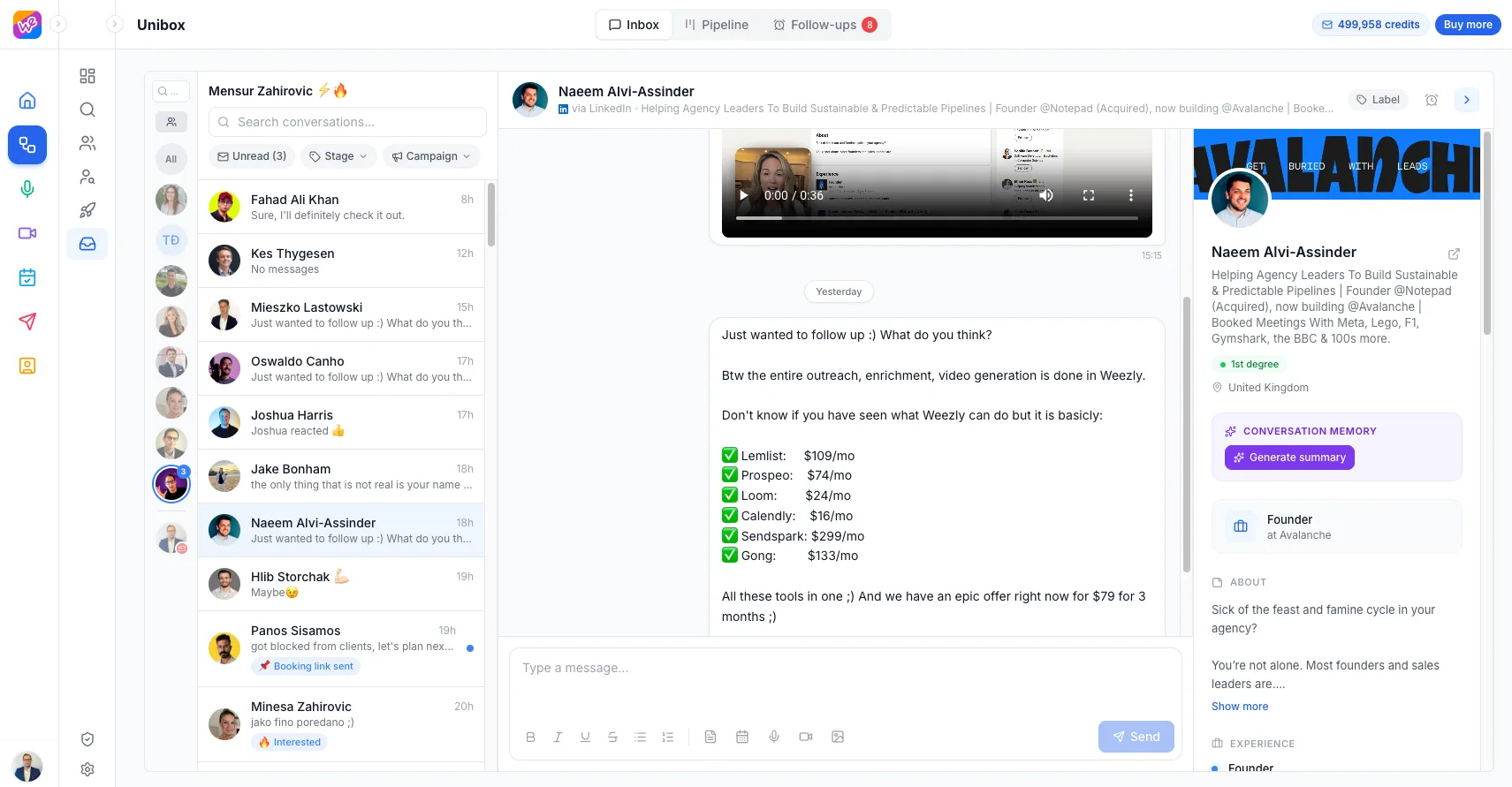
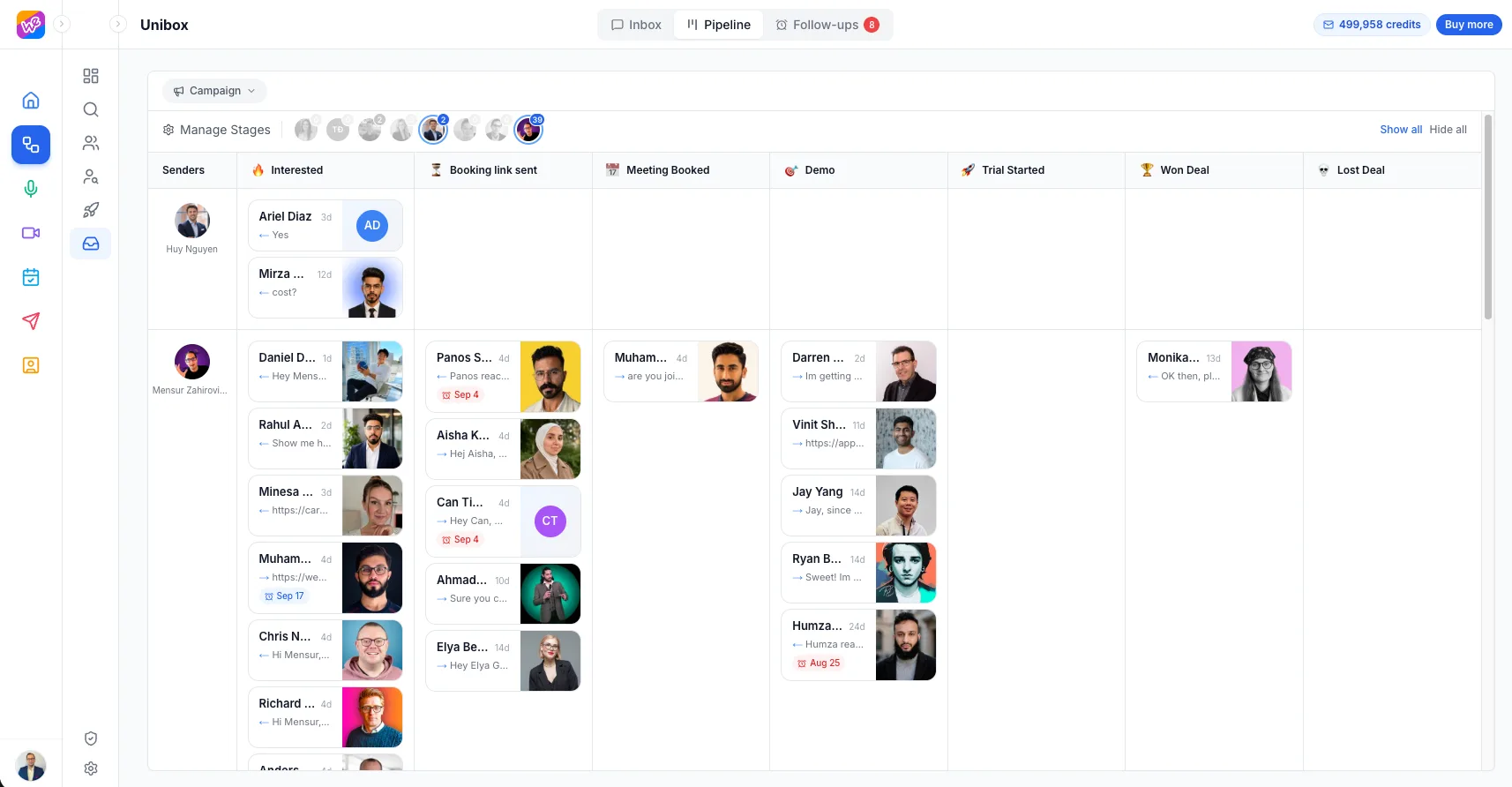
Label a reply as Interested, Booking link sent, or Meeting Booked, and it moves through a board that ends in Won Deal or Lost Deal.
For a small team, this could replace a basic CRM. Larger teams can use it as a holding area before deals enter their main CRM.
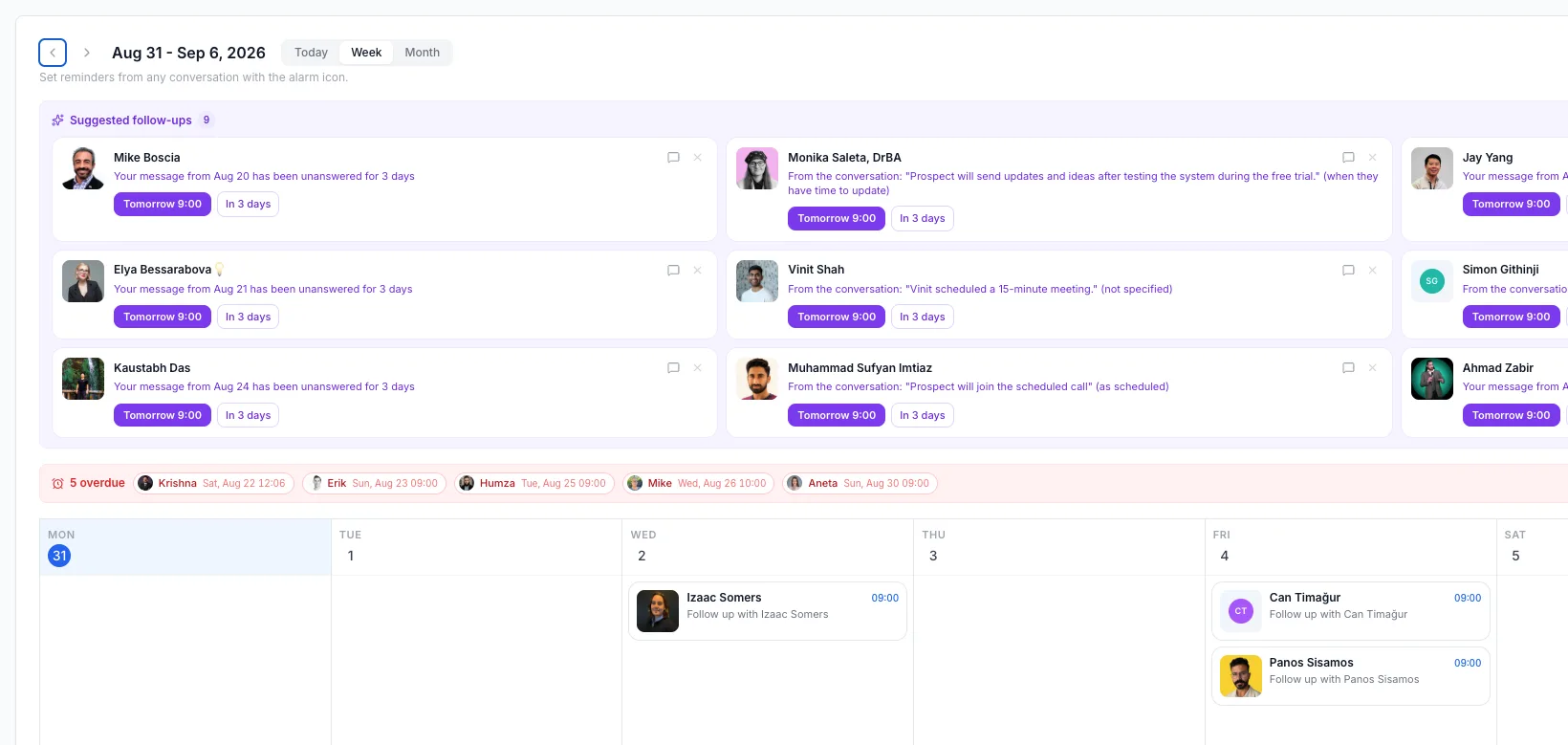
The follow-up calendar flags messages with no reply after three days and calls the AI finds in conversations. Each suggestion has one-click timing, while overdue reminders appear in a red bar at the top.
When a prospect is ready, the calendar icon in the reply box displays your booking pages.
They choose a time, the booking appears in the thread, and the deal automatically moves to Meeting Booked.
The mobile app includes the full Unibox. AI sorts incoming replies, and only positive responses trigger a push notification and email.
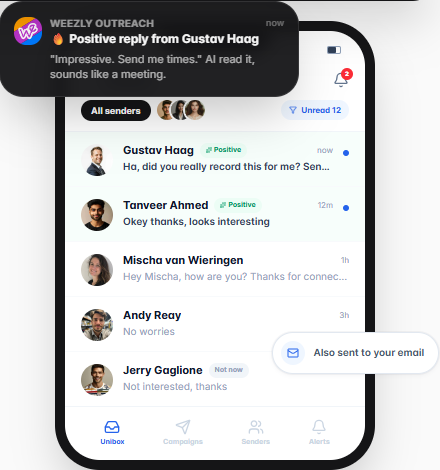
You can stop checking LinkedIn between meetings while still replying to a warm lead within an hour.
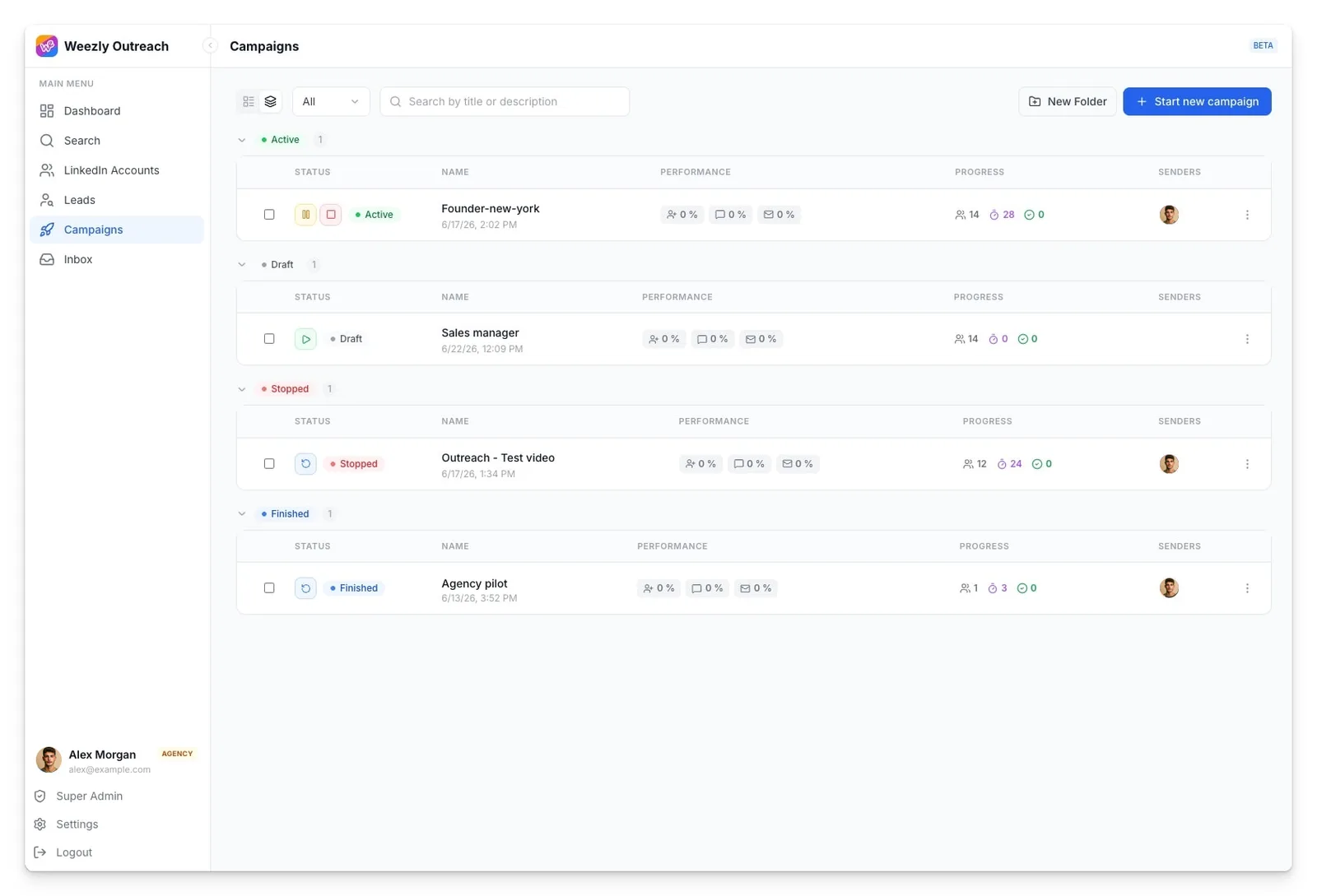
You can group campaigns into client folders and sort them by Active, Draft, Stopped, and Finished.
Each row shows acceptances, replies, and meetings, and you can clone successful campaigns for new lists.
Weezly charges for each LinkedIn sender, with email, video, and meeting recording added depending on the plan.
You can mix plans in one subscription, so your total depends on what each team member needs.
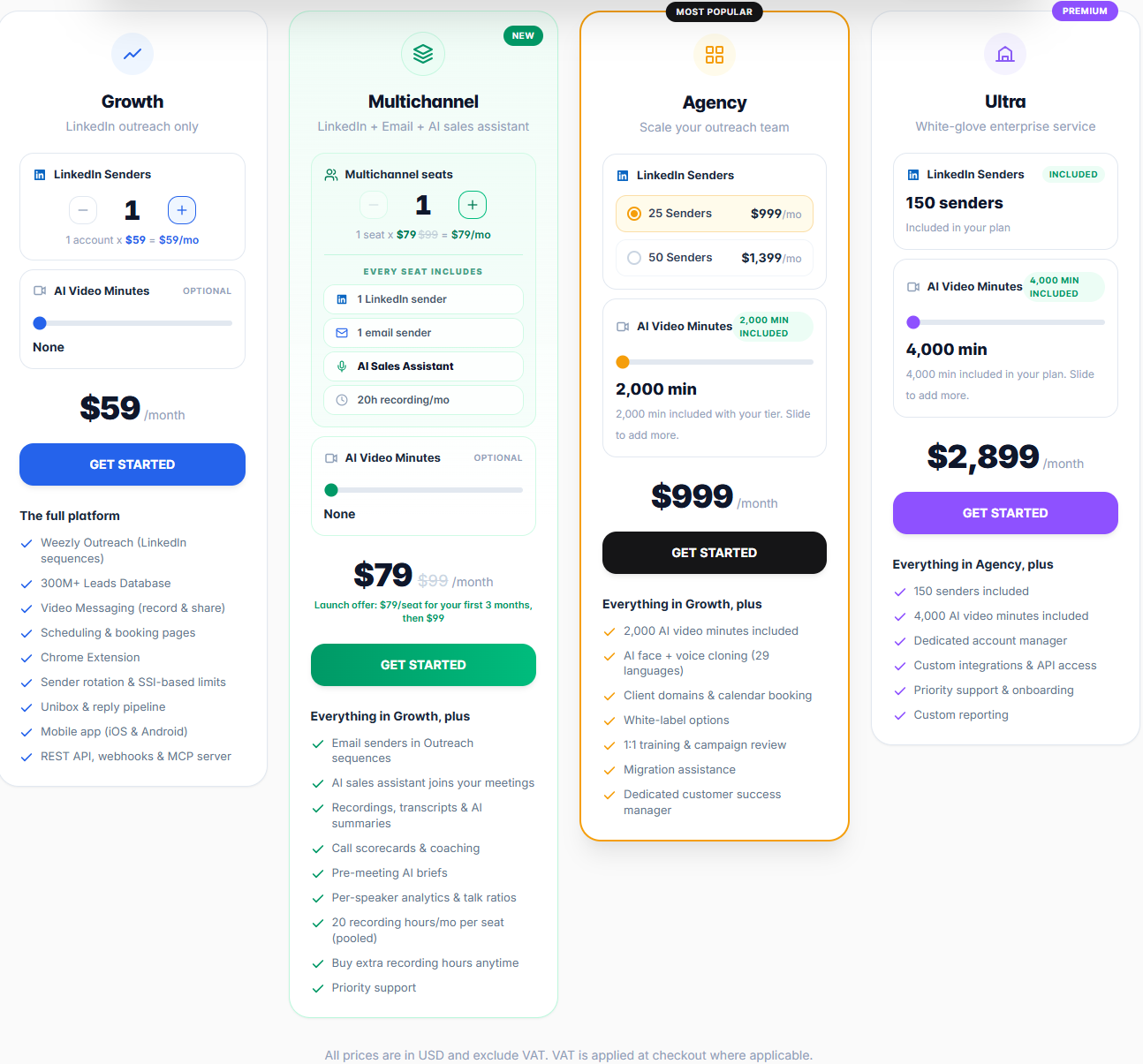
One Growth sender costs $59, and a 500-minute video pack costs $99, for a total of $158 a month. At about 47 seconds per video, that covers roughly 640 personalized videos.
If you won't use video, skip the pack and pay $59.
You'll need a Multichannel seat. It costs $79 a month for three months, then $99. Add video and your total reaches $198 a month after the introductory offer.
That email setup includes only one Gmail or Outlook mailbox. If you planned to send cold email from five or ten mailboxes, the plan won't go far enough.
Five Multichannel seats cost $495 a month after the offer. If only two reps need email and meeting recording, give the other three Growth seats. That costs $177 plus $198, or $375 a month before video.
Seventeen Growth senders cost $1,003 a month, more than the $999 Agency plan for 25 senders. Agency also includes 2,000 video minutes, worth $396 when bought separately.
At 25 senders, you pay about $40 each. At 50, it falls to about $28. Before choosing Agency, ask whether email sending is included because the plan builds on Growth and the pricing page doesn't say.
Finding emails in Weezly's database uses credits, but I couldn't find their price. If you plan to build every list inside Weezly, get that number before your trial ends.
Prices are in USD and exclude VAT, which Weezly adds at checkout where required.
Multichannel includes 20 monthly meeting-recording hours shared across your team. After that, another 10 hours costs $19.
You get a 21-day free trial and can cancel or change plans anytime. Plan changes begin with your next billing cycle.
I'd choose Weezly if most of your deals begin on LinkedIn and you're comfortable appearing on camera or using a clone of yourself.
If email drives most of your pipeline, Weezly treats it as a supporting step instead of the main channel.
Weezly focuses on making each LinkedIn message feel personal. Salesforge focuses on reaching more suitable prospects through LinkedIn and email, then showing you which messages work.
If email matters as much as LinkedIn in your pipeline, that difference will determine which is the better fit.
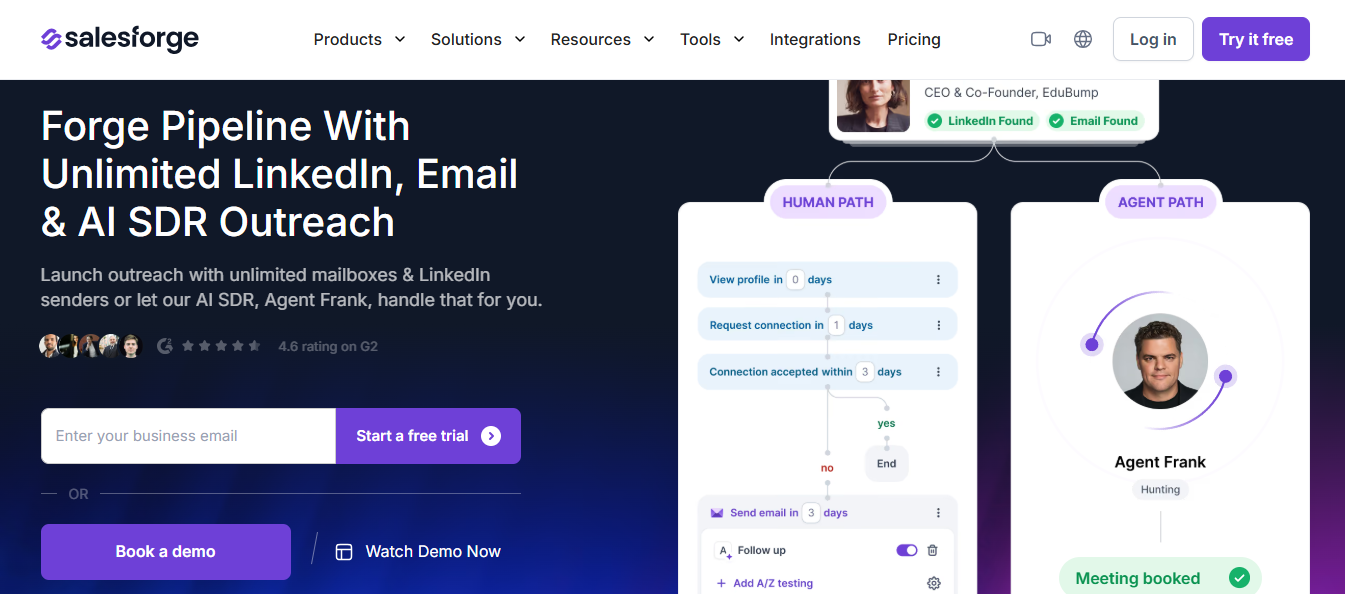
With Weezly, each email sender needs a $99 seat. The mailbox must come from your Gmail or Outlook account, and warmup isn't included. Running ten mailboxes means buying ten seats.
Salesforge lets you connect as many mailboxes as needed without a per-seat fee, while Warmforge warms them for free. LinkedIn and email steps share one sequence, and a LinkedIn reply automatically stops the emails.
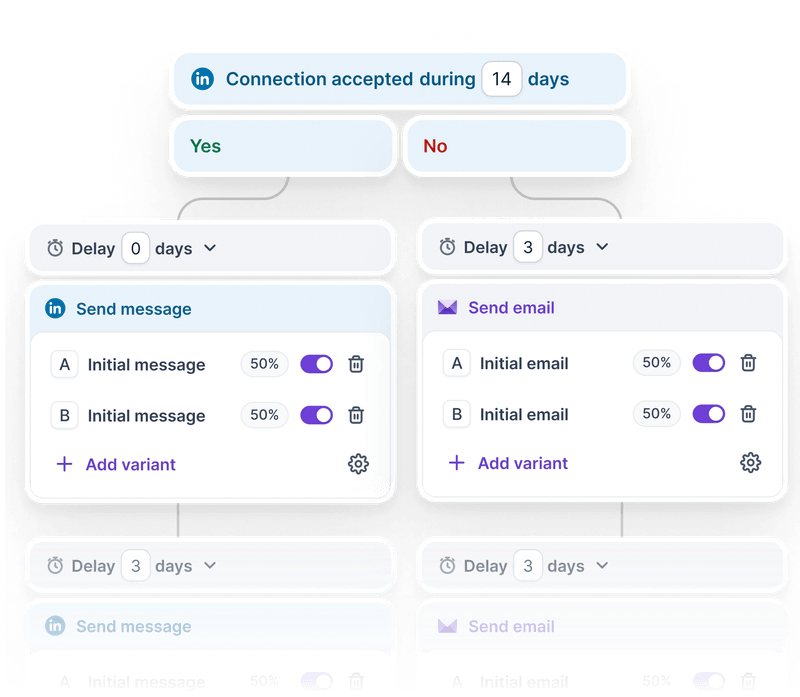
Weezly branches on three conditions and offers no A/B testing that I could find. To compare messages, you need to run separate campaigns.
Salesforge lets you create variants inside any step and test them on the same list. Reports break results down by channel, sender, and step, making it easier to see where replies fall.
AI video is Weezly's biggest strength, but it creates a question you'll eventually need to answer. Did you really record this?
Agent Frank personalizes through writing instead. Before reaching out, he studies each prospect, company, buying signal, timing, and likely objection.
Every message you rate becomes a memory he uses later, while the Intelligence tab shows what's working and where he still needs improvement.
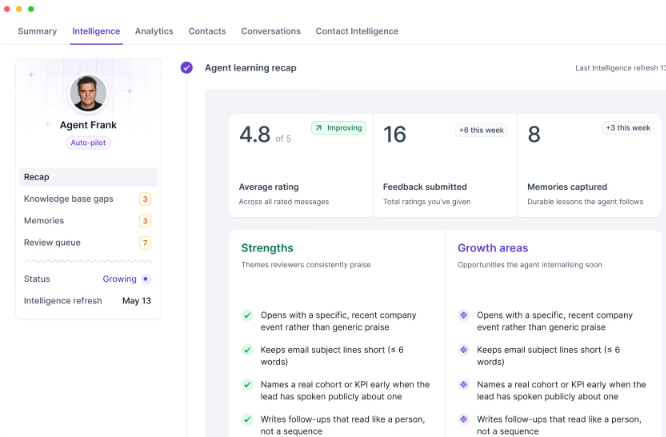
You still stay in control. In Co-pilot mode, Frank waits for approval. If he isn't confident in a draft, he flags it instead of sending it.
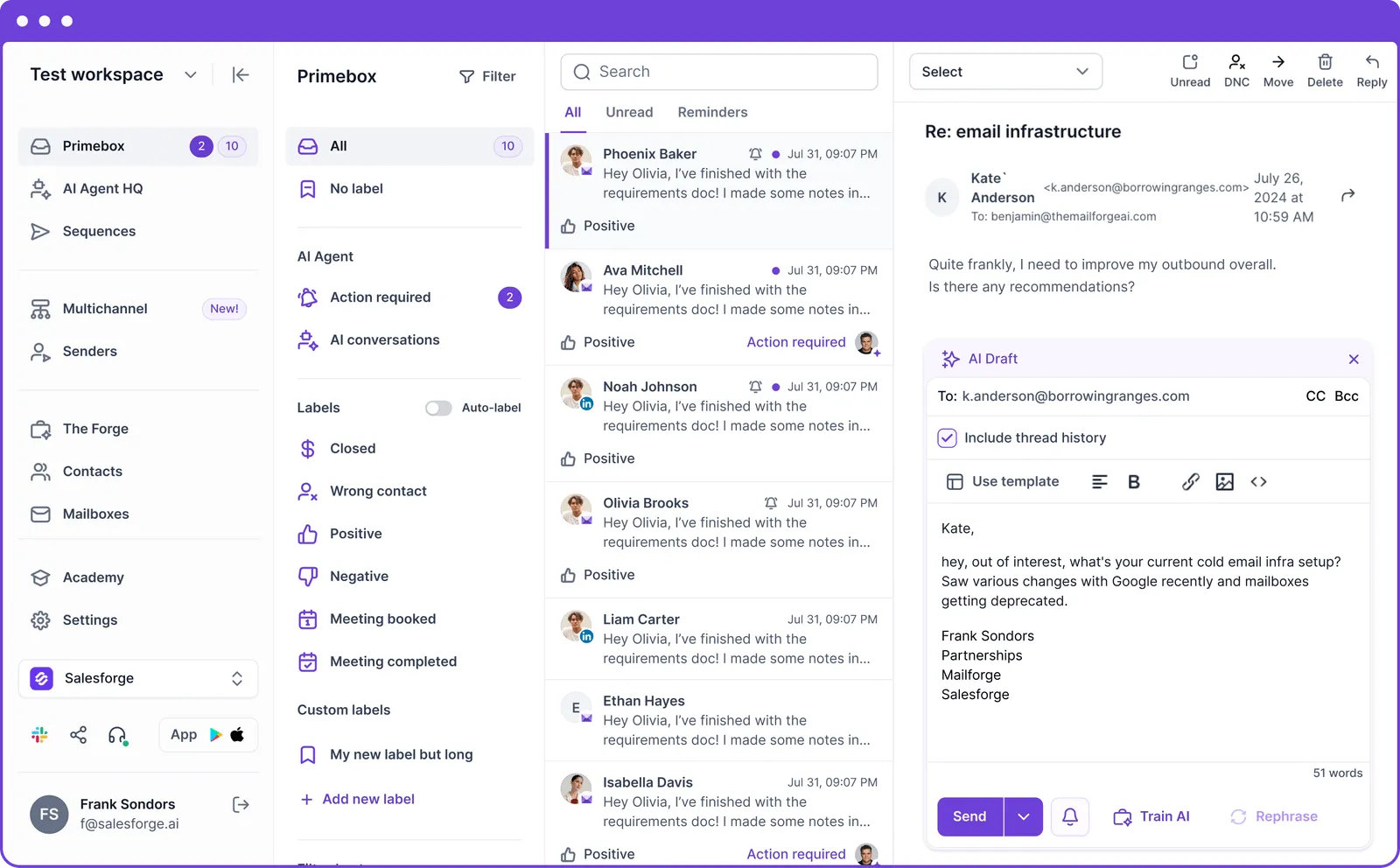
Primebox brings LinkedIn and email replies from every account into one inbox. AI tags positive responses, objections, and meeting requests. You can reply, approve drafts, or let Auto-pilot handle them from desktop, iOS, or Android.
Weezly gives each lead a number based on your website. Leadsforge runs your qualification prompts against each contact, returns a yes or no with reasons, and sends the list directly into a Salesforge sequence.
Enter your email to get a custom plan & stack recommendation for your business
Please check your mailbox in 5 minutes

Go back to the six tools on Weezly's demo screen, because that's the real test.
I'd cancel Calendly and Loom without much hesitation because booking pages and recorded video come with every plan. Sendspark can go if you buy video minutes, while Gong may become unnecessary if your reps use Multichannel's meeting recorder. Prospeo depends on the price of lead credits, which you'll need to ask about.
Lemlist is the tool I'd keep. One mailbox per seat without warmup can't support a serious cold email program. Weezly can replace the LinkedIn and meeting parts of your stack, but not the email side.
The answer is straightforward. If your deals start in LinkedIn conversations and you're comfortable using AI video, spend the 21-day trial running one campaign with video and another without. Let the replies decide.
If email contributes as much as LinkedIn, run both channels from one platform. Salesforge puts LinkedIn steps and unlimited warmed mailboxes into the same sequence without per-seat fees. Start the 14-day trial and build your first sequence.
.jpg)

.jpg)
.jpg)
