

Linked Helper is a $15/mo desktop app for LinkedIn automation only, with no email channel. Zopto was a cloud LinkedIn tool, but it shut down in February 2026 and now redirects to Zeekeo, an agency. Neither runs true multichannel outreach.
For real multichannel B2B outbound, Salesforge is the stronger choice. You get email and LinkedIn in one sequence, unlimited LinkedIn senders on the Growth plan, free Warmforge warm-up, a unified inbox (Primebox™), and an optional AI SDR (Agent Frank). Salesforge plans start at $48/mo monthly ($40/mo annual).
I have spent the last few years running outbound across both email and LinkedIn, and the same three names kept coming up: Linked Helper, Zopto, and Salesforge. So I set all three up and put them through real campaigns.
One surprise up front. Zopto no longer exists as a product you can buy. It shut down in February 2026, and its domain now points to a done-for-you agency called Zeekeo. Linked Helper is still here, a cheap desktop app built purely for LinkedIn. Salesforge runs email and LinkedIn together in a single sequence, with warm-up and a unified inbox included.
This comparison covers what each tool is, what it costs today, and which one fits the way modern B2B teams actually prospect.
LinkedIn Automation Tools Compared at a Glance: Linked Helper vs Zopto
Here is the short version before the detail. One tool is a live desktop app, one is gone, and one runs both channels at once.
| Feature | Salesforge | Linked Helper | Zopto |
|---|---|---|---|
| Outreach channels | Email + LinkedIn in one sequence | LinkedIn only | LinkedIn (email steps on higher legacy tiers) |
| Deployment | Cloud web app | Desktop app (local; optional cloud data sync) | Was cloud based |
| Current availability | Live | Live | Shut down Feb 2026 (redirects to Zeekeo) |
| Entry price | $48/mo monthly ($40/mo annual) - Salesforge Pro | $15/mo monthly ($8.25/mo annual) - Linked Helper Standard (local) | Was $215/mo (Personal) |
| Top self-serve plan | $96/mo monthly ($80/mo annual) - Salesforge Growth (unlimited users + LinkedIn senders) | $45/mo monthly ($24.75/mo annual) - Linked Helper Pro (local) | Was $895/mo (Agency) |
| Email warm-up | Free, unlimited (Warmforge) | None (LinkedIn tool) | None |
| AI SDR | Agent Frank - separate subscription from $499/mo billed quarterly | None | None |
| Unified inbox | Primebox™ (email + LinkedIn, free) | LinkedIn messages only (built-in CRM) | Team inbox (legacy) |
| LinkedIn senders | Unlimited (Growth plan) | 1 per license (per account) | 1 per account (legacy) |
| Email infrastructure | 3 options (Mailforge, Infraforge, Primeforge) | None | None |
| Free trial | 14 days, no card | 14 days, no card | None (demo only; now "Book a Call") |
| SOC 2 compliant | Yes | Not published | N/A |
| Best for | SMB/mid-market B2B, $5K-$100K ACV | Solo, budget, LinkedIn-only | No longer available |
Linked Helper Overview: Features, Pricing, and Limitations
Linked Helper is one of the longest-running LinkedIn automation tools on the market. It runs as a desktop application on Windows, Mac, or Linux, driving a built-in browser session connected to your LinkedIn account. In 2026 it added a cloud-storage option that syncs your data, but the automation itself still runs from the app.
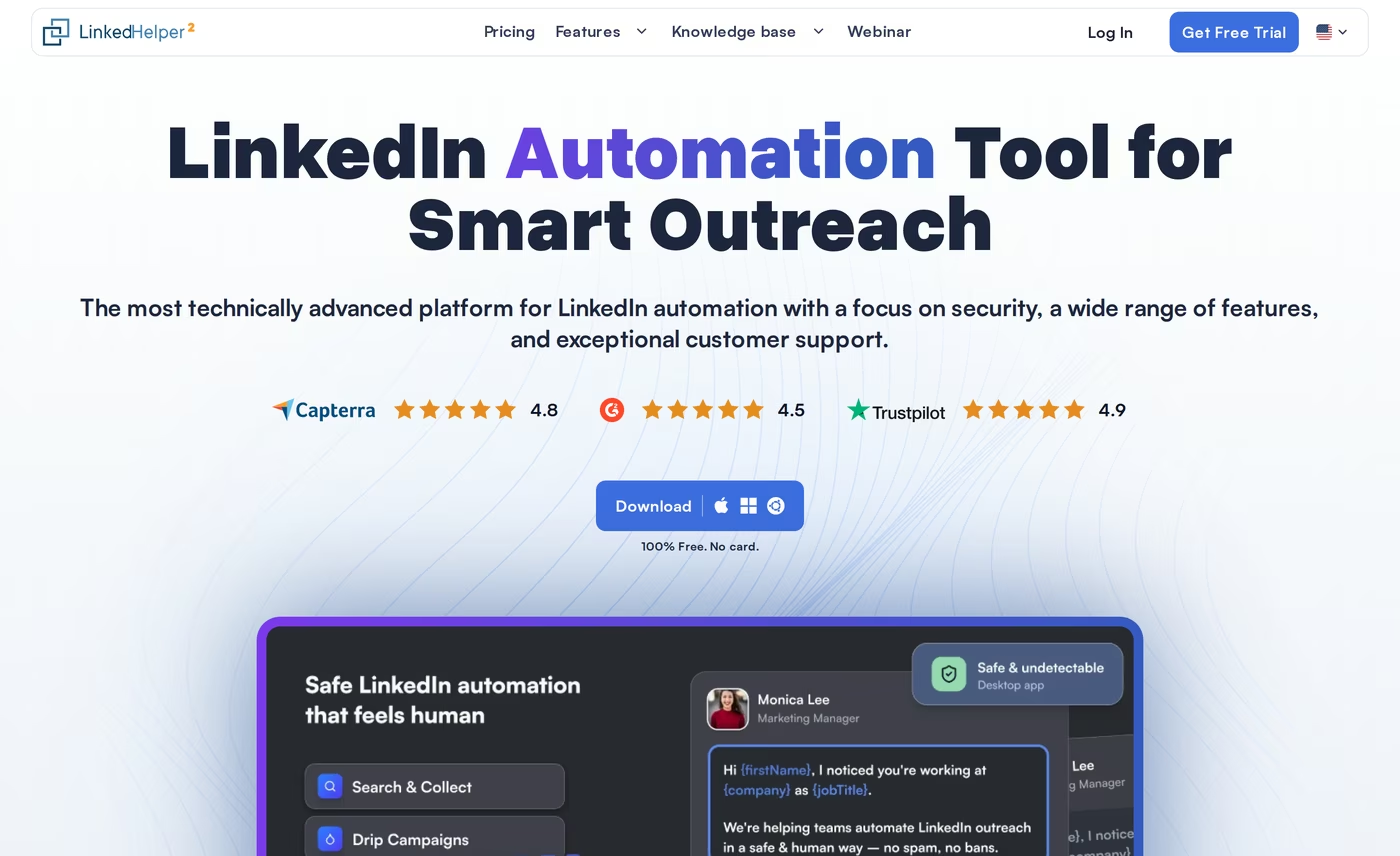
Core features I tested:
- Connection and message campaigns: automated invites, follow-up sequences, and reply detection across LinkedIn.
- Campaign chaining: prospects who accept an invite move into a messaging campaign automatically, which builds multi-step LinkedIn flows.
- InMail, events, and group messaging: most native LinkedIn action types are covered.
- Built-in CRM: tagging, notes, and full-profile data scraping inside the app.
- Data enrichment: email and phone lookups via monthly data credits (620/mo on Standard, 3,100/mo on Pro).
- AI credits: AI Messages, AI Comments, and AI ICP detection, metered by an AI credit balance.
- Platform support: works with free LinkedIn, Premium, Sales Navigator, and Recruiter.
Pricing is per LinkedIn account, and one license equals one account. On the local-storage tiers, Linked Helper Standard is $15/mo monthly, dropping to roughly $8.25/mo on the 12-month term. Linked Helper Pro is $45/mo monthly, dropping to about $24.75/mo annually. The cloud-storage versions cost more: Standard is $29.90/mo and Pro is $59.90/mo on monthly billing. There is a 14-day free trial with no card required.
It is best for solo operators, recruiters, and small teams who want granular control of LinkedIn outreach on a tight budget and do not mind managing the machine themselves.
What reviewers say about Linked Helper
The desktop model is the source of most complaints. Because actions come from a single home or office IP, LinkedIn's detection systems can flag the pattern, and reviewers report restrictions even inside the recommended daily limits.

Other documented limitations: the local app needs your computer on to run, and it has a steep learning curve. There is also no unified inbox that merges LinkedIn replies with email, since email is not a sending channel here.
Zopto Overview: What Happened and Where It Went
Here is the part almost no other comparison page will tell you plainly. As a self-serve product, Zopto no longer exists. It permanently shut down in February 2026 with no advance warning, and the Zopto shutdown left thousands of users looking for a replacement.
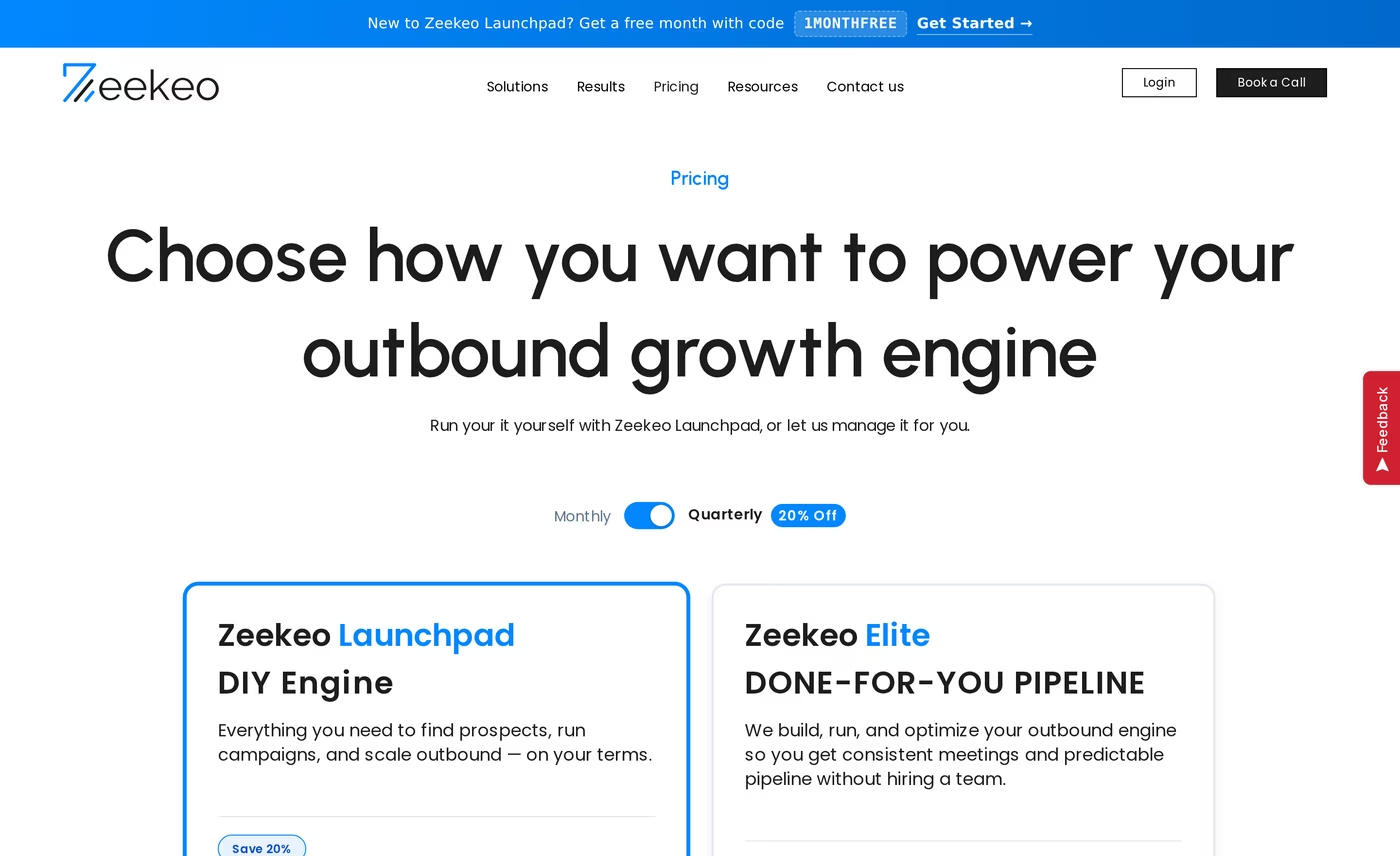
Zopto was founded in 2018 in London and ran for years as a cloud-based LinkedIn automation platform. It sold in three self-serve tiers: Personal at $215/mo, Grow at $395/mo, and Agency at $895/mo. That is the Zopto most G2 and Capterra reviews still describe. The UK company behind it, Zopto Limited, was formally dissolved on 19 May 2026.
What it used to do, for context:
- Cloud LinkedIn automation: connection requests, messages, InMails, profile views, and post engagement, run from dedicated cloud servers.
- Targeting: filtering built on LinkedIn Sales Navigator, which it required to work fully.
- AI assistant: a GPT-based helper for templates and posts on higher tiers.
- Email steps: available on its higher tiers for basic multichannel touches.
- Agency features: a multi-account dashboard and client reporting.
If you type the domain today, it redirects to Zeekeo, positioned as a B2B lead generation agency. The offering is now Zeekeo Launchpad, a DIY tool at $120/seat/mo billed quarterly, or Zeekeo Elite, a managed service from $649/mo. The only call to action is "Book a Call," with no self-serve signup or free trial. If you were a Zopto customer, this is effectively a different company and a different model. Anyone still searching for Zopto alternatives is really shopping for a new tool.
Salesforge Overview: Multichannel Outreach and the Forge Stack
Salesforge is a multichannel outbound platform that runs cold email and LinkedIn as coordinated channels inside one sequence and one inbox. It is the outreach layer of the full Forge Stack, which also includes Mailforge, Infraforge, Primeforge, Warmforge, and Leadsforge.
Core features:
- Conditional multichannel sequences: email and LinkedIn steps branch on prospect behavior. If a connection request is accepted, send a LinkedIn message; if not, fall back to email.
- Six native LinkedIn actions: connection requests, messages, InMails, post likes, follows, and withdraw requests, each capped at 30/day per profile for safety.
- Unlimited LinkedIn senders and mailboxes: on the Growth plan, connect your whole team without per-seat fees.
- Account safety: actions route through quality proxies with session-token auth, so your LinkedIn password is never stored, and there is no browser-extension injection.
- Free Warmforge warm-up: every mailbox is warmed continuously through a free Warmforge warm-up pool of aged Google Workspace and Microsoft 365 mailboxes, with Heat Score™ monitoring.
- Primebox™ unified inbox: all email and LinkedIn replies land in one place, free on every plan; AI reply modes (Autopilot and Co-pilot) are on Growth.
- AI personalization in 21+ languages: Overdrive Mode pulls from multiple sources per prospect.
- Three infrastructure options: Mailforge, Infraforge, and Primeforge under one login.
- Leadsforge: a Leadsforge lead database of 500M+ contacts that feeds sequences with no CSV export.
- Integrations: HubSpot, Salesforce, Pipedrive, Clay, Zapier, Make, webhooks, an API on Growth, and an MCP CLI.

Pricing is not seat based. Salesforge Pro is $48/mo monthly or $40/mo annual, with 1,000 contacts, 5,000 emails a month, one user, one LinkedIn sender, and unlimited mailboxes. Salesforge Growth is $96/mo monthly or $80/mo annual, adding unlimited users, unlimited LinkedIn senders, A/B testing, ESP matching, API access, and the full integrations library. An optional AI SDR, Agent Frank, is a separate subscription from $499/mo billed quarterly ($416/mo annual); he requires a demo and a two-week warm-up, so there is no self-serve trial for him. Every paid plan includes a 14-day free trial with no card.
Salesforge is built for B2B teams selling at ACVs of $5K to $100K, targeting 3,000 or more businesses. It is honest about fit: Salesforge itself says it is a poor match for Fortune 500 procurement and long RFP cycles. Named outcomes make the case concrete. UniteSync hit an 85.26% positive reply rate and a $2.86 CAC on Salesforge, Mailforge, and Warmforge, and ChannelCrawler reached 85.71% on Salesforge, Infraforge, and Warmforge.
Two honest limitations: email infrastructure is not bundled into the base price, and several features (API, A/B testing, Primebox AI, unlimited LinkedIn senders) sit on the Growth plan.
Start a 14-Day Free Trialin Action

Head-to-Head Feature Comparison: Linked Helper vs Zopto
Since Zopto is discontinued, this section weighs Linked Helper as the live competitor and treats Zopto as the cautionary case, with Salesforge as the reference point.
Multichannel outreach
This is the widest gap. Cold outreach in 2026 works best when LinkedIn and email reinforce each other in one flow.
- Salesforge: email and LinkedIn run in a single conditional sequence, so a missed email can trigger a LinkedIn touch automatically.
- Linked Helper: LinkedIn only. You can chain LinkedIn campaigns, but email lives in a separate tool entirely.
- Zopto: offered email steps on its higher tiers, but the product is no longer available.
Email deliverability and warm-up
Deliverability is what kills most cold campaigns, and it only matters once email is in the picture.
- Salesforge: free, unlimited Warmforge warm-up on every mailbox, with a premium pool and Heat Score™ tracking, plus ESP matching and mailbox rotation.
- Linked Helper: no warm-up, because it does not send email.
- Zopto: no first-party warm-up product; deliverability was never its focus.
LinkedIn safety and deployment
How the tool executes LinkedIn actions changes your account risk.
- Salesforge: cloud execution, quality proxies, session-token auth, conservative per-action caps, and no extension injection.
- Linked Helper: desktop execution from your own IP. Reviewers report restrictions, and the app has to stay running on the local tier.
- Zopto: ran in the cloud with dedicated IPs, which was a genuine strength before it closed.
AI and personalization
- Salesforge: Overdrive Mode personalizes from multiple sources in 21+ languages, and Agent Frank can run the whole workflow as an AI SDR.
- Linked Helper: AI Messages and AI ICP detection exist, metered by AI credits, but there is no autonomous SDR.
- Zopto: had a GPT-based template helper on higher tiers.
Inbox and reply management
- Salesforge: Primebox™ merges email and LinkedIn replies in one inbox with sentiment analysis, free on every plan.
- Linked Helper: a built-in CRM handles LinkedIn conversations, but email replies are not part of it.
- Zopto: had a team inbox for managing replies, now retired.
Infrastructure and integrations
- Salesforge: three infrastructure options (Mailforge, Infraforge, Primeforge), native CRM integrations, an API on Growth, and an MCP CLI for agent workflows.
- Linked Helper: no email infrastructure; integrations run through webhooks and Zapier (capped at 20 profiles/day on Standard).
- Zopto: integrated with HubSpot, Salesforce, and Zapier during its run.
If you want the wider field, browse the sales tools directory or compare more options in LinkedIn automation tools.
Pricing Comparison: Linked Helper, Zopto, and Salesforge
Sticker prices sit far apart, but the real cost depends on channels and scale. Note that both Linked Helper and Salesforge have a "Pro" tier, so I name the vendor each time.
| Plan | Salesforge | Linked Helper | Zopto (legacy) |
|---|---|---|---|
| Entry | Salesforge Pro - $48/mo monthly, $40/mo annual | Linked Helper Standard - $15/mo monthly, $8.25/mo annual (local) | Personal - was $215/mo |
| Mid / Pro | Salesforge Growth - $96/mo monthly, $80/mo annual | Linked Helper Pro - $45/mo monthly, $24.75/mo annual (local) | Grow - was $395/mo |
| Cloud option | Included (cloud native) | Cloud storage: Standard $29.90/mo, Pro $59.90/mo | Agency - was $895/mo |
| AI SDR | Agent Frank - separate, from $499/mo quarterly | None | None |
| Warm-up | Free, unlimited | Not applicable | Not applicable |
| Billing basis | Per workspace (unlimited senders on Growth) | Per LinkedIn account | Was per account |
| Free trial | 14 days, no card | 14 days, no card | None |
| Available now | Yes | Yes | No (Zeekeo from $120/seat) |
Linked Helper is genuinely the cheapest way to automate LinkedIn if you run a single account and stay LinkedIn-only. For that narrow, budget-first case it is the simpler pick, because it skips the email setup you would not use.
The math shifts the moment you add email or a second seat. Say you run a five-person team doing email and LinkedIn. On Linked Helper you would pay per LinkedIn account and still buy a separate email tool, a warm-up tool, and a data tool on top. On Salesforge Growth at $80/mo annual, five users, all their LinkedIn senders, unlimited mailboxes, free warm-up, and Primebox™ are covered by one flat fee. Zopto, by contrast, started at $215/mo for one account and required Sales Navigator on top, which is part of why so many teams moved on even before it closed.
Who Should Use Which Tool
A quick decision guide based on how you actually work.
You might consider Linked Helper if:
- You run one LinkedIn account, want maximum manual control, and are on a strict budget.
- Your outbound is LinkedIn-only and you are comfortable keeping a desktop app running.
- You accept a higher detection risk in exchange for the lowest sticker price.
You might have considered Zopto if:
- You wanted cloud-based LinkedIn automation with agency dashboards, before it shut down.
- Today, the equivalent is a managed Zeekeo engagement, not a self-serve tool you operate.
Choose Salesforge if:
- You sell B2B at ACVs of $5K to $100K and target 3,000+ businesses.
- You want email and LinkedIn in one conditional sequence, not two disconnected tools.
- You are scaling a team or agency and refuse to pay per seat as you grow.
- You want deliverability handled for free, with warm-up, ESP matching, and a unified inbox built in.
- You want the option to hand the whole workflow to Agent Frank, the AI SDR.
Final Verdict: The Best LinkedIn Outreach Tool for 2026
Linked Helper and Zopto are both single-channel tools at heart. Linked Helper is a low-cost desktop app that automates LinkedIn well but leaves email, warm-up, and a shared inbox out of the picture. Zopto was a capable cloud tool, but it shut down in February 2026 and now redirects to a done-for-you agency, so it is not something you can buy and run yourself.
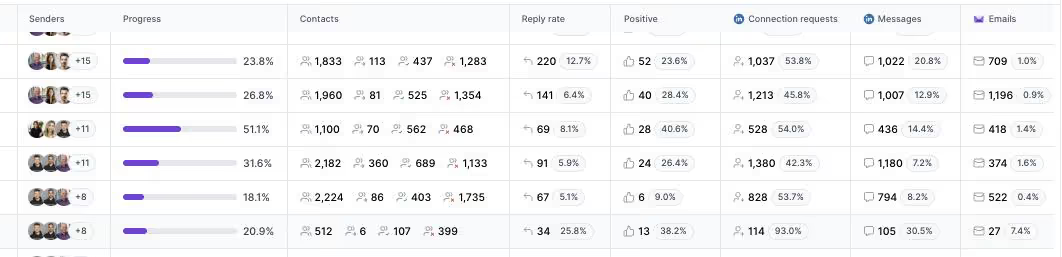
For real multichannel B2B outbound, Salesforge is the stronger choice. At $80/mo for the Growth plan billed annually ($96/mo monthly), you get unlimited users, unlimited LinkedIn senders, unlimited mailboxes, free Warmforge warm-up, and Primebox™, a combination neither alternative offers at any price.
One falsifiable benchmark: UniteSync ran on Salesforge, Mailforge, and Warmforge to an 85.26% positive reply rate and a $2.86 CAC. The case study is public. If you primarily sell to Fortune 500 accounts through long RFP cycles, Salesforge says plainly that it is not your tool. For SMB and mid-market outbound, it is purpose-built.

You can weigh more options in the comparison library, see the field of LinkedIn outreach tools, or read up on AI outreach tools if an AI SDR is on your radar.
See What Agent Frank Can DoFrequently Asked Questions
Is Salesforge better than Linked Helper?
For multichannel outbound, yes. Salesforge runs email and LinkedIn in one sequence, includes free Warmforge warm-up and the Primebox™ unified inbox, and offers unlimited LinkedIn senders on the Growth plan. Linked Helper is a LinkedIn-only desktop app with no email channel. If your outreach is strictly LinkedIn and single-account, Linked Helper is cheaper at $15/mo, but it cannot coordinate both channels or protect email deliverability the way Salesforge does.
What happened to Zopto - is it shut down?
Yes. Zopto permanently shut down in February 2026, and the UK company behind it was dissolved on 19 May 2026. Typing zopto.com now redirects to Zeekeo, a done-for-you B2B lead generation agency with Zeekeo Launchpad at $120/seat/mo and Zeekeo Elite from $649/mo. There is no self-serve Zopto product to sign up for anymore, and the only call to action on the new site is "Book a Call."
Which is cheaper, Salesforge or Linked Helper?
Linked Helper has the lower sticker price. Linked Helper Standard is $15/mo monthly ($8.25/mo annual) versus Salesforge Pro at $48/mo monthly ($40/mo annual). But Linked Helper is per LinkedIn account and covers LinkedIn only. Once you add email, warm-up, and a second seat, Salesforge Growth at $80/mo annual covers unlimited users and senders on one flat fee, which is usually cheaper than stacking several single-purpose tools.
Does Linked Helper support email outreach?
Not as a sending channel. Linked Helper is a LinkedIn automation tool with a built-in CRM and email-finder data credits, but it does not send email sequences or merge email replies into its inbox. To run email plus LinkedIn, you would pair it with a separate cold email platform. Salesforge includes both channels natively in one conditional sequence, plus a shared inbox for replies from both.
Can I switch from Zopto or Linked Helper to Salesforge easily?
Yes. You can export your LinkedIn contacts to CSV and upload them to Salesforge, or connect a Google Sheet directly into a sequence. Since Zopto has shut down, exporting your data promptly matters. Salesforge offers a 14-day free trial with no card, so you can rebuild campaigns and connect mailboxes before committing. Warm-up starts running automatically through Warmforge once mailboxes are connected.
Which tool has better email deliverability?
Salesforge, by default, because it is the only one of the three that actually sends email. Warmforge warms every mailbox for free using a premium pool of aged Google Workspace and Microsoft 365 mailboxes, with Heat Score™ monitoring, ESP matching, and mailbox rotation. Linked Helper has no warm-up because it is LinkedIn-only, and Zopto never sold a first-party warm-up product before it closed.
Does Salesforge offer a free trial?
Yes. Every paid Salesforge plan includes a 14-day free trial with no credit card required, and you can connect unlimited mailboxes and run warm-up during the trial. The trial caps usage at 50 contacts and 100 emails so you can test the workflow. Agent Frank, the AI SDR, is the exception: he requires a demo and a two-week warm-up rather than a self-serve trial.
Who is Linked Helper best for?
Linked Helper is best for solo founders, recruiters, and freelancers who run a single LinkedIn account on a tight budget and want hands-on control. At $15/mo it is one of the cheapest LinkedIn automation tools available. The trade-offs are real: it runs on your desktop, carries higher LinkedIn detection risk than cloud tools, has a learning curve, and offers no native email channel or unified multichannel inbox.


.jpg)

.jpg)
