

Dripify is a cloud-based LinkedIn automation tool with basic email steps, priced per seat from $59/mo. Zopto was a similar LinkedIn tool, but it shut down in February 2026 and now redirects to Zeekeo, a done-for-you agency. Neither sells email infrastructure or a built-in AI SDR.
For real multi-channel B2B outbound, Salesforge is the stronger choice. You get email and LinkedIn from one dashboard, no per-seat pricing, free Warmforge warm-up, a unified inbox (Primebox™), and an optional AI SDR (Agent Frank). Salesforge plans start at $48/mo monthly ($40/mo annual).
I've spent years running outbound across email and LinkedIn, and I keep getting the same question: Dripify, Zopto, or Salesforge? There is a catch most comparison pages miss. Zopto no longer exists as a product.
It shut down in February 2026, and its domain now points to a done-for-you agency called Zeekeo. Dripify is very much alive, but it is a LinkedIn automation tool first, with email bolted on. Salesforge runs email and LinkedIn together, with its own warm-up and infrastructure behind it.
The team that took UniteSync to an 85.26% positive reply rate was not using a LinkedIn-only tool. They were running Salesforge with Mailforge and Warmforge. Here is how the three actually compare in 2026.
LinkedIn Automation Tools at a Glance: Dripify vs Zopto
Here is the short version before the detail. This table covers what each tool is, what it costs, and, importantly, whether you can still buy it in 2026.
| Feature | Salesforge | Dripify | Zopto |
|---|---|---|---|
| Outreach channels | Email + LinkedIn (native multi-channel) | LinkedIn-first, with basic email steps | LinkedIn + email (product discontinued) |
| Current status | Live, actively developed | Live | Shut down Feb 2026 (redirects to Zeekeo) |
| Entry price | $48/mo monthly ($40/mo annual) - Salesforge Pro | $59/mo monthly ($39/user/mo annual) - Basic, per seat | Formerly ~$197/mo per account |
| Top self-serve plan | $96/mo monthly ($80/mo annual) - Growth, unlimited users + LinkedIn senders | $99/mo monthly ($79/user/mo annual) - Advanced, per seat | Formerly ~$780-895/mo Agency |
| Pricing model | Usage-based, no per-seat | Per user / seat | Was per LinkedIn account |
| Email warm-up | Free, unlimited (Warmforge) | None | None |
| Email infrastructure | 3 options (Mailforge, Infraforge, Primeforge) | None (uses your own mailbox) | None |
| AI SDR | Agent Frank (Auto-Pilot / Co-Pilot), from $499/mo billed quarterly | None | None (had an AI copy assistant) |
| Unified inbox | Primebox™ (free, email + LinkedIn) | Dripify inbox (LinkedIn, Pro plan and up) | Team inbox (discontinued) |
| Free trial | 14 days | 7 days | None (demo only) |
| SOC 2 compliant | Yes | Not stated | Not stated |
| Best for | SMB / mid-market B2B, $5K-$100K ACV | Solo and small-team LinkedIn outreach | No longer available |
Dripify Overview: Features, Pricing, and Reviews
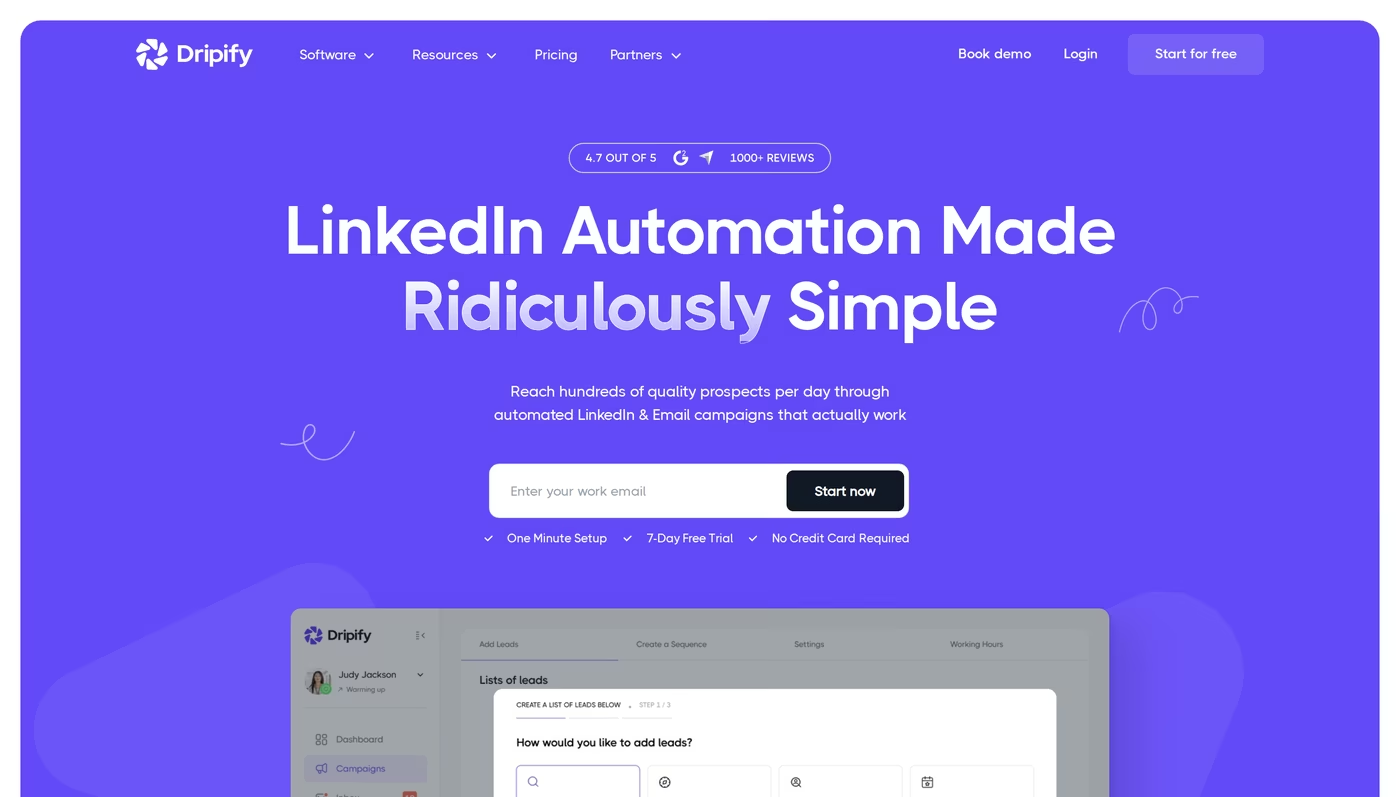
Dripify is a cloud-based LinkedIn automation tool that launched around 2020. Because it runs in the cloud, your campaigns keep going even when your laptop is off.
It calls its sequences "drip campaigns," and those campaigns are built around LinkedIn actions: connection requests, messages, InMails, profile views, and endorsements. Email steps exist, but they are basic and tied to your own mailbox.
Core features Dripify offers:
- LinkedIn drip campaigns - multi-step sequences with connection requests, messages, and follow-ups.
- Basic email steps - simple email touches inside a sequence, more limited than a dedicated email tool.
- Email finder credits - 100 credits included, then paid tiers ($29 for 1,000, up to $99 for 10,000).
- Dedicated inbox - respond to LinkedIn leads without leaving Dripify (Pro plan and up).
- Analytics and reports - conversion rates, campaign performance, and team stats.
- Safety algorithms - a local IP address per account and human-behavior simulation to reduce restriction risk.
- Integrations - Zapier, Make, Google Sheets, and HubSpot, with webhooks on Pro and up.
Dripify uses per-seat pricing across four plans, billed per user. The annual rates below reflect the "up to 35% off" annual discount shown on its pricing page:
- Dripify Basic - $59/mo monthly, or $39/user/mo annual. One drip campaign, limited daily quotas (about 20 connection requests a day), analytics, and 24/7 support.
- Dripify Pro - $79/mo monthly, or $59/user/mo annual. Unlimited campaigns, full daily quotas (75 connection requests a day), a dedicated inbox, CSV export, and webhooks.
- Dripify Advanced - $99/mo monthly, or $79/user/mo annual. Multi-team management, advanced LinkedIn protection, lead tagging, and step analytics.
- Dripify Enterprise - custom pricing with premium onboarding and a customer success manager.
Dripify works with a free LinkedIn account, but it recommends LinkedIn Sales Navigator for better targeting, which adds about $99/user/mo on top. It offers a 7-day free trial with no credit card.
Who it's best for: Dripify fits solo operators and small teams that want a simple, cloud-based way to run LinkedIn connection-and-message sequences. If your motion is "connect, wait, pitch, follow up" on LinkedIn, it handles that with almost no learning curve.
What reviewers say about Dripify
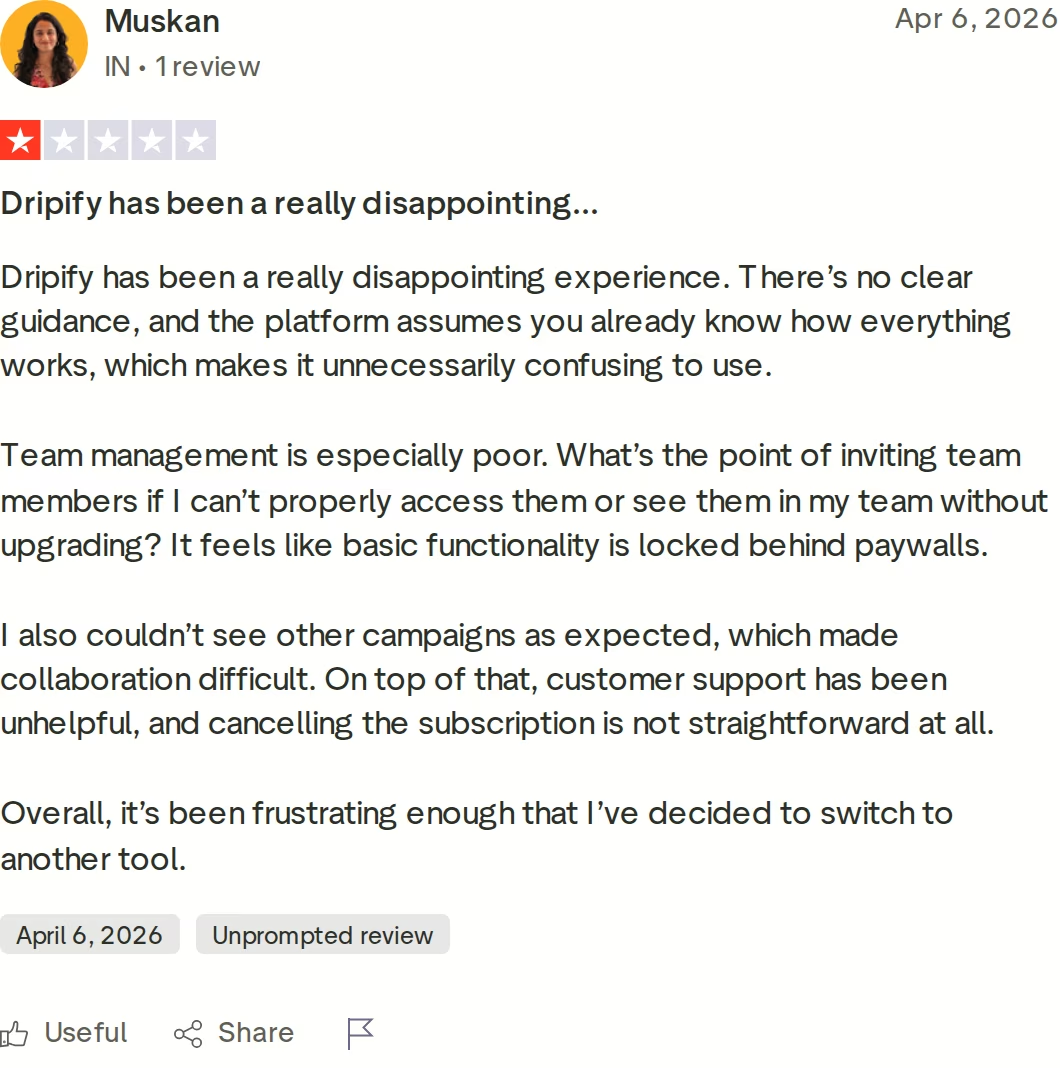
Dripify's overall Trustpilot score is positive, and many users praise how simple it is to launch a campaign. But there are consistent, specific complaints worth knowing before you commit.
Across Trustpilot and third-party review sites, users report a billing module with documented bugs and charges continuing after cancellation, team features gated behind higher tiers, and no real A/B testing (you split contacts across two campaigns manually). A common one: once a campaign is running, you cannot edit the sequence without deleting it and starting over. I pulled together more of these patterns in my writeup on Dripify reviews.
Documented limitations:
- Per-seat pricing means costs climb quickly as you add teammates, with no volume discount for extra seats.
- Email is a secondary feature (often Gmail-focused) and shallow next to a dedicated email platform.
- Sequences cannot be edited once launched, and "A/B testing" is a manual contact split rather than a built-in test.
- Multiple reviewers report billing and cancellation friction, including charges after they tried to cancel.
Zopto Overview: What Happened and What Replaced It
Here is the part almost no other comparison page will tell you plainly: as a self-serve tool, Zopto no longer exists. Zopto was founded in 2018 in London and ran for years as a cloud-based LinkedIn automation platform sold in three self-serve tiers.
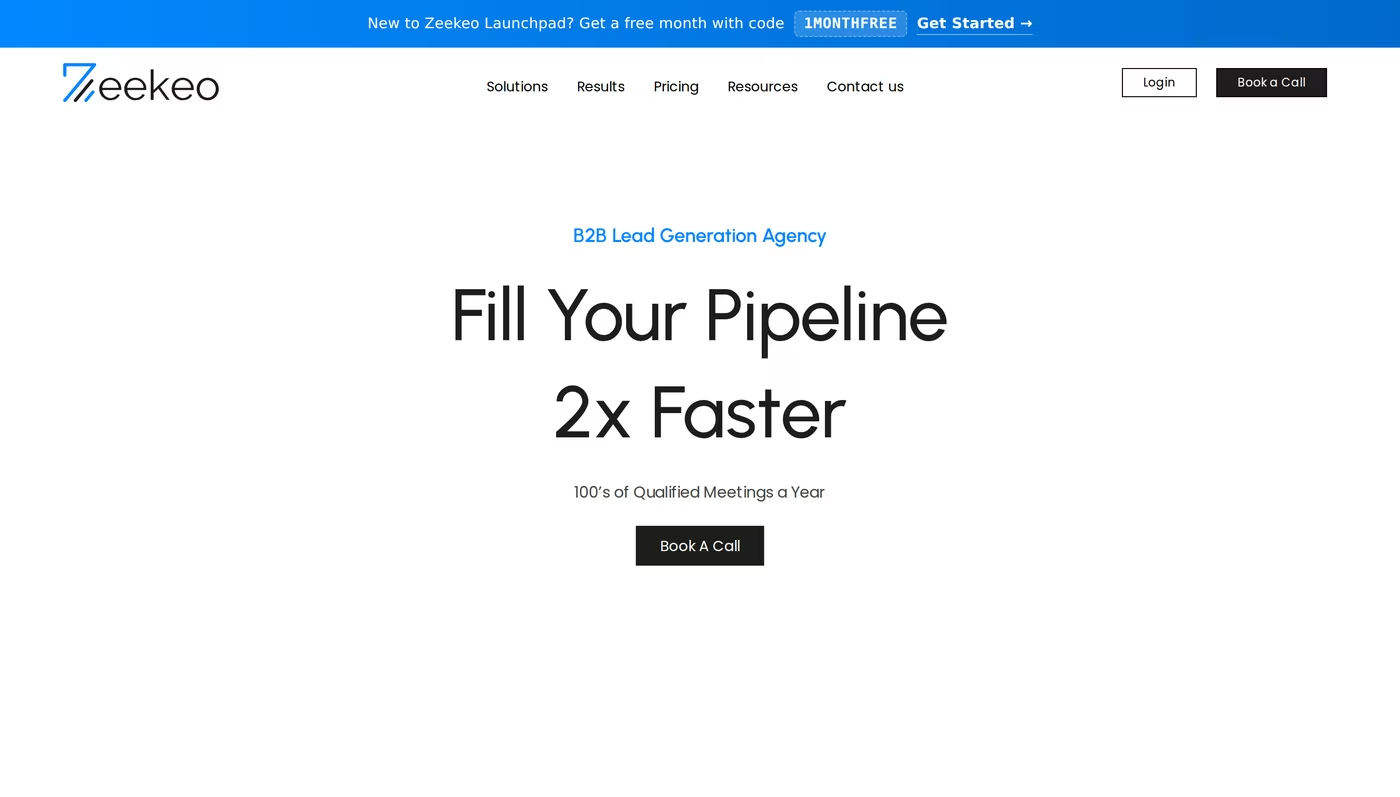
In February 2026 it permanently shut down with no advance warning. If you type zopto.com into a browser today, you are redirected to a rebranded site called Zeekeo.
Zeekeo is positioned as a "B2B Lead Generation Agency," and its main call to action is "Book a Call," not "Start a free trial." It offers two paths: Zeekeo Launchpad, a do-it-yourself tool at $120/seat/mo billed quarterly, and Zeekeo Elite, a done-for-you managed service starting from $649/mo billed quarterly. That is a very different offer from the software readers remember buying.
For reference, this is what Zopto used to be and cost, so you can weigh old reviews correctly:
- Cloud-based LinkedIn automation - connection requests, messages, InMails, and profile engagement, with email and Twitter touches on higher tiers.
- AI copy assistant - a GPT-based assistant that generated outreach templates and replies on higher plans.
- Legacy pricing - roughly $197/mo for the Personal plan, scaling to about $780-895/mo for the Agency plan, per LinkedIn account.
- CRM integrations - HubSpot, Salesforce, Pipedrive, and Zapier.
- Sales Navigator dependency - it needed LinkedIn Premium or Sales Navigator to target properly.
- No free trial - access was demo-only, a high-commitment buy from day one.
Who it was for: Zopto targeted agencies and B2B sales teams that ran LinkedIn outreach as a primary channel and had the budget for a premium tool. Before it closed, reviewers consistently flagged the high price, the Sales Navigator requirement, a dated and sometimes slow interface, and billing and cancellation complaints. Since the product is gone, treat any live Zopto pricing you see on review sites as out of date.
If you are evaluating LinkedIn tools in this category, it is worth reading how other options handled the same shutdown, which I covered in Waalaxy vs Zopto and in Expandi vs Skylead.
Salesforge Overview: Multi-Channel Outreach and an AI SDR
Salesforge is an all-in-one cold outreach platform that runs email and LinkedIn automation from a single workflow. It is the flagship of the Forge Stack, a set of products that also cover lead data, email infrastructure, warm-up, and an AI SDR. The pitch is simple: instead of buying a LinkedIn tool, a separate email tool, a warm-up tool, and an inbox tool, you run the whole motion in one place.
Core Salesforge features:
- Conditional multi-channel sequences - email and LinkedIn touchpoints that branch on prospect behavior.
- Unlimited mailboxes on every plan - connect as many sending accounts as you need, with smart rotation.
- Unlimited LinkedIn senders - on the Growth plan, add every profile on your team with no per-seat charge.
- Free, unlimited warm-up - Warmforge is included with every subscription, with a Heat Score™ that targets 97+.
- Primebox™ unified inbox - manage email and LinkedIn replies in one place, with AI sentiment tagging.
- Overdrive Mode personalization - AI that personalizes from a prospect's website, blog, and LinkedIn posts.
- Agent Frank, the AI SDR - he prospects, writes, follows up, and books meetings across email and LinkedIn.
- Native integrations - HubSpot, Salesforce, Pipedrive, Clay, plus Zapier, an API, and an MCP server.
- Multi-language sequences - craft messages in 20+ languages without hiring translators.
- SOC 2 compliance - badged across the Forge Stack products.
Salesforge is the outreach layer of a wider Forge Stack. When you need sending infrastructure, you can add Mailforge (shared IPs), Infraforge (dedicated IPs), or Primeforge (Google and Microsoft 365 mailboxes), and it all connects natively without Zapier in between. Warmforge and Primebox come included, and Leadsforge gives you access to a 500M+ contact database.
Salesforge pricing is usage-based, not per seat:
- Salesforge Pro - $48/mo monthly, or $40/mo annual. 1,000 active contacts, 5,000 emails a month, 1 LinkedIn sender, 1 user, plus unlimited mailboxes, unlimited warm-up, and Primebox.
- Salesforge Growth - $96/mo monthly, or $80/mo annual. 10,000 active contacts, 50,000 emails a month, unlimited LinkedIn senders, unlimited users, A/B testing, API access, ESP matching, and Primebox AI.
- Agent Frank - a separate subscription from $499/mo billed quarterly ($416/mo annual). This is the AI SDR, and it is never bundled into the Pro or Growth price.
Salesforge fits B2B teams selling products with ACVs between $5K and $100K into startups, SMBs, and mid-market companies, especially teams targeting 3,000+ businesses that want to book meetings without hiring a large SDR bench. Salesforge is honest about its anti-fit too: it says it is not the right tool if you primarily sell into Fortune 500 procurement, rely on long RFP cycles, or close a small number of six-to-seven-figure deals.
Honest limitations: email infrastructure is not included in the base plan, so mailboxes are a separate cost. Several features (API, A/B testing, ESP matching, multi-language sequences) sit on the Growth plan. And Agent Frank requires a sales-led demo plus a 2-week warm-up before he starts sending, so there is no instant self-serve trial for the AI SDR.
in Action

Head-to-Head Feature Comparison: Dripify vs Zopto
Both Dripify and Zopto are (or were) LinkedIn automation tools at heart. Salesforge is a multi-channel platform with infrastructure underneath it. That difference shows up in almost every category below.
Multi-channel outreach
Salesforge runs email and LinkedIn in the same conditional sequence, so a prospect can get a LinkedIn connection on day one, an email on day three, and a LinkedIn message on day five, all tracked in one place. Dripify centers on LinkedIn and includes basic email steps, but its email is shallow next to a dedicated sender.
Zopto did combine LinkedIn, email, and Twitter on higher tiers, but the product is discontinued, so it is not a live option. If your outbound is genuinely multi-channel, this is the clearest gap between the three.
Email deliverability and warm-up
This is where the LinkedIn tools have nothing to offer. Salesforge includes free, unlimited warm-up through Warmforge, using a premium-by-default pool of aged Google Workspace and Microsoft 365 mailboxes, plus a Heat Score™ that targets 97+ and automatic removal of warm-up emails that land in spam.
Dripify has no warm-up and no infrastructure; it sends through your own mailbox and leaves deliverability to you. Zopto had no warm-up either. For any serious email volume, warm-up is not optional, and only Salesforge builds it in.
AI and personalization
Salesforge has two layers of AI. Overdrive Mode personalizes messages from a prospect's website, blog, and LinkedIn posts, and Agent Frank is a full AI SDR that prospects, writes, follows up, and books meetings on Auto-Pilot or Co-Pilot.
Dripify offers dynamic variables and an AI icebreaker, which help, but it is not an autonomous agent. Zopto had a GPT-based copy assistant on higher tiers, though again the product is gone. If you want AI to actually run the motion rather than just draft a line, Agent Frank is in a different category.
Inbox and reply management
Salesforge includes Primebox™ free, a unified inbox that pulls email and LinkedIn replies into one view, tags sentiment automatically, and can draft AI replies on the Growth plan. Dripify has its own inbox for LinkedIn conversations on the Pro plan and up, but it does not unify email and LinkedIn the way Primebox does.
Zopto offered a team inbox before it closed. Managing every reply in one place, across both channels, is a Salesforge advantage that matters more as volume grows.
Pricing and scalability
Dripify charges per seat, so a five-person team on Advanced annual pays 5 times $79, or $395/mo, before any Sales Navigator seats. Salesforge Growth is a flat $80/mo annual with unlimited users and unlimited LinkedIn senders, so adding teammates does not change the software bill.
Zopto also charged per LinkedIn account, which is part of why teams found it expensive. The more people you add, the wider the gap gets in Salesforge's favor.
Infrastructure and the Forge Stack
Neither Dripify nor Zopto sells email infrastructure. Salesforge gives you three options that connect natively: Mailforge for shared IPs, Infraforge for dedicated IPs, and Primeforge for real Google and Microsoft 365 mailboxes.
That matters because your sending reputation lives in the mailboxes, not the sequencer. ChannelCrawler hit an 85.71% positive reply rate running Salesforge with Infraforge and Warmforge together, a result a standalone LinkedIn tool cannot match.
Integrations and compliance
All three connect to the usual CRMs. Salesforge has native HubSpot, Salesforce, Pipedrive, and Clay integrations, plus Zapier, a full API on the Growth plan, and an MCP server that plugs into Claude and other AI assistants.
It is SOC 2 compliant, as are the other Forge products. Dripify covers Zapier, Make, Google Sheets, and HubSpot, with webhooks on Pro and up. If you want to build custom automation on top of your outreach data, Salesforge's API and MCP server give you more room.
Pricing Comparison: Salesforge, Dripify, and Zopto
Pricing is where the per-seat model versus usage-based model really separates these tools. The table shows the live Salesforge and Dripify numbers, plus Zopto's legacy pricing for reference (it is no longer sold).
| Plan | Salesforge | Dripify | Zopto (discontinued) |
|---|---|---|---|
| Entry plan | Salesforge Pro - $48/mo monthly ($40/mo annual), 1 user | Dripify Basic - $59/mo monthly ($39/user/mo annual), per seat | Personal - formerly ~$197/mo per account |
| Top self-serve plan | Salesforge Growth - $96/mo monthly ($80/mo annual), unlimited users + LinkedIn senders | Dripify Advanced - $99/mo monthly ($79/user/mo annual), per seat | Agency - formerly ~$780-895/mo |
| AI SDR | Agent Frank - separate, from $499/mo billed quarterly ($416/mo annual) | None | None |
| Pricing model | Usage-based, no per-seat | Per user / seat | Was per LinkedIn account |
| Warm-up + infrastructure | Free Warmforge; Mailforge / Infraforge / Primeforge add-ons | None (uses your mailbox) | None |
| Free trial | 14 days | 7 days | None (demo only) |
The headline numbers look close, but the model underneath is not. Dripify's price is per user, so it scales with headcount. Salesforge's Growth plan is one flat price for unlimited users and unlimited LinkedIn senders, so it scales with usage instead of seats.
Here is a concrete scenario. Say you are a 3-person team running email and LinkedIn outreach. On Dripify Advanced annual, that is 3 times $79, or $237/mo just for the seats, before you add Sales Navigator.
On Salesforge Growth annual, it is $80/mo total for all three people, with unlimited LinkedIn senders included; you then add the email mailboxes you need through Mailforge (from $3 per mailbox) or Primeforge. Zopto, for comparison, ran roughly $591/mo for three accounts before Sales Navigator when it existed. Note that Agent Frank is always a separate subscription from $499/mo billed quarterly, never folded into the Pro or Growth price.
Who Should Use Which Tool
Here is the honest breakdown of where each option fits.
You might consider Dripify if:
- Your outbound is LinkedIn-only and you want a simple, cloud-based sequencer with a short learning curve.
- You are a solo operator or a very small team where per-seat pricing has not started to bite yet.
- You are fine running email separately and do not need built-in warm-up or infrastructure.
If you are coming from Zopto:
- Zopto is shut down, so there is no version to renew or sign up for; your realistic move is migrating to another tool.
- You can export your prior contact lists and rebuild sequences in a live platform.
Choose Salesforge if:
- You run true multi-channel outbound and want email and LinkedIn in one conditional sequence.
- You are an SMB or mid-market B2B team selling at $5K-$100K ACV and targeting 3,000+ businesses.
- You want deliverability handled with free Warmforge warm-up and your choice of Mailforge, Infraforge, or Primeforge infrastructure.
- You are adding people and want flat, usage-based pricing instead of paying per seat.
- You want the option of an AI SDR (Agent Frank) to run prospecting and follow-ups end to end.
Salesforge is candid about who should not buy it: if your pipeline depends on Fortune 500 procurement, long RFP cycles, or a handful of highly bespoke six-to-seven-figure deals, it says outright that it is not the right fit. For a deeper walkthrough of running LinkedIn as part of a wider motion, see the LinkedIn outreach playbook, and if you are scaling profiles, a guide to how to rent LinkedIn accounts.
Final Verdict: Which Multi-Channel Outreach Tool to Choose
Dripify and Zopto are both LinkedIn automation tools, and only one of them is still a product. Dripify is a straightforward LinkedIn sequencer with basic email, priced per seat.
Zopto shut down in February 2026, and its domain now redirects to Zeekeo, a done-for-you agency, so it is no longer something you can buy and run yourself. Neither one sells email infrastructure, neither has a built-in AI SDR, and neither runs email and LinkedIn together the way a modern outbound team needs.
For real multi-channel B2B outbound, Salesforge is the stronger choice. At $80/mo for the Growth plan billed annually ($96/mo monthly), you get unlimited users, unlimited LinkedIn senders, unlimited mailboxes, free Warmforge warm-up, and Primebox™, a combination neither alternative offers at any price. You can compare it against more tools in the comparison library or the Salesforge vs Apollo breakdown, and browse the full sales tools directory if you want the wider field.
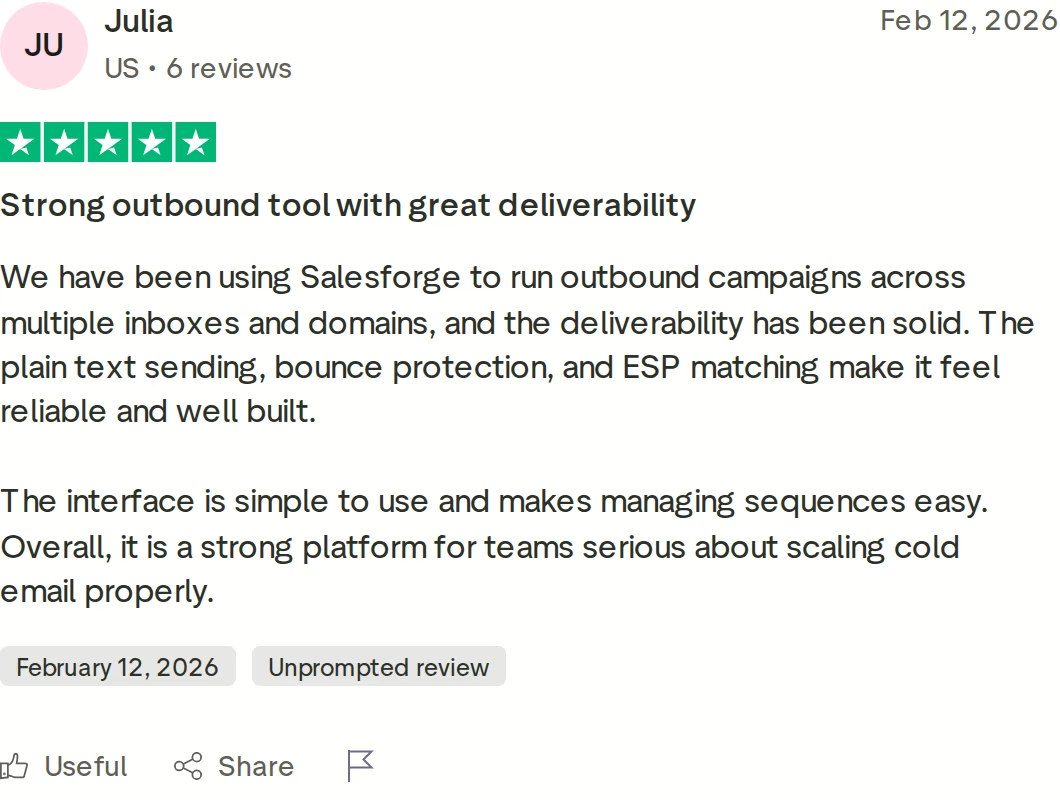
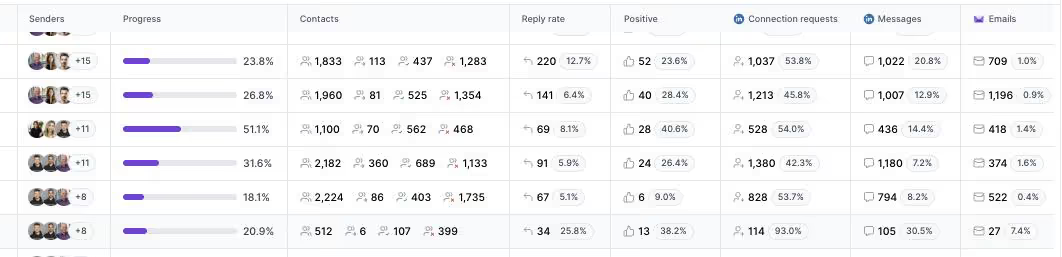
One falsifiable benchmark: UniteSync ran on Salesforge, Mailforge, and Warmforge to an 85.26% positive reply rate and a $2.86 CAC, and VAI Consulting booked three calls in a single week with Agent Frank. Both case studies are public. That outcome depends on the email infrastructure underneath, which a LinkedIn-only tool does not have.
Frequently Asked Questions
Is Salesforge better than Dripify?
For multi-channel outbound, yes. Salesforge runs email and LinkedIn in one conditional sequence, includes free Warmforge warm-up and a unified inbox (Primebox™), and prices usage-based with no per-seat fee.
Dripify is a LinkedIn-first tool with basic email and per-seat pricing from $59/mo. If your outreach is strictly LinkedIn and solo, Dripify covers that motion; if you need email, deliverability, and scale, Salesforge does more.
What's the main difference between Salesforge and Dripify?
The main difference is scope. Dripify automates LinkedIn actions (connections, messages, follow-ups) with basic email steps, and charges per user.
Salesforge is a full multi-channel platform: email plus LinkedIn, free warm-up through Warmforge, three email infrastructure options, a unified inbox, and an optional AI SDR (Agent Frank). Salesforge prices by usage rather than per seat, so adding teammates does not increase the base cost.
Which is cheaper, Salesforge or Dripify?
It depends on team size. Dripify Basic is $39/user/mo annual, and Salesforge Pro is $40/mo for a single user with one LinkedIn sender.
But Dripify bills per seat, so a 3-person team on Advanced annual is $237/mo, while Salesforge Growth is a flat $80/mo annual for unlimited users and LinkedIn senders. For any team beyond one person, Salesforge usually costs less for the outreach software.
Is Zopto still available?
No. Zopto permanently shut down in February 2026, and zopto.com now redirects to Zeekeo, a done-for-you B2B lead generation agency. There is no self-serve Zopto product to sign up for anymore.
Former Zopto customers are migrating to alternatives. Any live Zopto pricing you see on review sites (Personal ~$197/mo, Agency ~$780-895/mo) reflects the discontinued product, not something you can buy today.
Can I switch from Dripify or Zopto to Salesforge easily?
Yes. You can export your contact lists as CSV from Dripify or from any prior Zopto export and import them directly into Salesforge sequences, or connect Google Sheets.
Campaign sequences are rebuilt in Salesforge's builder, which supports the same core actions plus conditional multi-channel branching. The 14-day free trial lets you set up and test a campaign before committing, and the Growth plan includes personal onboarding.
Which tool has better email deliverability?
Salesforge, clearly, because it is the only one that addresses deliverability at all. It includes free, unlimited Warmforge warm-up with a premium pool of aged Google and Microsoft 365 mailboxes, a Heat Score™ targeting 97+, and three infrastructure options.
Dripify has no warm-up and sends through your own mailbox; Zopto had no warm-up either. For serious email volume, built-in warm-up and infrastructure are what protect inbox placement.
Does Salesforge offer a free trial?
Yes. Salesforge offers a 14-day free trial with no credit card required. During the trial you can add up to 50 contacts, send up to 100 emails, connect unlimited mailboxes, and run warm-up.
That is longer than Dripify's 7-day trial. Note that the Agent Frank AI SDR is separate: it requires a sales-led demo and a 2-week warm-up before sending, so it is not part of the self-serve trial.
Who is Dripify best for?
Dripify is best for solo operators, freelancers, and small teams running LinkedIn-only outreach who want a simple cloud-based sequencer. Its interface is clean, setup takes minutes, and connect-wait-pitch-follow-up campaigns work well. It is a weaker fit for teams that need deep email outreach, built-in deliverability, multi-channel sequences, or flat pricing, since Dripify's email is basic and its per-seat model gets expensive as you add people.
.jpg)


.jpg)
