A bad lead list can quietly undo two months of domain warmup. That is the real reason you are reading a Clearout review instead of just uploading your CSV and hoping for the best.
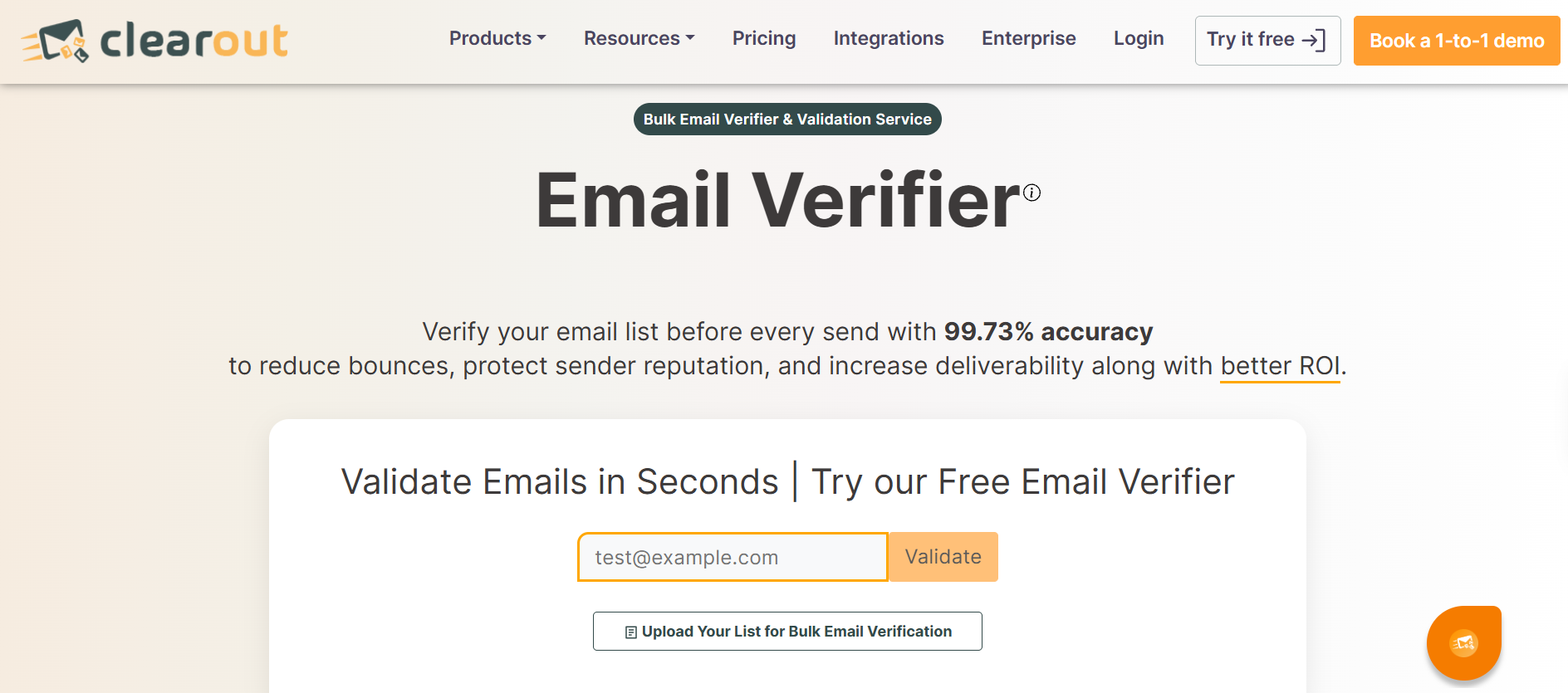
Clearout shows up in almost every email verification search. The ratings look strong, the pricing looks cheap next to ZeroBounce, and the homepage promises 99.73% accuracy.
But the picture gets murkier once you read past the star rating.
So I went through Clearout, every pricing tier I could find, and what paying users say on G2, Capterra, TrustRadius and Trustpilot.
In this review you will find how each Clearout feature actually works, how its catch-all handling resolves addresses, what it costs at your volume, and where it falls short for cold outreach specifically.
A credit-based email verification platform that also finds emails, validates forms and monitors CRM data
Best for
Small to mid-size teams cleaning lists of 10,000 to 100,000 contacts who want catch-all resolution without ZeroBounce pricing
Starting price
$23 a month for 3,000 credits, or $16 a month equivalent on annual billing
Free to try
100 one-time credits, no card required, and they do not expire
G2 rating
4.6 out of 5
Capterra rating
4.7 out of 5
Standout feature
Deep Verify, which resolves catch-all addresses to valid or invalid instead of just flagging them
Biggest complaint
Credits get consumed on catch-all results, and large lists process slower than advertised
Accuracy evidence
The 99.73% claim has no published methodology and no independent bounce-measured test behind it
My verdict
Solid value for mid-volume list cleaning, but not the cheapest at scale and not the most proven on accuracy
What Is Clearout and Who Is It Built For
Clearout is an email data platform that sells verification, email finding and form validation out of one shared credit pool. You buy credits once, then spend them across whichever module you need.
The company reports more than 100,000 business customers and runs with no outside funding. Engineering sits in Bangalore with the business incorporated in San Francisco.
Its homepage positions it as an AI-powered way to discover ideal customers. In practice, verification is the module almost everyone buys it for, and the rest are add-ons around that core.
The buyer it fits best is a small or mid-size outbound team. You have a list, you know roughly 20% of it is junk, and you want that junk gone before it touches your sender reputation.
So where does a tool like this actually sit in your workflow?
How Clearout Works in a Cold Email Workflow
Verification belongs at a specific point in your outbound sequence, and getting the order wrong wastes money.
The sequence that works looks like this. You build the list, verify it, set up your domains and mailboxes, warm them, then send.
Verification sits between list build and infrastructure setup for one practical reason. Invalid addresses never reach your sending tool, so your domains never take the reputation hit in the first place.
Verifying too early is its own mistake. Addresses go stale during a long list build, so a list verified three weeks before launch is not really a verified list.
The thresholds are worth knowing before you decide how much this matters. Google's bulk sender guidelines put the spam complaint rate ceiling at 0.30%, with 0.10% as the comfortable target.
Google does not publish an official hard bounce threshold, and anyone who tells you otherwise is quoting an industry rule of thumb. The working consensus among deliverability practitioners is under 2% total, with anything above 5% treated as high risk.
That is the honest version. If you want the full picture on what to watch after you send, I broke down the email deliverability metrics that actually predict inbox placement.
Now let's look at what Clearout gives you for your credits.
Clearout Features Breakdown
Clearout bundles six products behind one login and one credit pool. I will walk through how each one works, what it returns, and where it stops being useful.
1. Clearout Email Verifier
This is the core product and the reason most people sign up.
Clearout runs an address through a sequence of more than 20 checks, and they fire in a deliberate order from cheapest to most expensive.
The first pass is syntax. It checks the address against RFC formatting rules, catching malformed entries, stray characters and missing domains before any network call happens.
Next comes the domain layer. Clearout queries DNS for the domain's MX records to confirm a mail server exists and is reachable.
A domain with no MX record cannot receive mail at all, so the address dies here without burning further checks.
Then comes the part that does the real work, which is the SMTP handshake.
Clearout opens a connection to the recipient's mail server and starts a conversation the way a real sending server would. It issues the greeting, declares a sender, then asks the server whether it will accept mail for your specific address.
The server's response code is the answer. A 250 means the mailbox exists and accepts mail, while a 550 means it does not.
Clearout stops there and never sends the message body. Nobody on the other end receives an email, which is the whole point of verification done properly.
Two complications break this clean picture, and how a tool handles them separates good verifiers from lazy ones.
The first is greylisting. Some servers temporarily reject unfamiliar senders with a soft error, expecting a legitimate sender to retry a few minutes later.
A verifier that gives up on the first soft bounce marks a perfectly good address as Unknown. Clearout's Highest Accuracy mode retries through greylisting, while Fastest Turnaround mode does not.
That is the real difference between the two modes. Fastest Turnaround trades accuracy for speed and hands you more Unknowns, and Highest Accuracy spends longer per address to resolve them.
The second complication is catch-all servers, which accept everything you throw at them. I cover how Clearout handles those in point three, because it is a separate paid product.
Running alongside the SMTP check are the classification layers:
Disposable detection flags temporary inbox providers used to dodge signup forms
Role-based detection flags shared addresses like info@, sales@ and support@
Spam trap probability scores an address against patterns typical of recycled or planted traps
Duplicate removal strips repeats automatically before processing, at no credit cost
For bulk work, you upload a CSV or XLSX file and map the column holding your email addresses. Files go up to 2 GB with a ceiling of one million addresses per upload.
Clearout processes in the background and returns a results file with each address labelled and scored. You then filter and export the segments you want to actually send to.
Honest limitation: Clearout claims 10,000 addresses process in three to four minutes. A hands-on test by Sparkle ran 2,500 addresses in just over 26 minutes, which scales to roughly 104 minutes for the same 10,000. Mode selection and list composition explain part of that, but a gap that wide makes launch planning unreliable.
2. Clearout Verification Results Explained
Knowing what each result status means decides how much of your list you can actually send to.
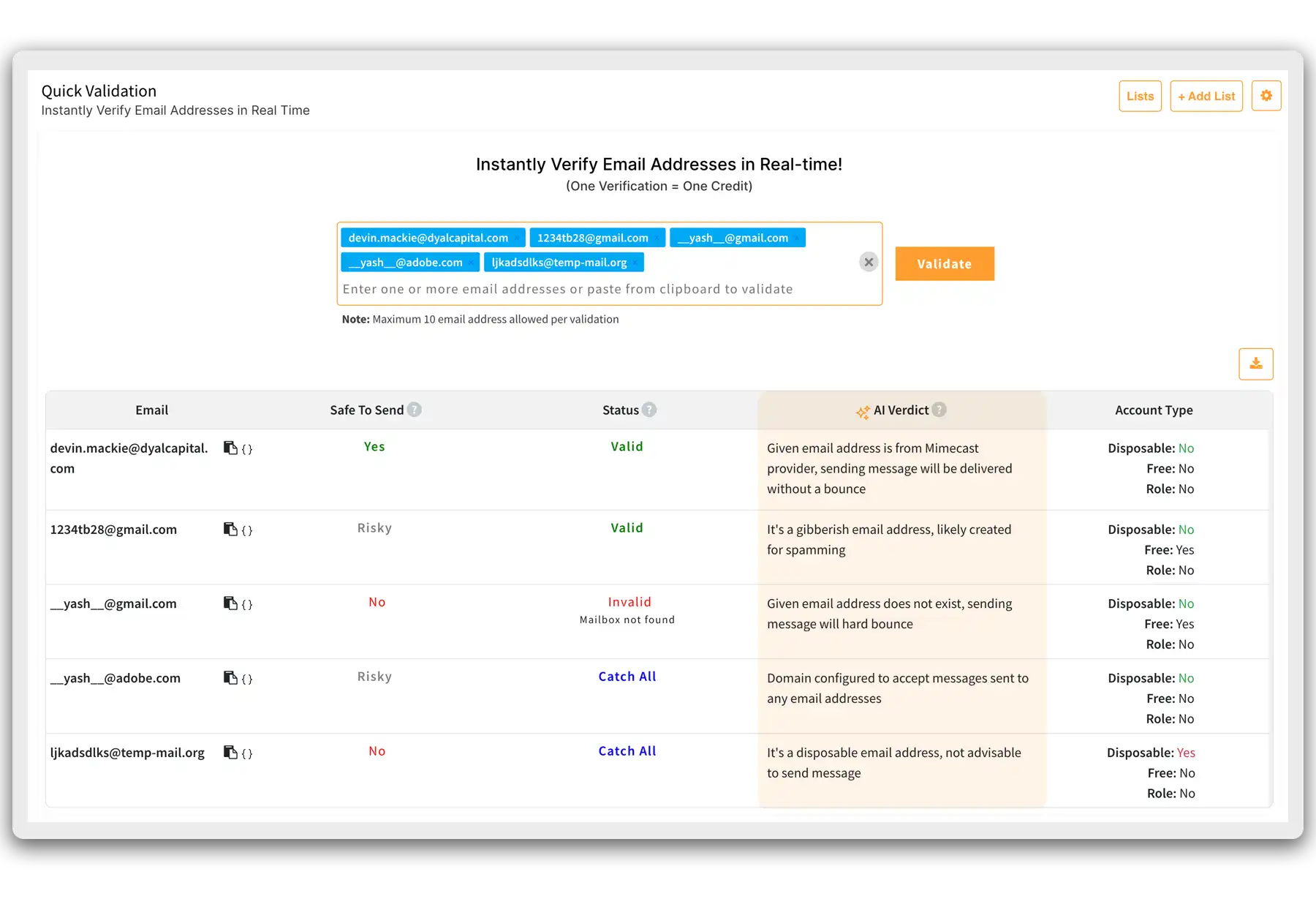
Clearout returns one of four verdicts, plus a confidence score.
Valid means the server confirmed the mailbox exists. Send to these.
Invalid means the server explicitly rejected the address. Delete these, because every one of them is a guaranteed hard bounce.
Catch-All means the server accepts mail for any address on that domain. The mailbox might exist or might not, and the server will not tell you either way.
Unknown means Clearout could not get a clear answer, usually because of persistent greylisting, timeouts or rate limiting at the receiving end.
The credit rule attached to these matters more than most reviews mention:
Valid, Invalid and Catch-All results each cost 1 credit
Unknown results cost nothing
So you pay to be told an address is a catch-all, which resolves nothing on its own. That is the single most common complaint in Clearout's reviews, and the frustration makes sense.
Honest limitation: a handful of competitors refund or never charge for unresolved results in their standard tier. Clearout charges for catch-alls, then charges again if you want them resolved.
3. Clearout Deep Verify for Catch-All Domains
This is the most interesting thing Clearout does, and the hardest to evaluate.
Around a third of B2B domains run as catch-all. Delete them all and you lose a third of your list, keep them all and you take bounces from the dead ones.
Deep Verify tries to resolve that instead of flagging it.
It works by reading signals the server leaks even while it accepts everything. Clearout analyses the timing of SMTP command responses, the patterns in server banners, and how specific each response is.
A server handling a real mailbox behaves measurably differently from one blanket-accepting into a void. The lag between commands, the wording of the acceptance, and the consistency across repeated probes all carry information.
On top of that, Clearout fingerprints security gateways. It detects signatures from Proofpoint, Mimecast, Barracuda and Microsoft Exchange Online Protection.
That matters because those gateways sit in front of the real mail server and change how it responds. Knowing which gateway you are talking to lets the tool interpret responses correctly rather than reading a gateway behaviour as a mailbox answer.
The output is a straight Valid or Invalid verdict. Addresses it genuinely cannot resolve come back as unresolved rather than guessed, which I prefer to false confidence.
No test email is sent at any point in the process.
Honest limitation: Deep Verify is billed separately from standard credits, and that rate is not published on the site or in any third-party review I could find. Clearout also states openly that no catch-all method is completely accurate. You cannot model cost per list until you ask their team directly, which is a strange gap for the feature the product leads with.
4. Clearout Email Finder
The finder works backwards from what you already know about a prospect.
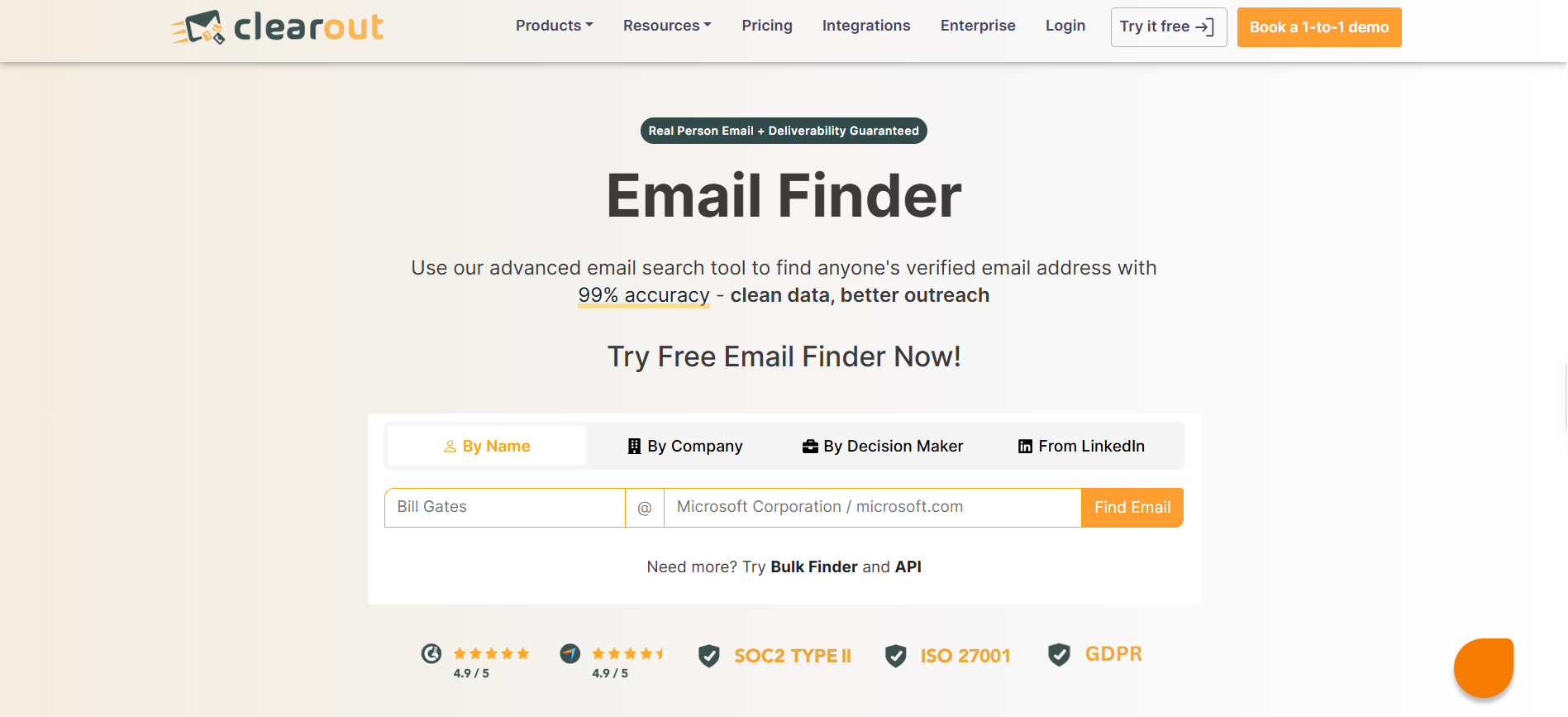
You give it a name plus a domain, a name plus a company, or just a domain on its own. Clearout then generates likely address patterns and verifies each one through the same SMTP process described above.
That second step is what separates it from a guess. A found address has already passed verification before it reaches you.
Each result returns a confidence score reflecting how certain the match is. Domain-only searches return the generic addresses associated with that company rather than a named person.
Credit costs here work differently:
4 credits per email successfully found
0 credits when the search returns nothing
Honest limitation: the underlying database is thinner than finder-first tools like Hunter. If prospecting rather than cleaning is your main job, this will frustrate you, and a dedicated sales lead list workflow serves you better.
5. Clearout Form Guard
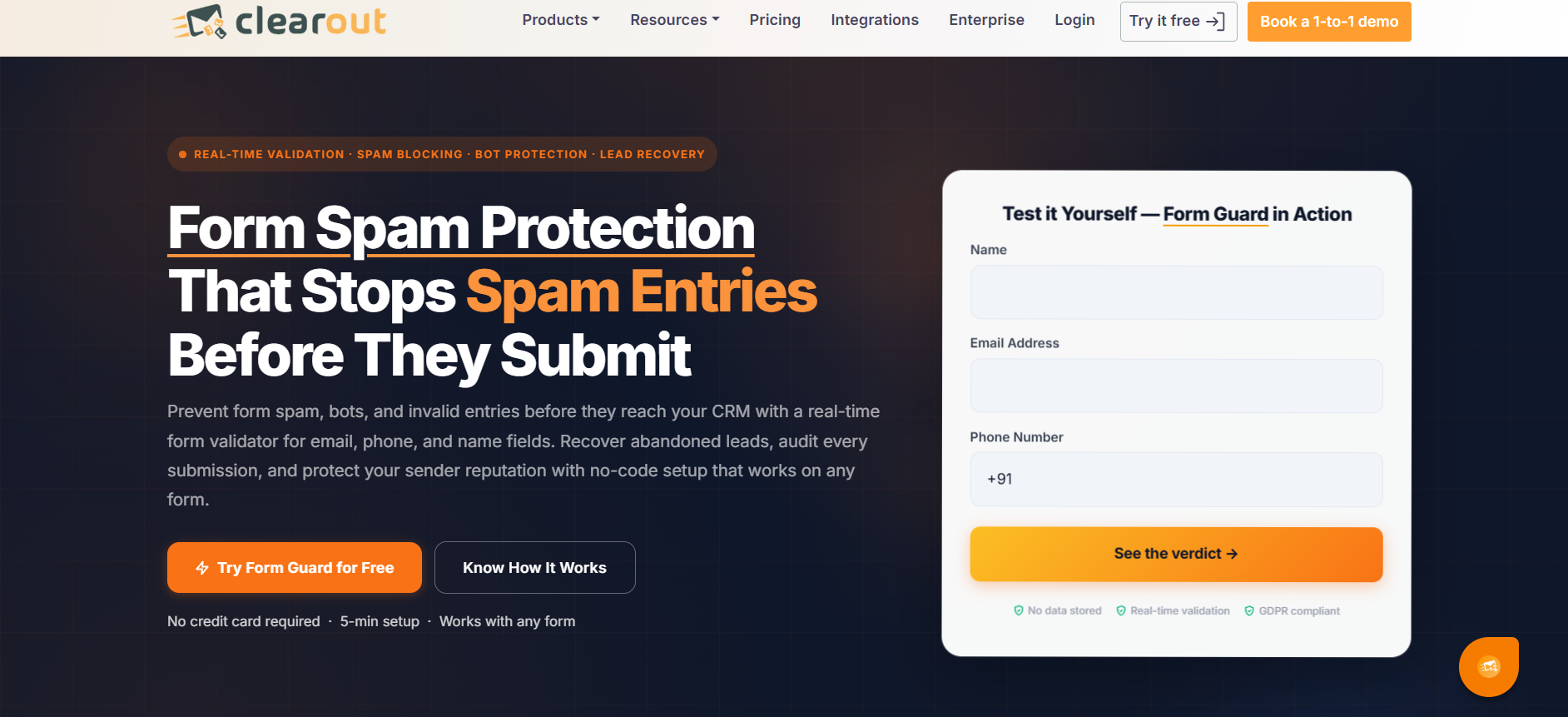
Form Guard moves verification to the moment of data capture instead of weeks later.
You drop a JavaScript snippet into your form page. When someone types into an email, phone or name field, the snippet calls Clearout's API in real time and validates the entry before submission.
Invalid syntax, disposable domains and gibberish entries get blocked at the field. The person fixes it immediately rather than you discovering it in a CRM export three months on.
It works with HubSpot Forms, WordPress and custom implementations, and basic setup does not need a developer. Each validated field costs 2 credits.
Honest limitation: this is genuinely useful for inbound-heavy teams and completely irrelevant for pure outbound. If every contact you touch comes from a list build, you will never open this.
6. Clearout Data Pulse
Data Pulse treats your CRM as a list that decays rather than a list that is done.
It connects to HubSpot, verifies existing contact records, and then keeps monitoring them with a heartbeat check. When a contact's email goes dead because they changed jobs, the record gets flagged rather than quietly rotting.
Validation costs 2 credits per field.
Honest limitation: HubSpot is the only supported CRM as of late 2026. If you run anything else, this module does not exist for you.
7. Clearout API and Webhooks
Clearout exposes three API shapes, and picking the wrong one causes most integration headaches.
The real-time single endpoint verifies one address and returns a verdict synchronously. Use it at signup or form submission where a human is waiting.
The batch endpoint handles a moderate set of addresses in one request. The bulk endpoint accepts large files and processes asynchronously.
For bulk jobs you register a webhook, and Clearout posts results back when processing completes rather than making you poll.
SDKs cover the major languages, and the documentation is reasonable.
Honest limitation: the base rate limit is not published anywhere. Clearout claims higher limits than NeverBounce without stating a number, and the $99 per month add-on for an extra 100 requests per minute confirms a cap exists somewhere. You will not know your ceiling until you hit it.
8. Clearout Google Sheets Add-On and Free Tools
The Sheets add-on is the quiet time-saver here.
You install it from the Google Workspace Marketplace, point it at a column of addresses, and verification results populate in adjacent columns. No export, no upload, no download, no re-import.
For lists under a few thousand rows, this removes the most annoying part of list hygiene entirely.
Clearout also runs several free tools that cost no credits, including a disposable email checker, a reverse email lookup, a reverse LinkedIn profile lookup and a company domain finder.
Honest limitation: the free tools are lead magnets with low volume caps, not a workaround for buying credits.
Clearout also sells ClearoutPhone, which validates numbers across 240 countries and sits outside the email credit pool. Its pricing was not available in anything I reviewed.
That covers the mechanics. What matters next is what it all costs once you add the modules together.
Clearout Pricing Explained
Clearout sells credits three ways, and the gap between the cheapest and most expensive route is enormous.
Clearout Monthly and Annual Subscription Pricing
Credits per month
Monthly billing
Annual billing (monthly equivalent)
3,000
$23
$16
10,000
$58
$32
25,000
$146
$60
50,000
$292
$80
100,000
$360
$112
250,000
$675
$280
500,000
$900
$440
1,000,000
$1,260
$800
Unused subscription credits roll over, which is more generous than most competitors.
Clearout Pay-As-You-Go Pricing
Credit volume
Cost per 1,000
Under 10,000
$8.00
10,000 to 99,999
$6.50
100,000 to 249,999
$4.00
250,000 to 499,999
$3.00
500,000 to 999,999
$2.00
1 million and above
$1.40 and below
Pay-as-you-go credits never expire, which suits agencies with irregular project work.
How Clearout Credits Actually Get Spent
The rules matter more than the headline price:
1 credit per verified email, including valid, invalid and catch-all results
Unknown results cost nothing
Email Finder costs 4 credits per address found, 0 when nothing is found
Form Guard and Data Pulse cost 2 credits per validated field
Deep Verify is billed separately at an unpublished rate
Extra seats cost $25 a month each
Parallel processing costs $49 a month per additional concurrent run
Switching plans means paying the full new plan price with no prorated refund
That last one bites. If you upgrade mid-cycle, you are paying twice that month.
What Clearout Costs a Real Team of 5
Say you run a five-person SDR team building 10,000 new contacts a month.
Verification alone needs 10,000 credits, so $58 monthly or $32 on annual billing. Add 2,000 email finder lookups at 4 credits each and you need another 8,000 credits.
That pushes you to the 25,000 credit tier at $146 monthly or $60 annually. Then add four extra seats at $25 each, and your real monthly cost lands near $246 on monthly billing.
Clearout does not publish how many seats each plan includes, so that seat math is the number to confirm before you commit.
Compared against the email verification tools I have looked at, that is competitive at mid volume and expensive at low volume.
Let's see whether users agree.
Clearout Reviews and Ratings From Real Users
Clearout holds 4.6 out of 5 on G2 and 4.7 out of 5 on Capterra. Trustpilot sits at 4.3, though that score rests on a handful of reviews with the most recent dating to 2024.
TrustRadius has fewer than ten reviews, most of them from 2021. Treat that sample as directional at best.
What Users Like About Clearout
Ease of use comes up constantly. One Capterra reviewer summed up the pattern in a single line, saying "The interface is simple and easy to use" (Capterra review).
Reviewers across platforms describe getting a list cleaned without reading documentation first.
Bounce rate reduction is the result people report most. Users consistently say campaigns bounce less after running lists through Clearout, which is the only outcome that really matters here.
Support gets praised more than you would expect at this price. One TrustRadius reviewer called the team very responsive when something was needed (TrustRadius review).
Pricing against ZeroBounce and NeverBounce is the recurring value argument. Reviewers who switched describe comparable results at a visibly lower monthly bill.
The credit model suits irregular work. Agencies with lumpy project volumes prefer buying credits that do not expire over paying for a subscription they underuse.
What Users Complain About in Clearout
Credit consumption on catch-all results is the single loudest complaint. It is the most frequently raised issue in G2 reviews, and the logic behind it frustrates people. You spend a credit to be told an address is a catch-all, then spend more on Deep Verify to get an actual answer. Competitors like Emailable and DeBounce refund credits on unresolved results in their standard tier.
Slow bulk processing comes second. Capterra reviewers describe large lists taking a while to clean, and that matches the Sparkle timing test.
Integration depth is thin. No native Salesforce connection in 2026 is a real gap, and several reviewers describe falling back to Zapier for anything custom.
Catch-all labelling confuses people. More than one reviewer described the catch-all result presentation as unclear, which is a UX problem rather than an accuracy one.
100 free credits is not enough to evaluate properly. ZeroBounce renews 100 credits monthly, while Clearout's allowance is one-time only.
Now here is the part none of the ranking reviews will tell you.
Who Should Use Clearout
Clearout makes sense in a few specific situations.
You clean lists between 10,000 and 100,000 contacts a month and want annual billing economics
Catch-all resolution matters to your lists and you are willing to pay the Deep Verify premium
You want verification, finding and form validation out of one credit pool rather than three subscriptions
You run HubSpot and want CRM contact monitoring alongside list cleaning
You verify irregularly and want credits that do not expire
Who Should Skip Clearout
You verify more than a million addresses a month, where MillionVerifier and DeBounce run two to five times cheaper
You need Salesforce as a native connection today rather than on a roadmap
You want enrichment alongside verification, which ZeroBounce does more completely
You verify under 5,000 addresses a month, where the per-credit cost is at its worst
You already pay for a sending platform that includes verification, which makes this a second bill for one job
That last point deserves its own section.
The Best Clearout Alternative for Cold Email Teams
Here is the thing most verification reviews skip. Verification is one step in a chain, and buying it separately means paying separately for every link.
You pay a verifier, a mailbox provider, a warmup tool and a sending platform. Four bills, four dashboards, four support queues, and nothing talks to anything else.
Salesforge collapses that into one workflow. Verification runs inside the platform, so your list gets cleaned in the same place you build sequences and send them.
What you get alongside it changes the maths:
Unlimited mailboxes with no per-seat pricing, so your cost does not climb with headcount
Email and LinkedIn in a single sequence rather than two tools
Primebox™ as a unified inbox for every reply across both channels
Agent Frank, the AI SDR you hire to prospect, write and follow up on Auto-Pilot or Co-Pilot
Built-in warmup through the Forge stack so mailboxes stay healthy without another subscription
Pricing starts at $40 a month on annual billing, and Salesforge holds 4.6 on G2.
I will be straight about the trade-off. If list cleaning is genuinely all you need, a dedicated verifier gives you more granular controls than any sending platform will.
Clearout is worth it if you clean mid-volume lists and catch-all resolution is your bottleneck. Deep Verify does something most competitors do not attempt, and the annual pricing is fair against ZeroBounce at the same volumes.
Two things would change my answer. If your volume passes a million addresses a month, MillionVerifier and DeBounce are dramatically cheaper for the same job. And if you need Salesforce today, Clearout cannot serve you yet.
My honest read is that Clearout is a good tool with an unproven headline number and a pricing gap on its best feature. Before you commit, spend the 100 free credits on a sample list, ask their team what Deep Verify costs per address, and confirm how many seats your plan includes.
If you would rather not run verification as a separate subscription at all, you can start a free trial of Salesforge and see what verification inside your sending platform looks like. No credit card required.
Clearout Review FAQs
How accurate is Clearout email verification?
Clearout claims 99.73% accuracy across more than 20 validation checks. No methodology, dataset or testing period is published to support that figure. One parallel test found Clearout performed within two to three percent of ZeroBounce on a matched list. No independent test has measured actual post-send bounce rates on Clearout-verified addresses.
How does Clearout handle catch-all emails?
Standard verification flags catch-all addresses without resolving them. Deep Verify, which is priced separately, runs multi-layer SMTP analysis and security gateway detection to return a valid or invalid verdict instead. Clearout states no test email is sent, and it acknowledges that no catch-all method is completely accurate.
Is Clearout free to use?
New accounts get 100 one-time free credits with no credit card required, and those credits do not expire. There is no recurring free tier. Paid plans start at $23 a month for 3,000 credits, or roughly $16 a month on annual billing.
Is Clearout cheaper than ZeroBounce?
Yes, at most volume levels. At entry pay-as-you-go pricing Clearout runs about $8 per 1,000 verifications against roughly $19.50 for ZeroBounce. At high subscription volume the gap widens further. ZeroBounce does offer a recurring monthly free tier where Clearout's free credits are one-time.
What integrations does Clearout support?
Native integrations cover HubSpot, Mailchimp, ActiveCampaign, Zoho CRM, Zapier, Make, WordPress and a Google Sheets add-on. There is no native Salesforce integration as of late 2026. A REST API with webhooks covers custom builds.
How fast is Clearout bulk verification?
Clearout claims 10,000 emails in three to four minutes on Fastest Turnaround mode. An independent test processed 2,500 addresses in just over 26 minutes, implying a far slower real-world rate. Slow bulk processing is one of the most common complaints across review platforms, so plan buffer time before a launch.
Book more meetings on autopilot
Set up in minutes. No per-seat pricing. No commitment.
Read our Weezly review for 2026, covering LinkedIn outreach, AI video, lead search, pricing, user feedback, and whether it's worth using for B2B prospecting.



.jpg)

.jpg)
