

Instantly is an email-only sending platform with no LinkedIn channel and a lead database sold as a separate subscription. Reply.io runs multichannel outreach but charges $69 per LinkedIn account on Email Volume and prices its Multichannel plan per user.
For B2B teams running email and LinkedIn as one motion, Salesforge is the stronger choice. Salesforge Growth is $96/mo monthly ($80/mo annual) for unlimited users and unlimited LinkedIn senders, with free unlimited Warmforge warm-up and Primebox™ included on every plan.
Last quarter I sat with a five-person sales team that had picked Instantly for sending and was quoting Reply.io for LinkedIn. Two subscriptions, two inboxes, two reporting views. That is the problem this comparison is really about.
Instantly is a high-volume cold email platform built around unlimited sending accounts and unlimited warm-up. Reply.io has been around for 10+ years and covers email, LinkedIn, calls, SMS and WhatsApp, with an AI SDR called Jason.
Salesforge runs both channels in one sequence with one inbox. UniteSync reached an 85.26% positive reply rate at a $2.86 CAC on it. Below is the pricing, the feature gaps, and where each tool actually fits.
Cold Outreach Platform Comparison at a Glance: Instantly vs Reply.io
| Feature | Salesforge | Instantly | Reply.io |
|---|---|---|---|
| Outreach channels | Email + LinkedIn in one sequence (phone on roadmap) | Email only | Email, LinkedIn, calls, SMS, WhatsApp |
| Entry price | $48/mo monthly ($40/mo annual) - Salesforge Pro | $47/mo monthly ($37.60/mo annual) - Instantly Growth | $59/user/mo monthly ($49/user/mo annual) - Email Volume |
| Top self-serve plan | $96/mo monthly ($80/mo annual) - Salesforge Growth | $358/mo monthly ($286.30/mo annual) - Light Speed | $99/user/mo monthly ($89/user/mo annual) - Multichannel; Email Volume scales to $999/mo |
| LinkedIn senders | Unlimited on Salesforge Growth; 1 on Salesforge Pro | None - no LinkedIn channel exists | $69/mo per account on Email Volume; 1 per user on Multichannel |
| Warm-up | Free, unlimited Warmforge with a premium-by-default pool and Heat Score™ | Unlimited, included on all Outreach plans | Runs through Mailtoaster.ai; capped per user on Multichannel |
| Unified inbox | Primebox™ free on every plan | Unibox starts on Instantly Hypergrowth ($97/mo) | Centralized inbox on all plans |
| AI SDR | Agent Frank - separate subscription from $499/mo billed quarterly | AI Sales Agent, consumes Instantly Credits | Jason AI - separate plan from $500/mo |
| Lead database | Leadsforge, 500M+ contacts (separate subscription) | 450M+ contacts via Instantly Credits (separate subscription) | 1B+ contacts, 50 credits/mo included |
| Email infrastructure sold | 3 options: Mailforge, Infraforge, Primeforge | None - connect your own mailboxes | None - domain purchase available, mailboxes are yours |
| Users included | Unlimited on Salesforge Growth | Volume-based pricing, not per seat | Per user on Multichannel; unlimited on higher Email Volume tiers |
| Free trial | 14 days, no credit card | 14 days on Outreach plans | 14 days |
| Best for | SMB and mid-market B2B, $5K-$100K ACV | High-volume email-only senders | Teams that want five channels inside one tool |
Instantly Overview: Features, Pricing, and Limits
Instantly is a cold email platform built for volume. Its core promise is unlimited sending accounts and unlimited warm-up on every paid Outreach plan, so cost scales with email and contact volume instead of mailbox count.
What it includes:
- Unlimited email accounts: connect as many sending mailboxes as you own on any Outreach tier.
- Unlimited email warm-up: included at no extra cost on Growth, Hypergrowth and Light Speed.
- Unibox: a unified reply inbox across all sending accounts, available from Instantly Hypergrowth up.
- Lead database: 450M+ contacts with waterfall work-email enrichment, sold as a separate Instantly Credits subscription.
- AI agents: an AI Sales Agent, AI Reply Agent and Lead Finder Agent that draw down credits.
- SISR: server and IP sharding with rotation on Light Speed, which swaps flagged IPs automatically.
- A/Z testing and analytics: campaign and account reporting, with testing gated to Hypergrowth.
Pricing runs in two stacked subscriptions. Outreach is $47/mo monthly or $37.60/mo annual for Instantly Growth (1,000 uploaded contacts, 5,000 emails), $97/mo monthly or $77.60/mo annual for Instantly Hypergrowth (25,000 contacts), and $358/mo monthly or $286.30/mo annual for Light Speed.
Instantly Credits are billed separately: $47/mo for 1,500-2,000 credits, $97/mo for Supersonic, and from $197/mo for Hyper Credits. Bundles pair the two at $94, $194 and $555/mo.
It fits solo operators and agencies whose entire motion is email, who already own their mailboxes, and who send enough volume that per-mailbox pricing elsewhere would hurt.
Honest observations from the live pricing page and reviews:
- No LinkedIn channel at all. There are no connection requests, messages or InMails. LinkedIn requires a second tool and a second bill.
- The headline price is partial. $47/mo buys sending only. Add the lead database and the realistic bill lands at $94-$194/mo before infrastructure.
- Unibox sits behind Hypergrowth. Reply management on Instantly Growth means opening mailboxes individually.
- The email cap is documented inconsistently. On the live pricing page Hypergrowth shows 125,000 emails on the monthly card and 100,000 on the annual card and feature table. Confirm your real limit in-app.
What reviewers say about Instantly
Deliverability complaints are the pattern worth reading before committing. This 1-star Trustpilot review, posted in August 2026 about a June experience, describes buying pre-warmed accounts that were not warmed, emails landing in spam, and self-warmed mailboxes getting blacklisted afterwards.
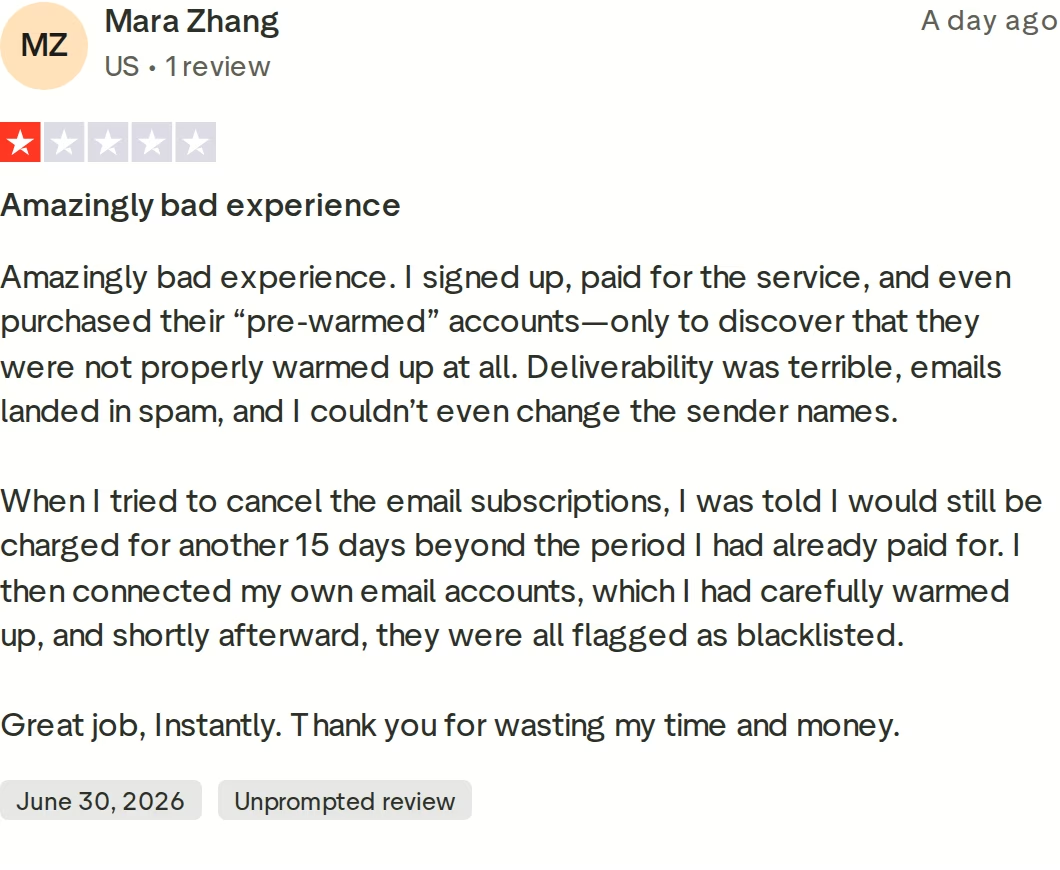
That is the risk of treating warm-up as a checkbox rather than a monitored system. If you are weighing this platform against others, I keep a running list of Instantly alternatives with the tradeoffs spelled out.
Reply.io Overview: Features, Pricing, and Limits
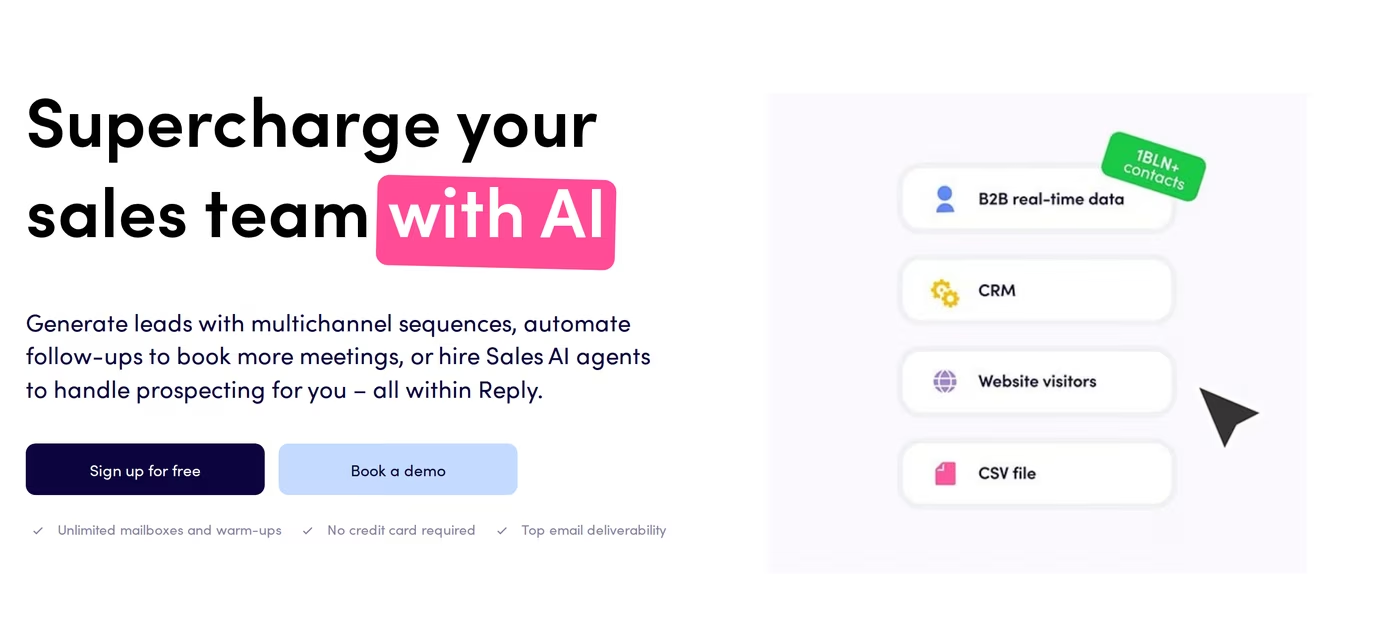
Reply.io is one of the older platforms in this category, with 10+ years of operation, 3,000+ customer companies, and a 4.6/5 G2 rating across 1,448 reviews. It sells breadth: five channels and an AI SDR in one product.
What it includes:
- Five channels: email, LinkedIn automation, cloud calls, SMS and semi-automated WhatsApp, plus any channel via a Zapier step.
- Conditional sequences: branching multichannel cadences with triggers and task flows.
- Jason AI: an AI SDR with autopilot and copilot modes, AI-created ICP and AI-generated sequences.
- Real-time data: 1B+ contacts with intent signals and verified emails, 50 credits included monthly.
- Deliverability suite: SPF, DKIM, DMARC setup, inbox rotation, ESP matching, Google Postmaster integration and a global block list.
- Findy extension and 100+ integrations: HubSpot, Salesforce, Pipedrive, Copper, Close, plus API, n8n node and MCP.
Pricing splits four ways. Email Volume starts at $59/user/mo monthly or $49/user/mo annual for 1,000 active contacts, then rises through $69, $79 and $99 per user. Past that it switches to unlimited-user flat tiers of $179, $299, $499 and $999/mo monthly for 10,000 to 100,000 active contacts.
Multichannel is $99/user/mo monthly or $89/user/mo annual. Jason AI SDR starts at $500/mo annual, and Agency Core starts at $210/mo monthly or $166/mo annual.
It fits teams that genuinely work all five channels, especially ones that need calling and SMS in the same cadence as email, and agencies wanting multi-workspace management with a white-label option.
Honest observations:
- LinkedIn is an add-on on two of four plans. On Email Volume and Agency, LinkedIn automation costs $69/mo per account. Calls and SMS add $29/mo per account.
- Multichannel is per seat. At $89/user/mo annual, a 5-person team pays $445/mo before add-ons.
- Warm-up is outsourced. It runs through Mailtoaster.ai, and the live page contradicts itself on the Multichannel allowance: 10 mailboxes on the plan card, 5 per user in the feature grid.
- The SOC 2 report is not listed on Email Volume. The live comparison grid shows it from Multichannel upward only, which matters if procurement asks.
What reviewers say about Reply.io
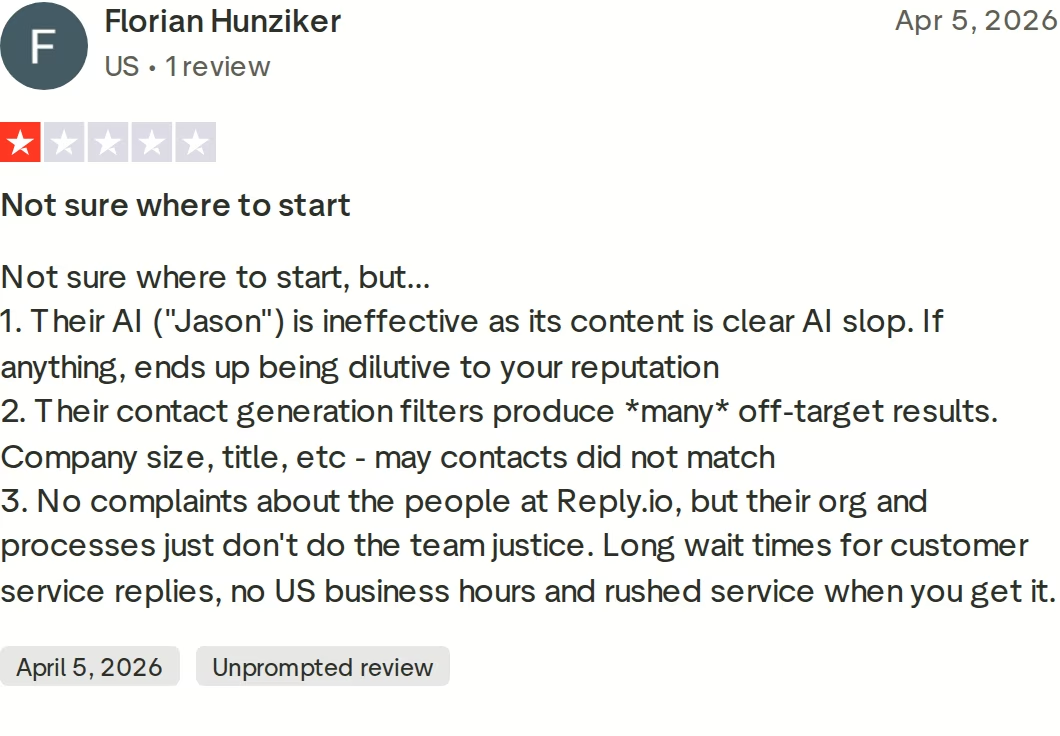
This April 2026 review names three specific problems: Jason's AI copy reading as generic, contact filters returning off-target results on company size and title, and slow support with no US business hours. Data quality and AI copy quality are the two things a multichannel platform cannot afford to get wrong, since both compound across every channel. I cover the wider field in this breakdown of Reply.io alternatives, and the head-to-head Reply.io comparison goes deeper.
Salesforge Overview: Multichannel Outreach on the Forge Stack
Salesforge is a multichannel outreach platform where cold email and LinkedIn run as two channels of one workflow. What separates it is the Forge Stack behind it: infrastructure, warm-up, lead data and an autonomous SDR under one login.
Core capabilities:
- Multichannel conditional sequences: real if/then logic. If a connection request is accepted, trigger a LinkedIn message; if not, fall back to email.
- Six native LinkedIn actions: connection requests, messages, InMails, post likes, follows and withdraw requests, each capped at 30 per day per profile.
- Unlimited mailboxes, users and workspaces: no per-seat or per-mailbox caps, with a separate workspace per client.
- Unlimited LinkedIn senders on Salesforge Growth, replacing seat-based pricing.
- AI personalization across 21+ languages, with Overdrive Mode pulling from every available source.
- Free unlimited Warmforge warm-up: a premium-by-default pool of aged IMAP/SMTP, Google Workspace and Microsoft 365 mailboxes, with Heat Score™ per mailbox.
- Primebox™ with Autopilot and Co-pilot modes: email and LinkedIn replies in one inbox with sentiment analysis; the AI reply modes are Growth-only.
- Deliverability mechanics: sender rotation, dynamic IPs, ESP matching, Bounce Shield, built-in email validation and text-only sending by default.
- Account safety: LinkedIn actions route through high-quality shared proxies with session-token-only authentication, so passwords are never stored and no Chrome extension injects into the page.
- Agent Frank: an autonomous AI SDR who prospects, sequences, replies and books meetings 24/7.
- API, MCP and CLI: open API on Growth, plus an MCP server so Claude or Cursor can run sequences directly.
The stack context matters. Leadsforge feeds lists straight into sequences with no CSV export, Warmforge warms every mailbox for free, and Mailforge, Infraforge and Primeforge give three infrastructure options you can move between without migrating platforms. The same product also runs three ways: your team operates it, Agent Frank operates it, or a vetted Forge Expert agency operates it for you.
Pricing is plain. Salesforge Pro is $48/mo monthly or $40/mo annual (1,000 active contacts, 5,000 emails, 1 user, 1 LinkedIn sender). Salesforge Growth is $96/mo monthly or $80/mo annual (10,000 active contacts, 50,000 emails, unlimited users, unlimited LinkedIn senders).
Both annual rates reflect two months free. Agent Frank is a separate subscription from $499/mo billed quarterly, or $416/mo billed annually. You can verify the live price before signing up.
It fits B2B teams with ACVs between $5K and $100K selling to startups, SMBs and mid-market accounts, targeting 3,000+ businesses. Salesforge publishes its anti-ICP too: it says it is a poor fit for teams primarily targeting Fortune 500 accounts, long RFP cycles, or deal sizes consistently in the six- to seven-figure range.
Honest limitations:
- Email infrastructure is not included in any plan. You connect your own mailboxes or buy Mailforge, Infraforge or Primeforge separately.
- Several features are Growth-only: API access, A/B testing, ESP matching, multi-language sequences, Primebox™ AI reply modes and the full integrations library.
- Agent Frank has no self-serve trial. He requires a demo first and a two-week warm-up before sending.
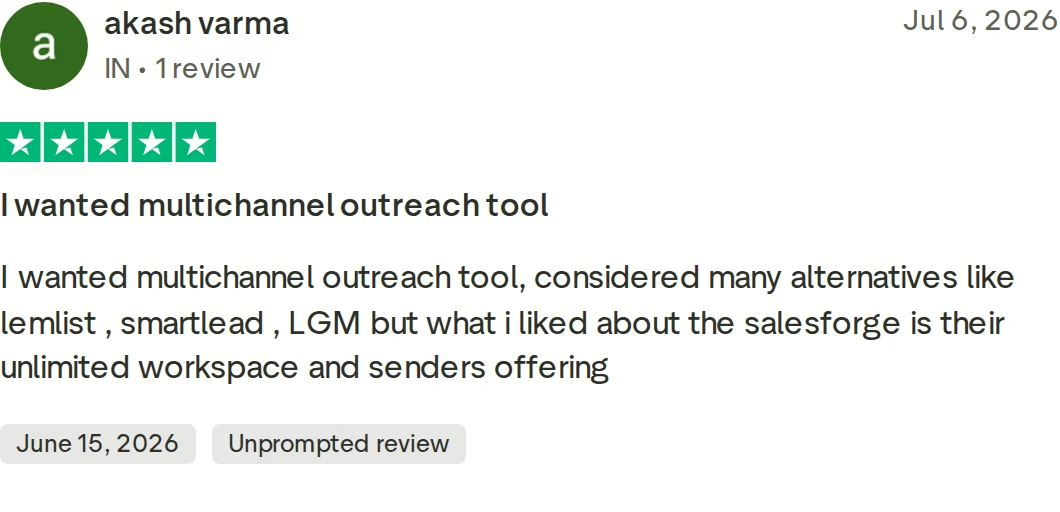
in Action

Head-to-Head Feature Comparison: Instantly vs Reply.io
Multichannel outreach
This is the widest gap. Instantly has no LinkedIn channel, so multichannel is not a comparison there, it is an absence: you buy a second platform. Reply.io does cover email, LinkedIn, calls, SMS and WhatsApp, but LinkedIn costs $69/mo per account on Email Volume and Agency plans, and comes as one account per user on Multichannel.
Salesforge runs six native LinkedIn actions and email touches inside one branching sequence, with unlimited LinkedIn senders on Growth. The practical difference is behavioral branching: a connection request that gets accepted triggers a LinkedIn message, and one that does not falls back to email automatically. If you want the mechanics, this guide to multichannel outreach walks through sequence design.
Email deliverability and warm-up
All three warm mailboxes, but the architecture differs. Instantly includes unlimited warm-up on every Outreach plan, which is real value at volume. Reply.io routes warm-up through Mailtoaster.ai and caps it at 5 mailboxes per user on Multichannel, per its own feature grid.
Warmforge ships free and unlimited with every Salesforge subscription, and the pool is premium by default: aged IMAP/SMTP, Google Workspace and Microsoft 365 mailboxes with multilingual traffic, no paid upgrade tier. Every mailbox carries a Heat Score™ from 0-100. Salesforge publishes the threshold it holds itself to, which is 97 or above, with bounce rates under 1%, and placement tests and blacklist checks run alongside.
My full email warm-up walkthrough covers the setup, and this piece on cold email deliverability handles the diagnostics.
AI personalization and the AI SDR question
Instantly's AI agents run on the credits subscription, so personalization volume is a metered cost on top of the sending plan. Reply.io includes AI variables, icebreakers and reply categorization on all plans, with Jason AI sold separately from $500/mo.
Salesforge personalizes across 21+ languages using AI variables that pull company news, LinkedIn activity and industry context, with the same variables working for both channels. Agent Frank is the separate autonomous option at $499/mo billed quarterly, configurable across nine tonalities and three goals, and grounded in a knowledge base you upload. VAI Consulting booked three calls in a single week with him running.
Inbox management and reply handling
Instantly's Unibox is genuinely useful, but it starts on Instantly Hypergrowth at $97/mo monthly, so the $47 tier leaves you checking mailboxes one by one. Reply.io includes a centralized inbox on all plans, covering email and LinkedIn.
Primebox™ is free on every Salesforge plan and unifies email and LinkedIn replies, including messages that arrive from an address you never contacted. It tags threads positive, neutral or negative automatically, and Autopilot or Co-pilot modes draft replies on Growth. It also runs on mobile.
A unified inbox matters more as mailbox count climbs, because reply volume scales with sends.
Pricing and scalability
Headline prices mislead here because each platform scales on a different axis. Instantly scales on email and contact volume, and stacks a credits subscription for data. Reply.io scales on seats for Multichannel and on LinkedIn accounts for Email Volume.
Salesforge scales on neither: its Growth plan is one flat $96/mo monthly ($80/mo annual) with unlimited users, unlimited mailboxes and unlimited LinkedIn senders.
Take a five-person team running email plus five LinkedIn senders to 10,000 contacts a month. Salesforge Growth is $80/mo annual. Reply.io Multichannel is $89/user/mo annual, so $445/mo, which is 5.6x more for the same shape of team.
Instantly cannot serve this scenario at any price, because the LinkedIn half does not exist.
Email infrastructure options
Neither competitor sells email infrastructure. Instantly's unlimited accounts mean it does not charge per mailbox, but you still buy every domain and mailbox elsewhere. Reply.io offers domain purchase, with mailboxes remaining your responsibility.
Salesforge sells three options under the same login. Mailforge is $3-$2 per mailbox/month on shared IPs, and Infraforge is $4-$3 per mailbox/month on dedicated IPs with pre-warmed mailboxes and an API. Primeforge is $4.50-$3.50 per mailbox/month for real Google Workspace and Microsoft 365 mailboxes with ESP matching.
Salesforge recommends mixing two, and Woodpecker scaled past 2,500 mailboxes on Infraforge. This is the part a sending tool alone cannot fix, which is why I wrote up cold email infrastructure separately, plus a note on inbox rotation.
Integrations, API, and agent access
Reply.io is strong here, with 100+ integrations, an API, an n8n node and MCP support on all plans. Instantly offers API, webhooks and integrations, with the deeper tiers adding more.
Salesforge integrates natively with HubSpot, Salesforce, Pipedrive, Attio, GoHighLevel, folk and Breakcold, plus Clay, Bitscale, RB2B, Databar.ai, Persana AI, Sendspark, Weezly, Slack, Zapier, Make and webhooks. API access is Growth-only.
Every Forge product also exposes an MCP server, and one Forge CLI runs all six products from a terminal. That is the difference between a tool your agents can call and a tool your team clicks through. Salesforge, Warmforge, Leadsforge and all three infrastructure products carry SOC 2 compliance.
Pricing Comparison: What Each Platform Really Costs
| Plan | Monthly | Annual (per mo) | Key limits |
|---|---|---|---|
| Salesforge Pro | $48 | $40 | 1,000 contacts, 5,000 emails, 1 user, 1 LinkedIn sender |
| Salesforge Growth | $96 | $80 | 10,000 contacts, 50,000 emails, unlimited users and LinkedIn senders |
| Agent Frank | $499 billed quarterly | $416 | 1,000 active contacts, separate subscription, demo required |
| Instantly Growth | $47 | $37.60 | 1,000 contacts, 5,000 emails, no Unibox, no LinkedIn |
| Instantly Hypergrowth | $97 | $77.60 | 25,000 contacts, Unibox and A/Z testing, no LinkedIn |
| Instantly Light Speed | $358 | $286.30 | 100,000 contacts, 500,000 emails, SISR |
| Instantly Credits | $47 to $197+ | Varies | Separate subscription for the 450M+ lead database |
| Reply.io Email Volume | $59/user | $49/user | 1,000 active contacts; LinkedIn $69/mo per account |
| Reply.io Multichannel | $99/user | $89/user | Unlimited contacts, 1 LinkedIn account per user, warm-up capped at 5 mailboxes/user |
| Reply.io Jason AI SDR | From $800 | From $500 | 1,000 active contacts at entry tier |
| Reply.io Agency Core | $210 | $166 | Unlimited clients; LinkedIn $69/mo per account |
The scaling behavior is what decides the bill. On Instantly, growth means a bigger volume tier plus a bigger credits tier, and LinkedIn stays impossible. On Reply.io Multichannel, every new SDR adds a full $89/mo annual seat, and every LinkedIn account on Email Volume adds $69/mo.
On Salesforge, adding your sixth rep and your sixth LinkedIn sender changes the invoice by nothing.
Two hidden lines matter as well. Neither competitor sells mailboxes, so domains and inboxes are a separate purchase on both. Instantly's lead database is a second subscription rather than an add-on, while Salesforge folds warm-up and Primebox™ into the plan fee and sells infrastructure at $2-$4.50 per mailbox.
Worked scenario. A 5-person team, 5 LinkedIn senders, 10,000 contacts a month, annual billing: Salesforge Growth $80/mo, Reply.io Multichannel $445/mo.
Reply.io Email Volume at that contact tier is $159/mo flat, but five LinkedIn accounts add $345/mo, taking it to $504/mo. Instantly Hypergrowth is $77.60/mo and covers the email half only.
Who Should Use Which Tool: Salesforge, Instantly, or Reply.io
You might consider Instantly if:
- Your outbound is email only and you have no plan to add LinkedIn, in which case the unlimited-accounts model at $37.60/mo annual is a low entry point.
- You already own your mailboxes and domains and want a sending layer, nothing more.
- You send past 100,000 emails a month and want SISR handling IP rotation for you.
You might consider Reply.io if:
- You genuinely need calls, SMS and WhatsApp in the same cadence as email, since Salesforge does not offer those channels today.
- You are an agency wanting multi-workspace management with white-label at $166/mo annual.
- Your team is one or two people, where per-seat pricing has not yet started to hurt.
Choose Salesforge if:
- You sell B2B with ACVs between $5K and $100K into startups, SMBs or mid-market accounts, and you target 3,000+ businesses.
- You want email and LinkedIn in one branching sequence with one inbox, not two subscriptions stitched together.
- Your team is growing and you refuse to pay per seat: Growth is unlimited users and unlimited LinkedIn senders at $80/mo annual.
- You run multiple clients and need a separate workspace, isolated infrastructure and account-level reporting per account.
- You want the option of handing outbound to Agent Frank or a Forge Expert agency without changing platforms.
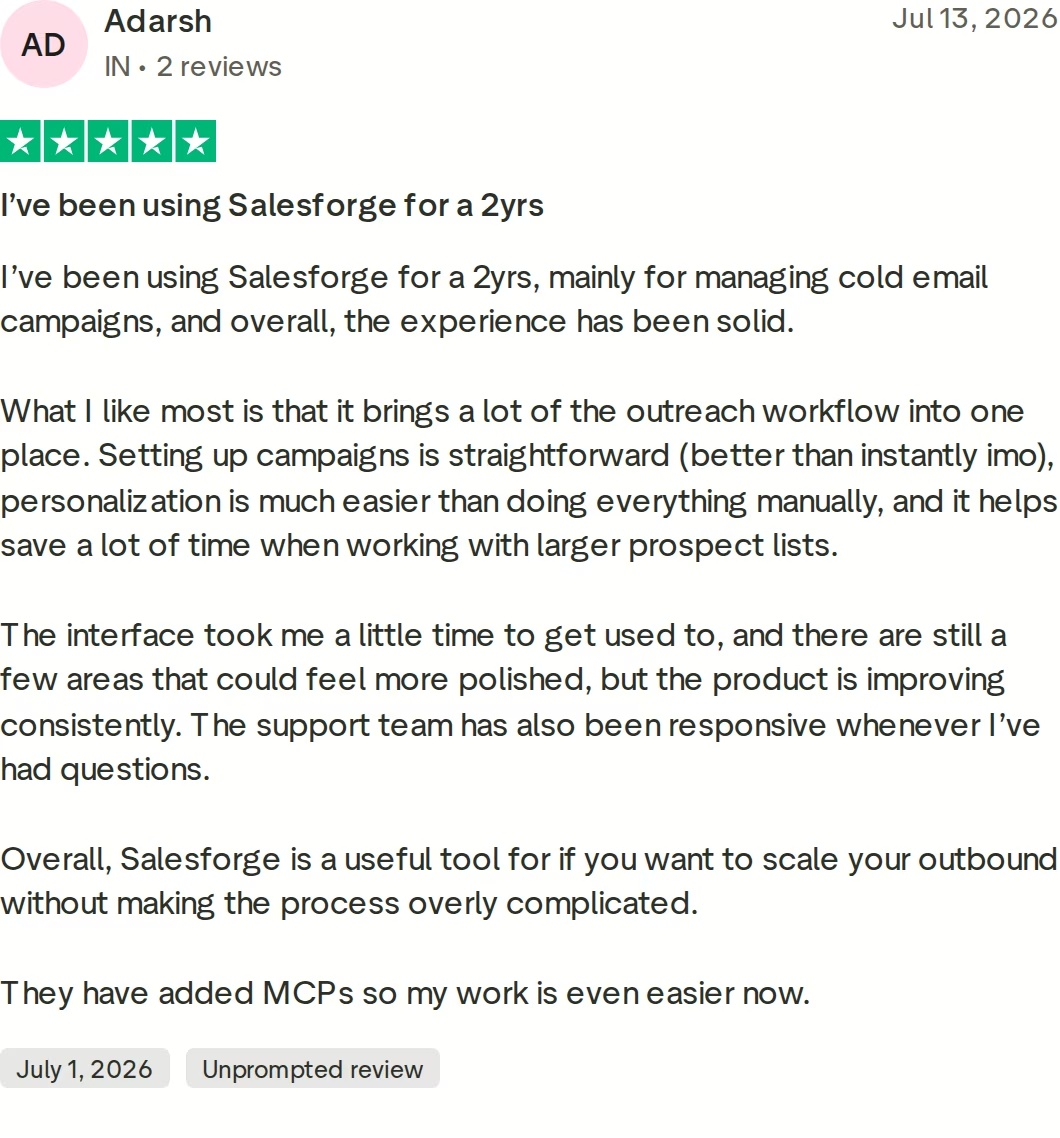
Final Verdict: Which Cold Outreach Platform to Choose
Instantly and Reply.io solve different halves of the same problem. Instantly sends email well, but has no LinkedIn channel and bills its data separately.
Reply.io covers more channels than Salesforge does. It also charges per seat on Multichannel, adds $69 per LinkedIn account on Email Volume, outsources warm-up, and omits SOC 2 from its entry plan.
For B2B teams running email and LinkedIn as one coordinated motion, Salesforge is the stronger choice. At $80/mo annual ($96/mo monthly) Growth gives unlimited users, unlimited LinkedIn senders, unlimited mailboxes, free premium Warmforge warm-up and Primebox™, alongside three infrastructure options and an optional AI SDR. Neither alternative offers that combination at any price.
One falsifiable benchmark: ChannelCrawler hit an 85.71% positive reply rate on Salesforge with Infraforge and Warmforge, and UniteSync reached 85.26% at a $2.86 CAC. Both case studies are public.

If email-only volume is your whole motion, Instantly is the cheaper start and I would say so. Otherwise, browse the comparisons library, the deeper Instantly comparison, or the sales tools directory.
Give Salesforge a Try FreeFrequently Asked Questions
Is Salesforge better than Instantly or Reply.io?
For multichannel B2B outbound, yes. Salesforge runs email and LinkedIn in one branching sequence with unlimited LinkedIn senders on Growth at $96/mo monthly ($80/mo annual). Instantly has no LinkedIn channel at all. Reply.io has LinkedIn but charges $69/mo per account on Email Volume and prices Multichannel at $89/user/mo annual. For email-only sending at high volume, Instantly's $37.60/mo annual entry plan is cheaper.
What is the main difference between Salesforge, Instantly, and Reply.io?
Pricing axis. Instantly charges by email and contact volume, then sells its 450M+ lead database as a second subscription. Reply.io charges per seat on Multichannel and per LinkedIn account on Email Volume. Salesforge charges a flat plan fee with unlimited users, mailboxes and LinkedIn senders on Growth. Salesforge also sells its own email infrastructure through Mailforge, Infraforge and Primeforge; neither competitor does.
Which is cheaper: Salesforge, Instantly, or Reply.io?
It depends on team shape. For one person sending email only, Instantly Growth at $37.60/mo annual is the cheapest. For a 5-person team running email plus 5 LinkedIn senders, Salesforge Growth is $80/mo annual versus $445/mo for Reply.io Multichannel, a 5.6x difference. Instantly cannot run that scenario at any price because it has no LinkedIn channel.
Does Instantly support LinkedIn outreach?
No. Instantly is email only. There are no connection requests, LinkedIn messages or InMails on any Outreach plan, so LinkedIn requires a second platform and a second subscription. Salesforge includes six native LinkedIn actions inside the same sequence as email: connection requests, messages, InMails, post likes, follows and withdraw requests, each capped at 30 per day per profile for account safety.
Does Reply.io include LinkedIn automation in its price?
Only on some plans. On Reply.io Email Volume and Agency plans, LinkedIn automation is a $69/mo add-on per account, and calls and SMS add $29/mo per account. The Multichannel plan includes one LinkedIn account per user at $89/user/mo annual. Salesforge Growth includes unlimited LinkedIn senders in the $80/mo annual plan price, with no per-account charge.
Can I switch from Instantly or Reply.io to Salesforge easily?
Yes. Contacts import by CSV upload or Google Sheets connection, and mailboxes connect through Google Workspace, Microsoft 365 or custom SMTP, so you can keep your existing sending accounts. Salesforge also publishes a 30% migration discount for customers moving from Instantly. Plan two weeks of Warmforge warm-up on any new mailboxes before your first campaign goes live.
Which tool has better email deliverability?
Salesforge, mainly because deliverability is a separate product rather than a feature. Warmforge is free and unlimited with every subscription, warms every mailbox in a premium-by-default pool of aged IMAP/SMTP, Google Workspace and Microsoft 365 mailboxes, and scores each mailbox 0-100 with Heat Score™. Reply.io outsources warm-up to Mailtoaster.ai and caps it at 5 mailboxes per user on Multichannel. Instantly includes unlimited warm-up, though reviewers report spam-placement problems.
Does Salesforge offer a free trial?
Yes, 14 days with no credit card required. The trial covers 50 contacts, 100 emails, 50 email validation credits, 50 personalization credits and 100 social action credits, with unlimited mailbox connections and warm-up included. Instantly and Reply.io also offer 14-day trials. Agent Frank is the exception across all three: he requires a demo before purchase and cannot be trialed self-serve.

.jpg)
.jpg)
