
Personalized Outbound Strategy
Get The Right Outbound Strategy In Minutes
Enter your email to get a custom plan & stack recommendation for your business
It's being carefully crafted by AI
Please check your mailbox in 5 minutes
Before letting a Grok agent handle my LinkedIn outreach, I had three questions. Would it need my login? Could my account get restricted? And would it send obvious bot messages under my name and photo?
The answers depend on the setup. You can log in to your LinkedIn account using Grok, but I’d advise not to. The best way to set up Grok for LinkedIn automation is to use LinkedIn automation tools that offer APIs or MCPs, like Salesforge.
In my case, I have connected my LinkedIn account to Salesforge, and through the Salesforge API, I have connected my Grok Bot. S Now, with Salesforge and Grok agents, I can create my outreach sequence and do it at scale. It also sets daily limits for each action, so giving Grok more work doesn't mean it can send more than those limits allow.
In my experience, the messages need the closest attention. Grok drafts them using my website and ICP, with rules about what it can say about a prospect. I review the prospect list and every sequence step before anything goes into a campaign.
For list building, I connected Leadsforge to build a list of prospects and their LinkedIn profile URLs. Salesforge sends from my LinkedIn accounts and collects replies in Primebox. Grok chooses the right tool for each request, so I don't have to keep switching apps.
Below, I'll walk through the setup and the prompts I use at each stage.
Yes, with Salesforge handling the sending. Grok finds prospects through Leadsforge, builds the sequence in Salesforge, and sorts replies. Salesforge sends from your connected LinkedIn accounts within its daily limits. I still review the prospects, messages, and campaign before launch.
Here's how I'd rate each part of the workflow.
Grok plans and builds the campaign. Salesforge sends it. You decide who gets contacted and what they read.
I use one Grok agent for the whole LinkedIn workflow, but it never logs into LinkedIn. My accounts stay connected in Salesforge, which sends every connection request and message.
Each tool has its own job:
If I ask for 100 founders at US SaaS companies, Grok uses Leadsforge. If I ask who replied yesterday, it checks Primebox in Salesforge. I don't have to name the tool each time.
My first concern was account risk. Salesforge sets daily limits for LinkedIn actions, including profile views, connection requests, and InMails.
Grok works within those limits, and I explicitly tell it not to change them. Those limits control activity, but they don't guarantee that LinkedIn won't restrict an account.
I still approve the prospects, messages, and launch.
Here's how I set up a fresh agent just for LinkedIn, separate from the one in my Grok Bot cold email automation setup.
I already use a Grok agent for cold email, but I made a separate one for LinkedIn. The channels need different message lengths and rules. Keeping them apart gives the agent less room to mix up the instructions.
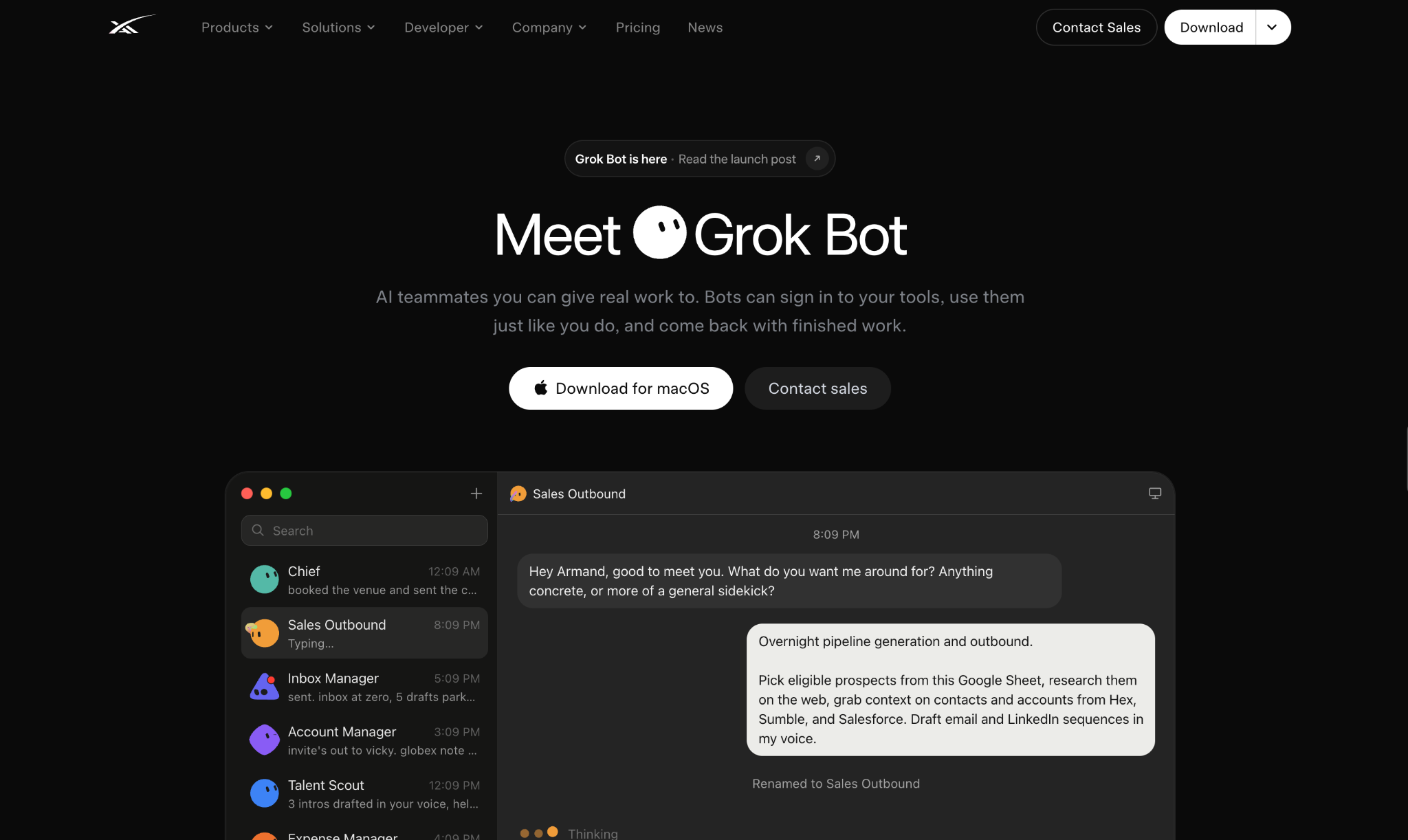
The Grok Bot page where I downloaded the desktop app. I start by giving the agent this role.
“You are my LinkedIn outreach agent. Learn my product and ICP from my website, find prospects and their LinkedIn profiles through Leadsforge, and run LinkedIn sequences from my connected accounts in Salesforge. Sort the replies in Primebox and tell me which ones need me.”
Then I add the rules. These messages arrive under my name and photo. If Grok gets a detail about someone's company wrong, they'll notice, and I'll have to explain it.
These are my rules.
These follow the same idea as the rules in my Grok Bot email agent, but LinkedIn needs tighter limits because every message goes out under my name and photo.
Once the agent is ready, I connect its prospect source.
Leadsforge doesn't have a separate listing in Grok's connector catalog. When I asked to connect it, Grok offered to use Salesforge's Forge MCP. It asked for my Leadsforge API key, which I found under Settings > API in Leadsforge.
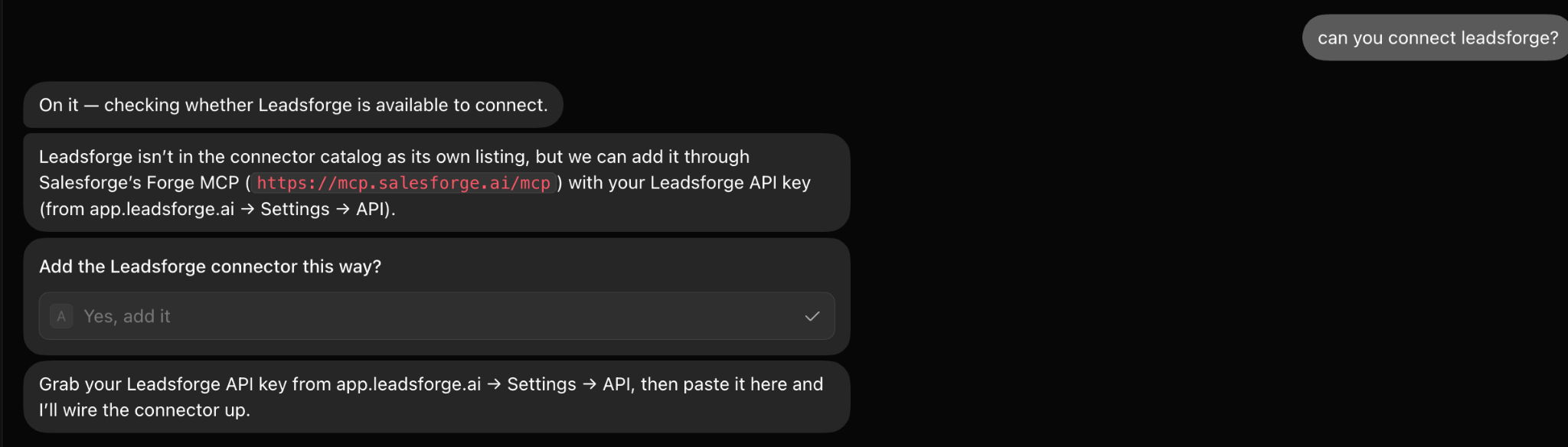
Grok Bot adding Leadsforge through Forge MCP.
For LinkedIn campaigns, I ask Grok to pull these details from Leadsforge.
I check the profile URL first. Salesforge needs it to view a profile, follow someone, or send a connection request. Without one, the prospect can't join this campaign.
Next, I connect Salesforge for sending.
Salesforge uses the same Forge MCP connection, this time with my Salesforge API key.
Grok Bot adding a Forge Stack connector through Salesforge's Forge MCP.
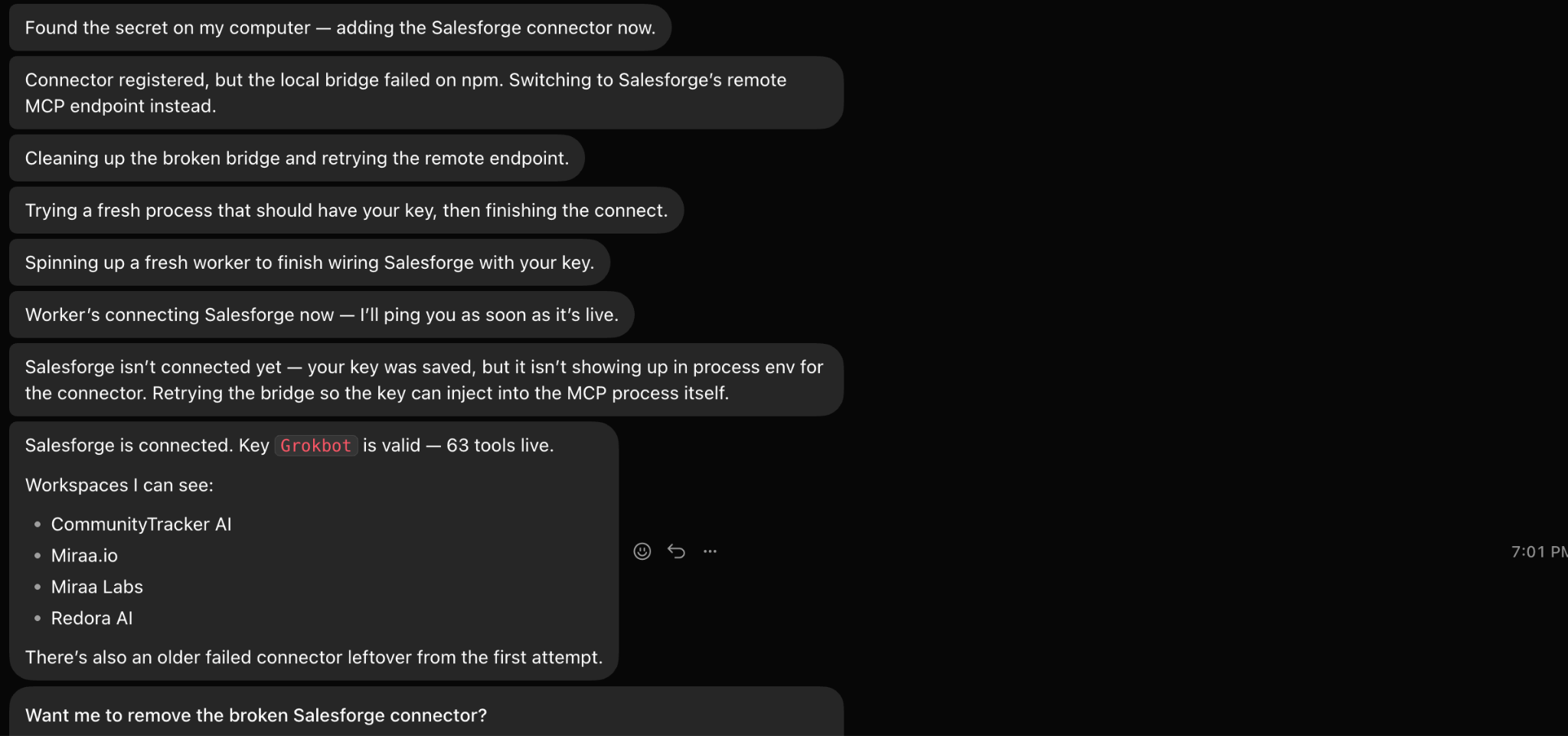
My first attempt failed because the local bridge didn't connect. Grok switched to Salesforge's remote MCP endpoint and tried again. It confirmed the key, showed 63 live tools, and listed the available workspaces. I didn't have to troubleshoot anything.
Grok Bot is confirming the Salesforge connection and lists my workspaces.
Through Salesforge, Grok can do the following.
I still open Salesforge to review the campaign before launch. I just don't have to build it there myself.
Before anything can go out, I need to connect my LinkedIn accounts.
I connect my LinkedIn profiles in Salesforge, not Grok. Grok accesses them only through Salesforge.
Sending from several profiles can get expensive with per-account pricing. Salesforge doesn't charge per LinkedIn account, so adding a third or tenth profile doesn't change the subscription. Agencies can also use it as a white-label service for clients.
Salesforge isn't affiliated with or endorsed by LinkedIn. I leave its daily limits in place to control account activity, but I don't treat them as a guarantee against restrictions.
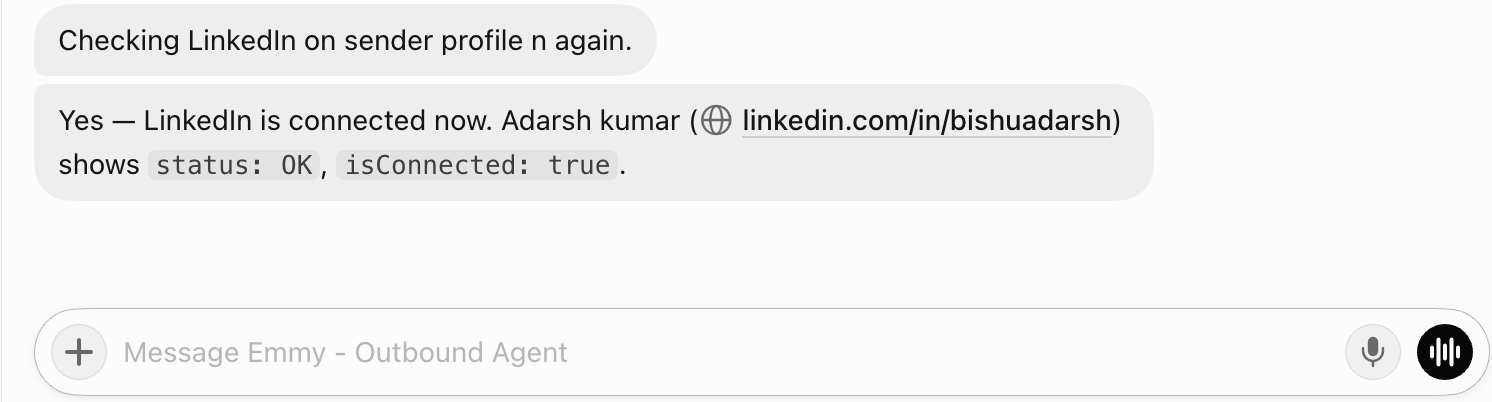
After connecting the accounts, I ask Grok to check them.
List every LinkedIn account connected in Salesforge, the workspace it belongs to, and whether it's active. Flag any account that's disconnected. Don't assign accounts to a campaign until I pick them.
Grok Bot checking sender account status across my workspaces.
This gives me the actual account list from Salesforge, rather than relying on memory.
Then I show Grok what I'm selling.
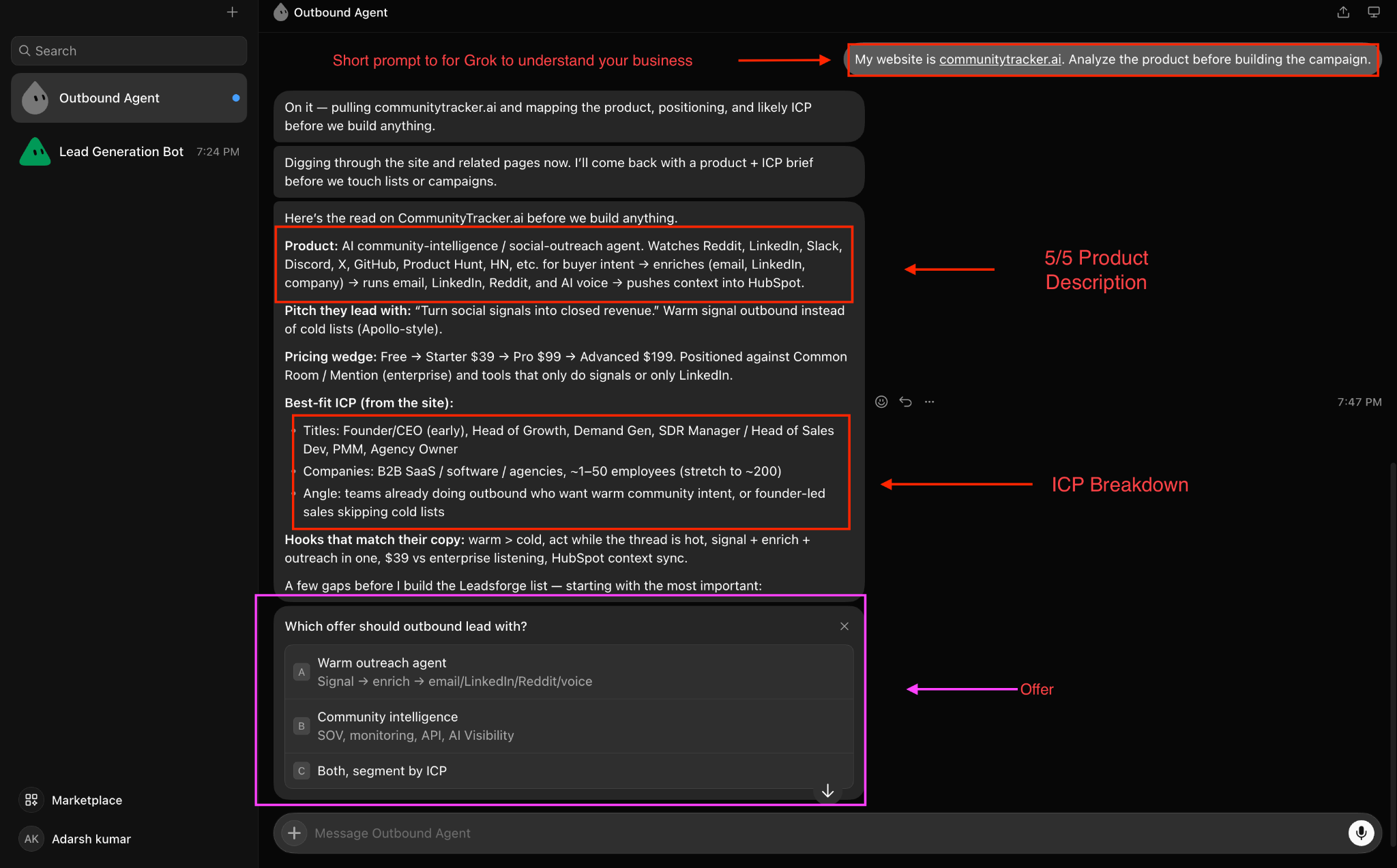
I share my website before giving Grok the targeting criteria. My first prompt was simply to read communitytracker.ai and analyze the product before building anything.
Grok Bot returning the product summary, ICP, and offer options after reading my website.
Grok summarized the product, pricing tiers, and ICP it found on the site. It also asked which offer to lead with. I settle that early. Correcting the offer is much easier before 200 connection requests go out.
I check that Grok understands three things.
Then I give it the Leadsforge targeting criteria, including job titles, seniority, headcount, location, industry, and exclusions.
Target founders, CEOs, and Heads of Growth at B2B SaaS companies in the US and UK with 1 to 50 people. Leave out agencies and anyone who is already a contact in Salesforge.
I ask Grok to repeat the ICP and offer in a few lines. If anything is wrong, I fix it before it affects the prospect list and messages.
Leadsforge builds the main list, but I also find good prospects while browsing LinkedIn. They might be commenting on a relevant post or connected to one of my customers. I used to put those names in a spreadsheet and forget about them.
Now I use the free Salesforge LinkedIn Email Finder Chrome extension. I open a profile, click the extension, and get the following details.
The contact saves directly to Salesforge. I can also add it to a sequence from the extension in one click. If there's no verified email, the extension says so rather than guessing. New Salesforge accounts get 100 free lookup credits without a credit card.
For this LinkedIn-only campaign, I leave the email and phone number on the contact for possible follow-ups later. Right now, I use the company details to have Grok check whether the person fits.
Check the contacts I saved from LinkedIn this week against my ICP. Tell me which ones fit and which don't, and why. Don't add anyone to a campaign yet.
It's easy to ignore a connection request from someone you don't know. In Salesforge, I can schedule a profile view, follow, or post like before the request, all in the same sequence. That gives the prospect a chance to see my name first.
The sequence can branch too. Someone who accepts gets a message. Someone who doesn't can move to another step, such as an InMail.
Here's the kind of prompt I use.
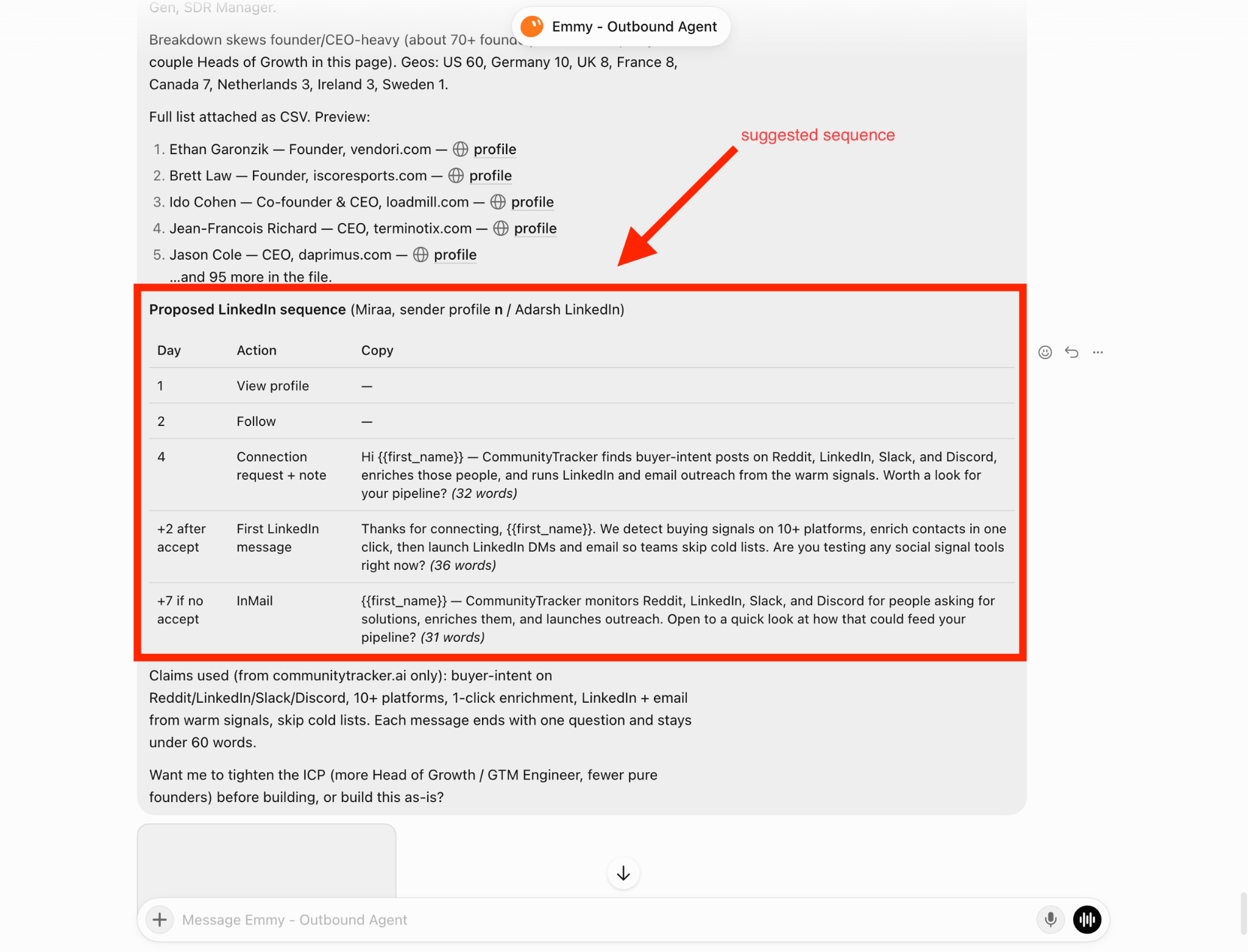
Use Leadsforge to find 100 prospects who match my ICP. In Salesforge, build a LinkedIn sequence: view their profile on day 1, follow them on day 2, and send a connection request with a short note on day 4. If they accept, send a first message two days later. If they haven't accepted after 7 days, send an InMail.
Use only claims from my website, keep every message under 60 words, and end each one with a single question. Show me the prospect list and all the steps before you create the campaign.
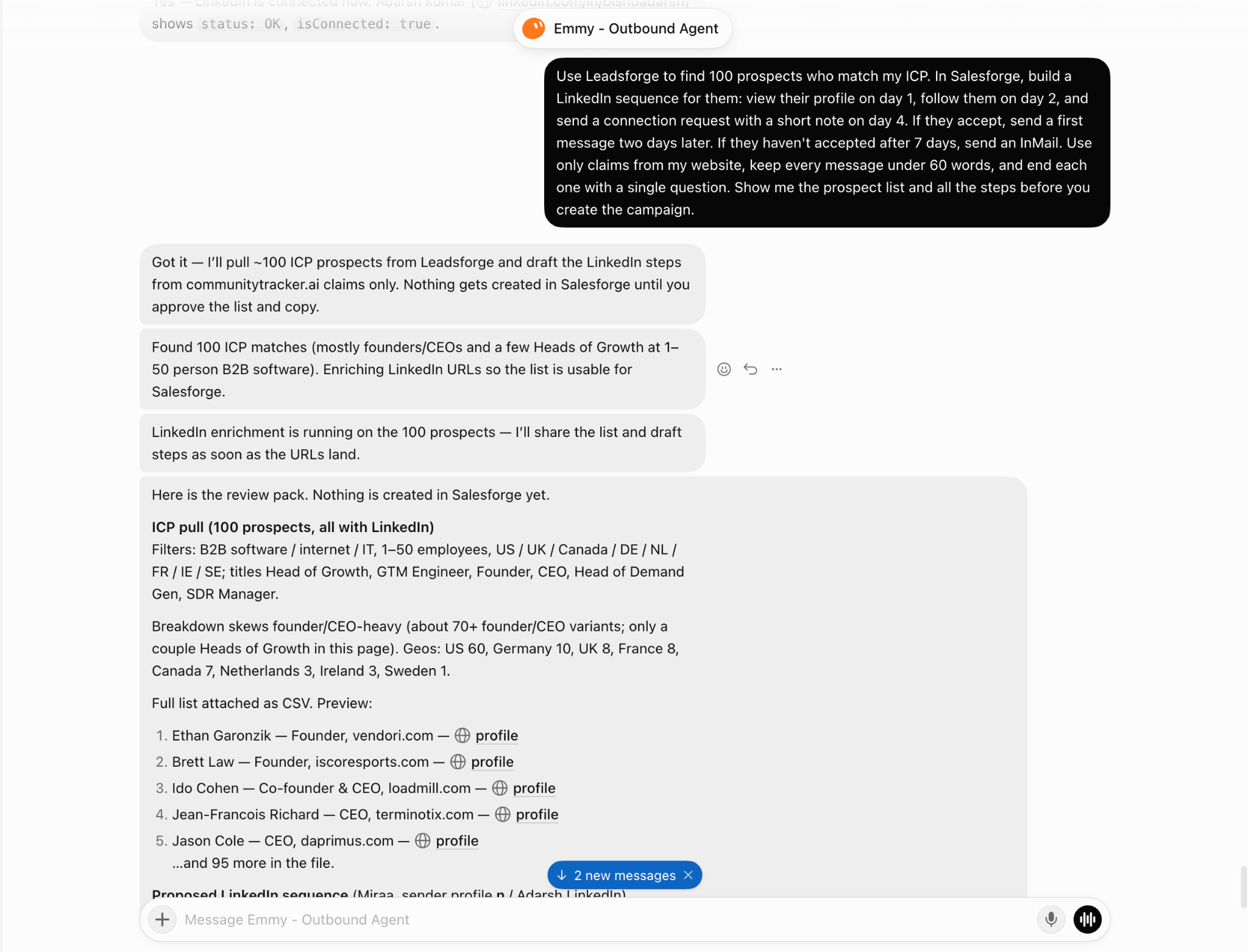
When I review the sequence, I try to read the first message from the recipient's side. They accepted a stranger's request two days ago. If the next message sounds like a pitch deck, I ask Grok to rewrite it.
With several LinkedIn accounts sending, checking separate inboxes makes it easy to miss replies. Salesforge brings them together in Primebox. Its AI tags positive replies, objections, and meeting requests, helping me decide what to answer first.
Primebox offers three reply modes: Reply as human, Co-pilot, and Auto-pilot. For a new campaign, I avoid Auto-pilot until I know what kind of replies we're getting.
Grok can read those tags too, so I don't have to open every thread.
Show me today's meeting requests from Primebox and any objections that came up more than once this week.
Primebox also has iOS and Android apps, so I can answer a meeting request without opening my laptop.
Grok has done the setup. Before launch, I do one final check.
Show me the full campaign before launch: the prospect list, the LinkedIn accounts it sends from, every step with the personalization filled in, and the branch rules. Flag any prospect outside my ICP and any message with an empty field. Don't launch until I approve.
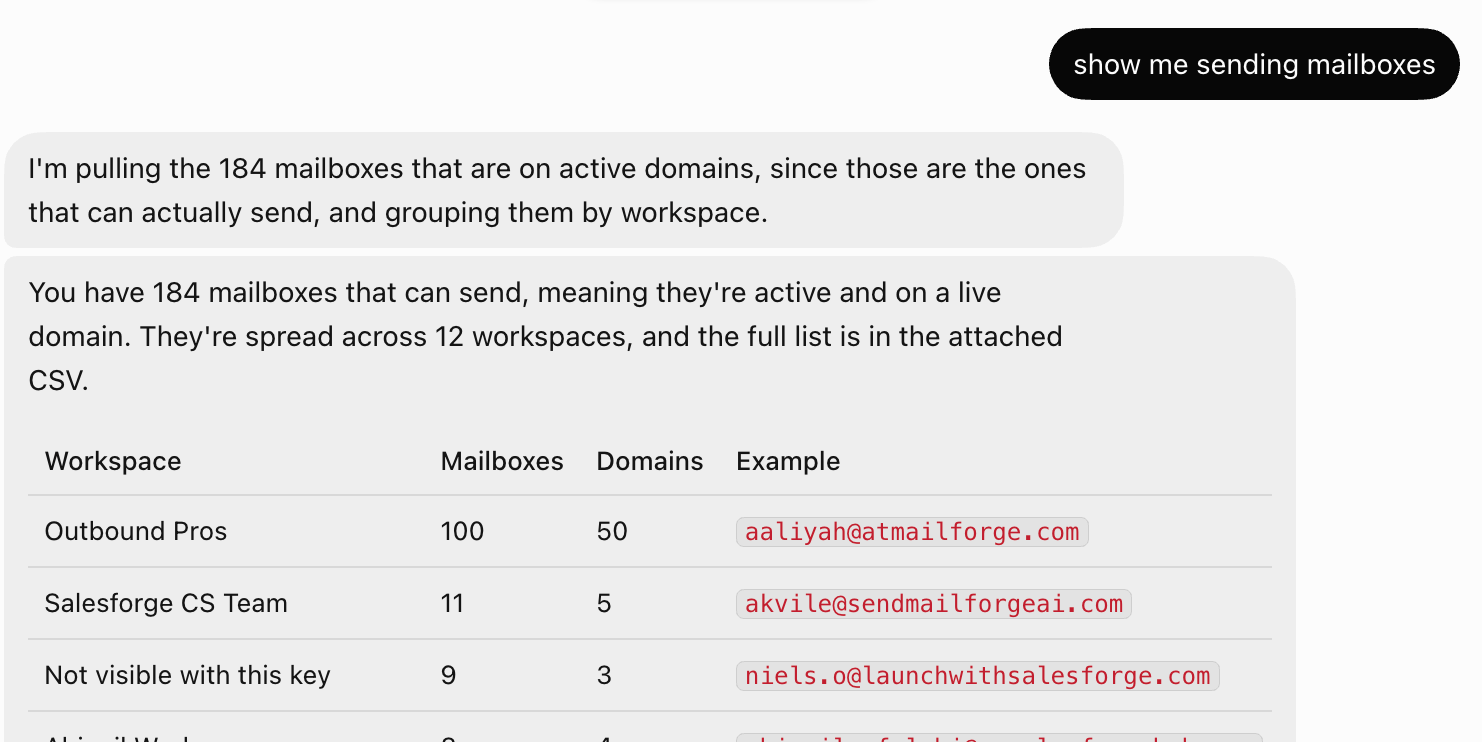
Grok Bot listing sender accounts by workspace before launch.
If I spot a problem, Grok fixes it and shows me the campaign again. Once I approve, it starts in Salesforge. The daily limits spread the sending over several days, which suits how I want to test a new campaign.
Finally, I tell the agent what to keep doing after launch.
Run LinkedIn outreach for this ICP. Keep about 100 prospects active in the sequence and refill from Leadsforge when the list runs low. Check the contacts I save with the Email Finder against the ICP before adding them. Sort replies in Primebox and tell me about meeting requests and repeated objections when I check in. Ask me before you change the audience, the offer, or any message.
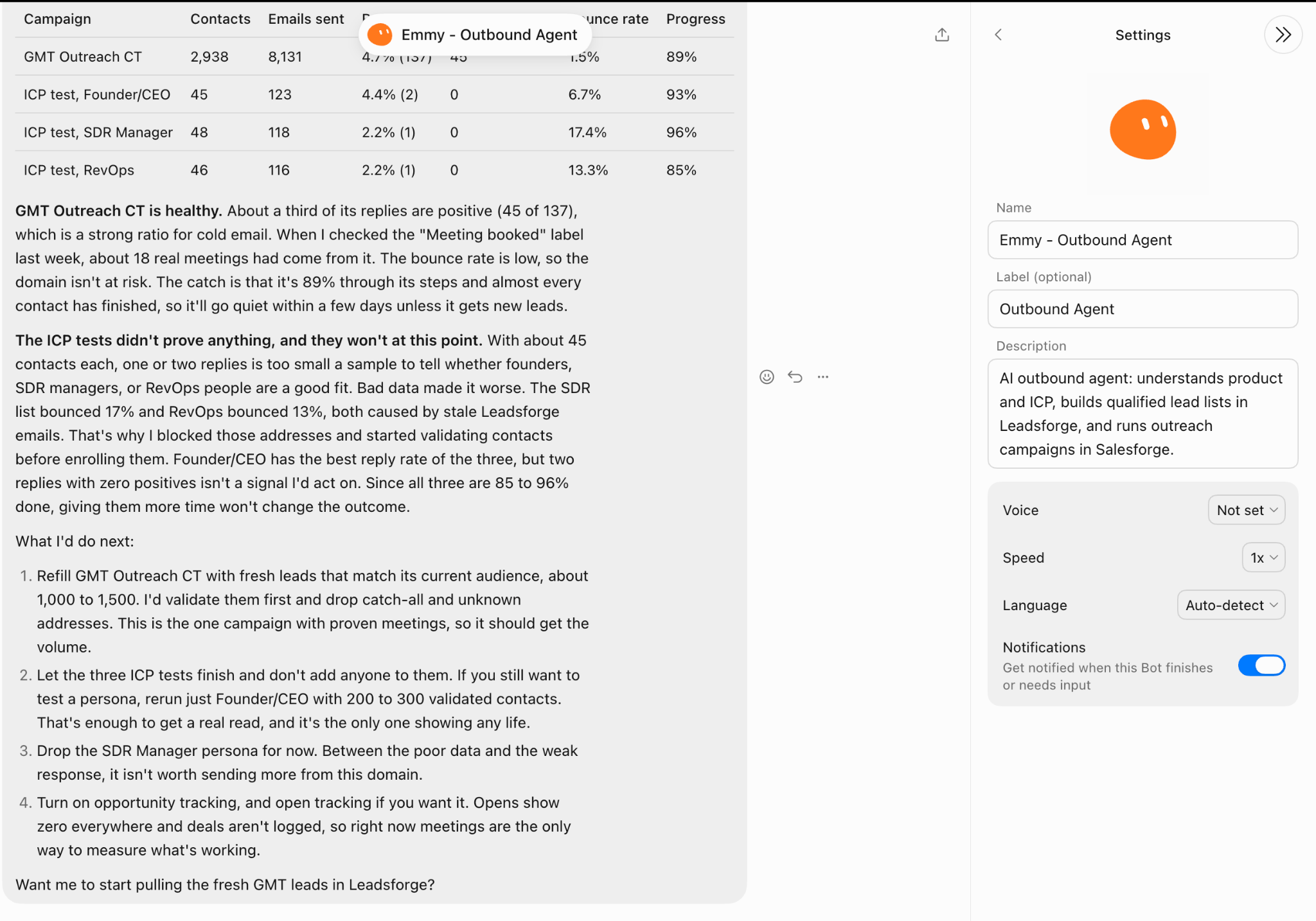
Grok Bot reviewing campaign results and suggesting next steps.
Salesforge reports results by sender account. When I check in, Grok can show me which LinkedIn profiles are getting fewer replies and need attention.
From there, I give the agent the same requests.
Find 50 more prospects at companies like the ones that booked a meeting.
Which objections came up most this month?
Rewrite the first message based on what people asked about in their replies.
The agent already has the product details, ICP, and campaign results, so I don't have to explain everything again.
Here's what I'd check before sending the first connection request.
Enter your email to get a custom plan & stack recommendation for your business
Please check your mailbox in 5 minutes

Salesforge answers two of my starting questions. It holds the LinkedIn connections, so Grok doesn't need my login, and its daily limits control how much each account does. They don't remove account risk. The messages are still my responsibility. Grok drafts them, but I review them before they reach a prospect.
After that, Grok handles the routine work. It finds prospects in Leadsforge, builds sequences in Salesforge, checks contacts saved with the Email Finder, and sorts Primebox replies, all in one conversation.
To try it, connect one LinkedIn account to Salesforge, give Grok your website and ICP, and start with 50 prospects before adding more.
.jpg)

.jpg)

.png)