
Personalized Outbound Strategy
Get The Right Outbound Strategy In Minutes
Enter your email to get a custom plan & stack recommendation for your business
It's being carefully crafted by AI
Please check your mailbox in 5 minutes
You open your LinkedIn follower list, see thousands of names, and look for the export button. There isn’t one. LinkedIn shows who follows you but gives you no way to download the list.
That’s frustrating because followers are one of LinkedIn’s few audiences who have already shown interest. They chose to hear from you or your company, yet the platform keeps their data locked inside its interface.
Even after finding a workaround to scrape LinkedIn followers, more problems appear. The page you can export isn’t the page you need. The file contains job titles but no names. Or you get names but no work emails, leaving you with a spreadsheet you can’t use for outreach.
The real decision is which route gives you contactable names from the pages you care about without spending hours stitching tools together.
Below are three ways to export LinkedIn followers, from LinkedIn’s free exports to a Company Followers Search in Leadsforge. Each method provides a different type of list and suits a different goal.
Each method creates a different list. Here’s what you receive from all three.
Methods 2 and 3 are free and show you who your audience is.
Method 1 is the one that gives you named followers with emails you can contact, which is what you need for outreach.
Before choosing a method, you need to understand what LinkedIn actually provides.
You can download your connections and a summary of your company page followers. You can't download a full list of follower names
A connection is mutual because both people accepted each other.
A follower is one-way because they chose to see your posts, and you may not know them.
Every connection follows you by default, but many followers aren't connections.
This difference determines what you can export. LinkedIn includes connections in your downloadable data archive. Followers outside your network don't appear in that file.
Company page admins and analysts can view follower data in aggregate, including job functions, seniority, industries, company sizes, locations, and audience growth.
You can export this summary, but it counts people without naming them. It may show 300 followers in marketing, but not who they are.
On a personal profile, you can browse your followers, but you can't download the list.
So if you need names to reach out to, LinkedIn's own exports will only take you partway. Method 1 covers how to get the rest.
Methods 2 and 3 leave you with either totals or connections. If you want the people following a company page, Leadsforge’s Company Followers Search builds that list and lets you review every follower before paying.
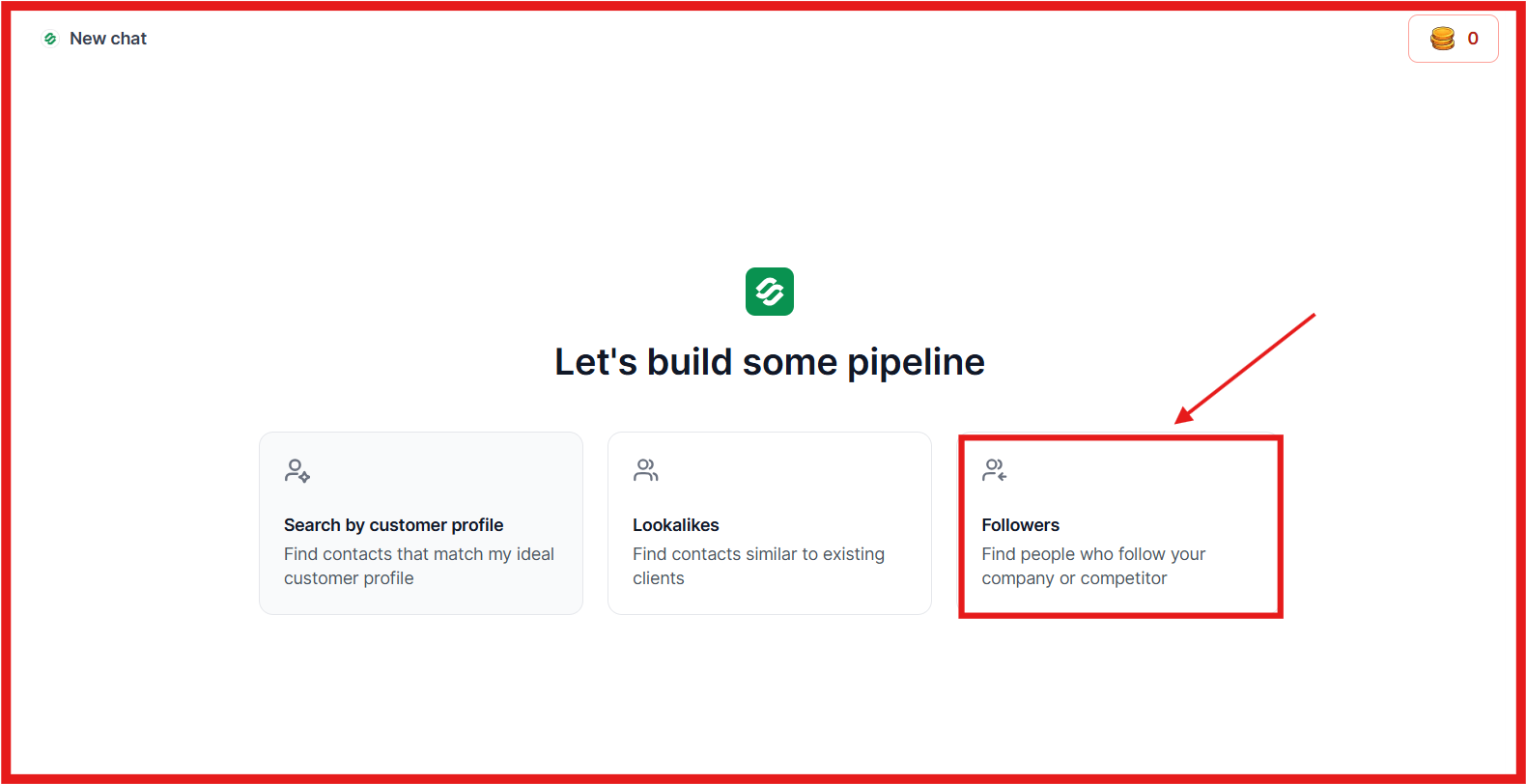
You can pull thousands of followers at once and choose the exact number, so a page with a large audience doesn’t force you to take everyone.
The page doesn’t have to be yours. You can start with a competitor or any company whose audience overlaps with your buyers. LinkedIn’s own exports can’t do that.
Each follower includes their name, job title, company, and LinkedIn profile, so you know who’s on the list before using a credit.
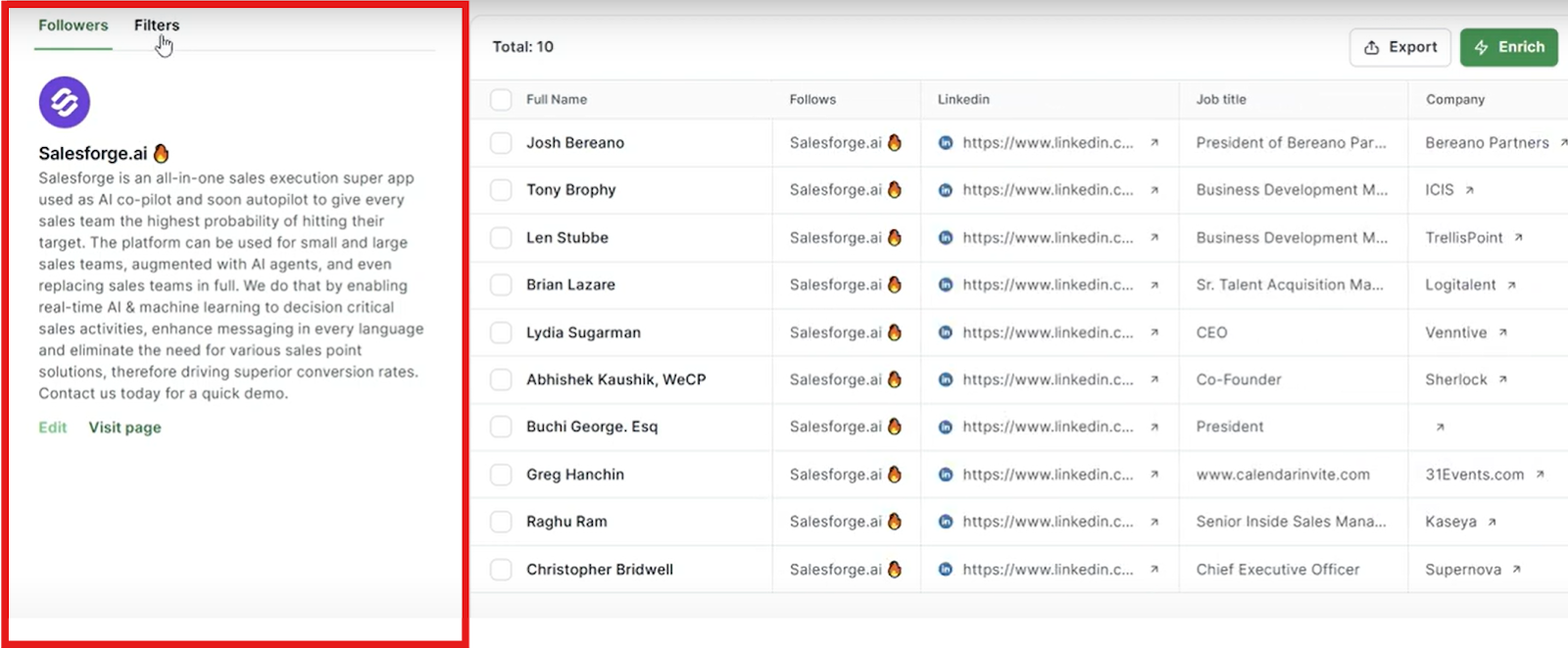
A title search finds people who might buy from you. A follower list finds people who chose to follow a company in your space. That choice reveals something a title can’t: they’re already interested in the problem you solve.
That’s also why I’d keep your filters focused. A competitor’s page attracts its staff, partners, and job seekers, so filter by seniority and company before enriching, not afterward.
Searching and filtering cost nothing, so narrow the list first. You can filter by:
In Leadsforge’s example, a page has 1,241 followers. Filtering for heads of sales and VPs of marketing at director or VP level in US and EMEA SaaS and software companies reduces it to 186. Those 186 are worth paying for.
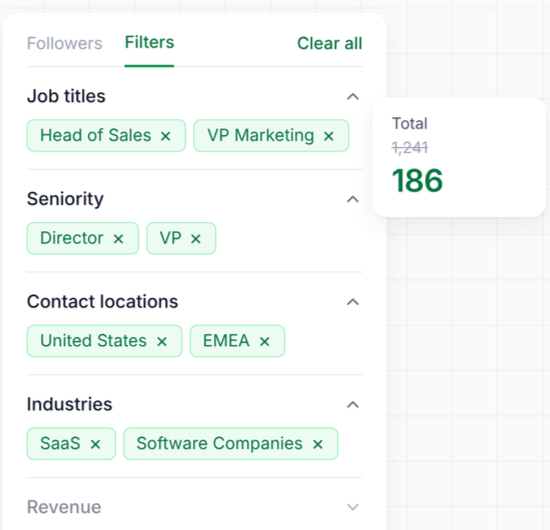
If you completed Method 2, use the leading seniority levels and job functions from your demographics export as filters here.
Select the people you want, click Enrich, and choose only the data you need. Each lookup checks more than 20 providers and moves to another when one source returns nothing, so you aren’t limited by gaps in a single database.
A lookup that finds nothing costs nothing, and Leadsforge skips contacts you’ve already enriched, so you never pay twice. The follower list already includes each person’s LinkedIn profile, making the work email the only field most cold email campaigns need. Emails for the 186-person list above would cost no more than 186 credits.
You can enrich a short list in real time and receive results in the same request, or send a full list as a bulk job and collect it when finished. Every job shows its status, processed contacts, returned data, and credits used.
New accounts include 100 free credits. The Essential plan adds 2,000 monthly credits for $49, and unused credits never expire.
Once enriched, send the contacts directly to Salesforge to start a sequence or save them as a CSV for another tool.
If you prefer automation, the same follower search and enrichment work through the Leadsforge API, MCP, and CLI.
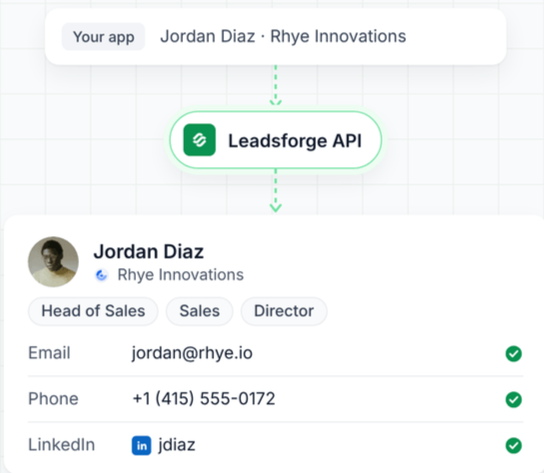
You can pull and enrich followers through your own scripts or with Claude or ChatGPT.
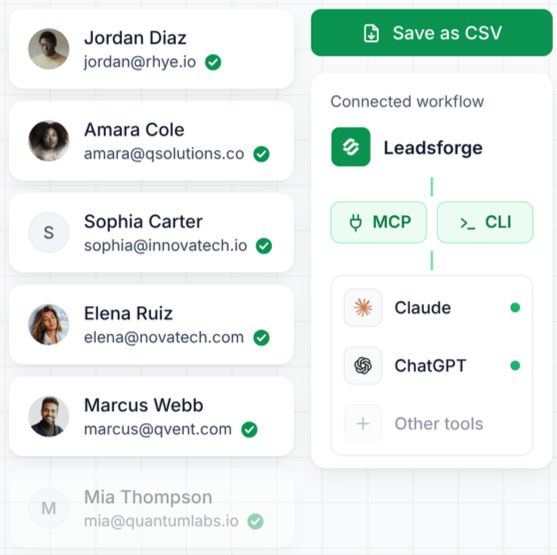
Pulling, filtering, and enriching take minutes. What you do next determines whether the list generates replies.
This method won’t give you names, but I’d still start here. It’s free, takes a few minutes, and shows whether your followers are worth turning into a list.
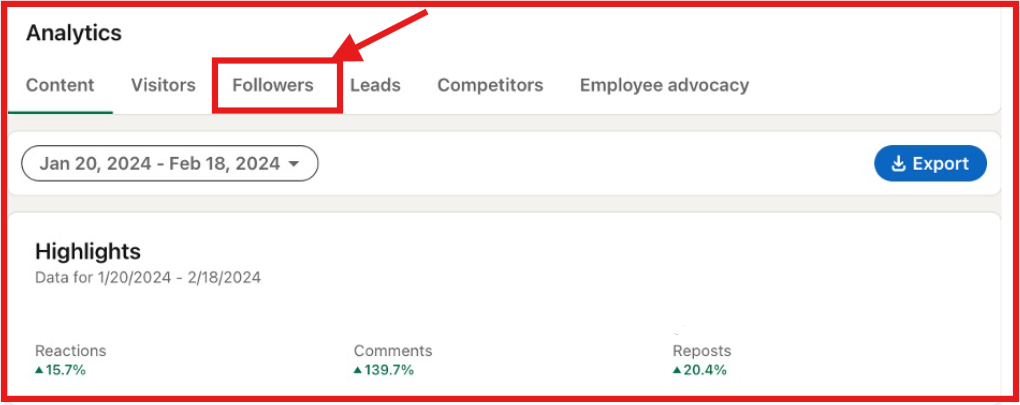
One detail to watch: the demographics show your audience as it appeared on the final day of the reporting period. Changing the date range moves that snapshot. It doesn’t calculate an average across the period.
The export breaks down followers by seniority, job function, industry, company size, and location. It also shows how the page has grown over time.
Before spending anything, answer one question: do your followers match the people you sell to? If you sell to marketers and Marketing is your leading job function, your follower base may be a strong source of leads. If most followers are entry-level, pulling their names will waste credits on people who can’t buy.
The report also gives you filters for Method 1. Use its leading seniority levels and job functions when pulling names.
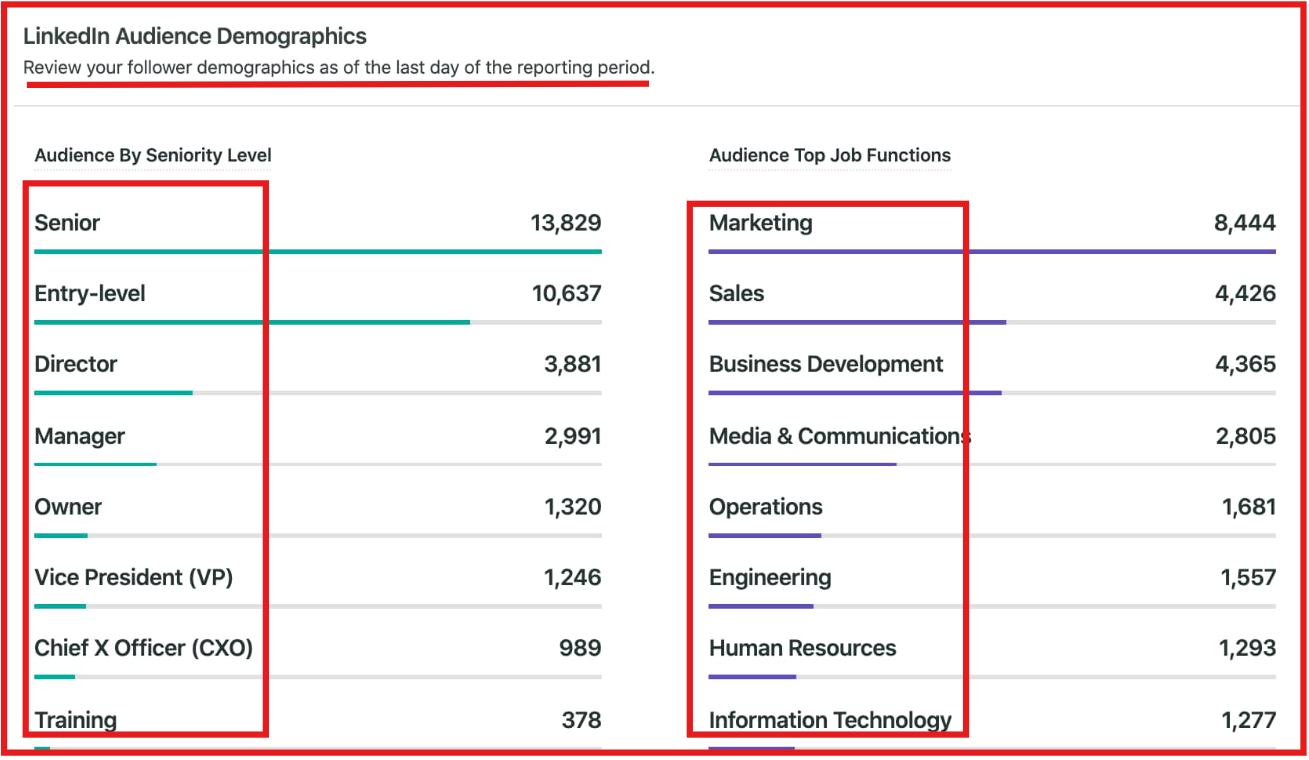
The file doesn’t include anyone’s name. The example above counts 4,426 followers in Sales, but you can’t contact any of them from this report.
If you mainly post from a personal profile, this is the only native way to export names from LinkedIn. It gives you connections instead of followers, so understand what that difference means before starting.
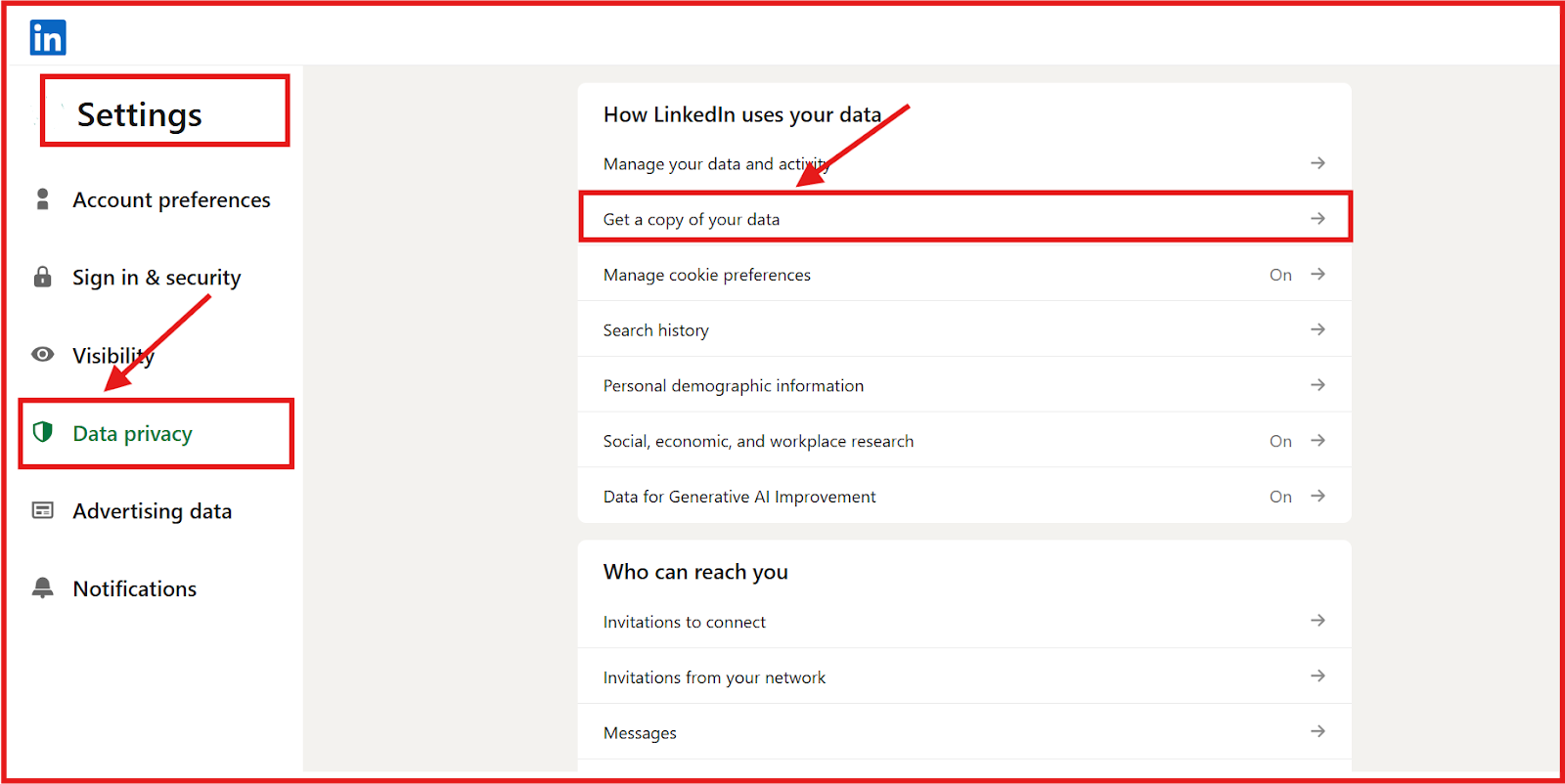
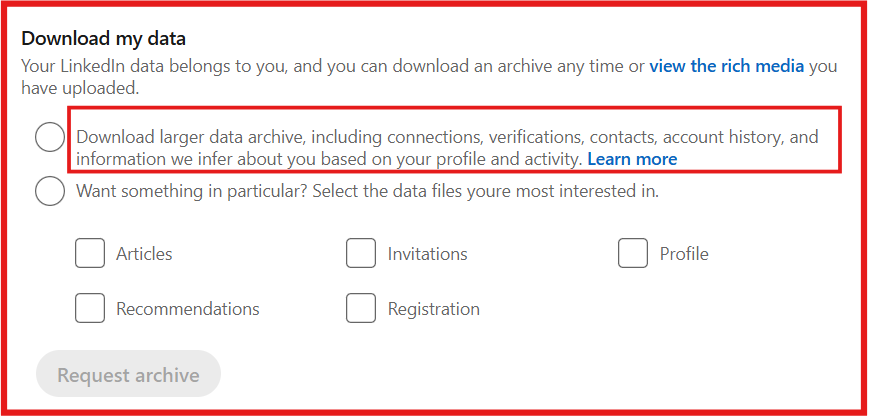
You get everyone you’re connected to, including their name, job title, and current company. These people accepted your request or sent you one, so they already know you. That makes them a warmer audience for outreach.
You miss anyone who follows you but doesn't connect. If your posts have attracted a large audience outside your network, those people won’t appear in this file.
The file also falls short of what cold email requires. It gives you names and companies but not a verified work email for each person. To fill the gap, upload the CSV to Leadsforge. It finds contacts using their names and companies, adds verified emails, and only charges a credit when it finds one.
Use this method when your connections are the audience you want to reach. If you want people who follow you or a company page without connecting, follow Method 1.
An exported follower list is only useful when your opening message feels relevant to the person reading it. Here’s how I’d structure the outreach
Split the list by where each person came from and run every group as a separate sequence:
Separate sequences also keep reporting accurate. You’ll see which source earns replies instead of relying on one blended rate that hides the result.
Enter your email to get a custom plan & stack recommendation for your business
Please check your mailbox in 5 minutes

LinkedIn shows how many people follow you but won’t provide their names. You need to build that list yourself, and it takes less time than you might think.
Here’s how I’d spend an afternoon. Download your company page’s follower demographics and note the leading job functions and seniority levels.
Use them as filters when pulling followers from your page and one competitor’s page in Leadsforge. The 100 free signup credits cover your first set of emails.
Then send the list to Salesforge and launch the sequence from the previous section.
The 14-day free trial requires no credit card and covers 50 contacts, so begin with your 50 best-fit followers, see which group responds, and scale from there.
.jpg)



.jpg)
