

Personalized Outbound Strategy
Get The Right Outbound Strategy In Minutes
Enter your email to get a custom plan & stack recommendation for your business
It's being carefully crafted by AI
Please check your mailbox in 5 minutes
I’ve already built a few agents for my outbound workflow using Claude and Codex, so building another AI agent wasn’t really the experiment for me.
The experiment this time was Grok.
I've been seeing more people talk about Grok lately, especially around its agent capabilities and how well it handles research and tool-driven workflows. I wanted to see whether that translated into something useful for lead generation, rather than just another AI demo that looks impressive but still needs a lot of manual work.
So I decided to give it a proper test.
I created a single lead generation agent in Grok Bot and kept my setup intentionally simple. I gave the agent my website, explained my ICP, and let it handle the rest.
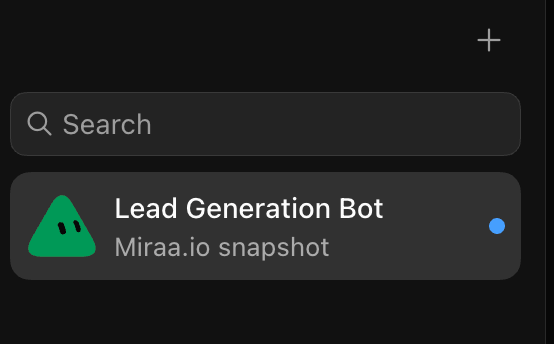
For the actual lead data, the agent uses Leadsforge to find and build the prospect list. Once those leads are ready, it uses Salesforge to handle the multichannel outreach.
The workflow was pretty simple:
My website + ICP → Grok Bot → Leadsforge → Salesforge → outreach
I wasn’t expecting it to perform dramatically better than the agents I’d already built. But the results genuinely surprised me.
In the campaign I’ll break down in this guide, the setup generated a 38% reply rate.
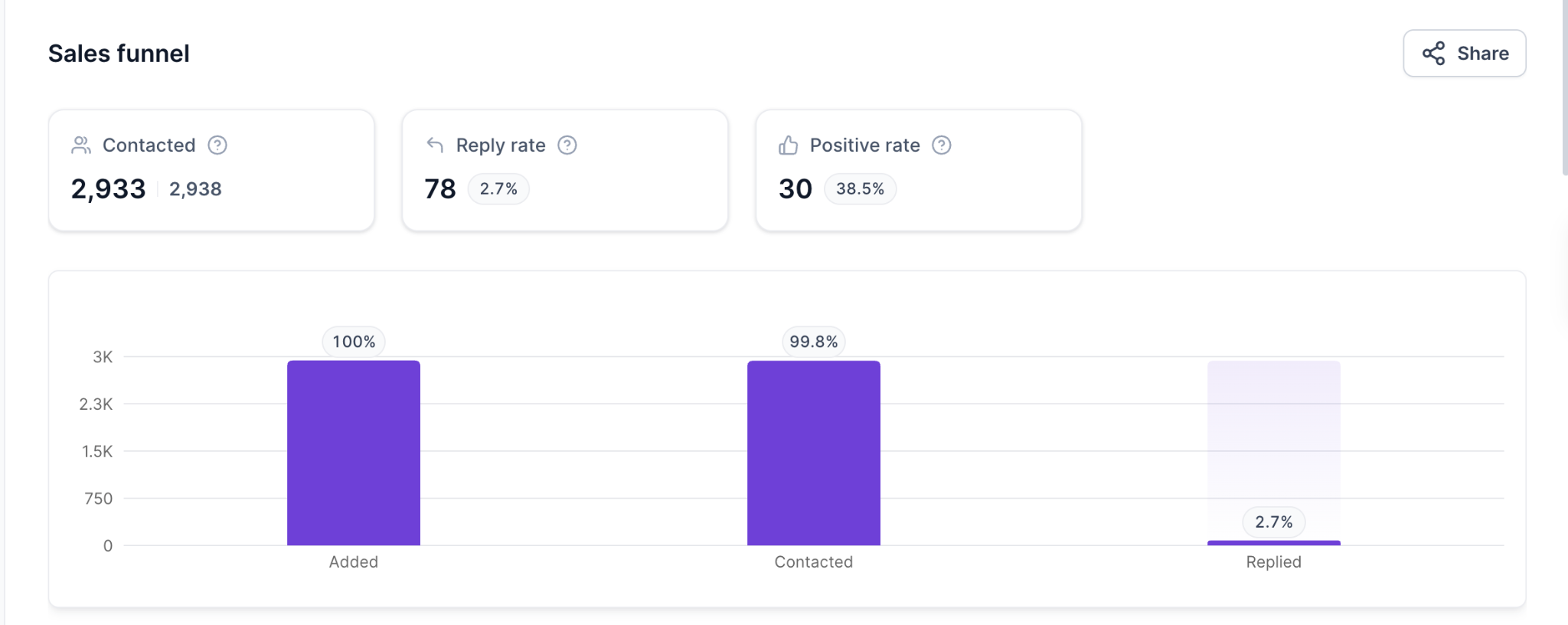
I’ll also show you the exact setup I used, how I connected Grok Bot with my GTM stack, and how you can build a similar lead generation agent without creating the entire workflow from scratch.
Yes. After using it for an actual outbound campaign, I’d rate Grok Bot overall 4.8/5 as a lead generation agent.
Here’s how I’d personally rate each part after using it:
If I had to summarize it in one sentence:
Grok Bot is most useful when you treat it as the operator of your outbound workflow, not as a magic source of perfect leads or perfect copy.
My setup uses one Grok agent for the entire workflow.
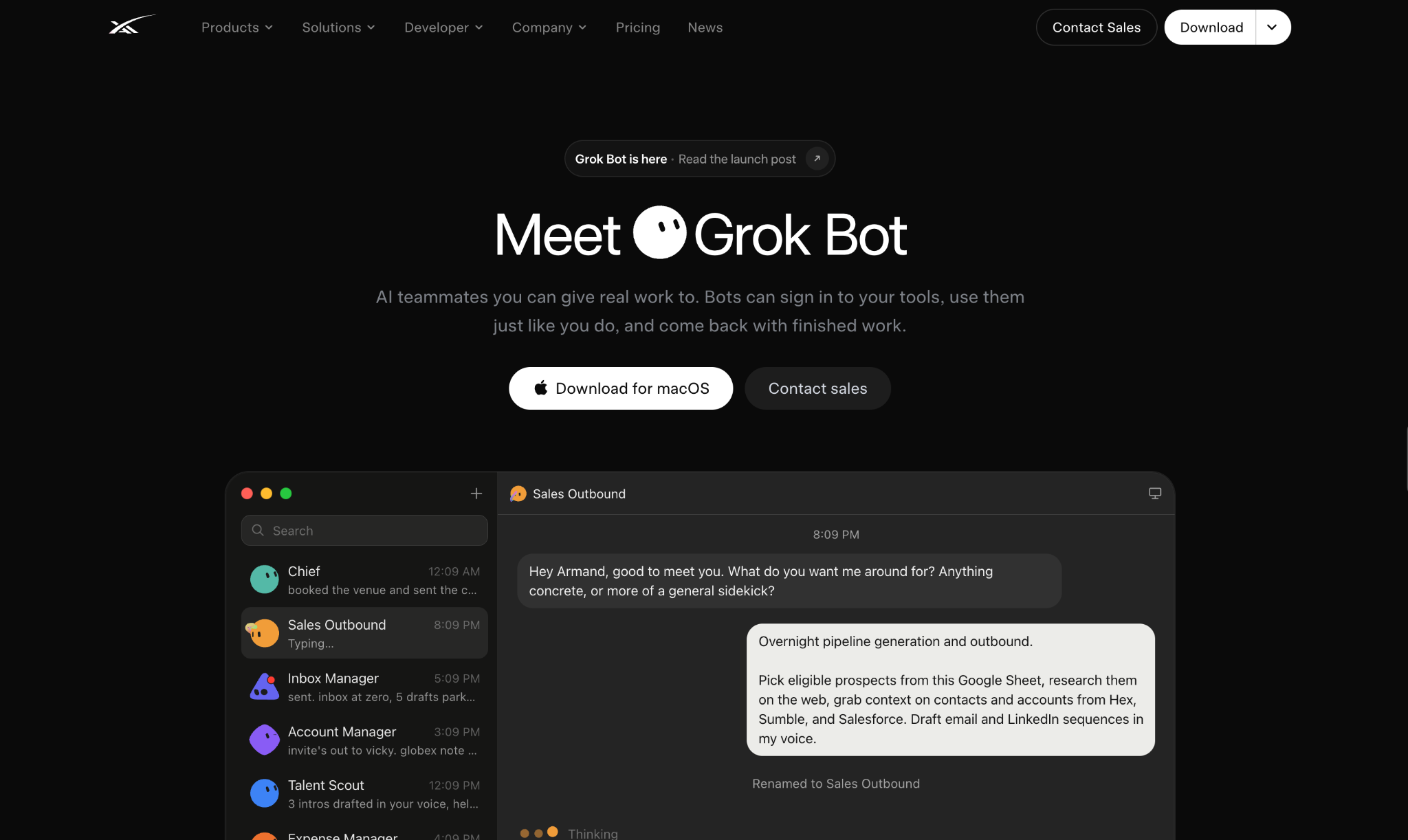
I don't create separate agents for research, list building, outreach, or replies. Instead, I give one agent access to the tools it needs and clearly define what each tool should be used for.
In my case:
The setup starts with the agent itself.
Create one agent specifically for outbound lead generation.
I keep the role simple:
You are my B2B lead generation and outbound agent. Your job is to understand my product and ICP, build a qualified lead list using Leadsforge, and use Salesforge to create and manage outreach campaigns.
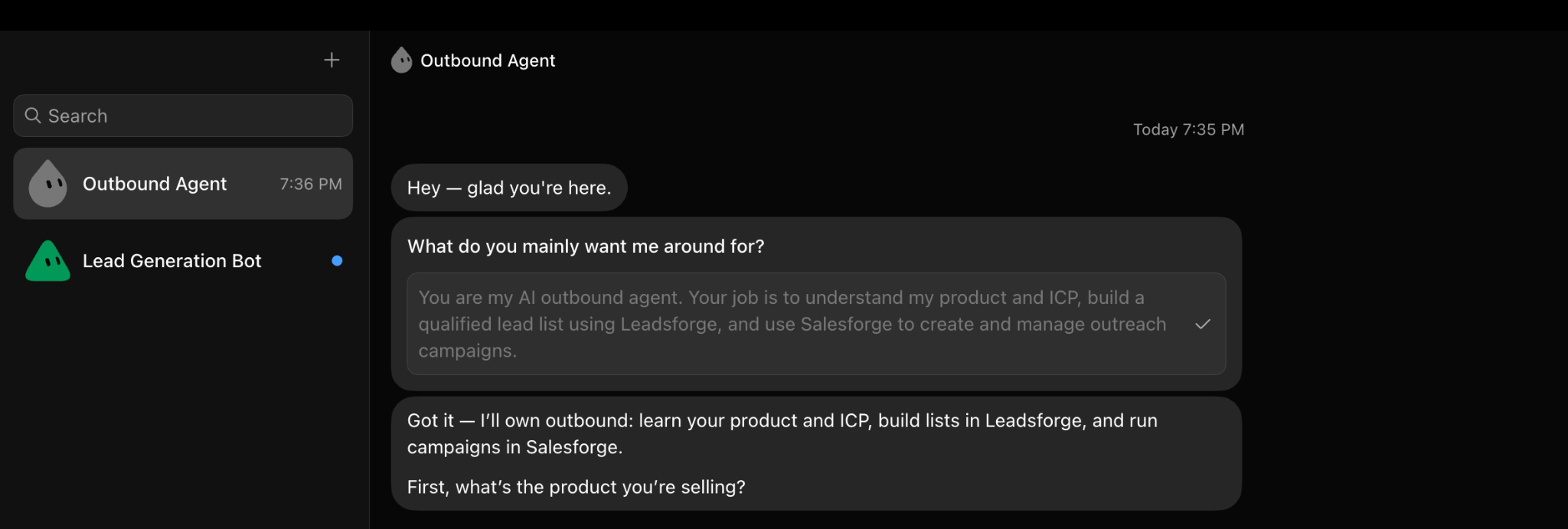
The important part here is defining the boundaries.
I explicitly tell the agent:
That prevents Grok from trying to solve everything itself.
Next, I give the agent access to the Leadsforge API. Leadsforge is the source of truth for prospect data.
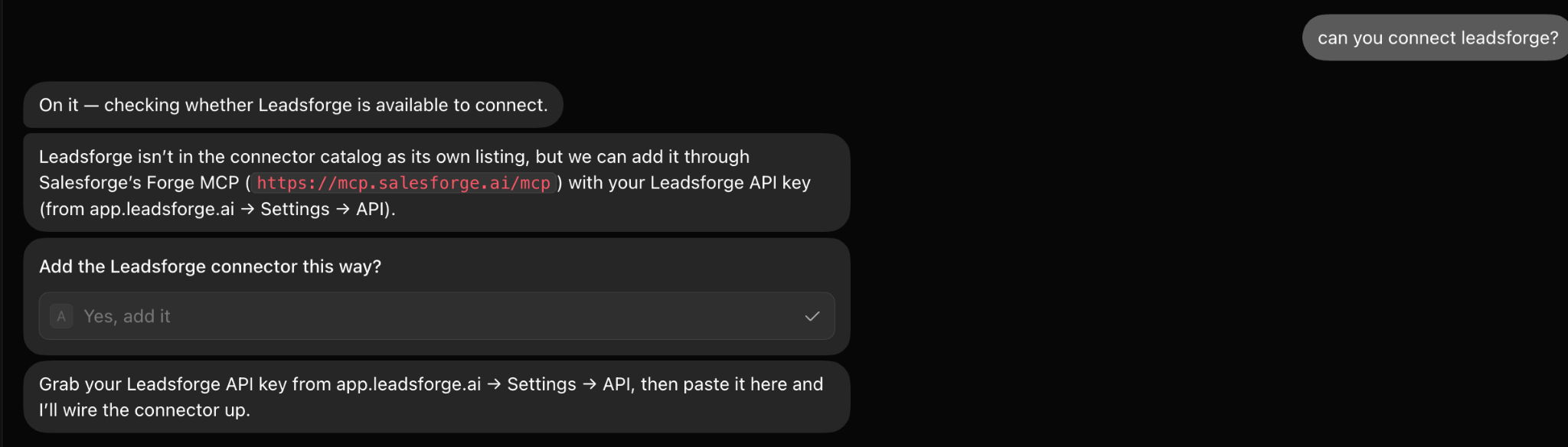
Whenever Grok needs:
it should query Leadsforge instead of generating an answer from its own knowledge. Grok decides who should be searched for, and Leadsforge returns the actual people.
Then I connect the Salesforge API. I use Salesforge only after the lead list has been built and qualified.
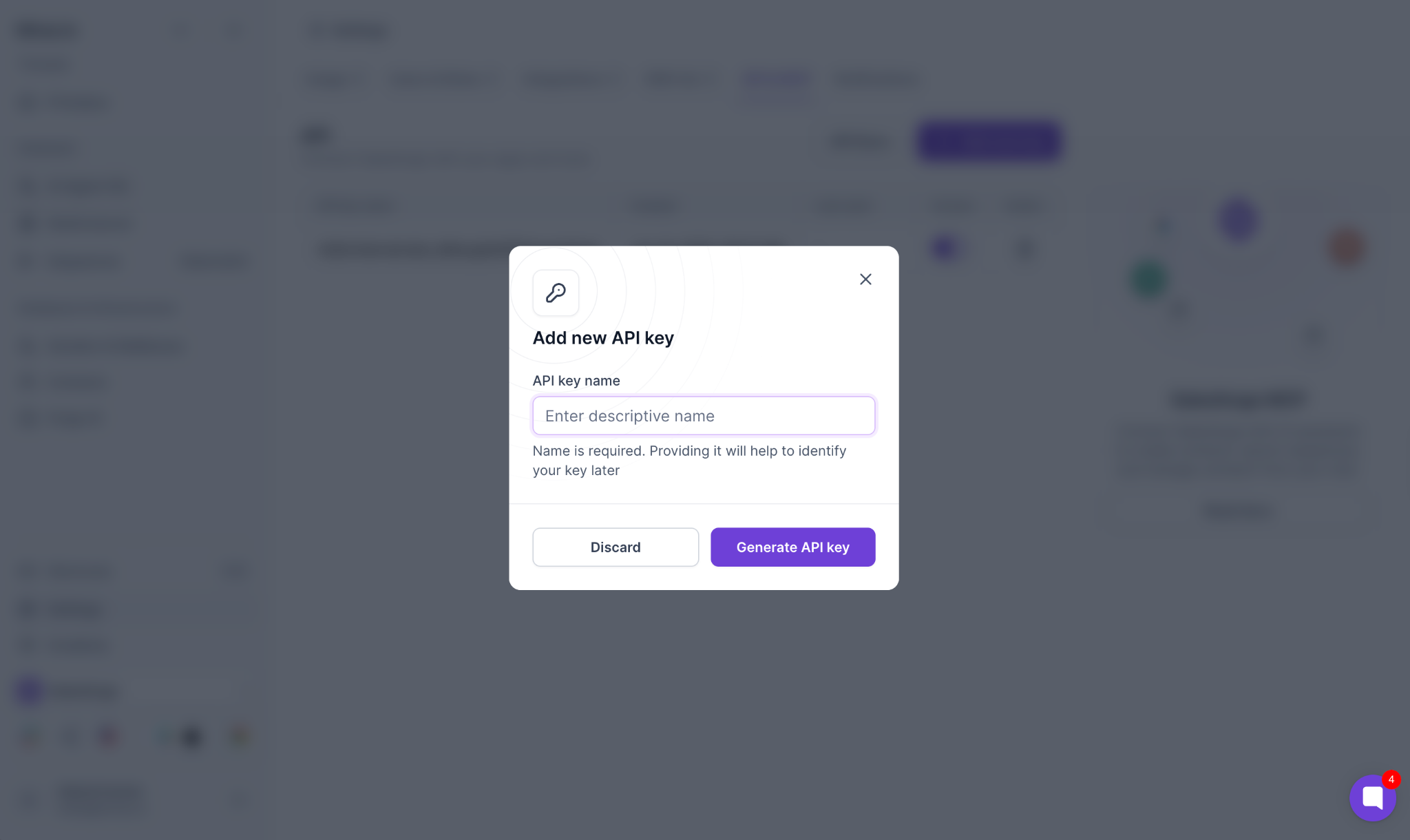
The agent can use it to:
This means I don't need to export a CSV from one tool and upload it somewhere else every time I want to run a campaign.
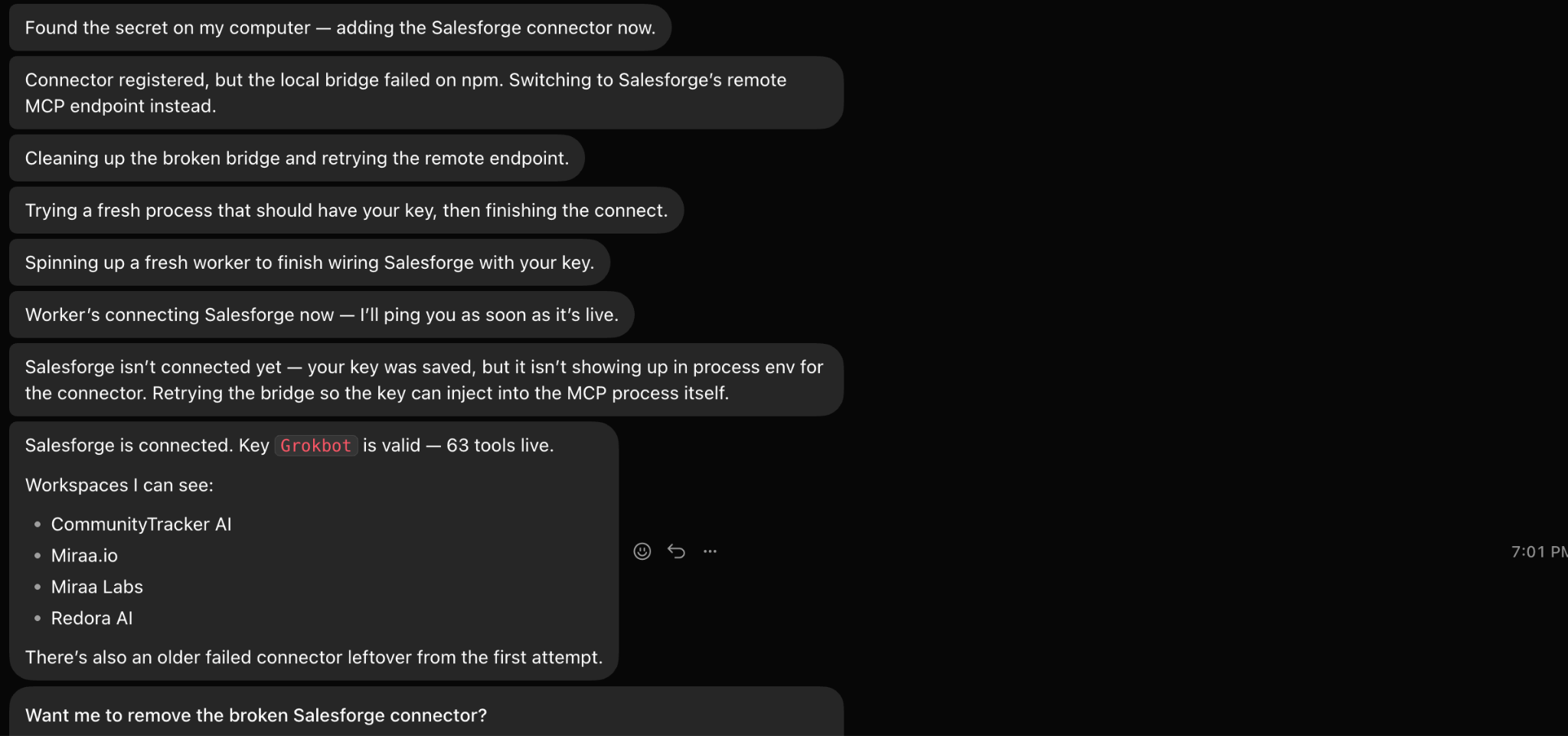
I usually start a new campaign by sending the agent something simple, like:
My website is communitytracker.ai. Analyze the product before building the campaign.
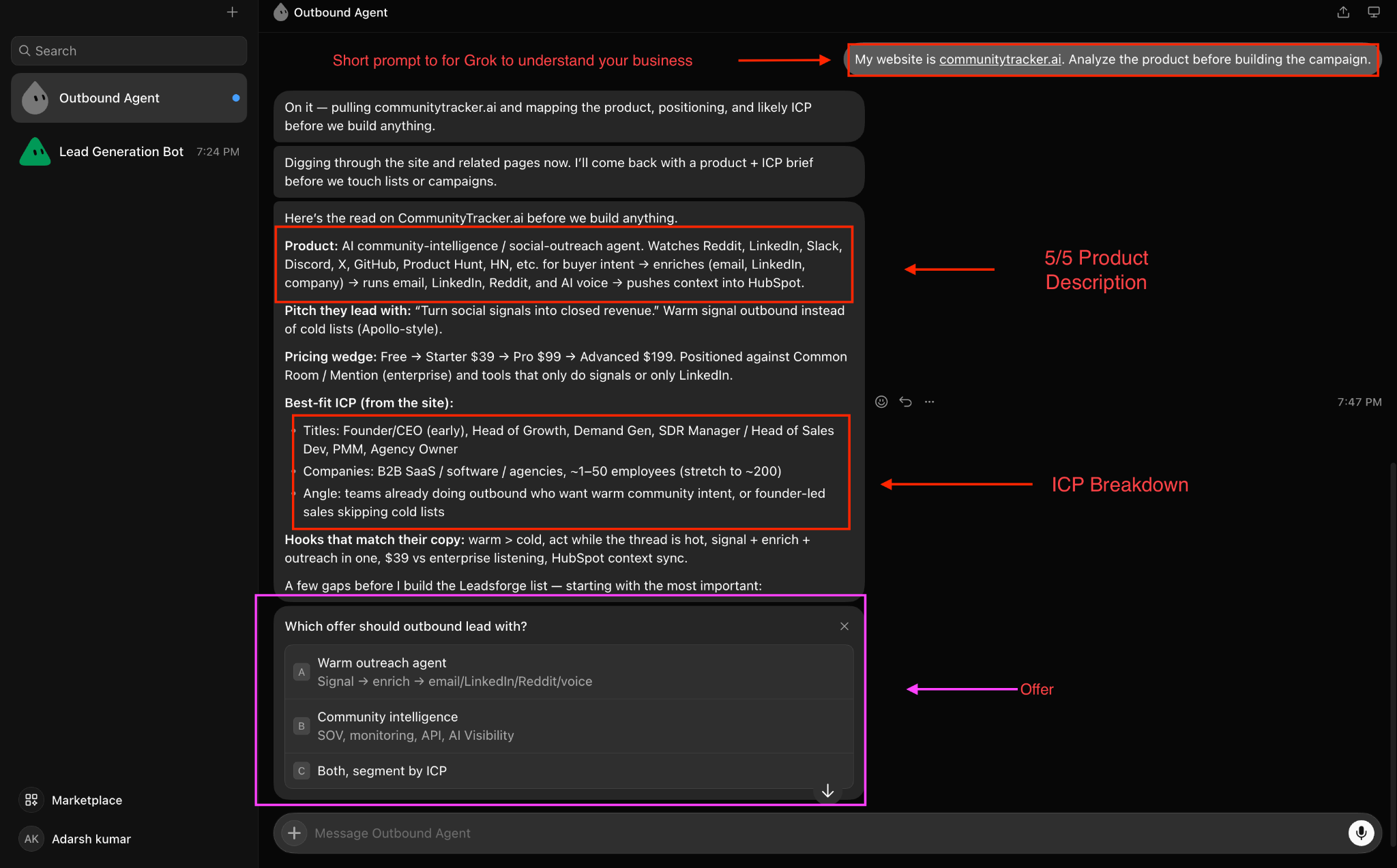
I want Grok to understand:
I don’t want it to jump straight into finding leads. First, I want it to understand the offer.
After that, I give the targeting criteria. Grok automatically suggests ICPs and offers as well. For example:
Target Heads of Growth, VP Growth, and founders at B2B SaaS companies in the US with 20–200 employees.
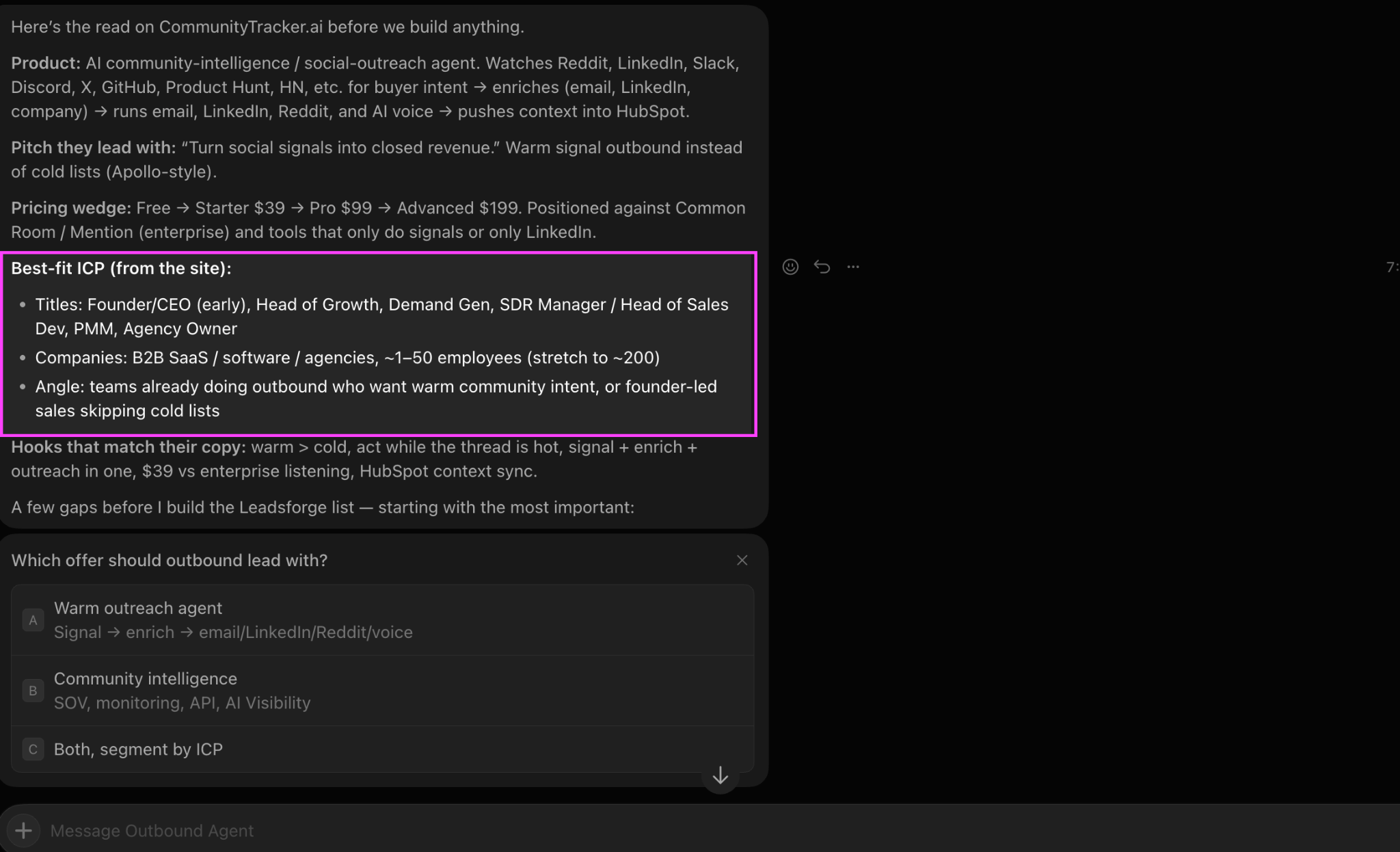
The more specific I am here, the better the list tends to be.
At minimum, I try to define:
I also tell it who not to include.
For example:
Exclude agencies, consultants, companies under 10 employees, junior marketers, and companies outside the US.
Negative criteria are just as useful as positive criteria.
I don't want Grok treating every Leadsforge result equally. So I give it qualification rules such as:
A qualified lead should work at a company matching the ICP, hold a role directly related to the problem we solve, and have enough seniority to influence or make a purchasing decision.
I then ask it to separate the list into:
This is one of the steps I wouldn't skip. If Leadsforge returns 200 prospects, I don't necessarily want 200 people added to Salesforge.
I'd rather have the agent remove the weak 60–80 before the campaign starts.
Finally, I tell the agent exactly what I want it to accomplish. For example:
Build a list of 100 qualified prospects matching this ICP. Review the list, remove weak fits, and prepare the qualified prospects for a multichannel Salesforge campaign.
At that point, the agent has everything it needs:
Website → offer context → ICP → Leadsforge → qualification → Salesforge
From there, I can continue talking to the same agent instead of rebuilding the workflow every time.
For example:
Find another 100 prospects, but only target companies with 50–200 employees.
Or:
The last campaign performed better with founders. Prioritize founders in the next list.
Or:
Review the replies from this campaign and tell me which objections are appearing most often.
That's why I prefer using one agent. The context from list building, campaign creation, results, and replies stays in the same workflow instead of being split across multiple agents.
Once the agent has access to my website, I do not manually write a long company brief for it. Grok handles the first round of research on its own.
It reads the site, gets a feel for the product, looks at the use cases, and starts forming an initial view of who might buy it. From there, it usually comes back with questions about the ICP before it starts building the list.
That is the part I pay the most attention to. The quality of the campaign depends far more on who Grok decides to go after first than on how many leads it can find.
Most products can technically be sold to several personas. For example, the agent might identify:
I don't tell it to target all of them at once. Instead, I ask:
Based on the product, use case, and buying authority, which one or two personas would you prioritize first for outbound?
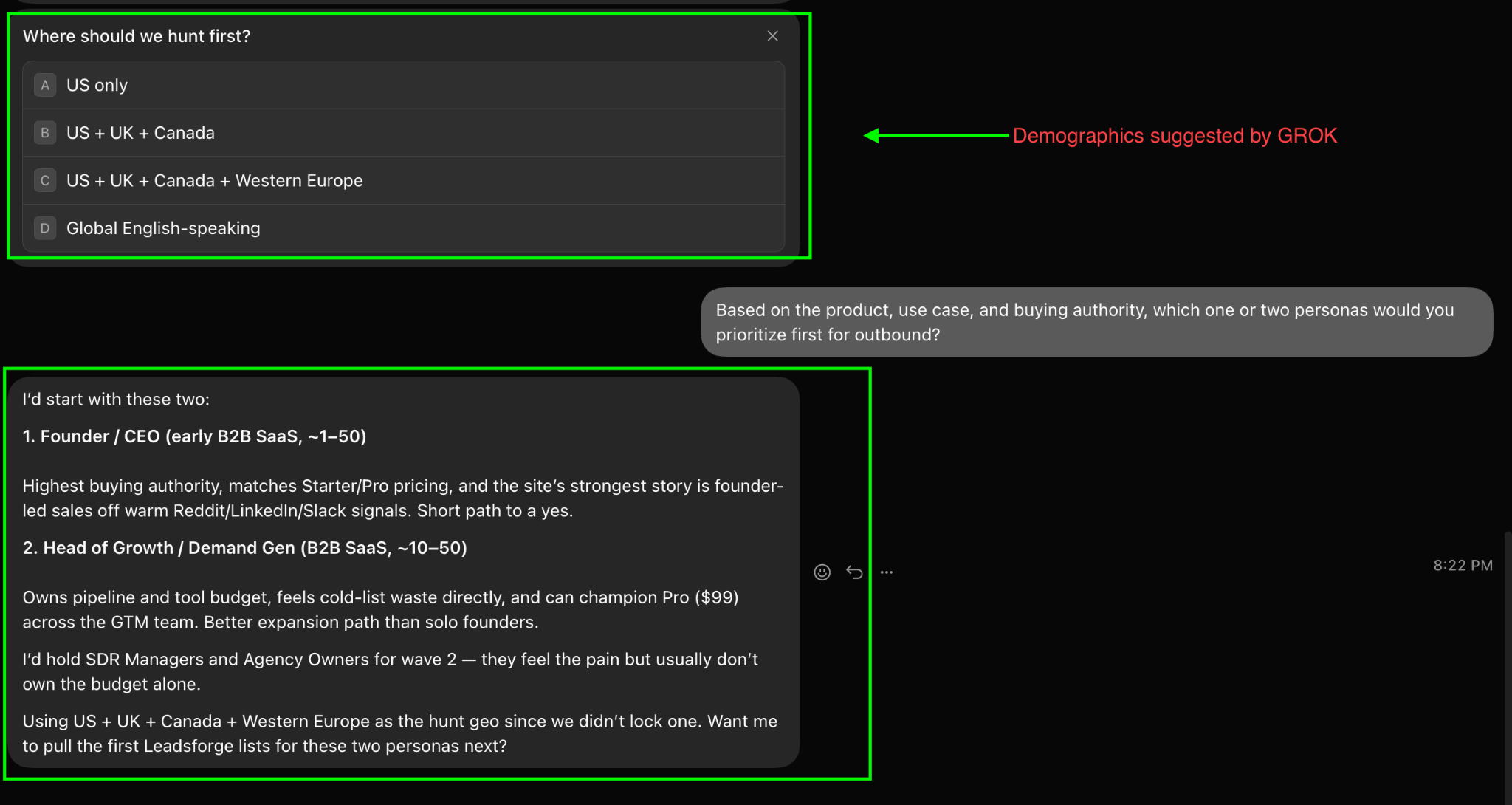
That forces the agent to make a decision instead of creating a broad list. For my first campaign, I want the segment where three things overlap:
Strong pain + authority to buy + obvious use case
That's normally a much better starting point than simply choosing the largest available audience.
One thing I found useful is not treating my original ICP as final.
I might tell Grok:
I think Heads of Growth are the best target.
But after researching the product, it might come back with:
Heads of Sales appear closer to the actual buying problem. Growth leaders are relevant, but Sales should probably be tested first.
That's useful. I want the agent to use my ICP as direction, not blindly follow it when the website and use case suggest something different.
I normally ask it to give me:
For example:
Primary: Heads of Sales at 20–200-employee B2B SaaS companies
Secondary: Founders at 10–50-employee SaaS companies
Exclude: SDRs, junior sales reps, agencies, consultants, and very large enterprises
That gives the lead researcher a much tighter starting point.
I wouldn't immediately ask the agent for 5,000 prospects.
My first instruction is closer to:
Build the first 100 leads from the highest-priority ICP. Don't expand into the secondary ICP until we see how this segment performs.
This makes it easier to answer an important question:
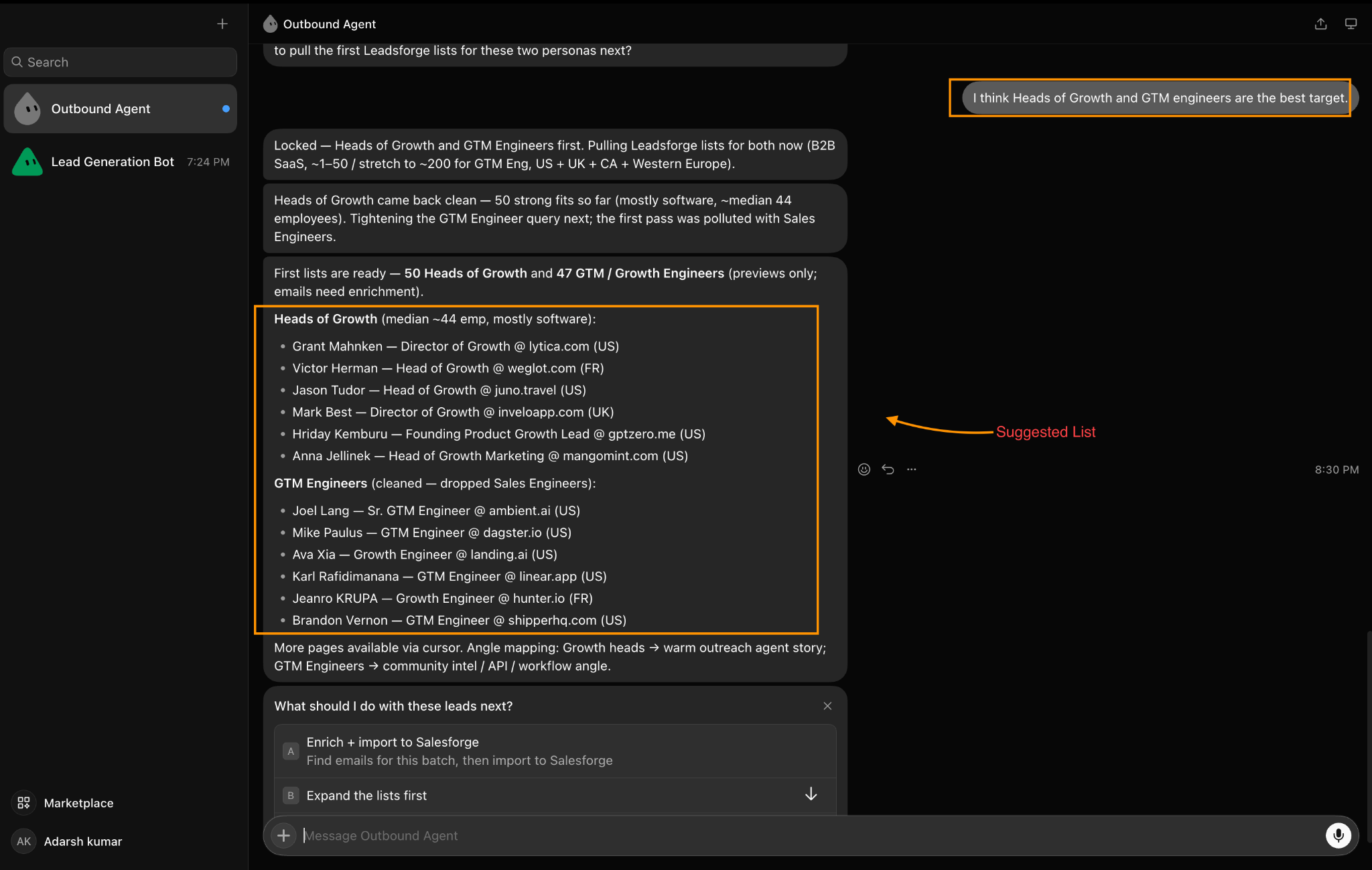
Did the targeting work?
If you mix founders, RevOps, Growth, Sales, agencies, and enterprise companies into the same first campaign, you won't know which audience actually produced the replies.
I prefer testing one clear segment first. For example:
Company type: B2B SaaS
Company size: 20–200 employees
Location: United States
Primary role: Head of Sales / VP Sales
Seniority: Head, VP, C-level
List size: 100
Then I let the agent build around that.
This made a real difference in the lead lists I reviewed. Don't just tell the agent who you want; tell it who you don't want.
For example:
Don't include agencies, consultants, freelancers, students, junior sales roles, companies below 10 employees, or companies without a clear B2B sales motion.
Otherwise, technically relevant but commercially useless prospects start slipping into the list.
The exclusions will obviously change depending on the product.
If I'm selling to enterprise security teams, excluding large companies would make no sense. If I'm targeting founder-led SaaS, Fortune 500 accounts probably don't belong in the first test.
A simple instruction is enough:
Research my website and understand the problem we solve. Based on the product, use cases, likely buyer, buying authority, and urgency of the problem, recommend the top three ICP segments you would target. Rank them in order of priority and explain briefly why. Also tell me which personas or company types you would exclude. Do not build the lead list until we agree on the primary ICP.
This gives me a useful checkpoint before Leadsforge starts returning contacts.
Once I approve the first ICP, the agent can move on to the actual list building.
That's the part I care about most: I want Grok to decide where the highest-probability opportunity is first, rather than simply finding everyone who could potentially buy the product.
Once the lead list is ready, I ask the same Grok agent to move the qualified prospects into Salesforge and build the campaign.
I usually give it one clear instruction:
Take the approved leads, create a new Salesforge campaign, and build a multichannel sequence around the main pain point of this ICP. Keep the emails short, use LinkedIn as a supporting channel, and do not launch until I review the sequence.
I don't send the full raw list into Salesforge. The agent should only push the final approved prospects with:
If the agent has created useful context such as a pain point or reason to contact, I also pass that as a custom variable.
Don't leave the sequence completely open-ended. Give it a simple structure.
For example:
Build a 10-day sequence with 3 emails and 2 LinkedIn touches. Keep each email under 80 words. Use one CTA throughout the campaign.
That gives Grok enough direction without making you manually write every step.
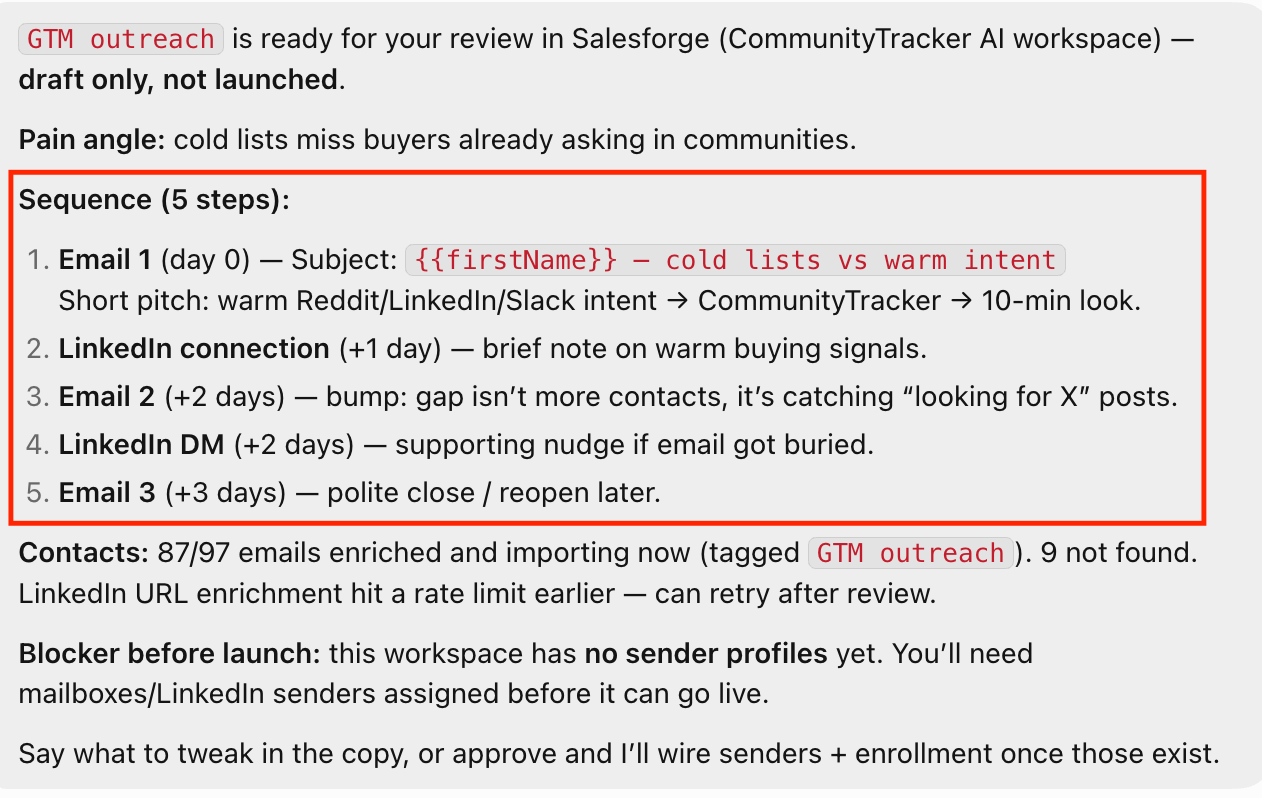
A basic sequence could be:
Day 1 – Email
Day 3 – LinkedIn touch
Day 5 – Email follow-up
Day 7 – LinkedIn message
Day 10 – Final email
This is the part I always define before letting it write the sequence.
My instructions are usually:
Keep the copy direct. No long introductions. No fake personalization. No “I noticed” lines. Focus on one problem, one outcome, and one CTA. Avoid explaining the full product in the first email.
I also tell it to write for the specific persona.
A Founder should not get the same message as a Head of Sales or RevOps lead.
Before the campaign goes live, I ask: Show me the complete sequence exactly as the prospect will receive it.
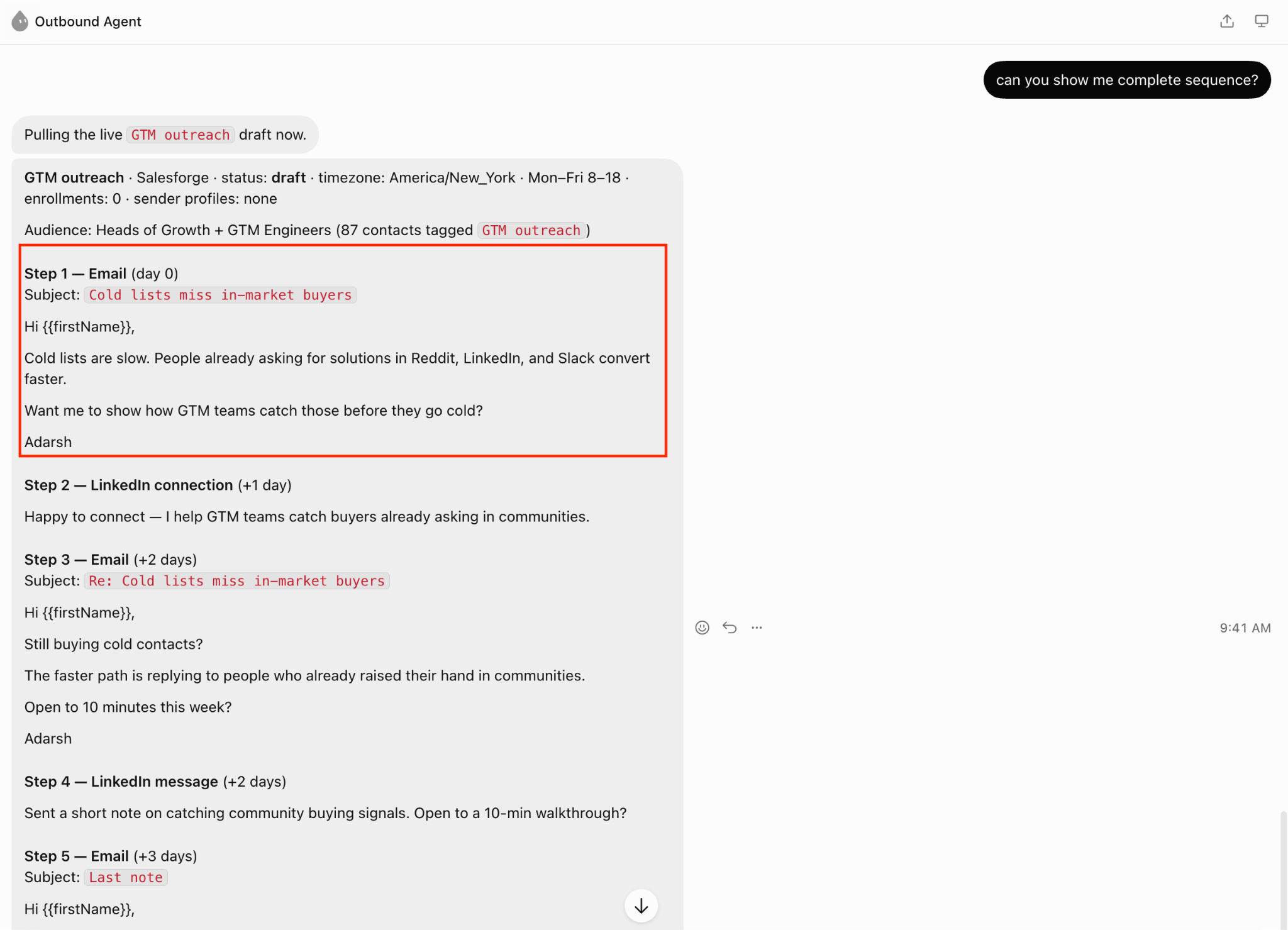
Then I review:
If anything feels generic, I change it before launch.
Once I'm happy with the sequence, I tell it:
Create this campaign in Salesforge, add the approved prospects, map the variables, and prepare it for launch.
At that point, most of the manual campaign setup is done.
My last instruction is usually:
Audit the campaign once more for duplicate leads, missing variables, broken personalization, and weak follow-ups. If everything looks good, show me the final summary before launch.
That final review catches a surprising number of small issues. Only after that do I let the campaign go live.
Yes, but only if you give it a clear, specific job. The biggest mistake is expecting Grok to figure out your entire GTM strategy from a website URL and immediately start sending emails.
What worked better for me was giving it clear boundaries:
Once those rules were in place, the agent was surprisingly reliable.
I found it particularly useful when the targeting couldn't be reduced to a couple of database filters.
For example: Find SaaS companies with 20–200 employees.
Leadsforge can already do that.
But:
Find B2B SaaS companies with an active outbound motion where the Head of Sales is likely to care about improving pipeline generation.
That requires more interpretation.
Grok can use the broader business context, turn it into search criteria, and review the accounts that come back instead of treating every database match as equally important.
That is where the agent adds the most value.
There are three areas I wouldn't completely automate.
Lead selection: Grok can occasionally justify a prospect that technically fits the filters but doesn't make much commercial sense.
Cold email copy: The first version is usually usable, but I still edit lines that sound too polished or generic.
Major campaign changes: If it wants to change the ICP, targeting strategy, or offer, I want to understand why before letting it do that.
Everything else can be much more automated.
This is the distinction I'd keep in mind when building your own setup. Grok doesn't need to replace the tools already good at specific jobs. It should make decisions across them.
For example:
Research the market
↓
Choose the ICP
↓
Ask Leadsforge for prospects
↓
Review the results
↓
Build the campaign
↓
Ask Salesforge to execute it
↓
Analyze what happens
That’s where I found it much more useful than simply asking an AI model to generate a list of companies or write a cold email.
The real value is having one agent coordinate the entire process while the proper prospecting and outreach infrastructure runs in the background.
Enter your email to get a custom plan & stack recommendation for your business
Please check your mailbox in 5 minutes

What changed my mind about Grok Bot wasn’t its ability to write emails or call an API. Plenty of tools can already do that.
What stood out was how little I had to manage once the agent had the right context. I could give it a website, define the ICP, and spend most of my time reviewing its decisions instead of handling repetitive tasks myself.
That’s what I found most useful.
If you already have a solid outbound stack, Grok Bot can make it much easier to run. You don’t need to replace your prospecting or sending tools. You need an agent that understands the market, makes sensible decisions, and coordinates the work between them.
I’d still keep a human involved when it comes to lead quality, messaging, and major campaign changes. But after testing it on a real campaign, I can see why this kind of setup is becoming more practical.
For me, the biggest takeaway is simple:
Use the agent to reduce the operational work around outbound, then spend your own time on the parts that still require judgment.


