Most B2B teams use LinkedIn today to find leads, start conversations, book calls, and win customers.
LinkedIn marketing tools are essential for business growth by helping teams establish credibility, build relationships, and generate leads.
The hard part isn’t knowing who to reach — it’s doing it every day without wasting time. Manually searching for prospects, sending messages, tracking replies, and posting content quickly becomes slow and messy.
This is why many teams use LinkedIn marketing tools. They help you:
find the right ICP
send outreach and follow-ups
post content on time
track replies
stay organized
Choosing the right LinkedIn marketing tools is crucial to maximize your results and enhance your overall LinkedIn marketing performance.
In this blog, we’re sharing the top 10 LinkedIn marketing tools B2B teams use in 2026 to make LinkedIn faster, cleaner, and more effective for sales and marketing.
TL;DR - Top 10 LinkedIn Marketing Tools Used by B2B Teams
Salesforge – Best for multi-channel LinkedIn + email outreach with AI personalization
Leadsforge – Best for lead prospecting of targeted profiles.
LinkedIn Sales Navigator – Ideal for advanced B2B lead targeting and decision-maker search
Supergrow - Best LinkedIn employee advocacy platform for B2B teams
Octopus CRM – Ideal for all-in-one LinkedIn automation with funnels and analytics
Buffer – Great for scheduling LinkedIn posts across profiles and company pages
Taplio – Best for AI-assisted LinkedIn content, scheduling, and analytics
Clay – Ideal for data enrichment and building accurate LinkedIn lead lists
Crystal – Great for personality insights to personalize outreach messages
AuthoredUp – Best for writing, formatting, and analyzing LinkedIn posts
Why B2B Teams Use LinkedIn for Marketing & Sales
B2B teams use LinkedIn because that’s where their buyers are.
When someone needs a tool, service, or vendor at work, they often check LinkedIn first.
The platform is built for business conversations, so it naturally fits sales and marketing.
Here are the main reasons B2B teams rely on LinkedIn:
LinkedIn has high buyer intent. People come to LinkedIn to learn, find solutions, and make business decisions.
Teams can reach real decision makers. It’s easier to contact founders, CEOs, VPs, and managers directly without gatekeepers.
Profiles have accurate business data. Job titles, companies, and industries are usually up to date, which helps with clean targeting and allows you to filter and target by job title for more precise outreach.
It gets better reply rates than cold email alone. When someone sees your profile or content first, outreach feels more trusted.
It works for both inbound and outbound. Marketing builds brand and inbound leads while sales runs outbound in the same place.
LinkedIn has over 900 million members worldwide, making it a powerful platform for reaching a broad target audience.
This mix of intent, access, and trust is why LinkedIn has become a core channel for B2B growth.
Types of LinkedIn Marketing Tools
LinkedIn tools are used for different parts of the job, finding the right people, reaching out, posting content, and writing better messages.
LinkedIn lead generation tools, LinkedIn integration, and CRM integration are key features that help streamline workflows and automate prospecting.
Here’s a simple breakdown:
Tool Categories (What they do & why teams use them)
Type
What It Does
Why Teams Use It
Outreach & Automation Tools
Send invites, messages, and follow-ups automatically. Many tools now offer multi channel automation, integrating LinkedIn outreach with other platforms like email.
To book more meetings without manual clicking and streamline social selling across channels.
Lead Targeting & Enrichment Tools
Find ICP leads and pull job/company info and emails
To reach the right audience, not random profiles
Content & Scheduling Tools
Write posts and schedule when they go live. Some tools offer a browser extension to manage content, queue posts, and automate tasks directly from your browser.
To stay consistent with personal and company content and streamline content management workflows.
Personalization & Messaging Tools
Adjust tone and context of outreach
To get more replies and avoid generic templates
How We Evaluated the Best LinkedIn Marketing Tools
To find the best LinkedIn marketing tools, we focused on what actually matters when you use LinkedIn for content, branding, and audience growth.
We wanted tools that fit real workflows and don’t waste your time.
Here’s what we looked at:
Marketing use cases, to check if the tool helps with real LinkedIn jobs like finding the right audience, posting content, or tracking results.
Ease of use, to make sure you can set it up fast without complex onboarding or tutorials.
Audience targeting, to see if the tool helps you understand your ICP (industry, role, company, etc.) so your content reaches the right people.
Content and scheduling, to confirm it supports drafting posts, planning ahead, and staying consistent.
Analytics, with a focus on comprehensive analytics and detailed analytics, to check if you can measure reach, engagement, follower growth, and other key metrics for optimizing your LinkedIn marketing efforts.
Account safety, to ensure the tool includes features like IP rotation, cloud-based infrastructure, and compliance with LinkedIn's limits to avoid account restrictions or bans.
Personalization, to see if it helps you comment, reply, or message in a natural way instead of sounding robotic.
Pricing, to make sure the plans make sense for solo marketers, small teams, and larger companies.
Each tool was reviewed based on how well it supports LinkedIn marketing day-to-day.
Many LinkedIn automation tools emphasize the importance of safety features to avoid account restrictions or bans.
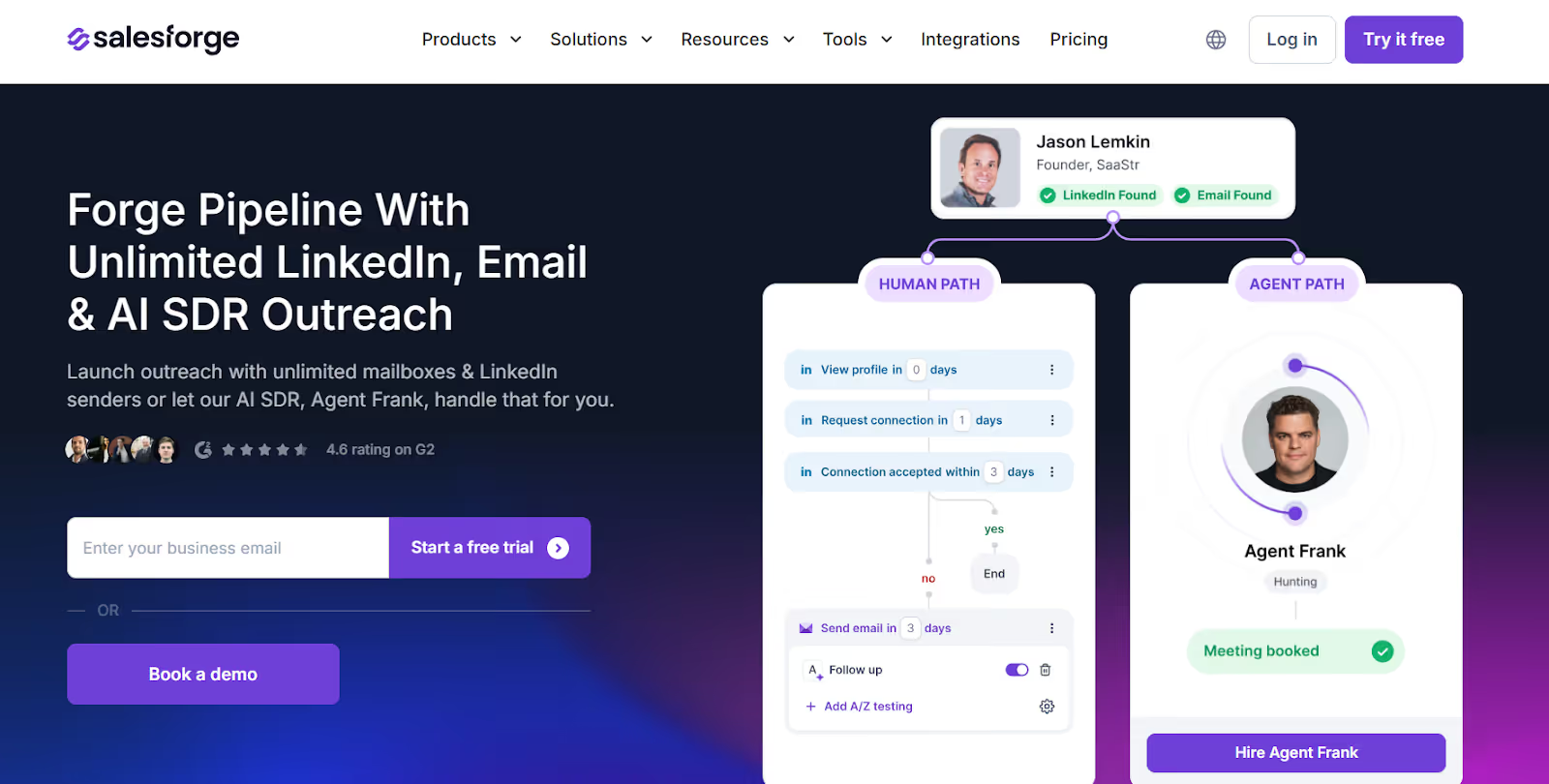
Salesforge is an AI-driven outbound platform that helps B2B teams reach buyers on LinkedIn and email.
It combines LinkedIn automation, AI personalization, inbox management, and deliverability tools so marketing and sales teams can get more replies and book more meetings without heavy manual work.
It includes safe LinkedIn messaging, unlimited sender scaling, inbox warm-up, CRM integrations, and AI SDR automation that make LinkedIn outreach faster, more human, and more effective, while prioritizing account safety by adhering to LinkedIn's limits and safe automation practices.
Here’s what you get with Salesforge:
LinkedIn & Email Sequences to automate connection requests, messages, comments, and email steps inside one campaign, supporting multi channel automation for LinkedIn and email.
Unlimited LinkedIn Senders so teams and agencies can scale outreach without seat-based pricing.
Primebox™ Unified Inbox to manage and reply to all LinkedIn and email conversations in one dashboard.
Smart Mailbox Rotation to distribute sending across multiple inboxes and keep deliverability safe.
Email Infrastructure Add-Ons via Mailforge, Infraforge, and Primeforge for advanced deliverability and domain control.
Account Safety Features including compliance with LinkedIn's limits, cloud-based infrastructure, and automation practices designed to protect your account from restrictions or bans.
Pros and Cons of Salesforge
Pros & Cons
Pros
Cons
Excellent for LinkedIn + email outbound
Scales for teams + agencies without seat limits
Strong deliverability ecosystem (warm-up + infra)
AI personalization improves reply rates
Prioritizes account safety and compliance with LinkedIn's limits
Learning curve for beginners
Works best with proper domain + mailbox setup
Domains & mailboxes sold separately
Not built for B2C outreach
Salesforge Pricing
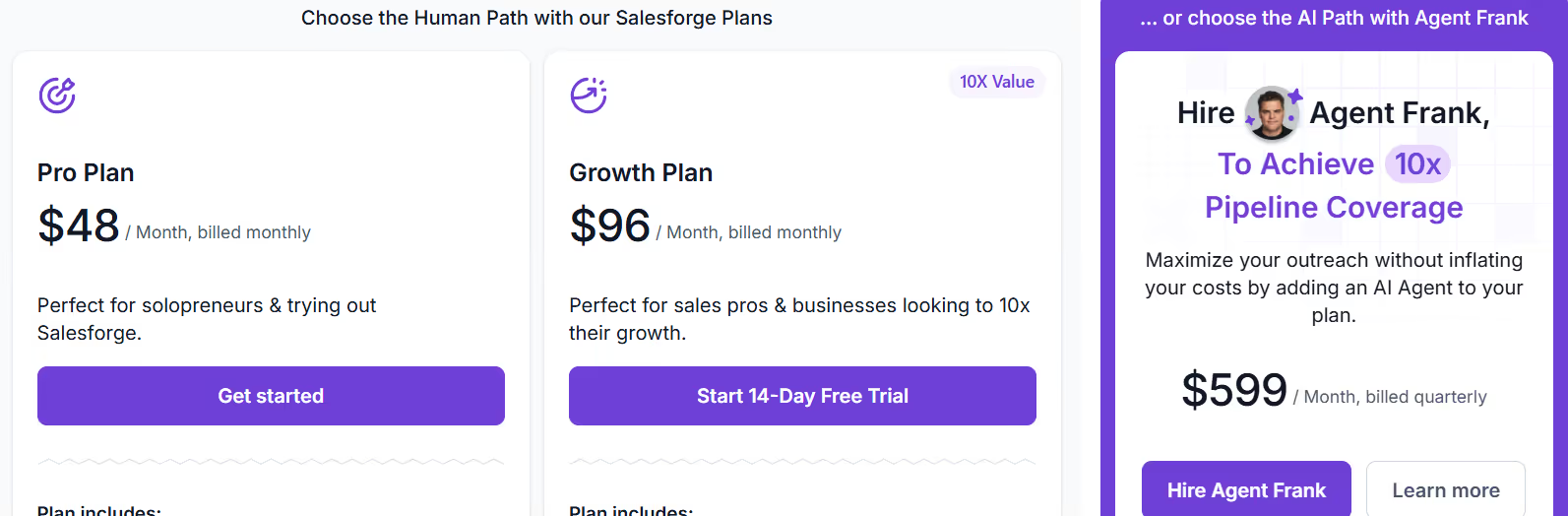
This image shows the Salesforge pricing
Pro - $48/month, includes 1,000 active contacts, 5,000 emails/month, unlimited mailboxes, unlimited warm-up, Primebox unified inbox, sentiment analysis, and live chat support.
Growth - $96/month, includes everything in Pro plus 10,000 active contacts, 50,000 emails/month, unlimited users, unlimited LinkedIn senders, A/B testing, multi-language sequences, API access, advanced settings, and priority support.
Agent Frank - $499/month (billed quarterly), AI SDR add-on that handles automated prospecting, messaging, follow-ups, and booking, with access to a large contact search engine and dedicated onboarding.
2. Leadsforge - AI-Powered Lead Database with 500M+ Contacts
Leadsforge is a powerful AI-driven lead generation platform designed to help sales and marketing professionals find and engage the right LinkedIn contacts quickly.
As one of the leading LinkedIn lead generation tools for targeted outreach, Leadsforge streamlines the process of acquiring prospects and automating LinkedIn lead generation.
With access to over 500 million verified business profiles, Leadsforge combines advanced search capabilities with data enrichment to build highly targeted lead lists for your LinkedIn campaigns.
It supports seamless integration with popular CRMs and marketing automation platforms, enabling smooth campaign management and personalized outreach at scale. Leadsforge also offers Google Sheets integration for exporting and managing lead data efficiently.
Here’s what you get with Leadsforge:
Extensive Lead Database featuring over 500 million contacts with detailed company data, job titles, and verified emails.
Advanced Search Filters to narrow down your target audience by industry, role, location, company size, and more.
AI-Powered Data Enrichment that enhances your LinkedIn prospecting tools with accurate and up-to-date information.
Multi-Channel Outreach Tool**(via Salesforge)**, allowing you to coordinate LinkedIn messages with email campaigns for better engagement.
Campaign Performance Analytics to track key metrics and optimize your outreach efforts for maximum marketing ROI.
Manage Multiple Campaigns and Support Multiple Users for seamless team collaboration and efficient handling of various LinkedIn lead generation initiatives.
Wiza Integration: Convert any Sales Navigator search into a CRM-ready list with email, phone, and job title in minutes.
Leadsforge Pricing
Leadsforge gives you flexible options based on your team size and workflow:
Monthly Plan– $49/month You get 2000 export credits per month (unused credits transfer next month).
Yearly Plan – $588/month You get 28,000 export credits for the year.
Pros & Cons
Pros
Cons
Huge, accurate lead database
Powerful AI enrichment for personalized messages
Integrates well with CRMs and marketing platforms
Full features require paid plans
Leadsforge is ideal for sales and marketing professionals looking to generate leads efficiently, scale outreach safely, and foster meaningful connections on LinkedIn.
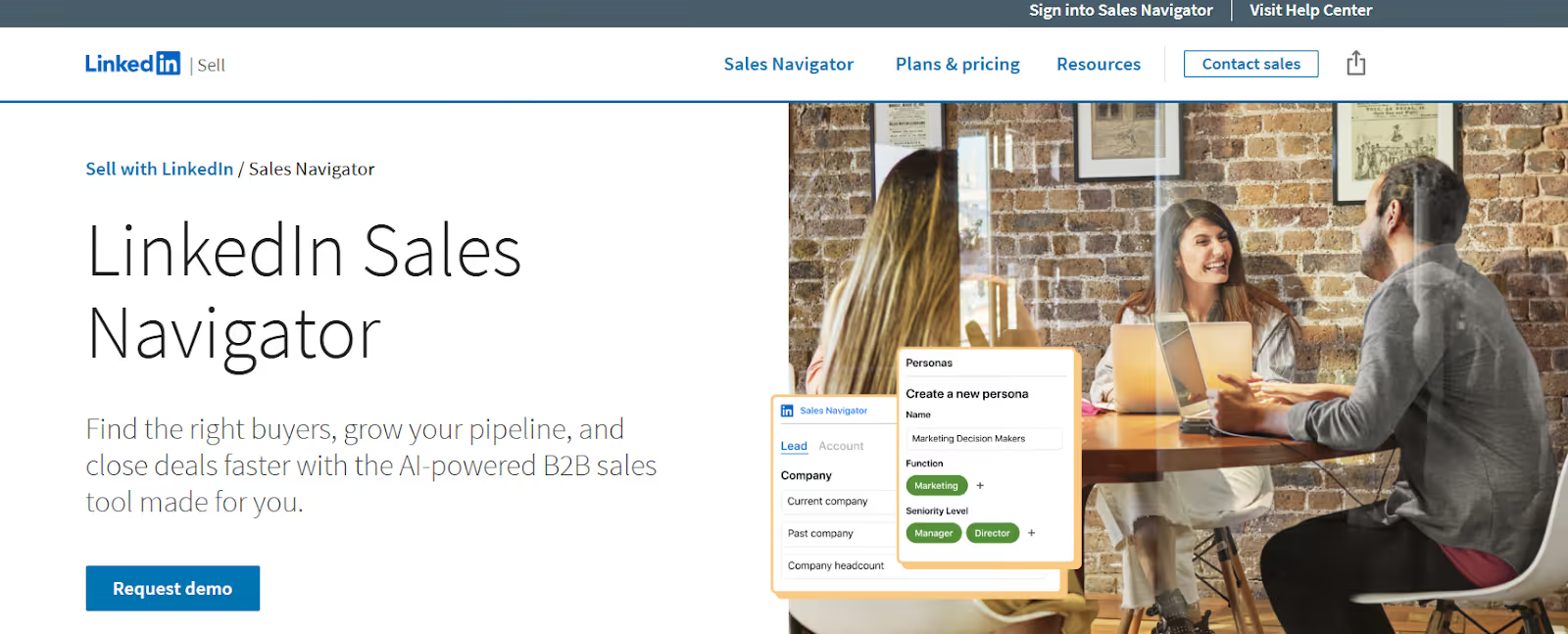
This image shows LinkedIn Sales Navigator homepage
LinkedIn Sales Navigator is LinkedIn’s official B2B sales platform built to help sellers and marketers find the right buyers, research accounts, and open conversations directly on LinkedIn.
It also supports managing multiple LinkedIn accounts for outreach and lead generation, making it ideal for teams or agencies handling numerous profiles.
It uses advanced filters, buyer intent signals, InMail, and CRM integrations to support outbound workflows and pipeline building.
It helps you find the right accounts, identify decision-makers, track buyer changes, and start personalized conversations using verified LinkedIn data.
Here’s what you get with LinkedIn Sales Navigator:
Buyer & Account Alerts that notify you about job changes, promotions, content interactions, and other signals so you can engage at the right moment.
InMail Messaging to contact decision-makers even when you aren’t connected on LinkedIn.
Lead & Account Recommendations based on your ICP, giving you new prospects daily.
Account Pages & Lead Pages to research companies, roles, headcount changes, and mutual connections.
Advanced Search Filters, Lead Lists, Account Tracking, and Real-Time Activity Alerts to help you organize and monitor prospects efficiently.
LinkedIn Ad Campaigns management support, allowing you to target leads more effectively and align your outreach with campaign objectives using Sales Navigator’s targeting features.
AI Features (Account IQ & Lead IQ) to get insights and summaries about accounts without manual research (Advanced + Advanced Plus only).
LinkedIn Campaign Manager is an all-in-one advertising platform for running self-service LinkedIn ad campaigns, offering over 20 audience attribute categories for precise targeting and campaign management.
LinkedIn Sales Navigator Pricing
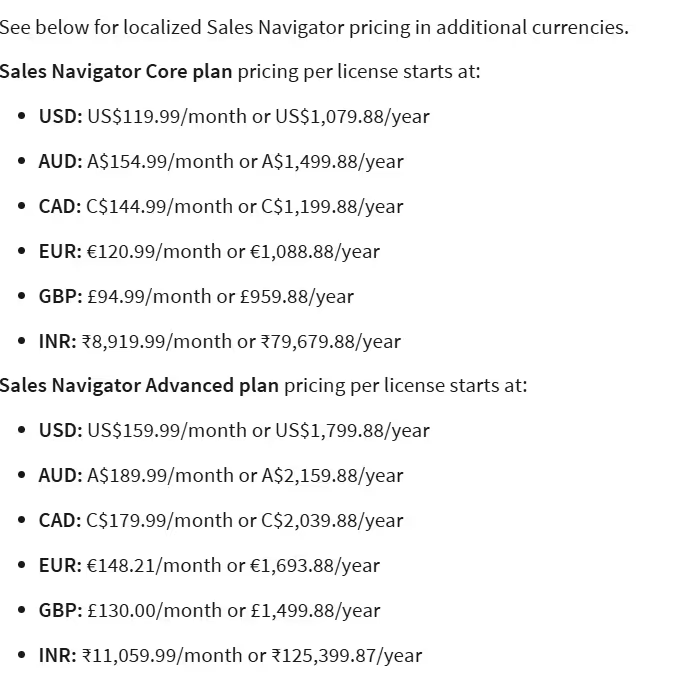
This image shows the LinkedIn Sales Navigator pricing
Core - $119.99/month per user (or $1,079.88/year with savings), Best for individual sellers and solo consultants.
Advanced (Business Plan) - $159.99/month per user (or $1,799.88/year with savings), This business plan is ideal for sales teams that need collaboration features, AI insights, and tools designed for scaling outreach and automation.
Advanced Plus - Custom Pricing (Request Demo), Best for enterprise teams that need deep CRM integrations, admin controls, and advanced automation. Larger organizations can contact the sales team for personalized support, custom quotes, and integration options tailored to their needs.
Pricing varies by region and currency. Free trials available for Core and Advanced (for eligible accounts).
Pros and Cons of LinkedIn Sales Navigator
Pros & Cons
Pros
Cons
Best database for B2B leads and buyer research
Verified buyer data from LinkedIn (not scraped)
50+ advanced filters for precise targeting
Can feel expensive for small teams
Some AI features only on higher plans
InMail limits apply per month
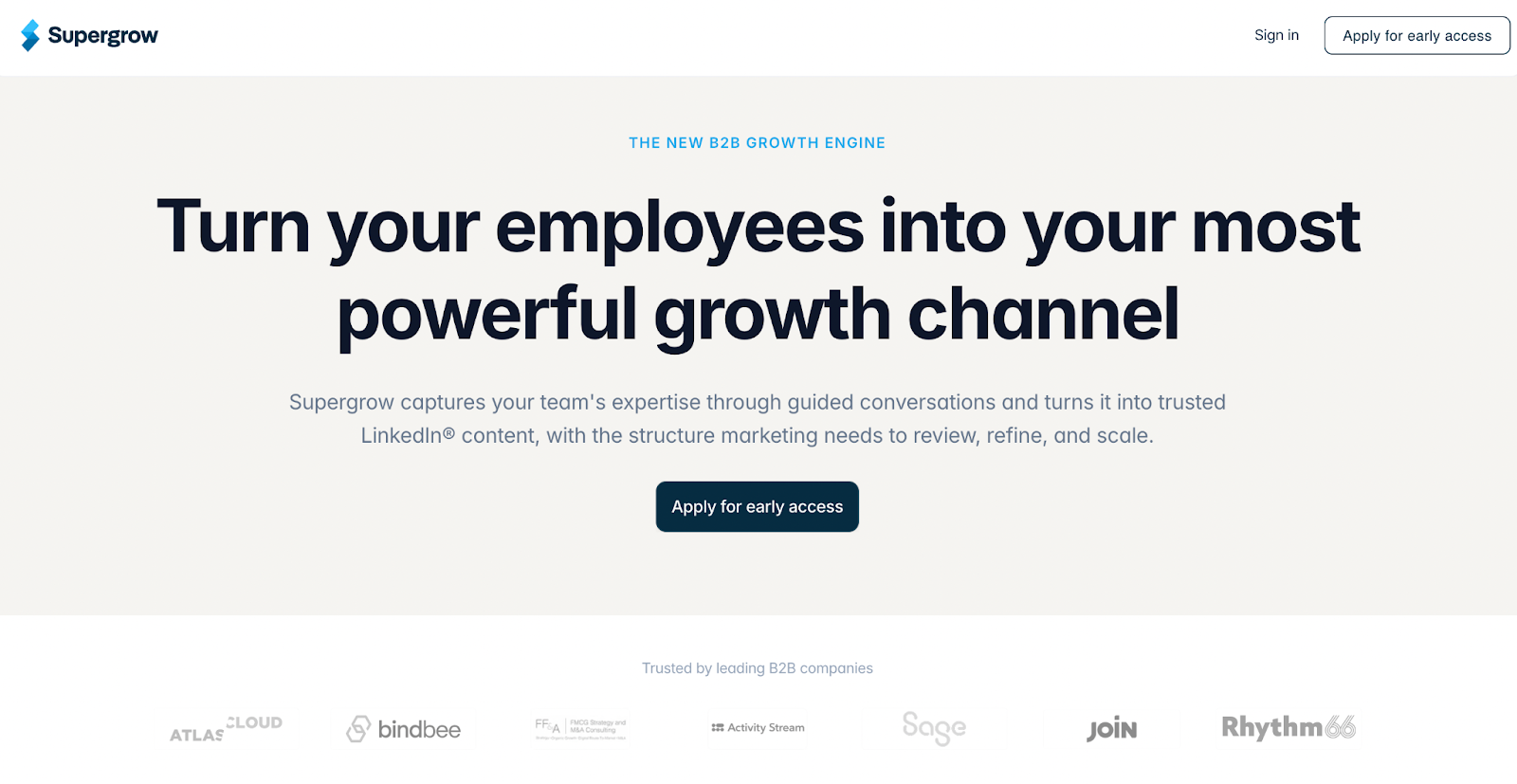
4. Supergrow — LinkedIn Employee Advocacy Platform for B2B Teams
Supergrow is a LinkedIn-focused employee advocacy platform designed to help B2B teams turn internal expertise into consistent, high-quality content across employee profiles.
Instead of relying on pre-written posts or one-off campaigns, Supergrow helps teams build a repeatable system in which employees can share insights in their own voices while marketing maintains structure and visibility. It reduces the friction of content creation and replaces scattered workflows with a centralized system, making it easier for teams to stay active on LinkedIn without constant follow-ups.
For B2B teams, this means moving from occasional posting to consistent visibility across multiple profiles, which compounds reach, strengthens credibility, and supports both inbound and outbound efforts on LinkedIn.
Here’s what you get with Supergrow:
AI-guided content creation that turns ideas or conversations into LinkedIn posts
Content voice alignment using profile-based context so posts feel natural to each user
Centralized workflow for drafting, reviewing, and scheduling posts across team members
Team-level visibility to track who is posting and what content is going live
Built-in challenges and leaderboards to drive consistent employee participation
Pricing
Teams Plan — $111/month (billed yearly) - Best for marketing teams activating up to 4 executives. Includes content workflows, Content DNA, team analytics, weekly reports, challenges, and scheduling
Enterprise Plan — Custom Pricing - Best for organizations with 10+ executives, Includes custom integrations, advanced analytics, dedicated onboarding, and API access
Pros & Cons
Pros
Cons
Helps teams stay consistent with LinkedIn content
Reduces effort required from employees to create posts
Keeps content aligned with each user's voice
Centralizes content workflow for teams
Supports scaling employee advocacy without operational chaos
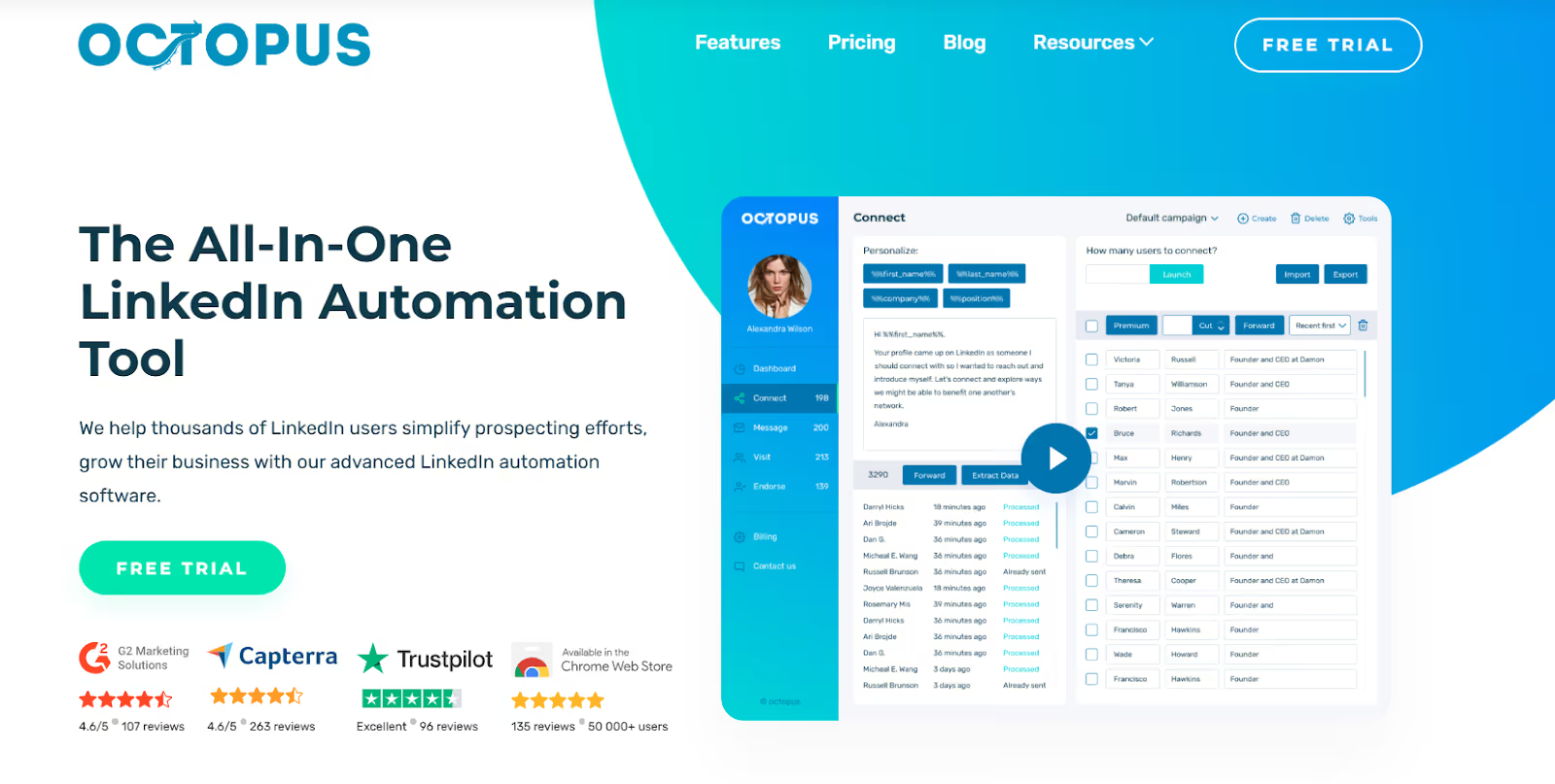
Octopus CRM is a lightweight LinkedIn automation tool that helps users send connection requests, messages, profile visits, and skill endorsements in bulk.
When choosing LinkedIn marketing tools like Octopus CRM, account safety is crucial—features such as IP rotation and compliance with LinkedIn's limits help avoid restrictions or bans and keep your account secure.
It focuses on automating LinkedIn actions so users can grow connections, warm up leads, and move prospects through basic LinkedIn funnels. LinkedIn automation tools can handle repetitive tasks and help manage multiple LinkedIn accounts simultaneously, allowing users to focus on more important activities and increasing outreach efficiency.
Here’s what you get with Octopus CRM:
Auto Connection Requests to send personalized invites to targeted LinkedIn users in bulk.
Auto Skill Endorsements for warming up new connections and increasing profile engagement.
Auto Profile Views to boost visibility and trigger profile views back.
LinkedIn Analytics Dashboard to track invites, responses, SSI score, and campaign stats.
Email-Based Invites to bypass LinkedIn’s weekly invite limits safely.
It works with All LinkedIn Account Types (Free, Premium, Sales Navigator, Recruiter Lite).
Customer Engagement Automation to enhance interaction with prospects and improve overall engagement through automated messaging and follow-ups.
Octopus CRM Pricing
Starter Plan (Starter) - $6.99/month, includes pre-made templates and basic campaign analytics, making it suitable for users seeking an affordable entry point without advanced options. Features: auto invites, bulk messaging, profile views, endorsements, basic CRM, funnels, CSV export/import, compatible with LinkedIn + Sales Navigator.
Pro Plan (Pro) - $9.99/month, designed for teams or agencies needing comprehensive tools for strategic scaling and automation. Includes everything in Starter with higher limits and extended features, compatible with LinkedIn + Sales Navigator.
Advanced - $14.99/month, everything in Pro plus more advanced usage and safety controls, compatible with LinkedIn + Sales Navigator.
Unlimited - $24.99/month, everything in Advanced plus full compatibility with Premium, Sales Navigator & Recruiter, activity control, and highest usage flexibility.
Pros and Cons of Octopus CRM
Pros & Cons
Pros
Cons
Useful for basic LinkedIn prospecting
Funnels help warm leads with endorsements
Works with Free + Premium + Sales Navigator + Recruiter
No unified inbox for replies
Limited team/agency collaboration features
Limited reporting compared to enterprise tools
6. Buffer - Social Media Scheduling & LinkedIn Content Planner
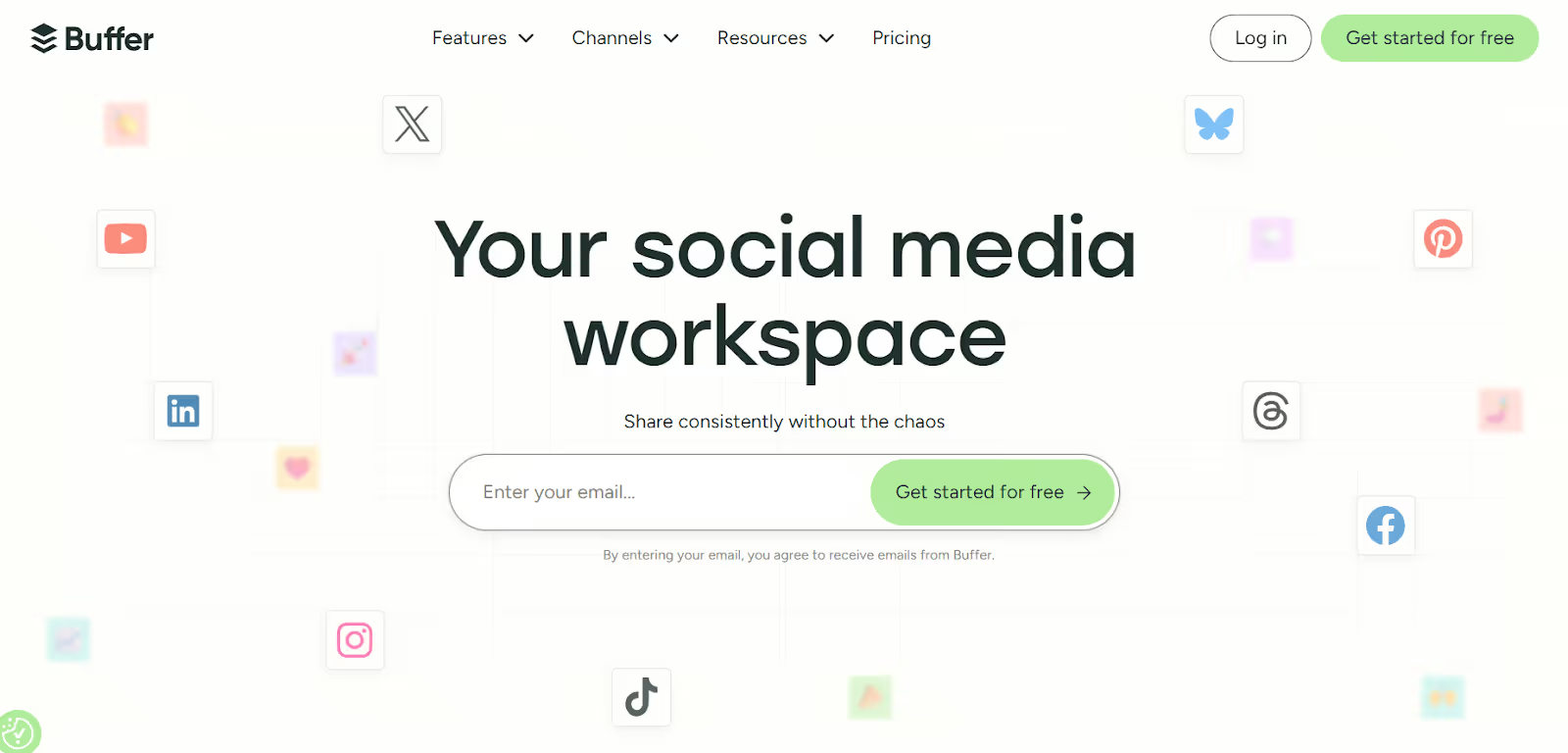
Buffer is a social media management tool with LinkedIn integration that helps creators, small businesses, and agencies plan, post, analyze, and reply to content across different platforms, including LinkedIn.
This integration streamlines LinkedIn outreach, lead generation, and ad campaign management within a single platform.
It lets you create posts, schedule them in advance, review analytics, reply to comments, and manage multiple social channels from one workspace. You can also manage and track LinkedIn ad campaigns, optimizing performance and linking results to your CRM for better attribution.
It also includes an AI assistant to help write posts, a content calendar, community inbox, and reporting, so teams can grow their LinkedIn presence in a more organized and consistent way.
Buffer provides comprehensive analytics and valuable insights to help you measure the effectiveness of your LinkedIn marketing efforts and make data-driven decisions.
Integration with Google Sheets allows you to export analytics or manage your content calendar efficiently.
Here’s what you get with Buffer:
With LinkedIn scheduling & cross-posting, you can schedule posts and publish posts for LinkedIn Pages and Profiles, and reuse content across other platforms for consistent content delivery.
You can store ideas, write drafts, and organize content before publishing.
Its AI writing assistant helps you generate post ideas, rewrite content, and adapt tone for LinkedIn.
You can track engagement, impressions, followers, clicks, and more to understand what content works, with comprehensive analytics and valuable insights.
With its Community Inbox, you can reply to comments on LinkedIn and other platforms from one dashboard.
Sprout Social also provides comprehensive analytics for both organic and sponsored posts, making it another strong option for LinkedIn marketing analytics.
Buffer Pricing
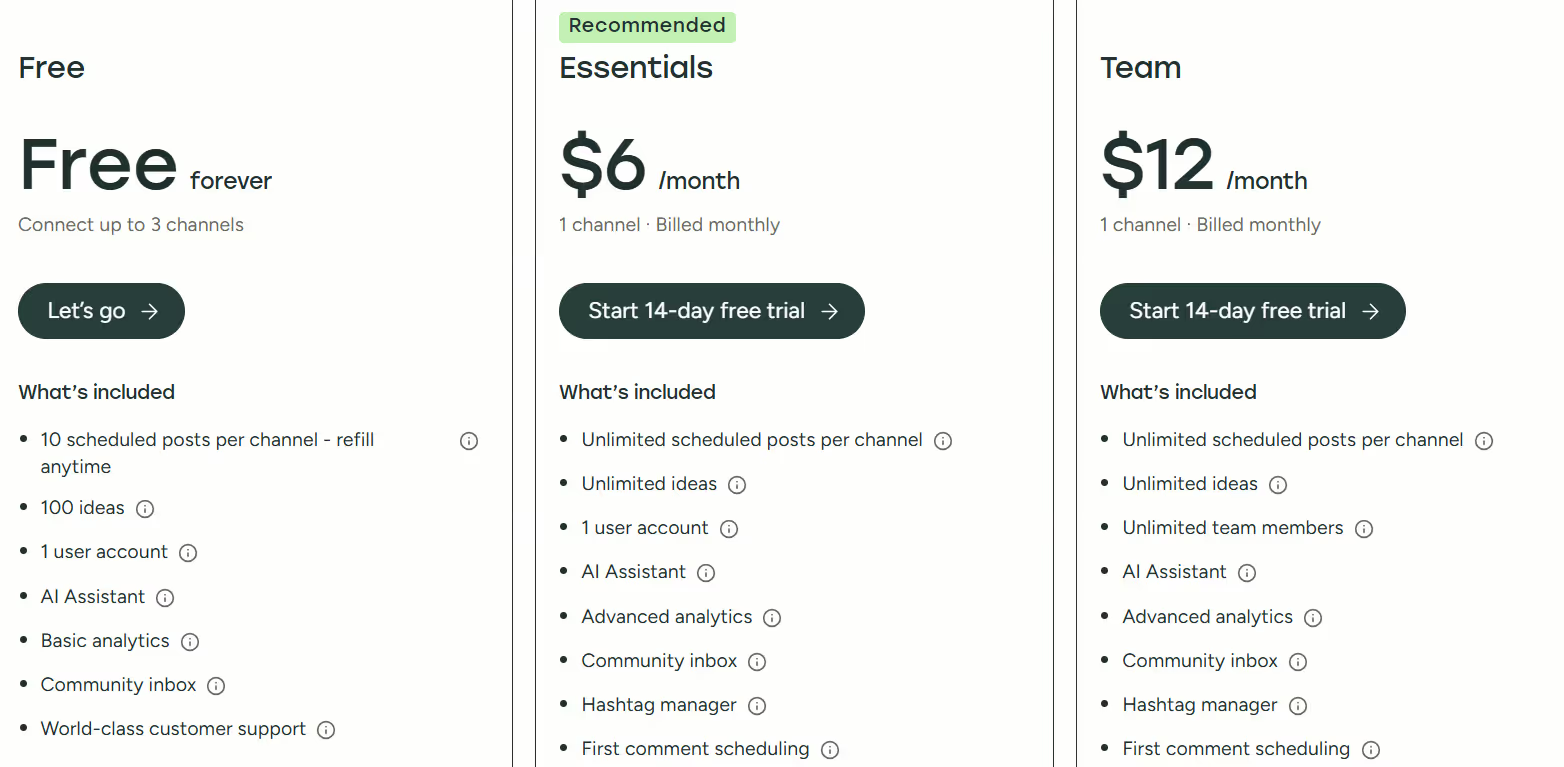
This image shows the Buffer pricing
Free - $0/month, connect up to 3 channels, 10 scheduled posts per channel, AI assistant, basic analytics, 1 user.
Basic Plan (Essentials) - from $6/month per channel, includes pre-made templates and basic campaign analytics, making it suitable for users who want an affordable entry point to LinkedIn marketing tools without advanced options.
Business Plan (Team) - from $12/month per channel, designed for teams or agencies, this plan offers unlimited posts, unlimited users, approval workflows, access levels, advanced analytics, and a community inbox, providing comprehensive tools for strategic scaling and automation.
Pros and Cons of Buffer
Pros & Cons
Pros
Cons
Great for managing LinkedIn + other social channels
AI assistant helps create better LinkedIn posts
Supports replies to LinkedIn comments from one inbox
Analytics for LinkedIn profiles are limited
No built-in lead generation features
LinkedIn polls are not supported inside Buffer
7. Taplio - AI-Powered LinkedIn Content & Personal Branding Tool
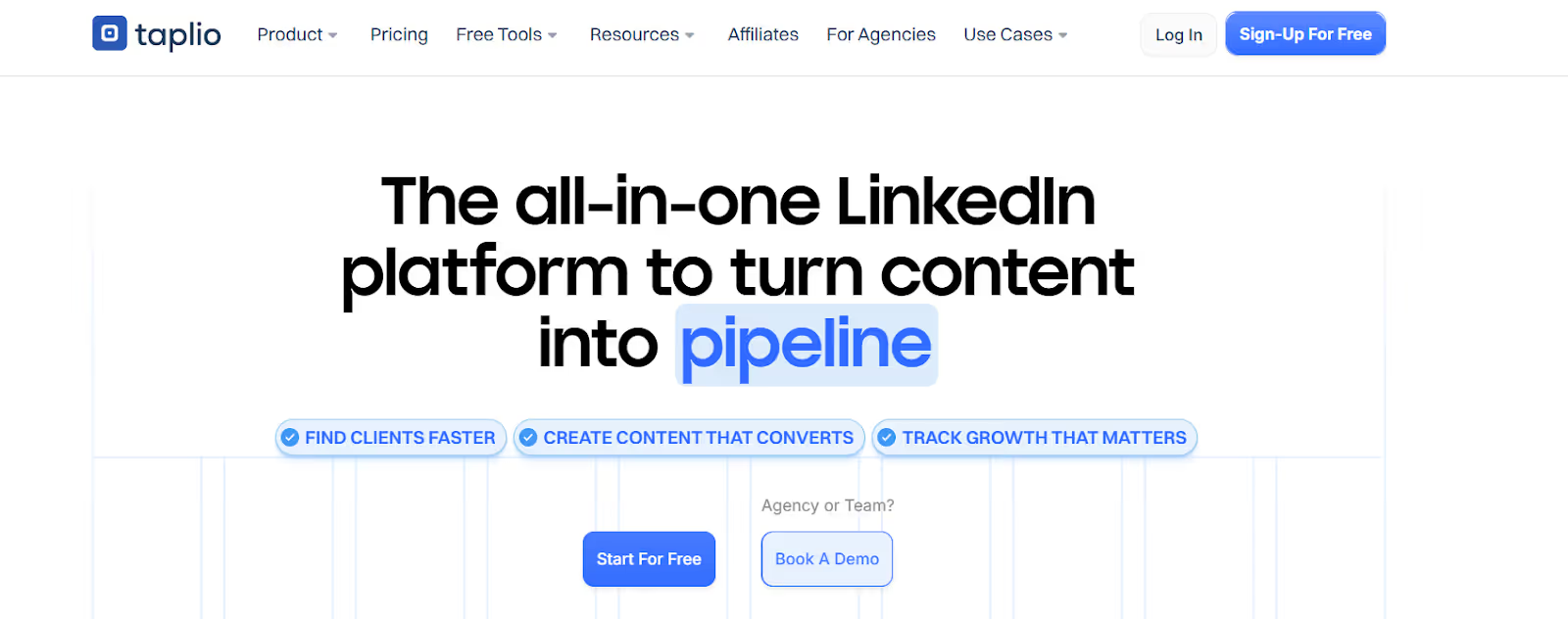
This image shows the Taplio homepage
Taplio is an AI-powered LinkedIn platform built to help creators, founders, and agencies grow their personal brand, create content faster, and turn engagement into pipeline opportunities.
It also emphasizes fostering meaningful connections through personalized content and engagement, helping users build genuine relationships on LinkedIn.
It focuses on content creation, scheduling, analytics, lead discovery, and engagement, making it useful for people who want organic reach on LinkedIn without spending hours on writing or research. Taplio supports LinkedIn ad campaigns, allowing users to manage and analyze their paid marketing efforts alongside organic strategies.
Taplio’s Chrome extension and AI engine make it easier to generate post ideas, write posts, monitor metrics, and interact with prospects directly from LinkedIn.
Here’s what you get with Taplio:
It has AI Content Creation to generate posts, hooks, outlines, and carousels based on 500M+ viral LinkedIn posts.
Post Inspiration Library with 5M+ viral posts filtered by niche or keyword to find what performs well.
One-Click Post Scheduling to stay consistent with content across a full posting calendar.
Carousel Generator to turn ideas, YouTube links, or articles into LinkedIn carousels.
Detailed analytics for tracking content performance, including engagement rates, post types, and publishing schedules. Creator Match provides detailed analytics for LinkedIn creators, breaking down post types, engagement rates, and optimal publishing times.
Support for high-engagement formats like LinkedIn Live and Events, which typically result in significantly higher interaction rates than standard posts.
Pros and Cons of Taplio
Pros & Cons
Pros
Cons
Excellent for LinkedIn content & personal branding
Saves time with AI writing & content inspiration
Strong analytics for creators & marketers
No email outreach or inbox management
AI output can feel generic without editing
Lead gen features are limited vs full outbound tools
Taplio Pricing
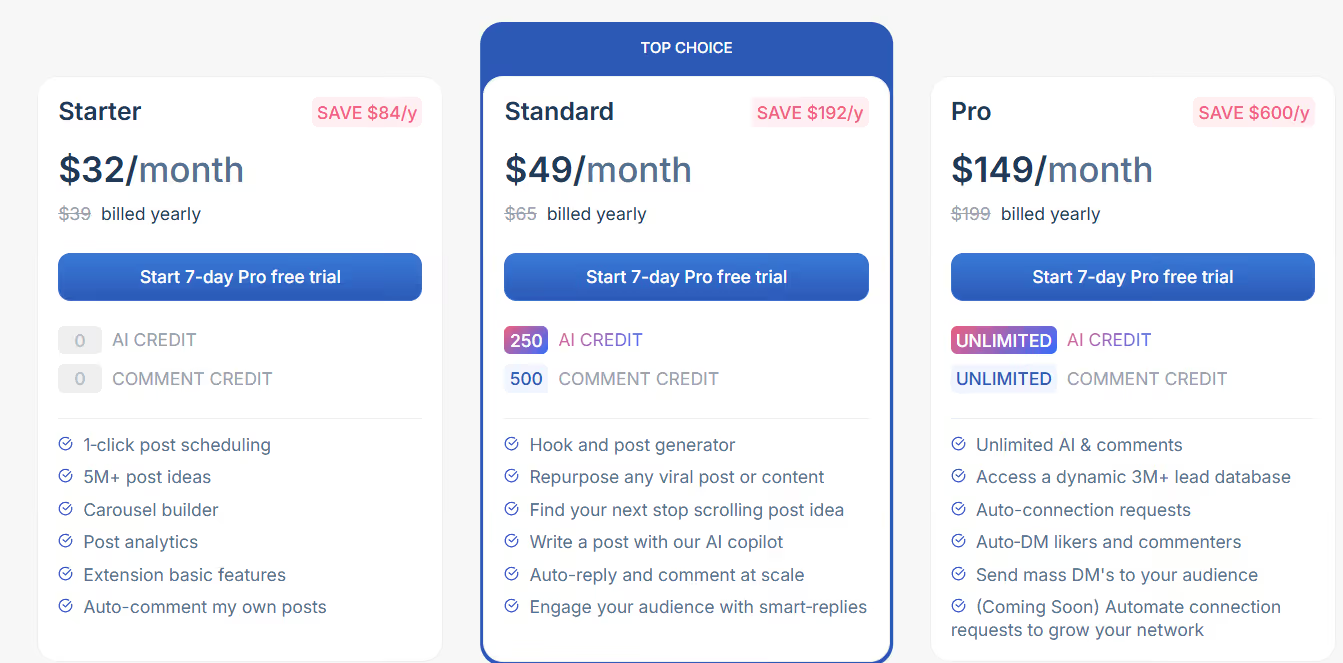
This image shows the Taplio pricing
Free Trial: 7-day Pro trial included on all plans with 30-day refund policy on first payment.
Starter - $32/month, 0 AI credits, 0 comment credits, post scheduling, viral content library, carousel builder, basic analytics, Chrome extension.
Standard - $49/month, 250 AI credits & 500 comment credits, AI post generator, repurpose tools, auto-reply/comment at scale, smart replies, engagement features.
Pro - $149/month, unlimited AI & comment credits, dynamic 3M+ lead database, auto-connection requests, auto-DM likers/commenters, bulk DMs, advanced outreach tools.
8. Clay - Data-Enriched Personalization for LinkedIn & GTM Outreach
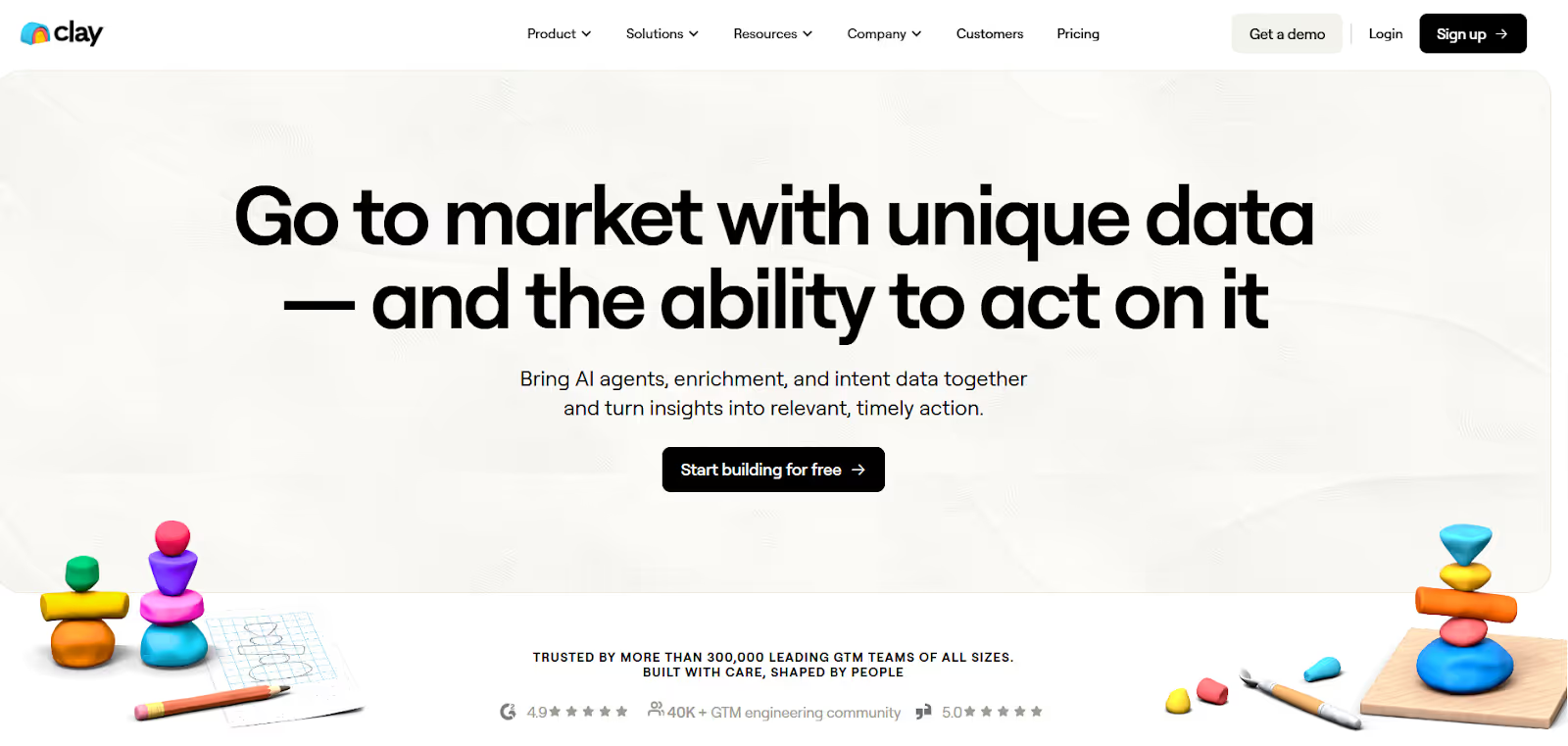
This image shows the Clay homepage
Clay is a GTM data and workflow tool that helps marketing, sales, and RevOps teams find better leads, enrich data, and run more targeted LinkedIn + email outreach.
With robust CRM integration and LinkedIn integration, Clay enables seamless data management and campaign execution across platforms.
It connects AI agents, enrichment APIs, CRM data, and buying signals so teams can build smarter campaigns instead of sending generic messages.
Here’s what you get with Clay:
Data Enrichment (100+ providers) to add emails, phones, firmographics, tech stack, and intent signals to your LinkedIn leads.
AI Research Agents (Claygent) that research prospects online and return clean data for personalization.
It has trigger workflows that detect job changes, funding, website visits, or social mentions and start outreach or alert reps.
It has TAM & Audience Lists for building target account lists for LinkedIn ads, ABM, SDR outreach, and segmentation.
Multi channel automation lets you integrate LinkedIn outreach with other platforms like email and social media for streamlined campaigns.
Google Sheets integration makes it easy to export or manage enriched data for reporting and collaboration.
Clay is trusted by sales professionals and marketing teams for targeted outreach and campaign management. Evaboot enriches a Sales Navigator list with verified emails and company details in minutes, making it a valuable addition to your LinkedIn marketing tools stack.
Pros and Cons of Clay
Pros & Cons
Pros
Cons
Best enrichment for LinkedIn targeting
AI research helps personalize outreach
Integrates with CRM, ads, email tools
Not a direct LinkedIn automation tool
Higher pricing for advanced data
Requires credits for enrichment volume
Clay Pricing
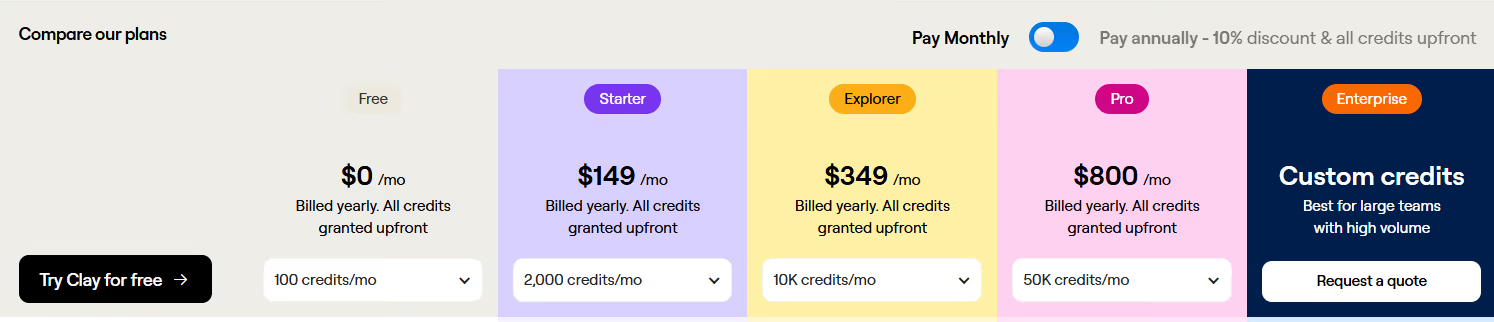
This image shows the Clay pricing
Starter - $149/month: This is Clay's basic plan, offering basic enrichment, audience building, and workflows. It includes pre-made templates and basic campaign analytics, making it suitable for users who want an affordable entry point without advanced options.
Explorer - $349/month: More credits, triggers, CRM sync, Claygent, and ABM features.
Pro - $800/month: This is Clay's business plan, designed for teams or agencies seeking comprehensive linkedin marketing tools. It provides high enrichment volume, advanced workflows, enterprise-grade security, and priority support, making it valuable for strategic scaling and automation.
9. Crystal - Personality Insights for LinkedIn Messaging & ABM
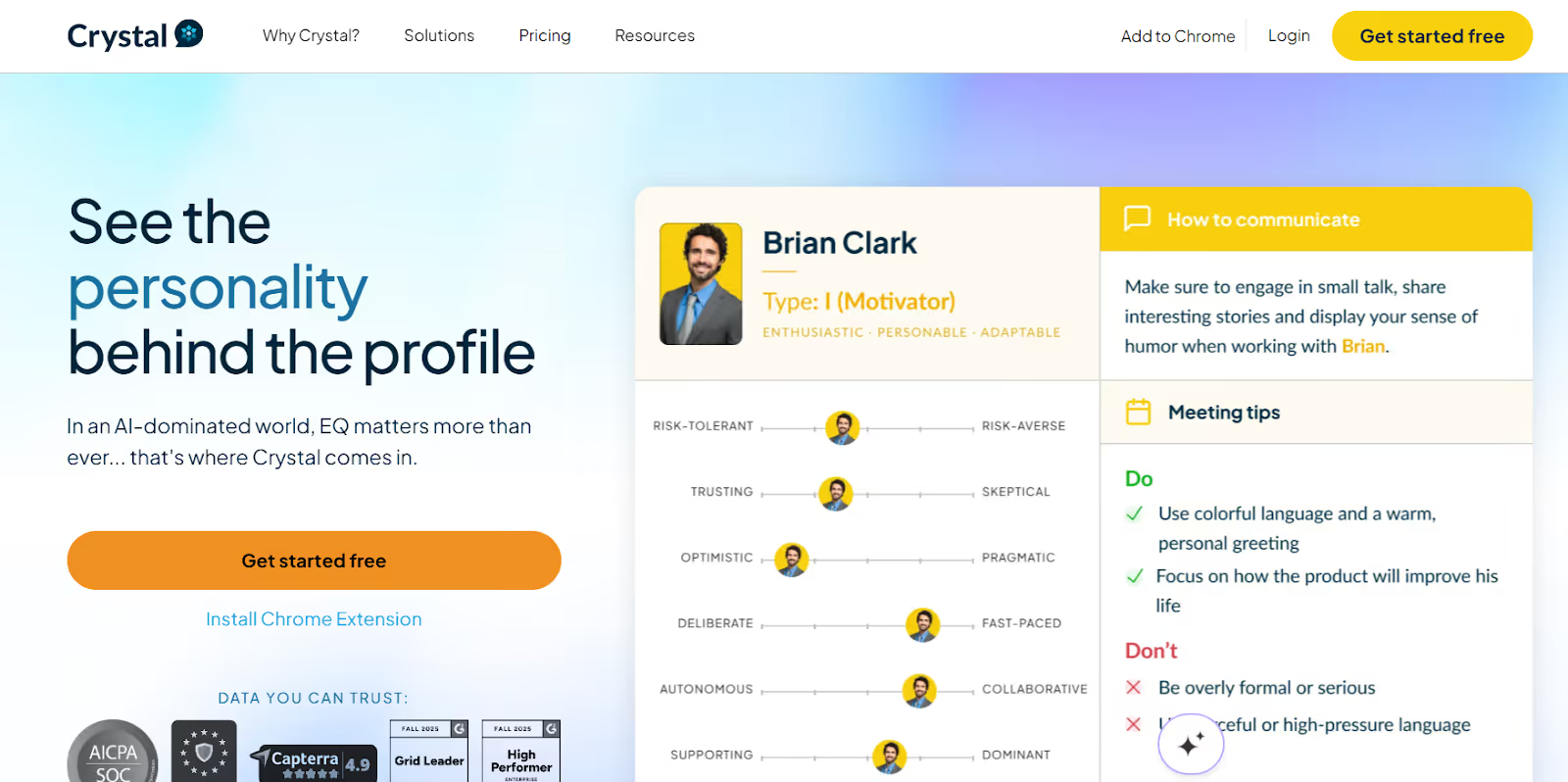
This image shows the Crystal homepage
Crystal is a personality intelligence platform that helps sales, marketing, and GTM teams personalize outreach on LinkedIn and email.
By leveraging Crystal, users can foster meaningful connections through personalized outreach, building trust and engagement with prospects.
Instead of guessing how a prospect thinks, Crystal analyzes their LinkedIn profile and predicts personality traits (using DISC), communication style, motivators, and messaging preferences.
Here’s what you get with Crystal:
It has LinkedIn Personality Insights for knowing how a prospect communicates, thinks, and makes decisions before sending outreach.
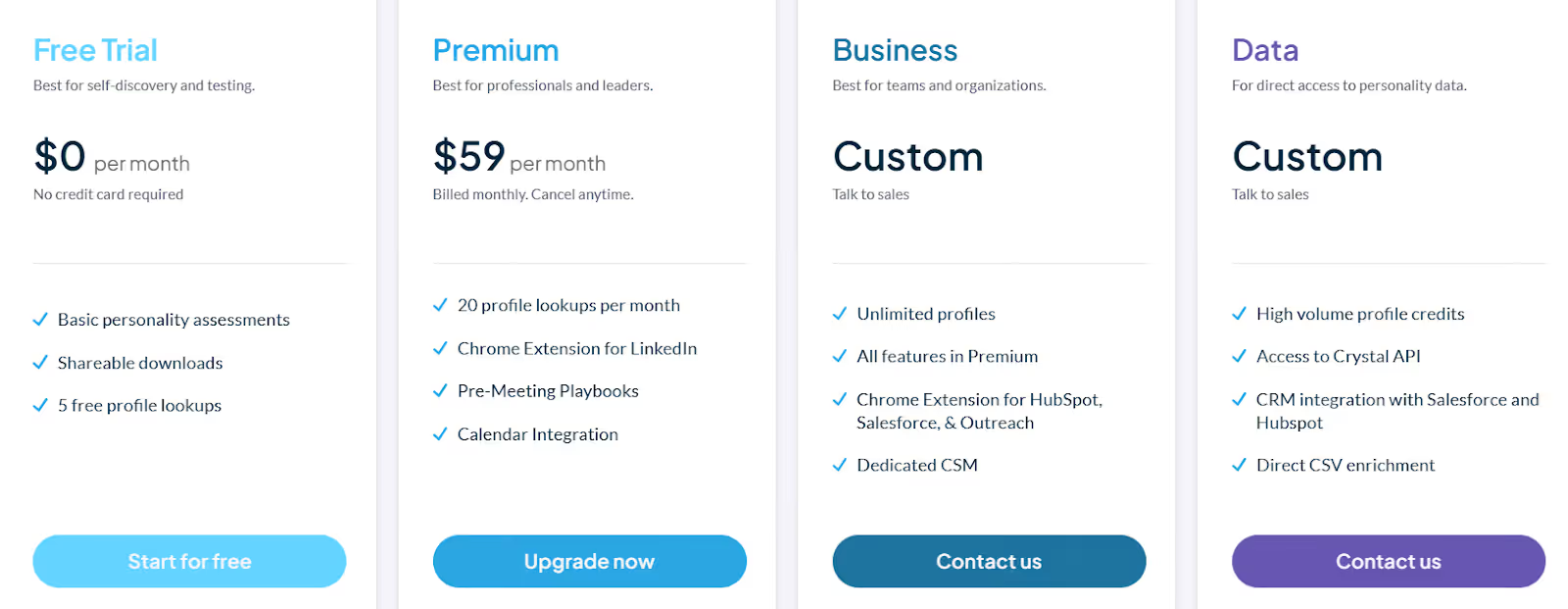
Chrome browser extension embedded on LinkedIn to view DISC insights, communication tips, and messaging preferences on profiles, Sales Navigator & Recruiter, enabling users to access insights directly while browsing.
Buyer Persona Enrichment to segment audiences using personality data for better marketing workflows.
Targeted outreach features that help segment audiences and craft tailored messages, making it easier to engage specific groups and improve lead generation.
Meeting Coaching (Google Meet + Zoom) to get personality insights during calls so reps adjust their delivery in real-time.
Crystal is widely used by sales professionals and marketing teams to enhance communication, streamline workflows, and drive more effective LinkedIn marketing campaigns.
Pros and Cons of Crystal
Pros & Cons
Pros
Cons
Improves LinkedIn outreach personalization
Great for ABM & multi-stakeholder selling
Useful during meetings (Google Meet + Zoom overlays)
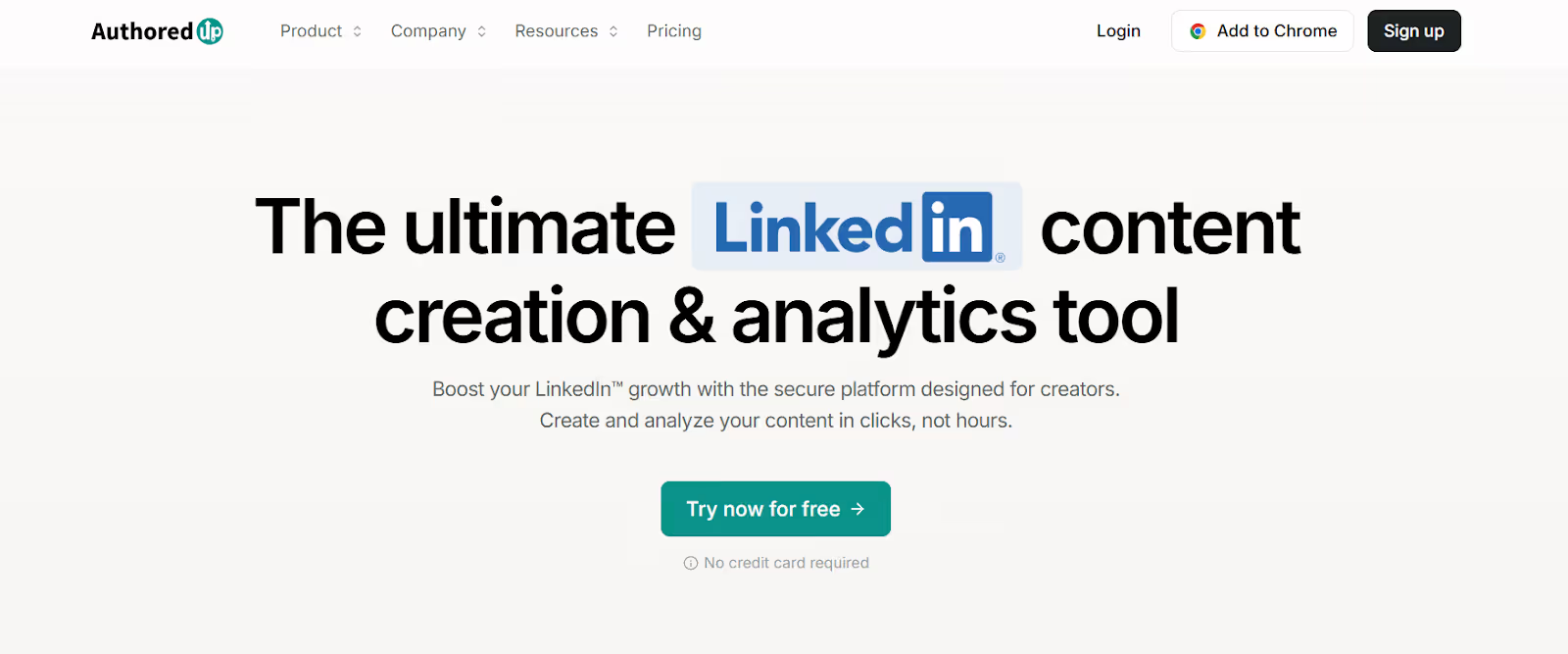
AuthoredUp is a LinkedIn content creation and analytics tool built for creators, teams, and brands that want to grow through organic LinkedIn posting.
The entire platform is focused on content quality, performance insights, and consistent posting.
Here’s what you get with AuthoredUp:
It has LinkedIn Content Studio to ideate, draft, format, and preview posts with hooks, CTA templates, readability grade, fonts, and emojis.
Advanced Post Analytics to track impressions, reach, engagement, profile growth, follower growth, and performance patterns.
Saved Posts Library to store and organize saved LinkedIn posts for research, content inspiration, and benchmarking.
It offers a browser extension to write, preview, format, schedule posts, and analyze content directly inside LinkedIn, streamlining your workflow.
Schedule posts for consistent content delivery and strategic planning.
Comprehensive analytics provide valuable insights into your LinkedIn performance, helping you optimize your outreach and content strategy.
LinkedIn Page Analytics allows you to monitor follower growth and track competitors.
Google Sheets integration is available for exporting analytics data or managing your content calendar.
Pros and Cons of AuthoredUp
Pros & Cons
Pros
Cons
Excellent for LinkedIn content marketing
Strong analytics for posts & audience trends
Chrome extension makes posting easier
No outreach messaging or automation
Only supports LinkedIn (not X/Facebook)
Scheduling relies on LinkedIn native scheduler
AuthoredUp Pricing
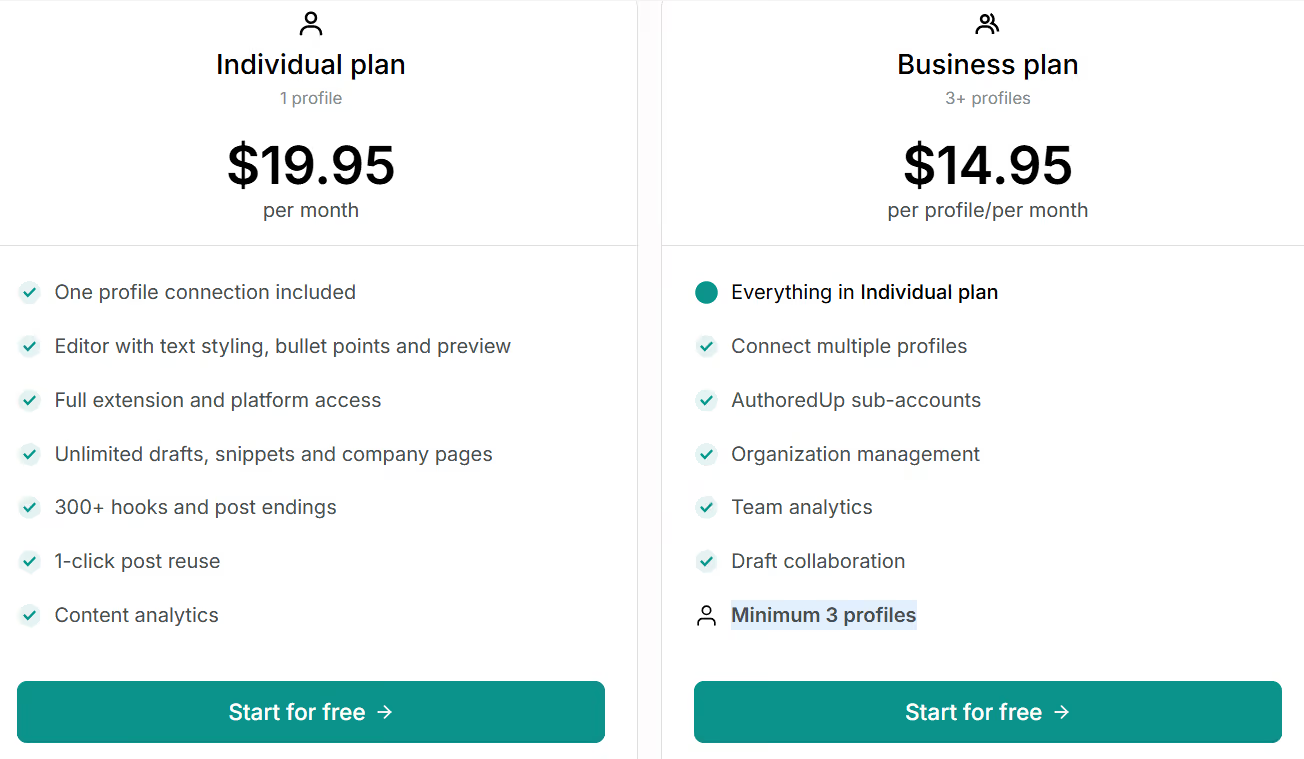
AuthoredUp offers individual, team, and custom plans. Pricing is clear and billed monthly or yearly:
This image shows the AuthoredUp pricing
Individual - $19.95/month, includes 1 profile, full editor, analytics, hooks & CTA templates, unlimited drafts, snippets, and company pages.
Business Plan - $14.95 per profile/month (min 3 profiles), includes everything in Individual plus multi-profile support, team analytics, sub-accounts, draft collaboration, and organization management. This plan is ideal for teams or agencies looking for comprehensive linkedin marketing tools, strategic scaling, and automation features.
Custom Growth Plan - Contact Sales, for agencies and enterprises that need onboarding, training, invoicing, and dedicated support (min 10 profiles, billed annually).
Which LinkedIn Marketing Tool Should You Choose?
Choosing the right LinkedIn marketing tools is crucial for business growth, as the right solutions can help establish credibility, build relationships, and generate leads that drive expansion.
Marketing teams should consider features like multi channel automation, CRM integration, and LinkedIn integration to streamline collaboration, campaign management, and lead generation efforts.
If you just need basic LinkedIn connections & messaging, tools like Dux-Soup, Octopus CRM, LinkedHelper, Expandi, Dripify, Waalaxy work fine.
If you need safer LinkedIn scaling with reporting & sender management, HeyReach or Zopto make more sense.
If you need prospecting, targeting & buyer data, use Sales Navigator, Clay, or Crystal.
If you want organic content growth & personal branding, use Taplio, AuthoredUp, or Buffer.
HubSpot's marketing automation platform also includes robust LinkedIn integration for social media management, lead generation, and analytics, making it a strong option for marketing teams seeking seamless CRM integration and multi channel automation.
But if you want to do LinkedIn and email, use AI writing, manage many senders, and keep deliverability safe in one place, then Salesforge is the best all-in-one choice.
Discover the best sales acceleration softwares of 2026. Compare features, pricing, pros, cons, and find the right tool to grow your sales pipeline faster.


.jpg)