













Salesforge API & CLI

Run Outbound From Your Terminal

Script client setup, campaign launches and daily reports with the Forge CLI and Salesforge API.
$
npm install -g @salesforge/forge-cli
Copy
Trusted by 10,000+ Businesses
How AKOOL Reached Over 214K Prospects With a 16%+ Positive Reply Rate
"Outreach at our scale requires speed, segmentation, and precision - Salesforge gave us the infrastructure to do it all at once".
AKOOL Team
How ChannelCrawler Achieved 85.71% Positive Replies With Salesforge, Infraforge & Warmforge
“We’ve been running small campaigns because I want our email infrastructure to stay strong over a long period of time. But the warm-up process, spintax, and inbox management are all winners for us.”
Jake Kitchiner
Co-Founder of ChannelCrawler
How UniteSync Achieved an 85.26% Positive Reply Rate and a $2.86 CAC With Salesforge, Mailforge & Warmforge
“Our tech identifies music creators with unclaimed royalties. That’s the core of our message - and it resonates, but cold email only works when it lands. That’s where Salesforge and Mailforge have made the difference.”
Carlos Palop Moliner
CEO at UniteSync
How VidLab7 Runs Multi-Domain Cold Outreach With The Forge Stack
“For us, outreach isn’t just about sending more emails - it’s about sending the right emails from the right setup so they actually get seen. The Forge gives us that confidence.”
Jonas Klank
Founding Team, VidLab7
How Net New Solutions Is Scaling Campaigns With Salesforge & Mailforge
“Once I had it set up and was sending, I saw excellent open rates with high deliverability. But when I saw the high number of opened emails, I was able to hone in on my calling campaigns even further.”
Tim Savage
CEO at Net New Solutions

Your outbound, wired into the tools you already run

Onboard new clients with one script
Run daily tasks on a schedule
Get reply events the moment they happen
Use it from your app or coding agent

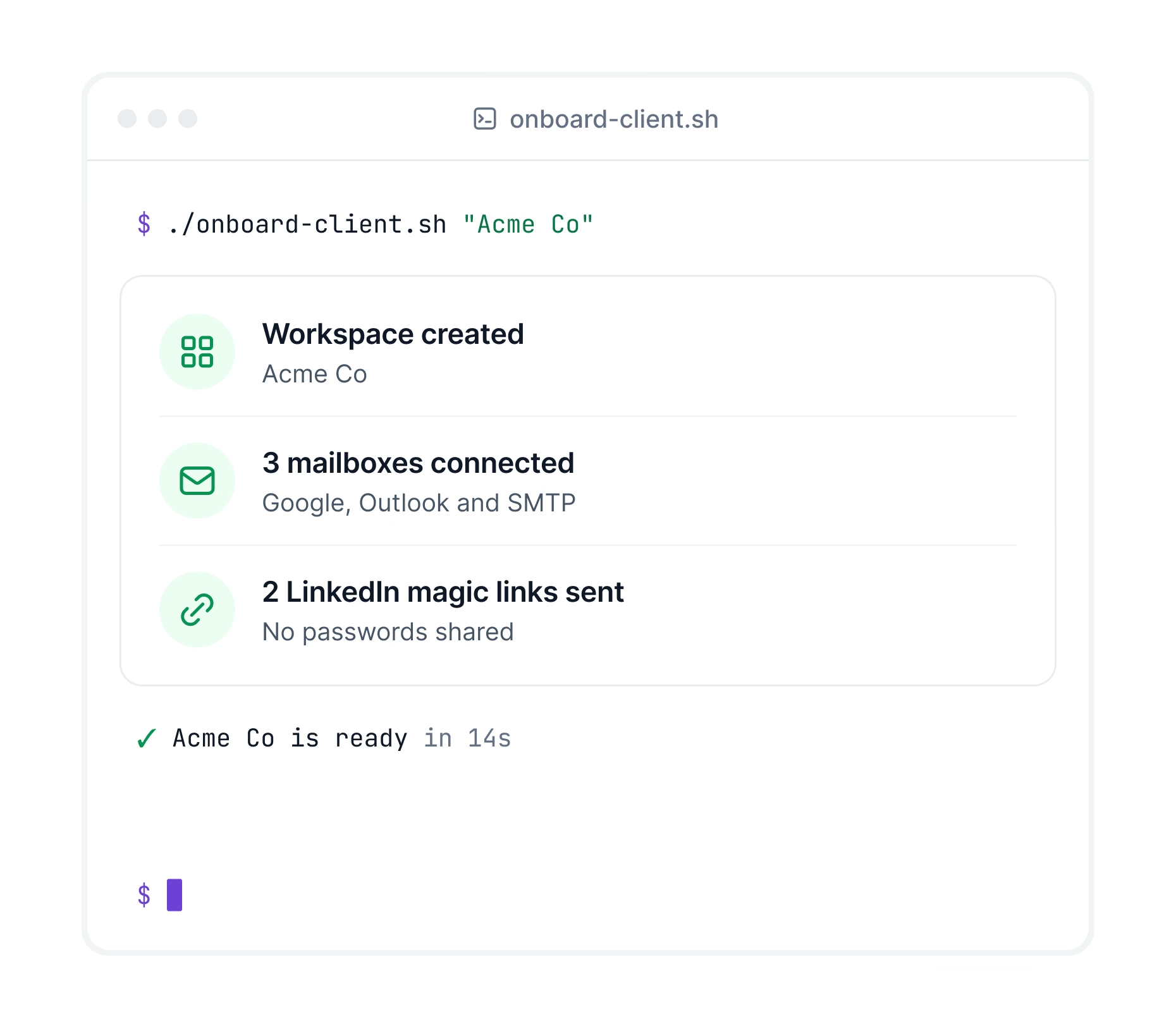
Set up new clients with one script

Create a workspace, connect mailboxes and invite LinkedIn accounts for every new client without screen sharing.
One workspace for each new client
Connect SMTP, Google and Outlook mailboxes
LinkedIn magic links, no passwords shared
Terminal running a client onboarding script that creates a Salesforge workspace, connects mailboxes and sends LinkedIn magic links
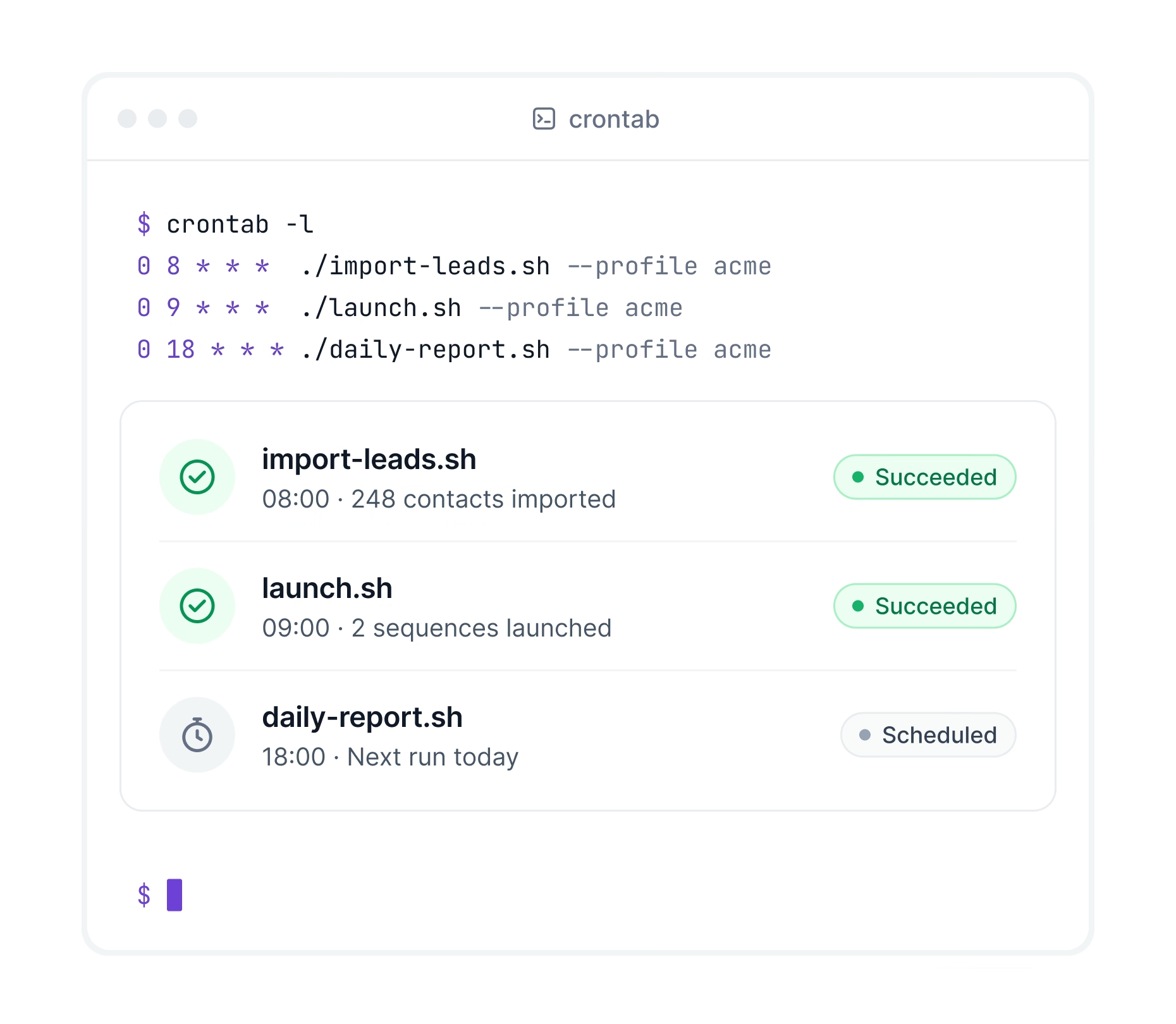
Crontab running daily Salesforge import, launch and report scripts on a schedule

Write it once and run it on a schedule

Turn daily imports, launches and reports into scripts. Run them with cron or any CI tool and forget them.
One key per product, set as a variable
Clear error codes when something fails
Switch client accounts with one flag

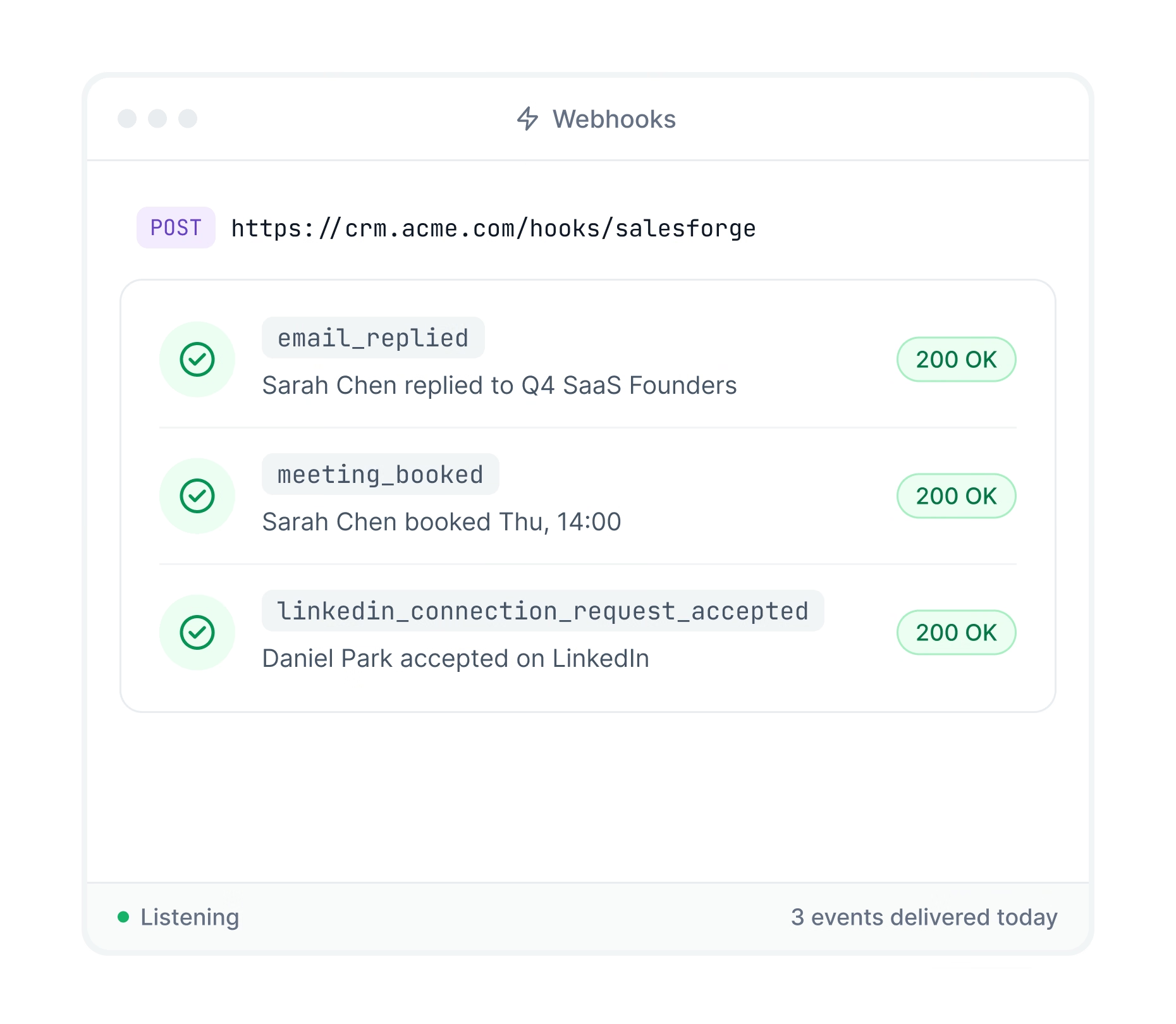
Update your CRM the moment a lead replies

Salesforge sends replies, booked meetings and LinkedIn activity to your CRM or any app automatically.
New replies and booked meetings sent instantly
LinkedIn accepts and replies included
Works with any tool that accepts webhooks
Salesforge webhook events for replies, booked meetings and LinkedIn accepts delivered to a CRM
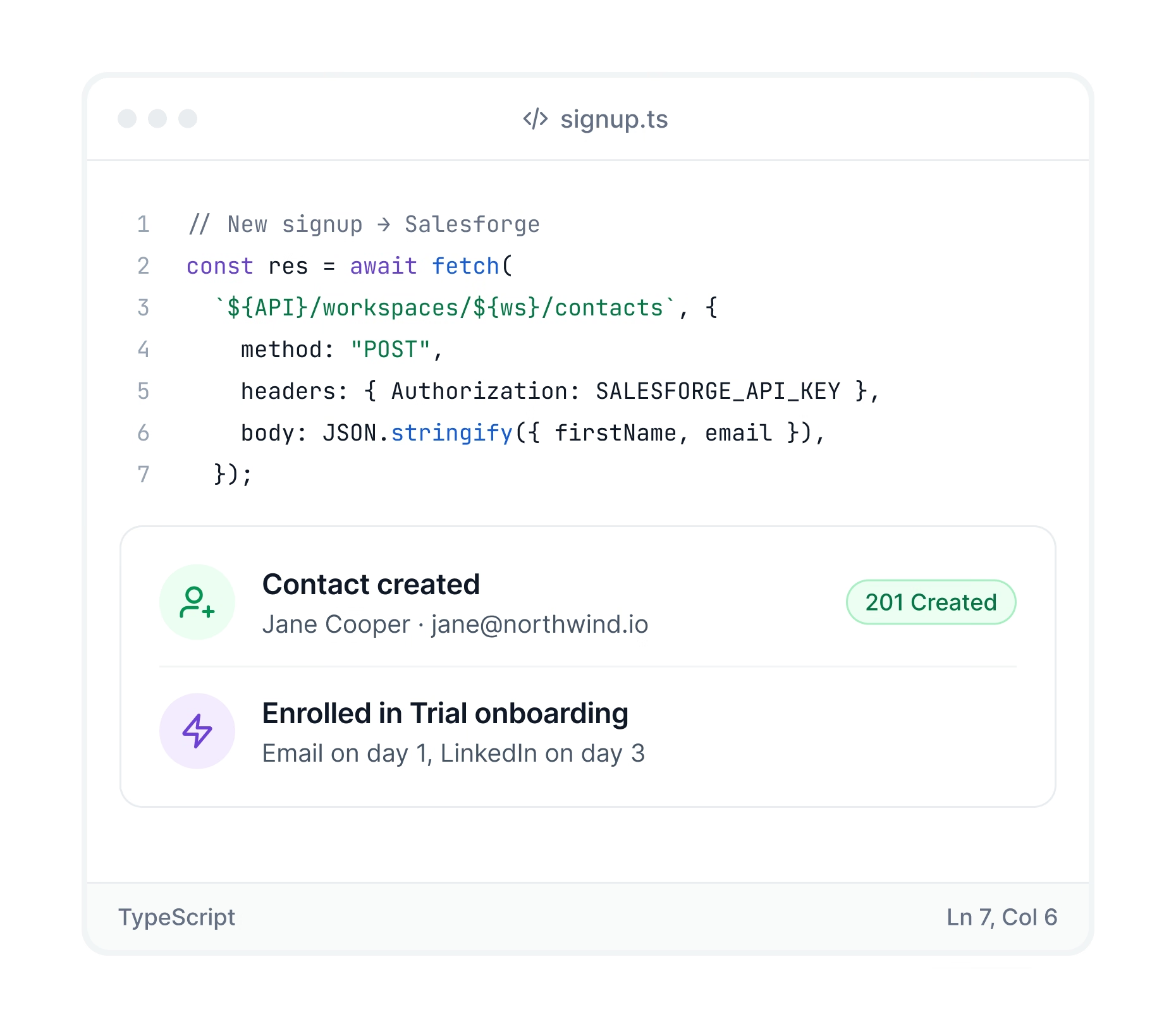
Code calling the Salesforge API to create a contact and enroll it in a sequence

Build Salesforge into your own app

Call the API from your product, client portal or backend. Contacts, campaigns, senders and replies all have documented endpoints.
Push signups from your app into campaigns
Let clients connect accounts in your portal
Public API specs with code examples

How to get started

Read the doc

Get your API key

In Salesforge go to Settings, open the API tab and click Generate API Key.

Install the CLI

Run npm install -g @salesforge/forge-cli on Node.js 20.11 or newer.

Log in and run

Log in with your API key, then run your first command.

Über 10.000 Unternehmen nutzen Salesforge

Alle Fallstudien anzeigen
Erreicht
ein
85,26%
Positiv
Antworten
Bewerte
und
ein
2,86$
CAC
Mit
Verkaufsschmiede,
Mailforge
&
Warme Schmiede
Case Study
Wie
Erreicht
Über
214 K
Aussichten
Mit
ein
16% +
Positiv
Antworten
Bewerte
Case Study
„Salesforge und Ihre anderen Produkte sowie Ihr schneller Support waren in meinen ersten zwei Jahren als Leiter einer Agentur für Lead-Generierung von entscheidender Bedeutung. Als alleiniger Gründer ist es eine Herausforderung, Leads für mich selbst und meine Kunden zu generieren. Salesforge hat mir dabei geholfen, eine „schlanke und effiziente” Pipeline aufzubauen. Mit einem geringen Aufwand an Zeit und Geld erhalte ich oft so viele Leads, dass ich meine Kampagnen unterbrechen muss.”
Vytas Mikulenas
Founder, Lean Sales Systems
„Ich habe schon viele Plattformen ausprobiert, aber keine ist besser als Salesforge, was die Zustellbarkeit von E-Mails und die Benutzerfreundlichkeit angeht. Jede Woche fügt das Team neue Funktionen hinzu und der Support ist ausgezeichnet!“
Sam Momani
CEO, LinkedDNA
„Die neue Infrastruktur von Salesforge ist bahnbrechend. Sie hat meine Zustellbarkeit und Versandkapazität erheblich verbessert. Ich habe mehrere Outreach-Tools ausprobiert und kann Ihnen sagen: Dieses Tool ist ein Muss für alle, die ernsthaft daran interessiert sind, Cold E-Mails in großem Umfang zu versenden.“
Roman Hipp
Co-founder, bettercontact.rocks
„Unser CAC liegt derzeit bei 2,86 $ und wir gehen davon aus, dass er noch weiter sinken wird. Derzeit gewinnen wir täglich 4 bis 5 neue Musikschaffende hinzu. Wir glauben fest an das, was Sie bei Salesforge aufbauen. Ihre Anleitung, wie wir skalieren und die richtigen Kunden erreichen können, hat für uns einen entscheidenden Unterschied gemacht. Die Verknüpfung Ihrer Strategie aus Einrichtung von Domains + Posteingängen + Warm-up + Tageslimits mit unserem Lead-Magneten für Lizenzgebühren-Audits hat uns ein effizientes Wachstum ermöglicht und ohne übermäßigen Aufwand zu starken Ergebnissen geführt. Das hat wirklich einen Unterschied gemacht.“
Carlos Palop
CEO, UniteSync
„Ich habe nur 40 Kontakte hochgeladen und bereits 3 positive Antworten erhalten.“
Stuart Brent
Founder, Vacord Screen Printing
Wie
Läuft
Multi-Domain
Kalt
Reichweite
Mit
Das
Schmiedestapel
Case Study

Frequently asked questions

If we don’t answer your question below, please contact us via chat

What is the Forge CLI?

A free, open source command line tool that runs Salesforge and the other Forge products from your terminal. Full command list on GitHub (github.com/SalesforgeAI/forge-cli).

What is the difference between the CLI and the MCP?

The CLI runs commands and scripts. The MCP lets you run outreach by chatting with an AI assistant.

Can Claude Code or Cursor use it?

Yes. Coding agents can run Forge commands directly or use the CLI as an MCP server.

Can I manage several client accounts?

Yes. Save a profile for each client and switch with one flag.

Can the API find new leads?

No. For lead search, use the Leadsforge API or the CLI with a Leadsforge key.

Which plan includes the API and CLI?

The Growth plan at $80 per month. It comes with a 14-day free trial.
