













Salesforge API & CLI

Run Outbound From Your Terminal

Script client setup, campaign launches and daily reports with the Forge CLI and Salesforge API.
$
npm install -g @salesforge/forge-cli
Copy
Trusted by 10,000+ Businesses
How AKOOL Reached Over 214K Prospects With a 16%+ Positive Reply Rate
"Outreach at our scale requires speed, segmentation, and precision - Salesforge gave us the infrastructure to do it all at once".
AKOOL Team
How ChannelCrawler Achieved 85.71% Positive Replies With Salesforge, Infraforge & Warmforge
“We’ve been running small campaigns because I want our email infrastructure to stay strong over a long period of time. But the warm-up process, spintax, and inbox management are all winners for us.”
Jake Kitchiner
Co-Founder of ChannelCrawler
How UniteSync Achieved an 85.26% Positive Reply Rate and a $2.86 CAC With Salesforge, Mailforge & Warmforge
“Our tech identifies music creators with unclaimed royalties. That’s the core of our message - and it resonates, but cold email only works when it lands. That’s where Salesforge and Mailforge have made the difference.”
Carlos Palop Moliner
CEO at UniteSync
How VidLab7 Runs Multi-Domain Cold Outreach With The Forge Stack
“For us, outreach isn’t just about sending more emails - it’s about sending the right emails from the right setup so they actually get seen. The Forge gives us that confidence.”
Jonas Klank
Founding Team, VidLab7
How Net New Solutions Is Scaling Campaigns With Salesforge & Mailforge
“Once I had it set up and was sending, I saw excellent open rates with high deliverability. But when I saw the high number of opened emails, I was able to hone in on my calling campaigns even further.”
Tim Savage
CEO at Net New Solutions

Your outbound, wired into the tools you already run

Onboard new clients with one script
Run daily tasks on a schedule
Get reply events the moment they happen
Use it from your app or coding agent

Set up new clients with one script

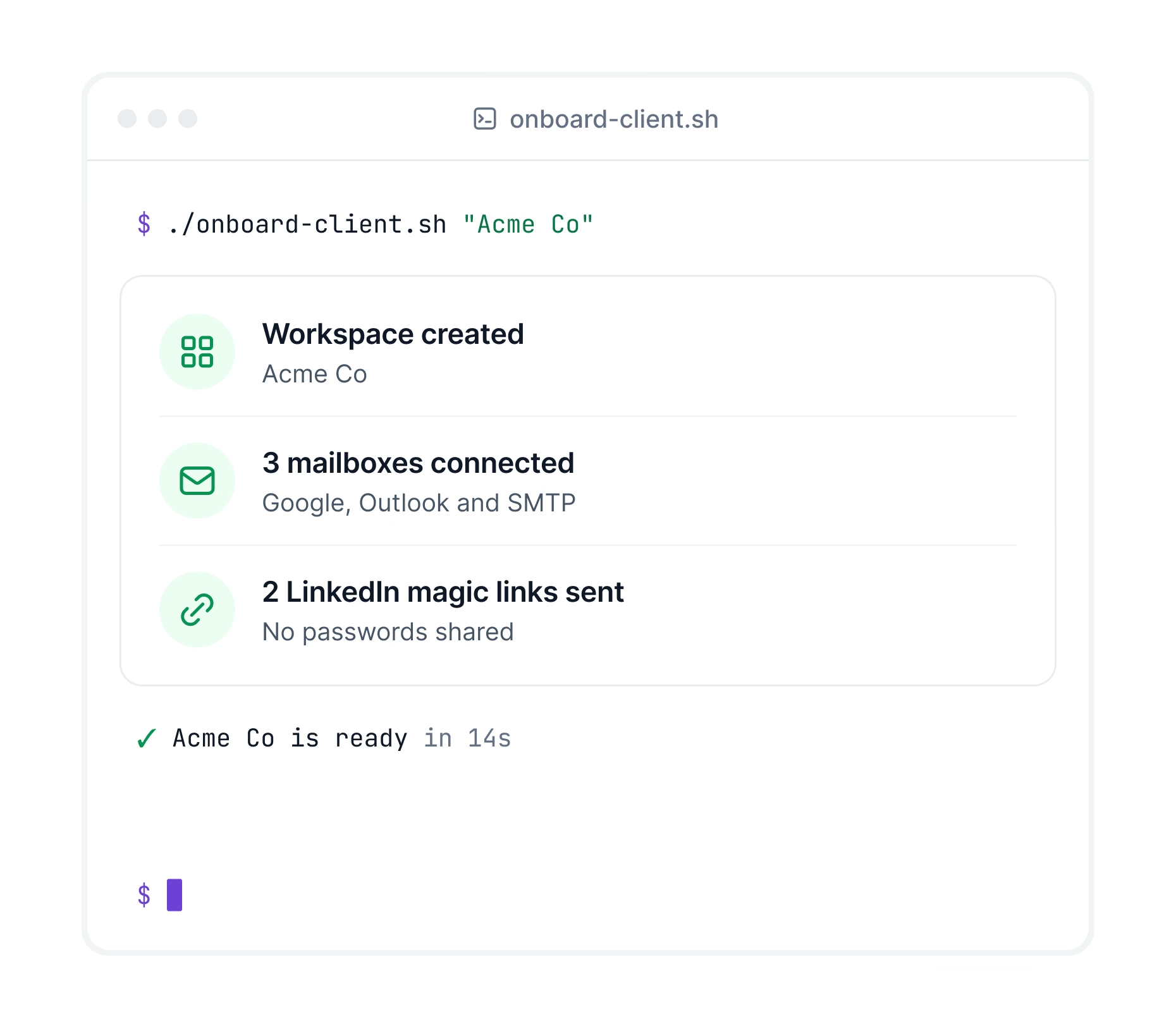
Create a workspace, connect mailboxes and invite LinkedIn accounts for every new client without screen sharing.
One workspace for each new client
Connect SMTP, Google and Outlook mailboxes
LinkedIn magic links, no passwords shared
Terminal running a client onboarding script that creates a Salesforge workspace, connects mailboxes and sends LinkedIn magic links
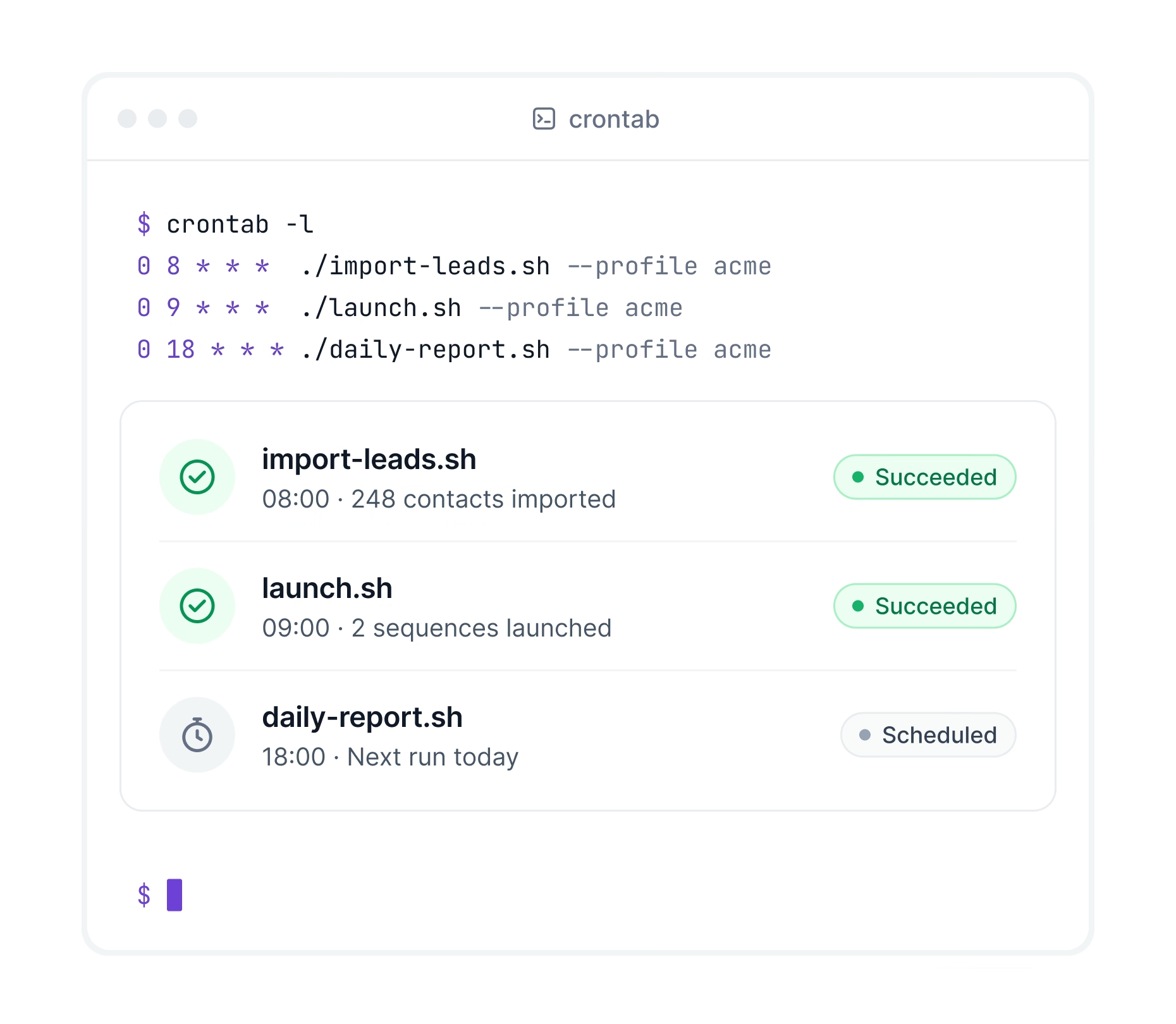
Crontab running daily Salesforge import, launch and report scripts on a schedule

Write it once and run it on a schedule

Turn daily imports, launches and reports into scripts. Run them with cron or any CI tool and forget them.
One key per product, set as a variable
Clear error codes when something fails
Switch client accounts with one flag

Update your CRM the moment a lead replies

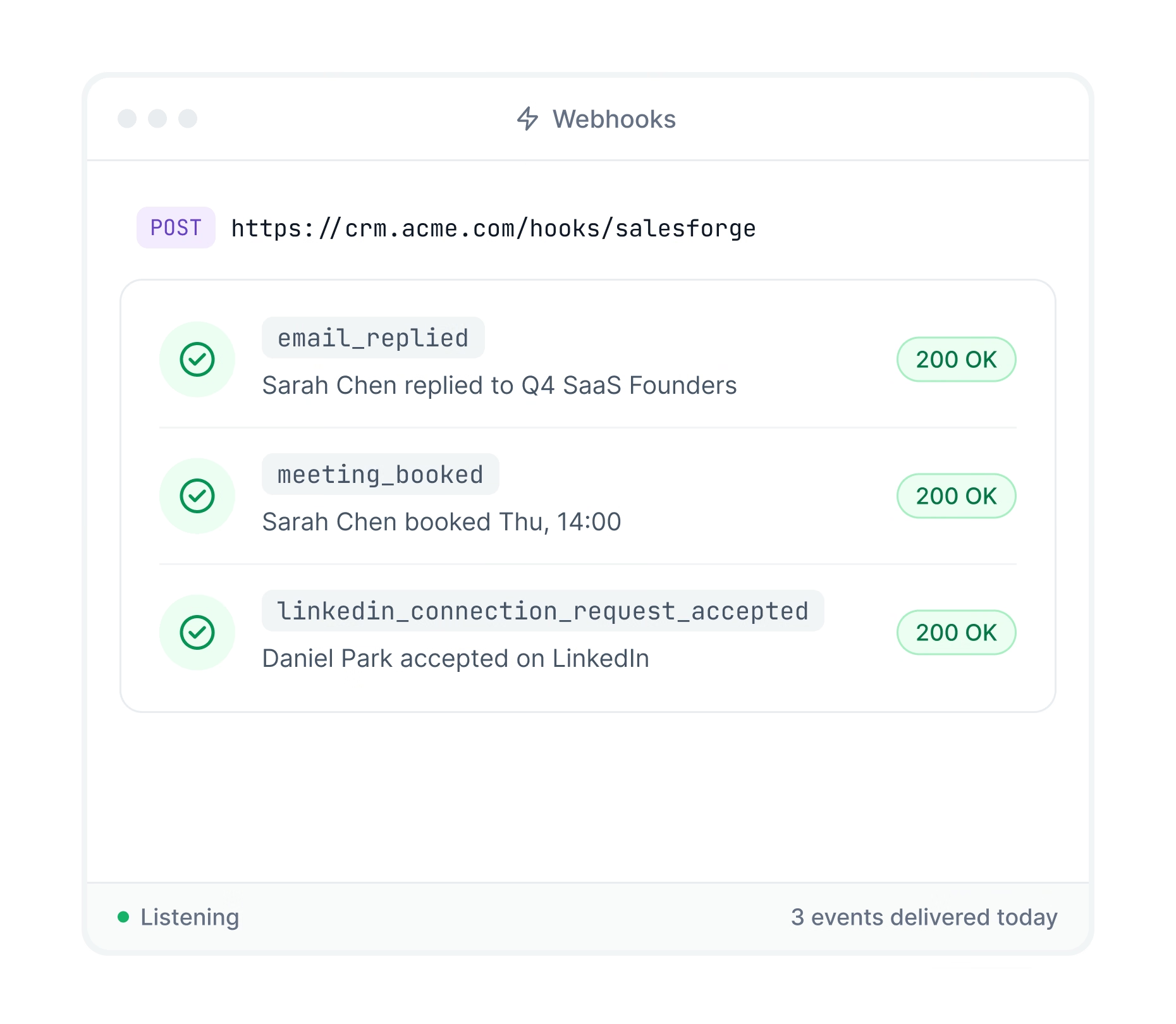
Salesforge sends replies, booked meetings and LinkedIn activity to your CRM or any app automatically.
New replies and booked meetings sent instantly
LinkedIn accepts and replies included
Works with any tool that accepts webhooks
Salesforge webhook events for replies, booked meetings and LinkedIn accepts delivered to a CRM
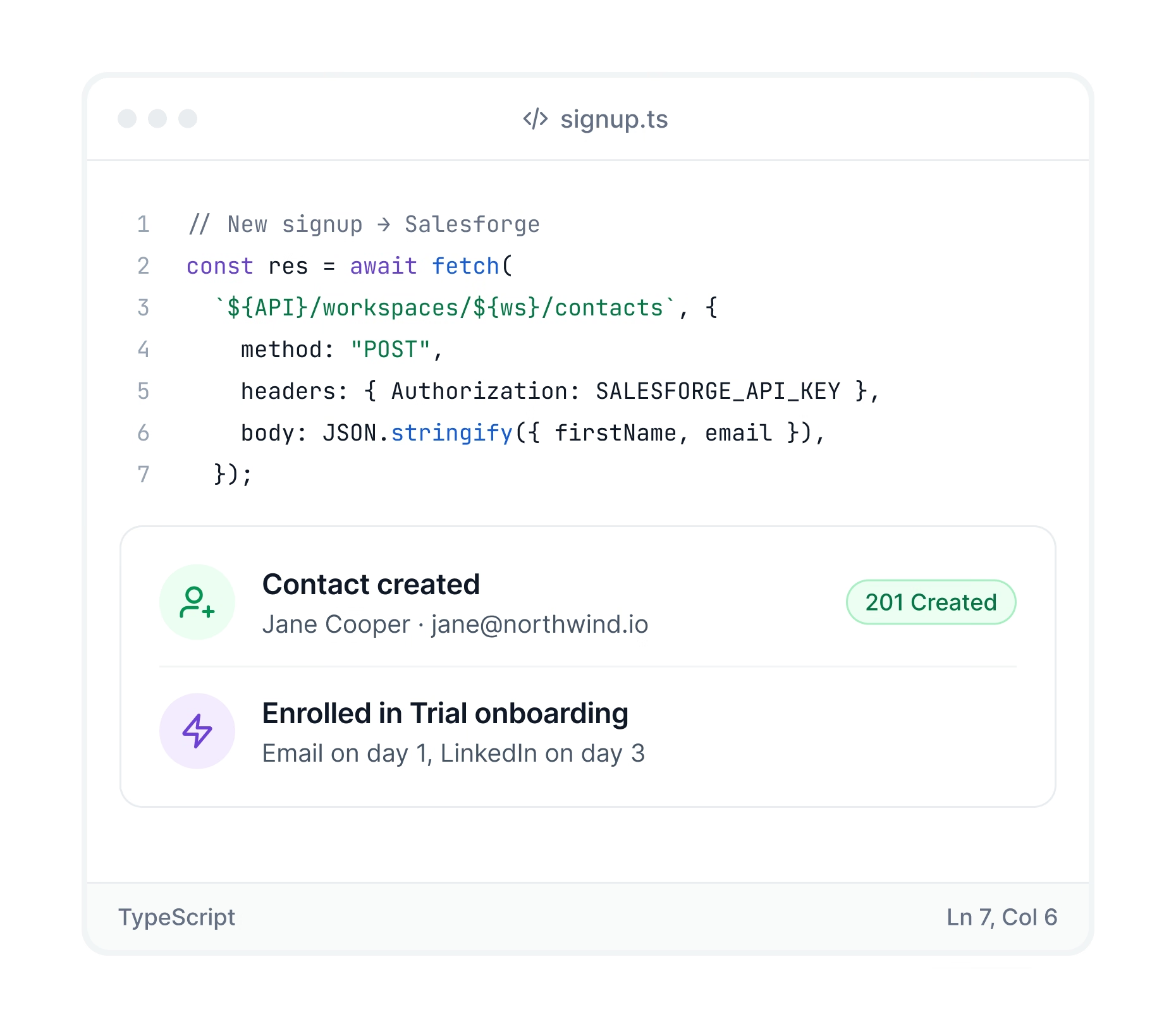
Code calling the Salesforge API to create a contact and enroll it in a sequence

Build Salesforge into your own app

Call the API from your product, client portal or backend. Contacts, campaigns, senders and replies all have documented endpoints.
Push signups from your app into campaigns
Let clients connect accounts in your portal
Public API specs with code examples

How to get started

Read the doc

Get your API key

In Salesforge go to Settings, open the API tab and click Generate API Key.

Install the CLI

Run npm install -g @salesforge/forge-cli on Node.js 20.11 or newer.

Log in and run

Log in with your API key, then run your first command.

10 000+ entreprises utilisent Salesforge

Voir toutes les études de cas
a atteint
un taux de
réponse
positive
de
85,26 %
et
un
CAC de
2,86$
avec
Salesforge,
Mailforge
et Warmforge
Étude de cas
Comment
a atteint
plus de
214 K
prospects
avec
un
taux de
réponses positives supériur a
16%+
Étude de cas
« Salesforge et vos autres produits, ainsi que votre équipe d’assistance rapide, ont été essentiels lors de mes deux premières années à gérer une agence de génération de leads. En tant que fondateur solo, générer des leads pour moi-même et mes clients est un vrai défi. Salesforge m’a permis de créer un pipeline « lean and mean ». Avec un investissement réduit en temps et en argent, je reçois souvent tellement de leads que je dois mettre mes campagnes en pause. »
Vytas Mikulenas
Fondateur, Lean Sales Systems
« J'ai utilisé de nombreuses plateformes, mais aucune n'égale Salesforge en termes de délivrabilité des e-mails et de facilité d'utilisation. Chaque semaine, l'équipe ajoute de nouvelles fonctionnalités et le support est excellent ! »
Sam Momani
CEO, LinkedDNA
« La nouvelle infrastructure de Salesforge change la donne. Elle améliore considérablement ma délivrabilité et ma capacité d'envoi. J'ai essayé plusieurs outils de prospection et je peux vous dire une chose : c'est un outil indispensable pour tous ceux qui souhaitent sérieusement se lancer dans l'envoi massif d'e-mails à froid. »
Roman Hipp
Co-founder, bettercontact.rocks
« Notre CAC est actuellement de 2,86 $, et nous prévoyons qu'il diminuera encore davantage. Nous accueillons actuellement 4 à 5 nouveaux créateurs de musique chaque jour. Nous croyons sincèrement en ce que vous construisez chez Salesforge. Vos conseils sur la manière de se développer et d'atteindre les bons clients ont changé la donne pour nous. En associant votre stratégie consistant à créer des domaines + des boîtes de réception + des phases de préchauffage + des limites quotidiennes à notre aimant à prospects qu'est l'audit des redevances, nous avons pu nous développer efficacement et obtenir d'excellents résultats sans effort excessif. Cela a vraiment fait la différence. »
Carlos Palop
CEO, UniteSync
« Je n'ai téléchargé que 40 contacts et j'ai reçu 3 réponses positives. »
Stuart Brent
Founder, Vacord Screen Printing
Comment
gère
une prospection
à froid
multi-domaines
avec
le
Forge Stack
Étude de cas

Questions fréquemment demandées

Si nous ne répondons pas à votre question ci-dessous, veuillez nous contacter par chat.

What is the Forge CLI?

A free, open source command line tool that runs Salesforge and the other Forge products from your terminal. Full command list on GitHub (github.com/SalesforgeAI/forge-cli).

What is the difference between the CLI and the MCP?

The CLI runs commands and scripts. The MCP lets you run outreach by chatting with an AI assistant.

Can Claude Code or Cursor use it?

Yes. Coding agents can run Forge commands directly or use the CLI as an MCP server.

Can I manage several client accounts?

Yes. Save a profile for each client and switch with one flag.

Can the API find new leads?

No. For lead search, use the Leadsforge API or the CLI with a Leadsforge key.

Which plan includes the API and CLI?

The Growth plan at $80 per month. It comes with a 14-day free trial.
