

Octopus CRM is a Chrome extension for LinkedIn automation that only runs while your browser is open. Meet Alfred is a cloud-based LinkedIn tool that adds email and X. Neither has email deliverability infrastructure or an AI SDR, and both charge per LinkedIn account.
For real multichannel B2B outbound, Salesforge is the stronger choice. It runs LinkedIn and email in one sequence, with no per-seat pricing, free Warmforge warm-up, Primebox™, and an optional AI SDR (Agent Frank). Plans start at $48/mo monthly ($40/mo annual).
I've tested Salesforge vs Octopus CRM vs Meet Alfred the way a buyer does: a browser extension on my laptop, a cloud tool juggling LinkedIn and email, and a full multichannel stack. I don't compare them on feature lists. I compare them on how each one behaves when you try to scale past one seat.
Octopus CRM is the cheapest way to automate LinkedIn from your browser. Meet Alfred is a cloud platform that bolts email and X onto LinkedIn. Salesforge treats LinkedIn and email as one sequence, warms your mailboxes for free, and drops every reply into one inbox.
Here's the honest breakdown, with pricing, features, deliverability, and where each tool fits, so you can pick the right one.
LinkedIn Automation Compared at a Glance: Octopus CRM vs Meet Alfred
Here is the fast version. Every cell is a specific, checkable fact pulled from each vendor's live site in July 2026.
| Feature | Salesforge | Octopus CRM | Meet Alfred |
|---|---|---|---|
| Outreach channels | Email + LinkedIn in one sequence | LinkedIn only | LinkedIn + email + X |
| Architecture | Cloud (session-token, no extension) | Chrome extension (browser must stay open) | Cloud-based |
| Entry price | $48/mo monthly ($40/mo annual) - Salesforge Pro | $9.99/mo ($6.99/mo annual) - Octopus Starter | $59/mo ($29/seat/mo annual) - Meet Alfred Basic |
| Top self-serve plan | $96/mo monthly ($80/mo annual) - Salesforge Growth | $39.99/mo ($24.99/mo annual) - Octopus Unlimited | $99/mo - Meet Alfred Pro (Most Popular) |
| Native LinkedIn actions | 6 (connect, message, InMail, post like, follow, withdraw) | 4 (connect, message, profile view, endorse) | Multiple (incl. InMail, groups, events) |
| Email warm-up / deliverability | Free, unlimited Warmforge (Heat Score™) | None (no email channel) | None (scrapes emails, does not verify) |
| AI SDR | Agent Frank (separate $499/mo billed quarterly) | No | No |
| Unified inbox | Primebox™ (email + LinkedIn, free) | Built-in mini-CRM (LinkedIn only) | Smart LinkedIn inbox |
| Pricing model | No per-seat; unlimited users on Growth | Per LinkedIn account | Per user/seat |
| Lead data | Leadsforge 500M+ contacts (native) | None (bring your own list) | Lead Finder (1,000-10,000 results) |
| Free trial | 14 days, no card | 7 days, no card | Free trial, no card (per its site) |
| SOC 2 compliant | Yes | Not stated | Not stated |
| Best for | SMB/mid-market B2B, $5K-$100K ACV | Solo, low-volume LinkedIn on a budget | Solo/small teams wanting LinkedIn + email + X |
Octopus CRM Overview: Features, Pricing, and Limits
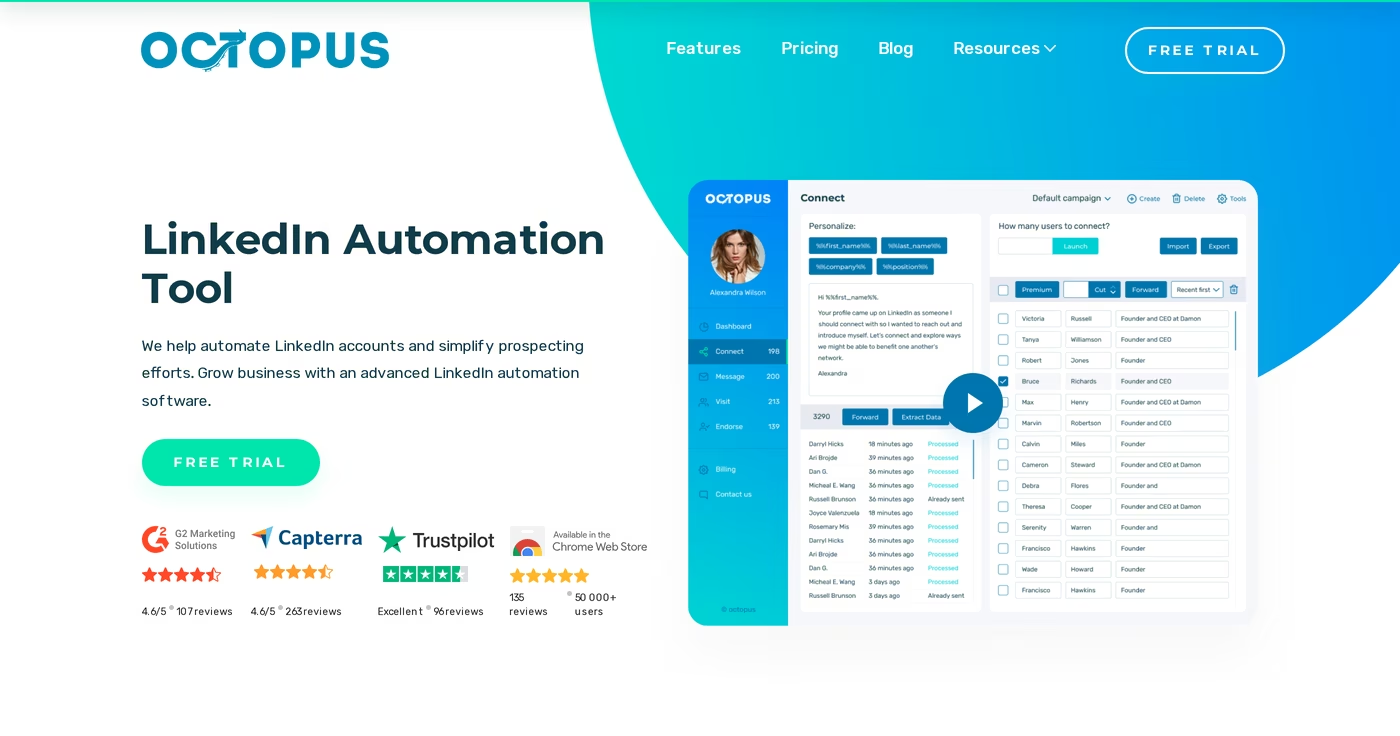
Octopus CRM is a Chrome extension for LinkedIn automation with a built-in mini-CRM, and one of many tools in the sales tools directory. It is one of the cheapest LinkedIn tools on the market, and it runs through your own browser rather than the cloud. That means your computer has to be on with Chrome open and your LinkedIn session active for any automation to run.
Its core features:
- Automated, personalized connection requests
- Bulk messaging to first-degree connections
- Auto profile views and auto skill endorsements
- A built-in personal CRM dashboard and funnel builder
- Activity Control alerts that cap daily actions
- Connect-by-email to bypass LinkedIn's weekly invite limit (Unlimited plan)
- CSV import/export and campaign analytics
- Zapier and webhook integrations to HubSpot, Zoho, Salesforce, and Google Sheets
Octopus CRM prices four tiers, each tied to one LinkedIn account: Octopus Starter at $9.99/mo ($6.99/mo billed annually), Octopus Pro at $14.99/mo ($9.99/mo annual), Octopus Advanced at $21.99/mo ($14.99/mo annual), and Octopus Unlimited at $39.99/mo ($24.99/mo annual). Annual billing takes 35% off, and every plan comes with a 7-day free trial and no card required. Sales Navigator support only arrives on the Unlimited plan.
It's best for a solo operator, freelancer, or founder running low-volume LinkedIn outreach who wants the lowest possible monthly price. For a single seat on LinkedIn alone, it does the basics well. If you're weighing budget picks, the sales tools for startups guide shows where a cheap LinkedIn tool fits a wider stack.
What reviewers say about Octopus CRM
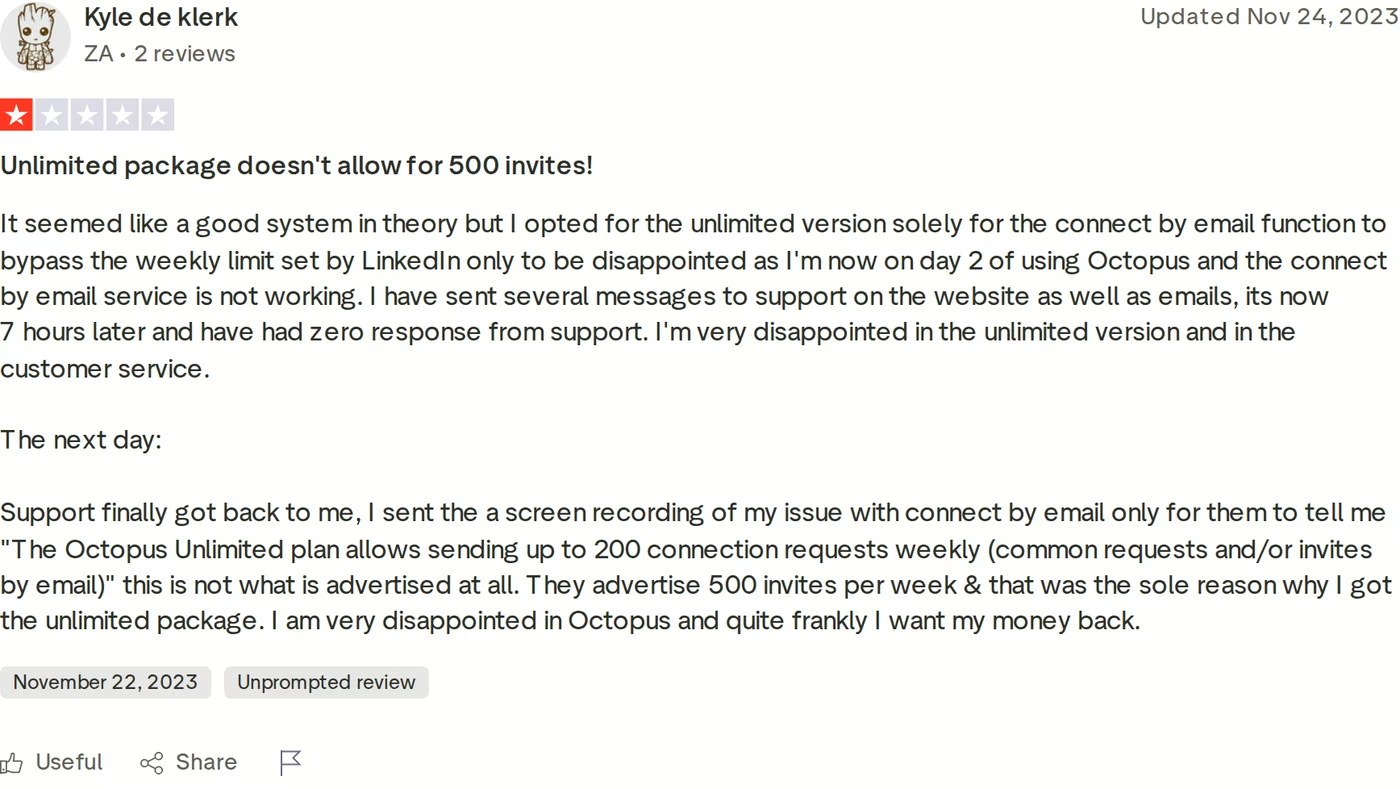
The recurring complaints are about the browser-extension model and the gap between advertised and real limits. One Trustpilot reviewer bought Octopus Unlimited specifically for the advertised 500 weekly invites and the connect-by-email feature, then found the real cap was 200 and the feature wasn't working, with no support reply for hours.
Other documented limits: Octopus CRM has no email outreach channel (only the invite bypass), no lead data or enrichment, no real team management or shared pipeline, and each LinkedIn account needs its own subscription, so agency use adds up fast.
Meet Alfred Overview: Features, Pricing, and Limits
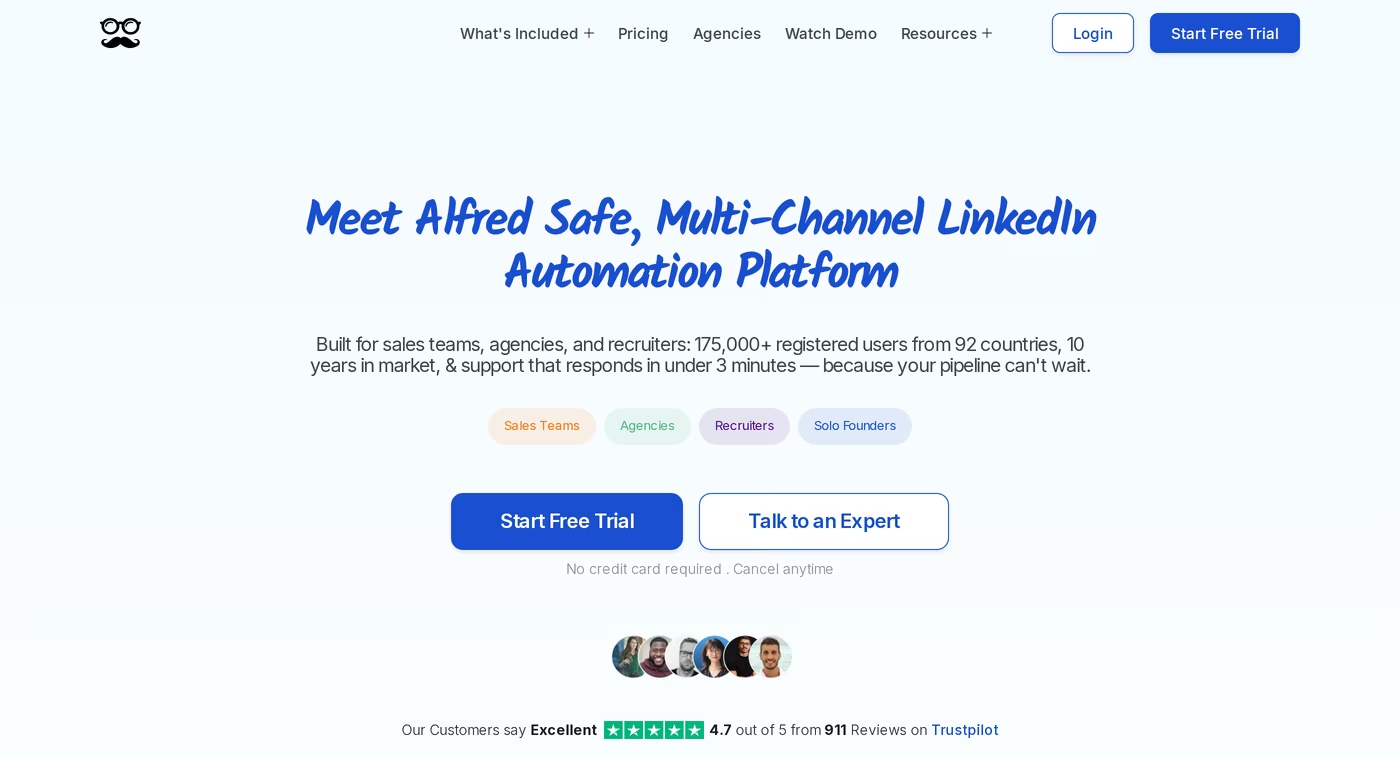
Meet Alfred is a cloud-based, multi-channel LinkedIn automation platform that adds email and X (Twitter) to LinkedIn sequencing. It has been around for about 10 years and claims 175,000+ registered users across 92 countries. Because it runs in the cloud, it keeps working when your laptop is closed, which is the main structural advantage over a browser extension like Octopus CRM.
Its core features:
- LinkedIn automation: connection requests, messages, profile visits, and follow-ups
- InMail automation plus LinkedIn Groups, Events, Post, and Company campaigns
- Multi-channel sequences across LinkedIn, email, and X
- A built-in Lead Finder (1,000 to 10,000 results by plan)
- An advanced LinkedIn CRM and a smart LinkedIn inbox
- Message personalization, templates, and human-behavior simulation
- Team management, shared inbox, and white label on higher tiers
- Zapier, Webhooks, and HubSpot integrations, plus social post scheduling
Meet Alfred prices per user (per LinkedIn account) across three tiers. Meet Alfred Basic is $59/mo, or $29/seat/mo billed annually, and covers LinkedIn only. Meet Alfred Pro, the Most Popular tier, is $99/mo and unlocks Sales Navigator, InMail, and the multi-channel LinkedIn + email + X sequences. Meet Alfred Team is $79/mo, or $39/seat/mo annually, adding team settings, a team inbox, and white label for 5+ users. Annual billing is 50% off, and the site currently runs a limited promotion on the Pro plan through July 30, 2026. There's a free trial with no card required per its site. For a deeper look, see the full Meet Alfred review.
It's best for a solo operator or a small sales team that wants LinkedIn, email, and X in one cloud tool and is comfortable sourcing and verifying its own email data. The team-oversight features are a genuine plus for managers watching several reps.
What reviewers say about Meet Alfred
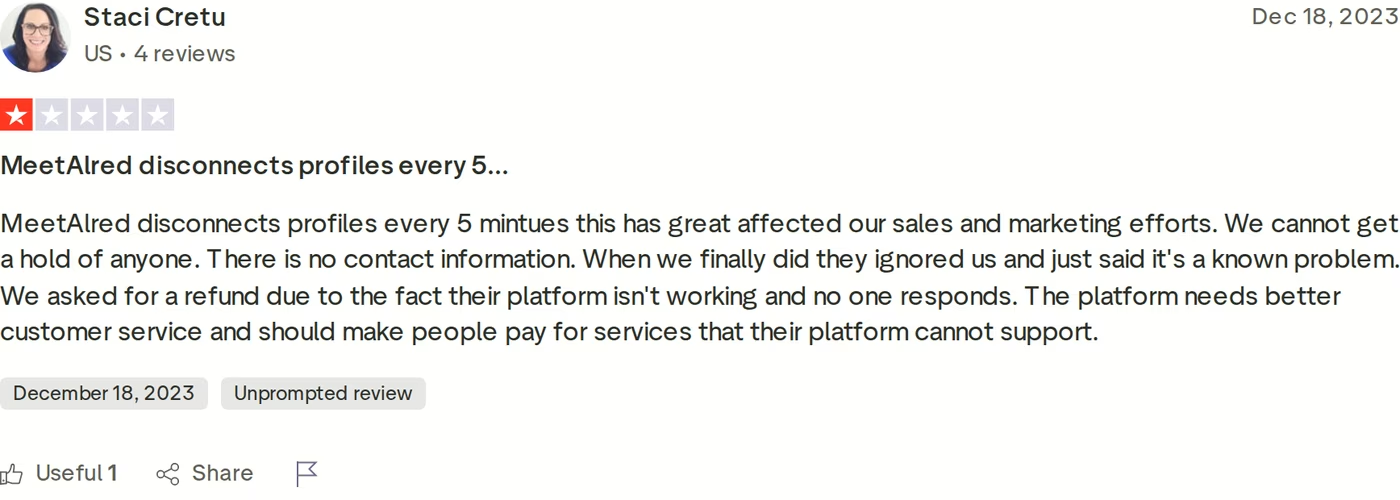
Meet Alfred holds a 4.7 Trustpilot score, but its negative reviews cluster around reliability and support. One 1-star review reports profiles disconnecting every five minutes, no reachable contact, and an ignored refund request that support called a "known problem."
Two limits matter most for outbound. First, Meet Alfred scrapes email addresses but does not verify them, and it ships no warm-up or sending infrastructure, so bounce risk sits with you and you'll need a separate verification tool. Second, per-seat pricing scales quickly: five reps on Meet Alfred Pro is $495/mo at the monthly rate. Reviewers also flag a strict no-refund policy.
Salesforge Overview: Multichannel Outreach on the Forge Stack
Salesforge is a multichannel outreach platform where cold email and LinkedIn run as two channels of one sequence, not two tools stitched together. It's the outreach layer of the Forge Stack, a set of natively connected products that also covers infrastructure, deliverability, lead data, and an autonomous AI SDR under a single login.
What you get inside Salesforge:
- Multichannel conditional sequences: LinkedIn and email steps branch on prospect behavior. If a connection request is accepted, trigger a LinkedIn message; if not, fall back to email.
- Six native LinkedIn actions: connection requests, messages, InMails, post likes, follows, and withdraw requests, each capped at 30 per day per profile to stay in LinkedIn's safe range.
- Account safety as standard: LinkedIn actions route through high-quality proxies with session-token authentication, so your password is never stored and there's no Chrome-extension injection.
- No per-seat pricing: unlimited mailboxes on every plan, plus unlimited LinkedIn senders and unlimited users on Growth.
- AI personalization across 21+ languages, including Overdrive Mode that pulls from multiple prospect sources.
- Free, unlimited Warmforge warm-up: a premium pool of aged IMAP/SMTP, Google Workspace, and Microsoft 365 mailboxes, with per-mailbox Heat Score™ tracking.
- Primebox™ unified inbox: every email and LinkedIn reply in one place, with sentiment analysis and Autopilot or Co-pilot AI reply modes on Growth.
- Deliverability tooling: ESP matching, Bounce Shield, sender rotation, text-only content, and built-in email validation.
- Three infrastructure options under one login: Mailforge (shared), Infraforge (dedicated), and Primeforge (Google and Microsoft 365 mailboxes).
- Native lead data: Leadsforge feeds 500M+ contacts and waterfall enrichment straight into sequences, and its LinkedIn email finder pulls verified emails from profiles.
- Agent Frank, the AI SDR: he prospects, personalizes, follows up, and books meetings across email and LinkedIn, 24/7.
- Integrations and developer surfaces: HubSpot, Salesforce, Pipedrive, Clay, an API on Growth, an MCP server, and a CLI. Salesforge is SOC 2 compliant.
Because the whole stack sits under one roof, Salesforge also offers a three-way delivery model that no LinkedIn-only tool matches: your team runs it, Agent Frank runs it, or a vetted Forge Expert agency runs it for you.
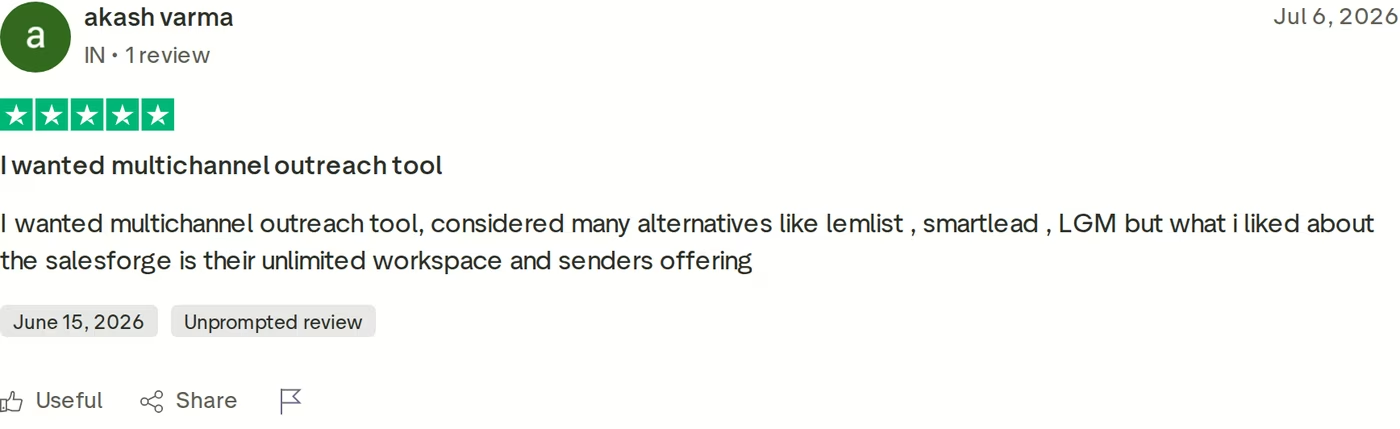
On pricing, Salesforge plans start at $48/mo monthly ($40/mo annual) for Salesforge Pro, and $96/mo monthly ($80/mo annual) for Salesforge Growth, which adds unlimited users, unlimited LinkedIn senders, A/B testing, ESP matching, API access, and the Primebox™ AI reply modes. An optional AI SDR, Agent Frank, is a separate subscription from $499/mo billed quarterly ($416/mo billed annually), never bundled into the Pro or Growth price.
Salesforge fits B2B teams selling at $5K-$100K ACV to startups, SMBs, and mid-market buyers, usually targeting 3,000+ businesses. As proof, UniteSync hit an 85.26% positive reply rate and a $2.86 CAC on Salesforge, Mailforge, and Warmforge, and ChannelCrawler reached 85.71% on Salesforge, Infraforge, and Warmforge.
Honest limitations: email infrastructure is a separate cost from the base plan, several features (API, A/B testing, ESP matching, unlimited LinkedIn senders, Primebox™ AI) live on Growth, and Agent Frank needs a sales-led demo plus a two-week warm-up rather than a self-serve trial. Salesforge itself also says it's a poor fit for Fortune 500 procurement and long RFP cycles.
Start Your Free Salesforge Trialin Action

Head-to-Head Feature Comparison: Octopus CRM vs Meet Alfred
Six dimensions decide most LinkedIn outreach purchases. Here's how the three tools differ on each.
Multichannel outreach: LinkedIn plus email in one sequence
This is the widest gap. Octopus CRM is LinkedIn only; it has no email outreach channel at all, just an invite bypass. Meet Alfred does run LinkedIn, email, and X, but its channels sit next to each other and its email side has no verification or deliverability layer. Salesforge builds LinkedIn and email into a single conditional sequence, so a rep can send a connection request, message on accept, and fall back to a warmed email on silence, all in one flow. If you want the LinkedIn-first version of this, the multichannel outreach page shows how the branches connect. If you are cross-shopping LinkedIn tools, Expandi vs Skylead compares two more.
Native LinkedIn actions and account safety
Octopus CRM covers four actions: connect, message, profile view, and endorse. Meet Alfred adds InMail plus group and event campaigns. Salesforge offers six native actions (connection requests, messages, InMails, post likes, follows, withdraws), each capped at 30 per day per profile. The safety model also differs: Octopus runs as a Chrome extension, which sits closer to LinkedIn's detection surface, while Salesforge uses session-token authentication and quality proxies with no browser injection. If you're scaling seats, the guide to rent LinkedIn accounts pairs well with a safety-first setup.
AI personalization and the AI SDR
Octopus CRM has no AI personalization engine; you write the templates. Meet Alfred offers message personalization and snippets, but reviewers describe its AI as thin. Salesforge personalizes across 21+ languages and, through Overdrive Mode, pulls from a prospect's website, posts, and LinkedIn activity at once. Neither competitor has an autonomous AI SDR. Salesforge does: Agent Frank runs the full email-and-LinkedIn workflow on his own, and at VAI Consulting he booked three calls in a single week. You can also see what Agent Frank does before committing.
Reply management and the unified inbox
Replies are where LinkedIn-only tools leak. Octopus CRM keeps a LinkedIn mini-CRM, and Meet Alfred has a smart LinkedIn inbox, but both keep LinkedIn replies separate from your email replies. Salesforge's Primebox™ unifies every email and LinkedIn reply in one view, tags each thread by sentiment, and, on Growth, drafts responses in Co-pilot mode or handles them in Autopilot. It even catches replies that arrive from a different address than the one you contacted, so nothing slips.
Pricing and how it scales
Per-seat pricing is the hidden cost. Octopus CRM and Meet Alfred both charge per LinkedIn account, so a five-rep team on Meet Alfred Pro is $495/mo at the monthly rate, and five Octopus Advanced seats run $109.95/mo, before you add the email tools they lack. Salesforge Growth is one flat $96/mo monthly ($80/mo annual) with unlimited users, unlimited LinkedIn senders, and free Warmforge warm-up included, so the price doesn't climb as you add operators.
Lead data, enrichment, and integrations
Octopus CRM ships no lead data; you bring your own list. Meet Alfred includes a Lead Finder with 1,000 to 10,000 results by plan, but you still verify emails yourself. Salesforge connects natively to Leadsforge's 500M+ contacts with waterfall enrichment, so lists move from discovery to sequence without a CSV export. On integrations, Octopus leans on Zapier, Meet Alfred adds HubSpot and webhooks, and Salesforge offers native HubSpot, Salesforce, Pipedrive, and Clay, plus an API, MCP server, and CLI. Apollo is the obvious lead-data comparison here; see Salesforge vs Apollo.
Pricing Comparison: What Each Tool Really Costs
Headline prices hide the real bill. Here are the live plans side by side, then a worked example for a small team.
| Tier | Salesforge | Octopus CRM | Meet Alfred |
|---|---|---|---|
| Entry | Salesforge Pro - $48/mo ($40/mo annual) | Octopus Starter - $9.99/mo ($6.99/mo annual) | Meet Alfred Basic - $59/mo ($29/seat/mo annual) |
| Mid | - | Octopus Pro - $14.99/mo ($9.99/mo annual) | Meet Alfred Pro - $99/mo (Most Popular) |
| Higher | Salesforge Growth - $96/mo ($80/mo annual) | Octopus Advanced - $21.99/mo ($14.99/mo annual) | Meet Alfred Team - $79/mo ($39/seat/mo annual) |
| Top self-serve | - | Octopus Unlimited - $39.99/mo ($24.99/mo annual) | - |
| AI SDR | Agent Frank - from $499/mo (billed quarterly) | None | None |
| Warm-up included | Yes, free unlimited Warmforge | No email channel | No |
| Billing model | No per-seat; unlimited users on Growth | Per LinkedIn account | Per user/seat |
Read the plan names carefully, because the tier labels collide. Meet Alfred Pro at $99/mo and Salesforge Pro at $48/mo are very different products: Meet Alfred Pro is a single seat with multi-channel sequencing, while Salesforge Pro is a full multichannel plan with free warm-up and Primebox™ built in. Octopus CRM and Meet Alfred also bill per LinkedIn account, so their sticker price is really a per-seat price.
Here's the math for a three-rep team running LinkedIn and email. On Meet Alfred Pro you'd pay 3 seats x $99 = $297/mo at the monthly rate, then add a separate email verification tool because Meet Alfred doesn't verify addresses. On Octopus CRM you'd pay 3 x $21.99 = $65.97/mo for Advanced, but you get no email channel at all, so you'd bolt on a sending tool, warm-up, and infrastructure. On Salesforge Growth you'd pay one flat $96/mo monthly ($80/mo annual) that covers all three reps, unlimited LinkedIn senders, free Warmforge warm-up, and Primebox™, with infrastructure from Mailforge starting around $2-$3 per mailbox. The per-seat tools get more expensive with every hire; the Salesforge Growth bill stays flat.
Who Should Use Which LinkedIn Tool
You might consider Octopus CRM if:
- You're a single operator doing low-volume, LinkedIn-only outreach and want the cheapest paid tool on the market.
- You don't mind leaving your computer on with Chrome open while campaigns run.
- For a solo user who never touches email, Octopus CRM is the simpler, cheaper pick, because it's LinkedIn-native and skips the email setup you wouldn't use.
You might consider Meet Alfred if:
- You want LinkedIn, email, and X in one cloud tool and are fine sourcing and verifying your own email data.
- You're a small team that values Meet Alfred's manager oversight and white-label options.
- You prefer a long-established tool with a large existing user base.
Choose Salesforge if:
- You sell B2B at $5K-$100K ACV to SMB or mid-market buyers and target 3,000+ businesses.
- You want LinkedIn and email in one conditional sequence, with free warm-up and every reply in one inbox.
- You're scaling past one seat and don't want per-seat pricing to punish each new hire.
- You run an agency and need unlimited workspaces plus isolated infrastructure per client.
- You want the option to hand outbound to an AI SDR (Agent Frank) or a Forge Expert agency.
If your pipeline depends on Fortune 500 procurement or long RFP cycles, Salesforge itself says it isn't the right fit, and a heavier enterprise platform will serve you better. For everyone doing high-volume SMB and mid-market outbound, it's built for the job. You can browse more matchups in the tool comparison library, or, if you are also weighing email-first tools, the roundup of Klenty alternatives.
Final Verdict: The Best LinkedIn Outreach Tool for 2026
Octopus CRM and Meet Alfred are both real LinkedIn tools with real fans. Octopus CRM is the cheapest way to automate LinkedIn from a browser, and for a single operator on a budget that's a fair trade. Meet Alfred adds email and X in the cloud and gives managers useful oversight. But both are LinkedIn-first tools: Octopus has no email outreach at all, Meet Alfred's email side has no verification or warm-up, neither ships an autonomous AI SDR, and both bill per LinkedIn account.
For real multichannel B2B outbound that has to scale, Salesforge is the stronger choice. At $80/mo for Growth billed annually ($96/mo monthly), you get unlimited users, unlimited LinkedIn senders, LinkedIn and email in one sequence, free Warmforge warm-up, and Primebox™, a combination neither alternative offers at any price.
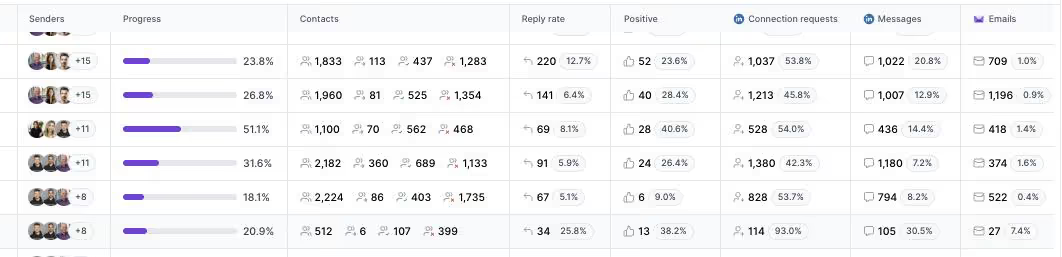
One falsifiable benchmark: UniteSync ran on Salesforge, Mailforge, and Warmforge to an 85.26% positive reply rate and a $2.86 CAC. The case study is public, and the multichannel outcome data below is the kind neither competitor produces.
Frequently Asked Questions
Is Salesforge better than Octopus CRM or Meet Alfred?
For multichannel B2B outbound at scale, yes. Salesforge runs LinkedIn and email in one sequence, includes free Warmforge warm-up and the Primebox™ unified inbox, and doesn't charge per seat. Octopus CRM is LinkedIn-only and browser-based, and Meet Alfred's email side has no verification or warm-up. For a solo operator on pure LinkedIn with the tightest budget, Octopus CRM can still be the cheaper, simpler pick.
What's the main difference between Salesforge, Octopus CRM, and Meet Alfred?
Channels and architecture. Octopus CRM is a Chrome extension for LinkedIn only, so your computer must stay on. Meet Alfred is a cloud tool that adds email and X but leaves email verification and deliverability to you. Salesforge is a cloud multichannel platform where email and LinkedIn share one sequence and one inbox, backed by free warm-up, three infrastructure options, and an optional AI SDR (Agent Frank).
Which is cheaper: Salesforge, Octopus CRM, or Meet Alfred?
Octopus CRM has the lowest sticker price, from $9.99/mo ($6.99/mo annual). But Octopus and Meet Alfred both bill per LinkedIn account, so cost multiplies with each seat. Salesforge Growth is a flat $96/mo monthly ($80/mo annual) with unlimited users and free warm-up. For a three-rep team on Meet Alfred Pro ($297/mo monthly), Salesforge Growth is cheaper and covers everyone.
Do Octopus CRM and Meet Alfred support email outreach?
Only partly. Octopus CRM has no email outreach channel; its connect-by-email feature just bypasses LinkedIn's weekly invite limit. Meet Alfred does run email sequences, but it scrapes addresses without verifying them and ships no warm-up or sending infrastructure, so bounce risk is yours. Salesforge includes email natively with free Warmforge warm-up, ESP matching, Bounce Shield, and built-in validation.
Can I switch from Octopus CRM or Meet Alfred to Salesforge easily?
Yes. Salesforge lets you connect unlimited mailboxes and LinkedIn senders and import contacts by CSV or from Leadsforge, so you can rebuild sequences quickly. Start with the 14-day free trial (no card required), connect a mailbox, and turn on free Warmforge warm-up while you migrate campaigns. Because Salesforge has no per-seat pricing, moving a whole team over doesn't multiply your bill the way per-account tools do.
Which tool has the safest LinkedIn automation?
Architecture drives safety. Octopus CRM is a Chrome extension, which sits closer to LinkedIn's detection surface and needs your browser open. Meet Alfred runs in the cloud, which reduces that exposure. Salesforge routes LinkedIn actions through quality proxies with session-token authentication (no password stored, no browser injection) and caps each of its six native actions at 30 per day per profile to stay within safe limits.
Does Salesforge offer a free trial?
Yes. Salesforge offers a 14-day free trial with no credit card required, including mailbox connections and free Warmforge warm-up during the trial. The trial caps usage at 50 contacts, 100 emails, and limited validation and personalization credits so you can test real sequences. Agent Frank, the AI SDR, is the exception: he needs a sales-led demo and a two-week warm-up rather than a self-serve trial.
Who is Meet Alfred best for?
Meet Alfred fits a solo operator or a small sales team that wants LinkedIn, email, and X in one cloud tool and is comfortable sourcing and verifying its own email data. Its manager oversight and white-label features suit small agencies watching several reps. Teams that need built-in email deliverability, an AI SDR, or pricing that doesn't climb per seat will get more from Salesforge.
.jpg)

.jpg)

.jpg)