

Linked Helper is a desktop app that automates LinkedIn from your computer. La Growth Machine is a cloud tool that runs LinkedIn, email, and Twitter sequences per identity. Neither owns email infrastructure, bundles warm-up, or ships an AI SDR.
For multi-channel B2B outreach at scale, Salesforge is the stronger choice. It runs email and LinkedIn in one sequence with no per-seat fee, includes free Warmforge warm-up, a unified inbox (Primebox™), and an optional AI SDR (Agent Frank). Plans start at $48/mo monthly ($40/mo annual).
I have run cold outreach for the better part of a decade, and Linked Helper and La Growth Machine tend to come up in one specific moment: a team that started on LinkedIn and now wants to do more. The two tools answer that differently. Linked Helper is a desktop app you install and run locally. La Growth Machine is a cloud platform that layers email and Twitter on top of LinkedIn.
This guide covers what each tool actually is, what it costs in 2026 (from live pricing pages, not stale blog data), and where Salesforge fits. Every claim is anchored to a vendor pricing page or a named Salesforge customer outcome. UniteSync, for one, reached an 85.26% positive reply rate at a $2.86 CAC on the Forge Stack. If a number is not verifiable, it is not in here.
LinkedIn Outreach Tools at a Glance: Linked Helper vs La Growth Machine
| Feature | Salesforge | Linked Helper | La Growth Machine |
|---|---|---|---|
| Outreach channels | Email + LinkedIn (phone on roadmap) | LinkedIn only (email finder for enrichment) | LinkedIn + email + Twitter/X + calls |
| Architecture | Cloud | Desktop app (computer must stay on) | Cloud |
| Entry price | $48/mo monthly ($40/mo annual) - Salesforge Pro | $15/mo monthly ($8.25/mo annual) per LinkedIn account - Standard | ~€60/mo monthly (€50/mo annual) per identity - Basic |
| Multi-channel plan | $96/mo monthly ($80/mo annual) - Salesforge Growth | $45/mo monthly ($24.75/mo annual) - Linked Helper Pro (LinkedIn only) | ~€120/mo monthly (€100/mo annual) per identity - Pro |
| LinkedIn senders | Unlimited (Growth plan) | 1 per license | 1 per identity |
| Email warm-up | Free, unlimited (Warmforge) | None | None |
| Email infrastructure | 3 options (Mailforge, Infraforge, Primeforge) | No | No (bring your own mailbox) |
| Unified email + LinkedIn inbox | Primebox™ (free, included) | No unified inbox | LGM Inbox (its own channels) |
| AI SDR | Agent Frank (separate, $499/mo billed quarterly) | No | No |
| Lead database | 500M+ contacts (Leadsforge) | Email finder credits only | Enrichment only (no native database) |
| Free trial | 14 days, no card | 14 days, no card | 14 days, no card |
| SOC 2 compliant | Yes | Not advertised | Not advertised |
| Best for | SMB/mid-market B2B, $5K-$100K ACV | Solo LinkedIn prospectors on a budget | Small teams wanting LinkedIn + email + X |
Linked Helper Overview
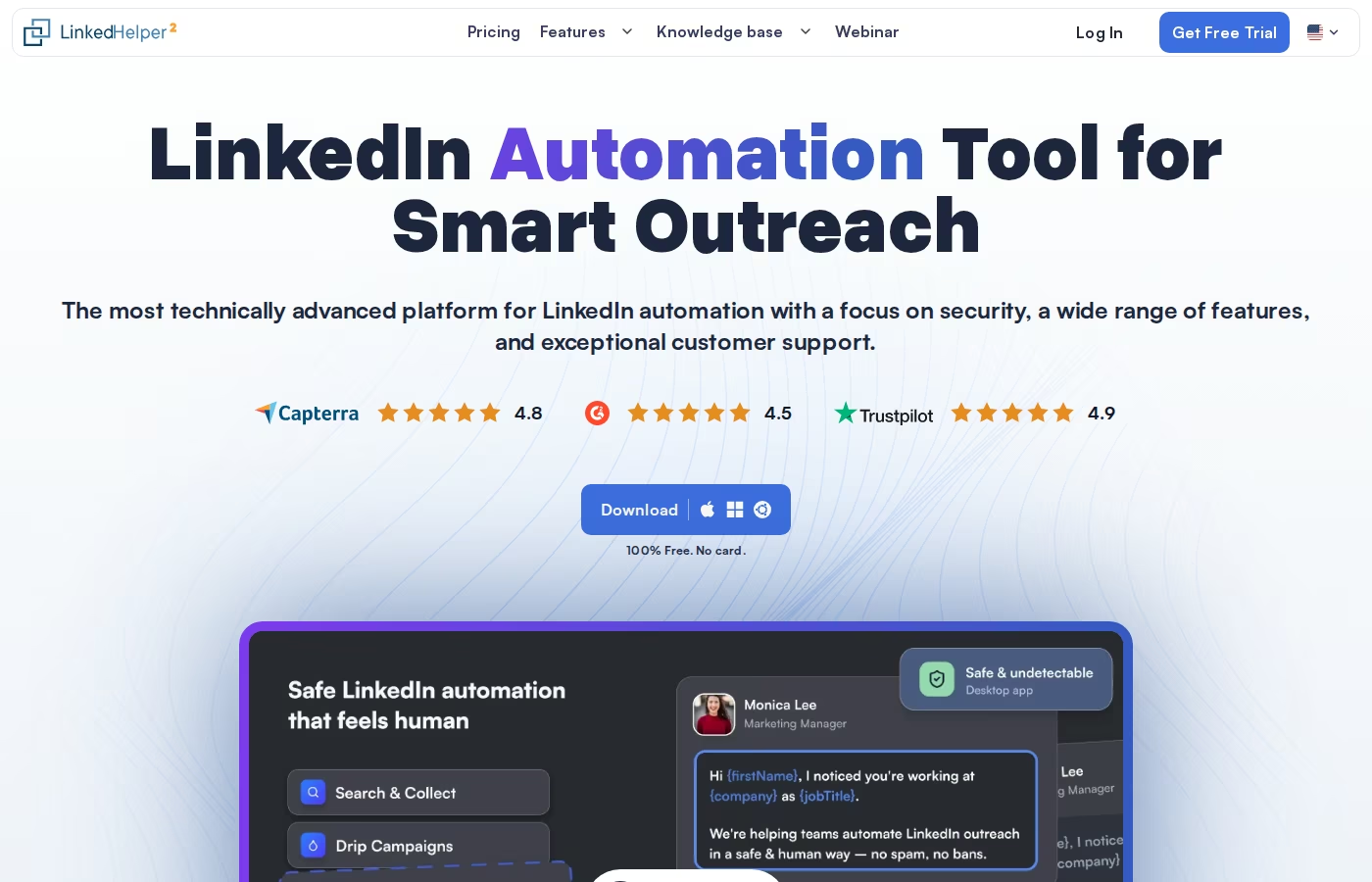
Linked Helper is one of the oldest LinkedIn automation tools on the market, running for 8+ years with 300,000+ users. It is a desktop application for Windows, Mac, and Linux, not a browser extension. It runs a built-in browser session and repeats human actions without injecting code into LinkedIn, which the company argues is safer than extension-based tools.
What Linked Helper does well:
- LinkedIn campaign automation. Connection requests, message sequences, InMails, profile visits, endorsements, group and event messaging, auto-follow.
- Campaign chaining. Prospects who accept a request move automatically into a messaging campaign, then a follow-up campaign if they do not reply.
- Built-in CRM. Tagging, auto-tagging, notes, and lead tracking without a separate subscription.
- Data Enricher. Finds emails and phone numbers, with 620 data credits per month on Standard and 3,100 on Pro.
- New AI features. AI Messages, AI Comments, and AI ICP Detection, with 250 AI credits on Standard and 500 on Pro.
- Export and webhooks. CSV export plus webhooks into Zapier, Make, HubSpot, Pipedrive, and Close CRM.
Linked Helper's live pricing is billed per LinkedIn account (local-storage version):
- Linked Helper Standard: $15/mo monthly, or $8.25/mo on the 12-month term. Core automation, unlimited campaigns, CRM, CSV export, but advanced actions capped at 20/day.
- Linked Helper Pro: $45/mo monthly, or $24.75/mo on the 12-month term. Unlimited daily actions, advanced export, unlimited webhooks, 3,100 data credits.
A cloud-storage version costs more ($29.90 and $59.90/mo monthly) and only syncs your data to the cloud - the automation still runs on your desktop. Linked Helper is a solid fit for solo prospectors and small teams that want cheap, deep LinkedIn automation and are comfortable running a desktop app. My roundup of LinkedIn outreach tools puts it in context.
What Trustpilot reviewers say
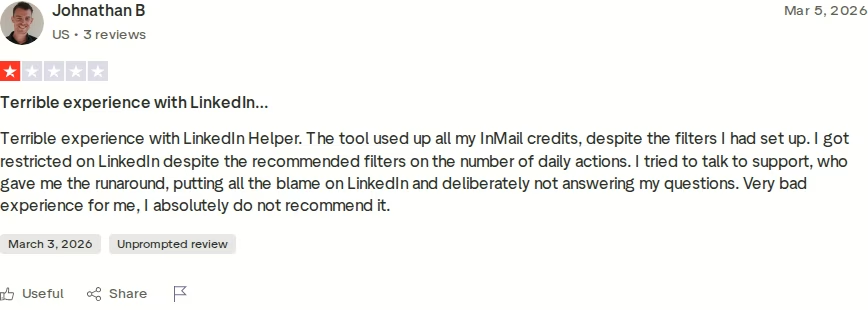
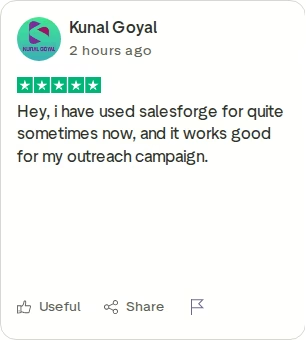
Linked Helper's headline Trustpilot score is high, but Trustpilot has flagged the account for soliciting reviews in a way its guidelines do not support, so the average skews positive. The 1-star reviews surface a consistent set of themes: LinkedIn account restrictions despite the recommended daily limits, InMail credits burning faster than expected, and support that puts the blame on LinkedIn. The reviewer above (March 2026, unprompted) hit all three.
Honest limitations I have noticed:
- It is LinkedIn only. There is no native email outreach channel. The email finder enriches contacts but does not send email sequences.
- The desktop model ties you to your computer. Campaigns only run while the app is open and the machine is on. Close your laptop and sending stops.
- Higher detection risk. Because automation runs locally rather than from distributed cloud IPs, reviewers report a higher chance of LinkedIn flagging the activity.
- No unified inbox. Managing several accounts means switching between them manually to read and reply.
- Learning curve. The visual builder is powerful but takes time to master.
La Growth Machine Overview
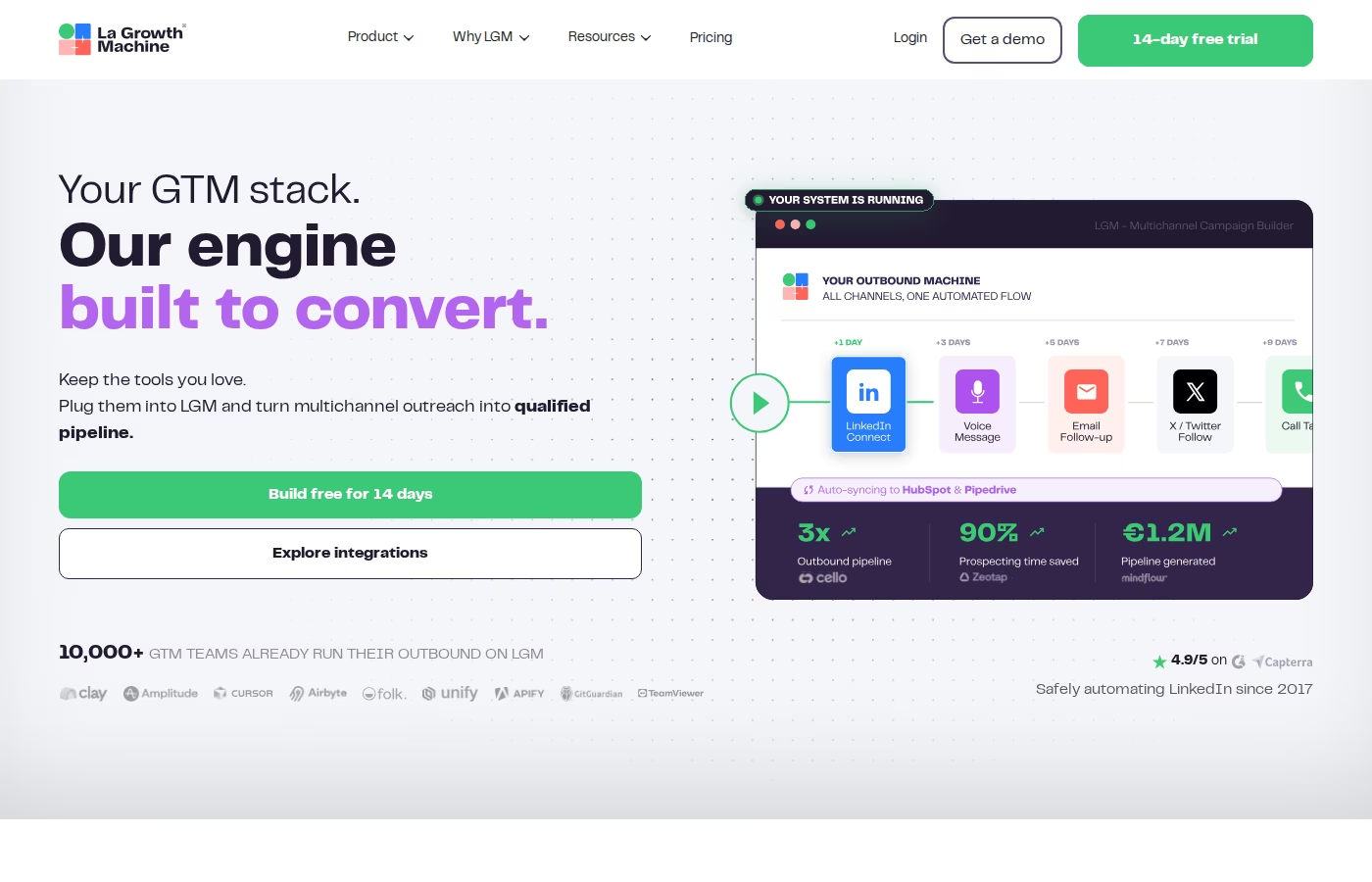
La Growth Machine (LGM) is a French cloud platform that has automated LinkedIn since 2017 and now runs multichannel sequences. It claims 10,000+ GTM teams and holds a 4.6/5 rating on G2 and Capterra. The cloud model means campaigns run 24/7 without your browser open, and each identity routes through dedicated 5G mobile proxies for account safety.
What La Growth Machine does well:
- True multichannel sequences. LinkedIn, email, LinkedIn voice messages, Twitter/X, and calls in one visual flow.
- Drag-and-drop sequence builder. A genuinely good visual editor, though custom sequences are gated to the top Ultimate plan.
- LinkedIn voice notes. A differentiator few competitors match, with strong reported reply rates.
- Waterfall enrichment. Enriches the lists you import with verified emails and profile data.
- Unified LGM Inbox. Consolidates replies from its own channels, with auto-stop on reply.
- CRM sync. Native HubSpot and Pipedrive, plus Salesforce and others via Zapier. EU data residency by default.
La Growth Machine's live pricing is billed per identity (one identity is one sender profile), with annual billing giving roughly 2 months free:
- La Growth Machine Basic: about €60/mo monthly (€50/mo billed annually). LinkedIn + email, ~250 leads enriched per month, up to 3 identities.
- La Growth Machine Pro: about €120/mo monthly (€100/mo billed annually, roughly $110/mo). Adds calls, rotating inbox, up to 6 campaigns, A/B testing, ~400 enrichments.
- La Growth Machine Ultimate: about €180/mo monthly (€150/mo billed annually). Adds Twitter/X, unlimited campaigns, ~1,000 enrichments, full CRM sync.
An Agency/Custom tier starts at a 6-identity minimum commitment. LGM is a reasonable fit for small teams that genuinely run LinkedIn, email, and Twitter together and want one visual builder. For a wider view of the category, see my writeup on La Growth Machine alternatives.
What Trustpilot reviewers say
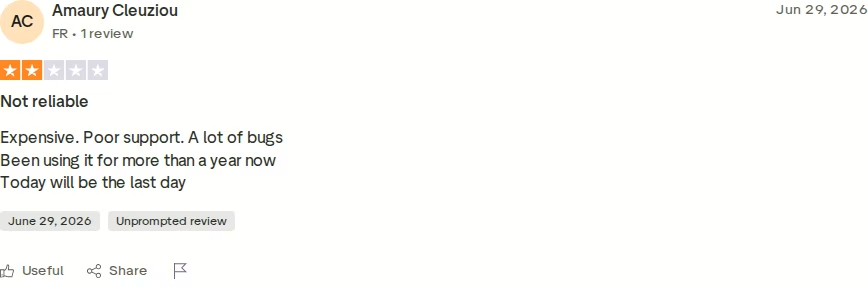
LGM's community scores are warm on G2 and Capterra, but its Trustpilot average sits at 3.3/5. The recurring complaints are consistent: bugs and sync errors, per-identity pricing that punishes growth, and features everyone needs sitting behind the Ultimate tier. The reviewer above (June 2026, unprompted) summed it up as "expensive, poor support, a lot of bugs." Another documented a bug that synced one user's emails into a teammate's inbox.
Honest limitations I have noticed:
- No native email warm-up. You connect a mailbox and send. There is no built-in warm-up or deliverability monitoring, so inbox placement is on you.
- No built-in lead database. LGM enriches lists you bring from LinkedIn, Sales Navigator, or CSV. It does not search for net-new contacts.
- Per-identity cost scales hard. Every sender profile is a new line item. A 5-person team on La Growth Machine Pro runs roughly €500/mo billed annually.
- Feature gating. Custom sequences, Twitter/X, and full CRM sync all require the top Ultimate plan.
- Bugs are the top user complaint. Sync errors and random logouts show up across review sites.
Salesforge Overview
Salesforge is the outreach execution layer of the Forge Stack, a connected set of products that replace the 30+ point tools most teams duct-tape into a cold outreach setup. It is built by a former VP of Sales (Frank Sondors), ships SOC 2-compliant infrastructure, and is trusted by 10,000+ businesses with a 4.6/5 G2 rating.
What Salesforge does in the core platform:
- Multi-channel conditional sequences. Email and LinkedIn automation in one flow with real if/then branching: if a connection request is accepted, send a LinkedIn message; if not, fall back to email.
- Six native LinkedIn actions. Connection requests, messages, InMails, post likes, follows, and withdraw requests, each capped at 30/day per profile to stay within safe thresholds.
- Account safety as standard. Actions route through high-quality proxies, authentication is session-token-only (your password is never stored), and there is no Chrome extension injection or DOM manipulation.
- Unlimited LinkedIn senders and unlimited mailboxes on the Growth plan, with smart mailbox rotation and dynamic IP rotation - no per-seat LinkedIn pricing.
- AI personalization across 21+ languages. Overdrive Mode pulls from a prospect's website, LinkedIn posts, and blog content to write each message uniquely.
- Primebox™ unified inbox. Email and LinkedIn replies in one view, with sentiment analysis and AI-drafted replies in Auto-Pilot and Co-Pilot modes on Growth, on desktop and mobile.
- Free unlimited Warmforge warm-up. A premium pool of real Google Workspace and Microsoft 365 mailboxes, Heat Score™ monitoring, placement tests, and DNS health checks.
- ESP matching, A/B testing, campaign analytics, Spintax, Bounce Shield, the Salesforge API, MCP server, and CLI, plus native integrations with HubSpot, Salesforce, Pipedrive, Clay, Sendspark, RB2B, and 3,000+ apps via Zapier.
What sets Salesforge apart is the stack behind it. It ties together email infrastructure (shared email infrastructure via Mailforge, dedicated IP infrastructure via Infraforge, and real Google Workspace mailboxes via Primeforge), deliverability (Warmforge), a lead database of 500M+ contacts (Leadsforge), a LinkedIn email finder Chrome extension that pulls verified emails from profiles (100 free credits to start), and an autonomous AI SDR (Agent Frank). Each product is purchased separately but syncs natively without Zapier between them. Customers can run it three ways: their own team, Agent Frank, or a Forge Expert agency.
Live pricing:
- Salesforge Pro: $48/mo monthly or $40/mo annual - 1,000 active contacts, 5,000 emails/month, 1 LinkedIn sender, 1 user, unlimited mailboxes, free Warmforge warm-up, Primebox™.
- Salesforge Growth: $96/mo monthly or $80/mo annual - 10,000 active contacts, 50,000 emails/month, unlimited LinkedIn senders, unlimited users, A/B testing, API, Primebox™ AI, ESP matching.
- Agent Frank: a separate subscription at $499/mo billed quarterly (or $416/mo billed annually), including 1,000 active contacts. He is not bundled into the Pro or Growth price.
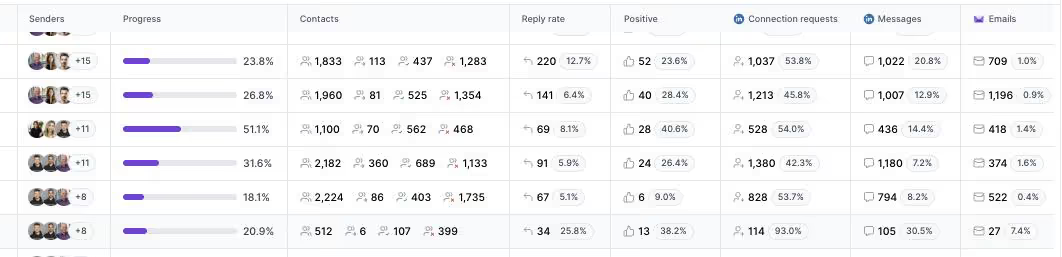
Real customer outcomes from named Salesforge case studies: UniteSync reached an 85.26% positive reply rate at a $2.86 CAC on Salesforge, Mailforge, and Warmforge; ChannelCrawler hit 85.71% positive replies on Salesforge, Infraforge, and Warmforge; and VAI Consulting had Agent Frank book 3 calls in his first week.
Honest limitations:
- Email infrastructure is not included in the Pro or Growth price. You bring your own mailboxes or buy Mailforge, Infraforge, or Primeforge separately.
- Several power features are Growth-only - the API, A/B testing, multi-language sequences, ESP matching, Primebox™ AI, and the full integrations library.
- Agent Frank needs a sales-led demo and a mandatory 2-week warm-up before sending. There is no self-serve trial for the AI SDR.
- Salesforge is not for everyone. It says so itself: if you sell into Fortune 500 procurement, run long RFP cycles, or live on a few six-figure bespoke deals, it is a poor fit.
in Action

Head-to-Head Feature Comparison: Linked Helper vs La Growth Machine
Multi-channel outreach
This is where the three tools diverge most.
- Linked Helper: LinkedIn only. The email finder enriches contacts, but there is no email sequencing channel at all.
- La Growth Machine: genuinely multichannel - LinkedIn, email, voice, Twitter/X, and calls in one visual sequence. Twitter/X is Ultimate-only.
- Salesforge: email and LinkedIn as first-class channels from day one, on every plan, in conditional sequences that branch on opens, replies, clicks, and profile actions.
For a LinkedIn-plus-Twitter motion specifically, La Growth Machine covers more surface than Salesforge does today. For LinkedIn-plus-email at scale, Salesforge runs both natively while Linked Helper cannot send email at all. If you are weighing broader options, my rundown of multichannel outreach tools goes deeper.
Email deliverability and warm-up
This is the widest architectural gap in the comparison.
- Linked Helper: not applicable - it does not send email, so there is nothing to warm up.
- La Growth Machine: sends email but includes no warm-up and no deliverability monitoring. You connect a mailbox and hope it lands.
- Salesforge: free unlimited always-on warm-up on every plan, using a curated pool of real Google and Microsoft 365 mailboxes, with Heat Score™ monitoring, placement tests, and health checks running continuously.
UniteSync's 85.26% positive reply rate and $2.86 CAC were built on always-on, free warm-up. You cannot copy that result on a tool where warm-up is a separate paid add-on.
AI and personalization
- Linked Helper: newer AI Messages, AI Comments, and AI ICP Detection features, credit-limited by plan. No AI SDR.
- La Growth Machine: AI writing assistance inside the sequence builder. No AI SDR.
- Salesforge: Overdrive Mode personalization from multiple sources, plus Agent Frank, an autonomous AI SDR sold separately at $499/mo billed quarterly, who prospects, writes, follows up, and books meetings in 21+ languages.
Agent Frank is closer to a junior SDR than a message generator. If you want to weigh AI SDRs specifically, my AI SDR comparison covers the trade-offs.
Inbox management and reply handling
- Linked Helper: no unified inbox. Each LinkedIn account is managed separately, with manual switching between them.
- La Growth Machine: the LGM Inbox consolidates replies across its own channels with auto-stop on reply - a real strength for its multichannel model.
- Salesforge: Primebox™ unifies email and LinkedIn replies in one view, tags threads by sentiment, drafts AI replies in Auto-Pilot and Co-Pilot modes on Growth, ships on mobile, and catches replies even from an address you did not contact.
Pricing and scalability
Headline price tells you little without scaling math.
- Linked Helper: cheap per license ($15-$45/mo), but billed per LinkedIn account. Five accounts on Linked Helper Pro is 5 x $45 = $225/mo monthly.
- La Growth Machine: per identity. Five identities on La Growth Machine Pro is roughly €500/mo billed annually, before enrichment overages.
- Salesforge: not seat-based. Salesforge Growth at $80/mo annual covers unlimited users, unlimited LinkedIn senders, and unlimited mailboxes. A 5-person team pays $80/mo total, not per seat.
At one seat the tools are close. At five seats the gap is roughly 3x, and it widens as you grow.
Integrations, infrastructure, and ecosystem
- Linked Helper: Zapier, Make, HubSpot, Pipedrive, Close CRM, Sales Navigator. No first-party email infrastructure.
- La Growth Machine: native HubSpot and Pipedrive, Salesforce via Zapier. No first-party infrastructure or lead database.
- Salesforge: native HubSpot, Salesforce, Pipedrive, Attio, GoHighLevel, folk, and Breakcold, plus three infrastructure products, Warmforge, a 500M+ contact database, a Salesforge API, an MCP server, and a CLI for the whole stack.
This is the breadth difference in one line: Linked Helper and La Growth Machine are outreach tools, while Salesforge is an outreach tool wrapped in its own infrastructure, deliverability, lead data, and AI SDR. You can browse the full sales tools directory or compare sales tools side by side if you want more context.
Pricing Comparison: What Each Tool Really Costs
All three tools look affordable at the entry price. The real cost shows up when you add seats, channels, and deliverability.
| Plan | Salesforge | Linked Helper | La Growth Machine |
|---|---|---|---|
| Free tier | 14-day trial | 14-day trial | 14-day trial |
| Entry plan (monthly) | Salesforge Pro - $48/mo | Linked Helper Standard - $15/mo per account | La Growth Machine Basic - ~€60/mo per identity |
| Entry plan (annual) | Salesforge Pro - $40/mo | Linked Helper Standard - $8.25/mo per account | La Growth Machine Basic - ~€50/mo per identity |
| Multi-channel plan (monthly) | Salesforge Growth - $96/mo | Linked Helper Pro - $45/mo (LinkedIn only) | La Growth Machine Pro - ~€120/mo per identity |
| Multi-channel plan (annual) | Salesforge Growth - $80/mo | Linked Helper Pro - $24.75/mo (LinkedIn only) | La Growth Machine Pro - ~€100/mo per identity |
| What multi-channel includes | Unlimited users, unlimited LinkedIn senders, unlimited mailboxes, Warmforge, Primebox™ | 1 LinkedIn account, unlimited actions, CRM, enrichment (no email sending) | 1 identity, LinkedIn + email + calls, rotating inbox, ~400 enrichments |
| Email warm-up | Free unlimited | Not applicable | Not available |
| AI SDR | Agent Frank - $499/mo billed quarterly (separate) | Not available | Not available |
Linked Helper bills per LinkedIn account and La Growth Machine bills per identity, so both scale with headcount. Salesforge Growth is flat: one price for unlimited users and senders.
A worked example. Say you are a 5-person team running multi-channel sequences on annual billing:
- Salesforge Growth: $80/mo total = $960/year (unlimited users and LinkedIn senders, Warmforge and Primebox™ included).
- Linked Helper Pro: $24.75/mo x 5 accounts = ~$124/mo = ~$1,485/year (LinkedIn only, no email, no warm-up, plus you still buy an email tool).
- La Growth Machine Pro: ~€100/mo x 5 identities = ~€500/mo = ~€6,000/year (multichannel, but no warm-up and no lead database).
Linked Helper looks cheapest on paper, but it only does LinkedIn - you would still pay for a separate email sending and warm-up stack to match what Salesforge includes. Verify the live price at salesforge.ai/pricing.
See Salesforge Growth in actionWho Should Use Which Tool
The right pick comes down to your motion. If you want the tactical fundamentals before choosing a tool, start with my LinkedIn outreach guide, then use the fit notes below.
You might consider Linked Helper if:
- Your outbound is LinkedIn-only and you have no plans to send cold email.
- You are a solo operator on a tight budget - at $8.25/mo annual for Standard, it is one of the cheapest LinkedIn tools around.
- You are comfortable running a desktop app and keeping your computer on for campaigns to fire.
You might consider La Growth Machine if:
- You genuinely need LinkedIn, email, and Twitter/X in one sequence, and voice notes are part of your play.
- You are a small EU team that values GDPR-by-default and French-language support.
- On the specific combination of LinkedIn plus native Twitter/X outreach, LGM covers a channel Salesforge does not offer today - if that channel matters to you, it is the better fit for that one job.
Choose Salesforge if:
- You sell B2B with ACVs between $5K and $100K to startups, SMBs, or mid-market companies - Salesforge's published ICP.
- You want email and LinkedIn in one platform with deliverability infrastructure included, not bolted on.
- You are tired of per-seat and per-identity pricing and want unlimited users, LinkedIn senders, and mailboxes on one plan.
- You need free always-on warm-up, a unified email and LinkedIn inbox, and a real 500M+ lead database.
- You are open to handing prospecting to an AI SDR (Agent Frank) while your team focuses on closing.
Final Verdict: The Stronger Multi-Channel Choice
Linked Helper and La Growth Machine are both good at what they set out to do, and both are narrower than they look. Linked Helper is a desktop LinkedIn automator with no email channel and a computer that has to stay on. La Growth Machine is a capable cloud multichannel tool with no email warm-up, no lead database, and per-identity pricing that climbs fast. Neither owns email infrastructure and neither has an AI SDR.
For multi-channel B2B outbound at scale, Salesforge is the stronger choice. Growth at $80/mo annual ($96/mo monthly) covers unlimited users, unlimited LinkedIn senders, unlimited mailboxes, free unlimited Warmforge warm-up, and Primebox™ - a combination neither alternative offers at any price.
One falsifiable benchmark to hold it to: UniteSync ran on Salesforge, Mailforge, and Warmforge to an 85.26% positive reply rate and a $2.86 CAC, and ChannelCrawler hit 85.71% positive replies on the same stack with Infraforge. Both case studies are public on salesforge.ai.
 Put Salesforge to the test - free, no card
Frequently Asked Questions
Is Salesforge better than Linked Helper and La Growth Machine?
For multi-channel B2B outbound at scale, yes. Salesforge runs email and LinkedIn in one sequence, includes free unlimited Warmforge warm-up, a Primebox™ unified inbox, and unlimited LinkedIn senders on the Growth plan at $80/mo annual. Linked Helper is LinkedIn-only, and La Growth Machine has no warm-up or lead database. For LinkedIn-only prospecting on a tight budget, Linked Helper Standard at $8.25/mo annual is a reasonable entry point.
What's the main difference between Salesforge, Linked Helper, and La Growth Machine?
Linked Helper is a desktop LinkedIn automation app with no email channel. La Growth Machine is a cloud multichannel tool (LinkedIn, email, Twitter/X, calls) with no email warm-up or built-in database. Salesforge is a full multi-channel platform with three native email infrastructure options (Mailforge, Infraforge, Primeforge), free Warmforge warm-up, a 500M+ lead database, an AI SDR (Agent Frank), and a Primebox™ unified inbox.
Which is cheaper - Salesforge, Linked Helper, or La Growth Machine?
Per license, Linked Helper is cheapest at $8.25/mo annual, but it only does LinkedIn. For a 5-person multi-channel team on annual billing, Salesforge Growth costs $960/year total (no per-seat fee), Linked Helper Pro runs about $1,485/year for five accounts plus a separate email tool, and La Growth Machine Pro runs roughly EUR 6,000/year across five identities. Salesforge scales cheapest because it is not seat-based.
Does Linked Helper support email outreach?
No. Linked Helper is a LinkedIn-only automation tool. Its Data Enricher finds email addresses and phone numbers to enrich your contacts, but there is no email sending or sequencing channel. If you want to run cold email, you need a separate tool. Salesforge, by contrast, runs email and LinkedIn in one conditional sequence and includes free Warmforge warm-up on every plan.
Does La Growth Machine include email warm-up?
No. La Growth Machine sends email but includes no built-in warm-up and no deliverability monitoring. You connect a mailbox and send, and inbox placement is your responsibility. To add warm-up you need a separate tool, which raises your total cost. Salesforge includes free unlimited Warmforge warm-up, with Heat Score™ monitoring, placement tests, and a curated pool of real Google and Microsoft 365 mailboxes.
Can I run LinkedIn and email together in one sequence on these tools?
Only two of the three. Salesforge runs email and LinkedIn in one conditional sequence that branches on prospect behaviour. La Growth Machine also combines LinkedIn and email (plus Twitter/X and calls), though it supplies no warm-up or infrastructure. Linked Helper cannot - it is LinkedIn-only, so email has to live in a separate tool entirely.
Can I switch from Linked Helper or La Growth Machine to Salesforge easily?
Yes. Salesforge supports CSV upload, Google Sheets connection, and native imports from Sales Navigator, so existing lists move over quickly. LinkedIn campaigns and email sequences can be rebuilt in Salesforge's sequence editor. Salesforge offers personal onboarding on the Growth plan and live chat support on every plan to help with migration.
Which tool has the strongest deliverability infrastructure?
Salesforge, by a wide margin. It offers three email infrastructure options (Mailforge shared IPs, Infraforge dedicated IPs, and Primeforge real Google Workspace and Microsoft 365 mailboxes) plus Warmforge, with Heat Score™ monitoring, placement tests, and DNS health checks. Linked Helper has no email infrastructure at all, and La Growth Machine has neither infrastructure nor warm-up. ChannelCrawler reached an 85.71% positive reply rate on the Salesforge stack.
.jpg)

.jpg)

.jpg)