I get asked which multichannel outreach tool to pick at least once a week.
So, I decided to spend the last few weeks digging into the six that keep coming up to find out.
The marketing on the website of most tools mention the same thing.
Email, LinkedIn and sometimes phone or SMS along with AI personalization, autonomous SDRs, all coordinated into one beautiful sequence.
But when I dug deeper, I found those statements to be misleading.
For example:
Lemlist's LinkedIn steps run through a Chrome extension that requires an active browser session to fire.
Apollo discontinued its native email warmup in 2024 and relaunched it in 2025 through third-party providers, with user-reported bounce rates running 20-30%.
Klenty's parallel dialer, the feature that makes phone-led outbound actually work, sits behind a separate $45/user/month add-on.
Salesforge is the only multichannel outreach platform that offers flat $40/month (billed annually) on Pro with unlimited mailboxes and 1 LinkedIn sender and at 80/month (billed annually) on Growth, it offers unlimited email accounts + LinkedIn senders.
In this post, the six tools I'm covering are Salesforge, Lemlist, La Growth Machine, Reply.io, Klenty, and Apollo.io.
I'm comparing how they handle native vs extension-based LinkedIn automation, pricing, AI personalization, warm-up and deliverability, CRM integrations, channel coverage, automation depth, and trial access, because those are the details that actually affect reply rates, campaign reliability, and total cost.
And the question I'm answering is: which tool actually does what it says?
Let's jump right in.
TL;DR: 6 multichannel outreach tools at a glance
Salesforge: Best overall for email and LinkedIn multichannel at scale, with unlimited mailboxes, unlimited LinkedIn senders, Warmforge warm-up included, and Primebox for unified replies. Pro from $40/month (billed annually). 14-day free trial, no credit card required.
Lemlist: Best for small teams that want visual email personalization with images, GIFs, and video, plus semi-automated LinkedIn via a browser extension. Email Starter from $39/user/month (billed annually).
La Growth Machine: Best visual sequence builder for email plus LinkedIn plus Twitter/X, popular with small EU growth teams that don't need a phone dialer. Basic from $50/user/month (billed annually).
Reply.io: Best for mid-market teams that want AI-driven multichannel sequences and have budget for the add-on stack required to get the full feature set. Multichannel from $89/user/month (billed annually).
Klenty: Best for phone-first multichannel teams that need a parallel dialer alongside email, SMS, WhatsApp, and LinkedIn tasks in a single cadence. Growth from $70/user/month (billed annually).
Apollo.io: Best budget bundle that combines a 275M-contact database with sequences and a basic dialer, suited to startups that can accept higher bounce rates. Basic from $49/user/month (billed annually).
What Every Multichannel Outreach Tool Should Actually Do
Like I said earlier, most tools n this category look the same from the homepage. They all list email, LinkedIn, phone, and sometimes SMS or WhatsApp as supported channels to automate outreach.
But testing each tool hands-on told me a different story.
In my opinion, there are six criteria that separate the tools that work at scale from the ones that work in demos.
Native channel execution, not manual task reminders
A native channel runs on the server. The platform sends the email, fires the LinkedIn connection request, dials the number, and delivers the SMS without the rep opening another tab.
A non-native channel is a task reminder: the platform tells the rep to go to LinkedIn and send the connection request, and the rep skips it on busy days.
Reps do not complete 7,500 manual LinkedIn tasks a month at 25-rep scale.
They skip them, and the multichannel sequence collapses back into email.
The next layer down is browser-extension automation, where the tool can fire LinkedIn actions but only while the rep's Chrome window is open with the extension active.
This sits between native and manual: it works until the laptop closes or the extension updates.
Conditional, cross-channel sequence logic
A multichannel sequence is not five separate sequences running in parallel.
It is one multichannel sales outreach platform workflow that powers outreach sequences and branches on cross-channel behavior.
If the prospect accepts a LinkedIn connection on Day 1, the Day 2 email gets replaced with a LinkedIn message. If the prospect opens the email twice without replying, the phone call queues earlier. Behavior-based sequences adjust follow ups based on engagement outcomes.
Without conditional logic, you are running multichannel campaigns next to each other and hoping the order is right.
Strong multichannel sales outreach tools let teams run multichannel outreach from one system instead of patching together a full outreach stack. If that logic is missing, the multichannel sequence collapses back into email.
That hurts execution because follow ups stop adapting to prospect behavior.
Deliverability that ships in the platform, not as a separate vendor
Multichannel outreach reduces email volume per prospect, which helps deliverability.
But it only helps if the platform also includes built-in deliverability tools for warm-up, domain authentication monitoring, mailbox rotation, and spam testing. With a healthy setup, proper deliverability tools can push open rates above 70%.
Apollo discontinued its email warm-up in 2024. Outreach and Salesloft have never offered native deliverability.
If the tool you choose ignores SPF/DKIM/DMARC monitoring and domain health monitoring, you'll pay for a second vendor to fill the gap.
Pricing that doesn't bury the actual cost in add-ons
The advertised entry price and the real cost at scale are different numbers across this category.
Lemlist's Email Starter at $39/user/month (billed annually) does not include LinkedIn automation; you need Multichannel Expert at $99/user/month (billed annually).
Reply.io's Multichannel plan at $89/user/month (billed annually) requires a $69 LinkedIn add-on plus a $29 calls add-on plus Jason AI at $500 or more per month for the full picture.
Klenty's parallel dialer is a separate $45/user/month add-on on top of the Growth tier. Annual seat calculation compounds these gaps.
CRM integration depth, not just a logo on the homepage
A real CRM integration syncs contacts, activities, and engagement events bi-directionally and lets sequences trigger on CRM field changes, so CRM data can power automation instead of just sitting in separate systems.
A logo integration pushes data one way and forces manual reconciliation. Native Salesforce and HubSpot connections are now table stakes for serious sales teams. Competitors such as Amplemarket and Reply.io connect directly with HubSpot, Salesforce, and Pipedrive, while Salesloft is known for deep Salesforce sync.
Sales Navigator integration matters specifically for LinkedIn-led motions.
Honest free trial access without a credit card
A 14-day trial that requires a credit card and converts to a paid plan automatically is a different product than a trial you can walk away from.
Salesforge offers 14 days with no credit card required. Klenty matches this.
Several tools in this comparison require a card upfront or restrict trial features to the cheapest tier, which limits real evaluation.
Feature Comparison: 6 Multichannel Outreach Tools at a Glance
Salesforce, HubSpot, Pipedrive, Zoho, Microsoft Dynamics 365 (CRM Acceleration framework)
Native Salesforce and HubSpot bi-directional
Free LinkedIn Email Finder via Chrome Extension
Salesforge-branded Chrome extension free to install, shared across the Forge Stack; email and phone lookups use Leadsforge credits (100 free on signup)
Email finder credits via paid plan
Built-in email finder via third-party enrichment (Datagma, Dropcontact, Hunter, Prospeo)
Database access via SuperSearch on paid plans
Prospect IQ data enrichment on Plus plan
Database access included, Chrome extension available
AI SDR / autonomous outbound
Agent Frank available as a separate add-on at $499/month (billed annually)
Not offered
Not offered
Jason AI as separate product at $500 to $1,500+/month
Forge MCP Server connects the Forge Stack to Claude, Cursor, and other AI clients
Not offered
Not offered
Not offered
Not offered
Not offered
Free trial
14-day free trial, no credit card required
14-day free trial
Free trial available, limits vary by plan
Free trial, credit card required after
14-day free trial, no credit card required
Free tier with 100 credits, paid plans require card
Best for
Teams running email and LinkedIn outreach at scale who want unlimited senders, native warm-up, and unified replies in one platform
Small teams that want creative visual emails and accept semi-automated LinkedIn via extension
Small EU growth teams that want a visual workflow builder for email plus LinkedIn plus Twitter/X
Mid-market teams that need AI-driven sequences and have budget for the add-on stack
Phone-first SDR teams that need a parallel dialer alongside email and LinkedIn
Startups that need data and basic sequences in one tool and can accept higher bounce rates
Channel Coverage Matrix: What Each Tool Actually Automates
This is where the homepage marketing diverges from the reality of running a real campaign.
Native means the action fires on the server with no rep involvement. Extension means it fires only while the rep's browser is open.
Manual means the tool generates a task reminder for the rep to execute by hand.
Channel / Action
Salesforge
Lemlist
La Growth Machine
Reply.io
Klenty
Apollo.io
Email sequences
Native
Native
Native
Native
Native
Native
Email warm-up
Native (Warmforge)
Native (Lemwarm)
None
Limited
Native
Discontinued 2024; 3rd-party 2025
Email rotation across mailboxes
Native, unlimited mailboxes
Limited by plan
Limited
Limited
Native
Limited
LinkedIn connection requests
Native, 6 LinkedIn Actions
Extension
Extension
Extension
Auto on higher tiers
Manual task
LinkedIn messages
Native
Extension
Extension
Extension
Auto on higher tiers
Manual task
LinkedIn profile views
Native
Extension
Extension
None
None
None
LinkedIn InMails
Native
None
Extension
None
None
None
LinkedIn voice messages
None
None
Extension
None
None
None
Twitter / X DMs
None
None
Native
None
None
None
Phone calls
None
None
None
Add-on
Native (parallel as add-on)
Native (basic)
SMS
None
None
None
Add-on
Native on Growth
None
WhatsApp
None
None
None
Add-on
Native on Growth
None
Conditional cross-channel logic
Native
Basic
Visual
Basic
Native
Basic
Three important things to note here
Salesforge sits in a different lane than Klenty, Apollo, and Reply.io. It doesn't offer phone, SMS, or WhatsApp, and the article isn't going to pretend otherwise. What it does is run email plus LinkedIn at unlimited scale with native execution on both, without the Chrome extension fragility that ships with Lemlist, La Growth Machine, and Reply.io's LinkedIn step.
The second is that LinkedIn is the deepest automation gap in the category. Across these six tools, only Salesforge and Klenty's higher tiers offer native LinkedIn execution. Three tools use browser extensions that stop when the laptop closes, and Apollo treats LinkedIn as a manual task reminder.
The third is that channel breadth and channel depth pull in opposite directions. Klenty covers more channels than Salesforge but charges a separate $45/user/month add-on for the parallel dialer that makes calling at volume practical. Apollo bundles data with a basic dialer but discontinued email warm-up two years ago.
1. Salesforge: Best Overall for Email and LinkedIn Multichannel at Scale
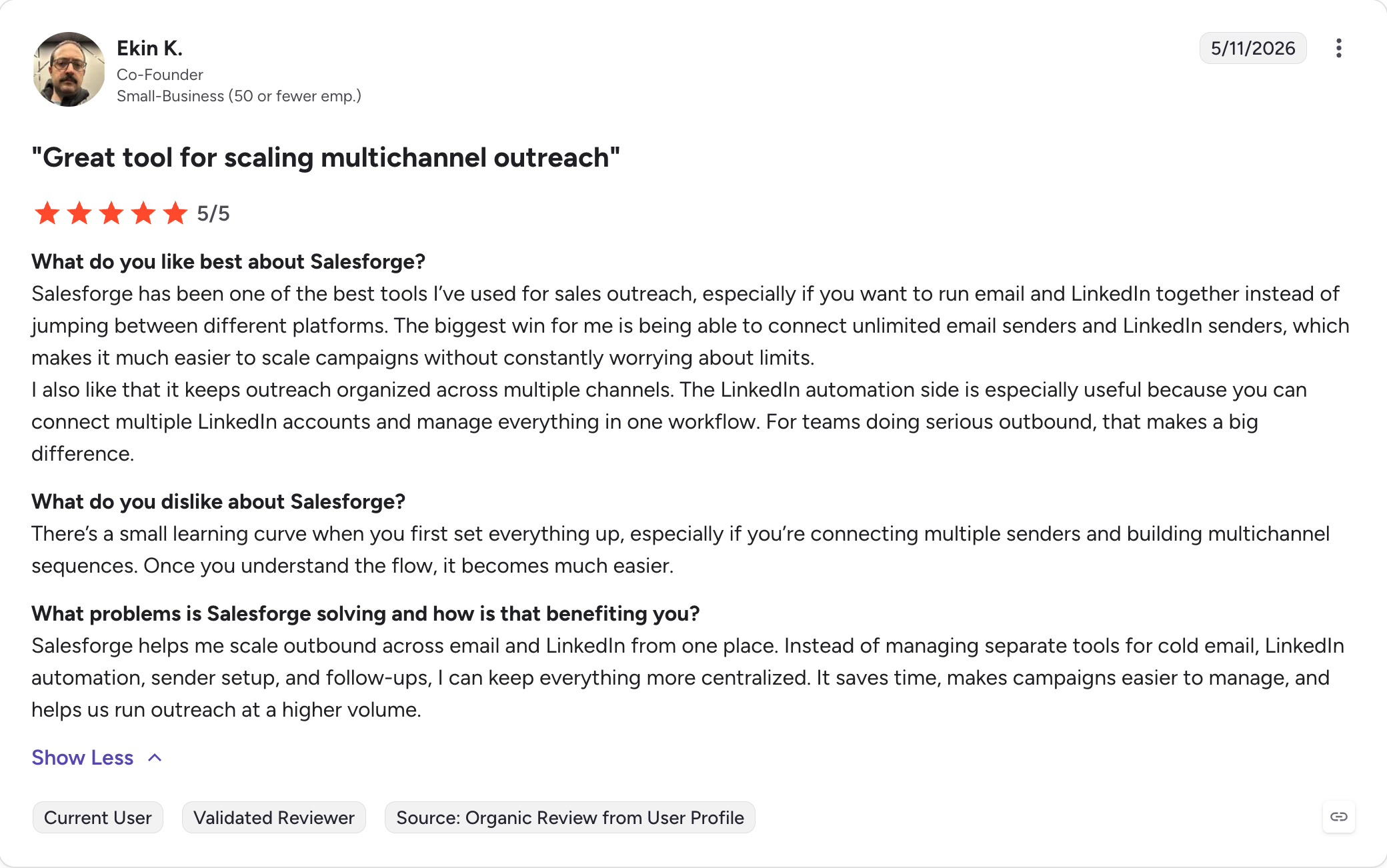
Salesforge is the only tool in this comparison that runs email and LinkedIn outreach at unlimited scale without forcing a per-seat fee on the mailbox side.
Pro at $40/month (billed annually) includes unlimited mailboxes and one LinkedIn sender, which is enough for a solo founder or a small SDR. Growth at $80/month (billed annually) opens up unlimited LinkedIn senders, unlimited users, and unlimited shared workspaces.
However, Salesforge doesn't run phone calls, SMS, or WhatsApp. For most B2B outbound motions where email and LinkedIn account for the majority of touchpoints, the trade pays off.
For phone-first teams, you'd pair Salesforge with a dialer or pick Klenty as the primary platform.
The Forge Stack ecosystem connects Salesforge to Mailforge, Infraforge, Primeforge, Leadsforge, and Warmforge under one login, with each product on its own subscription.
Core Multichannel Features
Unlimited mailboxes and unlimited LinkedIn senders: No per-seat or per-mailbox fee on the email side. Growth opens unlimited LinkedIn senders too. This is the single largest pricing variable in the category for agencies and mid-market SDR teams. Lemlist's Multichannel Expert at $99/user/month becomes $990/month at 10 reps. Salesforge Growth at $80/month is flat.
Conditional multichannel sequences with native LinkedIn execution: Sequences branch on cross-channel behavior. If a LinkedIn connection is accepted, the next email step is replaced with a LinkedIn message. If an email gets opened without a reply, the next touchpoint adapts. The 6 LinkedIn Actions (connection requests, messages, InMails, post likes, follows, withdraw requests) all execute natively rather than through a browser extension.
AI Personalization in 21+ languages, including the Localized Greeting variable: AI-generated messages use prospect-specific data from LinkedIn profile, company news, and industry context. The Localized Greeting variable inserts a culturally appropriate greeting (Hello, Bonjour, Hola, Guten Tag) based on the recipient's language and locale. The variable costs 1 personalization credit per sent message that uses it.
Primebox unified inbox with Auto-Pilot and Co-Pilot: Replies from email and LinkedIn land in one view. Co-Pilot drafts replies for human approval. Auto-Pilot continues conversations without rep intervention and keeps prospects moving through the sequence. The two modes mean reps can choose the level of AI involvement per campaign.
Warmforge warm-up included free with the Salesforge subscription: Heat scores target above 85 before sends start. Warmup runs in-house at no extra cost. This is the warm-up problem solved without a second vendor in the stack. Note that Warmforge is a separate product with its own standalone pricing if you want to use it outside Salesforge; inside Salesforge, the warm-up is included.
LinkedIn Email Finder via Chrome Extension: The Salesforge-branded Chrome extension is free to install and shared across the Forge Stack, surfacing verified emails and phone numbers from LinkedIn profiles and pushing contacts into a sequence. Email and phone lookups consume Leadsforge credits (roughly 1 credit per email, 10 credits per mobile number), with 100 free credits granted on Leadsforge signup so new users can start without a credit card.
Native Integrations: Native HubSpot, Pipedrive, and LinkedIn Sales Navigator. API access, Zapier, webhooks. The Forge MCP Server connects the Forge Stack to Claude, Cursor, and other AI clients via CLI for programmatic outbound workflows. No other tool in this comparison ships MCP server access.
Autonomous AI SDR, separate add-on, sold alongside Pro or Growth
All plans include unlimited mailbox rotation, dynamic IPs, email validation, Primebox, Bounce Shield, and access to the Salesforge-branded Chrome extension (free to install, with email and phone lookups running on Leadsforge credits). 14-day free trial, no credit card required.
The Salesforge subscription and the Leadsforge subscription are separate. Leadsforge handles lead search and enrichment at $49/month or $588/year (billed annually) with 100 free credits on signup.
Agent Frank is a separate add-on, not bundled with Pro or Growth.
Agent Frank at $499/month (billed annually) as separate add-on
Reply.io Jason AI at $500-$1,500+/month as separate product; others none
Free trial without credit card?
Yes, 14 days
Klenty also offers 14 days without a credit card; others vary
Bottom Line
If your motion is email plus LinkedIn at scale, Salesforge is the option that runs both natively without the per-seat mailbox tax, without the Chrome extension fragility, and without a second vendor for warm-up.
The Forge Stack ecosystem adds optional connected products (lead data, infrastructure) under one login but as separate subscriptions, so the cost scales with what you actually use.
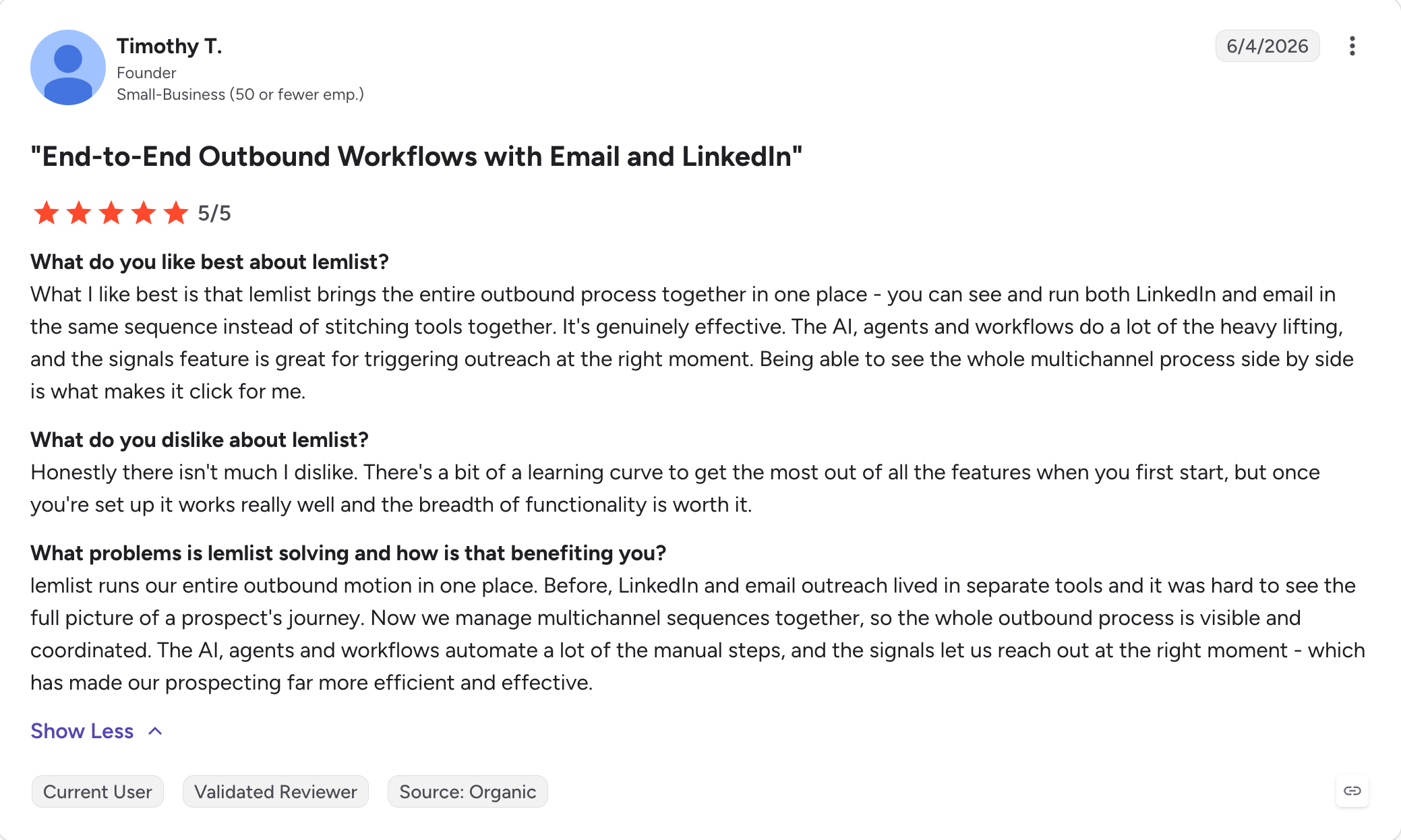
Nobody else makes the inbox feel like a hand-built outreach piece quite the way Lemlist does.
Embed an image with the prospect's name written on a coffee cup, drop their company logo into a screenshot of your dashboard, or attach a 30-second personalized video to the second touchpoint.
Users with smaller lists running creative outbound report meaningful lifts on reply rate when this works.
It mostly works for one set of teams: small, creative, email-first. Past that, Lemlist's structure starts to show its age. T
he LinkedIn automation runs via a Chrome extension that stops when the rep's browser closes. The Multichannel Expert plan at $99/user/month (billed annually) becomes the floor for serious multichannel work, and at 10 reps that's $990 a month before add-ons.
Core Features
Visual personalization with images, GIFs, and video: Dynamic image generation with prospect attributes (name, company, logo) merged into the asset at send time. This is the genuine differentiator and nobody else in this comparison ships it. The Vidly integration adds personalized video at the higher tiers.
Multichannel sequences combining email, LinkedIn, and voice (via Aircall): Email is native. LinkedIn is semi-automated through a browser extension. Voice is an Aircall integration on the Multichannel Expert and Outreach Scale tiers.
Lemlist built-in lead database: 450M+ B2B contacts available within the platform on paid plans. Credit-based usage similar to Apollo.
Lemwarm: Email warm-up included on all plans. Reviewers report that heat scores can drift away from actual inbox placement at higher send volumes, which is a structural issue across the warm-up category, not unique to Lemlist.
Per-seat from $39/user/month, multichannel at $99/user/month (all billed annually)
Flat-fee Pro at $40/month, Growth at $80/month, unlimited mailboxes (both billed annually)
LinkedIn automation
Chrome extension, browser must be open
Native server-side, 6 LinkedIn Actions
Email warm-up
Lemwarm included
Warmforge included
Visual personalization with images and GIFs
Yes, category-leading
Limited (text-first personalization with Localized Greeting variable)
Unified email + LinkedIn inbox
Basic
Primebox with Auto-Pilot and Co-Pilot
AI SDR option
Not offered
Agent Frank at $499/month (billed annually)
Where Lemlist Falls Short
LinkedIn automation reliability through the Chrome extension is the most-cited frustration in G2 reviews. Sequences pause when the rep's laptop sleeps.
Core features (multichannel, advanced triggers, Aircall) sit behind the $99/user/month Multichannel Expert plan, which makes the entry price misleading for teams that need LinkedIn from day one.
Bottom Line
Lemlist is the right tool for a small team running creative, email-first outbound with light LinkedIn touch and a budget that doesn't flinch at per-seat pricing. The visual personalization is uncommon in the category. For teams scaling past three or four reps, the per-seat math turns punishing fast and the LinkedIn extension fragility starts costing campaigns.
3. La Growth Machine: Best Visual Sequence Builder for Email plus LinkedIn plus Twitter/X
There's a niche where La Growth Machine wins outright.
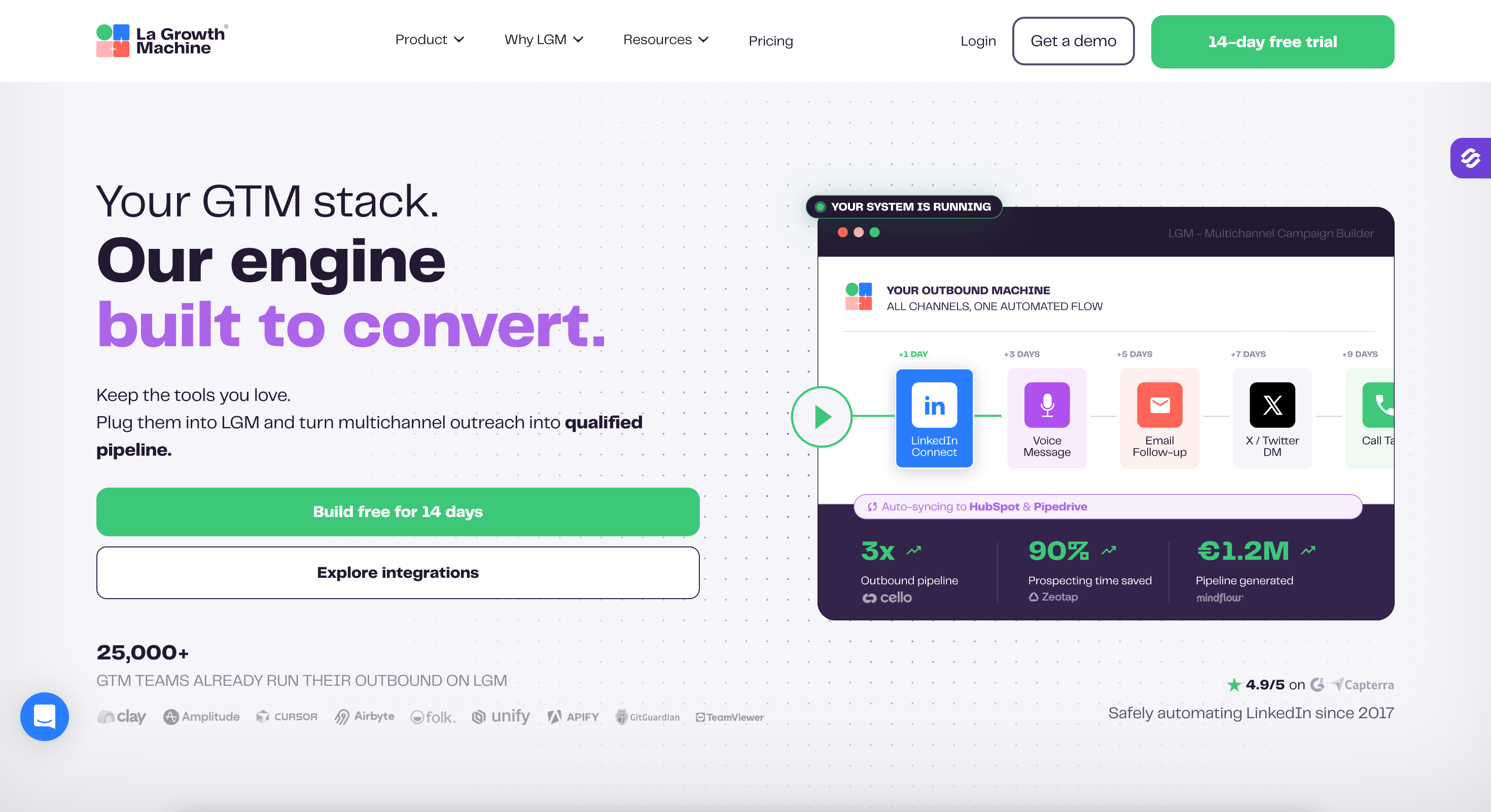
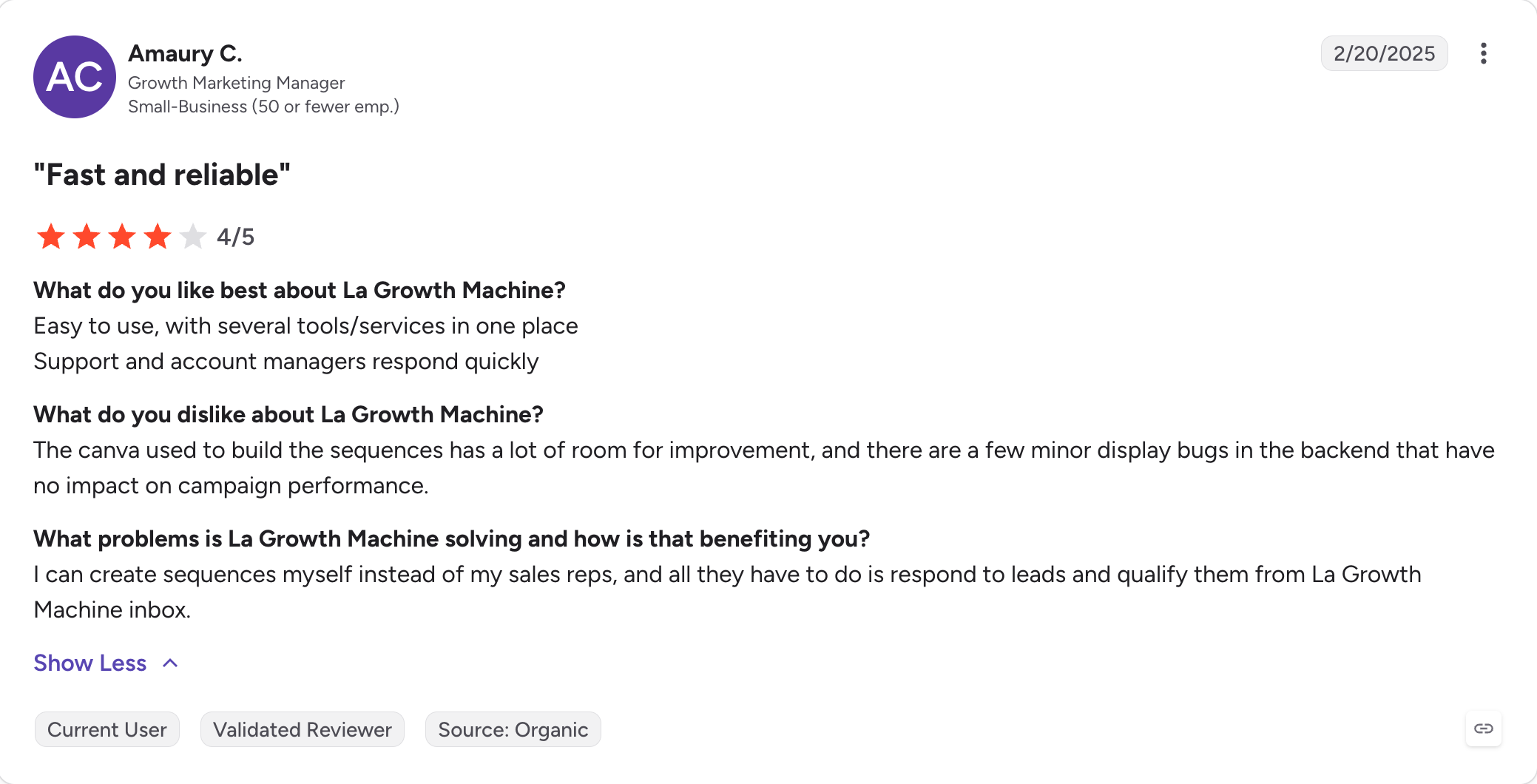
If you're a small EU growth team that wants to design a multichannel sequence visually, with conditional branches you can see on a canvas rather than configure through dropdown menus, and you specifically need Twitter/X DMs in the workflow, LGM is the right pick.
LGM doesn't ship a phone dialer (voice steps are manual task reminders), it doesn't ship a proprietary lead database, it doesn't ship intent signals, and its warm-up is essentially absent.
Third-party enrichment runs through Datagma, Dropcontact, Hunter, and Prospeo, and completion rates for professional emails sit somewhere between 30% and 60% depending on the lookup.
Half your imported contacts may be unreachable from day one.
Core Features
Visual drag-and-drop workflow builder: Flowchart-style design makes multichannel branching visible. Drag a LinkedIn connection step, then drag an email follow-up that fires only if the connection is accepted, and so on. The interface is more approachable than the panel-style builders in Salesloft or Outreach.
LinkedIn automation via Chrome extension: Connections, messages, profile views all run through the extension. Reliability concerns are smaller than competitors per user reports, but the fundamental laptop-must-be-open constraint remains.
Twitter/X DM steps: Unique in this comparison. If your motion involves social founders or developer-led segments where Twitter is still a viable channel, LGM is the only tool that automates it natively.
GDPR-native compliance: Built in France, with EU-first data residency and processing agreements that make it easier to procure for EU buyers than US-headquartered alternatives.
Built-in email finder: Third-party enrichment cascade through Datagma, Dropcontact, Hunter, and Prospeo. Completion rates vary significantly by segment.
None in core Salesforge; Salesforge-branded Chrome extension surfaces emails and phones via Leadsforge credits (100 free on signup)
Pricing
$50-$150/user/month (billed annually) per identity
$40-$80/month (billed annually) flat with unlimited mailboxes
Where La Growth Machine Falls Short
The absence of a phone dialer rules it out for any team where outbound calling is part of the motion.
No native warm-up means a second vendor in the stack from day one. Third-party enrichment completion rates leave half a typical contact list unreachable.
The visual builder is excellent, but the platform around it is thin.
Bottom Line
LGM is the right answer for a specific buyer: small EU growth teams that want a visual builder for email plus LinkedIn plus Twitter/X and already have clean contact data sourced elsewhere. For most US-based SDR teams running larger volumes and any phone outreach, the missing pieces add up faster than the builder advantage.
4. Reply.io: Best for AI-Driven Multichannel Sequences
Reply.io has the most ambitious feature set of any tool in this comparison and the most fragmented pricing structure to match.
The Multichannel sequence framework supports email, LinkedIn, phone, SMS, and WhatsApp inside a single workflow with conditional branching. Jason AI as an autonomous agent prospects, writes, sends, follows up, and books meetings across 50+ languages, with the AI model choice across Claude, Gemini, Mistral, and OpenAI sitting in admin settings.
The pricing structure is the problem the marketing pages don't address.
The base Multichannel plan is $89/user/month (billed annually) but only includes email-based multichannel sequencing. LinkedIn requires a $69/user/month add-on. The phone dialer is a separate $29/user/month add-on. Jason AI is a separate product priced at $500 to $1,500+ per month depending on volume.
The advertised entry price and the operational price at 10 reps with full features land miles apart.
Core Features
Multichannel sequence framework: Email, LinkedIn, phone, SMS, WhatsApp in one workflow with conditional branching, making Reply.io a capable multichannel sales outreach platform. The framework is well-designed.
Jason AI agent: Autonomous prospecting, message writing, reply handling, meeting booking across 50+ languages, with broad ai capabilities for personalized outreach. AI model choice (Claude, Gemini, Mistral, OpenAI) is unique in this category. Separate product at $500-$1,500+/month.
B2B database: 1B+ contacts claimed, 220M+ US contacts. Includes 10,000 free data search credits per month, and Reply.io connects directly with Salesforce, HubSpot, and Pipedrive.
Email warm-up via MailToaster partnership: Included on paid plans, third-party warm-up infrastructure.
LinkedIn automation via Chrome extension: G2 reviewers report cookie issues that can stop campaigns abruptly and at least one user describes a temporary LinkedIn account block tied to extension activity. The browser-based execution model has the same constraints as Lemlist and LGM.
Agency plan: $166/month flat for unlimited clients and users, which is useful for teams handling multiple client accounts.
Reply.io Pricing
Plan
Price
What's included
Email Volume
$59/user/month (billed annually)
Email sequences with unlimited mailboxes; LinkedIn ($69/account/month) and Calls/SMS ($29/user/month) sold as separate add-ons
Multichannel
$89/user/month (billed annually)
Reply.io's "All-Inclusive" plan: email, plus 1 LinkedIn account and 1 Calls/SMS user included per seat. Additional LinkedIn accounts and dialer seats use the same $69 and $29 add-on rates
Separate autonomous SDR product, layered on top of any base plan
The Multichannel plan covers email plus LinkedIn plus calls at $89/user/month billed annually for the included allocations, with Jason AI sitting as a separate $500+/month product on top.
Agent Frank at $499/month (billed annually) separately
Cost at 10 reps on Multichannel plan
$890/month base + Jason AI if added
$80/month flat on Growth (billed annually), unlimited users
Email warm-up
MailToaster partnership, limited
Warmforge included native
Where Reply.io Falls Short
teams that need additional LinkedIn accounts or dialer seats per user pay the $69 and $29 add-on rates on top of the $89 base.
Reply.io uses its own domain for the return-path address, which fails SPF alignment by default and requires manual DKIM configuration for DMARC compliance.
Reply.io is the right tool for mid-market teams that want Jason AI as their autonomous outreach agent and have the budget to assemble the full add-on stack. The framework is strong. The base price is misleading.
For teams comparing Jason AI to Agent Frank specifically, the comparison point is honest: both are autonomous AI SDRs priced as separate add-ons at roughly similar floor pricing, with Salesforge sitting on a more flexible underlying outreach platform.
5. Klenty: Best for Phone-First Multichannel Teams
If your motion runs on the phone, Klenty is the multichannel tool that takes calling seriously.
The Growth plan at $70/user/month (billed annually) opens up email plus calls plus LinkedIn plus SMS plus WhatsApp in a single cadence.
Klenty's pitch is that Outreach and Salesloft don't have parallel dialing natively while Klenty does, and the comparison is fair, though Klenty's parallel dialer sits as a separate $45/user/month add-on rather than being included in Growth.
At 10 reps on Growth plus the parallel dialer add-on, you're at $1,150/month. At 10 reps on Plus, you're at $990/month before the dialer add-on.
The platform is built thoughtfully, but the seat math compounds quickly.
Core Features
Multichannel cadences combining email, calls, LinkedIn, SMS, and WhatsApp: The full multichannel mix is rare in this category and works as documented in Klenty's product pages.
Parallel and power dialers: The parallel dialer is the standout, capable of multiplying call volume by 5x compared to click-to-call. Sold as a $45/user/month add-on rather than included in the Growth tier.
Agentic Cadences with AI Agents: Describe a play in plain English (channels, duration, touchpoints) and Klenty generates the full sequence including email copy, timing, LinkedIn steps, and personalized openers per prospect. Reviewer-approved before activation.
Prospect IQ data enrichment: Pulls intel from 150+ public sources (10-K filings, G2 reviews, hiring signals, tech-stack changes) and layers it on CRM history. Available on the Plus tier.
Call IQ conversation intelligence: Live transcription, AI objection detection, AI call scorecards. Plus tier only.
Email deliverability suite: Domain setup, SPF/DKIM/DMARC, inbox warm-up, AI email validation across 16+ providers (Klenty claims 99% accuracy), inbox rotation, live spam monitoring. Included from Starter.
CRM Acceleration framework: Native bi-directional sync with Salesforce, HubSpot, Pipedrive, Zoho CRM, and Microsoft Dynamics 365. Sequences can trigger on CRM field changes.
Per-seat pricing compounds the cost at scale, and the most-wanted features (parallel dialer, AI coaching, advanced data credits) sit behind add-ons or the Plus tier.
The AI Call Coaching Suite is genuine and works, but at $99/user/month plus the dialer add-on, you're approaching Outreach territory in cost.
Klenty doesn't ship a dedicated AI SDR product equivalent to Agent Frank or Jason AI; SDRx is positioned as a complementary product.
Bottom Line
Klenty is the multichannel tool of choice if calling is your primary motion and you want a serious parallel dialer alongside email and LinkedIn. The trade is seat-based pricing that compounds, with the highest-value AI features sitting on the Plus tier.
For phone-first SDR teams running 5-15 reps with structured call cadences, Klenty is worth the cost. For teams whose primary lift is email plus LinkedIn, the Klenty stack is more than they need.
6. Apollo.io: Best Budget Bundle (Data Plus Sequences)
Apollo is hard to beat on bundled price for a budget-constrained team.
The 275M+ contact database, email sequences, basic parallel dialer, and CRM integrations all sit inside a single subscription that opens at $49/user/month (billed annually).
For a startup or solo founder running early outbound, that's a tight package at a price point nobody else in this comparison hits.
On the downside, Apollo's own "Verified Emails" filter drops the searchable database from 275M to 96M contacts, which means roughly 65% of the database has unverified emails.
Apollo discontinued its native email warmup in 2024 and relaunched a limited version in 2025 through third-party providers on select paid plans, with Apollo noting it does not control or take responsibility for those services.
Core Features
275M+ contacts at the lowest price point in this comparison: Natural language search via AI Assistant (beta, launched October 2025). Free tier with 100 credits.
Email sequences with A/B testing and conditional logic: Solid, baseline functionality.
Basic parallel dialer included from the Basic plan: Below Klenty's capability but useful as a starter dialer.
Native bi-directional Salesforce and HubSpot integrations: Sync depth is one of Apollo's stronger features.
AI Assistant: Conversational lead search in beta, launched October 2025. Quality varies and the database's "verified emails" filter cuts coverage by roughly two-thirds.
Apollo.io Pricing
Plan
Price
What's included
Free
$0
100 credits, limited features
Basic
$49/user/month (billed annually)
Sequences, A/B testing, basic dialer
Professional
$79/user/month (billed annually)
Advanced sequences, dialer features, integrations
Organization
$119/user/month (billed annually)
Custom branding, advanced security, dedicated support
Not in core Salesforge, available via separate Leadsforge subscription (one login)
Email warm-up
Native discontinued 2024; 3rd-party relaunch 2025
Warmforge included
LinkedIn automation
Manual task reminders
Native, 6 LinkedIn Actions
Phone dialer
Native, basic
Not offered
Bounce rate (real-world)
25-35% per multiple G2/Reddit reports
Bounce Shield active protection
Pricing at 10 reps
$490-$1,190/month
$80/month flat on Growth (billed annually)
For teams that need lead data, the Forge Stack alternative is Leadsforge at $49/month or $588/year (billed annually) with 100 free credits on signup, sold as a separate subscription.
Salesforge and Leadsforge sit under one login but on separate subscriptions; the value is that lists flow into sequences without an export and re-upload step.
Where Apollo.io Falls Short
Data quality is the central problem. The 25-35% bounce rate translates into compounding domain reputation damage that the missing warm-up doesn't catch.
Two prior data breaches (2018 with 125.9M records, 2021 with 11M records) sit in the historical record. The Trustpilot rating reflects ongoing billing complaints.
LinkedIn outreach falls back to manual task reminders that reps skip in practice.
Bottom Line
Apollo is the right call for a solo founder or small startup that needs data plus basic sequences in one tool at the lowest price point and can manually verify emails before sending to protect their domain.
Final Verdict: Which Multichannel Outreach Tool Wins in 2026?
The finding here is not that one tool runs every channel better than the others.
It's that the category is defined by a single structural choice: how each tool handles LinkedIn.
Native server-side execution makes a sequence reliable across weeks.
Browser-extension automation makes it fragile.
Manual task reminders make LinkedIn theoretical, not actual.
A platform with native LinkedIn execution removes the third-party tool. A platform with included warm-up removes the second. A platform with unlimited mailboxes removes the per-seat tax.
By the time those three savings stack, the gap between entry price and real annual cost matters more than the homepage feature list.
Salesforge solves those three problems for the most common B2B outbound motion: email plus LinkedIn at scale. Pro at $40/month (billed annually) and Growth at $80/month (billed annually) ship with unlimited senders, native LinkedIn automation, Warmforge warm-up, and Primebox for unified replies.
For teams whose buyers respond mostly through email and LinkedIn (which is most of them in 2026), the trade is honest and the math works.
Multichannel sales outreach is the practice of engaging the same prospect across two or more communication channels (email, LinkedIn, phone, SMS, WhatsApp) inside a coordinated sequence, and teams use it to engage prospects across communication channels inside coordinated outreach campaigns, where the order and timing of touchpoints are designed to build familiarity rather than blast the same message everywhere. Done well, it lifts reply rates compared to single-channel cold email because buyers respond to different channels at different stages.
2) What's the difference between multichannel and omnichannel outreach?
Multichannel outreach strategy uses multiple channels in parallel or in sequence, but each channel can run with its own logic. Omnichannel coordinates all channels around a unified prospect view so that a reply on one channel automatically pauses outreach on the others. Multichannel is the prerequisite. Omnichannel is the conditional-logic version of it, and it requires a platform with cross-channel sequence orchestration built in.
3) Are LinkedIn automation tools risky in 2026?
Risk varies by execution model. Browser-extension automation tools (Lemlist, La Growth Machine, Reply.io) carry the most account risk because LinkedIn's terms of service prohibit automated interactions and extension activity is detectable. Native server-side automation (Salesforge) tends to operate within safer thresholds because the cadence and pacing are tuned at the platform level. Manual task reminders carry no automation risk at all but defeat the purpose of using a multichannel tool.
4) How much do multichannel outreach tools cost?
Entry prices in this category open at $39-$50 per user per month (billed annually) for email-only or limited-channel tiers. Real multichannel functionality typically opens at $70-$99 per user per month (billed annually) once LinkedIn, calling, or SMS are added. Salesforge is the structural outlier in this comparison at $40/month (billed annually) flat for unlimited mailboxes on Pro and $80/month for unlimited everything on Growth.
5) Can multichannel outreach hurt deliverability?
It can help or hurt, depending on infrastructure. Spreading touchpoints across LinkedIn, phone, and SMS reduces email volume per prospect, which protects sender reputation. But the multichannel benefit only works if the platform also handles warm-up, mailbox rotation, domain authentication monitoring, domain health monitoring, and spam testing.
6) What's the best multichannel outreach tool for agencies?
Agencies and lead generation agencies need flat-fee pricing, multi-client management, and unlimited mailboxes and senders without per-seat tax. Salesforge Growth at $80/month (billed annually) ships unlimited users, unlimited workspaces for managing multiple client accounts, and unlimited LinkedIn senders, which is the closest fit for agencies running multi-brand outbound.
7) How many channels does a multichannel outreach tool actually need?
The honest answer is two or three, executed natively. A tool that runs email plus LinkedIn well will outperform a tool that lists seven channels where five of them are manual task reminders or extension-dependent. Channel count on the homepage is a vanity metric. Native channel execution is the metric that determines whether the sequence actually runs.
8) Do I need both Salesforge and Leadsforge?
Salesforge handles email and LinkedIn outreach. Leadsforge handles lead search, enrichment, and prospect data, so teams that want built-in data do not need a separate data subscription. They sit under one login but on separate subscriptions ($40-$80/month for Salesforge billed annually; $49/month for Leadsforge billed annually). Teams that need both pay for both. The value is that lists flow from Leadsforge into Salesforge without an export-and-re-upload step, which reduces friction compared with moving lists between tools in a larger outreach stack. If you already have a lead source you trust and use it elsewhere, you only need Salesforge.
Book more meetings on autopilot
Set up in minutes. No per-seat pricing. No commitment.
Compare 5 LinkedFusion alternatives for LinkedIn outreach, with a clear look at pricing, automation, account safety, reply handling, and multichannel features.
Compare 5 ListKit alternatives for sales outreach. See which tools are best for prospecting, cold email, LinkedIn outreach, scaling campaigns, and B2B sales data.




.jpg)

.png)
.jpg)