Table of contents
Get insights delivered straight into your inbox every week!
Summarize with

10 Best GTM Tools Used by the Top 1% in the Industry (2026)

You already know your ICP.

You have a product that solves a real problem.

But somewhere between "we're ready to sell" and "they're ready to buy"... the motion breaks down.

Prospects don't convert.

Sequences don't land.

The pipeline stays thin.

I've seen this with SDR teams, outbound agencies, and founders running sales themselves. 

In my experience, the issue is rarely effort.

It's usually the wrong tools doing the wrong jobs.

GTM tools fix that.

They handle prospecting, outreach, pipeline tracking, and revenue intelligence... so your team spends time selling, not managing spreadsheets.

In this guide, I'll walk through 10 go-to-market tools used by top B2B teams in 2026. 

TL;DR: 10 Best GTM Tools

  • Salesforge - Best for email and LinkedIn outreach with an AI SDR built in
  • Sendr.ai - Best for LinkedIn keyword-triggered outreach with personalised video delivery
  • Cognism - Best for phone-verified contact data with global compliance included
  • Warmly - Best for real-time website visitor identification and account intent scoring
  • Clay - Best for waterfall enrichment across 150+ providers with AI contact research
  • Factors.ai - Best for signal-led GTM workflows built by a dedicated engineering team
  • GTM Engine - Best for automatic CRM updates from every call, email, and meeting
  • ZoomInfo - Best for verified B2B contact data with parallel waterfall enrichment built in
  • Influ2 - Best for contact-level ad targeting tied to named buyers in your CRM
  • SalesboxAI -Best for intent tracking, outreach, and pipeline analytics in one system

What Are GTM Tools?

A GTM tool helps your sales team move a prospect from "never heard of you" to paying customers.

It is not one tool.

It is a category.

For example, one tool finds verified contact data.

Another sends your outreach sequences.

A third tracks whether deals are moving forward.

Each tool handles a specific part of the GTM process.

Without these tools, your team does everything manually. 

That means slower outreach, missed follow-ups, and an inconsistent pipeline.

GTM tools remove that friction.

They connect your prospecting, outreach, and revenue tracking into one repeatable process.

10 Best Sales Cadence Tools in 2026 (Tried & Tested)

Top 10 Best GTM Tools: A Complete GTM Tools List

Tool Ideal Use Case Key Highlight
Salesforge Multi-channel outbound Email and LinkedIn sequences with unlimited mailboxes and AI SDR
Sendr.ai LinkedIn-triggered automation Keyword monitoring with personalised video sent via DM or email
Cognism B2B contact data Phone-verified numbers with buying signals and global compliance
Warmly Inbound intent tracking Real-time visitor identification with account intent scoring
Clay Lead enrichment Waterfall enrichment across 150+ providers with an AI research agent
Factors.ai Signal-led GTM workflows Intent signals with a done-for-you workflow setup and maintenance
GTM Engine CRM automation CRM is updated automatically from every call, email, and meeting
ZoomInfo Large-scale contact data 500M+ verified contacts with parallel enrichment across 25+ vendors
Influ2 Contact-level ABM Named buyer ad targeting tied directly to CRM contacts
SalesboxAI All-in-one GTM platform Intent, outreach, ads, and pipeline tracking in one system

1. Salesforge

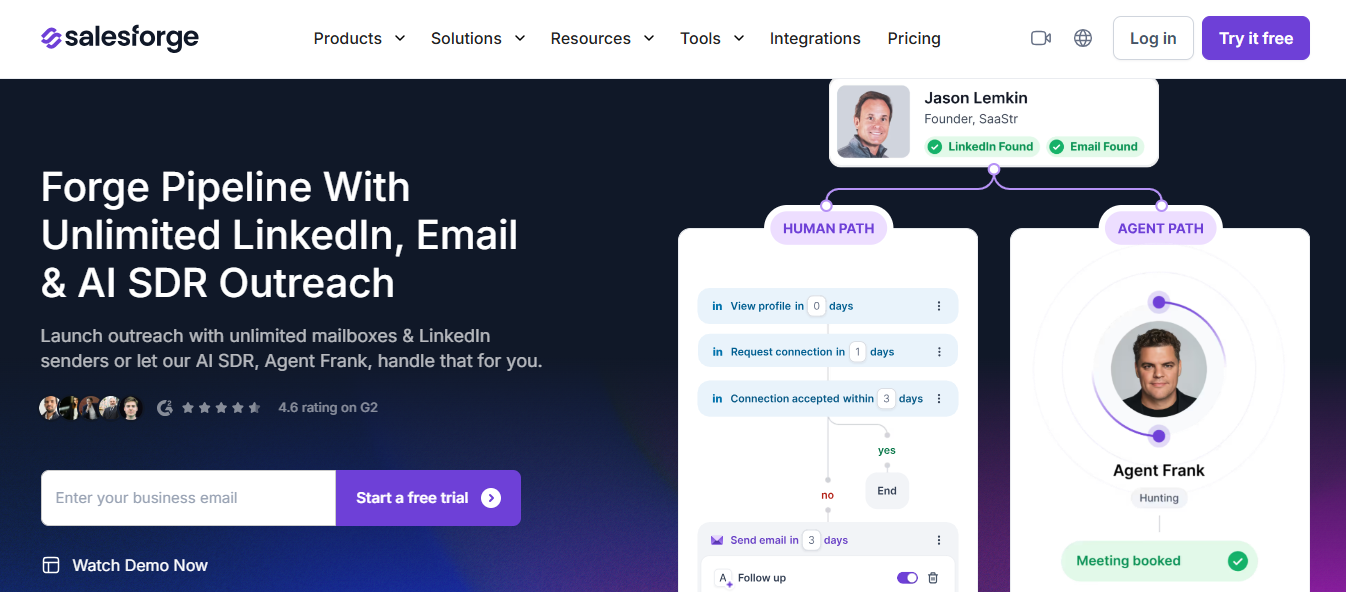
Salesforge homepage
This image shows the Salesforge homepage

Most GTM tools make you choose between email and LinkedIn.

Salesforge runs both in one sequence.

You set the steps, and the tool handles the timing across channels.

I tested it for a multi-channel GTM process. 

What I noticed was how little switching I had to do.

Leads come in from Leadsforge, mailboxes warm through Warmforge, and sequences go out from Salesforge.

Everything sits in one place.

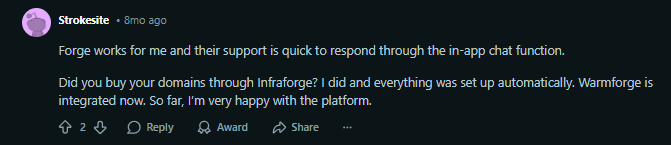
User experience using Salesforge
This image shows the User experience using Salesforge

Replies from email and LinkedIn both land in Primebox.

You are not jumping between inboxes to track responses.

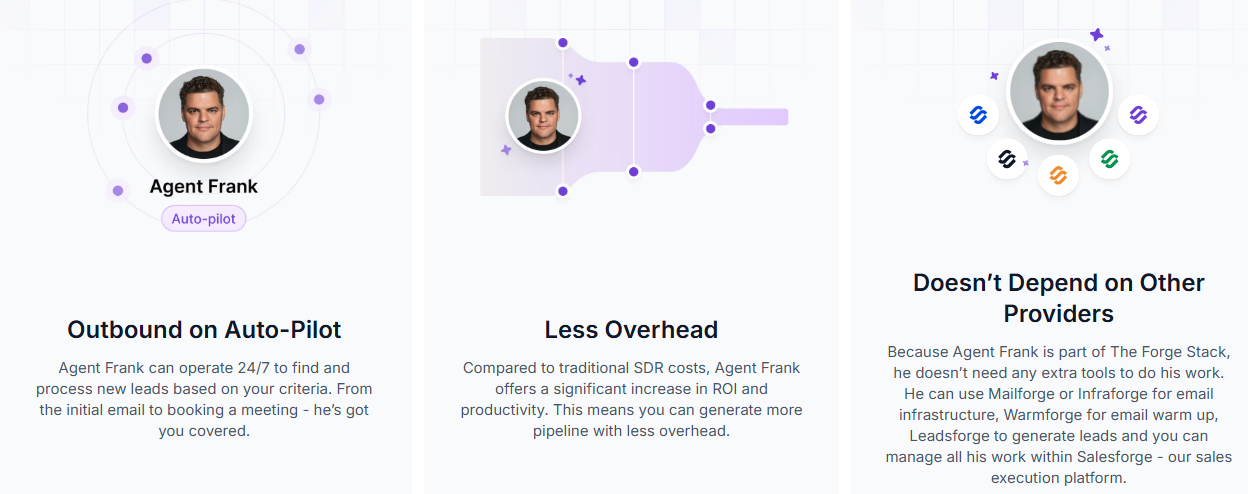
For teams that want to run outbound without adding headcount, Agent Frank works like a dedicated SDR on your team. 

He finds prospects, writes emails, sends sequences, and books meetings — all on Auto-Pilot.

This image shows Agent Frank’s features
This image shows the Agent Frank’s features


Alt Text: This image shows Agent Frank’s features

You define the ICP, and he processes contacts continuously.

If you want more control, Co-Pilot mode lets you review emails before they go out.

Key Features of Salesforge

  • Multi-channel sequences combining email and LinkedIn steps in one builder
  • Unlimited mailboxes and LinkedIn senders with no seat-based limits
  • ESP matching that route sends through the right email provider automatically
  • A/Z testing across more than two message or subject line variants
  • Agent Frank is running on Auto-Pilot or Co-Pilot for autonomous outreach
  • ICP-based continuous prospecting that finds and processes new contacts around the clock
  • Primebox is consolidating all email and LinkedIn replies in one inbox
  • Built-in warmup via Warmforge running automatically in the background

Pros and Cons

Pros Cons
  • Email and LinkedIn sequences in one platform
  • No cap on mailboxes or LinkedIn senders
  • Agent Frank prospects and follows up autonomously
  • ESP matching routes sends to the right provider
  • Leads, warmup, and outreach run from one stack
  • Agent Frank runs on a separate pricing tier
  • 2-week warmup before Agent Frank starts sending
  • Personalization credits deplete fast at high volume
  • LinkedIn senders need a manual connection per profile
  • High volumes need Mailforge at an additional cost

Salesforge Pricing

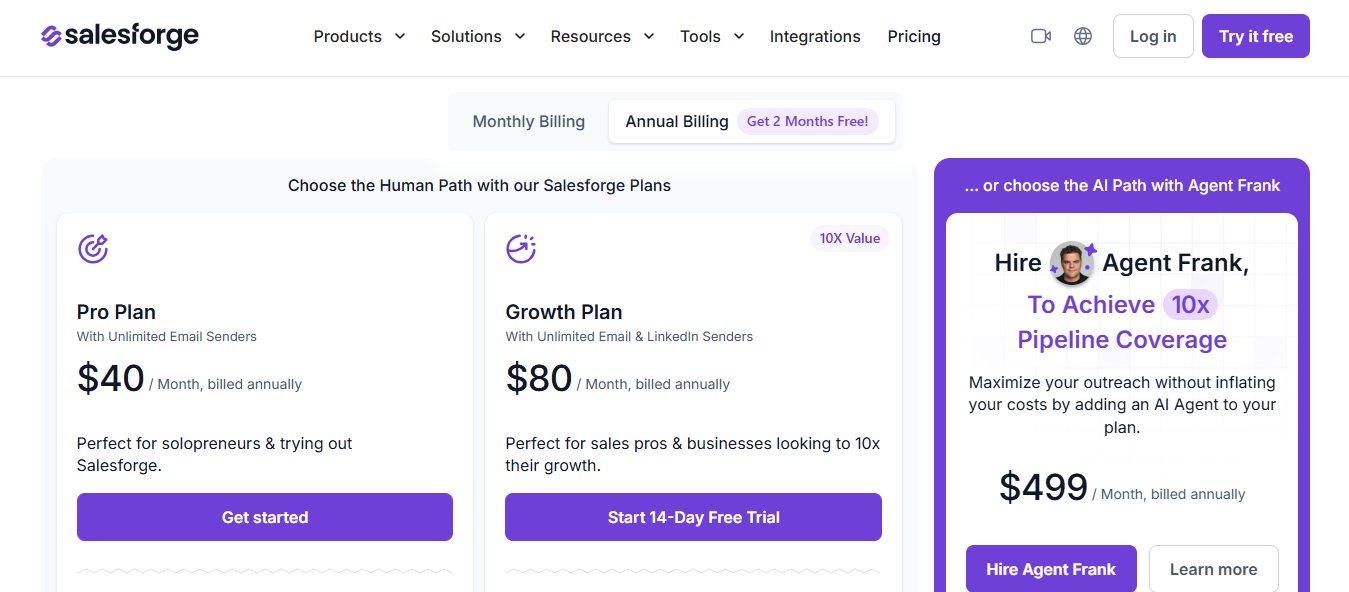
Salesforge’s pricing
This image shows the Salesforge’s pricing
  • Pro: $48/month (or $40/month billed annually)
  • Growth: $96/month (or $80/month billed annually)
  • Agent Frank: from $599/month (or $499/month billed annually)
Personalized Outbound Strategy

Get The Right Outbound Strategy In Minutes

Enter your email to get a custom plan & stack recommendation for your business

It's being carefully crafted by AI

Please check your mailbox in 5 minutes

2.Sendr ai

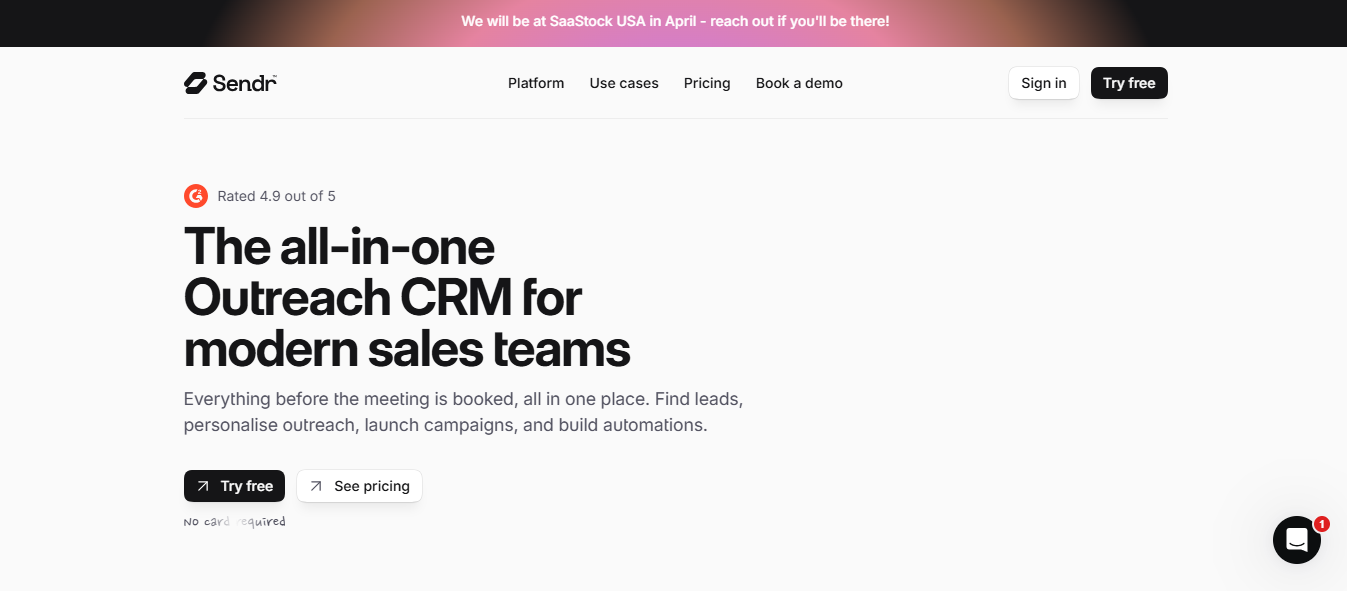
Sendr AI homepage
This image shows the Sendr AI homepage

Sendr.ai is a GTM automation platform built specifically for sales workflows — not generic task automation.

You set up triggers based on LinkedIn keywords, website activity, or prospect behavior. 

When a match is detected, Sendr.ai enriches the contact, creates a personalised video page, and sends it via LinkedIn DM or email — without manual input.

User experience with Sendr AI for GTM
This image shows the User experience with Sendr AI for GTM

You can also pick from a library of pre-built GTM plays.

You switch one on, adjust as needed, and it runs. 

How to Automate LinkedIn Outreach

Key Features of Sendr.ai

  • LinkedIn keyword monitoring that triggers automated outreach on detection
  • Personalised outreach using a video page sent via LinkedIn DM or email automatically
  • GTM-specific automation builder with pipeline-focused triggers and templates
  • Pre-built plays for social listening outreach and abandoned cart recovery
  • Klaviyo integration for personalised video delivery to cart abandoners
  • Live chat support from automation specialists for custom workflow setup

Pros and Cons

Pros Cons
  • Automation builder focused on pipeline generation
  • LinkedIn keyword monitoring triggers outreach automatically
  • Pre-built GTM plays reduce workflow setup time
  • Klaviyo integration adds e-commerce revenue recovery
  • Automation specialists available via live chat
  • Only works well when LinkedIn keyword volume is high
  • Video page feature may not suit all B2B teams
  • No native CRM sync — data needs manual export or Zapier
  • Less suited for pure cold email outbound teams
  • Pre-built plays need customisation before running at scale

Sendr.ai Pricing

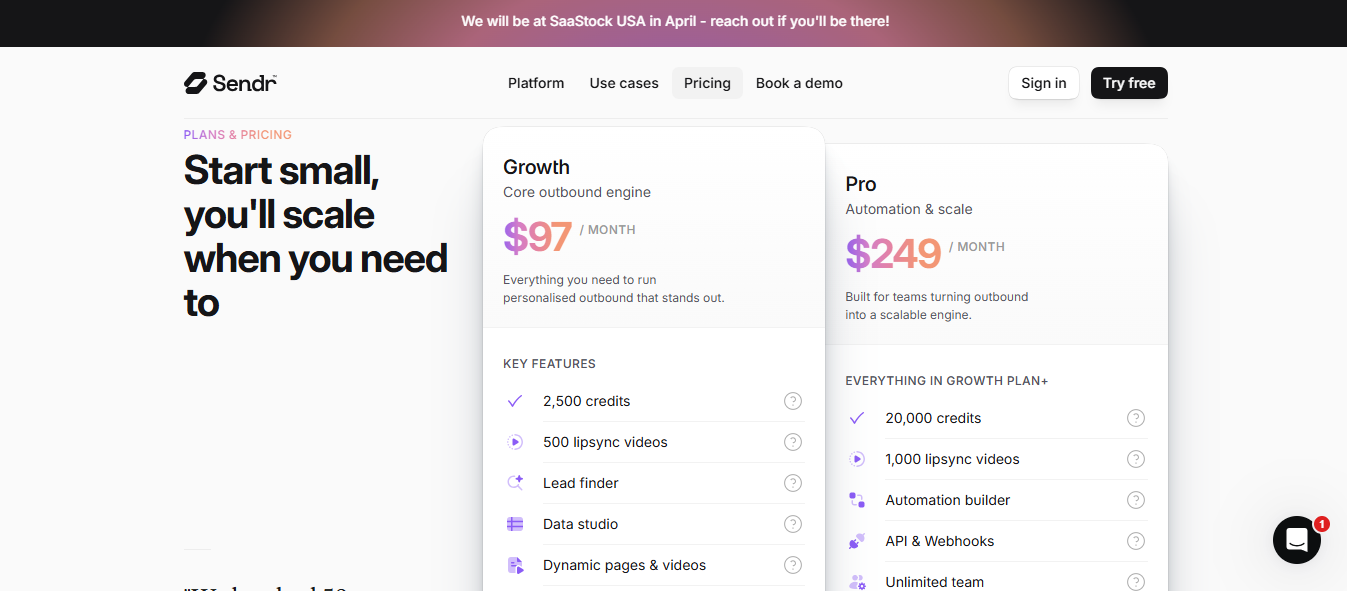
 Sendr AI pricing
This image shows the Sendr AI pricing
  • Growth: $97/month
  • Pro: $249/month

3.Cognism

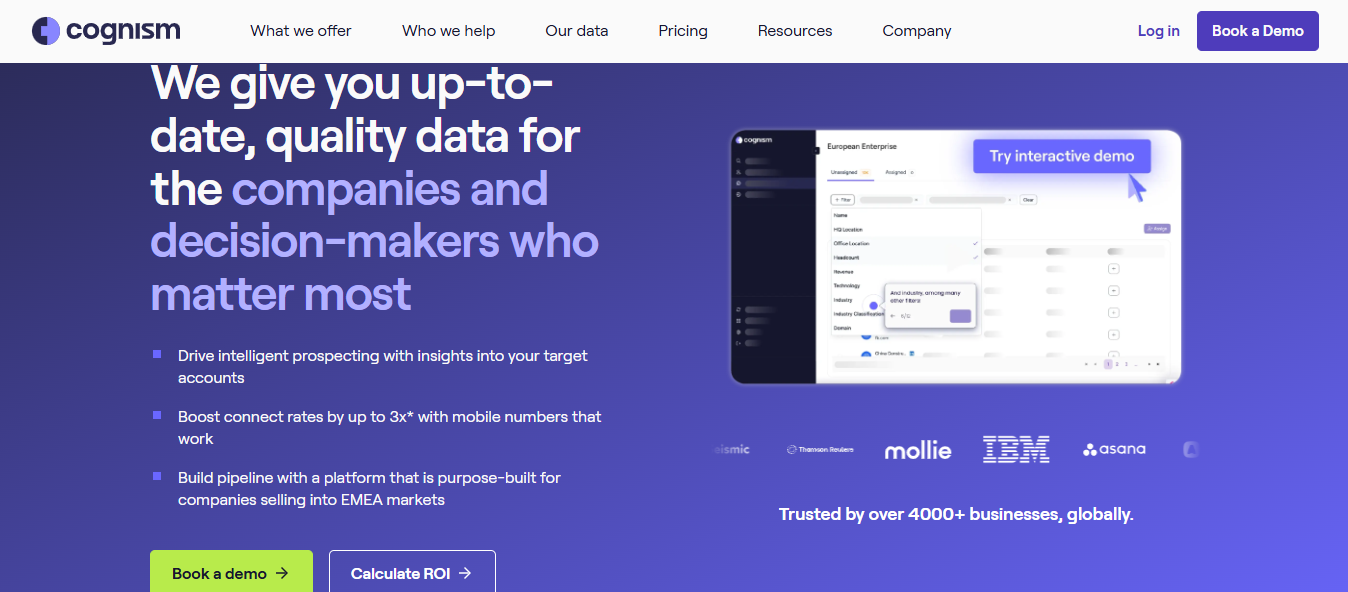
 Cognism homepage
This image shows the Cognism homepage

Cognism is a B2B contact data platform that sits at the data layer of your outbound GTM motion.

You search for contacts by job title, location, industry, or buying signals. 

Cognism returns phone-verified mobile numbers, business emails, and company intelligence.

Before a rep gets on a call, the AI-powered Sales Companion pulls the account's business model, revenue drivers, and competitor landscape. 

Your team starts each conversation with context already in place.

Key Features of Cognism

  • Diamond Data® phone-verified mobile numbers with higher connection rates
  • Intent data across 12 topics and technographics across 12 technologies
  • Buying signals covering job changes, funding rounds, hiring, and mergers
  • Company intelligence, including revenue, headcount, industry, and location
  • Target market analysis with CRM and sales tool integrations built in
  • Up to 500 contacts per list with 10 export lists on the Elevate plan

Pros and Cons

Pros Cons
  • Phone-verified numbers reduce wasted call attempts
  • Intent data helps prioritise outreach timing
  • GDPR and CCPA-compliant for global outbound
  • Sales Companion gives reps account context before calls
  • Integrates with existing CRM and sales tools
  • Intent data limited to 12 topics
  • Sales Companion insights depend on publicly available data
  • Diamond Data coverage varies by region — strongest in EMEA, thinner in APAC markets
  • No native outreach sequencing included
  • Job change signals require manual action

Cognism Pricing

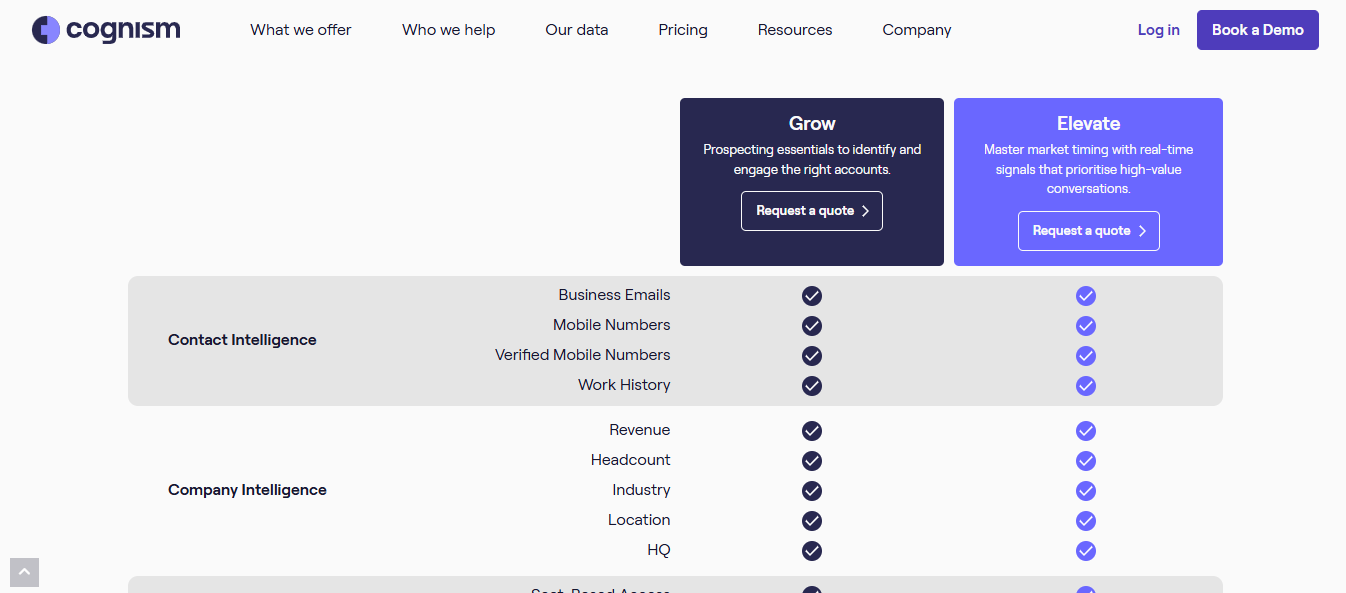
 Cognism pricing
This image shows the Cognism pricing
  • Grow: Requires a quote 
  • Elevate: Requires a quote 

4.Warmly

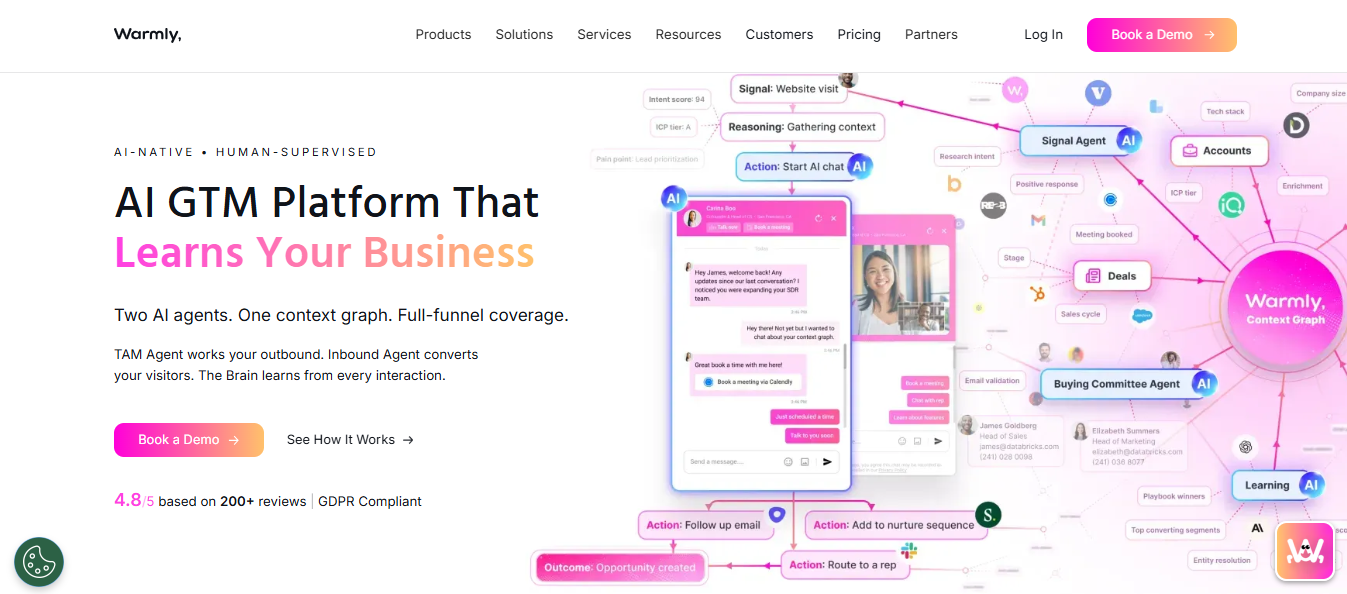
Warmly homepage
This image shows the Warmly homepage

Warmly is a GTM intelligence platform that tells you which accounts to focus on and what to do next.

You connect your website, CRM, and engagement tools. 

Warmly tracks every buyer interaction across those surfaces — site visits, email activity, call transcripts, and buying committee behavior.

From that data, it computes intent scores and next best actions in real time. 

Your reps get a prioritised list of accounts to act on each day, with the reasoning behind each one.

Key Features of Warmly

  • Context Graph tracking buying committees, enrichment data, and entity resolution
  • ML intent scoring with AI ICP tiering to rank accounts by readiness
  • Real-time website visitor de-anonymisation, identifying contacts before form fills
  • AI Inbound Agent with microsites, real-time alerts, and automated email follow-up
  • Full contact enrichment covering email, LinkedIn, and phone
  • Direct push to CRM and LinkedIn Ads from the platform

Pros and Cons

Pros Cons
  • Context Graph captures decision reasoning, not just data
  • Identifies website visitors before they fill out a form
  • Buying committee identification before outreach
  • Unifies inbound and outbound motions in one place
  • Intent signals reduce manual research time for reps
  • Starts at $15,000/year — high for early-stage teams
  • Onboarding takes significant time before results are accurate
  • Context Graph accuracy depends on the volume of visitor traffic
  • AI Outbound SDR and AI Copy are paid add-ons
  • Better suited for mid-market and above

Warmly Pricing

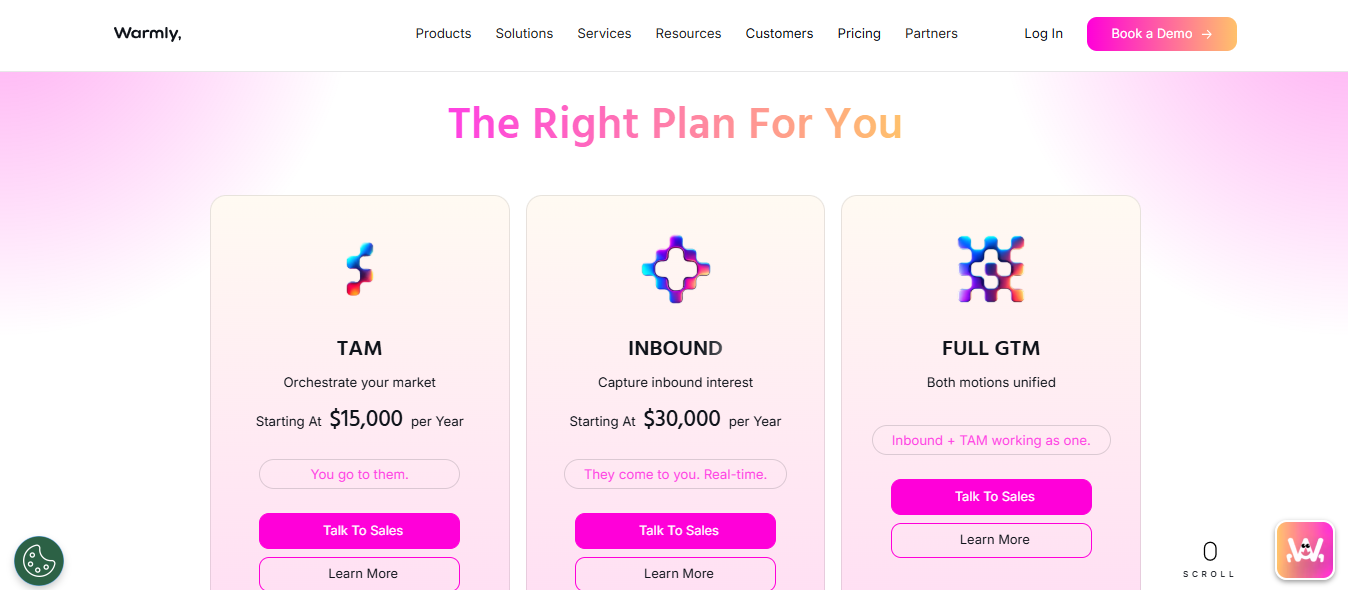
Warmly pricing
This image shows the Warmly pricing
  • TAM: Starting at $15,000/year
  • Inbound: Starting at $30,000/year
  • Full GTM: Custom pricing 

5.Clay

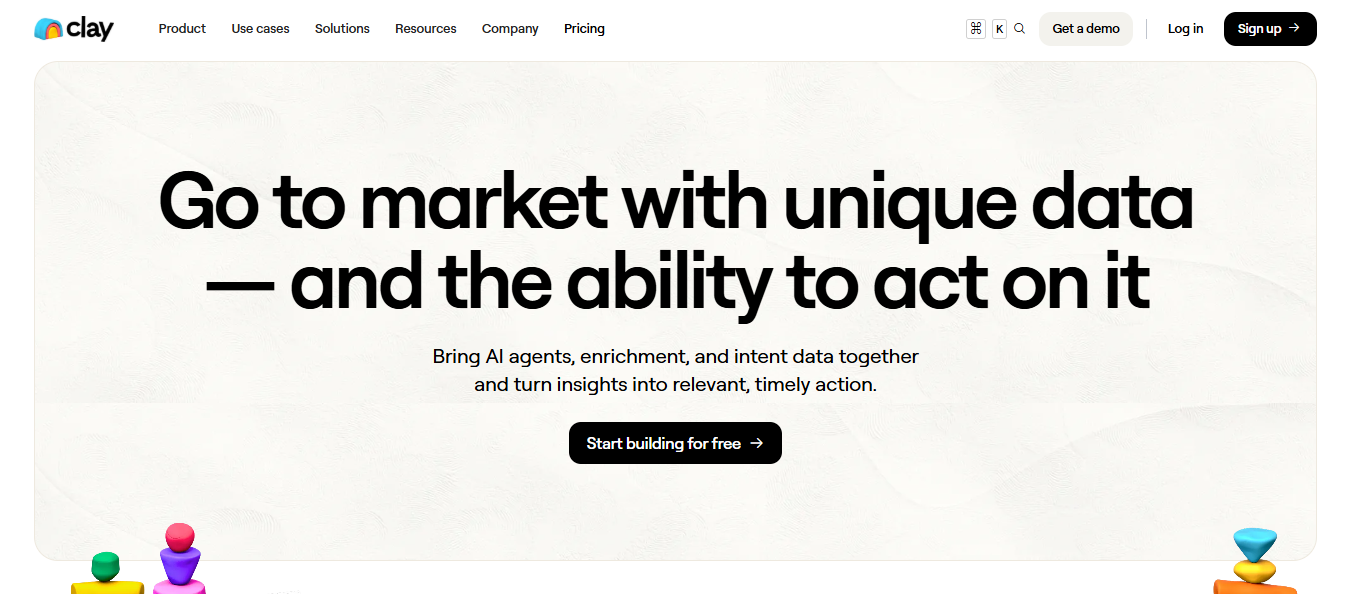
Clay homepage
This image shows the Clay homepage

Clay is a GTM data and workflow platform that sits between your data sources and your outreach tools.

You bring in a list of leads, run enrichment across 150+ providers through waterfall logic, and use Claygent to research each contact automatically. 

The output goes directly into your CRM or email sequencer.

You set conditions for each step.

If a work email is not found, Clay looks for a mobile number.

If a mobile is not found, it tries a different provider. 

The workflow runs until it finds the best available data point.

Key Features of Clay

  • Waterfall enrichment across 150+ data providers for higher contact data coverage
  • Claygent AI research agent that searches public and gated data sources
  • Sculptor chat-based workflow builder for GTM idea generation and table building
  • AI conditional logic running different enrichment paths based on data availability
  • Native email sequencer for launching campaigns without switching tools
  • Push enriched data to CRM, data warehouse, or ad manager via 200+ integrations

Pros and Cons

Pros Cons
  • Waterfall enrichment across 150+ providers
  • Claygent automates research across public and gated sources
  • Monitors buying signals from 3M+ companies
  • No contracts or long implementation cycles
  • Used by GTM teams at Anthropic, Canva, and Dropbox
  • Steep learning curve without RevOps background
  • Credit-based pricing adds up at high volumes
  • No built-in outreach — requires a separate sequencing tool
  • Claygent results vary depending on data availability per contact
  • Conditional logic setup requires RevOps knowledge to configure

Clay Pricing

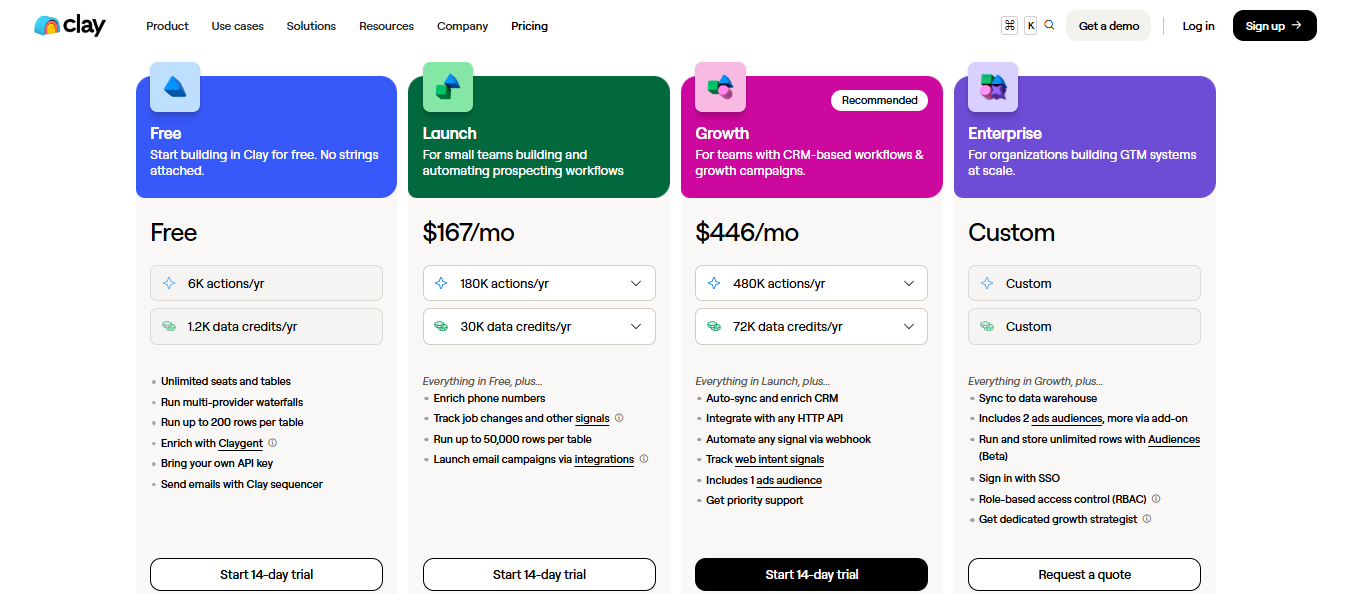
 Clay pricing
This image shows the Clay pricing
  • Free: $0/month
  • Launch: $167/month (or $185/month billed monthly)
  • Growth: $446/month (or $495/month billed monthly)
  • Enterprise: Custom pricing 
👉 Run your entire outbound (leads → outreach → replies) in one place with Salesforge

6. Factors AI

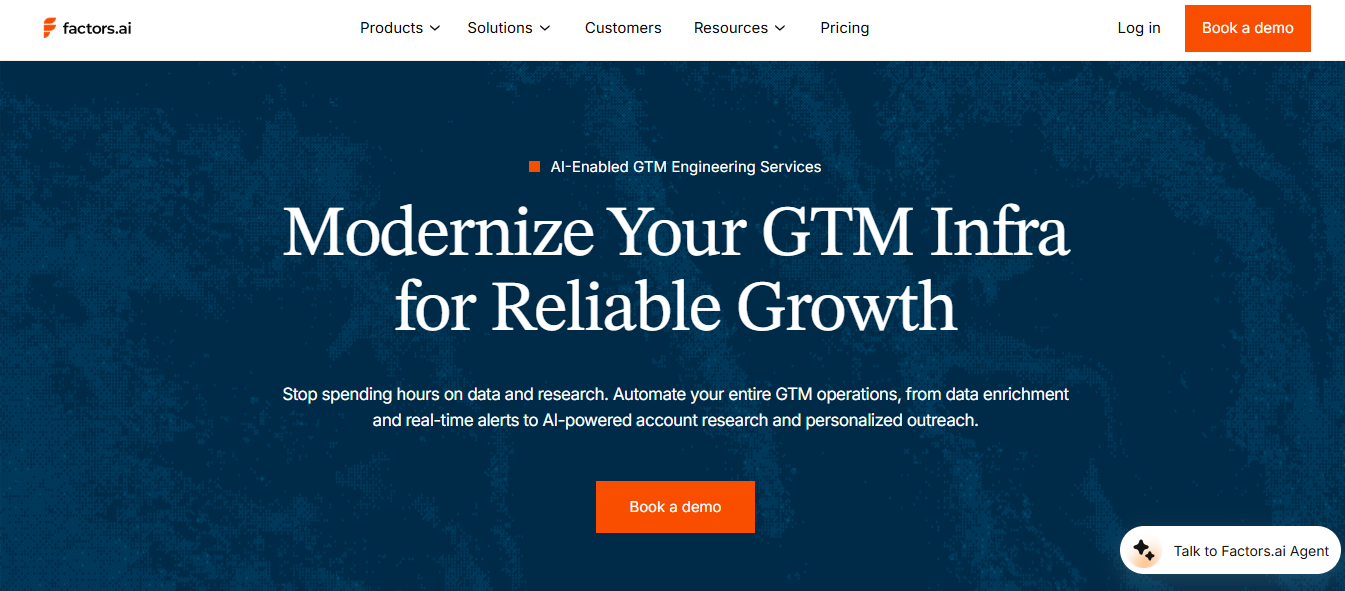
Factors AI homepage
This image shows the Factors AI homepage

Factors.ai is a GTM intelligence platform that identifies which accounts are ready to buy and triggers action on that information.

You connect your website, CRM, LinkedIn, G2, and Bombora intent feeds. 

Factors.ai pulls all of that into one view and scores each account based on engagement across those sources.

User experience using Factors AI
This image shows the User experience using Factors AI

When a high-intent account hits a trigger, your sales team gets a real-time alert in Slack or Teams. 

The AI agent attached to that alert includes account context and a suggested next action — so your rep knows exactly what to do. 

Key Features of Factors.ai

  • Website visitor identification unmasking over 75% of companies visiting your site
  • Custom account scoring and engagement tracking across the full buyer journey
  • Real-time Slack and Teams alerts when an ICP account hits a trigger
  • GTM Engineering Services building signal-led workflows using Clay, n8n, and Bitscale
  • Dynamic ABM lists with LinkedIn and Google Ads integration
  • G2 intent data integration tracking how review activity influences buyer journey

Pros and Cons

Pros Cons
  • GTM Engineering team builds and maintains workflows for you
  • Combines first, second, and third-party intent signals
  • Real-time alerts reduce response time on high-intent accounts
  • AI agents give AEs full account context before outreach
  • Integrates across your GTM stack without replacing tools
  • Engineering Services scope depends on your existing stack complexity
  • G2 intent data only captures review and comparison page activity
  • ABM lists require LinkedIn and Google Ads accounts already active
  • Not ideal for teams without an existing outbound motion
  • "We Build It, You Own It" setup takes around 4 months

Factors.ai Pricing

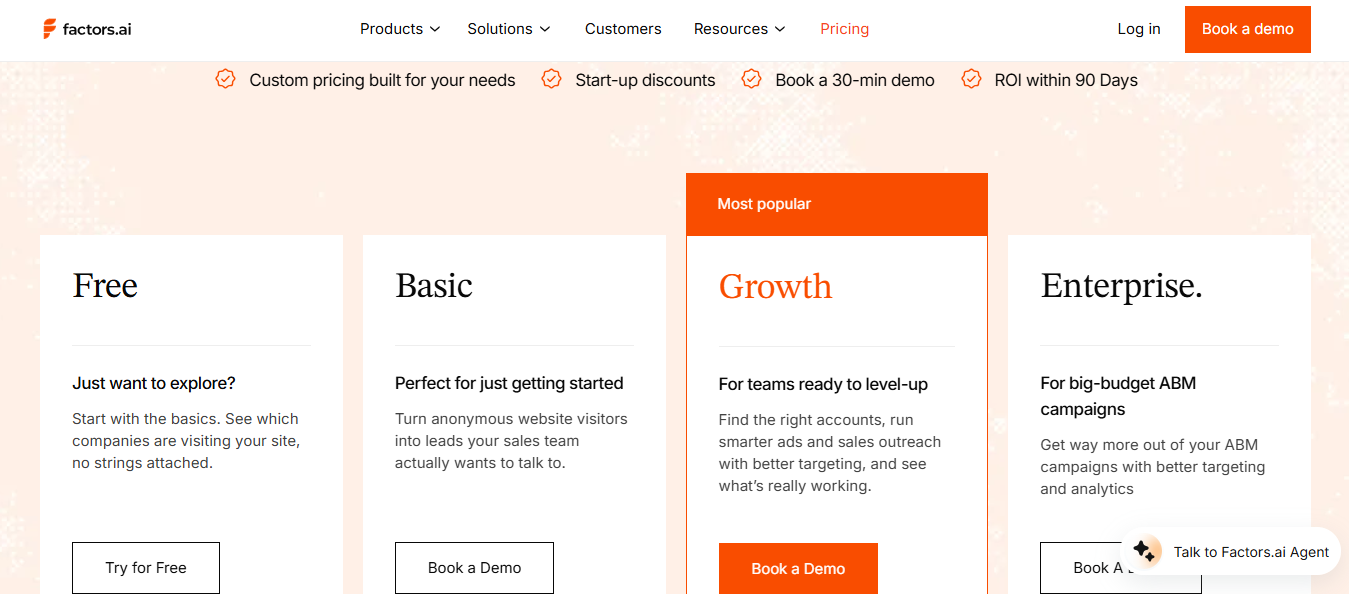
 Factors AI pricing
This image shows the Factors AI pricing
  • Free: $0/month
     
  • Basic: Requires demo
  • Growth: Requires demo 
  • Enterprise: Requires demo

7. GTM Engine

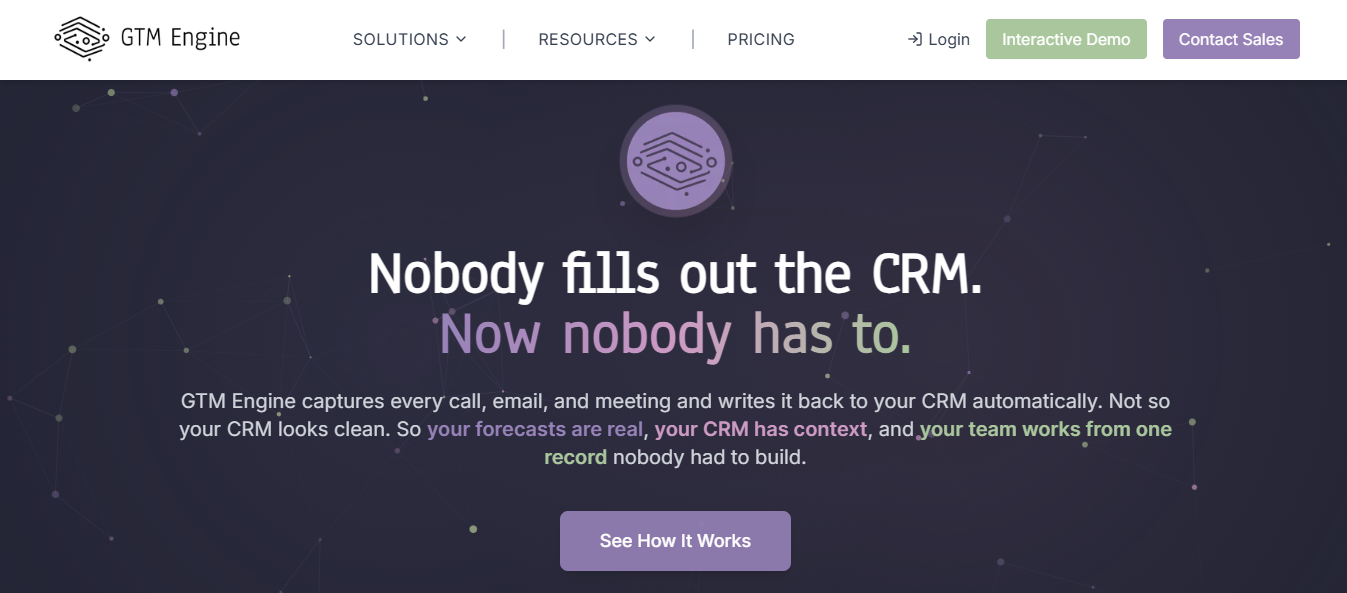
 GTM Engine homepage
This image shows the GTM Engine homepage

GTM Engine is a revenue platform that captures every customer interaction and writes it back to your CRM automatically.

You connect your call recorder, email, and calendar. 

GTM Engine processes every conversation, updates the relevant CRM fields, and generates next steps — without any rep involvement.

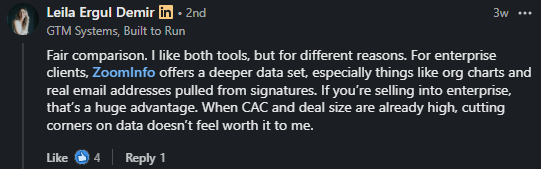
User testimonial
This image shows the User testimonial

Before each meeting, it produces a prep brief with goals, likely objections, and suggested questions.

After the call, the summary goes straight into the account record. 

Your pipeline reflects what is actually happening, not what someone remembered to log.

Key Features of GTM Engine

  • Automatic CRM updates from every call, email, and meeting with zero rep input
  • Weekend backfill cleaning your entire CRM with deduplication and gap-filling
  • AI-powered meeting prep generating goals, questions, and objections before each call
  • Health scores per account flagging churn risk weeks before renewal
  • Propensity scoring and automated account research for SDR teams
  • GTM Engine Genie for reps to query account context and draft outreach

Pros and Cons

Pros Cons
  • CRM fields update automatically from calls and emails
  • One customer record shared across Sales, RevOps, and CS
  • Health scores flag churn risk before renewal conversations
  • Forecasts built on actual interaction data, not rep input
  • 1–2 hour setup with full onboarding support
  • Requires call recorder, email, and calendar to be connected before setup
  • Needs an existing CRM to function
  • Smaller user base means fewer community resources and templates
  • CRM deduplication depends on data consistency across connected tools
  • Smaller user base than tools like Gong or Clari

GTM Engine Pricing

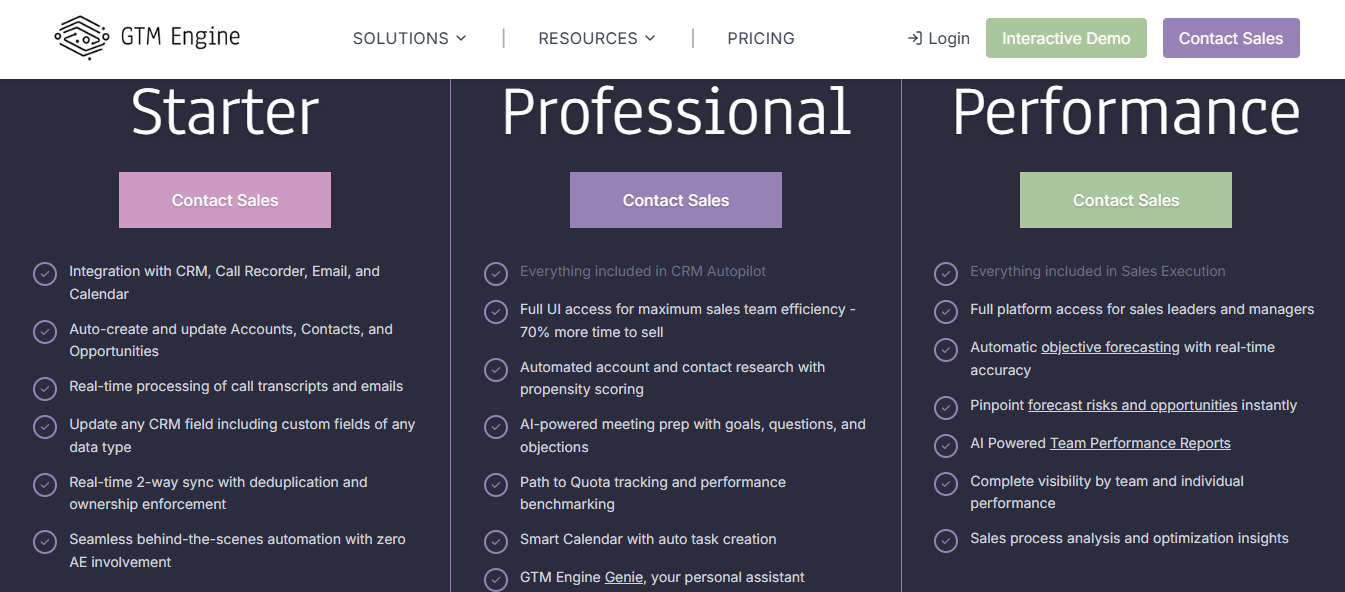
GTM Engine pricing
This image shows the GTM Engine pricing
  • Starter: Requires a sales call
  • Professional: Requires a sales call
  • Performance: Requires a sales call

8. ZoomInfo

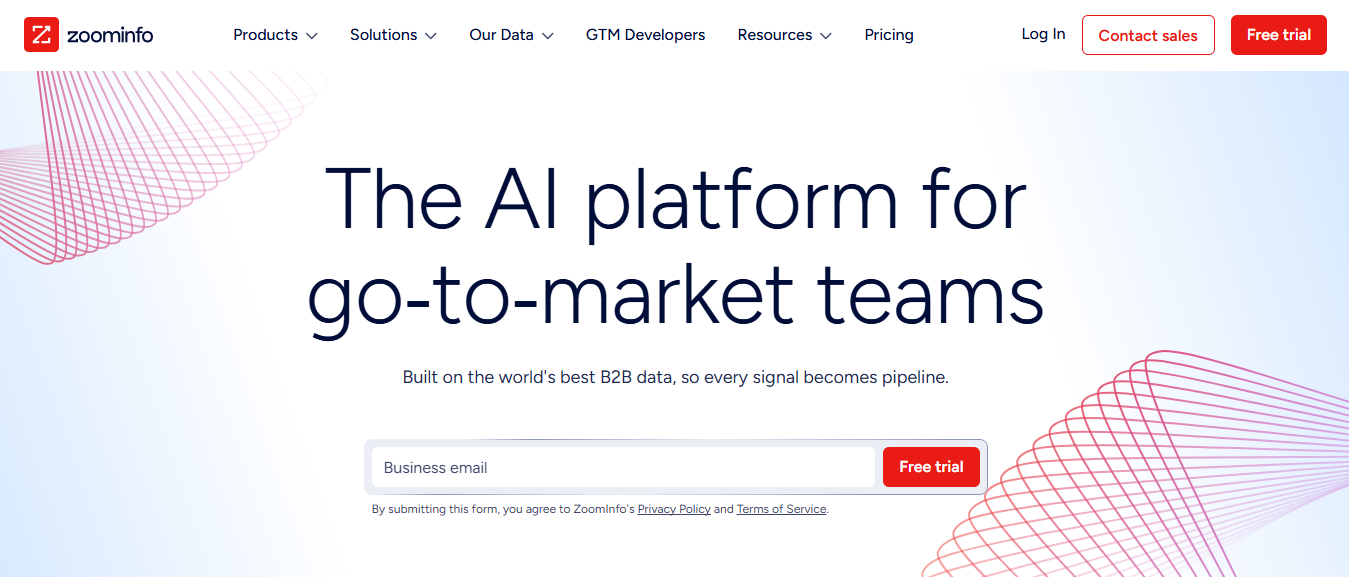
 ZoomInfo homepage
This image shows the ZoomInfo homepage

ZoomInfo is a GTM intelligence platform built on a database of 500M+ verified contacts and 100M+ company profiles.

You search by ICP criteria — job title, industry, company size, tech stack, or intent signal. 

ZoomInfo returns contact data, buying signals, and account intelligence in one view.

User experience using ZoomInfo
This image shows the User experience using ZoomInfo

GTM Studio lets you pull that data into a canvas, run parallel waterfall enrichment across 25+ vendors, and push the output directly to your CRM or outreach tool. 

You do not wait on IT or engineering to move from data to action.

Key Features of ZoomInfo

  • 500M+ verified contacts and 100M+ company profiles with mobile numbers and technographics
  • GTM Studio drag-and-drop data canvas for building and activating account lists
  • Parallel waterfall enrichment across 25+ vendors with source attribution included
  • Real-time buyer intent signals covering website visits, job postings, and hiring trends
  • AI-powered account prioritisation and buying group identification
  • Champion tracking and job change alerts following buyers across companies

Pros and Cons

Pros Cons
  • 500M+ verified contacts with mobile numbers and technographics
  • Parallel waterfall enrichment across 25+ vendors included
  • Real-time intent signals surface in-market accounts early
  • Buying group identification surfaces multiple stakeholders
  • Full GTM motion covered from data to activation
  • GTM Studio is currently in early access — not available to all users
  • Custom intent signals and AI summaries need Copilot Enterprise
  • WebSights visitor identification requires a tracking script on your site
  • Sales and marketing plans are sold separately
  • Can be excessive for smaller outbound-only teams

ZoomInfo Pricing

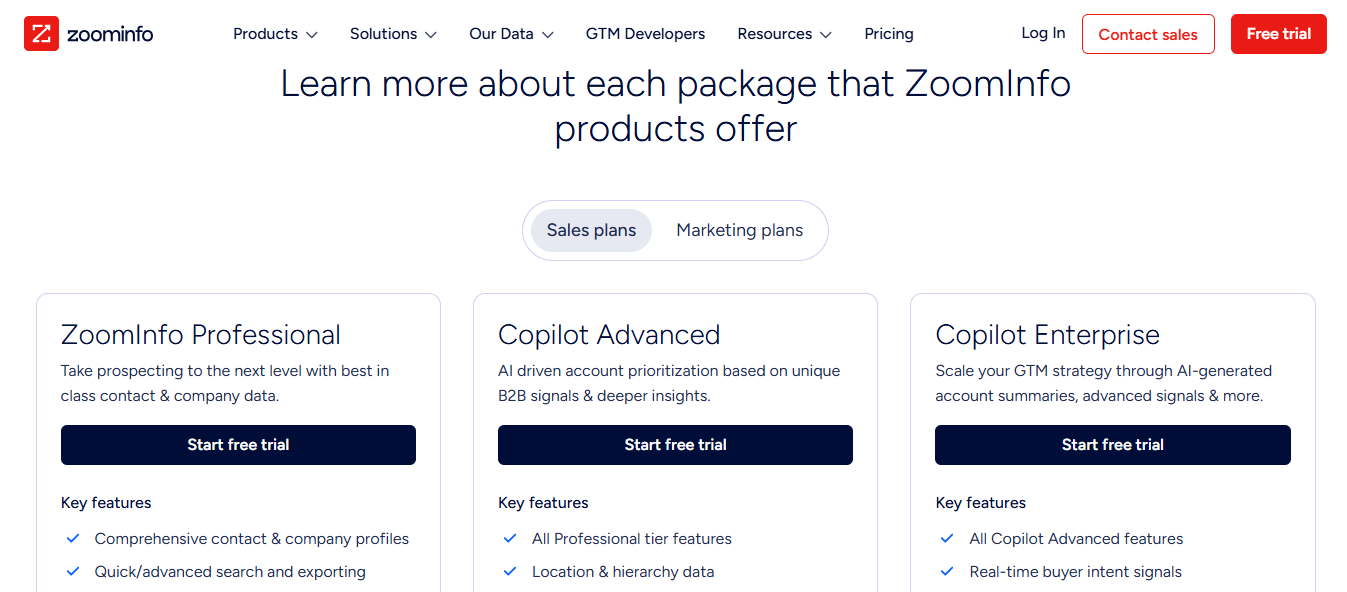
ZoomInfo pricing
This image shows the ZoomInfo pricing
  • ZoomInfo Professional: Start with a free trial (pricing not disclosed)
  • Copilot Advanced: Start with a free trial (pricing not disclosed) 
  • Copilot Enterprise: Start with a free trial (pricing not disclosed)
How AI Detects Triggers for Follow-Up Emails

9. Influ2

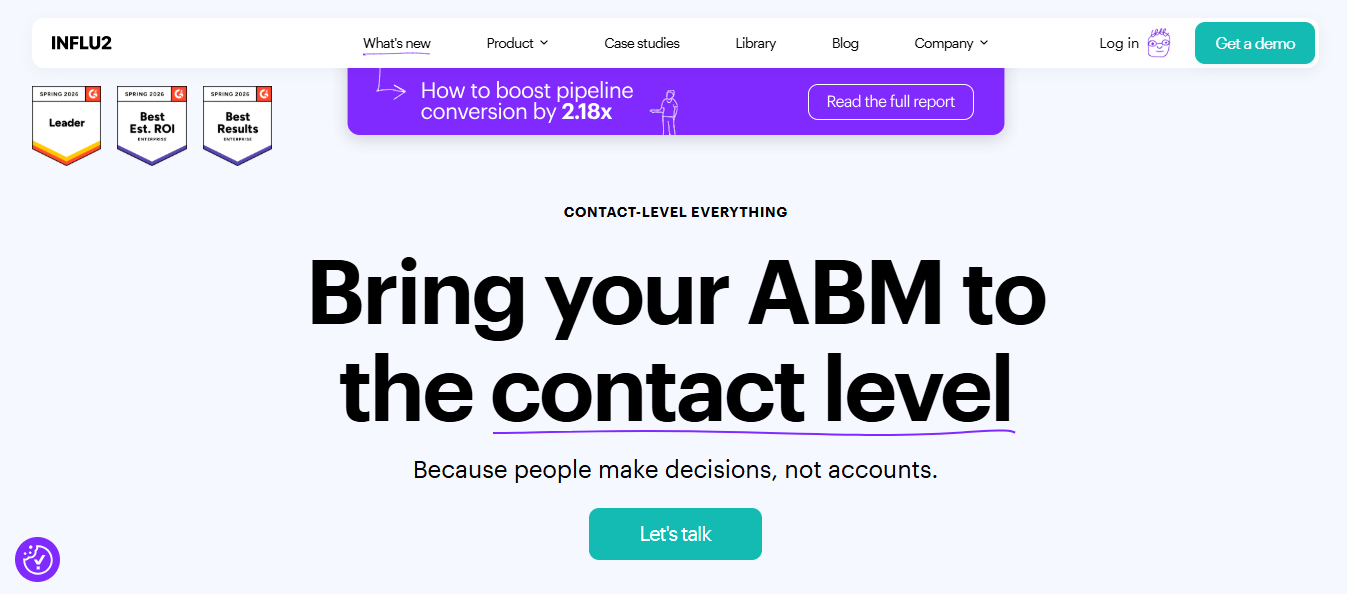
This image shows Influ2 homepage
This image shows the Influ2 homepage

Influ2 is a contact-level GTM platform that runs ads and tracks intent at the individual buyer level — not the account level.

You connect your CRM and upload the exact contacts your sales team is targeting. 

Influ2 shows you which specific person is consuming content, searching for relevant topics, or engaging on social.

User experience using Influ2
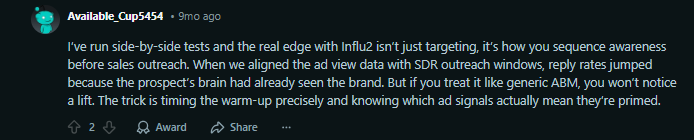
This image shows the User experience using Influ2

When a contact shows intent, you run ads directly to that person across ad networks. 

You can see who viewed or clicked your ads — even without a form fill — and route that signal back to your sales team.

Key Features of Influ2

  • Contact-level intent signals across content, search, and social
  • CRM-based targeting using named buyers from your pipeline
  • Contact-level ads shown to specific people across ad networks
  • Buyer journey mapping based on sales stage and engagement
  • Revenue attribution showing how ads influence the pipeline
  • Signal-to-action flow that helps sales know who to contact and when

Pros and Cons

Pros Cons
  • Intent signals tracked per contact, not per account
  • Ads shown to specific named buyers, not broad audiences
  • Ad views tracked without requiring a form fill
  • Marketing spend tied directly to pipeline attribution
  • Sales and marketing work from the same contact list
  • Needs clean CRM data to function accurately
  • Contact-level targeting requires a defined account list already built
  • LinkedIn and display ad networks need separate campaign configurations
  • Attribution model requires a full-funnel tracking setup across your stack
  • Requires other GTM tools to complete the workflow

Influ2 Pricing

Pricing is not publicly available.

You need to request a demo to get details.

10. SalesboxAI

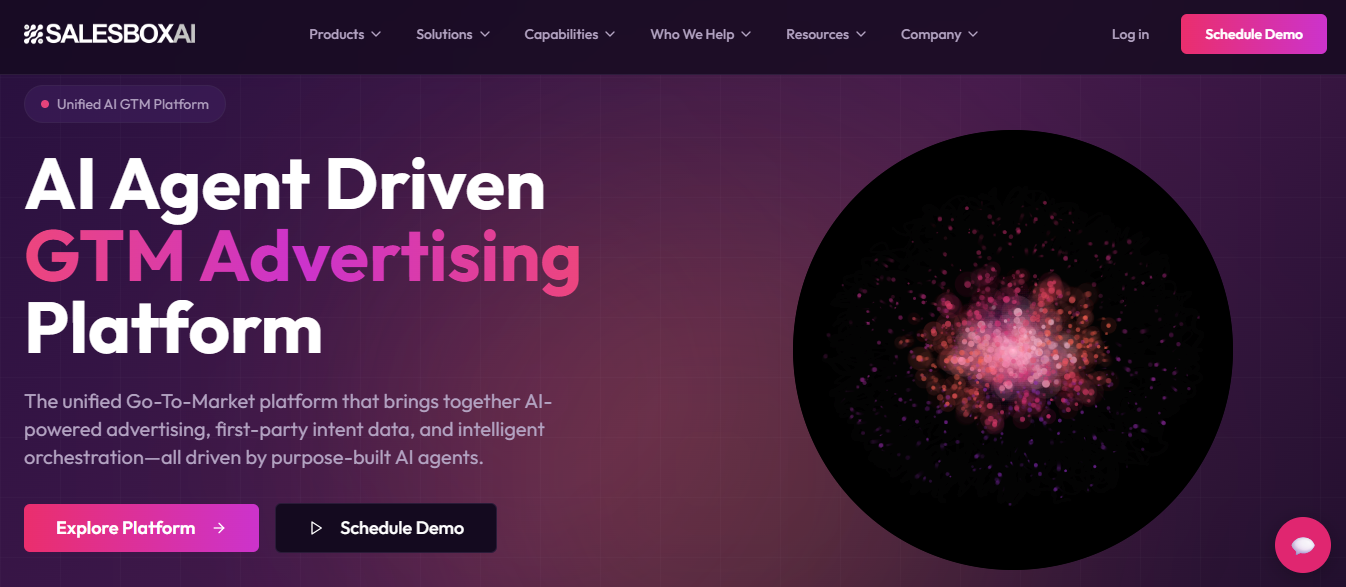
SalesboxAI homepage
This image shows the SalesboxAI homepage

SalesboxAI is a GTM platform that combines intent tracking, multi-channel outreach, ads, and pipeline analytics into one system.

At the center is the GTM CoPilot — a control layer where seven AI agents run different parts of your GTM motion simultaneously. 

One agent tracks intent signals. Another runs outreach.

Another manages ads.

You manage all of it from one dashboard.

User experience using SalesboxAI
This image shows the User experience using SalesboxAI

Intent scores run from 0 to 100. 

When an account hits 80 or above, outreach triggers automatically across email, LinkedIn, voice, ads, or WhatsApp — whichever channels you have configured.

Key Features of SalesboxAI

  • GTM CoPilot with 7 AI agents covering intent, outreach, ads, content, and analytics
  • Intent Signal Engine tracking 8 signal types, including funding, hiring, and web activity
  • Intent scoring from 0 to 100 with automated outreach triggered at 80+
  • Multi-channel execution across email, LinkedIn, voice, ads, and WhatsApp
  • Pipeline intelligence dashboard tracking deal stages and next actions by engagement
  • Contact-level attribution showing how each interaction impacts the pipeline and revenue

Pros and Cons

Pros Cons
  • Intent, outreach, ads, and analytics under one roof
  • Accounts at 80+ intent score trigger outreach automatically
  • Runs across email, LinkedIn, voice, ads, and WhatsApp
  • Deal stage and next actions tracked in one dashboard
  • Each interaction is attributed back to the pipeline and revenue
  • All 7 AI agents need individual configuration before going live
  • Needs defined ICP and clean data to score accurately
  • WhatsApp and voice channels need additional compliance setup per region
  • Agent configuration required before going live
  • Pipeline intelligence dashboard requires CRM integration to populate fully

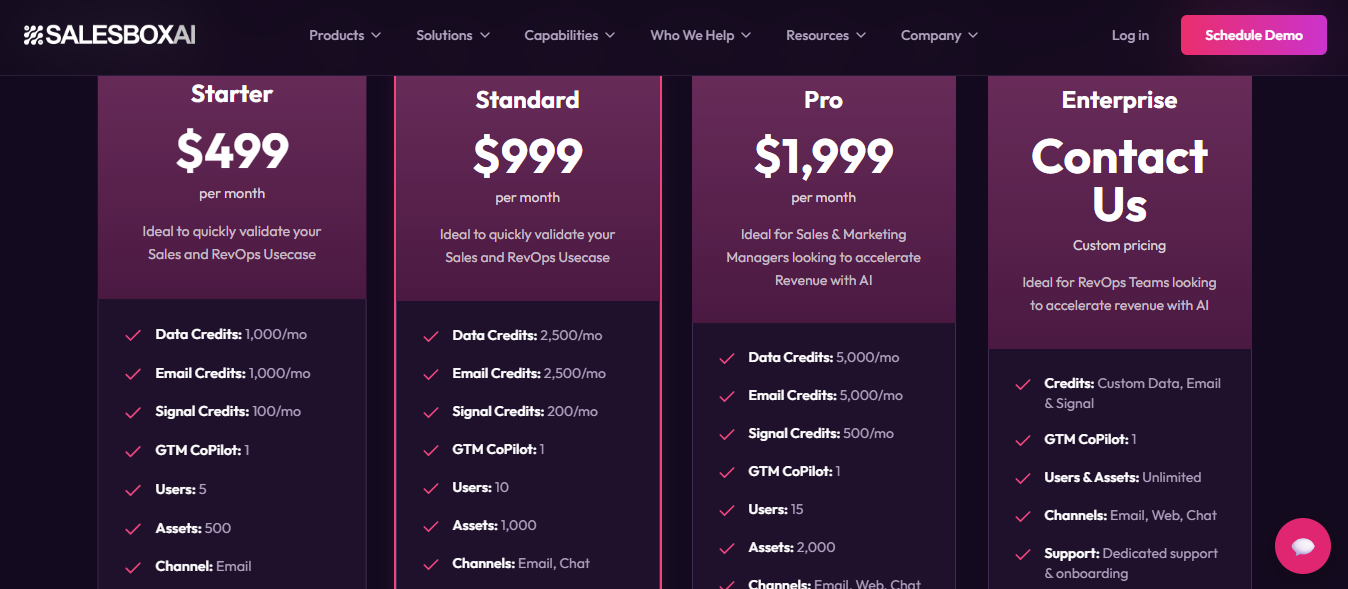
SalesboxAI Pricing

 SalesboxAI pricing
This image shows the SalesboxAI pricing
  • Starter: $499/month
  • Standard: $999/month
  • Pro: $1,999/month
  • Enterprise: Custom pricing
Personalized Outbound Strategy

Get The Right Outbound Strategy In Minutes

Enter your email to get a custom plan & stack recommendation for your business

It's being carefully crafted by AI

Please check your mailbox in 5 minutes

Conclusion: Which GTM Tools Should You Choose?

The right GTM tools depend on where your pipeline breaks down.

Need verified contact data? Start with Cognism or ZoomInfo. 

Need signal-based workflows? Clay and Factors.ai handle that. 

Need to know which accounts are ready to buy right now? That's Warmly.

But the top 1% don't run outbound in one tool. 

They build a stack where each layer feeds the next — leads flow into outreach, outreach flows into replies, replies flow into pipeline.

Salesforge is that stack.

You run email and LinkedIn from one place, Agent Frank works the accounts you define, and every reply comes back into one inbox. 

Nothing falls through.

Start a free 14-day trial and run your first GTM outreach sequence across email and LinkedIn in under 10 minutes.