Personalized Outbound Strategy
Get The Right Outbound Strategy In Minutes
Enter your email to get a custom plan & stack recommendation for your business
It's being carefully crafted by AI
Please check your mailbox in 5 minutes
Zopto is a LinkedIn automation tool built to help teams scale connection requests and follow-ups.
It works well for structured LinkedIn outreach.
But as teams grow, some limitations start to show, like seat-based pricing, LinkedIn-only workflows, and limited control over scaling or deliverability.
That’s why many users begin searching for better alternatives.
In this guide, we break down the 5 best Zopto alternatives for LinkedIn outreach, tools that offer more flexibility, stronger safety controls, multi-channel options, or better pricing depending on how you run outbound.
Short on time? Here’s the quick breakdown:
If Zopto feels expensive or limiting, one of these tools will likely fit your workflow better.
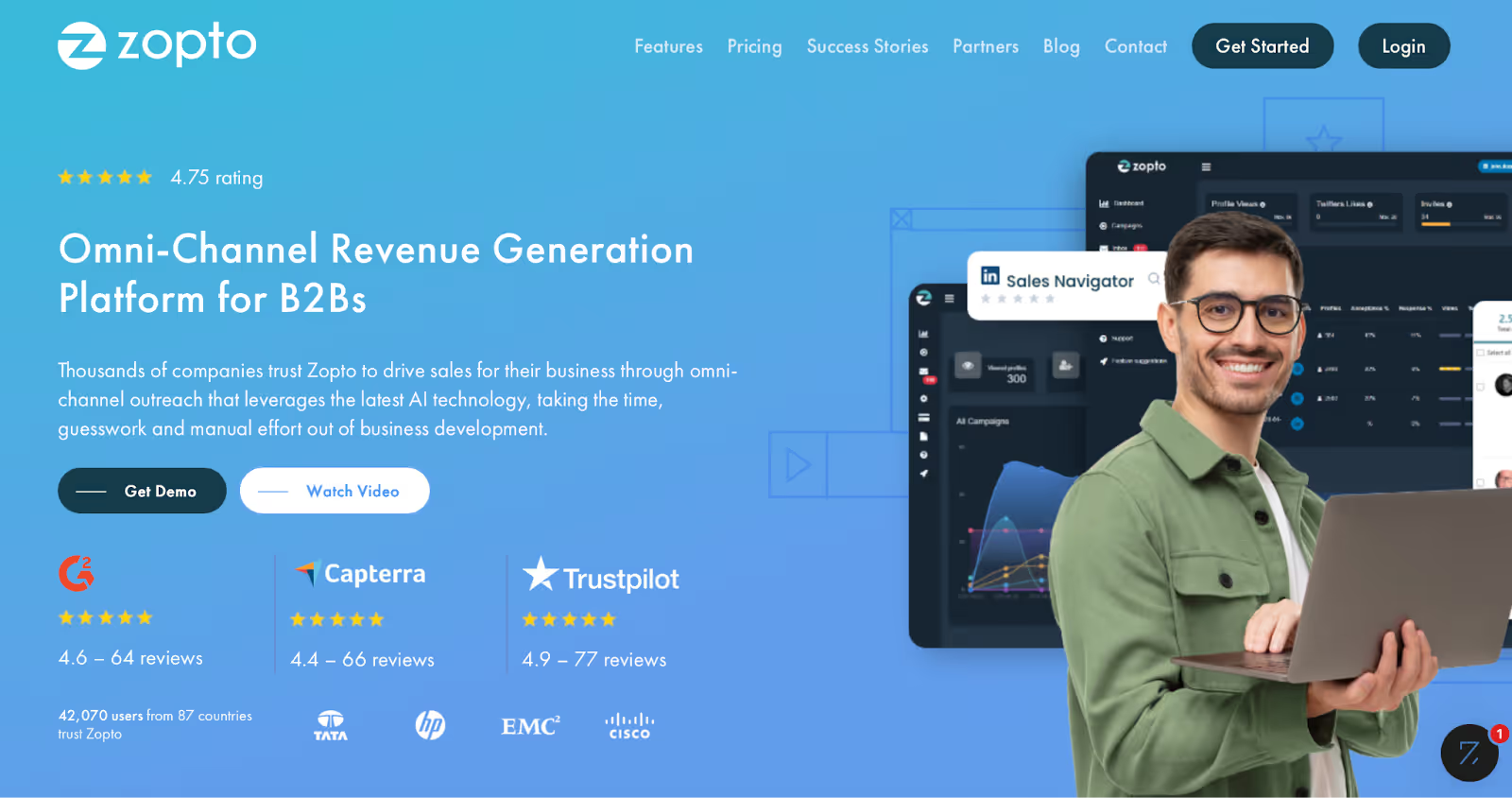
Zopto is a LinkedIn outreach tool that helps businesses find leads, send messages, and grow their network automatically.
You don’t manually search for people and send invites.
It works by targeting specific audiences based on filters like industry, job title, location, and company size.
Zopto is best for companies that want to scale outreach without hiring large sales teams. It’s a good fit for:
While Zopto offers helpful automation, it can be expensive and has a learning curve.
That’s why many people look for simpler, cheaper, or more flexible alternatives, which is what this guide covers next.
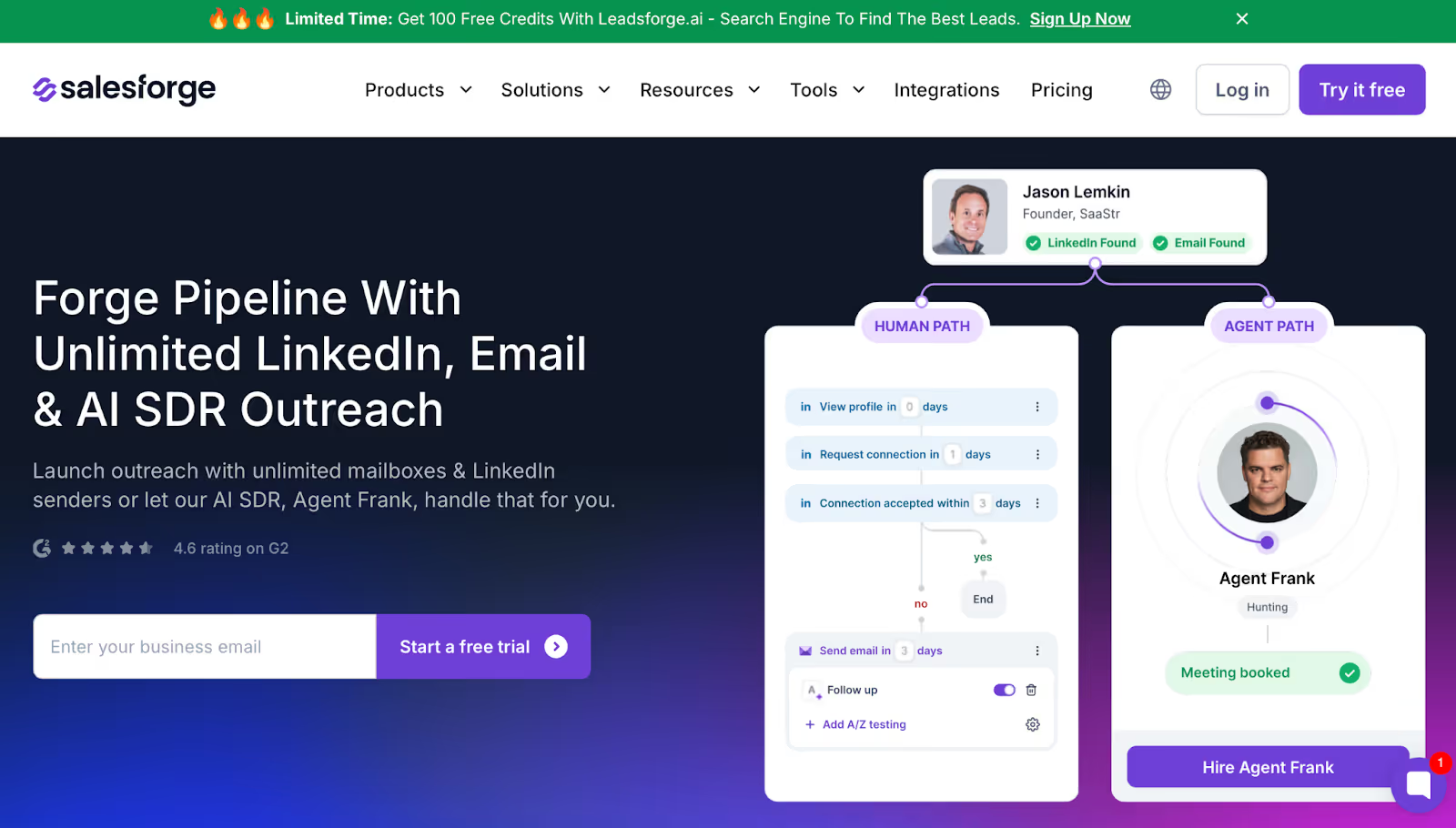
Salesforge is an outreach platform built for companies that want to scale LinkedIn and email prospecting without paying per seat.
Unlike Zopto, which limits sending capacity via seat-based access and caps on activity.
Salesforge allows unlimited LinkedIn senders and unlimited mailboxes, meaning every team member can participate in outbound without extra cost.
Instead of functioning as a pure LinkedIn automation tool like Zopto, Salesforge combines LinkedIn outreach, email sending, deliverability infrastructure, reply management, and AI SDR automation under one stack.
This makes it suitable for agencies, large teams, and companies that want to consolidate tools.
While Zopto focuses mainly on LinkedIn automation and campaign execution, Salesforge focuses on pipeline scalability and deliverability control, solving problems that Zopto users often face, such as sending limits, inbox placement issues, and fragmented workflows.
Here’s how Salesforge differs:
✔ Unlimited LinkedIn senders vs. Zopto’s seat-based limits
✔ Built-in deliverability stack (free unlimited warm-up + mailbox reputation monitoring) that Zopto doesn’t include
✔ Primebox™, which centralizes replies from email and LinkedIn instead of leaving follow-ups to CRMs or manual inbox review
✔ AI SDR automation (Agent Frank) that can run prospecting, outreach, response handling, and booking meetings, a capability Zopto does not offer
✔ Multi-language messaging, allowing expansion into markets without translators
✔ Unlimited LinkedIn senders let whole teams engage prospects without extra fees
✔ Primebox™ centralizes replies so conversations across email and LinkedIn don’t get lost
✔ Warmforge delivers unlimited warm-up, removing the need for external deliverability services
✔ AI SDR (Agent Frank) automates prospecting and follow-up for teams that lack manpower
✔ Multi-channel campaigns let users pivot between email and LinkedIn instead of relying solely on inbox messaging
✘ Users who only want very basic LinkedIn automation may find Salesforge more advanced than necessary
✘ AI SDR mode requires understanding outbound workflows to set optimal behaviors
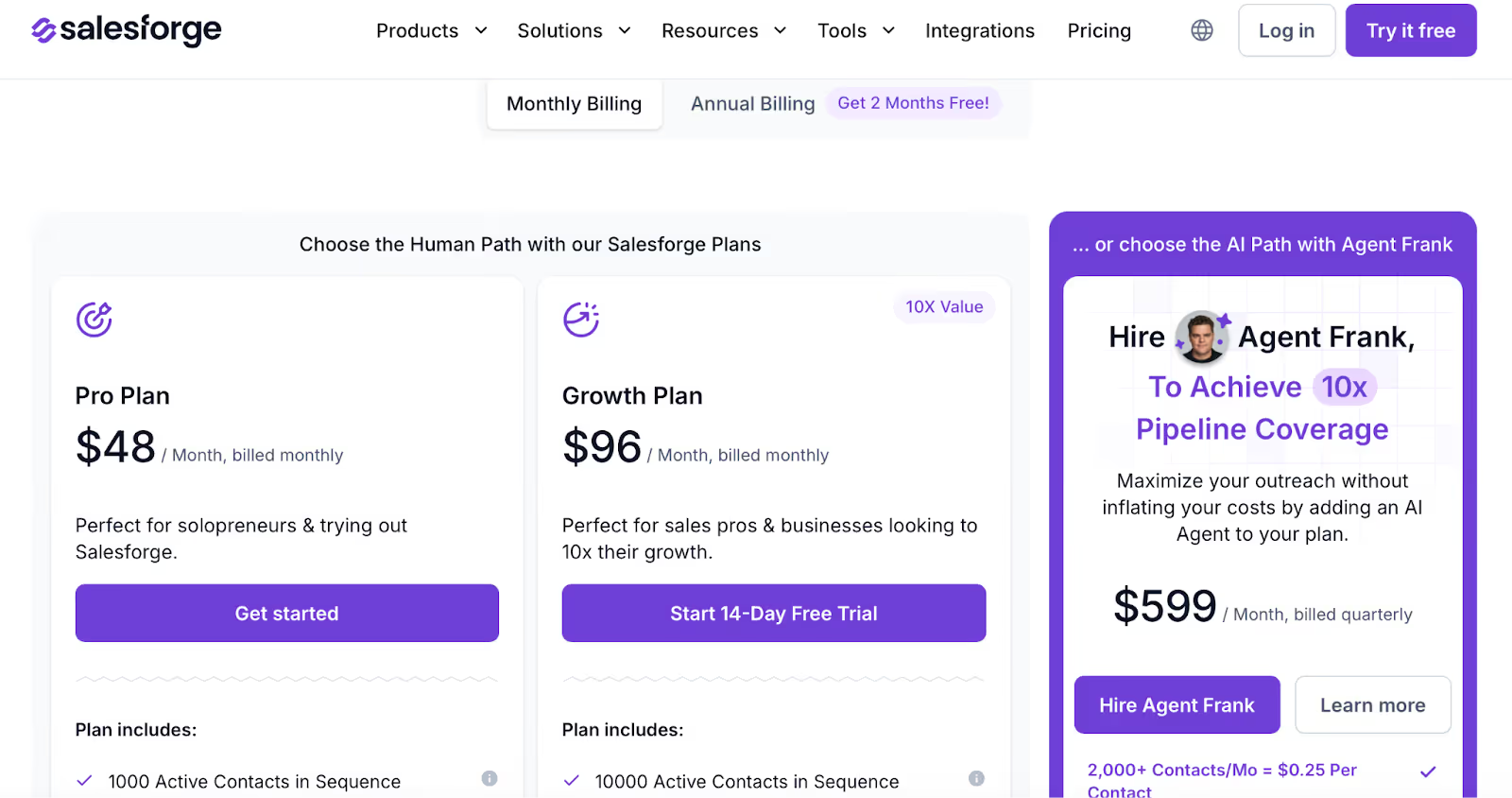
Pro Plan - $48/month
For solopreneurs launching their first outbound workflows.
Growth Plan - $96/month
For sales teams and agencies needing unlimited LinkedIn senders, AI features, multi-language sequences, and higher sending capacity.
Agent Frank - $599/month billed quarterly
For companies wanting outreach handled by an automated AI SDR instead of human SDRs.
👉 Salesforge fits teams who outgrow Zopto’s sending limits and want scalable delivery, automated reply handling, and multi-channel outreach under one system.
PhantomBuster is an automation platform widely used for LinkedIn scraping, contact extraction, and workflow sequencing.
Unlike Zopto, which focuses on campaign execution inside LinkedIn, PhantomBuster gives users more control over data collection and multi-step automations, making it useful for people who want to build their own acquisition workflows rather than just run sequences.
Instead of only sending outreach, PhantomBuster helps users extract profile lists, enrich those contacts, and sync outputs to outreach tools, including email platforms and CRMs.
This makes it suitable for marketers, growth teams, and technical operators who want deeper control over data inputs before outreach begins.
While Zopto simplifies automated messaging inside LinkedIn, PhantomBuster prioritizes automation depth and data flexibility.
Here’s where it differentiates:
✔ LinkedIn data scraping and enrichment, which Zopto does not provide
✔ Pre-built Phantoms for profile extraction, messaging, engagement, and list building
✔ Chaining workflows, allowing users to move from data gathering to outreach without switching tools manually
✔ Broader automation scope, covering multiple platforms beyond LinkedIn
✔ LinkedIn profile and company extraction tools help users build databases Zopto cannot generate
✔ Automation chaining allows sequencing, extract leads → enrich → send requests
✔ Pre-configured Phantoms reduce dependency on manual scraping or external scripts
✔ Execution-time pricing lets teams scale usage based on volume needs
✔ Useful for teams that require data before messaging, such as enrichment-focused workflows
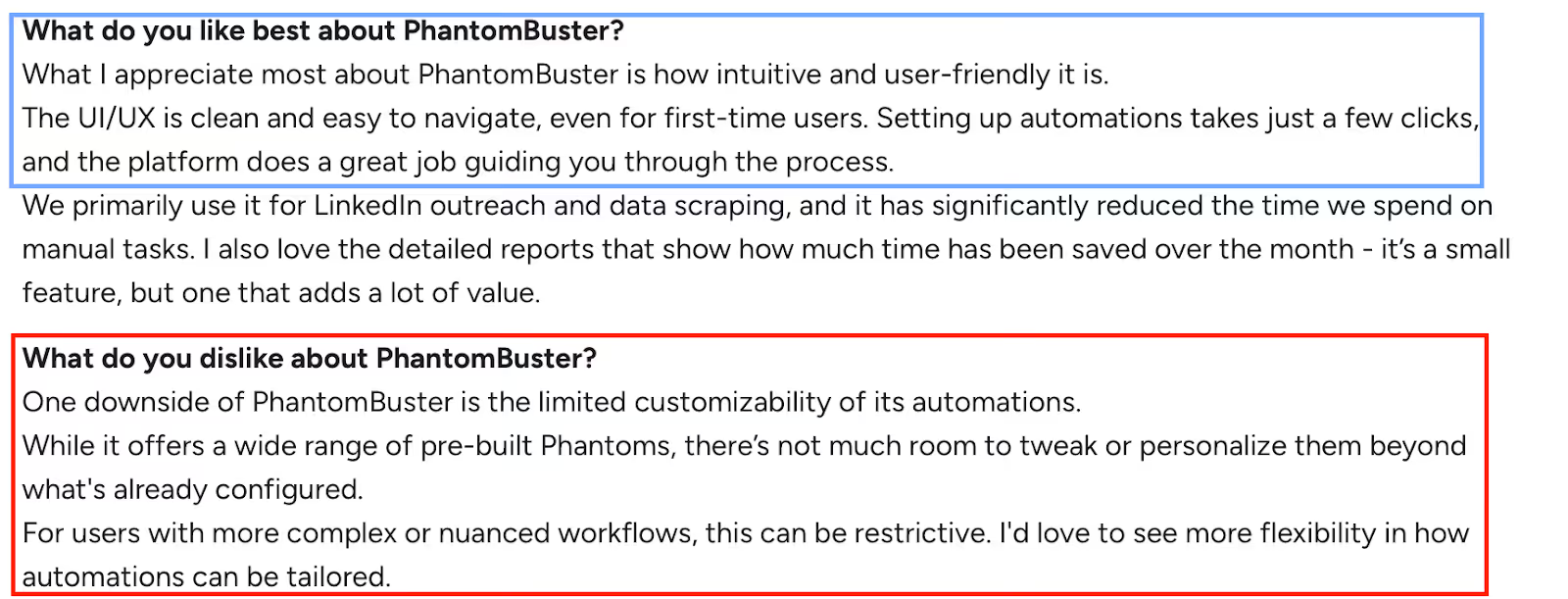
✘ Session cookie dependency, automations can break when LinkedIn cookies expire
✘ Limited customization inside automations, users cannot fully build custom flows beyond the available Phantoms
✘ More technical setup compared to Zopto, especially for chaining multiple tasks
✘ Pricing feels restrictive for teams that need large amounts of URL regeneration or workflow scale
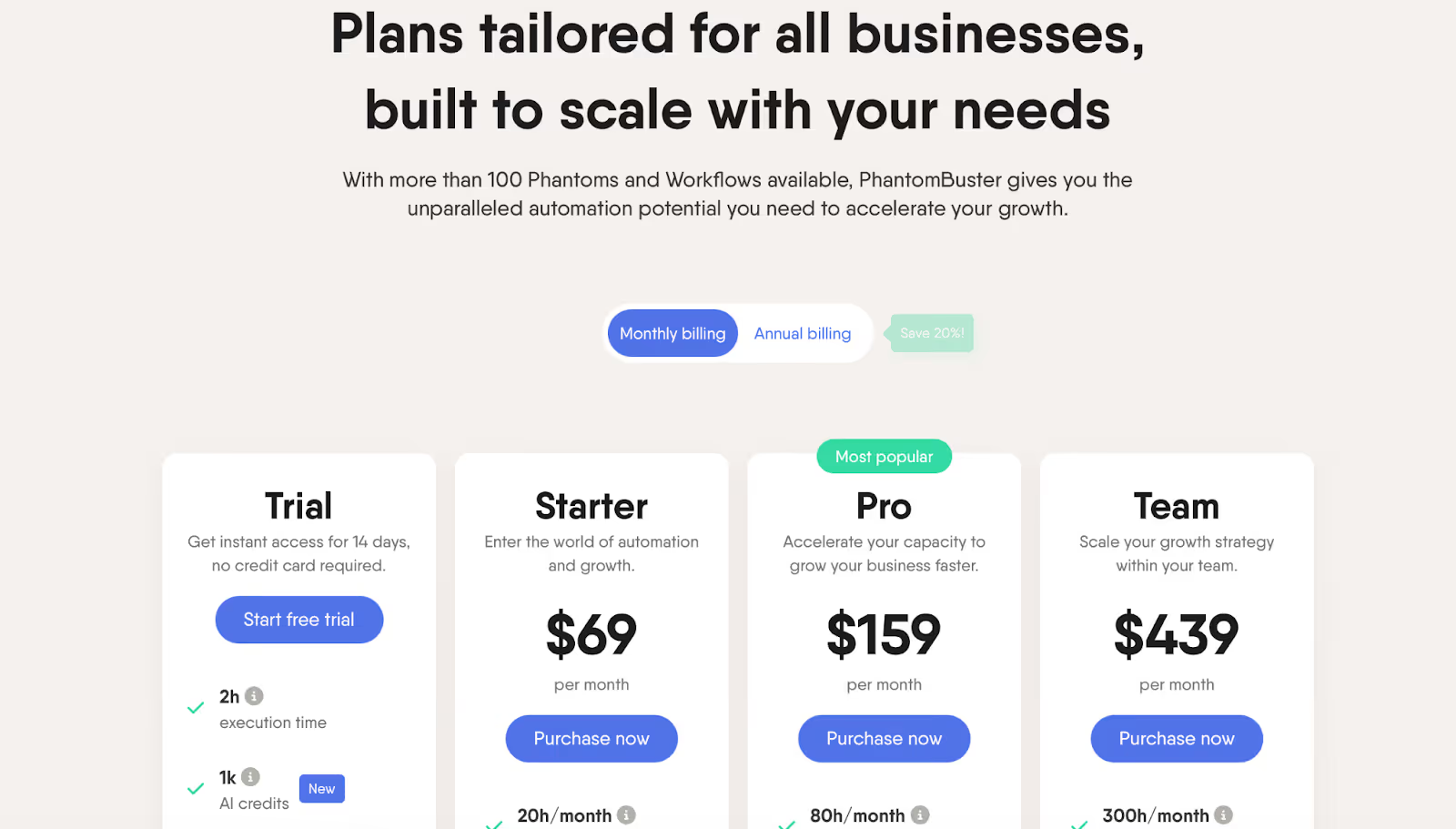
Starter - $69/month
For basic LinkedIn automations, light scraping, and small workflow chains.
Pro - $159/month
For marketing teams that want higher execution time, more Phantoms, and priority support.
Team - $439/month
For companies running multiple workflows across channels, requiring 50 Phantoms and a large execution capacity.
👉 PhantomBuster suits users who want to build their own LinkedIn acquisition process, extracting, enriching, and automating tasks, rather than simply running outreach campaigns like Zopto.
11 Best Phantombuster Alternatives & Competitors for Sales Outreach in 2025
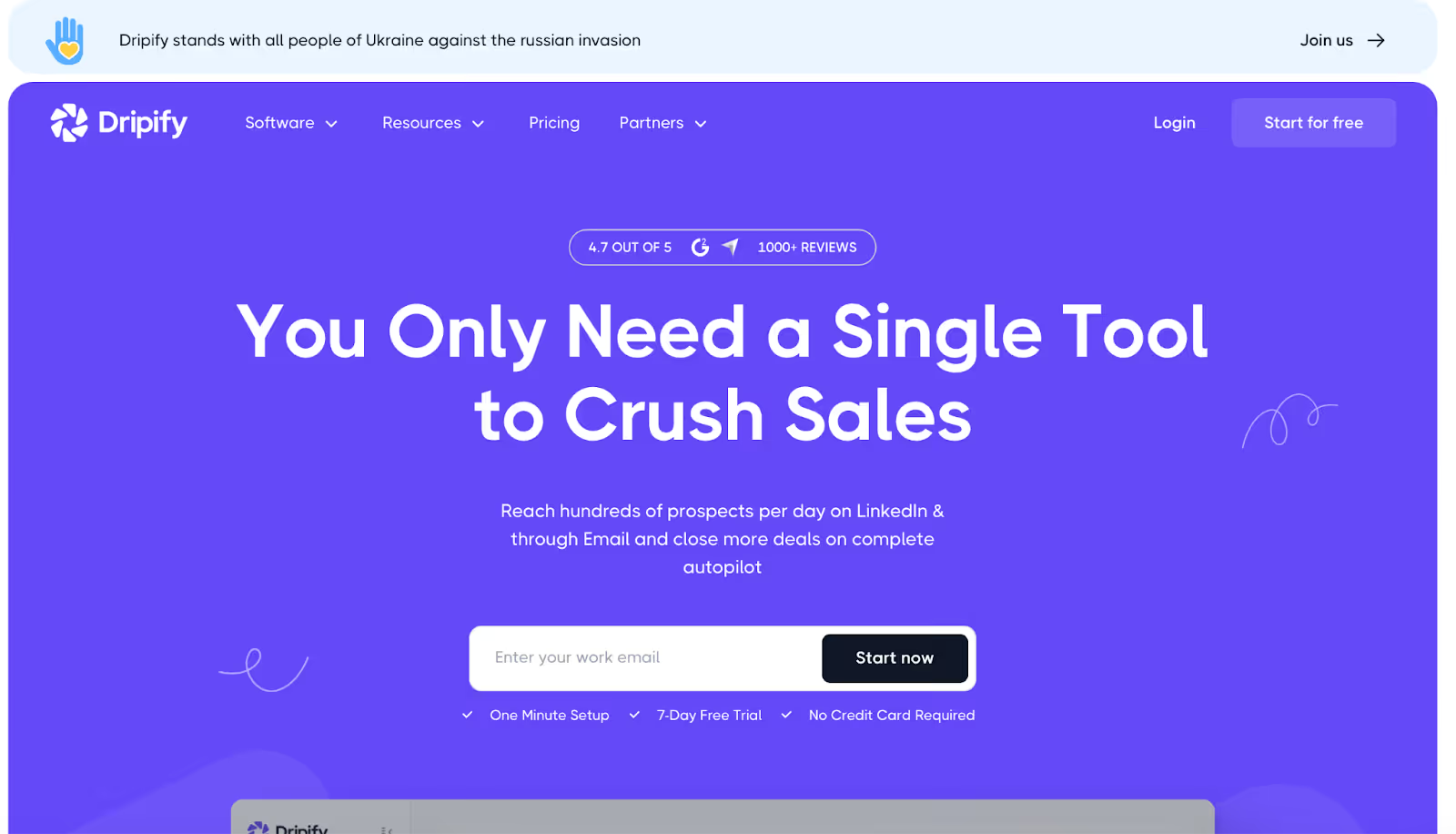
Dripify is a LinkedIn automation platform built around drip campaigns that combine LinkedIn actions (connect, message, endorse, view, follow) with email steps, delays, and conditional logic.
Unlike Zopto, which focuses primarily on LinkedIn sequences, Dripify gives users a more detailed workflow builder that mixes both channels inside one sequence.
Dripify also includes a built-in email finder, email verification, and a dedicated inbox for managing replies.
This makes it useful for solo founders and sales teams who want to automate outreach across LinkedIn and email without switching tools.
While Zopto centers on scaling LinkedIn outreach, Dripify offers more control over how outreach flows across channels.
Here’s what sets it apart:
✔ Multi-step drip sequences with conditions and delays (Zopto is more linear)
✔ Native email steps instead of relying on LinkedIn-only messaging
✔ Built-in email finder & verifier, eliminating the need for external enrichment
✔ Dedicated inbox so users can respond to LinkedIn leads directly inside Dripify
✔ Link-based profile scraping, useful when building lists from Sales Navigator or search URLs
✔ Team management tools for distributing workload across multiple people
✔ Drip campaign builder supports conditions, delays, and multi-step paths
✔ Email finder + verifier lets users build and validate email lists without third-party tools
✔ Dedicated inbox centralizes replies, instead of checking LinkedIn manually
✔ Automated profile views and engagement tasks can boost visibility and acceptance rates
✔ Easy to run multiple campaigns at once, which helps teams maintain consistent outreach
✔ Compatible with all LinkedIn account types, including Basic, Premium, and Sales Navigator
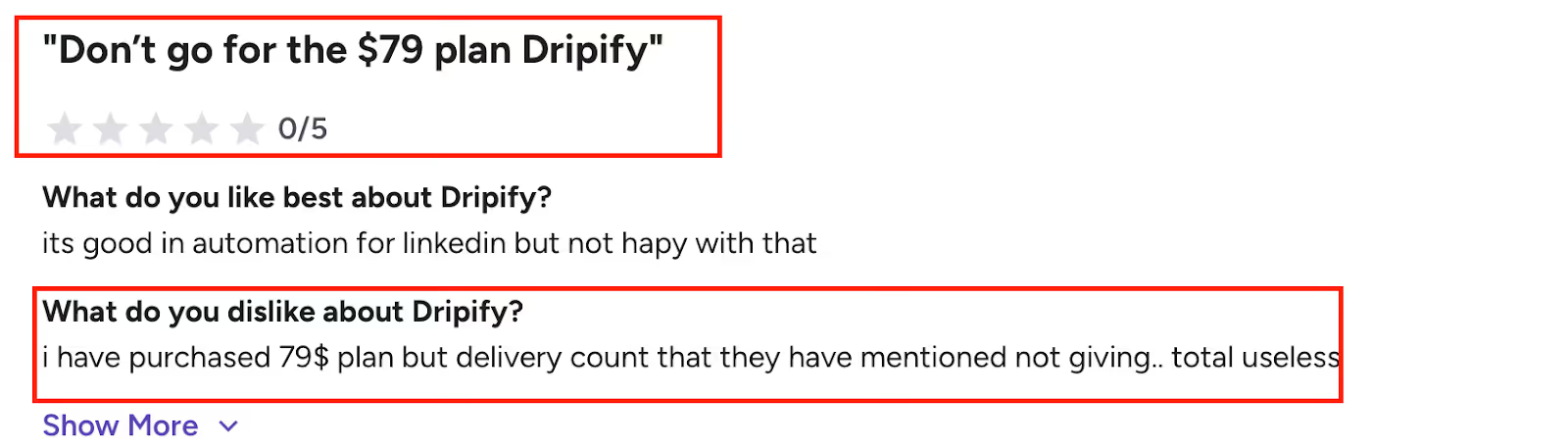
✘ Importing leads from Sales Navigator can feel difficult for new users
✘ Limited export flexibility, some teams rely on CSV or Zapier to move data
✘ Drip schedule builder has constraints, especially for complex enterprise logic
✘ Email finder sometimes surfaces LinkedIn-linked emails, not business emails
✘ No native Salesforce integration, requires Zapier or Make
✘ Auto connection picker may overshoot daily limits, causing temporary restrictions
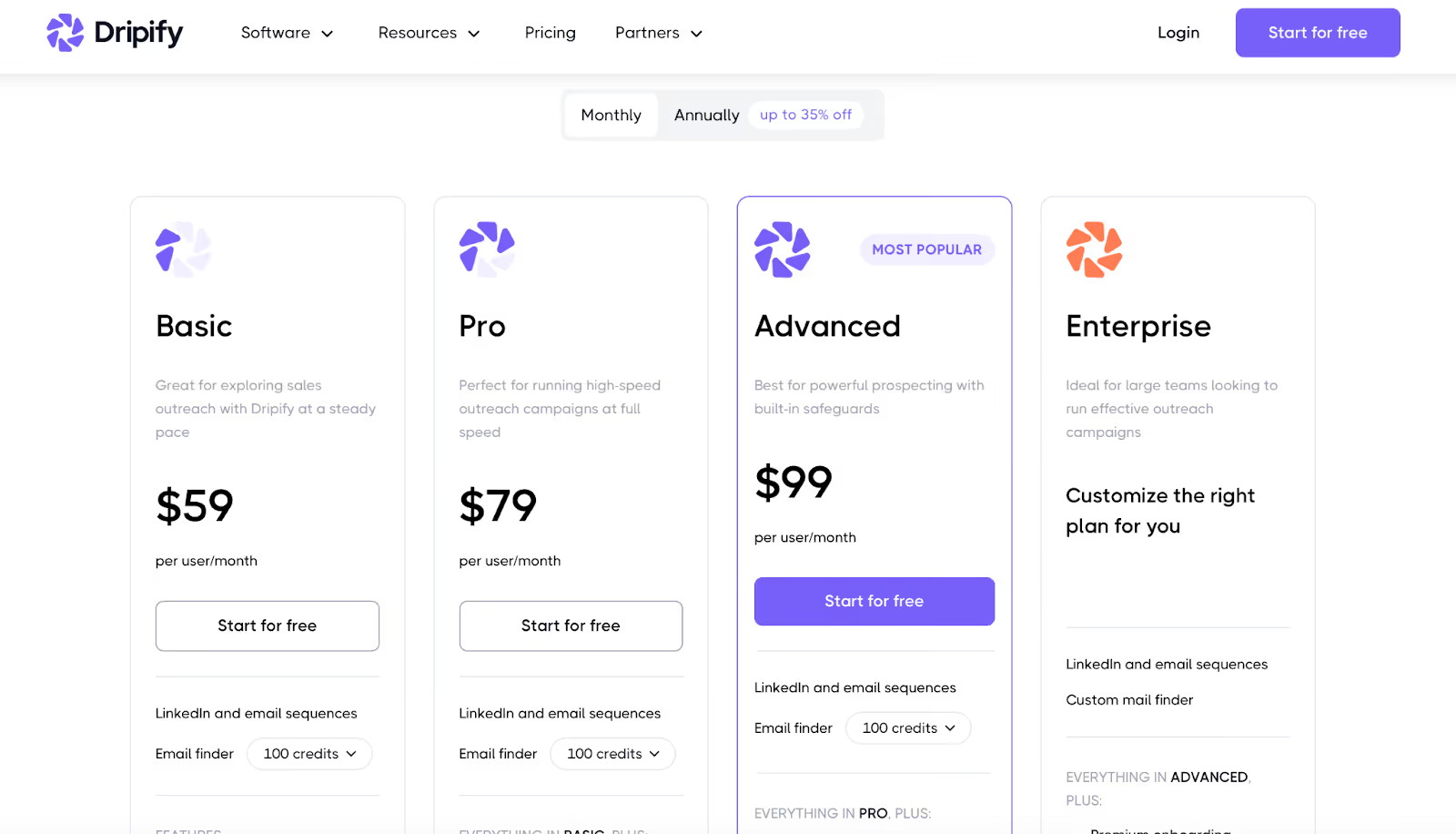
Basic - $59/user/month
For simple LinkedIn + email sequences with one active drip campaign.
Pro - $79/user/month
For full daily quotas, unlimited campaigns, webhook hookups, and CSV export.
Advanced - $99/user/month
For teams needing team management, advanced protection, and lead tagging.
Enterprise - Custom
For organizations requiring onboarding, CSM support, and custom integrations.
👉 Dripify fits users who want deeper sequence control and multi-channel drip workflows rather than Zopto’s simpler, LinkedIn-only automation approach.
7 Best Dripify Alternatives & Competitors for Sales Outreach (2025)
Enter your email to get a custom plan & stack recommendation for your business
Please check your mailbox in 5 minutes

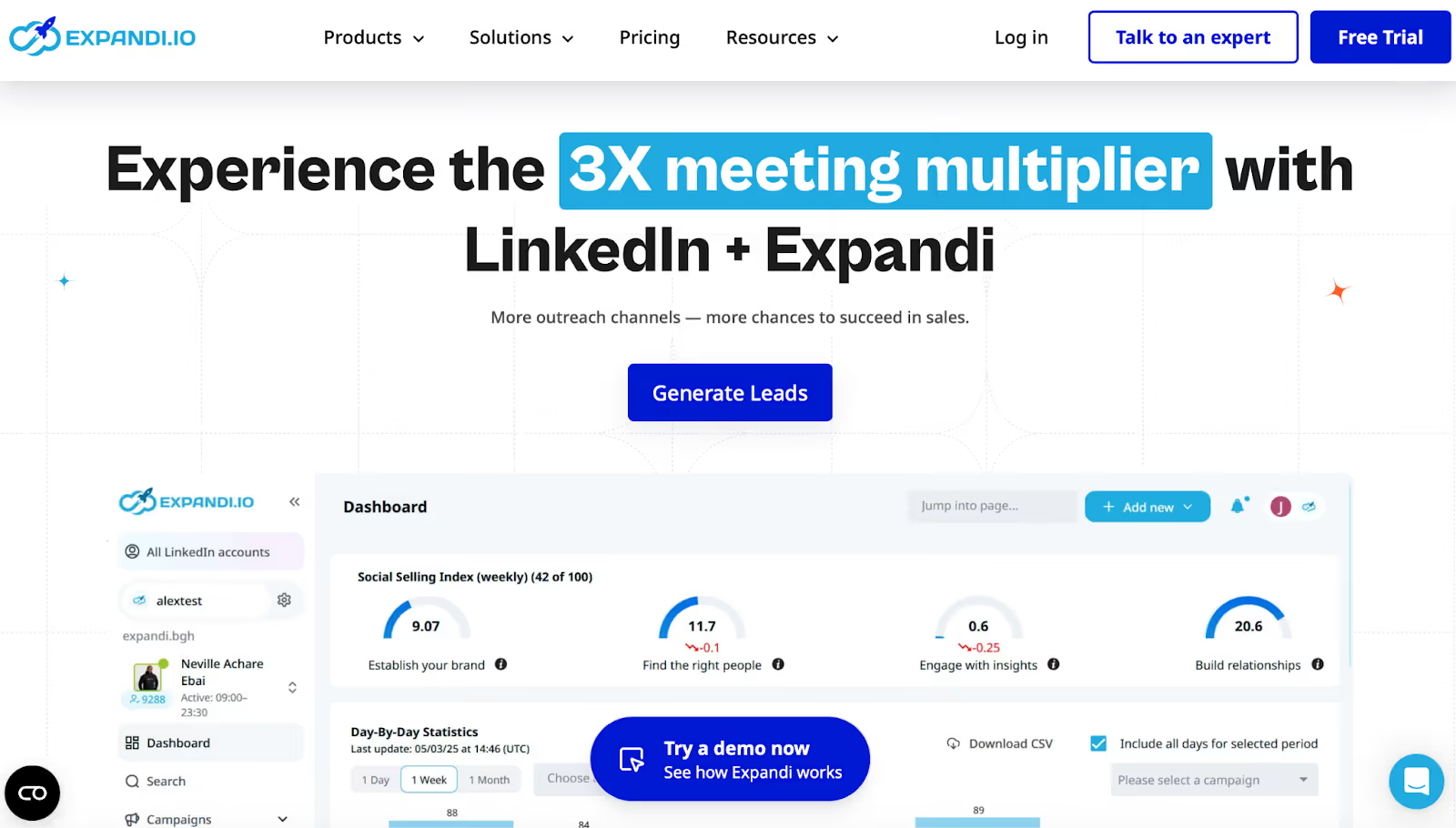
Expandi is a cloud-based LinkedIn outreach tool built around account safety, structured sequencing, and running multiple campaigns with control.
As a Zopto alternative, Expandi is most relevant for teams that want clear safety guardrails (warm-up + limit ranges) and the option to add email follow-ups inside the same sequence, instead of doing LinkedIn-only outreach.
Expandi also includes campaign operations features like campaign prioritization, campaign recovery, duplication prevention, and a centralized dashboard, which are useful when you’re running several LinkedIn campaigns at once.
Zopto is often chosen for running LinkedIn outreach at scale.
Expandi competes most directly on safety controls and workflow management.
Here’s what Expandi adds that’s specifically useful if you’re switching from Zopto:
✔ Profile Auto Warm-up so outreach ramps up slowly from day one
✔ Smart algorithms for limit ranges so you can set daily limits for connections/messages/InMails/event invites without exceeding safe ranges
✔ Multichannel sequences (LinkedIn + email follow-ups in one flow)
✔ Campaign prioritization to focus activity on campaigns that are performing
✔ Mobile Connector campaign type to send additional connection requests beyond standard limits (Expandi cites +100/week)
✔ Dedicated country-based IP address as part of its account safety positioning
✔ Auto warm-up + limit range controls help prevent sudden spikes in activity when starting automation
✔ Dedicated country-based IP for running cloud automation with a consistent IP footprint
✔ Mobile Connector campaign to bypass standard connection limits by adding extra weekly capacity
✔ Campaign recovery to resume or stabilize campaigns when something breaks
✔ Duplication prevention to avoid hitting the same prospect from multiple campaigns
✔ If/Action sequence builder + dynamic placeholders for building more structured follow-up logic
✔ Blacklist feature for excluding contacts or segments you don’t want to touch
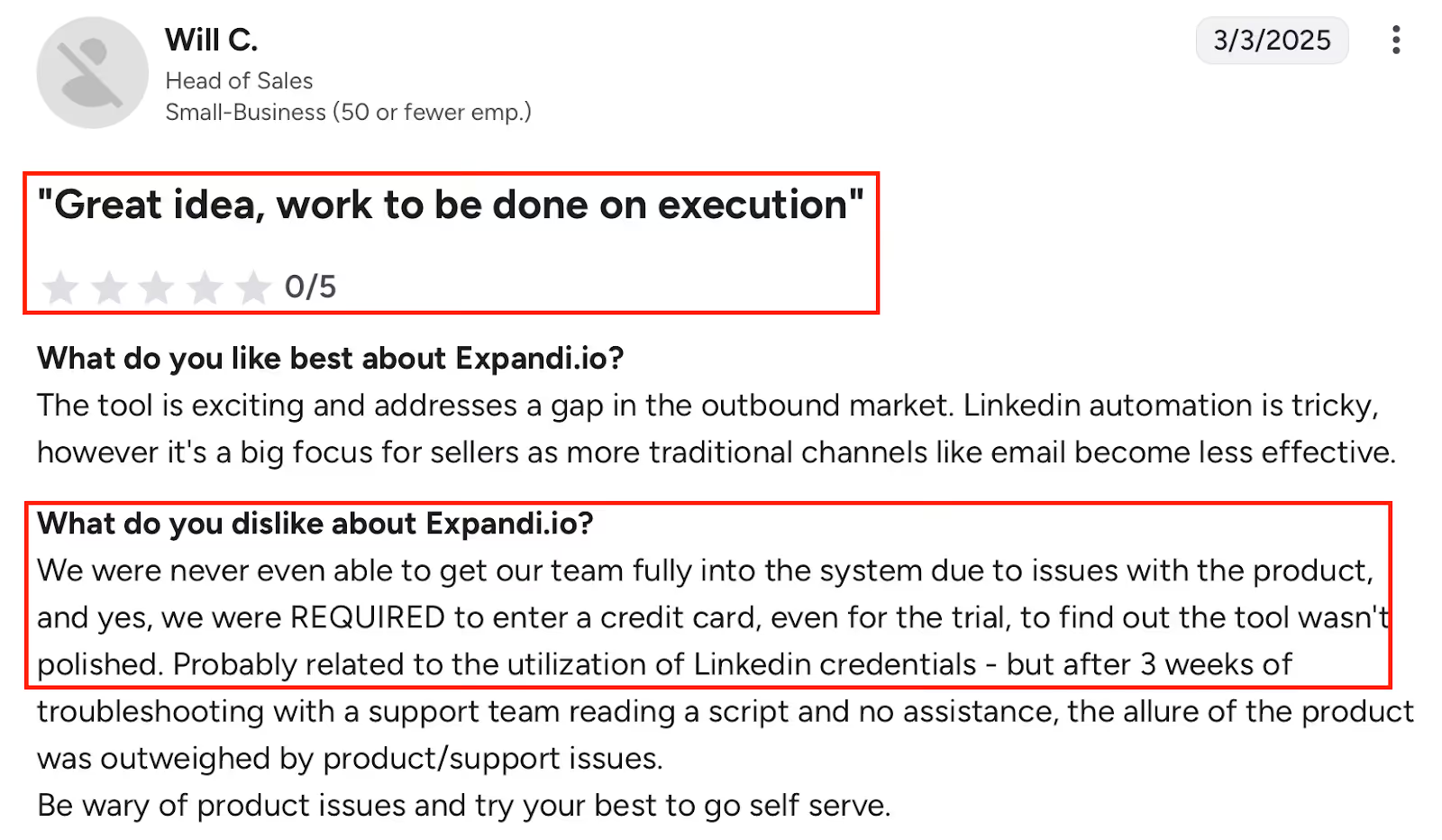
✘ Integration reliability issues were reported (API errors / linking inconsistencies), which can impact workflows and even cause LinkedIn issues
✘ Onboarding can feel complex, especially for first-time users without a guided setup
✘ Single-profile limitation reported by users who want to run more than one LinkedIn profile simultaneously
✘ Some dashboard features are missing, even though exports are described as well-organized
✘ Image & GIF personalization costs extra, and video personalization requires a paid Senspark integration
✘ Campaign creation UX is reported as needing improvement / being less user-friendly for some users
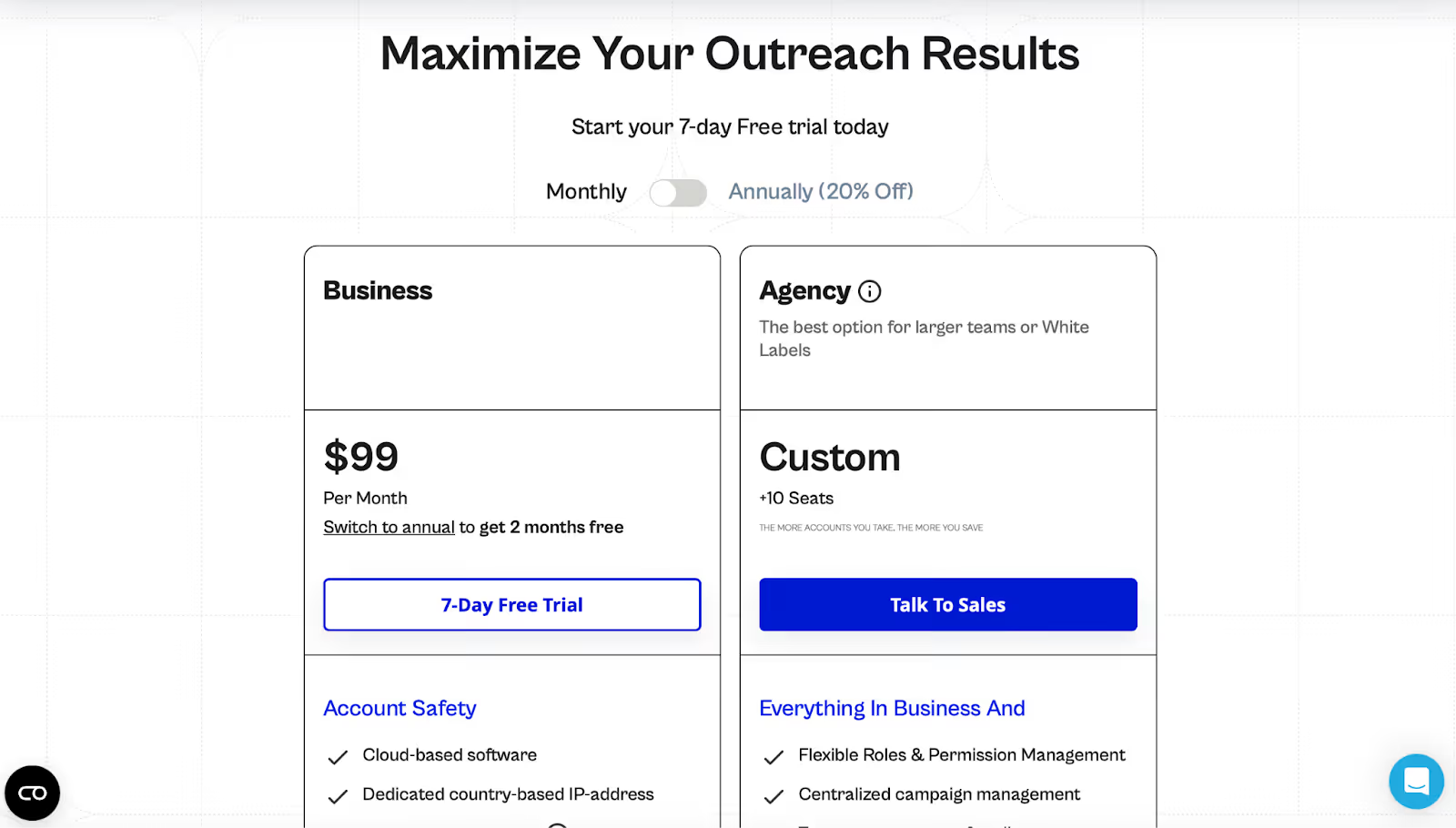
Business - $99/month (7-day free trial)
Includes the core safety features, unlimited campaigns, multichannel sequences, analytics, templates, scheduling, and campaign ops features.
Agency - Custom (10+ seats / white label)
Adds centralized campaign management, roles & permissions, client reporting, template sharing, and a dedicated CSM.
👉 Expandi is a strong Zopto alternative if your priority is “run LinkedIn outreach with guardrails” (warm-up + safe limit ranges) and you also want email follow-ups and campaign management features like prioritization, recovery, and duplication prevention.
9 Best Expandi Alternatives & Competitors for LinkedIn Outreach
Enter your email to get a custom plan & stack recommendation for your business
Please check your mailbox in 5 minutes
Zopto works well if your focus is structured LinkedIn automation and you’re comfortable with seat-based pricing.
But different teams outgrow it for different reasons.
The right Zopto alternative depends on what breaks first in your workflow - cost, scale, data, safety, or channel flexibility.
Here’s a quick game to decide:
Ask yourself what breaks first in your current setup - limits, replies, deliverability, or time.
If the answer is “all of them,” it’s time to try Salesforge and see how far your outreach can actually scale.

.jpg)