If you’re searching for UserGems, you probably want one of two things: to make your outreach more effective or to get better at prospecting.
Honestly, UserGems has some real strengths. I especially liked features like champion tracking, hiring signals, and AI-written openers. But the real question is whether those features are strong enough to justify the price and deliver ROI or whether you’ll just end up paying for another expensive experiment.
I tested two campaigns to find out:
Champion tracking is the strongest part of the product. It’s the most mature feature UserGems has built, and the signal library covers both people events and company events without obvious gaps. Nothing is published until a human reviews 10 samples.
But the same testing, plus repeated G2 feedback, surfaced four recurring problems:
So the real takeaway is this: UserGems is strong at identifying the right moment, but weaker at handling the execution end to end.
Below, I break down the everything that will help you evaluate UserGems based on your needs or use case.
UserGems finds the moment worth reaching out and writes the opening line for you. Signals fire on job changes, funding, hiring, and buying-group activity, then Gem-E drafts the first touch and routes it to your sequencer.
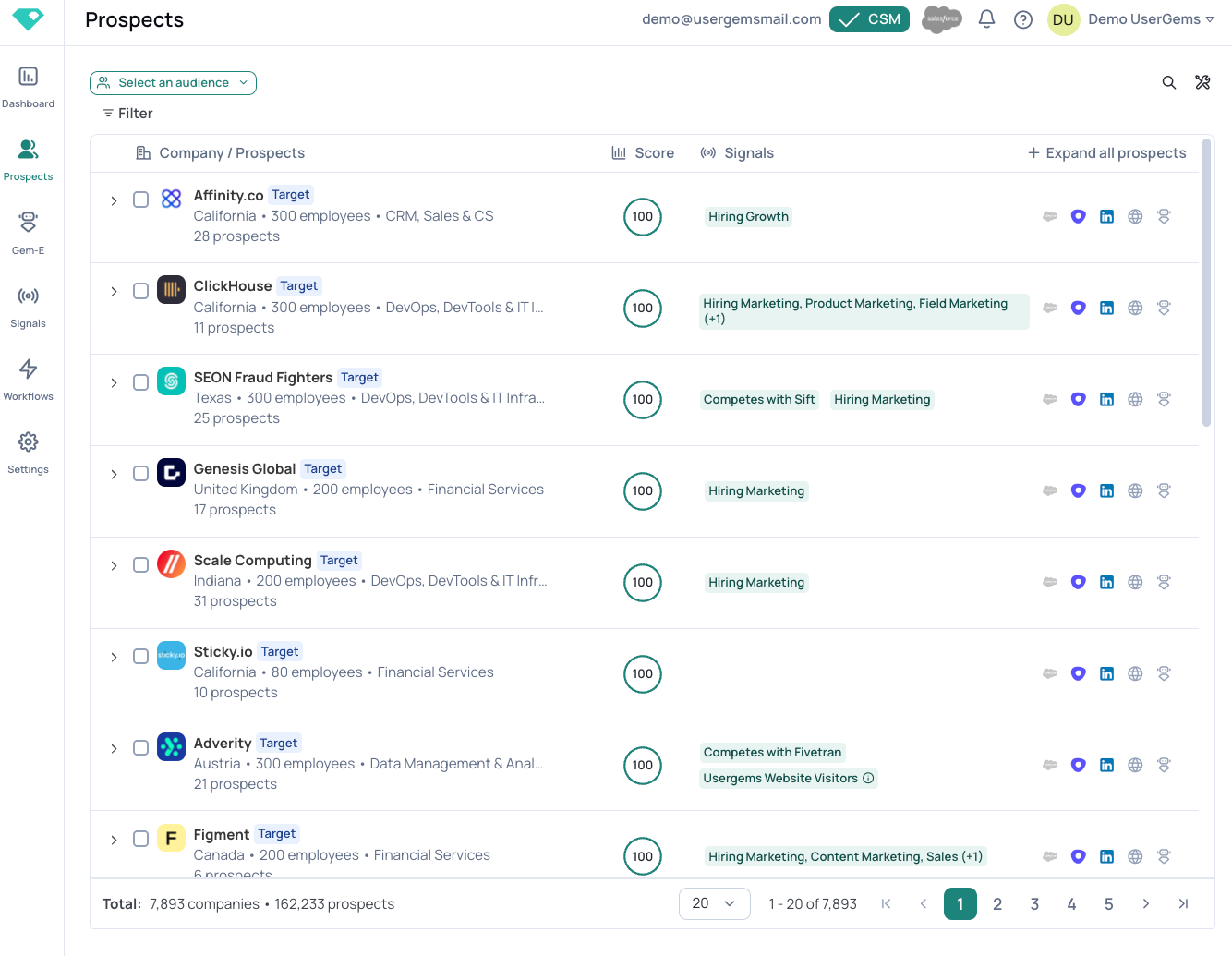
Reviewers rate the output highly. The emails, the signal coverage, and the account scoring draw almost no criticism.
The complaints are about control. Filtering, transparency, and knowing why the system did what it did.
The bigger limitation is scope. UserGems stops at the sequence handoff, so you still pay a second vendor for mailboxes, warm-up, deliverability, and sending. A reply pauses the sequence and a human picks up the thread.
This is where Salesforge covers different ground. It owns the execution half UserGems declines, with unlimited mailboxes on every plan, free Warmforge warm-up, and Primebox handling email and LinkedIn replies in one place.
Agent Frank goes further and runs the full loop, from prospecting through follow-ups to booking the meeting.
UserGems goes deeper on relationship signals and job-change detection. Salesforge gives you the execution layer that has to exist somewhere, without a second subscription and a webhook to maintain.
I only found a usable review sample on G2. Capterra and Trustpilot don't carry enough UserGems volume to draw a pattern from.
The useful thing about the G2 data is where the praise stops and the complaints start.
Reviewers rate the output highly. The emails, the signal coverage, the account scoring. Almost nobody criticizes those.
The complaints are about control. Filtering, transparency, and knowing why the system did what it did.
Every reviewer in the sample is Mid-Market or Enterprise. I found no small-business reviews at all.
That tracks with what one GTM engineer says outright. He calls UserGems priced for bigger teams and says it is not the cheapest tool his team runs.

Gem-E is the feature people most often name. A software company reviewer says reps have mentioned saving 15+ minutes per email.
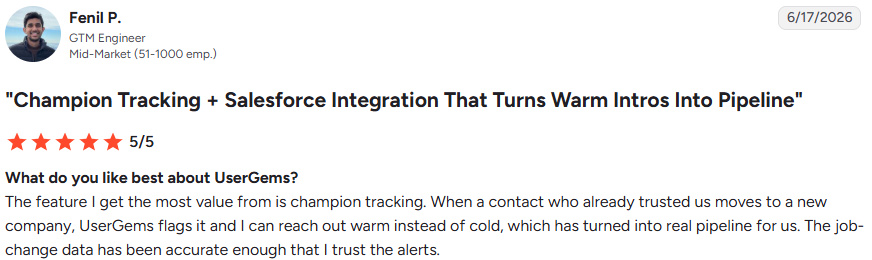
Fenil P., a GTM engineer, says the feature turned warm intros into a real pipeline for his team.
Janet W., a principal program manager at an enterprise account, calls UserGems her most successful signal provider.
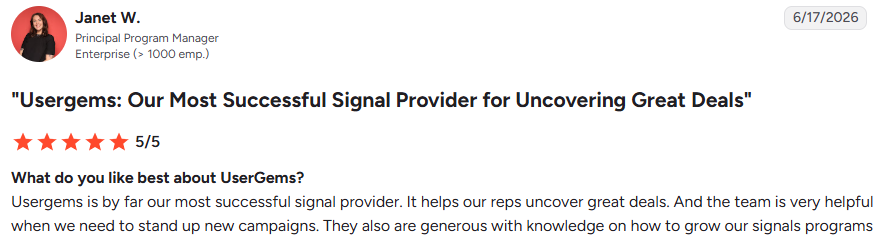
The implementation and customer success team is repeatedly named, often unprompted, in reviews that are otherwise about the product.
Filtering is the sharpest one. A mid-market reviewer says the audience builder only supports "and" filters, not "or".

The practical cost is real. That reviewer says you sometimes have to build multiple audiences and run multiple campaigns to achieve a single outcome.
The same reviewer flags the audience and persona builder sections as complicated.
An enterprise reviewer wants the ability to prioritize or switch between signals when multiple fire on the same account.

One reviewer wants to see exactly what caused a contact to be marked as contact-level intent.

UserGems markets its scoring as explainable, but this reviewer could not trace an intent flag.
Fenil P. says job-change data is reliable but sometimes lags by a few weeks, with the new company or title occasionally slightly off. He double-checks before reaching out.

A financial services reviewer says only one software connection forced his team into alternative flows.
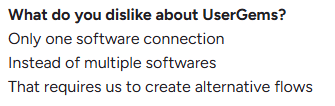
Alfie W. describes the same problem from the CRM side. Salesforce and HubSpot connect cleanly. Niche or in-house CRMs need significant technical resources.

One reviewer says getting it dialed in is slow and that it is not always trivial to see how a single change impacts the overall system.

Janet W. adds a coverage limit. Contact intent tracks English, and she wants other languages.

I worked through UserGems across two setups.
Five areas got the most time.
Audiences define the entry criteria for every campaign and are always step one. Nothing runs until one exists.
What I tested: Four audiences. Past champions who recently joined a new company, funded accounts with a multi-threaded buying group, closed-lost contacts from a defined evaluation year, and CRM records with no logged activity.
What I liked: The CRM-state filters do the most work. In CRM, in SEP, in Sequence, and in Contacted, you exclude people your team is already working with without needing to maintain a separate exclusion list.
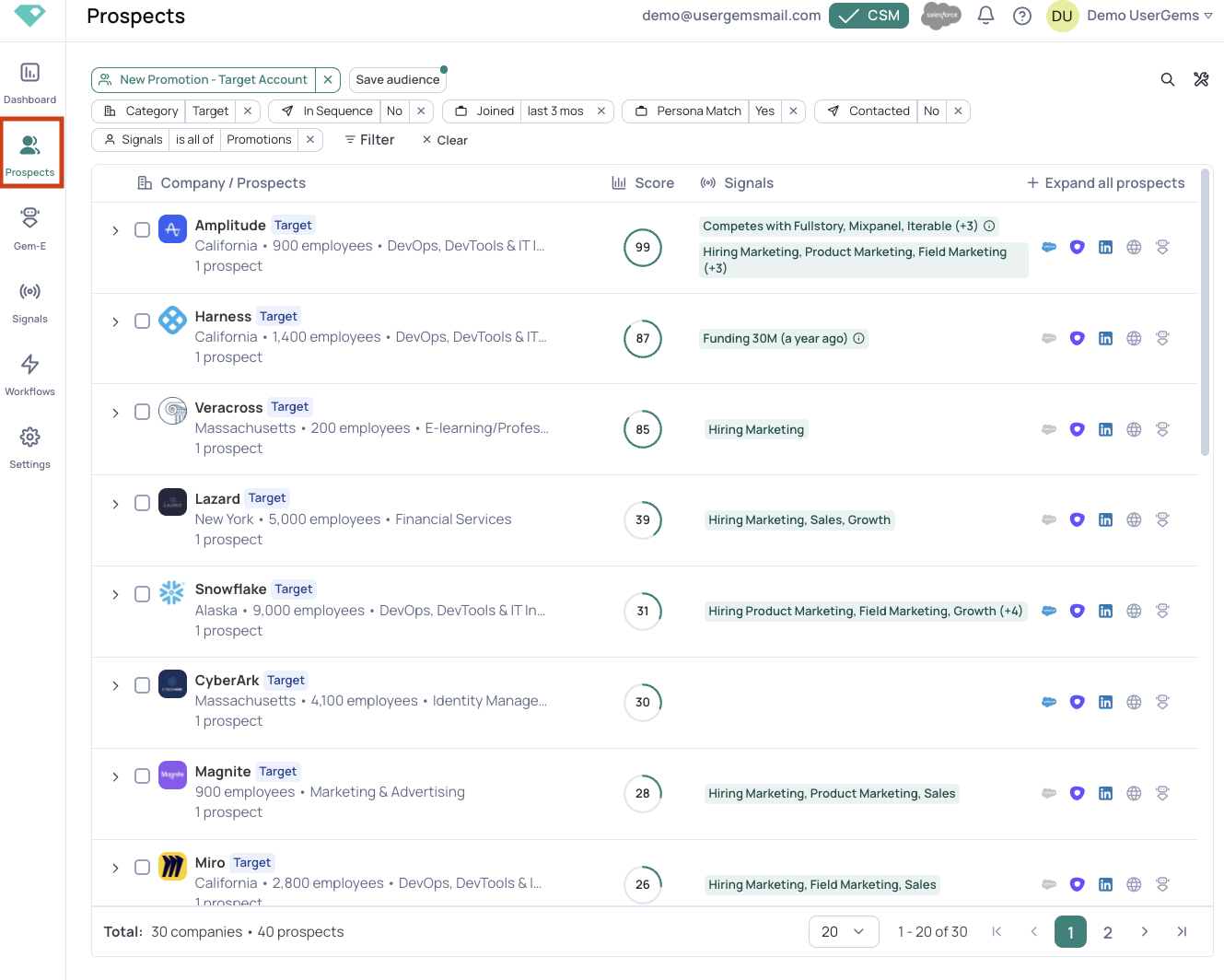
What could be better: Filters combine with "and" only. If you want funded accounts or accounts hiring for a role, that is two audiences and two campaigns.
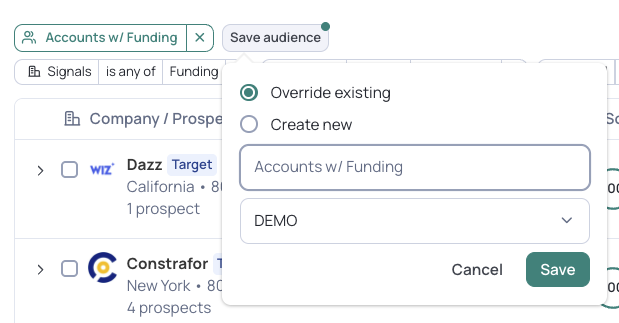
My take: The depth is real. The "and"-only limit is what drives your campaign count growth, so model how many audiences your signal plan needs before you commit.
Signals are the reason to buy UserGems, and everything downstream depends on them firing accurately.
What I tested: Enabled Past Champions, Funding, Multi-Thread, New Hires, and Contact and Account Intent, then reviewed the full library.
What I liked: Coverage spans people events, company events, and first-party engagement. You can also push your own signals from Salesforce or a warehouse, so the data you already track stays within the campaign logic.
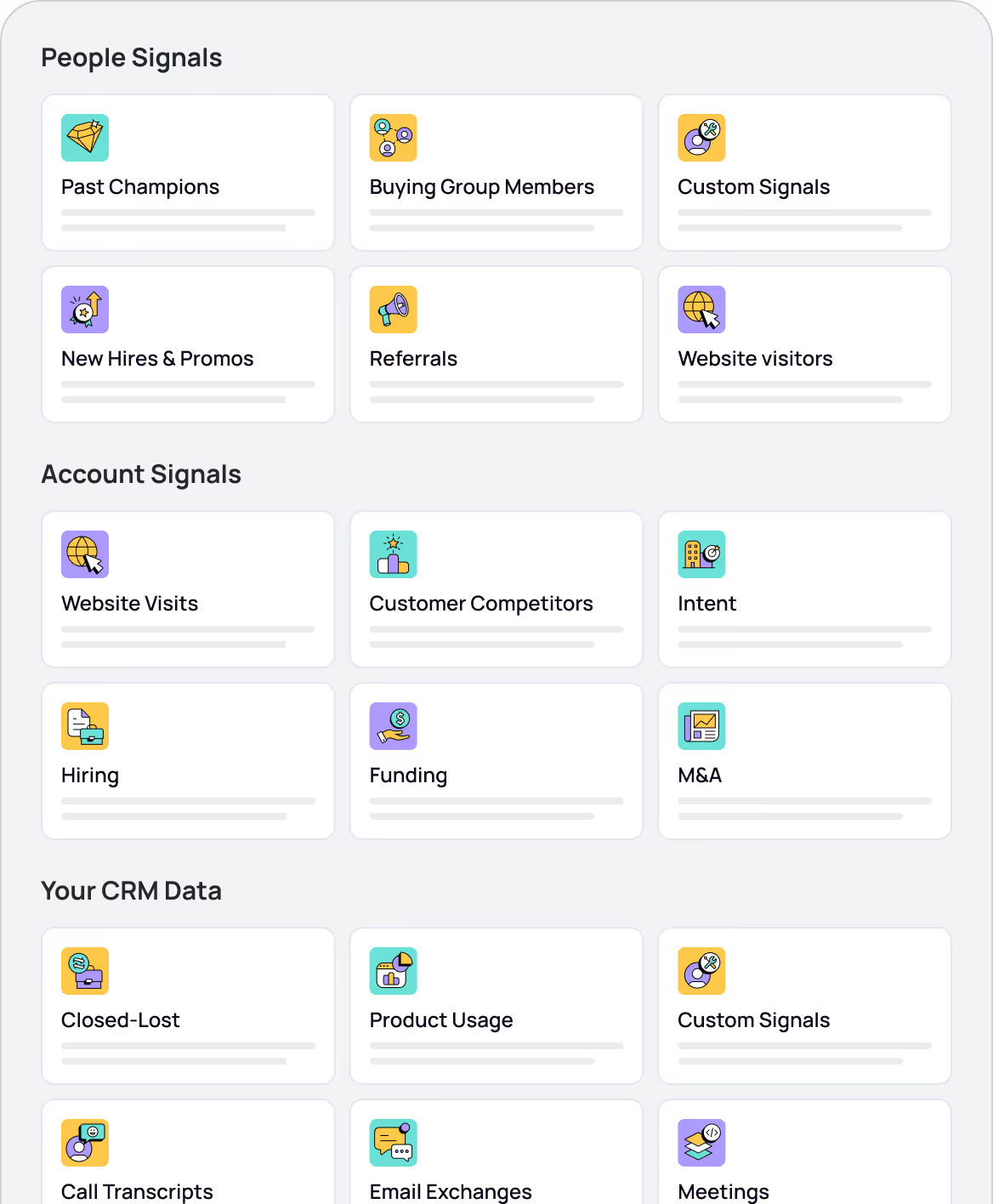
What could be better: There is no way to prioritize when several signals fire on the same account. Contact intent also tracks English only.
My take: Breadth is the real asset, and the job-change signals are visibly the most mature. Turn on fewer than you think you need, because without prioritization, more signals just mean more alerts on the same accounts.
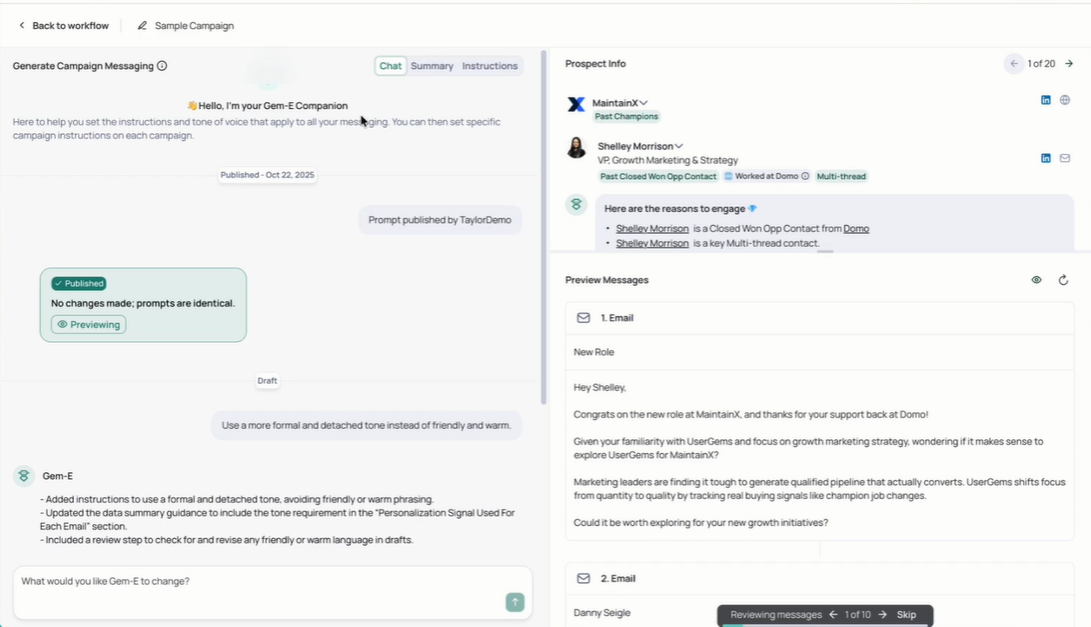
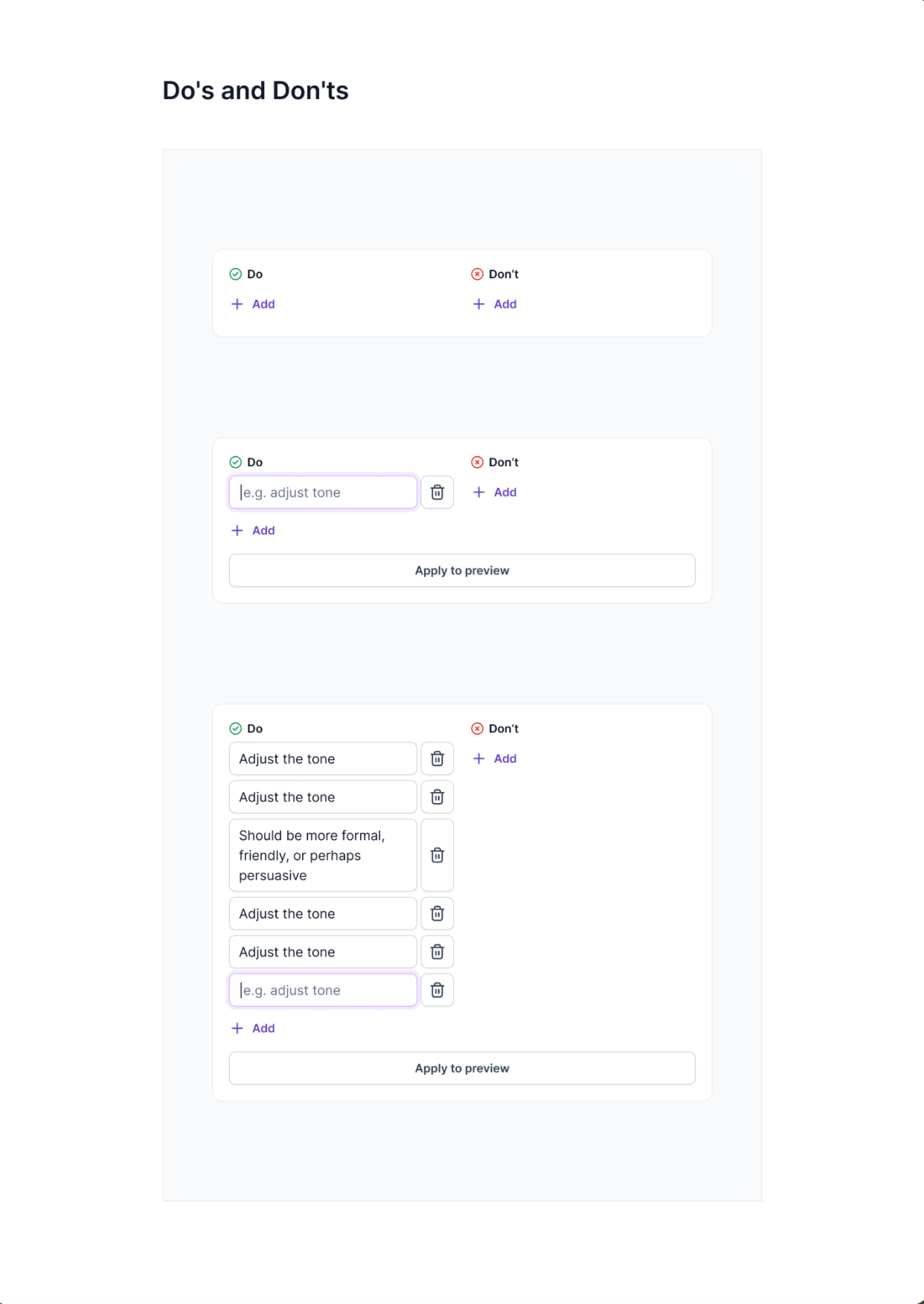
I expected a prompt box. Gem-E is closer to a content library plus a two-level instruction system, and this is where most of the configuration work sits.
What I tested: Loaded value propositions, sample emails, case studies, and links. Set company-level rules for banned terms and subject line length, then added conflicting campaign rules to one campaign. Shaped messaging through Chat before touching Instructions.
What I liked: The merge rule is clean. Company-level is the baseline; campaign-level overrides it only where the two directly conflict, and everything that doesn't conflict still applies.
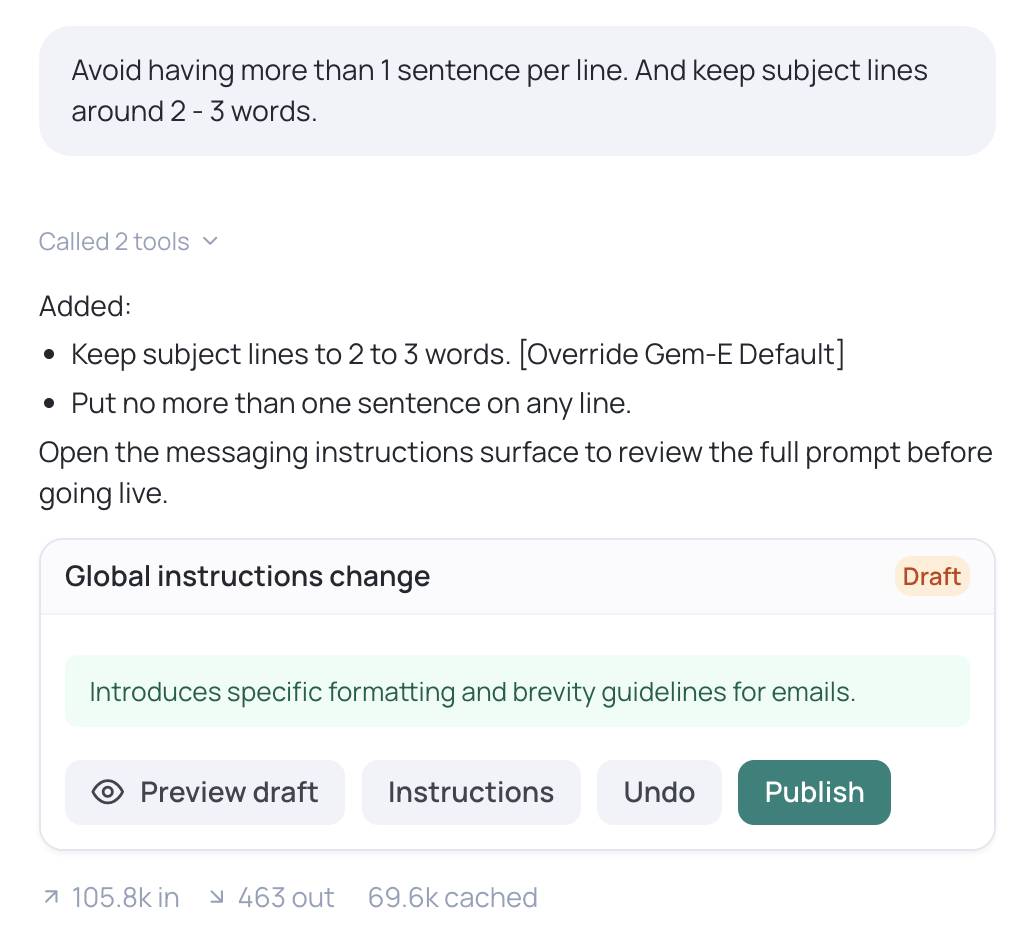
What could be better: Instructions must apply across every email in the set, and the docs say to get specific about break generation. You cannot hardcode a phrase or change one prospect's CTA.
My take: You are writing policy here, not copy. Set global rules deliberately once, and expect teams seeking line-level control over outbound copy to find this restrictive by design.
The canvas is where signals become visible to a rep.
What I tested: A full outbound workflow with CRM creation, round-robin assignment, delay, AI messaging, Slack alert, and sequence enrolment. Then activated the Marketing branch on the same audience.
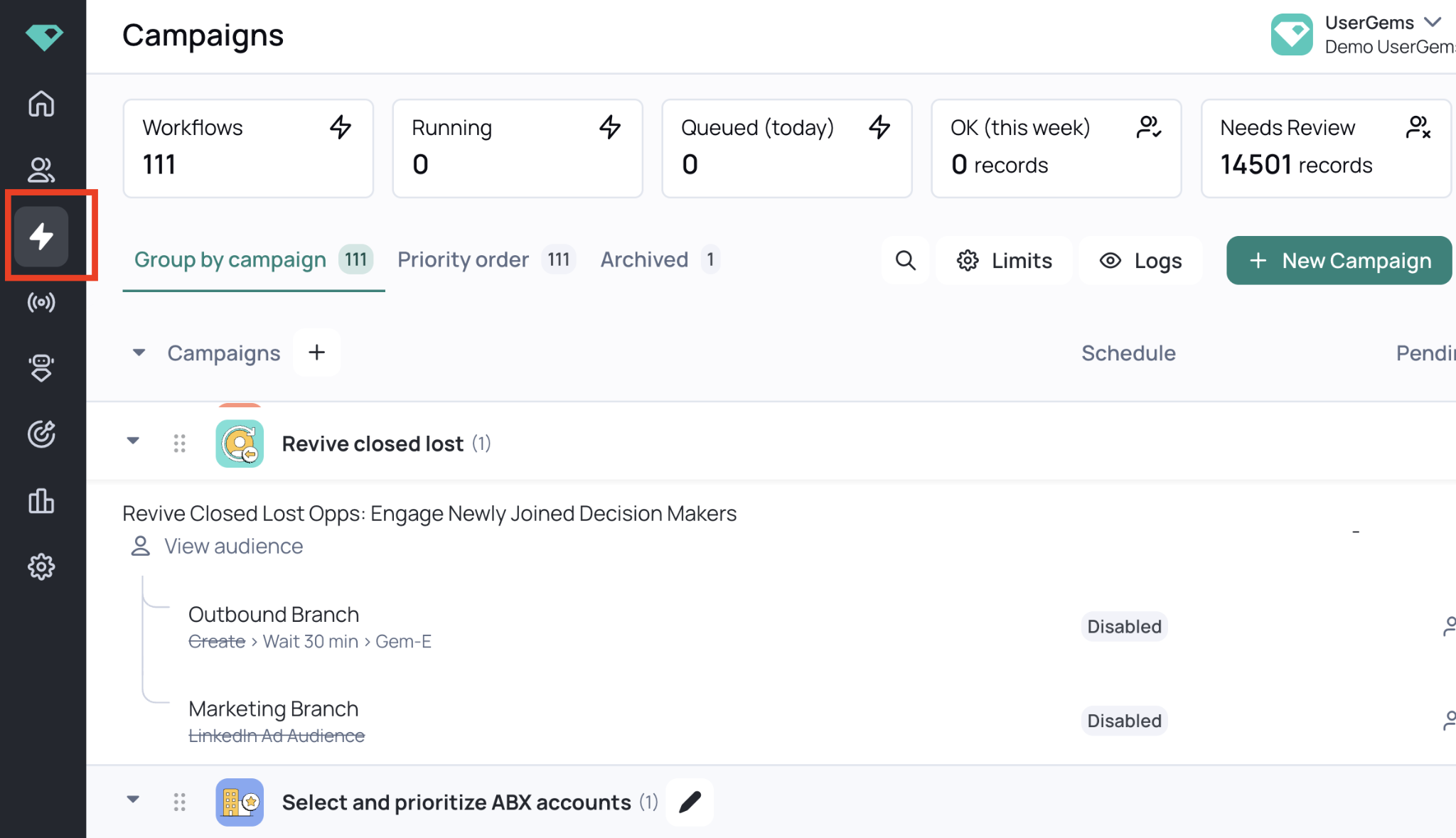
What I liked: Both branches served the same audience with separate filters, so Outbound targeted uncontacted prospects while Marketing advertised to the full list. The review gates are the reassuring part, since you check ten prospects before publishing and workflows sample ten records first.
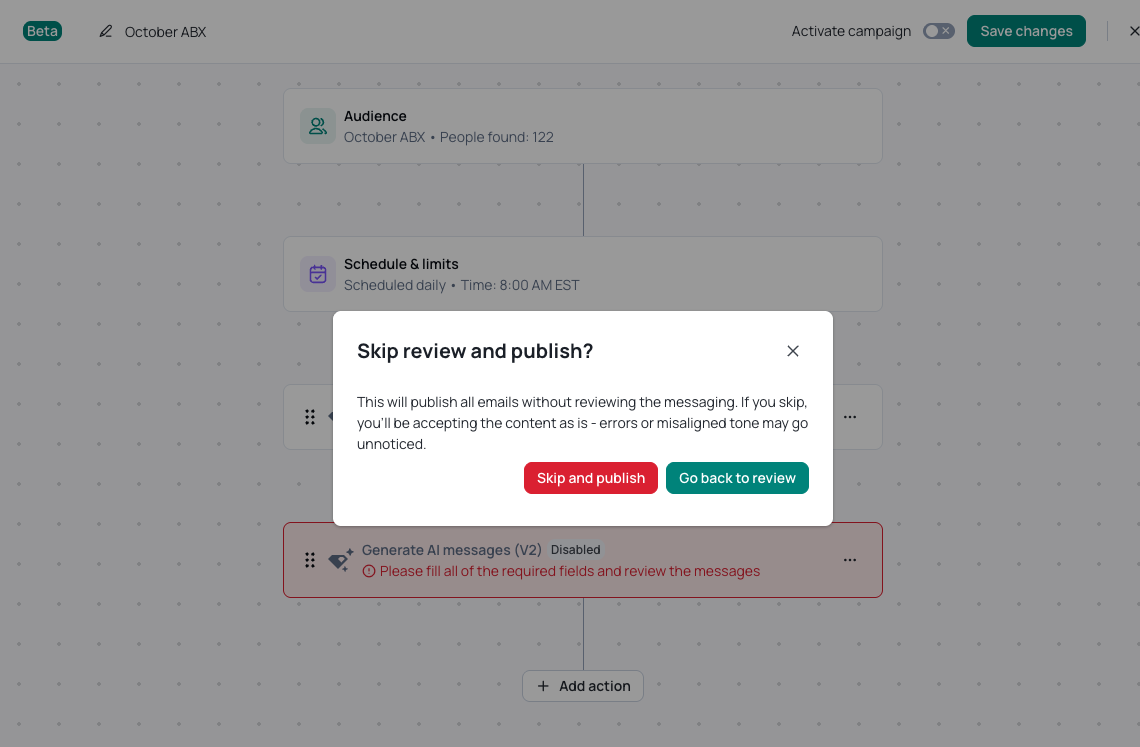
What could be better: Only Outreach, Salesloft, and Gong connect natively. Everything else runs through webhooks you build and maintain yourself, with Smartlead and Instantly as examples.
My take: Check your SEP against the direct list first, because a webhook path means budgeting for engineering time.
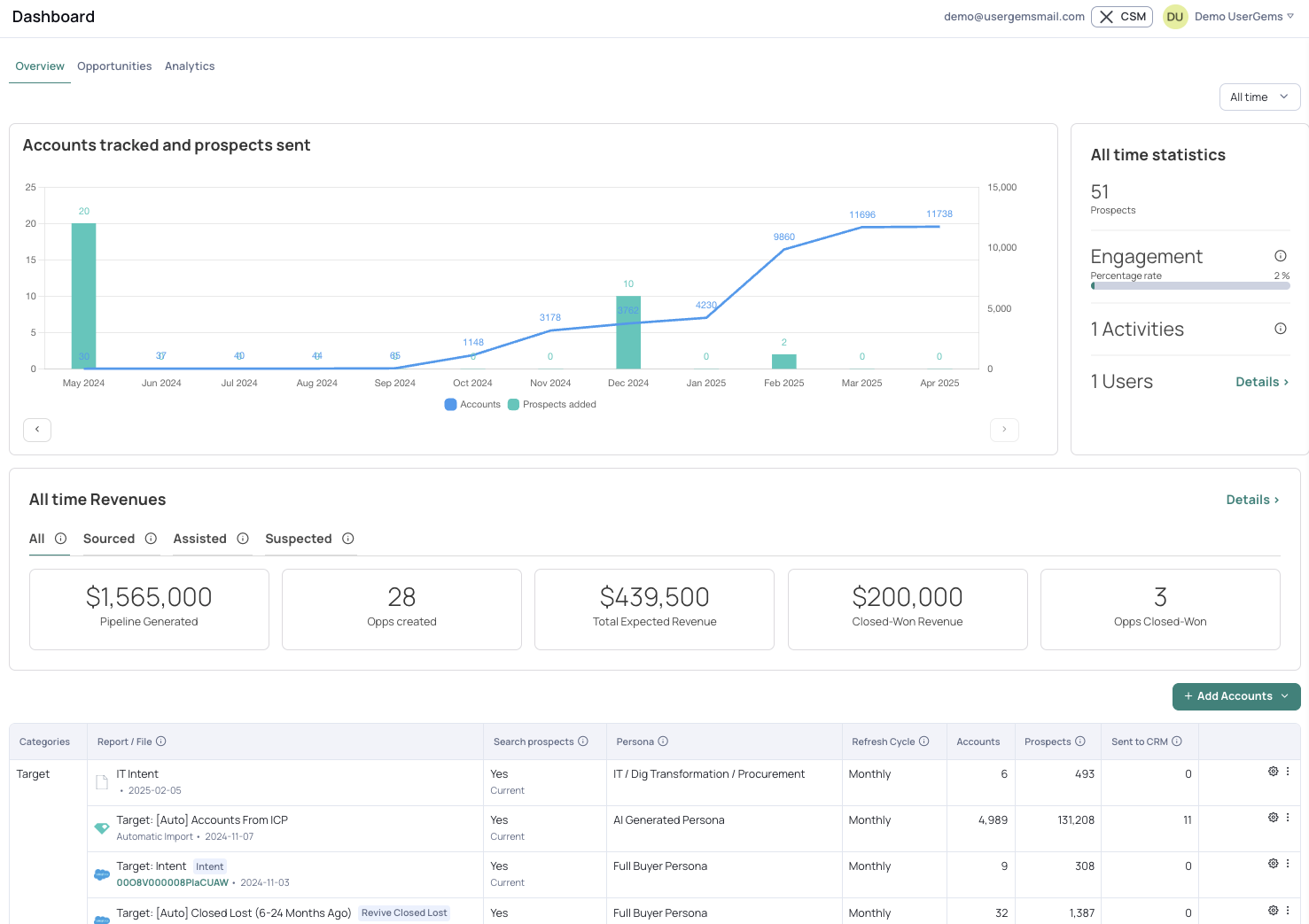
The dashboard tells you what the company worries about.
What I tested: Worked through the Overview, Opportunities, and Analytics tabs and how opportunities land in each attribution category.
What I liked: Sourced and Assisted have clear definitions, and the Opportunities tab filters by signal and stage and exports to CSV.
What could be better: The third category, Suspected, is a bucket for revenue UserGems believes it influenced but cannot prove. Any opportunity can be reassigned between categories with a dropdown.
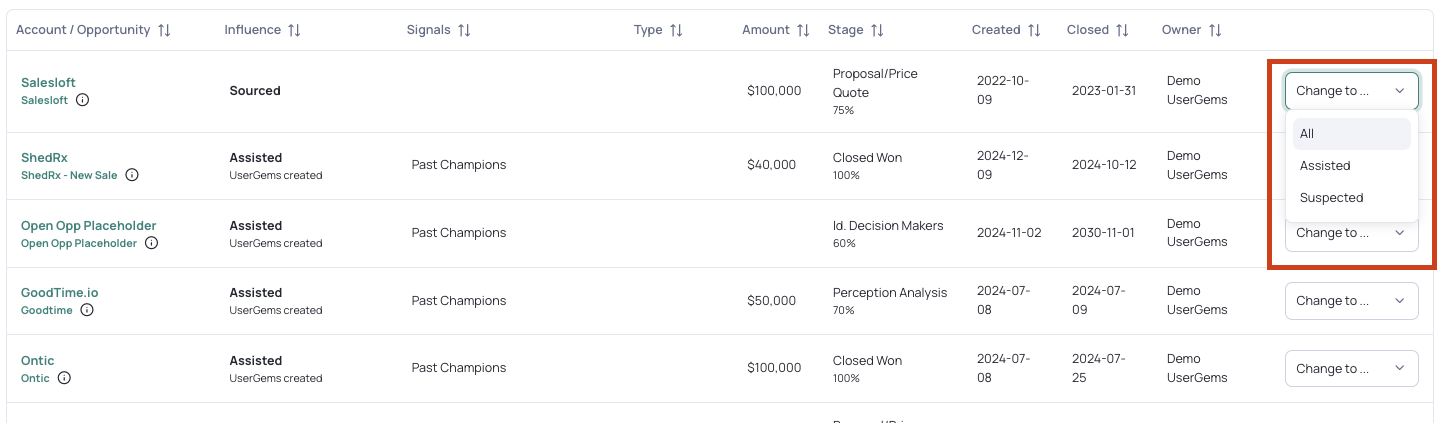
My take: More honest than most vendor dashboards, since it separates what it can prove from what it cannot. Just be clear which of the three numbers you are quoting and to whom.
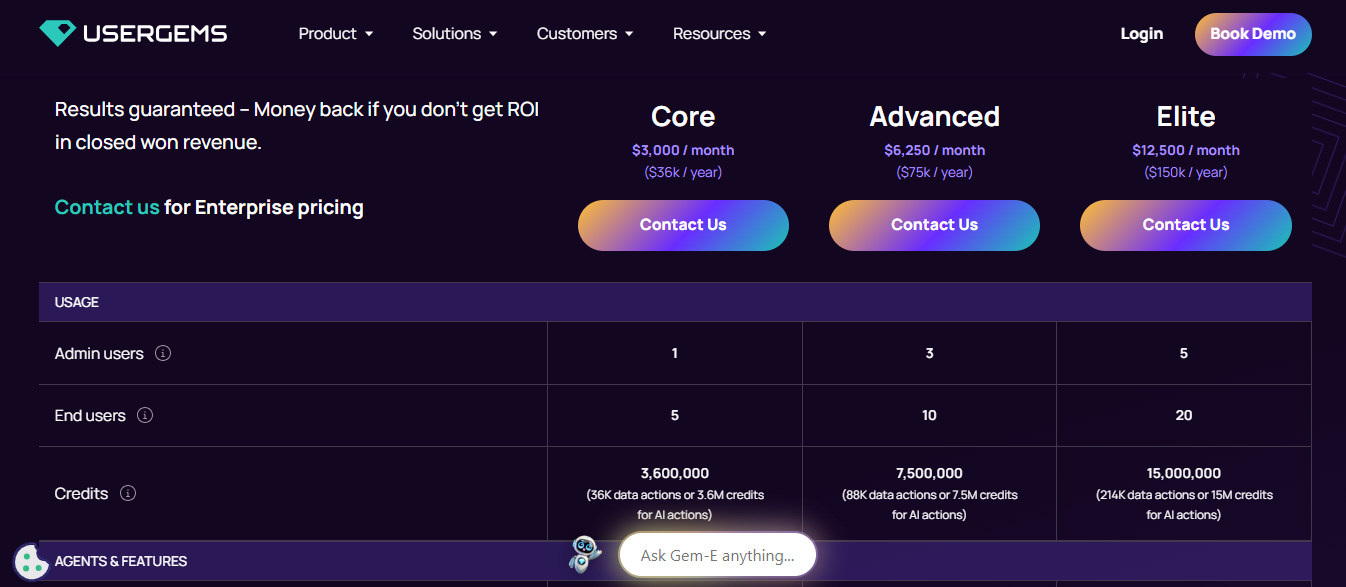
UserGems runs three published tiers plus enterprise pricing on request. Every tier is quoted annually and carries a separate one-time implementation fee.
Entry is $3,000 per month, or $36,000 committed for the year. That confirms what the G2 sample told me, where one GTM engineer called UserGems priced for bigger teams.
Implementation is charged on top as a one-time fee: $3k for Core, $5k for Advanced, $10k for Elite. Retroactive Job Change Leads is optional for a flat $3k fee across all tiers.
Seats are capped at 5 end users on Core, 10 on Advanced, and 20 on Elite.
The Core tier is where the add-ons stack. Four features I used heavily cost extra at $3,000 per month: the Writing Agent behind Gem-E, the Research Agent, contact-level intent with web de-anonymization, and the ABM Agent. CRM Hygiene and Calendar Capture are also Core add-ons, and MCP is not available on Core at all. Add-on prices are not published.
Advanced unlocks the Writing Agent and MCP. The Research Agent, contact-level intent, ABM Agent, and CRM Hygiene stay add-ons until Elite.
The G2 sample makes the fit question easy to answer. Reviewers agree on what the product does well and disagree mostly about whether it suits their stack, their team size, and how much control they want over the output.
Mid-market and enterprise revenue teams are the core audience. Every reviewer in the sample falls into the 51-1,000 or 1,000-plus bands.
If you need a system that owns sending, skip UserGems because it stops at the sequence handoff.
For revenue teams who like what UserGems does at its core but hit the limits above, Salesforge covers the half UserGems declines to own.
Both tools treat outbound as a signal problem. UserGems detects the signal and hands off the record. Salesforge sends, manages the reply, and books the meeting.
One thing Salesforge does not replace is the job-change and champion-tracking database. That is UserGems' strongest asset and an entirely different mechanism.
Everything after the signal fires is where the swap makes sense.
The features that matter here are the ones that close the specific gaps documented above.
Gem-E writes the first touch and stops. Agent Frank writes, sends, follows up, handles the reply, and books the meeting.
Both run on content you supply. UserGems needs value propositions, sample emails, and case studies loaded before Gem-E works.
Agent Frank collects your company information, products, and any files you upload, using only first-party data.
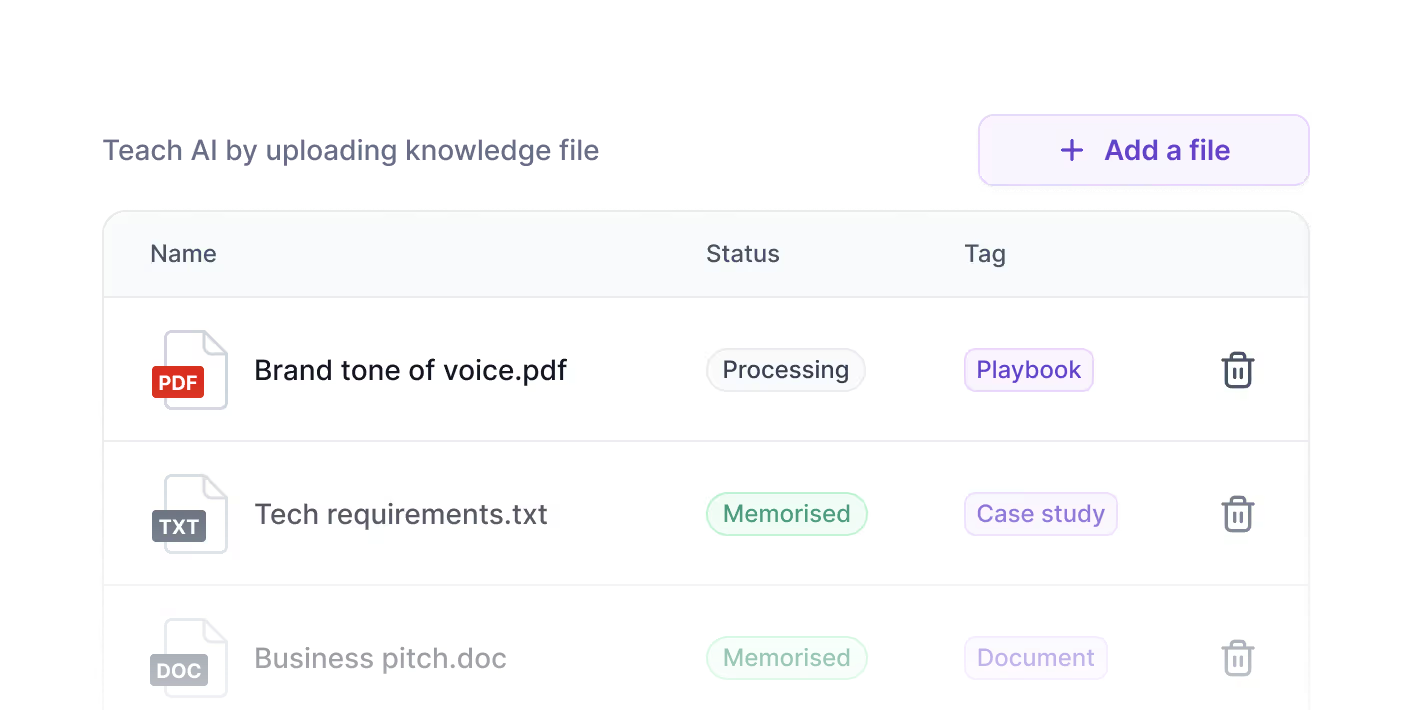
The differences are in what you can control and how far the agent goes:
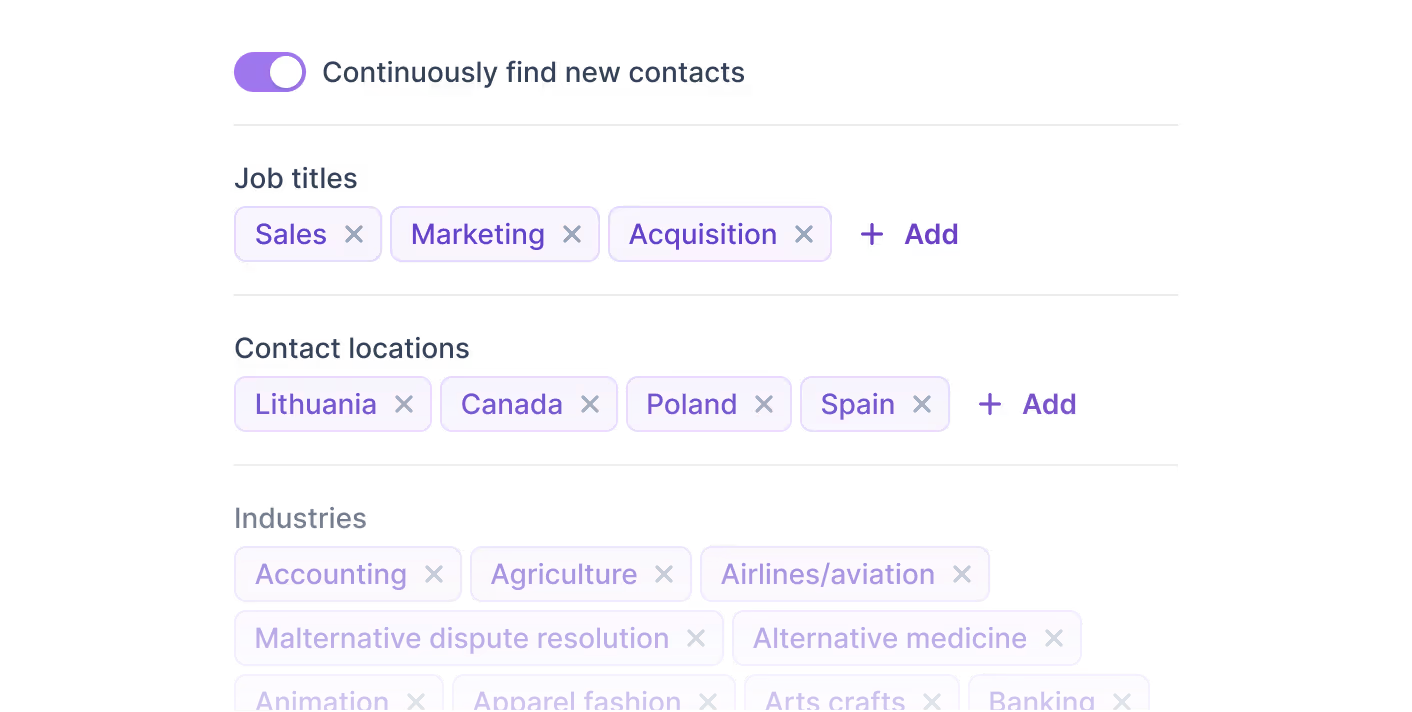
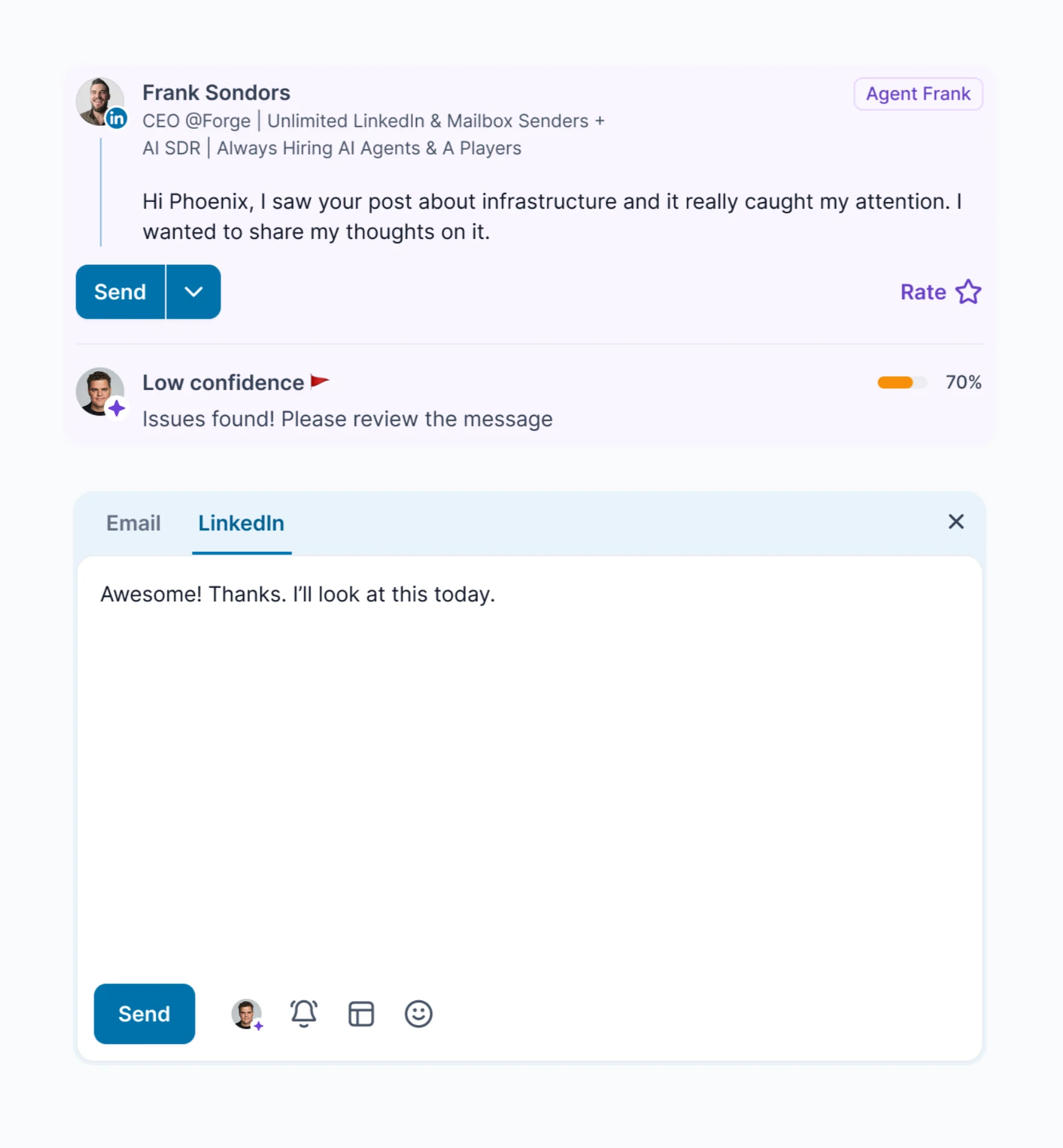

UserGems stops at the sequence handoff with no mailbox layer, warm-up, or deliverability management. Salesforge includes unlimited mailboxes on every plan, free unlimited Warmforge warm-up, dynamic ESP matching, and Bounce Shield.
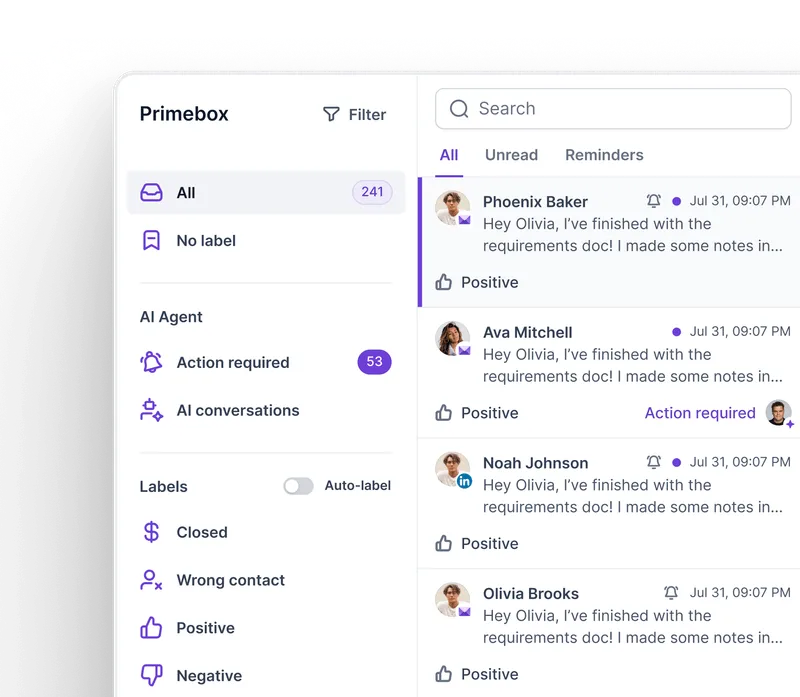
In UserGems, a reply pauses the sequence, and a rep takes the thread. Primebox unifies email and LinkedIn replies across every mailbox, with Co-Pilot drafting for your approval and Auto-Pilot continuing the conversation.
UserGems connects natively to Outreach, Salesloft, and Gong, and one reviewer said in-house CRMs need significant technical resources. Salesforge integrates natively with HubSpot, Pipedrive, LinkedIn Sales Navigator, Zapier, and webhooks, with API access on Growth and above.
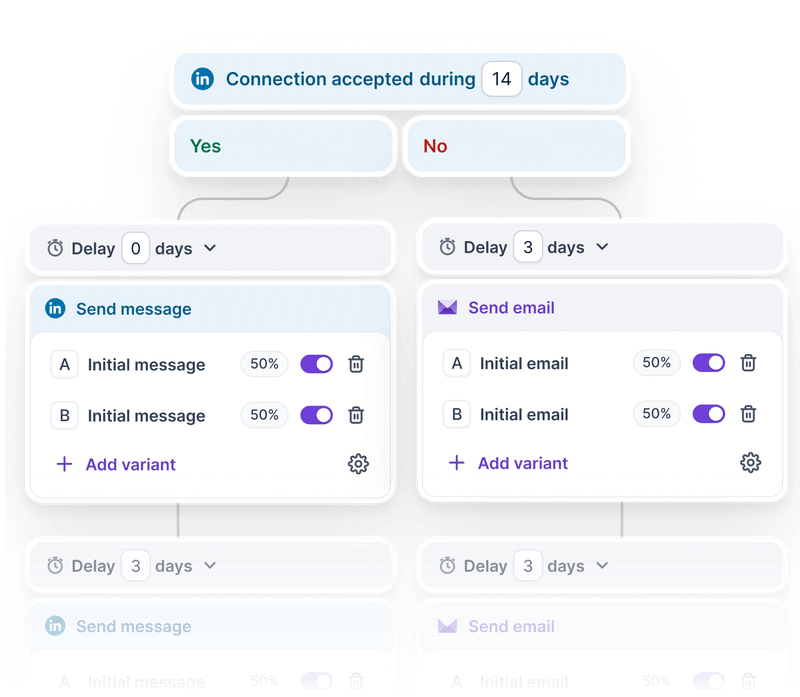
UserGems reads LinkedIn ad activity as a signal but cannot send on the channel. Salesforge runs 6 native LinkedIn actions with unlimited senders on Growth, and conditional sequences run both channels within a single flow.
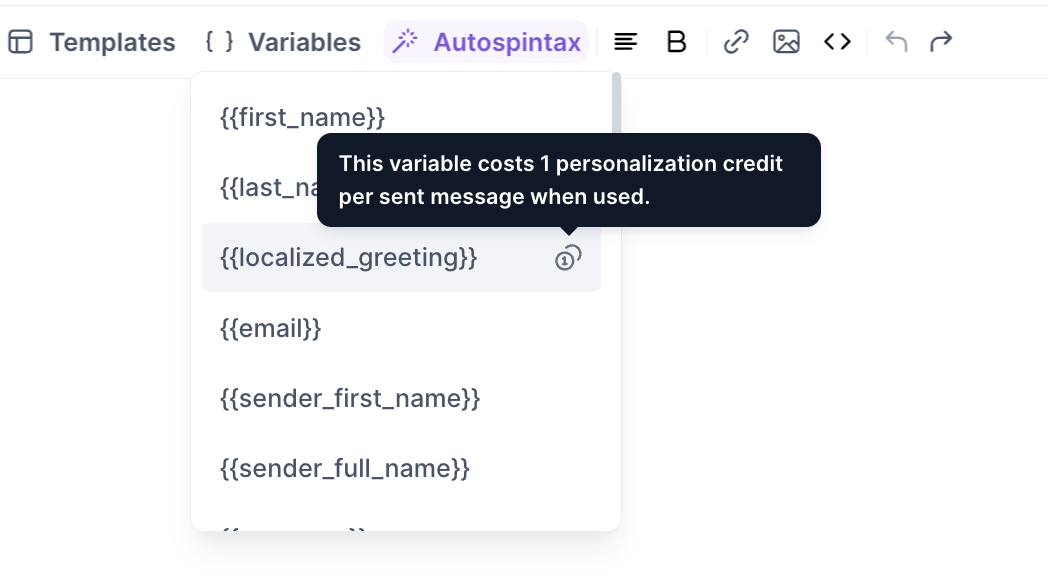
UserGems contact intent tracks English only. In Salesforge, the AI Personalization surface supports 21+ languages, including a Localized Greeting variable that matches the recipient's locale.
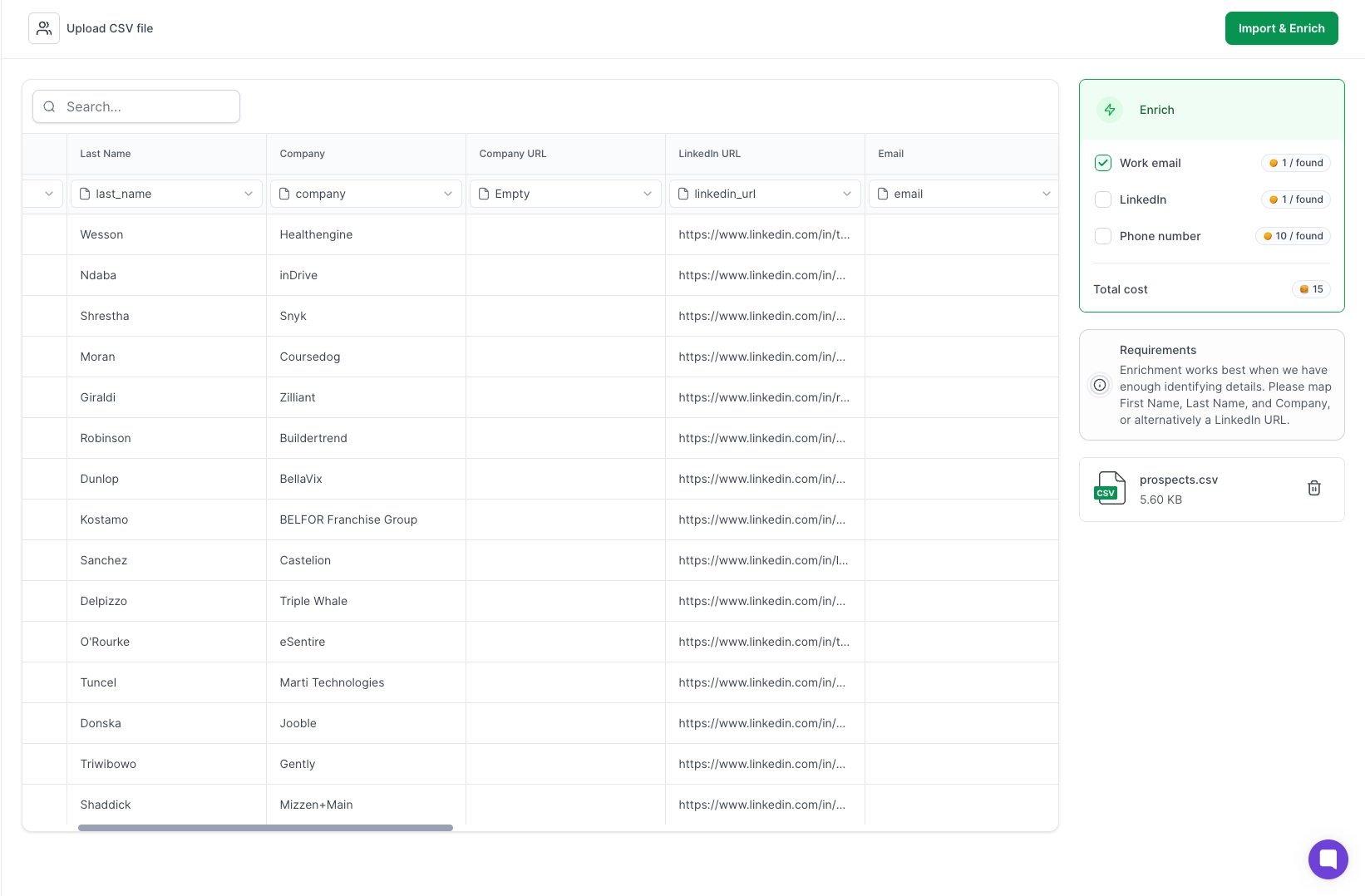
UserGems builds audiences from your CRM and its own signals, without a prospecting layer. Leadsforge supplies enriched lists at 1 credit per email and 10 per mobile number, with 100 free credits on signup.
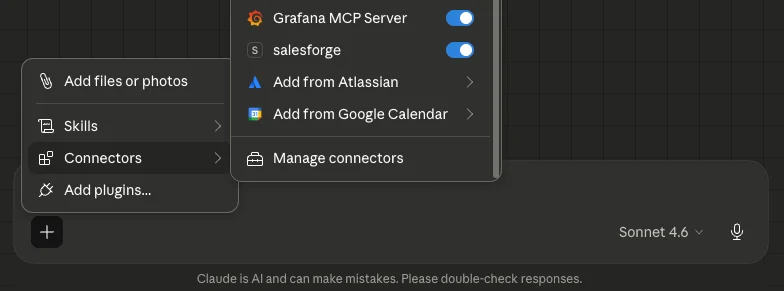
The Forge MCP Server connects Salesforge and the wider Forge Stack to Claude, Cursor, Windsurf, and other AI clients. UserGems documents no equivalent surface.
UserGems does half the job well. It finds the moment worth reaching out and writes the opener, then hands the record to somebody else.
That half is strong. Champion tracking has no real equivalent, and the signal library is the reason teams stay.
The other half is still yours to solve. Mailboxes, warm-up, deliverability, and reply handling all live in a second tool, with a webhook between them if your sequencer is not Outreach or Salesloft.
Salesforge owns that half. Unlimited mailboxes, free Warmforge warm-up, Primebox for email and LinkedIn replies, and Agent Frank running the full loop.
Start the 14-day free trial, no credit card required, and see how much of your stack collapses into one login.
.jpg)

.png)
.jpg)

