

Personalized Outbound Strategy
Get The Right Outbound Strategy In Minutes
Enter your email to get a custom plan & stack recommendation for your business
It's being carefully crafted by AI
Please check your mailbox in 5 minutes
Searching for high-intent leads sounds easy. In reality, your SDRs still waste hours checking LinkedIn posts, competitor mentions, comments, and random social activity just to find one account that might be ready to buy. That is the problem Trigify is trying to solve.
Trigify claims to turn social activity into sales signals by tracking things like LinkedIn engagement, competitor conversations, sentiment spikes, and product-related discussions. The idea is, instead of reaching out to cold prospects blindly, you find people who are already showing intent.
But does it actually help you find better leads, or does it just give you another dashboard to manage? In this Trigify review, I’ll break down how it works, where it helps, where it falls short, and whether it is useful for B2B teams trying to find high-intent leads.
Yes, Trigify can help B2B teams identify high-intent leads by tracking signals like LinkedIn engagement, competitor discussions, sentiment spikes, and buying-related conversations. The platform is most useful for outbound teams that already run personalized prospecting and want better timing signals instead of static lead lists.
But Trigify is not a plug-and-play lead generation tool. The quality of results still depends on your ICP, keyword setup, and outbound workflow.
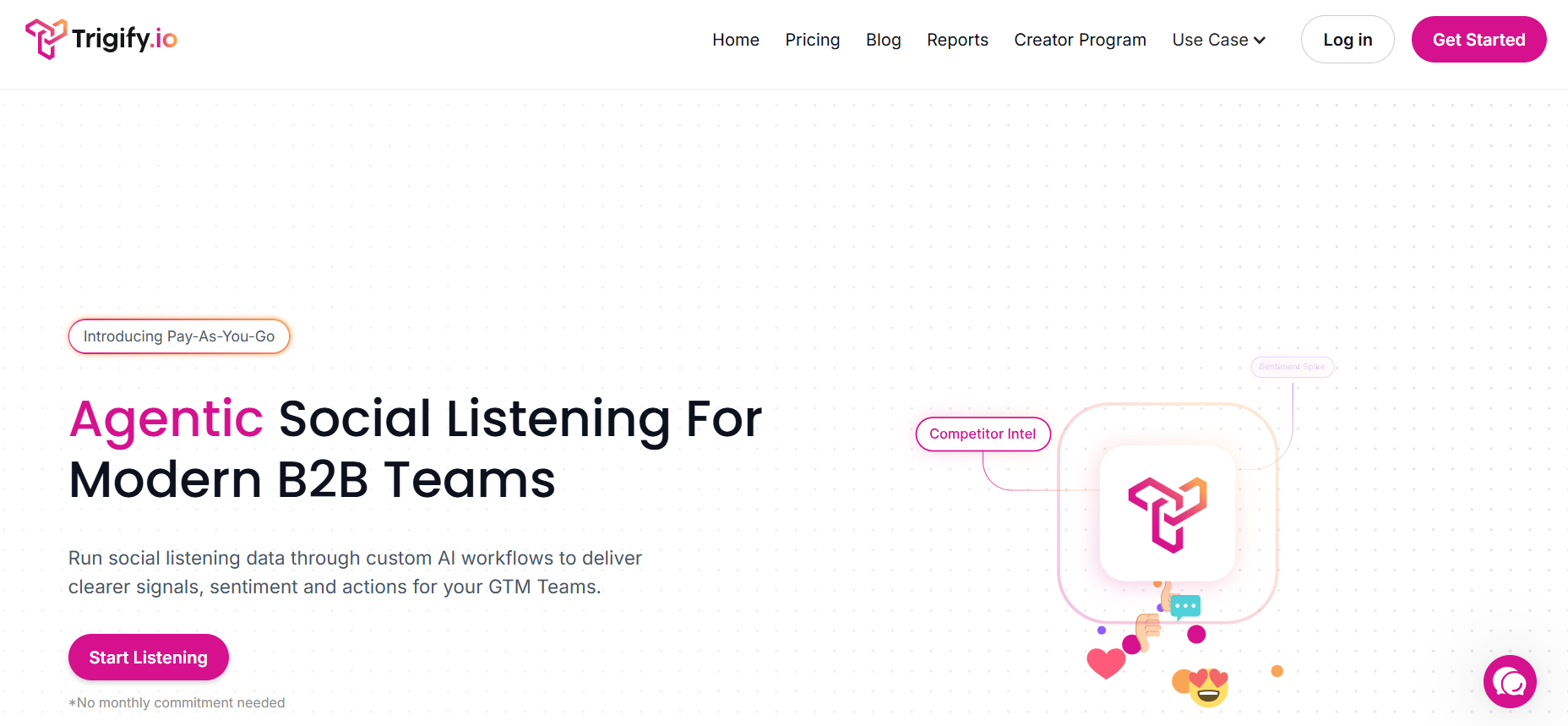
Trigify is a B2B social listening platform that helps sales and GTM teams track social activity and turn it into outbound signals. It monitors things like LinkedIn engagement, competitor mentions, product discussions, and buying-related conversations to help teams identify accounts that may already be showing interest. Trigify focuses on helping teams find signals that can be used for:
The platform also supports workflow automation and CRM integrations, so signals can be pushed directly into tools like HubSpot, Salesforce, and Outreach.
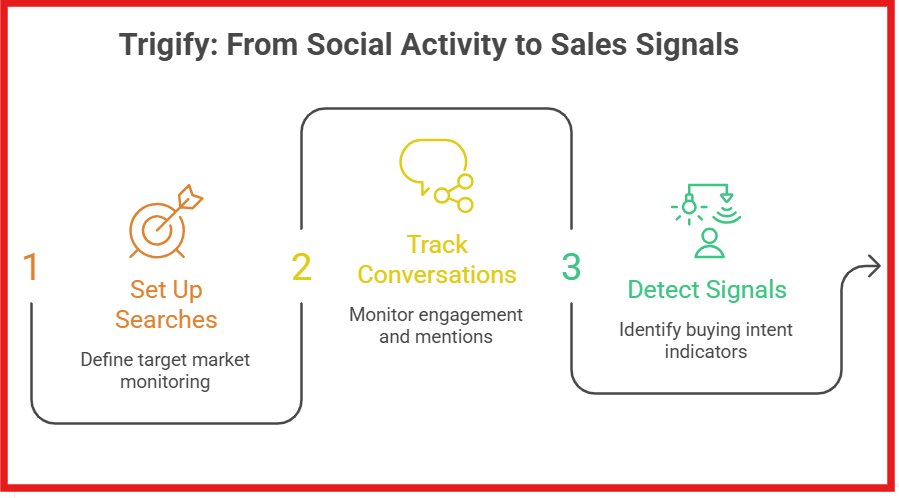
Trigify works by monitoring social activity and turning it into signals that sales and GTM teams can use for outreach. Instead of only tracking mentions, the platform tries to identify conversations and engagement patterns that may indicate potential buying intent. You start by setting up searches around your target market. This can include competitors, industries, product keywords, or specific accounts you want to monitor.
Trigify then tracks conversations and engagement across social platforms, including professional networks like LinkedIn. The platform looks for signals like:
Once a signal is detected, Trigify can route that information into workflows or CRM tools like HubSpot, Salesforce, Outreach, and Salesloft. For example, if someone from a target account starts engaging with competitor content or discussing a problem your product solves, Trigify can flag that activity so your sales team can act on it faster.
The goal is to help teams identify accounts that may already be showing intent instead of manually checking LinkedIn and social conversations every day.
Trigify’s biggest strength is that it focuses more on signal intelligence and outbound workflows than traditional social listening dashboards. Instead of only showing mentions, the platform tries to surface conversations and engagement patterns that teams can actually act on.
Below are some of the most useful features inside Trigify.
These features make Trigify more useful for GTM and outbound teams than traditional social monitoring tools that mainly focus on mentions and analytics dashboards.
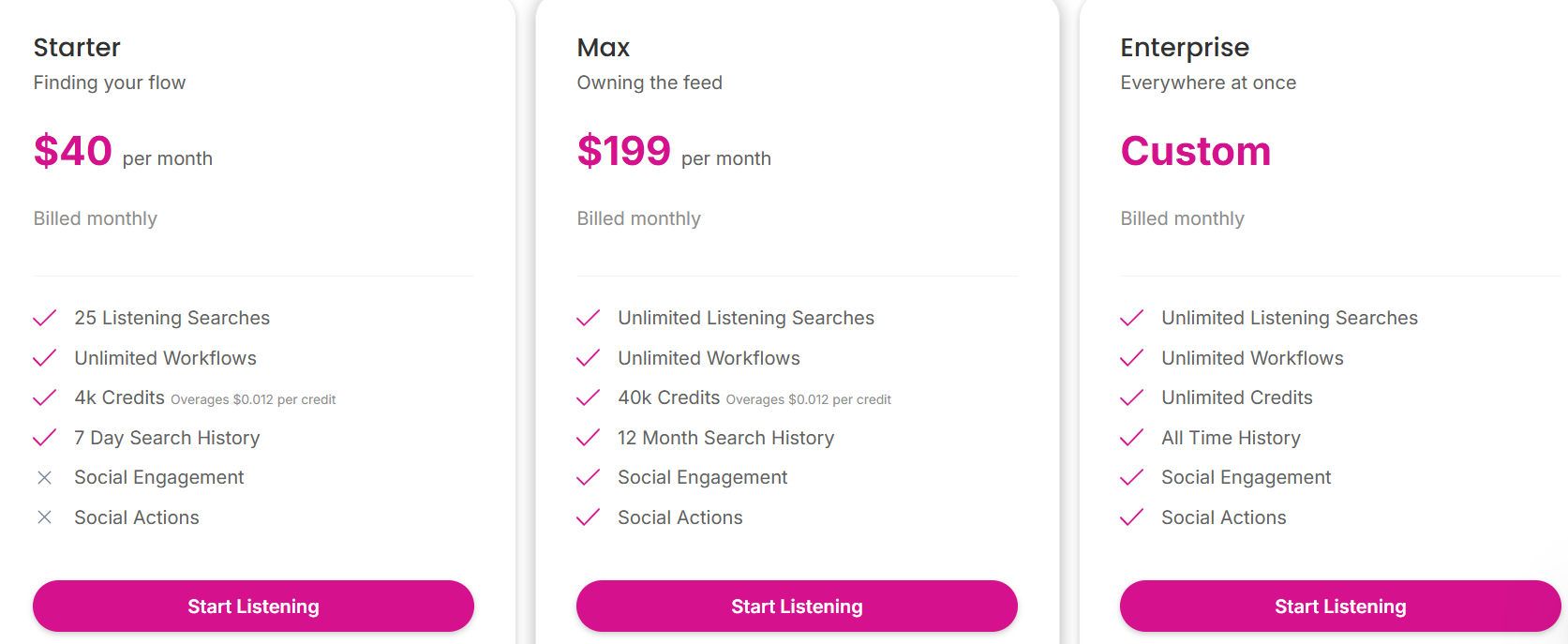
Trigify uses a pay-as-you-go pricing model. Each plan mainly changes based on listening limits, credits, search history, and access to social engagement features.
From my experience, the pricing depends more on workflow scale and credit usage than the starting monthly price. The Starter plan is enough for testing signal-based prospecting workflows, but active outbound teams will likely need the Max plan because social engagement and social actions are locked behind higher tiers.
So while Trigify’s entry pricing looks affordable, actual usage costs depend heavily on how many searches, workflows, and signals your team processes every month.
At the time of writing this review, Trigify does not have many public reviews available on major review platforms like G2 or Trustpilot. Most of the public discussion around the platform currently comes from Reddit threads and outbound communities instead of detailed software review sites.
From the discussions available online, most users seem to like Trigify for monitoring LinkedIn activity, tracking competitor conversations, and identifying warm outbound opportunities through social signals. Some users also mentioned that the platform is useful for automating signal-based prospecting workflows and reducing manual research during outbound campaigns.
At the same time, a few users felt the platform was still limited in some areas. One Reddit user mentioned that Trigify worked fine for basic monitoring but lacked deeper coverage outside major social platforms.

Another user wanted stronger signal qualification around LinkedIn activity instead of only getting alerts when someone posts.

Overall, the public feedback around Trigify still feels early-stage but generally positive for B2B outbound use cases. Most users appear interested in the platform’s signal-based prospecting approach, especially around LinkedIn monitoring and competitor tracking.
Trigify is a good fit for teams that want to turn social activity into outbound opportunities instead of only tracking mentions and engagement.
It is a good choice for:
It is probably not ideal for:
Overall, Trigify works best for outbound-focused B2B teams that already know what signals matter to their business and want to act on them faster.
Trigify is useful for monitoring social signals and spotting potential buying intent from conversations happening across LinkedIn and other platforms. But if your main goal is actually generating verified B2B leads and building outbound lists faster, Leadsforge is probably the better option.
Unlike Trigify, Leadsforge is built specifically for prospecting and lead generation. The platform uses a chat-style search interface where you simply describe your ideal customer profile in plain English and it generates matching leads automatically.
A few features that make Leadsforge stand out:
Here’s a quick comparison between Trigify and Leadsforge:
From my experience, Trigify works better as a signal intelligence layer, while Leadsforge is more ideal for day-to-day outbound prospecting and lead generation workflows.
Enter your email to get a custom plan & stack recommendation for your business
Please check your mailbox in 5 minutes

After reviewing Trigify, I think it is useful for B2B teams that rely on LinkedIn activity, competitor tracking, and social signals to improve outbound timing. Its biggest strength is helping teams spot potential buying intent instead of relying only on cold lead lists. But Trigify is still more of a signal monitoring platform than a complete lead generation or outreach system.
If your main goal is to find and enrich verified B2B leads, then Leadsforge is the better alternative because it gives you emails, phone numbers, LinkedIn profiles, ICP search, and outbound-ready lists.
And once you have those leads, Salesforge fits as the next step. You can use it to run email and LinkedIn outreach, manage sequences, and turn those leads into actual pipeline.
Try Leadsforge now and get 100 free credits!
.jpg)

.jpg)

.jpg)
