Personalized Outbound Strategy
Get The Right Outbound Strategy In Minutes
Enter your email to get a custom plan & stack recommendation for your business
It's being carefully crafted by AI
Please check your mailbox in 5 minutes
You can have the domains, inboxes, warm-up, and cold email campaigns ready to go. But if the lead list is wrong, the rest of the setup does not matter much.
That is one of the problems some ListKit users have reported.
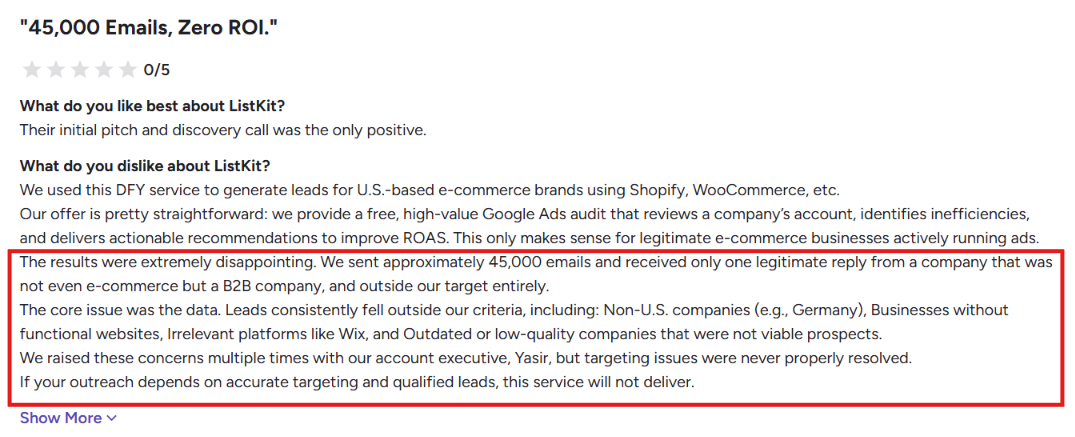
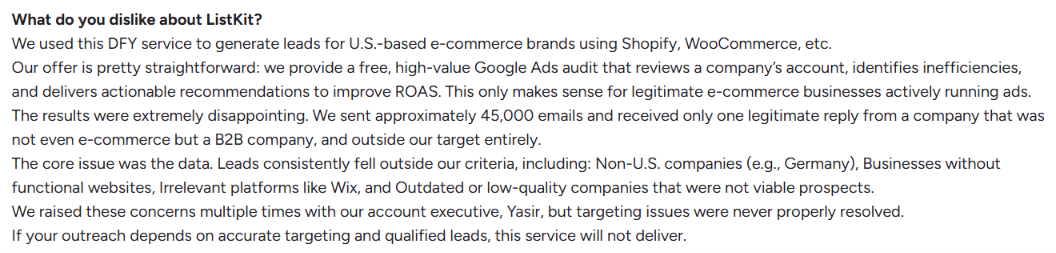
One reviewer running a US-focused ecommerce campaign said their list included non-US companies, businesses without working websites, and prospects using tech outside the criteria they requested. After roughly 45,000 emails, they reported just one legitimate reply.
That does not reflect every ListKit customer. ListKit has a 4.7/5 rating from 392 G2 reviews, with plenty of positive feedback as well. But if targeting and lead quality are important to your outbound results, it makes sense to compare your options before committing.
The five ListKit alternatives below take different approaches to outbound. Some give you stronger prospecting tools, some add multichannel outreach, and others focus on running cold email across more inboxes.
Here is where each one fits.
ListKit has a 4.7/5 rating from 392 G2 reviews, so most feedback is positive. But the negative reviews point to a few specific reasons some users start looking for alternatives.
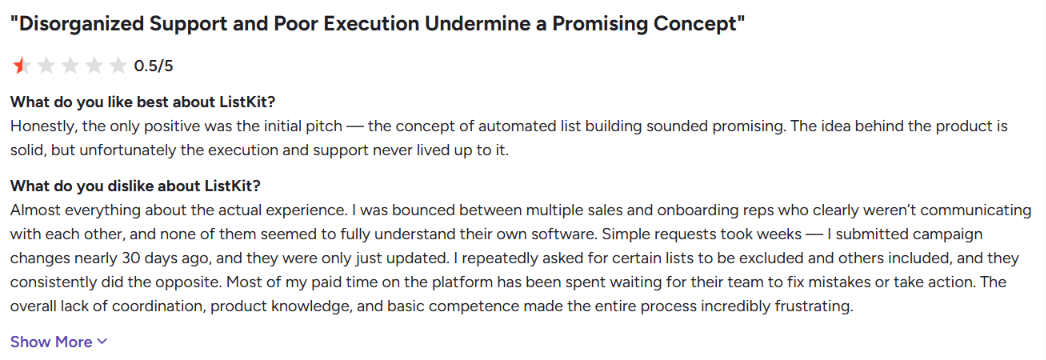
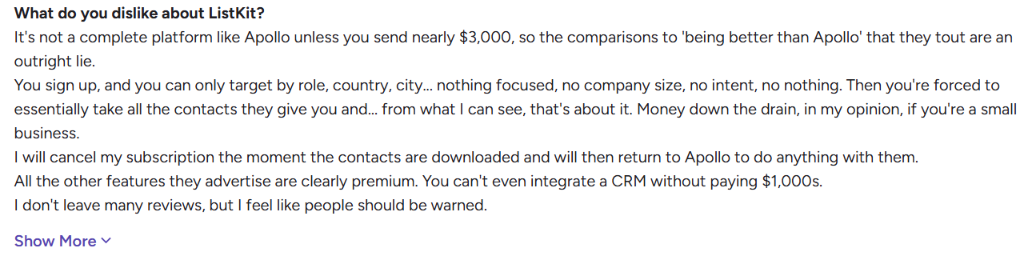
These complaints do not represent every ListKit customer, but they explain why teams may compare alternatives before committing their prospecting and outreach to one platform.
I compared each alternative against the parts of the outbound process that ListKit currently brings together.
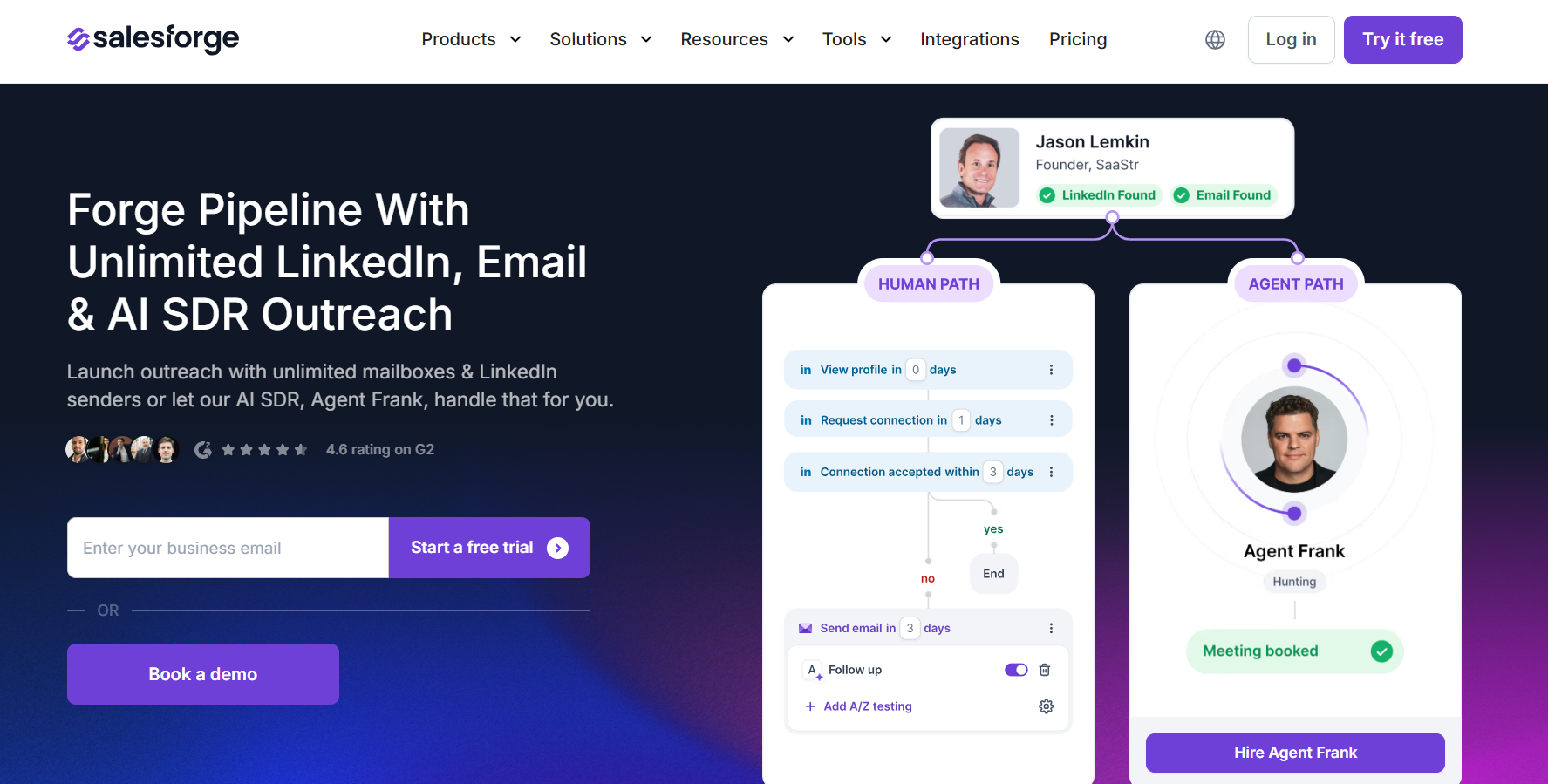
Salesforge is a sales outreach platform for running cold email and LinkedIn campaigns from one place.
You can build sequences that combine emails with LinkedIn connection requests, messages, InMails, follows, and profile views. You can also connect multiple mailboxes and LinkedIn accounts, personalize messages with AI, automate follow-ups, and manage replies from both channels inside Primebox.
For email outreach, Salesforge includes unlimited mailbox connections, mailbox rotation, and unlimited warm-up through Warmforge. It also works with Google Workspace, Microsoft 365, SMTP mailboxes, and email infrastructure from Mailforge, Primeforge, and Infraforge.
Salesforge does not stop at cold email. It lets you run email and LinkedIn as one outreach campaign instead of managing the two channels separately.
ListKit gives you more of the cold email setup in one subscription, including leads, domains, inboxes, warm-up, sending, and copywriting.
Salesforge makes more sense if you want to run email and LinkedIn together instead of keeping your outreach focused mainly on cold email.
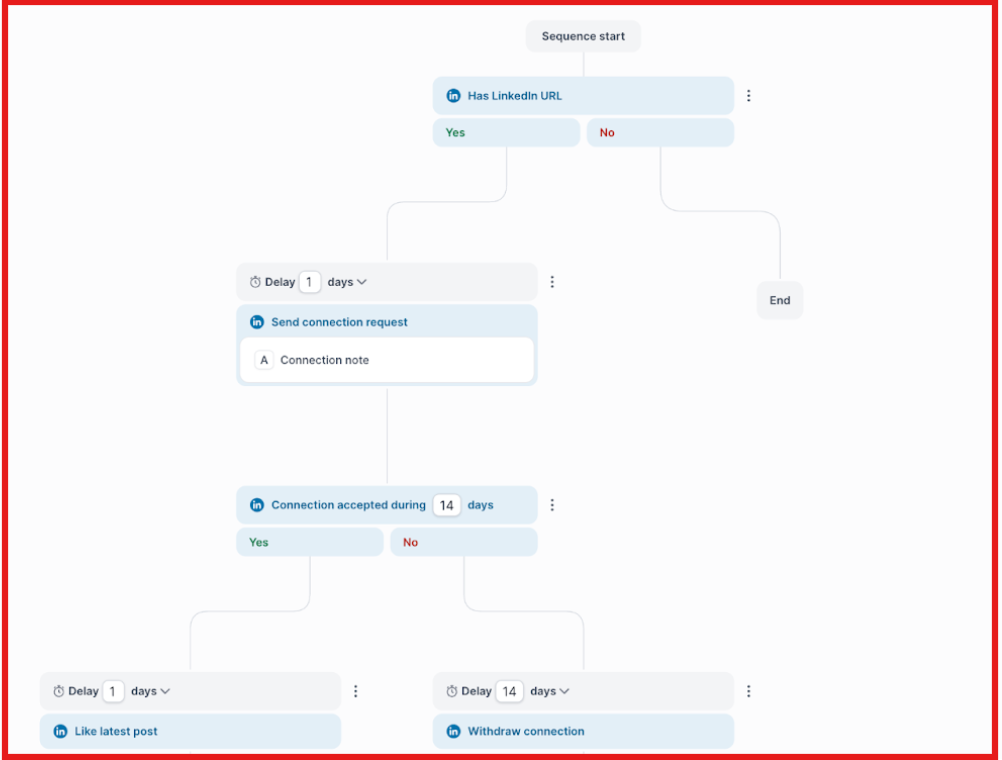
You can contact a prospect by email, follow up on LinkedIn, send a connection request, and continue the sequence based on what happens. Salesforge also brings replies from email and LinkedIn into Primebox, so you do not have to manage conversations in separate inboxes.

There is a trade-off. Salesforge does not include domains and mailboxes in the subscription, and prospecting can be handled through Leadsforge or another lead source.
So if you mainly want one ready-made cold email stack, ListKit has an advantage. If you want email + LinkedIn outreach and more choice over the tools you use for leads and infrastructure, Salesforge is the better choice.
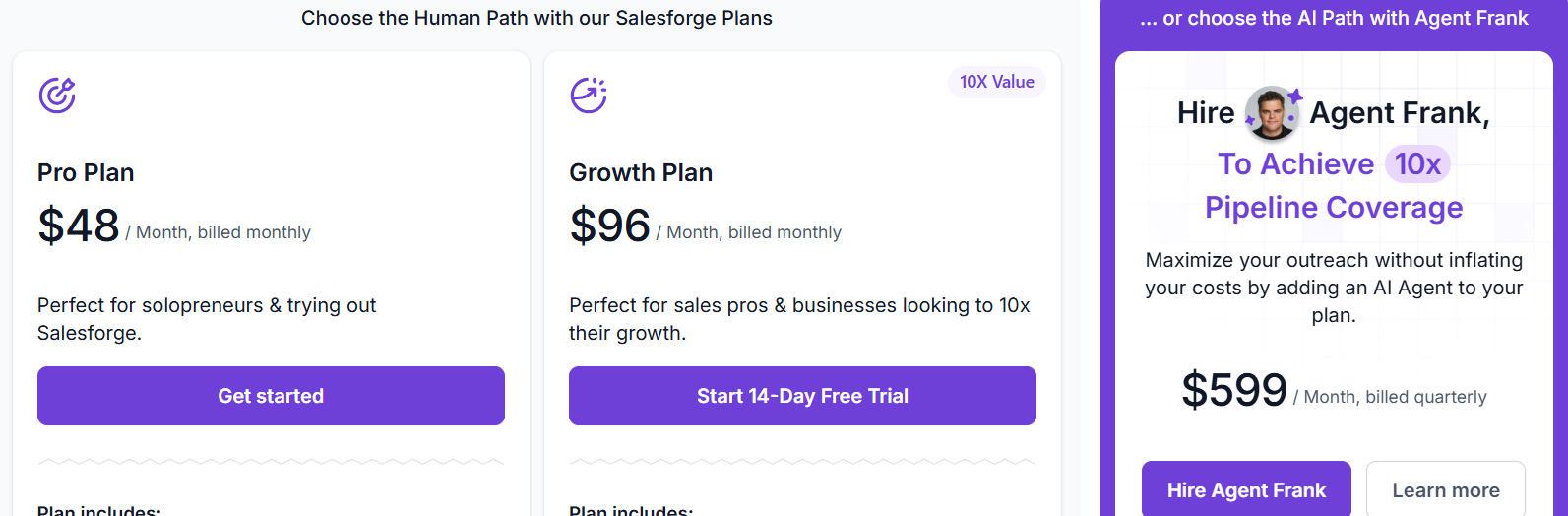
One cost you should keep in mind is email infrastructure. Salesforge includes the outreach software and warm-up, but domains and mailboxes are separate. You can connect infrastructure you already have or buy it separately through Mailforge, Infraforge, or Primeforge.
For most solo users testing Salesforge, Pro should be enough to start. Growth makes more sense once you need multiple LinkedIn senders, more campaign volume, more users, or the advanced automation features.
Enter your email to get a custom plan & stack recommendation for your business
Please check your mailbox in 5 minutes

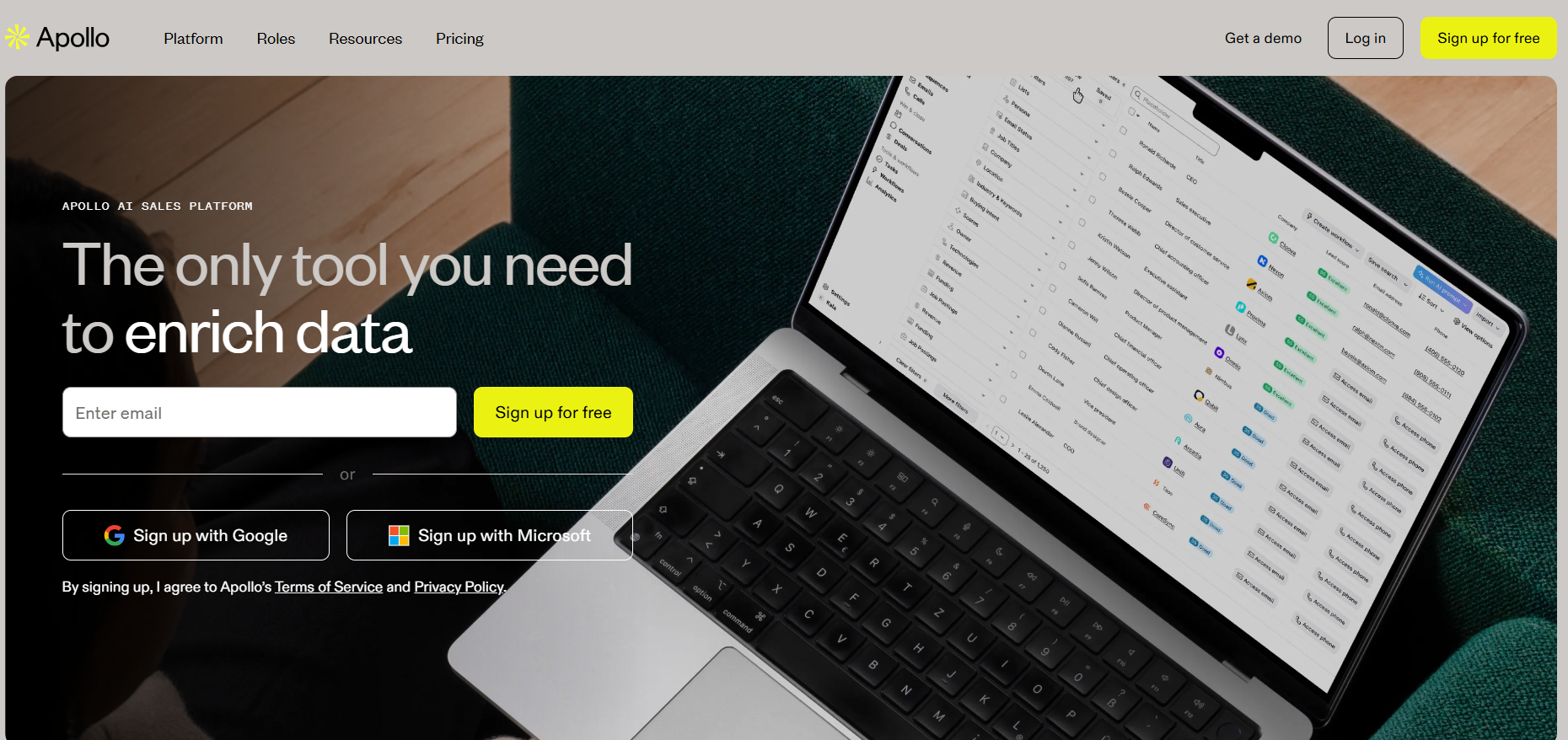
Apollo.io brings B2B prospecting and sales outreach into one platform. You can search its database for contacts and companies, filter prospects, access emails and phone numbers, build lead lists, and add those prospects directly to outreach sequences.
Apollo also supports email, calling, meeting scheduling, CRM enrichment, buying intent, and AI-powered research.
This makes Apollo useful when you do not want to find leads in one tool, export them, and then move them into a separate sales engagement platform.
Apollo makes the most sense as a ListKit alternative if prospecting data is a bigger part of your outbound process. You can find contacts and companies, use advanced filters and buying intent to narrow the list, enrich missing data, and then move those prospects into sequences without leaving Apollo.
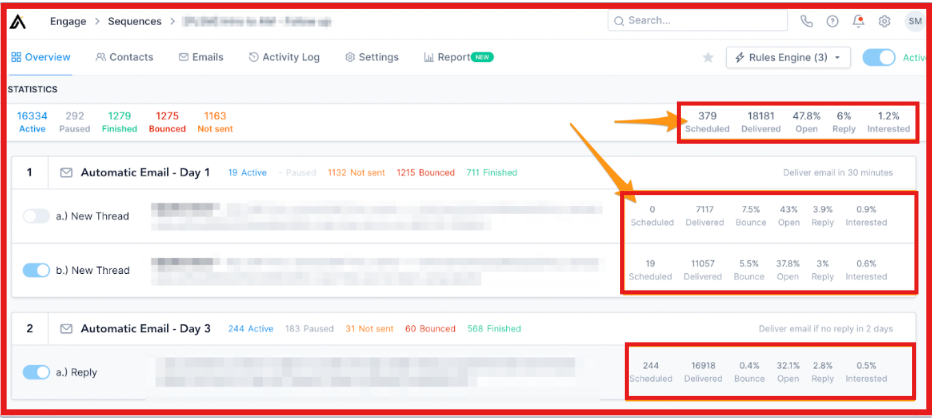
Paid plans also include CRM integrations, while higher plans add automated workflows and more advanced sales tools.
Apollo also goes beyond email. Its sales workflow includes calling, meeting scheduling, lead management, and deal management, giving sales teams more tools for working a prospect after the initial outreach.
The trade-off is that Apollo uses a credit system for prospect data. Accessing an email costs 1 credit, a phone number costs 8 credits, and enrichment can use additional credits.
I would choose Apollo if you want prospect data and sales engagement in the same tool, especially if your team also uses calls, CRM enrichment, and intent data alongside email.
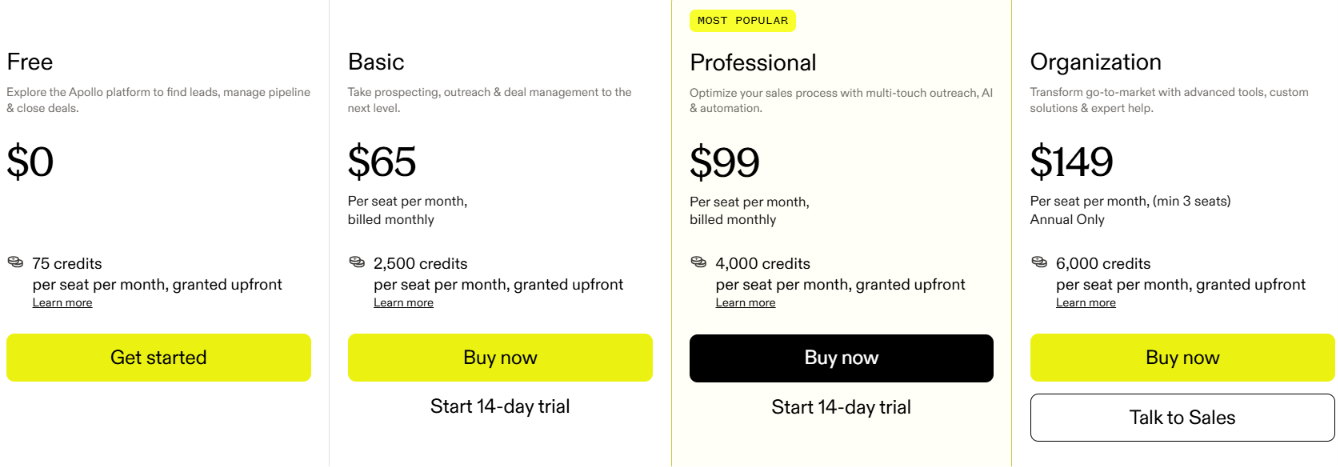
Apollo's pricing looks simple, but credit usage is the part worth watching. Pulling emails, phone numbers, enriched data, and running AI Research all use credits, so teams doing heavy prospecting may need to buy more.
Basic is a good starting point for smaller outbound teams. Move to Professional when you need to connect more mailboxes, send at a higher volume, and automate more of your sales workflow.
Instantly is a cold email platform built for teams that want to run and scale outreach across multiple email accounts.
You can connect unlimited email accounts, warm them up, build automated email sequences, manage sending across accounts, and track campaign performance.
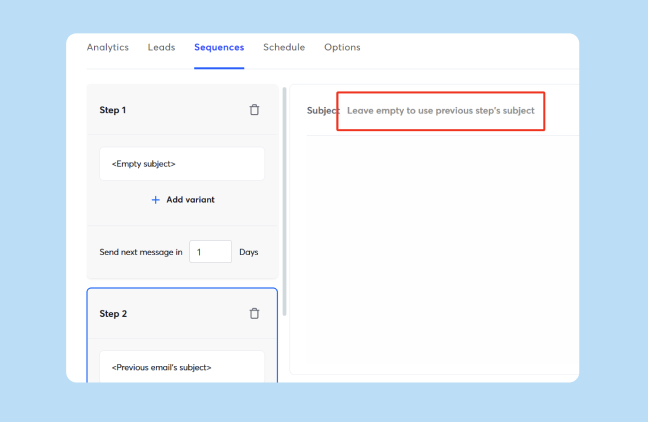
Instantly offers separate tools for prospecting, enrichment, CRM, and email infrastructure. This makes Instantly a good fit when cold email is the main channel you want to scale.
Instantly is worth considering if the part of ListKit you care about most is cold email sending at scale. Every paid Outreach plan lets you connect and warm up unlimited email accounts. So as you add more sending accounts, you do not have to upgrade simply because you connected another inbox.
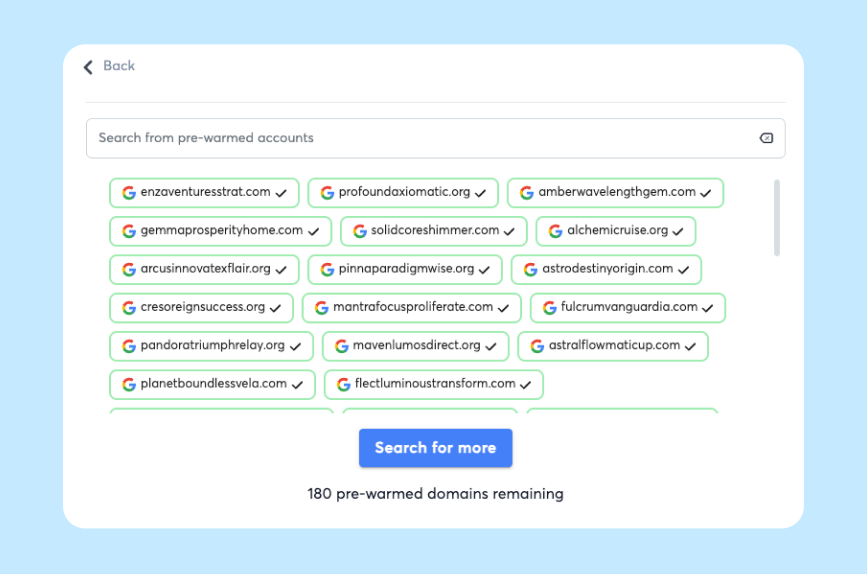
You can also connect email accounts you already have or buy domains and email accounts through Instantly. Pre-warmed accounts are available if you want to start campaigns sooner.
The main difference is how Instantly packages its tools. Its core Outreach subscription is focused on sending campaigns. SuperSearch, lead enrichment, verification, AI agents, CRM, and email infrastructure can require separate plans or purchases.
I would choose Instantly if you already have a clear outbound process and your main goal is to send more cold emails across multiple accounts without paying for each connected inbox.
Smartlead helps you run cold email campaigns across many sending accounts from one place. You can add and warm up email accounts, create sequences, manage campaign sending, track results, and bring replies into one Master Inbox. This makes it easier to manage several campaigns without checking each mailbox separately.
Smartlead also offers SmartSenders for buying domains and Google, Outlook, or SMTP mailboxes. It can handle inbox creation and DNS setup, including SPF, DKIM, and DMARC.
It is mainly suited to agencies and outbound teams that need to manage a lot of inboxes and send cold emails at higher volumes.
Smartlead is a good ListKit alternative if you expect your cold email volume to grow. You can manage many sending accounts, keep them warmed up, run campaigns across them, and see replies in one Master Inbox. This makes it easier to manage outbound when you have a lot of inboxes and campaigns running at the same time.
You can also buy your sending setup through SmartSenders. It supports Google, Outlook, and SMTP mailboxes and can handle inbox creation and DNS setup for you.
The higher plans give you much more sending room. Pro supports 90,000 emails per month, Unlimited Smart supports 150,000, and Unlimited Prime goes up to 500,000. The two Unlimited plans also give you unlimited contact storage.
Smartlead makes the most sense if sending and managing cold email at scale matters more to you than having the whole outbound process bundled into one product.
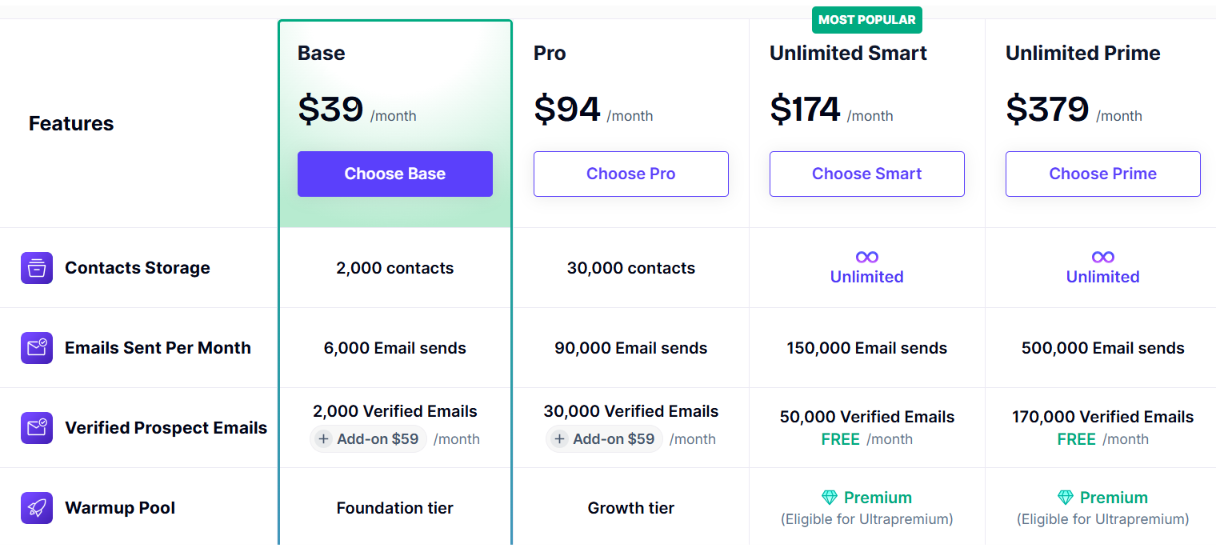
The Base plan is enough if you are testing smaller campaigns. Pro makes more sense if cold email is already a regular part of your outbound. For agencies or larger teams sending at much higher volumes, Unlimited Smart or Unlimited Prime gives you more room to scale.
ZoomInfo gives sales teams B2B contact data and deeper information about the companies they want to sell to. You can find business emails and phone numbers, build prospect lists, filter companies using firmographic and technographic data, and use buyer intent signals to see which accounts may be looking for a solution like yours.
ZoomInfo also supports CRM enrichment, account insights, and AI tools for sales teams.
This makes ZoomInfo more useful for teams that need to research, find, and prioritize the right accounts, rather than simply build a list and start sending cold emails.
ZoomInfo is worth considering when better sales data matters more than having cold email infrastructure included. Its Professional plan focuses on contact and company data, including business emails, mobile numbers, advanced search, prospect lists, and CRM integrations.
The Copilot plans go further. You can use buyer intent, company technology data, funding information, website visitor data, account scoring, job changes, and other signals to decide which companies are worth contacting now.
That is the main difference from ListKit. ZoomInfo is not a like-for-like replacement for ListKit's domains, mailboxes, warm-up, and cold email setup. It is a stronger option when your main problem is finding the right accounts and giving your sales team more information before they reach out.
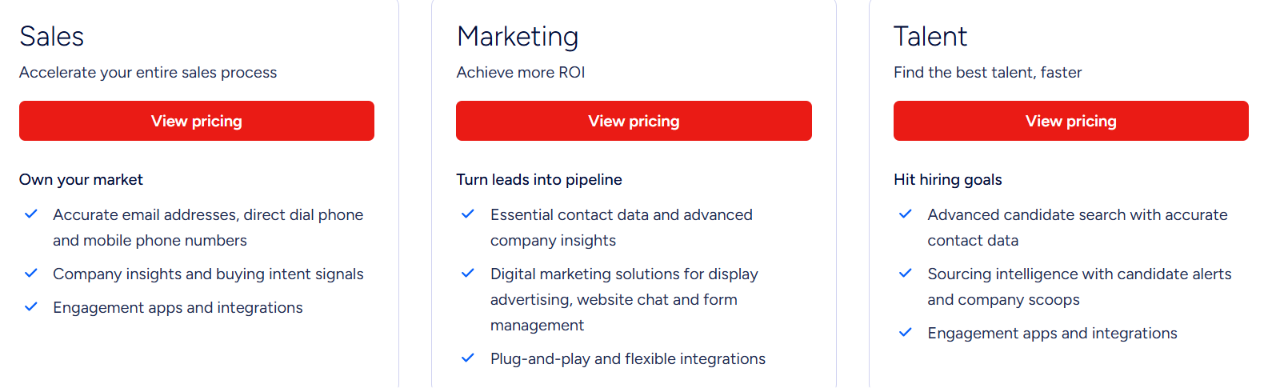
ZoomInfo uses custom pricing rather than showing a fixed monthly price. Your price depends on the number of licenses, features you need, and how many credits you use. Credits are used when you export company or contact profiles, and extra products and integrations can also affect the final price.
The main sales packages are ZoomInfo Professional, Copilot Advanced, and Copilot Enterprise. Professional covers the core contact and company data, while the Copilot plans add deeper buyer signals, account intelligence, automation, and AI features.
ZoomInfo makes the most sense for larger sales teams that can use its deeper data and buying signals. If you mainly need a simple tool for finding leads and sending cold emails, it may be more than you need.
The right choice depends on whether you need better prospecting, multichannel outreach, cold email at scale, or deeper sales data. You can use this breakdown to narrow it down:
Enter your email to get a custom plan & stack recommendation for your business
Please check your mailbox in 5 minutes
The best ListKit alternative depends on what you need from your outbound setup. Apollo is a strong choice for prospecting and sales engagement. Instantly and Smartlead are better suited to cold email at scale, while ZoomInfo makes more sense for teams that need deeper B2B data and buyer signals.
If you want to use email and LinkedIn together, Salesforge is the better fit. You can build multichannel sequences, personalize outreach with AI, automate follow-ups, and manage replies from both channels in one place.
If that is how you want to run outbound, try Salesforge and start building your first multichannel campaign.