A 98% delivery rate tells you almost nothing about whether anyone read your email.
Delivered only means the receiving server accepted the message. That acceptance includes the spam folder, the Promotions tab, and the junk pile nobody opens.
The number that matters is inbox placement, and most cold email dashboards never show it to you.
So I went through five tools that claim to measure it.
I read their product docs, their pricing pages, their knowledge bases and their review profiles, then sorted out which ones actually deliver to real seed mailboxes and which ones only predict what might happen.
In this guide you will find a feature-by-feature comparison, what each tool really tests, honest pricing at team scale, and a decision framework for picking one.
Not for the standalone tool, available on the platform
Yes, v2 documented
Yes, warmup and spam test APIs
Yes
Not documented
Starting paid price
Free tool, Salesforge Pro from $40/month billed annually
$59/month for 360 test credits
$19.50/mailbox/month
$129/month before placement unlocks
$23/month for 60 tests
G2 rating
4.6 for the Salesforge platform
4.2
4.7
4.1
4.5 on a very small sample
How I Evaluated These Inbox Placement Tools
With that framing settled, here are the six things I weighed for every tool on the list.
1. Whether the tool confirms placement or only predicts it
This was the first filter and the one that reshuffled the ranking. A tool that delivers to real mailboxes and reports the folder gets credit. A tool that scores your content and estimates the outcome gets described accurately instead.
2. Provider coverage and how it maps to cold email
Gmail and Microsoft cover the overwhelming majority of B2B prospect mailboxes. I looked at which providers each tool names, and whether Microsoft is treated as a first-class citizen or an afterthought.
3. How much you can do without paying
Free access matters when you are testing a single campaign before a send. I checked what each free tier actually unlocks, whether a card is required, and how fast you hit the wall.
4. Authentication and blacklist depth
Placement alone rarely tells you why you are in spam. Tools that also check SPF, DKIM, DMARC and blocklist status shorten the time between seeing a bad number and fixing the cause.
5. Real pricing at team scale
Headline prices are easy. I looked instead at what a five-person outbound team running weekly tests across twenty mailboxes would actually pay.
6. One-off testing against continuous monitoring
A single test before a send solves a different problem from watching placement drift across a quarter. Some tools do one well, some do both, and the difference should drive your pick.
5 Best Inbox Placement Tools in 2026
Now to the tools themselves, ranked by how well they serve a cold email sender specifically rather than an email marketer at large.
1. Salesforge Inbox Placement Test
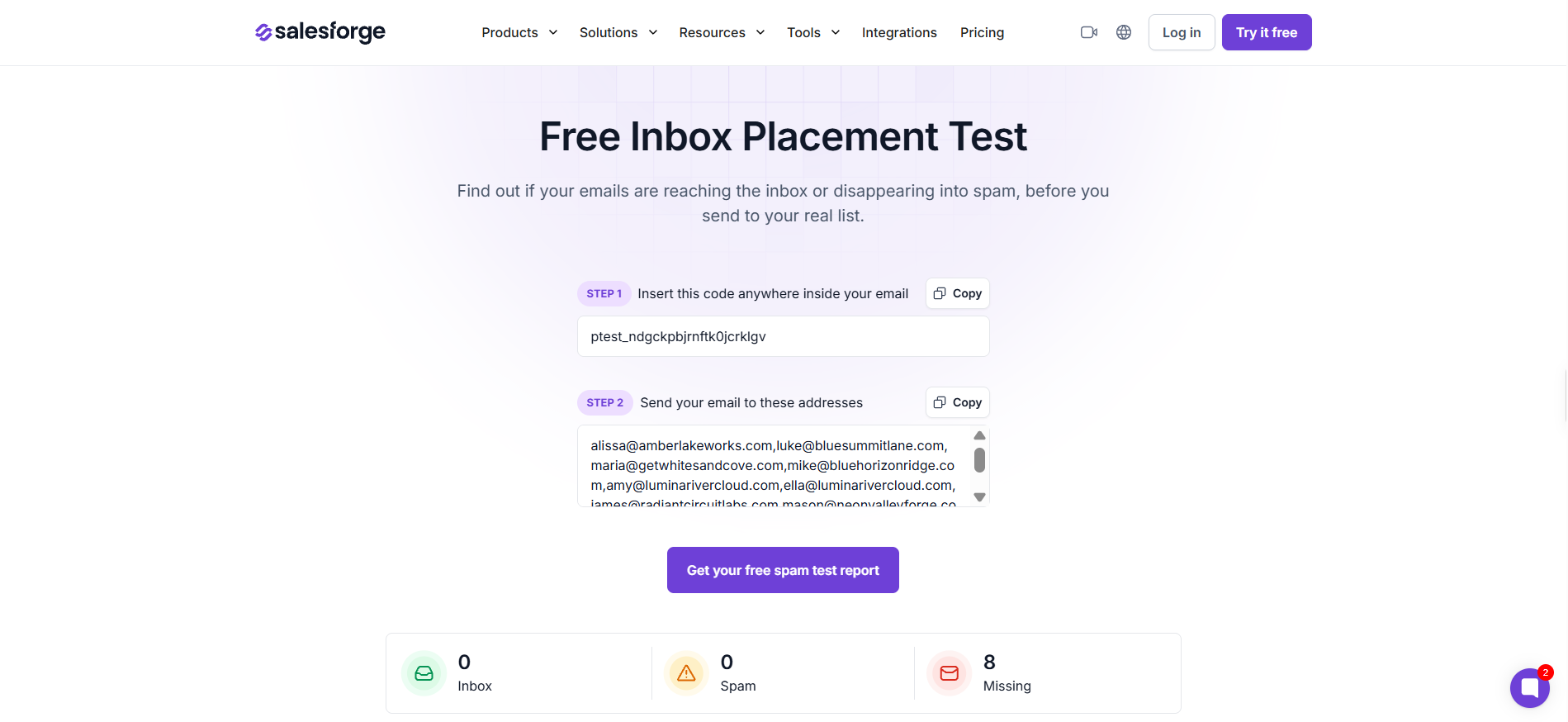
The Salesforge Inbox Placement Test is the best inbox placement tool for cold email teams because it is free to run and it reports real folder placement rather than a predicted score. You send your email to a set of seed mailboxes, and the report comes back split three ways across providers.
What stood out in the documentation is the Placement Results Score, a 0 to 100% metric showing how much of your test volume reached the primary inbox. Instead of a pass or fail verdict, you get the actual percentage and the per-provider breakdown behind it.
The three-way result split is the practical part for outbound teams. Inbox, spam and missing are three different problems, and separating them tells you whether to fix copy, authentication or your sending volume.
Key features I liked:
Free placement test with no paid tier bolted on
Per-provider results across Gmail, Outlook, Yahoo and others
Placement Results Score from 0 to 100%
Inbox, spam and missing reported as separate outcomes
Unlimited placement testing available inside Warmforge for ongoing checks
Warmup and placement tests both run from inside Salesforge
Bonus read: if your placement is weak across one provider only, inbox rotation is usually the faster fix than rewriting copy.
Pricing:
Standalone Inbox Placement Test: Free
Salesforge Pro: $40/month on annual billing, includes warmup and unlimited placement testing through Warmforge
Pros
The standalone test is genuinely free, so you can check a campaign before a send without a subscription or a credit card commitment.
You get real folder placement across providers rather than a predicted spam score, which is the distinction that matters most in this category.
Placement testing, warmup and sending live in one platform, so you are not stitching three vendors together to answer one question.
The Placement Results Score gives you a single number to track across sends, which makes placement drift easy to spot early.
Cons
The Salesforge platform trial runs for 14 days, which is tight if you want to watch placement trend across a full campaign cycle before committing.
The standalone free test is a one-off snapshot, so continuous monitoring means running it through Warmforge rather than the public tool page.
2. GlockApps
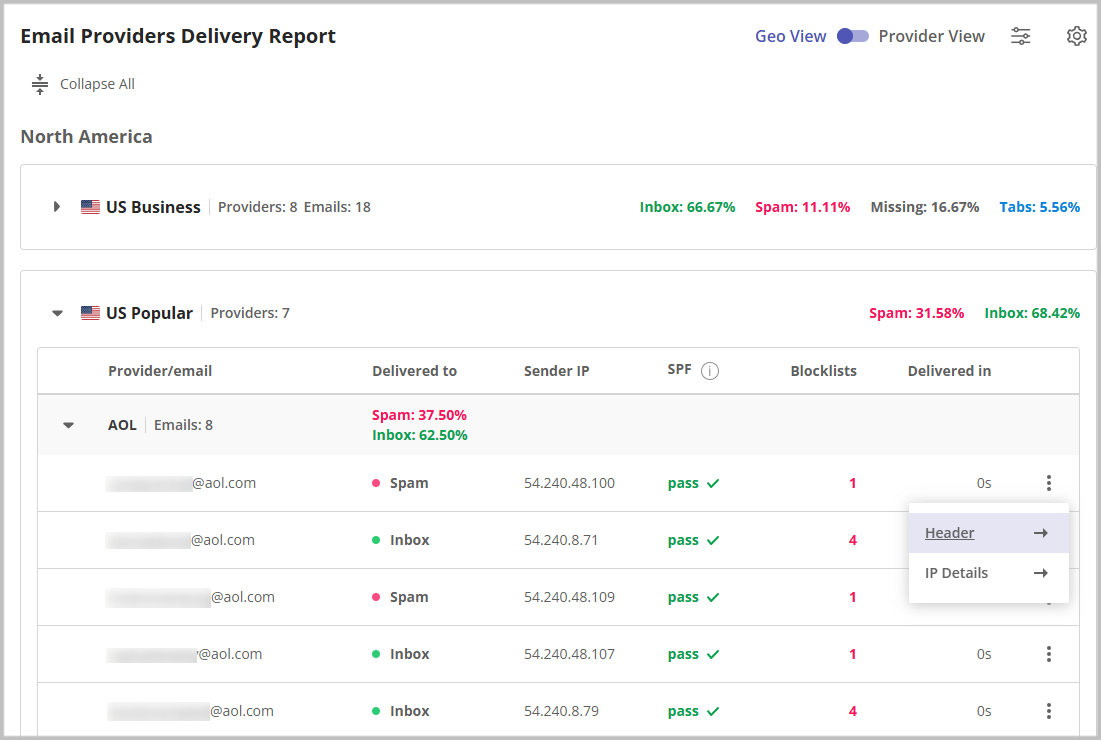
Most tools in this category give you one number. GlockApps gives you a filing cabinet, and whether that helps depends entirely on how technical your team is.
The seed list is the most thoughtfully built of the five. GlockApps distinguishes between Gmail accounts of different ages, including a six-month cohort and a four-year cohort, because older accounts filter more aggressively and produce different results.
That detail tells you something about the product philosophy. It is built for people who want to understand filtering, not just see a score.
Key features I liked:
Gmail seed accounts split by account age
Content scored against Google, Barracuda and SpamAssassin filters
Dedicated DMARC Analyzer with 10,000 free messages monthly
IP reputation and uptime monitoring running every two hours on paid plans
The seed list design is the most transparent of the five tools, and account-age segmentation gives you a more realistic read on Gmail filtering.
Bundling DMARC analytics, uptime monitoring and blacklist checks into one subscription removes the need for two or three separate vendors.
Reviewers consistently note that the placement data reflects where emails actually land, which is the whole point of the category.
Cons
Pricing complaints come up repeatedly in reviews, including one reviewer who reported a steep increase shortly after signing up.
One reviewer reported being asked for bank statements and photo identification to upgrade a plan, which is unusual friction for a software purchase.
Separating Primary from Promotions requires the Inbox Insight add-on rather than coming with the standard placement report.
3. MailReach
If you are shopping for placement testing alone, MailReach is not really built for you, and that is worth knowing before you compare the price.
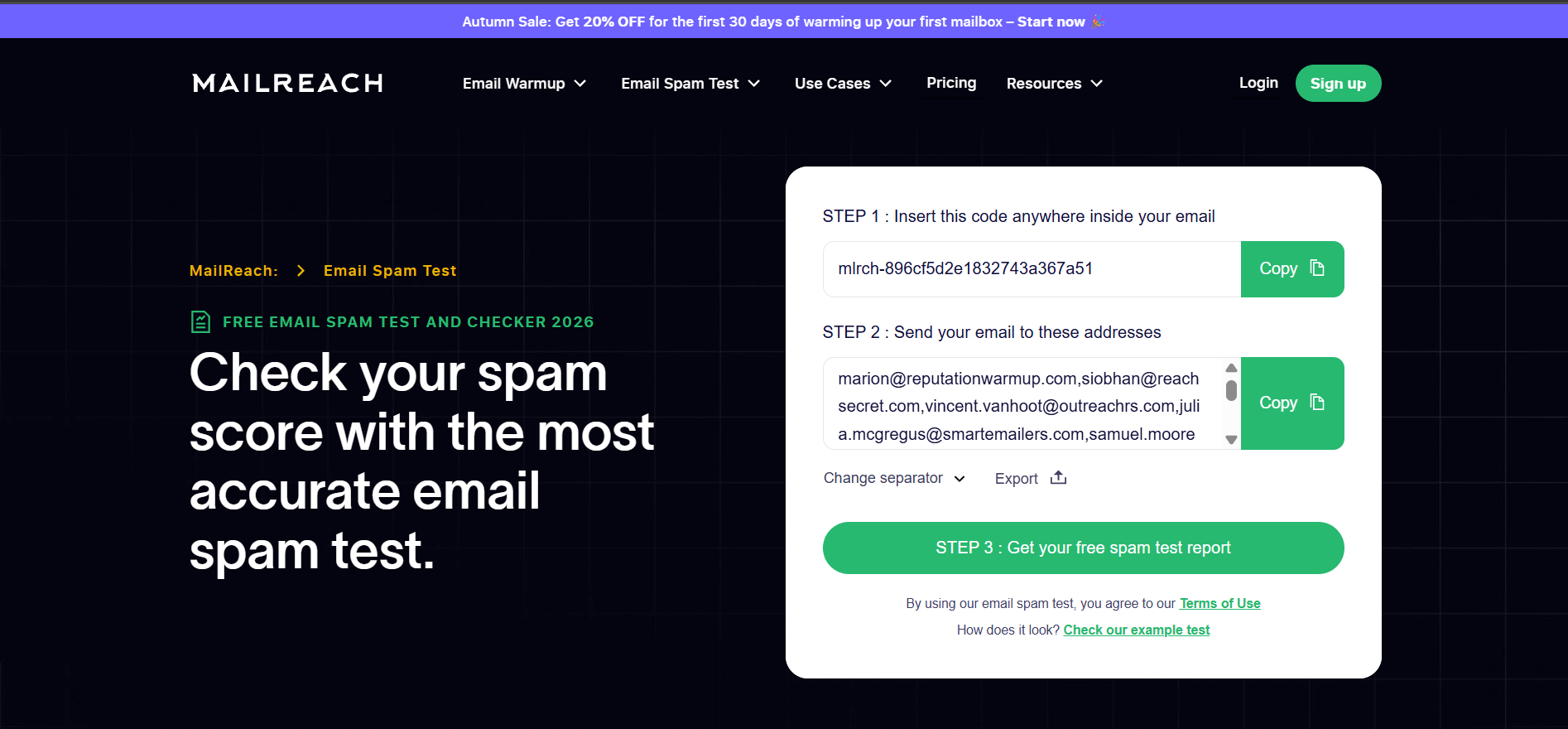
The core product is warmup. Spam and placement tests come bundled in, with one credit covering one test and a deliverability report. The warmup network runs on a pool described as 30,000-plus genuine Google Workspace and Microsoft 365 inboxes.
That business-mailbox network is the strongest thing about it for cold email. Your prospects sit on Google Workspace and Microsoft 365, so a warmup pool built from those same account types is closer to your real conditions.
Key features I liked:
Warmup pool of 30,000-plus Google Workspace and Microsoft 365 inboxes
Placement testing across Gmail, Outlook, Yahoo and Zoho
SPF and DKIM checkers plus blacklist and domain health checks
Email Tester Score for a quick read on mailbox health
Broad SMTP support covering SendGrid, Amazon SES, Mailgun and more
Warmup and spam test APIs
Pricing:
All-In-One: $19.50/mailbox/month, includes automated warmup and at least 20 spam test credits
Custom plan: contact sales, adds Slack and webhook alerts, link checker, seed list rotation and test history
Pros
The warmup network is built on business mailboxes rather than consumer accounts, which maps better to B2B cold outreach conditions.
Review sentiment is the strongest of any tool on this list, with reviewers repeatedly praising support responsiveness and setup simplicity.
Bundling warmup and placement testing in one per-mailbox price keeps the maths simple if you need both anyway.
Cons
There is no free tier at all, so you cannot test the product before paying, which is the most common objection raised by prospects.
Per-mailbox pricing scales badly for agencies, since twenty mailboxes puts you near $390 a month before you have sent anything.
Managing many mailboxes is slow because there is no bulk selection for pausing or configuring accounts in batches.
4. MxToolbox
Almost everyone in outbound has used MxToolbox for a blacklist check at some point. Almost nobody has used its inbox placement feature, and that gap is the whole story here.
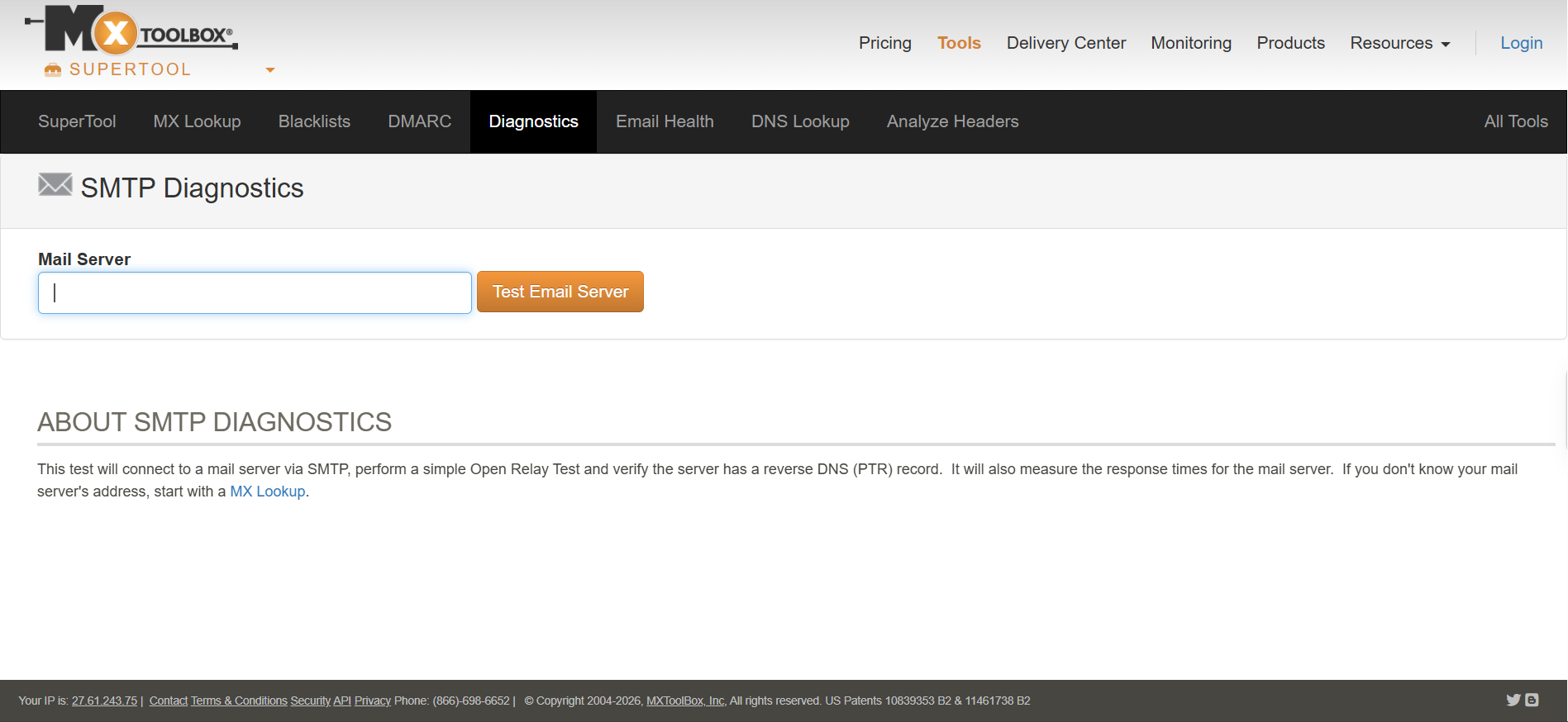
The free tools are DNS diagnostics. MX lookup, SMTP diagnostics, header analysis, and a blacklist check running across 105 blocklists.
The actual placement testing sits inside Delivery Center, a paid product that starts at $129 a month. It covers Gmail, Outlook 365 and Yahoo, and it can subscribe test accounts to your sending list for continuous monitoring.
So if you arrived expecting the free MxToolbox you already know to test placement, it does not.
Key features I liked:
Blacklist check across 105 blocklists on the free tier
SMTP diagnostics covering reverse DNS, open relay and response time
SPF, DKIM and DMARC record lookups at no cost
Seed-list placement across Gmail, Outlook 365 and Yahoo on Delivery Center
Continuous placement monitoring by subscribing seeds to your list
Hosted DMARC and SIEM integration on paid plans
Pricing:
Free: DNS lookups, SMTP diagnostics, blacklist monitoring for 1 domain weekly
Delivery Center: $129/month, adds inbox placement and hosted DMARC
Delivery Center Plus: $399/month, adds SPF flattening
Pros
The free diagnostics are the deepest on this list, and the 105-blocklist check is genuinely useful even if you never pay a cent.
Continuous placement monitoring by subscribing seeds to a live list is closer to real sending conditions than a one-off test.
It is the natural pick if your team already handles DNS, authentication and infrastructure in one place.
Cons
Placement testing costs $129 a month minimum, which is the highest entry price in this comparison by a wide margin.
The interface has aged noticeably, and reviewers mention the dated experience alongside otherwise positive feedback.
Billing and cancellation complaints appear in older reviews from 2018 and 2019, though nothing recent suggests the same pattern.
5. MailGenius
This one almost did not make the list, and the reason is a category problem rather than a quality problem.
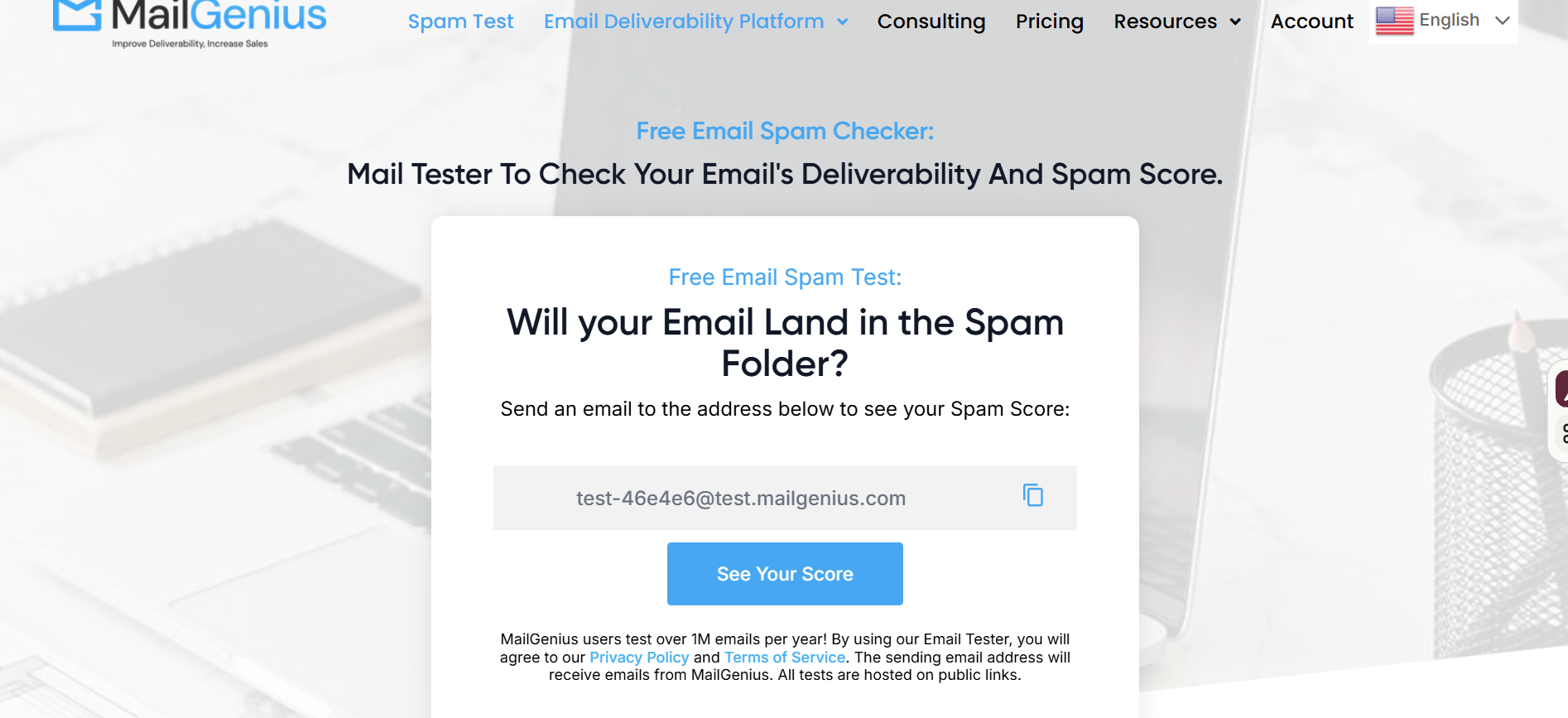
MailGenius does not appear to operate a seed network that delivers to real provider mailboxes and reports folder placement. You send a test email to a MailGenius address, and it analyses the message against a checklist.
That checklist is genuinely thorough. It covers SPF, DKIM, DMARC alignment, reverse DNS, domain age, blocklist status, broken links, shortened URLs, subject line structure, the List-Unsubscribe header, text-to-image ratio and BIMI eligibility.
So it is a strong spam checker and a weak placement tester. Both things are true, and the listicles that rank it alongside GlockApps without saying so are doing readers a disservice.
Key features I liked:
Deep authentication checks including DMARC alignment and BIMI eligibility
Content analysis covering HTML structure, image ratio and spam triggers
Broken link and shortened URL detection
Blacklist monitoring across unlimited domains on the top tier
Automated scanning of every outgoing email through an ESP connection
Three free tests with no account required
Pricing:
Free: 3 tests, no account required
Beginner: $23/month for 60 tests
Genius: $39/month for unlimited tests
Automatic Email Testing and Domain Monitoring: $79/month, adds automated scanning and unlimited domain blacklist monitoring
Pros
Three free tests with no signup is the lowest-friction entry point of any tool here, which makes it easy to try on a single email.
The authentication checklist is more detailed than most, and catching a DMARC alignment failure early saves you a lot of diagnosis later.
Automated per-email scanning on the top tier is a reasonable way to catch content problems before they ship at volume.
Cons
It does not confirm folder placement, so ranking it as an inbox placement tool only works if you understand what it actually returns.
Review coverage is extremely thin, with six G2 reviews and two on Capterra, so the ratings carry little weight either way.
Several reviewers flag the cost as high relative to what you get, particularly for smaller teams running occasional tests.
Fixing placement means warmup, authentication, sending volume and list quality, which is why cold email spam rates move slowly even after you identify the problem.
Final Verdict on the Best Inbox Placement Tools
The Salesforge Inbox Placement Test is the best inbox placement tool for cold email teams, because it confirms real folder placement across providers and costs nothing to run before a send.
GlockApps wins if you want deep diagnostics in the same subscription. MailReach wins if you are buying warmup anyway and want testing bundled.
But if you just need to know whether your next campaign is reaching the inbox, start with the free test and only pay once you know you need more.
An inbox placement test sends your email to a set of seed mailboxes at providers like Gmail, Outlook and Yahoo. It then reports which folder each copy landed in, split between primary inbox, spam and not delivered.
What is the difference between inbox placement testing and spam score checking?
A placement test confirms where your email actually landed by delivering it to real mailboxes. A spam checker analyses your content and authentication, then predicts the likely outcome. Prediction is useful for diagnosis, but only a placement test gives you the result.
Are free inbox placement tools reliable?
Free tools can give you an accurate directional read on placement. The limits are usually volume and frequency rather than accuracy, so free tiers suit pre-send checks better than continuous monitoring across many campaigns.
How often should I run an inbox placement test?
Run one before any new campaign, after any domain or authentication change, and whenever reply rates drop without an obvious cause. Teams sending daily tend to test weekly, since placement shifts as domain reputation and provider filtering change.
What is a good inbox placement rate for cold email?
Most practitioners treat 90% and above as healthy for cold outreach and anything below 80% as a problem worth investigating. Treat the number as directional, since seed results and real subscriber results are not identical.
Do inbox placement tools fix deliverability problems?
No. They tell you where you stand and often point at the likely cause, but fixing placement means addressing authentication, warmup, sending volume and list quality. Reviewing your cold outreach mistakes is usually the faster path than switching tools.
Why do two placement tests on the same email return different results?
Seed results are a snapshot, and provider filtering shifts constantly. Running the same test twenty minutes apart can return different splits, which is why trend data across several tests is more reliable than any single run.
Book more meetings on autopilot
Set up in minutes. No per-seat pricing. No commitment.
Compare 8 email verification tools by features, limits, and pricing. See which verifier works for cold outreach, newsletters, or large list verification.