

Personalized Outbound Strategy
Get The Right Outbound Strategy In Minutes
Enter your email to get a custom plan & stack recommendation for your business
It's being carefully crafted by AI
Please check your mailbox in 5 minutes
If you’re looking for an alternative to LinkedFusion, I’d guess it’s for one of two reasons.
Maybe you added more people and watched the bill multiply, since every plan is priced per user and a five-person team on Grow costs around $480 a month. Or perhaps you upgraded for more daily invites, only to find that LinkedIn, not the software, decides how many you can actually send.
I have no issue with the product itself. Cloud execution, a dedicated IP for each account, and six native CRM integrations put it ahead of many LinkedIn tools.
The real question is whether you need more LinkedIn automation. These five alternatives take different approaches, and my top pick adds another channel instead of pushing you toward a larger plan.
These five tools differ mainly in two areas: what you pay per person and how much work they handle after a message is sent. Salesforge is my top choice for teams that want email and LinkedIn working together instead of paying for two separate tools.
I compared these tools across six areas, starting with the reason most people begin searching for an alternative.
Per-seat pricing penalizes you for growing your team. A tool that seems affordable for one person becomes a serious expense at five, even though the product itself hasn’t changed.
No tool can increase LinkedIn’s limit, so what matters is what happens when you reach it. Some tools pause until the limit resets. Others move prospects to email or use available invites more carefully by warming people first.
It’s worth noting that LinkedFusion’s FAQ gives two conflicting answers. One page mentions 120 connection requests daily, while another says LinkedIn allows around 100 weekly invitations on a free account.
A linear sequence works until you introduce a second persona. Then you end up duplicating entire campaigns to change one message. Conditional paths solve that problem, while A/B testing replaces guesswork with actual results.
Automating outbound doesn’t remove the work. It moves it elsewhere. Every response you generate needs an answer, and leads can quickly go cold when replies arrive late. I therefore considered whether each tool simply provides an inbox or actively manages it.
A dedicated IP removes one detection signal, but timing and behavior create others. That divides these tools into two groups: those that isolate the connection and those that manage activity using limits, pacing, and automatic pauses.
The advertised price is rarely the final cost. Most plans still require Sales Navigator or LinkedIn Premium, while email finder credits are often excluded. A $65 tool can easily cost closer to $165 before you send anything.
Here’s how each option compares.
Best for: Teams that rely equally on email and LinkedIn and no longer want to pay per seat for one channel.
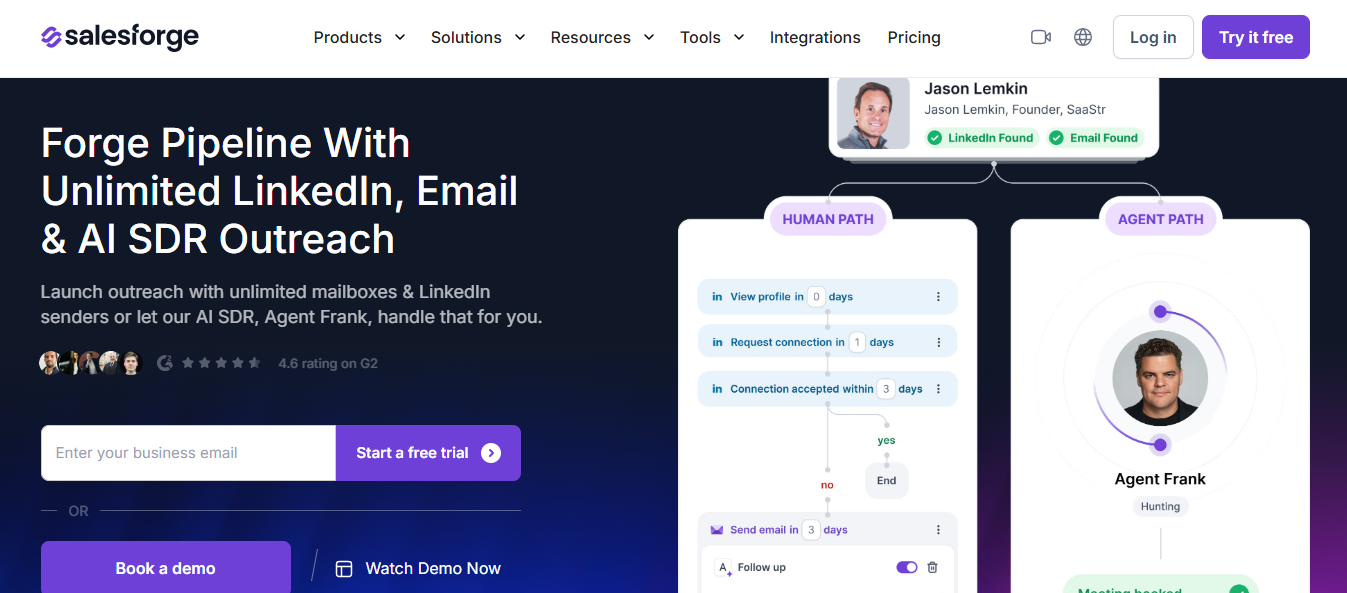
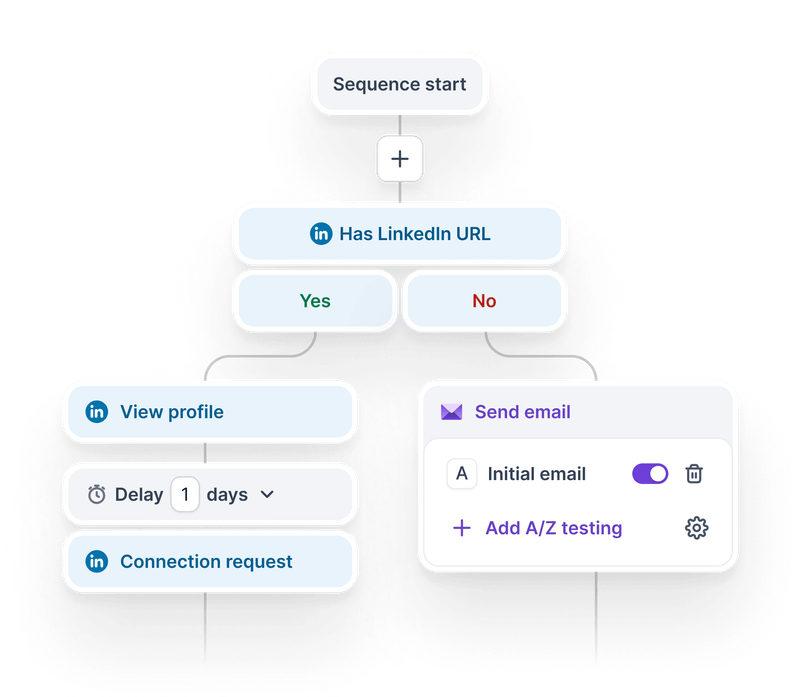
Salesforge stops making you think in separate channels. A prospect is simply a prospect, and the sequence chooses whether the next touch should be an invitation, a profile view, or an email based on their latest action.
That does more than combine two tools. Someone who accepted your invitation but went quiet needs a different follow-up from someone who never accepted it. LinkedIn-first setups often treat both people the same. Here, the sequence knows where each conversation stalled and sends a relevant email.
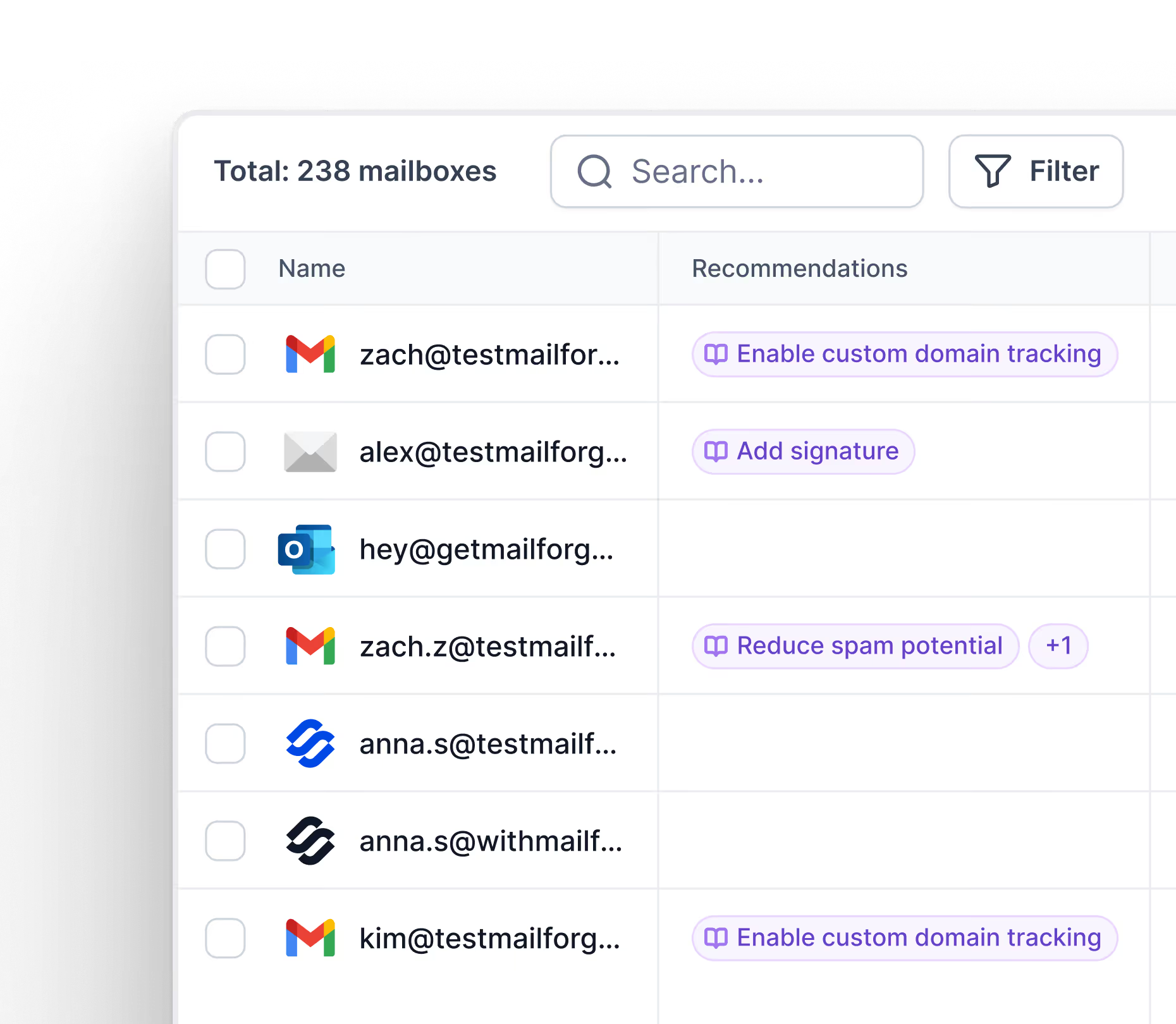
It also handles growth differently. Adding a colleague doesn’t increase the price, while adding volume means connecting more senders instead of pushing one LinkedIn account harder. Overusing a single account is exactly what often leads to restrictions. Salesforge starts at $48 a month, compared with LinkedFusion’s $65.95 per user.
Most teams already use both channels. They simply manage them separately, meaning the LinkedIn and email tools each behave as though they’re starting the first conversation.
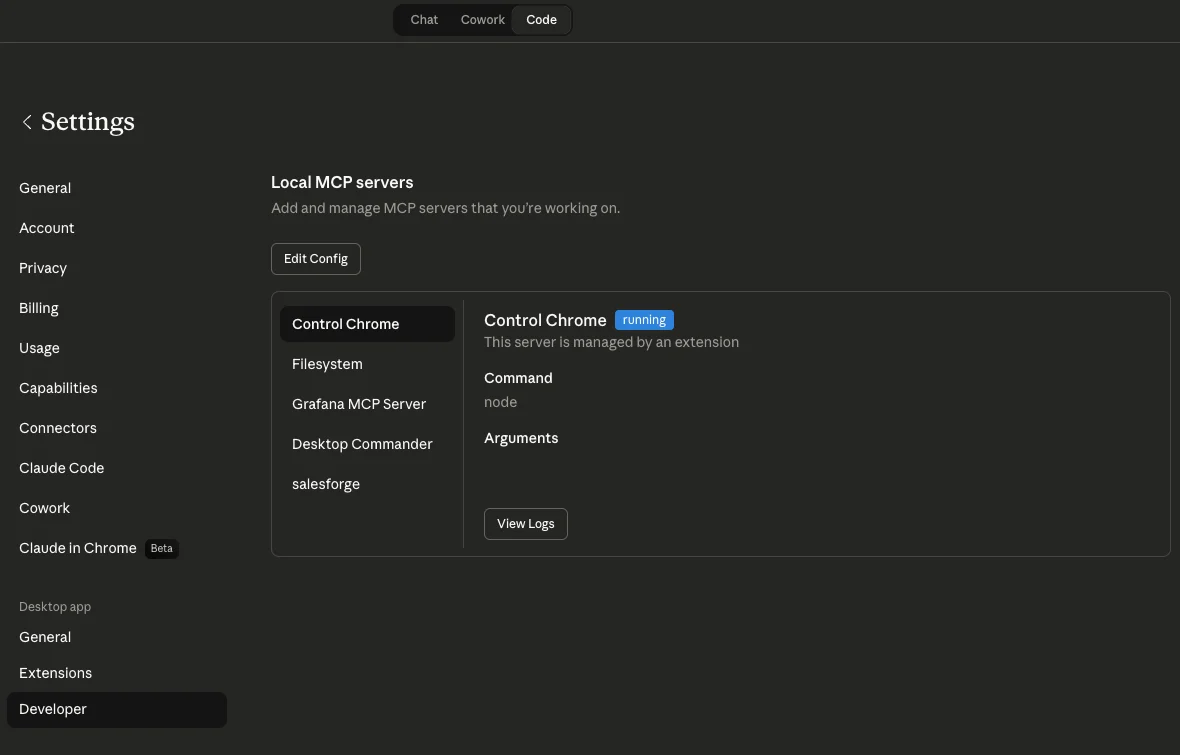
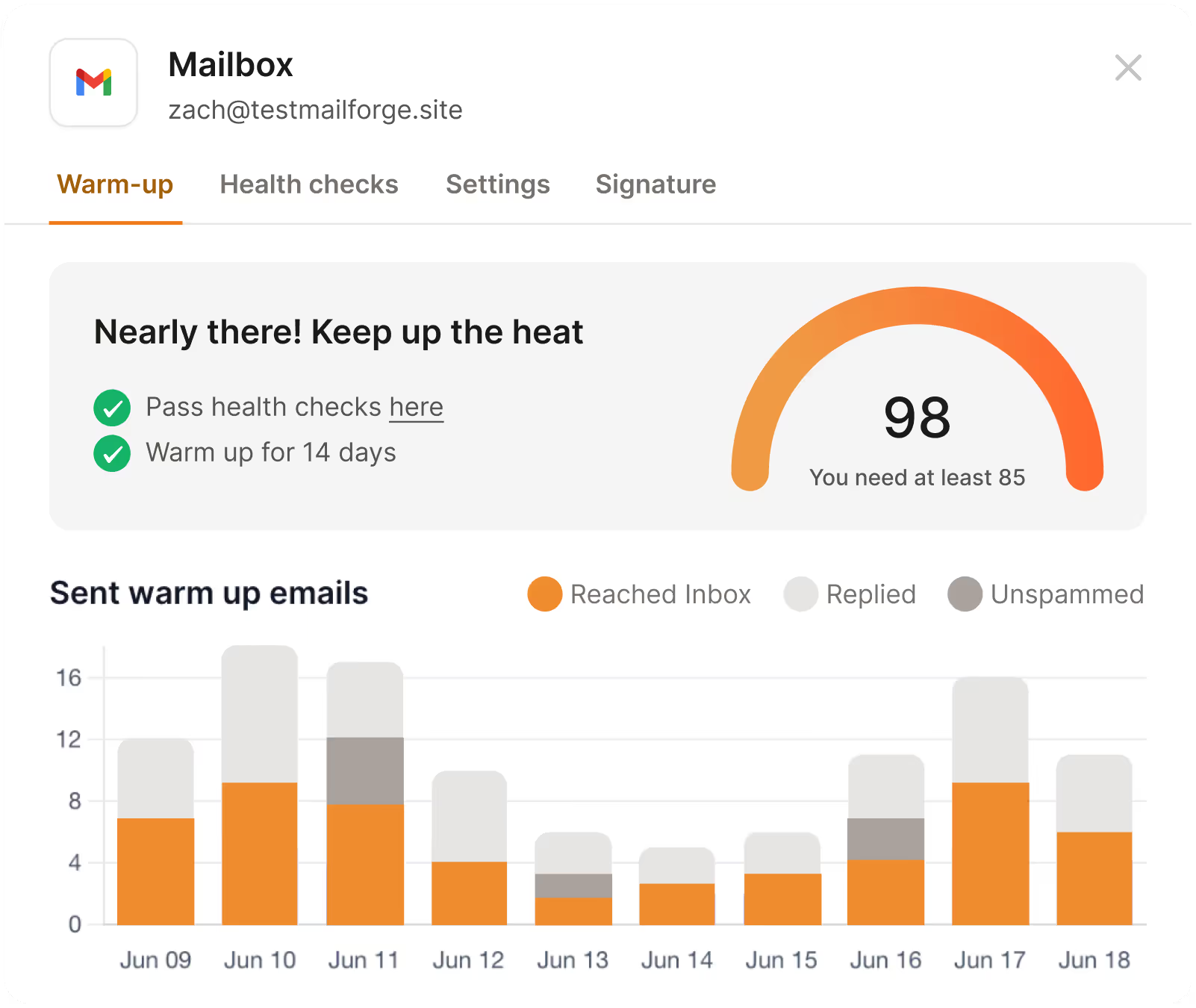
LinkedFusion’s Smart Inbox and mini CRM work well for LinkedIn. Its notes and tags also make it easy to track prospects. The structural limitation is that the workflow assumes LinkedIn always comes first.
The split: Choose LinkedFusion when LinkedIn does most of the work and email is only a follow-up. Choose Salesforge when both channels need to work the same prospect.
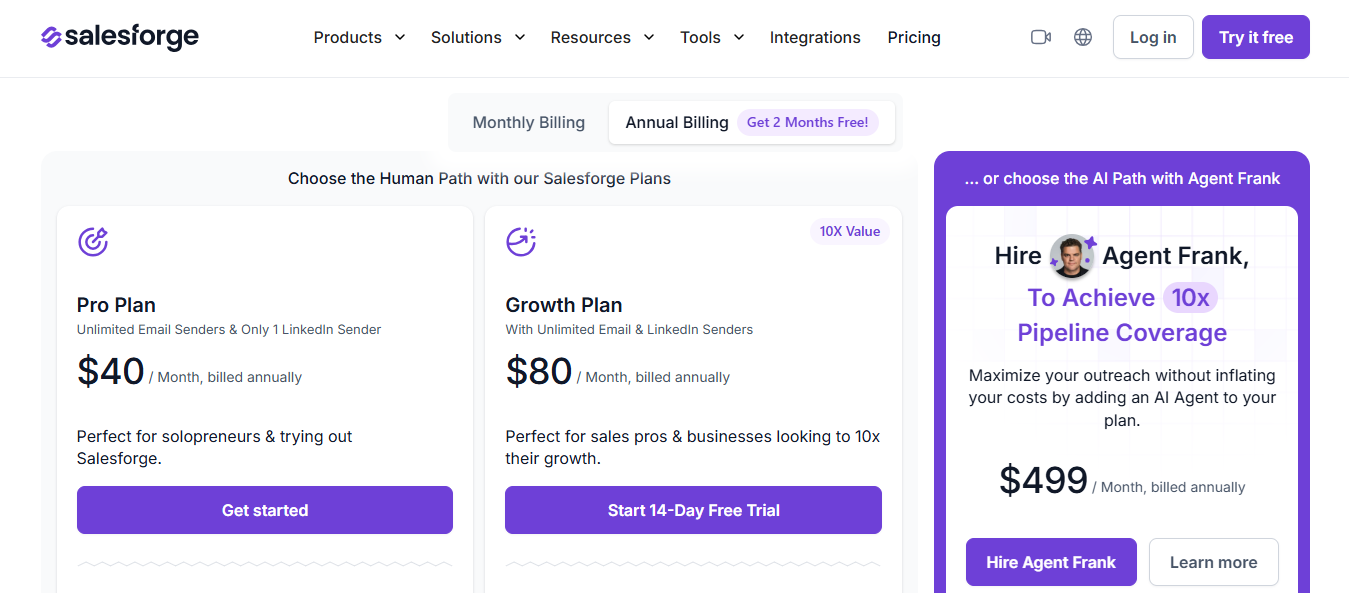
Salesforge starts at $48 a month on monthly billing without a per-seat fee. Pro includes one LinkedIn sender. Growth offers unlimited senders and mailboxes, while Warmforge is included with both plans.
LinkedFusion charges per user each month.
Two expenses sit outside those prices. Every plan recommends Sales Navigator or LinkedIn Premium, and none include Email Finder API keys.
Enter your email to get a custom plan & stack recommendation for your business
Please check your mailbox in 5 minutes

Best for: Solo founders and small teams that want branching and account protection without agency-level pricing.
I’ve seen enough people lose LinkedIn accounts to recognize the pattern. A campaign starts working, the team increases volume, and the acceptance rate quietly declines for two weeks before anyone notices.
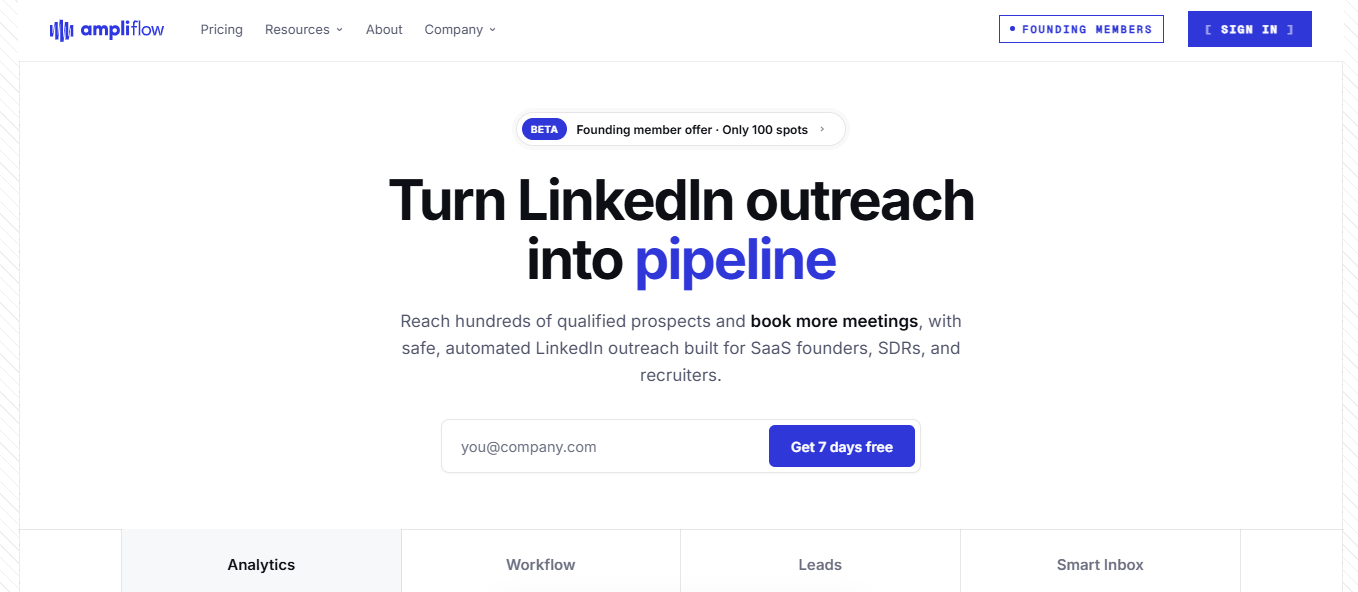
Ampliflow monitors your account in real time and pauses the sequence when the numbers start moving in the wrong direction. That’s a job I’d happily leave to software.
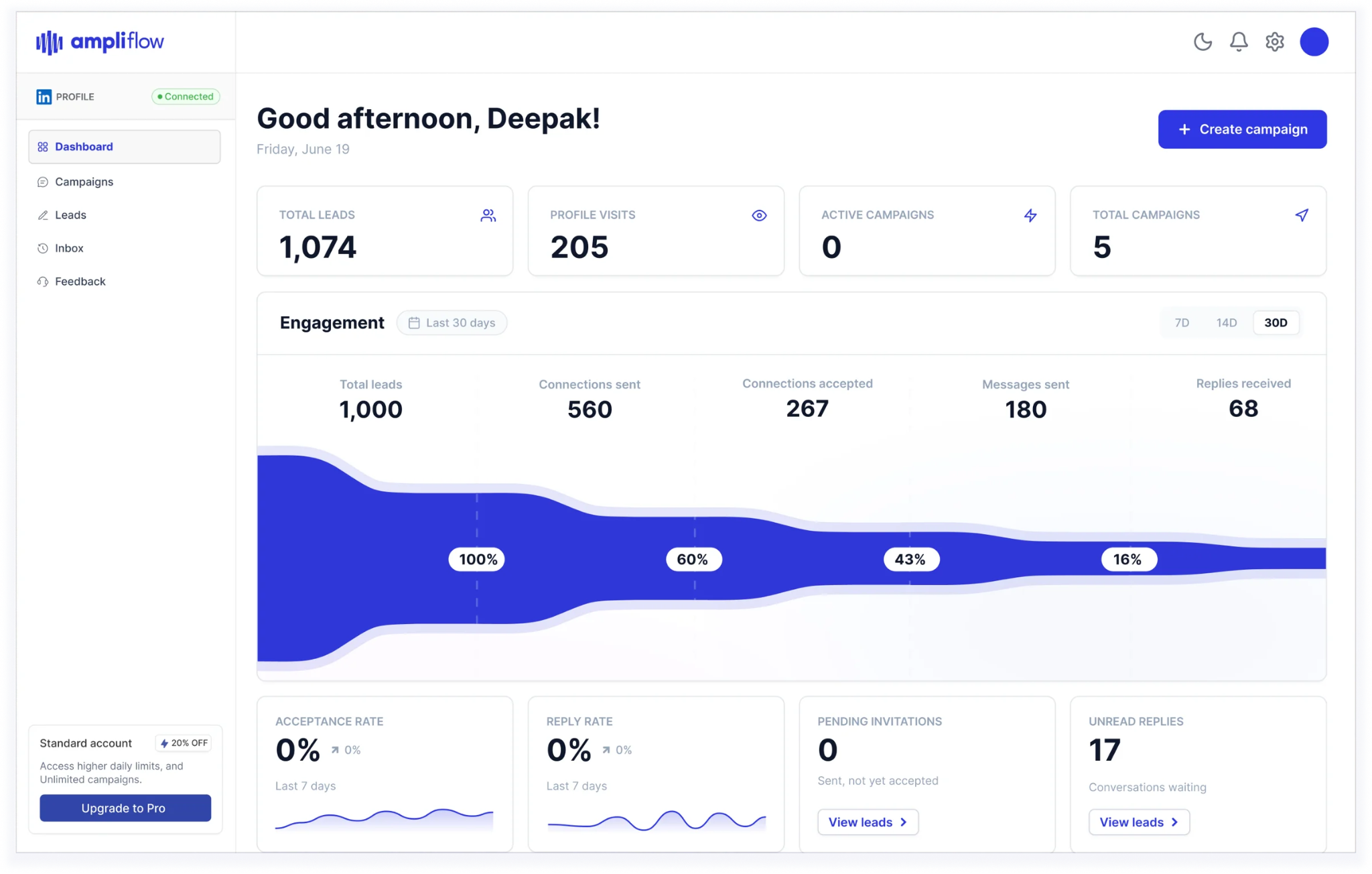
It connects to LinkedIn through the Unipile API instead of a browser extension, so nothing needs to imitate clicks on your behalf.
The builder handles the other side. You can drag steps into a workflow, create branches based on lead behavior, and test different messages. Someone who accepts within an hour no longer receives the same follow-up as someone who ignores you for a week.
Every tool recommends conservative daily limits. That advice only works if you remember to monitor them, and a successful campaign often comes when you pay the least attention.
There’s one thing I’d confirm before switching. CRM integrations are still on the roadmap because Ampliflow only launched in July 2026. If LinkedIn activity must sync with HubSpot or Salesforce today, you’ll need to wait.
The split: Choose LinkedFusion when CRM synchronization is essential. Choose Ampliflow when you manage your own outreach but want the software to monitor account safety.
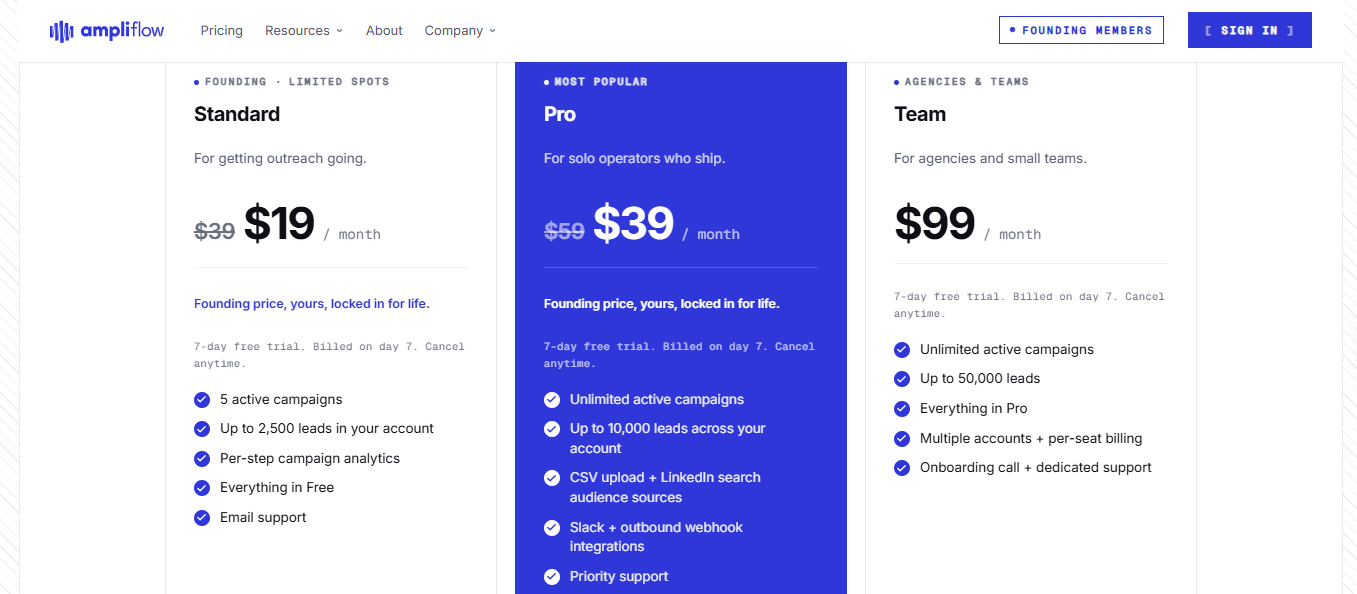
Compared with LinkedFusion’s $65.95 Professional plan, Starter saves around $320 annually, and the founding price saves closer to $560. LinkedFusion’s $95.95 Grow and $135.95 Ultimate plans both cost more than Ampliflow Pro.
Best for: Solo users and recruiters running simple LinkedIn outreach who can’t justify paying $65.95 monthly.
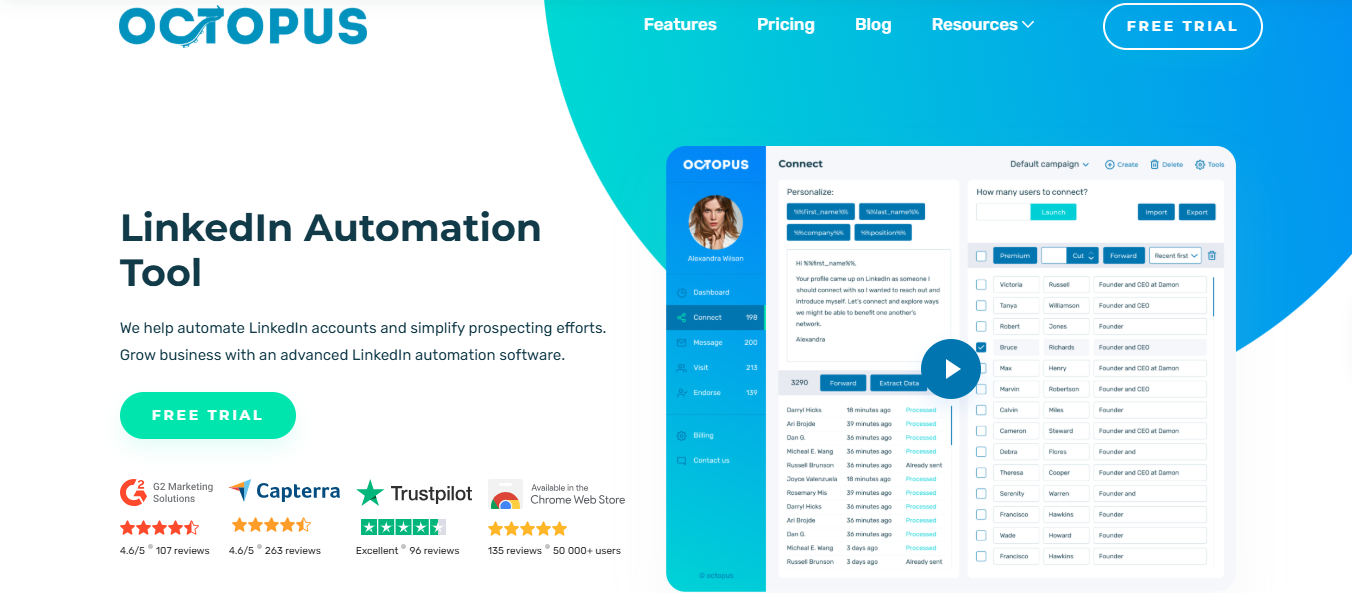
OctopusCRM works through a Chrome extension inside your existing LinkedIn session.
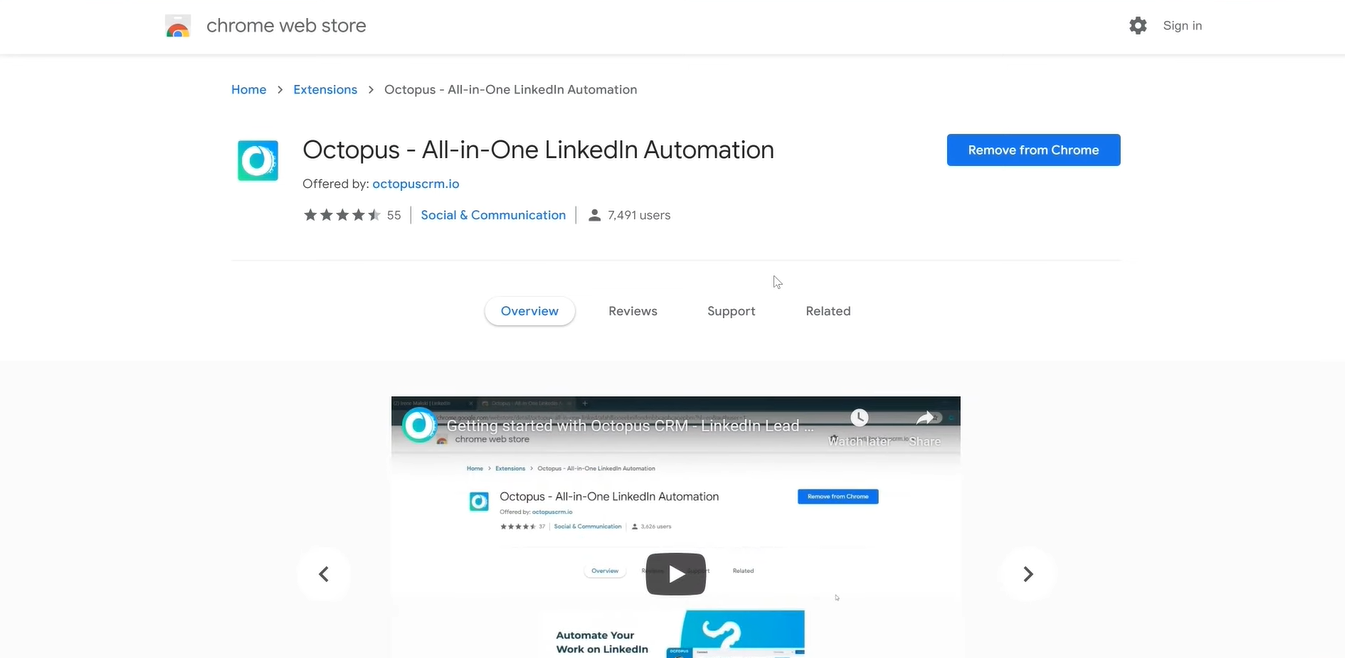
It never asks for your password, and no remote server signs in for you. The tradeoff is simple: when you close the browser, the campaign stops.
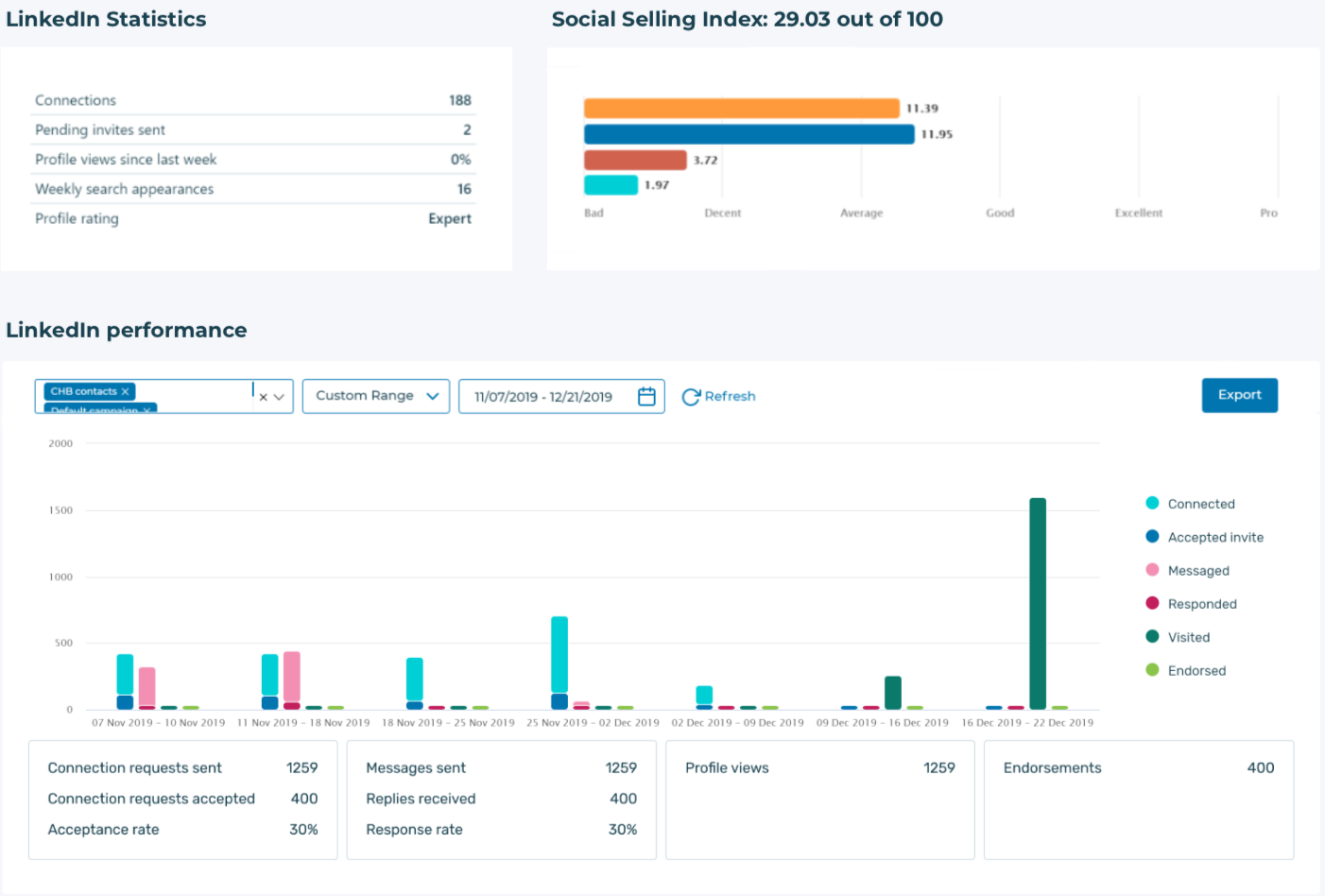
It automates the repetitive work without trying to do everything. That includes connection requests, bulk messages to first-degree contacts, profile visits, endorsements, and a personal CRM for tracking replies and campaign performance.
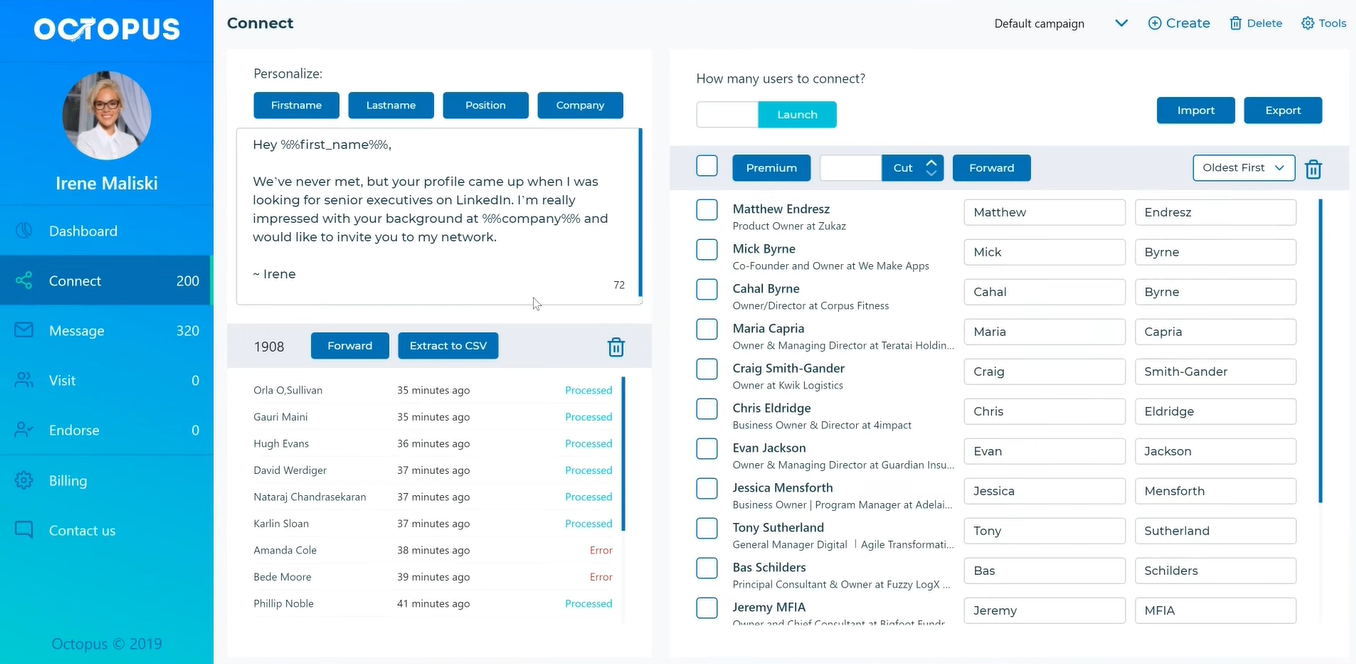
What surprised me at this price is how it handles LinkedIn’s weekly limit. After you reach 100 invitations, OctopusCRM sends invitations by email instead of pausing, so your pipeline doesn’t freeze for the rest of the week.
Starter costs $84 for an entire year. Many competitors charge that much per month, and a solo user running a single account often won’t use the features that justify the difference.
What’s missing: dedicated IPs, AI content generation, and virtual assistant support. OctopusCRM is clear about those limits, and solo operators writing their own messages may not need those features anyway.
The split: Choose LinkedFusion for cloud execution and deeper CRM connections. Choose OctopusCRM if your outreach is simple and the price difference is difficult to justify.
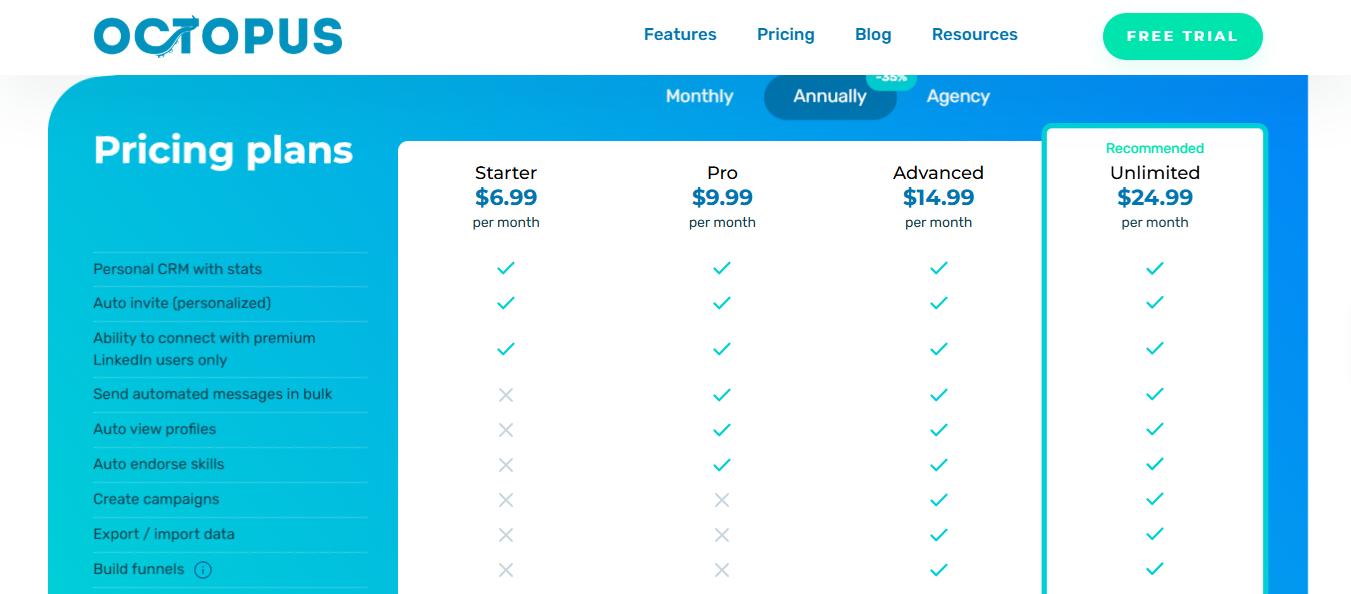
LinkedFusion’s cheapest plan costs $46.95 per user per month with annual billing or $65.95 with monthly billing. Five people on Grow cost around $480 monthly, compared with $125 for five OctopusCRM Unlimited accounts.
Best for: Teams overwhelmed by LinkedIn replies that want the first response handled automatically.
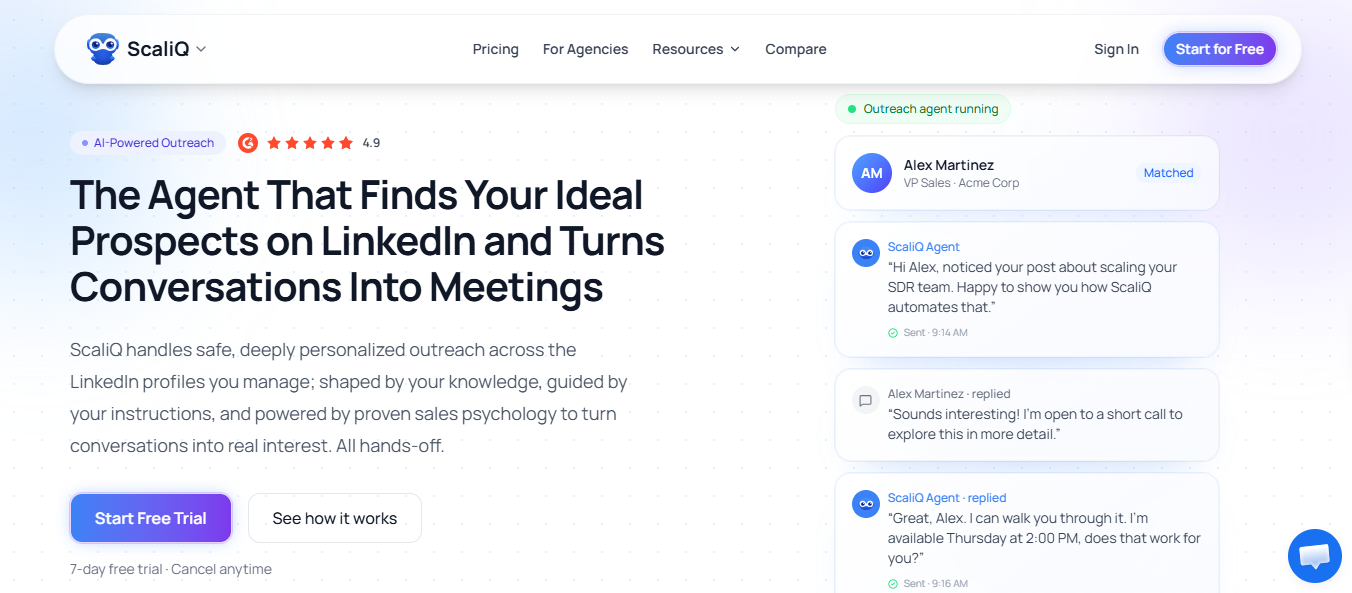
ScaliQ places an AI agent on each LinkedIn account. Instead of simply collecting replies, the agent answers them, moves the conversation forward, and hands it off to a person when it encounters something it shouldn’t decide on its own.
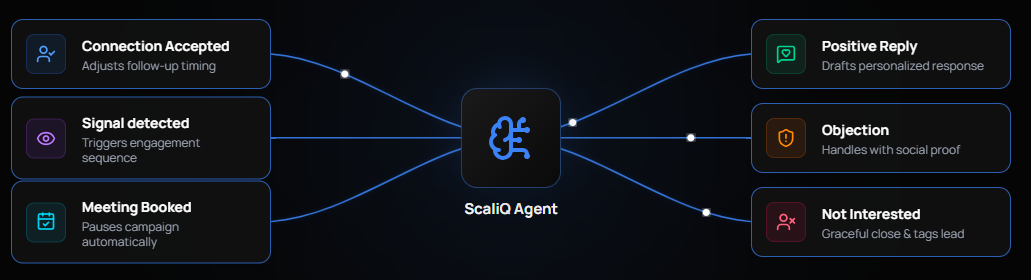
Outbound messages work similarly. Each one is written for the individual prospect rather than assembled from merge fields.
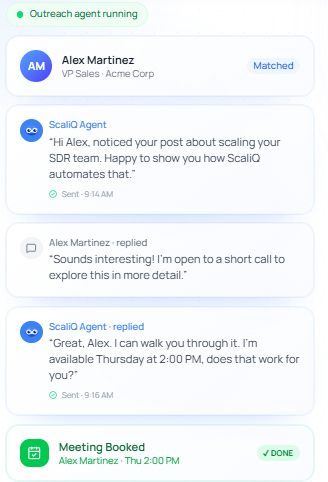
Two people at the same company won’t receive the same sentence just because their first names are changed.
Everything runs in the cloud without an extension. One agent connects to one LinkedIn account, so scaling means adding more agents rather than putting more pressure on a single profile.
Higher volume creates another bottleneck. Seventy invitations daily can generate replies faster than your team can write thoughtful answers, and late responses are often the ones that lose interest.
ScaliQ gives itself scores of 95 out of 100 for reply handling and personalization. These are its own figures without a published methodology, so treat them as positioning rather than independent measurements.
The split: Choose LinkedFusion if you want a dedicated IP and prefer writing replies yourself. Choose ScaliQ if managing replies is consuming most of your week.
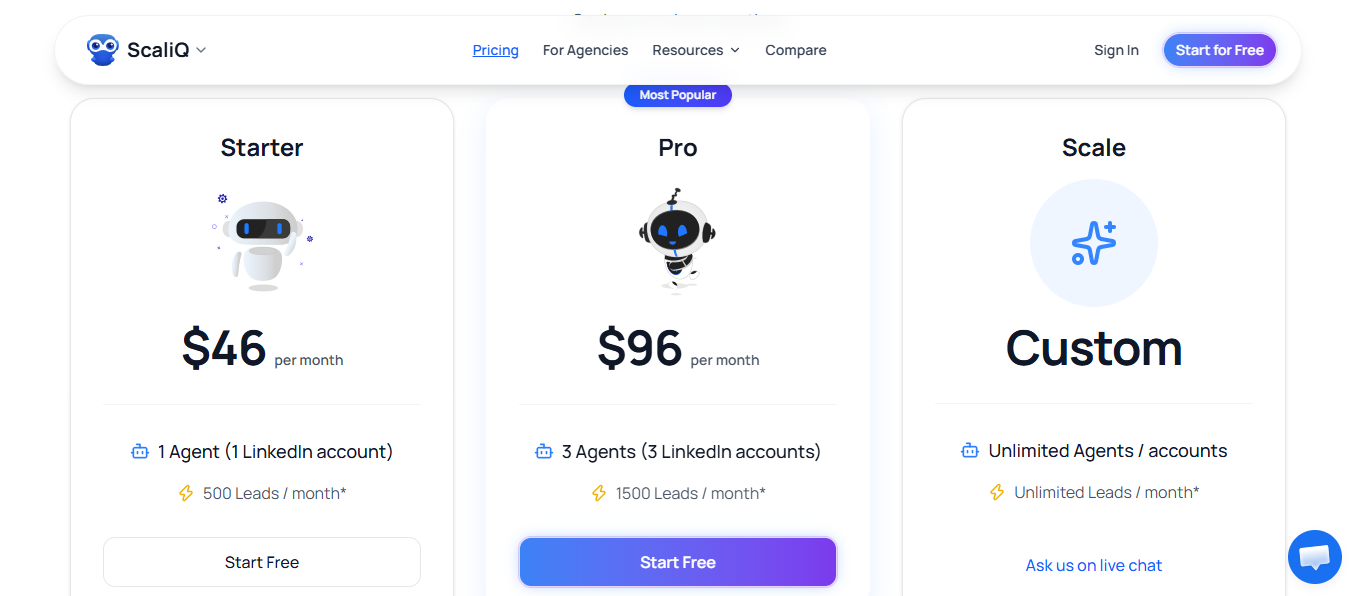
ScaliQ prices by agent, where one agent runs one LinkedIn account.
Pro costs $96 for three LinkedIn accounts. Three LinkedFusion Grow seats cost $287.85 monthly or $203.85 per month with annual billing.
Best for: Teams that want prospects to recognize their name before receiving a connection request.
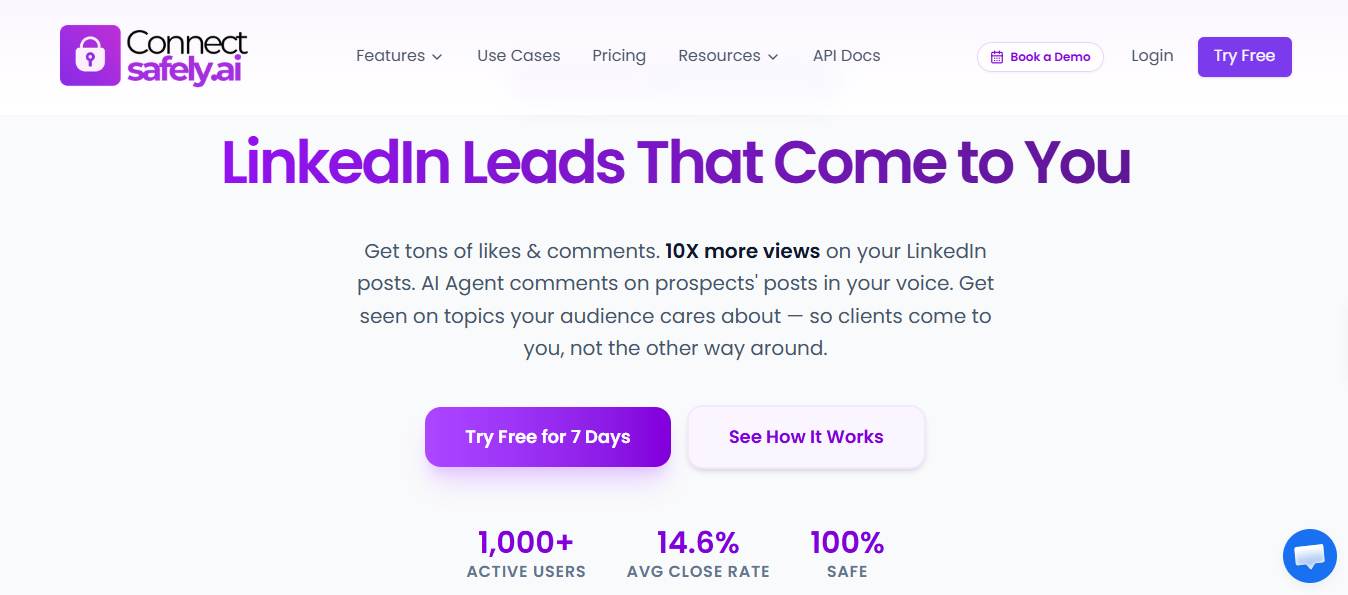
ConnectSafely combines engagement and outreach in one workflow.
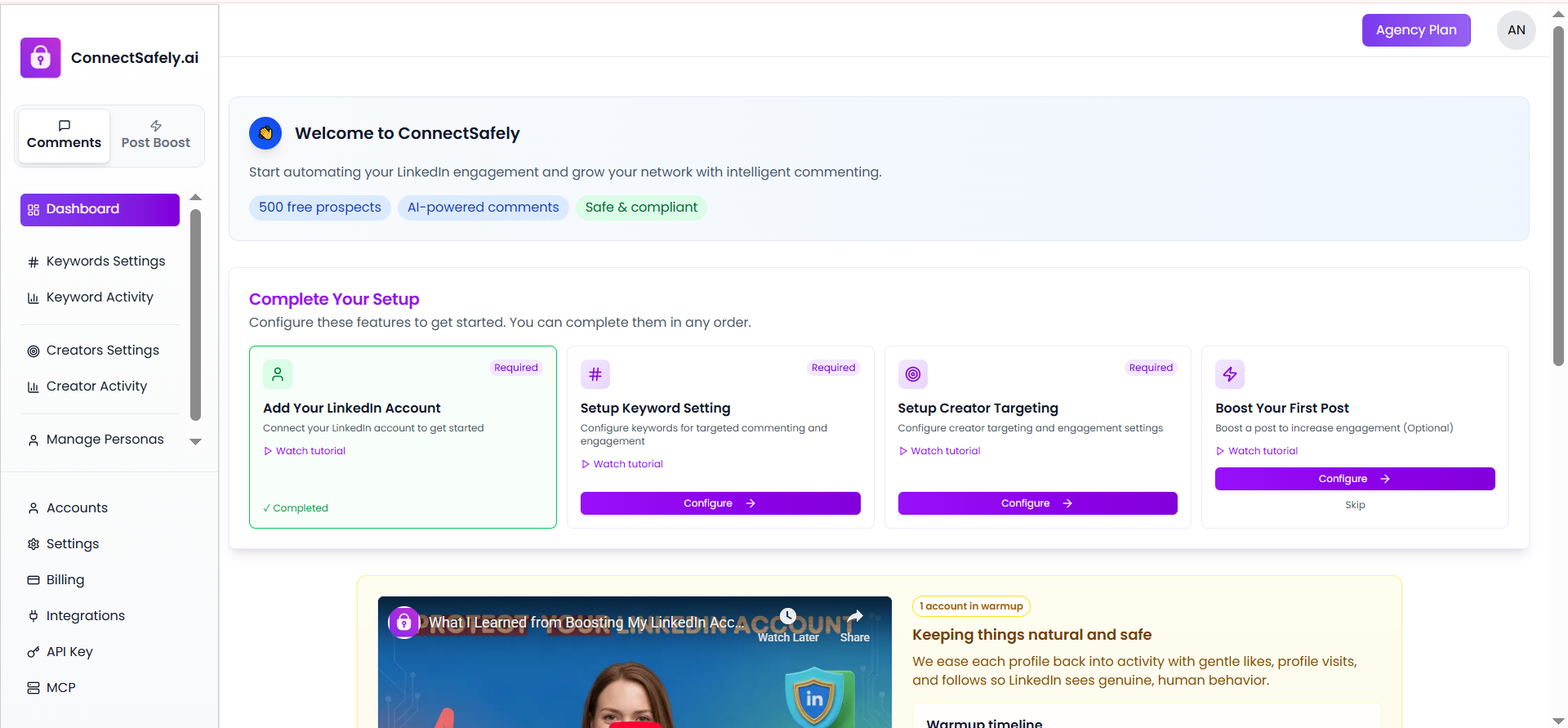
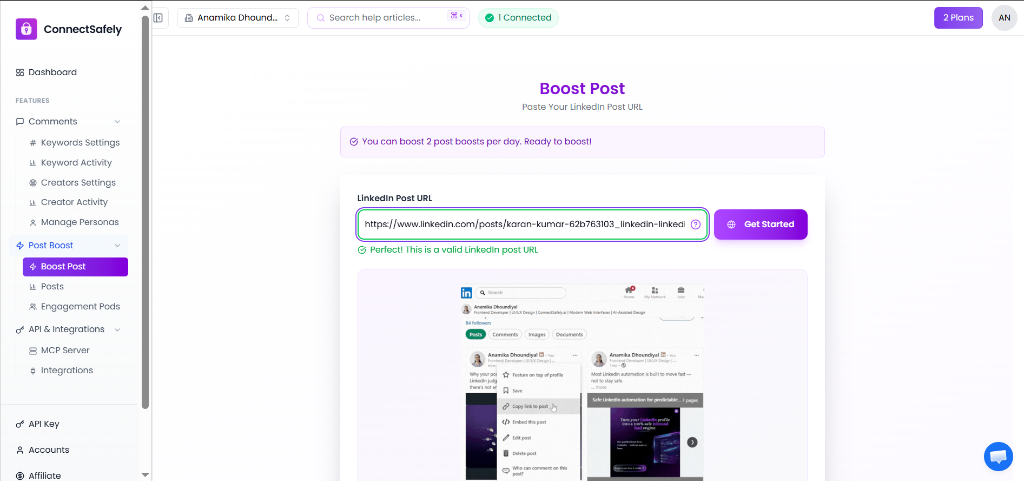
Before a sequence begins, it comments on target prospects’ posts and promotes your content to the people you plan to contact. By the time the invitation arrives, they may have already seen your name twice.
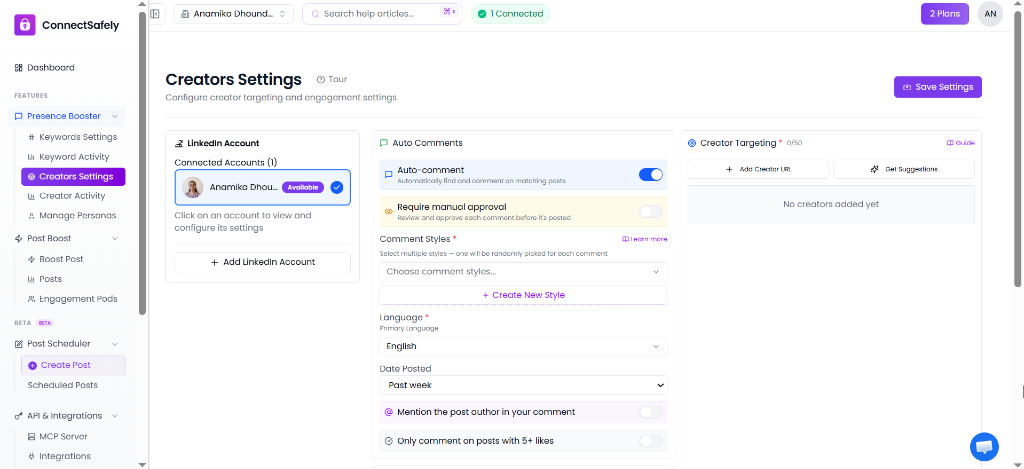
Replies are managed by a Gemini-powered AI SDR. It creates a personalized opener for each prospect, generates variants for A/B testing, and handles conversations through a six-stage sales framework. It can manage objections, prepare replies for approval, or send them automatically.
Its safety model focuses on behavior rather than infrastructure. It uses daily and weekly limits for each account, randomized timing, throttle detection, least-recently-used account rotation, and automatic pauses as limits approach. Those protections cover comments and post engagement as well as outreach.
Cold invitations from unfamiliar people are easy to ignore, which makes LinkedIn’s limits feel even more restrictive. Appearing in someone’s comments for a week can change how they see your connection request when it arrives.
There are two things to confirm before committing. CRM support is narrower than LinkedFusion’s and mainly focuses on HubSpot. ConnectSafely also isn’t an email platform. It enriches and verifies leads before sending them to Instantly, Smartlead, or Lemlist for email delivery.
The split: Choose LinkedFusion when dedicated IPs and broad CRM synchronization matter most. Choose ConnectSafely when you want to warm prospects before making the pitch.
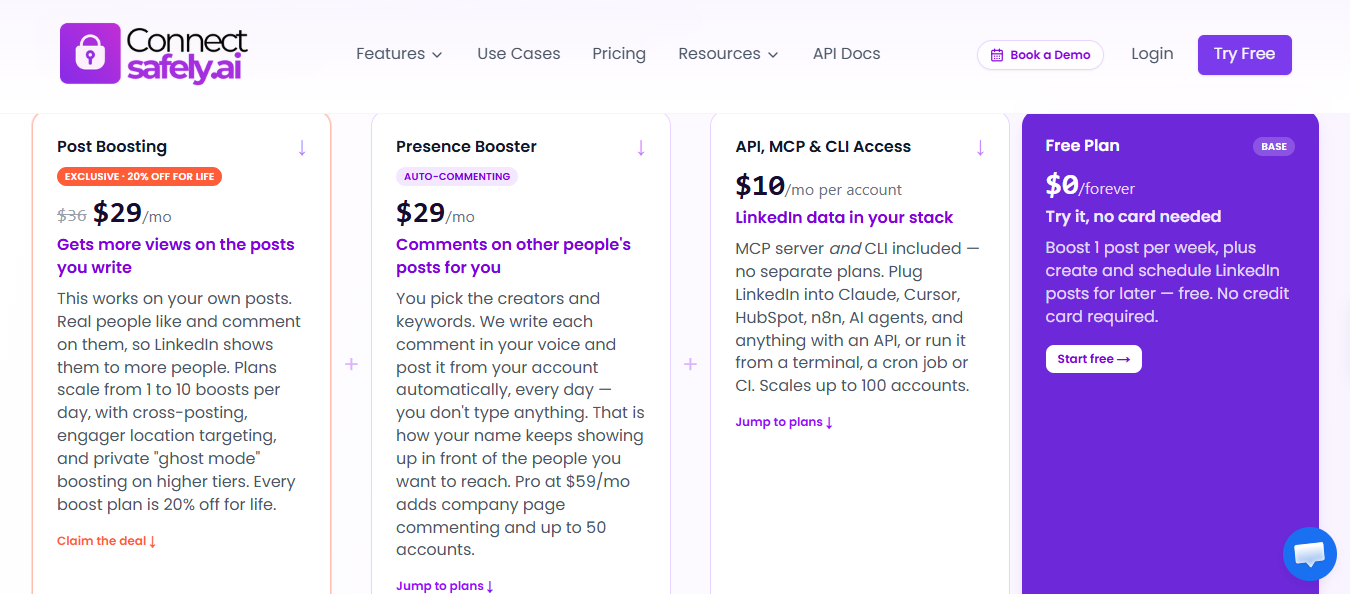
Engagement, outreach, AI, and enrichment come under one subscription rather than per-seat billing. LinkedFusion charges each user $65.95 monthly or $46.95 annually for Professional, increasing to $135.95 monthly or $95.95 annually for Ultimate.
Enter your email to get a custom plan & stack recommendation for your business
Please check your mailbox in 5 minutes
Salesforge is my top choice because it doesn’t treat LinkedIn as the only channel. One sequence manages invitations, profile views, InMails, and emails for the same prospect, branching according to what they do. It also places no caps on seats or senders.
That matters because people rarely leave LinkedFusion because of its automation. They leave because they’re paying per user for a channel LinkedIn already limits, then upgrading for more invitation capacity that the platform may not let them use.
The other four tools serve more specific needs. Choose Ampliflow for affordable branching and live account safety scores. Choose OctopusCRM when your outreach is simple and $6.99 is the deciding factor. Choose ScaliQ when replies are the bottleneck. Choose ConnectSafely when you want prospects to know your name before the pitch.
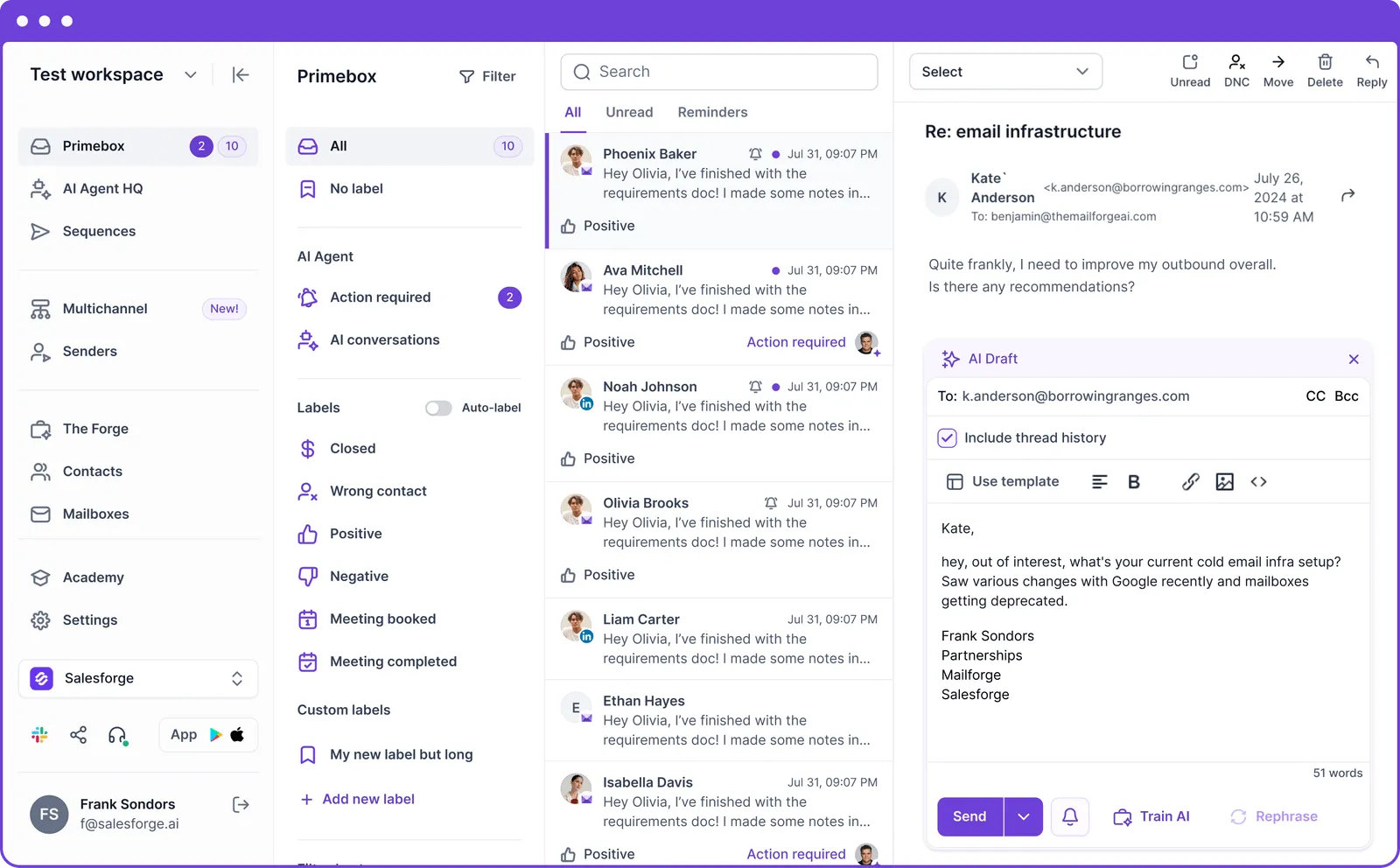
But if you want a setup that grows without charging more every time you add a person or channel, I’d start with Salesforge. You get email and LinkedIn in one sequence, one inbox for every reply, and Warmforge included.
.jpg)

.jpg)

.jpg)