

Linked Helper is a desktop app that automates LinkedIn from your computer. Meet Alfred is a cloud tool that adds email and Twitter to LinkedIn outreach. Neither warms up email, neither has an AI SDR, and both charge per LinkedIn account or seat.
For multichannel B2B outbound that scales, Salesforge is the stronger choice. Email and LinkedIn run in one branching sequence, LinkedIn senders are unlimited on Growth, warm-up is free through Warmforge, and replies land in one Primebox™ inbox. Plans start at $48/mo monthly ($40/mo annual).
I have set up LinkedIn automation for agencies, recruiters, and my own outbound, and these three tools keep coming up in the same shortlist. Linked Helper is the cheap, feature-packed desktop app that power users love. Meet Alfred is the cloud multichannel platform built with teams in mind. Salesforge is the multichannel outreach platform that runs email and LinkedIn in a single sequence and warms your mailboxes for free.
The real decision is not which tool sends connection requests, because all three do that. It is which one keeps your LinkedIn account safe, unifies your replies, and still works once you grow past one seat. That is where they split. I pulled live pricing, ran the workflows, and read the 1-star reviews so you do not have to.
LinkedIn Automation Tools at a Glance: Linked Helper vs Meet Alfred
Here is the short version before the detail. Every price below was taken from each vendor's live pricing page in July 2026, not from a third-party directory.
| Feature | Salesforge | Linked Helper | Meet Alfred |
|---|---|---|---|
| Outreach channels | Email + LinkedIn in one sequence | LinkedIn only | LinkedIn + Email + Twitter/X |
| Deployment | Cloud | Desktop app (computer must stay on) | Cloud |
| Entry price | $48/mo monthly ($40/mo annual) - Pro | $15/mo monthly (~$8.25/mo annual) - Standard, per LinkedIn account | $59/user/mo monthly ($29/user/mo annual) - Basic |
| Top self-serve plan | $96/mo monthly ($80/mo annual) - Growth | $45/mo monthly (~$24.75/mo annual) - Pro, per account | $99/user/mo monthly - Pro |
| Pricing model | No per-seat cost, unlimited users | Per LinkedIn account (1 license = 1 account) | Per user/seat (1 seat = 1 LinkedIn profile) |
| Email warm-up | Free, unlimited (Warmforge) | None | None |
| Unified inbox | Primebox™ (email + LinkedIn, free) | No cross-account inbox | Smart Inbox (LinkedIn; email basic) |
| AI SDR | Agent Frank (separate, from $499/mo billed quarterly) | None | None |
| LinkedIn senders | Unlimited (Growth plan) | 1 per license | 1 per seat |
| Account safety | Session token, no extension injection, human-like limits | Desktop simulation, higher ban risk | Cloud automation, ban risk remains |
| Email infrastructure | 3 options (Mailforge, Infraforge, Primeforge) | None | None |
| Free trial | 14 days, no card | 14 days, no card | 7 days, no card |
| Compliance / data | SOC 2 compliant | Data stored locally on device | GDPR, DPA, security page |
| Best for | SMB/mid-market B2B, $5K-$100K ACV | Budget solo and power users | Teams wanting LinkedIn + email + Twitter |
What Is Linked Helper? Features, Pricing, and Limitations
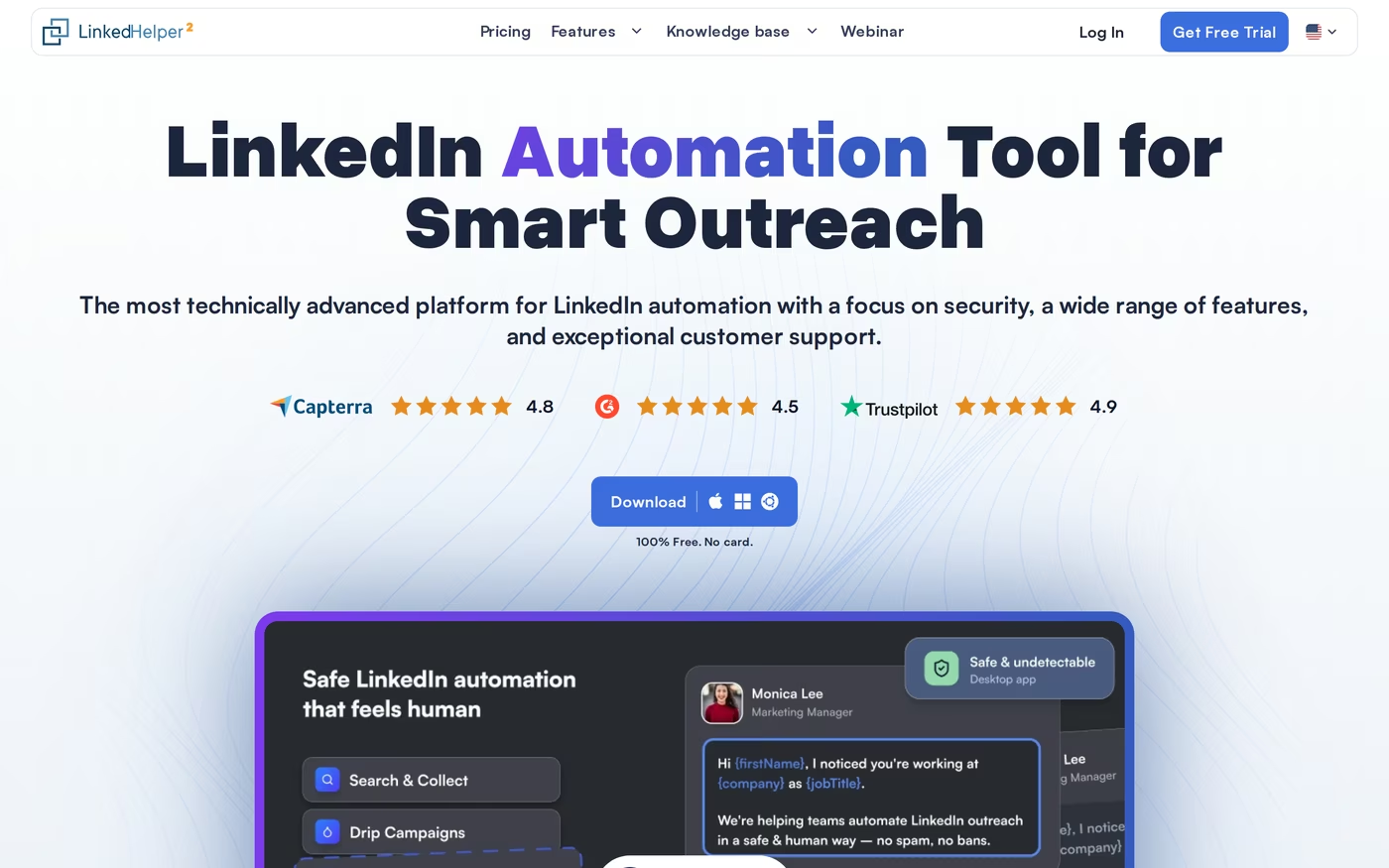
Linked Helper is one of the oldest LinkedIn automation tools on the market, with 8+ years of history and more than 300,000 users. It runs as a desktop application on Windows, Mac, and Linux. Instead of injecting code into LinkedIn like a browser extension, it drives a built-in browser that mimics human actions, which the company argues is safer.
Its core features cover most of the LinkedIn playbook:
- Campaign types: connection requests, message sequences, InMails, group messaging, and event invitations, all chainable so accepted invites flow into a follow-up.
- Built-in CRM: tags, notes, auto-tagging, and full-profile scraping stored locally on your machine.
- Data enrichment: contact data credits for finding emails and phone numbers (620/month on Standard, 3,100/month on Pro).
- Bulk engagement: likes, follows, skill endorsements, and auto-accept for incoming invites.
- Newer AI tools: AI Messages, AI Comments, and AI ICP Detection added recently.
- Exports and webhooks: CSV export plus webhook pushes to Zapier, Make, and CRMs.
Pricing is the lowest in this comparison. The local-storage version runs $15/mo monthly for Standard and $45/mo monthly for Pro, dropping to roughly $8.25 and $24.75 per month on the 12-month term. A newer cloud-storage version, meant for syncing data across devices rather than cloud sending, costs more at $29.90 and $59.90 per month. Every license covers one LinkedIn account, and the free trial is 14 days with no card. Standard caps advanced actions at 20 per day; Pro removes that limit.
Linked Helper is best for solo operators, recruiters, and small teams on a tight budget who are comfortable running and babysitting a desktop app. If you want the most campaign types for the least money and you only work LinkedIn, it earns its reputation.
The honest limitations matter for a buying decision:
- It is desktop-only, so your computer has to stay on and online for campaigns to run. Close the laptop and sending stops.
- Ban risk is higher than cloud tools that route through dedicated proxies, a point reviewers raise directly.
- There is no unified inbox across accounts, so managing multiple profiles means switching sessions to read replies.
- It is LinkedIn-only for outreach. There is an email finder, but no native email sending or email steps inside the same sequence.
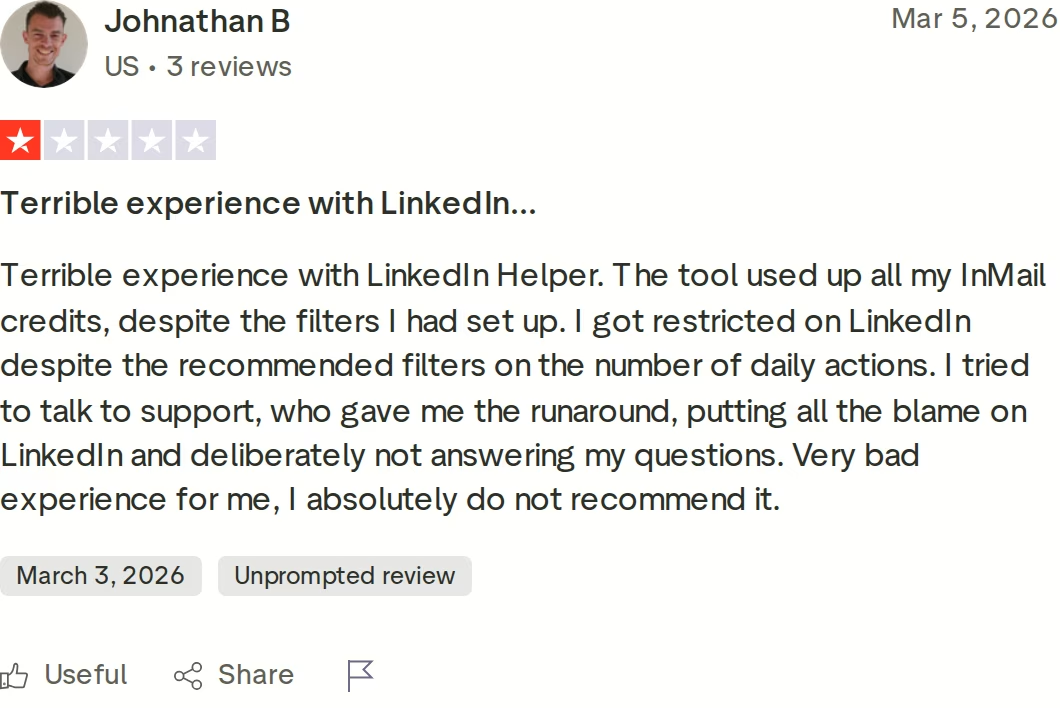
Linked Helper's Trustpilot score sits high overall, but the 1-star reviews are worth reading before you commit. The most common themes are LinkedIn restrictions despite following recommended limits, wasted InMail credits, and billing disputes. For a tool where account safety is the whole point, those are the reviews I weigh most.
What Is Meet Alfred? Features, Pricing, and Limitations
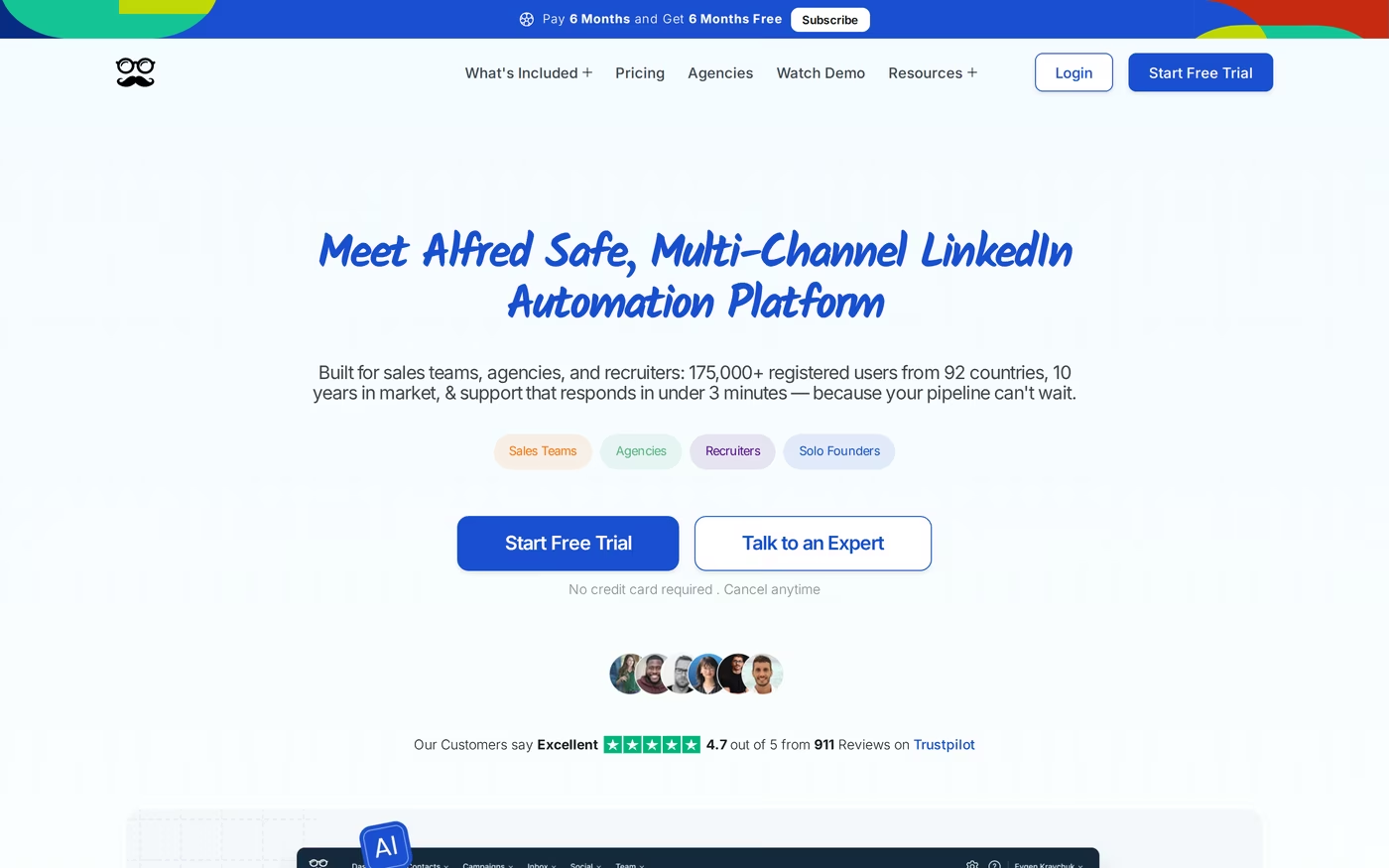
Meet Alfred is a cloud-based multichannel automation platform. It combines LinkedIn automation with email and Twitter/X outreach, plus social post scheduling, and it markets heavily to sales teams and agencies. The homepage cites 175,000+ registered users across 92 countries and support that replies in under three minutes. It sits in the same crowded LinkedIn space as tools I have pitted against each other before, like Expandi vs Skylead.
Its feature set is broader than a pure LinkedIn tool:
- LinkedIn automation: connection requests, messages, InMails, group and event campaigns, and content retargeting.
- Multichannel sequences: LinkedIn, email, and Twitter touches in one flow (Pro plan and up).
- Lead Finder: a newer built-in prospecting tool (1,000 results on Basic, 5,000 on Pro, 10,000 on Team).
- Smart Inbox and LinkedIn CRM: a LinkedIn-focused inbox with tags, notes, and templates from a 600+ template library.
- Team and agency tools: shared inboxes, roles, account impersonation, and white label for 5+ users.
- Integrations: Zapier, Webhooks, plus an API.
Pricing is per user per month. Basic is $59, Pro is $99, and Team is $79 per seat (aimed at larger groups, with a three-seat minimum). Quarterly billing takes 20% off; annual billing takes 50% off, so Basic lands near $29 and Team near $39 per seat. Pro's annual rate is normally about $49.50, currently discounted to $25 per seat on a Summer Sale that runs until July 30, 2026. The free trial is 7 days with no card.
Meet Alfred is best for sales teams, recruiters, and small agencies that want LinkedIn, email, and Twitter in one cloud tool with team collaboration and white-label options.
The limitations are real and mostly about depth:
- Per-seat pricing scales expensively, since each seat maps to one LinkedIn profile.
- Email is basic. Meet Alfred scrapes addresses but does not verify them, and there is no warm-up or sending infrastructure, so bounce and reputation risk sit with you.
- Automation still carries LinkedIn restriction risk, and G2 reviewers note conservative sending quotas.
- Sales Navigator is effectively required for serious targeting, and that is a separate LinkedIn subscription.
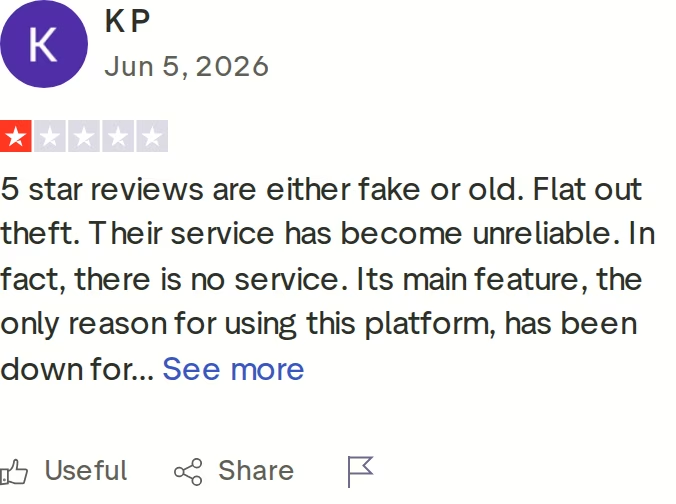
Meet Alfred's Trustpilot rating is strong at 4.7 across more than 900 reviews, but the critical ones cluster around reliability and downtime of core features. When your outreach depends on a cloud tool, uptime complaints are the ones I read twice.
What Is Salesforge? The Multichannel Outreach Platform
Salesforge is an all-in-one cold outreach platform that runs cold email and LinkedIn as two channels of one workflow, not two products bolted together. It is the outreach layer of the wider Forge Stack, so the infrastructure, warm-up, lead data, and AI SDR sit under one login. That context is the difference between comparing tools and comparing whole systems.
The features that matter for a LinkedIn and multichannel buyer:
- Multichannel with conditional sequences: LinkedIn and email steps run in one sequence with real if/then logic. If a connection request is accepted, trigger a LinkedIn message; if not, fall back to email.
- Six native LinkedIn actions: connection requests, messages, InMails, post likes, follows, and withdraw requests, each capped at 30 per day per profile to stay within safe thresholds.
- Account safety as standard: actions route through high-quality proxies, authentication is session-token-only so your password is never stored, and there is no Chrome extension injection or DOM manipulation.
- Unlimited senders and users: unlimited mailboxes on every plan, plus unlimited LinkedIn senders and unlimited users on Growth. No per-seat tax as you grow.
- AI personalization across 21+ languages: AI variables pull company news, LinkedIn activity, and industry context, with Overdrive Mode drawing on every available source.
- Free unlimited warm-up via Warmforge: every mailbox warms in a premium pool of aged IMAP/SMTP, Google Workspace, and Microsoft 365 mailboxes, with Heat Score™ monitoring.
- Primebox™ unified inbox: email and LinkedIn replies in one place, with sentiment analysis and AI reply modes (Autopilot and Co-pilot on Growth).
- Agent Frank: an autonomous AI SDR who can prospect, sequence, reply, and book meetings across email and LinkedIn.
- ESP matching, Bounce Shield, sender rotation, and built-in validation to protect deliverability.
- Deep integrations: HubSpot, Salesforce, Pipedrive, Attio, and Clay natively, plus Zapier, Webhooks, an API on Growth, and an MCP server.
- Chrome extension and analytics: a Leadsforge-powered extension finds verified emails and phones on LinkedIn profiles (100 free credits to start), and real-time analytics track connect rate, reply rate, and meetings booked.
Salesforge is the outreach layer of a unified stack. Mailforge, Infraforge, and Primeforge supply infrastructure, Warmforge handles deliverability, and Leadsforge feeds a 500M+ contact database straight into sequences with no CSV export. You can also run the whole thing three ways: your own team operates it, Agent Frank operates it, or a vetted Forge Expert agency operates it. No LinkedIn-only competitor matches that.
Pricing is straightforward and not seat-based. The Pro plan is $48/mo monthly or $40/mo annual. The Growth plan is $96/mo monthly or $80/mo annual and adds unlimited users, unlimited LinkedIn senders, the API, A/B testing, ESP matching, and Primebox AI reply modes. Agent Frank is a separate subscription from $499/mo billed quarterly ($416/mo annual) and requires a demo plus a two-week warm-up before he starts sending. The free trial is 14 days with no card.
Salesforge fits B2B teams selling at $5K to $100K ACVs, targeting 3,000+ businesses across SMB and mid-market. It is honest about who it is not for: Salesforge itself says it is a poor fit for Fortune 500 procurement, long RFP cycles, and six- or seven-figure bespoke deals. Infrastructure is also not included in the base price, and several features (API, ESP matching, AI reply modes) sit on the Growth plan.
in Action

Head-to-Head Feature Comparison: Linked Helper vs Meet Alfred
This is where the shortlist actually narrows. I have grouped the comparison by the decisions that change results, not just feature checkboxes.
Multichannel outreach
This is the clearest split of the three.
- Linked Helper: LinkedIn only. It finds emails, but there is no email sending or email step inside a campaign.
- Meet Alfred: genuinely multichannel across LinkedIn, email, and Twitter, though the email side is thin.
- Salesforge: LinkedIn and email in one conditional sequence, so a declined invite can branch to an email touch automatically.
If you want to see the LinkedIn side compared directly, Salesforge published a walkthrough against Linked Helper.
Email deliverability and warm-up
Here neither competitor has a product to compare, and that is the point. Linked Helper has no email sending at all, and Meet Alfred sends email but offers no warm-up, no placement testing, and no infrastructure. Salesforge includes Warmforge free and unlimited, with a premium pool of aged IMAP/SMTP, Google Workspace, and Microsoft 365 mailboxes plus Heat Score™ monitoring. Add ESP matching, Bounce Shield, and sender rotation, and the inbox-placement gap is wide.
AI and personalization
- Linked Helper: recently added AI Messages and AI Comments, credit-metered.
- Meet Alfred: AI personalization and customizable AI settings, though reviewers note the output can read as machine-written.
- Salesforge: AI personalization across 21+ languages with Overdrive Mode, plus Agent Frank, an autonomous AI SDR that runs the full email and LinkedIn workflow. Neither competitor has an AI SDR.
Inbox management and reply handling
Replies are where deals get won or lost. Linked Helper has no unified inbox across accounts, so multi-profile users switch sessions to keep up. Meet Alfred has a Smart Inbox for LinkedIn but treats email as a secondary channel. Salesforge's Primebox™ pulls every email and LinkedIn reply into one view, tags sentiment, catches replies from any address, and can draft responses with Autopilot or Co-pilot on Growth.
Pricing and scalability
The headline prices mislead once you scale.
- Linked Helper: cheapest per license at $15/mo, but you buy one license per LinkedIn account, so five accounts is five licenses.
- Meet Alfred: per seat, and each seat is one LinkedIn profile, so a five-person team multiplies fast.
- Salesforge: Growth removes per-seat pricing entirely, with unlimited users and unlimited LinkedIn senders on one bill.
For a broader view of what fits a lean budget, see my picks for sales tools for startups, and for agencies scaling accounts, how to rent LinkedIn accounts safely.
Integrations and infrastructure
All three connect to Zapier and webhooks. The difference is infrastructure. Neither competitor sells email infrastructure, so you bring your own mailboxes and manage reputation yourself. Salesforge offers three options under one login through Mailforge, Infraforge, and Primeforge, and it feeds leads from Leadsforge directly into sequences. For more context on the category, I keep a running list of LinkedIn automation tools.
Pricing Comparison: Linked Helper, Meet Alfred, and Salesforge
Prices below come straight from each vendor's live pricing page. Because plan names overlap, I have kept the vendor prefix on every tier.
| Plan | Monthly | Annual (effective) | Model |
|---|---|---|---|
| Salesforge Pro | $48/mo | $40/mo | Flat, unlimited mailboxes, 1 LinkedIn sender |
| Salesforge Growth | $96/mo | $80/mo | Flat, unlimited users + LinkedIn senders |
| Salesforge Agent Frank | from $499/mo (quarterly) | $416/mo | Separate AI SDR subscription |
| Linked Helper Standard | $15/mo | ~$8.25/mo | Per LinkedIn account |
| Linked Helper Pro | $45/mo | ~$24.75/mo | Per LinkedIn account |
| Meet Alfred Basic | $59/user/mo | $29/user/mo | Per seat |
| Meet Alfred Pro | $99/user/mo | ~$49.50/user/mo (promo $25 until Jul 30, 2026) | Per seat |
| Meet Alfred Team | $79/user/mo | $39/user/mo | Per seat, 3-seat minimum |
The key is how cost behaves as you grow. Linked Helper and Meet Alfred both scale linearly with LinkedIn accounts, because you pay per license or per seat. Salesforge Growth breaks that link: one $80/mo annual plan covers unlimited users and unlimited LinkedIn senders, so headcount does not raise the bill.
Here is a concrete scenario. Say a five-person team each runs one LinkedIn account. On Meet Alfred Pro at the standard annual rate that is roughly $247/month for five seats, plus email verification and Sales Navigator on top. On Linked Helper Pro that is five licenses at about $124/month, but only if all five keep their computers running, and with no email channel. On Salesforge Growth it is $80/month total for all five, with unlimited LinkedIn senders, free Warmforge warm-up, and Primebox™ included. The gap widens with every new hire.
Who Should Use Each LinkedIn Outreach Tool
All three can automate LinkedIn. The right pick depends on channels, team size, and how much you value account safety and deliverability. If you are still scanning the market, my roundup of the best LinkedIn outreach tools covers more options, or browse the full sales tools directory.
You might consider Linked Helper if:
- Your outreach is LinkedIn-only and you want the most campaign types for the least money.
- You are a hands-on solo operator or recruiter who does not mind running a desktop app.
- On raw entry price for a single LinkedIn seat, it is the cheapest option here at $15/mo, and for a one-person LinkedIn-only motion that simplicity is a fair reason to pick it.
You might consider Meet Alfred if:
- You want LinkedIn, email, and Twitter in one cloud tool and value team collaboration and white label.
- You are a small agency that needs shared inboxes and account management more than deep email deliverability.
Choose Salesforge if:
- You sell B2B at $5K to $100K ACVs across SMB or mid-market and target 3,000+ businesses.
- You want email and LinkedIn in one branching sequence, not two disconnected campaigns to stitch together.
- You are scaling a team and refuse to pay per seat, so unlimited users and LinkedIn senders on Growth actually save money.
- Deliverability matters, so free Warmforge warm-up, ESP matching, and three infrastructure options are worth having built in.
- You want the option to hand the whole workflow to Agent Frank, an autonomous AI SDR, or a Forge Expert agency.
Final Verdict: The Strongest Multichannel Setup
Linked Helper and Meet Alfred are both capable LinkedIn tools with clear ceilings. Linked Helper is a cheap, powerful desktop app that stops when your laptop sleeps and never touches email. Meet Alfred is a cloud multichannel tool whose email side is thin and whose pricing multiplies per seat. Both carry the account-restriction risk that comes with LinkedIn automation, and both have Trustpilot reviews worth reading before you commit.
For multichannel B2B outbound that scales without punishing growth, Salesforge is the stronger choice. At $80/mo for the Growth plan billed annually ($96/mo monthly), you get unlimited users, unlimited LinkedIn senders, unlimited mailboxes, free Warmforge warm-up, and Primebox™, a combination neither alternative offers at any price. Email and LinkedIn run in one sequence, and account safety is built in with session-token auth and no extension injection.
One falsifiable benchmark: UniteSync ran on Salesforge, Mailforge, and Warmforge to an 85.26% positive reply rate and a $2.86 CAC, and ChannelCrawler hit 85.71% on the stack. Both case studies are public. For a lighter proof point, VAI Consulting booked three calls in a single week with Agent Frank running outreach. Salesforge also holds its ground across the other tool comparisons.
Frequently Asked Questions
Is Salesforge better than Linked Helper or Meet Alfred?
For multichannel B2B outbound, yes. Salesforge runs email and LinkedIn in one sequence, includes free Warmforge warm-up, and does not charge per seat, so a five-person team pays $80/mo annual on Growth. Linked Helper is LinkedIn-only and desktop-bound, and Meet Alfred's email side is basic with no warm-up. For a one-person LinkedIn-only motion on a tight budget, Linked Helper can still be the simpler pick.
What is the main difference between these three tools?
Channels and architecture. Linked Helper is a LinkedIn-only desktop app that runs on your computer. Meet Alfred is a cloud tool covering LinkedIn, email, and Twitter, but with thin email features. Salesforge is a cloud multichannel platform where email and LinkedIn run in one conditional sequence, backed by free warm-up, a unified Primebox™ inbox, three infrastructure options, and Agent Frank, an autonomous AI SDR.
Which is cheapest: Linked Helper, Meet Alfred, or Salesforge?
Per single license, Linked Helper is cheapest at $15/mo monthly (about $8.25/mo annual). Meet Alfred starts at $59/user/mo monthly ($29/user/mo annual). Salesforge starts at $48/mo monthly ($40/mo annual). The ranking flips for teams, though: Salesforge Growth at $80/mo annual covers unlimited users, while the other two charge per account or seat, so five users cost far more on them.
Do Linked Helper and Meet Alfred support email outreach?
Only Meet Alfred sends email, and it is basic: it scrapes addresses without verifying them and offers no warm-up or sending infrastructure, so bounce risk sits with you. Linked Helper has an email finder but no email sending inside a campaign. Salesforge runs email as a full channel with ESP matching, Bounce Shield, built-in validation, and free Warmforge warm-up.
Can I switch from Linked Helper or Meet Alfred to Salesforge easily?
Yes. You can import contacts by CSV or connect Google Sheets, connect your existing mailboxes or add Mailforge, Infraforge, or Primeforge, and connect LinkedIn with session-token authentication. Warm-up starts free through Warmforge, and the 14-day trial lets you rebuild a sequence before committing. Most teams move one campaign first, then migrate the rest once replies land in Primebox™.
Which tool is safest for my LinkedIn account?
No automation is risk-free, but the approach matters. Salesforge uses session-token authentication (your password is never stored), routes actions through quality proxies, caps each of its six native LinkedIn actions at 30 per day, and does no extension injection. Linked Helper's desktop simulation and Meet Alfred's cloud automation both still draw restriction complaints in their 1-star reviews, usually tied to volume.
Does Salesforge offer a free trial?
Yes, a 14-day free trial with no credit card required. The trial includes email warm-up and unlimited mailbox connections, with caps of 50 contacts, 100 emails, and set validation, personalization, and social-action credits. Agent Frank is the exception: he is a separate subscription from $499/mo billed quarterly and requires a demo plus a two-week warm-up, so there is no self-serve trial for him.
Who is Meet Alfred best for?
Meet Alfred fits sales teams, recruiters, and small agencies that want LinkedIn, email, and Twitter in one cloud tool with shared inboxes, team roles, and white label for 5+ users. It is less suited to teams that need serious email deliverability or want to avoid per-seat pricing, since each seat maps to one LinkedIn profile and email has no warm-up or infrastructure behind it.
.jpg)

.jpg)

.jpg)