Your cold emails start bouncing back with cryptic 550 codes. Open rates crater overnight. A quick lookup confirms your sending IP is sitting on Spamhaus, or Barracuda, or sometimes both at once.
If you've hit this wall before, you know the panic that follows.
I've helped enough outbound teams pull IPs off blacklists to know one thing. Most guides on this topic hand you a generic 5-step checklist and hope you figure out the rest. That's why so many delisting requests get denied, and why teams keep landing back on the same lists a month later.
This guide walks through what I actually do. You'll learn why your IP got flagged, how to confirm which lists are blocking you, and the exact delisting steps for every major blacklist. You'll also see how to stay off them for good.
Let's break it down.
Every blacklist has its own rules, but almost every listing traces back to a handful of root causes. Understanding which one applies to you matters more than most people realize. Skip this step, and your delisting request will get denied because the underlying issue is still there.
Here's what I look at first when I'm diagnosing why an IP got flagged.
Once you know the category, you look at the right place. Here's my three-part diagnostic.
First, I pull my SMTP server logs. Any spike in outbound volume, unusual sender addresses, or traffic at odd hours points to a compromise. If I see a jump I cannot explain, that is my listing cause.
Second, I check every public-facing form on my site. Contact forms and signup fields get exploited constantly, so I look for missing CAPTCHA and rate limits. Spammers love unprotected forms.
Third, I audit my email authentication records. Broken SPF, DKIM, or DMARC can make legitimate sends look like spoofing, which trips filters and sends you straight to a blacklist. Our full breakdown of how spam traps harm sender reputation explains the connection between poor list hygiene and blacklisting in more depth.
If none of these turn up anything, the listing is probably shared-IP fallout or an inherited reputation issue. Both have specific fixes I cover below.
Before I request delisting, I always confirm which blacklists actually have my IP. Blindly submitting removal forms wastes time and can look suspicious to blacklist operators. Here's the process I use to nail down the exact scope in about 5 minutes.
The fastest way to see the full picture is a multi-checker that scans dozens of databases at once. I usually start with the free IP & Domain Blacklist Checker built by Salesforge. It scans all the major public blacklists in one shot and shows me exactly where I'm listed.
You'll want to enter your public sending IP, not your office or home IP. If you're not sure which one your mail server uses, check your outbound SMTP settings. Or run a test send and look at the "Received" header in the message source.
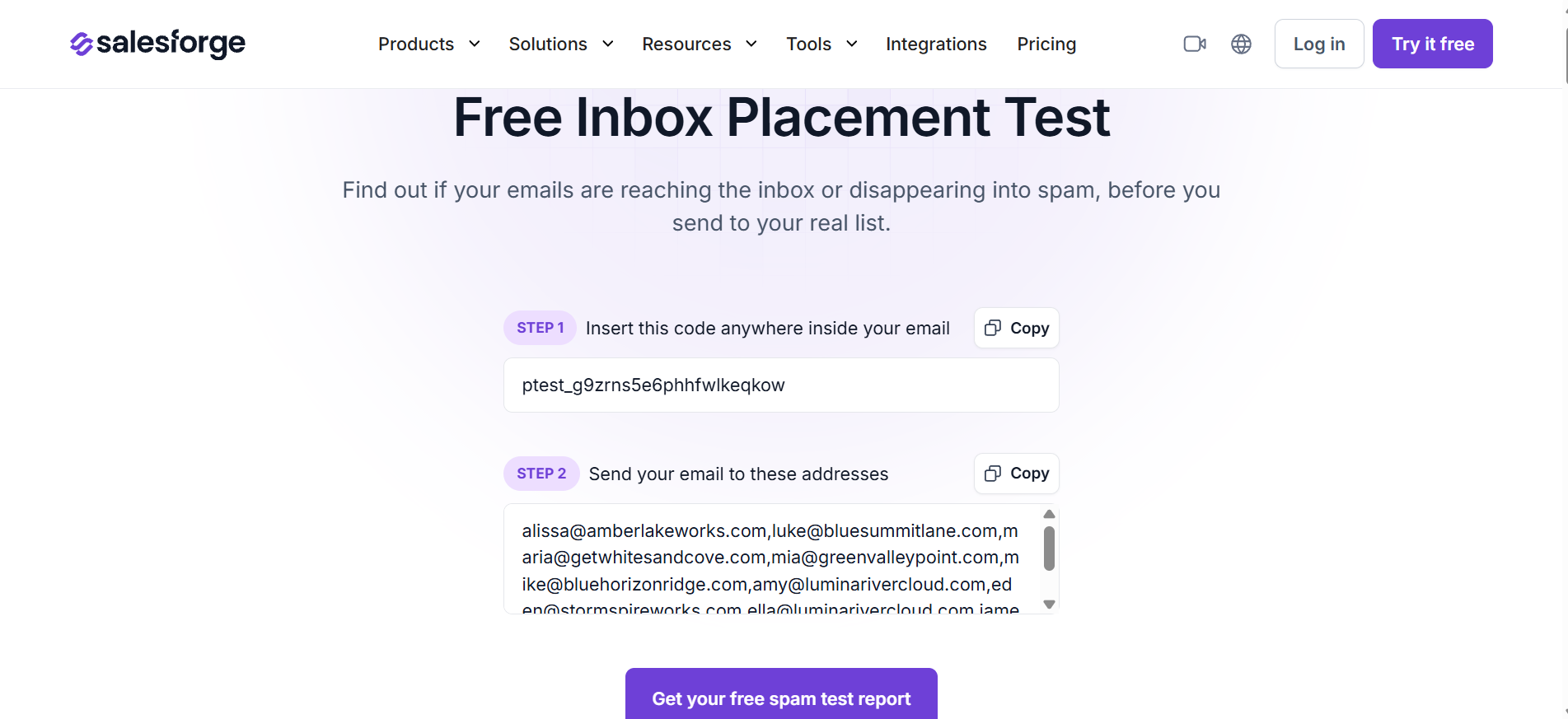
For a deeper check on whether your emails are actually landing in the inbox (not just spam), I run a free Inbox Placement Test alongside the blacklist scan. That combination tells me if the problem is blacklist-driven or something deeper in my sending setup.
Not every blacklist carries the same weight. Being listed on a small regional list won't tank your deliverability, but a Spamhaus or Barracuda hit will. Here's how I rank them.
If I see a Spamhaus or Barracuda hit, I stop everything and work on that first. The others can wait an hour or two while I handle the big ones.
Your bounce messages often name the exact blacklist that rejected your email. A 550 error that says "listed on Spamhaus" is doing you a favor by pointing to the source. I search my SMTP logs for recent 5xx bounces and note which blacklists come up most often.
Codes like 550 5.7.1 from Outlook or 554 IP address is block listed from a German provider point to specific systems I cover below. You can dig into our full 550 permanent failure guide for a reference on what each code actually signals.
For an ongoing health check across all your sending mailboxes, the free Email Deliverability Test is worth bookmarking. It surfaces blacklist hits, authentication misses, and reputation issues in one report.
Once you have your list, you're ready to start delisting.
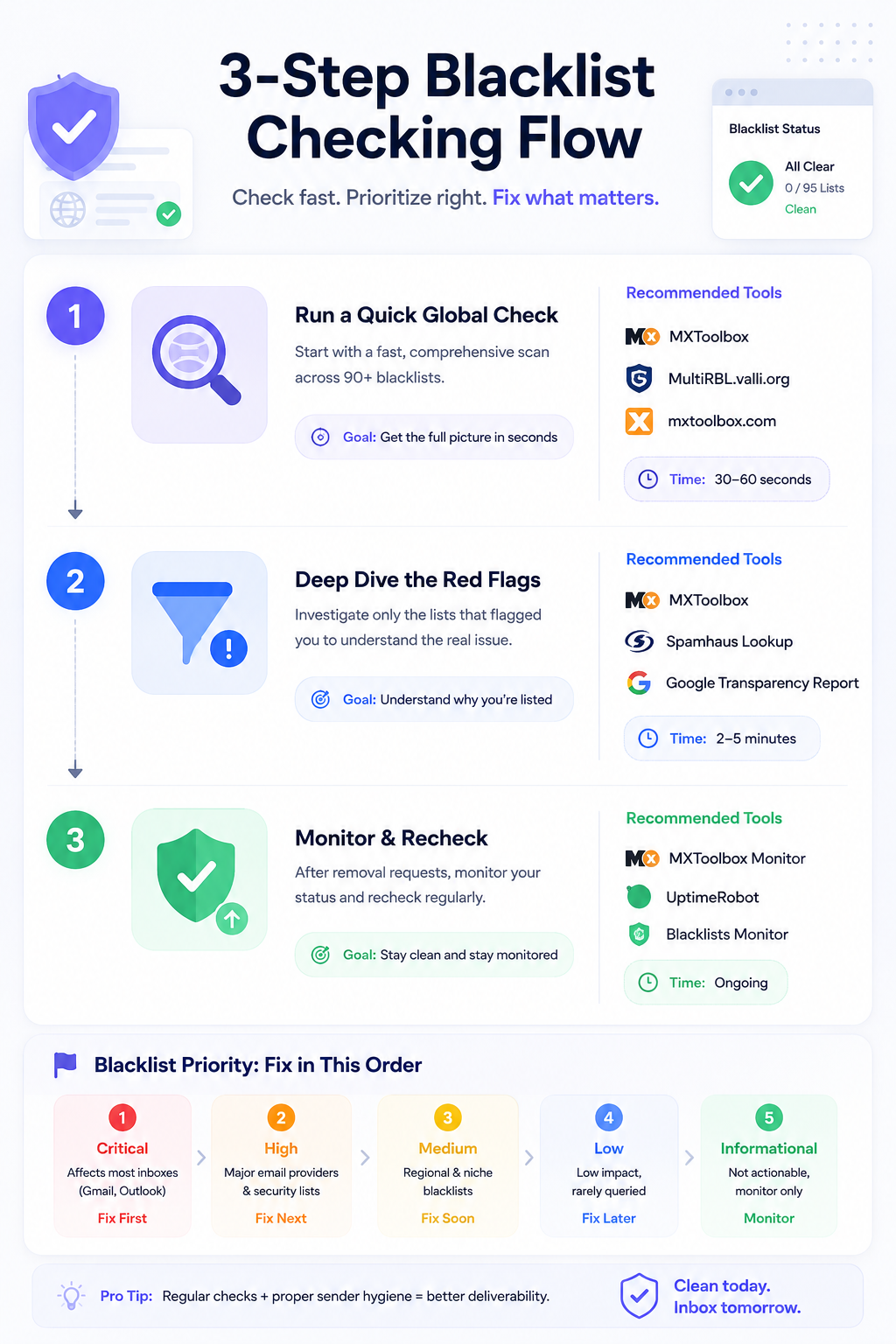
Removing your IP is not just about filling out a form. Every major blacklist verifies the underlying problem is actually fixed before they'll approve delisting. Skip that step, and you'll get denied or relisted within hours.
I always fix the root cause first, then follow the specific delisting process for each blacklist that flagged me. Here's how I handle each one.
Before I touch a single delisting form, I run through a checklist.
I secure the mail server by removing any malware, rotating admin passwords, and disabling any account that showed suspicious activity. If I inherited a compromise from a former team member, that account is my first target.
Test for open relay by connecting to port 25 and trying to send an unauthenticated email. If the server accepts it, I have a much bigger problem than a blacklist entry. That's a security hole that will keep re-triggering listings until I close it.
Verify my authentication records are configured correctly. SPF, DKIM, and DMARC all need to validate cleanly. Our email warm-up and blacklist prevention guide covers the setup patterns I follow to keep authentication clean from day one.
Protect every public form with CAPTCHA and rate limits so bots can't hijack them for spam blasts. And I clean my sending list by removing bounces, invalid addresses, and unengaged contacts who haven't opened anything in 6+ months.
Only after all of that do I move on to actual delisting requests.
Spamhaus runs three separate lists that need three different approaches.
The SBL (Spamhaus Block List) targets confirmed spam sources. To delist, I go to spamhaus.org/sbl/removal, enter my IP, and fill out the form with a clear explanation of what caused the listing and what I fixed. Spamhaus typically responds in 24 to 48 hours if the fix looks legitimate. They will deny the request if the problem isn't actually resolved.
The XBL (Exploits Block List) flags compromised IPs, botnets, and open proxies. Delisting is often automatic once the malware or proxy is gone. I check the CBL (Composite Blocking List) data through Spamhaus and follow their instructions from there.
The PBL (Policy Block List) isn't an accusation of spam. It lists IPs that shouldn't send email directly at all, like residential or dynamic ones. If I'm running a legitimate mail server on a static IP, I can request removal through their PBL form. If it's a residential IP, my only real fix is routing through my ISP's SMTP relay or a dedicated sending service.
Barracuda BRBL is used by a huge number of corporate email filters, so this one matters. I head to barracudacentral.org, enter my IP to confirm the listing, then click Request Removal. The form asks for my contact email and a short description of what I did to fix the issue.
Barracuda usually processes requests in 12 to 24 hours. They will verify the IP has stopped sending spam before approving.
SpamCop is the easy one. It relies on user reports and auto-delists once new reports stop coming in for 24 to 48 hours. I don't submit a request. I just fix the source of the complaints and wait it out.
If SpamCop lists me, I treat it as an early warning. Something is triggering user complaints, and I need to find it fast before other blacklists pick it up.
UCEProtect uses a three-level system. L1 is your specific IP, L2 is your IP range, and L3 is your entire ASN.
For L1, delisting is free and automatic after 7 days without further listings. There's a paid express option, but I skip it every time. The free wait works fine and the paid option has a controversial reputation.
For L2 or L3, I have to contact my hosting provider or ASN operator because those levels are outside my direct control. Our UCEProtect L3 removal guide covers the escalation path in more detail if you're stuck at those levels.
If you see SORBS in an older guide, ignore it. Proofpoint shut down SORBS on June 5, 2024, and the sorbs.net domain no longer resolves. There's no delisting form, no support team, and no removal process.
If your mail server configuration still queries dnsbl.sorbs.net, remove that entry. Otherwise you're wasting cycles on a dead lookup. Our SORBS blacklist update covers what the shutdown actually means for your setup.
Microsoft has a self-service portal at sender.office.com. I enter my email address and the blocked IP, complete the captcha, confirm through the verification email, and wait 24 to 48 hours.
Microsoft also pulls from Spamhaus data, so I always check Spamhaus first. If I'm listed there, Microsoft won't remove me until Spamhaus does.
Yahoo doesn't use a public blacklist. They run a proprietary reputation system that factors in IP, domain, DKIM signatures, DMARC alignment, and user complaint rates. There's no direct delisting form to submit.
What I do instead is sign up for Yahoo's Complaint Feedback Loop to monitor complaints, and submit a Sender Support Request if I'm seeing consistent blocks. AOL uses the same system since it's owned by Yahoo.
For Cisco Talos, which feeds Cisco Secure Email and IronPort filters, I check my reputation at talosintelligence.com/reputation_center. If it's Poor, I can dispute the rating through their support portal. Timeframes vary based on severity.
European ISPs each run their own filtering and don't rely much on public DNSBLs.
For GMX and WEB.DE (same infrastructure), I use the postmaster portals at postmaster.gmx.net and postmaster.web.de. I analyze the error code from my bounce logs, then use the contact form on the postmaster portal.
For T-Online (Deutsche Telekom), I go to postmaster.t-online.de and follow their documentation. Blocks lift automatically once the underlying problem is fixed.
For Free (France), blocking lasts a maximum of 24 hours and clears automatically after correction. I verify at postmaster.free.fr.
For Orange (France), there's no public portal. I email [email protected] for deliverability issues.
If I'm sending high volume into Europe, CSA (Certified Senders Alliance) certification is worth looking into. It offers automatic whitelisting at GMX, WEB.DE, T-Online, Orange, and Yahoo, which shortcuts a lot of these individual processes.
Here's a quick reference for how long each major blacklist takes when you've done everything right.
Once you've submitted requests, don't just wait blindly. I re-check my IP after the expected timeframe using the same blacklist checker, run another placement test to see if my emails are landing where they should, and send test emails to real Gmail, Outlook, and Yahoo accounts I own.
If the request was denied, it usually means the root cause isn't fully resolved. I go back to the checklist in Step 1 and dig deeper.
Getting delisted is only half the job. The bigger challenge is not ending up in the same spot next month, especially if you're scaling cold outreach. Here's the rhythm I use to keep sending IPs clean long-term.
I check my sending IPs against major blacklists every week. It takes 5 minutes and catches issues before they turn into full-blown outages. If you're managing more than a handful of mailboxes, automated monitoring is worth setting up so you don't have to remember every Friday.
SPF, DKIM, and DMARC are non-negotiable in 2026. Gmail and Yahoo both require them for bulk senders, and misconfigured records are one of the fastest ways to get flagged. I use p=quarantine at minimum for DMARC and move to p=reject once I've validated my authentication is clean across all sending domains.
Blacklists don't just look at what you send. They look at how you send it. Sudden volume spikes, sending outside business hours, or blasting the same subject line to thousands of contacts all raise flags. I use rate limits and rotate mailboxes to keep my sending patterns natural.
Our full breakdown of cold email infrastructure best practices covers the domain and mailbox setup I recommend for teams scaling past a few hundred sends per day.
I remove anyone who hasn't engaged in 6 months. I honor unsubscribes immediately. I never buy or scrape lists. A single spam trap hit from a purchased list can put me on Spamhaus for weeks, and no amount of cleanup speeds that up. Our full email blacklist prevention playbook covers the exact cadence I follow.
Before I send a campaign, I run my copy through the free Spam Checker to catch trigger words and formatting issues that could flag spam filters. It's a 30-second check that saves me from a lot of preventable bounces.
For any new mailbox or domain, I run a full 14-day warmup before sending anything real. Salesforge bundles Warmforge into every plan, which means blacklist monitoring, heat score tracking, and automated warmup all run in the background while I send. Below a heat score of 85, I hold off. Above 85, I'm good to send at normal volume.
For higher volume, dedicated IPs through Infraforge are the safer route. Your reputation isn't dragged down by another sender's mistakes on a shared pool. And if you want Google Workspace or Microsoft 365 mailboxes engineered specifically for cold outreach, Primeforge is the setup I'd point you to.
Our 7 ways to check email sender reputation breakdown covers the exact monitoring stack I use daily.
Getting off a blacklist isn't complicated once you know the sequence. Find the root cause, fix it, submit clean delisting requests to the right places, verify the result, then build the habits that keep you clean going forward.
The reason most cold email teams keep landing back on blacklists is that they treat delisting as a one-time fix instead of an ongoing discipline. Reputation takes weeks to build and hours to destroy. That's the trap.
Salesforge is what I lean on to close the gap. Multichannel outreach across email and LinkedIn, unlimited mailboxes and LinkedIn senders, and Warmforge deliverability monitoring all live in one place. Blacklist scans, heat score tracking, inbox placement tests, and SPF/DKIM/DMARC checks are bundled at no extra cost, so you're not stitching together five separate tools to protect your sender reputation.
Trusted by 10,000+ businesses with a 4.6 rating on G2, Salesforge is built for outbound teams that want to scale without watching their IPs land on Spamhaus every other week.
Try Salesforge free and get your first mailbox monitoring and warming inside an hour. No credit card required.
Timeframes depend on the blacklist. SpamCop auto-delists in 24 to 48 hours once new reports stop. Spamhaus processes manual requests in 24 to 48 hours. Barracuda responds in 12 to 24 hours. UCEProtect L1 clears automatically after 7 days. Microsoft's Office 365 portal typically takes 24 to 48 hours. In every case, the problem that caused the listing must be fixed before you request removal.
Spamhaus denies requests when the underlying issue isn't fully resolved. If your server is still sending spam, still acting as an open relay, or still infected with malware, they'll block the request. Wait 24 hours after fixing the problem, then resubmit with a detailed description of what you actually changed.
It's not as serious as an SBL or XBL listing. PBL (Policy Block List) doesn't accuse you of sending spam. It flags IPs that shouldn't send email directly at all, usually residential or dynamic ones. If you're running a legitimate mail server on a static IP, you can request removal through the Spamhaus PBL form. On a residential IP, your best fix is routing through your ISP's SMTP relay or a dedicated sending service.
Get your authentication right (SPF, DKIM, DMARC), keep your server patched, monitor your IP reputation weekly, hold your complaint rate under 0.1%, clean your list of invalid addresses regularly, and never send to purchased lists. Automated monitoring catches problems in hours instead of weeks, which is often the difference between a quick fix and a full deliverability crisis.
On shared hosting, you inherit the reputation of every other sender on that IP. You have a few options. Contact your host and ask them to investigate and remove the bad neighbor. Request a dedicated IP if your provider offers one. Move to a host with better reputation controls. Or route your email through dedicated infrastructure so your sends go through your own IPs.
SpamCop is user-report driven. You can land on it if a legitimate recipient mistakenly reports your email, if your server got compromised without your knowledge, or if a contact form on your site is being exploited to send spam. Check your outbound SMTP logs, add CAPTCHA to every public form, and wait 24 to 48 hours without new reports for automatic delisting.
SBL (Spamhaus Block List) flags IPs identified as direct spam sources. XBL (Exploits Block List) flags compromised IPs, botnets, and open proxies. PBL (Policy Block List) flags IPs that shouldn't be sending email directly at all, like residential or dynamic ones. ZEN combines all three into one lookup. SBL and XBL indicate a real problem. PBL is a policy setting, not an accusation.
Most large providers run proprietary reputation systems on top of public blacklists. For Outlook and Office 365, use the delisting portal at sender.office.com. For Yahoo and AOL, register for the Complaint Feedback Loop and submit a Sender Support Request. For Free (France), blocks lift automatically in 24 hours after you fix the issue. For GMX, WEB.DE, or T-Online, use the postmaster portals directly. For Cisco Talos, check your reputation and dispute if needed. CSA certification also offers automatic whitelisting at many European providers.
Almost every major blacklist is free to use. Spamhaus, Barracuda, SpamCop, and Microsoft all offer free removal, and you should be cautious of any service claiming to fast-track delisting on your behalf. The one legitimate exception is UCEProtect's paid express option, but the 7-day free wait works fine for most people. If someone offers to remove you from Spamhaus for a fee, that's a scam.
Yes. Warmforge, which is included free with every Salesforge plan, handles automated blacklist monitoring across major public lists. It also tracks heat score, inbox placement, and SPF/DKIM/DMARC health in one dashboard, so you catch listings the day they happen instead of a week later when your reply rates start dropping.
.jpg)

.jpg)
.jpg)


