Headless sales infrastructure is an outbound stack that AI agents operate through APIs and MCP tools instead of dashboards. The software still does all the work. The screen simply stops being the only way in.
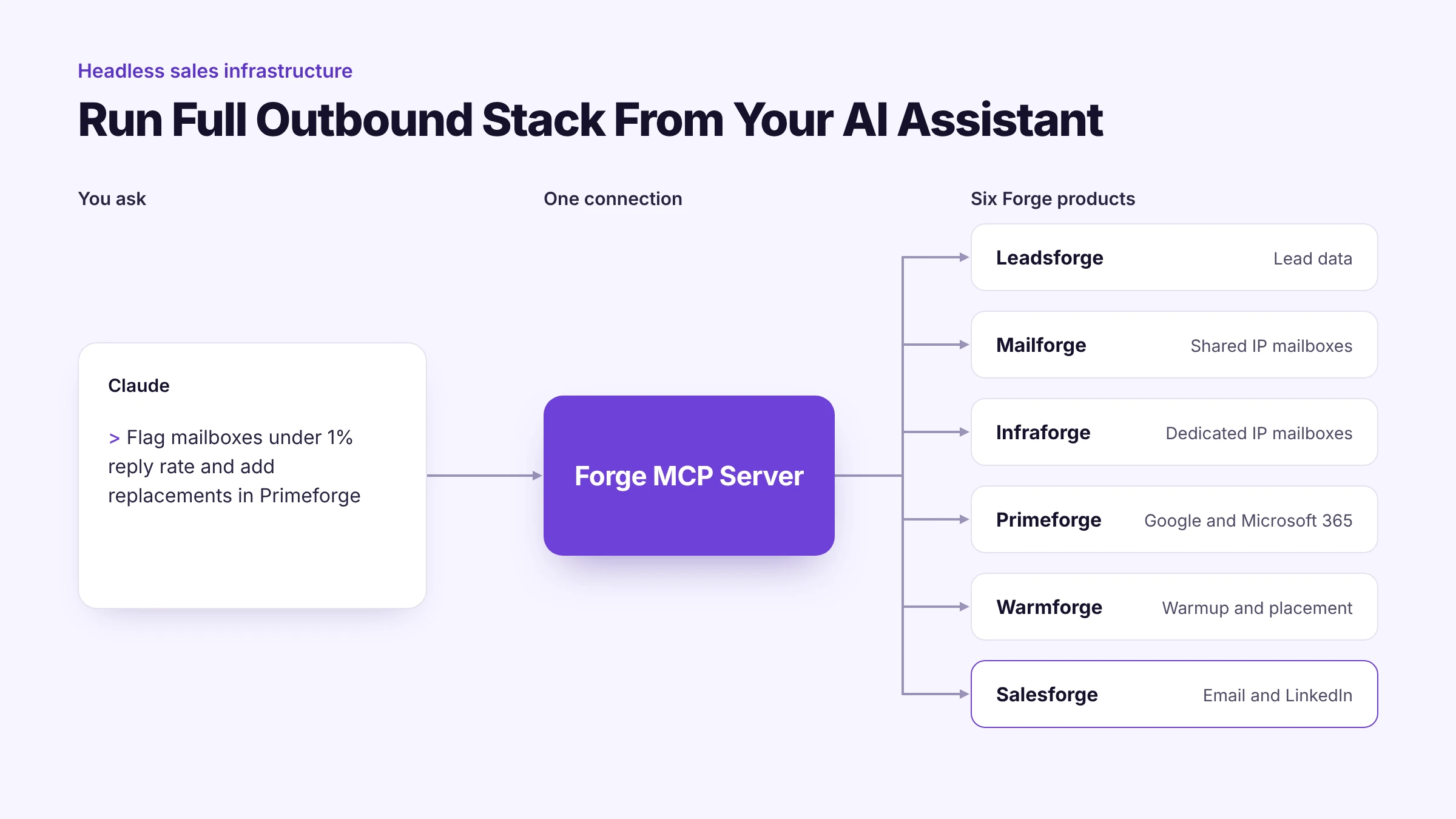
I run my own outbound this way now. Six Forge products connect through one endpoint and I talk to all of them from a single Claude chat.
Salesforce made the word headless famous in April 2026 with Headless 360. That launch covered the CRM layer. This post covers the layer underneath it where leads get found and emails actually get sent.
Below is what my setup looks like and where its limits are. I also cover who should wait before going headless.
Headless sales infrastructure is a sales stack where every core function is callable as an API endpoint or an MCP tool. An AI agent or a script can run the workflow without a person clicking through a user interface.
The term comes from software architecture. A headless system separates the backend that does the work from the frontend that displays it.
Headless commerce did this for online stores years ago. Headless CMS platforms did it for content. Sales is the latest category to follow.
In outbound sales the backend covers five jobs:
The stack counts as headless once an agent can call all five jobs without anyone opening a dashboard.
Salesforce announced Headless 360 at its TDX developer conference in April 2026. Every capability on the platform became available as an API or an MCP tool or a CLI command.
The goal was to let AI agents operate the CRM without opening a browser. Salesforce shipped more than 100 new tools and skills with the launch.
That matters for anyone in sales because the largest CRM vendor just told the market that dashboards are optional. If Salesforce expects agents to do the clicking then every tool in your stack will face the same question.
Headless 360 is a CRM story though. It covers records and workflows and governance for enterprise teams. Domains and mailboxes and warmup are outside its scope.
Outbound teams need the same headless approach one layer down. That is the gap I set out to close in my own stack.
A headless CRM exposes your system of record to agents. It answers questions like who owns an account and which stage a deal is in.
Headless sales infrastructure goes further down the stack. It reaches the systems that create sending accounts and write sequences and read replies.
You can run one without the other. A team on any CRM can still run headless outbound because the CRM only needs to receive the results.
Those five jobs map to six Forge products. Each one needs to be callable by an agent or the whole thing falls back to manual work.
Start with the layers you already pay for. The goal is one connection that reaches all of them.
This is where I see stacks fall apart. A team connects its sequencer to Claude and then still exports CSV files from three other tools every week.
Each export is a place where the agent loses context. It also costs a human an hour that nobody tracks.
My setup runs on the Forge MCP Server. It exposes the full Forge stack through one endpoint.
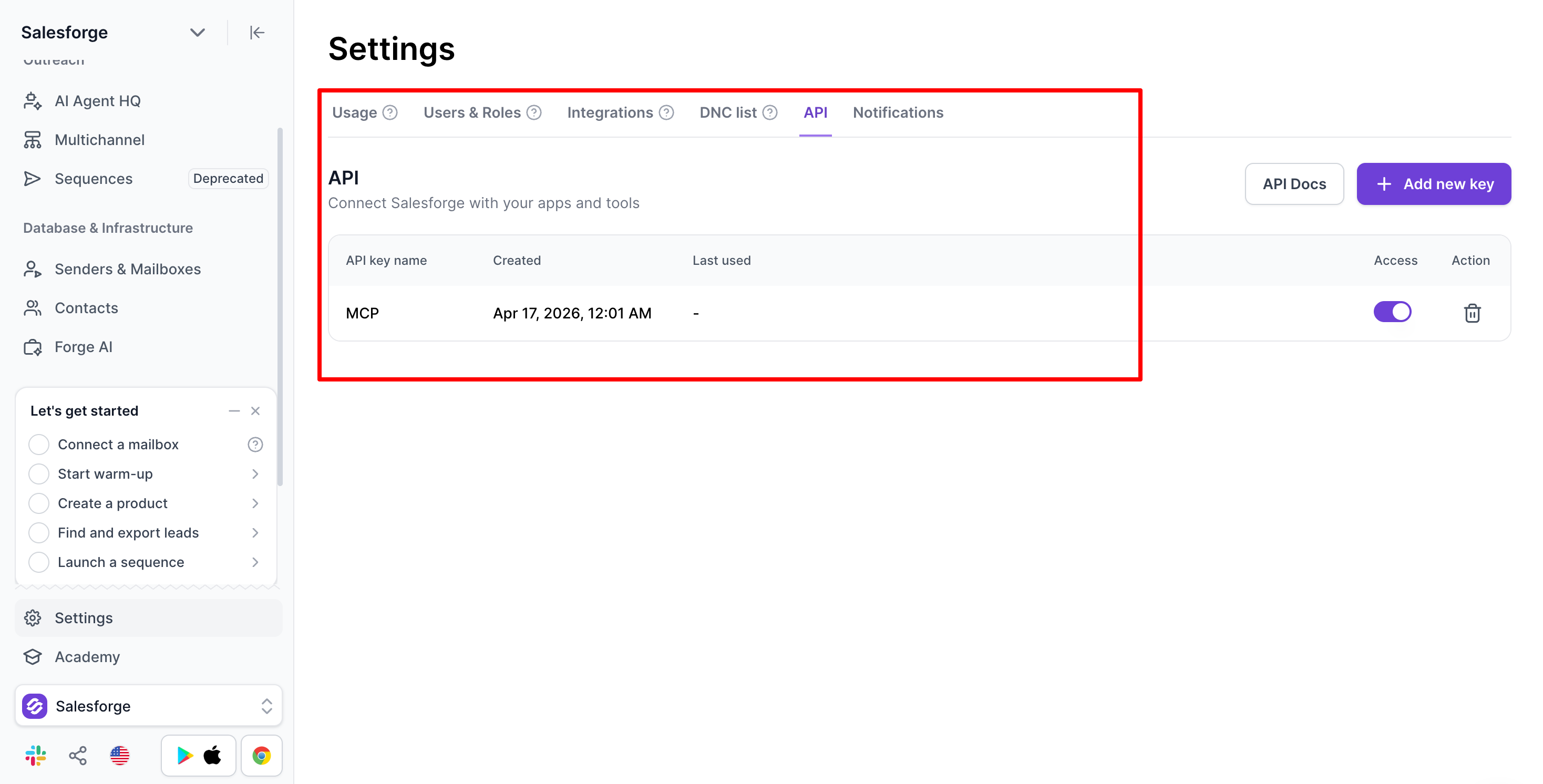
Each product gets its own API key. If I have no key for a product its tools simply do not appear in Claude.
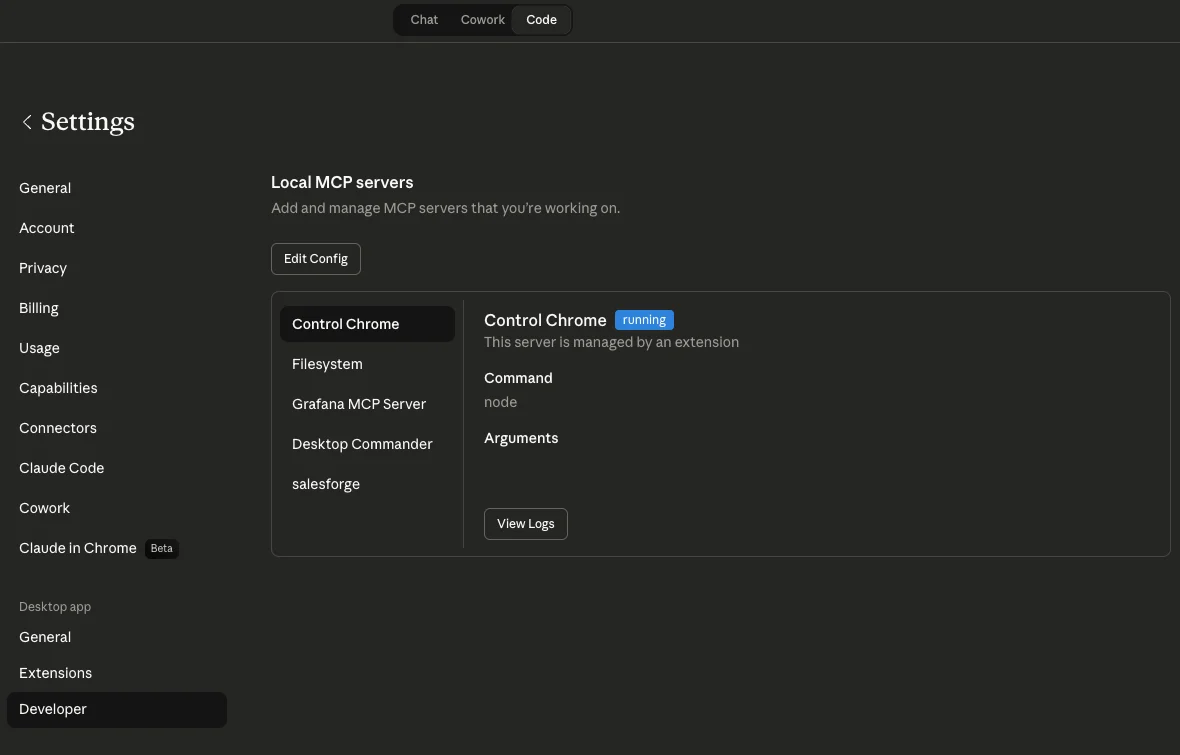
Setup took one config block in Claude Desktop. Claude Code users can add the same server with one terminal command.
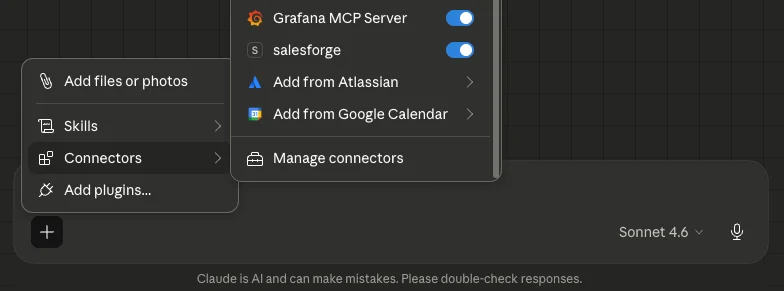
Here are the five workflows I now run without opening a dashboard. They follow the same order as a real campaign.
I ask Leadsforge for VP Sales contacts at a specific company profile. Claude pulls the list with verified emails and LinkedIn profiles so no CSV gets downloaded or uploaded along the way.
I describe the audience and the angle and the cadence in Claude. It writes every step and the MCP drops it into Salesforge as a new sequence.

The output only gets good when I feed it context first. I paste in past emails that earned positive replies along with my ICP pain points before I ask for anything.
Next I ask which mailboxes are free to take on new sends. Claude checks them in Salesforge and assigns the free ones to the sequence.
Before launch I ask for a check on mailbox connections and domain health and lead list quality. Problems surface before the first email leaves and that is far cheaper than finding them after a week of bounces.
Every Monday I ask Claude to list my mailboxes and flag any with a reply rate under 1 percent over the last seven days. It pulls the numbers from Salesforge and returns a table.
Flagged mailboxes get paused so they can recover. If my pool runs low I ask for new mailboxes through Primeforge or Infraforge in the same chat.
When a sequence drops I ask which sending accounts underperform and what their warmup status looks like. Claude compares account data in Salesforge with warmup stats from Warmforge.
This used to take me around 45 minutes of tab switching and spreadsheet work. Now I get a specific answer in about 90 seconds.
Here is how the same tasks look before and after I moved my outbound to a headless setup.
Speed is the obvious gain. The bigger gain for me is that context stays in one conversation from list to reply.
An agent that sees the lead source and the mailbox health and the sequence copy together makes better calls than one that sees a single tool.
It also changes what an SDR spends the day on. Less time goes into setup and reporting and more goes into real conversations.
Headless is a control layer. It will not fix weak fundamentals and I have seen it make some problems worse.
Cold email works well when the infrastructure underneath it is right. Headless just makes that infrastructure easier to manage at volume.
Headless sales infrastructure pays off once outbound already works manually. It amplifies a working motion and rarely rescues a broken one.
It is a strong fit in these situations:
I would wait in these situations:
This is the order I follow when I set up a new outbound motion on a headless stack.
The MCP layer responds to instructions from you or your own agent. Agent Frank runs on the same infrastructure and handles the prospecting loop without waiting for a prompt.
He finds contacts based on your ICP and writes the emails and books meetings. Warmup for his mailboxes runs in Warmforge at no extra cost.
I use both. Steady high-volume segments go to Agent Frank while I keep the MCP layer for testing new markets and running diagnostics.
Each headless option covers a different slice of the sales stack. Here is how I would choose between them.
Salesforce Headless 360 is the right call when your CRM is the center of your sales motion. Its governance and testing tooling is deep.
The Forge MCP Server fits better when execution is the hard part. That means leads and mailboxes and warmup and sequences all reachable from one chat.
Headless in sales means the software runs without a person using its interface. Agents and scripts operate it through APIs and MCP tools instead.
No. A headless CRM exposes customer records and workflows to agents. Headless sales infrastructure exposes the outbound execution layer including leads and mailboxes and warmup and sequences.
Salesforce Headless 360 is a platform update announced at TDX in April 2026. It makes Salesforce capabilities available as APIs and MCP tools and CLI commands so AI agents can operate the CRM without its user interface.
Not with an MCP server built for outbound. The Forge MCP Server needs API keys and one config block in Claude Desktop or one command in Claude Code.
Any MCP-compatible client works. That includes Claude Desktop and Claude Code and Cursor.
The Forge MCP Server is free to connect. You pay for the Forge products you use and Salesforge offers a free trial with no credit card required.
Not by itself. Deliverability still depends on warmed mailboxes and correct DNS and clean lists. A headless stack makes it faster to spot problems and act on them.
Yes. Salesforge runs email and LinkedIn in the same sequence and the MCP exposes both channels. LinkedIn limits and pacing rules still apply.
.png)

.jpg)

.jpg)
