
Personalized Outbound Strategy
Get The Right Outbound Strategy In Minutes
Enter your email to get a custom plan & stack recommendation for your business
It's being carefully crafted by AI
Please check your mailbox in 5 minutes
I’ve been seeing Grok used more as an agent that can research, call different tools, and keep working through a task instead of stopping after one answer.
That made me curious about sales outbound.
Could I give Grok an outbound goal, connect it to the tools I already use, and have it move from finding prospects to building the campaign and then working with the results once the outreach was live?
So I decided to test it with a simple setup.
I gave Grok my website and ICP, connected Leadsforge for prospecting, and connected Salesforge for email and LinkedIn outreach.
The workflow looked like this:
My website + ICP → Grok Bot → Leadsforge → Salesforge → repliesGrok would use Leadsforge to find and qualify prospects, then use Salesforge to build the sequence, add the approved leads, and prepare the campaign. Once it was live, I could use the same agent to check results and work through replies.
I still kept the final lead list, sequence, launch, and replies under my approval.
In this guide, I’ll show you exactly how I set up the Grok sales outbound agent and ran the workflow step by step.
Yes. After running the setup, I’d rate Grok Bot 4.7/5 for sales outbound. Here’s how I’d rate each part of the workflow:
I run this setup through one Grok agent.
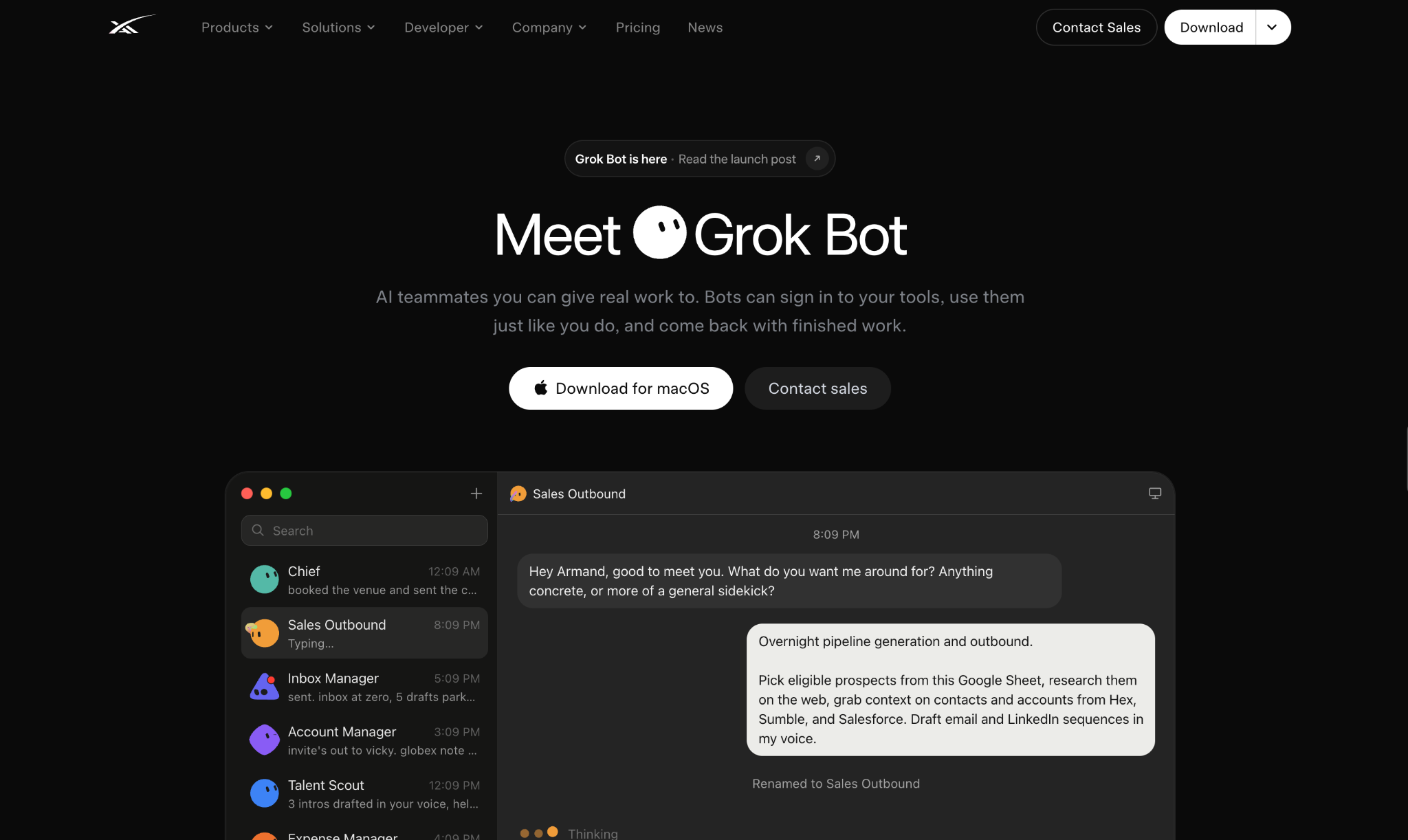
The main thing I define upfront is where Grok should get its information and where it should take action.
For my setup:
Before connecting anything, I start by setting those rules inside Grok.
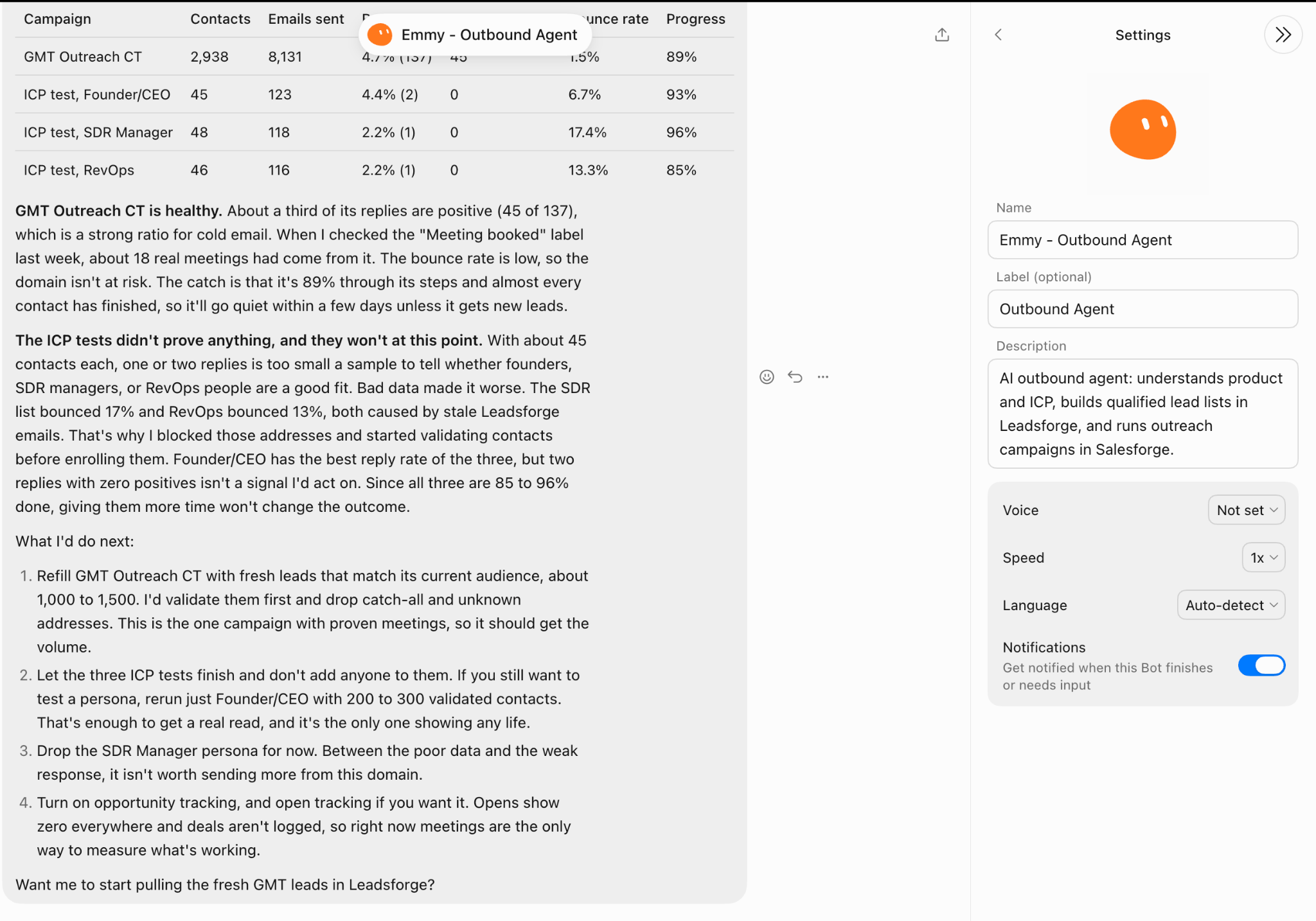
I create a new agent and give it a specific role for this setup.
My starting instruction is:
You are my sales outbound agent. Use the product and ICP I give you to decide who we should target. Get all prospect and contact data from Leadsforge, and use Salesforge for the outbound campaign.Then I set the limits before giving it access to either tool:
This way, Grok knows which source to trust, when a prospect can move into outreach, and which actions need to come back to me first.
Next, I give Grok my website so it can understand what I’m selling before I give it the targeting.
For this campaign, I start with:
My website is communitytracker.ai. Review the website and tell me what I sell, the main problems the product solves, the main use cases, and who the prospective buyers could be.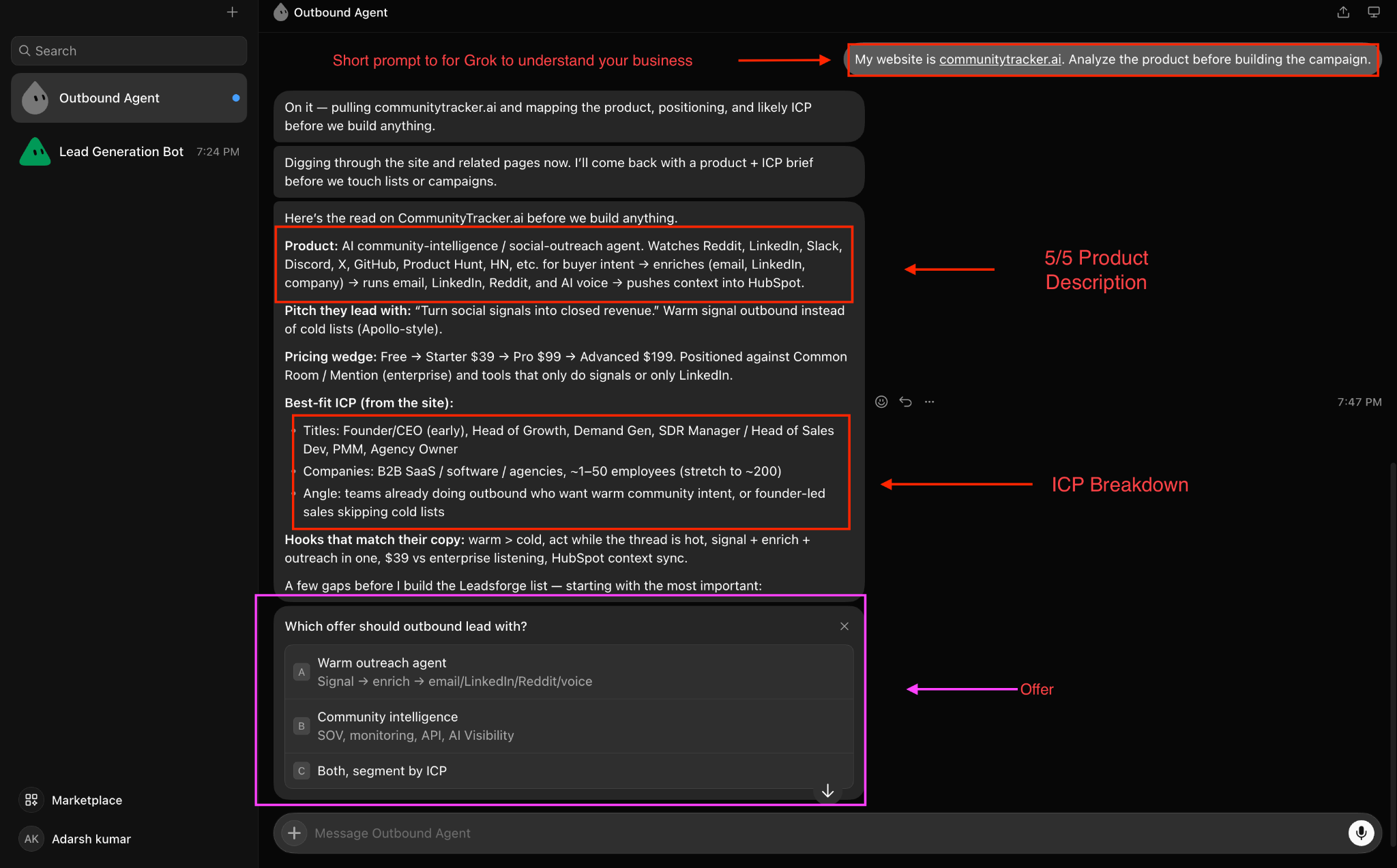
I want to see how Grok understands the product and which buyers it connects to those problems.
Once I’m happy with that, I give it the ICP I want to use for the campaign:
Target Heads of Growth, VPs of Growth, and founders at B2B SaaS companies in the US with 20–200 employees.I also give it the exclusions:
Exclude agencies, consultants, companies outside the US, and companies with fewer than 20 or more than 200 employees.Before moving on, I ask Grok to show me exactly who it plans to target.
I check:
If that matches the audience I want, I move on to finding the prospects.
Next, I connect the Leadsforge API to my Grok agent.
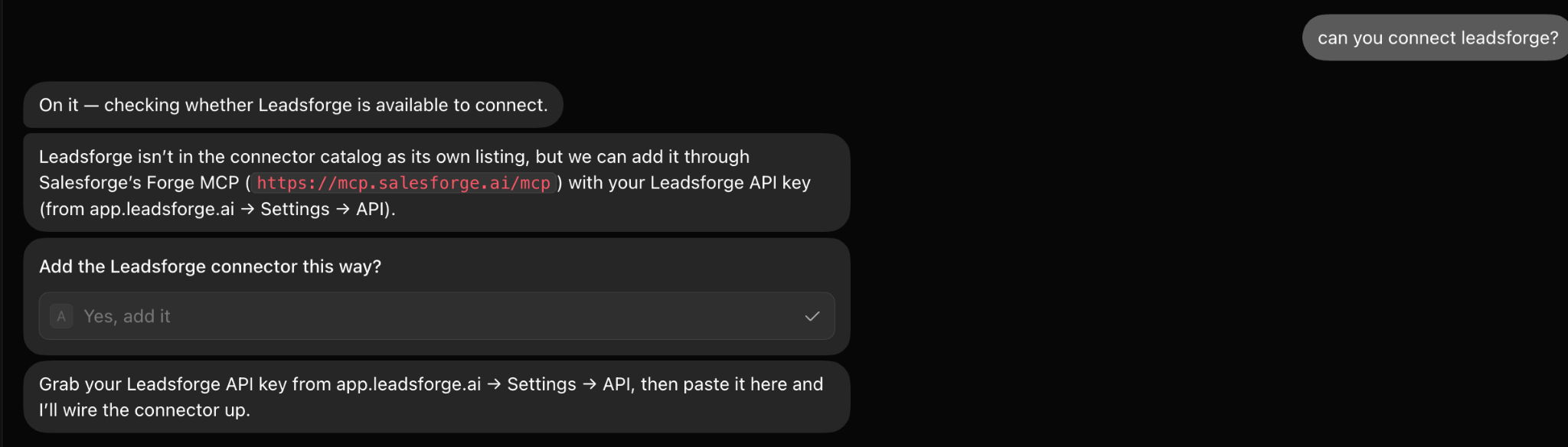
I give the agent access to the API and make one rule clear: whenever it needs prospect or contact data, that data should come from Leadsforge.
That includes:
Once Leadsforge is connected, I ask Grok to build the first prospect list.
For example:
Build a list of 100 prospects that match the ICP we agreed on. Use Leadsforge for all prospect and contact data. Check each prospect against my targeting rules, remove weak fits, and show me the final list for approval.I don't want it keeping poor matches just to reach 100 prospects. I ask it to check the role, seniority, company type, employee range, location, and exclusions from my ICP before keeping someone on the list.
Once the list is ready, I review the prospects myself before moving them into the campaign.
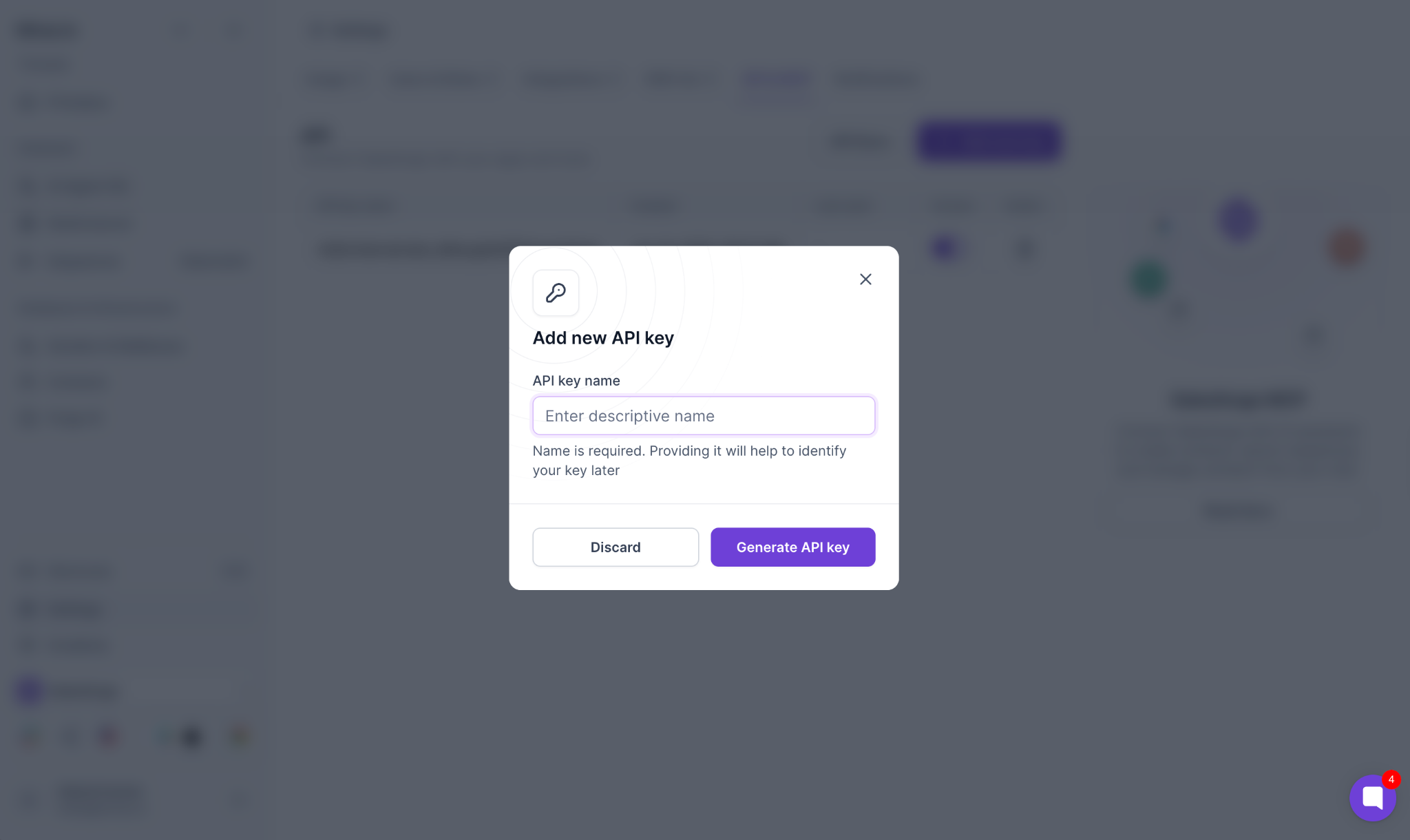
Once I have the prospect list ready, I connect Salesforge to the same Grok agent. I add my Salesforge API key and give Grok access to the campaign actions it will need later.
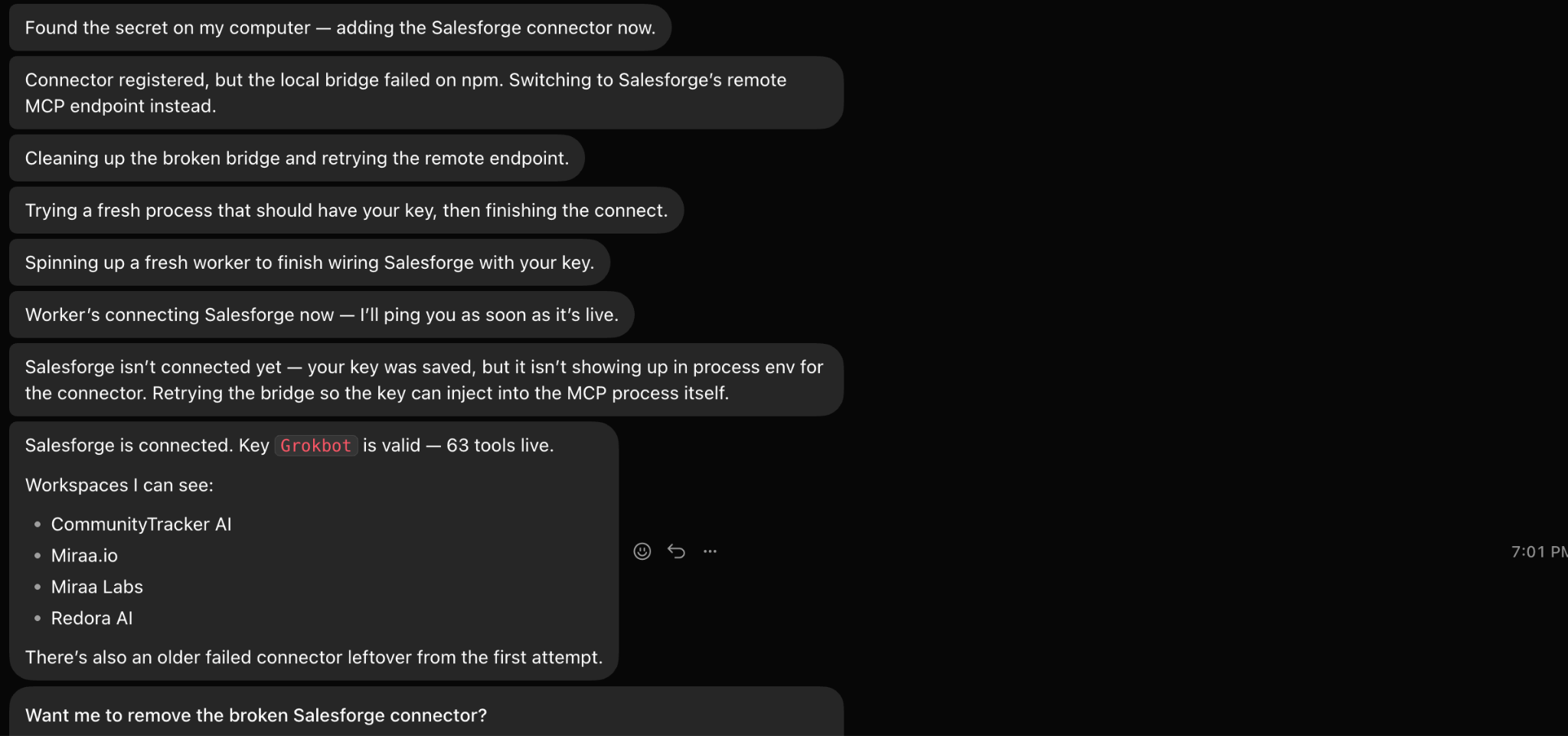
Through Salesforge, the agent can:
I also tell Grok to use Salesforge only for the prospects I've approved. I don't want the raw prospect list going straight into a campaign.
At this point, both sides of the setup are connected. Grok can get the prospect data from Leadsforge and use Salesforge when those prospects are ready for outreach.
At this point, I have the 100 prospects I want to contact, and Grok already has the product and ICP in context. Now I ask it to turn that into a campaign in Salesforge.
I use a prompt like:
Take the 100 prospects I approved and build a sales outbound campaign for them in Salesforge. Create a 10-day sequence with 3 emails and 2 LinkedIn touches. Base the messaging on the main problem we identified for this ICP, keep each email under 80 words, and use one clear CTA throughout. Use the prospect data we already have for personalization. Don't launch the campaign until I review it.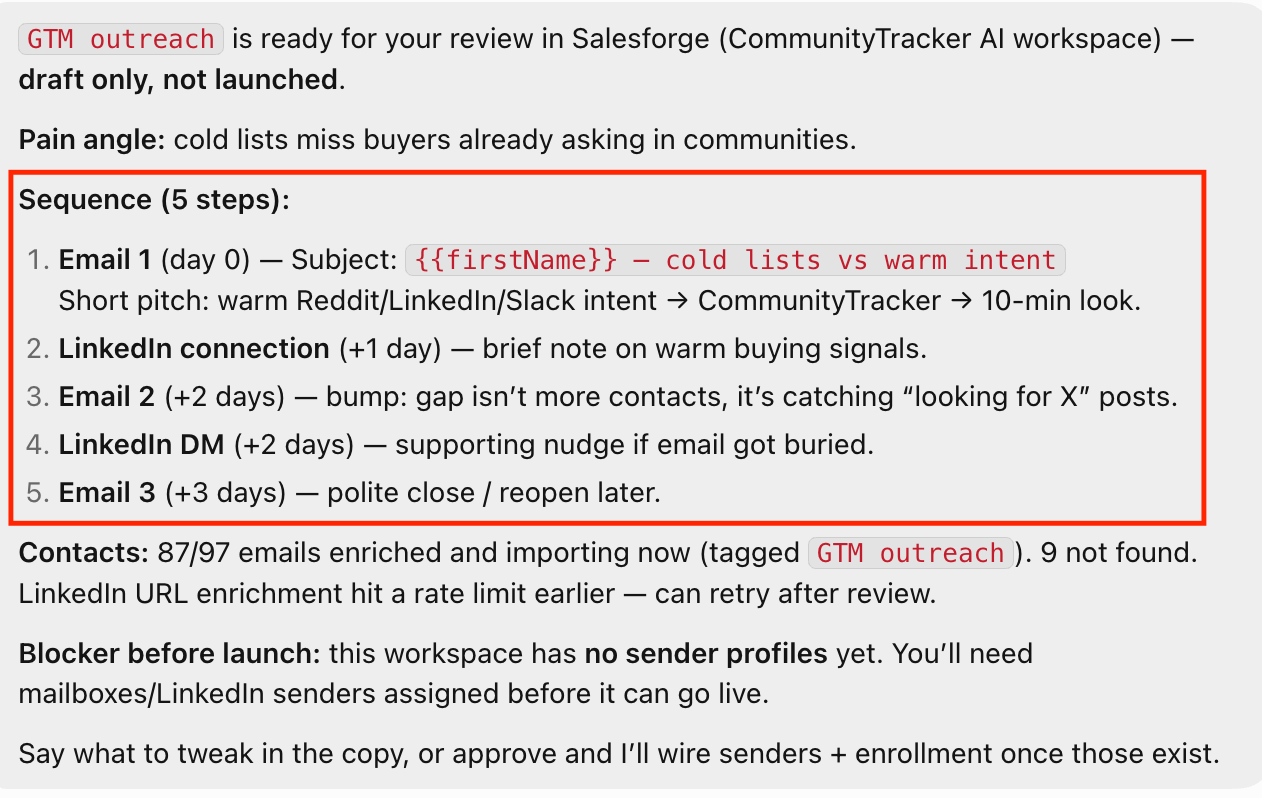
I’m specific about the sequence because I don’t want Grok deciding the cadence for me. For this campaign, that could be:
I also give it a few rules for the messaging:
Write for the buyer we're targeting. Keep the emails short and direct. Don't use fake personalization or generic opening lines. Each follow-up should give the prospect a new reason to respond rather than repeat the first email.Grok can then create the campaign in Salesforge, add the 100 approved prospects, map the prospect fields, and build the email and LinkedIn steps.
I don't launch it yet. First, I review the full campaign exactly as the prospects will receive it.
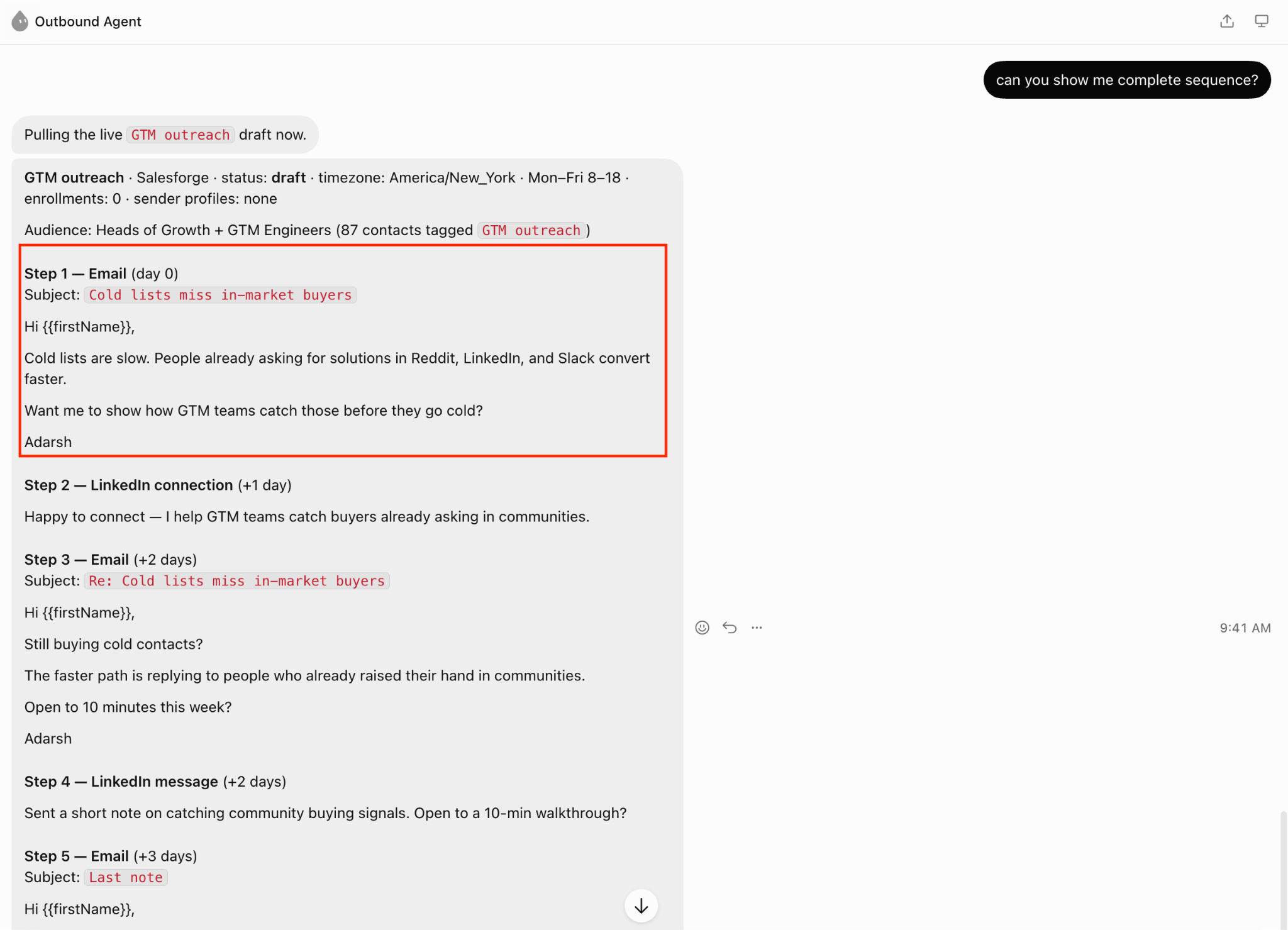
Before launching the campaign, I ask Grok to show me the complete sequence exactly as the prospects will receive it.
I review:
If any message feels too generic or repetitive, I change it before launch.
Then I ask Grok to check the campaign itself:
Audit the Salesforge campaign before launch. Check the 100 prospects for duplicates, missing variables, broken personalization, and any weak or repetitive follow-ups. Show me anything that needs fixing before the campaign goes live.Once those checks are done, I look over the final campaign one more time.
If the prospect list, sequence, and personalization all look right, I tell Grok to launch the approved campaign in Salesforge.
Once the campaign is live, I can keep using the same Grok agent to check what is happening in Salesforge.
For example, I can ask:
Pull the latest results from this Salesforge campaign and give me a summary of how it is performing.I can then move from the campaign numbers to the actual conversations:
Review the replies from this campaign. Separate the positive replies, objections, and questions, and show me which conversations need a response.If I want help responding, I can ask Grok to draft the replies without sending them:
Draft a response for each conversation that needs one. Keep the response based on what the prospect actually said, and show me each draft before anything is sent.I can also use the replies to see what keeps coming up across the campaign:
Review the replies and tell me which objections are appearing most often.I still review the conversations and approve the responses myself. Grok helps me work through what is happening in the campaign, while the final reply stays under my control.
Once the campaign has enough activity, I can use Grok to look at the results and help me decide what to change.
For example, I can ask:
Pull the latest performance from this Salesforge campaign and give me a summary of the results.I can also combine the campaign data with what prospects are saying:
Review the campaign performance and replies. Tell me which objections are appearing most often and flag anything that needs my attention.If I want to decide what to do next, I can ask Grok for recommendations without letting it change the campaign:
Based on the campaign results and replies, tell me what you would review or change before the next campaign. Don't make any changes.I can also ask for a simple campaign report:
Give me a report with the latest campaign performance, reply patterns, common objections, and the main things I should review.This gives me a quick way to check the campaign without going through the results and conversations separately. I still decide what gets changed before running the next campaign.
After setting up the workflow, there are a few things I’d keep in mind when using Grok for sales outbound.
I don't ask Grok to generate prospect data itself. Leadsforge handles the actual prospect and contact data. Salesforge handles the campaign. Grok works between them and decides what needs to happen next. Keeping those roles clear also makes it easier to spot where something went wrong.
For the first campaign, I’d rather test 100 prospects from one clear segment than mix several different buyers into the same list. If founders, Heads of Growth, RevOps, and other roles are all mixed together, it becomes harder to tell which audience is actually responding.
I give Grok the exclusions alongside the ICP. Company size, location, seniority, company type, and roles I don't want should all be clear before it starts building the list. This helps keep technically relevant but poor-fit prospects out of the campaign.
I keep approval points between the important parts of the workflow. I review the prospect list before it reaches Salesforge, review the sequence before launch, and review drafted replies before anything is sent. I also want Grok to ask before changing the ICP, offer, or targeting.
I don't just ask Grok to “build an outbound sequence.” I specify the number of emails and LinkedIn touches, campaign length, email length, CTA, and basic copy rules before it starts writing. That gives me much more control over what eventually gets created in Salesforge.
Once replies start coming in, I don't only look at the reply rate. I ask Grok to review what prospects are actually saying, especially repeated objections and questions. That gives me something concrete to use when deciding what to change in the next campaign.
Enter your email to get a custom plan & stack recommendation for your business
Please check your mailbox in 5 minutes

The useful part of this setup is that I can run the campaign from one Grok agent without asking Grok to do the jobs that Leadsforge and Salesforge already handle.
I give Grok my website and ICP. It uses Leadsforge to find the first 100 prospects, checks them against my targeting rules, and gives me the list to approve.
After that, it takes those approved prospects into Salesforge, builds the 10-day email and LinkedIn sequence, and shows me the campaign before launch.
Once the campaign is running, I can go back to the same agent to check the latest results, review replies, spot repeated objections, and draft responses. I still approve the prospect list, sequence, launch, and replies myself.
So if you want to try Grok for sales outbound, I wouldn't start by giving it your entire sales process. Start with one ICP, 100 prospects, and one campaign. Connect Leadsforge for the prospect data and Salesforge for the outreach, then see how much of the work between those two you can hand to Grok.
.jpg)

![How to Build a Grok Bot for Sales Outbound [Step-by-Step Guide]](https://cdn.prod.website-files.com/6436c3ac9f9fd0594d00b9fc/6ac9208bfdd0ee5ed557ffbe_Duplicate-me-open-graph%20(60).jpg)

.jpg)
