Gojiberry AI finds prospects using buying signals. But what happens when your target buyers are not leaving enough signals to find?
That is a limitation some users have pointed out. If the people or companies you want to reach are not very active on LinkedIn or other public channels, Gojiberry can have fewer signals to work with.
That can leave you with fewer prospects to reach out to.
So, I compared 7 Gojiberry AI alternatives that take different approaches to finding prospects and running LinkedIn outreach.
TL;DR: 7 Best Gojiberry AI Alternatives for LinkedIn Outreach
Salesforge: Best for running automated LinkedIn and email outreach in the same sequence.
HeyReach: Ideal for running LinkedIn outreach across multiple LinkedIn accounts.
Reachy AI: Great for AI-led LinkedIn prospecting and outreach based on buying signals.
CommunityTracker: Best for finding buyers from conversations across LinkedIn, Reddit, Slack, Discord, X, and other communities.
ReactIn: Ideal for starting outreach when prospects show intent through LinkedIn activity and other tracked events.
Unify: Best for prospecting from a wider mix of data, with 40+ signal and data sources and 1.1B+ contacts.
Common Room: Great for teams that want to turn buyer signals into prospect lists and outbound actions.
Why Users Look for Gojiberry AI Alternatives
Gojiberry AI works well for finding prospects from buying signals, but it may not fit every LinkedIn outreach setup. Here are a few reasons users may look for alternatives.
It can find fewer leads in low-signal markets. If your target buyers are not active on LinkedIn or do not publicly engage with relevant content, Gojiberry may have fewer intent signals to work with.
This image shows the Gojiberry AI G2 review about being only LinkedIn focussed
Setting up signals takes some work. One user said there is some upfront work involved in setting up the right signals and campaigns.
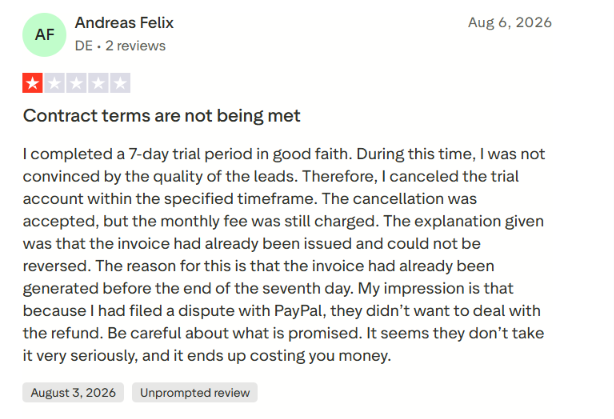
Lead quality can vary. One Trustpilot reviewer said they were not convinced by the quality of the leads they received during their trial.
This image shows the Gojiberry AI TrustPilot review about lead quality
Some users have reported billing issues. A few Trustpilot reviewers reported problems around trial charges or refunds, although Gojiberry disputed one account and offered to process a refund in another case.
These limitations may matter if you want a different way to find prospects, easier LinkedIn automation, or less dependence on intent signals.
How I Evaluated the Best Gojiberry AI Alternatives
Gojiberry helps with prospecting, buying signals, and LinkedIn and email outreach. So, I used these same areas to compare the alternatives.
I looked at:
Finding prospects based on buying signals.
Automating LinkedIn connection requests, messages, InMails, and follow-ups.
Personalizing messages using prospect and company data.
Combining LinkedIn and email in the same sequence.
Managing multiple LinkedIn accounts and outreach campaigns.
Pricing and the usage limits included in each plan.
I also looked at what each tool does differently from Gojiberry. This makes it easier to see which alternative fits the part of your outreach process you want to change.
7 Best Gojiberry AI Alternatives: Quick Comparison
Tool
LinkedIn Outreach
Email Outreach
Starting Price
Best For
Salesforge
Yes
Yes
$48/month
LinkedIn + email sequences
HeyReach
Yes
Via integrations
$79/month
Multi-account LinkedIn outreach
Reachy AI
Yes
No built-in email shown
$59/month
LinkedIn outreach running on your machines
CommunityTracker
Yes
Yes
Free; paid from $39/month
Outreach from community buying signals
ReactIn
Yes
Mentioned, but LinkedIn-focused
$29/sender/month
Outreach triggered by prospect actions
Unify
Social messaging
Yes
Free; paid from $20/seat/month
Prospecting across 40+ signal and data sources
Common Room
Not a dedicated LinkedIn automation tool
AI sequencing
$2,500/month, billed annually
Buyer intelligence across multiple signal sources
1. Salesforge
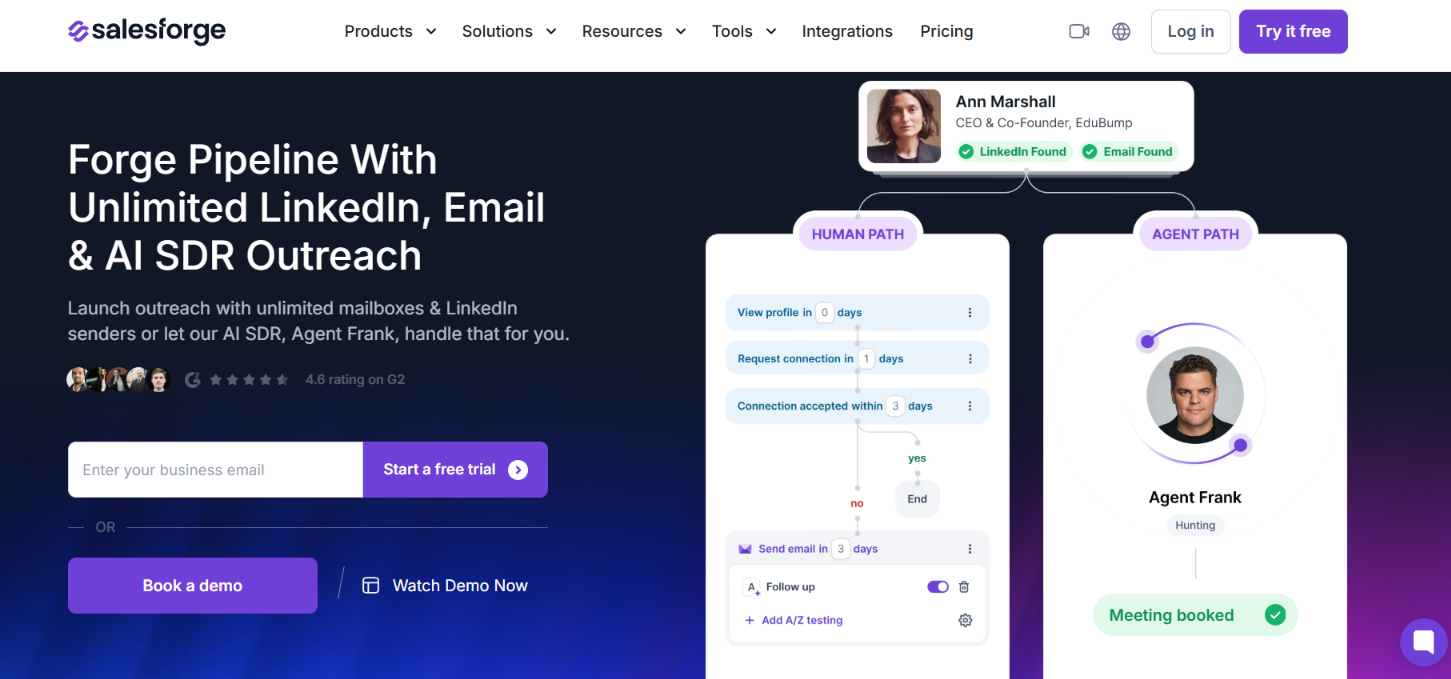
This image shows the Salesforge homepage
Salesforge is a Gojiberry alternative for teams that want to run LinkedIn and email outreach themselves instead of relying mainly on AI agents to find and contact prospects.
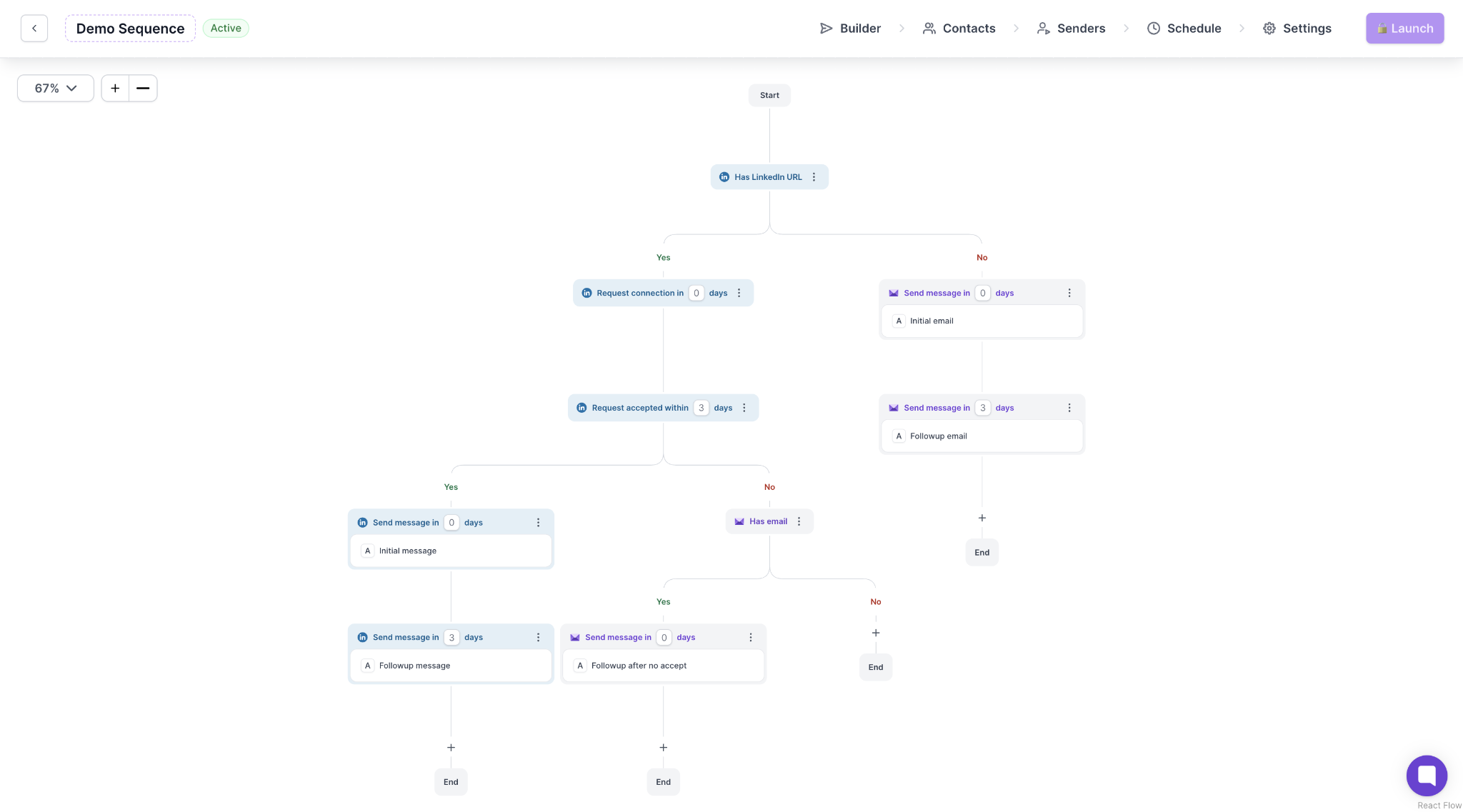
You can add your leads, connect your LinkedIn accounts and mailboxes, and build sequences that use both email and LinkedIn. For example, you can send an email, follow up on LinkedIn, and change the next step based on what the prospect does.
This image shows the Multichannel sequence by Salesforge
You can also manage email and LinkedIn replies from Primebox, so you do not have to check each inbox separately.
The main difference is prospecting. Gojiberry finds warm leads using buying signals and lookalikes as part of its Pro plan. Salesforge does not include its own lead database in the subscription. If you also need leads, you can use Leadsforge separately.
You can run email and LinkedIn steps in the same sequence.
Growth lets you connect unlimited LinkedIn senders and mailboxes.
Primebox puts email and LinkedIn replies in one inbox.
Unlimited email warm-up is included with every plan.
You can change the next step in a sequence based on what a prospect does.
Growth includes unlimited users and workspaces.
Cons of Salesforge
Lead finding requires Leadsforge, which is a separate product.
Pro gives you only one LinkedIn sender.
Pro includes 100 social action credits per month, while Growth includes 300.
Domains and mailboxes are not included in the subscription.
Salesforge Pricing
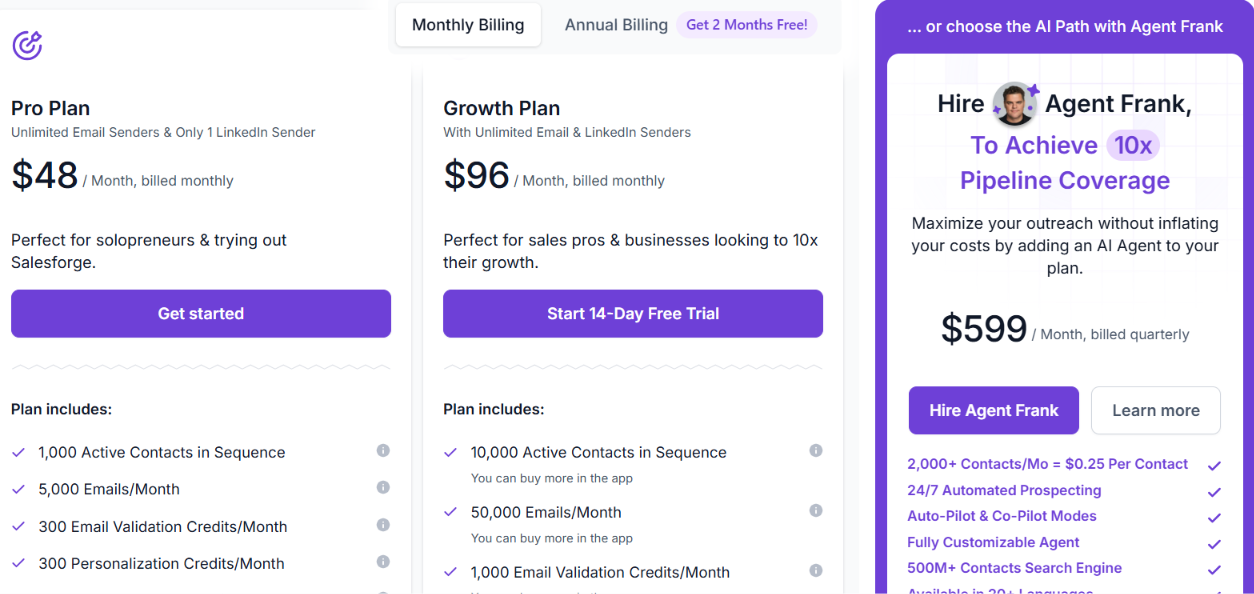
This image shows the Salesforge pricing
Salesforge has two main plans.
Pro costs $48/month and includes 1 LinkedIn sender, 100 social action credits, 1,000 active contacts, and 5,000 emails per month.
Growth costs $96/month and includes unlimited LinkedIn senders, 300 social action credits, 10,000 active contacts, and 50,000 emails per month.
Growth also adds unlimited users, A/B testing, API access, Primebox AI, and other advanced features. There is also a 14-day free trial.
Salesforge is worth considering over Gojiberry if you already have leads or get them from another source and want more control over your email and LinkedIn sequences.
If you want the platform to find warm prospects from buying signals and handle more of the prospecting for you, Gojiberry covers that part directly.
Personalized Outbound Strategy
Get The Right Outbound Strategy In Minutes
Enter your email to get a custom plan & stack recommendation for your
business
It's being carefully crafted by AI
Please check your mailbox in 5 minutes
2. HeyReach
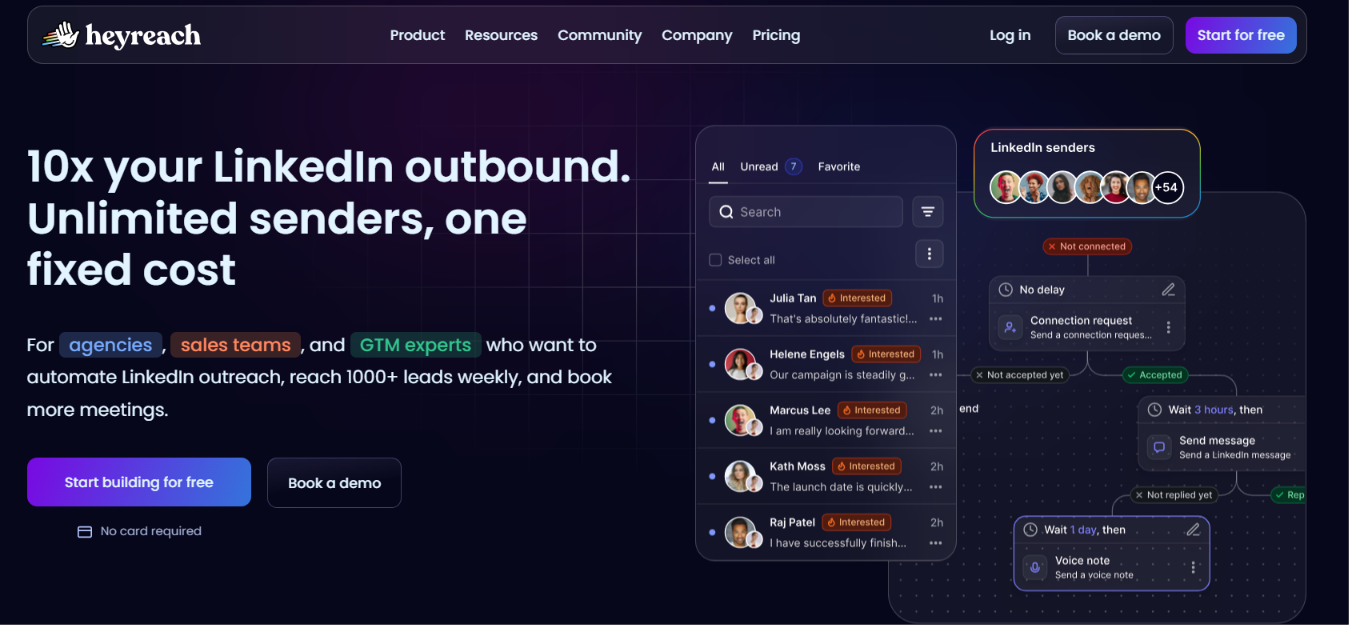
This image shows the HeyReach homepage
HeyReach is worth looking at if you already have your prospect lists and want to focus on running LinkedIn outreach across multiple accounts.
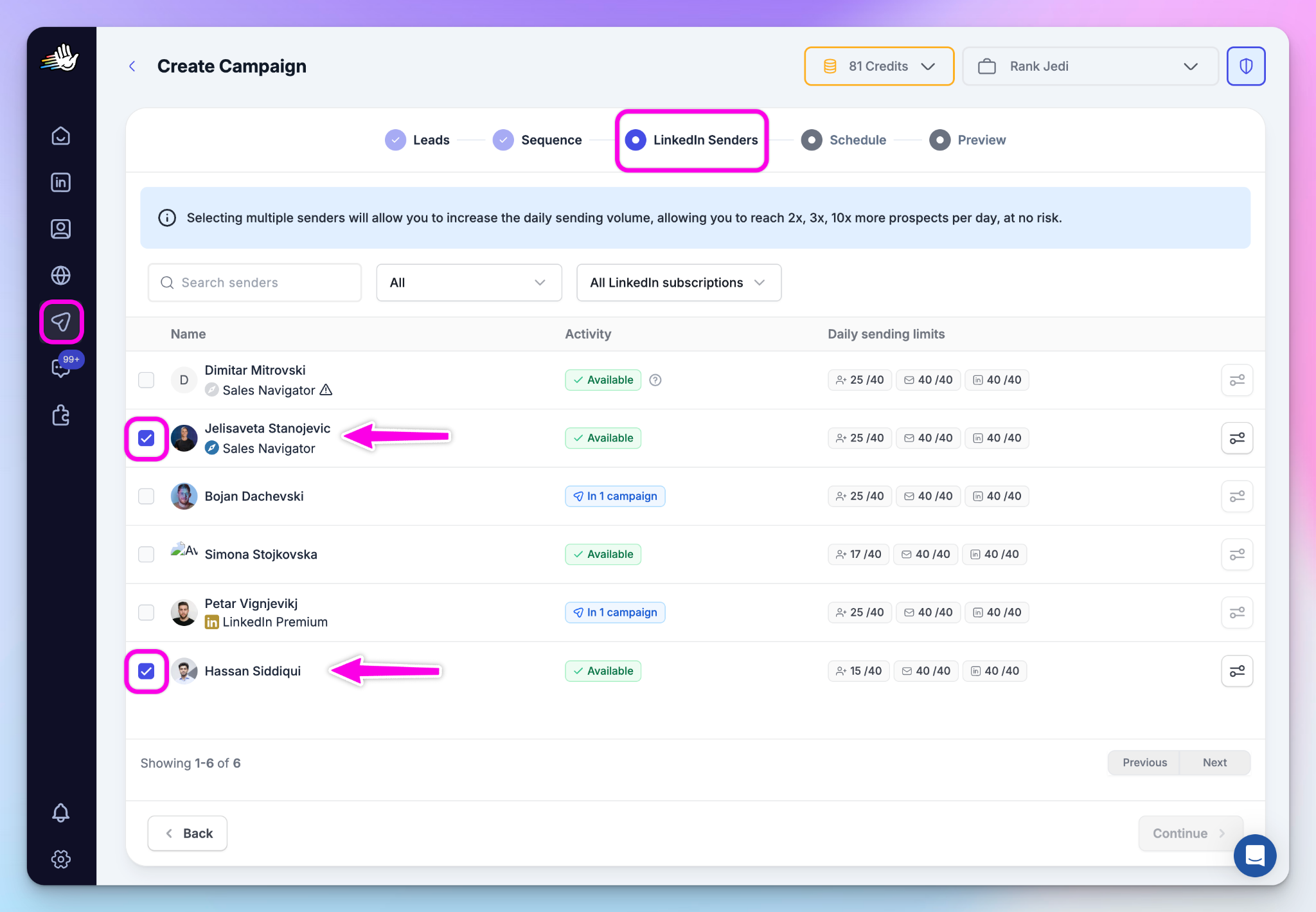
Instead of finding prospects for you, HeyReach lets you bring leads in from tools such as Sales Navigator, Clay, HubSpot, or RB2B. You can then spread those leads across your connected LinkedIn accounts and automate the outreach from one place.
This image shows the Set up multiple senders in one campaign on HeyReach
Gojiberry starts earlier in the process by finding and scoring prospects from buying signals. HeyReach is more useful when you already have the leads and need to manage LinkedIn outreach across several sender accounts.
HeyReach vs Gojiberry AI: Quick Comparison
Feature
HeyReach
Gojiberry AI
Main use
LinkedIn outreach across multiple accounts
Finding warm prospects and running outreach
LinkedIn automation
Yes
Yes
Multiple LinkedIn accounts
Yes, with sender rotation
More senders available on Custom
LinkedIn actions
Connection requests, messages, voice notes, and profile views
LinkedIn outreach
Email outreach
Through integrations such as Instantly and Smartlead
Built in
Lead finding
Import leads from other tools
Built in
Buying signals
Can receive signals from connected tools
Built in
Starting price
$79/month
$99/month
Pros of HeyReach
Connects multiple LinkedIn accounts and rotates sending between them.
Automates connection requests, messages, voice notes, and profile views.
Uses conditions such as whether someone is already connected to change the next LinkedIn step.
Puts replies from connected LinkedIn accounts into one inbox.
Imports leads from Sales Navigator, Clay, HubSpot, RB2B, and other tools.
Connects directly with Instantly, Smartlead, and EmailBison for email follow-ups.
Cons of HeyReach
Email sending requires a separate email outreach tool.
It does not include the same built-in buying-signal prospecting that Gojiberry provides.
You generally need to import leads or send them into HeyReach from another tool.
The entry plan costs less than Gojiberry, but it is mainly paying for LinkedIn automation rather than prospecting and outreach together.
HeyReach Pricing
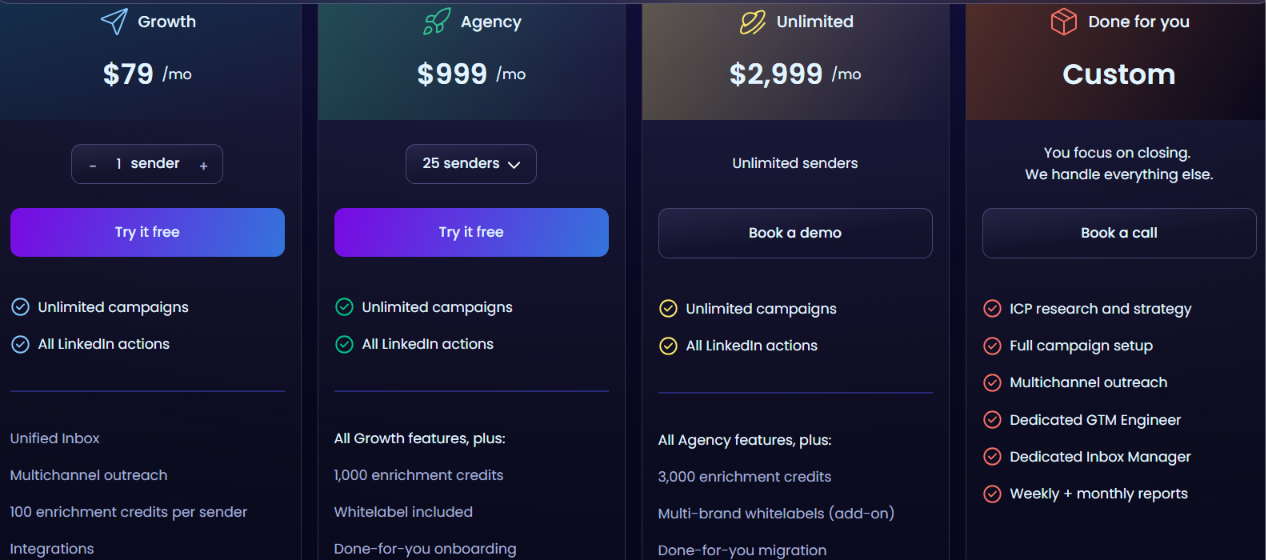
This image shows the HeyReach pricing
HeyReach offers three main plans:
Growth: $79/month for 1 LinkedIn sender.
Agency: $999/month for 25 LinkedIn senders.
Unlimited: $2,999/month for larger LinkedIn outreach setups.
Free trial: 14 days with no credit card required.
You can also save 10% with quarterly billing or 20% with yearly billing.
HeyReach is the better fit if your main problem is running LinkedIn outreach across several accounts and keeping those campaigns in one place.
Gojiberry covers more of the prospecting process itself. It finds warm leads from buying signals and lookalikes, scores them, and can contact them through both email and social channels.
3. Reachy AI
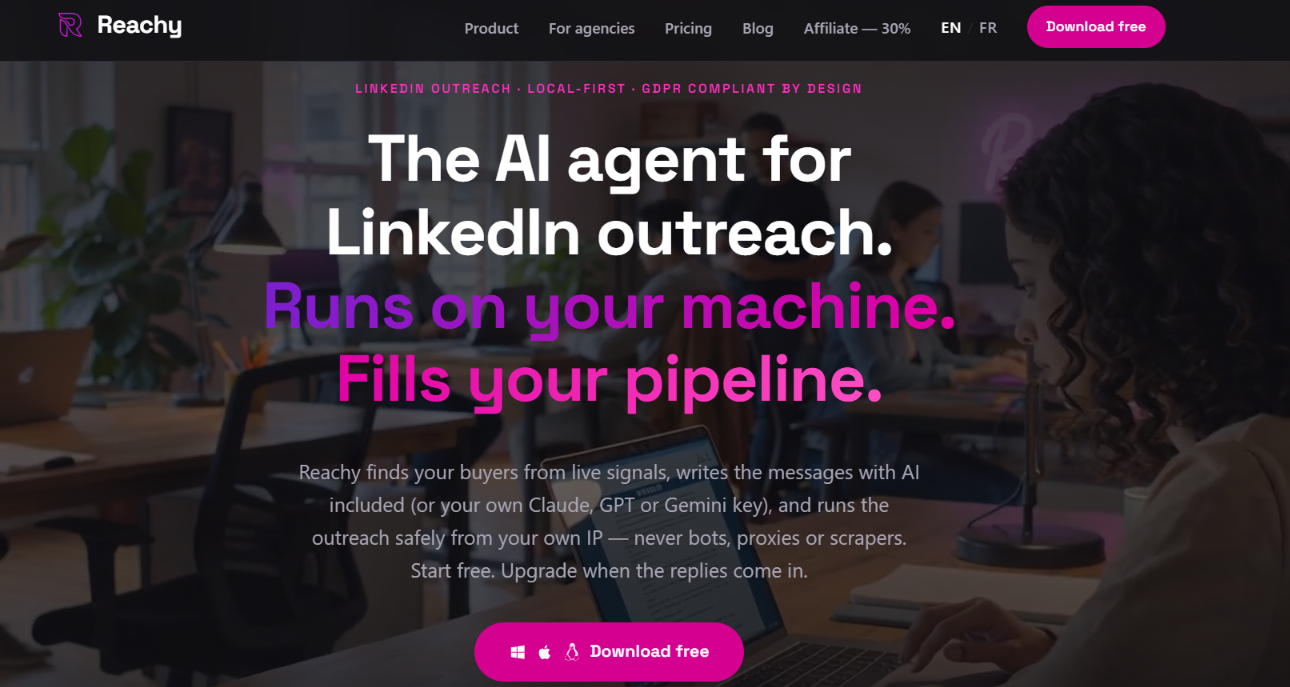
This image shows the Reachy AI homepage
Reachy AI takes a more LinkedIn-focused approach to outbound, with campaigns running on machines you control.
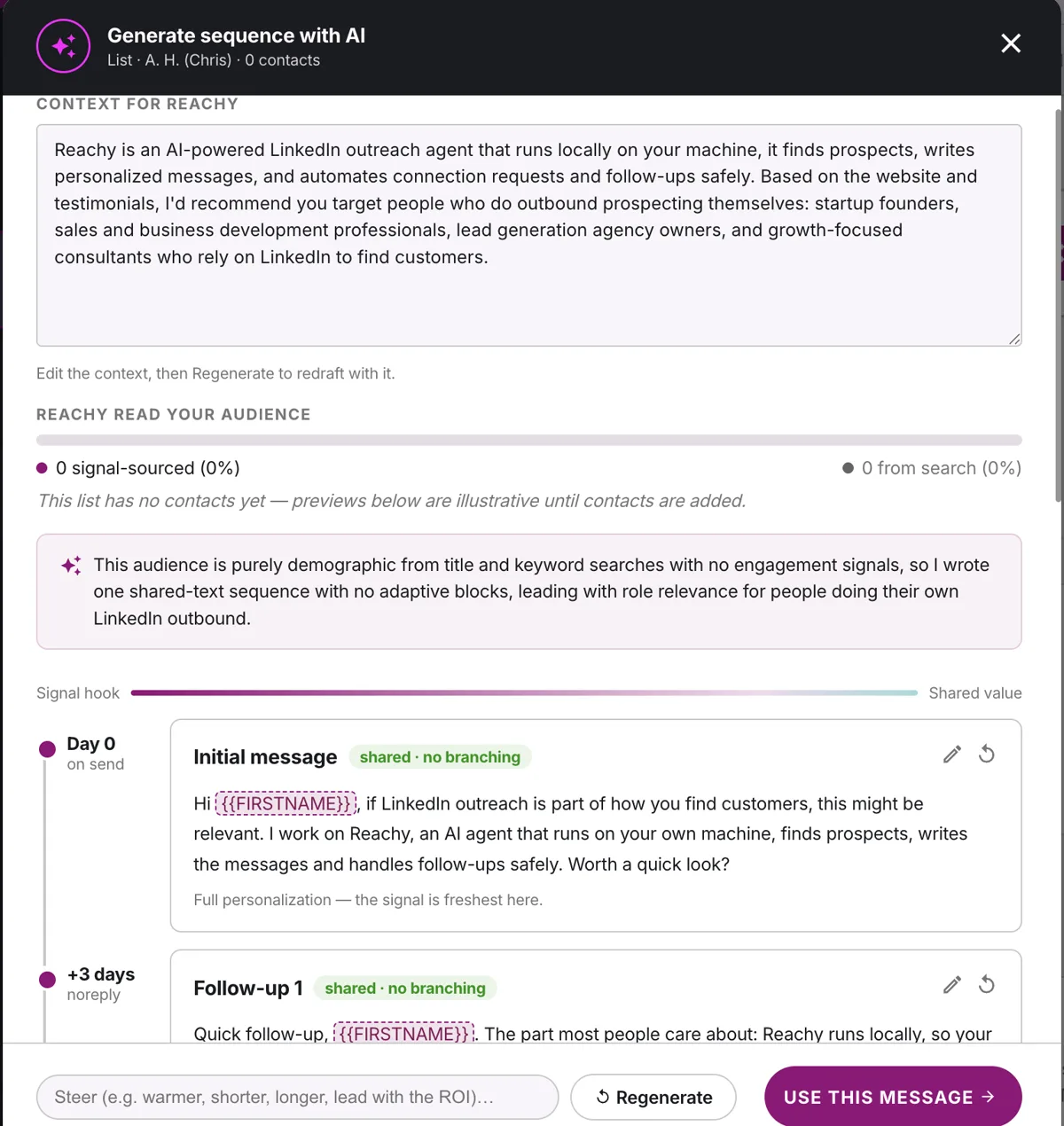
It can find prospects from live signals, score them against your ICP, personalize messages, and move them into LinkedIn sequences. It also handles warm-up, pacing, working hours, and daily limits for each connected LinkedIn account.
This image shows the Generate sequence with Reachy AI
This makes Reachy different from Gojiberry in two ways. Reachy focuses on LinkedIn and gives you a local setup for running campaigns. Gojiberry covers a wider outbound process, with AI agents that find and score prospects and run both LinkedIn and email outreach.
Reachy AI vs Gojiberry AI: Quick Comparison
Feature
Reachy AI
Gojiberry AI
Main use
Local LinkedIn prospecting and outreach
Finding warm prospects and running multichannel outreach
LinkedIn outreach
Yes
Yes
Email outreach
No built-in email outreach
Yes
Signal-based prospecting
Live signals + ICP scoring
Signals, lookalikes, and ICP matching
Message personalization
Included
Included
Where campaigns run
On machines you control
Through Gojiberry
Multiple LinkedIn accounts
5 on Team, 15 on Agency
More senders on Custom
Starting price
$59/month
$99/month
Pros of Reachy AI
AI personalization and ICP scoring are included in paid plans.
Runs LinkedIn campaigns on machines you control.
Uses warm-up, randomized pacing, working hours, and per-account limits.
Team includes automatic rotation across multiple LinkedIn accounts.
Agency keeps each client's campaigns, limits, warm-up, and inbox separate.
Lets you use Reachy AI or bring your own Claude, GPT, Gemini, or OpenRouter key.
Cons of Reachy AI
It is focused on LinkedIn, so you do not get built-in email outreach like Gojiberry.
Solo supports only one LinkedIn account.
Multi-account rotation requires the Team plan or higher.
Per-client campaign isolation and client reporting are limited to the Agency plan.
Reachy AI Pricing
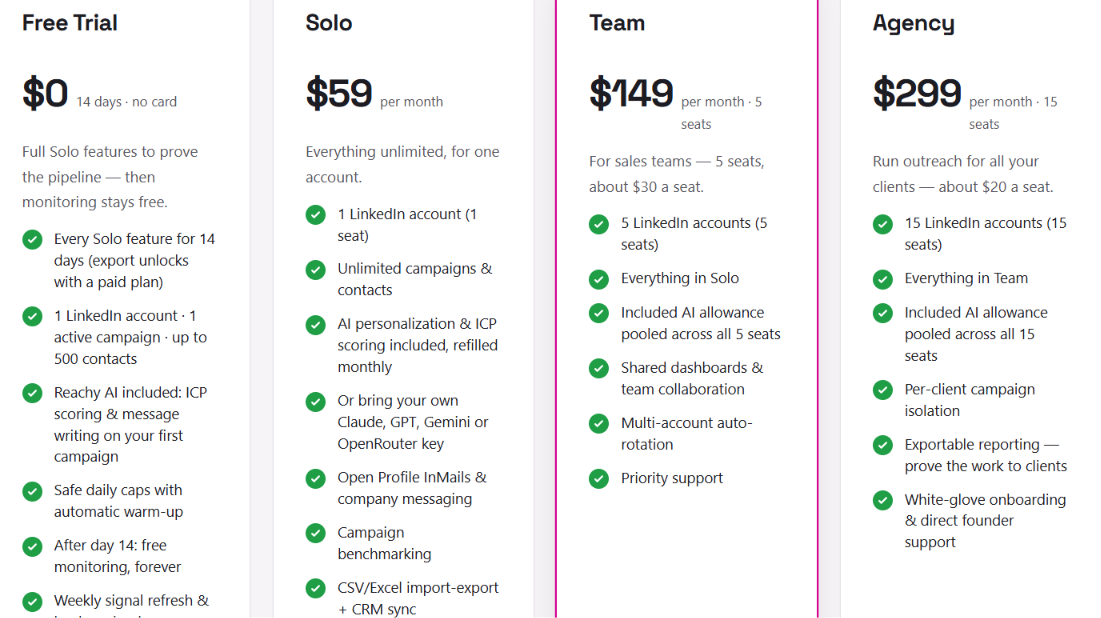
This image shows the Reachy AI pricing
Reachy AI has three paid plans:
Solo: $59/month for 1 LinkedIn account.
Team: $149/month for 5 LinkedIn accounts.
Agency: $299/month for 15 LinkedIn accounts.
Free trial: 14 days with 1 LinkedIn account, 1 active campaign, and up to 500 contacts.
Annual billing gives you two months free.
Reachy AI is worth considering over Gojiberry if LinkedIn is your main outreach channel and you want the campaigns to run on machines you control.
Gojiberry fits a broader setup because it combines prospect finding, enrichment, LinkedIn, and email outreach in the same product.
4. CommunityTracker
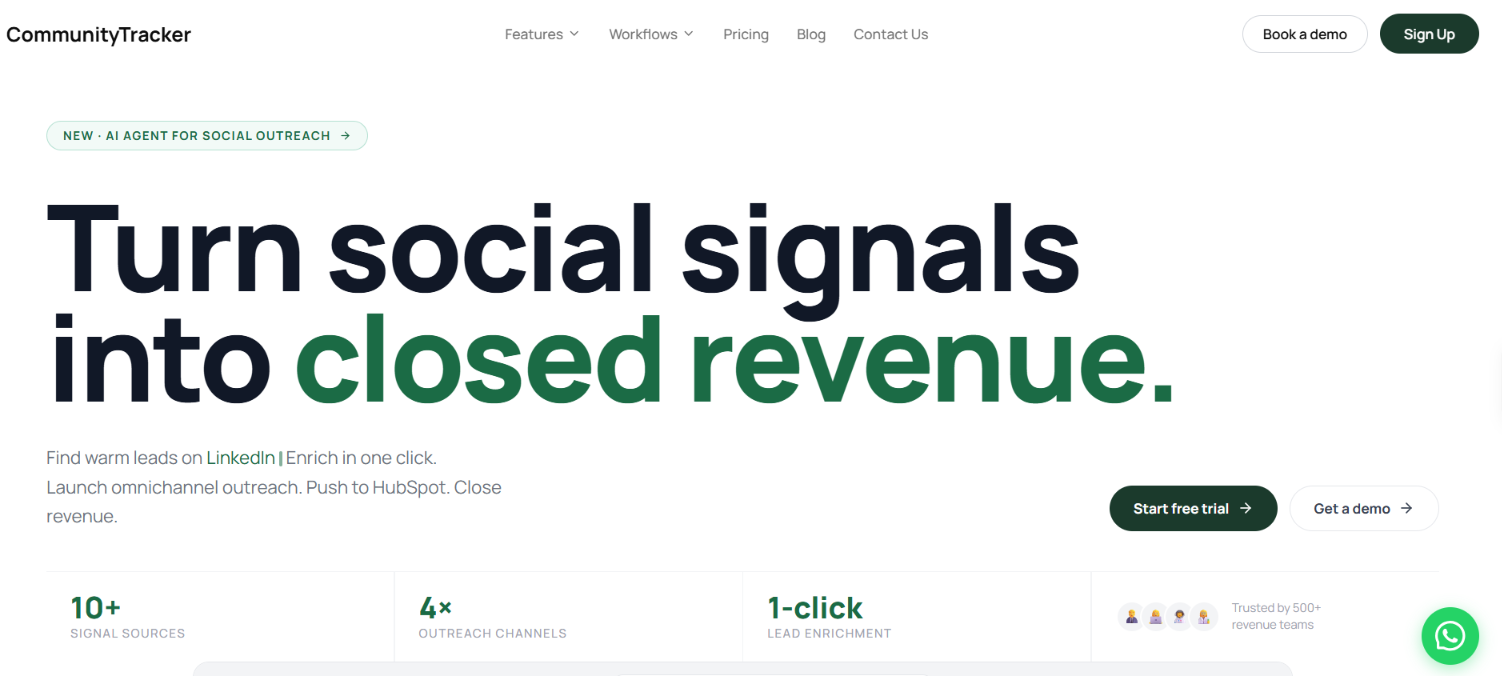
This image shows the CommunityTracker homepage
CommunityTracker looks beyond LinkedIn to find people who are already talking about a problem your product can solve.
It monitors LinkedIn, Reddit, Slack, Discord, X, and other communities for relevant conversations. Each signal is scored for buying intent, so you can focus on people who are asking for recommendations, comparing tools, or discussing a problem related to your product.
Once you find someone, CommunityTracker can enrich the lead with their email, LinkedIn profile, company data, and job title. You can then use the original post to personalize your outreach through LinkedIn DMs, email, Reddit replies, or AI voice calls.
That is where it differs from Gojiberry. Both use buying signals to find warmer prospects, but CommunityTracker looks across a wider range of online communities and lets you use the actual conversation as context for your outreach.
CommunityTracker vs Gojiberry AI: Quick Comparison
Feature
CommunityTracker
Gojiberry AI
Main use
Finding buyers from community conversations and reaching out to them
Finding warm prospects from buying signals and running outreach
LinkedIn signals
Yes
Yes
Other signal sources
Reddit, Slack, Discord, and X
Buying signals such as company engagement, profile visits, followers, competitor engagement, job changes, and hiring activity
Intent scoring
Scores social signals for buying intent
Scores and prioritizes prospects
Lead enrichment
Email, LinkedIn profile, company data, and job title
Email enrichment using multiple providers
LinkedIn outreach
Connection requests and DMs
Yes
Email outreach
Yes
Yes
Other outreach channels
Reddit replies and AI voice calls
LinkedIn and email
CRM
HubSpot sync
CRM integrations
Starting price
Free plan; paid plans from $39/month
$99/month
Pros of CommunityTracker
Finds buying signals across LinkedIn, Reddit, Slack, Discord, X, and other communities.
Scores signals so you can focus on conversations showing stronger buying intent.
Enriches signal authors with email, LinkedIn, company, and job data.
Can automate personalized LinkedIn connection requests and DMs.
Supports email, LinkedIn, Reddit, and AI voice outreach.
Uses the original post or conversation as context when creating outreach messages.
Can push enriched leads and their signal context into HubSpot.
Cons of CommunityTracker
Starter includes up to 100 warm emails per month.
You need the Pro plan to get all supported communities, AI scoring, and unlimited warm emails.
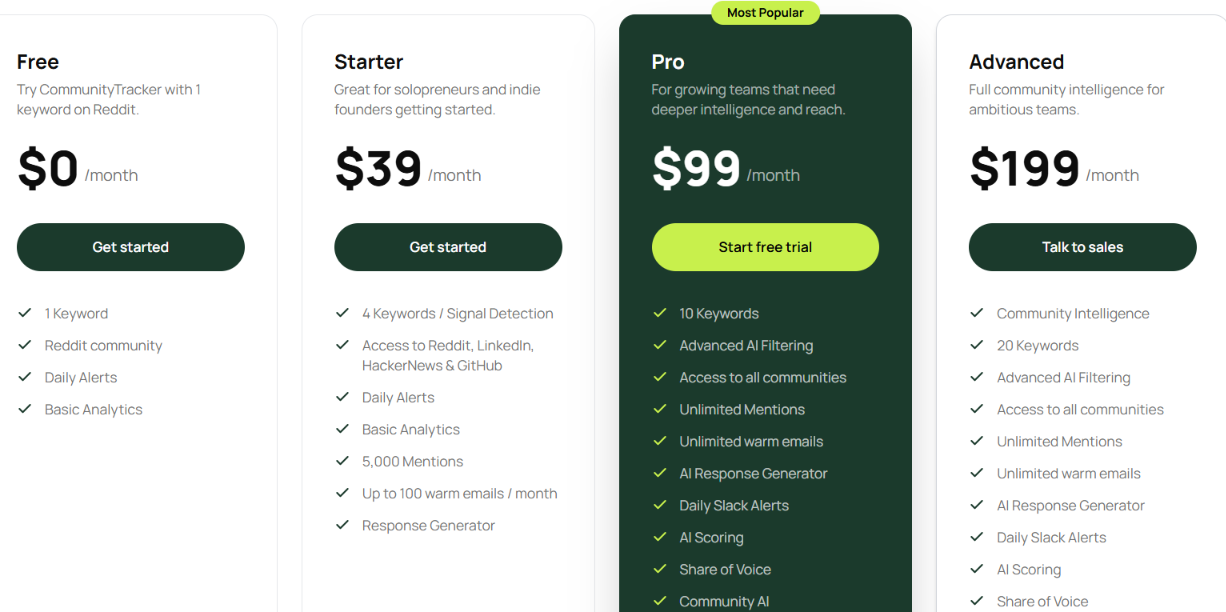
Starter – $39/month: 4 keywords for signal detection, Reddit, LinkedIn, Hacker News, and GitHub, 5,000 mentions, and up to 100 warm emails per month.
Pro – $99/month: 10 keywords, all communities, unlimited mentions, unlimited warm emails, AI scoring, Slack alerts, Share of Voice, and Community AI.
Advanced – $199/month: 20 keywords plus Community Intelligence, Share of Voice Exporter, and AI Visibility.
A free trial is available, with no credit card required.
There are no long-term contracts, and you can cancel anytime.
CommunityTracker makes more sense when you want to find prospects from conversations happening beyond LinkedIn and use what they said to shape your outreach.
Gojiberry stays closer to an AI prospecting workflow that finds and scores prospects from buying signals and lookalikes, then moves them into LinkedIn and email outreach.
5. ReactIn
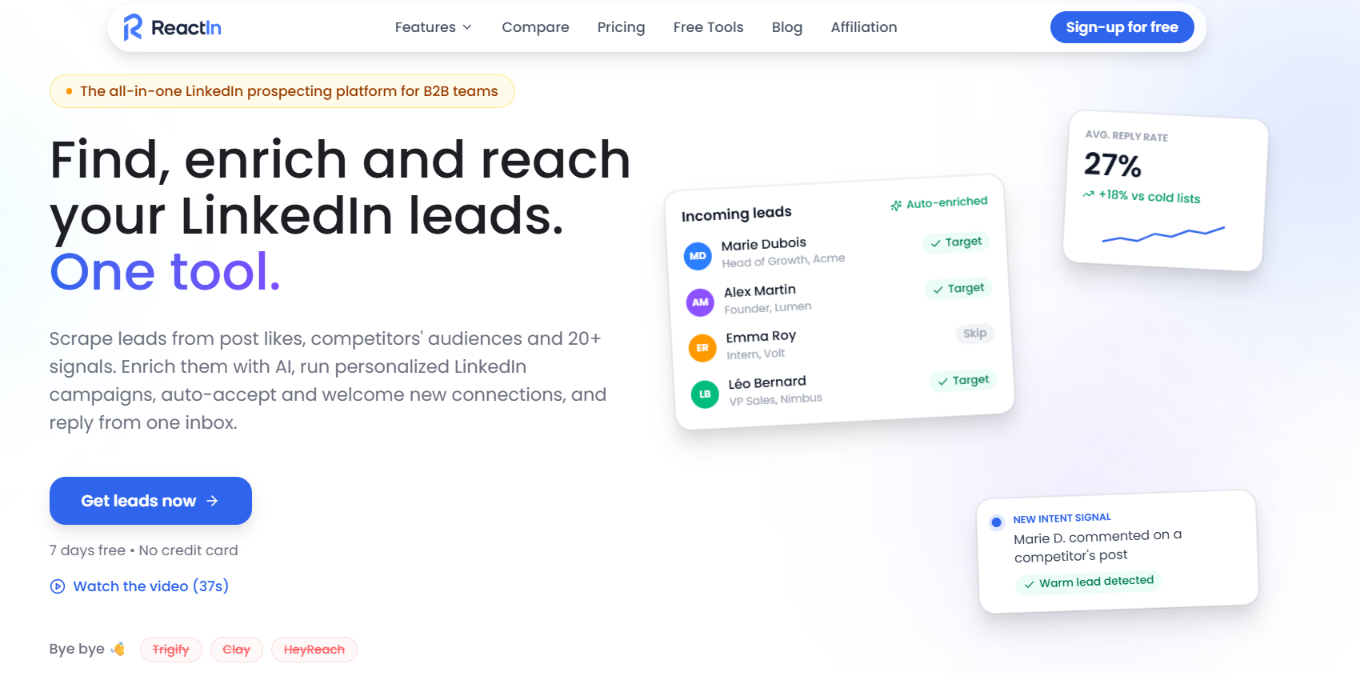
This image shows the ReactIn homepage
ReactIn starts with what your prospects are doing, not just who matches your ICP. It can track 20+ intent signals, such as people visiting your profile, engaging with posts, following a company, attending an event, appearing in a Sales Navigator search, or changing jobs.
These signals can automatically add prospects to SmartLists. ReactIn then enriches their data, checks them against your ICP, and moves qualified leads into LinkedIn campaigns.
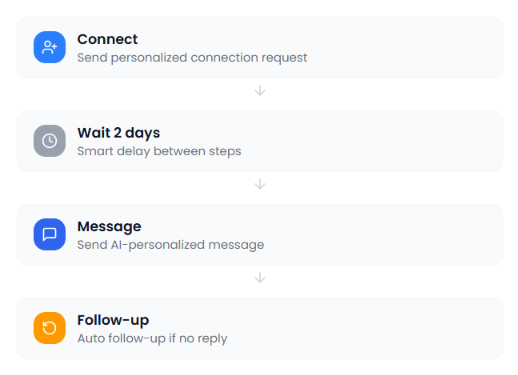
This image shows the Multi-step sequences on ReactIn
This makes ReactIn useful when you want to decide exactly which prospect actions should trigger your outreach. Gojiberry also uses buying signals, but it puts them inside a broader AI-led prospecting process that can find, score, and contact prospects across LinkedIn and email.
Connection requests, messages, and conditional steps
Multiple senders
Sender rotation on Growth
More senders available on Custom
Lead management
Unified conversation view on Growth
Unified inbox
Starting price
$29/sender/month
$99/month
Pros of ReactIn
Tracks 20+ intent signals to build prospect lists.
SmartLists can keep adding new prospects as signals appear.
Automatically enriches leads and filters them against your ICP.
Supports LinkedIn connection requests, messages, and automated follow-ups.
Growth can rotate outreach across multiple LinkedIn sender accounts.
Automatically deduplicates leads across lists and campaigns.
Includes a Claude MCP connector for creating lists, drafting campaigns, checking analytics, and reading conversations.
Cons of ReactIn
The Basic plan does not include outreach or lead management.
You need the $69-per-sender Growth plan for follow-ups, sender rotation, and lead management.
Pricing is per sender, so the cost increases as you add LinkedIn accounts.
ReactIn Pricing
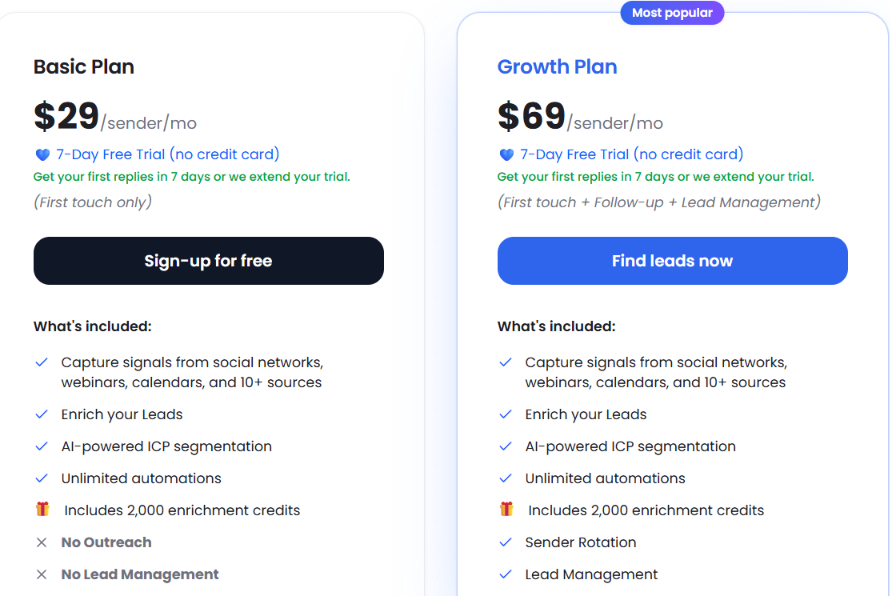
This image shows the ReactIn pricing
ReactIn has three main plans:
Basic: $29 per sender/month with intent signals, enrichment, AI ICP segmentation, unlimited automations, and 2,000 enrichment credits. It does not include outreach or lead management.
Growth: $69 per sender/month with first-touch outreach, follow-ups, lead management, and sender rotation.
Agency: $999/month for up to 50 senders, with centralized management for agency setups.
Free trial: 7 days with no credit card required.
ReactIn makes more sense if you want to choose the LinkedIn behaviors and events that should create your prospect lists and then move those leads directly into LinkedIn campaigns.
Gojiberry is broader if you want AI agents to handle more of the prospecting process and run both LinkedIn and email outreach.
6. Unify
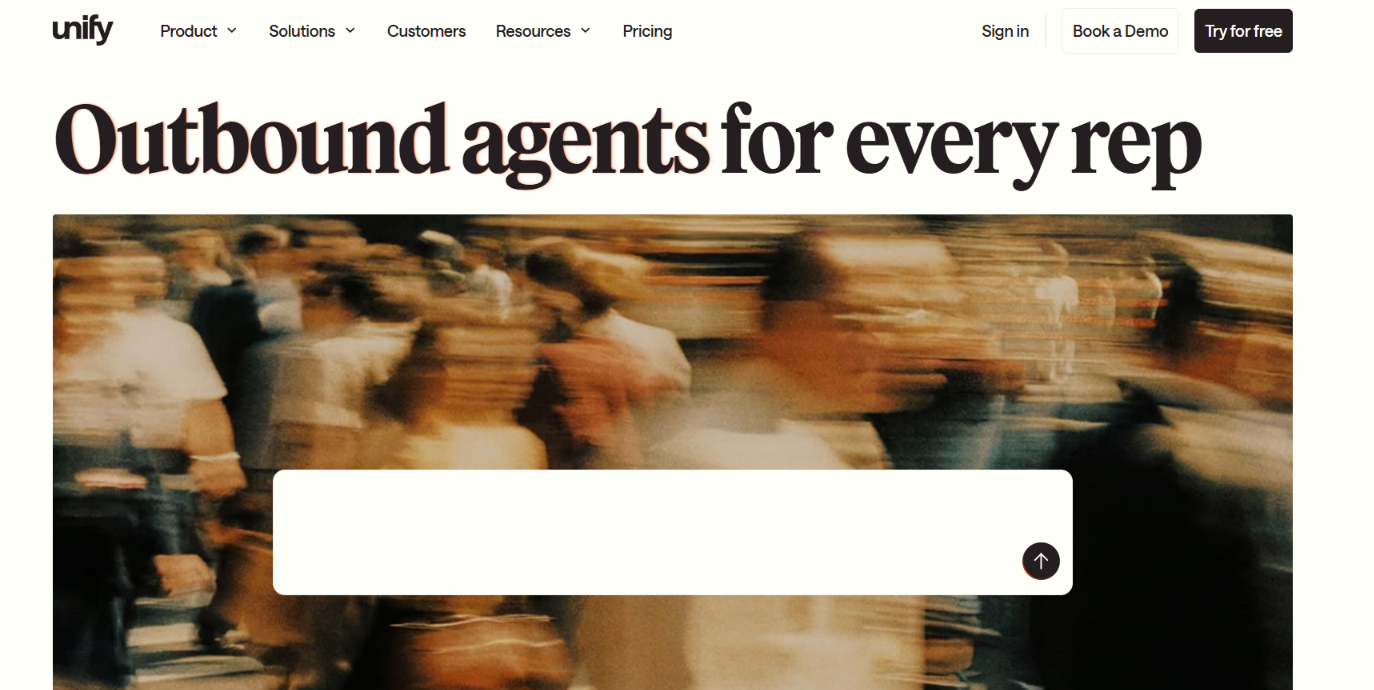
This image shows the Unify homepage
Unify is useful if you want more signal sources for deciding who to target.
It pulls from 40+ data sources and lets you find prospects using website visits, hiring, job changes, funding, product usage, tech stack, social activity, and other signals. You can then enrich those contacts and move them into email, call, and social sequences.
Compared with Gojiberry, the main advantage is the range of data you can use. Gojiberry finds warm prospects from buying signals and lookalikes, while Unify lets you build lists from a much wider mix of company, contact, and intent data.
Unify vs Gojiberry AI: Quick Comparison
Feature
Unify
Gojiberry AI
Prospect data
1.1B+ people and 65M+ companies
Leads sourced from signals and lookalikes
Data sources
40+ sources
15+ providers for email enrichment
Signals
Website visits, hiring, job changes, funding, product usage, tech stack, social activity, and more
Buying and social signals
Enrichment
Email and phone
Email
Outreach
Email, calls, and social
LinkedIn and email
Automation
Signal-triggered Plays
AI agents
Starting price
Free; paid from $20/seat/month
$99/month
Pros of Unify
1.1B+ people and 65M+ companies.
40+ data and signal sources.
Email, call, and social steps in one sequence.
Can trigger Plays when specific signals appear.
Cons of Unify
Website and product intent signals require Business.
Signal-triggered Plays require Business.
HubSpot and Salesforce are read-only on Pro.
Managed mailboxes require Business and cost $25/mailbox/month.
Data and AI actions consume credits.
Unify Pricing
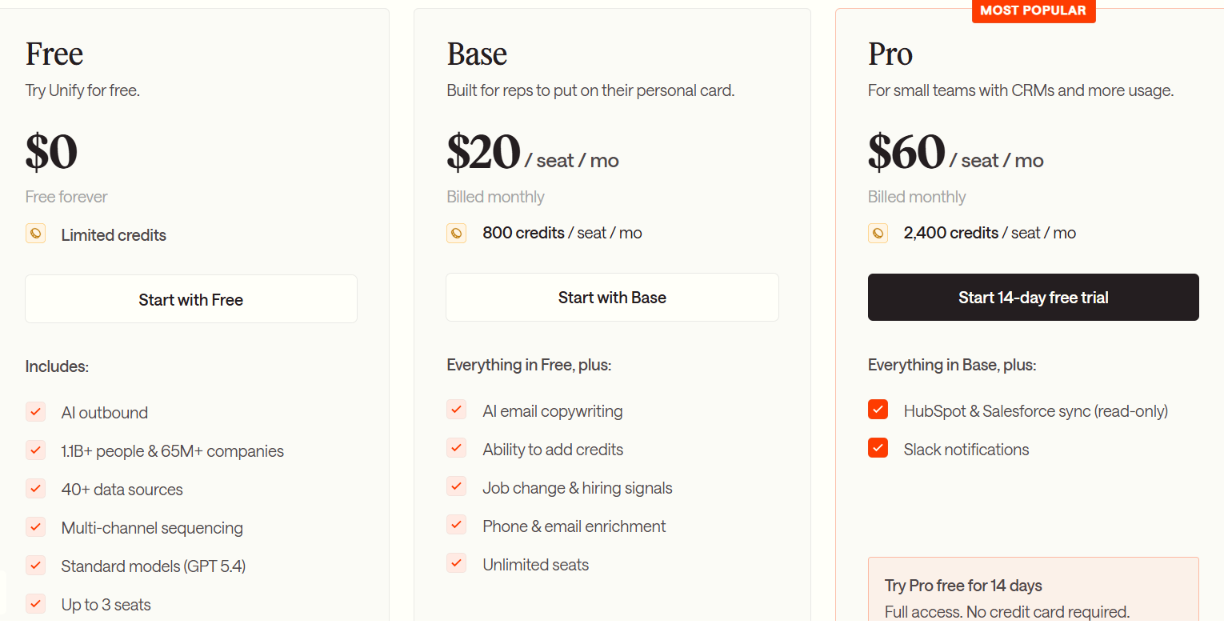
This image shows the Unify pricing
Free – $0: Limited credits, 40+ data sources, prospecting, and multichannel sequencing.
Base – $20/seat/month: 800 credits, email and phone enrichment, hiring and job-change signals.
Pro – $60/seat/month: 2,400 credits, read-only HubSpot and Salesforce sync, and Slack notifications.
Business – Custom: Website and product signals, automated Plays, managed mailboxes, and read-write CRM sync.
Pro trial: 14 days with no credit card.
Choose Unify when you want to build prospect lists from a broader mix of signals and data before starting outreach. Gojiberry is more focused on having its AI agents automatically find, score, and contact warm prospects.
7. Common Room
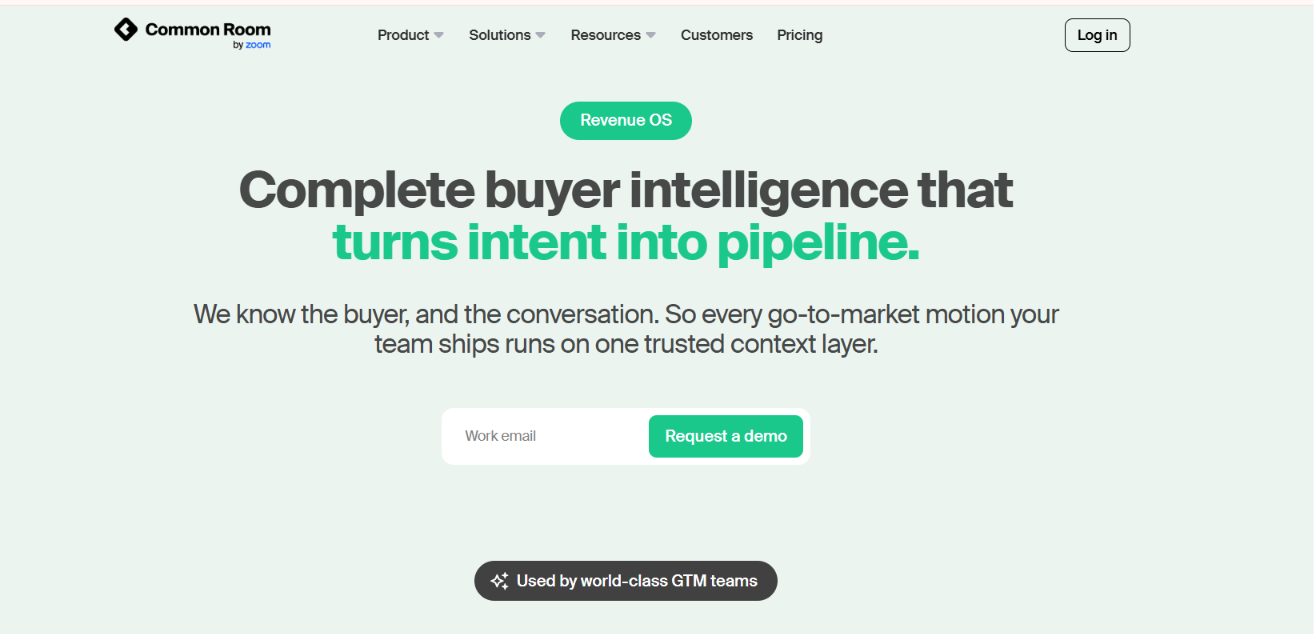
This image shows the Common Room homepage
Common Room is a stronger Gojiberry alternative if you want to use more types of buyer signals to decide who your sales team should contact.
It tracks signals such as website visits, product usage, job changes, social engagement, community activity, hiring activity, and other buyer behavior. It then connects that activity to people and accounts using Person360.
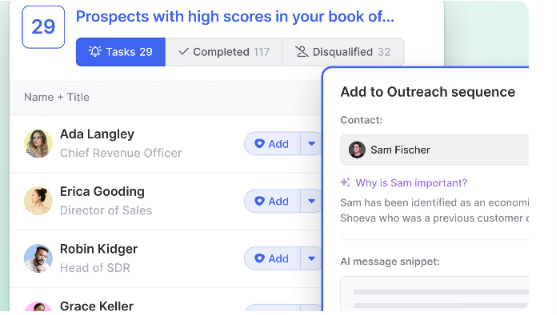
From there, Prospector helps you find relevant contacts, while AI Scoring ranks people and accounts based on fit and buying activity.
This image shows to find prospects with high scores with Prospector
That makes the main difference clear. Gojiberry focuses on finding warm prospects and running LinkedIn and email outreach. Common Room goes deeper into buyer intelligence, helping your team identify who is showing interest, understand why they are worth contacting, and then move those prospects into your outreach workflows.
Common Room vs Gojiberry AI: Quick Comparison
Feature
Common Room
Gojiberry AI
Buyer signals
Website, product, job changes, social, community, hiring, and more
Buying and social signals
Prospecting
400M+ contact directory + Prospector
Signals, lookalikes, ICP matching
Identity matching
Person360
Lead enrichment
Lead scoring
Person and account-level AI scoring
AI lead scoring
Enrichment
Waterfall enrichment across dozens of providers
Waterfall enrichment across 15+ providers
Starting price
$2,500/month, billed annually
$99/month
Pros of Common Room
Tracks buyer activity across several first-party and external sources.
Connects signals to individual people and accounts.
Includes a 400M+ contact directory for prospecting.
Scores prospects using fit and buying behavior.
Uses waterfall enrichment across dozens of providers.
Can map multiple people involved in the same buying decision.
Cons of Common Room
Starts at $2,500 per month, billed annually.
Built for a much broader revenue workflow than simple LinkedIn outreach.
Advanced and Enterprise pricing is custom.
Common Room Pricing
Essential: $2,500/month, billed annually, with 5 seats and up to 100,000 contacts.
Advanced: Custom pricing with 15 seats and up to 250,000 contacts.
Enterprise: Custom pricing with 30 seats and up to 750,000 contacts.
Common Room makes more sense if finding and prioritizing buyers from many different signals is the bigger problem you want to solve. If you mainly want a simpler tool for finding prospects and contacting them through LinkedIn and email, Gojiberry is much more focused on that workflow.
Which Gojiberry AI Alternative Should You Choose?
The right alternative depends on which part of your outbound process matters most.
If you already have leads, you may care more about how your LinkedIn campaigns run. If you still need prospecting, signals, or more outreach channels, a different tool may fit better.
If you need...
Consider
LinkedIn and email in the same sequence
Salesforge
LinkedIn outreach across multiple sender accounts
HeyReach
LinkedIn outreach running on machines you control
Reachy AI
Buying signals from LinkedIn, Reddit, Slack, Discord, X, and other communities
CommunityTracker
LinkedIn campaigns triggered by specific prospect actions
ReactIn
Prospecting across 40+ signal and data sources
Unify
Buyer intelligence across website, product, community, and other signals
Common Room
Gojiberry still covers more of the process if you want the same platform to find warm prospects from signals and lookalikes, score them, and run LinkedIn and email outreach.
Personalized Outbound Strategy
Get The Right Outbound Strategy In Minutes
Enter your email to get a custom plan & stack recommendation for your
business
It's being carefully crafted by AI
Please check your mailbox in 5 minutes
Conclusion
You do not have to replace Gojiberry with another tool that works in exactly the same way.
If you want to find prospects from different types of buying signals, ReactIn, CommunityTracker, Unify, and Common Room each take a different approach. If LinkedIn automation is your main focus, HeyReach and Reachy AI are more focused options.
And if you want to separate lead finding from outreach, you can use Leadsforge to find prospects and Salesforge to contact them.
Once your leads are ready, Salesforge lets you add LinkedIn and email steps to the same sequence, set follow-ups based on prospect activity, and manage replies in Primebox.
Its Pro plan starts at $48/month and lets you run email and LinkedIn in the same sequence, use conditional follow-ups, and manage replies in Primebox.
Compare 7 Gojiberry AI alternatives for LinkedIn outreach. See pricing, buying signals, prospecting, automation, and email features to find the right fit.
Compare 5 LinkedFusion alternatives for LinkedIn outreach, with a clear look at pricing, automation, account safety, reply handling, and multichannel features.



.jpg)

.jpg)
.png)