
Personalized Outbound Strategy
Get The Right Outbound Strategy In Minutes
Enter your email to get a custom plan & stack recommendation for your business
It's being carefully crafted by AI
Please check your mailbox in 5 minutes
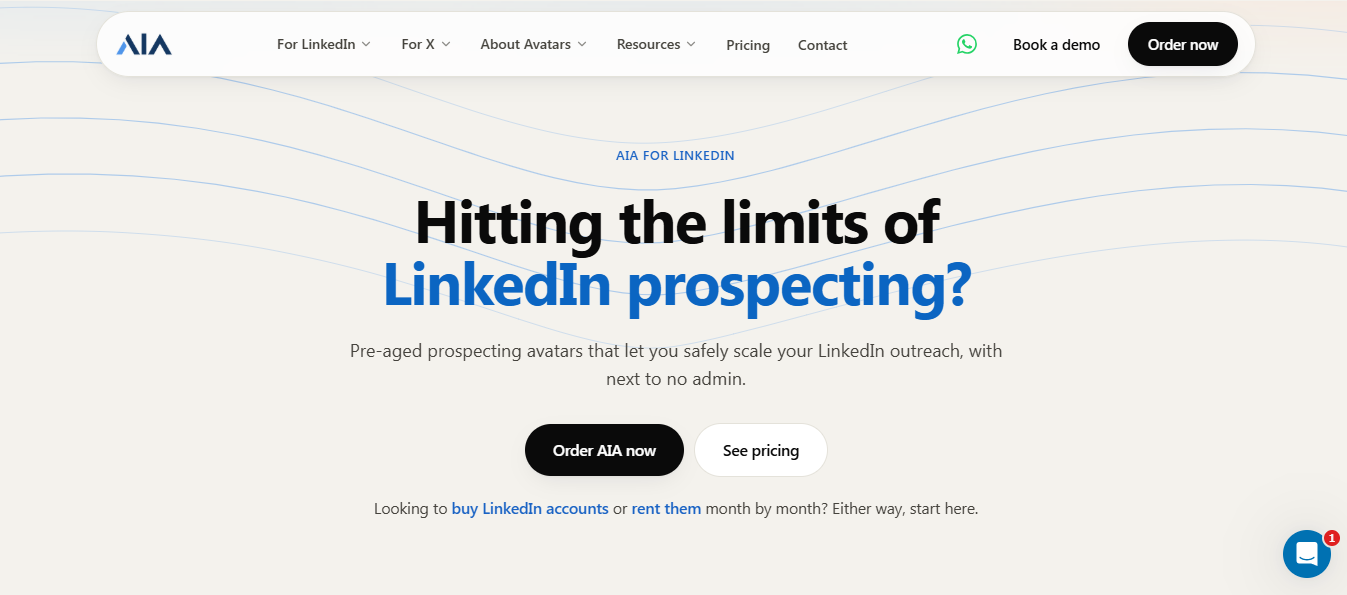
I went looking for GetAIA reviews and found two very different snapshots of the same company.
In 2023, the product had a 4.4 rating on G2, with reviews praising fast delivery, helpful support, and agency teams scaling LinkedIn outreach without hiring. Nine of the ten reviews were posted within five days of each other.
By 2025, the picture had changed. Trustpilot shows just three reviews, and two of them are one star. One is titled “AIA is a scam” and says $1,000 was spent without getting a working account.
The product itself doesn’t seem to have changed much in that time. What changed was LinkedIn. One 2023 reviewer even said the algorithms had improved, while his profiles kept getting permanently restricted.
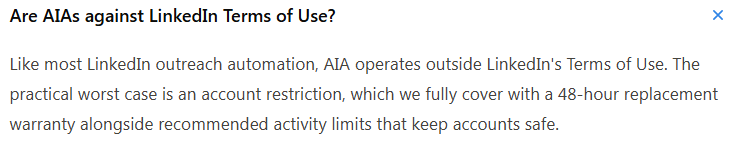
I read every page on their site and every review I could find. What changed my mind wasn’t a complaint; it was their own FAQ, where they answer a question about LinkedIn’s terms.
Here’s what I learned before buying, so you don’t have to spend $97 to find out.
A short version of the review, so you can decide whether the rest is worth your time.
GetAIA has two sets of reviews, and they tell very different stories.
On G2, there are ten reviews averaging about 4.4 stars, with ratings between 3.5 and 5. Nine of them were posted within five days of one another in October 2023.
On Trustpilot, there are three reviews, and two are 1-star ratings from 2025.
That gap is the first thing to notice. The positive feedback is nearly three years old; the complaints are recent.
One thing to flag before getting into the details: the G2 profile is listed under Vendisys Inc rather than GetAIA, so it’s worth confirming that connection before relying on those reviews.
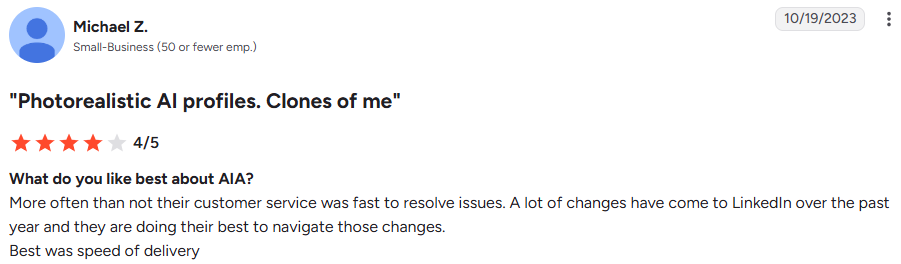
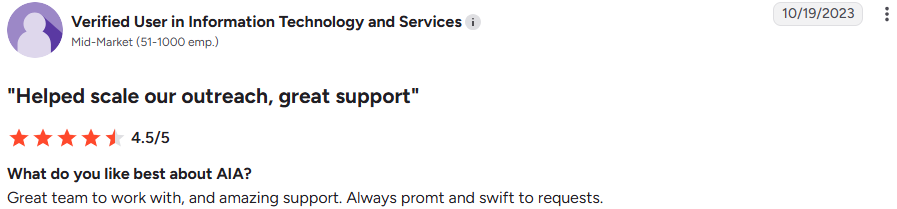

Joe J. and others described it as a way to scale outreach.



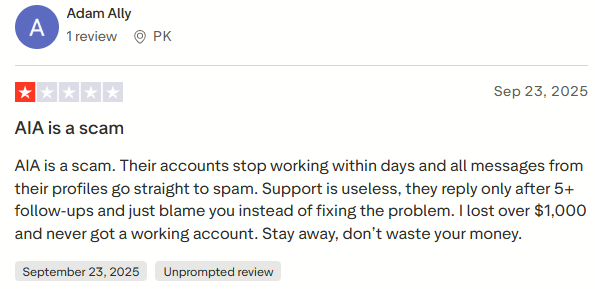
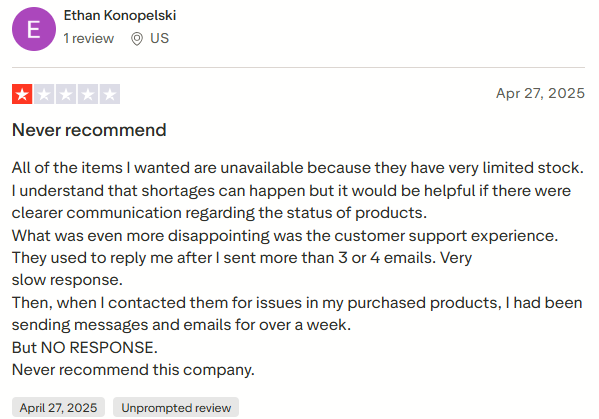
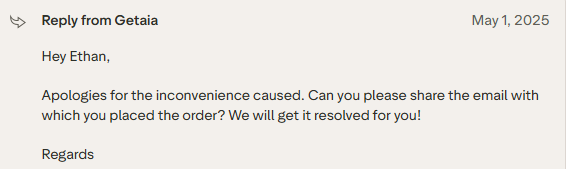
GetAIA replied publicly asking for his order email.
Don’t buy this.
GetAIA’s own FAQ says the product operates outside LinkedIn’s Terms of Use, and half of its tiers sell the very thing its marketing warns you about.
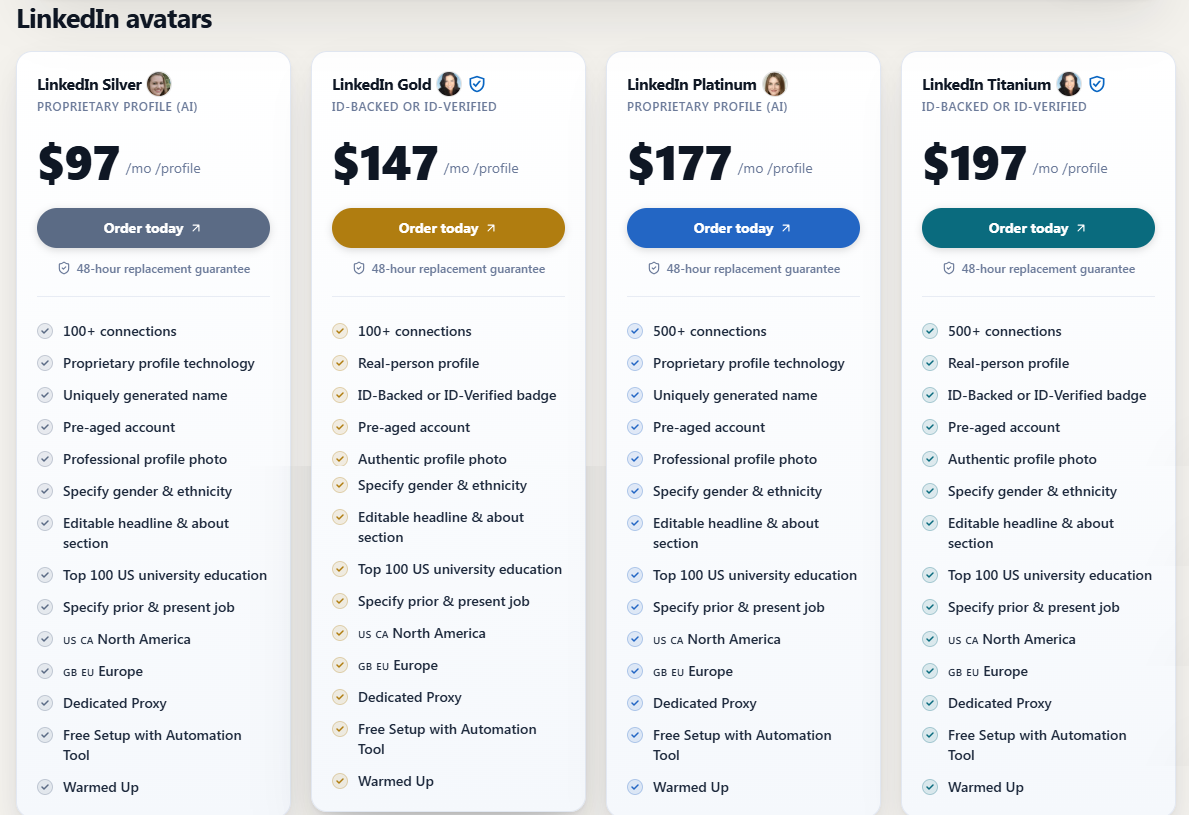
Two details make this clear, and both come from GetAIA’s own pages. Silver and Platinum are fabricated people, with generated names, generated photos, and made-up university and work histories meant to look credible.
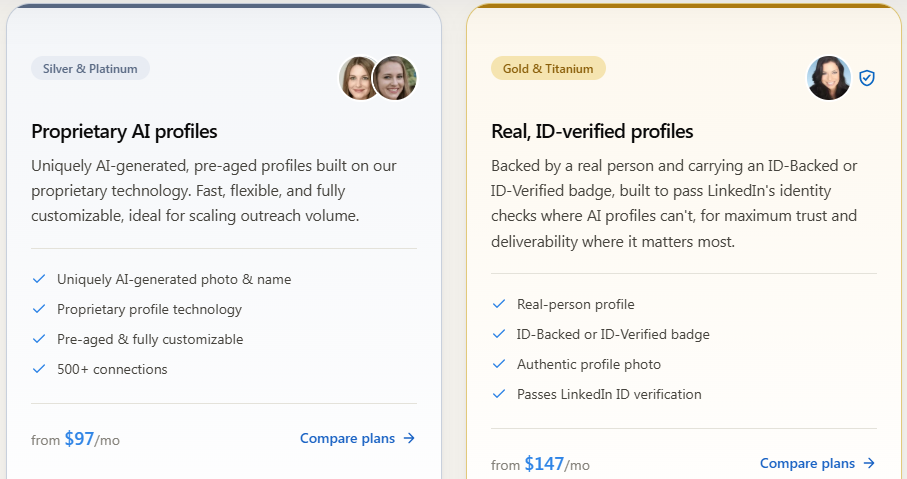
Gold and Titanium are described as real-person profiles with an ID-verified badge. But if a badge only exists after a real person passes the check, then someone else’s verification is effectively being rented to you.
So this isn’t really a question of tiers or price. The 48-hour replacement guarantee is pretty honest about what the product is: restrictions are expected, and you’re paying for a supply of replacements.
If you want LinkedIn volume, the sender needs to be a real person your prospect can look up. Anything else is just buying time until the account goes.
I haven’t rented avatars from GetAIA, so this is based on research. I approached it the way I’d check any vendor before letting a client use it.
I read the site carefully: the LinkedIn avatars page, the rent and buy pages, the buyer’s guide, the three-step onboarding flow, the full pricing table with all four tiers and add-ons, and the FAQ. That’s where most of the useful detail lives, including their own explanation of LinkedIn’s Terms of Use and their recommended daily limits.
Then I compared the pages against one another. Their buy-accounts page and their Gold and Titanium tiers make opposite claims, and neither page mentions the other.
For reviews, I went through all the latest G2 entries and all Trustpilot reviews, paying attention to the dates, ratings, and what each complaint actually said. In the end, the dates mattered more than the ratings.
I also looked for what was missing: no case studies, no named clients, no founder or company details on the pages I read, and a G2 profile listed under a different company name.
Whenever I say GetAIA “says” something or a reviewer “reported” something, that’s based on their site or a published review. I didn’t verify any of it independently, and I couldn’t verify the two Trustpilot complainants either.
GetAIA rents LinkedIn profiles by the month, across four tiers split between two very different products.
It’s a proprietary AI profile with a generated name, 100+ connections, a professional photo, an editable headline and About section, a Top 100 US university education, a dedicated proxy, and a warm-up period. You also choose the gender and ethnicity when you order.
It’s the same AI profile, but with 500+ connections instead of 100+.
It’s a real-person profile with an ID-backed or ID-verified badge, an authentic photo, and 100+ connections.
It’s the same real-person setup, but with 500+ connections.
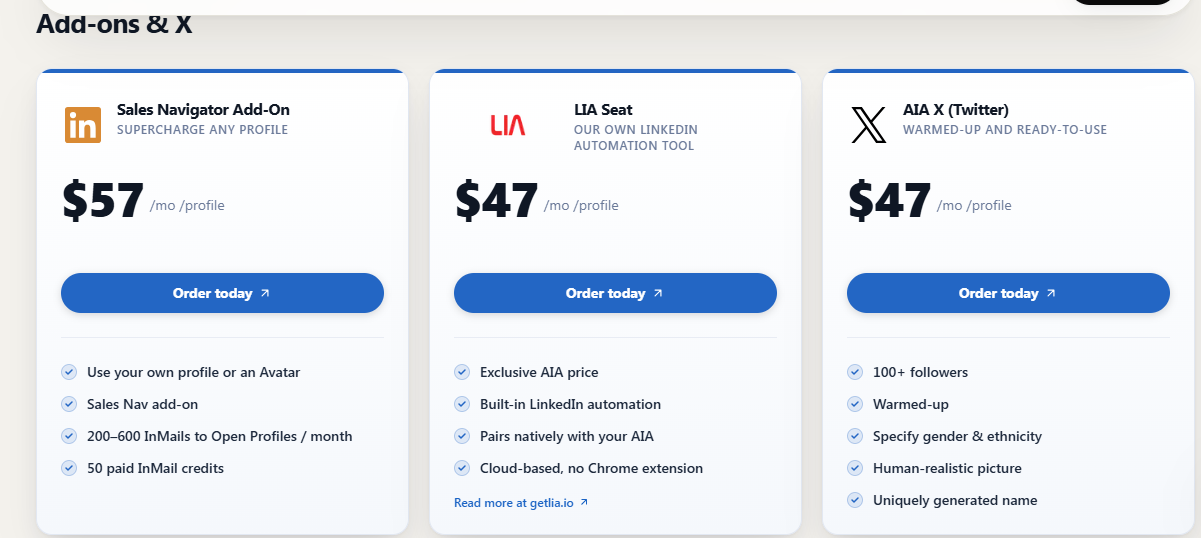
Add-ons run alongside those tiers: Sales Navigator for $57 per profile per month, AIA’s own automation tool LIA for $47, and an X avatar for $47.
The price gap between Silver and Gold is not really about features. It’s about whether the person is real.
Silver and Platinum are constructed. The name, face, degree, and work history are all generated, and no one’s identity is being used.
Gold and Titanium carry LinkedIn’s identity verification, which can only be passed by a real person with real documents. GetAIA describes these as real-person profiles, so the verification belongs to someone, and it isn’t you.
Three things in GetAIA’s own copy matter more than the feature list.
Their FAQ says AIA operates outside LinkedIn’s Terms of Use, and treats the main downside as an account restriction covered by the 48-hour replacement warranty.
Their buy-accounts page argues that profiles which change hands are exactly what LinkedIn flags first, and that inherited verification belongs to someone else who can be asked to confirm it again at any time. That logic lines up with Gold and Titanium.
Their recommended limit is 20 connection requests per day per avatar. LinkedIn’s own cap is 100 a week, so each avatar adds only a little extra reach on its own. The scale comes from running many of them at $97 to $197 each.
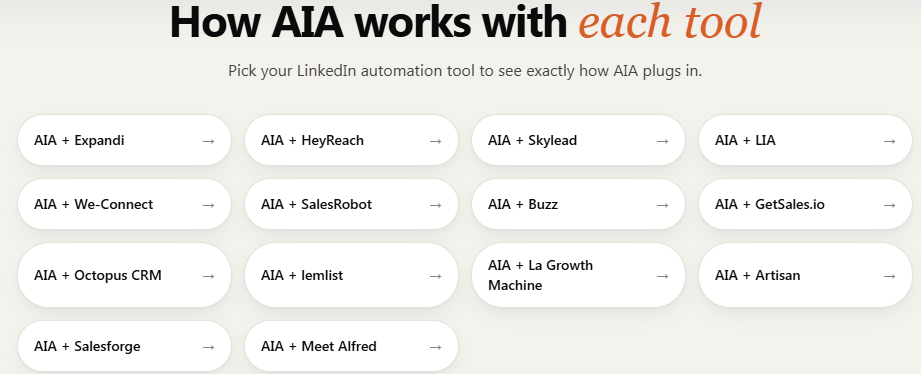
AIA works with LIA, Expandi, SkyLead, We-Connect, Buzz, and HeyReach, with a 10% discount on those tools.
It does not work with Ulinc, Dripify, Zopto, Waalaxy, or Dux-Soup, because those tools don’t let you set your own proxy IPs. That compatibility list is really a detection list: the tools that work are the ones that make the traffic look like it’s coming from the right place.
Their site describes the process in three steps. Here’s what each one involves, and what it means for you.
You choose LinkedIn avatars, X avatars, or both, and then decide how many. Volume discounts start at 10% for 10 profiles, 20% for 50, and 30% for 100.
This is where the real decision happens, even if their pricing page presents it as a feature choice. Silver and Platinum are AI-generated; Gold and Titanium are real-person profiles carrying someone else’s identity verification.
You fill out a questionnaire when you order, including preferred gender, ethnicity, and other traits.
That’s worth thinking about. You’re choosing the demographic profile of the person your prospects will think they’re talking to, because certain faces are more likely to get replies.
Avatars arrive within 48 hours with no warm-up period, since they ship pre-aged with 100 or 500 connections and existing engagement. Then you connect your automation tool and dedicated proxy.
The first invoice is prorated. GetAIA recommends 20 connection requests per day per avatar, along with limits on InMails, group messages, and event messages.
This is the part their site treats as routine, and it’s the part that really defines the product.
When an avatar gets restricted, GetAIA replaces it within 48 hours at no cost. No conditions, no fine print, just replacement from their pool.
That kind of guarantee only makes sense if restriction is expected. G2 reviewers said as much in 2023, with one saying accounts burn fast and Michael Z. noting that permanent restrictions kept setting him back.
So the process doesn’t end at launch. It becomes a cycle of replacements, and each one means a new name, a new face, and whatever conversations were sitting in the old account are gone.
Pricing is published in full, which is more than most vendors in this space manage.
There are four monthly tiers per profile: Silver at $97, Gold at $147, Platinum at $177, and Titanium at $197. Add-ons are also priced per profile, so they add up fast: Sales Navigator is $57, LIA is $47, and an X avatar is $47.
Volume discounts start at 10% for 10 profiles, 20% for 50, and 30% for 100. Agencies also get an automatic 10% discount. There are no contracts; you can cancel anytime, and every profile includes a 48-hour replacement guarantee.
The sticker price understates the real cost, because one avatar adds very little extra volume.
GetAIA recommends 20 connection requests per day per profile. That’s 140 a week, compared with LinkedIn’s own cap of 100. So a $97 profile only buys you 40 extra invites.
Real scale comes from stacking profiles. Ten Silver avatars, after the discount, come to roughly $873 a month.
Sales Navigator also doesn’t seem optional. Their FAQ says a profile without it can send 400 requests a month, with only 5 to 10 personalized. With it, that rises to 600 to 700, all of them customizable. That puts the real entry price closer to $154 per profile.
That second question matters most for the economics. If profiles cycle every few months, the monthly rate isn’t the real price.
I can’t turn this into a fit list.
Every version of the answer points to who can get away with it longest, not who it’s best for: high-volume agencies, teams that treat profiles as consumables, and operators who’ve already burned their own accounts. That’s a risk tolerance question, not a recommendation.
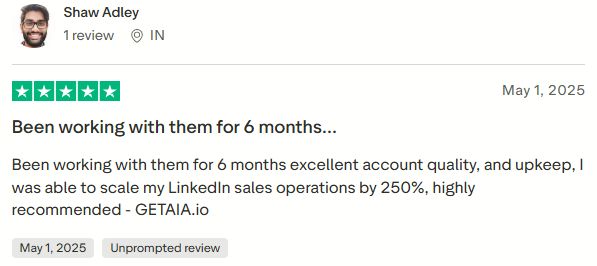
The 2023 G2 reviewers clearly got value from it. One said it replaced hiring staff for LinkedIn outbound, and Shaw Adley reported scaling operations by 250% over six months.
What none of that answers is the part that matters most: who the prospect thinks they’re talking to.
Skip this entirely if:
If LinkedIn volume is the goal, the better answer is more real profiles operated by real people on your team. It’s slower, but it’s yours.
There are none. I couldn’t find any case studies on GetAIA’s site, no named clients, and no published outcome from a single engagement.
For a service sold mostly to agencies, that absence stands out. Agencies are usually the easiest customers to write up, because they run campaigns all the time and naturally have numbers to share.
The closest thing to a result appears in the reviews. Shaw Adley on Trustpilot said he scaled LinkedIn sales operations by 250% over six months, but he gave no baseline or starting point, so there’s no way to verify it.
What GetAIA offers instead is capacity math. Their FAQ says a profile with Sales Navigator can send 600 to 700 connection requests a month, and 400 without it. Those are sending limits, not outcomes. They don’t tell you what came back.
Compare that with an agency case study that says 287 leads, 52 meetings, and €28,000 in 40 days. You can test those numbers. Here, there’s nothing to test.
You’re left with ten reviews from October 2023 and a pricing page.
The problem GetAIA sells against is a real one. One LinkedIn account only gives you so much outbound capacity, and no amount of better copy changes that ceiling.
But the capacity comes from the number of senders, not from whose name is on them. Here is how I would build the same volume using accounts your team owns.
Start from the outreach you want to run, not from a profile count.
LinkedIn's own cap is 100 connection requests a week, which is roughly 400 a month per account. So:
That is the same arithmetic GetAIA runs at $97 a profile, except each sender here is a person who already works at your company.
More senders do not mean more meetings. Your ICP, offer, and follow-up still decide whether the volume converts.
Do not point five accounts at five unrelated audiences.
An agency selling to SaaS might split it like this:
Each profile keeps one audience, one angle, one campaign. It also tells you which ICP is producing replies, which a pool of rotating avatars never can.
Running five or ten LinkedIn accounts by hand gets messy fast.
Salesforge lets you manage multiple LinkedIn senders from one workspace and assign them to sequences, so the structure becomes:
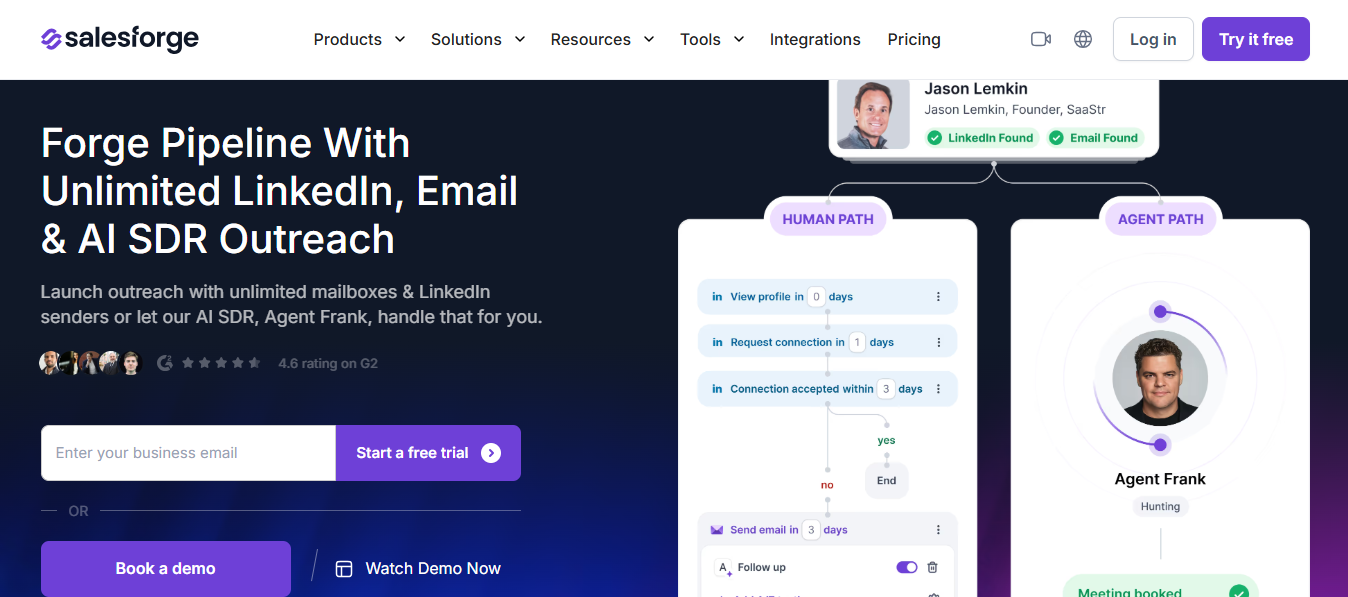
LinkedIn senders → Salesforge → Sequences → Prospects → Replies
Five senders contacting the same person is not scale, it is a complaint.
With 5,000 prospects and five senders, give each sender roughly 1,000. Salesforge runs all five from the same environment instead of five separate campaigns.
At one profile a spreadsheet still works. At ten it does not.
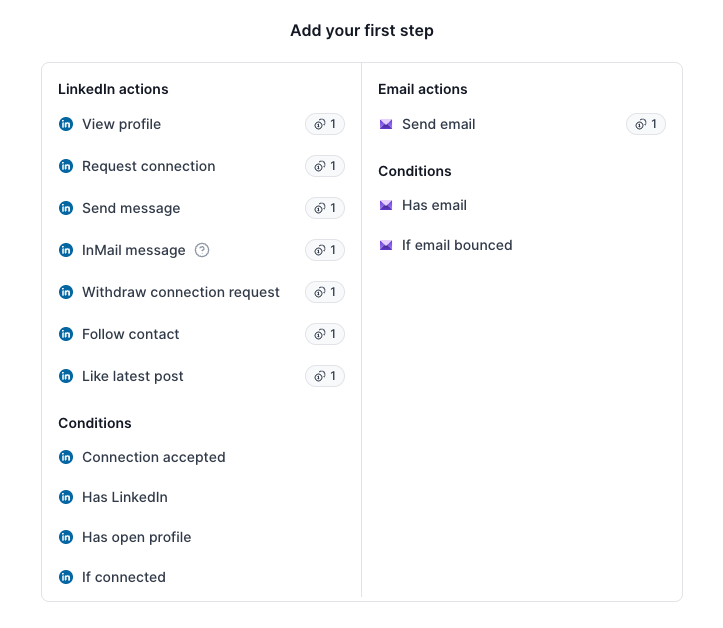
The connection request is the opening, not the campaign.
Day 1 → View profile
Day 2 → Send connection request
Connection accepted
Day 3 → First LinkedIn message
Day 6 → Follow-up
Day 10 → Final follow-up
Salesforge supports profile views, follows, connection requests, messages, and InMails as sequence steps, so you build the process once and apply it across every sender.
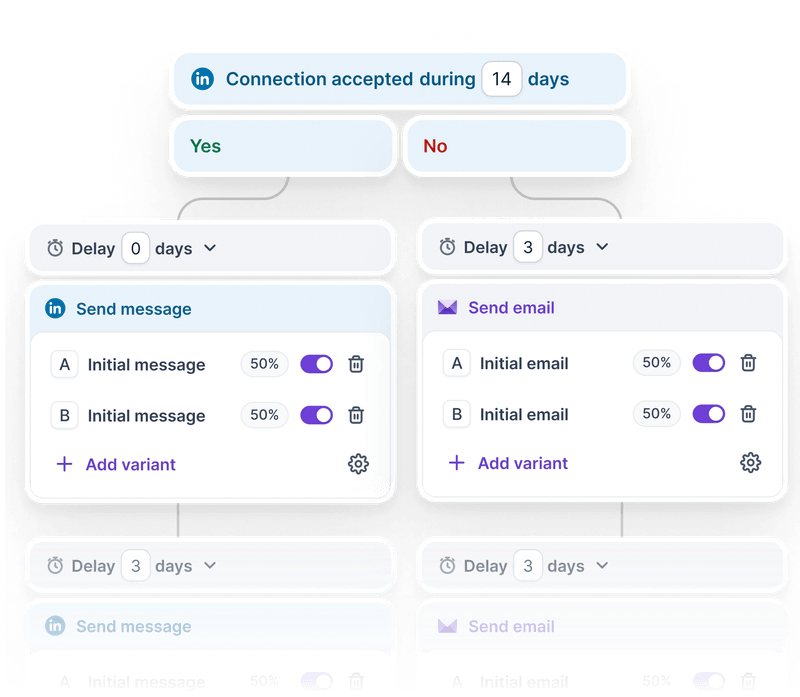
Someone ignoring a connection request is not always a no. Plenty of buyers barely open LinkedIn.
LinkedIn connection request → Did they accept?
Yes → Send LinkedIn message
No → Send a cold email
Then follow up on whichever channel they answer on. The LinkedIn profiles stop being isolated accounts and become one part of an outbound system.
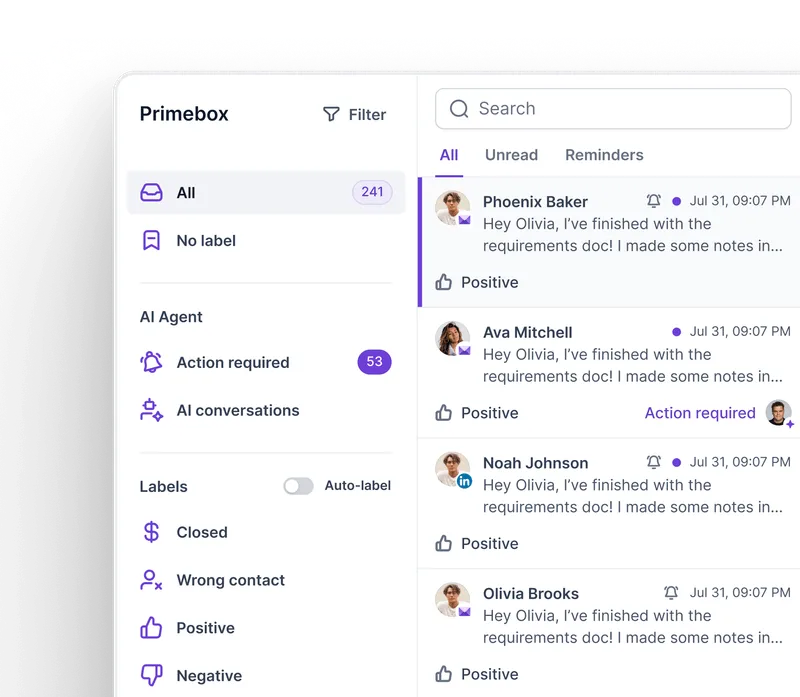
More senders means more inboxes, which undoes most of the benefit if your SDR has to log into each one.
Primebox pulls LinkedIn and email conversations into a single inbox, so replies get handled in one place:
10 LinkedIn senders + email mailboxes → Salesforge sequences → Primebox → SDR → qualified meeting
"We sent 4,000 connection requests" is not a result.
Track it through: connection requests → accepted → replies → positive replies → qualified conversations → meetings → pipeline.
If five senders produce 2,000 requests and two meetings, five more senders will not fix that. Fix the targeting first. If five senders produce meetings consistently, adding more is an easy decision.
Salesforge starts at $48 a month, with unlimited mailboxes and warm-up included, and everything sends under your own domains and your own names.
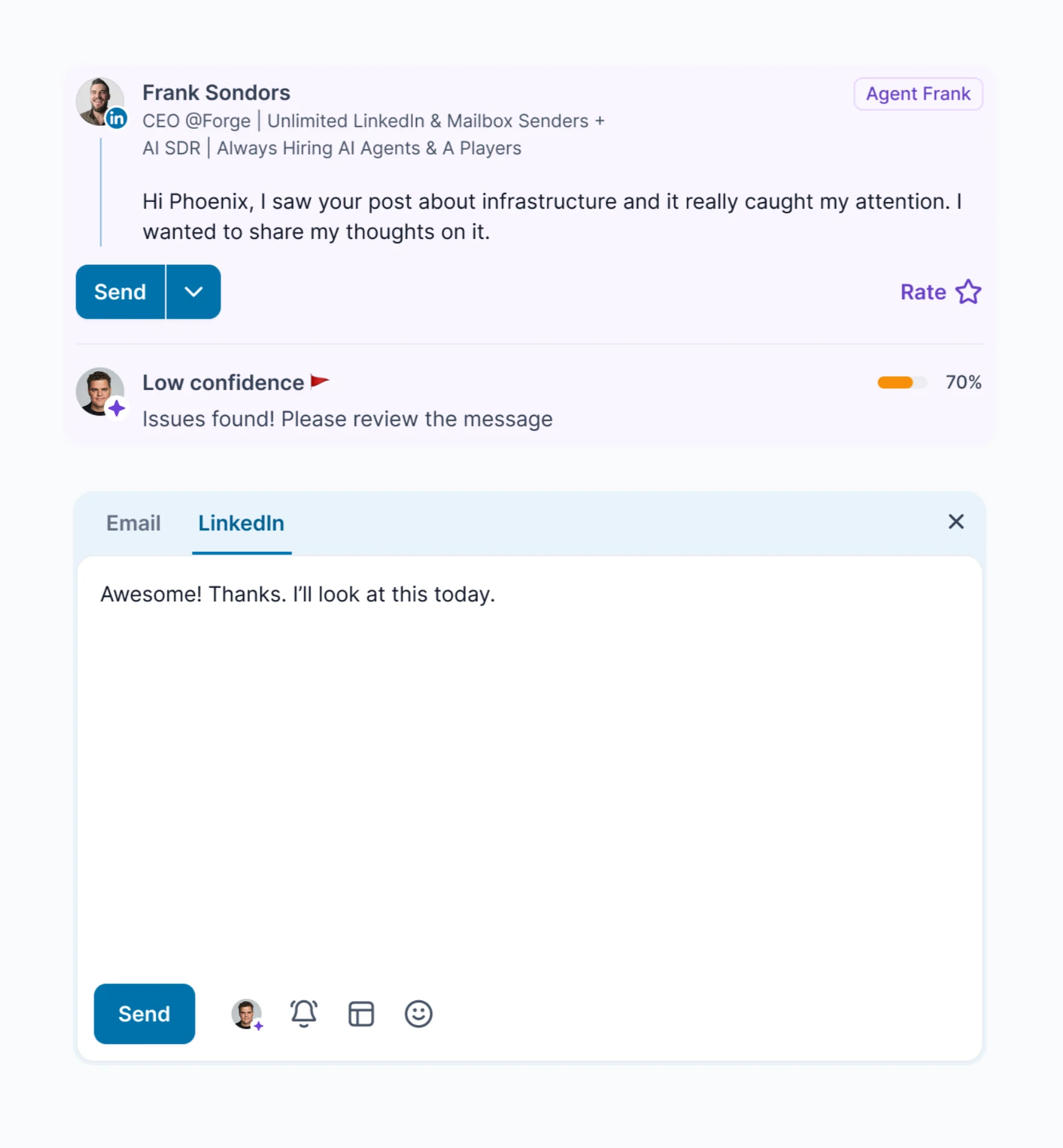
If you would rather not staff the sending at all, Agent Frank handles prospecting, sequencing, replies, and booking from $499 a month on quarterly billing.
Neither one gets replaced every few months, because neither one is pretending to be someone.
Take these to support before you order.
Enter your email to get a custom plan & stack recommendation for your business
Please check your mailbox in 5 minutes

No. You're paying $97 a month for 40 extra invites a week.
And their own site undercuts even that. The FAQ puts the product outside LinkedIn's terms, the buy-accounts page argues against what Gold and Titanium sell, and the 48-hour replacement guarantee tells you restrictions are expected.
Real volume comes from profiles your team owns. Salesforge covers the sending side from $48 a month, and the Forge Expert Network lists certified agencies running LinkedIn under real names.
.jpg)

.jpg)

.jpg)
