The real cost of an email verifier is never the credit price. It is what happens to the addresses the tool cannot make a decision about, because that is where your bounce rate actually gets decided.
Every verifier returns clean valid addresses and obvious invalid ones. The difference between tools shows up in the grey middle, where catch-all domains, greylisted servers and silent failures sit, and that middle is usually twenty to forty percent of a B2B list.
EmailListVerify is interesting precisely there. It costs as little as five dollars for a thousand credits, yet it returns eleven separate status codes instead of the usual three buckets, so it hands the grey-area decisions back to you rather than making them for you.
That combination of very low pricing and unusually granular output is why it keeps appearing in cold email stacks, and it is also why it needs a proper look before you commit budget.
So I worked through both of its pricing models at real outbound volume, read the full API documentation, checked its data handling position, and went through several years of reviews on G2, Capterra and Trustpilot.
In this review I will cover what EmailListVerify does, how its status codes work, what it actually costs a small outbound team, where its accuracy holds up, what reviewers consistently flag, and who should skip it.
EmailListVerify at a Glance for Readers in a Hurry
What I Checked
What I Found
Pricing model
Both pay as you go and monthly plans, which is unusual in this category
Entry price
$5 for 1,000 credits, the lowest minimum purchase I came across
Credit expiry
Pay as you go credits never expire, monthly credits reset and do not roll over
Accuracy claim
Two figures are published, 97% and 99%, with no methodology behind either
Result detail
Eleven distinct status codes rather than a simple valid or invalid flag
Free results
Four result types cost you nothing, including unknown and syntax errors
G2 rating
4.6 out of 5
Capterra rating
4.4 out of 5
Trustpilot rating
4.3 out of 5
Data handling
Slovak entity, EU-only AWS storage, published DPA, no data kept after verification
Biggest recurring complaint
A dated interface, plus Gmail verification errors reported since mid 2026
Best for
Cold outbound teams who want graded results and no monthly commitment
What Is EmailListVerify and Who Is It Built For?
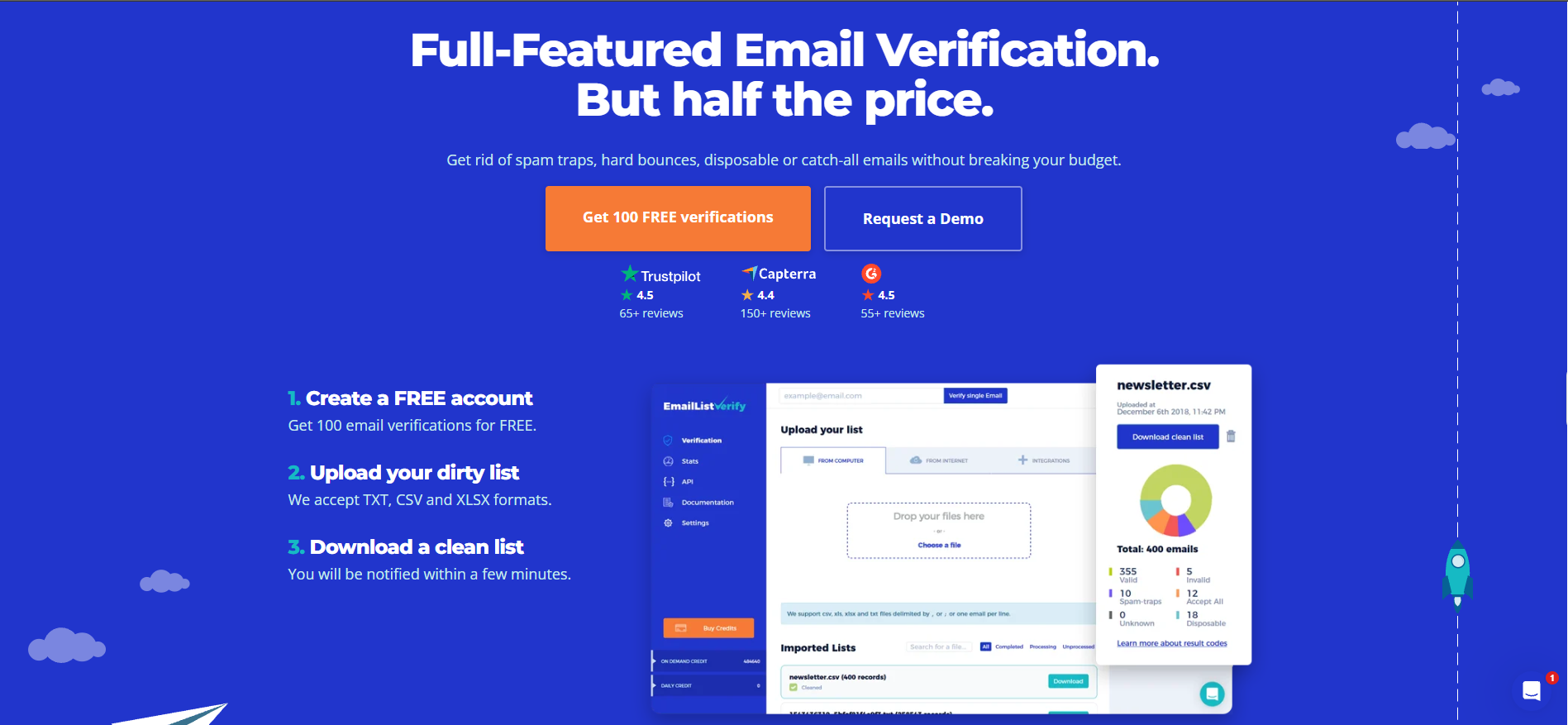
EmailListVerify is a standalone email verification service with an email finder attached to the same account. You hand it a list, it checks each address against the receiving mail server, and it returns a status code for every row.
It also removes the usual categories you would expect, including hard bounces, disposable addresses, spam traps and catch-all domains.
What makes it a cold email tool rather than a general list-hygiene tool is the grading. Most verifiers return three buckets of valid, invalid and risky, which means the vendor has already chosen your risk threshold for you.
EmailListVerify returns eleven codes instead, so you decide how aggressive to be with each category based on how much domain reputation you are willing to risk.
One CTO reviewing on G2 described exactly that benefit, saying the tool gives "graded results instead of a binary pass/fail." Source: G2 review
For anyone running scraped or purchased data through sequences, that control matters more than a decimal point of accuracy.
How EmailListVerify Verifies an Email Address
The workflow has four steps, and each one carries a decision that affects your cost.
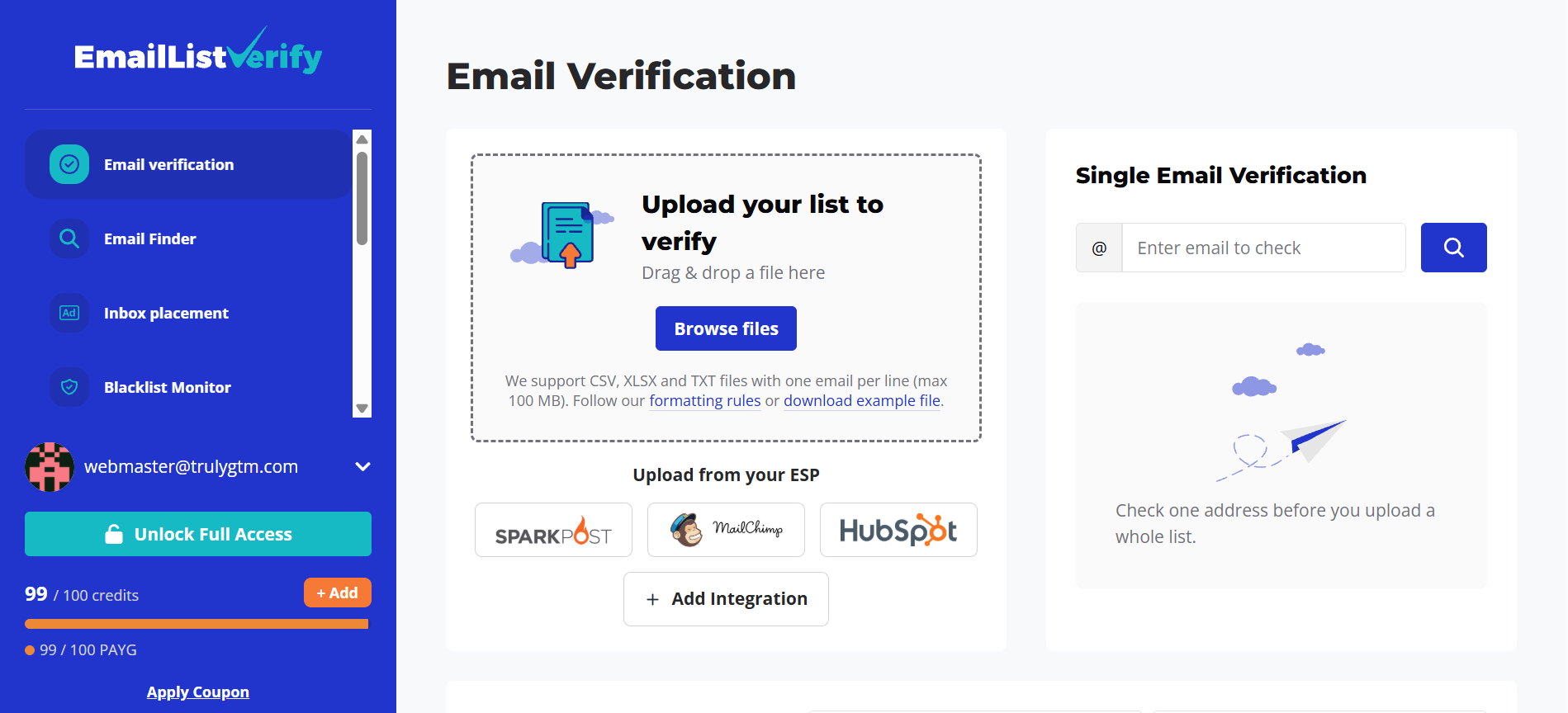
Step 1: Upload Your List or Call the EmailListVerify API
Accepted formats are CSV, TXT and XLSX, with a cap of 100 MB per file and one million rows. You can also verify single addresses through the dashboard or through a synchronous API call.
Step 2: Choose Standard or High Quality Verification
Standard verification costs one credit per email and makes a single SMTP connection attempt. High quality costs two credits, adds extra SMTP retries, and handles servers that greylist you.
Step 3: Wait for the List to Process
The stated speed is more than 100,000 emails per hour per customer. High quality runs can take up to thirty minutes when a receiving server greylists the connection.
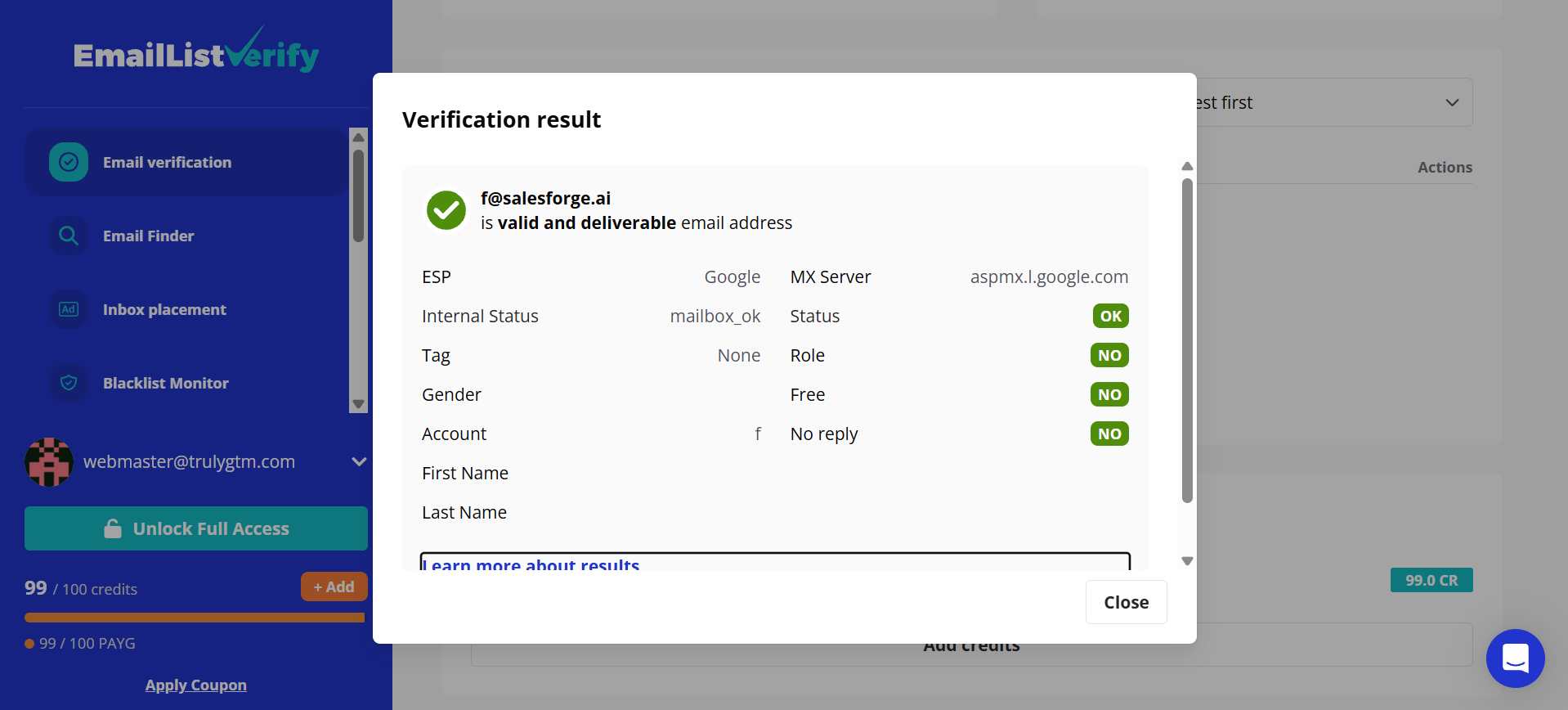
Step 4: Read the Status Codes and Decide What to Send To
Results come back coded rather than bucketed, which is where you make your actual sending decisions.
EmailListVerify Status Codes and What Each One Means
Code
What It Means
Charged?
ok
Valid, deliverable mailbox
Yes
ok_for_all
Catch-all server, individual mailbox unconfirmed
Yes
email_disabled
Account exists but has been disabled
Yes
dead_server
Mail server is not responding
Yes
invalid_mx
Domain exists with no valid MX records
Yes
disposable
Throwaway or temporary address
Yes
spamtrap
Known spam trap address
Yes
smtp_protocol
SMTP error during the check
No
antispam_system
Blocked by an anti-spam system
No
unknown
Status could not be determined
No
invalid_syntax
Malformed address
No
Four of those eleven cost you nothing, which quietly improves your real cost per usable contact compared with tools that charge for every row they touch.
The spamtrap code deserves particular attention if you work with scraped data. A single trap hit damages your domain more than a hundred bounces, and I explained why in this breakdown of spam traps in cold email campaigns.
EmailListVerify Features Reviewed in Detail
1. EmailListVerify Bulk List Verification
Bulk cleaning is the core product and the reason most people open an account.
Accepts CSV, TXT and XLSX files only
Maximum file size of 100 MB, with up to one million rows per list
One email per row, with a status returned against each address
Deep Scan lets you re-verify a list that has already been processed
The format restriction catches people out more often than you would expect. One G2 reviewer had a list sitting inside a Word document and found the conversion slow and frustrating. Source: G2 review
2. EmailListVerify Email Finder, Domain Search and Enrichment
Verification is only half of what the account does, which was the biggest surprise in this review.
Email Search takes a name plus a website domain and returns verified addresses
Finding an email costs 5 credits, charged only when confidence is medium or higher
Bulk Email Finder handles up to 40,000 rows, but runs in the web app only
Domain Search returns generic role addresses such as contact@ and info@
Email Enrichment API adds verified email data to contact records you already hold
Read that third point carefully if you build automated pipelines. Bulk finding is not exposed through the API at all, so the feature effectively does not exist for engineering workflows.
3. EmailListVerify API and Developer Access
The API is well documented, and its structure is clean enough that reviewers mention it without being asked.
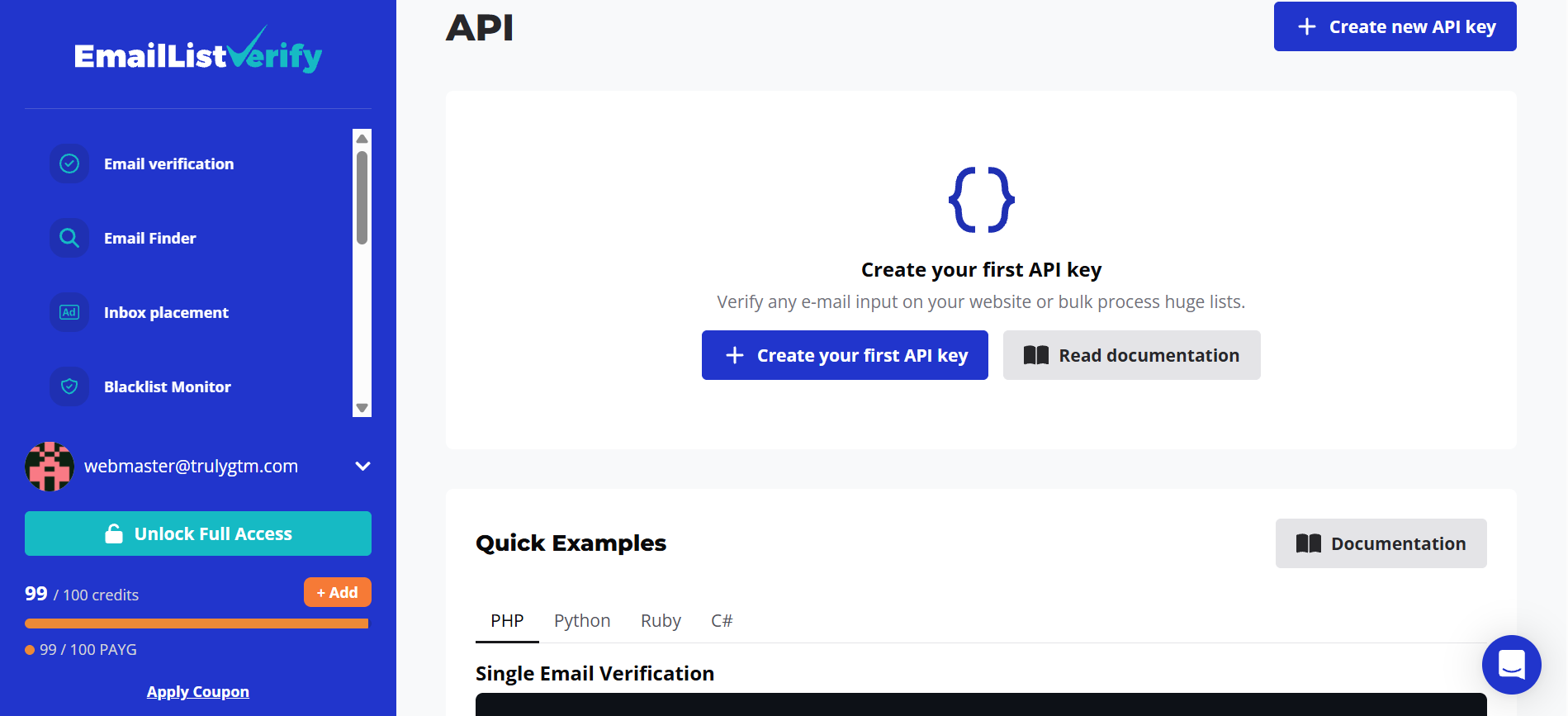
Base endpoint at api.emaillistverify.com, built to OpenAPI 3.0 with a Swagger interface
Authentication through an x-api-key header or a secret query parameter
Synchronous single verification, plus asynchronous jobs for bulk file uploads
Separate endpoints for disposable checks, blacklist checks and credit balance
Inbox placement testing through the same API, with results in five to ten minutes
Rate limits are enforced per endpoint but never published
One Trustpilot reviewer described wiring it into a Google Sheet so incoming leads get checked before they reach the CRM. That is exactly the workflow this API supports well. Source: Trustpilot review
4. EmailListVerify Integrations With Email and Automation Tools
Native connections cover thirteen tools, and the mix leans toward email marketing and automation rather than cold outreach platforms.
Email platforms: Mailchimp, AWeber, MailerLite, Campaign Monitor and Sendloop
Sending infrastructure: Mailgun and SparkPost
CRM and messaging: HubSpot and Gist
Automation: Zapier, SureTriggers, N8N and Apify
For outbound teams, Zapier and N8N do most of the work, because they bridge the gap left by the missing cold email integrations. A Chrome extension and an MCP server are also available for lighter workflows.
5. EmailListVerify Data Security and GDPR Position
This part of the product is stronger than most competitors I have looked at, and it is barely promoted anywhere.
The operating entity is EmailListVerify s.r.o., registered in Bratislava, Slovakia
It acts as a Data Processor under GDPR, with a published DPA available
Encryption is AES-256 at rest and 256-bit SSL in transit
EU customer data is stored on AWS servers inside the EU
Data is not retained once a verification run completes
Annual third-party security audits are carried out
If you sell into European markets, that combination is worth considerably more than a fraction of a cent per credit.
EmailListVerify Pricing Explained in Full
Pricing is where EmailListVerify earns its reputation, and it is one of the few verifiers that offers both buying models rather than forcing you into one.
EmailListVerify Pay As You Go Pricing
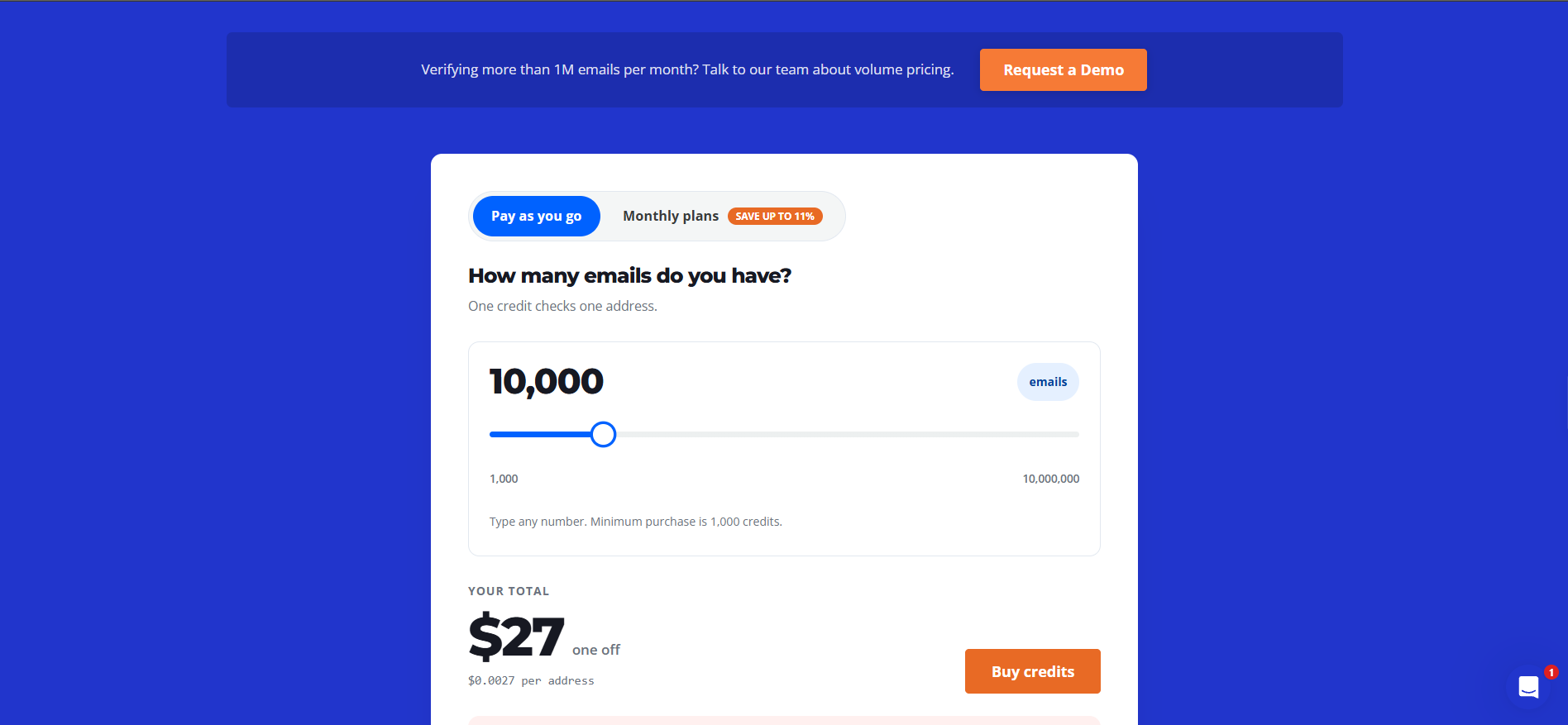
Credits bought this way never expire, so unused balance carries forward indefinitely.
Credits
Price
Per Address
1,000
$5
$0.0050
5,000
$17
$0.0034
10,000
$27
$0.0027
25,000
$54
$0.0022
50,000
$98
$0.0020
100,000
$186
$0.0019
250,000
$384
$0.0015
500,000
$494
$0.0010
1,000,000
$659
$0.0007
EmailListVerify Monthly Plan Pricing
Monthly credits refresh at the start of each billing cycle, and anything you have not used is lost.
Credits Per Month
Price Per Month
Per Address
5,000
$16
$0.0032
10,000
$25
$0.0025
25,000
$49
$0.0020
50,000
$89
$0.0018
100,000
$168
$0.0017
250,000
$346
$0.0014
500,000
$446
$0.0009
1,000,000
$594
$0.0006
Anything beyond a million emails a month moves to custom volume pricing, and no figures are published for that tier.
What a Four to Five Person Outbound Team Pays for EmailListVerify
Take a team verifying 50,000 contacts a month and run the numbers through both routes.
The monthly plan at 50,000 credits costs $89, which works out to $0.0018 per contact
Pay as you go at 50,000 credits costs $98, which works out to $0.0020 per contact
Choosing monthly saves you $9, or roughly nine percent
So the monthly plan wins on paper. It only wins in practice if your volume is steady, because unused credits disappear at the end of each cycle.
Here is the detail most buyers miss. High quality verification consumes two credits per email, so that same $89 covers 25,000 contacts rather than 50,000.
If you run high quality across the whole list, budget for double. One G2 reviewer made the related point that the cheapest per-credit rates require a monthly commitment, which campaign-driven buyers rarely want. Source: G2 review
For how these rates sit against the rest of the category, I compared the options in my roundup of the best email verifiers.
EmailListVerify Accuracy and What the Claim Leaves Out
Accuracy is why you are reading a review rather than a pricing page, so this deserves its own section.
EmailListVerify publishes two different accuracy figures. One is 99 percent and the other is 97 percent, and neither comes with a methodology, a sample size or a test date.
I would work from 97 percent, since that is the figure attached to the functional product pages rather than the marketing stat.
User reports are more useful than either number anyway. Reviewers rate accuracy well in general, and two exceptions come up repeatedly.
The first is catch-all domains, where no verifier can confirm an individual mailbox. The second is Gmail, where errors have been reported through 2026, and I cover that in the complaints section below.
EmailListVerify Reviews and Ratings Across G2, Capterra and Trustpilot
Ratings sit higher here than I expected before reading through them.
G2: 4.6 out of 5
Capterra: 4.4 out of 5, with ease of use leading the sub-scores at 4.6
Trustpilot: 4.3 out of 5
The written reviews are more revealing than the scores, and five themes repeat on each side.
What Reviewers Like About EmailListVerify
1. The Pricing Sits Below Almost Every Competitor in the Category
Many reviews across all three platforms name price as the reason they switched across or stayed put. One Capterra reviewer summed the view up by saying the pricing offers "excellent value for money." Source: Capterra review
2. Granular Status Codes Give Outbound Teams Real Control
Cold email reviewers value deciding how to treat each bucket themselves rather than inheriting a vendor threshold. The CTO quoted earlier said the spam trap and disposable detection alone would justify the spend. Source: G2 review
3. Pay As You Go Removes the Monthly Commitment Problem
Several reviewers chose EmailListVerify specifically because they do not verify every month. One agency owner on Trustpilot put it plainly, noting the company is not "trying to take your money every month." Source: Trustpilot review
4. Setup Is Quick Enough to Finish in a Single Sitting
Ease of use is the strongest Capterra sub-score, and the written reviews back that up. One G2 reviewer reported that the initial setup "took less than five minutes." Source: G2 review
5. Support Gets Named Positively Even Inside Critical Reviews
This pattern stood out, because it rarely happens. The reviewer who logged a two-star complaint about verification errors still added that the "support team is very responsive." Source: Trustpilot review
Another reviewer whose account was compromised reported that support verified the account and restored every stolen credit. Source: Trustpilot review
What Reviewers Complain About in EmailListVerify
1. The EmailListVerify Interface Looks Dated
This theme repeats across all three platforms, which makes it the most consistent criticism. One Capterra reviewer was blunt and said the application "looks horrible." Source: Capterra review
A G2 reviewer and a second Capterra reviewer raised the same point more gently, asking for a more modern interface and clearer reporting.
2. Gmail Verification Errors Have Persisted for Several Months
This is the complaint I would want resolved before committing budget. A September 2026 Trustpilot review reports daily smtp_protocol errors on Gmail addresses running "for several months now." Source: Trustpilot review
Those results are not charged, which is fair of them. But an uncharged result is still an unverified contact, and Gmail accounts for a large share of almost any list.
3. Catch-All Accuracy Leaves the Decision With You
Catch-all domains return ok_for_all, which confirms the server accepts everything but not that the mailbox exists. One Capterra reviewer asked directly for better verification quality on catch-all addresses. Source: Capterra review
High quality verification does not solve this, because greylisting handling is irrelevant to a server that accepts every address it receives.
4. Bulk Speed Degrades on Larger Lists
The stated throughput is 100,000 emails per hour per customer. One Capterra reviewer reported the opposite experience, finding it slow beyond 5,000 emails and poor value above 25,000. Source: Capterra review
That review dates to late 2024, so the infrastructure may well have improved since. I could not find a newer report that either confirms or contradicts it.
5. One G2 Review Was Submitted in Exchange for Credits
I am flagging this because it changes how you should read the five-star reviews on that page.
G2 has labelled one review as coming from a business partner and excluded it from scoring, and the body of that review asks for "the credits promised" in return for the recommendation. Source: G2 review
G2 caught it and discounted it, so the system worked. Two further reviews across G2 and Capterra carry incentivised labels, so weight the organic ones more heavily.
EmailListVerify Limitations to Weigh Before You Buy
1. The EmailListVerify Accuracy Claim Is Not Backed by a Test
Two different figures are published, and neither arrives with a methodology, a sample size or a date. Treat both as marketing numbers until an independent benchmark exists.
2. The EmailListVerify Bulk Email Finder Is Locked to the Web App
It handles up to 40,000 rows with no API access whatsoever. For teams running enrichment through code, this feature effectively does not exist.
3. EmailListVerify Monthly Credits Expire at the End of Each Cycle
Pay as you go credits never expire, while monthly credits reset. Teams with uneven sending volume will lose credits they have already paid for.
4. EmailListVerify Publishes No SLA or API Rate Limits
Support responsiveness gets praised repeatedly in reviews, yet nothing is contractually promised. API rate limits are enforced per endpoint but never documented publicly.
5. EmailListVerify Accepts Only Three File Formats
CSV, TXT and XLSX are the only options, and there is no paste-a-list input box. Anything held in another format needs converting before you can run it.
Who Should Use EmailListVerify and Who Should Skip It
EmailListVerify Is a Good Fit If
You run cold outbound and want to set your own rules for each status code
You verify in bursts rather than monthly, so never-expiring credits suit your cycle
You sell into the EU and need a DPA, EU storage and no post-verification retention
You are building verification into a CRM intake flow or an enrichment pipeline
You verify under 50,000 contacts a month and want the lowest possible entry cost
EmailListVerify Is Not the Right Fit If
Your lists are Gmail-heavy and the smtp_protocol issue remains unresolved
You need bulk email finding through the API rather than through a web app
Your source data arrives in formats outside CSV, TXT and XLSX
You need contractual support response times for high-volume runs
Interface quality matters to the stakeholders you report results to
If your verification comes back clean and the campaign still underperforms, the problem has moved downstream of your list. That usually shows up first in your cold email metrics rather than in your bounce log.
The Best EmailListVerify Alternative for Cold Email Teams
EmailListVerify does verification properly and charges very little for it. If that single job is genuinely all you need, buy a credit pack and get on with your campaigns.
The question worth asking first is why you are verifying at all.
Most teams arrive at a verifier because bounce rates climbed and a mailbox started struggling. Verification treats one cause of that problem, while three or four others usually run alongside it.
Salesforge approaches the same problem from the other end, because verification sits inside the platform that sends your campaigns rather than beside it.
A free email verifier that runs eight checks and scores each address from 0 to 100
Bulk verification on the same engine inside paid plans, feeding directly into sequences
Unlimited mailboxes with no per-seat pricing as your team grows
Warmup and deliverability monitoring handled through Warmforge
Primebox™ for replies across email and LinkedIn in one inbox
Agent Frank as an AI SDR when you want prospecting and follow-up handled for you
Plans start at $48 a month, and the verifier itself costs nothing to try.
So the comparison is not really about credit pricing. It is about whether you want one tool fixing bounces or a connected stack that protects sender reputation while it sends.
Is EmailListVerify Worth It in 2026?
Yes, for most small and mid-size outbound teams.
The product is better engineered than its price suggests. You get eleven status codes with four of them free, a serious data protection setup, and an API that reviewers enjoy working with.
What I would not do is treat the accuracy figure as fact, because two different numbers are published and no test supports either one.
I would also run a small paid batch of Gmail addresses before committing to a large credit pack. The smtp_protocol complaint is recent enough to matter, and it is the one issue that would change my recommendation outright.
EmailListVerify publishes accuracy figures of 97 and 99 percent, neither of which includes a methodology or test date. Reviewers rate accuracy well in general, with catch-all domains and Gmail verification errors as the two recurring exceptions worth testing yourself first.
How much does EmailListVerify cost?
Pay as you go starts at $5 for 1,000 credits and reaches $659 for a million. Monthly plans start at $16 for 5,000 credits a month and reach $594 for a million. Monthly works out roughly nine percent cheaper at equivalent volume.
Do EmailListVerify credits expire?
Pay as you go credits never expire. Monthly subscription credits refresh at the start of each billing cycle, and anything unused is lost. If your volume moves around from month to month, pay as you go protects credits you have already paid for.
How does EmailListVerify handle catch-all emails?
Catch-all addresses return the status code ok_for_all, which confirms the server accepts everything but not that the individual mailbox exists. EmailListVerify leaves that judgement to you, and high quality verification does not change the outcome for these domains.
Is EmailListVerify GDPR compliant?
EmailListVerify operates as a Slovak entity and acts as a Data Processor under GDPR. EU data sits on AWS servers inside the EU, encryption is AES-256 at rest, a DPA is published, and data is not retained once verification completes. Annual third-party audits are also carried out.
Does EmailListVerify have an API?
Yes. The REST API follows OpenAPI 3.0 with x-api-key authentication, covering single verification, asynchronous bulk jobs, disposable checks, blacklist checks and inbox placement tests. Bulk email finding is the notable exception, because it runs in the web app only.
What is the best EmailListVerify alternative?
Salesforge suits teams who want verification connected to sending rather than sitting beside it. Its free email verifier scores addresses from 0 to 100 across eight checks, and bulk verification inside paid plans feeds straight into campaigns, warmup and reply management.
Book more meetings on autopilot
Set up in minutes. No per-seat pricing. No commitment.