

Botdog is a minimalist cloud tool for LinkedIn automation: connection requests, messages, and follow-ups. Expandi is a LinkedIn tool that can add email follow-ups to a sequence. Neither sends cold email at scale, neither includes email infrastructure or warm-up, and both bill per seat.
For real multi-channel B2B outbound, Salesforge is the stronger choice. You get email and LinkedIn in one dashboard, no per-seat pricing, free Warmforge warm-up, the Primebox™ unified inbox, and an optional AI SDR, Agent Frank. Plans start at $48/mo monthly ($40/mo annual).
I've run outbound for B2B teams where LinkedIn opened the door and email carried the follow-up. When you shop for a tool, the first fork is simple: do you want LinkedIn automation, or a full outbound engine?
Botdog and Expandi sit on the LinkedIn side. Botdog stays light and cheap. Expandi adds heavier sequences and can tack email follow-ups onto a LinkedIn flow. Salesforge is the outbound engine: email plus LinkedIn, infrastructure, warm-up, and an AI SDR under one login.
That gap matters. UniteSync ran on Salesforge, Mailforge, and Warmforge to an 85.26% positive reply rate. You can't build that on a LinkedIn-only tool. Here's how the three compare.
Cold Outreach Tools Compared at a Glance: Botdog vs Expandi
Here is the short version before the detail. The table below covers the dimensions that actually change your results and your bill.
| Feature | Salesforge | Botdog | Expandi |
|---|---|---|---|
| Outreach channels | Email + LinkedIn | LinkedIn only | LinkedIn + email follow-ups |
| Entry price | $48/mo monthly ($40/mo annual) - Pro | $35/mo per account (billed annually) - Starter | $99/mo monthly ($79/mo annual) per seat - Business |
| Top self-serve plan | $96/mo monthly ($80/mo annual) - Growth (unlimited users + LinkedIn senders) | $49/mo per account - Professional + AI | Agency - custom (10+ seats) |
| Email infrastructure | 3 options (Mailforge, Infraforge, Primeforge) | None | None |
| Email warm-up | Free, unlimited (Warmforge) | None | LinkedIn profile warm-up only |
| AI SDR | Agent Frank (separate subscription, $499/mo billed quarterly) | None | None |
| Unified inbox | Primebox™ (free, reply from inbox) | Unified inbox (Professional plan) | Smart Inbox (can't reply for teammates) |
| LinkedIn senders | Unlimited (Growth plan) | Per account | Per seat |
| Per-seat pricing | No | Per LinkedIn account | Per LinkedIn seat |
| Free trial | 14 days | 7 days (no card) | 7 days (no card) |
| SOC 2 compliant | Yes | Not stated | Not stated |
| Best for | SMB/mid-market B2B, $5K-$100K ACV | Solo LinkedIn outreach, small teams | LinkedIn-focused reps and agencies |
Botdog Overview
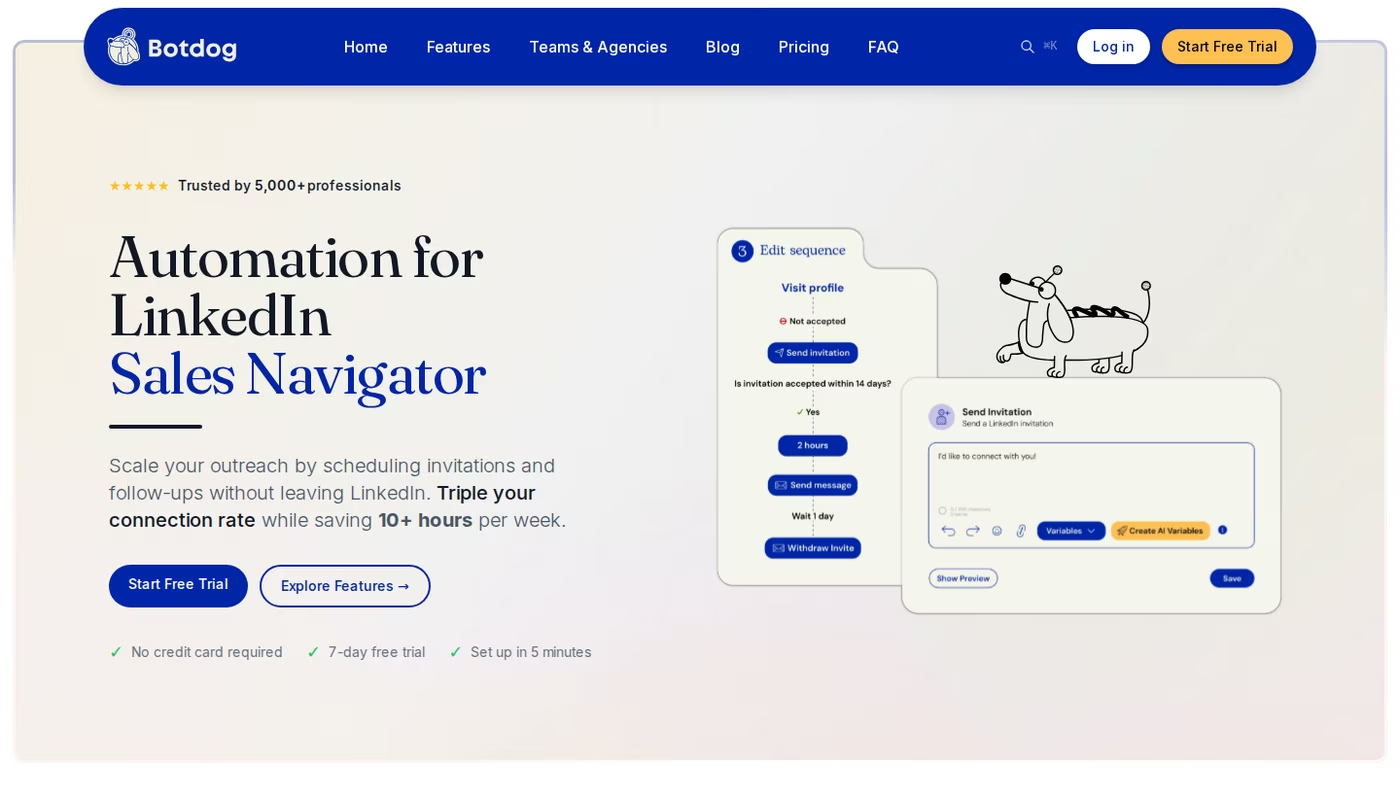
Botdog is a cloud-based LinkedIn automation tool built for speed and simplicity. It schedules connection requests, messages, and follow-ups so you don't do them by hand, and it runs in the cloud, so your computer doesn't need to stay on. The homepage sums up the pitch: automation for LinkedIn, set up in about five minutes.
Core features include:
- Unlimited connection requests and messages on every plan
- Message sequences, from basic steps up to complex flows with images and video
- Voice notes inside sequences
- Automated invitation withdrawal to keep pending requests tidy
- LinkedIn search export and imports from Sales Navigator, Apollo, and post engagement
- Team management with role-based access and no password sharing
- A unified inbox, plus API, webhook, and Zapier access on the Professional plan
- AI filters, AI personalization variables, and message optimization on the top tier
Pricing is per LinkedIn account, billed annually: Starter at $35/mo, Professional at $39/mo, and Professional + AI at $49/mo. Monthly billing costs more, and annual billing carries roughly a two-month discount. The trial runs 7 days with no credit card. It's one of the cheaper tools in the category, and the reviews in the Botdog review back up the "easy to use" reputation.
Botdog fits founders, freelancers, consultants, and small SDR teams who want LinkedIn outreach without learning a heavy platform. It's a consistency tool more than a growth engine.
The honest limits worth knowing:
- It's LinkedIn only. There's no cold email, no mailbox provisioning, no warm-up, no CRM, and no lead database.
- AI personalization sits on the $49/mo tier, so the cheaper plans are manual.
- Advanced sequences have a small learning curve.
- The real cost depends on the rest of your stack. If email is part of your motion, you'll add separate tools for it.
Expandi Overview
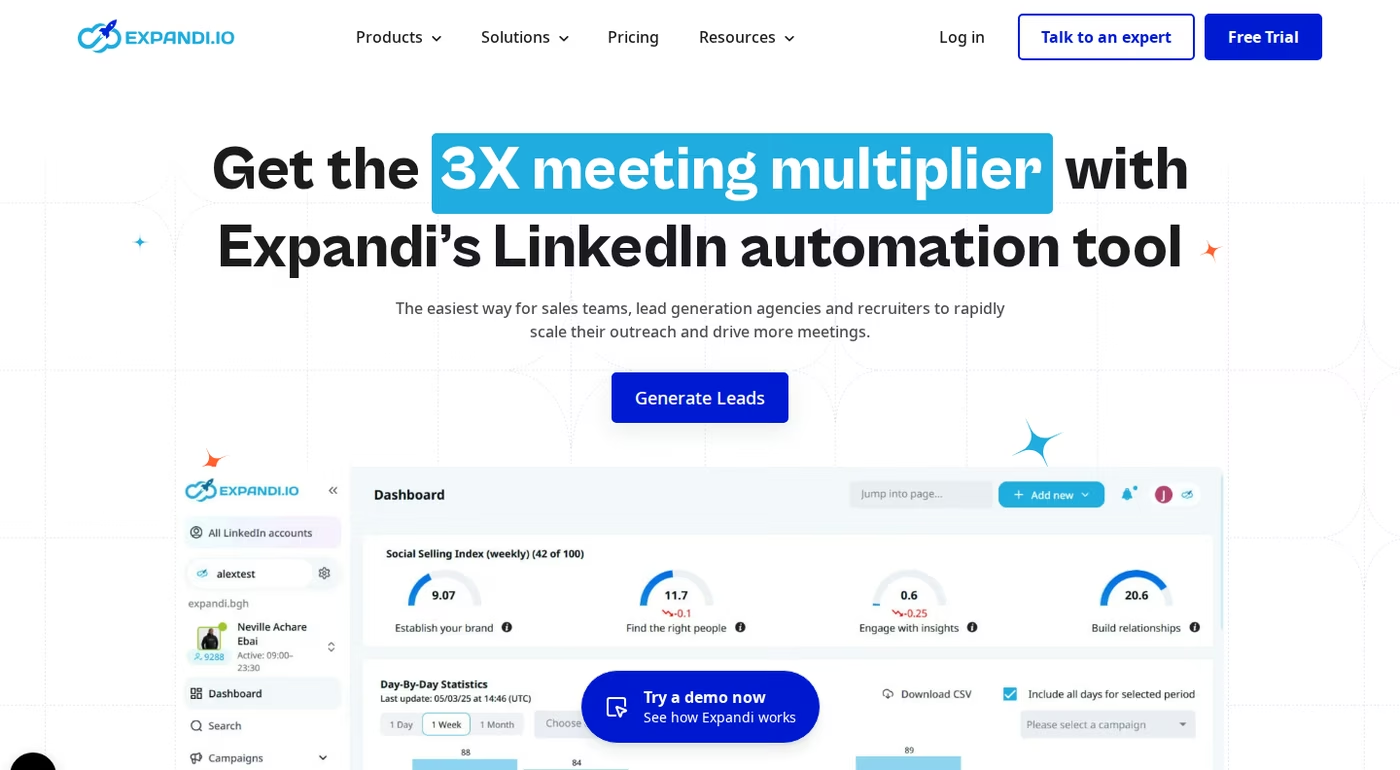
Expandi is a cloud-based LinkedIn automation tool founded in 2019 in Eindhoven, Netherlands. It's bootstrapped and reports use by more than 12,500 businesses. It automates connection requests, messages, and follow-ups from the cloud, and gives each account a dedicated country-based IP for account safety.
Core features include:
- Smart sequences with if/action conditional logic that branch on prospect behavior
- Multichannel steps: connection requests, messages, and email follow-ups in one sequence
- Profile auto warm-up and smart daily limit ranges (roughly 300 connection requests per week)
- Campaign prioritization, unlimited campaigns, and dynamic placeholders
- A Smart Inbox that pulls LinkedIn and email replies together
- Image and GIF personalization through the paid Hyperise add-on, and video through Sendspark
- Integrations with HubSpot, Pipedrive, Zapier, Slack, and Google Sheets
Pricing is $99/mo per seat on the Business plan, or $79/mo per seat billed annually (a 20% discount Expandi frames as two months free). The Agency plan for 10+ seats and white-label is custom, and you have to book a call to see it. The trial is 7 days with no card. I compared Expandi versus Skylead separately, and Expandi also has a directory profile.
What reviewers say

Expandi holds around 4.2 on G2 and a similar score on Trustpilot, and its safety features are a real selling point. But account restrictions show up repeatedly in critical reviews across Trustpilot, G2, and Capterra. Expandi's own footer even states that use of the tool is "at your own risk." Reviewers also flag a learning curve of a few hours and note that the eye-catching image and video personalization needs paid add-ons on top of the base price.
Expandi fits individual reps and small teams that treat LinkedIn as their primary channel, plus agencies managing several client accounts. Its documented limits: per-seat pricing that climbs fast, personalization add-ons that raise the real cost, no email infrastructure or email warm-up, and a Smart Inbox where you can view teammates' replies but can't respond on their behalf.
Salesforge Overview
Salesforge is an all-in-one cold outreach platform that runs email and LinkedIn from a single dashboard. It's the outreach layer of the Forge Stack, a family of products that also covers email infrastructure, deliverability, and lead data, so the pieces connect natively instead of being duct-taped together.
Core features include:
- Conditional multi-channel sequences across email and LinkedIn
- Unlimited mailboxes on every plan, with smart mailbox and IP rotation
- Unlimited LinkedIn senders on the Growth plan (no seat-based pricing)
- Free Warmforge warm-up, premium-by-default, with the Heat Score™ health metric
- Primebox™, a free unified inbox for email and LinkedIn with sentiment analysis
- Overdrive Mode for multi-source AI personalization
- An optional AI SDR, Agent Frank, who prospects, writes, follows up, and books meetings
- Native CRM integrations (HubSpot, Salesforce, Pipedrive, Clay), plus API and an MCP server
- Multi-language sequences in 20+ languages and SOC 2 compliance
Because Salesforge is part of a stack, you can add shared email infrastructure (Mailforge), private dedicated infrastructure (Infraforge), or Google and Microsoft mailboxes (Primeforge) as you scale. Warmforge and Primebox™ come free with every subscription.
Two features do the heavy lifting day to day. Overdrive Mode writes each message from multiple sources, so personalization scales without manual editing. Agent Frank runs on Auto-Pilot for hands-off outbound, or Co-Pilot when you want to approve drafts first. Every plan includes unlimited mailboxes and unlimited contact storage, plus a 14-day free trial, so you can test the full workflow before you commit a cent.
Pricing is straightforward. The Pro plan is $48/mo billed monthly or $40/mo billed annually. The Growth plan is $96/mo monthly or $80/mo annually and adds unlimited users, unlimited LinkedIn senders, A/B testing, API access, and the full integrations library. Agent Frank is a separate subscription from $499/mo billed quarterly, not part of Pro or Growth.
Salesforge fits B2B teams selling at $5K to $100K ACV to startups, SMBs, and mid-market buyers, especially anyone targeting 3,000+ businesses who is tired of per-seat tools. Salesforge itself says it's a poor fit for Fortune 500 procurement, long RFP cycles, and six- or seven-figure bespoke deals.
The honest limits: email infrastructure isn't included in the base plan, several features (API, A/B testing, ESP matching, Primebox AI) sit on Growth, and Agent Frank needs a sales-led demo plus a two-week warm-up before he sends. For proof it holds up at scale, ChannelCrawler reached an 85.71% positive reply rate on Salesforge, Infraforge, and Warmforge.
Start Your Free Salesforge Trialin Action

Head-to-Head Feature Comparison: Botdog vs Expandi
Below I break the comparison into the dimensions that decide outcomes. Each one shows what the LinkedIn tools include and where Salesforge covers more ground.
Multi-channel outreach
This is the widest gap. Prospects don't live on one channel, so single-channel motions leave replies on the table.
- Botdog: LinkedIn only. No email steps at all.
- Expandi: LinkedIn-first, with email follow-ups you can add inside a sequence. It does not provide the mailboxes or infrastructure those emails send from.
- Salesforge: email and LinkedIn as first-class channels in one conditional sequence, plus the infrastructure to send at volume.
If you want the mechanics of blending both, the LinkedIn outreach playbook walks through a day-by-day cadence.
Email deliverability and warm-up
Deliverability decides whether email lands. It's also where LinkedIn-only tools have nothing to offer, because they don't touch email.
- Botdog: no email, so no deliverability tooling.
- Expandi: a LinkedIn profile warm-up feature, but no email warm-up, inbox placement testing, or domain health monitoring.
- Salesforge: free, unlimited Warmforge warm-up on a premium-by-default pool, with the Heat Score™ metric (97+ is healthy) and placement testing.
Here's a full walkthrough of running email and LinkedIn together in Salesforge:
AI and personalization
Personalization drives reply rates, and the three tools reach it very differently.
- Botdog: AI filters and AI personalization variables sit on the top Professional + AI tier at $49/mo.
- Expandi: dynamic placeholders on every plan, with image and GIF personalization available through the paid Hyperise add-on.
- Salesforge: Overdrive Mode writes from multiple sources, and Agent Frank runs the full workflow on Auto-Pilot or Co-Pilot in 20+ languages.
Inbox management and reply handling
Once replies land, someone has to manage them, ideally in one place.
- Botdog: a unified inbox on the Professional plan.
- Expandi: a Smart Inbox that merges LinkedIn and email replies, though you can view but not reply on a teammate's behalf.
- Salesforge: Primebox™ is free on every plan, unifies email and LinkedIn, tags sentiment, and drafts AI replies on the Growth plan.
Pricing and scalability
Headline price is one thing; how the bill behaves as you grow is another.
- Botdog: $35 to $49/mo per LinkedIn account, billed annually. Cheap per account, and it climbs with each account you add.
- Expandi: $99/mo per seat ($79 annual), plus paid add-ons for visual personalization. Five seats is roughly $495/mo before add-ons.
- Salesforge: the Growth plan is $80/mo annually with unlimited users and unlimited LinkedIn senders, so adding people doesn't multiply the bill.
If seat math is pushing you toward renting profiles, this rent LinkedIn accounts guide covers doing it safely.
Integrations and stack
Your tool should fit the systems you already run.
- Botdog: HubSpot and Attio, plus API, webhooks, and Zapier on the Professional plan.
- Expandi: HubSpot, Pipedrive, Zapier, Slack, and Google Sheets, with an API available.
- Salesforge: native HubSpot, Salesforce, Pipedrive, and Clay, plus API access, an MCP server, and the connected Forge Stack.
For a wider field of options, see the roundups of multichannel outreach tools and LinkedIn outreach tools.
Pricing Comparison: What Each Tool Really Costs
The table isolates pricing so you can weigh it directly. Plan names are prefixed by vendor to avoid mixups.
| Plan | Salesforge | Botdog | Expandi |
|---|---|---|---|
| Entry plan | Salesforge Pro - $48/mo monthly ($40/mo annual) | Botdog Starter - $35/mo per account (annual) | Expandi Business - $99/mo ($79/mo annual) per seat |
| Mid plan | Salesforge Growth - $96/mo monthly ($80/mo annual) | Botdog Professional - $39/mo per account (annual) | - |
| Top plan | Growth - unlimited users and LinkedIn senders | Botdog Professional + AI - $49/mo per account (annual) | Expandi Agency - custom (10+ seats) |
| AI SDR | Agent Frank - separate, from $499/mo billed quarterly | None | None |
| Free trial | 14 days | 7 days (no card) | 7 days (no card) |
The scaling story is the real difference. Botdog and Expandi both bill per LinkedIn account or seat, so a three-person team pays three times the sticker price. Expandi's visual personalization also lives in paid add-ons, which pushes the effective cost above the base $99.
Say you're a three-person team running email plus LinkedIn. On Expandi that's about $237/mo for three Business seats (annual), and you still have no email infrastructure or warm-up. On Botdog it's roughly $117/mo for three Professional accounts, and email isn't covered at all, so you'd bolt on a separate email tool. On Salesforge, one Growth plan at $80/mo annual covers unlimited users and unlimited LinkedIn senders, with free Warmforge warm-up and Primebox™ included. You pay for mailboxes and optional infrastructure on top, but the outreach layer doesn't multiply per head.
Who Should Use Botdog, Expandi, or Salesforge
You might consider Botdog if:
- Your outreach is LinkedIn-only and you want the simplest, cheapest way to automate it
- You're a solo founder or small team that values a 5-minute setup over deep features
- You don't need email, warm-up, or a lead database in the same tool
You might consider Expandi if:
- LinkedIn is your primary channel and you want conditional sequences with a dedicated IP
- You're an agency managing several LinkedIn accounts and can absorb per-seat pricing plus add-ons
Choose Salesforge if:
- You sell B2B at $5K to $100K ACV to startups, SMBs, or mid-market buyers and target 3,000+ businesses
- You want email and LinkedIn in one conditional sequence, not two disconnected tools
- You're done paying per seat and want unlimited users and LinkedIn senders on one plan
- You need real deliverability: free Warmforge warm-up, mailbox rotation, and infrastructure options
- You want the option to hand prospecting to an AI SDR with Agent Frank
Final Verdict: Which Outreach Tool to Choose
Botdog and Expandi are capable LinkedIn tools. Botdog keeps LinkedIn automation simple and cheap; Expandi adds heavier sequences and a dedicated IP. Both stop at the edge of email, and both bill per seat.
For teams that need real multi-channel B2B outbound, Salesforge is the stronger choice. It runs email and LinkedIn together, includes free Warmforge warm-up and Primebox™, skips per-seat pricing on Growth, and offers an optional AI SDR that no LinkedIn-only tool matches.
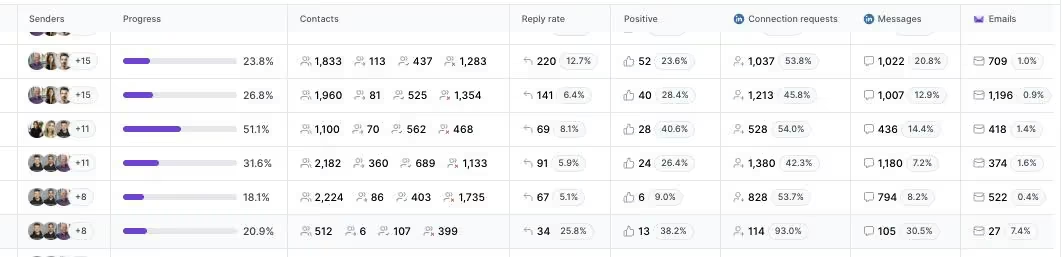
One benchmark you can hold Salesforge to: VAI Consulting had three calls booked in a single week by Agent Frank, and UniteSync hit an 85.26% positive reply rate with a $2.86 CAC on the Forge Stack. Those case studies are public.
Want to weigh other matchups first? Browse the comparison library, or start a trial and test it against your own list.
See What Salesforge Can DoFrequently Asked Questions
Is Salesforge better than Botdog or Expandi?
For multi-channel B2B outbound, yes. Salesforge runs email and LinkedIn from one dashboard, includes free Warmforge warm-up and the Primebox™ inbox, and offers an optional AI SDR. Botdog and Expandi are LinkedIn-focused and don't include email infrastructure or warm-up. Botdog is a fair pick for simple, cheap LinkedIn-only automation, but it isn't a full outbound engine.
What's the main difference between Salesforge, Botdog, and Expandi?
Channels and scope. Botdog automates LinkedIn only. Expandi is LinkedIn-first and can add email follow-ups, but supplies no mailboxes or warm-up. Salesforge is an all-in-one platform: email plus LinkedIn, free warm-up, a unified inbox, three infrastructure options, and Agent Frank, all under one login with no per-seat pricing on the Growth plan.
Which is cheaper: Salesforge, Botdog, or Expandi?
Per seat, Botdog is cheapest at $35 to $49/mo per account (billed annually). Expandi is $99/mo per seat ($79 annual). Salesforge Pro is $48/mo monthly ($40 annual) and Growth is $96/mo monthly ($80 annual). Because Salesforge Growth gives unlimited users and LinkedIn senders, it's usually cheaper for a team than paying per seat on the other two.
Do Botdog and Expandi support email outreach?
Botdog does not; it's LinkedIn only, with no email steps at all. Expandi can add email follow-up steps inside a LinkedIn sequence, but it does not provide email infrastructure, mailboxes, or email warm-up. Salesforge runs true email and LinkedIn sequences together and offers three infrastructure products (Mailforge, Infraforge, Primeforge) plus free Warmforge warm-up on every plan.
Can I switch from Botdog or Expandi to Salesforge easily?
Yes. You connect your LinkedIn senders and mailboxes, import your contacts by CSV or Google Sheets, and rebuild your sequences in the visual builder. Salesforge offers a 14-day free trial with no credit card required, so you can run a full test campaign before moving over completely. Warm-up starts automatically on every connected mailbox.
Which tool has better email deliverability?
Salesforge, by default, because it's the only one of the three that touches email deliverability. It includes free, unlimited Warmforge warm-up on a premium pool, the Heat Score™ health metric, mailbox and IP rotation, and placement testing. Botdog has no email at all, and Expandi offers LinkedIn profile warm-up but no email deliverability tooling.
Does Salesforge offer a free trial?
Yes. Salesforge has a 14-day free trial with no credit card required, capped at 50 contacts and 100 emails so you can test the workflow. Warm-up and unlimited mailbox connections are available during the trial. Agent Frank is the exception: he requires a sales-led demo and a two-week warm-up rather than a self-serve trial.
Who is Expandi best for?
Expandi is a fit for individual reps and small teams that treat LinkedIn as their main channel, and for agencies managing several client accounts through workspaces. Buyers should budget for per-seat pricing that climbs quickly, paid add-ons for image and video personalization, and the account-safety risk that comes with any LinkedIn automation tool.
.jpg)

.jpg)

.jpg)
