
Apollo is a per-seat sales platform with a 240M+ contact database, sequences and a dialer, from $49/seat/mo billed annually. Salesloft is a quote-only enterprise platform for cadences and forecasting, now merged with Clari. In both, a rep has to trigger or complete LinkedIn steps.
For multichannel B2B outbound, Salesforge is the stronger choice. It runs email and LinkedIn in one sequence, with free Warmforge warm-up, Primebox™ for every reply and no per-seat pricing. Plans start at $48/mo monthly ($40/mo annual).
Apollo vs Salesloft is a common shortlist when a team shops for sales engagement software. I checked both vendors' live pages, Apollo's help docs and recent Trustpilot reviews on November 7, 2026.
The two tools solve different problems. Apollo sells contact data with sequences attached, billed per seat plus credits. Salesloft sells an enterprise workflow through a sales-led quote, and its platform now includes Clari Forecast.
I also cover the option I'd pick for most SMB and mid-market teams: Salesforge, which runs email and LinkedIn in one sequence. UniteSync ran it with Mailforge and Warmforge to an 85.26% positive reply rate.
Sales Engagement Comparison at a Glance: Apollo vs Salesloft
| Feature | Salesforge | Apollo | Salesloft |
|---|---|---|---|
| Sending | Unlimited mailboxes on every plan; 5,000 or 50,000 emails/mo | Basic: 1 mailbox and 250 emails/day per user; Professional: unlimited Google and Microsoft mailboxes | Sends from each rep's connected mailbox |
| 6 native actions in one conditional sequence; unlimited senders on Growth | 4 LinkedIn task types a rep executes through the Chrome extension | LinkedIn steps a rep completes in Sales Navigator | |
| Personalization | AI personalization across 21+ languages; Overdrive Mode uses every source | AI Writing allowance by plan; AI Research per record | AI Email Steps write a personalized email for each Cadence step |
| Warm-up and infrastructure | Free, unlimited Warmforge; Mailforge, Infraforge and Primeforge under one login | Warm-up plus domain and mailbox purchasing, from Basic | None built in |
| Enrichment | Leadsforge: 500M+ contacts and waterfall enrichment, plus the LinkedIn email & phone finder Chrome Extension | 240M+ contacts and waterfall enrichment, paid in credits | No contact database of its own |
| Inbox | Primebox™ for email and LinkedIn replies on every plan; AI reply modes on Growth | Email inbox with sentiment tags | Replies sync as rep activity |
| Analytics | Cross-channel analytics; A/B testing on Growth | Reports; A/Z testing from Professional | Cadence analytics, call insights and Clari Forecast |
| Integrations | Native CRM integrations, API on Growth, MCP server and CLI | CRM integrations from Basic, plus API access | CRM sync, partner integrations and MCP queries |
| AI SDR | Agent Frank, a separate plan from $499/mo billed quarterly; the stack can also be run by your team or a Forge Expert agency | AI Assistant, still marked introductory | AI agents that prep meetings and trigger deal plays |
| Pricing | Pro $48/mo monthly ($40 annual); Growth $96/mo monthly ($80 annual) with unlimited users | $65-$99/seat/mo monthly; $49-$119/seat/mo annual | Not published; Vendr median $30,740/yr |
| Free trial | 14 days | Free plan; 14-day trial on Basic and Professional | None; self-guided tour and demo |
| Best for | B2B teams with $5K-$100K ACVs at startups, SMBs and mid-market companies | Small teams that want data and sequences per seat | Enterprise teams that want cadences plus forecasting |
Apollo Overview: Sales Database, Sequences and Dialer
Apollo is a sales platform that pairs a 240M+ contact database with sequences, a dialer and deal tracking. Apollo says more than 600,000 companies use it. You pay per seat, plus credits for data.
Apollo core features
- Contact database: 240M+ contacts and 30M+ accounts, with intent topics and website visitor identification.
- Sequences: automatic and manual emails, calls, action items and LinkedIn tasks, with A/Z testing from Professional.
- Dialer: a US dialer on paid plans at 1 credit per 30 seconds. The Advanced Dialer add-on adds parallel, power and international calling for $119/team/mo annual.
- Deliverability Suite: email warm-up plus domain and mailbox purchasing, from Basic.
- Enrichment: waterfall enrichment and CSV, CRM and API enrichment, from Basic.
- AI tools: an AI Assistant and AI Research on every plan, plus AI lead scoring from Professional.
- Call recording: 150 minutes on Free and Basic, 4,000 on Professional and 8,000 on Organization.
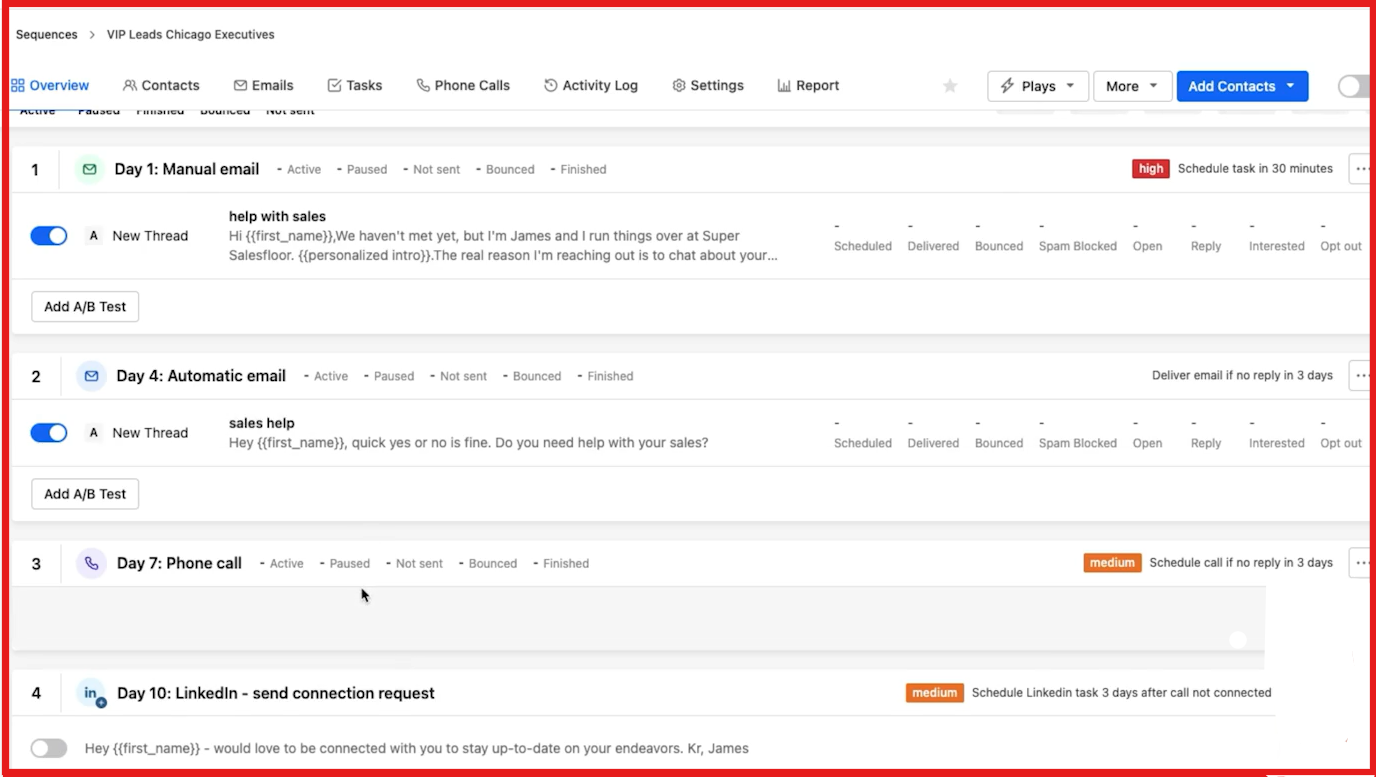
That Day 10 step waits in the rep's task list. Apollo's help docs say the rep selects tasks and clicks Execute, and the Chrome extension then sends them in LinkedIn.
Apollo pricing
- Apollo Free: $0, with 75 credits per seat per month, 2 sequences, 1 mailbox and 250 emails a day.
- Apollo Basic: $65/seat/mo monthly or $49/seat/mo annual, with 30,000 credits per seat per year on annual billing.
- Apollo Professional: $99/seat/mo monthly or $79/seat/mo annual, with 48,000 credits per seat per year on annual billing.
- Apollo Organization: $119/seat/mo billed annually, with a 3-seat minimum and 72,000 credits per seat per year.
An email costs 1 credit and a phone number costs 8. Credits are pooled across the team, and every seat must be on the same plan. For a deeper look, read this hands-on Apollo review.
Who Apollo is best for
Apollo fits small sales teams that want contact data, email sequences and calls in one tool and accept per-seat pricing. It works best for teams that mostly call US numbers, since the base dialer is US-only.
Apollo limitations
- Costs grow with headcount: 10 reps on Apollo Professional cost $990/mo on monthly billing.
- Apollo Basic allows 1 mailbox per user, capped at 250 emails a day, so real volume needs Professional.
- LinkedIn tasks only run when a rep executes them through the Chrome extension, and automated messages don't work with an active Sales Navigator subscription.
For a two-way breakdown, see Salesforge vs Apollo.
What Apollo reviewers say
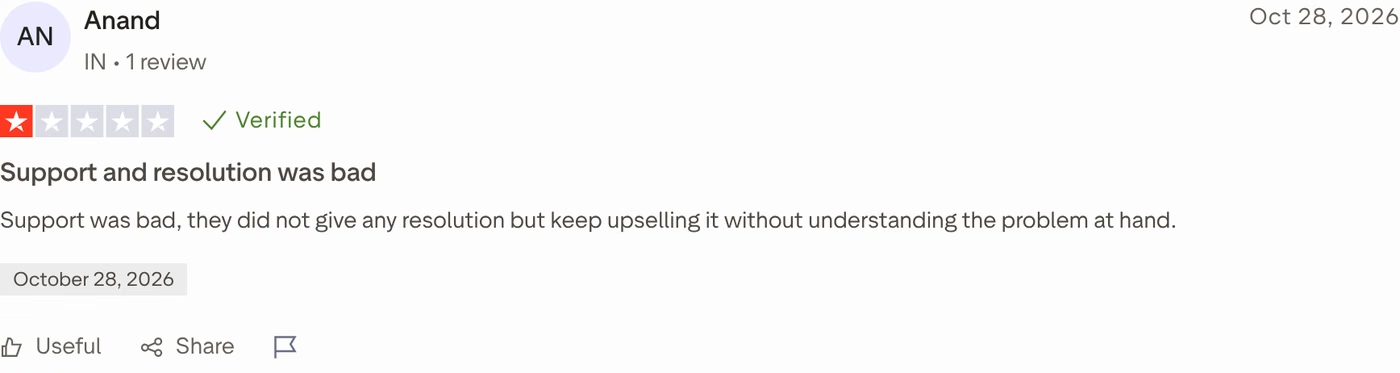
Apollo has 1,392 Trustpilot reviews and a 3.2 score. A 3-star reviewer in September 2026 said linking mailboxes and warming them up took several support agents.
Salesloft Overview: Cadences, Rhythm and Clari Forecast
Salesloft is a revenue platform for enterprise sales teams. It merged with Clari in December 2025, and its login menu now lists Salesloft, Clari Forecast, Conversations, Drift and Groove. Its pricing page redirects to a Talk to Sales page.
Salesloft core features
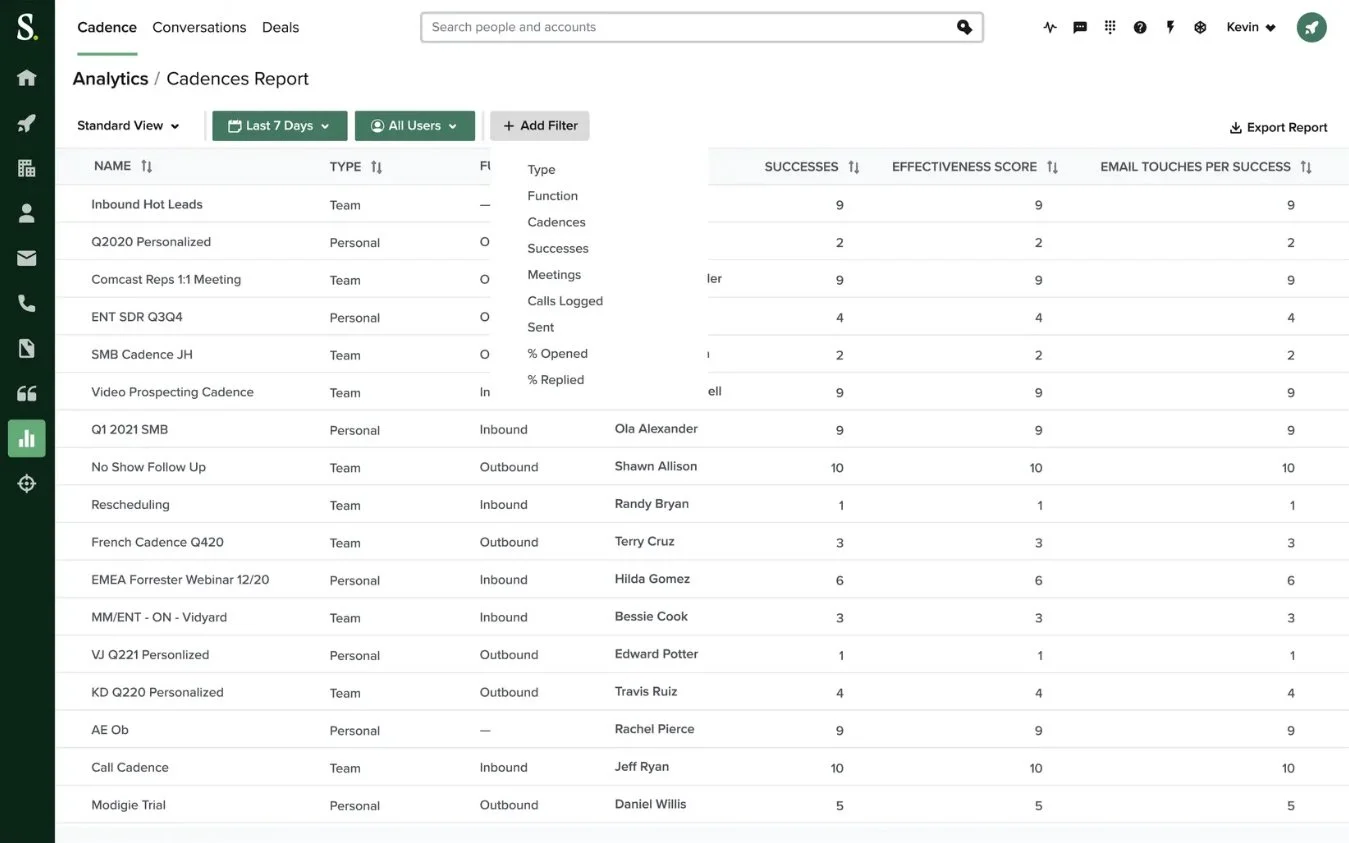
- Cadence: multi-step sequences of email, phone and LinkedIn steps, with AI Email Steps that write a personalized email each time a step runs.
- Rhythm: ranks accounts and tasks by buyer signals and suggests each rep's next action.
- Conversation Intelligence: call recording with AI insights on buyers and sellers.
- Deals and Inspect: opportunity management and pipeline visibility.
- Clari Forecast: forecasting, now part of the Salesloft platform.
- Drift: chat and engagement for website visitors.
- AI agents: agents that update meeting prep and trigger deal plays, plus data queries via MCP.
Salesloft pricing
Salesloft doesn't publish prices. Vendr's buyer data puts the median contract at $30,740 a year, based on 710 purchases.
- Salesloft Essentials: about $75-$100 per user per month, billed annually.
- Salesloft Advanced: about $125-$150 per user per month, the most-bought tier.
- Salesloft Premier: about $165-$200+ per user per month.
Vendr also reports a typical 10-15 seat minimum, onboarding at $5,000 to $25,000+, and yearly price increases of 5-8%.
Who Salesloft is best for
Salesloft fits enterprise sales teams with 10+ reps that want cadences, call recording and forecasting from one vendor. It also suits teams that already pay for Clari.
Salesloft limitations
- No free trial or public pricing, and contracts run annual or multi-year.
- No warm-up, mailboxes or contact database, so deliverability and data stay your job.
- LinkedIn steps are tasks a rep completes by hand.
- In August 2025, Google's threat intelligence team reported a data theft campaign that used compromised Salesloft Drift OAuth tokens. The attackers pulled data from customers' Salesforce instances.
If neither tool fits, these Salesloft alternatives are worth a look.
What Salesloft reviewers say
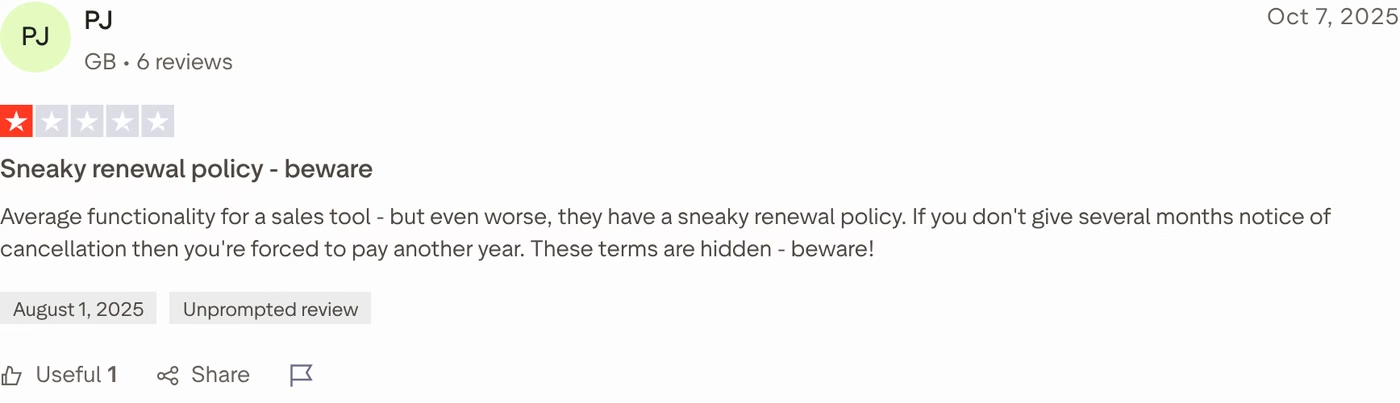
Salesloft's Trustpilot profile is small and unclaimed, with 19 reviews and a 2.2 score. A May 2026 reviewer said its dialer crashed at least once an hour.
Salesforge Overview: Multichannel Outreach on the Forge Stack
Salesforge is a multichannel outreach platform that runs cold email and LinkedIn as two channels of one sequence, with one inbox for replies. It is the outreach layer of the Forge Stack, where infrastructure, warm-up, lead data and an AI SDR share one login as separate subscriptions.
Salesforge core features
- Conditional sequences: if a LinkedIn connection request is accepted, a message follows; if not, the sequence falls back to email.
- Six native LinkedIn actions: connection requests, messages, InMails, post likes, follows and withdraw requests, capped at 30 per action per day per profile.
- Account safety: session-token login, so your LinkedIn password is never stored, plus proxies and no Chrome extension injection.
- AI personalization across 21+ languages: AI variables pull company news, LinkedIn activity and industry context, and Overdrive Mode uses every source.
- Unlimited mailboxes and workspaces: on every plan, with unlimited users and LinkedIn senders on Growth.
- Deliverability built in: free Warmforge warm-up, sender rotation, Bounce Shield, email validation, text-only emails and ESP matching on Growth.
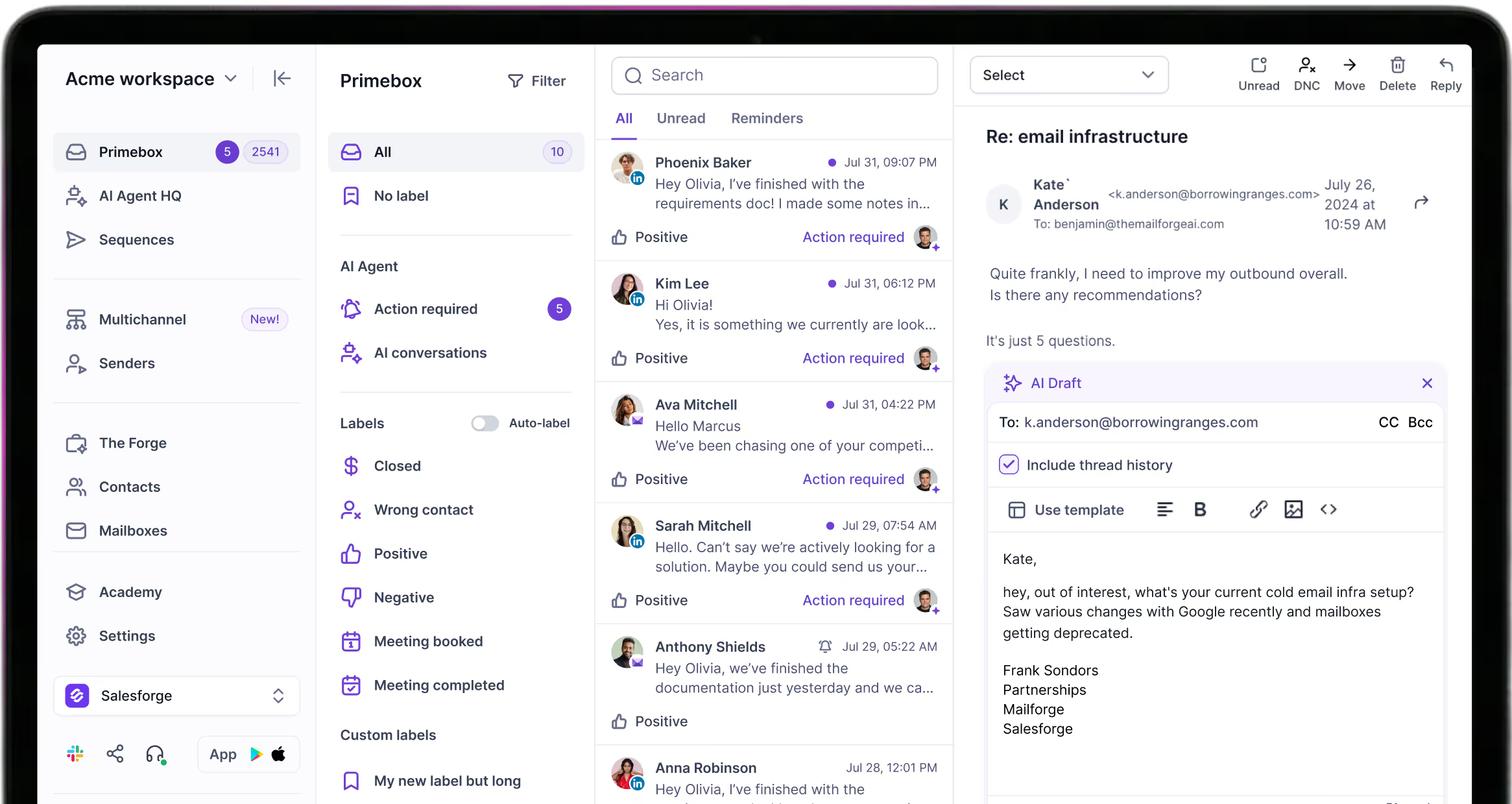
- Primebox™: one inbox for email and LinkedIn replies with sentiment tags, plus Autopilot and Co-pilot AI reply modes on Growth.
- LinkedIn email & phone finder Chrome Extension: powered by Leadsforge, with 100 free credits on signup.
- Testing and analytics: A/B testing on Growth, plus open, reply, acceptance and meeting rates in one dashboard.
- API, integrations and MCP: API access on Growth, native CRM integrations, and an MCP server and CLI for AI agents.
Mailforge, Infraforge and Primeforge supply shared, dedicated, and Google Workspace or Microsoft 365 mailboxes, and you can move between them without migrating. Woodpecker scaled to 2,500+ mailboxes on Infraforge.
Leadsforge sends verified leads from 500M+ contacts straight into sequences, with no CSV export. You can run the stack three ways: with your own team, with Agent Frank as an autonomous AI SDR, or with a vetted Forge Expert agency.
Salesforge pricing
Salesforge Pro costs $48/mo monthly or $40/mo billed annually. It covers 1,000 active contacts, 5,000 emails a month, 1 user and 1 LinkedIn sender.
Salesforge Growth costs $96/mo monthly or $80/mo billed annually. It covers 10,000 active contacts, 50,000 emails a month, unlimited users and unlimited LinkedIn senders.
Both plans include Warmforge and Primebox™, and one subscription covers both channels. Agent Frank is a separate subscription from $499/mo billed quarterly ($416/mo billed annually). You can verify the live price anytime.
Take Salesforge for a SpinWho Salesforge is best for
Salesforge fits B2B teams selling $5K-$100K deals to startups, SMBs and mid-market companies, with 3,000+ target businesses. Salesforge itself says it's a poor fit for Fortune 500 targets, long RFP cycles and six- or seven-figure deals.
ChannelCrawler ran Salesforge with Infraforge and Warmforge and reached an 85.71% positive reply rate.
Salesforge limitations
- Email infrastructure isn't included, so you connect your own mailboxes or buy them from a Forge product.
- API access, A/B testing, ESP matching, AI reply modes and the full integrations library need Growth.
- Agent Frank needs a sales demo and a 2-week warm-up before he starts sending.
- There's no built-in dialer yet; phone outreach is on the roadmap.
in Action
Head-to-Head Feature Comparison: Apollo vs Salesloft
Multichannel outreach and LinkedIn
Apollo: sequences mix automatic and manual emails, calls, action items and four LinkedIn task types. A rep runs those tasks in batches through Apollo's Chrome extension, which then sends the connection requests and messages. Apollo's own docs warn that executing too many at once can get a LinkedIn account flagged as a bot.
Salesloft: cadences mix email, phone and LinkedIn steps. A LinkedIn step opens the prospect in Sales Navigator, which needs a seat per rep, and the rep clicks send. Drift adds website chat for inbound visitors.
Salesforge: email and six native LinkedIn actions run on schedule in one sequence, with if/then branches, and they don't need a browser extension to run. Growth adds unlimited LinkedIn senders, so 10 reps' profiles cost the same as one. This guide to multichannel outreach shows how to plan the branches.
In Salesloft, three LinkedIn touches for 1,000 prospects a month means 3,000 tasks a rep completes by hand.
On calling, Apollo and Salesloft are ahead: both have dialers, while Salesforge's phone channel is still on the roadmap.
Email deliverability and warm-up
Apollo: its Deliverability Suite adds warm-up plus domain and mailbox purchasing from Basic. Those run on the same credits as contact data. On Apollo Basic, each rep's single mailbox is capped at 250 sends a day, so a 10-rep team tops out around 2,500.
Salesloft: sells no warm-up, mailboxes or domains. Teams buy them from other vendors and connect them.
Salesforge: Warmforge warms every mailbox for free, with no slot limit, using a curated pool of aged Google Workspace and Microsoft 365 mailboxes. Each mailbox gets a Heat Score™ and DNS and blacklist health checks, and you can run inbox placement tests across providers.
Sender rotation, Bounce Shield and text-only emails protect each domain. ESP matching on Growth sends Google to Google and Microsoft to Microsoft. This email warm-up guide covers the setup step by step.
AI personalization and AI agents
Apollo: an AI Assistant (still marked introductory), AI Research on each record and AI lead scoring from Professional. AI Writing runs from 5,000 words a month on Free to 1,000,000 on Organization.
Salesloft: AI Email Steps write a personalized email for each Cadence step, and Rhythm ranks tasks by buyer signals. In both tools, AI helps a rep who still holds a paid seat.
Salesforge: AI personalization across 21+ languages, with Overdrive Mode pulling every source for 2 personalization credits. Agent Frank goes further as an autonomous AI SDR: he prospects, writes, follows up, handles replies and books meetings 24/7.
He costs $499/mo billed quarterly as a separate subscription and needs a demo plus a 2-week warm-up. For VAI Consulting, he booked 3 calls in the first week after a switch to a tighter ICP. This AI SDR vs SDR breakdown compares the two options.
Reply handling and inbox management
Apollo: its Emails view collects replies across sequences and tags sentiment, such as willing to meet.
Salesloft: replies land in each rep's own mailbox and sync as activity, while LinkedIn conversations stay in LinkedIn.
Salesforge: every email and LinkedIn reply goes to Primebox™, included on every plan. It tags sentiment, catches replies sent from a different address and works on mobile.
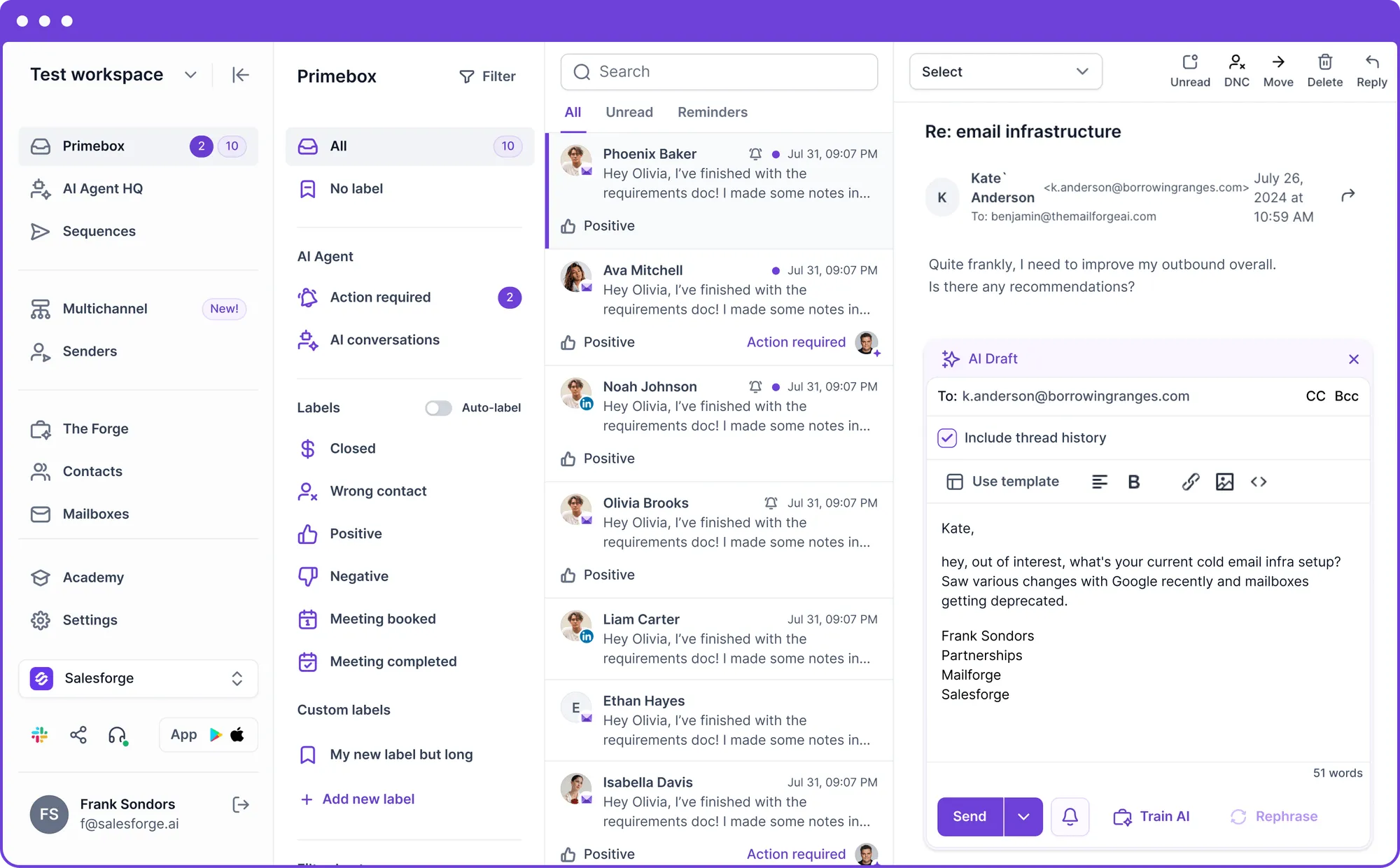
On Salesforge Growth, Co-pilot drafts a reply for you to approve, and Autopilot answers routine replies itself. Each AI draft costs 3 credits, and regenerating one is free. For the setup side, see this master inbox guide.
Lead data and enrichment
Apollo: data is Apollo's biggest strength, with 240M+ contacts, 30M+ accounts, intent topics and waterfall enrichment. If built-in data matters most, it's the reason to pick Apollo over Salesloft.
Salesloft: has no contact database of its own and works from CRM data and partner integrations. Contact data has to come from your CRM or a separate vendor.
Salesforge: Leadsforge searches 500M+ contacts by chat, with waterfall enrichment, lookalikes, competitor followers and intent signals. Lists go straight into Salesforge sequences, and new users get 100 free credits. The LinkedIn email & phone finder Chrome Extension pulls emails and mobile numbers from profiles into the same workflow.
Integrations, API and security
Apollo: CRM integrations from Basic, plus prospecting, Gmail and Salesforce extensions. Its homepage lists SOC 2, ISO/IEC 27001 and GDPR.
Salesloft: CRM sync, partner integrations and data queries via MCP. Salesloft and Drift get annual SOC 2 Type 2 audits, and Salesloft's security program is aligned with ISO 27001 and re-certified each year.
Salesforge: native integrations cover HubSpot, Salesforce, Pipedrive, GoHighLevel, Breakcold, Attio and Folk, plus Clay, RB2B, Databar AI, Sendspark, Weezly and Slack. Bitscale, Zapier, Make and Webhooks connect as custom integrations, and Salesforge is SOC 2 compliant.
The API is on Growth, and the MCP server lets Claude, Cursor or your own agents create contacts and launch sequences from a chat.
Pricing model and scalability
Apollo: charges per seat with pooled credits. Ten reps on Apollo Professional cost $990/mo monthly or $790/mo annual. Every seat must sit on the same plan, so one rep who needs Professional moves the whole team up.
Salesloft: charges per seat on annual or multi-year contracts, often with a 10-15 seat minimum.
Salesforge: charges per plan. Salesforge Growth covers unlimited users and LinkedIn senders, so a 5th or 15th rep adds no license cost. The limits are active contacts, monthly emails and the mailboxes you buy.
Apollo vs Salesloft Pricing Compared (2026)
I took Apollo's prices from its live pricing page on November 7, 2026. Salesloft publishes no prices, so its figures are buyer-reported estimates from Vendr.
| Cost item | Salesforge | Apollo | Salesloft |
|---|---|---|---|
| Free option | 14-day free trial | Apollo Free: $0; 14-day trial on Basic and Professional | No free plan or trial |
| Entry plan | Salesforge Pro: $48/mo monthly, $40/mo annual | Apollo Basic: $65/seat/mo monthly, $49/seat/mo annual | Salesloft Essentials: about $75-$100/user/mo |
| Team plan | Salesforge Growth: $96/mo monthly, $80/mo annual, unlimited users | Apollo Professional: $99/seat/mo monthly, $79/seat/mo annual | Salesloft Advanced: about $125-$150/user/mo |
| Top plan | Salesforge Growth already covers unlimited users | Apollo Organization: $119/seat/mo annual, 3-seat minimum | Salesloft Premier: about $165-$200+/user/mo |
| Pricing model | One price per account | Per seat plus pooled credits | Per seat, annual or multi-year |
| Add-ons | Agent Frank (separate): $499/mo billed quarterly | Advanced Dialer: $119/team/mo annual | Onboarding: $5,000-$25,000+ |
| Warm-up and mailboxes | Warmforge free; Mailforge mailboxes $2-$3 each per month | Warm-up, domains and mailboxes paid in credits | Not offered |
Per-seat pricing is the real gap. Every Apollo or Salesloft rep needs a license, so cost rises with headcount, while Salesforge's cost rises with active contacts and mailboxes.
Both competitors also have costs beyond the seat price. Apollo bills a phone number at 8 credits, and Vendr reports 5-8% yearly increases in Salesloft contracts.
Cost scenario: a 10-rep outbound team
Say 10 reps send about 1,000 cold emails a day, roughly 22,000 a month, to 10,000 active contacts.
- Apollo Professional: 10 seats cost $790/mo on annual billing ($9,480 a year) or $990/mo monthly. Warm-up and mailboxes then draw on credits.
- Salesloft: Vendr's Advanced range puts 10 seats at about $1,250-$1,500/mo before onboarding, and you still need mailboxes and warm-up.
- Salesforge Growth: $96/mo covers all 10 users and 10,000 active contacts. Add 25 Mailforge mailboxes at $3 each ($75/mo) and 10 domains at $14 a year, and the stack stays under $200/mo. That's about 40 sends per mailbox a day.
Who Should Use Apollo, Salesloft or Salesforge
Here is how I'd decide, based on team size, channels and budget.
You might consider Apollo if:
- You want a 240M+ contact database, sequences and a US dialer in one per-seat tool.
- You're a small team that wants to test outbound on a free plan before paying.
- You call US prospects often and want a dialer inside the same per-seat plan.
You might consider Salesloft if:
- You run an enterprise team of 10+ reps and want cadences, call recording and forecasting from one vendor.
- You already pay for Clari and want fewer vendors after the merger.
- Forecasting is your main pain: with Clari Forecast now part of its platform, Salesloft is the stronger pick there.
Choose Salesforge if:
- You sell $5K-$100K B2B deals to startups, SMBs or mid-market companies and target 3,000+ businesses.
- You want email and LinkedIn in one conditional sequence, with every reply in Primebox™.
- Your team is growing and per-seat bills keep rising: Salesforge Growth covers unlimited users for $96/mo.
- You run an agency and need a separate workspace for each client, with unlimited mailboxes on every plan.
- You'd rather hand prospecting to an AI SDR: Agent Frank runs the full workflow as a separate subscription.
Still comparing? Browse more tool comparisons or the sales tools directory.
Final Verdict: Which Sales Engagement Platform to Choose
Apollo and Salesloft both charge per seat, and in both, LinkedIn steps wait on a rep. Apollo's edge is its 240M+ contact database at $49-$119 per seat on annual billing. Salesloft's edge is enterprise process, with Rhythm, call recording and Clari Forecast on a quote-only contract.
For multichannel B2B outbound, Salesforge is the stronger choice. At $80/mo for Salesforge Growth billed annually ($96/mo monthly), you get unlimited users, LinkedIn senders and mailboxes, free Warmforge warm-up and Primebox™. Ten Apollo Professional seats cost $790/mo before any mailboxes.
One benchmark you can check: UniteSync ran Salesforge with Mailforge and Warmforge to an 85.26% positive reply rate and a $2.86 CAC. The case study is public.
If you sell to Fortune 500 accounts through long RFP cycles, Salesforge itself says it isn't the right fit. For SMB and mid-market outbound at $5K-$100K ACVs, it is built for exactly that.

Apollo vs Salesloft FAQs
Is Apollo better than Salesloft?
For a small team that needs contact data, Apollo is the better fit: it bundles 240M+ contacts with sequences from $49/seat/mo billed annually. For an enterprise team of 10+ reps, Salesloft fits better, thanks to Rhythm, call recording and Clari Forecast. For multichannel outbound without per-seat pricing, I'd pick Salesforge, where Salesforge Growth costs $96/mo monthly for unlimited users.
What's the main difference between Apollo and Salesloft?
Apollo is data-first: it sells a 240M+ contact database with sequences, a dialer and published per-seat prices. Salesloft is process-first: it combines cadences, Rhythm's signal-based task list, call recording and, since its December 2025 merger, Clari Forecast. Salesloft has no contact database or public pricing, while Apollo focuses on prospecting rather than forecasting.
Which is cheaper, Apollo or Salesloft?
Apollo is cheaper, and it publishes its prices: $49 to $119 per seat per month on annual billing, plus a free plan. Salesloft is quote-only, and Vendr's buyer data shows a $30,740 median yearly contract. On paid plans, Salesforge costs less than either: Salesforge Pro is $48/mo monthly for one user, and Salesforge Growth is $96/mo monthly or $80/mo annual for unlimited users.
Do Apollo and Salesloft automate LinkedIn outreach?
Only partly: Apollo's LinkedIn tasks run when a rep selects them and clicks Execute, and its Chrome extension then sends connection requests and messages. Salesloft opens each LinkedIn step in Sales Navigator, and the rep sends it. Salesforge runs six LinkedIn actions on schedule in the same sequence as email, capped at 30 per action per day per profile.
Which tool has better email deliverability?
Salesforge, because every plan includes free, unlimited Warmforge warm-up with a Heat Score™ for each mailbox, plus sender rotation, Bounce Shield and email validation. Apollo sells a Deliverability Suite with warm-up, domains and mailboxes paid in credits. Salesloft has no warm-up or mailbox product, so teams add those from other vendors.
Can I switch from Apollo or Salesloft to Salesforge?
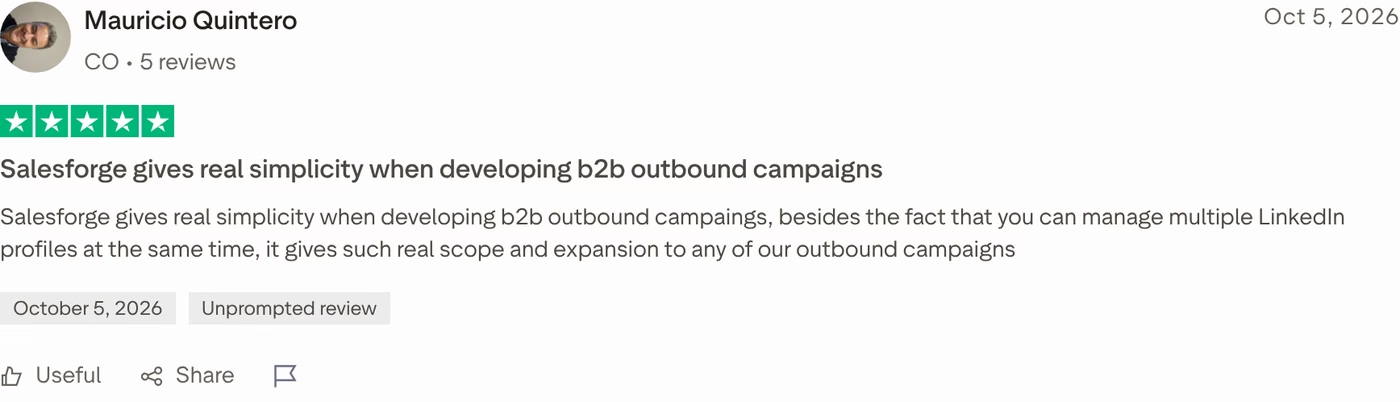
Yes, export your contacts as a CSV or sync them through HubSpot, Salesforce or Pipedrive, then rebuild your sequences in Salesforge. Connect your current mailboxes or buy new ones from Mailforge, Infraforge or Primeforge, and let Warmforge warm them up. If you're leaving Salesloft, check your renewal notice period first, since one Trustpilot reviewer warns that missing it means paying for another year.
Is Salesforge better than Apollo and Salesloft?
For multichannel B2B outbound at SMB and mid-market companies, yes. Salesforge runs email and LinkedIn in one sequence, includes Warmforge and Primebox™ on every plan, and doesn't charge per seat. It isn't built for Fortune 500 targets or long RFP cycles, which Salesforge itself says it doesn't fit, and it has no built-in dialer yet.
Does Salesforge offer a free trial?
Yes, Salesforge offers a 14-day free trial, and you can connect mailboxes and run warm-up during it. After the trial, Salesforge Pro costs $48/mo monthly ($40/mo annual), and Salesforge Growth costs $96/mo monthly ($80/mo annual). Agent Frank is separate: he needs a demo first, and his plan starts at $499/mo billed quarterly.
Who is Salesloft best for?
Salesloft is best for enterprise sales teams with 10 or more reps that want cadences, call recording and Clari Forecast from one vendor. Vendr's buyer data shows a typical 10-15 seat minimum, a $30,740 median yearly contract and onboarding fees of $5,000 to $25,000+. Smaller teams can start on Apollo's published per-seat plans or on Salesforge Growth, which covers unlimited users for $96/mo.