Octopus CRM is a LinkedIn automation tool built to simplify prospecting by sending connection requests, bulk messages, and tracking campaign performance.
It helps you create basic outreach funnels, automate follow-ups, and save hours on manual LinkedIn tasks.
But if you need deeper reporting, stronger customer support, multi-step sequences, or multi-channel outreach beyond LinkedIn, Octopus CRM may not fully meet your needs.
Many users look for alternatives that offer better analytics, safer cloud-based automation, CRM integrations, or more flexible pricing.
In this blog, we’ve listed the 5 best Octopus CRM alternatives for LinkedIn outreach , tools that help you scale campaigns, personalize messaging, and convert prospects more effectively.
TL;DR Salesforge is best if you want to send LinkedIn and email outreach together in one tool.Expandi is best for cloud-based LinkedIn automation with better account safety. Dux-Soup is a good budget option for basic LinkedIn outreach and drip campaigns. Meet Alfred is best if you want to run LinkedIn, email, and X (Twitter) campaigns together. Top 4 Octopus CRM Alternatives for LinkedIn Outreach
Salesforge vs LinkedIn Outreach Tools
Feature / Tool
Salesforge Expandi
Dux-Soup
Meet Alfred
Starting Price
$48/mo
$99/mo
$14.99/mo
$59/mo
Deliverability
Advanced
Basic
Basic
None
Team Use
Yes, unlimited
Limited
Yes
Yes
Channels
LinkedIn + Email
LinkedIn + Email
LinkedIn
LinkedIn + Email + X
Inbox
Unified
LinkedIn Unified (Turbo+)
Unified
Unified
Lead Finder
Via Add-on
No
No
Limited
Platform
Cloud
Cloud
Chrome/Cloud
Cloud
Multi-Channel
Yes
Yes
No
Yes
Drip Sequences
Yes
Yes
Yes
Yes
Data Export
Basic
Basic
Strong
Moderate
Free Trial
Yes
Yes
Yes
Yes
Best For
Scaling cold email and LinkedIn outreach with AI
LinkedIn safety controls
Budget LinkedIn automation
Multichannel LinkedIn outreach
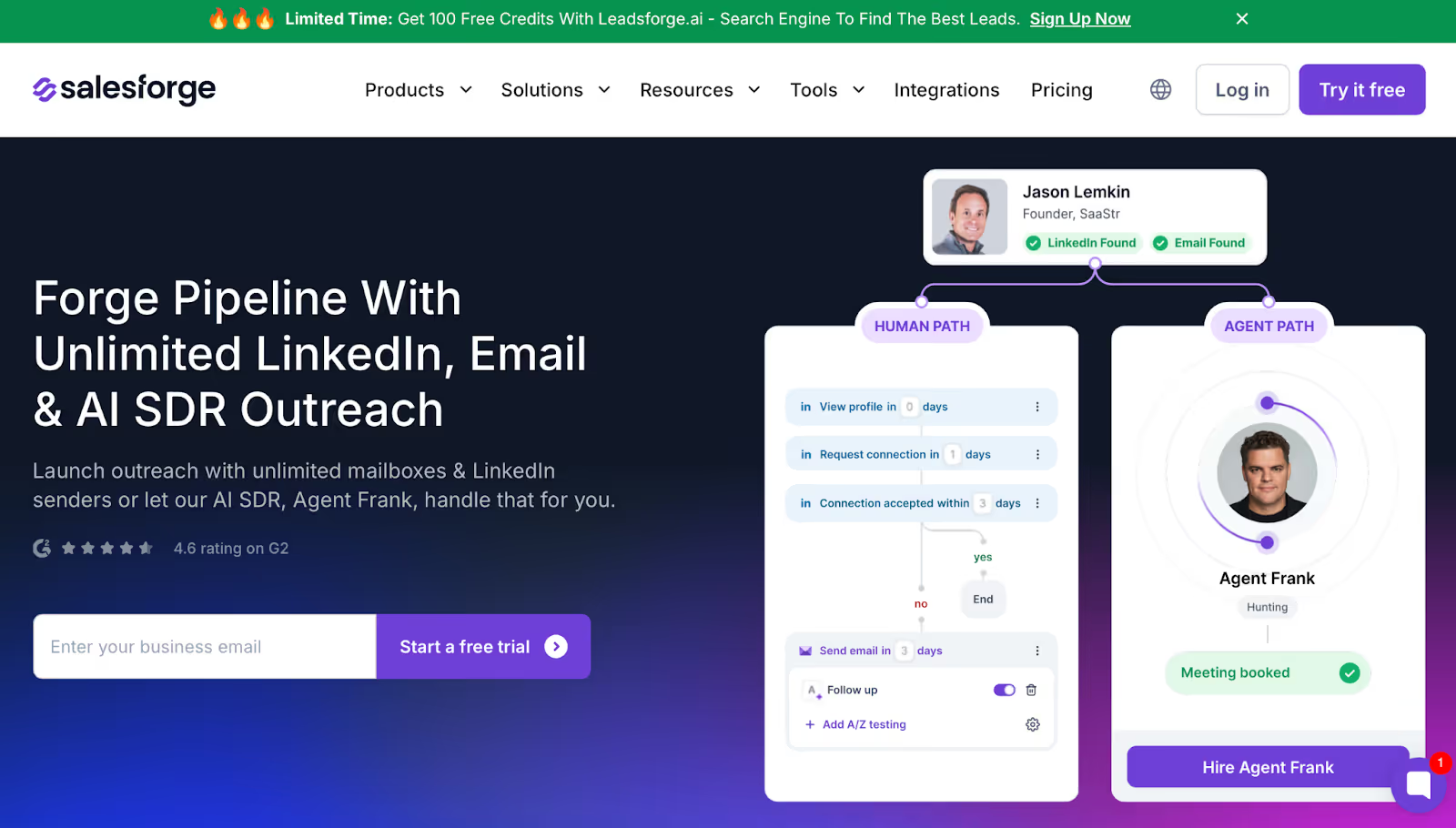
1. Salesforge – Best Octopus CRM Alternative for Scalable LinkedIn and Email Outreach This image shows the Salesforge Homepage Salesforge is ideal for users who find Octopus CRM too limited because it only automates LinkedIn actions.
Instead of working on LinkedIn alone, Salesforge runs outreach across LinkedIn and email , manages replies in one place, and improves inbox delivery so outreach actually reaches prospects.
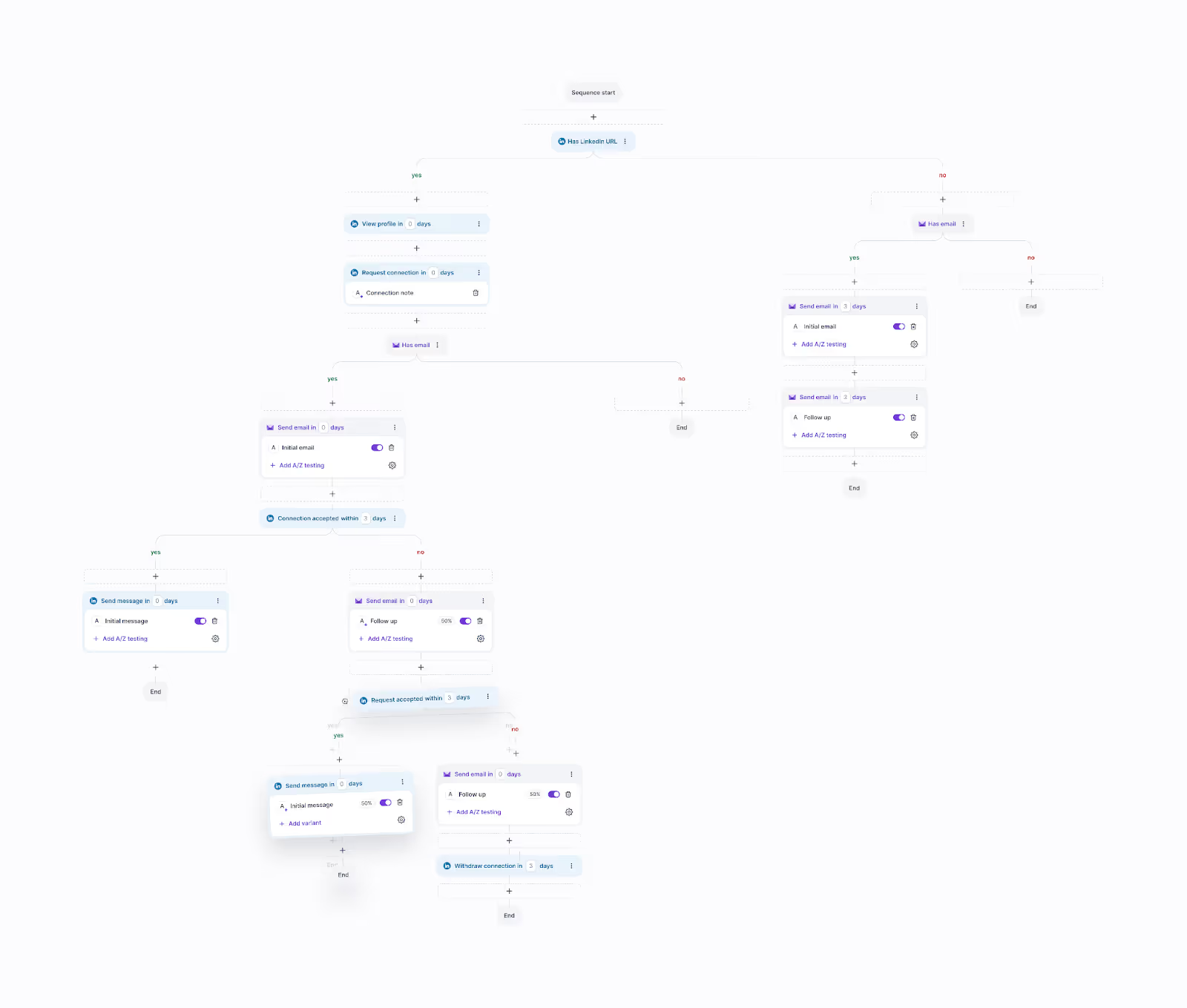
This image shows the Running Multi-channel Campaign in Salesforge Why Salesforge Works Better Than Octopus CRM? ✔ Multi-channel instead of LinkedIn-only Salesforge runs LinkedIn and email sequences together. Octopus CRM stays inside LinkedIn.
✔ Unlimited outreach capacity You can add unlimited LinkedIn senders and mailboxes. Octopus CRM charges per profile.
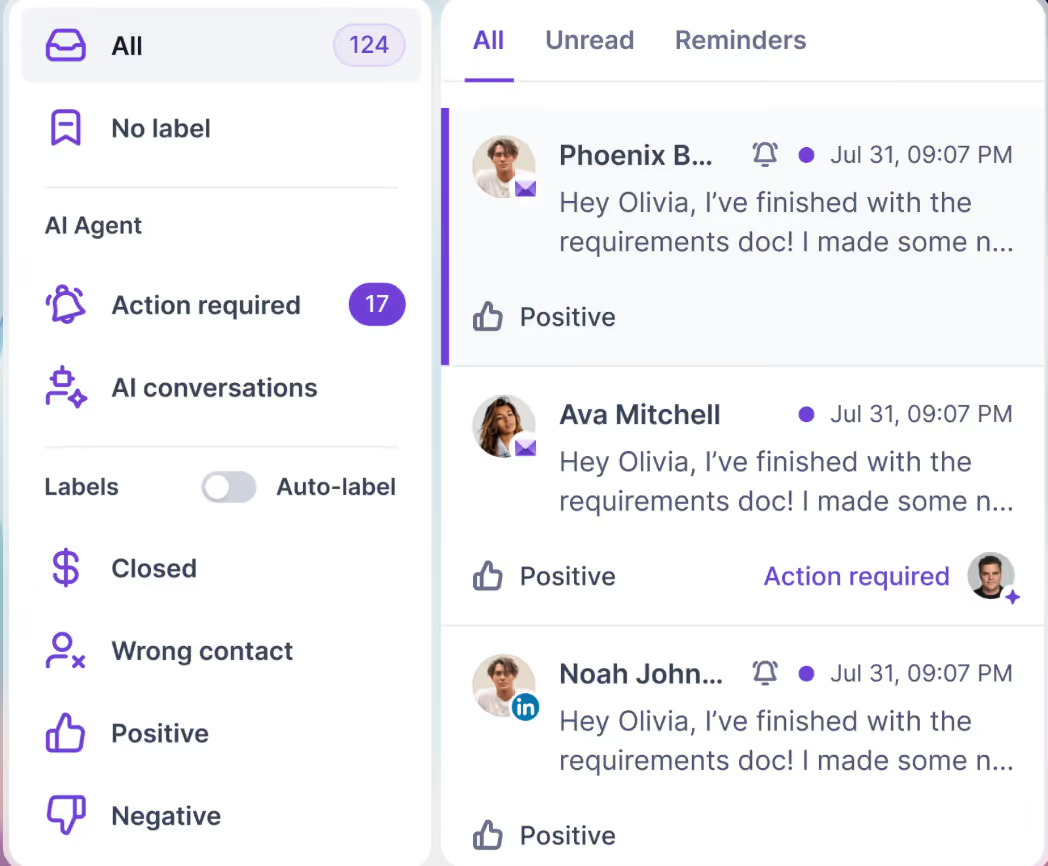
✔ Replies don’t get lost Primebox™ collects responses from LinkedIn and email in one inbox. Octopus CRM only monitors LinkedIn messages.
This image shows the Salesforge Primebox™ to manage all replies across LinkedIn and Email ✔ Built-in deliverability control Warmforge warms mailboxes, monitors domain health, and prevents spam placement. Octopus CRM has no deliverability system.
✔ Optional AI SDR Agent Frank can prospect, send outreach, and book meetings automatically, something Octopus CRM doesn’t support.
Salesforge vs Octopus CRM
Salesforge vs Octopus CRM
Feature
Salesforge
Octopus CRM
Channels
LinkedIn + Email
LinkedIn only
Senders
Unlimited
One per seat
Reply Handling
Unified inbox (Primebox™)
LinkedIn inbox only
Inbox Placement Tools
Yes
No
AI SDR
Yes
No
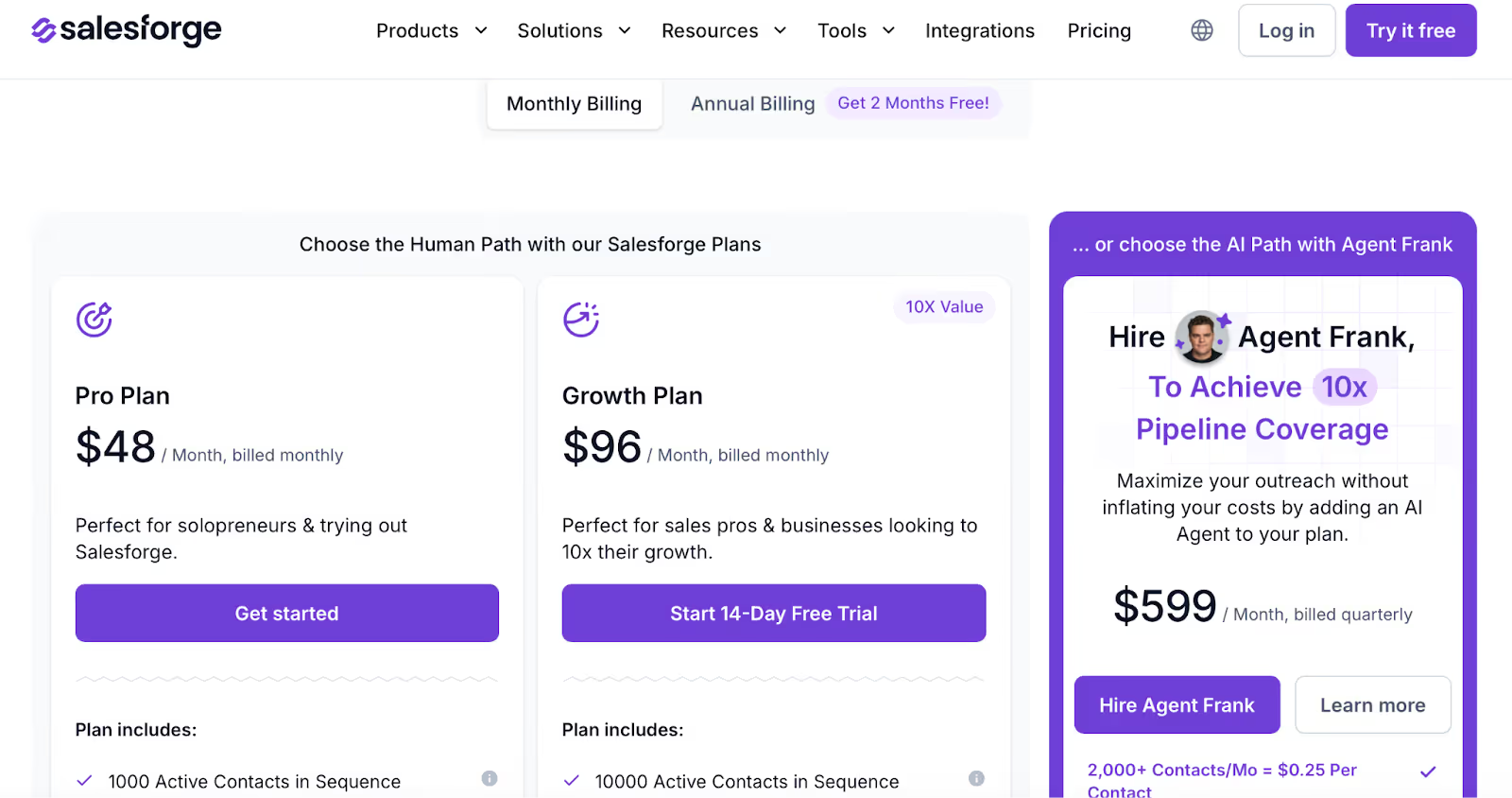
Pros Runs LinkedIn and email outreach together Unlimited senders for scaling teams Reply management across both channels Deliverability system to keep emails out of spam Cons Better suited for users who want both LinkedIn and email, not LinkedIn-only outreach Salesforge Pricing This image shows the Salesforge pricing Pro – $48/month Growth – $96/month (unlimited senders + advanced features)Agent Frank – from $599/month if you want automated SDR executionFree trial available + 100 free credits via Leadsforge.ai
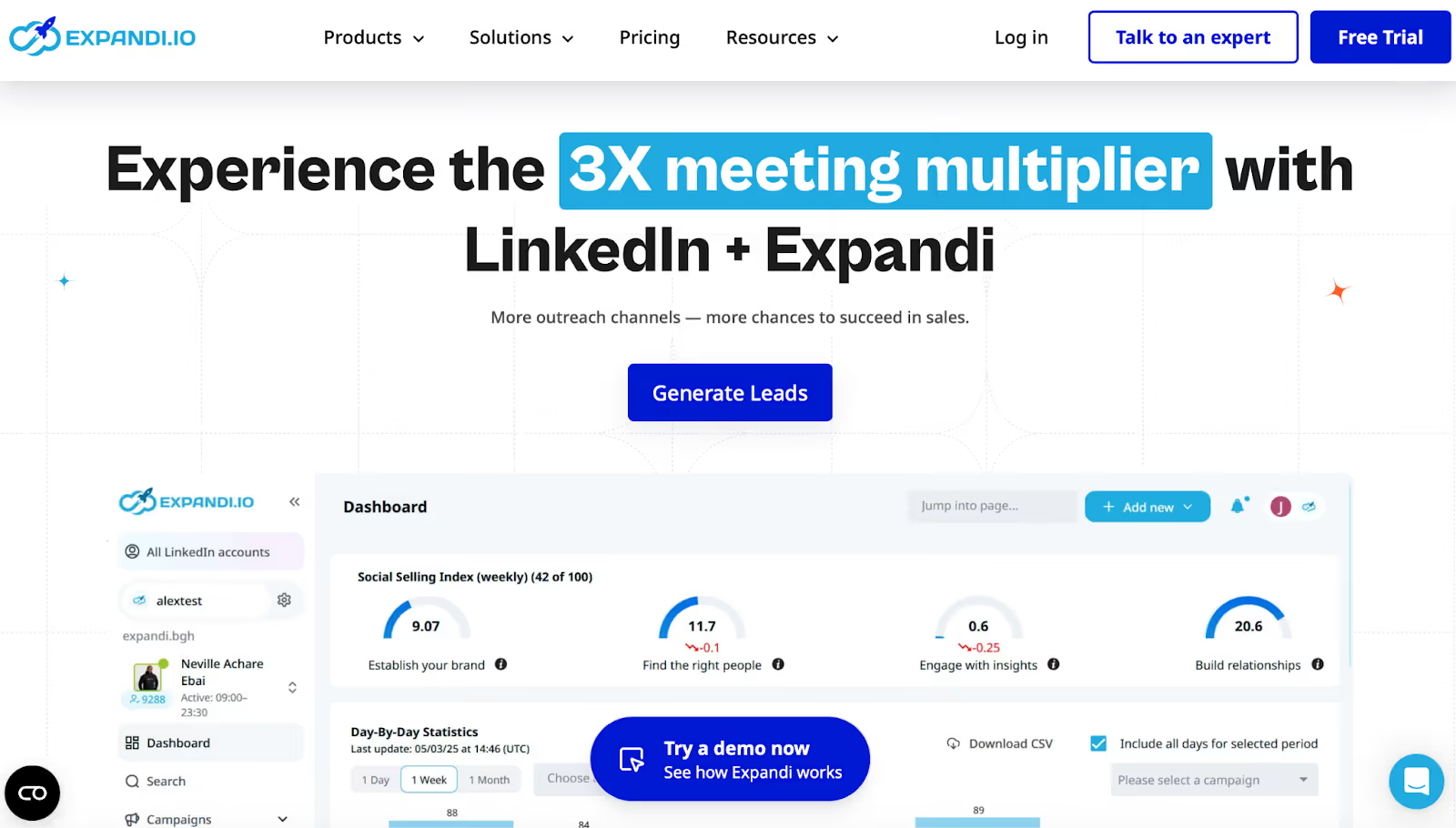
2. Expandi – Best Octopus CRM Alternative for Cloud-Based LinkedIn Automation This image shows the Expandi Homepage Expandi is a cloud-based LinkedIn automation tool built for users who want safer automation and more advanced campaign controls than Octopus CRM.
Unlike browser-based tools, Expandi runs on dedicated IPs in the cloud, which reduces dependency on the user’s device.
Why Expandi Is an Alternative to Octopus CRM ✔ Cloud-based execution Expandi runs fully in the cloud with country-based IP addresses. Octopus CRM relies on browser-based automation.
✔ Strong account safety controls Expandi includes profile warm-up, daily limit ranges, and action pacing to reduce account risk, more advanced than Octopus CRM’s basic limits.
✔ More campaign flexibility Users can create multi-step LinkedIn sequences with:
Connection requests Follow-ups InMails Event and group messaging Engaging actions between steps ✔ Multi-channel sequences Expandi allows LinkedIn actions and email follow-ups inside the same sequence , which Octopus CRM does not support.
Expandi vs Octopus CRM
Expandi vs Octopus CRM
Feature
Expandi
Octopus CRM
Platform
Cloud-based
Browser-based
Account Safety
IP-based + warm-up
Basic daily limits
Campaign Builder
Advanced If/Action logic
Linear sequences
Outreach Channels
LinkedIn + email follow-ups
LinkedIn only
Campaign Limits
Bypass options (e.g. Mobile Connector)
Fixed limits
Best For
Safety-focused LinkedIn automation
Simple LinkedIn automation
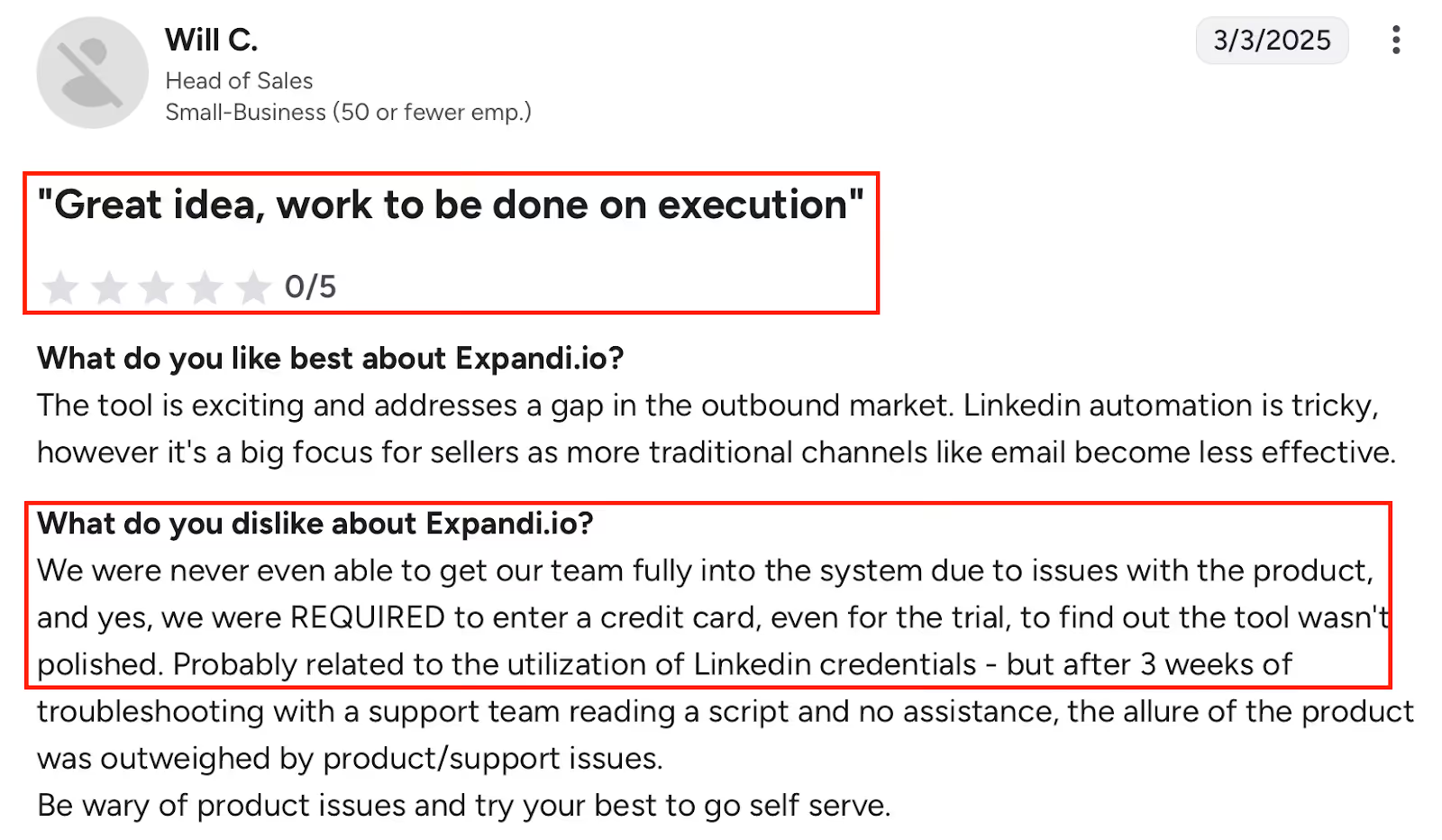
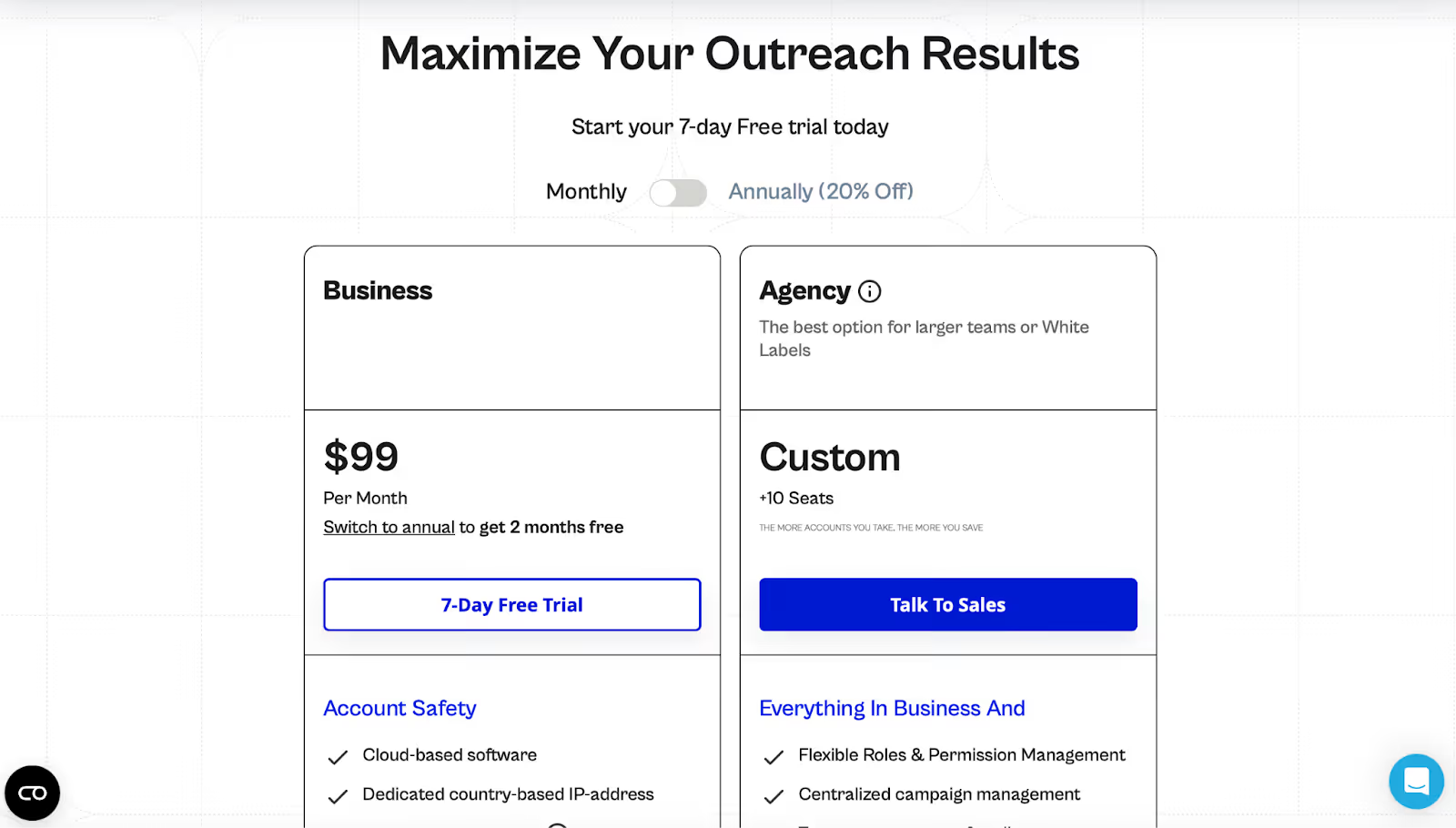
Pros: Cloud execution reduces reliance on local machines Dedicated IPs improve account stability Campaign builder supports complex sequences Allows LinkedIn + email follow-ups in one flow Detailed step-level campaign statistics Strong live support and onboarding calls This image shows the Negative G2 review of Expandi highlighting execution, onboarding, and support issues. Cons: Requires credit card to start the trial Limited to one LinkedIn profile per account Dashboard and reporting options are limited for advanced analytics Integrations and APIs can be inconsistent Onboarding can feel complex for first-time users Image and video personalization cost extra Expandi Pricing This image shows the Expandi Pricing Business Plan – $99/month 7-day free trial (credit card required)Custom pricing available for agencies and white-label use 9 Best Expandi Alternatives & Competitors for LinkedIn Outreach
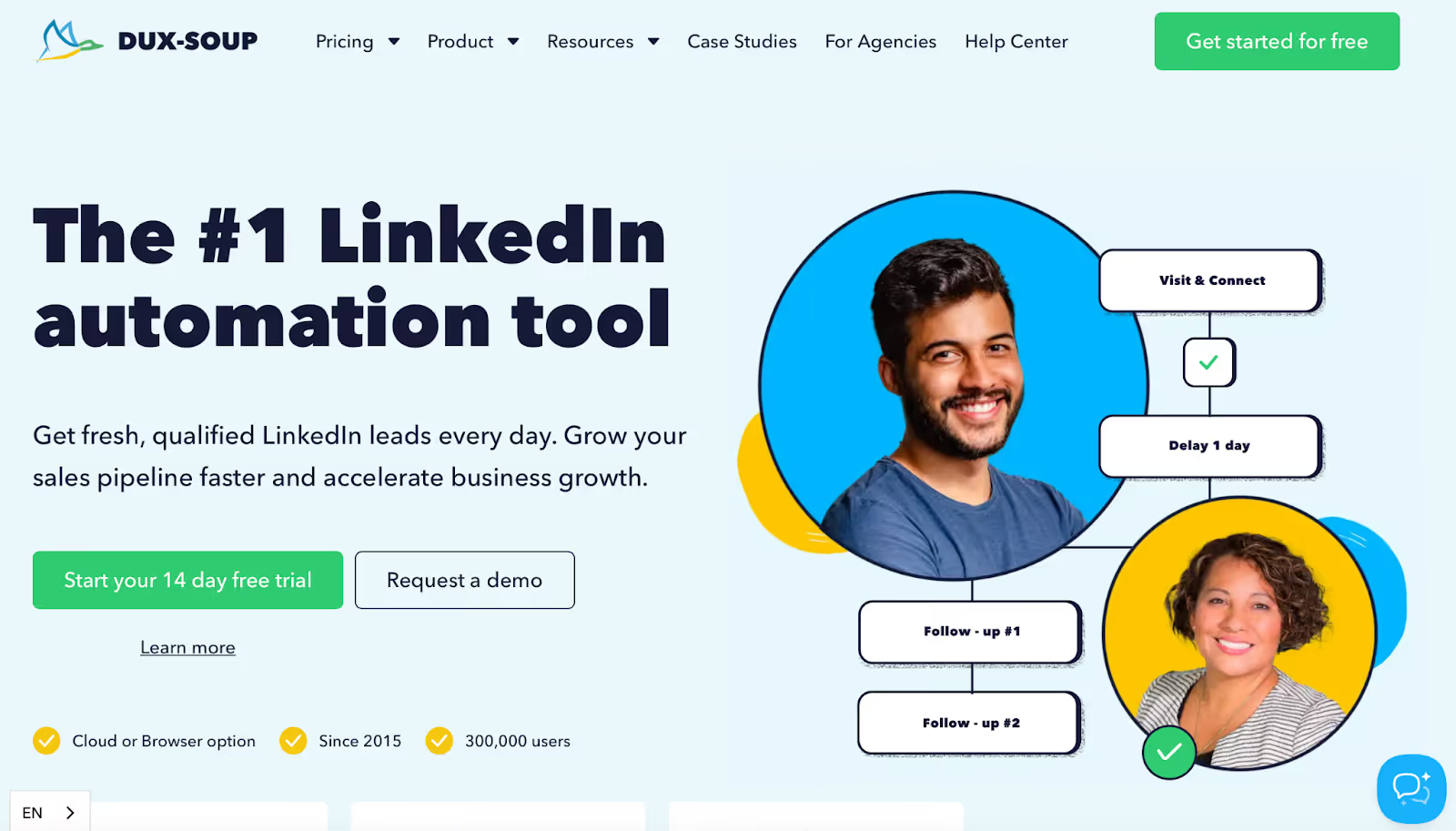
3. Dux-Soup – Best Octopus CRM Alternative for Budget-Friendly LinkedIn Automation This image shows the DuxSoup Homepage Dux-Soup is a long-standing LinkedIn automation tool focused on connection requests, follow-ups, and basic drip campaigns.
It’s often chosen as an Octopus CRM alternative by individuals and small teams looking for simple LinkedIn automation at a lower cost .
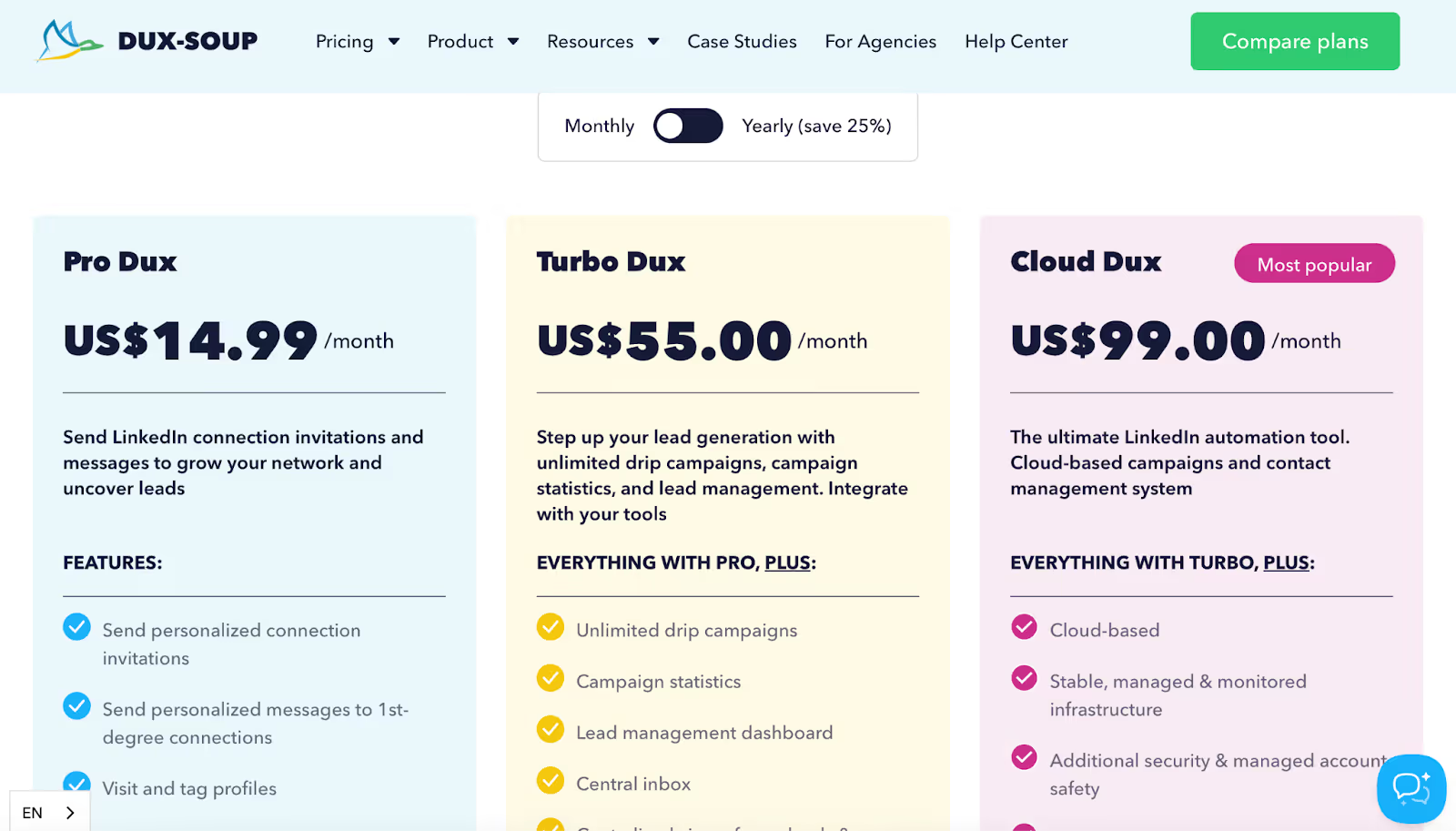
Why Dux-Soup Is an Alternative to Octopus CRM ✔ Lower entry-level pricing Dux-Soup starts at $14.99/month , making it cheaper than Octopus CRM for basic LinkedIn outreach.
✔ Drip campaigns with LinkedIn actions Supports multi-step LinkedIn campaigns using actions like:
Connect Message InMail Visit Follow Endorse Octopus CRM supports fewer action types in comparison.
✔ Choice between browser and cloud Users can start with a Chrome extension (Pro / Turbo) or upgrade to Cloud Dux for always-on, cloud-based automation.
✔ Built-in lead management Turbo and Cloud plans include a central inbox and lead management dashboard, offering more visibility than Octopus CRM’s basic inbox tracking.
Dux-Soup vs Octopus CRM
Dux-Soup vs Octopus CRM
Feature
Dux-Soup
Octopus CRM
Entry Pricing
$14.99/month
Higher starting cost
Outreach Channel
LinkedIn only
LinkedIn only
Automation Type
Browser + cloud options
Browser-based
Drip Campaigns
Yes (multi-action)
Limited
Lead Management
Included (Turbo+)
Basic
Best For
Budget-focused LinkedIn automation
Simple LinkedIn outreach
Pros Very low starting price for LinkedIn automation Supports up to 12 LinkedIn action types in campaigns Drag-and-drop campaign builder Detects replies and pauses campaigns automatically Cloud option available for always-on automation Team and agency plans for shared campaigns Cons Pro plan lacks campaign analytics and inbox Browser-based plans require Chrome to stay active Cloud plans are significantly more expensive than entry tiers Limited to LinkedIn only (no email or multi-channel outreach) Advanced features require upgrading to Turbo or Cloud plans Dux-Soup Pricing (Individuals) This image shows the Dux-Soup Pricing Pro Dux – $14.99/month (basic automation)Turbo Dux – $55/month (drip campaigns + inbox)Cloud Dux – $99/month (cloud automation + account safety)Team and agency plans are available with per-seat or per-client pricing.
3 Dux-Soup Alternatives & Competitors For LinkedIn Outreach
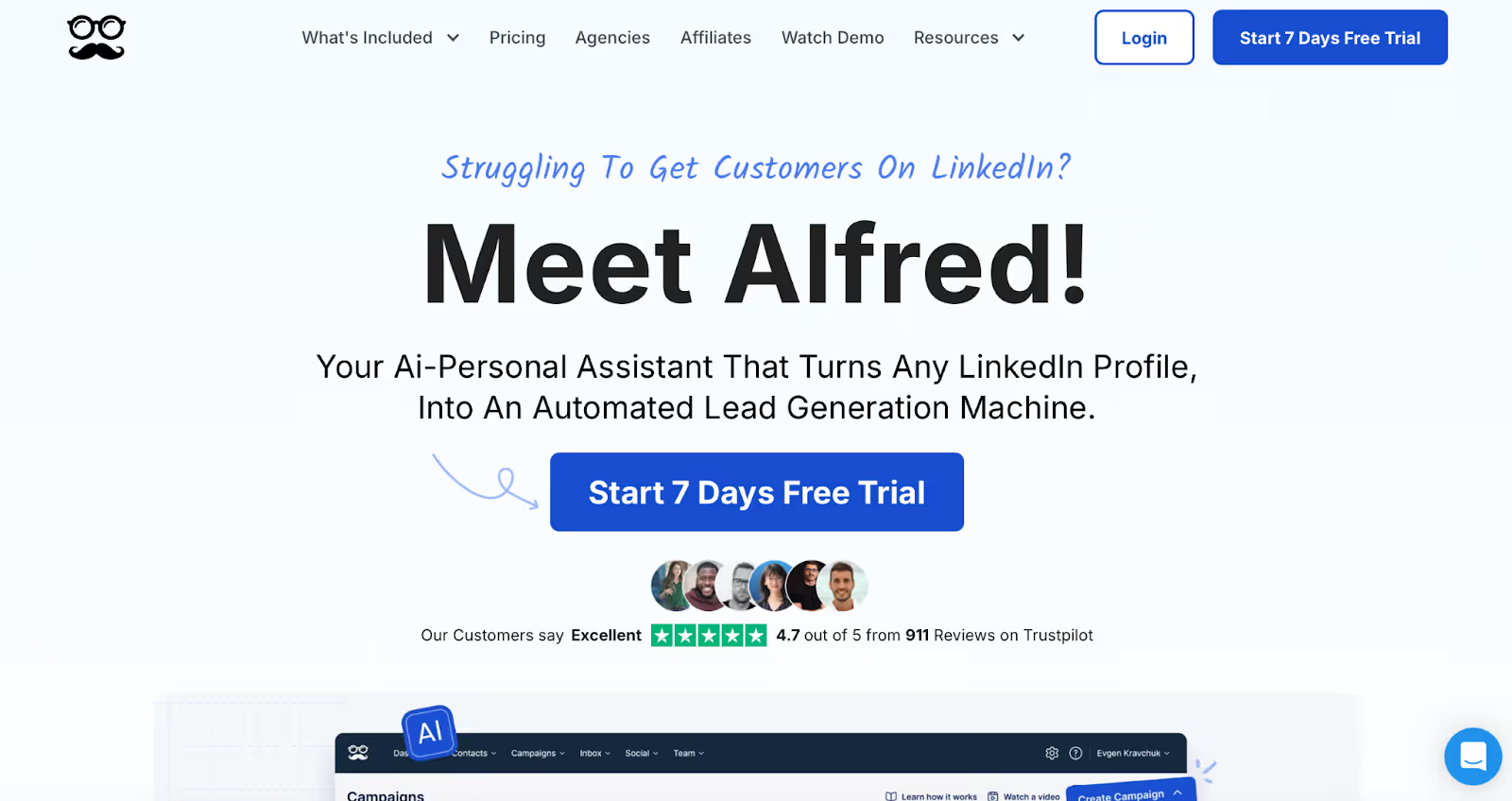
4. Meet Alfred – Best Octopus CRM Alternative for Multi-Channel LinkedIn Outreach This image shows the Meet Alfred Homepage Meet Alfred is a cloud-based outreach tool that expands beyond LinkedIn automation by adding email and X (Twitter) into the same sequences.
It’s commonly used as an Octopus CRM alternative by users who want multi-channel campaigns instead of LinkedIn-only automation.
Why Meet Alfred Is an Alternative to Octopus CRM ✔ Multi-channel campaigns Meet Alfred supports LinkedIn, email, and X in a single sequence. Octopus CRM only automates LinkedIn actions.
✔ Cloud-based automation Campaigns run in the background without needing a browser session to stay active, unlike Octopus CRM’s extension-based setup.
✔ Advanced LinkedIn workflows Supports LinkedIn:
Connection requests Follow-ups InMails Group, event, and post campaigns Content retargeting ✔ Built-in LinkedIn CRM and inbox Includes a smart inbox and CRM layer to track conversations and replies across campaigns.
Meet Alfred vs Octopus CRM
Meet Alfred vs Octopus CRM
Feature
Meet Alfred
Octopus CRM
Channels
LinkedIn, Email, X
LinkedIn only
Platform
Cloud-based
Browser-based
Campaign Types
Advanced LinkedIn + multi-channel
Basic LinkedIn sequences
Inbox
Unified LinkedIn inbox
LinkedIn inbox only
Team Features
Yes (Team plan)
Limited
Best For
Multi-channel outreach
LinkedIn automation only
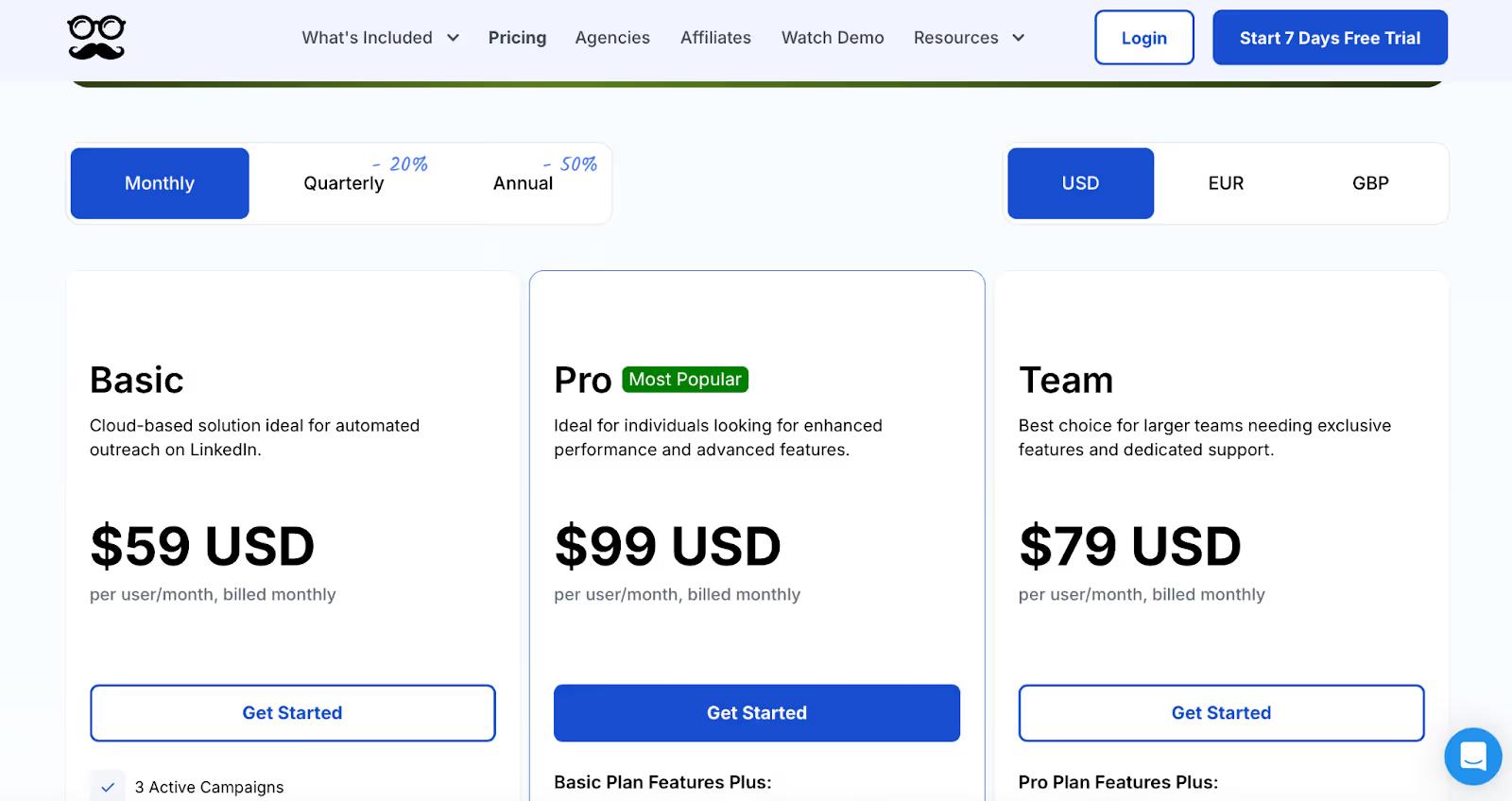
Pros Runs campaigns fully in the cloud Supports LinkedIn + email + X in one flow Highly customizable multi-step sequences Built-in LinkedIn CRM and inbox Supports Sales Navigator, groups, events, and InMails “Set-and-forget” campaign execution once launched Cons Customer support can be slow for technical or billing issues Occasional campaign reliability issues (messages not sending, campaigns stopping) Strict LinkedIn safety limits reduce daily outreach volume No built-in lead database (users must bring their own leads) Some advanced campaigns require upgrading plans UI labels and campaign builder can be confusing for new users Meet Alfred Pricing This image shows the Meet Alfred Pricing Basic – $59/user/month (LinkedIn automation only)Pro – $99/user/month (multi-channel + advanced LinkedIn features)Team – $79/user/month (team inbox, permissions, priority support)7-day free trial available
Conclusion Choosing the right LinkedIn outreach tool doesn’t have to be hard.
If you want a tool that does both LinkedIn and email, works fast, and helps you grow big, Salesforge is your best pick.
It even has a smart AI buddy (Agent Frank) who can book meetings for you while you sleep 😴.
✨ Mini Challenge: Try Salesforge for 7 days. See if you can get your first reply or booked meeting before the week ends. Game on?
👉 Start your free trial with Salesforge and get 100 credits now!

.jpg)