Table of contents
Get insights delivered straight into your inbox every week!
Summarize with

7 Best Expandi Alternatives I Actually Tested (2026)

Expandi has one plan. One price. $99/month per seat.

That's fine until you realize you're hitting LinkedIn restrictions, emails are landing in spam, and customer support takes days to respond.

That's exactly what the reviews say. A split between users who love the personalization and users who've had accounts flagged, campaigns stall, and no one to call.

If you're in the second camp, this guide is for you.

I tested seven Expandi alternatives and compared them against Expandi across the things that actually matter for sales teams in 2026:

Account safety

Multi channel reach

Deliverability

And whether the tool actually books meetings, not just sends messages.

Here's what I found.

TL;DR: Best Expandi Alternatives at a Glance

Short on time? Here's the quick list:

Tool Best For Starting Price Free Trial
Salesforge Multi-channel + AI outreach at scale $48/mo 14 days
HeyReach Agencies managing multiple LinkedIn accounts $79/mo Free trial
Skylead LinkedIn-first teams + cold email $100/mo 7 days
LaGrowthMachine Multi channel with calls and enrichment €50/identity/mo 14 days
Lemlist Email-first with visual personalization $69/user/mo 14 days
Dripify Simple LinkedIn automation for small teams $59/user/mo 7 days
Meet Alfred Budget multi-channel, with safety trade-offs $49/user/mo Free trial

The right pick depends on how you run outreach. We break down exactly who should choose what at the end.

Why People Leave Expandi (The Real Reasons)

Before getting into alternatives, it's worth being honest about what's actually broken.

Expandi is a cloud-based automation tool for LinkedIn outreach. It supports LinkedIn and email sequences, and has decent personalization features including GIFs, images, and custom variables. That's why it built a loyal user base among sales teams.

But three recurring complaints push people to look elsewhere.

1. LinkedIn account restrictions

Expandi's default settings can be aggressive. Users who don't manually lower the daily limits have reported LinkedIn warnings and account restrictions, especially on newer LinkedIn profiles. The platform doesn't do enough to mimic natural human behavior out of the box, which is what triggers LinkedIn limits.

2. Deliverability is an afterthought

Expandi has basic email warm up. But for teams running cold outreach campaigns at serious volume, basic doesn't cut it. There's no mailbox rotation, no sending reputation monitoring, and limited DNS tooling.

3. No pricing flexibility

Single plan, single price. A solo user testing the waters pays the same $99/month as an enterprise team. Add team members and it's another $99/month per person, with no pricing plans for different team sizes.

Those aren't dealbreakers for everyone. But if any of those three hit close to home, keep reading.

Expandi Pricing and Feature Gaps at a Glance

Before comparing alternatives, here’s what Expandi actually charges and includes:

  • Business Plan: $99/seat/month ($79/mo if billed annually)
  • Agency Plan: Custom pricing, minimum 10 seats
  • Image/GIF personalization requires Hyperise (paid add-on)
  • No mailbox rotation, no unlimited warm-up
  • No AI personalization, no AI SDR
  • No unlimited users option
  • 7-day free trial

It’s important to note that the pricing of Expandi may not be suitable for startups, small businesses, and solo users, making it less accessible for these groups.

That’s the baseline each alternative below is measured against.

Feature Comparison: Top 4 Expandi Alternatives at a Glance

Feature Expandi Salesforge HeyReach Skylead
Unlimited Senders (Mailboxes + LinkedIn Profiles) ❌ 1 LinkedIn per seat, no mailbox rotation ✅ Unlimited mailboxes + unlimited LinkedIn profiles (Growth) ✅ Unlimited LinkedIn profiles (Agency), no email ✅ Unlimited email accounts, 1 LinkedIn per seat
Multichannel Outreach ⚠️ LinkedIn-first, basic email follow-ups ✅ LinkedIn + email in one sequence ❌ LinkedIn only ✅ LinkedIn + email in smart sequences
AI Personalization ❌ Text variables only (images/GIFs via paid Hyperise add-on) ✅ AI-generated messages using prospect data, 20+ languages ❌ Token-based variables only ❌ Basic variables, image/GIF personalization
LinkedIn Actions Connection requests, messages, InMails, profile visits, endorsements, post likes, follows, post comments (8+) Connection requests, messages, InMails, post likes, follows, withdraw requests (6) Connection requests, messages, InMails, profile views, follows, likes (6) Connection requests, messages, InMails, profile visits (4)
Integrations ⚠️ Zapier/webhooks only, no native CRM ✅ Native HubSpot, Pipedrive, API, Sales Navigator ✅ Native HubSpot, Pipedrive, Clay, Zapier ⚠️ Zapier only, no native CRM
MCP (Model Context Protocol) ✅ Forge MCP Server (connects entire Forge Stack to Claude)
Primebox (Co-Pilot & Auto-Pilot) ❌ Basic inbox, no AI reply modes ✅ Co-Pilot (AI drafts, you approve) + Auto-Pilot (AI replies autonomously) ❌ Unibox (manual replies only) ❌ Smart Inbox (manual replies only)
Free Chrome Extension ❌ Cloud only ✅ Free Chrome extension for LinkedIn ✅ Chrome extension for Sales Navigator export ❌ Cloud only
AI SDR ✅ Agent Frank ($499/mo, fully autonomous)
Email Warm-up ⚠️ Basic LinkedIn warm-up only ✅ Unlimited, free on all plans (via Warmforge) ❌ No email features ✅ Infinite warm-up (InboxFlare), free
Smart Sequences (If/Then Logic) ✅ Up to 9 actions, 8 conditions per sequence ✅ Multi-channel sequences with branching ✅ If-Connected logic for sequence splits ✅ Best-in-class if/else with multi-condition logic
Free Trial 7 days 14 days, no credit card required Free trial, no credit card required 7 days

Note: Some tools offer more advanced features on higher-tier or premium plans. Certain platforms also integrate with popular sales tools like Salesforce and HubSpot for enhanced campaign management and streamlined sales processes.

#1. Salesforge: Best Overall Expandi Alternative

When you compare Expandi against the other LinkedIn automation tools on this list, Salesforge is the clearest upgrade.

Expandi does LinkedIn well. But it stays LinkedIn-only. The moment a prospect ignores your connection request, you have no second channel to reach them. That's where most Expandi campaigns stall.

Salesforge picks up where Expandi stops. It runs LinkedIn outreach and cold email in one sequence, so if a prospect doesn't accept on LinkedIn, the next step is a personalized email that lands in their inbox, not their spam. You're not switching between tools or rebuilding campaigns.

LinkedIn and email run from the same workflow, with the same prospect data, on the same dashboard.

That's the core difference. Expandi sends LinkedIn messages. Salesforge books meetings across channels.

Salesforge Key Features

  • Unlimited senders (mailboxes + LinkedIn profiles): Connect unlimited email mailboxes and multiple LinkedIn profiles into one campaign. The Growth plan includes unlimited LinkedIn senders and unlimited mailboxes, so agencies and teams don't pay per seat the way Expandi forces. Pro includes one LinkedIn sender with unlimited mailboxes for solo users.
  • Primebox AI smart inbox: Every LinkedIn message and email reply across every sender lands in one view. Two modes: Co-Pilot drafts replies and waits for your approval before sending. Auto-Pilot lets AI continue conversations and keep prospects moving without waiting on you.
  • Multi-channel sequences: Build one sequence that combines LinkedIn connection requests, follow-up messages, and cold emails. If a prospect doesn't respond on LinkedIn, the sequence automatically shifts to email. No manual re-targeting.
  • AI personalization in 20+ languages: Salesforge generates unique messages for every prospect using AI variables that pull company news, LinkedIn data, and industry context. This works across both LinkedIn and email steps, in 20+ languages natively.
  • Dynamic ESP matching: When your sequence hits an email step, Salesforge automatically pairs the send with the best email service provider for that recipient's domain. Better inbox placement without you touching a setting.
  • Unlimited warm-up and mailbox rotation: Every email account connected to Salesforge gets free unlimited warm-up via Warmforge. Mailbox rotation distributes sending volume across domains and inboxes so no single account gets flagged.
  • Domain reputation monitoring: Real-time deliverability tracking across your entire sending infrastructure. You see which domains are healthy and which need attention before campaigns suffer.
  • Email validation and lead enrichment: Built-in validation cuts bounces before you send. Waterfall enrichment pulls from multiple data sources to fill gaps in your prospect list. CRM sync with HubSpot, Pipedrive, and API keeps everything clean.
  • Agent Frank (AI SDR): A fully autonomous AI SDR that handles prospecting, personalized outreach across LinkedIn and email, follow-ups, and meeting booking around the clock. If you're leaving Expandi because you want to scale without hiring, this is the feature that does it.
  • Unlimited users on Growth: Expandi charges $99/seat. Salesforge's Growth plan at $96/month covers your entire team with unlimited users and unlimited LinkedIn senders.

The Forge Stack

Salesforge also connects with the rest of the Forge ecosystem for teams that want to own their full outreach infrastructure.

  • Warmforge handles email warm up.
  • Mailforge and Infraforge cover shared and private email infrastructure.
  • Primeforge gives you Google and Microsoft 365 mailboxes optimised for cold outreach.
  • Leadsforge is an AI-powered lead search engine with 500M+ contacts.

Each product works standalone or plugs directly into Salesforge.

Does Salesforge Work with LinkedIn Sales Navigator?

Yes. Salesforge integrates with LinkedIn Sales Navigator, letting you pull lists directly into outreach sequences. This integration enables users to efficiently manage LinkedIn outreach campaigns and grow their LinkedIn network by automating connection requests and follow-ups. If you use Sales Navigator for prospecting, you can pipe those leads straight into multi channel campaigns without exporting CSVs between tools.

What Salesforge Users Say on G2

Salesforge is rated 4.6 stars from 103 verified reviews on G2. Here's what actual users report:
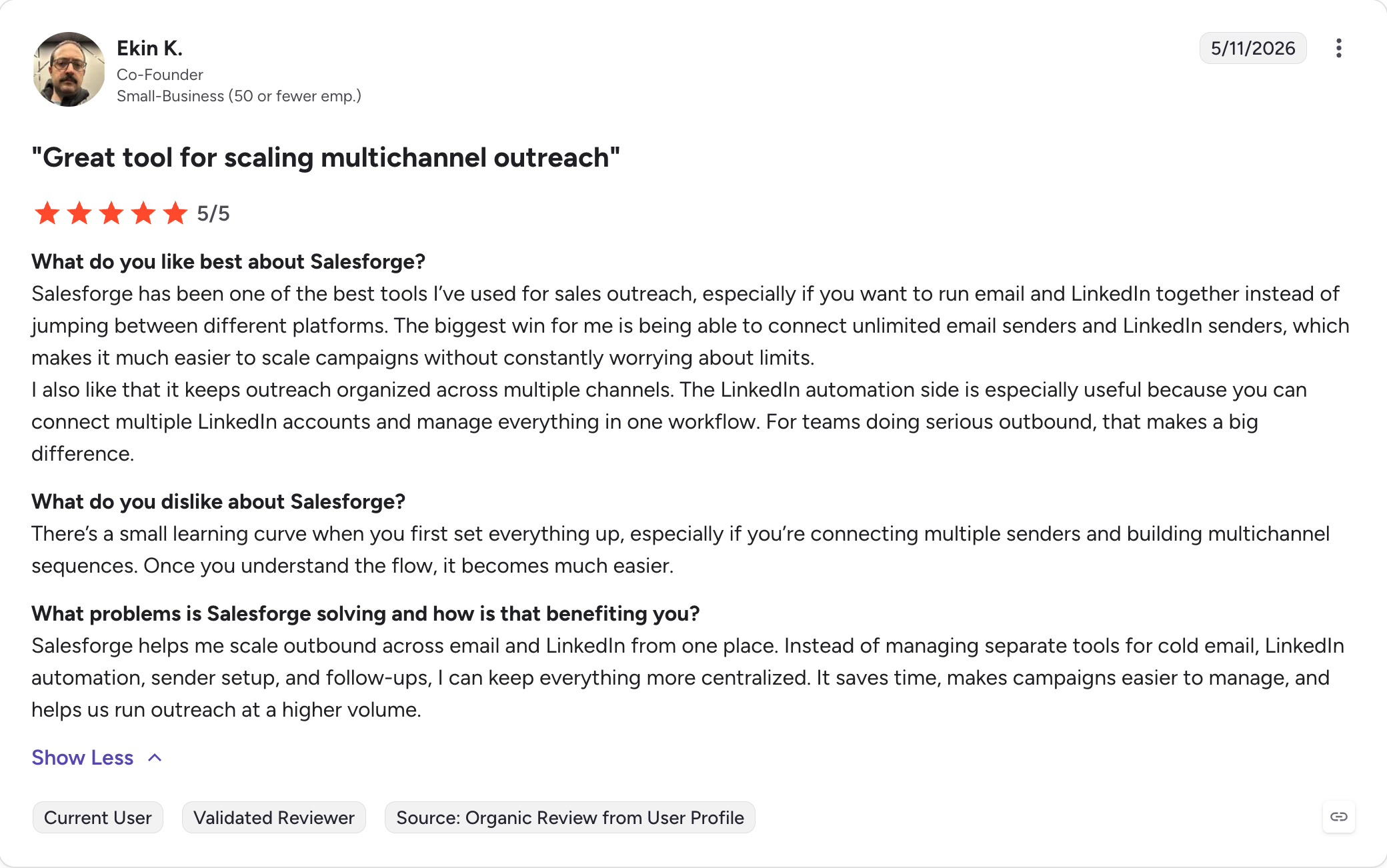
Verified Salesforge User on G2

Salesforge Pricing

Plan Price Best For Key Limits
Pro $48/mo Solo users 1,000 contacts, 5,000 emails/mo, 1 user, unlimited mailboxes
Growth $96/mo Scaling teams 10,000 contacts, 50,000 emails/mo, unlimited users, multiple LinkedIn accounts
Agent Frank $499/mo (quarterly) High-volume outbound teams Autonomous AI SDR, 24/7 prospecting and booking

All plans include unlimited warm up, mailbox rotation, dynamic IPs, email validation credits, and Primebox. 14-day free trial, no credit card required.

Salesforge Pros

  • Combines LinkedIn automation and email outreach in one platform
  • Advanced personalization features for highly customized messaging and campaign targeting
  • Automating LinkedIn outreach, including messaging sequences and prospect engagement
  • AI personalization in 20+ languages, not just merge tags
  • Dynamic ESP matching improves inbox placement automatically
  • Unlimited warm-up and mailbox rotation included on all plans
  • Domain reputation monitoring and real-time deliverability tracking
  • Built-in email validation and waterfall lead enrichment
  • CRM integrations: HubSpot, Pipedrive, and API access
  • Supports multiple LinkedIn accounts on the Growth plan
  • Sales Navigator integration for pulling prospects directly into outreach sequences
  • Unlimited users on Growth, a big win for lead generation agencies
  • Agent Frank handles the entire SDR workflow autonomously
  • Connects with the full Forge Stack (Warmforge, Mailforge, Infraforge, Primeforge, Leadsforge)

Salesforge Cons

  • No free plan

Expandi vs Salesforge: Head-to-Head

Factor Expandi Salesforge
Channels LinkedIn + light email add-ons LinkedIn + email, multi channel from day one
Deliverability Basic warm up, risky defaults Unlimited warm-up, Smart Rotation, ESP matching, domain monitoring
Personalization Text, GIFs, videos (add-ons) AI personalization in 20+ languages + Primebox AI smart inbox
Email validation Not included Built-in email validation + waterfall enrichment
Multiple accounts One LinkedIn account per seat Multiple LinkedIn accounts on Growth
Team pricing $99/seat, adds up fast Unlimited users at $96/mo on Growth
CRM integrations Available via third-party Native HubSpot, Pipedrive, API
AI outreach Not available Agent Frank: fully autonomous SDR
G2 rating 4.2/5 (133 reviews) 4.6/5 (255 reviews)

If your goal is booked meetings rather than sent messages, Salesforge wins. It's safer, more scalable, and brings AI-powered outreach that Expandi doesn't offer.

Try Salesforge free for 14 days
#2. HeyReach: Best for Agencies Managing Multiple LinkedIn Accounts

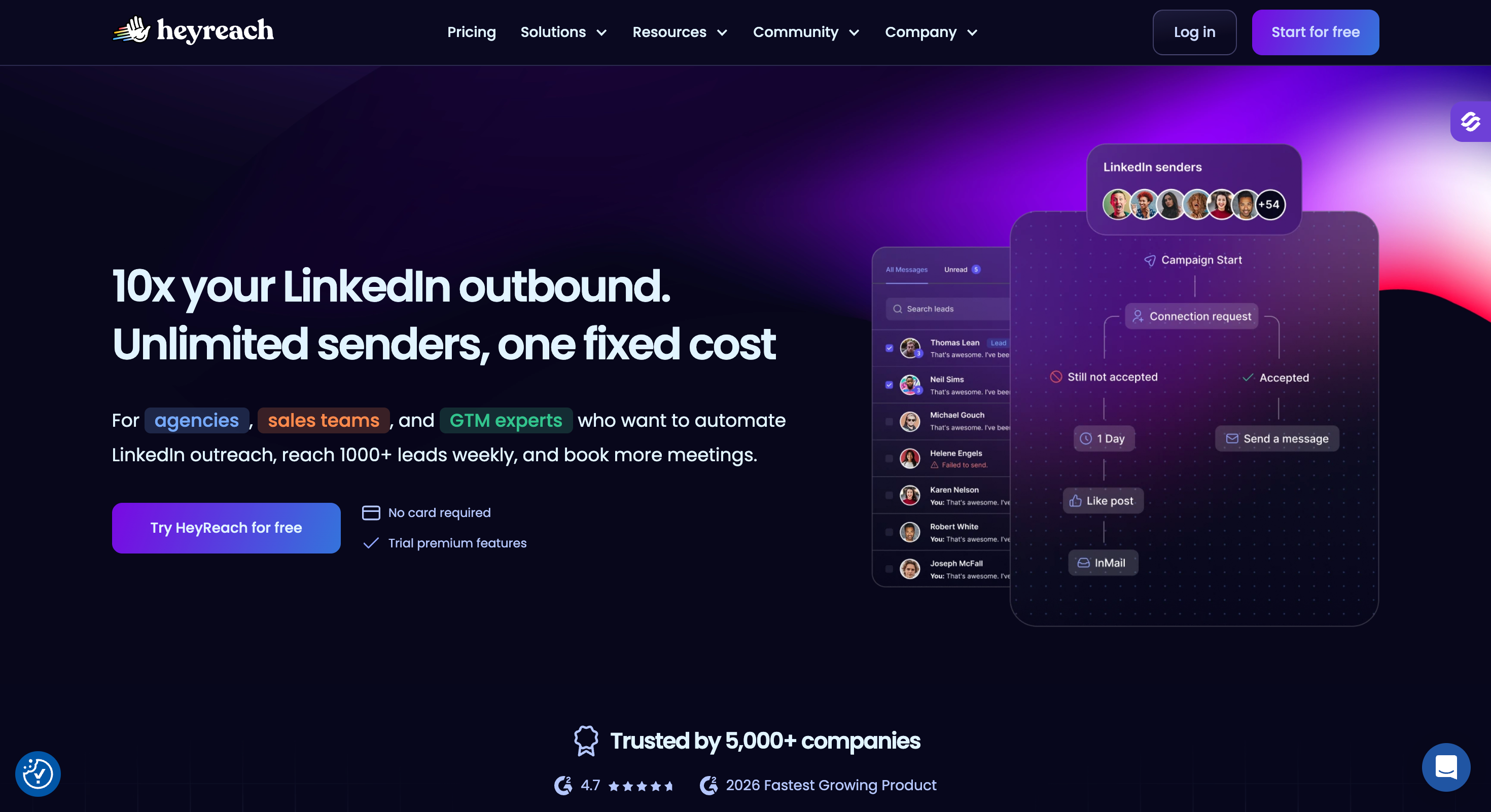
If your business is running LinkedIn outreach for clients, HeyReach is the strongest Expandi alternative on the list for that use case.

Where Expandi charges per seat and stays LinkedIn-only, HeyReach is purpose-built for agencies managing multiple LinkedIn senders inside one workspace.

It stands out for its robust team collaboration and team collaboration features, allowing agencies to efficiently coordinate campaigns, manage leads, and share templates or workflows across teams. Flat agency pricing. Unlimited account rotation. A unified inbox across every sender.

Note: HeyReach doesn’t do email. If your motion is LinkedIn plus email, this isn’t a single-tool solution. Pair it with Salesforge or a dedicated cold email tool for the email half.

HeyReach Core Features

  • Multi-account sender rotation: Run one campaign across unlimited LinkedIn senders. Distribute volume safely so no single account hits LinkedIn limits.
  • Unified inbox (Unibox): All conversations from all senders in one screen. Reply on behalf of any account.
  • Strong account safety record: Cloud-based with dedicated residential IPs per LinkedIn account. Long-term users report 12+ months of continuous use without bans.
  • Campaign types beyond outreach: LinkedIn Event campaigns, Inbound campaigns (follow up with profile visitors), Mobile Connector campaigns.
  • Native HubSpot and Pipedrive sync: Push leads from HeyReach inbox to your CRM with one click.
  • White-label option: Agency dashboard with client workspaces on the Agency tier.

Does HeyReach Work with LinkedIn Sales Navigator?

Yes. HeyReach exports unlimited contacts from Sales Navigator searches in CSV. You can pull saved Sales Navigator lists directly into LinkedIn campaigns without third-party tools.

What HeyReach Users say on G2

HeyReach is rated 4.6 stars from 69 verified reviews on G2 and was named a 2026 Fastest Growing Product. Here's what actual users report:
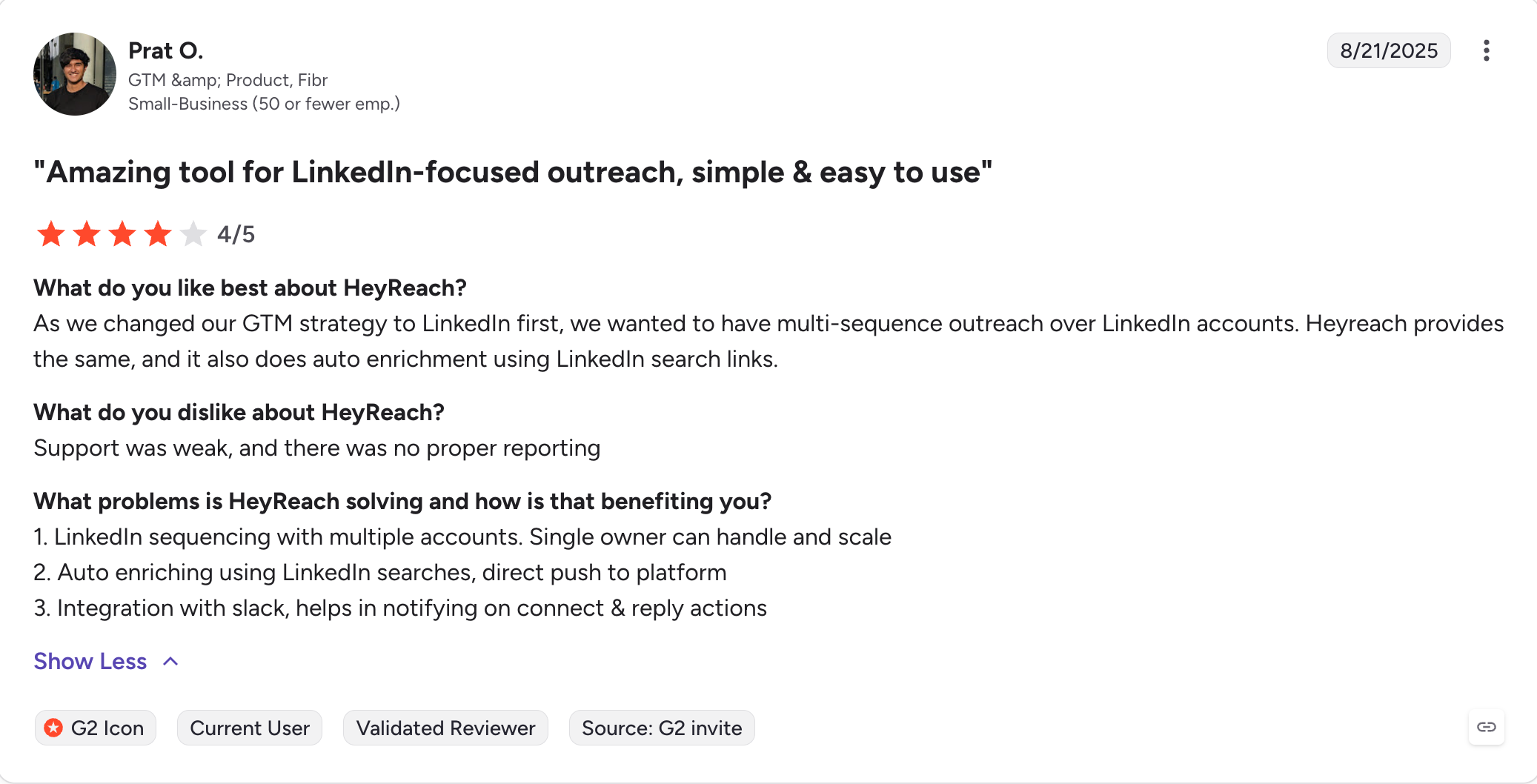
Verified Heyreach Customer on G2

HeyReach Pricing

Plan Price Best For
Starter $79/mo Solo users, 1 LinkedIn account
Growth $59/seat Sales teams managing several accounts
Agency $749/mo flat Up to 50 LinkedIn accounts
Unlimited $1,999/mo flat Unlimited senders for large agencies

Free trial available, no credit card required.

HeyReach Pros

  • Best multi-account economics on the market for agencies
  • Flat agency pricing at $749/mo for 50 accounts (crushes per-seat models at scale)
  • Strong reported account safety record across long-term users
  • Unified inbox handles every sender in one view
  • AI hyper-personalized connection request messages
  • Native HubSpot and Pipedrive integration
  • Sales Navigator export with no contact cap

HeyReach Cons

  • LinkedIn-only, no native email
  • Pricing jumps from Growth to Agency are steep for mid-sized teams
  • Shallow analytics at the lead level
  • No pre-emptive do-not-contact list
  • No automated email warm up (because no email)

Expandi vs HeyReach: Head to Head

Factor Expandi HeyReach
Multi-account economics $99/seat, scales painfully Flat $749/mo for 50 accounts
Account safety Mixed reports Strong, 12+ month tracks reported
Unified inbox View-only across accounts Full Unibox, reply on behalf of any sender
Native email Light follow-ups None (LinkedIn-only)
Free trial 7 days Yes, no card required
G2 rating 4.2/5 (133 reviews) 4.7/5 (69 reviews)

HeyReach is the Expandi alternative for agencies. If you also need email, pair it with Salesforge.
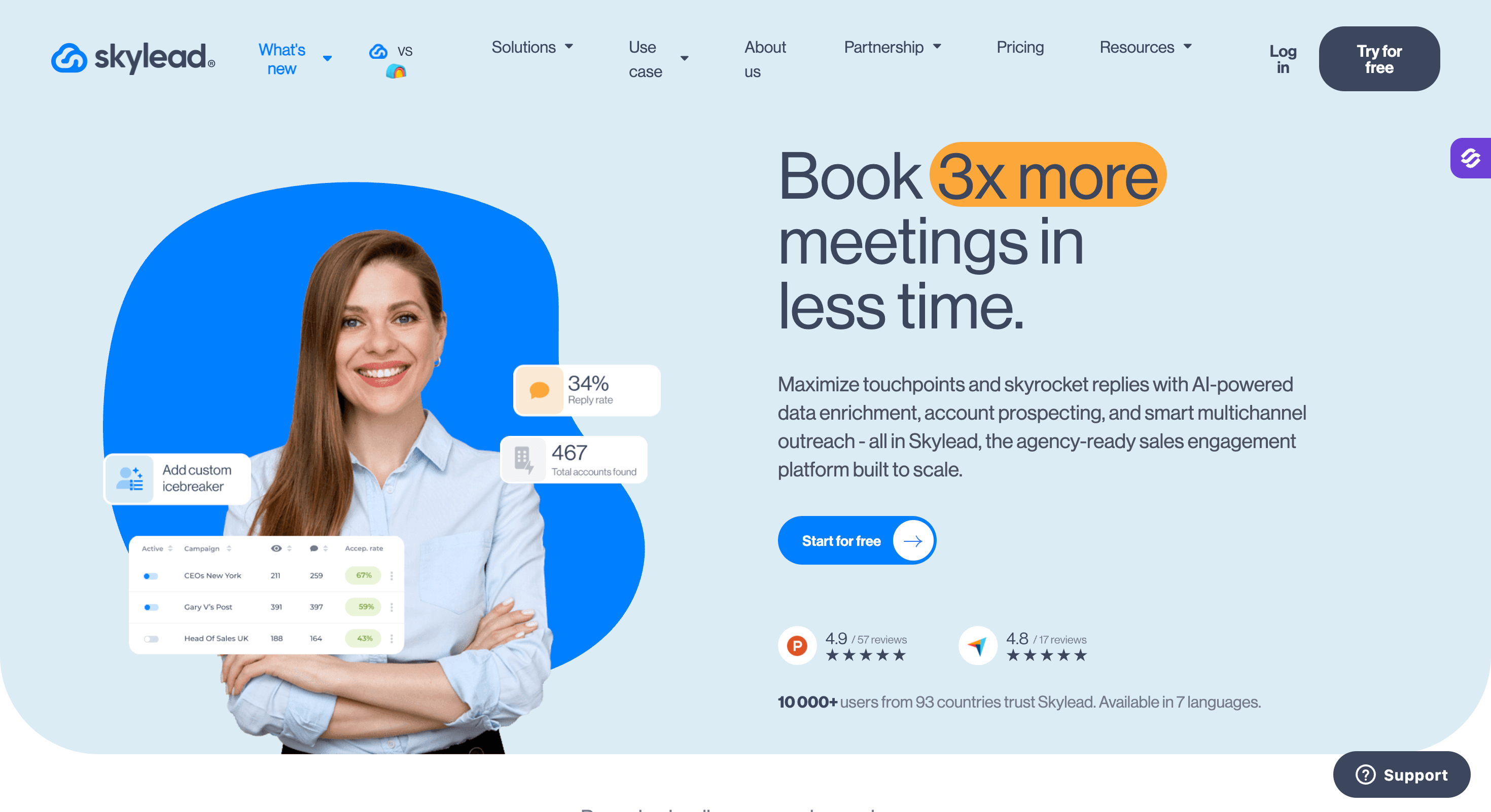
#3. Skylead: Best for LinkedIn-First Teams That Want Cold Email Too

Skylead is a cloud-based LinkedIn automation platform that not only matches Expandi’s capabilities for LinkedIn outreach but also extends them into cold email.

It keeps the LinkedIn automation core that Expandi does well, then adds cold email, infinite email warm-up, and email discovery and verification in one platform.

Skylead provides detailed campaign data and analytics, allowing you to optimize your outreach by tracking performance and synchronizing campaign activities with external tools. Where Expandi has been criticized for aggressive defaults, Skylead gives you more control over your outreach sequences and how they pace activity.

You can build smart sequences that mix LinkedIn messages, connection requests, InMails, email steps, and follow ups.

The visual campaign builder makes it easy to map out multi-step flows, and the platform handles delivery safely throughout.

Best Suited for

  • LinkedIn-first teams adding cold email and email automation to their workflow
  • Marketing agencies and lead generation agencies that need to manage multiple accounts with a white-label option
  • Teams that want built-in email verification to keep outreach performance strong

Does Skylead Work with LinkedIn Sales Navigator?

Yes. Skylead supports Sales Navigator as a lead source, so you can build LinkedIn campaigns directly from your saved Sales Navigator searches and import them into automated outreach sequences.

What Skylead Users Say on G2

Skylead holds 4.5 stars from 127 verified reviews on G2. Here's what actual users report:
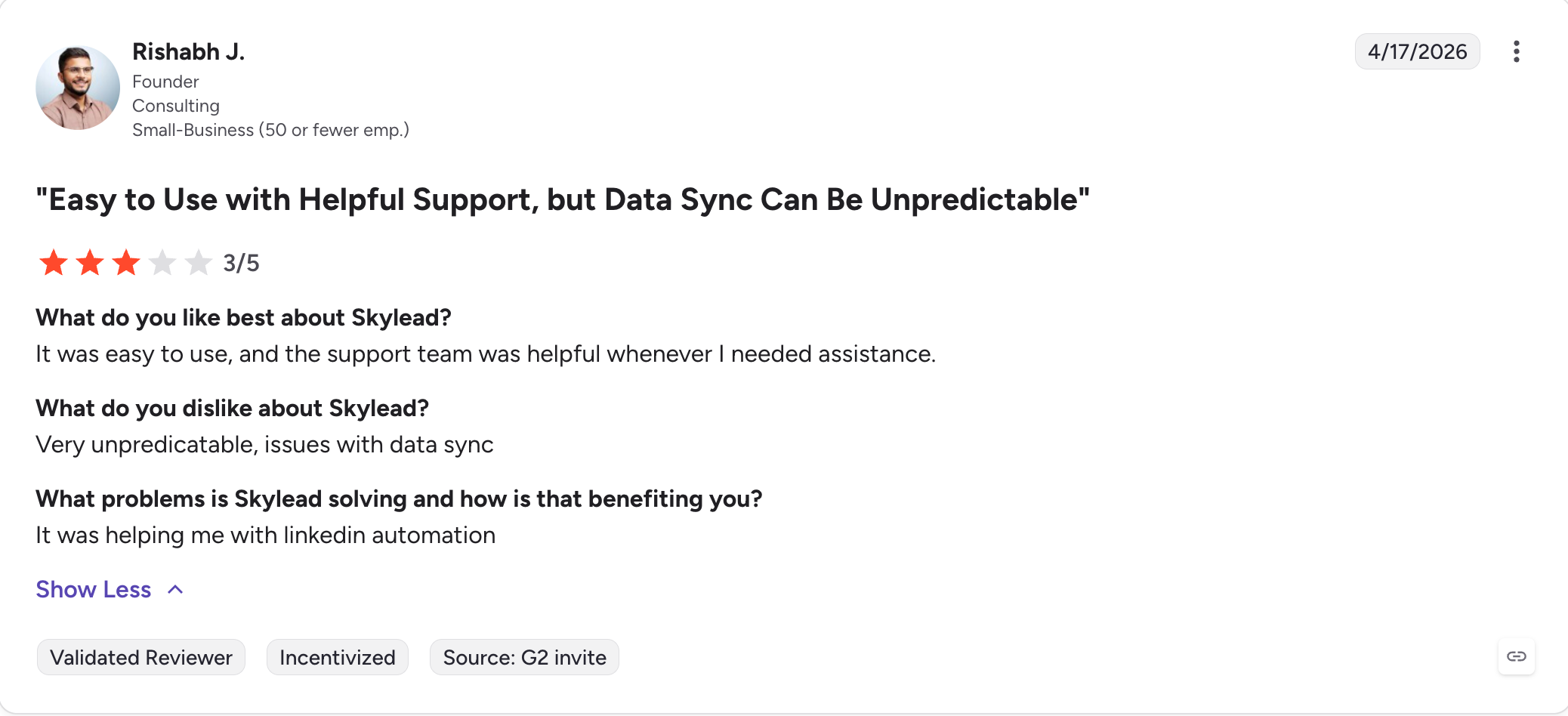
Verified Skylead User on G2

Skylead Pricing

Plan Price What's Included
All-in-One $100/mo Unlimited email accounts, 100K emails/mo, infinite warm up, smart sequences, email finder and verifier, image and GIF personalization, API
White Label Custom pricing All features under your brand, agency dashboard, dedicated customer success manager
Annual Pay 10 months, get 12 Same as All-in-One with 2 months free

7-day free trial available.

Skylead Pros

  • Smart sequences that mix LinkedIn and email in a single flow
  • Visual campaign builder makes complex sequence setup fast
  • Infinite warm-up included, no separate tool needed
  • Email discovery and verification built in
  • White-label option for agencies with custom pricing
  • Available in 7 languages for global teams

Skylead Cons

  • $100/month starting price is higher than Expandi for solo users
  • Steep learning curve, takes time to configure correctly
  • No native CRM integrations (Zapier workaround required)
  • No AI personalization at the depth of Salesforge

Expandi vs Skylead: Head-to-Head

Factor Expandi Skylead
Email automation Light add-on steps Full cold email with discovery + verification
Warm up Basic Infinite email warm-up
Campaign builder Sequence editor Visual campaign builder
Agency use Basic roles White-label + agency dashboard + custom pricing
LinkedIn integration Core feature Core feature + Sales Navigator support
G2 rating 4.2/5 (133 reviews) 4.5/5 (127 reviews)

Skylead is a natural upgrade from Expandi for LinkedIn-focused teams that want proper email automation alongside it. Budget time for the steep learning curve.
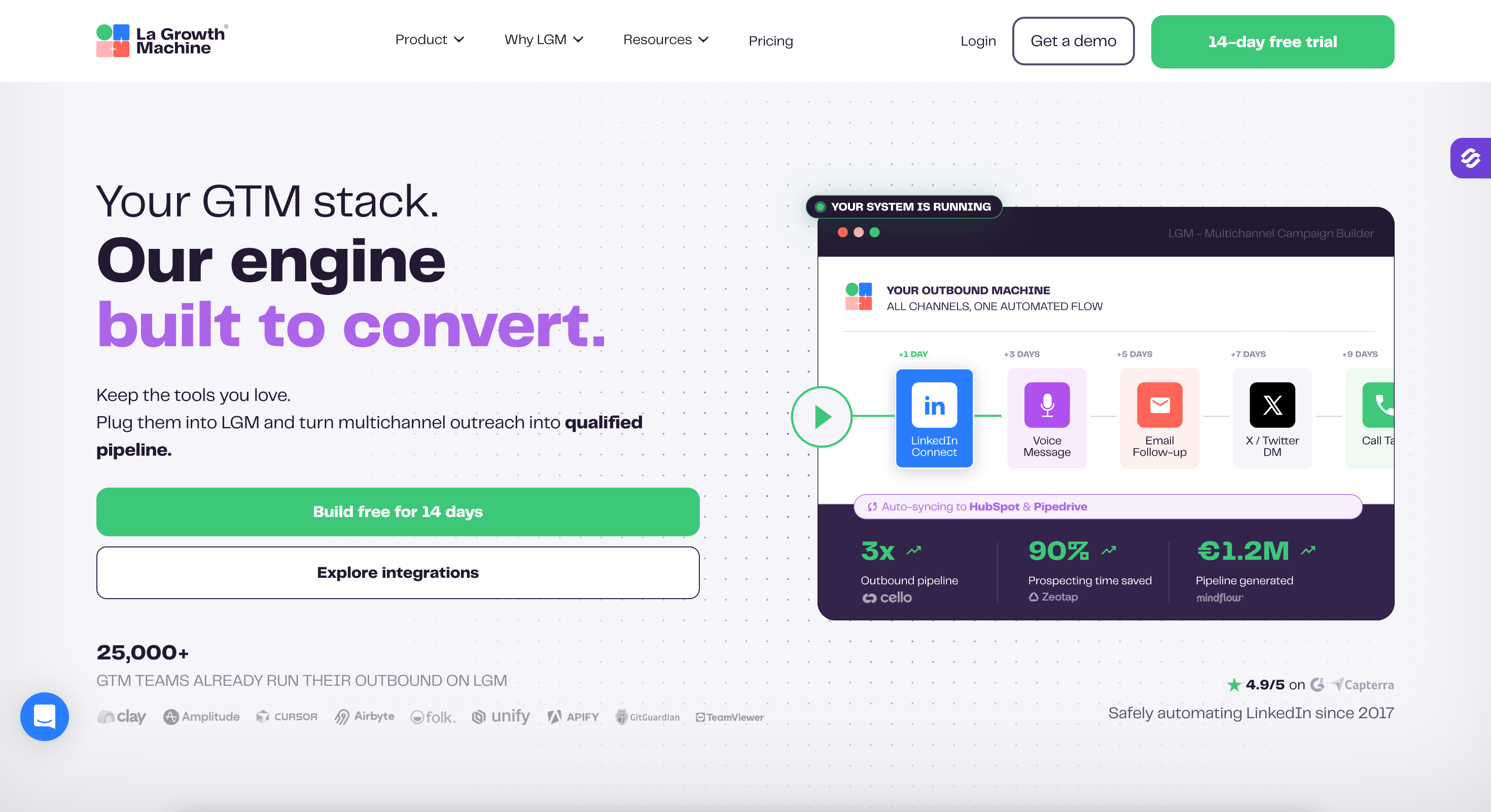
#4. LaGrowthMachine: Best for Multi-Channel Automation With Calls and Enrichment

LaGrowthMachine lets you integrate LinkedIn with email outreach, phone calls, Twitter outreach, and voice notes inside a single automated sequence, making it easy to automate outreach across multiple channels seamlessly.

You can also enrich leads automatically, pulling verified emails and company data, without leaving the platform. For sales teams running multi-channel campaigns across more than two channels, it’s one of the best LinkedIn automation tools available for that specific use case.

Users consistently praise how fast it is to set up and how responsive the support team is. In a category where most tools have thin support, that matters.

The tradeoff: it’s more complex than other tools here, and several users report occasional bugs in the visual sequence builder and UX friction in certain areas. It rewards patience.

Best for Teams That

  • Run multi channel campaigns across LinkedIn, email, calls, and Twitter outreach
  • Need lead enrichment built in, without a separate Clay or Apollo subscription
  • Want CRM integrations with HubSpot or Pipedrive built into the workflow
  • Need to manage multiple campaigns simultaneously at the agency level

Does LaGrowthMachine Work with LinkedIn Sales Navigator?

Yes. LGM supports Sales Navigator as an import source, which is one of the reasons it's popular with advanced sales teams. You can pull lead lists from Sales Navigator directly into multi-channel sequences and automate connection requests and follow ups from there.

What LaGrowthMachine Users Say on G2

LaGrowthMachine holds 4.6 stars from 56 verified reviews on G2. Here's what actual users report:
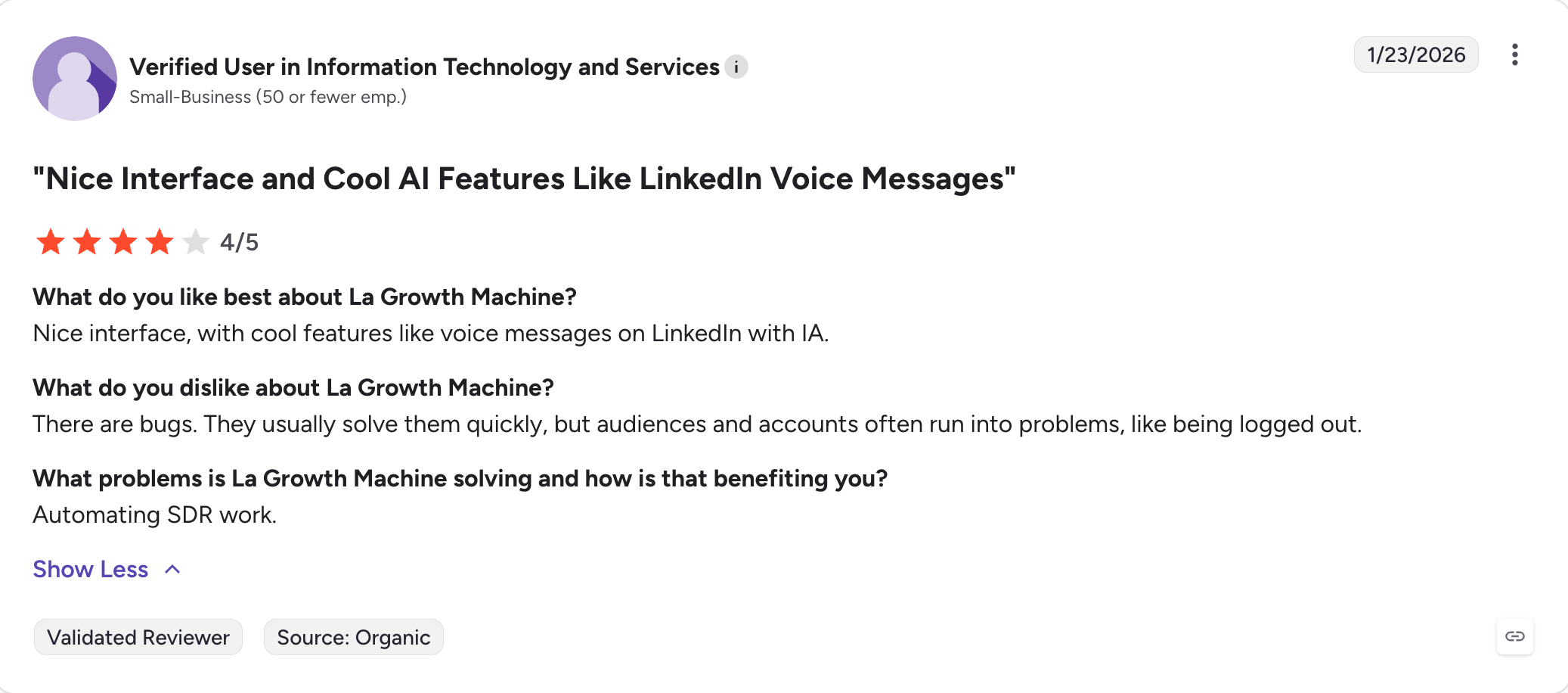
Verified La Growth Machine User on G2

LaGrowthMachine Pricing

Plan Price Key Features
Basic €50/identity/mo LinkedIn + Email, 250 enrichment credits, AI voice messages
Pro €100/identity/mo Adds calls, rotating inbox, 400 credits, A/B testing, Zapier/Make/Clay
Ultimate €150/identity/mo Adds Twitter outreach, 1,000 credits, CRM integrations with HubSpot and Pipedrive, unlimited campaigns
Agency Custom pricing Dedicated support, custom limits, discounted plans

14-day free trial available.

LaGrowthMachine Pros

  • Combine LinkedIn automation with email, calls, Twitter outreach, and voice notes in one sequence
  • Visual sequence builder for building complex multi channel campaigns
  • Built-in lead enrichment removes the need for a separate tool
  • Rotating inbox and a multichannel unified inbox
  • Responsive support team (9.5/10 support score on G2)
  • AI writing and voice message generation included
  • Sales Navigator integration for advanced targeting

LaGrowthMachine Cons

  • Bugs reported in the visual sequence builder and display
  • CRM integrations, including HubSpot, have had mixed reviews
  • A few users reported unexpected send errors on campaign restarts
  • Pricing is per identity, so costs scale faster for larger teams
  • Limited email customization noted by some users
  • Running multiple campaigns simultaneously is capped on lower plans

Expandi vs LaGrowthMachine: Head-to-Head

Factor Expandi LaGrowthMachine
Channels LinkedIn + email follow ups LinkedIn, email, calls, Twitter outreach, voice notes
Enrichment Not included Built-in monthly enrichment credits
CRM integrations Available via third-party Native HubSpot/Pipedrive on Ultimate plan
Inbox Standard Multichannel unified inbox + rotating inbox
Multiple campaigns Yes Capped on Basic and Pro plans
G2 rating 4.2/5 (133 reviews) 4.6/5 (56 reviews)

LGM is the right call when you need multi-channel automation with enrichment in one place. Go in knowing there's a complex setup and some UX friction along the way.

#5. Lemlist: Best for Email-First Teams With Visual Personalization

Lemlist takes a different approach from the other tools here.

Where most Expandi alternatives lead with LinkedIn, Lemlist leads with email.

Specifically, cold outreach campaigns that look like they were written for each recipient individually.

Custom images with the prospect's name, company logo, or LinkedIn screenshot embedded. Video thumbnails. Dynamic landing pages.

The personalization here goes beyond what any other automation platform in this list can do for email.

On top of that, Lemlist has a 450M+ leads database, monthly enrichment credits, and a deliverability toolkit that includes warm up, inbox rotation, DNS checks, and alerts. It's one of the best LinkedIn automation tools for teams whose primary channel is email and who want to add LinkedIn integration as a supporting step.

LinkedIn and calls are available on the Multichannel Expert plan, but they're secondary. If LinkedIn is your primary channel, Lemlist isn't the right pick. If email is the engine and LinkedIn is the amplifier, it works well.

Does Lemlist Work with LinkedIn Sales Navigator?

Yes, via the Chrome extension. Lemlist's LinkedIn integration includes a Chrome extension that lets you import contacts directly from Sales Navigator into your outreach sequences, which keeps your LinkedIn campaigns and email sequences connected.

What Lemlist Users Say on G2

Lemlist holds 4.6 stars from over 1,551 verified reviews on G2, making it the most reviewed tool in this list. Here's what actual users report:
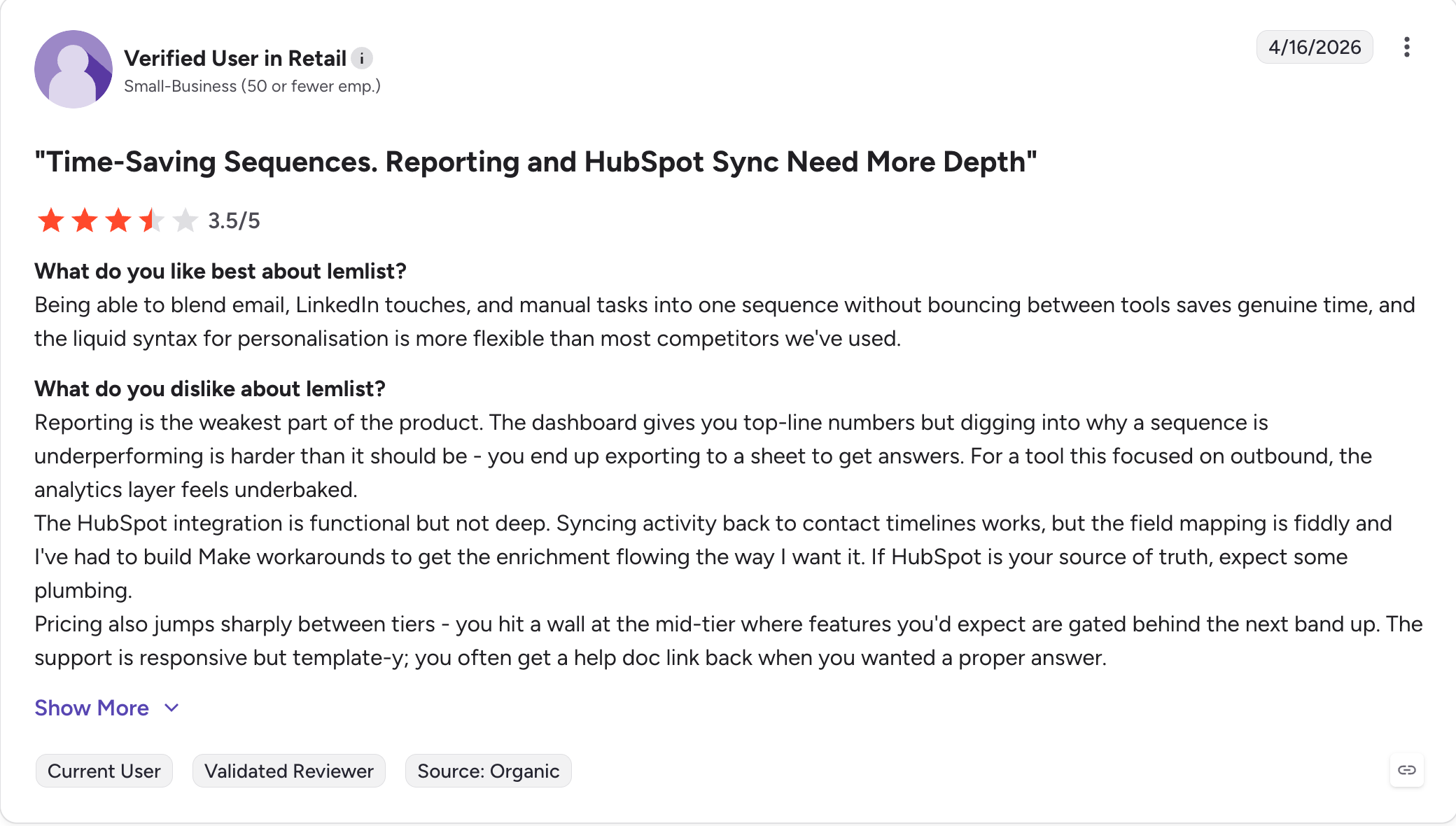
Verified Lemlist User on G2

Lemlist Pricing

Plan Price Key Features
Email Pro $69/user/mo Unlimited emails, AI personalization, 3 sending emails/user, 450M+ database, 1,000 enrichment credits/mo
Multichannel Expert $99/user/mo Adds auto LinkedIn, calls, WhatsApp (add-on), unified inbox, 5 sending emails/user, 1,500 credits, intent data signals
Enterprise Custom pricing 2,500 credits, advanced API, dedicated AM, SSO

14-day free trial available.

Lemlist Pros

  • Custom images, videos, and landing pages personalized per prospect
  • Deliverability toolkit with warm-up, rotation, DNS checks, and alerts all included
  • 450M+ leads database with free monthly enrichment credits
  • LinkedIn integration plus calls and WhatsApp on the Expert plan
  • Intent data signals on Multichannel Expert for better targeting
  • Solid CRM integrations: HubSpot, Salesforce, Pipedrive, Clay
  • Largest G2 review base in this category (1,477+ reviews, 4.6 stars)

Lemlist Cons

  • Deliverability at high volume can be inconsistent above 1,000 emails/day
  • Some users find the UI complex once outreach sequences get detailed
  • Pricing escalates fast once you start using enrichment credits at scale
  • Support quality is mixed in reviews

Expandi vs Lemlist: Head-to-Head

Factor Expandi Lemlist
Primary focus LinkedIn automation Email-led outreach with deep visual personalization
Deliverability Basic LinkedIn warm up Warm-up, rotation, DNS tests, alerts
Data Not included 450M+ database, monthly enrichment credits, intent data
Personalization Text, GIFs, images (add-ons) Custom images, video thumbnails, dynamic pages, AI icebreakers
LinkedIn integration Core feature Supporting step via Chrome extension + Sales Navigator import
G2 rating 4.2/5 (133 reviews) 4.6/5 (1,477 reviews)

Lemlist is the strongest pick when your outreach is email-first and you want personalized messages that actually stand out. Watch deliverability closely as volume scales, and track your enrichment credit usage.
#6. Dripify: Best for Solo Users and Small Teams

Sometimes you don't need the most fully-featured automation platform. You need the one that works without a week of setup.

That's Dripify.

It's a cloud-based automation tool built specifically for LinkedIn outreach. Users consistently call it safe and reliable, reporting long runs on their LinkedIn account without warnings. It has a clean UI, drip campaign templates, a built-in email finder and verifier, and a smart inbox starting on the Pro plan.

Dripify won't replace a full outreach stack. There's no deep multi-channel automation logic, no AI personalization, and you'll hit the ceiling if you're trying to manage multiple campaigns with complex branching.

But for solo users and small sales teams that want to automate connection requests and follow-ups on LinkedIn without a headache, it's hard to beat.

It also works well for teams already using LinkedIn Sales Navigator, since Dripify pulls leads directly from Sales Navigator searches into drip campaigns without manual CSV exports.

What Dripify Users Say on G2

Dripify holds 4.5 stars from 338 verified reviews on G2. Here's what actual users report:
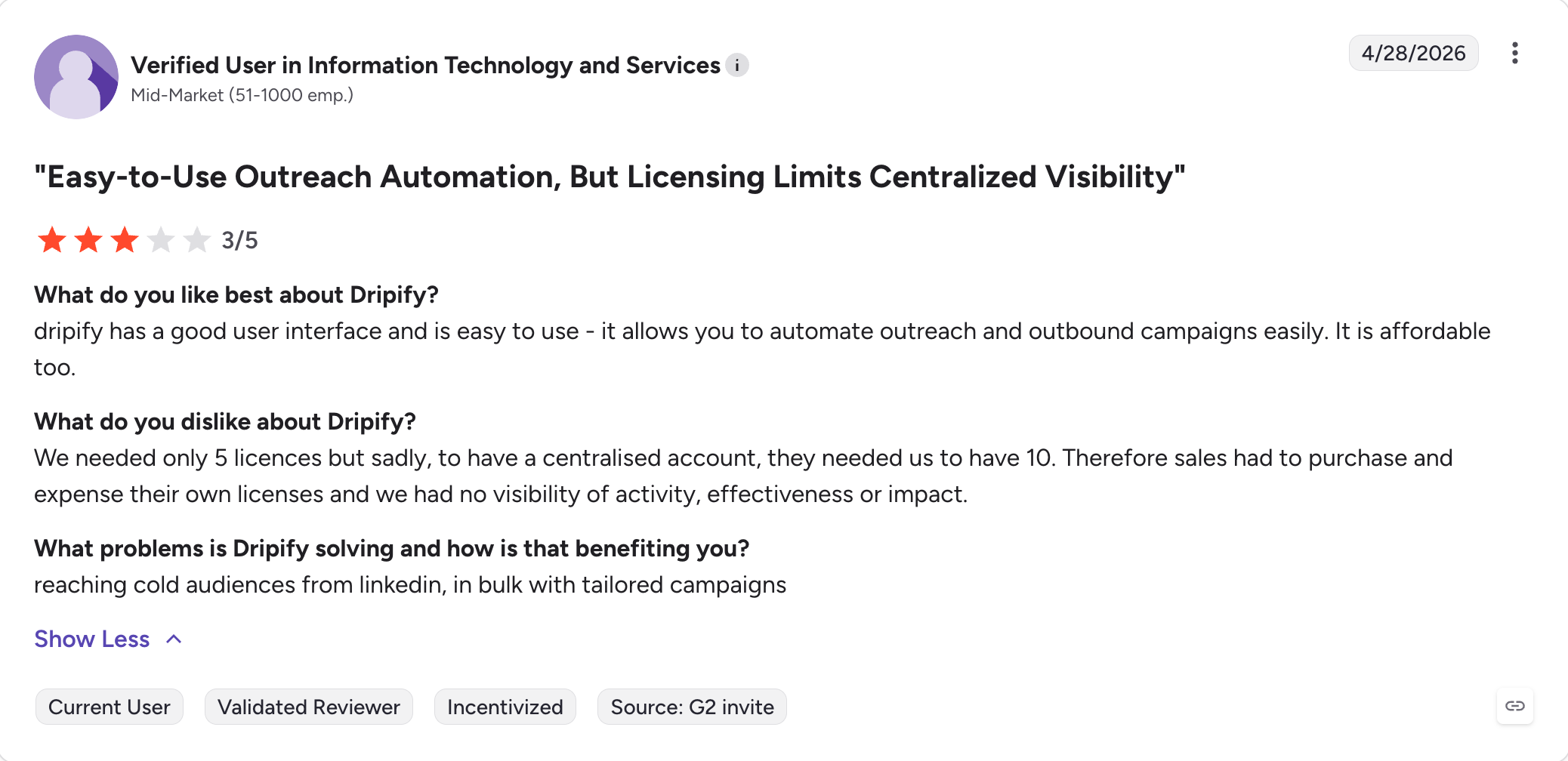
Verified Dripify User on G2

Dripify Pricing

Plan Price What's Included
Basic $59/user/mo 1 drip campaign, email finder, analytics, templates, LinkedIn protection
Pro $79/user/mo Unlimited drip campaigns, smart inbox, CSV export, webhooks
Advanced $99/user/mo Adds team management and advanced LinkedIn protection
Enterprise Custom pricing Premium onboarding, dedicated customer success manager, custom email finder

7-day free trial available.

Dripify Pros

  • Strong safety record, users report long-term use without LinkedIn account flags
  • Easiest UI in this list, campaign automation is up and running in minutes
  • Email finder and verification built in to cut bounce rates
  • Smart inbox on Pro keeps LinkedIn messages organized
  • Integrates with LinkedIn Sales Navigator for direct lead imports
  • Team management on Advanced works well for small teams

Dripify Cons

  • Limited for complex or multi channel automation workflows
  • Some users have reported LinkedIn restrictions (not universal)
  • At $99/seat on Advanced, you're paying close to Expandi's price without the extra features
  • No AI personalization
  • Some Pro plan users report delivery pausing mid-campaign

Expandi vs Dripify: Head-to-Head

Factor Expandi Dripify
Ease of use Moderate, the builder takes getting used to Very easy, campaign automation launches in minutes
Safety Variable, defaults can be aggressive Consistent, built-in protection praised by users
Email Follow-up steps in outreach sequences Email finder, outreach, and verification
Multiple accounts One per seat One per seat
Sales Navigator Yes Yes
G2 rating 4.2/5 (133 reviews) 4.5/5 (333 reviews)

Dripify is the right call when simplicity and safety matter more than depth. You'll know when you've outgrown it.
#7. Meet Alfred: Best for Budget Multi-Channel (With Trade-Offs)

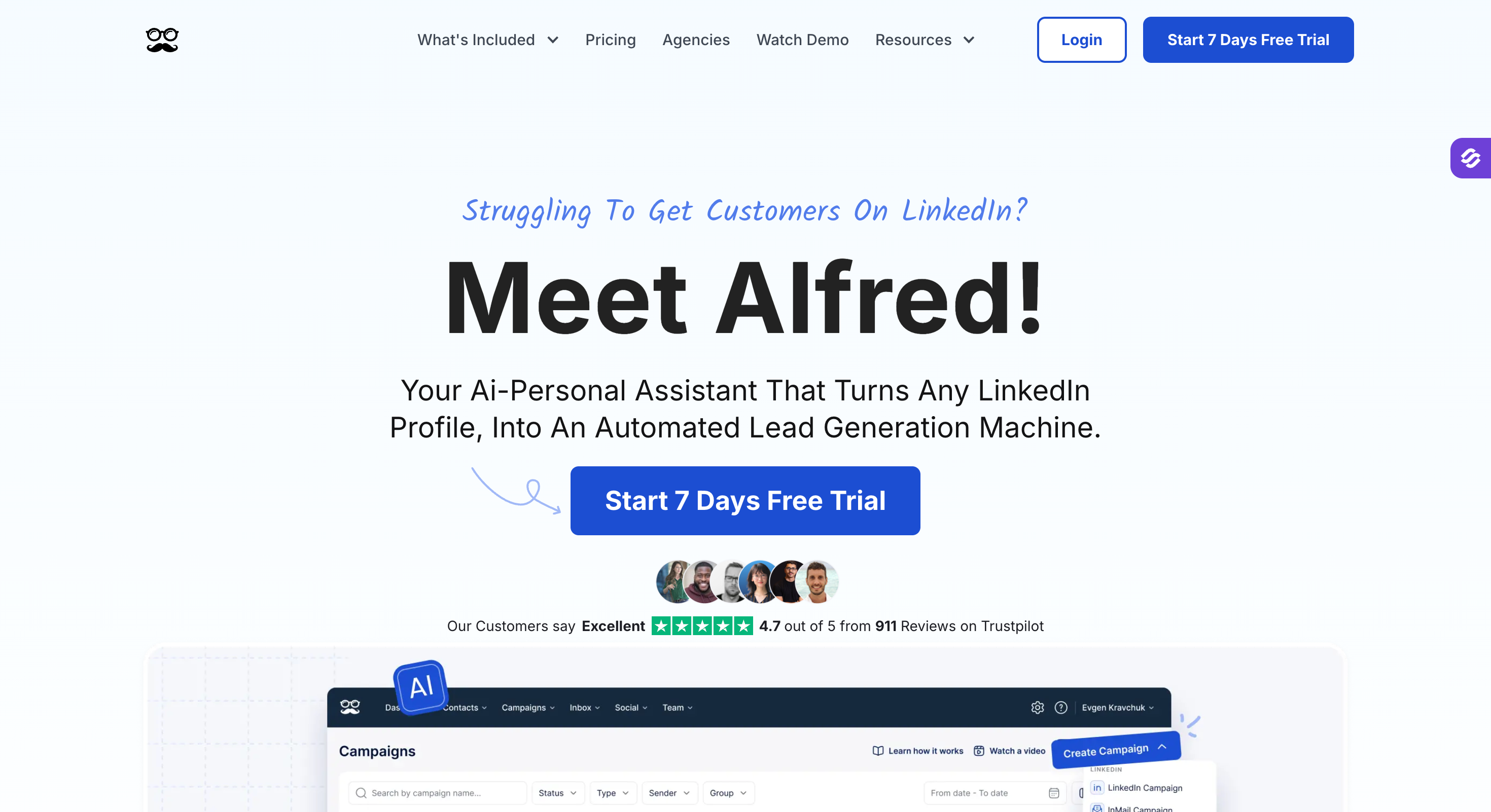
Meet Alfred is a LinkedIn automation platform and the cheapest true multi-channel option on this list.

It is designed for automating LinkedIn outreach, including messaging and follow-ups, as well as integrating email and X (Twitter) in one sequence for $49 per user per month on annual billing.

On paper, that’s hard to argue with.

The G2 rating tells a different story.

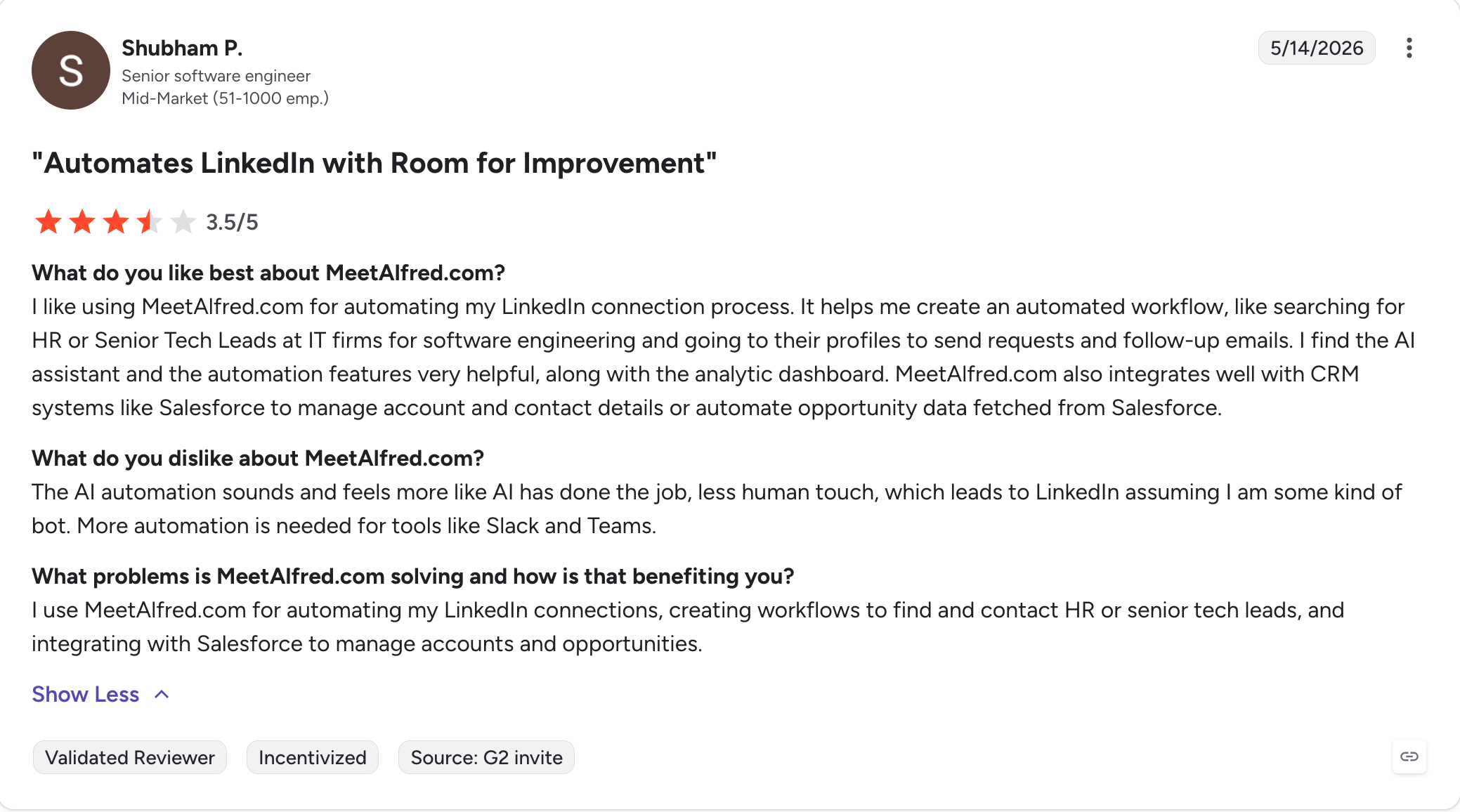
Meet Alfred holds 3.4 stars on G2, the lowest score of any tool here. Two complaints repeat across every review platform: chrome extension architecture that carries higher LinkedIn account risk, and customer support that’s slow when campaigns break.

If you’re testing multi channel outreach on a tight budget and can tolerate occasional friction, it’s a fair entry point. If LinkedIn account safety or fast support is non-negotiable, look elsewhere.

Meet Alfred Features for LinkedIn Campaigns

  • Three-channel sequences: LinkedIn, email, and X (Twitter) in one campaign automation flow.
  • Built-in CRM: Manage leads and conversations inside the tool.
  • Multi-channel campaign builder: Visual flow for combining actions across channels.
  • Chrome extension based: Runs through your browser using LinkedIn session cookies. This is the operational risk.
  • Team workspace: Manage multiple users and accounts on higher plans.

Does Meet Alfred Work with LinkedIn Sales Navigator?

Yes. Meet Alfred supports Sales Navigator searches as a lead source. The Chrome extension makes import direct, but it also means automation runs through the browser, which LinkedIn detects more reliably than cloud-based traffic.

What Meet Alfred Users Say on G2

Meet Alfred is rated 3.4 stars from 37 verified reviews on G2. Here's what actual users report:
Verified Meet Alfred User on G2

Meet Alfred Pricing

Plan Price (annual) What's Included
Pro $49/user/mo LinkedIn + Email + X, 3 campaigns, basic CRM
Advanced $99/user/mo More campaigns, integrations, team features
Enterprise Custom Multi-user, dedicated support

Free trial on all plans, no credit card required.

Meet Alfred Pros

  • Cheapest true multi channel option (LinkedIn + email + X) on this list
  • Built-in CRM for managing leads inside the tool
  • Easy to set up with low onboarding time
  • Free trial on every plan

Meet Alfred Cons

  • 3.4/5 G2 rating, the lowest on this list
  • Chrome extension architecture carries documented LinkedIn account risk
  • Slow customer support is the single most common complaint across review sites
  • Per-LinkedIn-account pricing gets expensive for agencies
  • No email warm up or deliverability tooling
  • Can't reply on behalf of teammates in shared campaigns

Expandi vs Meet Alfred: Head-to-Head

Factor Expandi Meet Alfred
Architecture Cloud-based Chrome extension
Channels LinkedIn + email follow-ups LinkedIn + email + X (Twitter)
Account safety Mixed reports Higher ban risk (chrome extension)
Starting price $99/seat $49/user (annual)
Customer support Inconsistent Frequently flagged as slow
G2 rating 4.2/5 (133 reviews) 3.4/5 (36 reviews)

Meet Alfred wins on price. It loses on almost everything else. Read the G2 reviews before committing.

How We Evaluated Each LinkedIn Automation Tool

We didn’t just read the landing pages. Here’s the criteria we used to score each tool:

  • Account safety: Does it mimic human behavior? Smart throttling and dedicated IPs to reduce LinkedIn ban risk? Does it stay within LinkedIn limits without you having to babysit it?
  • Channel coverage: Is it actually a multi channel automation platform (LinkedIn + email + more), or LinkedIn with a bolt-on email step?
  • Email deliverability: Warm up, mailbox rotation, inbox placement testing, DNS checks.
  • Personalization depth: Beyond first names. AI-generated copy, dynamic images, intent data, account-level variables, personalized messages at scale, and advanced personalization features for highly customized messaging.
  • Scalability: Can marketing agencies and larger sales teams manage multiple LinkedIn accounts and clients without it breaking?
  • Campaign performance: Not just open rates. Reply quality, meetings booked, outreach performance over time.
  • Manage campaigns: How efficiently can users organize, set up, and run outreach campaigns across multiple channels and accounts? Are there features that streamline campaign management?
  • Team collaboration: Does the platform support multiple users working together on campaigns, managing leads, and sharing templates or workflows? How robust are the team collaboration features?
  • Pricing transparency: No hidden fees. Clear per-seat vs usage limits across all pricing plans.
  • Onboarding speed: Can a new team build and launch outreach sequences in under an hour?

With that in place, here’s how each tool stacks up.

Email Outreach and Deliverability: How Each Tool Compares

If you're leaving Expandi partly because email outreach is an afterthought, this table matters.

Tool Native email Warm-up Mailbox rotation Deliverability monitoring
Salesforge Yes, unlimited mailboxes Unlimited, free Yes, all plans Real-time
HeyReach No N/A N/A N/A
Skylead Yes, unlimited accounts Infinite (InboxFlare) Yes Limited
LaGrowthMachine Yes, up to 5/identity No (separate tool needed) Yes (Pro+) Limited
Lemlist Yes, primary channel Lemwarm (mixed reviews) Yes (3-5/user) DNS checks, alerts
Dripify Yes, basic No No No
Meet Alfred Yes, basic No No No

If email deliverability is a core part of your stack, Salesforge and Skylead include the most out of the box. LaGrowthMachine and Lemlist cover email outreach but expect you to handle warm up separately on lower tiers.

Campaign Automation: What Each Tool Actually Automates

Every tool here automates LinkedIn campaigns. The difference is how deep the automation logic goes and whether channels talk to each other.

  • Linear sequences only: Dripify, Meet Alfred
  • Smart sequences with if/then branching: Expandi, Skylead
  • Multi-channel orchestration (cross-channel triggers): Salesforge, LaGrowthMachine, Lemlist
  • AI-driven autonomous campaigns: Salesforge (Agent Frank)

For agencies running outreach for clients across channels, campaign automation depth determines how many leads you can touch without manual intervention. Linear tools mean more babysitting. Smart sequences handle reply detection and branching for you.

Final Verdict

Most teams leaving Expandi want the same thing: outreach that goes beyond LinkedIn, lands in the inbox, and doesn't charge $99 per seat with no flexibility.

Every tool here solves part of that.

Only Salesforge solves all of it in one place.

LinkedIn automation and cold email in a single workflow. Unlimited mailbox rotation, dynamic ESP matching, AI personalization in 20+ languages. Unlimited users and LinkedIn senders on the Growth plan at $96/month. For teams paying $99 per seat in Expandi, that shift adds up fast.

Agent Frank takes it further: handling prospecting, personalized outreach in 20+ languages, follow ups, and meeting booking around the clock at $499/month.

If you want outreach that books meetings and scales safely, Salesforge is the clearest upgrade on this list.

14-day free trial, no credit card required.

Start your 14-day free Salesforge trial

Frequently Asked Questions

1) Is Expandi safe to use?

It's cloud-based, which is safer than browser extensions. But default settings can be aggressive and users have reported LinkedIn restrictions. Keep daily limits conservative and watch your connection acceptance rate.

2) What is cheaper than Expandi?

Most options here. Dripify starts at $59/seat, Salesforge Pro at $48/month, Meet Alfred at $49/user, Lemlist at $69/user. For teams, Salesforge Growth at $96/month for unlimited users is the best value.

3) Does Expandi work for cold email?

Technically yes, but it's not built for it. No mailbox rotation, limited warm up, no deliverability tooling. For serious cold email volume, Salesforge or LaGrowthMachine are better fits.

4) Which Expandi alternative is best for agencies?

Two answers depending on what you need. Salesforge if you want LinkedIn + email + AI in one place with unlimited users at $96/month. HeyReach if you're LinkedIn-only and want the cheapest per-account economics at scale ($749/month flat for 50 accounts).

5) Do these tools work with LinkedIn Sales Navigator?

Yes, all seven do. Salesforge, HeyReach, Skylead, LGM, and Dripify import Sales Navigator searches directly. Lemlist and Meet Alfred work via Chrome extension.

6) How does Linked Helper compare to these alternatives?

Linked Helper is cheaper but it's a chrome extension that runs locally, which carries higher LinkedIn ban risk than the cloud-based tools on this list. For 2026, Salesforge, HeyReach, or Dripify are safer picks.

7) Can I switch from Expandi without losing my outreach sequences?

No direct import exists. You'll need to rebuild sequences manually, which is worth doing since it's a good chance to improve them.

8) What's the best free trial for Expandi alternatives?

Salesforge, LaGrowthMachine, and Lemlist offer 14 days. HeyReach and Meet Alfred offer free trials with no card. Skylead and Dripify offer 7 days. None require a credit card.

9) Is Expandi still worth using in 2026?

For LinkedIn-only outreach with no need to scale, it still works. If you're hitting restrictions, struggling with deliverability, or need multi-channel, switch.