If you’ve tried doing LinkedIn outreach manually, you know how slow it is.
Sending invites, tracking replies, and writing follow-ups feels endless, and it doesn’t scale.
LinkedIn automation tools fix that.
They let you send connection requests, follow-ups, and messages automatically, so you can focus on real conversations instead of repetitive tasks. With just a few clicks, you can set up and launch campaigns, making the whole process fast and efficient.
In this guide, you’ll find the 12 best LinkedIn automation tools that actually scale safely. These tools help streamline lead generation for users looking to grow their network and sales pipeline efficiently.
You’ll see what each tool does, who it’s for, and how much it costs, so you can choose the right one and get more replies in less time.
Let’s get started.
TL;DR - Top 12 Best LinkedIn Automation Tools for Safe Outreach
Salesforge - Best for AI-assisted LinkedIn and email outreach
MeetAlfred - Best for multichannel outreach with built-in CRM
LeadConnect - Simple LinkedIn messaging automation via Chrome
Waalaxy - LinkedIn & Email Automation Platform
Lemlist - Great for multichannel sequences (LinkedIn and email)
Dripify - Ideal for drip-style LinkedIn messaging campaigns
Expandi - Best for safe cloud-based LinkedIn automation
Dux-Soup - Reliable Chrome extension for LinkedIn profile actions
Skylead - Best for LinkedIn and email smart sequences with logic
Reply.io - Multichannel outreach for outbound SDR teams
HeyReach - Best for multi-account LinkedIn outreach and unified inbox
Linked Radar - Budget-friendly LinkedIn messaging with AI templates
What Is a LinkedIn Automation Tool?
A LinkedIn automation tool is software that helps you do common LinkedIn outreach tasks automatically instead of doing everything by hand.
A LinkedIn messaging automation tool is specifically designed to automate sending messages, connection requests, and follow-ups, streamlining your outreach activities.
These tasks can include sending connection requests, follow-up messages, and reminders, as well as viewing profiles, managing and leveraging LinkedIn profiles for outreach and lead generation, or liking posts to warm up leads.
With automation, you can run outreach campaigns that connect with many people at once, personalize your messages, and keep conversations organized.
Good LinkedIn automation tools also add delays, limits, and human-like behavior to avoid account restrictions. These tools are designed to mimic human behavior so that actions appear natural to LinkedIn.
The main goal is to save time, reach more people, and get more replies without spending hours doing manual work.
How We Evaluated the 11 Best LinkedIn Automation Tools
To find the most useful LinkedIn outreach tools, we focused on the things that matter most when you’re choosing a platform for LinkedIn messaging, prospecting, and outbound campaigns.
Here’s how we evaluated the 11 best LinkedIn automation tools:
Messaging automation features, to make sure the tool can send connection requests, follow-ups, messages, and campaigns without manual effort.
LinkedIn safety and compliance, including sending limits, warm-up behavior, cloud-based automation, random delays, and other features that reduce the risk of account restrictions.
Multichannel support, such as combining LinkedIn with email, InMail, or AI personalization to boost reply rates.
CRM and outbound integrations, to see how well the tool connects with systems you already use for sales, recruiting, and workflow automation. Some tools require connecting with third party tools like Zapier or Make for advanced integrations.
Ease of use, to check how quickly you can set up campaigns, personalize messages, manage replies, and see results. The best tools allow users to set up and launch campaigns in just a few clicks.
Pricing and scalability, including how plans are structured and whether the tool makes sense for solo users, sales teams, or agencies.
User feedback was also considered to assess real-world effectiveness and satisfaction.
Each tool was reviewed based on how well it helps you send personalized LinkedIn messages, stay safe, and support your outbound workflow.
It is a reliable tool for LinkedIn outreach and sales campaigns, trusted by users for its effectiveness and support.
It includes safe LinkedIn messaging, unlimited LinkedIn sender scaling, inbox management, mailbox warm-up, and AI personalization features that make outbound outreach faster, safer, and more effective.
Here’s what you get with Salesforge:
LinkedIn and Email Sequences to automate connection requests, messages, InMails, and email steps in one campaign
Unlimited LinkedIn Senders so teams and agencies can scale without seat-based pricing
Primebox™ Unified Inbox to manage and reply to all LinkedIn and email conversations in one dashboard
AI SDR (Agent Frank) that finds prospects, writes outreach, follows up, and books meetings automatically
Smart Mailbox Rotation to spread sending across multiple inboxes safely
Email Infrastructure Add-Ons via Mailforge, Infraforge, and Primeforge for high deliverability and setup control
Advanced features for automation and personalization, enabling users to maximize lead generation and streamline sales processes
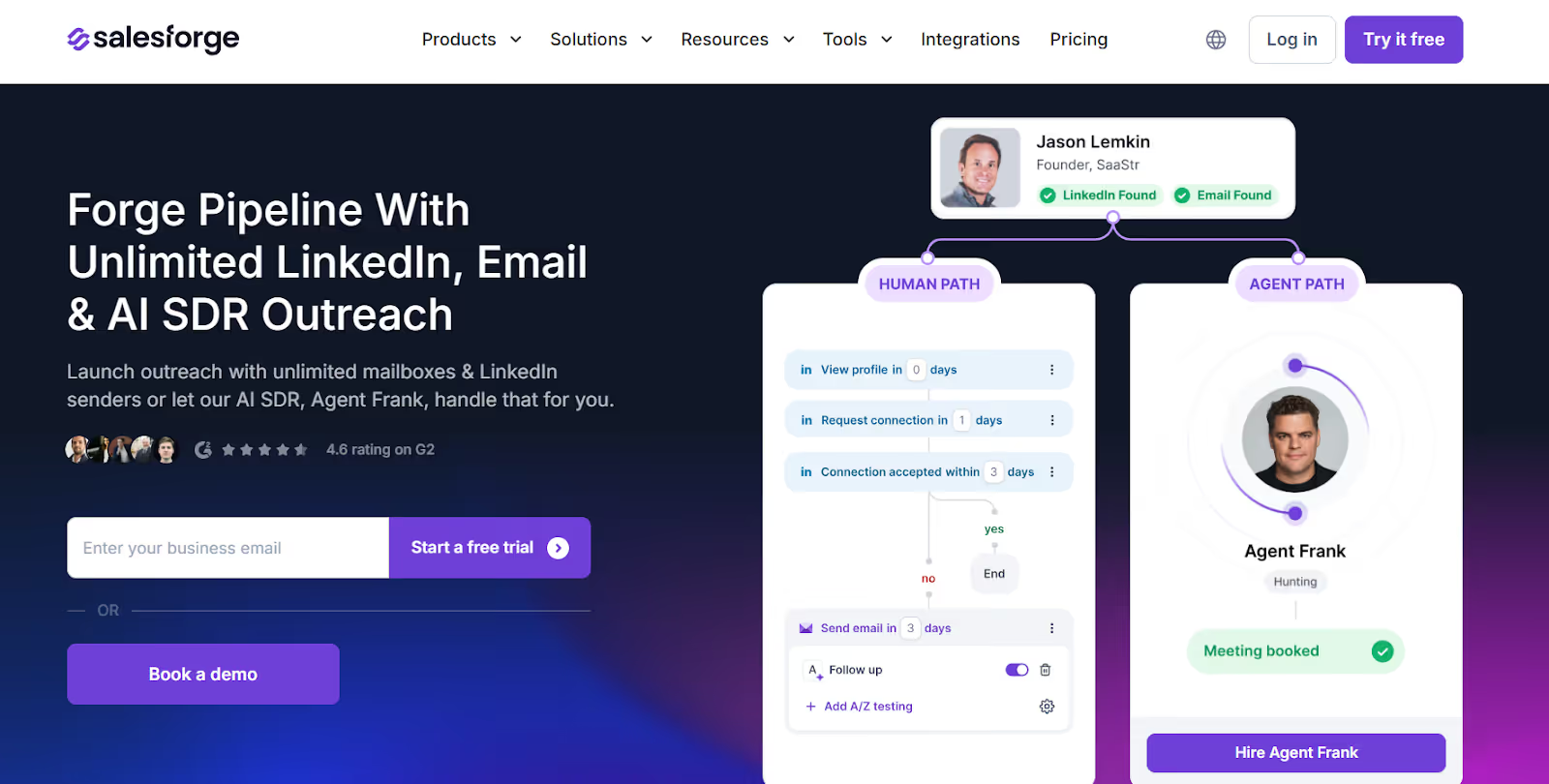
Salesforge’s AI SDR (Agent Frank) supports automated outreach across LinkedIn and email, helping you find prospects, write personalized messages, follow up, and book meetings automatically.
Pros and Cons of Salesforge
Pros & Cons
Pros
Cons
Excellent for B2B outbound sales
Scales outreach for teams + agencies without seat-based pricing
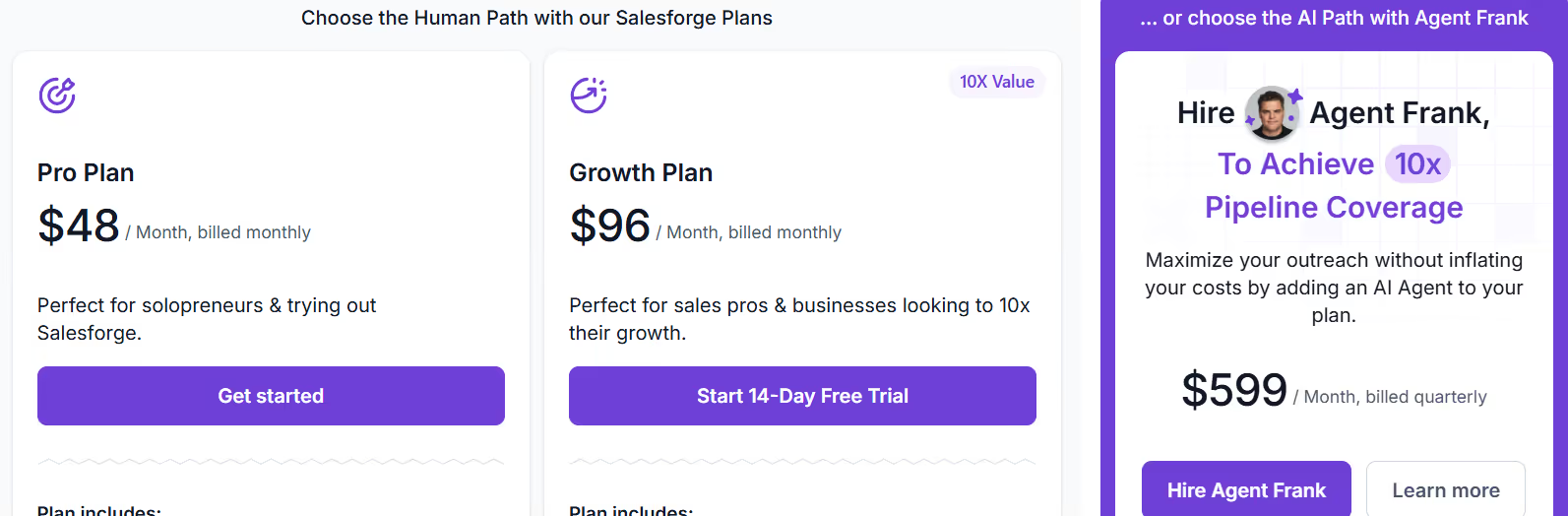
Pro - $48/month, includes 1,000 active contacts, 5,000 emails/month, unlimited mailboxes, unlimited warm-up, Primebox unified inbox, sentiment analysis, and live chat support.
Growth - $96/month, includes everything in Pro plus 10,000 active contacts, 50,000 emails/month, unlimited users, unlimited LinkedIn senders, A/B testing, multi-language sequences, API access, advanced settings, and priority support.
Agent Frank - $499/month (billed quarterly), AI SDR add-on that handles automated prospecting, messaging, follow-ups, and booking, with access to a large contact search engine and dedicated onboarding.
2. Meet Alfred - Multi-Channel LinkedIn Automation Platform
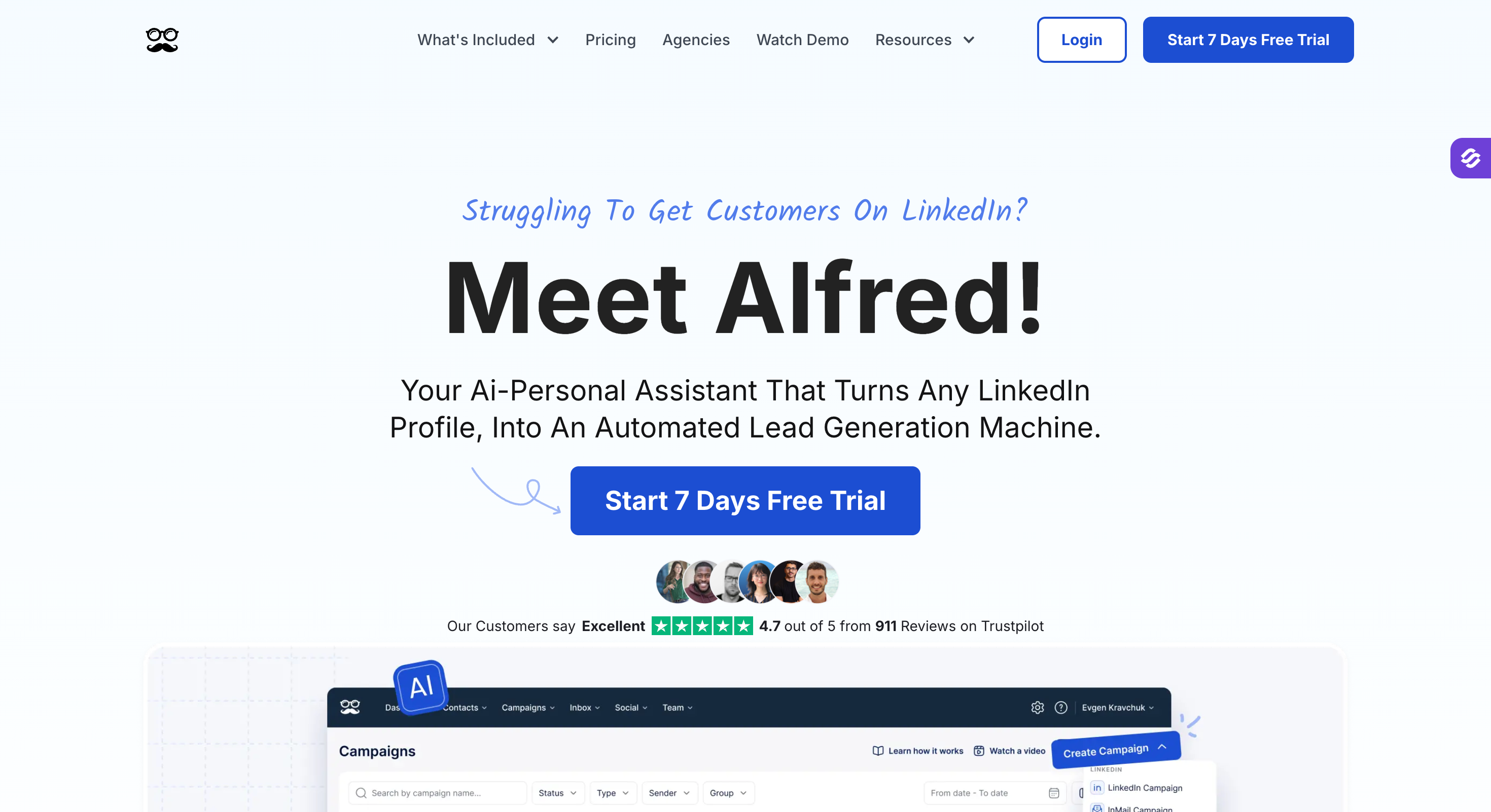
Meet Alfred is a cloud-based LinkedIn automation tool that helps you find leads, send outreach across LinkedIn, Email, and X (Twitter), and manage conversations all in one place. It is especially useful for marketing teams managing outreach across multiple channels.
It works like a “virtual sales rep” that runs your LinkedIn lead generation on autopilot, so you save time and focus on closing deals.
It includes LinkedIn automation, multi-channel messaging, lead finding, CRM, templates, cloud safety, and team collaboration tools designed for creators, sales teams, marketing teams, and agencies.
Here’s what you get with Meet Alfred:
LinkedIn Automation for connection requests, follow-ups, InMails, groups, events, and CSV campaigns, plus the ability to manage multiple campaigns simultaneously for efficient outreach
Multi-Channel Outreach combining LinkedIn, Email, and X (Twitter) in one automated campaign
Smart Inbox & LinkedIn CRM to read, reply, label, filter, and take notes on conversations in one dashboard, with integration to popular CRM systems to streamline lead management
Reporting & Tracking to measure replies, conversions, and multi-channel campaign results
Pros and Cons of Meet Alfred
Pros & Cons
Pros
Cons
Multi-channel outreach across LinkedIn, Email, and X
Cloud-based infrastructure (safe, no browser extensions)
Long-standing platform (est. 2016) with strong reviews
Pricing is per-user, which increases costs for large teams
Twitter features can be limited or under maintenance
Outreach limits still depend on LinkedIn account type
Meet Alfred Pricing
This image shows the Expandi pricing
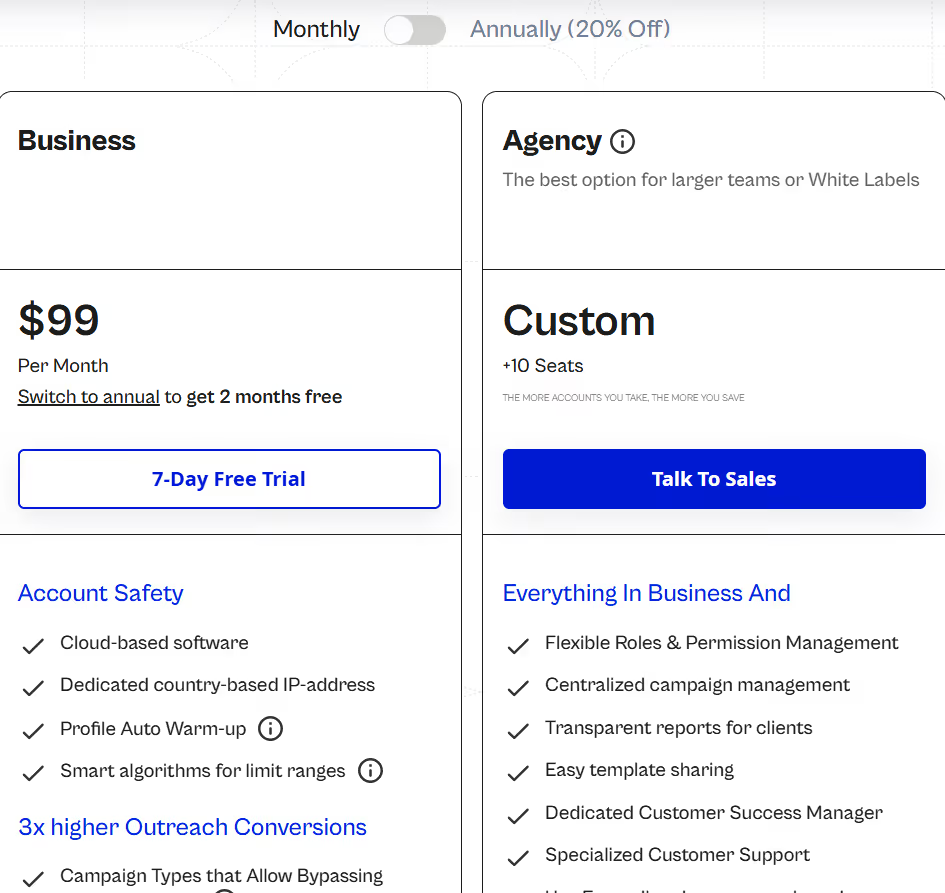
Basic - $59/user/month, includes LinkedIn automation, 3 active campaigns, LinkedIn CRM, smart inbox, templates, automated greetings, custom tags, and notes.
Pro - $99/user/month, includes everything in Basic plus unlimited campaigns, Sales Navigator support, multi-channel outreach (LinkedIn + Email + X), InMail automation, group/event automation, CSV campaigns, social post scheduling, Zapier/webhooks, data exports, personalization snippets, and attachments.
Team - $79/user/month, includes everything in Pro plus volume discounts, team inbox management, advanced team settings, white-label (5+ users), dedicated account manager (10+ users), migration support, and priority support.
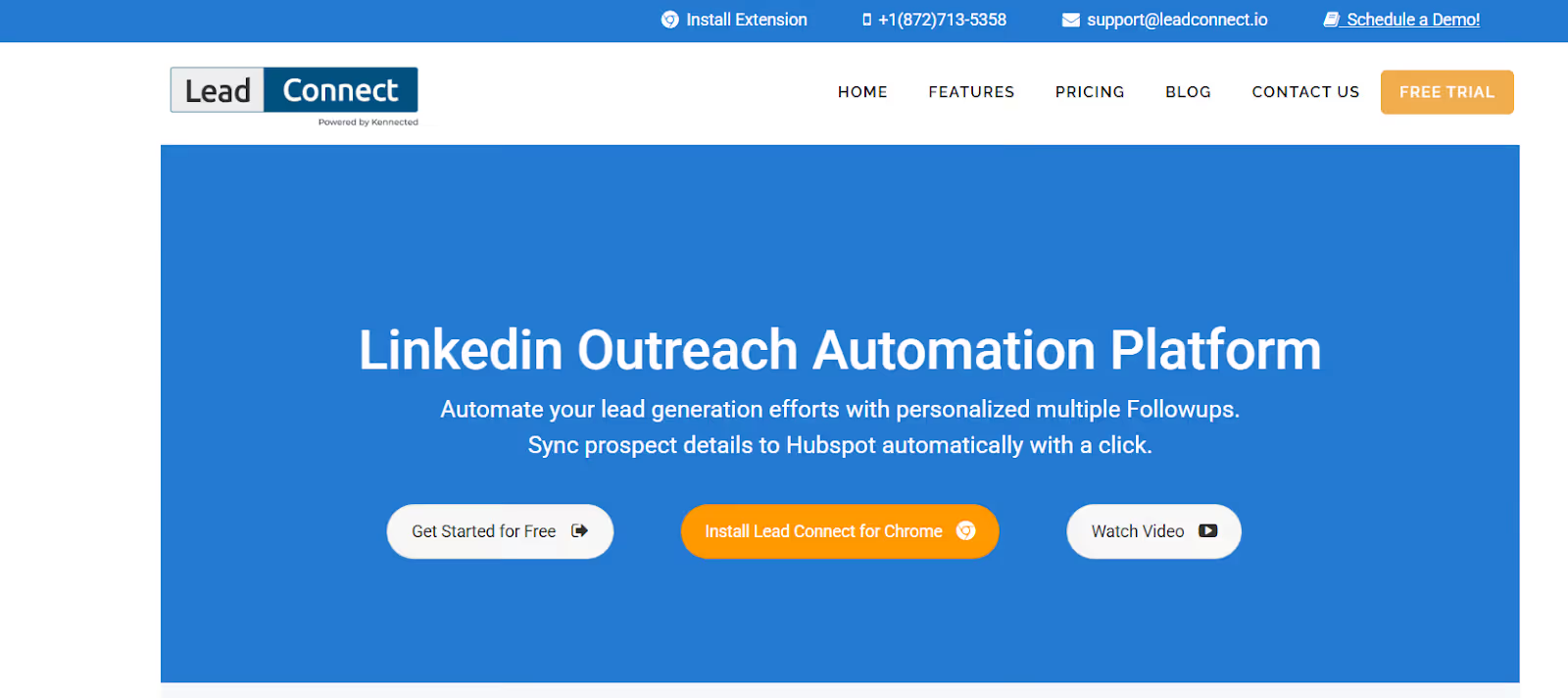
LeadConnect is a LinkedIn outreach tool that automates connection requests, personalized follow-ups, and CRM syncing through a Chrome extension.
It helps users build simple LinkedIn prospecting campaigns using LinkedIn search or CSV uploads, and automatically stops follow-ups once a prospect replies.
LeadConnect focuses on lightweight automation for LinkedIn only, making it a fit for freelancers, SDRs, and small teams that want structured follow-ups without needing a full multichannel platform.
Here’s what you get with LeadConnect:
Automated LinkedIn Invites & Follow-Ups to send personalized messages one-by-one as if done manually, plus the ability to send bulk messages to large groups of contacts for streamlined outreach
Audience Targeting via LinkedIn Search or CSV Upload using Basic or Sales Navigator filters
Reply Detection to pause follow-ups automatically once someone responds
Email Finder Integrations with tools like Hunter.io, FindThatLead, and Anymailfinder
Performance & Acceptance Tracking for campaign results and metrics
Browser-Based Execution that sends requests while your Chrome session is open
CRM sync to keep conversation history and contact information updated automatically within your CRM system
For CRM integrations, LeadConnect offers CRM sync to ensure your contact data and conversation history are always up to date. Connecting to some CRMs may require third party tools like Zapier for integration.
Pros and Cons of LeadConnect
Pros & Cons
Pros
Cons
Easy setup for simple LinkedIn outreach
Native HubSpot sync + activity logging
Team Sync prevents duplicate outreach
Affordable pricing with a free-tier
Browser must remain open for automation to run
LinkedIn-only (no email or multichannel support)
Requires Chrome extension + manual setup
Limited safety controls vs cloud automation tools
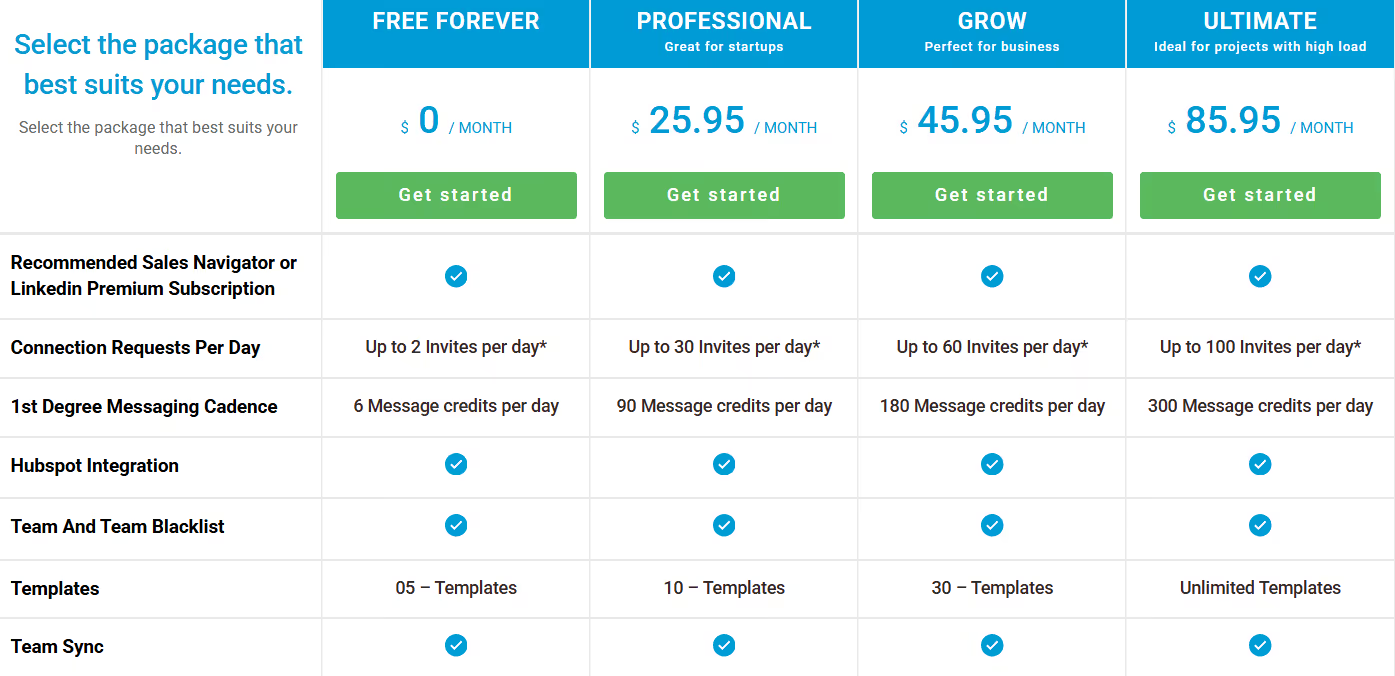
LeadConnect Pricing
This image shows the LeadConnect pricing
Free – $0/month, includes up to 2 invites/day, 6 follow-up messages/day, basic templates, and limited campaign usage.
Professional – $25.95/month, includes up to 30 invites/day, 90 follow-up messages/day, HubSpot sync, 10 templates, and CSV/LinkedIn search targeting.
Grow – $45.95/month, includes up to 60 invites/day, 180 follow-up messages/day, Team Sync, email finder integrations, 30 templates, and acceptance/reply tracking.
Ultimate – $85.95/month, includes up to 100 invites/day, 300 follow-up messages/day, unlimited templates, advanced team features, blacklist, and CRM automation support.
Team & CRM Integrations – Included, supports HubSpot logging, Pipedrive, Salesforce, ActiveCampaign, and Zoho CRM via native or Zapier connections.
Email Finder – Add-On via Integrations, supports Hunter.io, FindThatLead, Anymailfinder, and others directly inside LinkedIn UI.
Free Trial/Free Forever, LeadConnect offers a free forever plan, not a timed trial, allowing users to test the tool with limited daily credits.
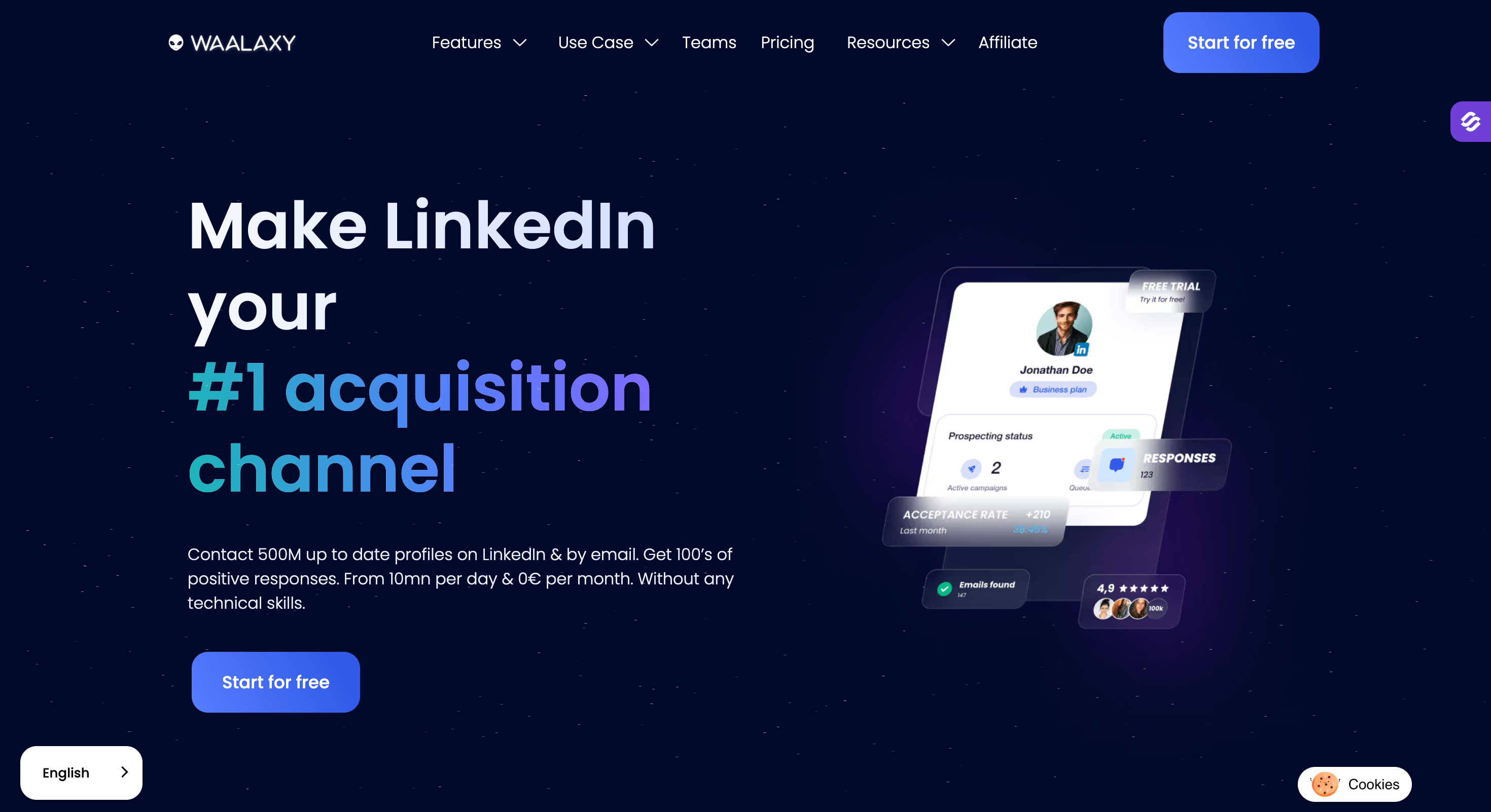
4. Waalaxy – LinkedIn & Email Automation Platform
Waalaxy home page
Waalaxy is a LinkedIn-centered prospecting tool that helps users automate outreach across LinkedIn and email from a single platform.
It is specifically designed for efficient sales prospecting on LinkedIn and email, streamlining lead generation and outreach efforts.
It allows you to build multichannel sequences combining LinkedIn actions (profile visits, invites, messages) with email follow-ups, while keeping the interface simple and beginner-friendly.
Waalaxy runs in the cloud, so campaigns continue running even when your computer is turned off. It’s designed for founders, sales teams, freelancers, and agencies who want scalable outreach without complex setup.
Waalaxy can also replace or complement other tools in your outreach stack, offering a comprehensive solution for automated lead generation and sales prospecting.
Here’s what you get with Waalaxy:
- LinkedIn Automation to send connection requests, profile visits, messages, and follow-ups automatically
- Multichannel Sequences combining LinkedIn actions and email outreach in one workflow
- Built-In Email Finder with native enrichment to retrieve professional email addresses
- Unified Inbox to manage LinkedIn and email replies in one centralized dashboard
- Cloud-Based Execution so campaigns run continuously without keeping Chrome open
- AI Writing Assistant (Waami) to help generate and optimize outreach messages
Pros and Cons of Waalaxy
Pros & Cons
Pros
Cons
Cloud-based (campaigns run even when offline)
Beginner-friendly interface with low learning curve
LinkedIn + Email in one workflow
No native email warm-up tool
Email personalization capabilities are not as advanced as those found in email-first platforms
No built-in lead database
Waalaxy Pricing
PRO: Ideal for launching your first LinkedIn outreach campaigns and booking conversations
$19/month billed monthly
$16/month billed yearly ($192/year)
ADVANCED: Best to scale LinkedIn outreach safely with higher volumes and priority support
$39/month billed monthly
$32/month billed yearly ($384/year)
BUSINESS: Best for outbound teams who want a multi-channel system: LinkedIn + email
$69/month billed monthly
$55/month billed yearly ($660/year)
Annual plans reduce the monthly cost even further. Free trial available for all plans
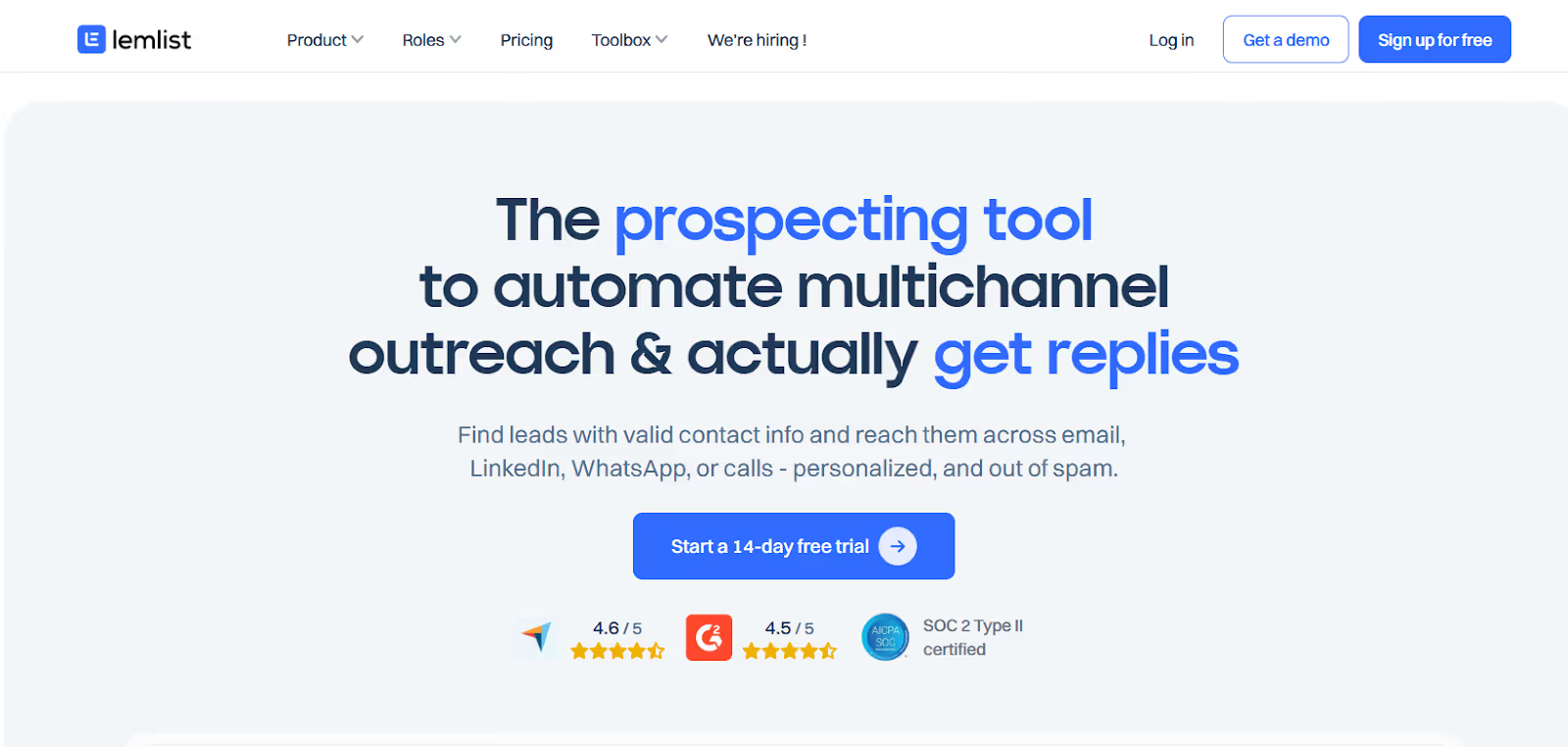
Lemlist is a multichannel sales engagement platform that helps teams automate outreach across LinkedIn, email, WhatsApp, and calls, while keeping messages personalized and human.
It includes a 600M+ lead database, email warm-up (lemwarm), AI personalization, LinkedIn actions, phone enrichment, centralized inbox, and CRM integrations so outbound teams can find leads, reach them on multiple channels, and stay out of spam.
Here’s what you get with Lemlist:
Multichannel Sequences to automate LinkedIn visits, invites, messages, email follow-ups, WhatsApp, and calls from one workflow
AI Personalization that adapts copy, images, and landing pages based on each lead’s data
lemwarm Deliverability Booster to warm up inboxes and prevent emails from landing in spam
LinkedIn Chrome Extension for visits, invites, messaging, voice notes, and lead exporting
Email Finder to discover verified business emails for more effective outreach
Lemlist’s higher-tier plans support advanced lead generation strategies, including running multiple drip campaigns, CRM integration, and automating outreach workflows for experienced teams.
Dripify is a cloud-based LinkedIn outreach tool that helps users automate connection requests, messages, profile visits, and follow-ups, optimizing lead generation efforts through automation and analytics.
It also supports email outreach, lead enrichment, analytics, inbox management, and team workflows.
You can use Dripify to build drip campaigns across LinkedIn and email, personalize messages with variables, and run outreach safely with built-in account protection and region-based IPs.
Dripify also includes basic email finder & verification tools to help users reach prospects outside of LinkedIn.
Here’s what you get with Dripify:
LinkedIn & Email Sequences to automate profile visits, connection requests, messages, InMails, and email follow-ups
Personalization Variables (20+) for more human-feeling outreach
Cloud-Based Safety with dedicated regional IPs, human-like behavior, and scheduling controls
Smart Inbox to reply to LinkedIn messages directly inside Dripify
Analytics & Reports that provide detailed insights into campaign performance, helping you monitor and optimize your outreach results
Pros and Cons of Dripify
Pros & Cons
Pros
Cons
Cloud-based (no Chrome extension required)
Supports LinkedIn + basic email outreach
Strong safety features (IP rotation, delays, quotas)
Email features are simpler than dedicated email tools
No built-in warm-up, users must manage email sending limits
Advanced A/B personalization is still “coming soon”
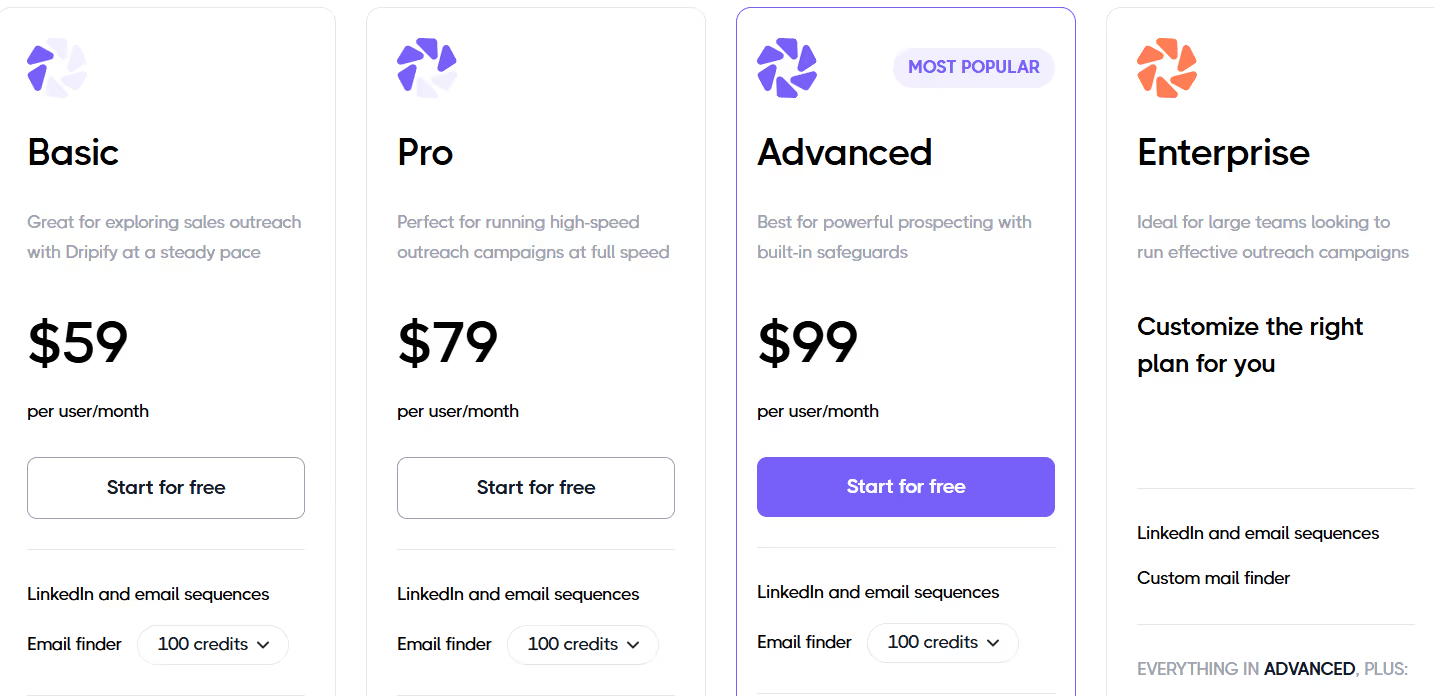
Dripify Pricing
This image shows the Dripify pricing
Basic Plan – $59/user/month, includes LinkedIn & email sequences, limited daily quotas, 1 drip campaign, email finder, analytics & reports, built-in LinkedIn protection, templates, and 24/7 support.
Pro Plan – $79/user/month, includes everything in Basic + unlimited drip campaigns, full daily quotas, dedicated inbox, CSV export, and webhook integration.
Advanced Plan – $99/user/month, includes everything in Pro + team management, lead tagging, and advanced LinkedIn safety.
Enterprise – Custom Pricing, includes everything in Advanced + premium onboarding, dedicated success manager, custom mail finder, and technical support (ideal for larger teams).
Free Trial – 7 Days, full platform access without a credit card.
Expandi is a cloud-based LinkedIn automation tool built for agencies, sales teams, recruiters, and business owners who want to scale outreach safely.
It focuses heavily on compliance, account protection, omnichannel outreach, and team collaboration. Expandi helps users stay within LinkedIn limits by automatically managing outreach volume and connection requests, reducing the risk of account restrictions.
Its approach aligns with LinkedIn's policies, emphasizing the importance of maintaining a compliant LinkedIn page and adhering to safety regulations.
It includes Smart Sequences, multichannel (LinkedIn + email) outreach, warm-up, personalization add-ons, dedicated country IPs, detailed analytics, roles & permissions, and white-label support, making it popular among B2B lead gen teams.
Here’s what you get with Expandi:
Smart Sequences that combine LinkedIn actions + email follow-ups with IF/THEN conditions
Multichannel Outreach with connection requests, messages, InMails, and emails in one flow
Cloud-Based Architecture with dedicated country-based IPs for account safety
Profile Warm-Up to gradually scale activity and avoid restrictions
Detailed Analytics & Step-Level Statistics to improve conversions
Pros and Cons of Expandi
Pros & Cons
Pros
Cons
Cloud-based + dedicated IP for safer LinkedIn automation
Multichannel outreach (LinkedIn + email)
IF/THEN Smart Sequences for conditional workflows
Personalization videos/GIFs require paid add-ons
Pricing is higher than single-channel tools
Mainly focused on LinkedIn vs full sales engagement tools
Expandi Pricing
This image shows the Expandi pricing
Business Plan – $99/month, includes LinkedIn automation, email outreach, Smart Sequences, safe limits, campaign prioritization, profile warm-up, dedicated country IP, detailed analytics, and centralized dashboard.
Agency / White-Label – Custom Pricing, available for 10+ seats with permissions, white-label, dedicated support, centralized management, and client reporting.
Personalization Add-Ons (Paid), direct integrations with Hyperise & Sendspark for image/GIF/video personalization.
Free Trial – 7 Days, full platform access to test workflows before paying.
8. Dux-Soup – LinkedIn Automation & Lead Generation Tool
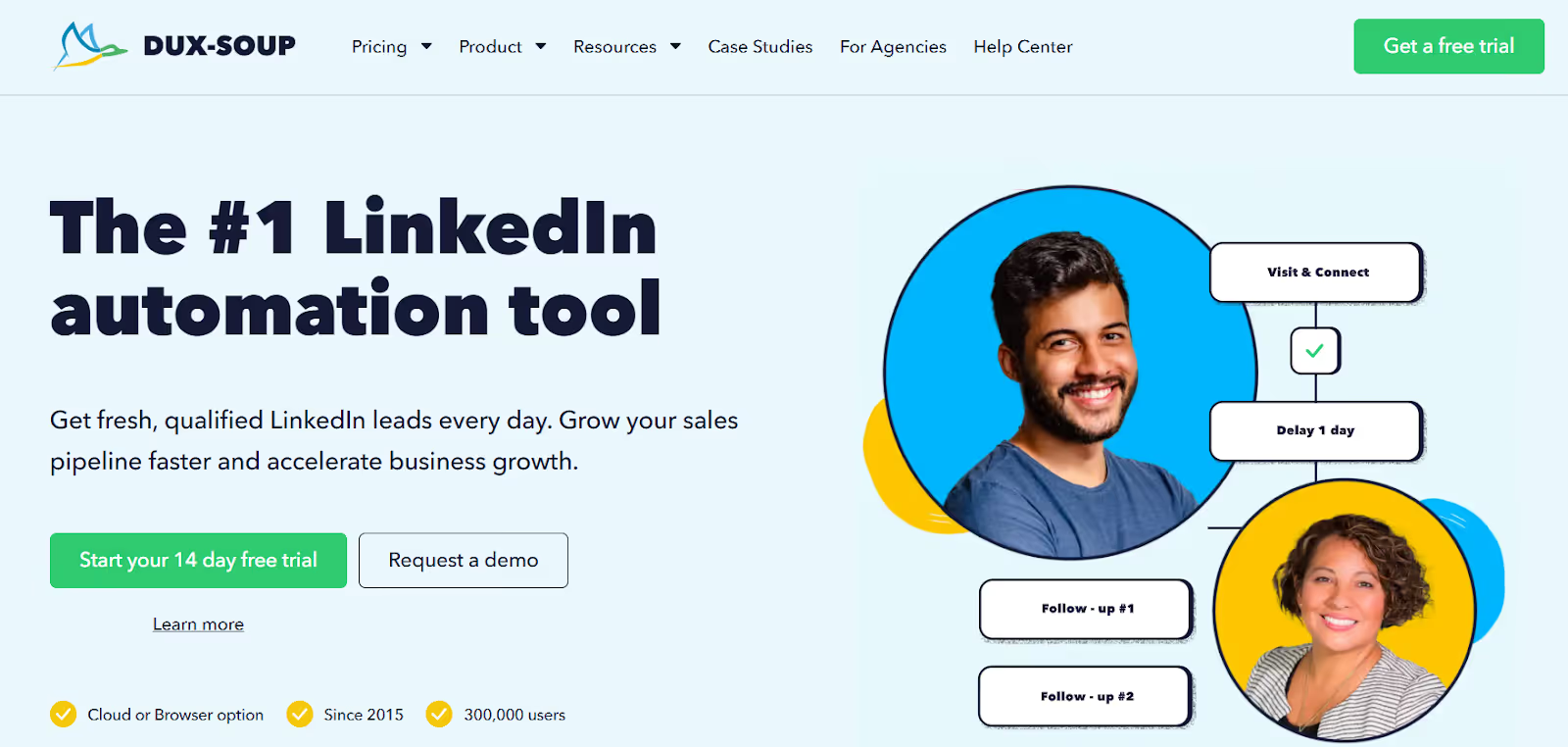
This image shows the Dux-Soup homepage
Dux-Soup is a LinkedIn automation tool that helps users find prospects, send connection requests, send messages, schedule drip campaigns, auto-visit profiles, and collect lead data from LinkedIn, including data scraping to build targeted prospect lists.
It can be used by sales teams, agencies, recruiters, freelancers, and business owners to automate repetitive LinkedIn tasks, increase outreach volume, and save time.
Here’s what you get with Dux-Soup:
LinkedIn Drip Campaigns to send automated connection invites, messages, InMails, follows, endorsements, and profile visits
Lead Management Dashboard (Dux-Dash) to manage campaign responses, funnel, and performance
CRM Integrations with HubSpot, Salesforce, Pipedrive, Freshsales, SharpSpring, Google Sheets, Slack, MS Teams, Webhooks/APIs, and the ability to connect with multiple tools to streamline outreach workflows
Email Capture for 1st-degree connections (2nd/3rd degree via paid “Points”)
Team & Agency Features, including shared campaigns and Cloud Agency dashboard
Safety Controls, including throttling, time delays, account protection, and session monitoring
Pros and Cons of Dux-Soup
Pros & Cons
Pros
Cons
Flexible pricing with Browser + Cloud options
Cloud automation runs even when computer is off
Suitable for agencies managing multiple LinkedIn accounts
2nd & 3rd-degree email finding costs extra via “Points”
No built-in email warm-up or inbox rotation
Requires attention to LinkedIn safety limits
Dux-Soup Pricing
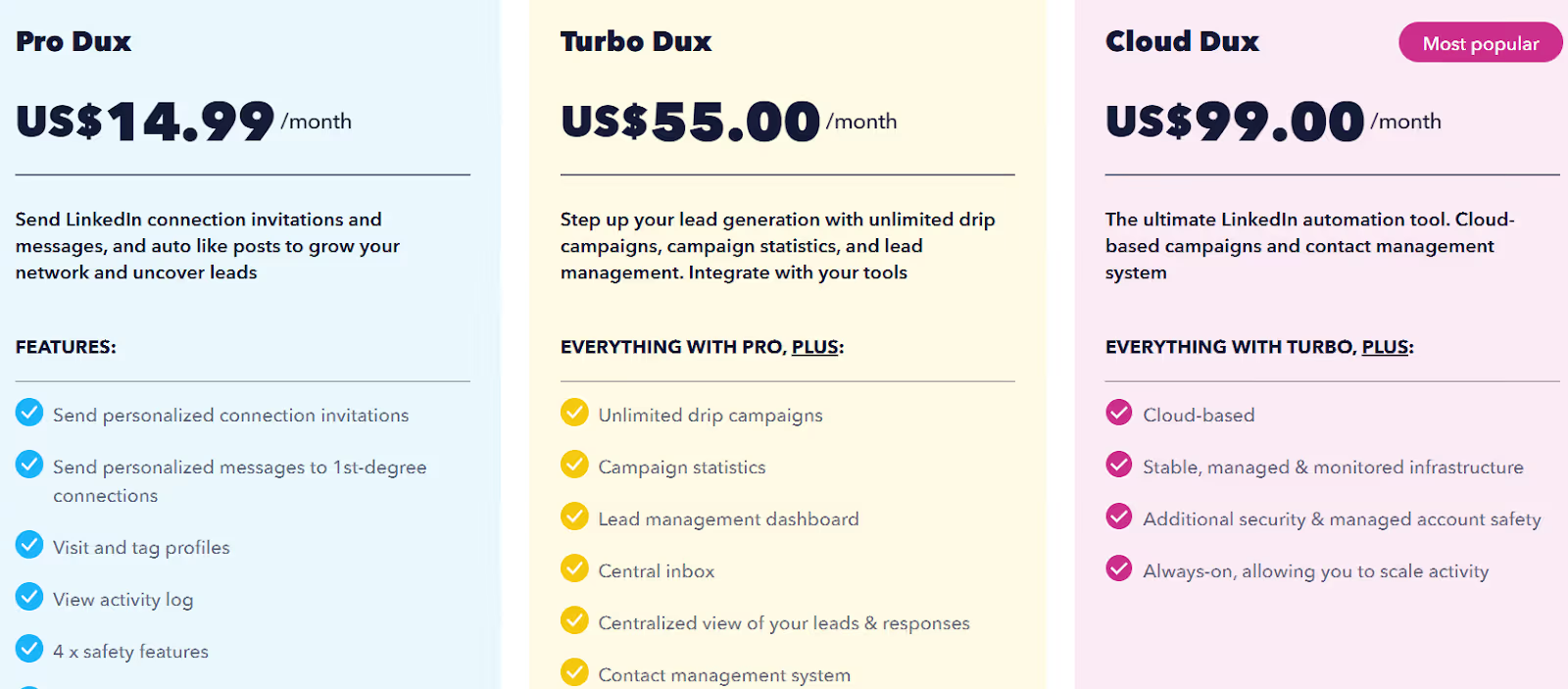
This image shows the Dux-Soup pricing for individuals
Pro Dux – $14.99/month, allows personalized invites & messages, profile visits, tagging, CSV export, and basic automation.
Turbo Dux – $55/month, includes everything in Pro plus unlimited drip campaigns, campaign stats, lead dashboard, centralized inbox, CRM integrations, and webhooks.
Cloud Dux – $99/month, includes everything in Turbo plus cloud-based automation, monitored infrastructure, higher stability, and always-on operation.
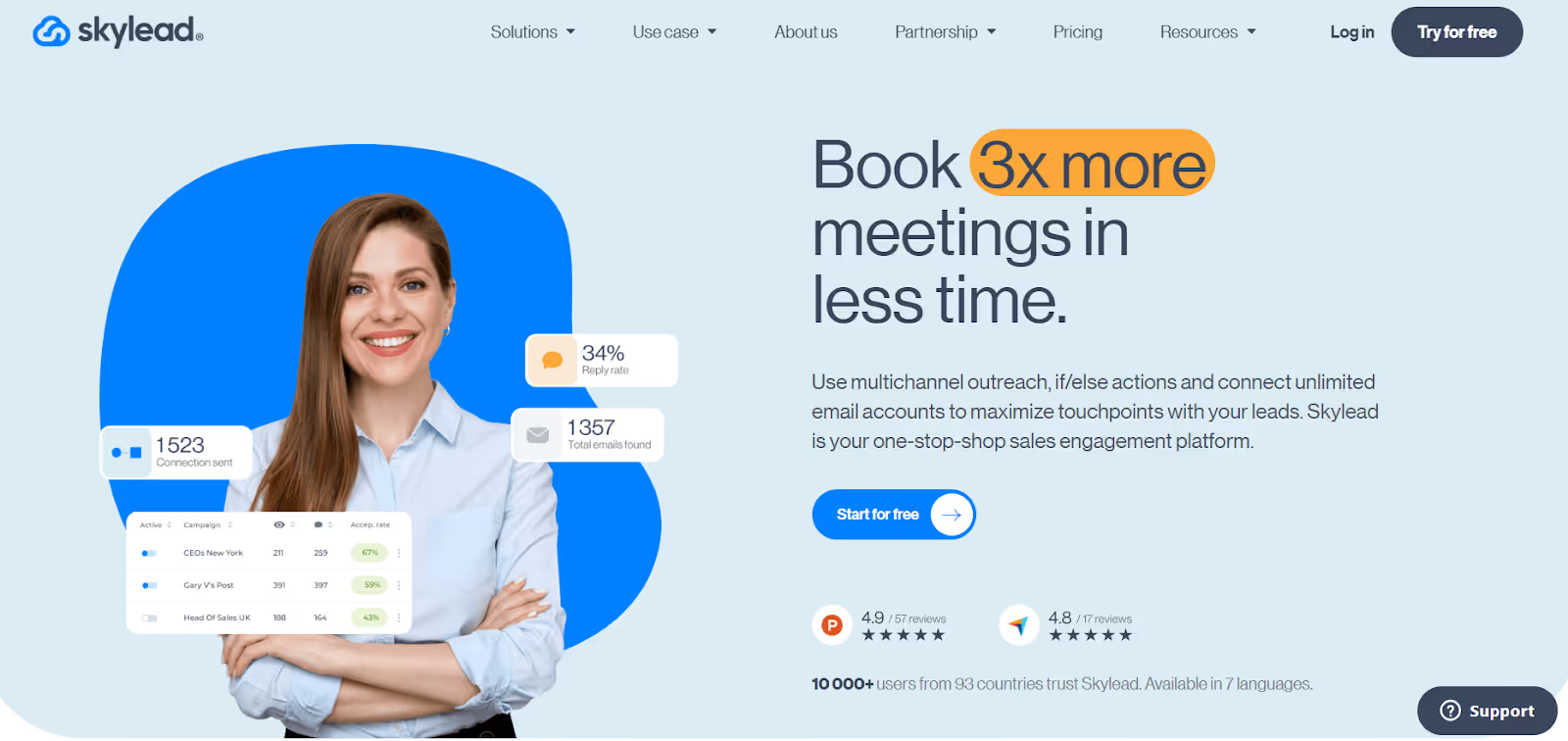
Skylead is a sales engagement platform that combines LinkedIn automation, cold email, inbox warm-up, email discovery, and personalized GIF/image outreach in one tool.
It allows users to build multichannel Smart sequences with if/else branching, send high email volumes safely, verify emails, and personalize campaigns at scale.
Skylead also supports 7 languages, making onboarding easier for global teams.
Here’s what you get with Skylead:
Smart Sequences to automate LinkedIn and email actions with if/else logic
Multichannel Outreach combining LinkedIn steps & cold email in one workflow
Email Finder & Verifier to get valid business emails without breaking sequences
Unlimited Email Automation with unlimited accounts and high sending volumes
Smart Inbox to manage replies, save templates, and prioritize leads
Multi Account Management for agencies and teams to efficiently manage multiple LinkedIn accounts from a unified dashboard
Client Management features to organize, track, and streamline outreach for different clients, making it ideal for agencies handling multiple clients and scaling operations
Pros and Cons of Skylead
Pros & Cons
Pros
Cons
True multichannel outreach (LinkedIn + Email)
Unlimited email accounts & warm-up
Personalized images & GIFs at scale
Only one seat included in base plan
Higher email volumes require setup knowledge
White-label requires a sales call
Skylead Pricing
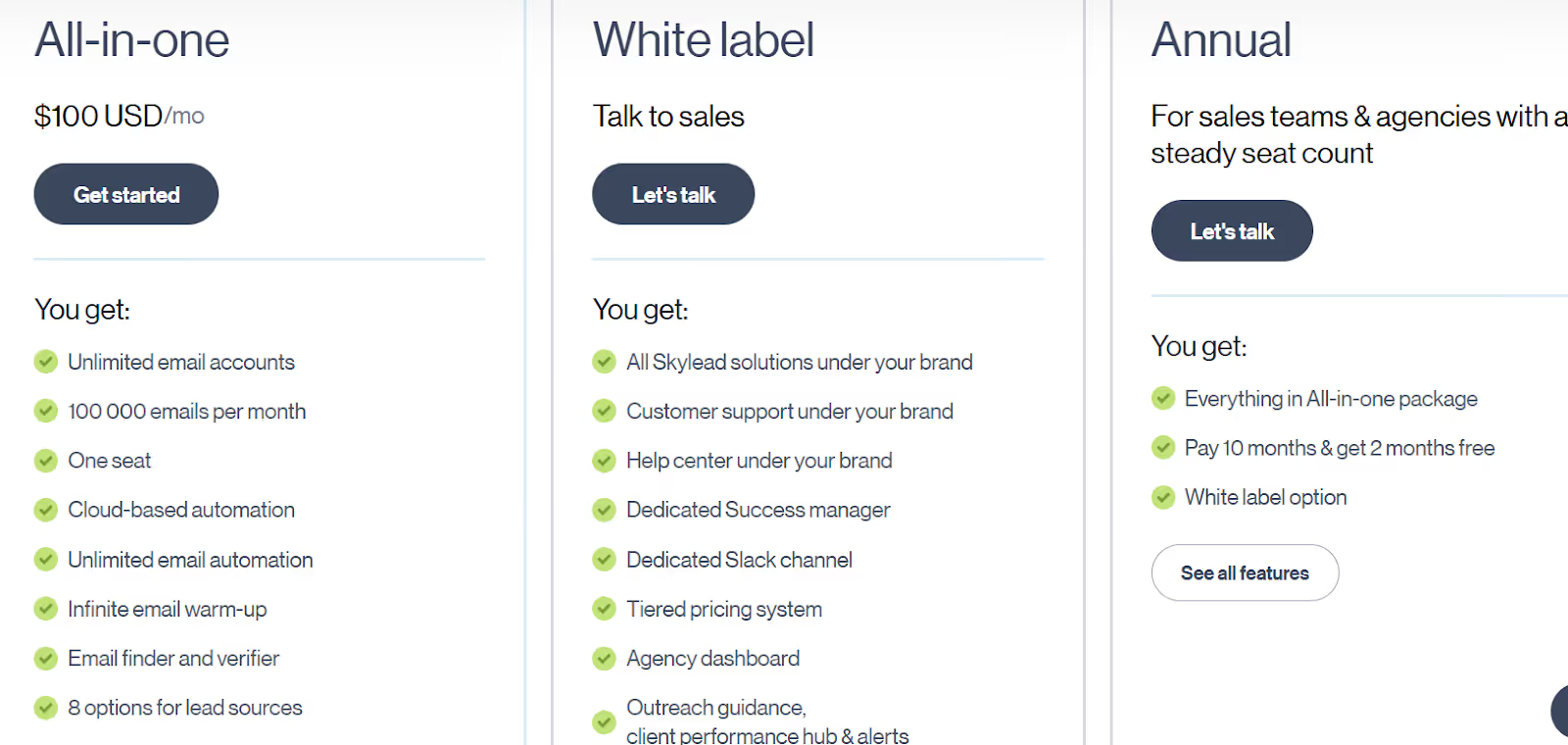
This image shows the Skylead pricing
All-in-One - $100/month, includes 1 seat, unlimited email accounts, 100,000 emails/month, Smart sequences, email finder & verifier, infinite warm-up, unlimited Image/GIF personalization, API, cloud automation, 7 languages
White Label - Talk to Sales, includes platform under your brand, support under your brand, agency dashboard, dedicated success manager, Slack channel, tiered pricing, performance hub, API
Annual - Talk to Sales, includes everything in All-in-One, pay 10 months get 12 months, white-label option available
7-day free trial for new users
10. Reply.io – Multichannel Sales Engagement & AI SDR Platform
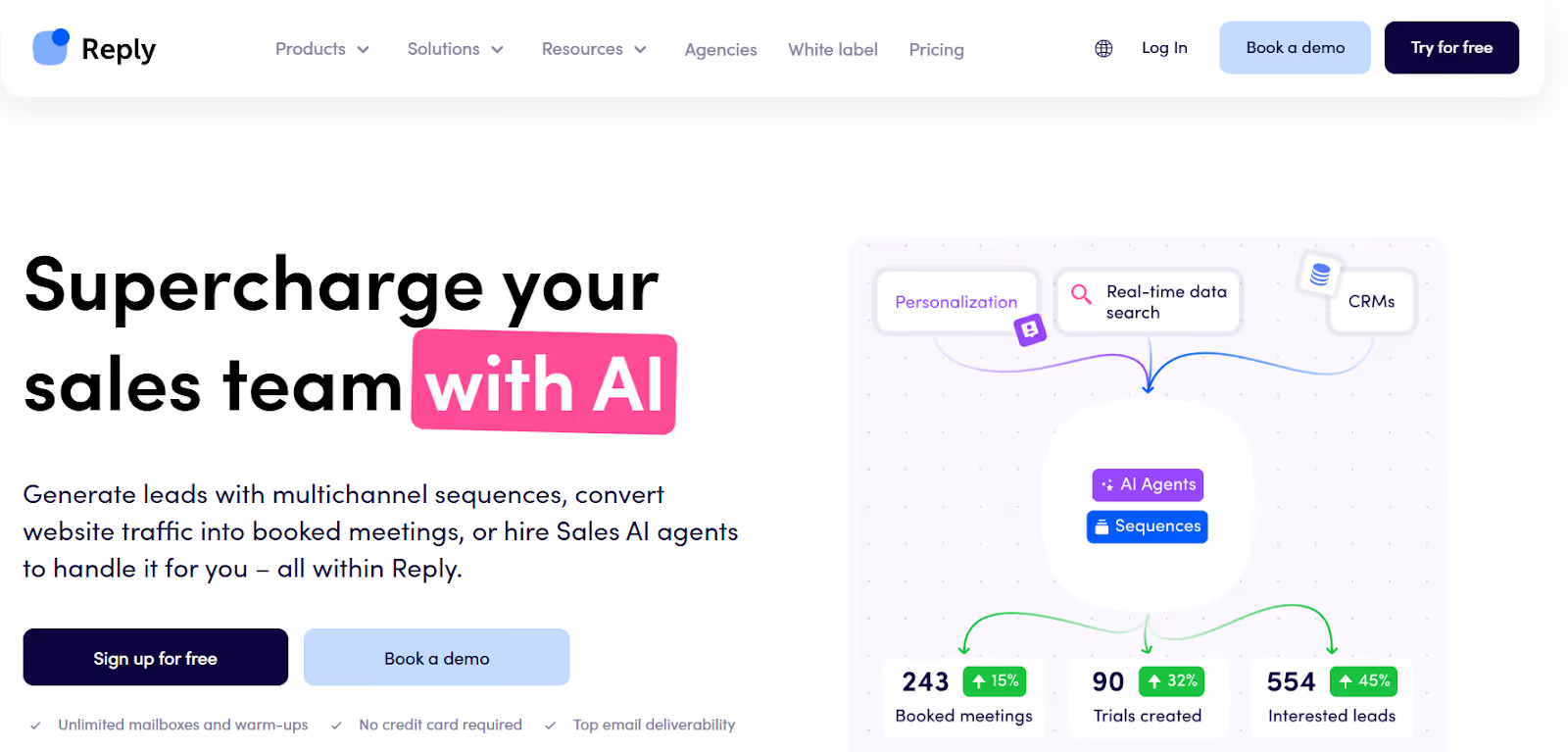
This image shows the Reply.io homepage
Reply.io is a multichannel sales engagement platform that helps teams automate outreach across email, LinkedIn, calls, SMS, and WhatsApp.
It also includes an AI SDR (Jason AI) that can build sequences, personalize messages, handle replies, and book meetings automatically.
It offers email deliverability tools, mailbox warm-up, audience discovery, contact enrichment, scheduling, unified inbox, and CRM integrations so teams can find leads, engage them on multiple channels, and generate more meetings.
Billing can increase as channels/accounts are added
Some features are best used with CRM integrations
Reply.io Pricing
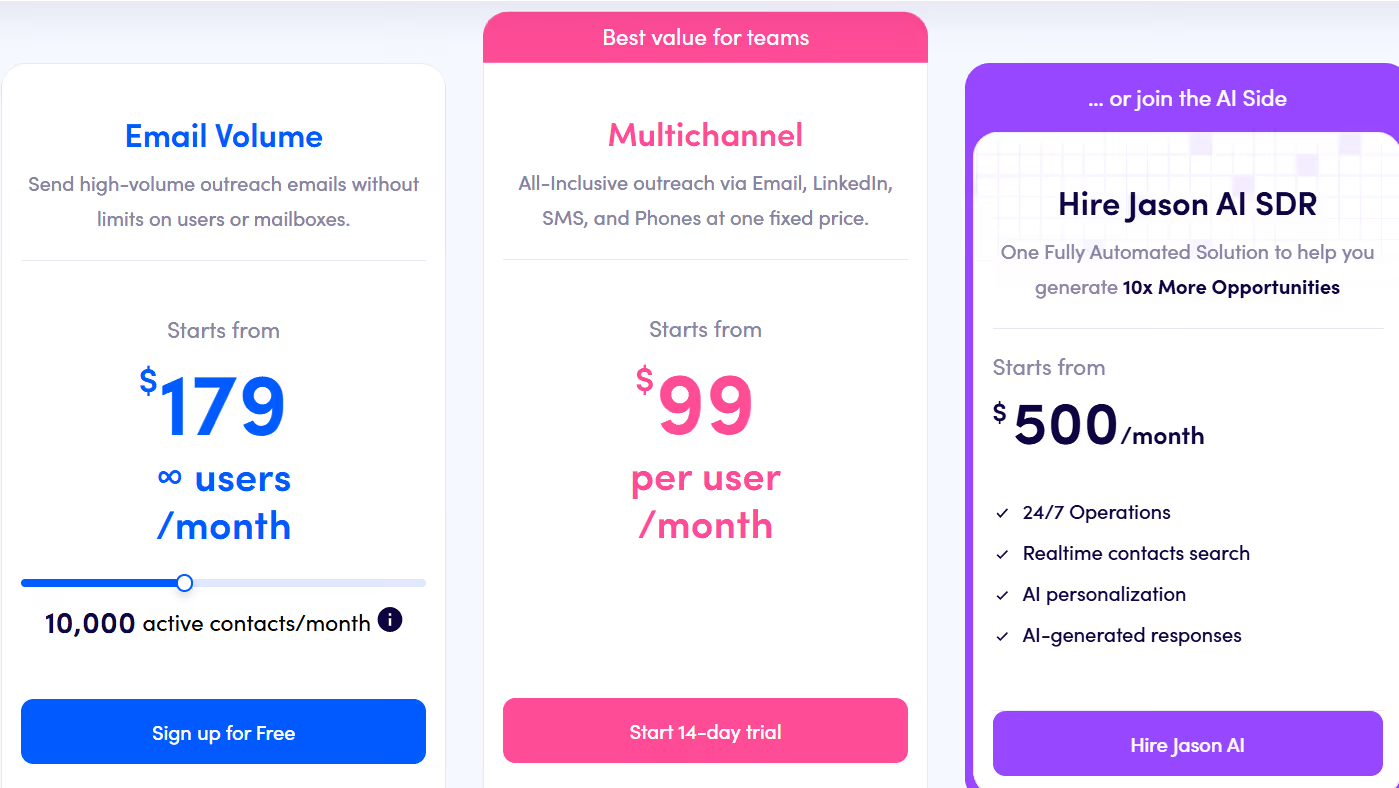
This image shows the Reply.io pricing
Email Volume– from $179/user/month (annual), Multichannel outreach via email (∞ mailboxes), LinkedIn add-on, calls/SMS add-on, warm-up, 50 live data credits.
Multichannel – from $99/user/month (annual), All-inclusive outreach via email, LinkedIn, SMS, calls, WhatsApp (semi-automation), reporting & onboarding.
Jason AI SDR – from $500/month, Fully automated AI SDR with real-time contact search, AI replies, and multichannel personalization.
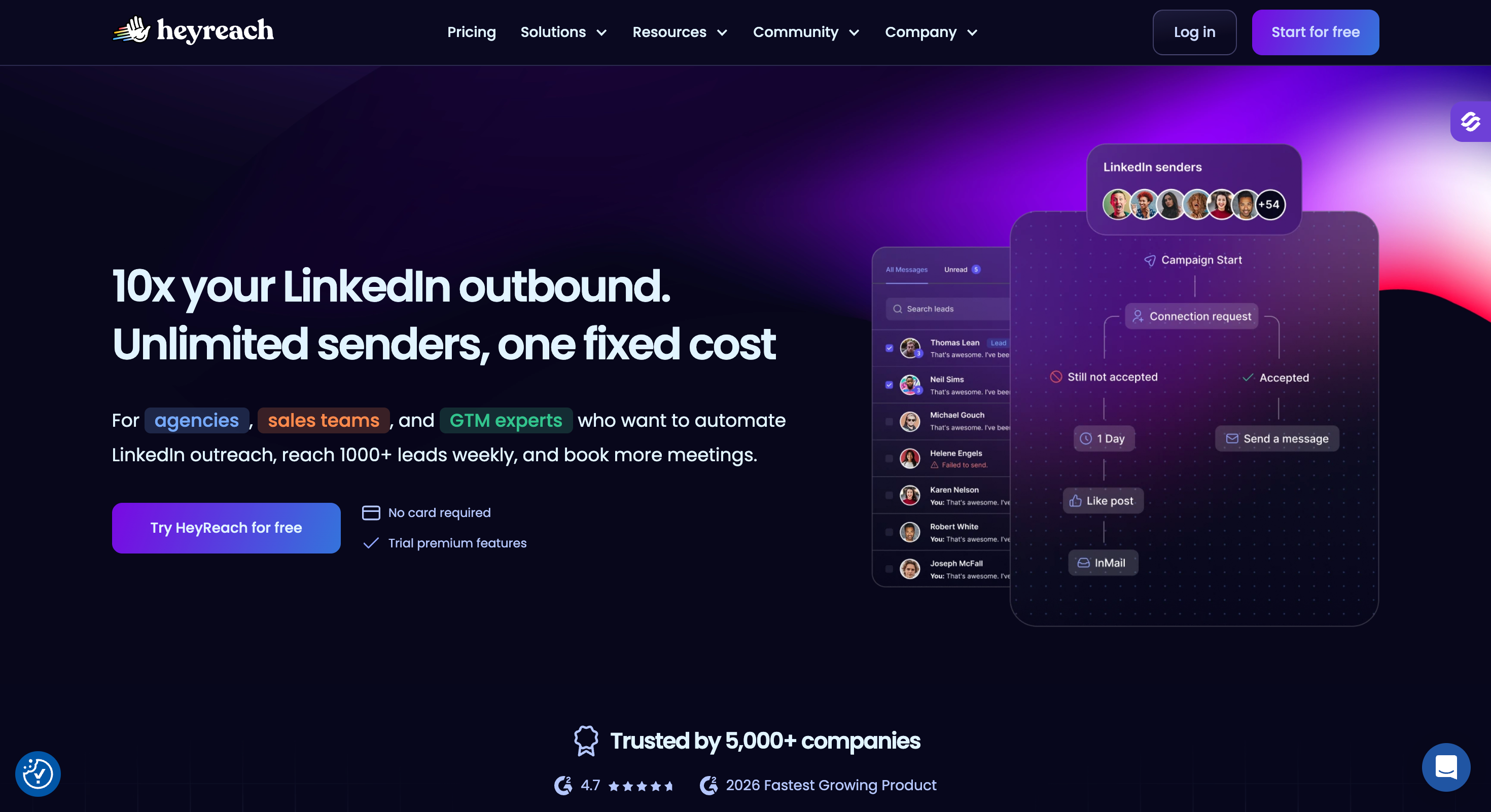
HeyReach is a LinkedIn automation platform built for agencies, sales teams, and GTM operators who want to scale outbound, reach more leads, and book more meetings without risking LinkedIn accounts.
It helps users efficiently grow their LinkedIn network through automation, making it easier to expand professional connections.
HeyReach is also designed for agencies managing multiple clients, allowing for streamlined multi-client workflows and safe management of several LinkedIn accounts from a single platform.
It supports outbound and inbound-led campaigns, integrates easily with GTM tools, and gives detailed sender and campaign analytics so users can optimize based on real performance data.
Here’s what you get with HeyReach:
Multi-Sender LinkedIn Outreach to rotate actions across multiple LinkedIn accounts and safely scale outreach volume
Unified Inbox to read, reply, send voice notes, and manage all LinkedIn messages in one place
Sequence Builder with LinkedIn steps like connection requests, messages, views, follows, likes, and InMails
If-Connected Logic to split sequences between existing connections and new prospects
Inbox Privacy Controls to decide what conversations are synced and visible to team members
Pros and Cons of HeyReach
Pros & Cons
Pros
Cons
Safely scales outreach by rotating multiple LinkedIn senders
Works well with GTM tools like Clay, RB2B, Instantly
Unified inbox for cross-account reply handling
Easy whitelabeling for agencies
Does not include native email outreach (requires Instantly/Smartlead for email)
InMail sending requires Sales Navigator or Recruiter accounts
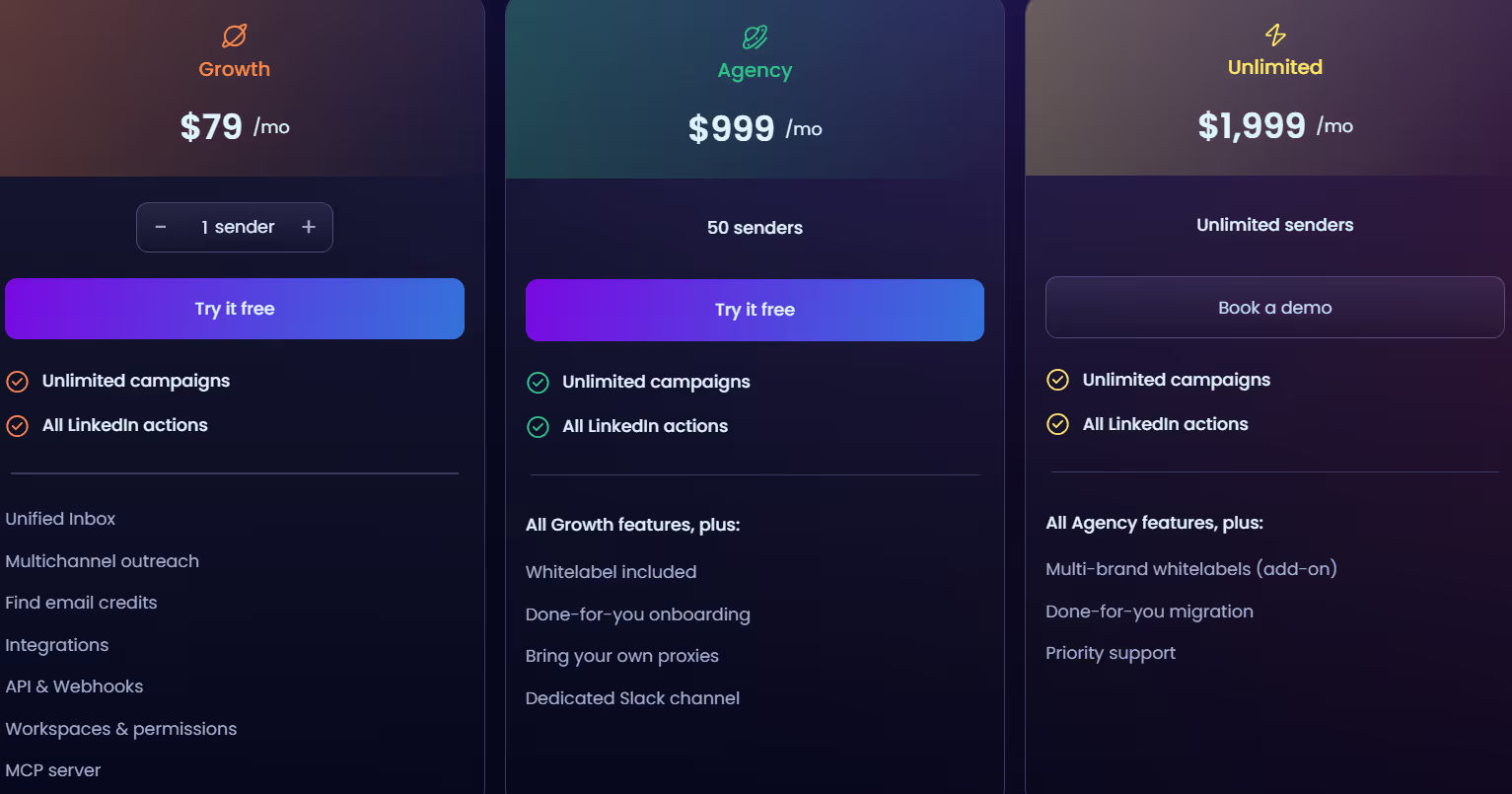
Requires own proxies for Agency/Unlimited plans
Focused mainly on LinkedIn, not full multichannel automation
12. Linked Radar – LinkedIn Automation & AI Icebreaker Tool
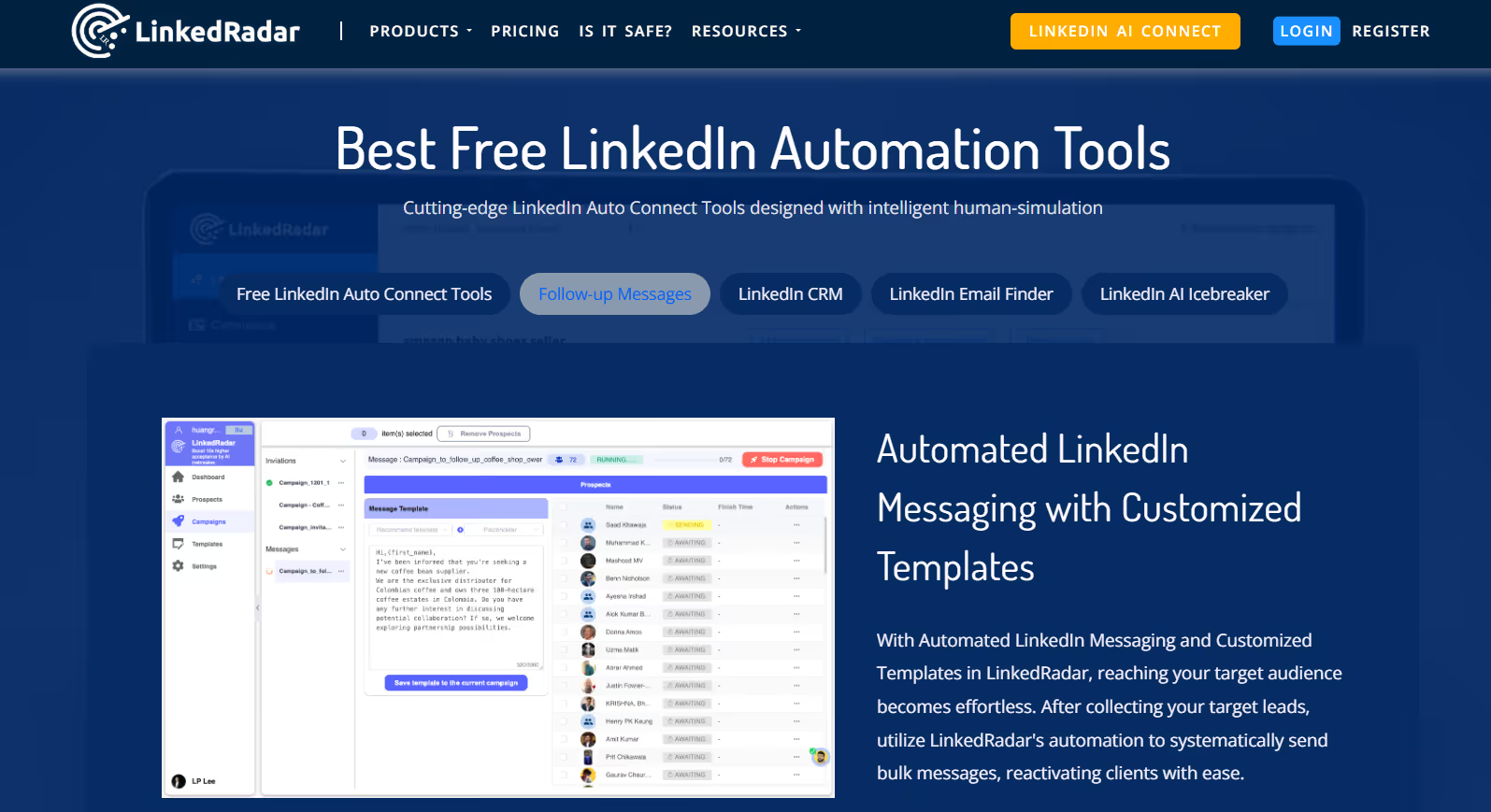
This image shows the LinkedRadar homepage
Linked Radar is a LinkedIn automation tool that helps you grow your professional network, connect with prospects, and send personalized outreach messages using AI.
Compared to other LinkedIn automation tools, Linked Radar stands out for its advanced human-simulation behavior controls and multi-channel capabilities, making it a safer and more versatile choice.
It automates repetitive LinkedIn tasks, helps you organize your leads, and uses human-simulation behavior controls to reduce risk while reaching more prospects.
Here’s what you get with Linked Radar:
AI Icebreaker Generation to create personalized connection invitations using AI based on a prospect’s profile
LinkedIn Auto-Connect & Bulk Messaging to send invites and follow-up messages at scale
Multi-Channel B2B Email Finder to discover verified email addresses from multiple sources
Human-Simulation & Smart Limits with random delays and gradual limit increases to protect account safety
Automated Engagement with LinkedIn Posts to boost the visibility and reach of your content through scheduled interactions and engagement
Pros and Cons of LinkedRadar
Pros & Cons
Pros
Cons
AI-powered icebreaker and message templates
Affordable pricing with multiple plans
Human simulation and smart limits for safer outreach
No built-in inbox for replying directly inside the tool
Focused primarily on LinkedIn (not full multichannel outreach)
No multichannel email sequencing natively
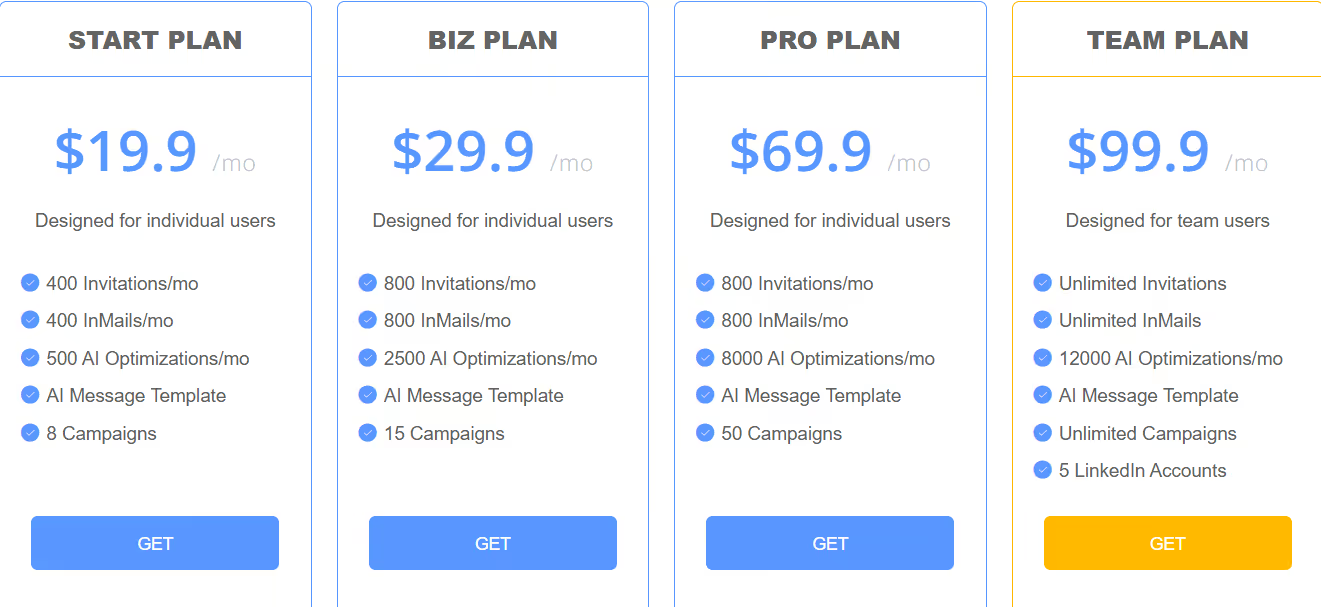
LinkedRadar Pricing
This image shows the LinkedRadar pricing
Start Plan – $19.9/month, includes 400 invitations, 400 InMails, 500 AI optimizations, 8 campaigns, and AI templates
Biz Plan – $29.9/month, includes 800 invitations, 800 InMails, 2500 AI optimizations, and 15 campaigns
Pro Plan – $69.9/month, includes 800 invitations, 800 InMails, 8000 AI optimizations, and 50 campaigns
Team Plan – $99.9/month, includes unlimited invitations, unlimited InMails, 12000 AI optimizations, unlimited campaigns, and 5 LinkedIn accounts
Free Trial Available (try before paying)
Which LinkedIn Automated Messaging Tool Should You Choose?
Choosing the right LinkedIn automation platform depends on what kind of outreach you want to run.
LinkedIn automation software is a broader category that includes tools designed to facilitate outreach, connection management, and lead generation on LinkedIn.
If you only need simple LinkedIn connections & messaging, tools like LeadConnect, Dripify, Dux-Soup, or Linked Radar are suitable.
If you want safer LinkedIn scaling with sender management & reporting, tools like HeyReach are built for volume and account safety.
If you want multichannel outreach (LinkedIn + Email) with templates & team workflows, tools like Meet Alfred, Skylead, Expandi, or Reply.io make more sense and are ideal for automating cold outreach and scaling your outreach efforts.
If you want deeper personalization, AI-powered writing, email warm-up & unified inbox, you’ll need a more advanced platform.
And if you want to combine LinkedIn + Email sequences, use AI for personalization, manage unlimited senders, and handle warm-up and deliverability in one place, then is the strongest all-in-one option.
Discover the best sales acceleration softwares of 2026. Compare features, pricing, pros, cons, and find the right tool to grow your sales pipeline faster.

.jpg)