
Yesware is a per-seat Gmail and Outlook add-on for email tracking and campaigns, with paid plans from $15/seat/mo. Salesloft is an enterprise revenue platform, now merged with Clari, sold by quote. Neither warms mailboxes, sells sending infrastructure or automates LinkedIn.
For SMB and mid-market cold outbound, Salesforge is the stronger choice. Email and LinkedIn run in one sequence, free Warmforge warm-up and Primebox™ come on every plan, and Salesforge Growth covers unlimited users for $80/mo annual ($96/mo monthly).
Yesware vs Salesloft is a common shortlist, but the two tools sit at opposite ends of the market. I wrote this for a sales lead with 3 to 50 reps who sells to SMB or mid-market buyers and needs more meetings from cold outreach.
Both are sales engagement software, built very differently. Yesware adds tracking, templates and small campaigns to each rep's inbox. Salesloft is a full engagement, call recording and forecasting platform for large revenue teams.
I add Salesforge because this shortlist skips the issue that decides cold outbound in 2026: deliverability. UniteSync reached an 85.26% positive reply rate on Salesforge, Mailforge and Warmforge. Prices are as of November 2026, and Salesloft's are third-party estimates because it publishes none.
Sales Engagement Comparison at a Glance: Yesware vs Salesloft
| Feature | Salesforge | Yesware | Salesloft |
|---|---|---|---|
| Channels | Email + LinkedIn in one conditional sequence | Email, call and task touches | Email, phone (dialer add-on) and task steps |
| 6 native automated actions; unlimited senders on Salesforge Growth | Manual Connect and InMail touches via Sales Navigator (Premium+, Gmail only) | Manual steps via Sales Navigator; the rep clicks send | |
| Sending | Unlimited mailboxes, sender rotation, text-only sends, Bounce Shield | Each rep's own Gmail or Outlook mailbox | Each rep's connected mailbox |
| Warm-up | Free, unlimited Warmforge with Heat Score™ | None | None |
| Infrastructure | Mailforge, Infraforge, Primeforge (sold separately) | None | None |
| Personalization | AI personalization in 21+ languages | Templates with dynamic merge fields | AI-drafted emails inside cadences |
| Lead data and enrichment | Leadsforge: 500M+ contacts, waterfall enrichment | Prospector add-on: 100M+ contacts, from $37.50/mo annual | Relies on CRM and data-partner integrations |
| Reply inbox | Primebox™ for email + LinkedIn, sentiment tags | Replies stay in each rep's inbox | Replies stay in each rep's inbox, logged to cadences |
| Analytics | Reply, positive reply, connection and meeting rates | Personal reports; team reports from Premium | Cadence, team and forecast analytics |
| Entry price | Salesforge Pro: $48/mo monthly ($40/mo annual) | Yesware Pro: $19/seat/mo monthly ($15 annual) | No public price |
| Top plan | Salesforge Growth: $96/mo monthly ($80/mo annual), unlimited users | Yesware Enterprise: $85/seat/mo monthly ($65 annual) | Quote only, annual contract |
| AI SDR | Agent Frank, separate, from $499/mo billed quarterly | None | AI agents that work inside reps' workflows |
| Free trial | 14 days, no credit card | Free plan + 14-day trial | None; demo first |
| Best for | SMB/mid-market B2B, $5K-$100K ACV | Reps who sell 1:1 from Gmail or Outlook | Enterprise teams on Salesforce |
Yesware Overview: Email Tracking and Campaigns in Your Inbox
Yesware is a sales email add-on that runs inside Gmail (as a Chrome extension) and Outlook. Vendasta has owned it since October 2022, and Yesware says 6,000+ sales teams use it.
Its core job is telling a rep who opened an email, clicked a link or viewed an attachment. Campaigns and LinkedIn touches sit on top of that.
Core features:
- Email tracking: opens, link clicks and attachment views. The Free plan only tracks emails sent in the last 24 hours.
- Templates: unlimited personal templates with dynamic merge fields. Shared templates start on Premium.
- Campaigns: automated email, manual email, call and custom task touches in one campaign.
- LinkedIn touches: Connect and InMail steps through Sales Navigator, on Premium and Enterprise in Gmail only.
- Meeting scheduler: booking links tied to Google and Office 365 calendars.
- Salesforce sync: inbox sidebar, email and calendar sync, and list-view imports, on Enterprise only.
- Prospector: a paid add-on with a database of 100M+ B2B contacts.
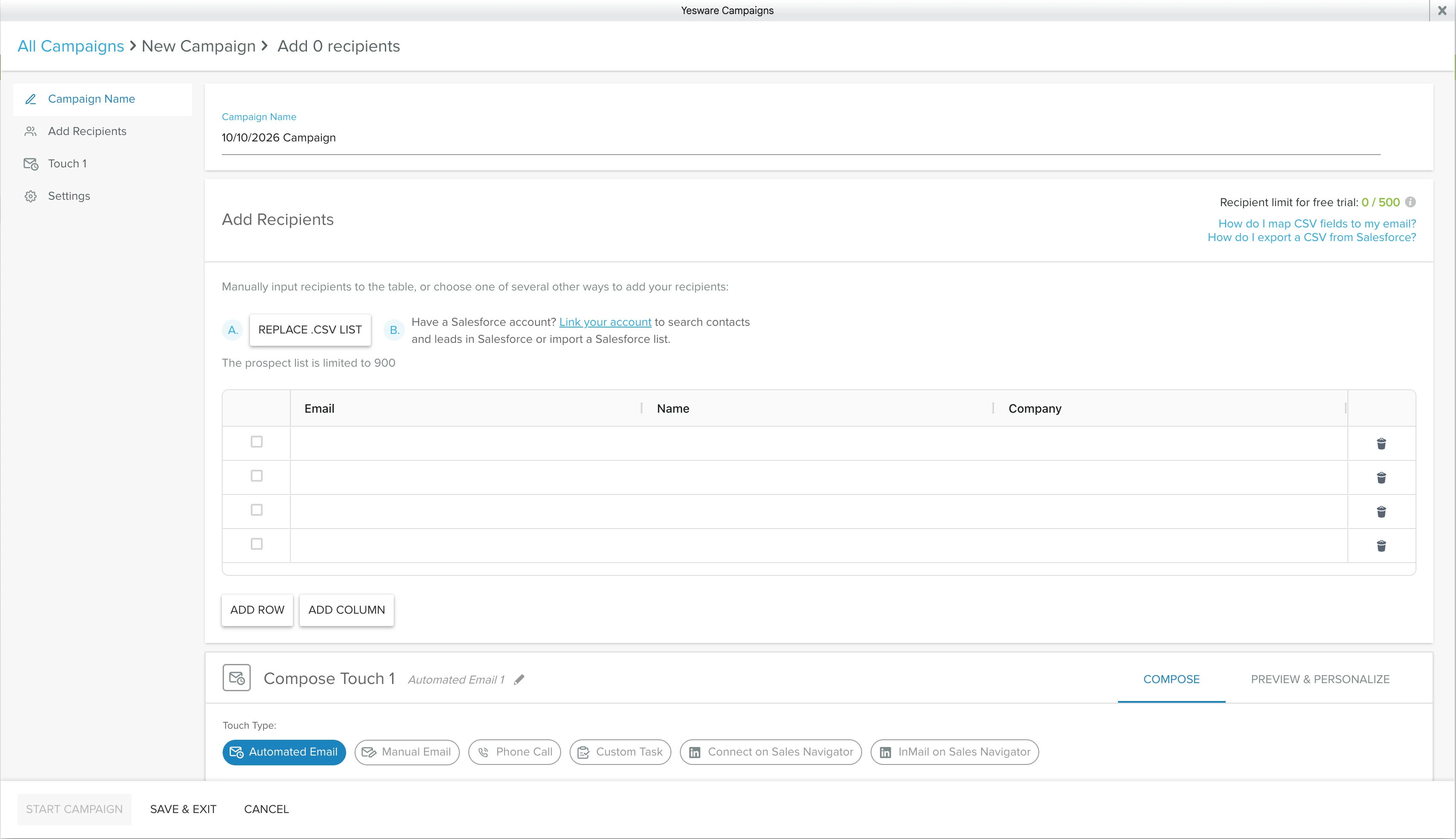
Pricing: Yesware bills per seat, and annual billing saves up to 23%.
- Free: $0, with 10 campaign recipients a month.
- Pro: $19/seat/mo monthly or $15 annual, with 20 campaign recipients a month.
- Premium: $45/seat/mo monthly or $35 annual, with unlimited campaigns and team reporting.
- Enterprise: $85/seat/mo monthly or $65 annual, adding the Salesforce features.
- Prospector: $37.50/mo for 600 credits a year or $125/mo for 3,000 credits a year, billed annually.
Who it's best for: individual reps and small teams who send 1:1 email from Gmail or Outlook and want to know when a prospect engages. For a deeper look, read the full Yesware review.
Known limitations:
- Yesware Pro caps campaigns at 20 recipients a month, so real outbound starts at Premium.
- No plan includes warm-up, placement tests or sending infrastructure. Every email goes out from the rep's own mailbox.
- LinkedIn touches are manual and need a separate Sales Navigator licence.
- Yesware's own FAQ confirms there is no mobile app.
What reviewers say: Yesware has one Trustpilot review, a 3-star post from May 2025 about poor after-sales customer service. Critical G2 reviews raise similar points. If Outreach is also on your list, see Outreach vs Yesware.

Salesloft Overview: Cadences, Calls and Clari Forecast
Salesloft is an enterprise sales engagement platform. It merged with Clari on December 3, 2025, and the combined company took the Salesloft brand in September 2026.
At the merger, Clari and Salesloft said more than 5,000 companies used their products. The platform now covers prospecting cadences, call recording, deal management and revenue forecasting.
Core features:
- Cadence: multi-step sequences with email, phone and LinkedIn steps, plus AI-drafted email steps.
- Conversation Intelligence: call recording, transcripts and coaching.
- Deals and Rhythm: pipeline management and a prioritized daily task list for reps.
- Clari Forecast and Inspect: revenue forecasting and pipeline risk, added through the merger.
- Analytics: cadence, team and activity reports.
- AI Agents and MCP: agents that suggest and take actions, plus an MCP server for outside AI tools.
- Dialer: outbound calling, sold as a paid add-on.
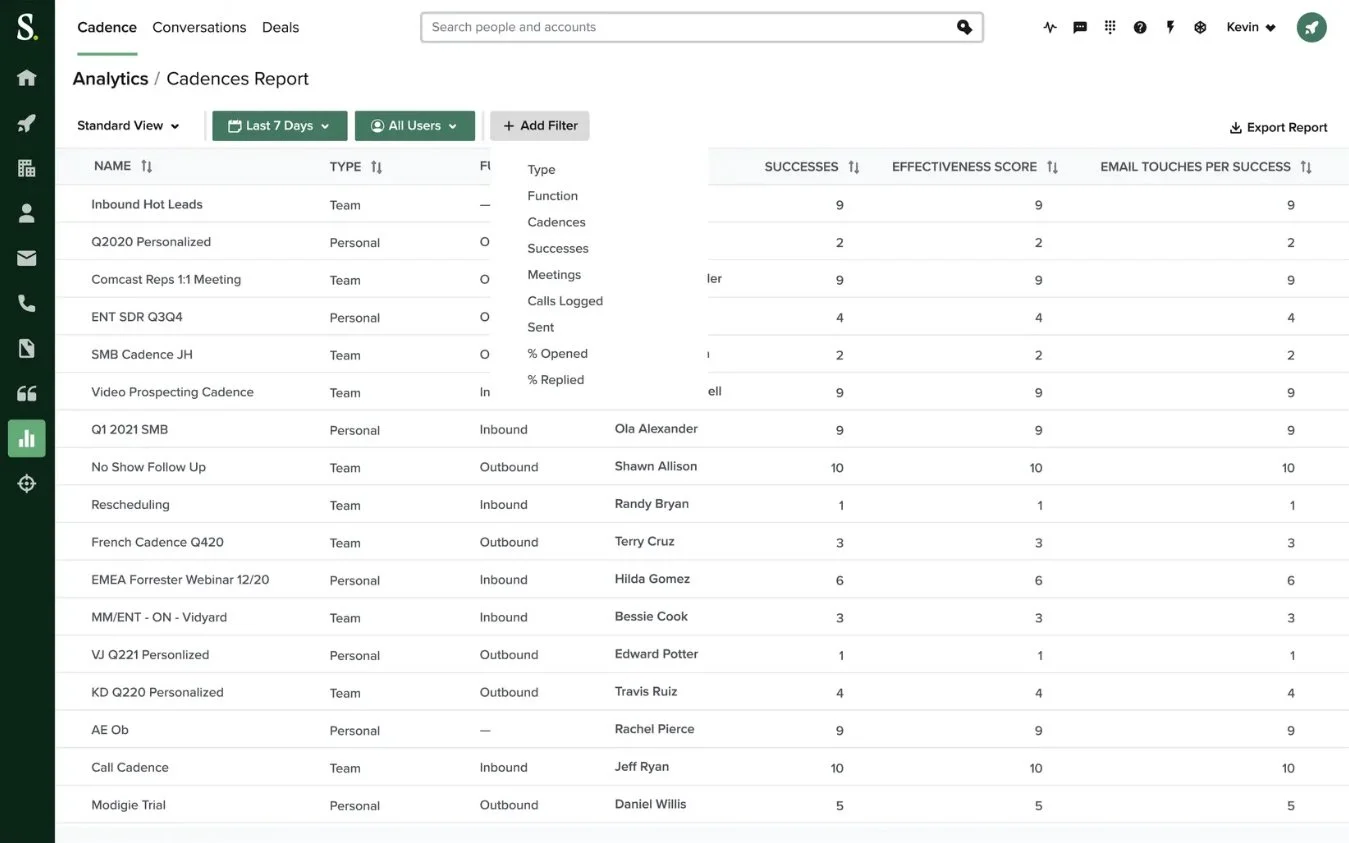
Pricing: Salesloft publishes no prices or plan tiers. Its /pricing URL now redirects to a "Talk to Sales" page.
Buyer guides that use procurement data put list pricing at roughly $125-$165 per user per month, landing near $100-$130 after negotiation. Vendr reports an average contract value of $29,484 across 304 deals. The dialer adds roughly $300-$400 per user per year, and contracts are annual.
Who it's best for: large revenue teams on Salesforce that want cadences, call recording and forecasting in one contract.
Known limitations:
- No public pricing, no free trial, and per-seat annual contracts.
- LinkedIn steps open Sales Navigator, but a rep still sends each one by hand.
- No warm-up or sending infrastructure. Reps send from their own connected mailboxes.
- Between August 8 and 18, 2025, attackers used stolen OAuth tokens from Salesloft's Drift chat integration to export customers' Salesforce data. Google's Threat Intelligence Group reported the attack, and Salesloft revoked the tokens on August 20, 2025.
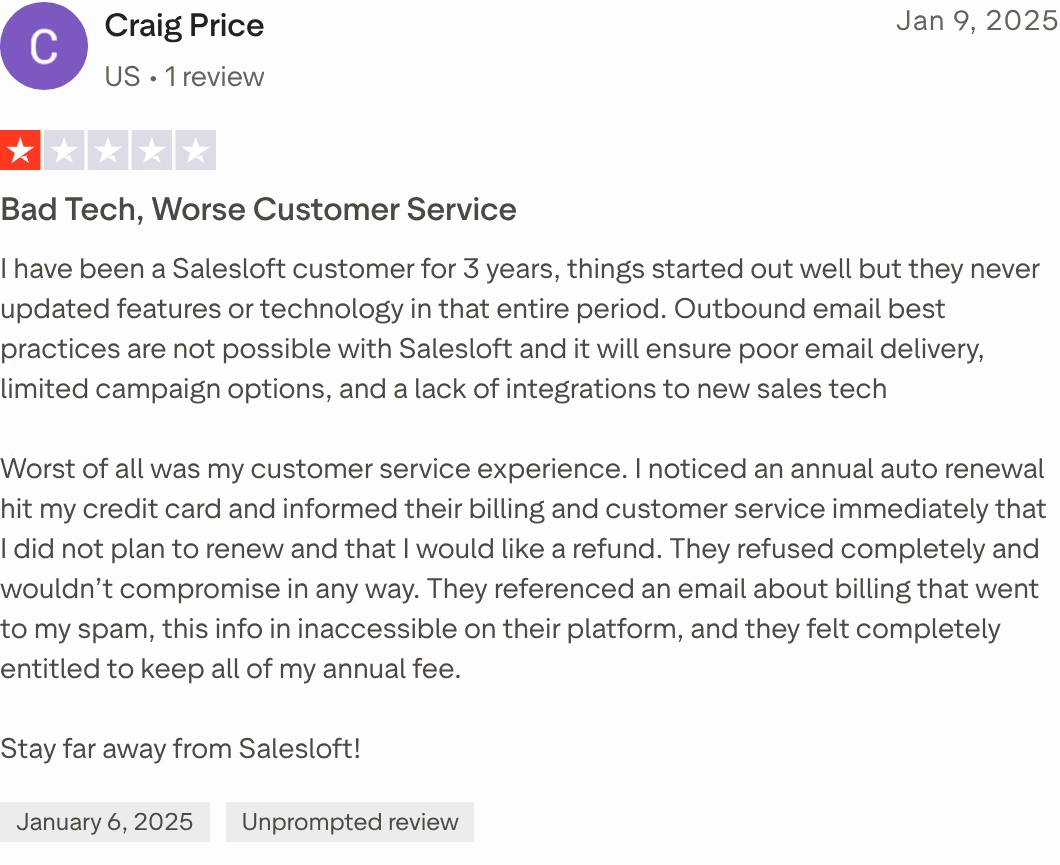
What reviewers say: many 1- and 2-star Trustpilot reviews mention auto-renewal terms. Reviewers say a missed notice window led to another paid year. For other options, see these Salesloft alternatives or Outreach vs Salesloft.
Salesforge Overview: Multichannel Outreach on the Forge Stack
Salesforge is a multichannel outreach platform. Cold email and LinkedIn run as two channels of one sequence, and every reply lands in one inbox.
One subscription covers both channels, with no separate LinkedIn tool licence. Salesforge is also the outreach layer of the Forge Stack.
Core features:
- Conditional multichannel sequences: if a connection request is accepted, send a LinkedIn message. If not, fall back to email.
- Six native LinkedIn actions: connection requests, messages, InMails, post likes, follows and withdraw requests, each capped at 30 a day per profile.
- Account safety as standard: session-token login, no stored LinkedIn password and no Chrome extension injection.
- Unlimited mailboxes and workspaces: on every plan, with unlimited users and LinkedIn senders on Growth.
- AI personalization across 21+ languages: AI variables pull company news, LinkedIn activity and industry context.
- Unlimited warm-up via Warmforge: every connected mailbox is warmed free, with Heat Score™ tracking.
- Deliverability controls: sender rotation, text-only content, Bounce Shield, built-in email validation and ESP matching (Growth).
- Primebox™ with Autopilot and Co-pilot modes: one inbox for email and LinkedIn. The AI reply modes need Growth.
- LinkedIn email and phone finder: a Chrome extension powered by Leadsforge, with 100 free credits.
- Testing and analytics: A/B testing on Growth, plus open, reply, positive reply, connection and meeting rates.
- API, MCP and CLI: API access on Growth, and an MCP server for Claude, Cursor or your own agents.
- Integrations: HubSpot, Salesforce, Pipedrive, HighLevel, Attio, Folk, Breakcold, Clay, RB2B, Zapier, Make and webhooks.
The Forge Stack context: Mailforge (shared), Infraforge (dedicated IPs) and Primeforge (Google Workspace and Microsoft 365) cover infrastructure. Warmforge covers deliverability, Leadsforge covers lead data, and Agent Frank is an AI SDR.
Neither Yesware nor Salesloft offers infrastructure, deliverability, lead data, outreach and an AI SDR under one roof. Every Forge product sits under one login, each with its own subscription, and you can switch infrastructure types as volume grows without migrating.
You can run the stack with your own team, hand it to Agent Frank, or hire a Forge Expert agency.
Pricing: Salesforge has two plans with no per-seat pricing. Annual billing gives 2 months free (verify the live price).
- Pro: $48/mo monthly or $40/mo annual. 1,000 active contacts, 5,000 emails a month, 1 user, 1 LinkedIn sender and unlimited mailboxes.
- Growth: $96/mo monthly or $80/mo annual. 10,000 active contacts, 50,000 emails a month, unlimited users and LinkedIn senders, plus API, A/B testing, ESP matching and Primebox™ AI.
- Agent Frank: a separate subscription from $499/mo billed quarterly or $416/mo billed annually. He needs a demo and a 2-week warm-up first.
Both plans start with a 14-day free trial, and no credit card is required.
Start Your Free Salesforge TrialWho it's best for: B2B teams with $5K-$100K ACVs that sell to startups, SMB or mid-market companies and target 3,000+ businesses. Salesforge itself says it is a poor fit for Fortune 500 targets, long RFP cycles or six- to seven-figure deals.
One customer result: ChannelCrawler reached 85.71% positive replies on Salesforge, Infraforge and Warmforge.
Honest limitations:
- Email infrastructure is not in any plan. You connect your own mailboxes or buy Mailforge, Infraforge or Primeforge.
- Salesforge Pro allows 1 user and 1 LinkedIn sender. The API, A/B testing and full integrations need Salesforge Growth.
- Phone outreach is on the roadmap, not live yet.
in Action
Head-to-Head Feature Comparison: Yesware vs Salesloft
Multichannel outreach and LinkedIn
All three tools call themselves multichannel, but only one automates the LinkedIn side.
- Yesware: campaigns mix email, call and task touches. LinkedIn Connect and InMail touches need Sales Navigator, Premium or Enterprise, and Gmail.
- Salesloft: cadences cover email, phone and LinkedIn. LinkedIn steps open the right Sales Navigator profile, then the rep sends by hand.
- Salesforge: six LinkedIn actions run automatically inside the same sequence as email, with if/then branching between channels.
There is a cost difference too. Yesware and Salesloft run their LinkedIn steps through Sales Navigator, a separate paid LinkedIn licence for each rep. Salesforge Growth includes unlimited LinkedIn senders at no extra fee.
Salesloft does have the edge on phone. Its dialer and call recording are mature, while Salesforge phone outreach is still on the roadmap. For email plus LinkedIn multichannel outreach, Salesforge is the only one of the three that sends LinkedIn actions for you.
Email deliverability, warm-up and infrastructure
Yesware and Salesloft both send from each rep's own Google or Microsoft mailbox. Neither sells warm-up, placement tests or extra mailboxes, so scaling volume means pushing more email through the same few inboxes.
Salesforge spreads volume with inbox rotation across unlimited mailboxes. Warmforge warms every mailbox free and gives each one a Heat Score™ from 0 to 100, where 97+ counts as healthy.
Warmforge also runs inbox placement tests across Google, Outlook and other providers, and health checks on DNS, MX and blacklist status. Its warm-up pool mixes aged IMAP/SMTP, Google Workspace and Microsoft 365 mailboxes.
Salesforge's own guidance is 30-50 cold emails per mailbox a day and a bounce rate under 1%. Hitting 1,000 emails a day takes about 20-30 mailboxes across 5-10 domains. Mailforge, Infraforge and Primeforge supply those from $2 to $4.50 per mailbox a month.
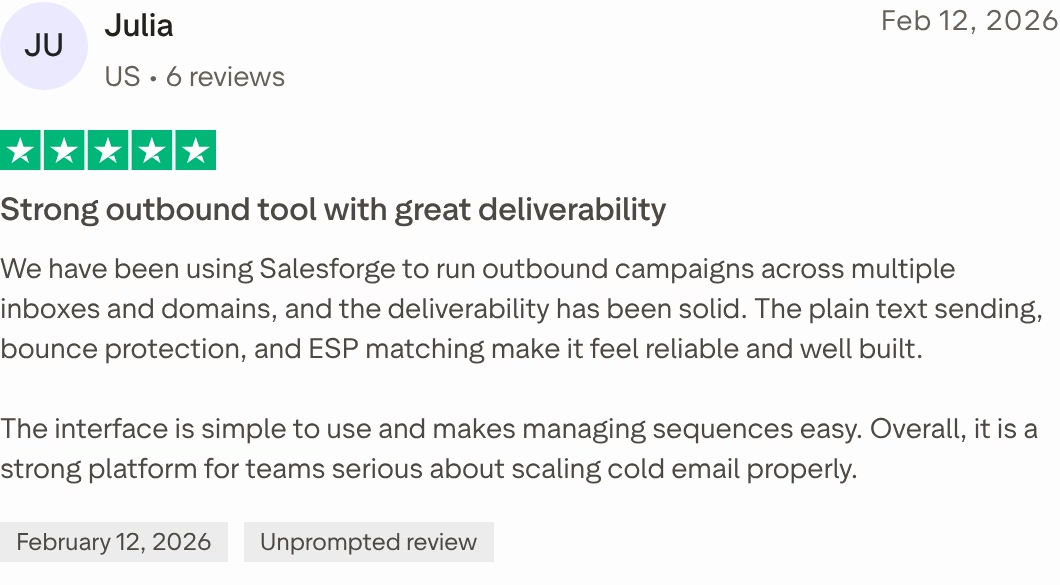
Two reviews in this post show the gap. The Salesloft reviewer above says outbound email best practices are not possible in the tool, while the Salesforge reviewer credits plain text sending and ESP matching.
AI personalization and AI SDR
Yesware's plan pages list dynamic merge fields and no AI writing feature. Salesloft has AI-drafted email steps in cadences, and its November 2025 release added AI-drafted InMails.
Salesforge personalizes every email and LinkedIn message with AI across 21+ languages. Overdrive Mode pulls from every source at once and uses 2 credits per preview instead of 1.
Salesloft lists more than two dozen AI agents for prospecting, coaching and deal work, and they run inside reps' workflows. Agent Frank goes further: he prospects, writes, follows up, handles replies and books meetings across email and LinkedIn, in Autopilot or Co-pilot mode.
He is not self-serve. Agent Frank starts with a demo, then a 2-week warm-up, and his base plan covers 1,000 active contacts for $499/mo billed quarterly. Yesware has no AI SDR or AI agents.
Inbox management and reply handling
Yesware campaigns detect out-of-office replies and remove recipients who reply or book a meeting. In Yesware and Salesloft, replies arrive in each rep's own inbox. Salesloft logs them against the cadence, but neither tool has one inbox for email and LinkedIn replies.
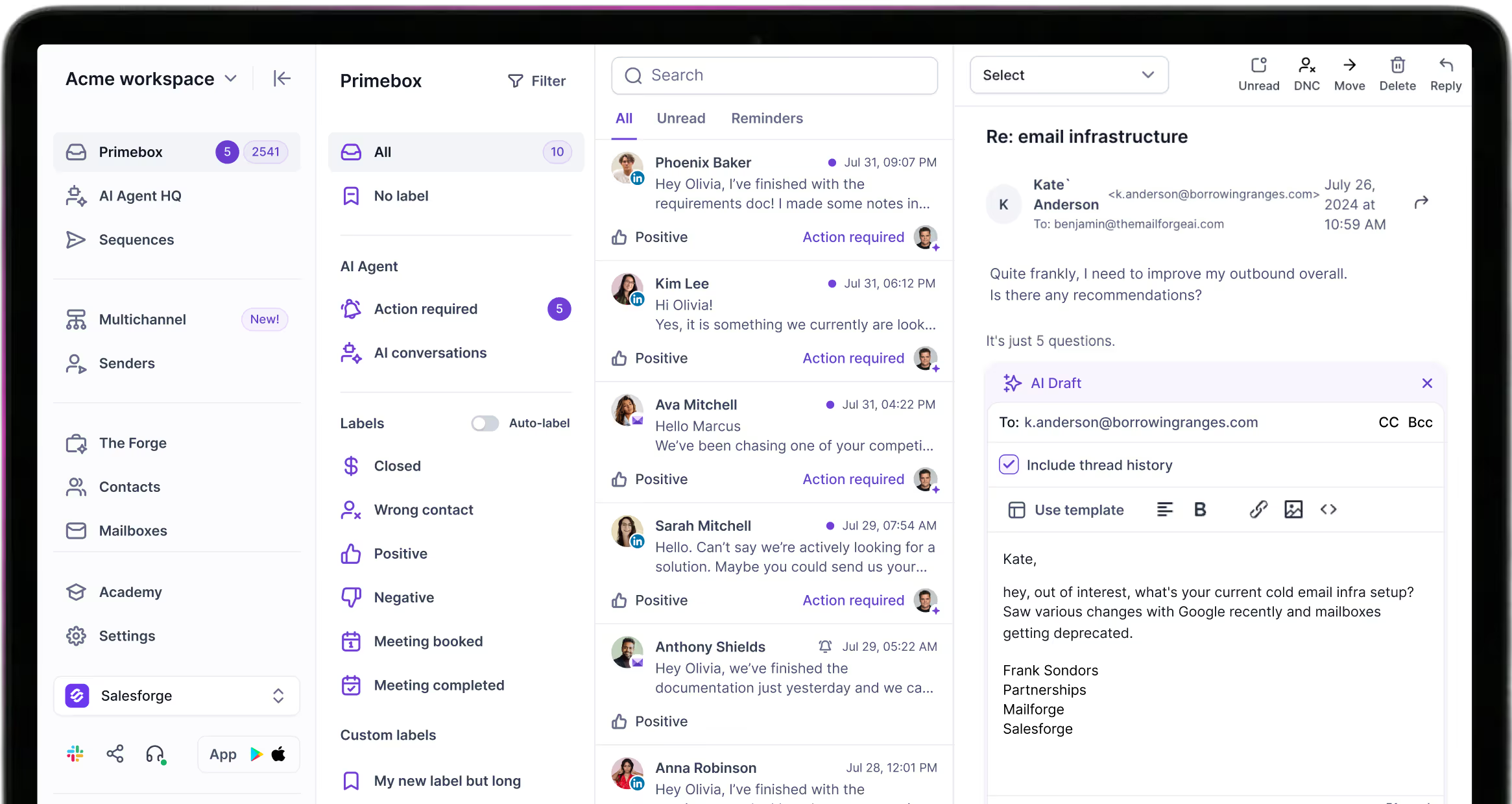
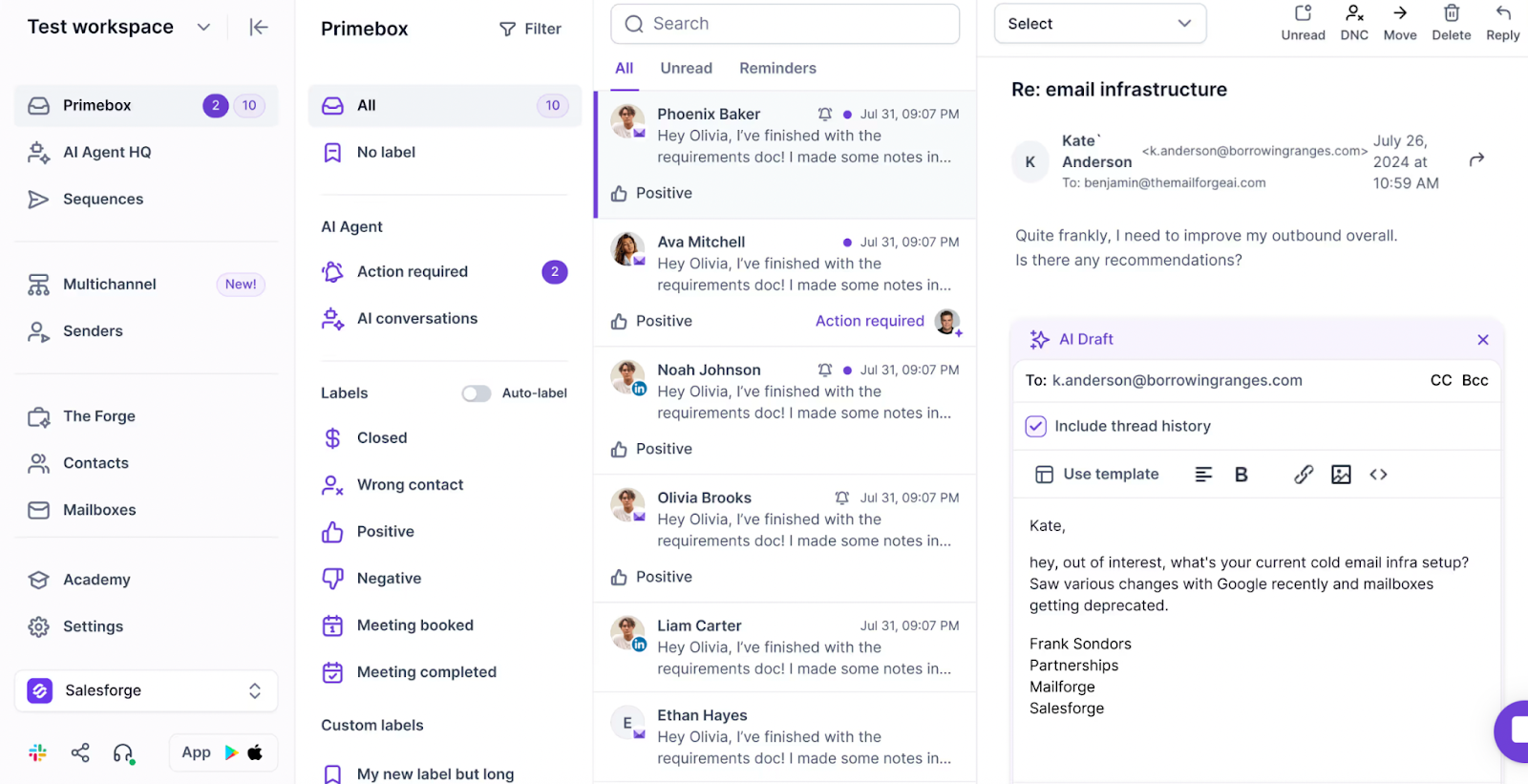
Salesforge's Primebox™ is a unified inbox for every mailbox and LinkedIn account. It tags sentiment, catches replies sent from a different address, and offers Autopilot, Co-pilot or reply-as-human modes.
The inbox and sentiment tags come with every plan, and AI-drafted replies need Salesforge Growth. Primebox™ also has a mobile app, which Yesware does not offer at all.
Lead data and enrichment
Yesware sells Prospector as an add-on: 600 credits a year for $37.50/mo or 3,000 for $125/mo, billed annually. That works out to 50 or 250 credits a month. Salesloft relies on your CRM and data-partner integrations for contacts.
Leadsforge searches 500M+ B2B contacts from a plain-English description of your ICP. It runs waterfall enrichment, company lookalikes, competitor-follower search and intent signals, then pushes lists straight into Salesforge with no CSV export.
The Salesforge Chrome extension finds emails and phone numbers on LinkedIn profiles, using the same 500M+ database. New users get 100 free credits.
Integrations, API and security
Yesware's Salesforce sync is Enterprise-only. It also connects DocSend, Clari, Zoom, Microsoft Teams and RingCentral, and it holds SOC 2 Type II. Salesloft integrates deeply with Salesforce and HubSpot and offers an MCP server.
Salesforge connects natively to HubSpot, Salesforce, Pipedrive, HighLevel, Attio, Folk, Breakcold and Clay. It also links Zapier, Make and webhooks for everything else.
Developers get an API on Salesforge Growth, an MCP server and the Forge CLI, so Claude or your own agents can run each Forge product. Salesforge is SOC 2 compliant across the stack.
One honest catch: the full integrations library needs Salesforge Growth, so Salesforge Pro users get a smaller set. OutboundSync can push engagement data back to your CRM.
Yesware vs Salesloft Pricing Compared (2026)
| Pricing | Salesforge | Yesware | Salesloft |
|---|---|---|---|
| Model | Flat plan, no per-seat fees | Per seat | Per seat, quote only |
| Entry plan | Salesforge Pro: $48/mo monthly, $40/mo annual | Yesware Pro: $19/seat/mo monthly, $15 annual | Not published |
| Team plan | Salesforge Growth: $96/mo monthly, $80/mo annual, unlimited users | Yesware Premium: $45/seat/mo monthly, $35 annual | Roughly $125-$165/user/mo list (third-party data) |
| Top tier | Salesforge Growth is the top plan | Yesware Enterprise: $85/seat/mo monthly, $65 annual | Not published |
| Add-ons | Agent Frank from $499/mo billed quarterly; mailboxes $2-$4.50/mo each | Prospector $37.50 or $125/mo annual | Dialer roughly $300-$400/user/yr |
| Free option | 14-day trial, no card | Free plan + 14-day trial | None |
| Contract | Monthly or annual | Monthly or annual | Annual |
Yesware's annual billing saves up to 23%, and Salesforge's gives 2 months free. Salesloft's figures on this page are third-party estimates, so get a written quote before comparing.
Yesware and Salesloft both charge per seat, so cost grows with every hire. Salesforge Growth costs the same for 2 reps or 20, and you add mailboxes as volume grows.
Take a team of 10 reps on annual billing. Yesware Premium costs $350/mo ($4,200 a year), and that is the cheapest plan with unlimited campaigns.
Salesloft at third-party list estimates runs $1,250-$1,650/mo ($15,000-$19,800 a year) before the dialer. The dialer adds another $3,000-$4,000 a year.
Salesforge Growth is $80/mo for all 10 reps. Adding 30 Mailforge mailboxes at $3 each for 1,000 emails a day brings the total to about $170/mo before domain costs, with warm-up included.
Adding 5 more reps costs $175/mo more on Yesware Premium and $625-$825/mo more on Salesloft. On Salesforge Growth, the extra seats cost nothing. If you add Agent Frank on top, his price drops to about $0.25 per contact once you pass 2,000 contacts a month.
If your stack runs on cold email infrastructure you already own, you can connect those mailboxes instead.
Who Should Use Yesware, Salesloft or Salesforge
You might consider Yesware if:
- You are a solo rep or small team sending 1:1 email from Gmail or Outlook. For pure open and click tracking, Yesware Pro at $15/seat/mo annual is the cheaper, simpler pick, because it lives in the inbox you already use.
- Your campaigns stay small, and you do not need LinkedIn automation or warm-up.
- Your team already lives in Salesforce and wants email activity synced there, which needs Yesware Enterprise.
You might consider Salesloft if:
- You run a large Salesforce-based team. For forecasting tied to call data, Salesloft is the stronger fit, because Clari Forecast and call recording sit in one platform.
- You can sign an annual per-seat contract and budget for a dialer add-on.
- Phone is a core channel for your reps, and you need a dialer inside the same cadence.
Choose Salesforge if:
- You sell B2B at $5K-$100K ACV to startups, SMB or mid-market companies and target 3,000+ businesses.
- You want email and LinkedIn in one sequence and every reply in Primebox™.
- You want unlimited users and LinkedIn senders for $80/mo annual instead of per-seat fees.
- You run outbound for clients and need a separate workspace for each one.
- You want to add an AI SDR later. Agent Frank is a separate subscription from $499/mo billed quarterly.
Final Verdict: Which Sales Engagement Tool to Choose
Yesware is an inbox add-on for tracking and small campaigns. Salesloft is an enterprise revenue platform sold by quote on annual contracts. Neither warms mailboxes, sells infrastructure or automates LinkedIn, and both charge per seat.
For B2B cold outbound at SMB and mid-market scale, Salesforge is the stronger choice. At $80/mo annual for Salesforge Growth ($96/mo monthly), you get unlimited users, LinkedIn senders and mailboxes.
Free Warmforge warm-up and Primebox™ come with it. Neither alternative offers that combination at any price, and both would charge you again for every new rep.
One benchmark you can check: UniteSync ran on Salesforge, Mailforge and Warmforge to an 85.26% positive reply rate and a $2.86 CAC. You can compare other tools in the comparison library or the sales tools directory.

Yesware vs Salesloft FAQs
Is Salesforge better than Yesware or Salesloft?
For SMB and mid-market cold outbound, yes. Salesforge runs email and LinkedIn in one sequence, warms every mailbox free through Warmforge, and puts all replies in Primebox™.
Salesforge Growth costs $80/mo annual for unlimited users. Yesware and Salesloft charge per seat and include no warm-up or LinkedIn automation. Salesloft still fits large Salesforce teams that need forecasting and call recording.
What's the main difference between Yesware and Salesloft?
Yesware is a Gmail and Outlook add-on for email tracking, templates and small campaigns, from $15/seat/mo annual. Salesloft is an enterprise platform with cadences, call recording, deal management and Clari Forecast.
Salesloft is sold by quote on annual contracts, with third-party estimates around $125-$165 per user per month. Yesware publishes every price and offers a free plan.
Which is cheaper: Yesware, Salesloft or Salesforge?
For one rep, Yesware Pro is cheapest at $15/seat/mo annual, but it caps campaigns at 20 recipients a month. For a team of 10, Yesware Premium costs $350/mo and Salesloft roughly $1,250-$1,650/mo at list.
Salesforge Growth is $80/mo annual for all 10 reps, plus mailbox costs of about $90/mo for 30 Mailforge mailboxes. Warm-up is included at no extra cost.
Do Yesware and Salesloft automate LinkedIn outreach?
No. Both add LinkedIn steps through Sales Navigator, but a rep sends each connection request or InMail by hand.
Yesware limits LinkedIn touches to Premium and Enterprise in Gmail. Salesforge automates six LinkedIn actions inside the same sequence as email, capped at 30 per action per day per profile. Salesforge Growth adds unlimited LinkedIn senders.
Can I switch from Yesware or Salesloft to Salesforge easily?
Yes. Import contacts by CSV or Google Sheets, then connect your existing Google or Microsoft mailboxes, since every plan allows unlimited mailboxes.
Warm new mailboxes for at least 2 weeks before launching. If you are leaving Salesloft, check your renewal notice period first, since several reviewers report being billed for another year.
Which tool has better email deliverability?
Salesforge. Yesware and Salesloft send from each rep's own mailbox with no warm-up or placement testing.
Salesforge adds free Warmforge warm-up with Heat Score™, sender rotation, text-only sends, Bounce Shield, email validation and ESP matching on Salesforge Growth. Shared, dedicated and Google or Microsoft mailboxes are available through Mailforge, Infraforge and Primeforge.
Does Salesforge offer a free trial?
Yes. Salesforge offers a 14-day free trial, and no credit card is required.
The trial includes 50 contacts, 100 emails, 50 email validation credits, 50 personalization credits and 100 social action credits. Warm-up and unlimited mailbox connections work during the trial. Agent Frank has no trial and starts with a demo.
Who are Yesware and Salesloft best for?
Yesware suits individual reps and small teams who sell 1:1 from Gmail or Outlook and mainly want open, click and attachment tracking. Salesloft suits enterprise revenue teams on Salesforce that want cadences, call recording and Clari Forecast under one annual contract. Neither is built for high-volume cold outreach across many mailboxes.