
Personalized Outbound Strategy
Get The Right Outbound Strategy In Minutes
Enter your email to get a custom plan & stack recommendation for your business
It's being carefully crafted by AI
Please check your mailbox in 5 minutes
You sign up for Sparkle.io, thinking it will replace 2–3 outbound tools. But once you start using it, gaps show up fast.
On one demo call, a founder told me, “I like the all-in-one idea of Sparkle, but I still need another tool for follow-ups.”
Even in G2 reviews, users mention:
So the real question, is Sparkle.io actually worth using for your outbound workflow?
In this review, you’ll see:
Let’s break it down!
No, I wouldn’t say it’s worth the cost for what it offers. When I look at it, I’m paying for credits used across verification, campaigns, and other actions.
Those credits run out faster once I start sending at scale. At the same time, key features like follow-ups and deeper automation are still missing. So even after paying, the workflow is not complete.
I still need another tool to make it work end-to-end.
For me, it feels like paying for half a system. It works at a small scale, but starts to break as I try to grow. The platform is still evolving, and some features may improve over time.
Sparkle.io is a cold email platform.
It helps manage email campaigns, verification, and warmup in one place.
I can send emails and verify contacts without switching tools.
It also includes deliverability tools.
I can monitor domains, IPs, and blacklist status.
This helps protect the sender's reputation.
Sparkle.io uses credits called “Sparkles.”
Each action, like sending emails or verification, uses credits.
It also checks catch-all email addresses.
It gives a confidence score to decide if they are safe to use.
Teams can use it with roles and workspace access.
In simple terms, it helps manage most parts of cold email outreach in one tool.
Sparkle.io follows a simple outbound workflow.
It combines verification, warmup, and sending in one flow.
Here’s how it works:
I start by adding my email accounts to Sparkle.io.
Then I verify my contact list.
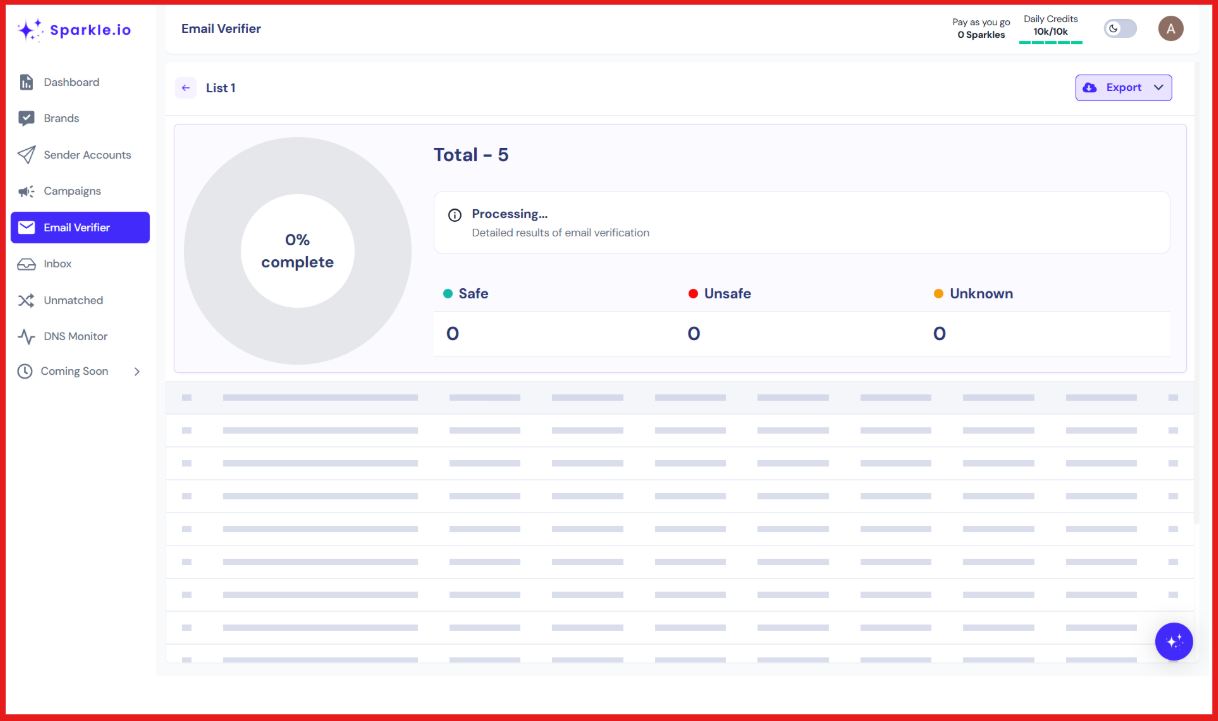
It checks if emails are valid before I send anything.
This helps reduce bounce.
Next, I warm up my inboxes.
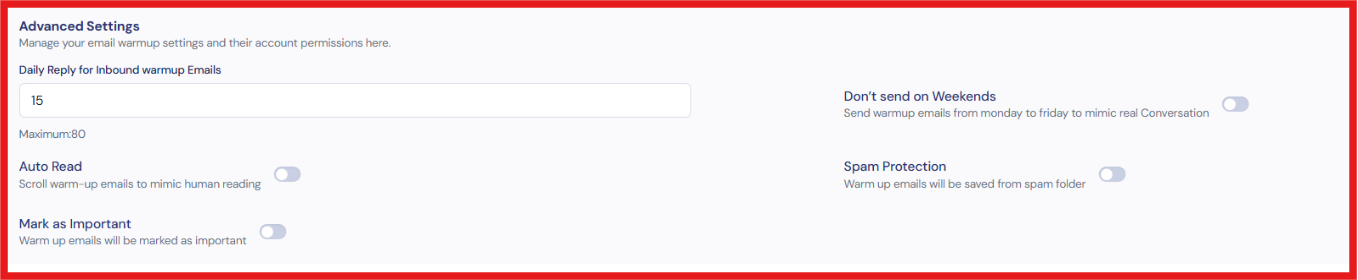
Sparkle.io sends and receives emails to build reputation.
This helps emails land in the inbox, not spam.
Then I create a campaign.
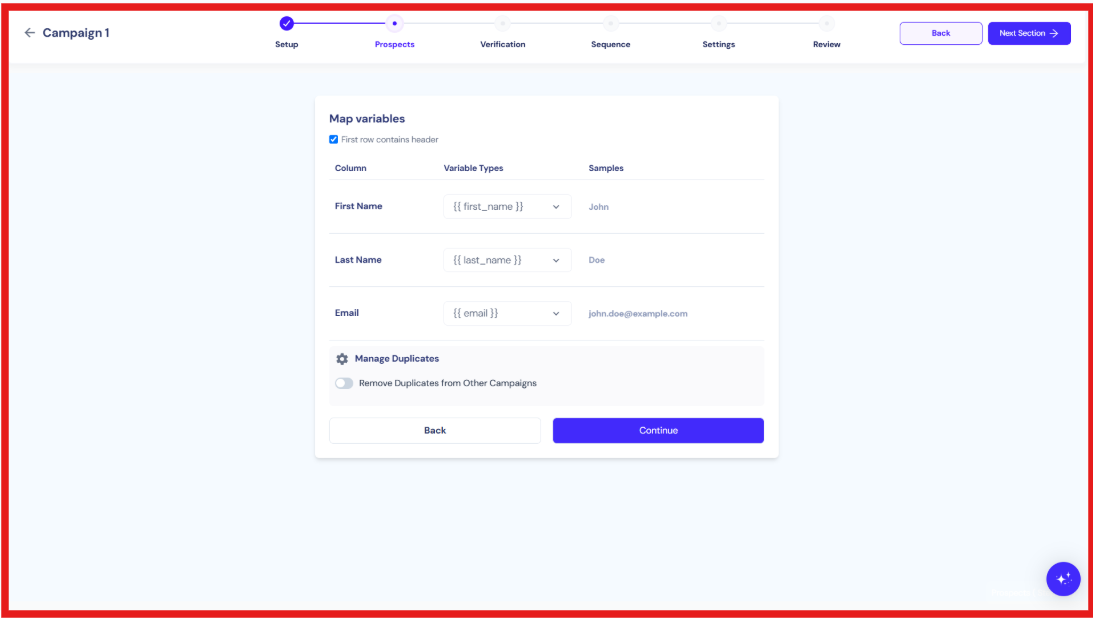
I add my email copy and upload my leads.
Sparkle.io sends emails from the same dashboard.
I can track basic performance and manage outreach in one place.
For risky emails like catch-all, it gives a confidence score.
This helps me decide if I should send or skip.
Everything runs inside one workflow.
Sparkle.io focuses on verification, deliverability, and campaign management.
These are the top features of Sparkle.io:
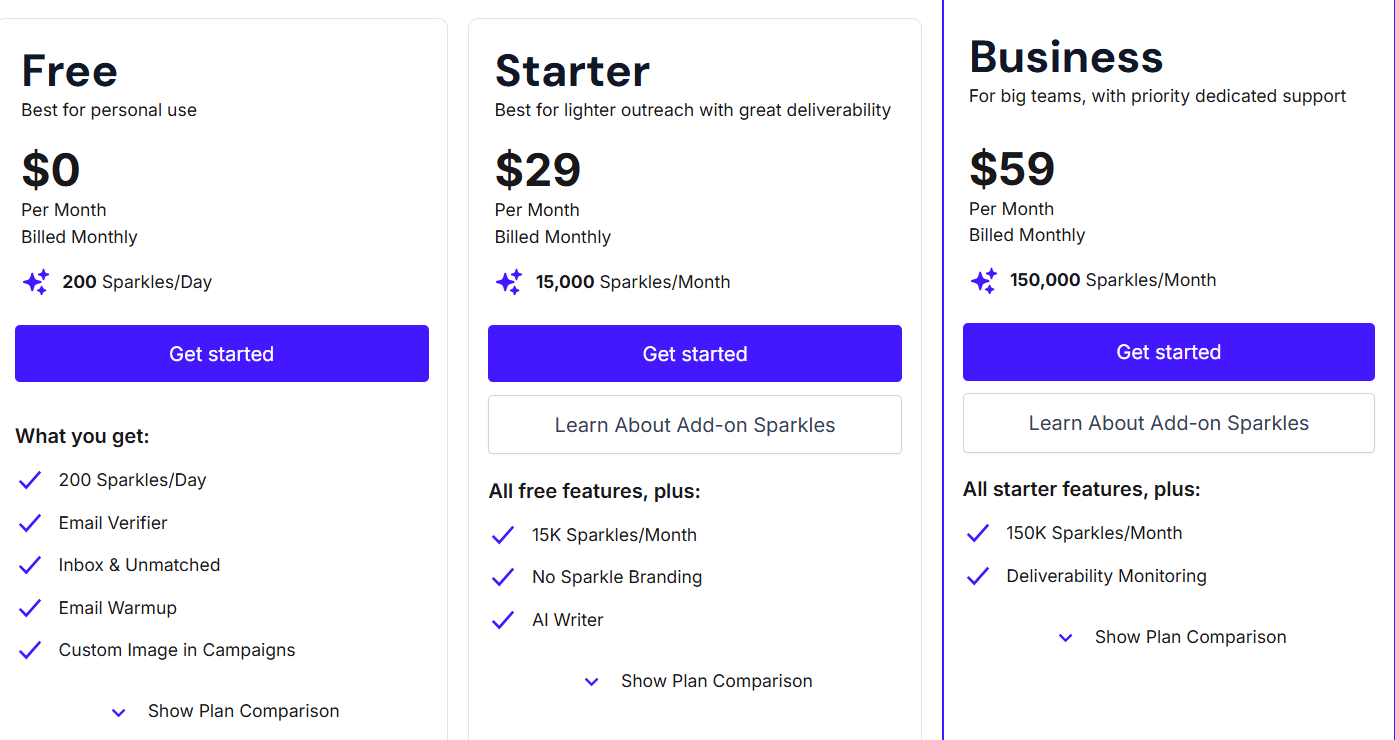
Sparkle.io uses a credit-based pricing model called “Sparkles.”
You pay based on how many actions you perform on the platform.
Here’s how the plans are structured:
Sparkle.io also offers a 14-day free trial with access to Business plan features (with some limits).
Pricing mainly depends on how many emails you send and how many verifications you run.
Sparkle.io combines multiple email tasks into one tool.
But it also has some limits based on how the product is built.
Sparkle.io has a rating of 4.3 out of 5 based on 5 G2 reviews.
Users say the platform is easy to use and simple to set up.
Many users like that it combines email verification, warmup, and campaigns in one place.
Some users say it reduces the need to switch between multiple tools.
Catch-all email verification is often mentioned as useful for improving deliverability.
Users also say the support team is responsive and helpful.
Some users mention that onboarding can be better for new users.
A few users say follow-up and automation features are missing.
Some users want more advanced features like LinkedIn integration and better customization.
There are also concerns about unclear credit usage and limited support for multiple sending accounts.
From what I see, Sparkle.io works best when the goal is to keep email outreach simple.
You should use it if you want to run campaigns, verify emails, and warm up inboxes in one place.
It is good for small teams that do not want to manage multiple tools.
It works well when you want everything inside one dashboard instead of switching tools.
If you are just starting with outbound, the setup feels easy and quick.
It also fits teams that need basic tracking without too much setup.
But it may not fit if you need advanced follow-ups or complex automation.
It is not ideal if you rely on LinkedIn workflows or deep integrations.
Sparkle.io helps manage email outreach once you already have leads. When I need to actually find leads from scratch, Leadsforge feels more direct.
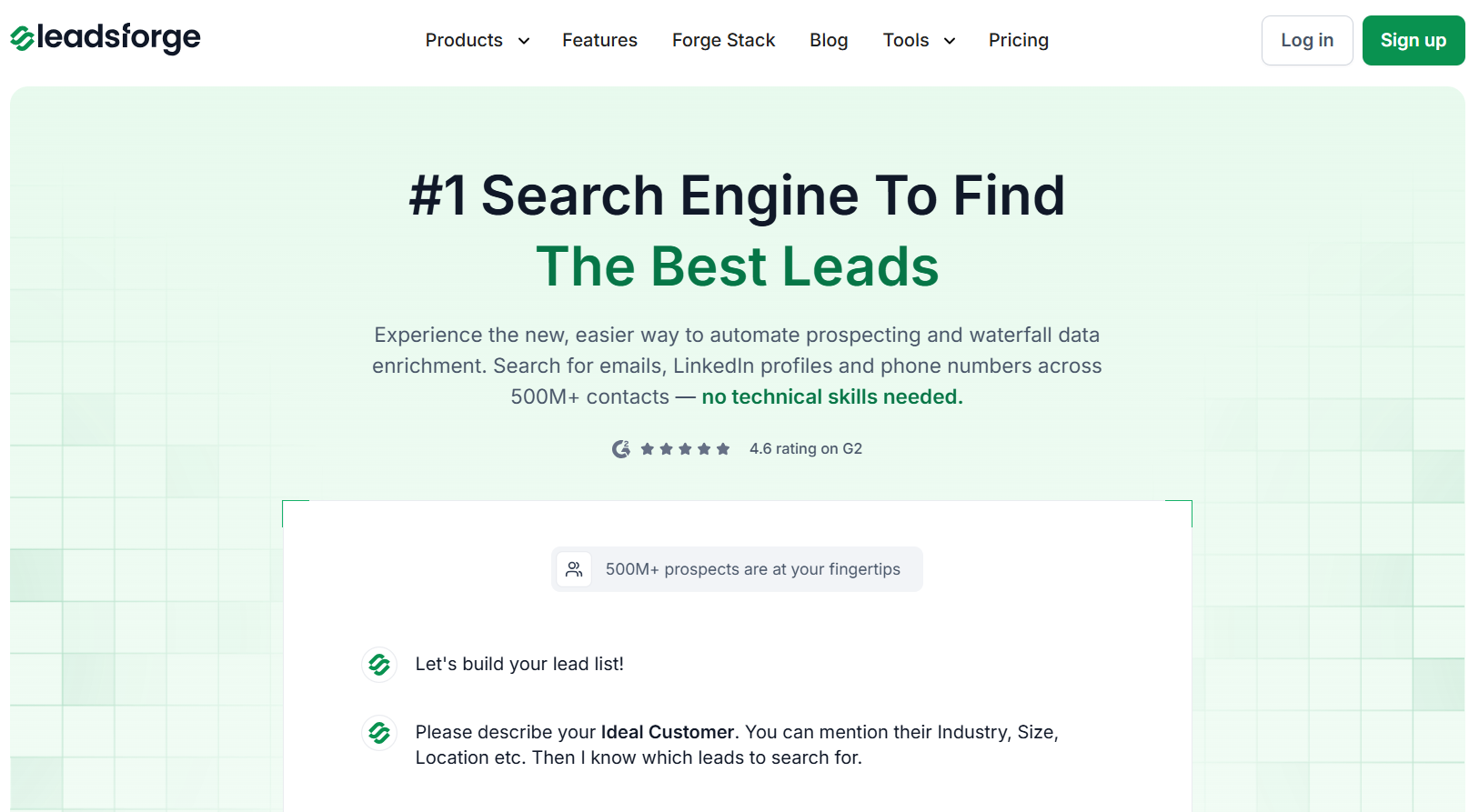
Leadsforge works like a search engine for B2B leads.
I describe my ideal customer in simple words, and it returns matching contacts.
I can get emails, LinkedIn profiles, and phone numbers in one place.
Once the list is ready, I can export it or send it to Salesforge to start outreach.
Here’s a quick difference between Sparkle.io and Leadsforge:
Sparkle.io depends on existing data. Leadsforge helps you create pipeline from zero.
The chat-based search removes the need for filters.
Waterfall enrichment improves data accuracy.
Export is simple, so you can start outreach fast.
If your goal is to generate leads, not just manage emails, Leadsforge is the better starting point.
Enter your email to get a custom plan & stack recommendation for your business
Please check your mailbox in 5 minutes

Sparkle.io is useful for managing email outreach in one place.
It works well if you already have leads ready to contact.
You can verify emails, warm up inboxes, and run campaigns together.
But Sparkle.io does not help you find new leads.
It depends on data you already have.
If your lead flow is low, results will also be limited.
You cannot rely on it alone to build pipeline consistently.
If your goal is to generate leads using an ICP in a simple way, Leadsforge is easier to use.
Leadsforge lets me describe an ideal customer and get matching leads instantly.
It also adds emails, LinkedIn profiles, and phone numbers before export.
Pricing is flexible, based on credits, so you only pay for what you use.
This makes it easier to control costs.
You can try Leadsforge with 100 free credits and see how quickly you can build your first lead list.
.jpg)

.jpg)

.jpg)
