If your LinkedIn pipeline lives across Sales Navigator searches, copied profile URLs, a messy inbox, and a spreadsheet, Kanbox is trying to solve the right problem. It gives LinkedIn-first operators one place to import prospects, manage replies, move conversations through a visual pipeline, and run basic follow-ups.
This Kanbox review is for you if you're deciding whether that is enough or just another tool with promises. I will cover Kanbox features, pricing, pros and cons, LinkedIn account-safety tradeoffs, and three alternatives worth comparing if your outbound system needs more than LinkedIn workflow management.
Kanbox is worth considering if LinkedIn is your main prospecting channel and your biggest problem is keeping imports, replies, follow-ups, and pipeline stages in one place. It is not the right first pick if pipeline coverage depends on email infrastructure, mailbox rotation, deliverability monitoring, or coordinated outbound across email and LinkedIn.
That is the category boundary to understand before you buy.
If LinkedIn replies are getting buried and every prospect lives in a different tab, Kanbox is practical. If your real bottleneck is getting thousands of emails into the primary inbox while coordinating LinkedIn touches around that motion, Kanbox stops too early. In that case, Salesforge is the better choice when the buyer problem is pipeline coverage.
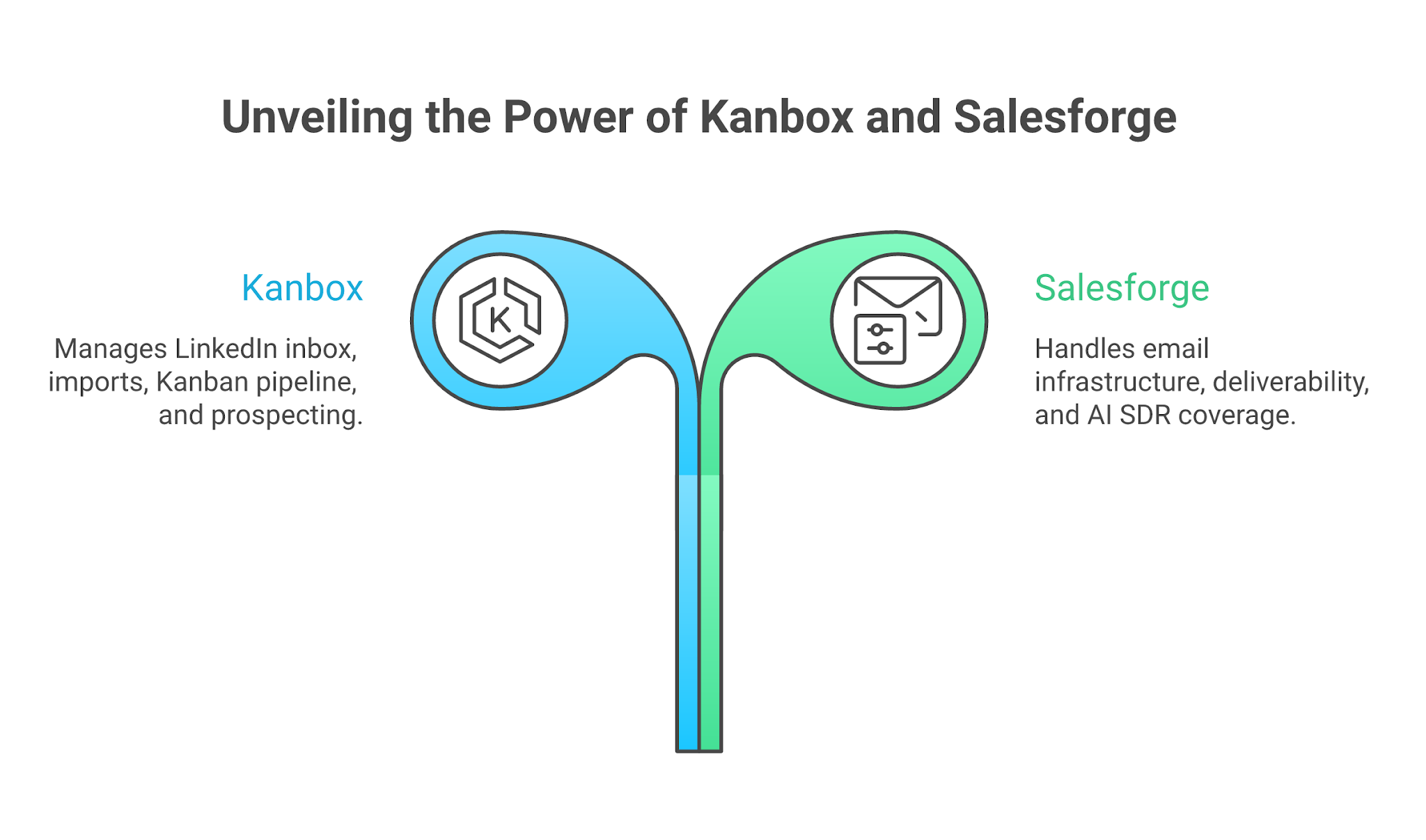
Salesforge vs Kanbox: Outreach Automation Tool Comparison
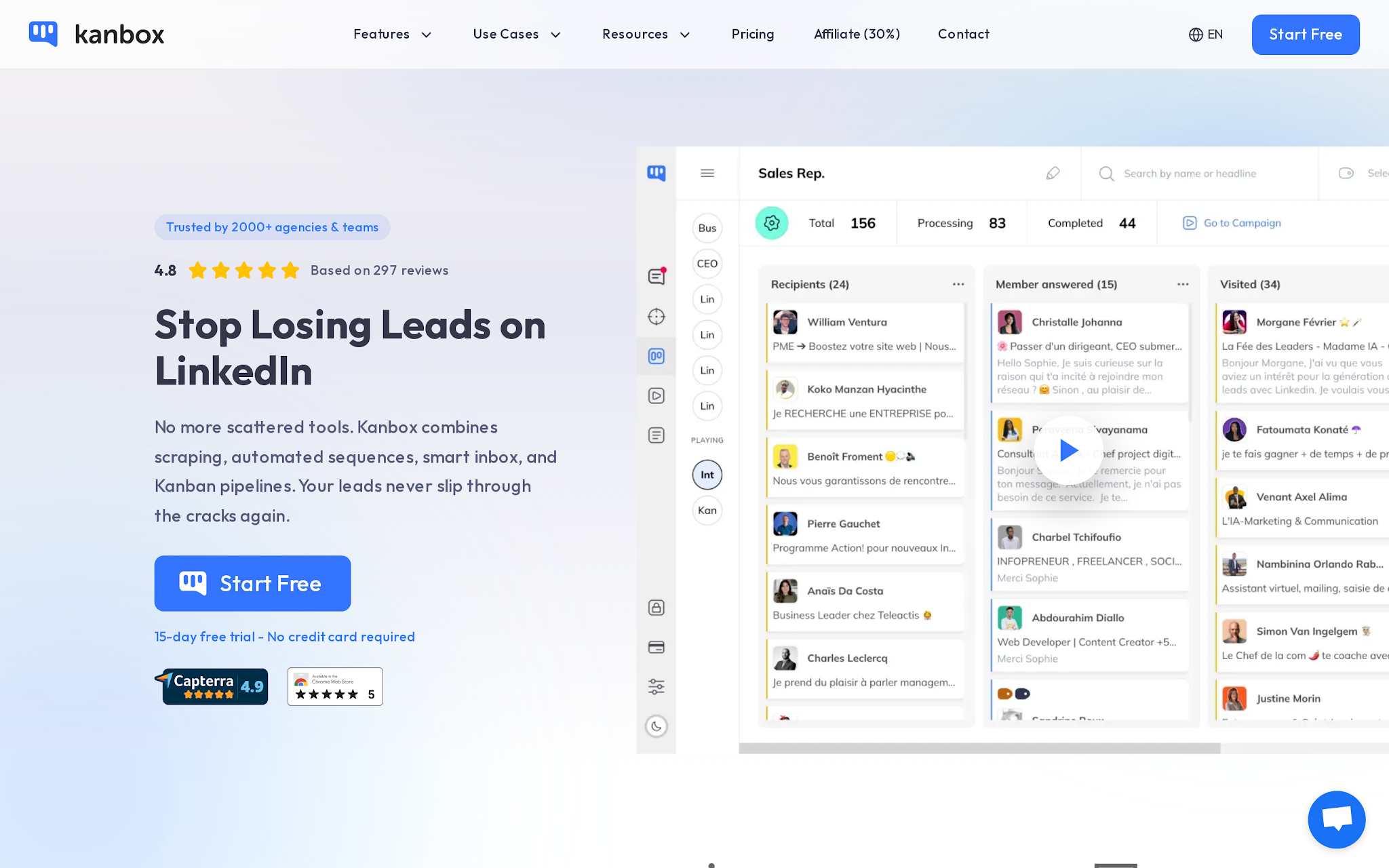
Kanbox is a LinkedIn prospecting tool that combines LinkedIn and Sales Navigator imports, a Smart LinkedIn Inbox, Kanban-style lead management, automated LinkedIn sequences, email finding, filters, exports, and team or agency controls on higher plans.
Kanbox positions itself as a way to stop losing LinkedIn prospects across scattered tools, with a product set covering scraping, automated sequences, a smart inbox, and visual pipelines. Kanbox reports 2,000+ agencies and teams using the product, plus a 4.8 rating based on 297 reviews in its own site presentation of customer feedback.
The product is best understood as a LinkedIn workflow layer. It helps you import the right people, organize conversations, see pipeline stage, and run follow-up steps. It is not mainly an email infrastructure platform, even though it includes email finding and some campaign-adjacent features.
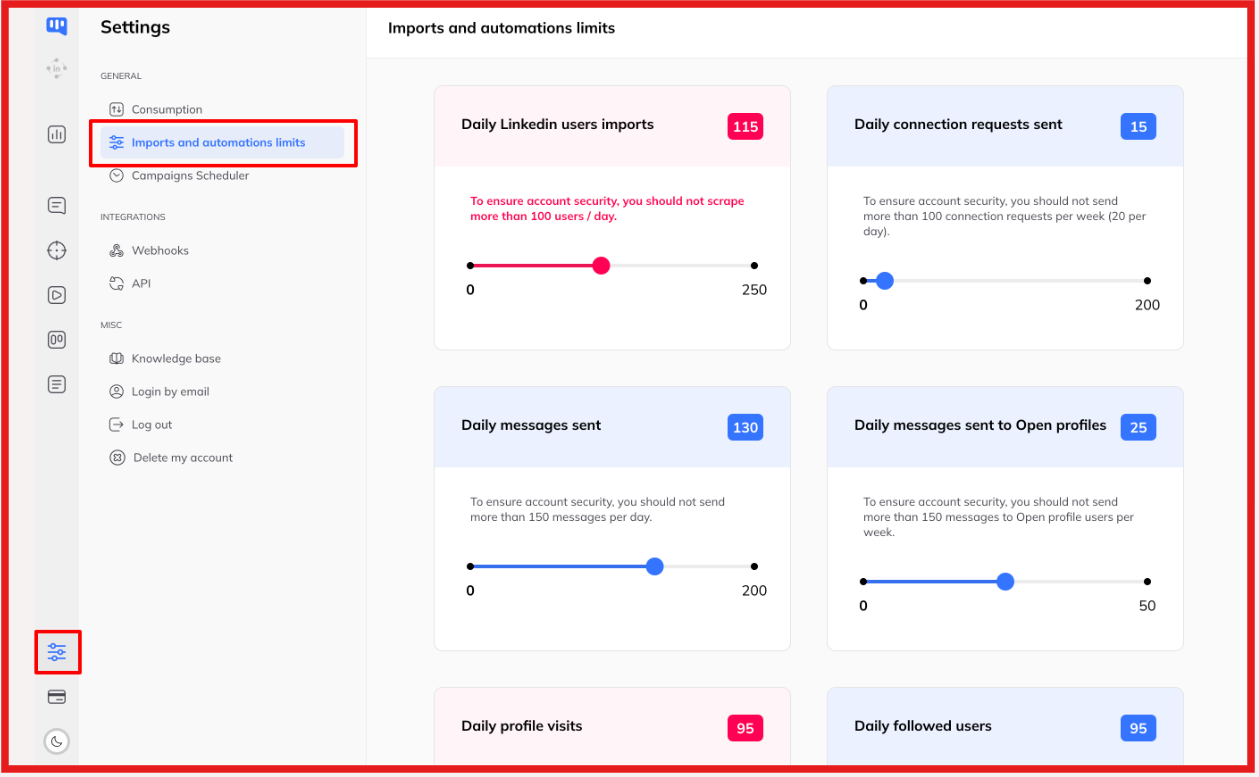
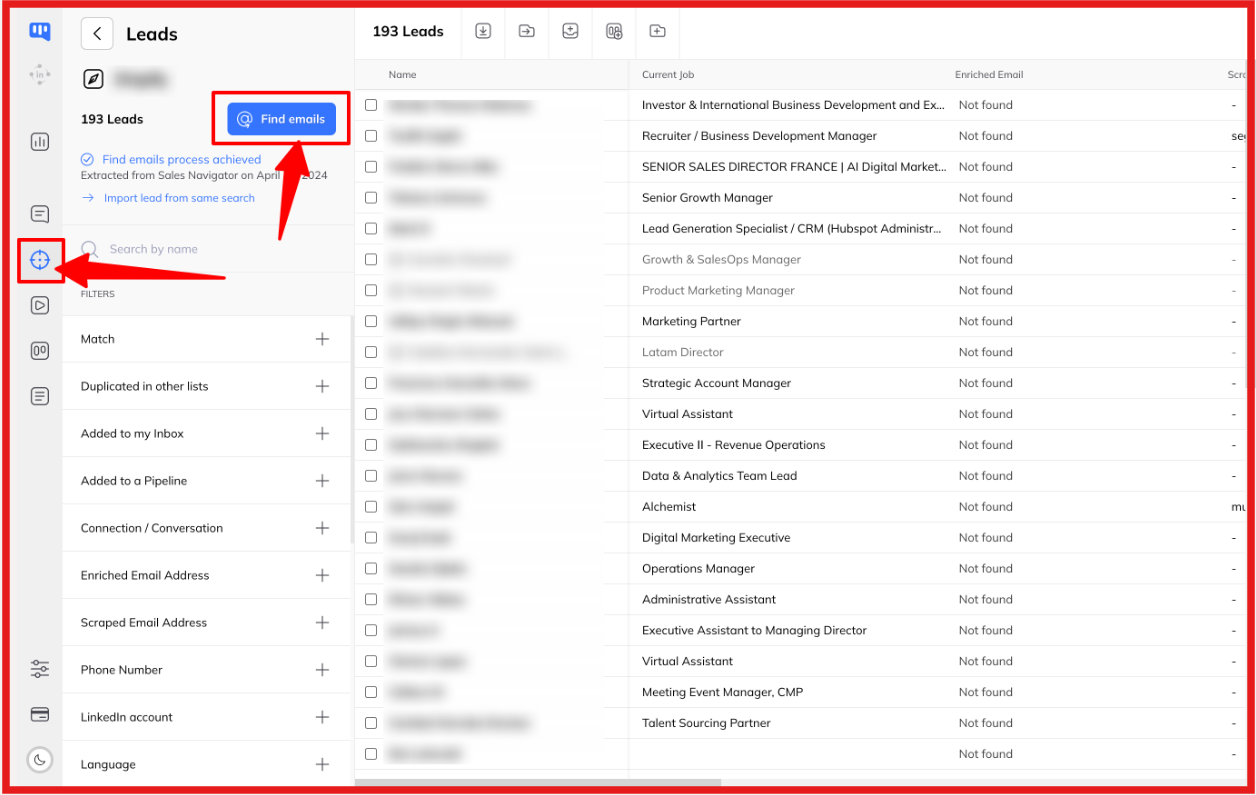
Kanbox lets users import prospects from LinkedIn, Sales Navigator, LinkedIn Recruiter, event attendees, post contributors, and profile URL lists. Sales Navigator and Recruiter imports require those separate LinkedIn subscriptions.
This is one of Kanbox's strongest use cases. If your ICP work starts inside Sales Navigator, Kanbox gives you a way to move those people into a working pipeline without living inside spreadsheets. The watch-out is that import limits change plan economics.
Starter gives 300 imports per month, Essential gives 600, and Pro or Agency moves to 75K imports per month.
For a founder doing careful outbound, 300 to 600 monthly imports can be enough. For an agency or SDR team, those limits push you toward Pro or Agency fast.
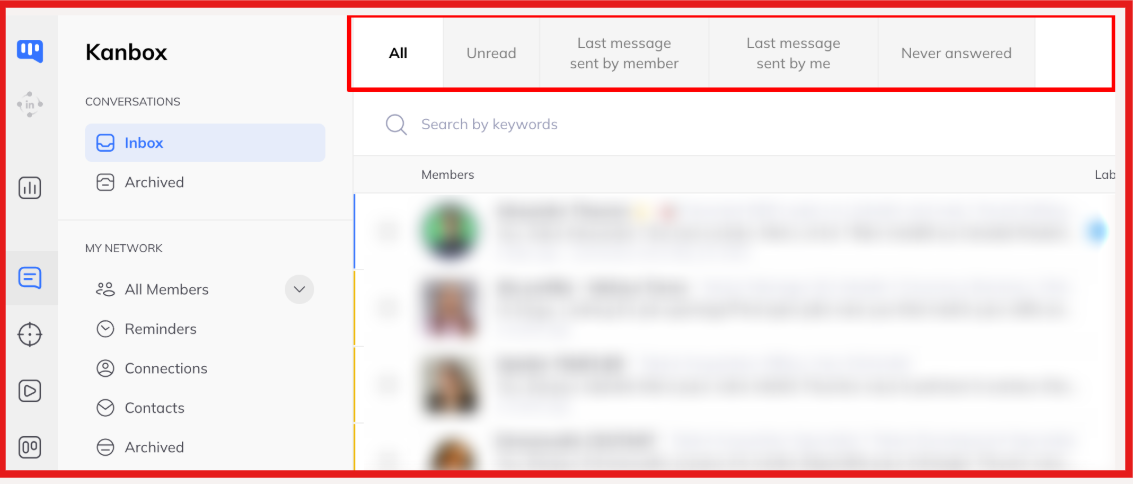
Kanbox's Smart Inbox is the feature that will feel most practical if LinkedIn is already noisy. The plan comparison includes auto-sync conversations, reminders, labels, filters, fullscreen chat, notes, bulk actions, and templates. That solves a real operator problem.
LinkedIn's native inbox is weak for pipeline work. Once you have accepted connections, open conversations, follow-ups, and candidate or sales threads mixed together, the inbox becomes the bottleneck.
Kanbox looks strongest when the buyer values a cleaner LinkedIn workspace and fair price more than deep email coverage or enterprise-grade routing logic.
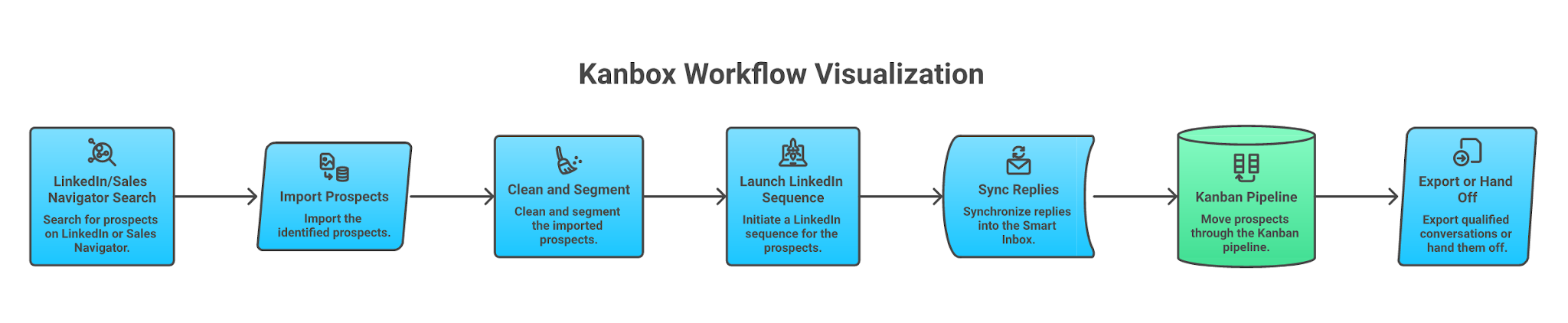
The Kanban pipeline is the reason Kanbox feels different from a narrow scraper. It lets you move prospects through acquisition stages and connect pipeline movement with campaign progress. This is useful for recruiters and consultants because the workflow is visual.
You can see who was imported, contacted, replied, qualified, or parked. The risk is that visual clarity does not replace CRM depth. If you need advanced opportunity forecasting, revenue attribution, or full CRM customization, Kanbox should sit before or beside your CRM rather than replace it.
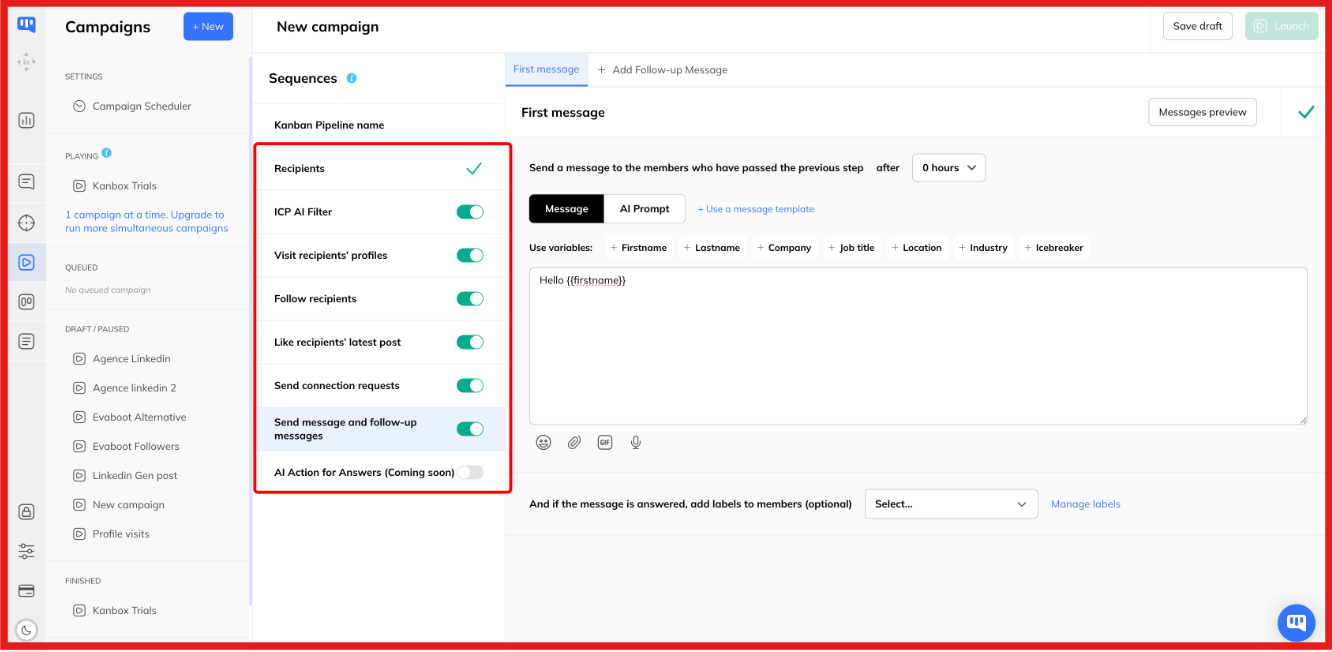
Kanbox supports automated LinkedIn campaign sequences including profile visits, follows, post likes, connection requests, messages, and up to 6 follow-up messages. It also lists smart delays, cloud 24/7 execution, and automatic campaign pipelines in the plan comparison.
That is enough for LinkedIn-first outreach. You can build a sequence, let Kanbox move prospects through stages, and manage replies in one place.
Kanbox includes an Email Finder and sells credit packs for finding professional emails. The credit model is simple, 1 email found equals 1 credit spent, and credits do not expire. This is useful as a bridge from LinkedIn prospecting into email outreach.
It is not the same as running cold-email infrastructure. Finding an email address does not solve domain setup, mailbox health, warmup, sender rotation, inbox placement, ESP matching, bounce control, or reply handling.
That distinction matters. A LinkedIn tool with email enrichment can support outbound. It does not automatically become the outbound engine.
Team and multi-account features start becoming relevant on Essential and above. Essential includes team or multi-account support and unlimited account managers. Pro adds Webhooks/API and AI prompt templates. Agency 10 adds unlimited simultaneous campaigns and bring-your-own proxies for 5 to 10 LinkedIn accounts.
This makes Kanbox more useful for agencies than a basic solo extension. The workflow is still LinkedIn-centered, though. If you manage many client LinkedIn accounts, Kanbox can help keep those accounts organized. If you also manage email domains, mailboxes, warmup, and deliverability per client, you need a separate infrastructure layer.
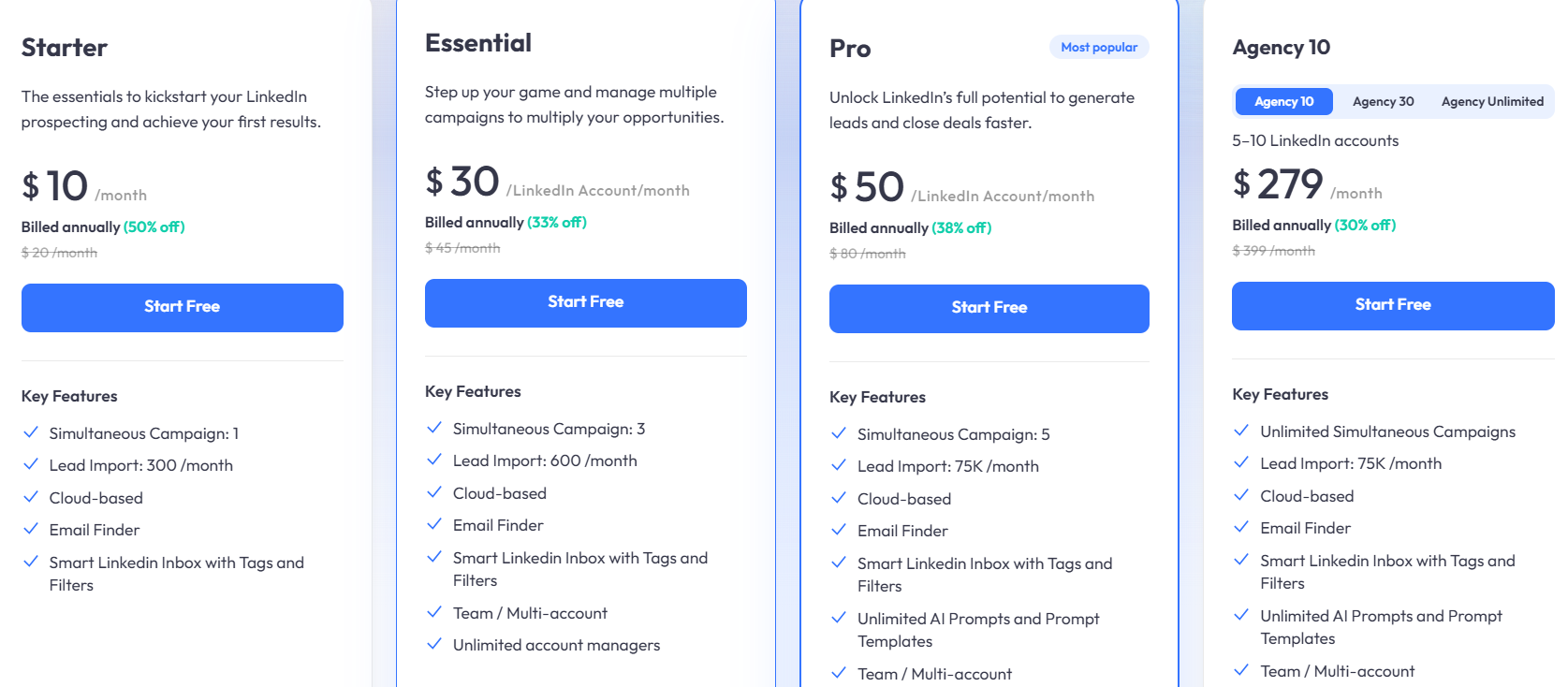
Kanbox pricing starts low, but the practical plan depends on volume and team structure. The public plans include a 15-day free trial. Starter is $10/month annually, Essential is $30/account/month annually, Pro is $50/account/month annually, and Agency 10 is $279/month annually.
The Starter plan is attractive because it is cheap. But for most commercial prospecting, Essential is the more realistic minimum because it adds team or multi-account features. Pro is where the import limit stops being the blocker.
The hidden buying question is not “Can I afford Kanbox?” It is “How many LinkedIn accounts, imports, active campaigns, and enriched emails do I need every month?” If that answer includes serious email volume, Kanbox pricing is only one part of the outbound cost.
Kanbox gives LinkedIn operators a cleaner way to turn searches, imports, and replies into a pipeline. Low cost, LinkedIn integration, and swimlane organization are consistently cited strengths, while limited manuals, confusing licenses, and email-scraping limits on large lists are the most common criticisms.
Kanbox earns its praise when you judge it as a LinkedIn operating workspace. The more you expect it to behave like a sales engagement platform, CRM, enrichment engine, and deliverability stack at once, the more those limits matter.
I. Good fit: LinkedIn-first sellers, recruiters, solo founders, and small teams. Choose Kanbox if the work starts and mostly stays on LinkedIn. That includes recruiters sourcing candidates from LinkedIn Recruiter, consultants managing warm conversations, agency operators running client LinkedIn accounts, and solo founders who want a visual pipeline without paying for a heavier sales engagement stack.
II. Poor fit: Teams that need pipeline coverage across email and LinkedIn. Do not choose Kanbox as your main system if your outbound motion depends on multiple domains, mailboxes, email warmup, deliverability monitoring, sender rotation, email plus LinkedIn sequencing, and centralized reply handling across channels.
Also be careful if you need deep CRM integration, custom analytics, or heavy multi-client reporting. Kanbox can support parts of that workflow, especially on Pro and Agency, but it is not built around the same problem as a full outbound infrastructure stack.
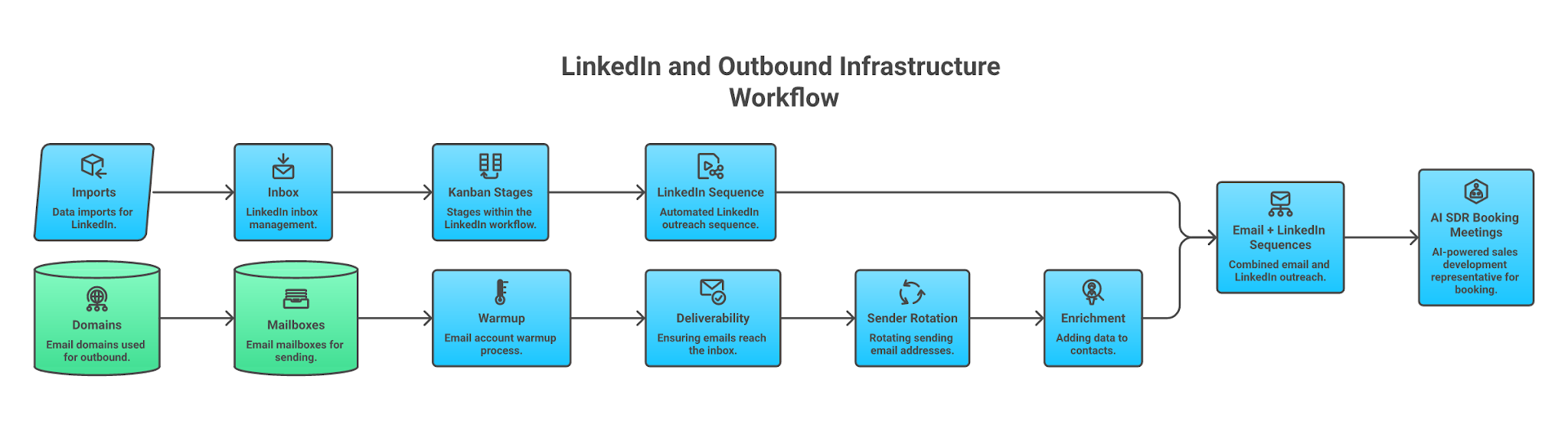
LinkedIn workflow tools help you manage a channel. Outbound infrastructure helps you create repeatable pipeline coverage across channels. That difference shows up the moment volume increases. At small scale, you can live with one LinkedIn account, a few sequences, and manual email follow-up.
At serious scale, the bottleneck becomes infrastructure, domains, mailboxes, warmup, bounce control, inbox placement, mailbox rotation, enrichment, campaign governance, and reply workflows. Salesforge is built around that broader operating system.
The product promise is unlimited LinkedIn, email, and AI SDR outreach, with Agent Frank available to handle prospecting through booked meetings. The Forge Stack includes Mailforge, Warmforge, Infraforge, Primeforge, and Leadsforge as the infrastructure layer around outbound.
This is where the buyer choice becomes clear. Kanbox helps you manage the LinkedIn pipeline. Salesforge helps you forge pipeline coverage when email deliverability, mailbox infrastructure, LinkedIn senders, and AI SDR execution all matter together.
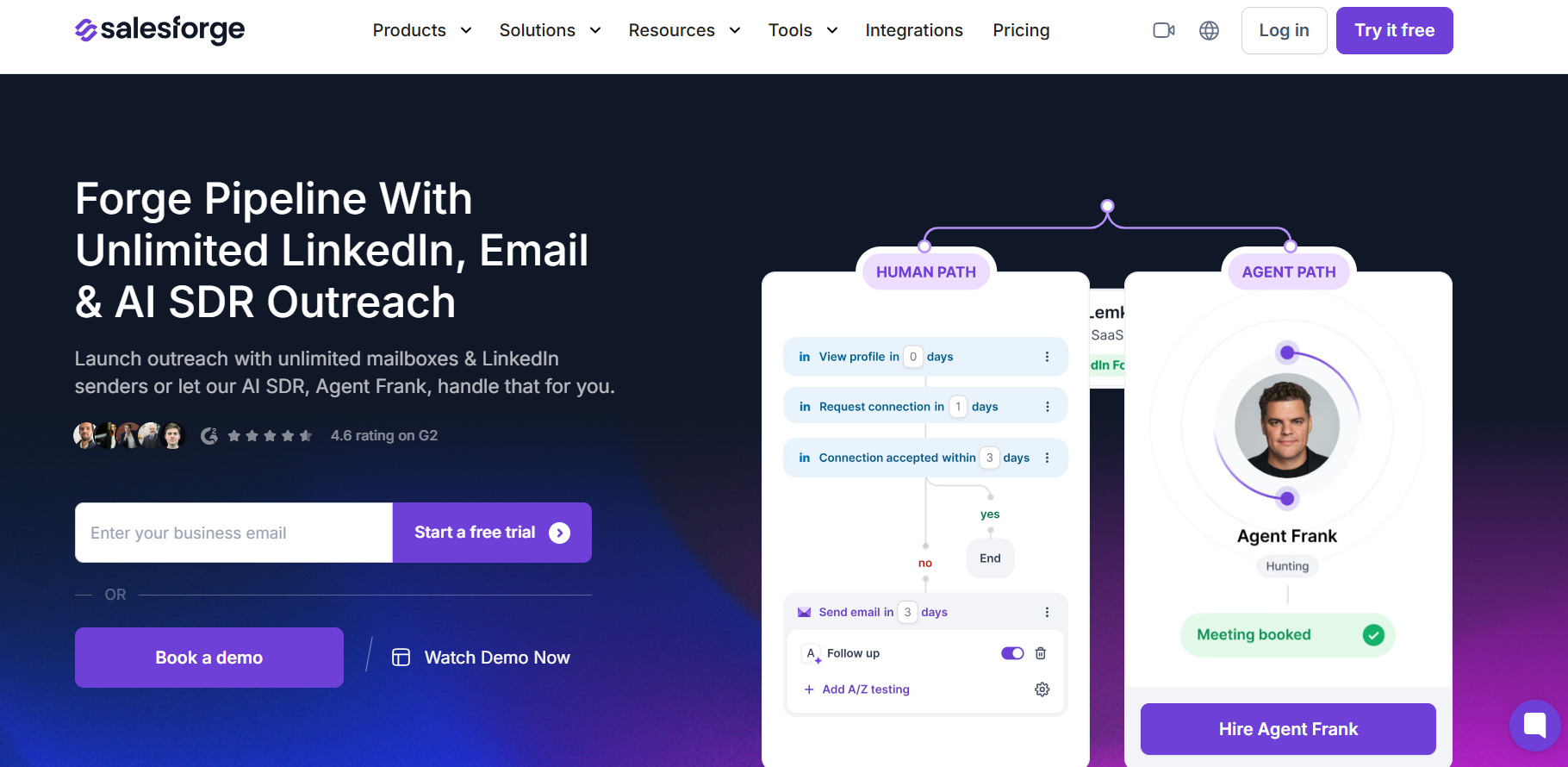
Salesforge is the better alternative when LinkedIn is only one part of your outbound engine. It is built for email plus LinkedIn plus AI SDR outreach, not just LinkedIn pipeline management. The practical difference is infrastructure.
Salesforge users can connect unlimited mailboxes, but domains and mailboxes are bought separately through Mailforge, Infraforge, Primeforge, or your own setup. The Growth plan is $80/month billed monthly with 10,000 active contacts in sequence and 50,000 emails per month.
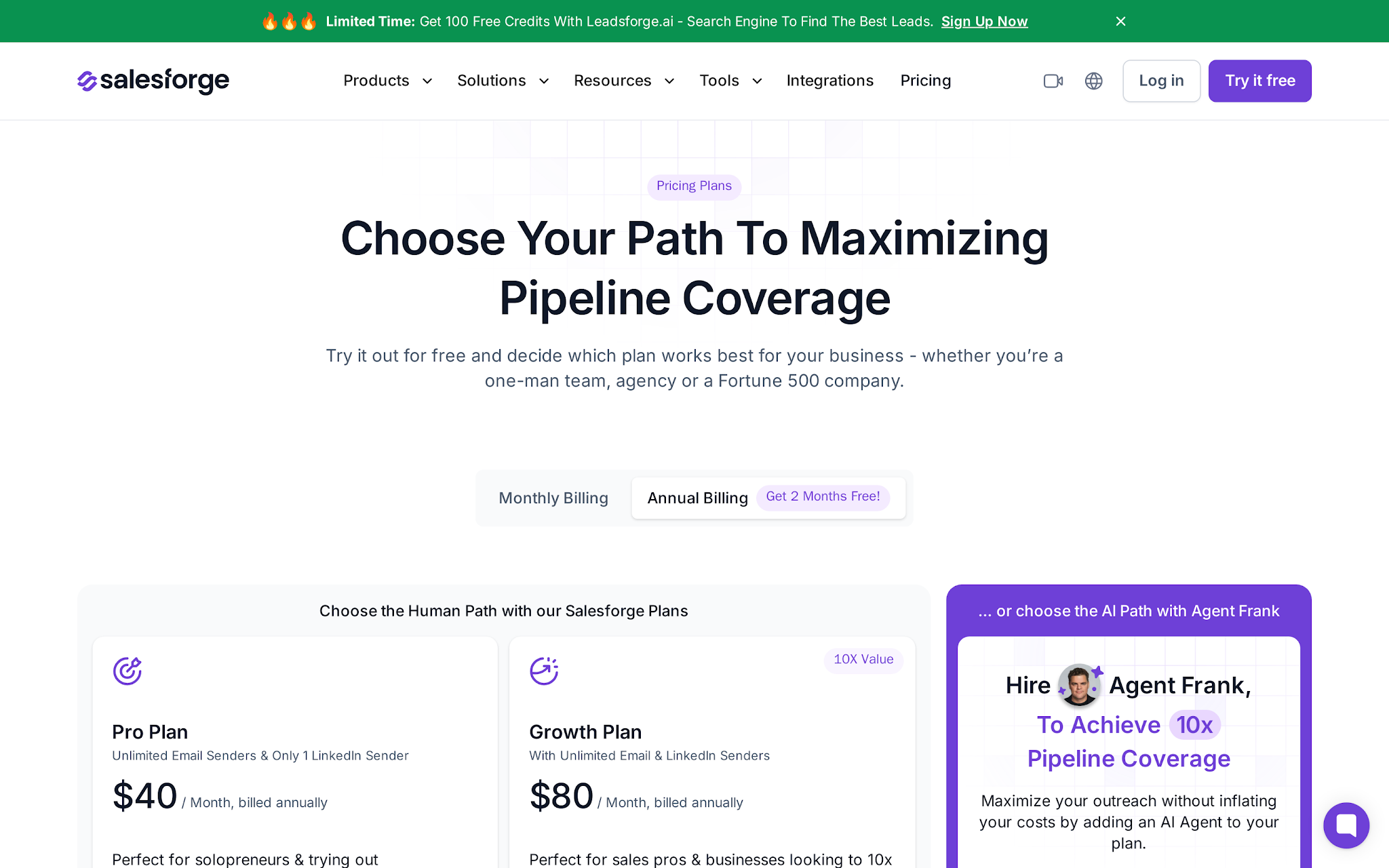
Salesforge is not the right pick if you only want a cheap LinkedIn inbox and visual pipeline. Kanbox is simpler for that. Salesforge makes more sense when you need mailbox rotation, warmup, deliverability controls, LinkedIn senders, email sequences, and Agent Frank handling SDR work.
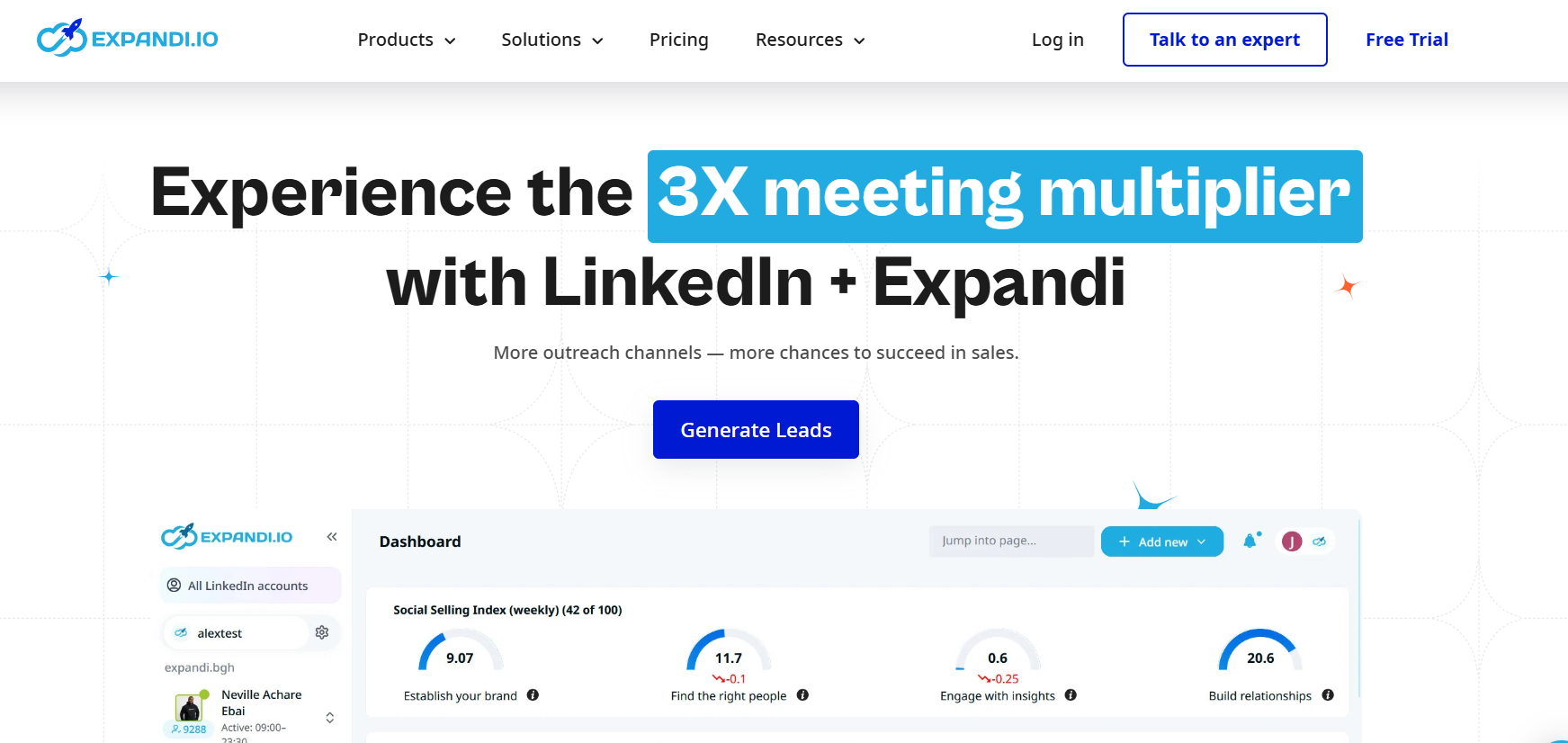
Expandi fits buyers who want a more mature LinkedIn automation setup with account-safety controls, dedicated country-based IP addresses, profile warmup, smart limits, campaign prioritization, multichannel outreach, and team or agency options.
Expandi's Business plan is $99/month, or $79/month on annual billing, with a 7-day trial. The Agency path is for 10+ seats and white-label needs.
Choose Expandi over Kanbox if LinkedIn automation control matters more than Kanbox's visual pipeline. Do not choose it as a cold-email infrastructure replacement.
HeyReach is the competitor-wins scenario for agencies whose main pain is managing many LinkedIn senders. Its pricing is built around senders: Growth starts at $79/month for 1 sender, Agency is $999/month for 50 senders, and Unlimited is $1,999/month with a fair-use cap of 500 senders.
HeyReach also emphasizes unlimited campaigns, all LinkedIn actions, a unified inbox, native integrations with Instantly and Smartlead, workspaces and permissions, API, webhooks, and agency controls.
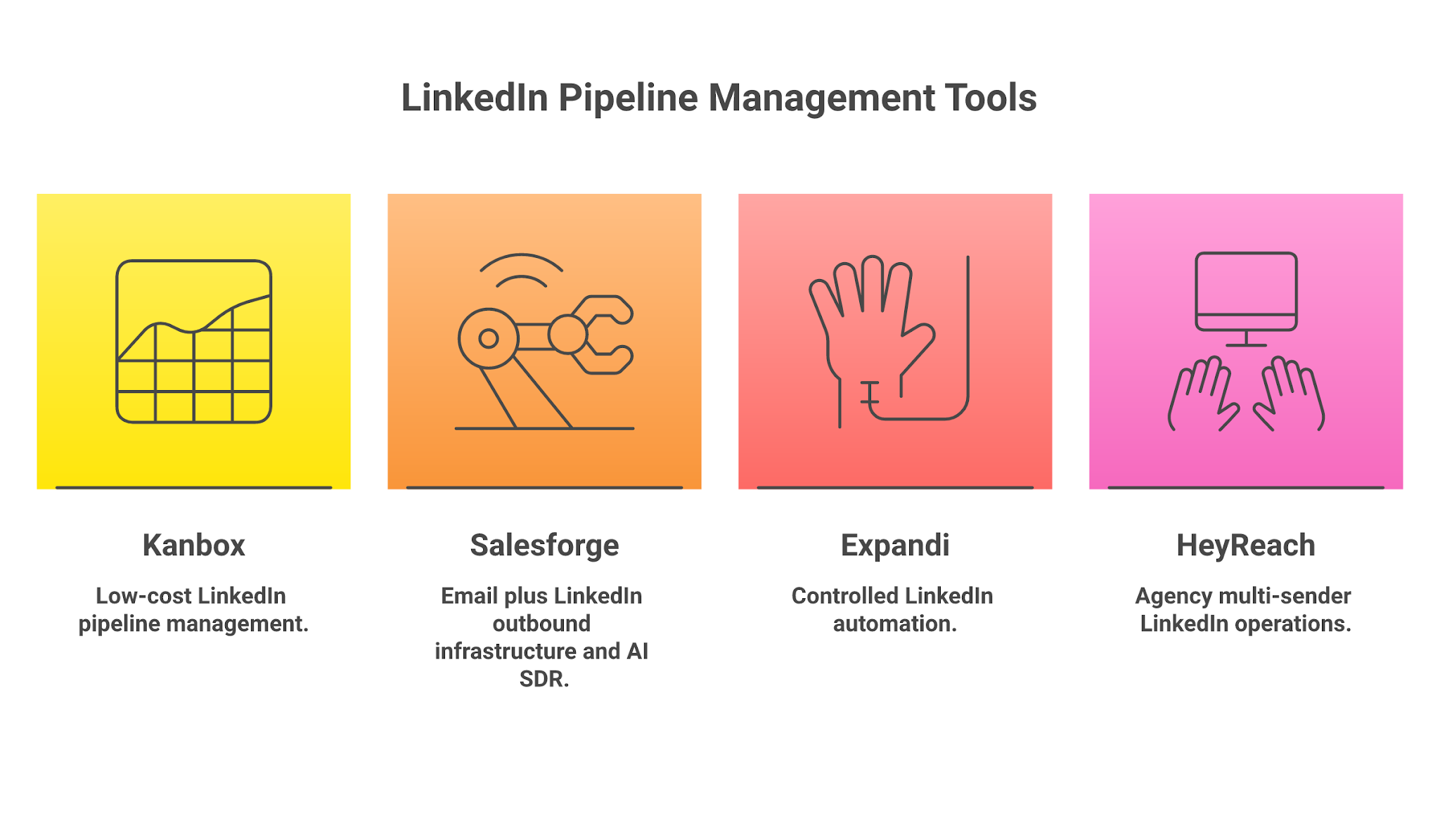
Pick HeyReach over Kanbox when the core problem is multi-sender LinkedIn operations across clients. Pick Kanbox when you want lower-cost LinkedIn pipeline management. Pick Salesforge when LinkedIn is only one channel inside a broader outbound system.
Kanbox is a good LinkedIn pipeline tool. It is affordable, visual, and useful for operators who live inside LinkedIn, Sales Navigator, or Recruiter. The Smart Inbox and Kanban workflow solve a real daily problem.
The mistake is buying Kanbox as if it were a full outbound system. It is not. It helps you manage LinkedIn prospecting, but pipeline coverage at volume needs more than LinkedIn imports and follow-ups.
You can evaluate Salesforge if your pipeline depends on email deliverability, mailbox rotation, warm infrastructure, LinkedIn plus email execution, and Agent Frank handling SDR coverage across the workflow. It also offers a 14-day free trial.
Try Salesforge now!
.jpg)

.jpg)

.jpg)


