Table of contents
Get insights delivered straight into your inbox every week!
Summarize with

Sparkle io Review: Is This the Right Cold Outbound Tool in 2026?

If you are reading this Sparkle.io review, you are probably at a point where you are done stitching tools together.

One for verification. One for warmup.

One for sequences.

One for deliverability.

And somehow, none of them talks to each other cleanly.

I have been there.

Most founders running outbound have.

Sparkle.io pitches itself as one platform that handles email verification, warmup, cold email campaigns, deliverability monitoring, and CRM.

Fair enough.

But does it actually deliver when you're running real campaigns at scale?

So I looked at its daily workflow and what teams get real value from it. 

By the end of this, you will know exactly whether Sparkle.io deserves a place in your outbound motion or not.

Quick Overview: Sparkle io Review

Category Sparkle.io Salesforge
Primary Use Case Email-only outbound for small teams Multi-channel outbound across email and LinkedIn
What It Does Best Handles verification, warmup, sending, and deliverability in one tool Runs sequences, manages replies, and supports AI SDR workflows
Channel Coverage Email only Email + LinkedIn
Lead Sourcing & Enrichment No native lead sourcing — requires external tools Built-in flow via Leadsforge for search and enrichment
Ideal Team Size / Stage Solo users or early-stage teams Growing teams, agencies, and outbound-heavy teams
Limitations to Consider No LinkedIn, no infrastructure layer, no lead sourcing Slight learning curve due to broader feature set
Pricing Entry Point Free plan, then $29/month and $59/month tiers Starts at $0 with a 14-day free trial (no credit card required)
Trial Availability Free trial available 14-day free trial available
User Feedback (G2) Not publicly listed 4.6/5 from 254 reviews
Overall Fit Good for simple, email-only workflows Better for scaling outbound across multiple channels

What is Sparkle io?

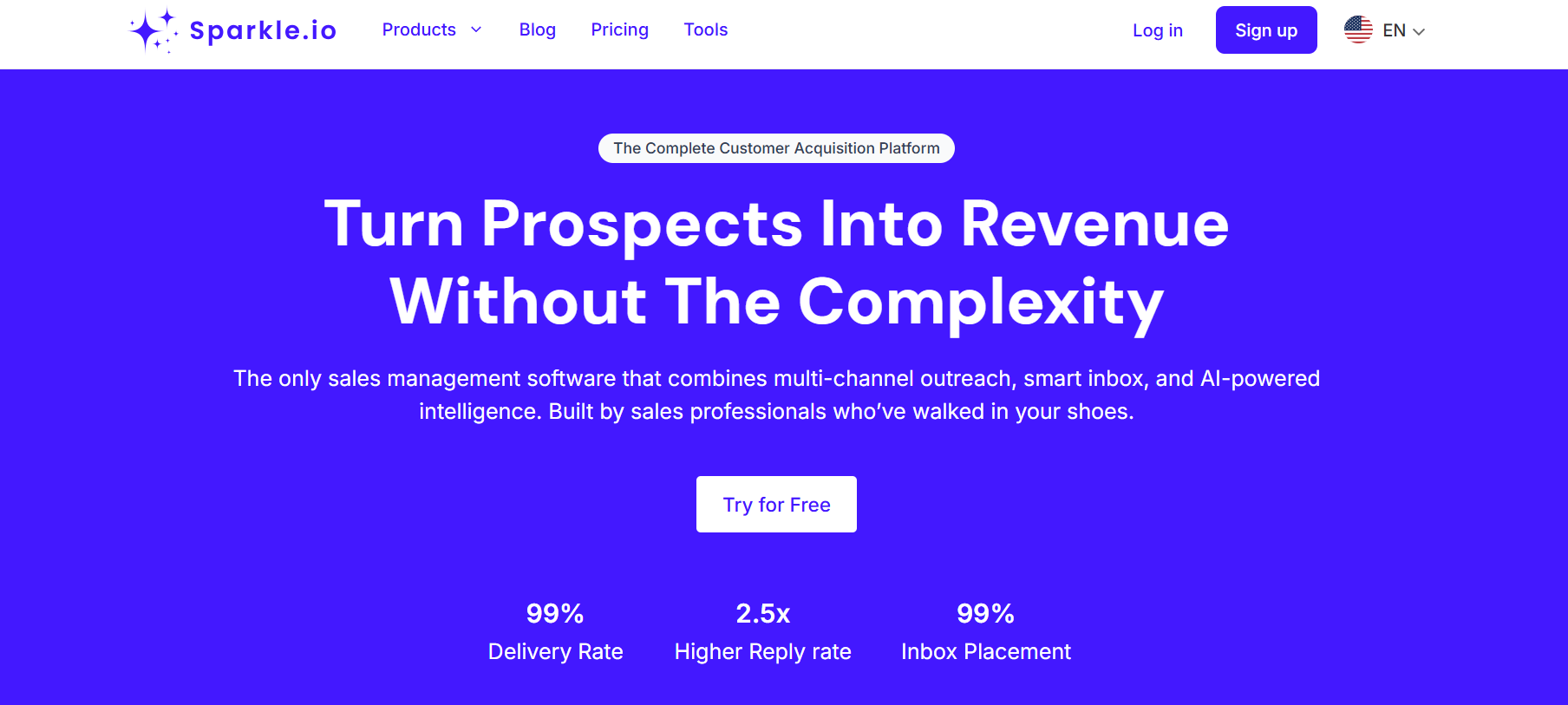
 Sparkle io Homepage
This image shows the Sparkle io Homepage

Sparkle.io is an outbound platform built around cold email.

It combines email verification, warmup, cold email campaigns, deliverability monitoring, and a CRM.

The pitch is straightforward.

You stop paying for five separate tools and run everything from one dashboard.

With Sparkle.io, lists get verified before sending, and mailboxes warm up before the first campaign goes out.

Deliverability runs in the background while campaigns are active, and replies are tracked inside the built-in CRM.

That is the full loop Sparkle.io covers.

For verification, it uses a credit system called Sparkles.

You buy credits and spend them as you verify.

Pay-as-you-go and monthly plans are both available.

On the sending side, you get multi-sender support, inbox rotation, A/B testing, and automated follow-ups.

Sparkle.io also claims 99% verification accuracy and charges $0.001 per email for each verification. (as of [March 2026])

It connects with 100+ platforms, including HubSpot, Salesforce, and Mailchimp.

The platform targets teams that want a single place to run the full outbound workflow, without managing multiple subscriptions or switching between tools mid-campaign.

5 Tools To Automate Your Sales Workflow in 2026

How Does Sparkle io Email Outreach Actually Work?

Sparkle.io runs your outbound in a sequence of steps.

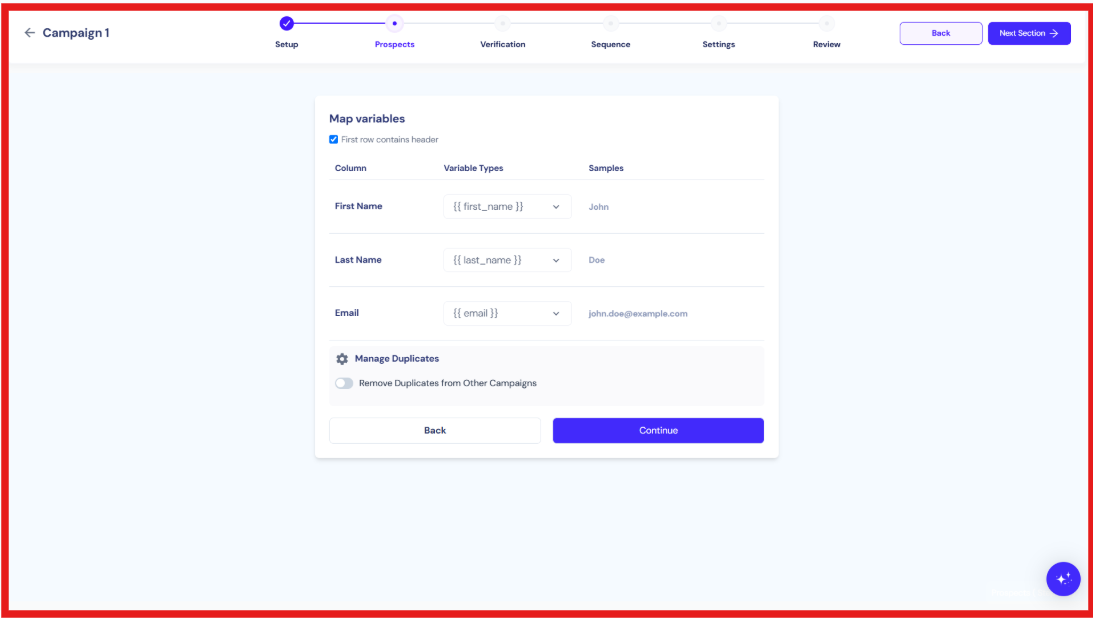
  1. Upload your contact list, and Sparkle.io verifies each email before anything goes out.

  2. Once your list is clean, connect it with sending mailboxes. You can add multiple sender accounts and rotate between them during campaigns.

  3. Then warm up the mailboxes through Sparkle.io's built-in warmup. This builds sender reputation with inbox providers like Gmail and Outlook.
  4. When warmup is done, you build your campaign inside the platform.

  5. Write the email sequence, set follow-up timing, and add personalization using dynamic variables.

  6. You can also use A/B testing to test different subject lines or message angles simultaneously.

  7. Once the campaign runs, replies come into the built-in inbox. You can manage conversations and track deals in the CRM from there.

  8. The deliverability dashboard runs in the background. It monitors your domain health, blacklist status, and spam scores while campaigns are active.

That is the full workflow. Verify, warm up, send, monitor, and manage replies—all in one platform.

The key point is that the entire motion is email-only.

There is no LinkedIn outreach tool or multi-channel sequencing available inside Sparkle.io.

5 Best Practices to Improve Sender Reputation

What are the Core Features of Sparkle io?

Sparkle.io is built around one goal: running cold email outreach without relying on external tools.

You use it to verify contacts, warm up mailboxes, send campaigns, and monitor deliverability — all from one place.

Here's what you get:

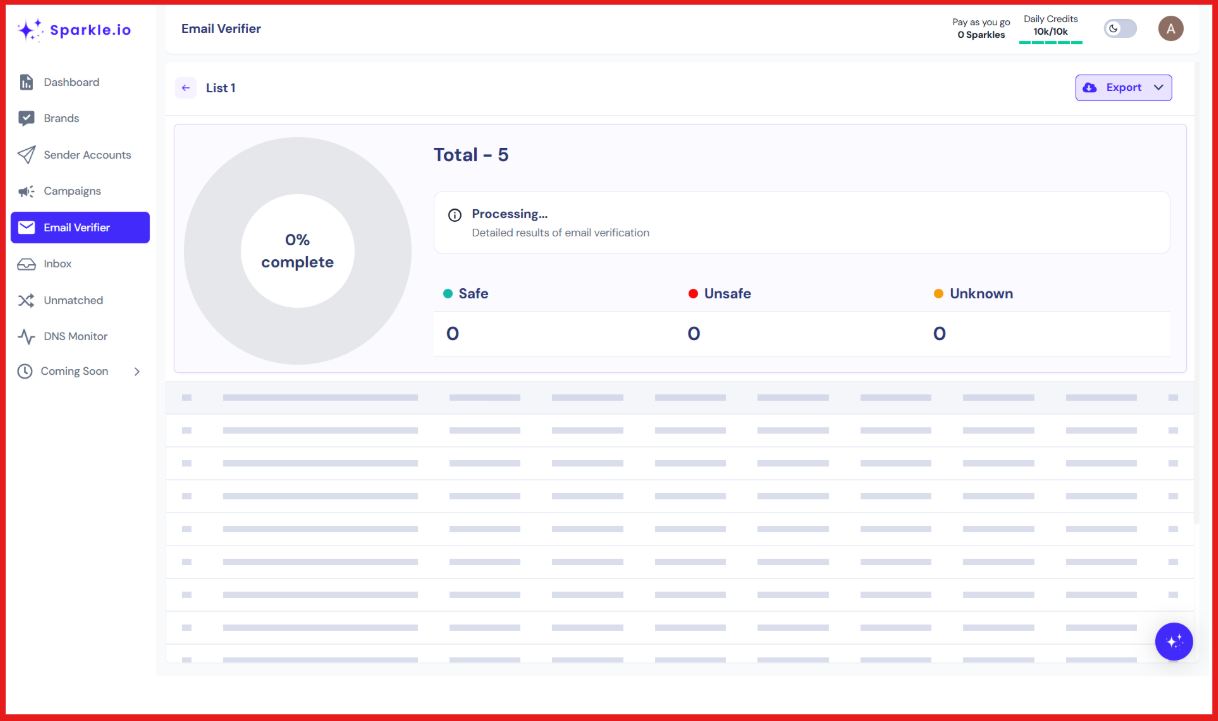
1. Sparkle.io Email Verification

You can verify emails through three methods:

  • Quick Verification for syntax and domain checks
  • Thorough Verification for mailbox-level accuracy
  • Catch-All Verification for domains that accept all incoming mail

Each verification uses credits called Sparkles.

You can buy them on a pay-as-you-go basis or through a monthly plan with daily resets.

This helps you send to a clean list and reduce bounce rates before campaigns go out.

Don't Let Invalid Emails Slip Through: The Benefits of Email Verification

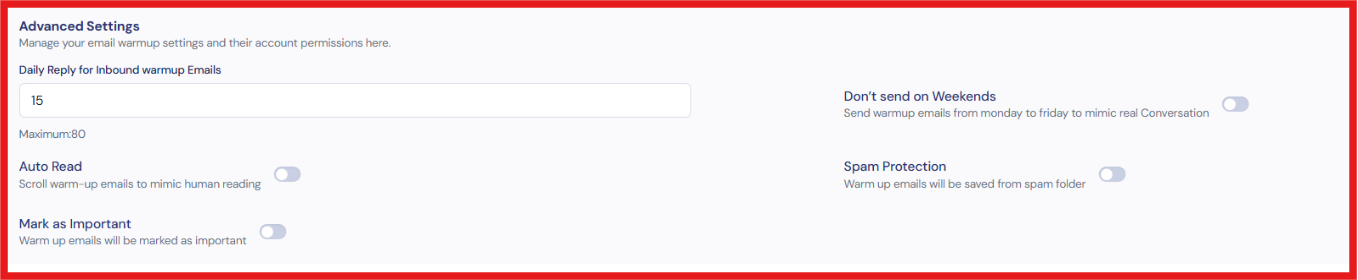
2. Sparkle.io Email Warmup

You connect your mailbox, and Sparkle.io automatically runs the warmup.

It handles:

  • Sending emails from your account
  • Opening emails on the receiving end
  • Replying to simulate real engagement

The warmup runs for 2 to 4 weeks, depending on your domain history and sending goals.

This builds trust with inbox providers like Gmail and Outlook before your first campaign goes out.

3. Cold Email Campaigns

You can build and run sequences directly inside Sparkle.io.

The campaign tools include:

  • Multi-step follow-up automation
  • A/B testing for subject lines and body copy
  • Dynamic variables for personalization
  • Liquid syntax for conditional content
  • Custom images and personalized landing pages per prospect
  • Multiple sender accounts with inbox rotation

This gives you control over how your sequences run without needing a separate sending tool.

4. Email Deliverability Monitoring

You get real-time monitoring across your sending infrastructure.

The deliverability tools cover:

  • Inbox placement testing
  • IP address monitoring
  • Domain health tracking
  • Blacklist detection
  • Spam score checker
  • Trend tracking over time

If something breaks, you see it before it affects your sender reputation across active campaigns.

5 Metrics to Track Sender Reputation

What These Features Actually Mean for Your Cold Email Outreach

Put together, these four features cover the full technical side of sending cold email from one place.

That consolidation is the real value Sparkle.io offers, not any single feature on its own.

In simple terms, Sparkle.io helps you do four things:

  • Verify your contact list before sending
  • Warm up your mailboxes before campaigns go live
  • Run cold email sequences with follow-ups and personalization
  • Monitor deliverability while campaigns are active

If your outbound motion runs entirely on email, these features cover the core workflow.

How Does Sparkle io Email Pricing Work?

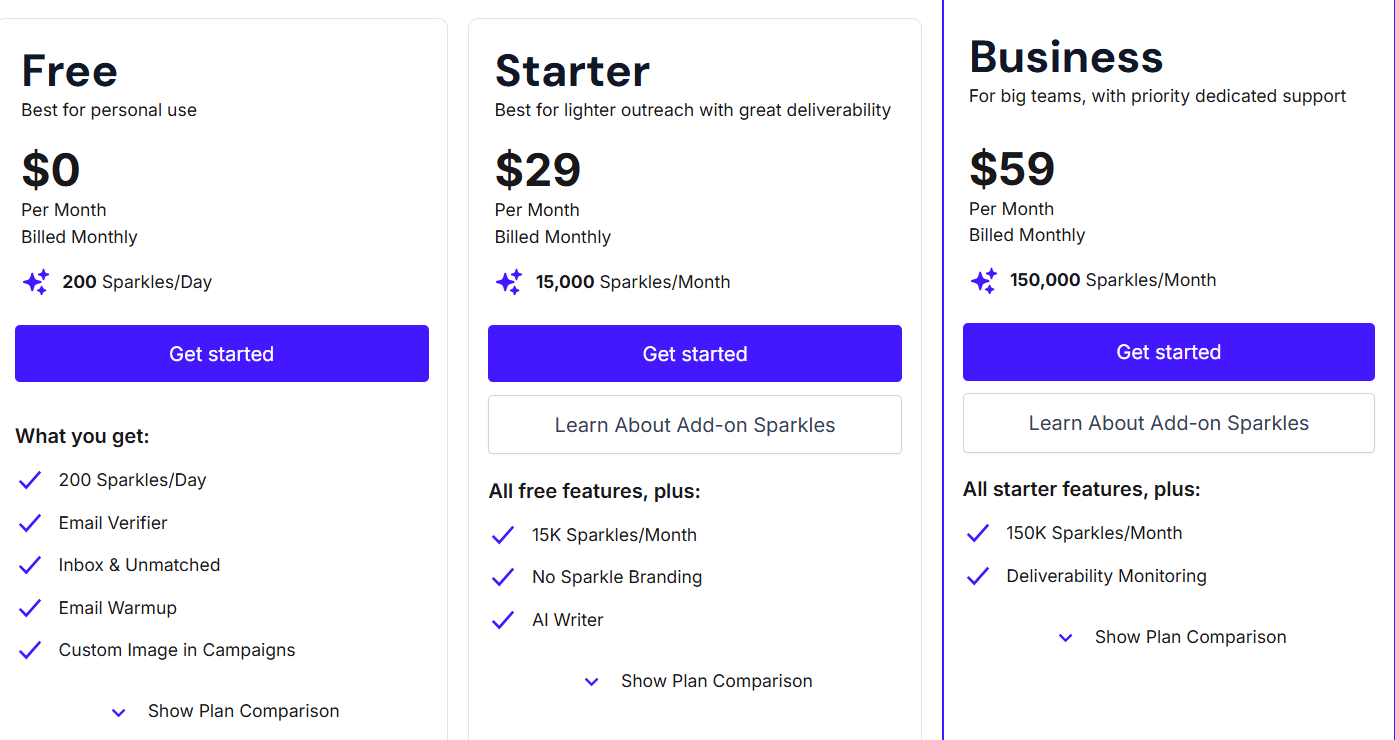
Sparkle.io has three self-serve plans and one managed plan. 

The gap between them becomes clearer when you look at what each plan actually provides for outbound.

Sparkle io Pricing
This image shows the Sparkle io Pricing

Sparkle.io has three self-serve plans and one managed plan.

Free Plan — $0/month

Includes 200 Sparkles per day, email verifier, cold email campaigns, warmup, inbox rotation, and domain purchase.

Sparkle branding stays on.

No AI Writer.

No deliverability monitoring.

200 verifications per day runs out fast once real outbound starts.

Starter Plan — $29/month (billed monthly) or $290/year

Adds 15,000 Sparkles per month, removes Sparkle branding, and includes the AI Writer.

Deliverability monitoring is still not included.

If you verify around 5,000 contacts per week, you hit the monthly cap before the month ends.

Business Plan — $59/month (billed monthly) or $590/year

Adds 150,000 Sparkles per month and deliverability monitoring.

This is the only plan where deliverability monitoring is available — a feature most cold email tools include by default.

Done With You Plan — $900/month

A fully managed service. Includes 100 email inboxes, 20 domains, end-to-end campaign management, bi-weekly calls, and real-time Slack collaboration.

Contact cap starts at 10,000 per month.

The gap between $59/month and $900/month leaves nothing in between for teams that have outgrown self-serve but cannot justify full management fees.

To put this into context:

If you verify around 5,000 contacts per week,
That's ~20,000 per month.

The Starter plan caps at 15,000 Sparkles.
So you hit the limit before the month ends.

This is where the credit model starts becoming a constraint.

Pros and Cons: What Do Real Users Say About Sparkle io?

Sparkle.io works well for teams running email-only outbound.

The gaps show up once you need to run multi-channel outreach.

Pros

  • Verification, warmup, campaigns, deliverability, and CRM are handled in one platform, so there’s no need to manage multiple tools or subscriptions.
  • Credit-based verification charges only for successful results, which works well when list size changes frequently.
  • Warmup starts automatically once the mailbox is connected and continues running in the background without manual input.
  • Personalization supports dynamic variables, Liquid syntax, and custom images, making it easier to tailor outreach at a deeper level.
  • Real-time deliverability monitoring helps spot domain or blacklist issues early, before they impact active campaigns.

Cons

  • Deliverability monitoring only in the $59/month Business plan — the $29/month Starter plan does not include it.

  • No LinkedIn outreach. Email is the only channel available inside the platform.

  • No sending infrastructure provided. You bring your own domains and mailboxes.

  • No built-in lead sourcing or prospecting.

  • No AI SDR. Outreach requires manual setup and ongoing management from your side.

When does Sparkle io make sense for Outbound Teams?

Sparkle.io runs on email only.

If your buyers do not respond to cold email, it will not perform well.

Who Gets the Most Out of Sparkle.io

Sparkle.io works best when email is your primary outreach channel.

I would recommend it if you are a solo founder or a small team sending cold emails without a large tech stack.

It also fits teams that want verification, warmup, and campaigns managed from one dashboard without technical setup.

Sparkle.io May Not Work for You If

Sparkle.io may not be a fit in these cases:

  • Outreach runs across both email and LinkedIn — only email is supported

  • Multiple domains or client accounts need to be managed at scale

  • Dedicated sending infrastructure is required — no domains or IPs included

  • Prospecting needs to be automated — no built-in lead sourcing or AI SDR

  • Higher-touch support is needed without moving to a higher pricing tier

Before looking at alternatives, here’s the simple way to think about it:

Sparkle.io solves the email execution part.

But outbound today usually needs more than that:

  • Lead sourcing
  • Multi-channel touchpoints
  • Infrastructure stability at scale

If you only need email → Sparkle.io fits.
If you need a full outbound system → you’ll need more.

A Better Alternative for Scaling Outbound: Salesforge 

Sparkle.io handles the basics well.
Verification, warmup, campaigns, and deliverability sit in one place, which removes the need to manage multiple tools.

That setup works at low volume.
The gaps show up when outreach starts to scale.

Infrastructure is the first gap

Sparkle.io does not provide domains or mailboxes.

You source them, set them up, and manage reputation yourself. 

At low volume, that is fine.

Once you are running multiple domains across multiple campaigns, that becomes a full-time job on its own.

Ultimate Guide to Email Infrastructure for Cold Email Outreach

LinkedIn is another issue

Most founders I talk to do not close the pipeline from email alone. 

LinkedIn is where prospects see your name twice, reply to a connection request, or respond after ignoring three emails. 

Without LinkedIn in the same workflow, you are running two separate motions and hoping they connect.

Salesforge is where I would point teams that have hit those walls.

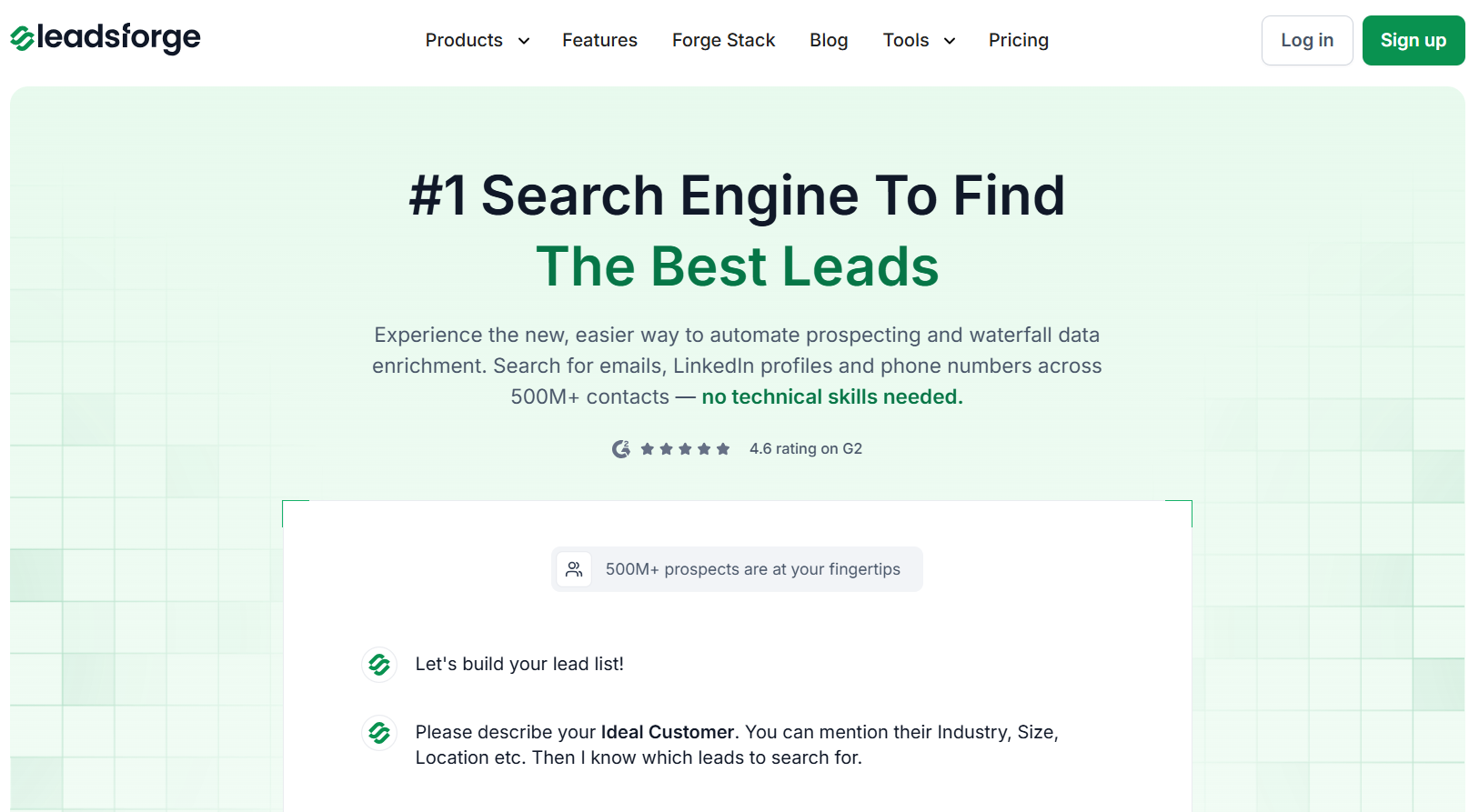
Salesforge Homepage
This image shows the  Salesforge Homepage

Instead of running email and LinkedIn as two separate workflows, Salesforge runs both from the same sequence.

One campaign.

One sequence.

Email step, LinkedIn connection request, follow-up email, LinkedIn message — all running in order without switching tools between steps.

Every reply, from either channel, comes into Primebox in one place.

With Sparkle.io, the LinkedIn steps do not exist.

You build that part somewhere else and manage two workflows manually.

But in Salesforge, it is one sequence from first touch to a booked meeting.

Salesforge’s Multi-Channel Outreach
This image shows the Salesforge’s Multi-Channel Outreach

If you need autonomous outreach, Agent Frank handles that inside Salesforge.

He runs in two modes. 

  • Auto-Pilot handles prospecting, writing, and sending without manual input. 
  • Co-Pilot drafts the emails but waits for your approval before anything goes out.

Sparkle.io has no equivalent.

Every campaign requires you to source the list, write the copy, and manage follow-ups yourself.

Salesforge’s Agent Frank Workflow
This image shows the Salesforge’s Agent Frank Workflow

The infrastructure side works differently, too.

Instead of sourcing domains separately and managing warmup through a third-party tool, the whole setup runs inside one stack. 

  • Domains and mailboxes come from Mailforge or Primeforge
  • Warmup runs automatically through Warmforge
  • And Leadsforge lets you search 500M+ contacts by ICP criteria and push them directly into your Salesforge sequences, no CSV export, no manual upload.

Everything sits in the same stack.

No manual exports.

No separate logins.

So if you are at an early stage, sending email only, and working with a small list, use Sparkle io.

If you need infrastructure, LinkedIn, and email running together without stitching tools manually, Salesforge is the more complete option.

5 Most Popular Cold Email Infrastructure Tools in 2026
Personalized Outbound Strategy

Get The Right Outbound Strategy In Minutes

Enter your email to get a custom plan & stack recommendation for your business

It's being carefully crafted by AI

Please check your mailbox in 5 minutes

Conclusion: Is Sparkle io Worth It in 2026?

Sparkle.io works for what it is, an email-only outbound tool for small teams.

If email is your only channel and your volume stays contained, it covers the basics without requiring five separate subscriptions.

The trade-off is clear, though.

You get no LinkedIn, no built-in infrastructure, no lead sourcing, and no autonomous outreach. Deliverability monitoring only kicks in at $59/month. 

The jump to managed service is $900/month with nothing in between.

For a solo founder testing cold email, that is fine.

For a team that needs a pipeline at scale, those gaps add up fast.

If you are past the early stage and need more than email, Salesforge is the more complete option.

No second tool for LinkedIn.

No separate warmup subscription.

Start your 14-day free trial and book your first meeting via multi-channel outreach faster than Sparkle.io can verify your list.