

Skylead is a cloud tool that runs LinkedIn and email from one seat at $100/mo per LinkedIn account. Linked Helper is a desktop app that automates LinkedIn only, from $15/mo per account. Neither ships its own email infrastructure, and both charge per LinkedIn account.
For scaling multichannel B2B outbound, Salesforge is the stronger choice. It runs email and LinkedIn from one sequence, with unlimited LinkedIn senders and users on Growth, free Warmforge warm-up, and a unified inbox (Primebox™). Plans start at $48/mo monthly ($40/mo annual).
I run outbound for B2B teams, and the same question comes up constantly. Pick a cheap desktop automator, a cloud all-in-one, or a full platform? I tested all three for this comparison.
Skylead is a cloud sales engagement platform that pairs LinkedIn automation with cold email. Linked Helper is one of the oldest LinkedIn tools, a desktop app built around safe, local automation.
Salesforge is the outreach layer of the Forge Stack, running email and LinkedIn as one workflow. One Salesforge customer, UniteSync, hit an 85.26% positive reply rate at a $2.86 CAC on that stack. This comparison covers channels, safety, pricing, and scale, so you can pick the tool that fits your motion, not just the cheapest sticker price.
LinkedIn Outreach Tools Compared at a Glance: Skylead vs Linked Helper
Here is the fast version. Salesforge and Skylead both run email and LinkedIn together; Linked Helper runs LinkedIn alone. The bigger split is how each one prices seats and whether it owns the deliverability layer.
| Feature | Salesforge | Skylead | Linked Helper |
|---|---|---|---|
| Outreach channels | Email + LinkedIn | Email + LinkedIn | LinkedIn only |
| Entry price | $48/mo monthly ($40 annual) - Salesforge Pro | $100/mo - All-in-one (per LinkedIn account) | $15/mo monthly ($8.25 annual) - Standard (local) |
| Top self-serve plan | $96/mo monthly ($80 annual) - Salesforge Growth | $100/mo (≈$83.33/mo annual) | $45/mo monthly ($24.75 annual) - Linked Helper Pro |
| Pricing model | No per-seat; unlimited users + LinkedIn senders (Growth) | Per LinkedIn account (one seat each) | Per LinkedIn account (one license each) |
| Free warm-up | Free, unlimited (Warmforge, Heat Score™) | Free, unlimited (InboxFlare) | None (LinkedIn only) |
| AI SDR | Agent Frank, email + LinkedIn (separate, $499/mo quarterly) | AI SDR for inbox replies + booking (added Jul 2026) | AI Messages / AI Comments (assistive, credit-based) |
| Unified inbox | Primebox™ - email + LinkedIn, free | Smart Inbox - email + LinkedIn | LH CRM - LinkedIn only |
| Native LinkedIn actions | 6 (connect, message, InMail, like, follow, withdraw) | Connect, message, InMail, view | 20+ (connect, message, InMail, endorse, invites, more) |
| Email infrastructure | 3 options (Mailforge, Infraforge, Primeforge) | Bring your own (100k emails/mo cap) | None |
| Account safety model | Session-token, shared proxies, no extension injection | Cloud, human-like action limits | Desktop/local execution, static delays |
| Free trial | 14 days | 7 days | 14 days |
| SOC 2 compliant | Yes | Not stated | Not stated |
| Best for | SMB / mid-market B2B, $5K-$100K ACV | Solo / small teams wanting both channels in one seat | Budget solo LinkedIn automation |
Skylead Overview: Features, Pricing, and Limitations
Skylead is a cloud-based sales engagement platform, first launched in 2019, that combines LinkedIn automation with cold email in one workflow. Its pitch is simple: one flat plan with everything included, built for sales teams, agencies, and recruiters.
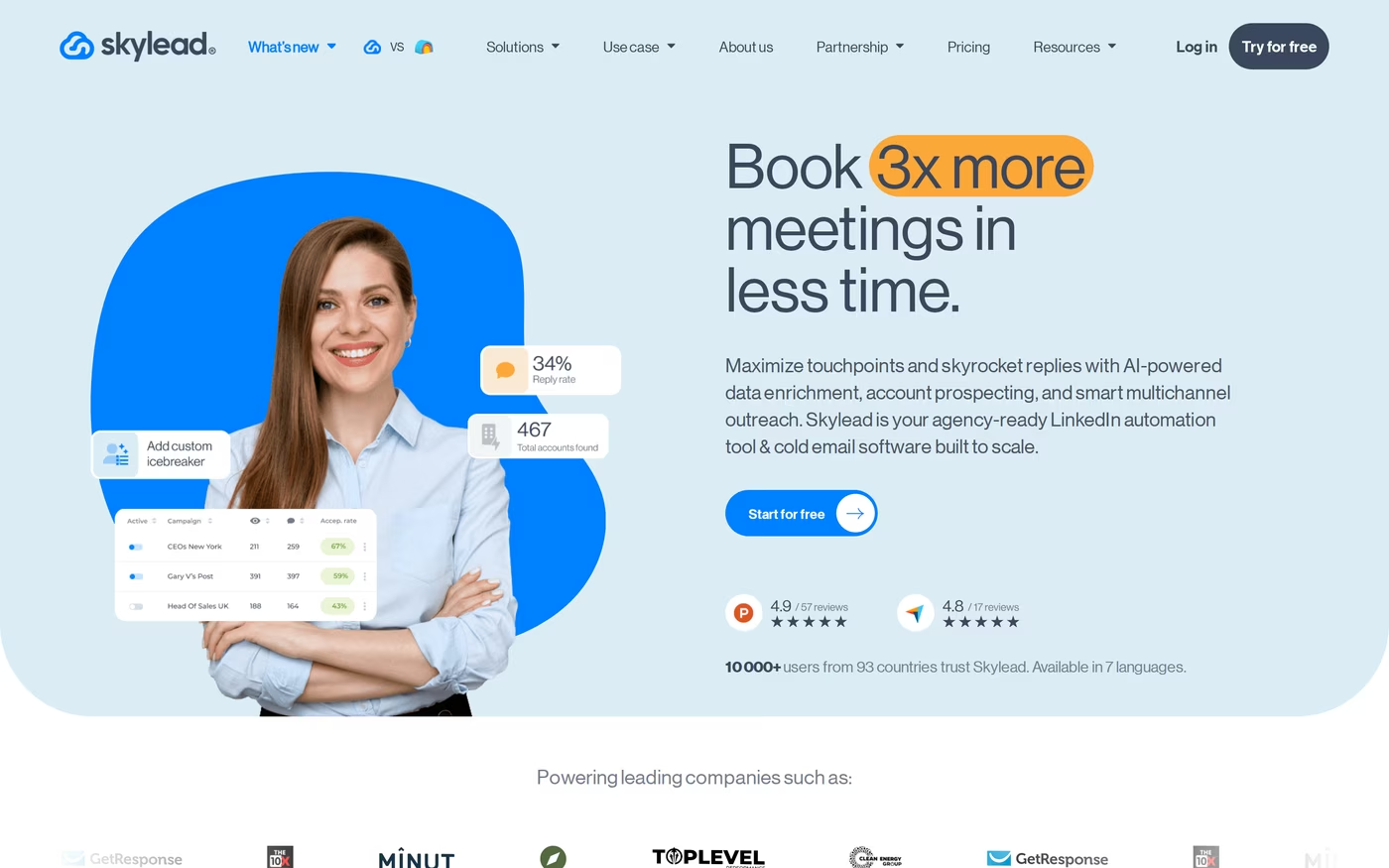
Its core is the Smart Sequence, which mixes LinkedIn steps and email steps with if/else branching based on how a prospect behaves.
- Smart Sequences: conditional LinkedIn + email flows with if/else logic that routes prospects down the fastest path.
- Unlimited email automation: connect unlimited email accounts and send up to 100,000 emails per month per account.
- Infinite email warm-up: its InboxFlare warm-up runs on unlimited inboxes at no extra cost.
- Email finder and verifier: double-verified business emails discovered inside the sequence flow.
- Image and GIF personalization: dynamic visuals in messages, which Skylead says lift reply rates.
- Smart Inbox: a centralized inbox for LinkedIn and email replies.
- Account-based prospecting + B2B database: build company lists and pull decision-makers, added through 2026.
- AI SDR: a newer feature (July 2026) that manages inbox conversations and guides prospects toward booked meetings, with automatic and semi-automatic modes.
- Integrations: real-time sync with HubSpot, Pipedrive, and Salesforce, plus API and webhooks.
Skylead pricing
Skylead keeps pricing to a single self-serve tier. The All-in-one plan is $100/mo per LinkedIn account (one seat), with every feature included. The Annual plan bills 10 months and gives 2 free, which works out to roughly $83.33/mo. A White Label plan for agencies is quote-based. There is a 7-day free trial, no card required, and it applies to the first seat only.
Who Skylead is best for
Skylead fits a solo operator or a small team that wants LinkedIn and email in one seat and values feature density over multi-seat economics. If you run one or two LinkedIn accounts and want visual personalization baked in, the flat plan is easy to reason about. For a deeper single-channel look, I keep a separate Expandi vs Skylead breakdown.
What reviewers say
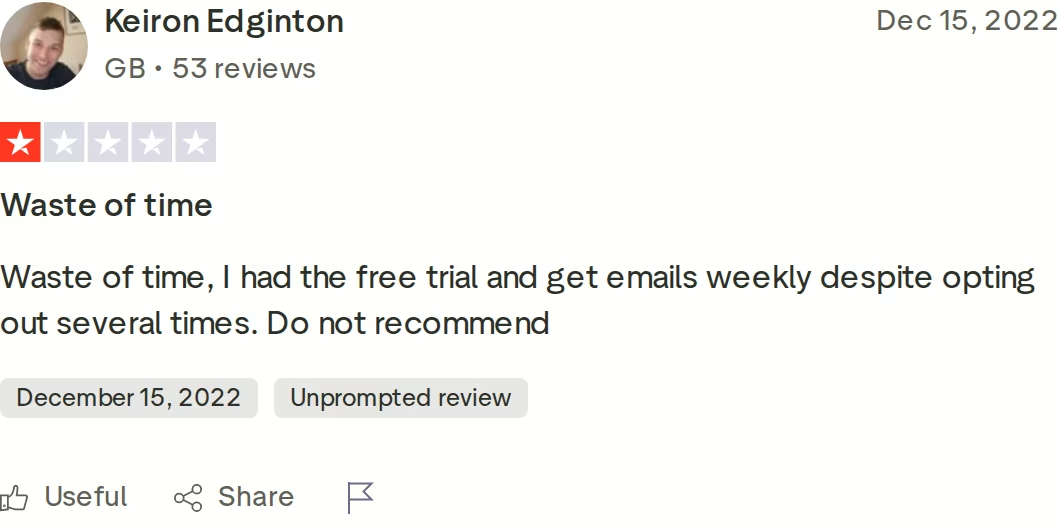
Skylead's documented limitations are worth weighing before you commit:
- Learning curve: reviewers on G2 and Capterra note the interface takes time and that building sequences is not always intuitive.
- Lost work: multiple reviewers report being unable to save a Smart Sequence mid-build, with some losing campaigns they had tuned for hours.
- Per-account cost: at $100/mo per LinkedIn account, a three-rep team runs $300/mo monthly before add-ons.
- Short trial: 7 days is a tight window to test and evaluate results.
Linked Helper Overview: Features, Pricing, and Limitations
Linked Helper is one of the longest-running LinkedIn automation tools. It is a desktop application for Windows, Mac, and Linux that runs its own built-in browser session connected to your LinkedIn account. The original v1 was a Chrome extension that LinkedIn blacklisted; v2 was rebuilt as a standalone app to reduce that detection risk.
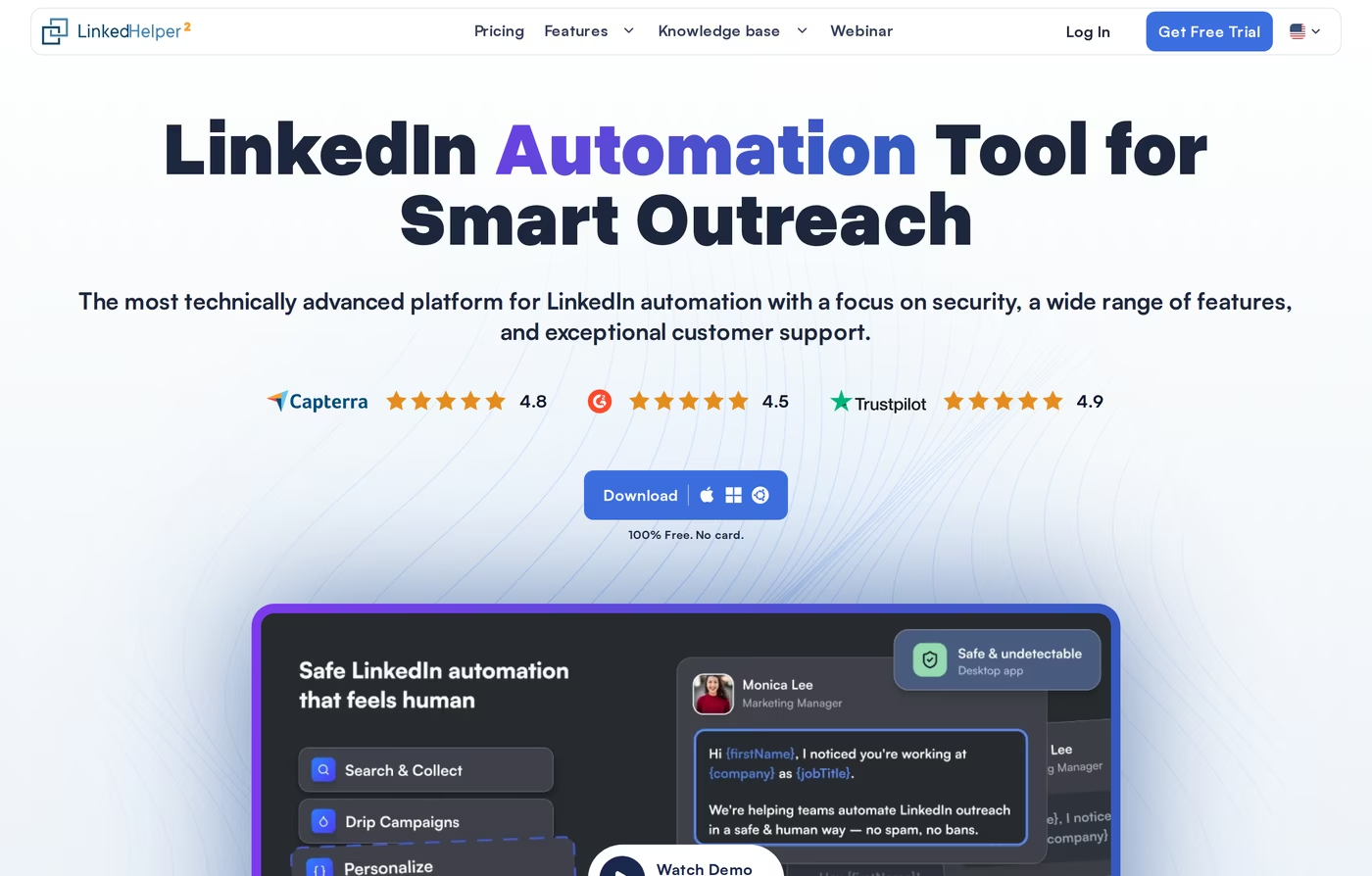
It covers a wide range of LinkedIn actions and ships a built-in CRM, all at the lowest price in this comparison.
- 20+ LinkedIn actions: connection requests, message sequences, InMails, endorsements, likes and comments, profile visits, and group or event invites.
- Message sequences: multi-step follow-ups with reply detection and conditional filtering (sequences require the Linked Helper Pro tier).
- Built-in LH CRM: tag, note, and organize prospects with their LinkedIn profile data.
- Data credits: contact enrichment for emails and phones (620/mo on Standard, 3,100/mo on Pro).
- AI credits: newer AI Messages, AI Comments, and AI ICP Detection features, billed from a monthly credit pool.
- Export and webhooks: full CSV export plus webhooks to Zapier, Make, and CRMs (capped at 20 profiles/day on Standard).
- Platform support: works with free LinkedIn, Premium, Sales Navigator, and Recruiter.
- Storage choice: a classic local-storage build and a newer cloud-storage version that syncs across devices.
Linked Helper pricing
Linked Helper prices per LinkedIn account, and one license runs one account. On the local-storage build, the Standard plan is $15/mo monthly ($8.25/mo on annual) and Linked Helper Pro is $45/mo monthly ($24.75/mo on annual). The newer cloud-storage build costs more: Standard is $29.90/mo and Pro is $59.90/mo on monthly billing. There is a 14-day free trial with full features and no card. The catch on Standard is that many advanced actions are capped at 20 per day; Pro removes those caps. I cover the full picture in my Linked Helper review.
Who Linked Helper is best for
Linked Helper fits a budget-conscious solo user or power user who wants deep LinkedIn automation, runs a single account, and accepts some manual configuration. If LinkedIn is your only channel and price is the deciding factor, few tools go lower.
What reviewers say
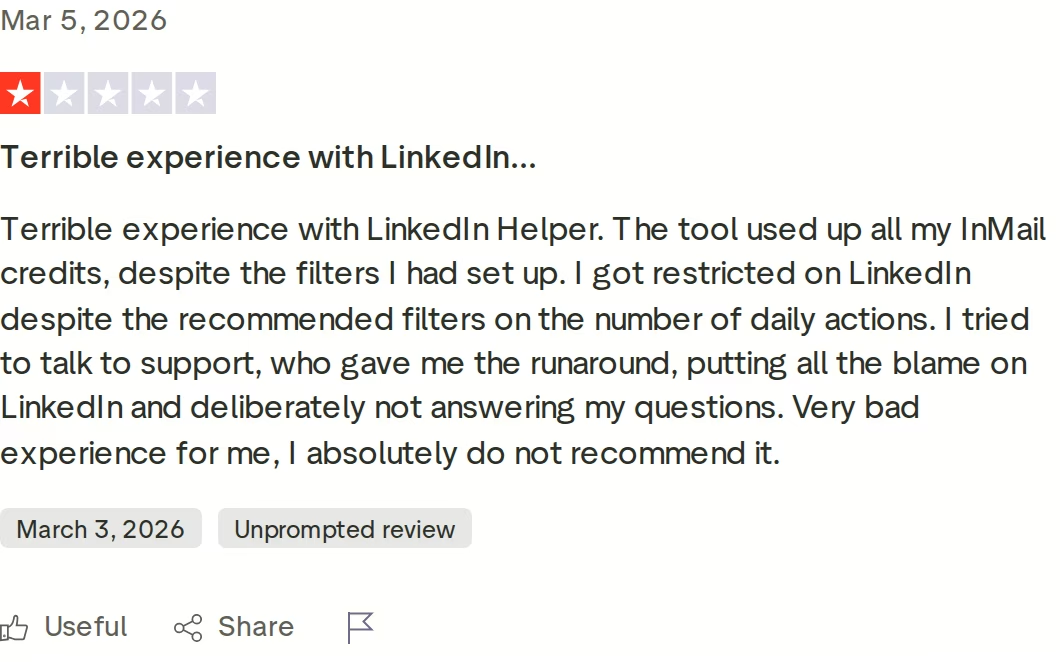
The honest trade-offs cluster around safety and scope:
- Detection risk: because it runs locally through a browser on your machine, reviewers and third-party testers note a higher LinkedIn detection risk than cloud tools that distribute actions across IPs.
- Static limits: action delays are configured manually and do not adapt to account health in real time.
- LinkedIn only: there is no email channel, so multichannel outreach means bolting on a separate tool.
- Always-on machine: the local build needs your computer running for campaigns to execute.
Salesforge Overview: The Multichannel Outreach Platform
Salesforge is an all-in-one cold outreach platform and the execution layer of the Forge Stack. It runs cold email and LinkedIn as two channels of a single sequence, not two products stitched together. Where the other two tools stop at outreach, Salesforge sits on a wider stack that also owns lead data, infrastructure, warm-up, and an autonomous AI SDR.
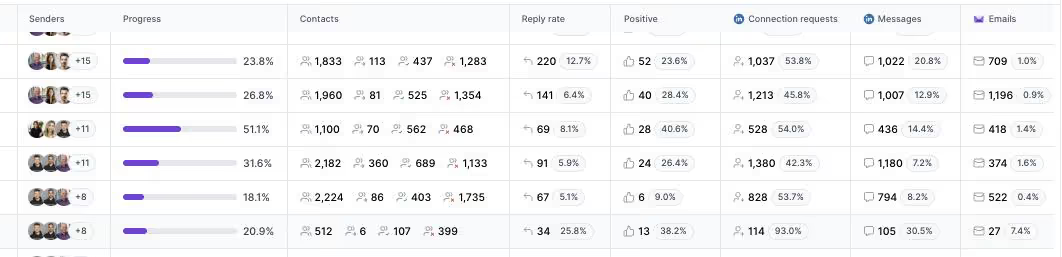
- Multichannel conditional sequences: LinkedIn and email steps run in one flow with real if/then logic. If a connection request is accepted, trigger a LinkedIn message; if not, fall back to email.
- Six native LinkedIn actions: connection requests, messages, InMails, post likes, follows, and withdraw requests, each capped at 30/day per profile to stay within safe thresholds.
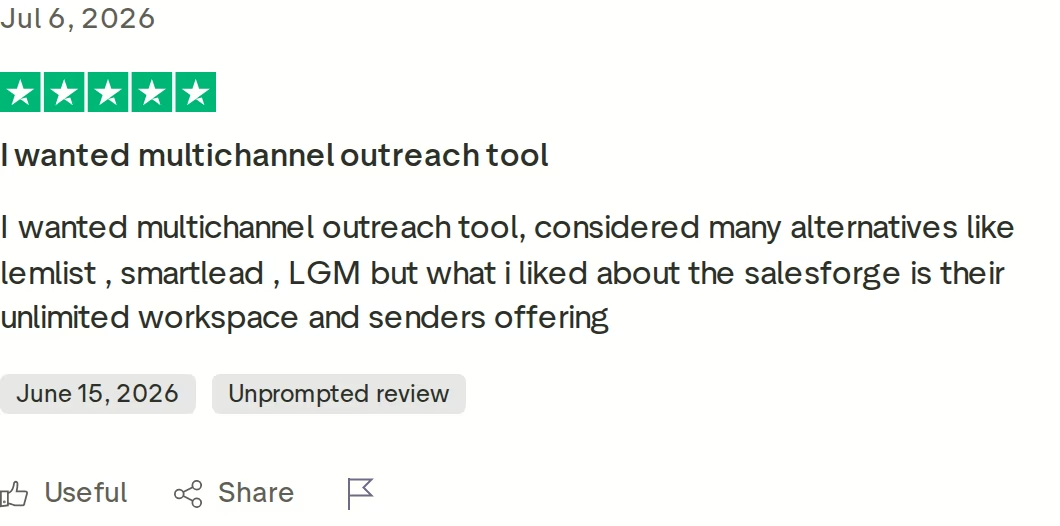
- Unlimited mailboxes, users, and workspaces: connect any number of inboxes and run separate workspaces per client.
- Unlimited LinkedIn senders (Growth): add LinkedIn accounts as you scale without paying per account.
- Account safety as standard: actions route through high-quality shared proxies with optional custom proxies. Authentication is session-token only, so your password is never stored, with no Chrome extension injection.
- AI personalization across 21+ languages: AI variables pull company news, LinkedIn activity, and industry context, with Overdrive Mode drawing on multiple sources.
- Free unlimited warm-up: every mailbox warms through Warmforge, with a premium pool of aged IMAP/SMTP, Google Workspace, and Microsoft 365 mailboxes, plus Heat Score™ and placement tests.
- Primebox™ unified inbox: email and LinkedIn replies in one place, with sentiment analysis and Auto-Pilot or Co-Pilot AI reply modes on Growth.
- Bounce Shield, ESP matching, sender rotation: deliverability protections that keep sends landing in the primary inbox.
- Integrations: native HubSpot, Salesforce, Pipedrive, Attio, folk, and Clay, plus Zapier, webhooks, an API (Growth), and an MCP server.
The Forge Stack is the real differentiator. Salesforge plugs natively into Leadsforge for a 500M+ contact database, three email infrastructure options (Mailforge, Infraforge, Primeforge), Warmforge for deliverability, and Agent Frank as an autonomous AI SDR. Everything shares one login, so data moves without exports. The same product can also be run by your team, by Agent Frank, or by a vetted Forge Expert agency.
Salesforge pricing
Salesforge Pro is $48/mo monthly or $40/mo annual, with 1 LinkedIn sender, 1 user, and 5,000 emails per month. Salesforge Growth is $96/mo monthly or $80/mo annual and adds unlimited LinkedIn senders, unlimited users, 50,000 emails per month, A/B testing, ESP matching, Primebox AI, the API, and multi-language sequences. Both include free unlimited Warmforge and Primebox. You can verify the live price anytime.
An optional AI SDR, Agent Frank, is a separate subscription from $499/mo billed quarterly (or $416/mo billed annually). He runs the full email and LinkedIn workflow end to end and needs a demo plus a 2-week warm-up before sending. He is a teammate, not a plan add-on, and his price is never bundled into Pro or Growth.
Who Salesforge is best for
Salesforge fits B2B teams with deal sizes between $5K and $100K who target 3,000+ businesses and want to book meetings at scale without hiring a large SDR team. It is built for SMB and mid-market operators tired of per-seat tools that punish growth. Salesforge itself says it is a poor fit for Fortune 500 procurement, long RFP cycles, or six-to-seven-figure bespoke deals.
The proof shows up in named outcomes. ChannelCrawler reached an 85.71% positive reply rate on Salesforge, Infraforge, and Warmforge, and VAI Consulting booked 3 calls in a single week through Agent Frank.
Start Your Free 14-Day Trialin Action

Head-to-Head Feature Comparison: Skylead vs Linked Helper
This is where the three tools separate. I have grouped the comparison into the dimensions that actually change results, and I have kept each one factual.
Multichannel outreach
This is the clearest divide. Salesforge and Skylead both run email and LinkedIn inside one sequence, so a prospect can be reached on whichever channel they respond to. Linked Helper is LinkedIn only, so multichannel means running a second email tool and stitching the results together by hand. Salesforge goes further than Skylead on native LinkedIn depth, with six native actions including post likes, follows, and invite withdrawals, which lets a sequence warm a profile before it pitches. For a broader multichannel view, my Lemlist vs Reply.io comparison covers adjacent tools.
Account safety and LinkedIn compliance
Safety is a real differentiator, and the architecture matters. Salesforge routes LinkedIn actions through high-quality shared proxies, authenticates by session token so your password is never stored, and never injects code into the LinkedIn page. Skylead is cloud-based and applies human-like action limits, which reviewers generally consider safe for one or two accounts. Linked Helper runs locally through a browser on your own machine with static, manually set delays, which third-party testers flag as a higher detection risk. If you are scaling accounts, it is worth reading about renting LinkedIn accounts safely.
Email deliverability and warm-up
Deliverability only applies to the two tools with an email channel. Salesforge includes Warmforge free and unlimited, with a premium pool of aged IMAP/SMTP, Google Workspace, and Microsoft 365 mailboxes, plus Heat Score™ monitoring, placement tests, and DNS health checks. Skylead includes free InboxFlare warm-up too, which is a genuine strength of its flat plan, though it is a lighter tool than a full deliverability center. Linked Helper has nothing here because it does not send email.
AI and personalization
All three now carry AI, but the depth varies. Salesforge personalizes across 21+ languages and offers Agent Frank, an autonomous AI SDR that prospects, sequences, replies, and books meetings across email and LinkedIn. Skylead added an AI SDR in 2026 that manages inbox conversations and pushes prospects toward booked meetings, which is useful but narrower than a full prospect-to-meeting agent. Linked Helper offers assistive AI Messages, AI Comments, and AI ICP Detection billed from a credit pool, aimed at drafting rather than autonomous execution.
Inbox and reply management
Salesforge and Skylead both unify replies. Salesforge's Primebox™ pulls email and LinkedIn threads into one inbox, tags sentiment, and can draft or auto-send replies on Growth, and it even catches replies that arrive from a different address. Skylead's Smart Inbox centralizes LinkedIn and email conversations in one view. Linked Helper's LH CRM organizes LinkedIn contacts with tags and notes, but it covers LinkedIn only.
Pricing and scalability
The economics diverge fast as you add people. Both Skylead and Linked Helper price per LinkedIn account, so a three-rep team means three seats or three licenses. Salesforge Growth carries unlimited users and unlimited LinkedIn senders on one $96/mo monthly plan ($80/mo annual), so headcount does not raise the bill. Add unlimited mailboxes and free Warmforge, and the cost-of-ownership gap widens with every operator you add.
Integrations and infrastructure
Salesforge covers the widest surface. It integrates natively with HubSpot, Salesforce, Pipedrive, Attio, folk, and Clay, and it owns three email infrastructure options through the Forge Stack, so you can move between shared, dedicated, and Google or Microsoft mailboxes without switching platforms. Skylead syncs in real time with HubSpot, Pipedrive, and Salesforce and offers an API, but you bring your own sending infrastructure. Linked Helper connects through webhooks to Zapier, Make, and CRMs, with no email infrastructure at all.
Pricing Comparison: Salesforge, Skylead, and Linked Helper
Sticker price and real cost are different numbers here, mostly because of how seats are counted. The table below lists the current plans, pulled from each vendor's live pricing page.
| Plan | Salesforge | Skylead | Linked Helper |
|---|---|---|---|
| Entry plan | Salesforge Pro - $48/mo monthly ($40 annual) | All-in-one - $100/mo per account | Standard - $15/mo monthly ($8.25 annual, local) |
| Top self-serve plan | Salesforge Growth - $96/mo monthly ($80 annual) | All-in-one annual - ≈$83.33/mo | Linked Helper Pro - $45/mo monthly ($24.75 annual, local) |
| Cloud add-on | Not applicable (cloud native) | Not applicable (cloud native) | Cloud Standard $29.90 / Cloud Pro $59.90 monthly |
| Seat model | Unlimited users + LinkedIn senders (Growth) | 1 seat per LinkedIn account | 1 license per LinkedIn account |
| AI SDR | Agent Frank - separate, $499/mo quarterly | AI SDR included in plan (inbox scope) | AI credits included (assistive) |
| Free trial | 14 days | 7 days | 14 days |
The scaling story is where it gets real. Skylead and Linked Helper both charge per LinkedIn account, so their cost climbs in a straight line with headcount. Salesforge Growth does not, because users and LinkedIn senders are unlimited on a single plan.
Take a three-rep team running LinkedIn plus email. On Skylead that is three All-in-one seats at $100/mo, so $300/mo monthly. On Linked Helper you would need three Pro licenses (and a separate email tool, since it has no email channel), roughly $135/mo monthly on the local build plus that second tool. On Salesforge, the same three reps run on one Growth plan at $96/mo monthly ($80/mo annual), with unlimited mailboxes and free Warmforge included. Even before Agent Frank enters the picture, the per-seat tools cost more as the team grows. Salesforge also bundles unlimited mailboxes and free Warmforge warm-up, so there is no separate deliverability line item to add on top. If you are pricing a lean stack, my picks for sales tools for startups add more context.
Who Should Use Which Tool
None of these tools is wrong for everyone. Here is how I would route the decision.
You might consider Skylead if:
- You run one or two LinkedIn accounts and want LinkedIn plus email in a single seat with a flat, predictable price.
- You value built-in image and GIF personalization and want free email warm-up included without a separate tool.
- You are comfortable with a 7-day window to test before billing starts.
You might consider Linked Helper if:
- LinkedIn is your only channel, you run a single account, and the lowest possible price is the deciding factor.
- You are a power user who wants deep, granular LinkedIn actions and does not mind manual configuration and keeping a machine running.
Choose Salesforge if:
- You run genuine multichannel outbound and want email and LinkedIn in one conditional sequence, managed from one inbox.
- You are scaling past one or two operators and want unlimited users and LinkedIn senders instead of per-seat pricing.
- You care about deliverability and want free Warmforge, ESP matching, and three infrastructure options under one login.
- You want the option of an autonomous AI SDR (Agent Frank) that works email and LinkedIn end to end.
- Your deals sit in the $5K-$100K range and you sell to SMB or mid-market buyers at scale.
Final Verdict: Which LinkedIn Outreach Tool to Choose
Skylead and Linked Helper are both capable tools that solve a narrower problem well. Skylead gives a solo operator LinkedIn and email in one flat seat. Linked Helper gives a budget user deep LinkedIn automation at the lowest price in the category. For LinkedIn-only outreach on a single account with a tight budget, Linked Helper is the cheaper, simpler pick, and that is a fair reason to choose it.
For scaling multichannel B2B outbound, Salesforge is the stronger choice. At $96/mo monthly for Growth ($80/mo annual), you get unlimited users, unlimited LinkedIn senders, unlimited mailboxes, free Warmforge warm-up, Primebox™, and native access to lead data and three infrastructure options - a combination neither alternative offers at any price. Per-seat pricing on the other two adds up fast as your team grows.
One falsifiable benchmark: UniteSync ran on Salesforge, Mailforge, and Warmforge to an 85.26% positive reply rate and a $2.86 CAC. The case study is public. Browse more tool comparisons or the sales tools directory before you decide.
Give Salesforge a Try FreeFrequently Asked Questions
Is Salesforge better than Skylead or Linked Helper?
For scaling multichannel outbound, yes. Salesforge runs email and LinkedIn in one conditional sequence, includes free unlimited Warmforge warm-up, and does not charge per seat, so unlimited users and LinkedIn senders come on the $80/mo annual Growth plan. Skylead is a strong single-seat option for LinkedIn plus email, and Linked Helper is the cheapest LinkedIn-only tool. Salesforge wins on breadth, deliverability, and scaling economics.
What's the main difference between these tools?
Channels and pricing model. Salesforge and Skylead both run email and LinkedIn together, while Linked Helper is LinkedIn only. Skylead and Linked Helper both price per LinkedIn account, so cost rises with headcount. Salesforge Growth includes unlimited users and LinkedIn senders on one plan and adds email infrastructure, lead data, and an AI SDR through the Forge Stack.
Which is cheaper, Salesforge, Skylead, or Linked Helper?
For one user, Linked Helper is cheapest at $15/mo monthly ($8.25 annual) on its local Standard plan. Skylead is $100/mo per LinkedIn account. Salesforge Pro is $48/mo monthly ($40 annual). But for a team, Salesforge Growth at $96/mo monthly ($80 annual) covers unlimited users, while the per-account tools multiply, so a three-rep Skylead setup already costs $300/mo.
Do Skylead and Linked Helper support email outreach?
Skylead does. It runs unlimited email accounts, up to 100,000 emails per month, with free InboxFlare warm-up and an email finder built into its sequences. Linked Helper does not send email at all; it automates LinkedIn only. Salesforge runs both email and LinkedIn in a single sequence and adds free Warmforge warm-up plus three email infrastructure options.
Which tool is safest for my LinkedIn account?
Salesforge and Skylead both use cloud execution with human-like action limits, and Salesforge adds session-token authentication and shared proxies with no browser-extension injection. Linked Helper runs locally through a browser on your machine with static, manually set delays, which third-party testers describe as a higher detection risk. One Trustpilot reviewer reported a LinkedIn restriction despite using Linked Helper's recommended filters.
Can I switch from Skylead or Linked Helper to Salesforge easily?
Yes. You can export contacts to CSV from either tool and import them into Salesforge sequences, or use Leadsforge to build fresh verified lists inside the platform. Connect your mailboxes and LinkedIn account, and free Warmforge starts warming inboxes right away. Most teams get a first campaign running in under a day, and live chat support is available on every plan.
Does Salesforge offer a free trial?
Yes. Salesforge has a 14-day free trial with no credit card required, which includes email warm-up and unlimited mailbox connections. The trial caps usage at 50 contacts, 100 emails, and 50 validation and personalization credits so you can test the workflow. Skylead offers a 7-day trial and Linked Helper offers a 14-day trial, both without a card.
Who is Linked Helper best for?
Linked Helper is best for a budget-conscious solo user or power user whose only channel is LinkedIn and who runs a single account. At $15 to $45 per month on the local build, it delivers deep LinkedIn automation and a built-in CRM at the lowest price in the category. The trade-offs are no email channel, a higher detection risk from local execution, and manual setup.
.jpg)

.jpg)

.jpg)