

Personalized Outbound Strategy
Get The Right Outbound Strategy In Minutes
Enter your email to get a custom plan & stack recommendation for your business
It's being carefully crafted by AI
Please check your mailbox in 5 minutes
If you're searching for Scrap.io, you probably want one of two things: to reach local businesses your competitors aren't touching, or to stop paying a VA to click through Google Maps.
Scrap.io has real strengths. The two-layer extraction system is the most technically honest thing I've read on a scraper's site, and filtering before extraction genuinely changes what you spend. The question is whether those strengths survive contact with your specific market.
Two things carry the product:
The pre-database powering previews is never more than seven days old, and Scrap.io says so publicly rather than claiming everything is real-time.
But the documentation and public reviews surface four recurring problems:
The takeaway: Scrap.io is strong at finding the business and weaker at everything after.
Below, I break down what you need to evaluate it against your own use case.
Scrap.io is a Google Maps scraper for local lead generation. Pick a category and a geography, filter for free, pay only at export. Every listing is re-scraped live before the file reaches you.
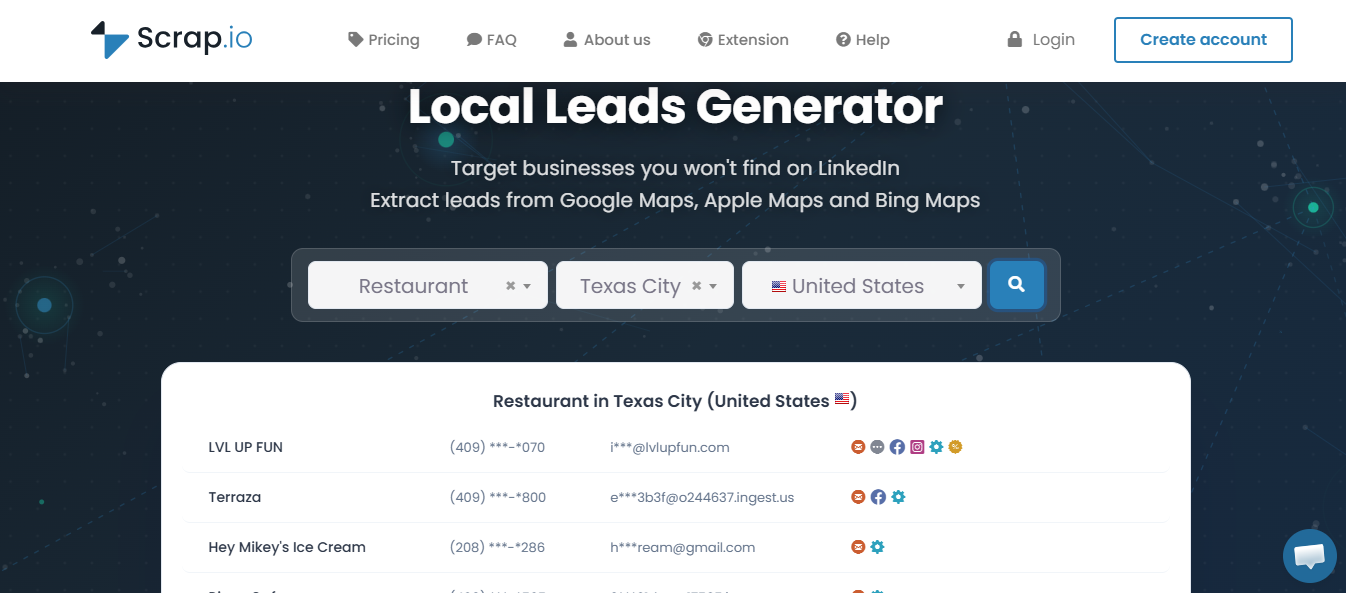
What frustrates them is precision. You can filter by whether a business has an email address, but not by what it calls itself.
Then there is what it deliberately skips. The file contains businesses, not people, and sending is somebody else's job.
Leadsforge takes both further. Local Companies Search returns the same fields, and Enrich owners turn each business into a named decision maker with a mobile number.
Sending sits in the same subscription family. Salesforge runs the sequences, Warmforge warms the mailboxes free, and Primebox holds every reply.
The rest of the Forge Stack owns what Scrap.io declines. Salesforge runs the sequences, Warmforge handles warm-up free, and Primebox unifies replies across email and LinkedIn.
The review sample is small. One on G2, seven on Trustpilot. Two of those are the same review.
Cale R. on G2 and Cale Rodriguez on Trustpilot are the same text, four days apart. So the real sample is seven.
That limits what you can conclude. Seven reviews will not tell you what the average user gets. They will tell you where the extremes sit, and here the extremes are far apart. Four five-star, one four-star, one two-star, one one-star.
The praise is about speed. The complaints are about geography and billing.
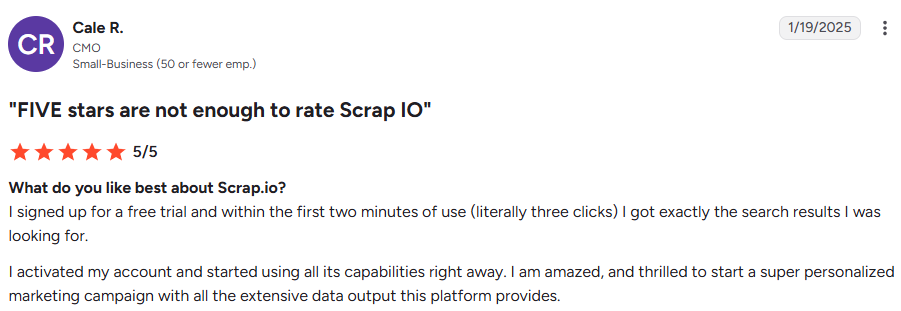
Cale R. says he got the results he wanted within two minutes of starting a free trial. Roughly three clicks.
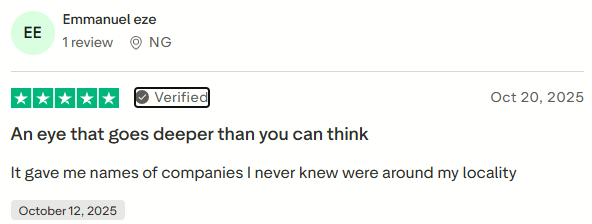
Emmanuel Eze says it returned companies in his own area he had not been aware of.
That is the clearest user-side confirmation of the pitch. Those businesses were always on the map. They were not anywhere he was looking.
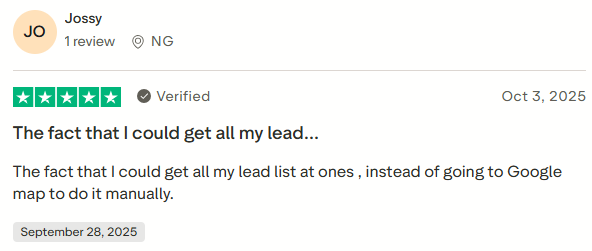
Jossy names the specific change. The full list in one go, instead of working through Google Maps by hand.
Cale makes the same point in cost terms. The tool removes the man-hours.
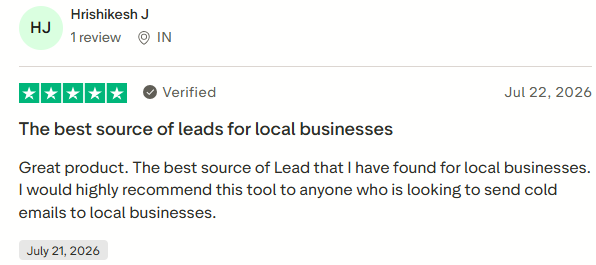
Hrishikesh J calls it the best lead source he has found for local businesses. He recommends it specifically for cold email to that segment.
Cale R. says some categories return a large volume of general results. He wants keyword filtering to cut them down and hopes it will be available in a future version.
So the filters work on structured attributes. They do not work on what a business calls itself inside a category.

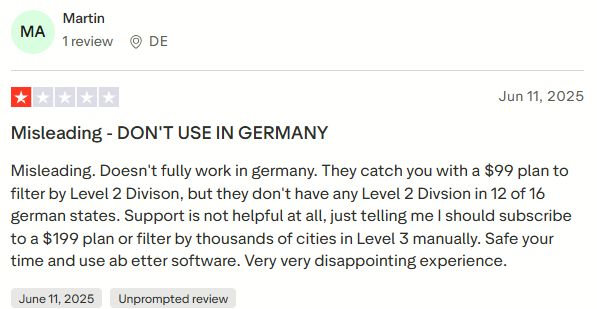
Martin left the only one-star review. He bought the $99 Professional plan for Level 2 filtering. Twelve of Germany's sixteen states have no Level 2 division at all.
Support told him to either move to the $199 plan or manually filter through Level 3 cities.
Scrap.io's reply confirms the underlying fact. Regierungsbezirke exist in some German states and not others. Full coverage needs the Agency plan or the Company plan.
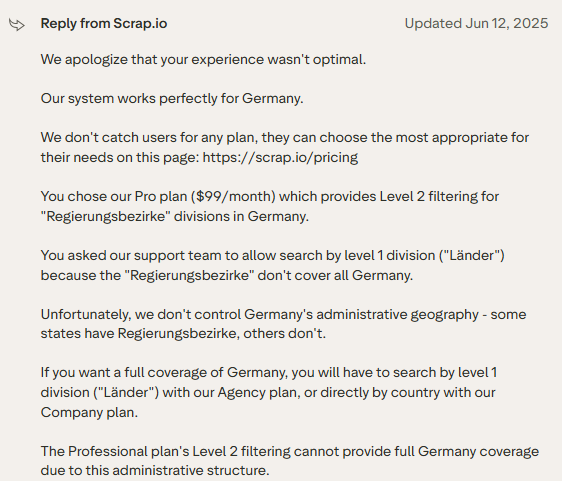
Both sides agree on what happened. They disagree on whether the pricing page made it clear.
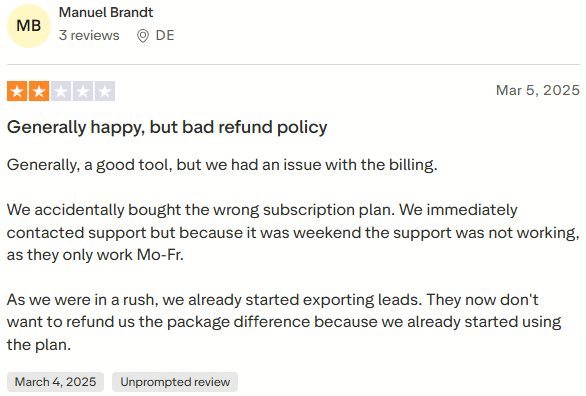
Manuel Brandt bought the wrong plan and contacted support the same day. It was a weekend. Support does not run then.
He was in a hurry, so he started exporting. Those exports used country-level extraction, a Company plan feature. Scrap.io declined to refund the difference.
The reply spells out the rule. Had he stayed within Level 1 divisions, a downgrade and a partial refund would have been available. Unused credits did not change it.
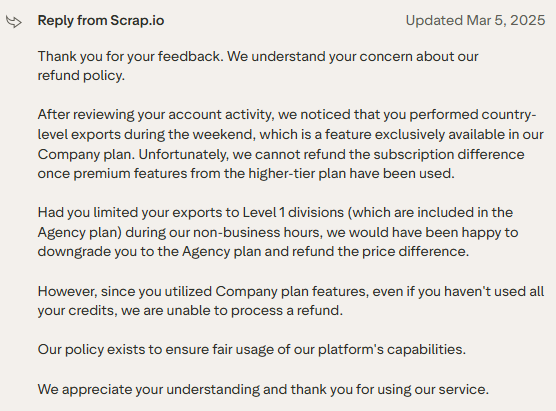
He calls the tool good, but gives it two stars anyway. The complaint is the billing policy, not the product.
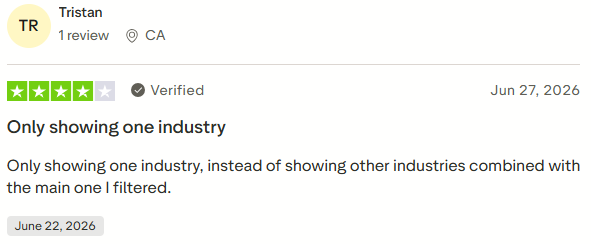
Tristan gave four stars. He said the results showed only one industry, rather than combining others, using his filter.
Scrap.io's reply says the opposite happens by design. Every category a business is listed under is returned, not only the filtered one.
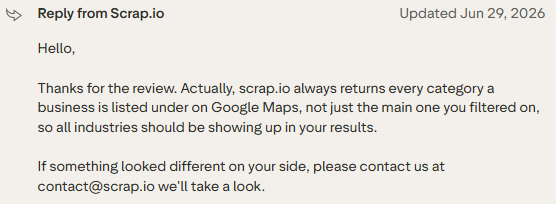
Nobody followed up publicly. Either way, a user got four stars' worth of confusion about a feature that was working.
Scrap.io has five ways in. The web interface, the REST API, the MCP server, the Maps Connect Chrome extension, and a Make.com module.
Most of the work happens in the first one. Six areas matter more than the rest.
Every search starts the same way. Pick an activity, then narrow the location.
What I tested: The Activities field autocompletes against 4,000+ categories. Location narrows through four levels: country, Level 1 division, Level 2 division, city. Across 195 countries.
Leave the lower levels empty, and you search the whole country. If your plan allows it.
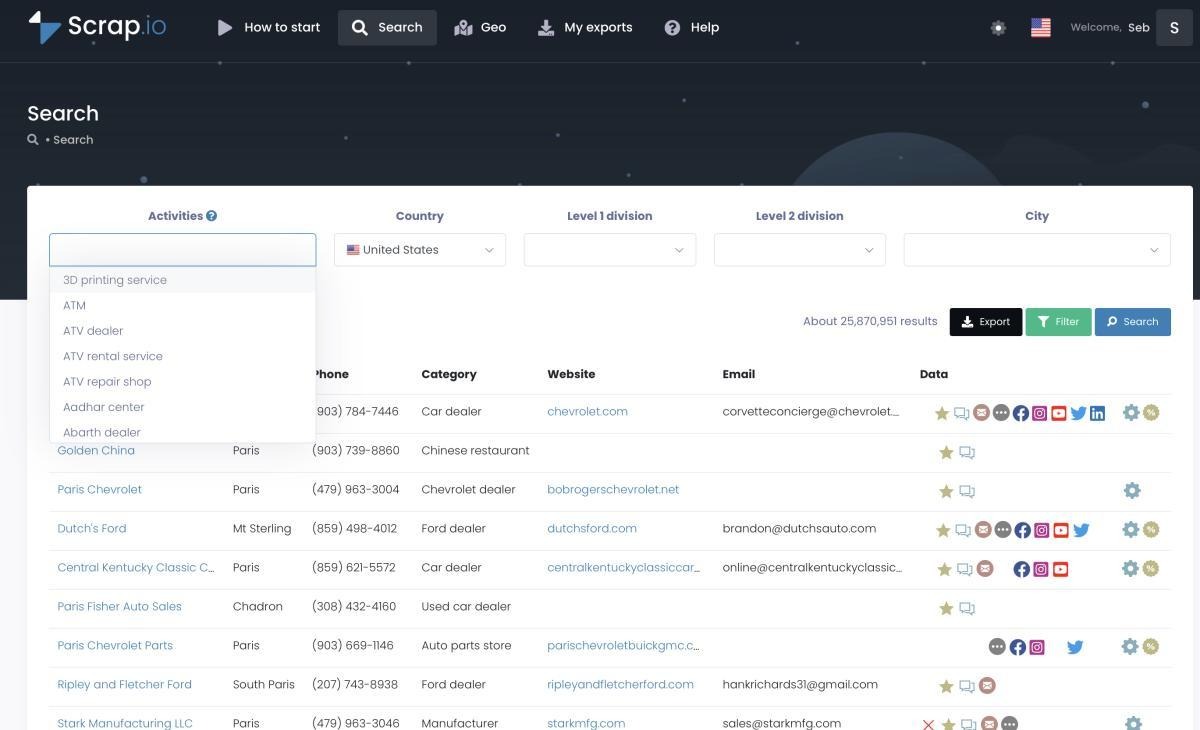
What I liked: Going from one city to a whole country is a dropdown change. Not a different workflow.
The result count updates before you commit anything. A US-wide search returns about 25.8 million results, as shown in the interface screenshots. Seeing that number costs nothing.
There is also a catchment-area mode. It pulls every business in a zone without specifying a category at all.
What could be better: You cannot filter within a category by keyword. Cale R. raised this on G2 and gave it five stars. Broad categories return large general result sets. The only way to cut them down is with structured filters.
The geography cascade is only as good as the country's administrative structure. Martin's one-star review documents the German case. Twelve of sixteen states have no Level 2 division. Scrap.io confirmed it in their reply.
My take: Check your target country's divisions before picking a plan. The tier you need depends on local geography, not on how much data you want.
This decides your unit economics. It runs before any credit is spent.
What I tested: The panel covers main activity only, permanently closed, website, phone, mobile, email, rating range, first-seen date, and review count buckets. Social networks filter individually. So do contact form and advertising pixel.
Toggle any combination. The count updates live.
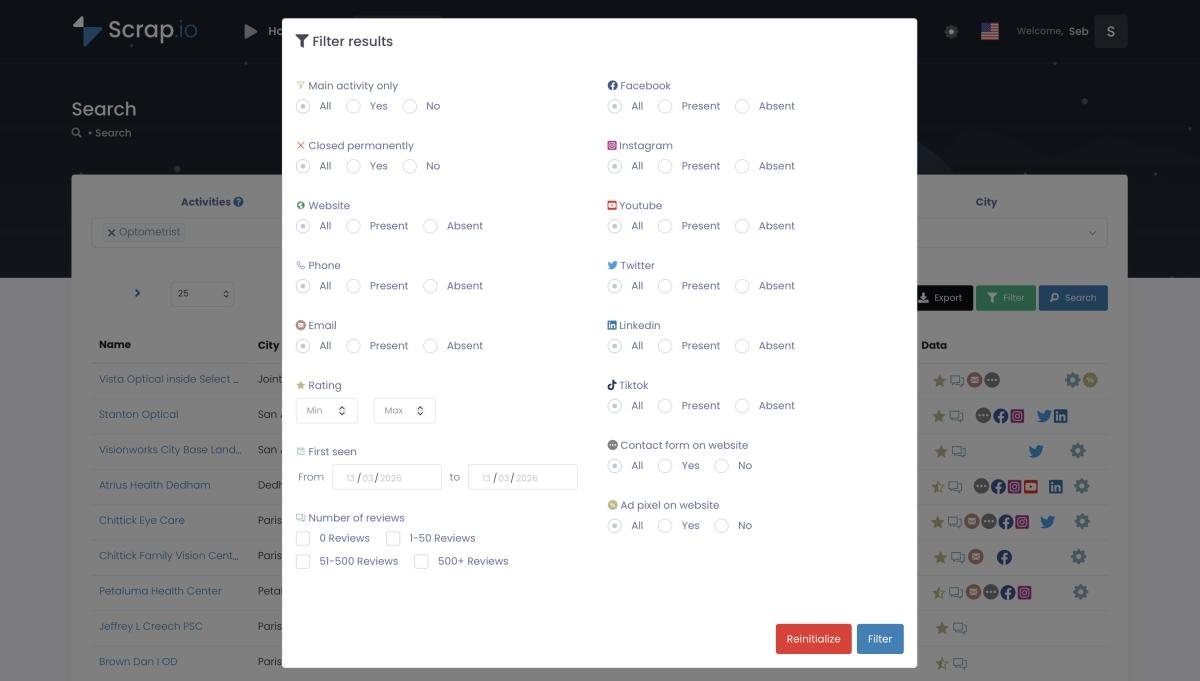
What I liked: The order of operations is the whole point. Filters apply before extraction. You pay for records that already match.
The ad pixel filter is the one worth noticing. Filter for a website with no ad pixel, and you have a list of businesses that need paid media but aren't buying it. Filter for no website, and you have a web design prospect list.
Phone typing matters for SMS. Emails come back classified as individual, contact, sales, or marketing, so you can skip generic inboxes.
What could be better: The filters are attribute-based only. There is no way to express a judgment about the business itself.
My take: Build the filter set first. Watch the count. Then think about export.
When administrative boundaries are the wrong shape, draw your own.
What I tested: Two modes. Radius places a circle around a point.
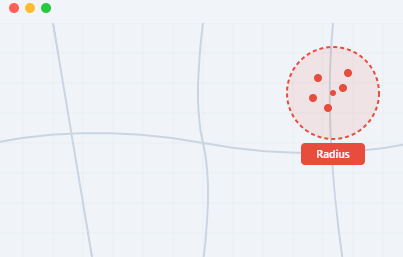
Polygon lets you click out any shape. Every filter still applies inside it.
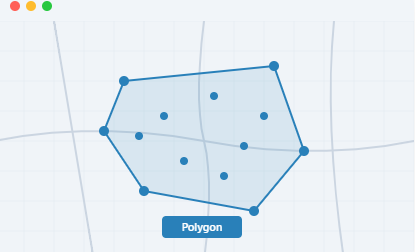
What I liked: The difference in precision is visible. A 10 km radius over Paris covers 316 km² and returns about 19,900 restaurants.
A seven-point polygon over the central arrondissements covers 3.66 km² and returns 507.
Same category. Same city. Two very different lists.
What could be better: Polygon drawing is manual. You cannot import a shape you already have. A sales territory that exists as a file has to be redrawn by hand.
My take: If your targeting is geographic rather than administrative, this justifies the tool. If you are pulling all dentists in Ohio, you will never open it.
Scrap.io is unusually specific here. The specificity is worth reading closely.
What I tested: Two separate systems. A pre-indexed database powers the preview, the counts, and the filter toggles. Every client search refreshes the relevant records, so nothing in it is more than seven days old. Querying it is free.
Export does not use that pre-base. Every listing is re-scraped live, both the map profile and the website, and only then is the file built.
Their own summary: the preview is delayed, the export is real-time.
What I liked: They say out loud that the preview can lag. That is rarer than it should be. It makes the export claim easier to believe.
Scrap.io reports that it can handle up to 10,000 requests per minute. They cite a client who pulled 11,734 businesses in 45 minutes, each re-scraped before delivery.
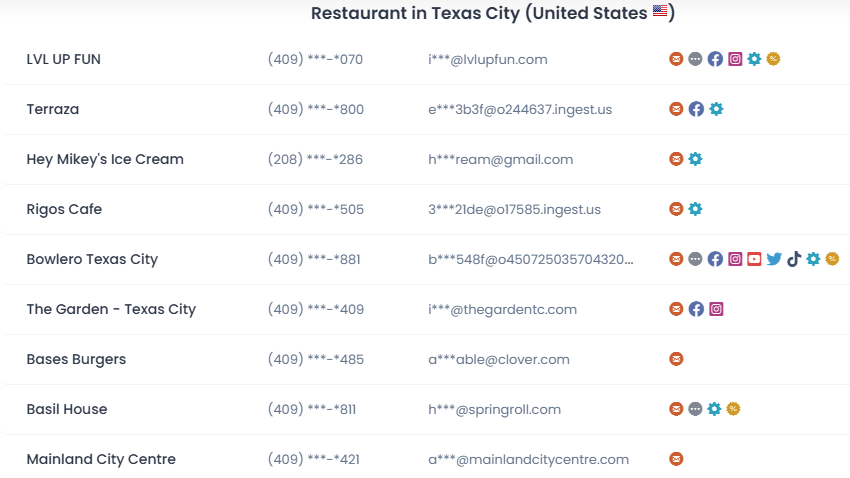
Output is CSV or XLSX. Deduplication is built in, so the same contact is not billed twice across searches.
What could be better: The seven-day window means your count and your export can disagree. A business that closed on Tuesday may still show in Thursday's preview. The export catches it. The number you quoted on Wednesday did not.
Support runs Monday to Friday. Manuel Brandt's two-star review shows what that looks like when a billing problem lands on a Saturday.
My take: Treat preview counts as estimates. Treat the export as the source of truth.
The interface is two clicks. The API is for everything that has to run without you.
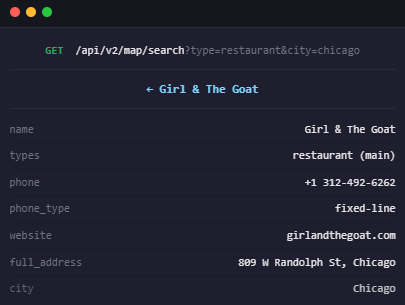
What I tested: Documentation lives at apidoc.scrap.io. Endpoints follow the pattern /api/v2/map/search, taking a business type and a location as query parameters.
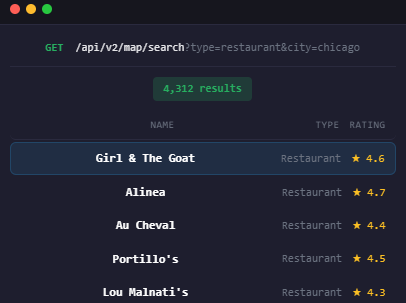
A search returns a result count and a list. Drill into any record, and you get the full set of fields: name, categories, phone, phone type, website, full address, and city.
What I liked: Two jobs, not one.
The first is a nearby-search equivalent. Set a category and a location, get the data back. The difference is scope.
You get Google Maps fields plus what the business website exposes: up to five emails, social URLs, detected website technologies, contact form presence, ad pixels, and meta descriptions.
The second is enrichment. Pass a company ID, URL, phone number, or email address, and get the matching listing back. That has no equivalent on the official Google Maps API.
What could be better: Rate limits are lower than the platform figure. Scrap.io documents the API at up to 300 requests per minute, against 10,000 for the platform overall. Plan bulk jobs around the smaller number.
The published code sample also points at a v1 base URL while the interface screenshots show v2. Check the live docs before you build.
My take: The API earns its place on enrichment, not on search. Anyone can pull a list in the interface. Matching a phone number back to a live listing is the part you cannot do by hand.
The newest surface. It changes who can run a search.
What I tested: One endpoint at scrap.io/mcp, connected over OAuth. In Claude: Settings, Connectors, Add custom connector, paste, authorize. ChatGPT needs Developer Mode turned on first. Any MCP-compatible client follows the same pattern.
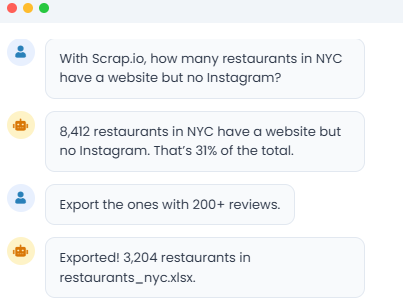
What I liked: Counts are free through the MCP, exactly as in the interface. Scrap.io's documented example, pulled in June 2026: the US has 660,814 restaurants, 189,247 of which have an email. About 29%, at zero credit cost.
Filters still apply before extraction. GeoSearch does too. Describe a radius or a polygon in a sentence, and the model builds the shape.
Small queries can skip the file entirely. Results come back as a map, a report, or a PDF. Larger ones generate a CSV or an XLSX file in your account.
What could be better: The MCP inherits all the limitations above it. No keyword filtering. Same plan-gated geography. Asking in plain English does not unlock a tier you have not paid for.
My take: Market sizing stops being an analyst task when the count is free, and the query is a sentence.
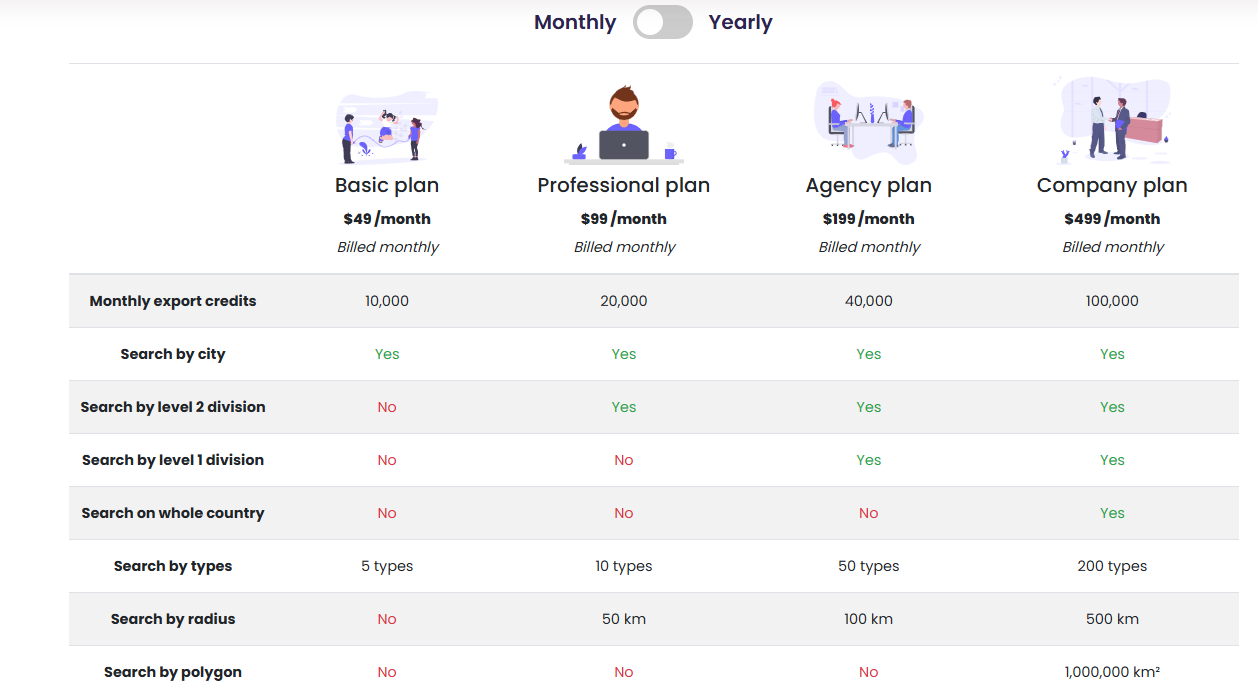
Alt Text: Scrap.io Pricing
Scrap.io runs four published tiers. No enterprise option, no implementation fee. Yearly billing saves roughly 30%.
Entry is $49 per month or $420 per year. Credits are the same on both cycles.
Credits scale with price. Capability does not. Company is the only tier with whole-country extraction or polygon search.
Refunds close once you use a higher tier's feature. Manuel Brandt exported at country level while weekend support was offline and was refused the difference.
The trial is 7 days and 100 credits. Counts and previews are free.
Agencies and service businesses selling to local companies are the core audience. The filters are built around their qualification logic.
If your ICP is defined by job title, this is the wrong tool category. Scrap.io indexes businesses, not people.
Both tools solve the same sourcing problem. Local businesses are on the map and nowhere else.
Scrap.io extracts the business and hands you a file. Leadsforge extracts the business, finds the owner, and pushes the list into a live sequence.
One thing Leadsforge does not replace is Scrap.io's geographic reach.
Country-level extraction across 195 countries, 4,000+ categories, and filters on ad pixel, contact form, and social presence are Scrap.io's strongest assets.
Leadsforge Local Companies Search is radius-based and newer.
What happens after the list exists is where the swap makes sense.
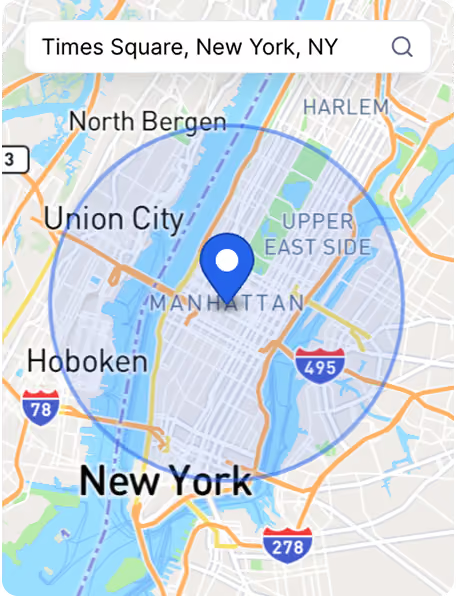
The hero feature is a Google Maps-sourced path within Leadsforge. Set a location, define a radius, pick your business types.
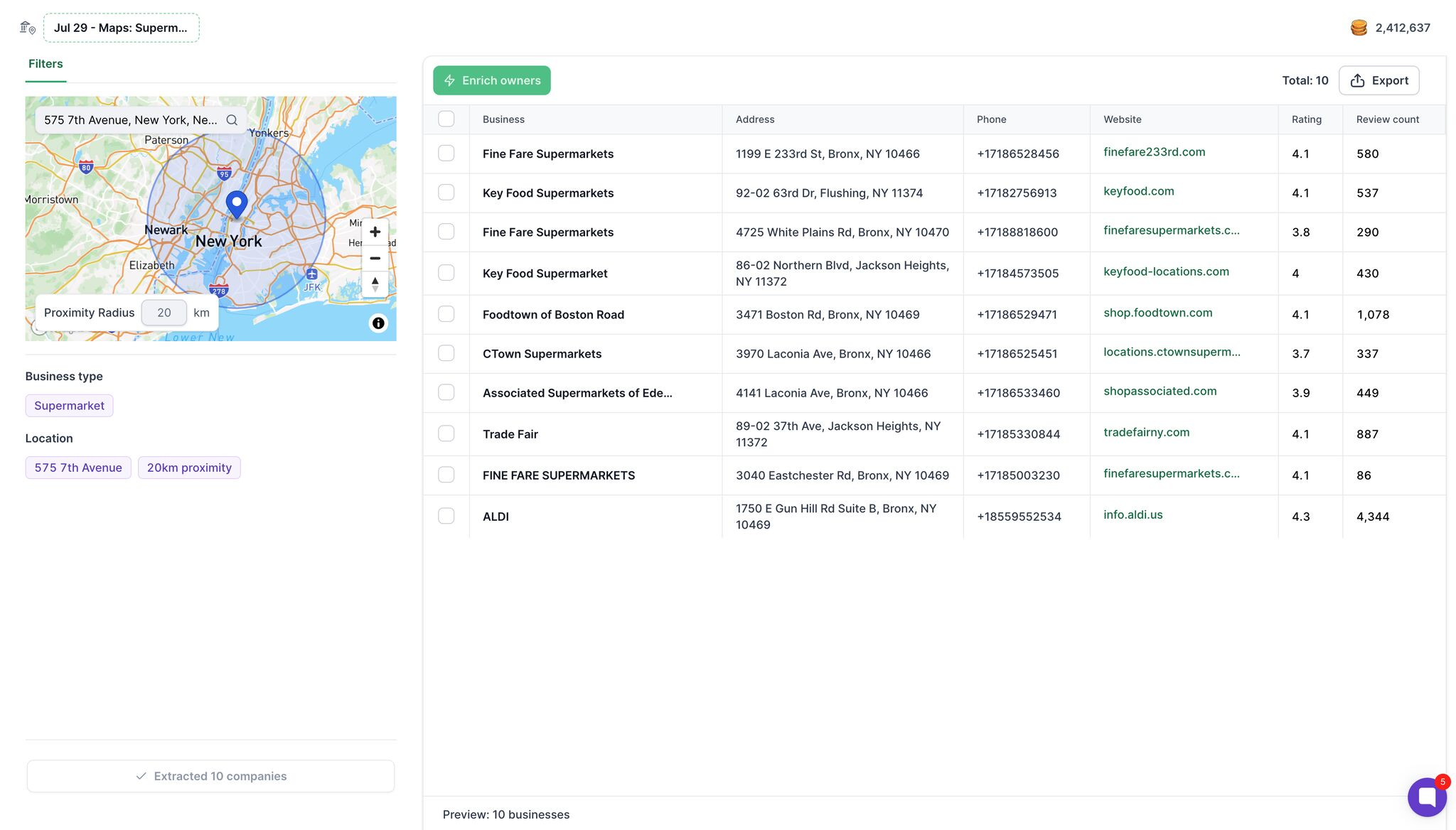
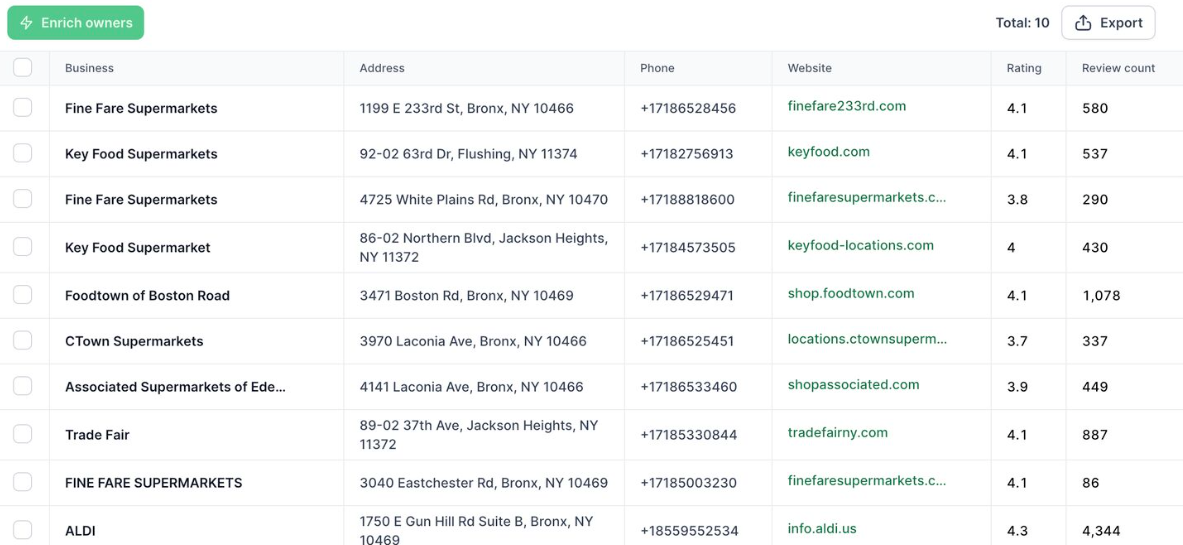
You get the same core fields Scrap.io returns. Business name, full address, phone number, website, Google rating, review count.
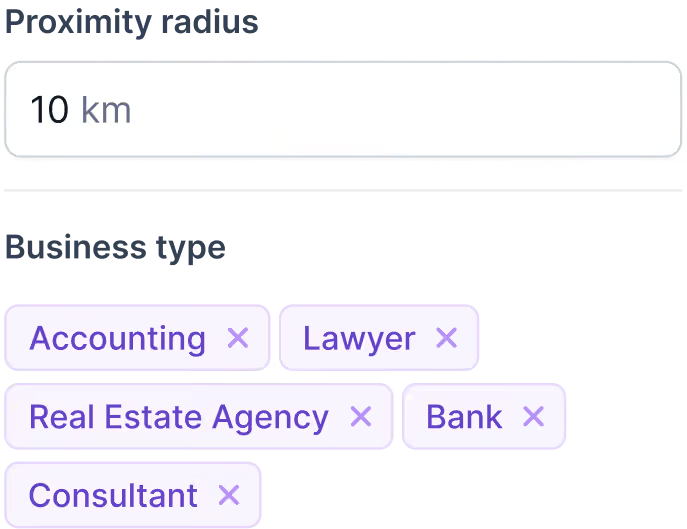
Multi-category works in one pass. Accounting, lawyer, real estate agency, bank, and consultant can run as a single search rather than five.
This is the difference that matters for local outreach.
Scrap.io scrapes emails from the business website and classifies them as individual, contact, sales, or marketing. You are still writing to an address.
Leadsforge adds a second step. Hit Enrich owners, and you get the decision makers and their mobile numbers.
A dental clinic has no procurement committee. The owner is the buyer, and reaching them directly is a different conversation than landing in a shared inbox.
Mobile numbers matter here too. Leadsforge charges 10 credits for a verified phone number, compared to 1 credit for an email, and the Forge Stack documentation calls it the cheapest mobile data on the market.
Both tools charge on extraction rather than on looking.
Scrap.io gives you free counts from the pre-base and spends credits at export. Leadsforge gives you a free preview and spends credits at enrichment.
The recommended workflow is the same discipline. Search, review the preview for free, enrich 5 to 10 contacts first, check the results, then scale.
Intent qualification runs at the same stage. Custom prompts evaluate each contact against criteria you write, returning positive, negative, or unknown at 1 credit per lead.
Something like "website shows signs of neglect or poor optimization" does the qualification work that Scrap.io's attribute filters cannot express.
Local Companies Search is one of several ways into the same database.
Search by customer profile uses a plain-language ICP description to match against 500M+ B2B contacts.
Lookalikes turn one good customer domain into a list of similar accounts. Followers pull the people following a competitor's LinkedIn page. Enrich CSV fills gaps in a list you already have.
Scrap.io does one thing. Leadsforge covers local businesses and the LinkedIn-shaped world in the same tool, which matters if your ICP is not purely local.
Scrap.io reads whatever the business website exposes. If the site has no email, you have no email.
Leadsforge queries multiple verified B2B providers in sequence. When the first source returns nothing, the next source is queried automatically until a verified match is found.
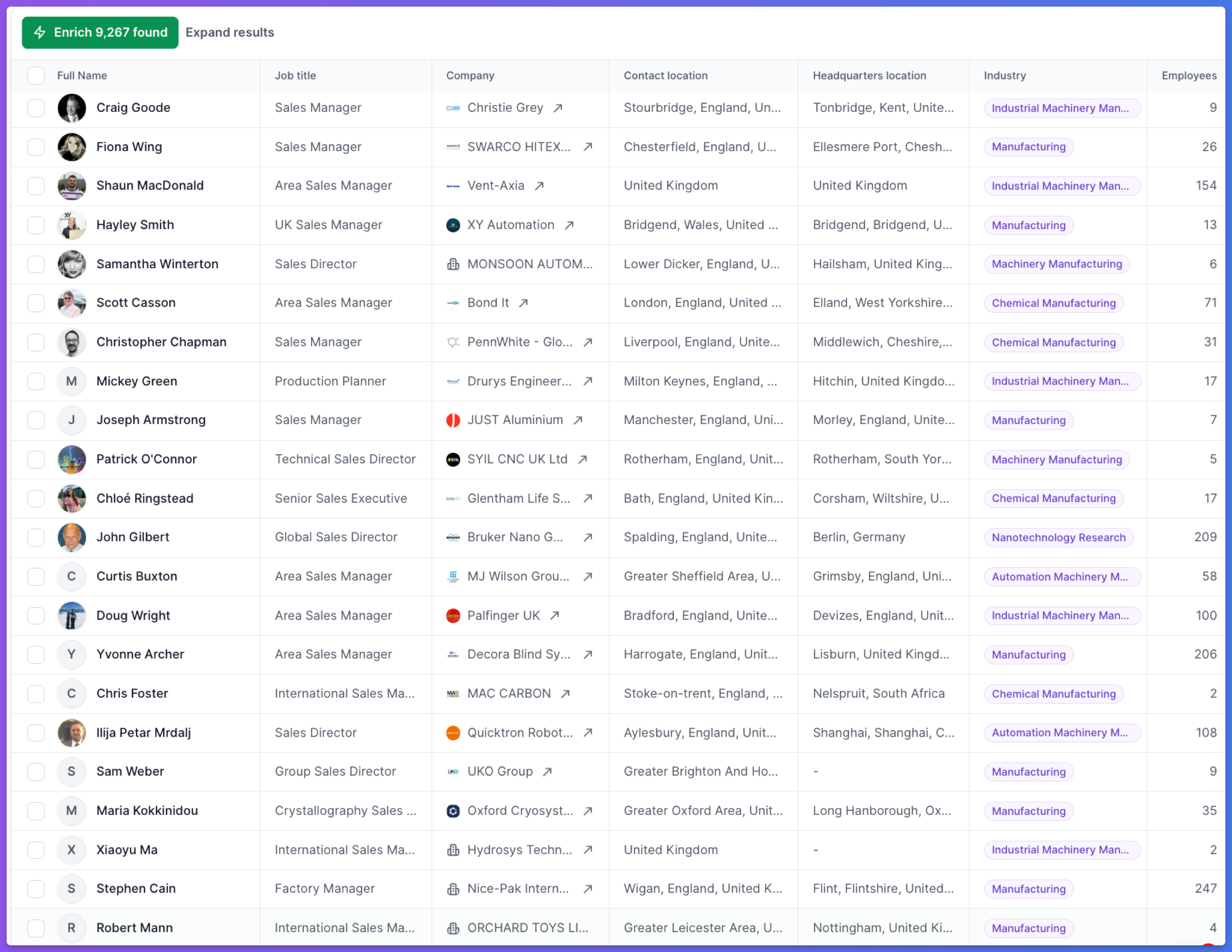
Emails are validated in real time. LinkedIn URLs are confirmed against live profiles. Phone numbers pass format and validity checks.
Scrap.io hands you a CSV. Then you need a sending tool, mailboxes, domains, and warm-up, all sourced and paid for separately.
Leadsforge pushes contacts into a Salesforge workspace with no export step. From there, the rest of the stack is already connected.
Salesforge runs multi-channel sequences across email and LinkedIn, with Primebox unifying all replies in one place.
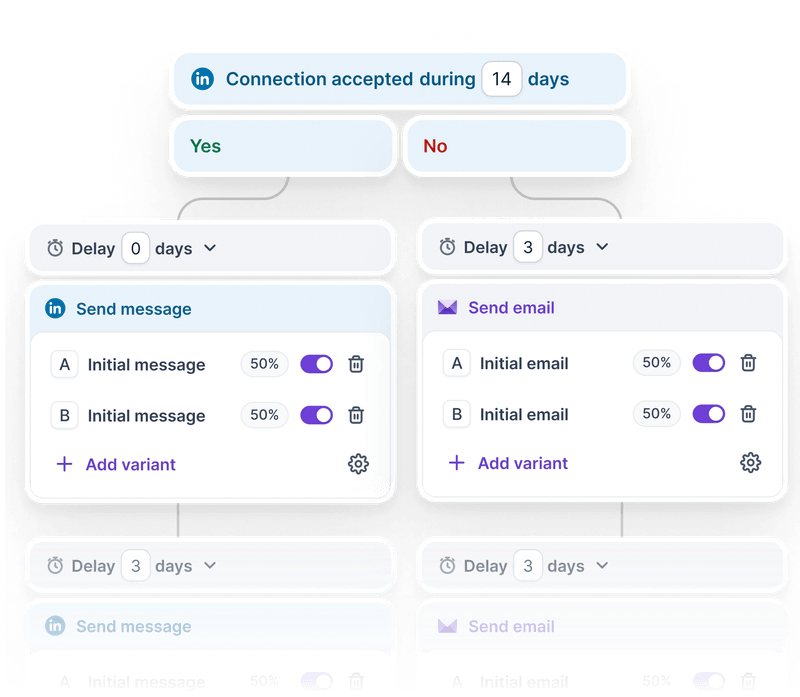
Primeforge and Mailforge supply mailboxes and domains. Warmforge handles warm-up and deliverability monitoring, free on connected mailboxes.
The published workflow is five steps. Drop a pin, set the radius, extract, enrich the owners, load them into a sequence.
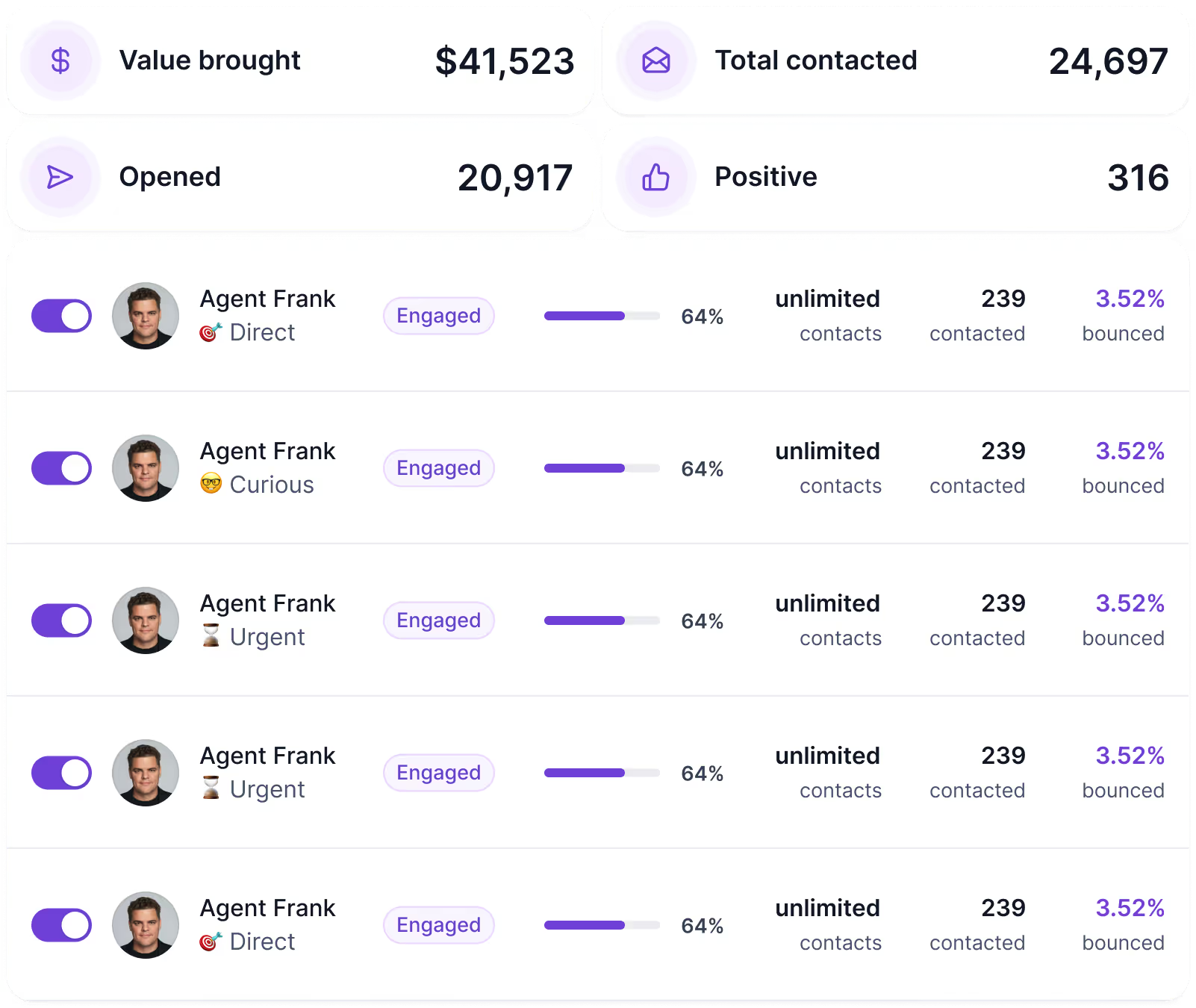
Agent Frank runs the whole SDR workflow without you.
He finds prospects, enriches and verifies the data, writes the outreach, sends follow-ups, manages replies, and books meetings. You define the buyer persona, ICP, and operating rules.
Scrap.io documents no equivalent. It is a data source, not an execution layer.
Scrap.io's MCP server is a real strength. Leadsforge has the same surface.
The Leadsforge MCP server connects to Claude, Cursor, and other MCP-compatible clients. Your assistant runs searches, enriches contacts, and pulls lookalikes from a chat prompt.
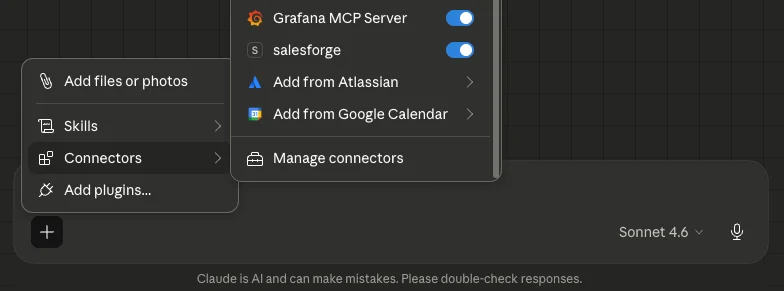
The Forge MCP Server goes wider. It connects Salesforge and the rest of the stack to the same clients, so the sequence layer is reachable from the same place as the data layer.
There is also API access for custom workflows, as well as a CLI.
Enter your email to get a custom plan & stack recommendation for your business
Please check your mailbox in 5 minutes

The tool is good. The gap is what it doesn't cover.
Scrap.io will find every dentist in a county and tell you which ones don't have a website. That part works, and the export freshness is a real technical advantage over anyone selling a static database.
What arrives is a spreadsheet of businesses. Turning that into a conversation means finding the owner, buying mailboxes, warming them, and sending, none of which Scrap.io touches.
Leadsforge closes that distance. The same Maps data, an owner with a mobile number attached, and a sequence running behind it on infrastructure that's already connected.
.jpg)

.jpg)

.jpg)
