
Outreach is an enterprise AI revenue platform sold by quote, priced per seat plus AI credits. Yesware is a Gmail and Outlook add-on for email tracking and light campaigns, from $15/seat/mo annual. Neither automates LinkedIn, sells mailboxes, or warms them up.
For multichannel B2B outbound at SMB and mid-market scale, Salesforge is the stronger choice. Email and LinkedIn run in one sequence, pricing is not per seat, Warmforge warm-up is free, and every reply lands in Primebox™. Plans start at $48/mo monthly ($40/mo annual).
Outreach vs Yesware is a shortlist I keep seeing from sales teams with five to fifteen reps. One person used Outreach at a bigger company. Another already tracks emails in Gmail with Yesware.
They are not the same kind of tool. Outreach is a revenue platform with AI agents, a dialer, and forecasting, sold through a sales call. Yesware is an inbox add-on that tracks opens and sends simple campaigns from each rep's own mailbox.
Neither one covers what decides cold outreach results in 2026: mailboxes, warm-up, and LinkedIn in the same sequence. I pulled both price lists from the live vendor pages on November 8, 2026, then cross-checked them against buyer reports. If you are still shopping around, I also keep a tested list of sales engagement software.
Sales Engagement Comparison at a Glance: Outreach vs Yesware
| Feature | Salesforge | Outreach | Yesware |
|---|---|---|---|
| Sending and infrastructure | Unlimited mailboxes with sender rotation; 3 first-party options: Mailforge, Infraforge, Primeforge | Email from each rep's own mailbox, plus dialer calls; no mailbox product | Email from each rep's own Gmail or Outlook inbox; no mailbox product |
| 6 native actions inside a conditional sequence with email; unlimited senders on Salesforge Growth | LinkedIn Task steps a rep completes by hand | Sales Navigator reminder touches on Yesware Premium and Enterprise, Gmail only | |
| Personalization | AI personalization across 21+ languages, plus Overdrive Mode | Personalization Agent from Amplify Core, metered on AI credits | Templates with dynamic merge fields |
| Warm-up | Free, unlimited premium Warmforge warm-up with Heat Score™ | No warm-up product | No warm-up product |
| Enrichment | Leadsforge: 500M+ contacts, waterfall enrichment, LinkedIn email and phone finder extension | Data Enrichment in every Amplify package | Prospector: 100M+ contacts, credit add-on from $37.50/mo annual |
| Inbox | Primebox™: email and LinkedIn replies in one inbox; Autopilot and Co-pilot AI replies on Growth | Email and call activity inside Outreach | Replies stay in Gmail or Outlook |
| Analytics | A/B testing on Growth, plus opens, replies, connection acceptance, and meetings in one dashboard | Engagement, AI performance, and revenue attribution reports | Activity, engagement, template, and campaign reports |
| Integrations and API | HubSpot, Salesforce, Pipedrive, Clay, Zapier, Make; API on Growth; MCP server and CLI | Two-way Salesforce sync; 250,000 to 1,000,000 API calls by package; MCP server | Salesforce sync on Yesware Enterprise; Zoom, Teams, DocSend, Clari |
| AI SDR | Agent Frank, separate subscription from $499/mo billed quarterly | AI agents that draw down AI credits | None listed |
| Pricing and trial | Salesforge Pro $48/mo monthly ($40/mo annual); Salesforge Growth $96/mo ($80/mo annual); not per seat, both channels included; 14-day free trial, no credit card | Not published; quote per seat plus AI credits; demo required, no self-serve trial | Free plan, then $19 to $85/seat/mo monthly ($15 to $65 annual); 14-day free trial |
| Security | SOC 2 compliant | SOC 2 Type II, ISO 27001, ISO 27701, ISO 42001, HIPAA | SOC 2 Type II |
| Best for | SMB and mid-market B2B, $5K to $100K ACV | Enterprise teams with Salesforce and RevOps | Individual reps who want tracking inside Gmail or Outlook |
Outreach Overview: Features, Pricing, and Limitations
Outreach is an enterprise sales execution platform founded in Seattle in 2014. It has moved from its old .io domain to .ai, and it now sells itself as an AI agent platform for revenue teams.
Core Outreach features
- Multi-channel sequences with email and call steps, from Amplify Core upward. Amplify Essentials does not list them.
- AI agents named Omni, Research, Revenue, Personalization, Deal, and Meeting Prep, all metered on AI credits.
- The Outreach Voice dialer, with real-time transcription, sentiment analysis, and action item detection.
- Deal and pipeline management, plus account planning and relationship maps.
- Forecasting with a scenario planner, rollups, and territory management, on Amplify Pro only.
- An Outreach MCP server and client, a Slack app, a mobile app, and 250,000 to 1,000,000 API calls by package.

Outreach pricing
Outreach publishes no prices. Its live pricing page lists four Amplify packages, each with a Request pricing button and an AI credit allowance:
- Amplify Essentials: 10,000 AI credits, built around conversation intelligence and coaching.
- Amplify Core: 25,000 AI credits, and the first package with multi-channel sequences.
- Amplify Plus: 50,000 AI credits, combining Essentials and Core with more agents. Outreach marks it Most Popular.
- Amplify Pro: 100,000 AI credits, adding forecasting and managed services.
The model is per seat plus AI credits, and extra credit packs are sold on top. Add-ons include Data Sharing, Connectors, Additional Instances, and Listener Licenses.
Most third-party guides list only three tiers and skip Essentials. That matters for cold outreach, because Essentials has no multi-channel sequences, so Amplify Core is the real entry point.
Buyer reports I cross-checked put Amplify Core near $100 per user per month, Amplify Plus near $130, and Amplify Pro near $160. Implementation is quoted on top, with reports from $1,000 to $25,000+, and contracts are annual.
Who Outreach fits
Outreach fits organizations with 50+ sellers, Salesforce, and a RevOps team. If your problem is forecast accuracy and rep coaching at that size, its deal and forecasting depth is real.
If your problem is landing cold email in the primary inbox, you would pay for coaching and forecasting tools that do not touch deliverability.
What reviewers say about Outreach
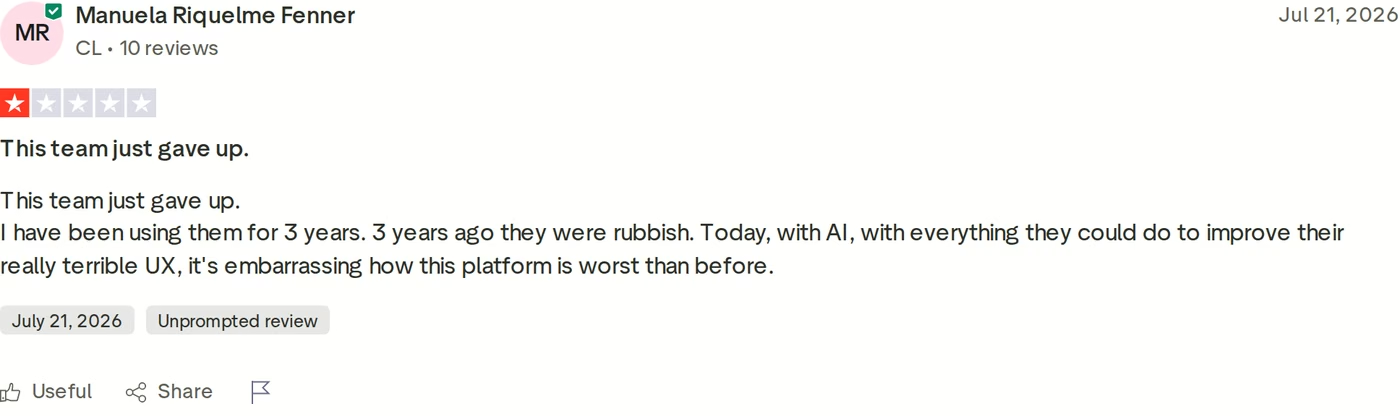
Review scores differ a lot by site. CostBench lists Outreach at 4.3 out of 5 on G2 from 3,571 reviews, but 2.7 out of 5 on Trustpilot from 40.
Outreach limitations
- No published price on any package, annual contracts, and no self-serve trial.
- No native LinkedIn automation. LinkedIn steps are tasks a rep completes by hand.
- No mailboxes and no warm-up. Domains and sender reputation stay your problem.
- AI spend moves with usage, because every agent action draws down credits.
If the quote is the blocker, I keep a tested list of Outreach alternatives. Enterprise buyers can also read my Outreach vs Salesloft breakdown.
Yesware Overview: Features, Pricing, and Limitations
Yesware is a sales email add-on for Gmail and Outlook, founded in Boston in 2010. Vendasta, a Canadian software company, bought it in October 2022, and it now trades as Vendasta Yesware.
Yesware says 6,000+ companies use it, with 1.4M+ Gmail and Outlook installs. It lives inside the inbox, so reps never open a separate app.
Core Yesware features
- Open, link, and attachment tracking inside Gmail or Outlook. On the Free plan, tracking only covers emails sent in the last 24 hours.
- Email templates with dynamic merge fields and personal folders.
- Campaigns with email, call, and custom-task touches. LinkedIn touches come only on Premium and Enterprise, in Gmail.
- A Meeting Scheduler that connects Google and Office 365 calendars, with a Zoom integration.
- Reports on personal activity, recipient engagement, templates, and campaigns.
- A Salesforce sidebar and two-way activity sync on the Enterprise plan.
- Prospector, a database of 100M+ B2B contacts, sold as a credit add-on from $37.50/mo on annual billing.

Yesware pricing
- Yesware Free: $0, with 10 campaign recipients a month.
- Yesware Pro: $19/seat/mo monthly or $15/seat/mo annual, with 20 campaign recipients a month and up to 5 users.
- Yesware Premium: $45/seat/mo monthly or $35/seat/mo annual, with unlimited campaigns and shared templates.
- Yesware Enterprise: $85/seat/mo monthly or $65/seat/mo annual, adding Salesforce sync and single sign-on.
Capterra and GetApp list the same numbers, and Yesware offers a 14-day free trial with no credit card. The catch is the recipient cap: Yesware Pro allows 20 campaign recipients a month, enough for follow-ups but not for outbound campaigns. Real campaigns start at Yesware Premium.
Who Yesware fits
Yesware fits individual reps and small teams who send one-to-one email and want to know when it gets opened. Enterprise suits Salesforce shops that need email and calendar activity logged without manual entry.
What reviewers say about Yesware
In the G2 reviews I went through, the repeat complaints are Outlook and Salesforce sync drops, campaigns that cannot be edited after launch, and thin onboarding. Capterra's October 2026 summary adds that per-user pricing strains budgets as teams grow.

Yesware limitations
- Yesware Pro caps campaigns at 20 recipients a month, so any real volume needs Premium.
- Every email leaves from the rep's own inbox, with no mailbox rotation and no warm-up.
- No LinkedIn automation. LinkedIn touches are reminders a rep completes by hand, and they need a Sales Navigator login.
- The live pricing page lists no AI writer and no AI SDR.
If those limits are a problem, see my shortlist of Yesware alternatives.
Salesforge Overview: The Multichannel Outbound Stack
Salesforge is a multichannel outreach platform that runs cold email and LinkedIn in one sequence and one inbox. It is the outreach layer of the Forge Stack, built by a former VP of Sales.
Core Salesforge features
- Conditional sequences with if/then logic: an accepted connection request triggers a LinkedIn message, and no acceptance falls back to email.
- Six native LinkedIn actions: connection requests, messages, InMails, post likes, follows, and withdraw requests, each capped at 30 per day per profile.
- Account safety as standard: session-token login, so LinkedIn passwords are never stored.
- AI personalization across 21+ languages, using AI variables like company news and LinkedIn activity in both channels.
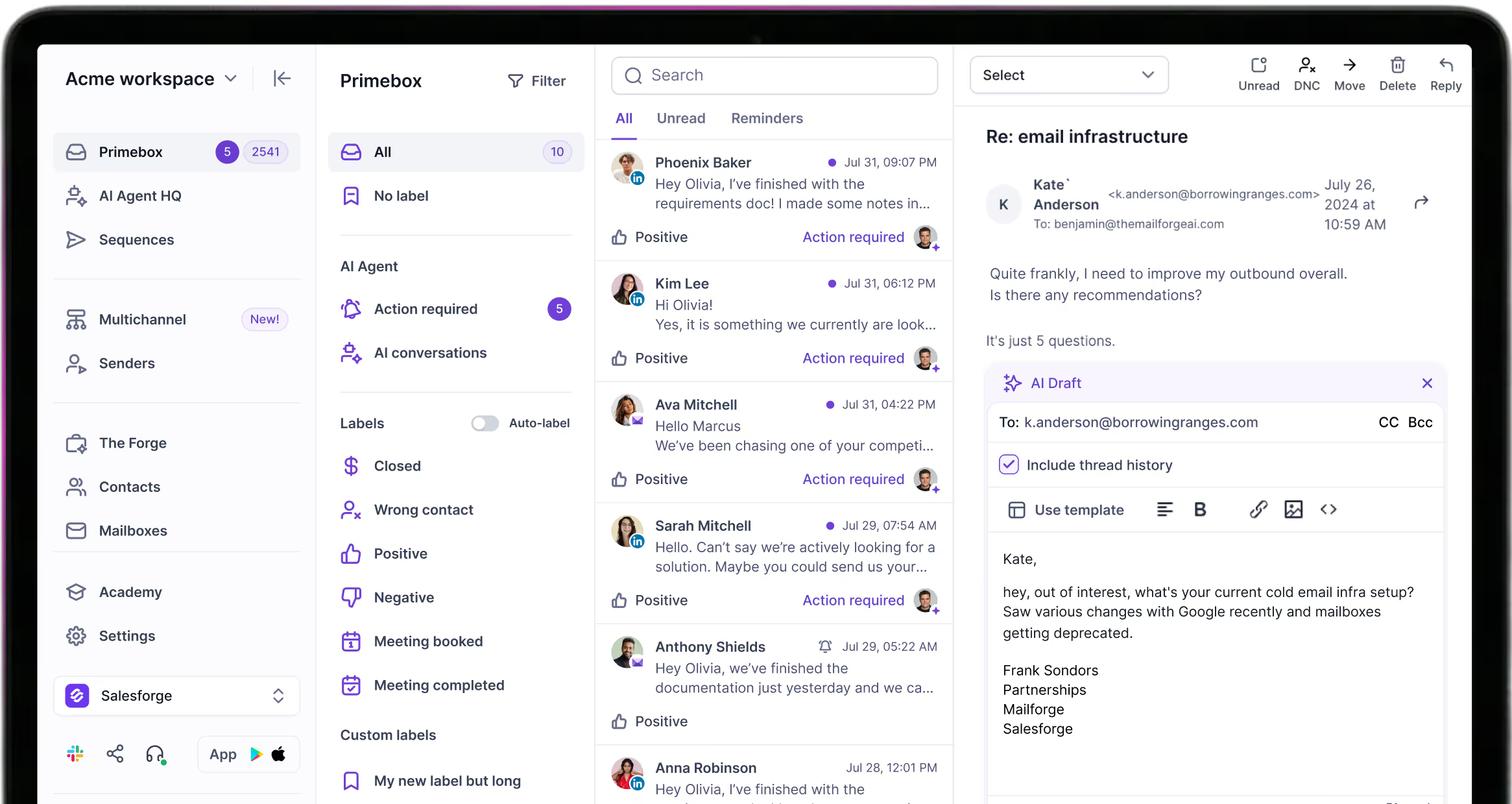
- Primebox™ puts email and LinkedIn replies in one inbox on every plan. Its Autopilot and Co-pilot reply modes need Salesforge Growth.
- A/B testing (Growth only) and cross-channel analytics, with open, reply, connection acceptance, and meeting rates in one dashboard.
- Unlimited mailboxes and workspaces on every plan, plus unlimited users and LinkedIn senders on Growth.
- Deliverability defaults: sender rotation, Bounce Shield, built-in email validation, text-only sends, and ESP matching on Growth.
- The LinkedIn email and phone finder Chrome Extension, powered by Leadsforge, with 100 free credits on signup.
- One subscription covers both channels, with no separate LinkedIn or email license.
- API access on Growth, plus an MCP server and CLI, so Claude or Cursor can build and launch sequences.
- Native integrations with HubSpot, Salesforce, Pipedrive, HighLevel, Attio, Folk, Breakcold, Clay, Bitscale, RB2B, Databar AI, Persana AI, Sendspark, Weezly, Slack, Zapier, Make, and webhooks.
The Forge Stack context
Salesforge comes with Warmforge, which warms every connected mailbox for free from a premium pool. Each mailbox gets a Heat Score™, and 97+ means healthy.
Three infrastructure products sit under the same login: Mailforge for shared mailboxes, Infraforge for dedicated IPs, and Primeforge for real Google Workspace and Microsoft 365 mailboxes. You can move between them as you grow without migrating.
Leadsforge adds 500M+ contacts with waterfall enrichment and intent signals, and lists flow into sequences without a CSV export. Every Forge product is MCP-native, so your own agents can run the whole stack.
The stack also runs three ways: your team operates it, Agent Frank operates it, or a Forge Expert agency runs it for you. Neither Outreach nor Yesware sells infrastructure, deliverability, lead data, outreach, and an AI SDR under one roof.
Salesforge pricing
- Salesforge Pro: $48/mo monthly or $40/mo annual. 1,000 active contacts, 5,000 emails a month, 1 user, and 1 LinkedIn sender.
- Salesforge Growth: $96/mo monthly or $80/mo annual. 10,000 active contacts, 50,000 emails a month, unlimited users, and unlimited LinkedIn senders.
- Agent Frank: a separate subscription at $499/mo billed quarterly, or $416/mo billed annually.
Annual billing works out to two months free. You can verify the live price before you sign up.
Try Salesforge Free for 14 DaysWho Salesforge fits
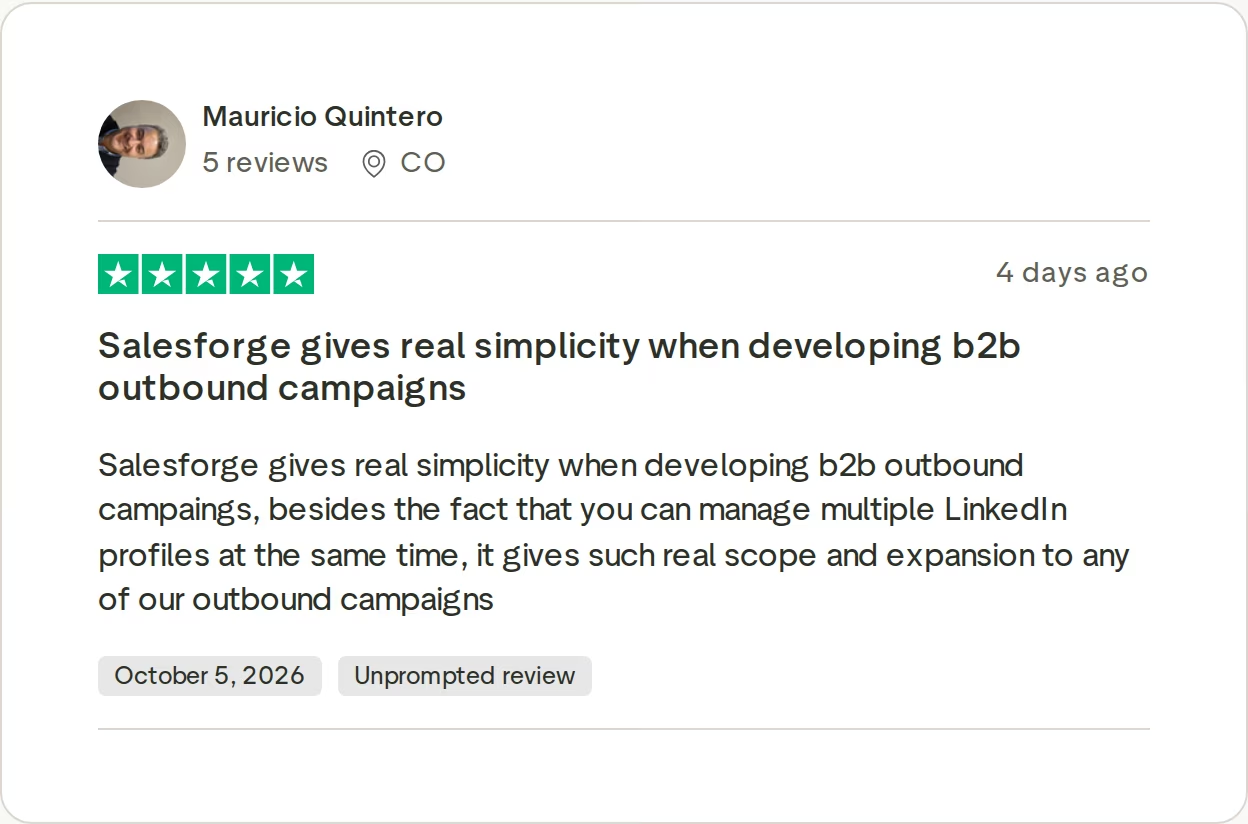
Salesforge fits B2B teams selling at $5K to $100K ACV to startups, SMBs, and mid-market companies, with 3,000+ target businesses. ChannelCrawler reached an 85.71% positive reply rate on Salesforge, Infraforge, and Warmforge.
Salesforge itself says it is a poor fit if you mostly target Fortune 500 accounts, run long RFP cycles, or close six- and seven-figure deals.
Salesforge limitations
- No plan includes email infrastructure. Mailboxes are a separate purchase, or you connect your own.
- Salesforge Pro is 1 user and 1 LinkedIn sender. API access, A/B testing, ESP matching, Primebox™ AI replies, and the full integrations library need Growth.
- Agent Frank needs a sales-led demo and a 2-week warm-up before he sends, and he has no self-serve trial.
in Action
Head-to-Head Feature Comparison: Outreach vs Yesware
Multichannel outreach and LinkedIn
Outreach runs email and call steps in one sequence. LinkedIn shows up as a task, and its own sales execution report counts those as completed LinkedIn tasks.
Yesware works the same way. Its Sales Navigator touches remind a rep to connect or send an InMail, only on Premium and Enterprise and only in Gmail. In both tools, a rep does each LinkedIn step by hand.
Salesforge executes six LinkedIn actions inside the sequence and routes prospects by behavior. An accepted invite triggers a LinkedIn message, and silence falls back to email. That is real multichannel outreach, and neither competitor automates it.
Each LinkedIn action is capped at 30 per day per profile to stay inside safe limits. On the Outreach side, multi-channel sequences also need Amplify Core or higher, because Essentials leaves them out.
This video from the Salesforge channel covers the best multichannel outreach tools for booking 500+ meetings a month:
Email deliverability and warm-up
Neither Outreach nor Yesware sells mailboxes or warms them. Outreach sends through each rep's connected mailbox, and Yesware sends from the rep's own Gmail or Outlook account.
Salesforge includes unlimited Warmforge warm-up on both plans, with a Heat Score™ for every mailbox. Sender rotation spreads volume, Bounce Shield blocks addresses likely to bounce, and ESP matching on Growth pairs Google senders with Google recipients.
The Warmforge pool mixes aged IMAP/SMTP, Google Workspace, and Microsoft 365 mailboxes. Health Checks watch DNS, MX, and blacklist status, and placement tests show whether mail lands in primary, promotions, or spam before a campaign goes live.
Salesforge also publishes clear volume guidance: 30 to 50 cold emails per mailbox per day, after at least two weeks of email warm-up. Outreach and Yesware sell no mailboxes, so planning mailbox counts is on you.
AI personalization and AI SDR
Between the two, Outreach has far more AI. Amplify Core includes the Research and Personalization agents with 25,000 AI credits, and Amplify Plus adds the Deal Agent with 50,000. Yesware's pricing page lists templates and merge fields, but no AI writer.
Outreach's AI also covers call transcripts, deal health alerts, and meeting prep. That helps AEs and managers more than it helps a cold outreach team.
Salesforge personalizes email and LinkedIn messages across 21+ languages, and Overdrive Mode pulls from every source for 2 credits per preview. Agent Frank, the AI SDR, prospects, writes, follows up, and books meetings across both channels.
He is a separate subscription at $499/mo billed quarterly, and he needs a demo and a 2-week warm-up first. His base plan covers 1,000 active contacts, roughly 2,000 to 2,500 new leads reached a month. VAI Consulting booked 3 calls within the first week after sharpening its ICP with him.
Inbox management and reply handling
Outreach keeps email and call activity in its own platform, and Yesware leaves replies in Gmail or Outlook. Neither one puts LinkedIn replies next to email replies.
Primebox™ does, on every Salesforge plan. It tags replies positive, neutral, or negative, catches replies sent from a different address, and works on mobile. On Growth, Co-pilot drafts a reply for you to approve, and Autopilot keeps the conversation going.
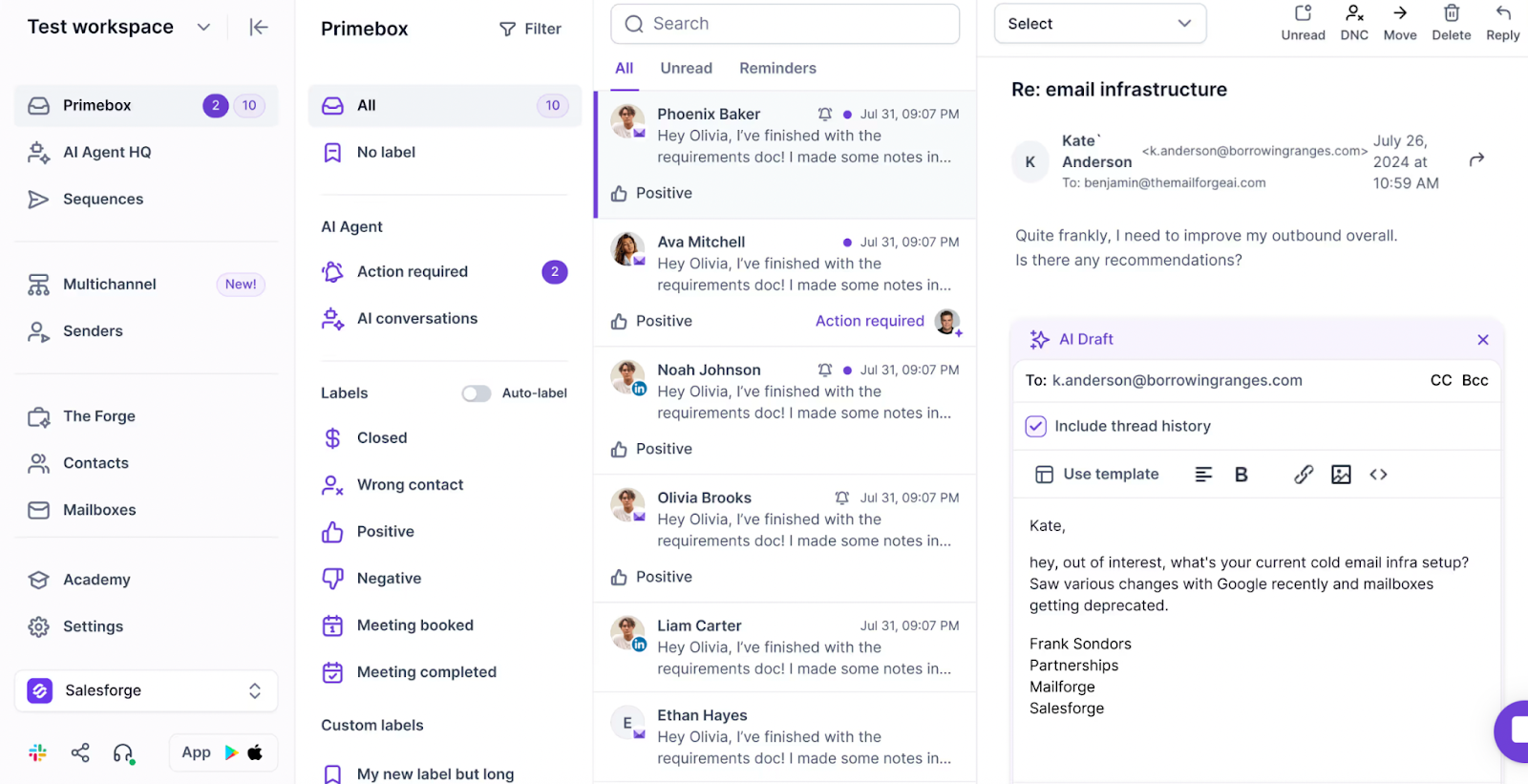
For a team running many mailboxes, that replaces checking each inbox one by one. Saved reply templates and follow-up reminders live in the same view. Here is how a unified inbox works for cold email.
Pricing and scalability
Outreach and Yesware both charge per seat, so every new rep raises the bill. Ten reps on Yesware Premium cost $350 a month on annual billing, and ten on Outreach Amplify Core run near $1,000 a month by buyer reports.
Outreach also meters agent actions on AI credits, so a busy quarter can cost more than a quiet one. Yesware Enterprise, the plan with Salesforce sync, puts the same ten reps at $650 a month on annual billing.
Salesforge Growth stays at $96/mo monthly or $80/mo annual for unlimited users and LinkedIn senders. Adding a rep does not change that price.
The cost that grows is mailboxes, at $2 to $4.50 per mailbox per month across Mailforge, Infraforge, and Primeforge. Warm-up adds $0, because Warmforge is included, while an Outreach or Yesware team buys warm-up separately. Warmforge alone runs $9 per mailbox per month on annual billing.
Lead data, integrations, and developer access
On Salesforce depth specifically, Outreach leads with two-way sync. Its packages also include custom objects, 250,000 to 1,000,000 API calls, and an MCP server. Yesware's Salesforce sync is an Enterprise feature, and its Prospector data is billed apart from seats.
Salesforge connects natively to HubSpot, Salesforce, Pipedrive, and Clay, plus Zapier, Make, and webhooks. API access comes with Growth, and Leadsforge pushes 500M+ contacts with waterfall enrichment straight into a sequence.
Leadsforge also finds lookalike companies, turns a competitor's followers into a lead list, and filters on intent signals like funding rounds and job changes.
Outreach vs Yesware Pricing: What Each Tool Costs in 2026
Outreach sells by quote, Yesware sells by seat, and Salesforge sells flat plans. Here is how the three line up, using each vendor's live pricing page on November 8, 2026.
| Pricing | Salesforge | Outreach | Yesware |
|---|---|---|---|
| Free option | 14-day trial, no credit card | None; demo first | Yesware Free: $0, 10 campaign recipients/mo; 14-day free trial |
| Entry plan | Salesforge Pro: $48/mo monthly, $40/mo annual | Outreach Amplify Essentials: quote only, no multi-channel sequences | Yesware Pro: $19/seat/mo monthly, $15 annual |
| Mid plan | Salesforge Growth: $96/mo monthly, $80/mo annual, unlimited users | Outreach Amplify Core and Plus: quote only; reported near $100 and $130 per user/mo | Yesware Premium: $45/seat/mo monthly, $35 annual |
| Top plan | Salesforge Growth | Outreach Amplify Pro: quote only; reported near $160 per user/mo | Yesware Enterprise: $85/seat/mo monthly, $65 annual |
| Pricing basis | Flat plan, not per seat | Per seat plus AI credits | Per seat |
| AI SDR | Agent Frank, separate: $499/mo billed quarterly ($416/mo annual) | AI agents metered on credits | None |
| Extra costs | Mailboxes: $2 to $4.50 per mailbox/mo | Implementation, reported $1,000 to $25,000+; credit packs; add-ons | Prospector credits, from $37.50/mo annual |
Seat pricing decides the long-term cost. Yesware and Outreach both charge for every rep you add, and Outreach adds a usage meter on top through AI credits. Salesforge Growth costs the same for 2 users or 20.
A concrete scenario: 6 reps, 30,000 cold emails a month, LinkedIn alongside
Thirty thousand emails a month is about 1,000 a day. Salesforge's own guidance puts that at 20 to 30 mailboxes across 5 to 10 domains, at 30 to 50 emails per mailbox per day.
- Salesforge: Growth at $80/mo annual plus 30 Mailforge mailboxes at $3 each ($90/mo, billed annually) comes to $170 a month, plus domains. Warm-up is free, and all 6 reps run LinkedIn as unlimited senders.
- Yesware: Premium at $35 per seat comes to $210 a month on annual billing, or $270 billed monthly. All 30,000 emails leave from 6 inboxes, about 167 a day each, with no warm-up and no rotation. LinkedIn touches stay manual and need paid Sales Navigator seats on top.
- Outreach: Amplify Core at a reported $100 per user is about $600 a month, before implementation. Mailboxes and warm-up still come from other vendors, and LinkedIn stays a manual task.
Salesforge costs the least in this scenario, and it is the only one of the three with warm-up and mailboxes in the same account.
Who Should Use Which Sales Engagement Tool
You might consider Outreach if:
- You run 50+ sellers on Salesforce, with a RevOps team that owns forecasting and coaching.
- Conversation intelligence and deal reviews matter more to you than cold email volume.
- Your security review requires ISO 27001, ISO 42001, or HIPAA alongside SOC 2 Type II. Outreach holds all four.
You might consider Yesware if:
- You are one rep who wants open tracking inside Gmail or Outlook. Yesware Free covers basic open and attachment tracking at $0.
- Your email is one-to-one follow-up, not campaigns, so the 20-recipient cap on Yesware Pro does not get in the way.
- Your team lives in Salesforce and needs email and calendar activity logged automatically. Yesware Enterprise does that at $65 per seat on annual billing.
Choose Salesforge if:
- You sell B2B at $5K to $100K ACV to startups, SMBs, or mid-market companies, and you target 3,000+ businesses.
- You want email and LinkedIn in one branching sequence, with replies from both in Primebox™.
- Your team is growing and you are done paying per seat. Salesforge Growth covers unlimited users for $80/mo annual.
- You run outbound for several clients and need unlimited workspaces, mailboxes, and senders.
- You want an AI SDR option later. Agent Frank runs the same workflow as a separate subscription from $499/mo billed quarterly.
For more head-to-heads, browse my other tool comparisons or the sales tools directory.
Final Verdict: Which Outbound Platform to Choose
Outreach and Yesware sit at opposite ends of the same category. Outreach is an enterprise revenue platform that keeps its price behind a demo and meters AI on credits. Yesware is a per-seat inbox add-on that caps Yesware Pro campaigns at 20 recipients a month.
Neither one automates LinkedIn, sells mailboxes, or warms them up. For a team that books meetings from cold outreach, those three gaps decide the results.
For multichannel B2B outbound at SMB and mid-market scale, Salesforge is the stronger choice. Salesforge Growth is $80/mo annual ($96/mo monthly) for unlimited users and LinkedIn senders, with free Warmforge warm-up and Primebox™ included. Neither alternative offers that mix at any price.
One benchmark you can check: UniteSync reached an 85.26% positive reply rate and a $2.86 CAC on Salesforge, Mailforge, and Warmforge. The case study is public.

Outreach vs Yesware FAQs
Is Salesforge better than Outreach and Yesware?
For multichannel B2B outbound at SMB and mid-market scale, yes. Salesforge runs six native LinkedIn actions and email in one branching sequence, while Outreach and Yesware treat LinkedIn as manual tasks.
Salesforge also includes free Warmforge warm-up and sells three infrastructure options, and neither competitor offers either. For enterprise forecasting across 50+ Salesforce seats, Outreach is the deeper platform.
What's the main difference between Outreach and Yesware?
Scope and buying model. Outreach is a quote-only AI revenue platform with sequences, a dialer, conversation intelligence, and forecasting, priced per seat plus AI credits across four Amplify packages.
Yesware is a Gmail and Outlook add-on for tracking, templates, and simple campaigns, with paid plans at $15 to $65 per seat on annual billing. Outreach replaces several sales tools, while Yesware sits inside your inbox.
Which is cheaper: Outreach, Yesware, or Salesforge?
For a team, Salesforge. Salesforge Growth costs $96/mo monthly or $80/mo annual for unlimited users.
Yesware Premium, the first plan with unlimited campaigns, is $35 per seat on annual billing, so six reps pay $210 a month. Outreach publishes no prices, and buyer reports put Amplify Core near $100 per user per month plus implementation. A solo rep who only needs open tracking can use Yesware Free at $0.
Do Outreach or Yesware automate LinkedIn outreach?
No. Outreach adds LinkedIn as task steps, and its sales execution report counts them as completed tasks.
Yesware's Sales Navigator touches only remind a rep to connect or send an InMail, and they run in Gmail on Premium and Enterprise. Salesforge sends connection requests, messages, InMails, post likes, follows, and withdraw requests inside the sequence, with each action capped at 30 per day per profile.
Can I switch from Outreach or Yesware to Salesforge easily?
Yes. Contacts import by CSV or Google Sheets, and native HubSpot, Salesforce, and Pipedrive integrations keep your CRM in sync.
You can connect unlimited mailboxes on any plan, and Warmforge warms them at no extra cost. Plan two weeks of warm-up before new mailboxes send at volume. The 14-day trial covers 50 contacts and 100 emails, enough to test a sequence first.
Which tool has better email deliverability?
Salesforge, because it is the only one of the three with deliverability tools built in. It includes unlimited Warmforge warm-up with a Heat Score™ per mailbox, sender rotation, Bounce Shield, built-in email validation, and ESP matching on Growth. Outreach and Yesware send from mailboxes you bring and include no warm-up, so you would buy those tools from another vendor.
Does Salesforge offer a free trial?
Yes, 14 days with no credit card. The trial includes 50 contacts, 100 emails, 50 email validation credits, 50 personalization credits, and 100 social action credits, with warm-up and unlimited mailbox connections. Agent Frank is the exception: he needs a sales-led demo and a 2-week warm-up, and he has no self-serve trial.
Who are Outreach and Yesware best for?
Outreach fits enterprise revenue teams with 50+ reps, Salesforce, and a RevOps function that needs forecasting and coaching. Yesware fits individual reps and small teams who send one-to-one email from Gmail or Outlook and want to see opens, clicks, and attachment views. Teams booking meetings from cold email and LinkedIn at volume tend to outgrow both.