

Personalized Outbound Strategy
Get The Right Outbound Strategy In Minutes
Enter your email to get a custom plan & stack recommendation for your business
It's being carefully crafted by AI
Please check your mailbox in 5 minutes
A lot of people still treat email deliverability as something they only need to think about once. They buy a domain, set up a few inboxes, add SPF, DKIM, and DMARC, turn on warmup, connect everything to their sending tool, upload a list, write a sequence, and hit send.
Then the dashboard says your emails were delivered, so everything seems fine. But the next morning, the campaign has barely any opens and almost no replies.
At that point, it’s easy to blame the subject line or assume the copy just isn’t strong enough. So you make a few edits, add another follow-up, send the next batch, and wait.
Then you repeat the same process the next day. The frustrating part is that the issue may have nothing to do with the copy at all. Your emails could be landing in spam, promotions, or another low-attention folder where the person you want to reach never even sees them. That’s the part most people overlook.
Delivered does not mean inboxed. It only means the receiving server accepted your email. And in 2026, that distinction matters more than ever. Gmail says it blocks nearly 15 billion unwanted emails every day and stops more than 99.9% of spam, phishing, and malware before they reach users. So if your domain reputation, mailbox setup, sending volume, or list quality is off, your campaign can still fall flat before anyone reads the first sentence. That’s what deliverability without visibility looks like: you keep fixing the things you can see while the real problem sits one layer deeper.
MailOptimal is built for that kind of work. It helps you check inbox placement, monitor sender health, and catch deliverability issues before your campaigns go quiet. In this review, I’ll break down what it does, where it helps, where it feels limited, and whether it’s worth using for email deliverability in 2026.
Overall Rating: 7.5/10
Good Fit For: Sales teams that want one platform for outreach and deliverability. It can also work well for agencies or recruiters managing several email accounts.
Not Ideal For: Teams that need deep campaign reporting. It may also feel too broad for companies that only need one outbound function.
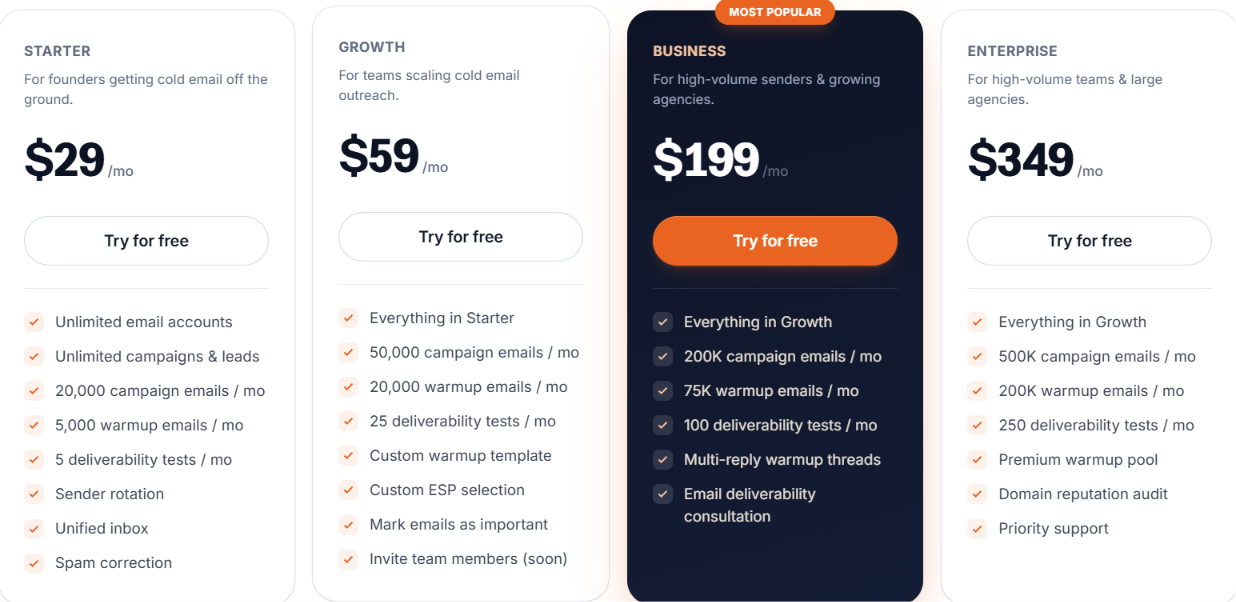
Starting Price: $29 per month
G2 Rating: 4.2 out of 5 from 8 reviews
Pros of MailOptimal
Cons of MailOptimal
A Better Alternative: Salesforge
MailOptimal earns its 7.5 rating because it covers a lot of the outbound process in one place. You can find leads and send campaigns from the same account, while also warming mailboxes and managing replies.
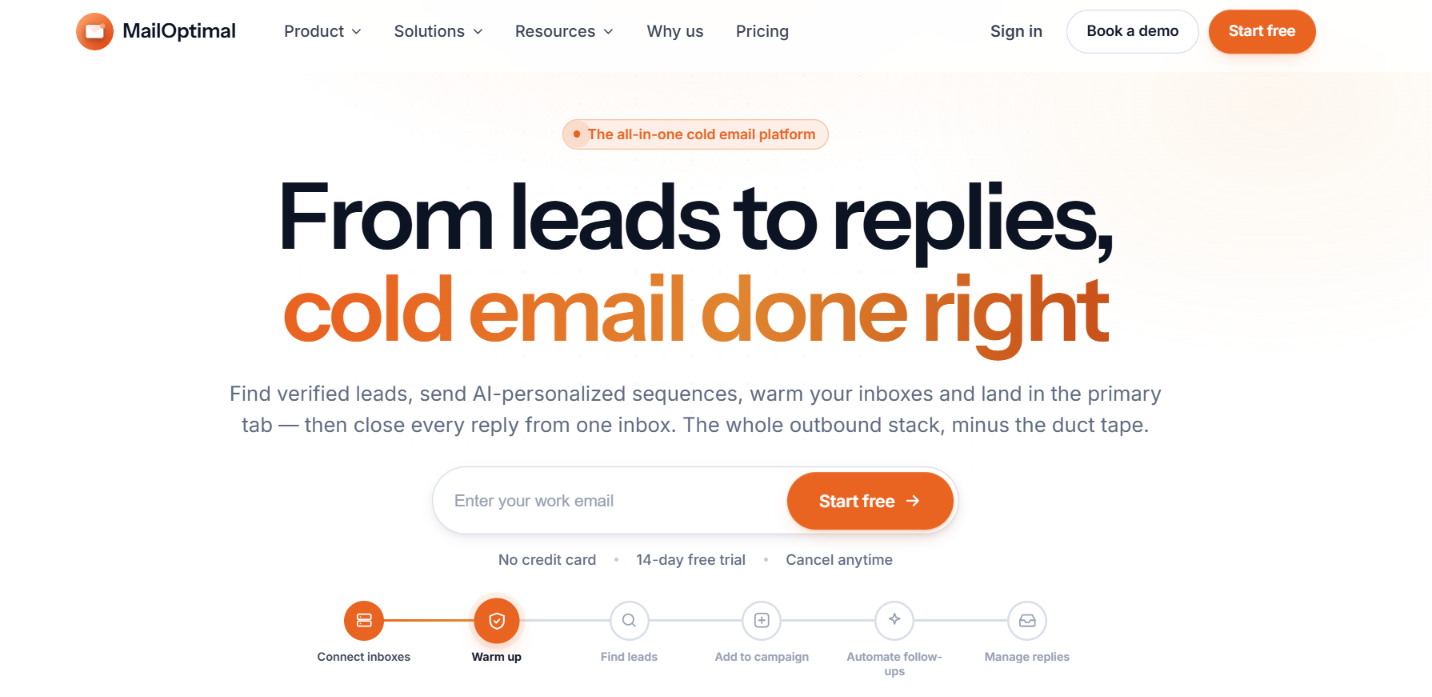
MailOptimal is a cold email platform that focuses on email deliverability. As I went through the platform I found that it brings campaign management and mailbox setup into the same product ecosystem.
You can connect your own Google Workspace, Microsoft 365, Azure, or SMTP mailboxes. If you don't have sending accounts, you can also buy them through MailOptimal. Once everything is ready you can launch campaigns and manage replies from the same place.
MailOptimal also offers separate products for lead finding, email verification, and email infrastructure. That means you can find prospects, verify email addresses, and prepare your mailboxes before starting your outreach.
MailOptimal ties its main features into one cold email workflow. You can prepare mailboxes and protect sender health before sending, then find leads and run campaigns without moving data between tools.
MailOptimal puts email deliverability at the centre of the product. It warms connected mailboxes before campaigns begin, then checks sender health while those campaigns run.
The platform checks SPF and DKIM records, reviews DMARC and other domain settings, and runs inbox placement tests to show whether emails reach the inbox or land in spam.
It also monitors blocklists and helps fix common spam issues. Sender rotation spreads emails across several mailboxes, which prevents one account from carrying the full sending load.

MailOptimal keeps email outreach close to the rest of the platform. You start by describing your offer, and the AI builds a complete multi-step sequence instead of making you write every email yourself.
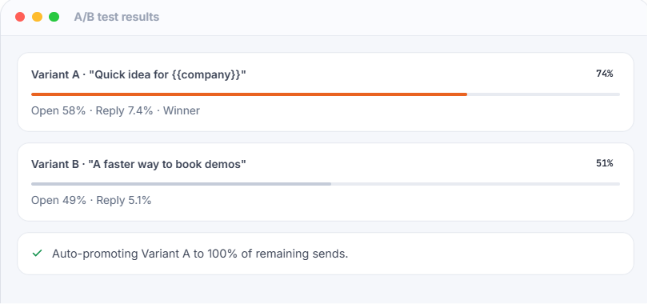
The platform personalizes emails with prospect data and supports merge fields and spintax. You can also test different versions through A/B testing before sending at scale.
The workflow stays connected from start to finish. Verified leads move straight into a campaign without exporting lists, and follow-up emails stop after a reply so contacts don’t keep receiving messages they no longer need.

Lead Finder gives MailOptimal a built-in source of prospect data. Its database covers more than 700 million verified B2B contacts across 42 million companies.
Search filters help narrow the list by job title, industry, company size, funding, and hiring signals. Once you find the right contacts, you can move them straight into a campaign.
MailOptimal verifies each email first, which keeps invalid addresses out of the list and reduces the work needed before outreach starts.
Email setup often slows down cold outreach. DNS records take time to configure, and small mistakes can hurt deliverability from the beginning.
MailOptimal reduces that work by letting you buy Google Workspace, Microsoft 365, or Azure mailboxes from the platform. You can also connect accounts you already use.
For new mailboxes, MailOptimal configures SPF, DKIM, and DMARC records for you. That removes much of the manual setup before sending begins. Existing Google Workspace and Microsoft 365 accounts can connect in a few clicks, which makes it easier to bring an existing outbound setup into MailOptimal.

Reply management becomes harder as campaign volume grows. More mailboxes create more conversations. You often waste time moving between inboxes just to keep up.
MailOptimal brings all replies into a single shared inbox. The same workspace keeps conversations together across connected mailboxes and active campaigns. The built in CRM keeps work moving after a reply arrives. You can assign conversations, add notes, or create tasks.
You can also move prospects through different pipeline stages without leaving the conversation.
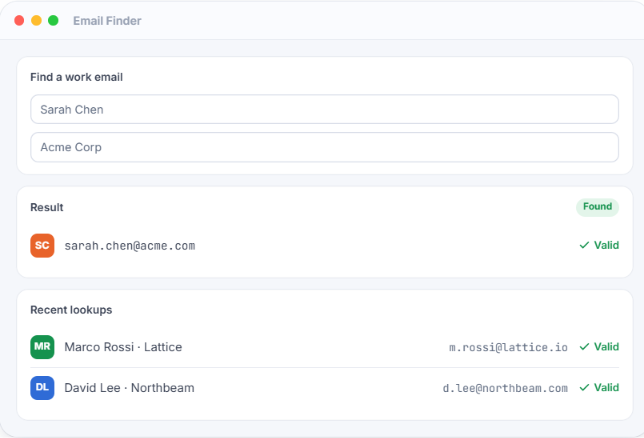
MailOptimal can find a work email from a person’s name and company. It also checks addresses through real-time SMTP verification before you add them to a campaign.
You can clean a full list in bulk and review a confidence score for each result, which gives you a clearer view of which addresses are likely to work.
MailOptimal handles email discovery and list checks in the same platform, so you don’t need to export contacts to another tool before outreach. The checks can remove invalid addresses before they ever reach your campaign.
MailOptimal sells each product separately, so you only buy the tools you need. Every product comes with a 14-day free trial, and you don’t need a credit card to start.
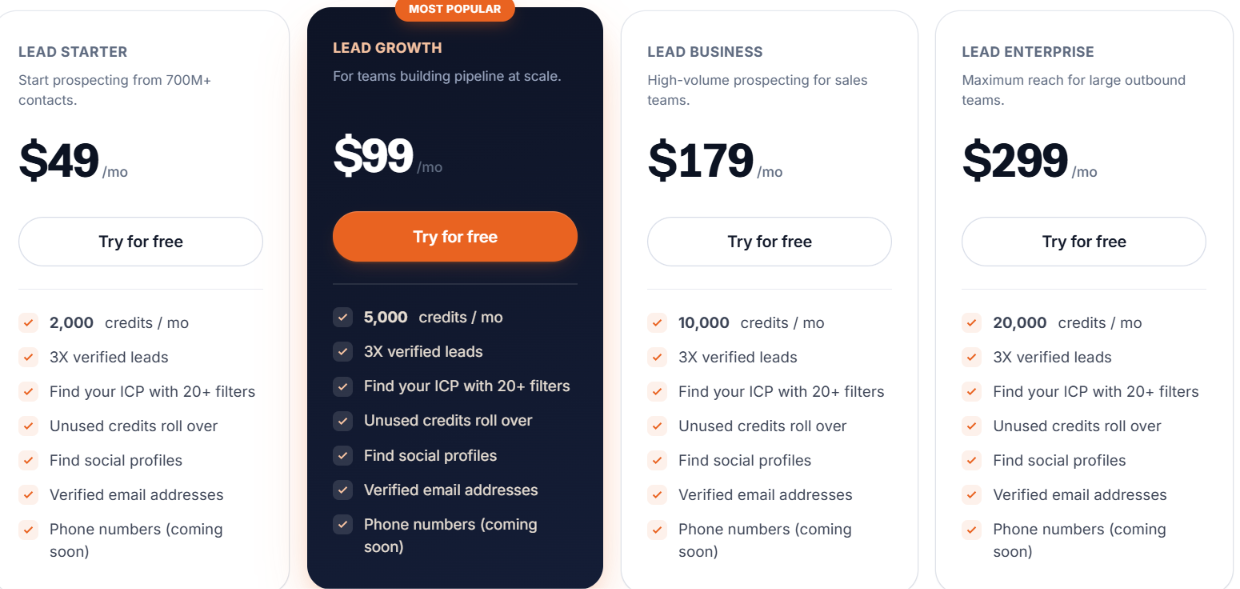
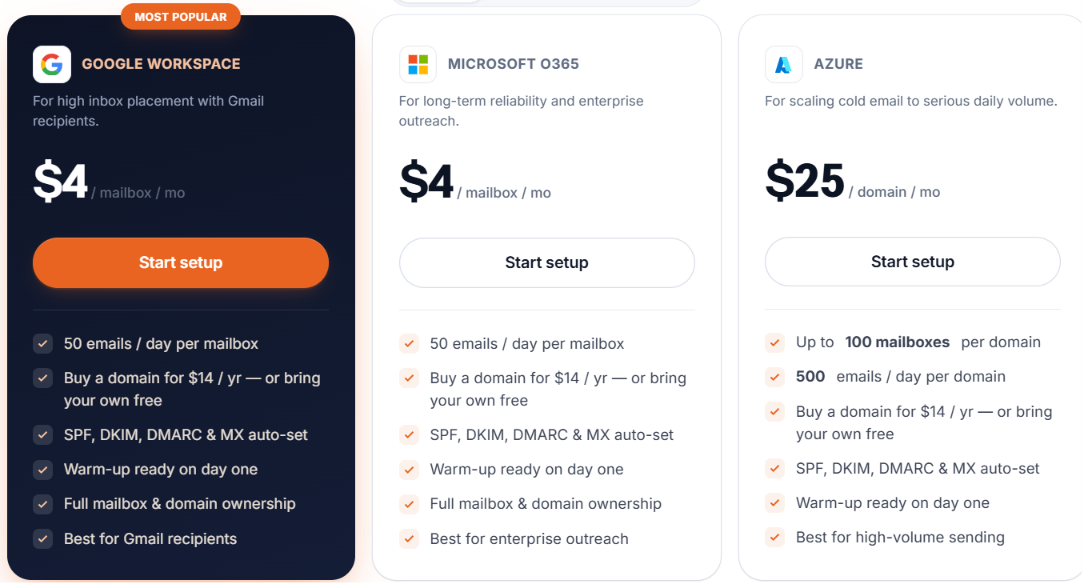
You can connect your own domains or buy new ones for $14 a year. Every provisioned mailbox receives automatic SPF, DKIM, DMARC, and MX configuration, and each mailbox is ready for warmup after setup.
MailOptimal doesn’t lock every feature into one plan. You can buy outreach on its own, lead generation on its own, or add email infrastructure when you need it.
For most users, MailOptimal keeps setup fairly simple. Connect your Google Workspace, Gmail, Microsoft 365, Outlook, or SMTP account, then start warmup, check your domain health, add your leads, and launch your first campaign.
Google users can sign in with OAuth, and MailOptimal also configures SPF and DKIM for provisioned mailboxes. It sets up DMARC and MX records too, so you can start sending without handling those records yourself.
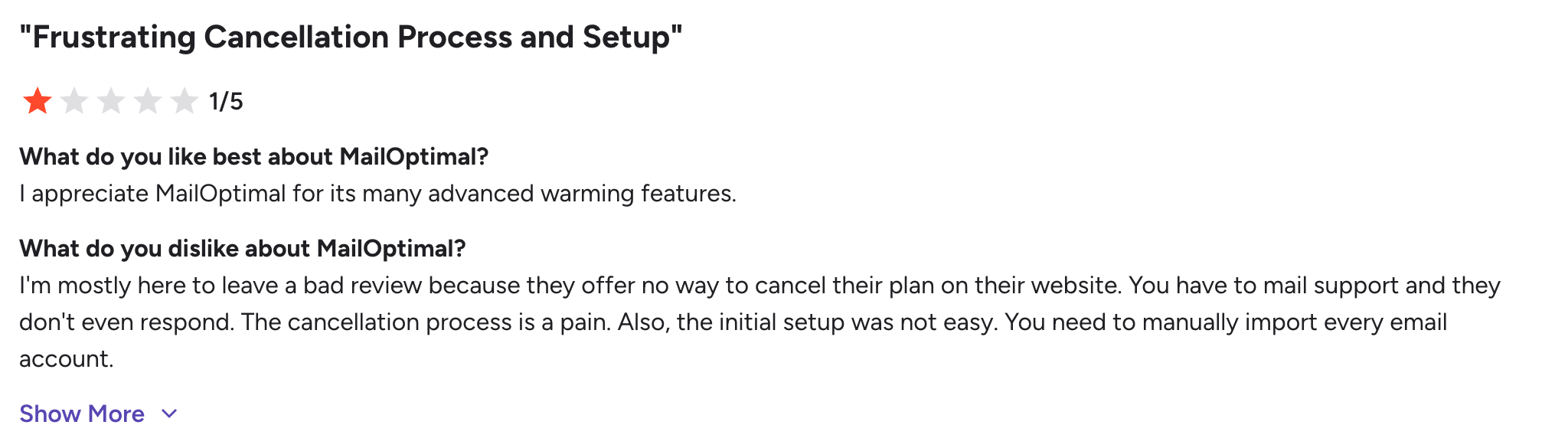
Most G2 reviewers described setup as simple and said the platform was easy to use. One reviewer had a different experience and had to import several email accounts by hand. So while most users should get up and running without much trouble, people with many existing mailboxes, may need more time.
Most feedback is positive, with users often mentioning better deliverability, unlimited warmup, simple setup, and broader outbound tools.
Most complaints focus on reporting and mailbox setup, and one reviewer also criticised the cancellation process.
MailOptimal works well if you want lead data and email verification in one product group. It also covers email outreach and email infrastructure.
Salesforge is a better fit if you you want to run larger campaigns across email and LinkedIn. It focuses more on multichannel outreach and campaign control.
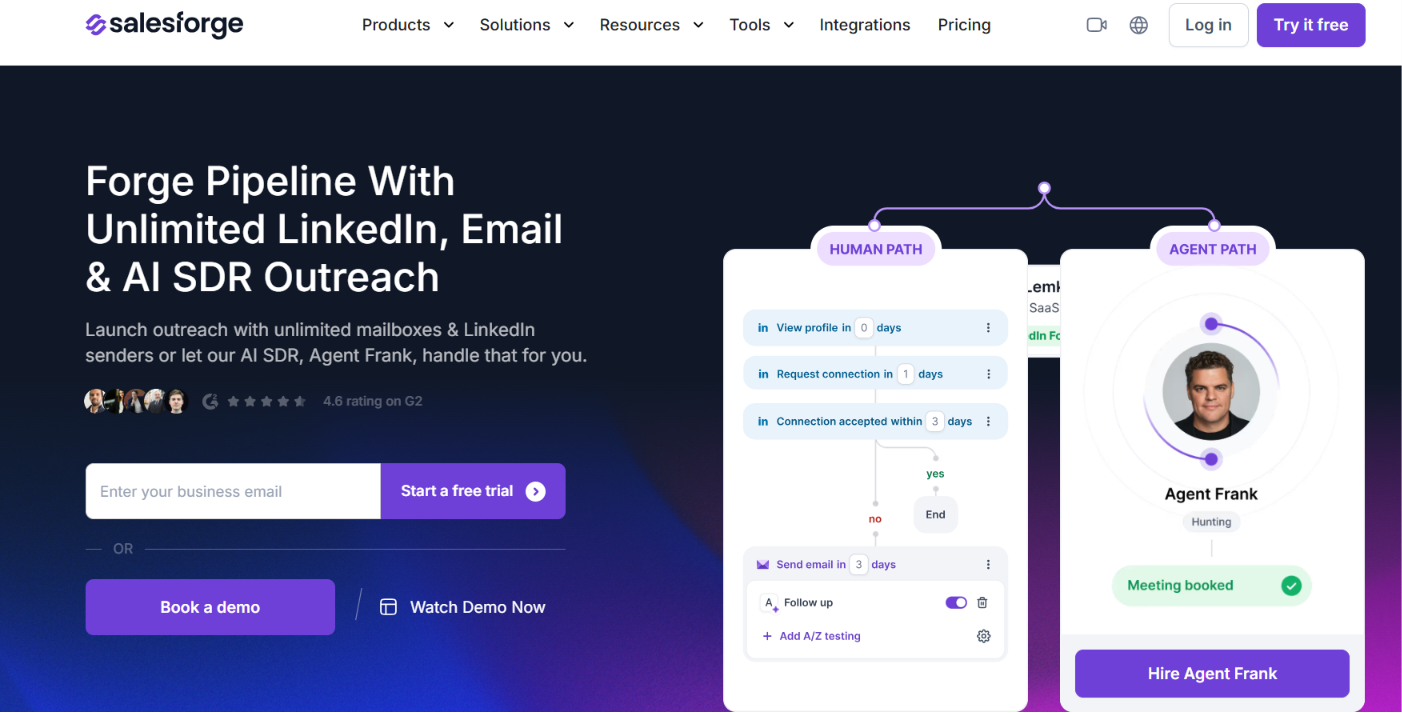
Salesforge supports email and LinkedIn sequences. You can personalize emails with AI, manage replies through Primebox, and track campaign results with more control over deliverability.
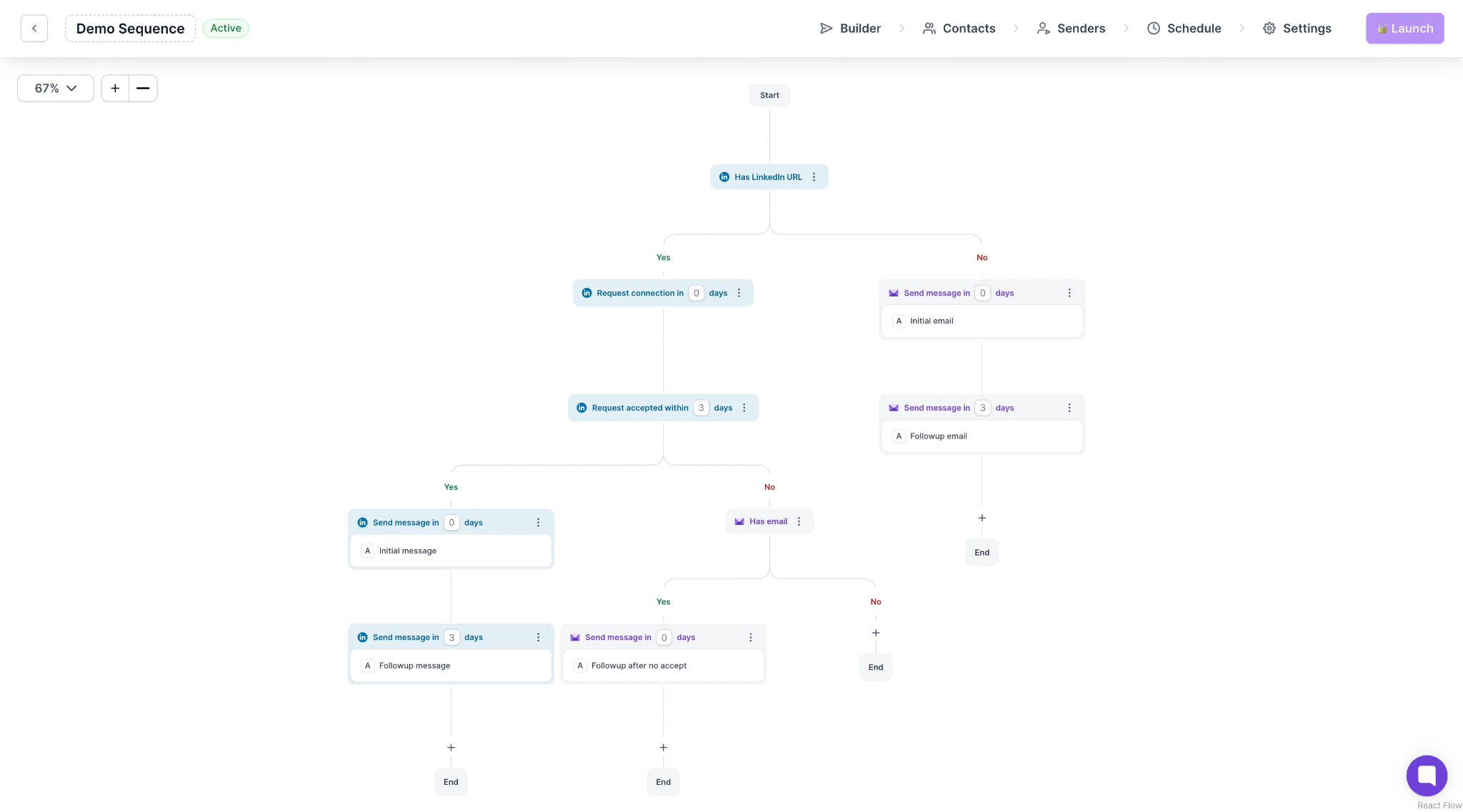
It also works well if you already have lead data or mailbox infrastructure. You can keep those tools and use Salesforge for outreach, giving you more control over your sales stack.
MailOptimal gives you lead data and email outreach in one product group, plus verification and mailbox setup. Salesforge puts more weight on multichannel campaigns, adds LinkedIn outreach and stronger reply tools, and gives you more detailed campaign reports.
Enter your email to get a custom plan & stack recommendation for your business
Please check your mailbox in 5 minutes

MailOptimal gives you one place to manage most cold email tasks. You can find leads, verify emails, run campaigns, and manage mailbox setup, with warmup and deliverability standing out as its strongest areas. Many users also found it easy to set up, which makes it appealing for teams that want a fairly simple all-in-one outbound tool.
The platform may feel limited as outbound needs grow. Some users wanted better reports and more automation, and MailOptimal doesn’t cover LinkedIn outreach in the product details provided.
Salesforge makes more sense when email alone is not enough. It supports email and LinkedIn sequences, offers stronger reporting, and provides better reply management through Primebox.
Start a free 14-day Salesforge trial to compare both options with your outbound needs.


.jpg)

.jpg)
