If you searched for a LinkedSDR review, you probably want to be sure about this investment.
My short take is that LinkedSDR is worth looking at if your main bottleneck is LinkedIn account capacity, not if you need a complete outbound system.
LinkedSDR gives agencies, GTM teams, and sales teams access to real LinkedIn rep profiles with managed browser, proxy, fingerprinting, warmup, and replacement support. That solves a specific problem. Your team wants to run more LinkedIn outreach without burning personal profiles or client accounts.
But that also means LinkedSDR is not in the same category as a sales engagement platform, an AI SDR, a lead database, or a cold email infrastructure stack. You still need a good lead list, the copy, the campaign logic, the reply process, the CRM handoff, and usually a separate email motion.
In my opinion, LinkedSDR is strongest for LinkedIn-heavy agencies that already know their target list, message, and operating rhythm. It is weaker for teams that need owned outbound infrastructure across email, LinkedIn, data, warmup, and AI-assisted execution in one system.
LinkedSDR is a credible option if your team has a proven LinkedIn outbound motion and needs more profile capacity.
It is not the first tool I would buy if your outbound system is still messy.
Use LinkedSDR if:
Skip LinkedSDR if:
That last point matters. LinkedSDR can increase your LinkedIn sending surface. It does not automatically create a pipeline machine.
If your actual goal is to coordinate LinkedIn and email outreach from one system, Salesforge is likely the more complete starting point.
I evaluated LinkedSDR based on whether it solves the real workflow problem behind most LinkedIn outreach scaling: getting more safe, credible sending capacity without losing control of targeting, messaging, or pipeline ownership.
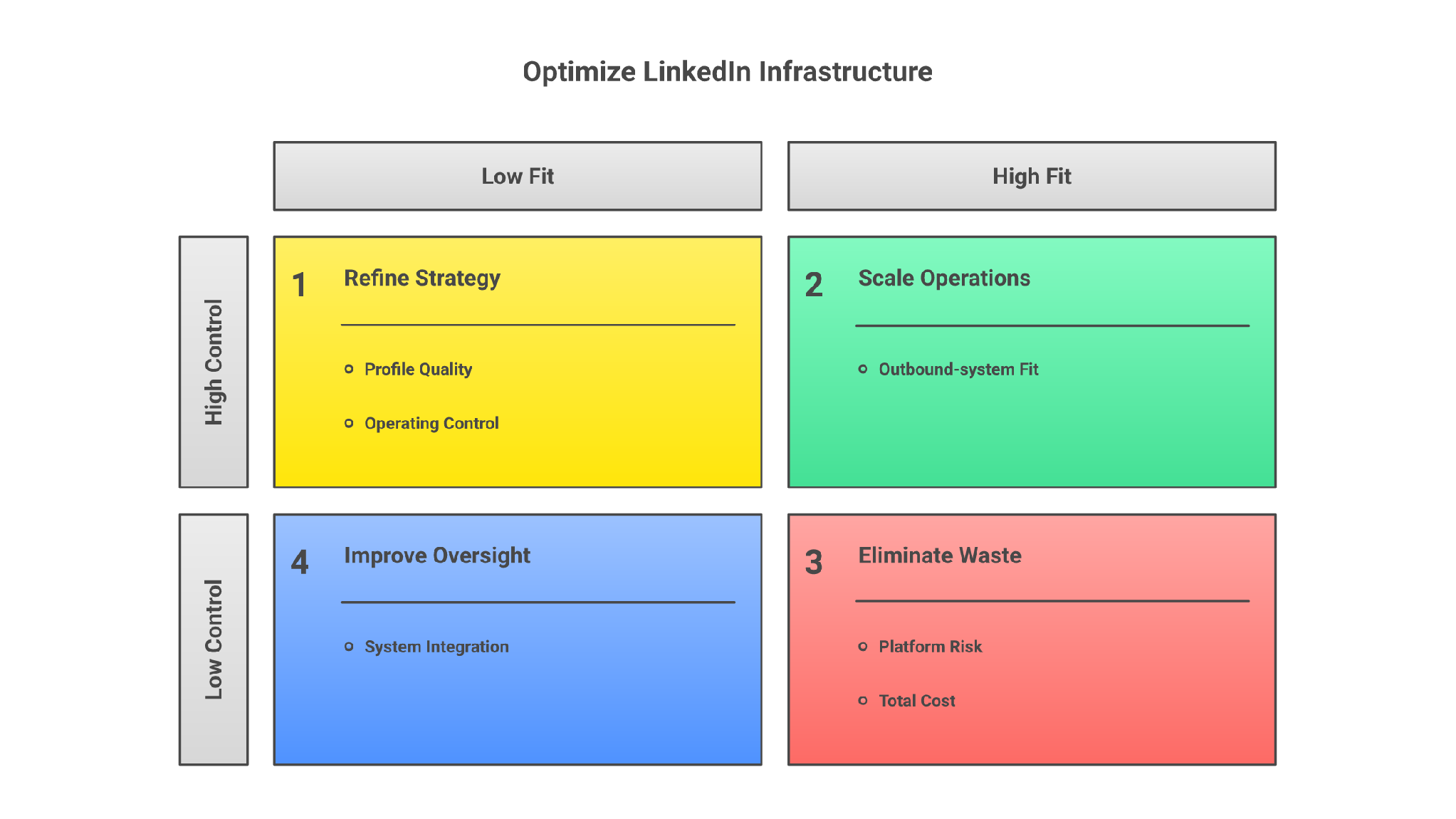
The category is risky because the wrong vendor gives you fake-looking profiles, unstable access, bad replacement terms, and a campaign that dies as soon as LinkedIn tightens limits.
LinkedSDR sells LinkedIn profile infrastructure. It is not just another LinkedIn automation tool where you connect your own account and start sending. LinkedSDR matches you with real professional rep profiles and provides the technical setup around those profiles.
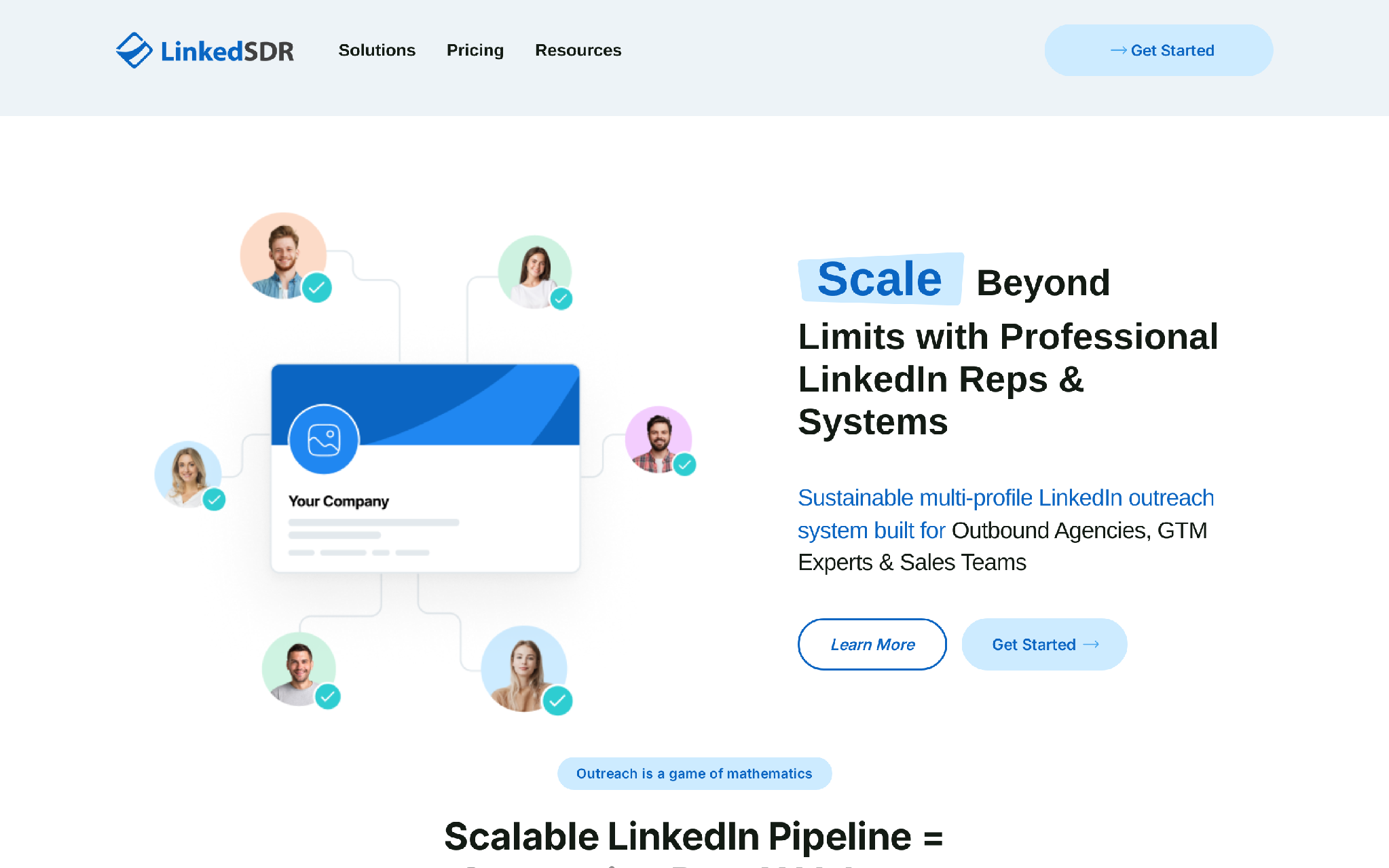
The core offer includes:
LinkedSDR's own framing is simple. One LinkedIn account has a natural activity ceiling. If one profile can only send a controlled number of connection requests and messages, then more profiles create more surface area.
That logic is true.
The part buyers miss is that more surface area also creates more operations. Someone still has to decide which prospects enter the campaign, what each profile says, how replies are handled, when a profile pauses, and how learnings feed back into the next batch.
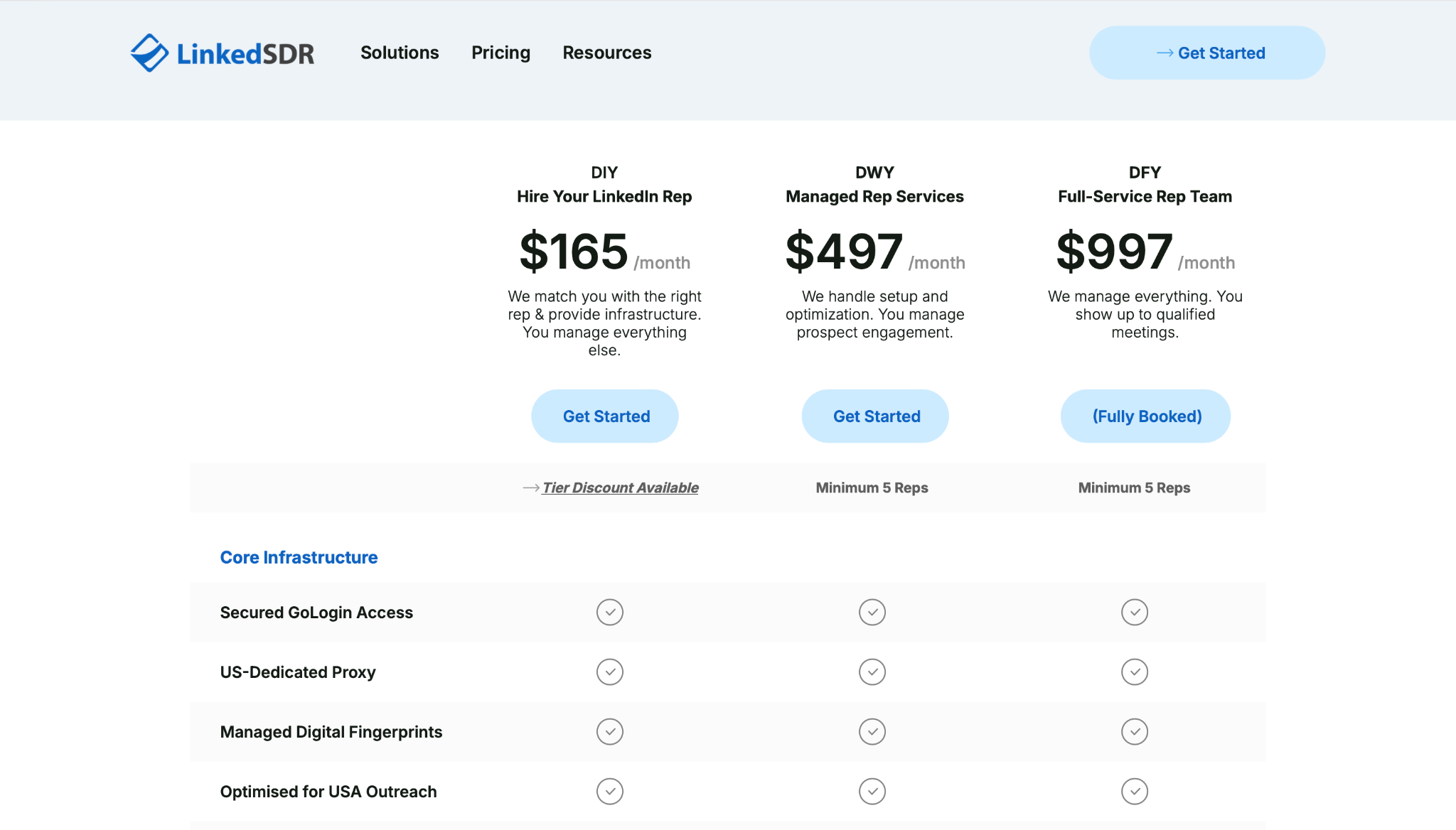
LinkedSDR pricing is split by how much help you want.
The DIY tier also has volume discounts:
The visible price is only part of the cost.
DIY does not include Sales Navigator. LinkedSDR says Sales Navigator and HeyReach seats are included in DWY and DFY, but not DIY. If your team chooses DIY, budget for the LinkedIn product access, automation layer, prospect list, campaign operator time, and CRM process separately.
That is not a knock on LinkedSDR. It is the real cost of this category.
LinkedSDR is strongest where most LinkedIn profile vendors are weakest: profile quality, setup, and replacement process.
Most teams hit the same wall on LinkedIn.
One profile can only do so much before activity starts to look unnatural. If your agency has five clients, or your GTM team wants to test three markets at once, one founder profile or one SDR profile becomes the constraint.
LinkedSDR attacks that constraint with multiple rep profiles.
The input is your target market and desired rep profile. The trigger is your need for more LinkedIn sending capacity. LinkedSDR handles profile matching, browser setup, proxy setup, fingerprinting, and warmup. Your team gets operational access. Your campaign owner then runs outreach from those profiles.
That is a clean value prop when LinkedIn is already working.
Low-quality rented profiles are a pipeline tax.
They look wrong. They have thin work histories. They have weak photos. They get restricted. Prospects notice.
LinkedSDR publishes clearer baseline criteria than many vendors: 500+ connections, 1+ year account age, US-based positioning, professional backgrounds, optimized B2B headshots, and warmup completed before delivery.
Those details matter because LinkedIn outreach is not only about message copy. The prospect sees who is reaching out before they decide whether the message deserves attention.
If your team has ever tried to run multi-profile LinkedIn outreach manually, you know the hidden mess:
LinkedSDR packages GoLogin, US-dedicated proxies, managed fingerprints, and usage guidance into the offer. That gives operators a cleaner starting point than buying profiles from one vendor, proxies from another, and browser access from a third.
This is where LinkedSDR makes the most sense: reducing operational drag around profile infrastructure.
Profile restrictions are not a theoretical risk in LinkedIn outreach.
When a profile gets restricted, the campaign loses momentum. Threads stall. Follow-ups break. Client reporting gets awkward. If the vendor disappears or takes a week to respond, the whole campaign feels fragile.
LinkedSDR's 48-hour replacement promise is useful because it treats profile failure as an operating event, not a customer-support surprise.
That does not remove risk. It makes the risk easier to plan around.
LinkedSDR is built around volume and profile pools.
That favors agencies, outbound operators, and GTM teams managing multiple motions. If you already have campaign managers, VAs, reply handlers, and client reporting, LinkedSDR gives those operators more sending capacity.
For one AE or founder sending a few high-touch messages per day, the setup is probably heavier than needed.
LinkedSDR's weaknesses come from category boundaries, not just product gaps.
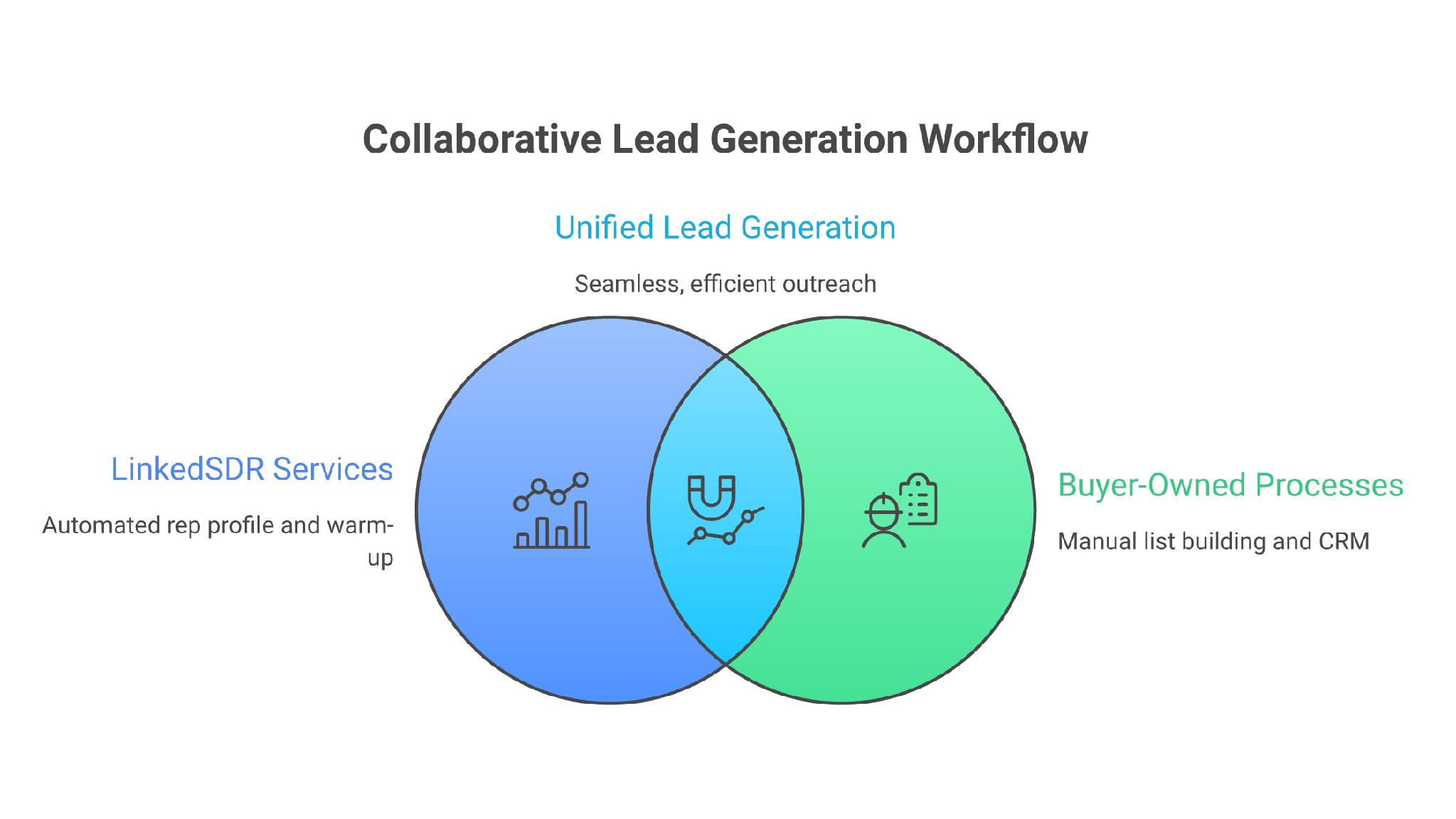
It gives you access and capacity. It does not remove the need for a real outbound workflow.
The name can make buyers expect a software SDR.
That is not what LinkedSDR primarily is. It does not replace the full prospecting-to-meeting workflow by itself. You still need someone or something to find prospects, qualify the list, write messages, monitor replies, book meetings, and update CRM records.
If you want an autonomous SDR motion, you are evaluating a different category.
For example, Agent Frank is designed for prospecting, outreach, follow-ups, and meeting booking across 20+ languages. It starts at $599/mo billed quarterly, is demo-gated, and needs separate email infrastructure. That is a higher-commitment product, but it is closer to an AI SDR workflow than a profile-infrastructure rental model.
LinkedSDR is careful about profile quality, warmup, and activity limits. That helps.
It does not make LinkedIn automation risk disappear.
LinkedIn's prohibited software guidance rejects third-party tools that scrape, modify, or automate activity on LinkedIn, and it also warns about fake accounts and fake engagement. LinkedSDR's model uses real consenting reps rather than fake profiles, which is a meaningful distinction, but buyers still need to treat LinkedIn as a channel with enforcement risk.
The better way to think about it: LinkedSDR can reduce bad-vendor risk. It cannot eliminate platform-policy risk.
With LinkedSDR, you are renting operational access to rep profiles.
That has benefits. You avoid using personal profiles or client-owned profiles. You get access to pre-warmed profiles. You get replacement support.
But you do not own the identity.
If your outbound strategy depends on building a long-term personal brand, compounding a founder's network, or keeping every conversation under your team's permanent sender identity, rented profiles are not the cleanest asset.
This is the same problem with rented output in general. It works until ownership matters.
DIY is the lowest-cost LinkedSDR path, but it is not a done-for-you outbound engine.
Your team still owns:
If those pieces are weak, more profiles just multiply weak execution.
That is the old outbound mistake: treating capacity as strategy.
DWY starts at $497/mo per rep with a minimum of 5 reps. DFY starts at $997/mo per rep with a minimum of 5 reps and was listed as fully booked during this review.
That means the real monthly commitment can move from a single-profile experiment into a multi-thousand-dollar program quickly.
That spend can make sense for agencies with proven economics. It is harder to justify for a team still trying to validate whether LinkedIn is the right channel.
The useful features are mostly infrastructure and operations features.
LinkedSDR includes:
The integration story is practical rather than broad.
LinkedSDR says its profiles can work with tools like HeyReach, Expandi, and Lemlist when usage follows its service framework and safety guidance. That matters because most teams buying LinkedSDR still need a campaign execution layer.
If you are running a LinkedIn-only volume, that may be enough.
If you need email and LinkedIn working together, you need a wider stack. In the Forge stack, Leadsforge handles lead data, Primeforge handles Google Workspace and Microsoft 365 mailboxes for cold outreach, Warmforge handles warmup, and Salesforge handles sequencing, personalization, Primebox, and reply analysis.
That is the bigger workflow difference.
LinkedSDR adds LinkedIn capacity. Salesforge is closer to the operating layer once your team needs repeatable multichannel outbound.
The best thing about LinkedSDR is that it knows its category.
The risk is that buyers may not.
Salesforge is the best LinkedSDR alternative for teams that need a complete outbound system rather than additional LinkedIn profiles.
The difference comes down to what you are trying to scale.
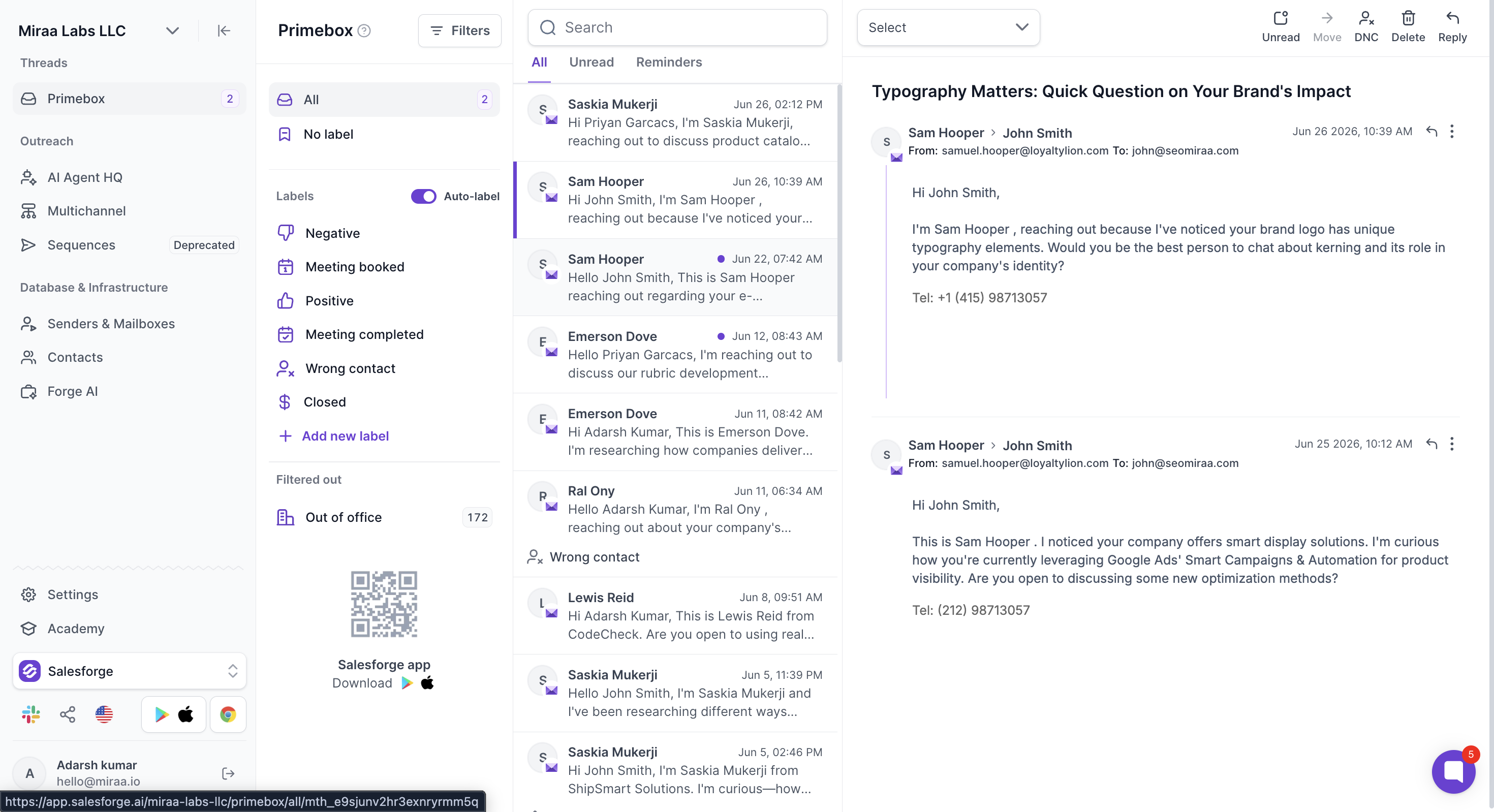
LinkedSDR helps you increase the number of LinkedIn profiles available for outreach. Salesforge helps you coordinate the outreach itself across email and LinkedIn, from sequencing and personalization to mailbox rotation, warmup, follow-ups, and reply management.
That makes Salesforge the stronger choice for most B2B sales teams, founders, and outbound agencies whose real bottleneck is fragmented execution rather than LinkedIn profile availability.
LinkedSDR wins when you specifically need aged, credible, US-focused LinkedIn rep profiles and already have the rest of your outreach operation in place.
Salesforge wins when you need the actual system that turns prospects into conversations.
With LinkedSDR, you still need another platform to build campaigns and coordinate channels.
Salesforge lets you combine email and LinkedIn actions inside the same sequence. A prospect can receive an email, get a LinkedIn profile visit or connection request, and move through follow-ups without your team manually transferring them between tools.
This matters because prospects do not always reply through the channel where the conversation started.
LinkedSDR's pricing increases with each rep profile you add. That model makes sense because the profile itself is the product.
Salesforge Growth uses a different scaling model. It supports unlimited LinkedIn senders, unlimited connected mailboxes, unlimited users, and unlimited workspaces under one plan.
For agencies and sales teams managing several campaigns, that is usually easier to scale than paying separately for every profile, user, workspace, warmup tool, and campaign platform.
Adding LinkedIn capacity does not solve email deliverability.
Salesforge includes unlimited mailbox warmup through Warmforge, smart mailbox rotation, dynamic sending infrastructure, email validation credits, and ESP matching on the Growth plan.
That gives teams a way to scale email and LinkedIn without treating deliverability as an unrelated task.
More senders also create more conversations to monitor.
Salesforge brings outreach responses into Primebox, where teams can review conversations, categorize sentiment, and draft responses without checking every mailbox individually.
LinkedSDR can create more LinkedIn conversations, but your campaign platform and operating team still have to manage them.
Salesforge works for teams that want humans to control targeting, messaging, and replies.
When more automation is required, Agent Frank can be added as an AI SDR for prospecting, personalized outreach, follow-ups, reply monitoring, and meeting booking.
This gives teams a progression path. Start with human-led multichannel outreach and introduce autonomous execution after the ICP, offer, and messaging have been validated.
Choose LinkedSDR when:
In that situation, LinkedSDR solves a clear infrastructure bottleneck.
Choose Salesforge when:
LinkedSDR helps you rent more LinkedIn sending capacity.
Salesforge helps you build, operate, and scale the complete outbound motion.
For most teams trying to generate pipeline, not simply acquire more LinkedIn profiles, Salesforge is the better overall investment.
Choose LinkedSDR if your team already has a proven LinkedIn playbook.
The best-fit buyer looks like this:
In that situation, LinkedSDR gives you a clean input: credible LinkedIn sender capacity.
The workflow can work like this:
That is a system.
LinkedSDR is one part of it.
Do not choose LinkedSDR if you are trying to fix a broken outbound motion by adding more senders.
That works until volume exposes the same weak inputs faster.
You are not ready for LinkedSDR if:
This is also not the cleanest choice for founders who want every conversation tied to their personal profile. If the relationship itself matters more than volume, use your own identity and keep the outreach smaller.
LinkedSDR is worth considering when LinkedIn profile capacity is the specific constraint holding back an otherwise proven outbound operation.
Its biggest advantages are the quality of its rep profiles, managed technical setup, pre-delivery warmup, and replacement support. For LinkedIn-heavy agencies with established targeting, messaging, campaign software, and reply processes, those capabilities can remove a genuine scaling bottleneck.
But LinkedSDR does not replace an outbound platform.
You still need to source prospects, build sequences, coordinate email outreach, personalize messages, manage follow-ups, monitor replies, and move qualified opportunities into your CRM.
That is why Salesforge is the better alternative for most teams.
Salesforge brings email and LinkedIn outreach into one operating system, with mailbox management, warmup, AI personalization, multichannel sequences, centralized replies, and flat pricing that is easier to scale across a team.
Choose LinkedSDR when you already have the outbound machine and only need more LinkedIn profiles.
Choose Salesforge when you need to build and run the machine itself.