If Linked Helper isn’t working for you, or you want something safer or easier to manage, this guide is for you.
Linked Helper is a LinkedIn automation tool that helps people send connection requests, follow-ups, and run message sequences on LinkedIn.
It is popular and used by many sales reps, recruiters, and agencies.
But not everyone wants to use a desktop app or manage LinkedIn outreach this way.
Some teams want better team control, or LinkedIn + email outreach in one place.
In this post, we look at the 7 best Linked Helper alternatives and competitors that can help you do LinkedIn outreach in a safer and more scalable way.
TL;DR – 7 Best Linked Helper Alternatives & Competitors For LinkedIn Outreach
Salesforge – Best all-in-one tool for LinkedIn + cold email outreach with built-in inbox warm-up and reply management.
Expandi – LinkedIn automation tool with a strong focus on account safety.
PhantomBuster – Best for LinkedIn scraping and automation workflows beyond just outreach.
Apollo – Great for teams that want LinkedIn outreach with a built-in B2B lead database.
Snov.io – Good all-in-one tool for lead finding and basic LinkedIn and email outreach.
ZoomInfo – Best for large teams that need enterprise-level B2B data and sales tools.
Lusha – Best for quickly finding emails and phone numbers from LinkedIn profiles.
How We Evaluated These Linked Helper Alternatives
To find the most useful Linked Helper alternatives, we focused on what actually matters when your goal is safe LinkedIn outreach and booking meetings, not just automating random actions.
Here’s how we evaluated the best Linked Helper alternatives:
Account safety and risk control, to check whether the tool helps protect your LinkedIn account from limits or restrictions during automation.
LinkedIn outreach features, including how well the tool supports connection requests, follow-ups, message sequences, and reply detection.
Multi-channel outreach support, to see if the tool allows you to combine LinkedIn outreach with cold email in one workflow.
Ease of setup and daily use, to check whether users can start campaigns quickly without complex technical setup.
Team and client management, to see if the tool works well for small teams, agencies, and growing outbound teams.
Each tool was reviewed based on its account safety, outreach features, and ease of use for LinkedIn prospecting.
7 Best Linked Helper Alternatives & Competitors For LinkedIn Outreach: Detailed Review
1. Salesforge – Multi-Channel Outreach With LinkedIn + Email + AI SDR
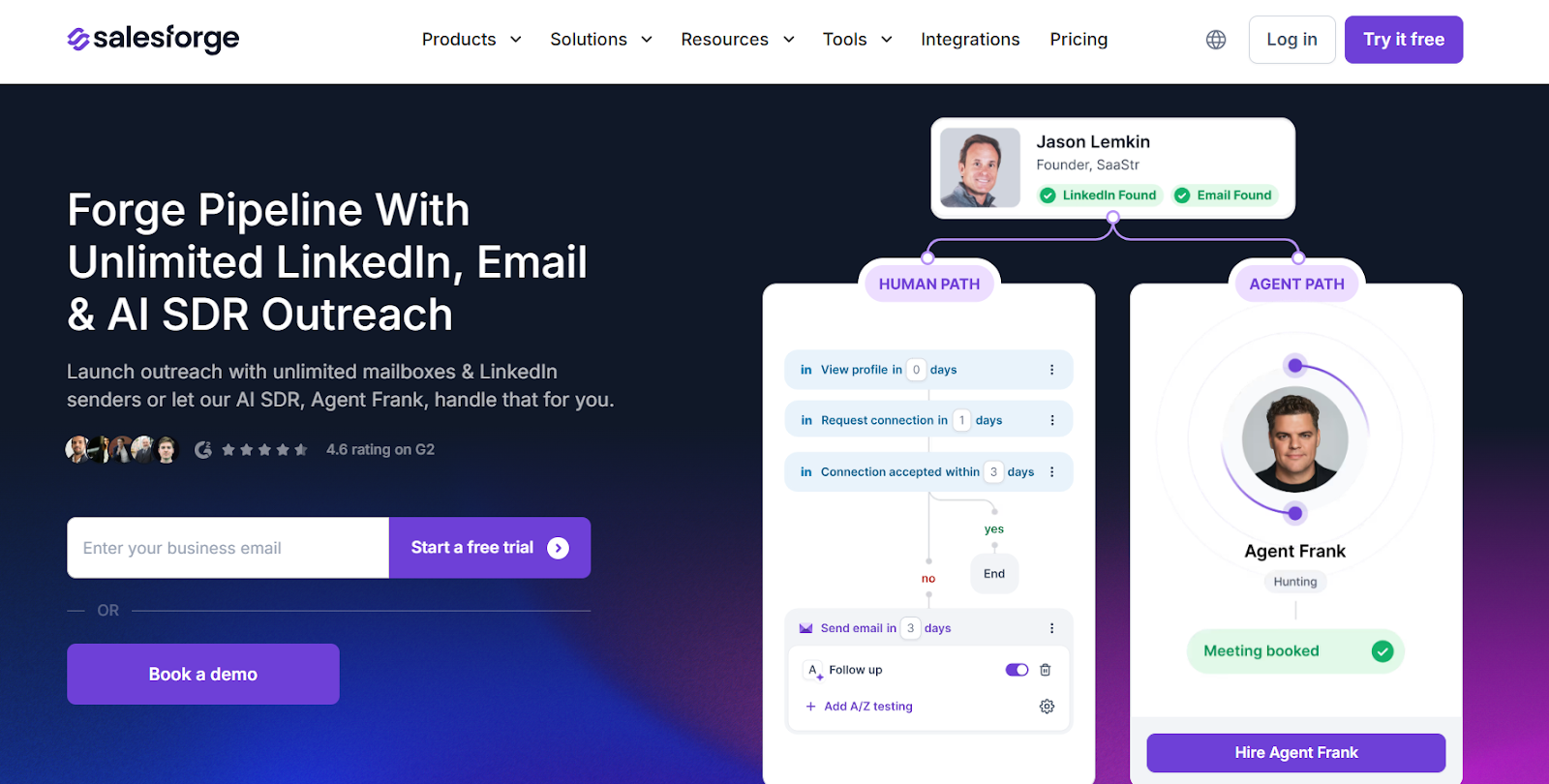
This image shows the Salesforge homepage
Salesforge is a cold outreach platform that helps sales teams run LinkedIn and email outreach from one dashboard.
Instead of using only LinkedIn automation like Linked Helper, Salesforge lets you combine LinkedIn messages with cold emails in the same sequence.
It also offers an optional AI SDR called Agent Frank, which can help with prospecting, writing messages, follow-ups, and booking meetings.
Key Features of Salesforge
Salesforge lets you run multi-channel outreach, combining LinkedIn and email in the same workflow.
You can connect unlimited mailboxes and unlimited LinkedIn senders, which helps teams scale outreach without seat-based limits.
It includes Primebox, a shared inbox that collects replies from both LinkedIn and email in one place.
Salesforge includes free, unlimited email warm-up using Warmforge to protect deliverability and inbox placement.
Salesforge supports outreach in multiple languages, so teams can contact prospects in different regions.
Salesforge Pricing
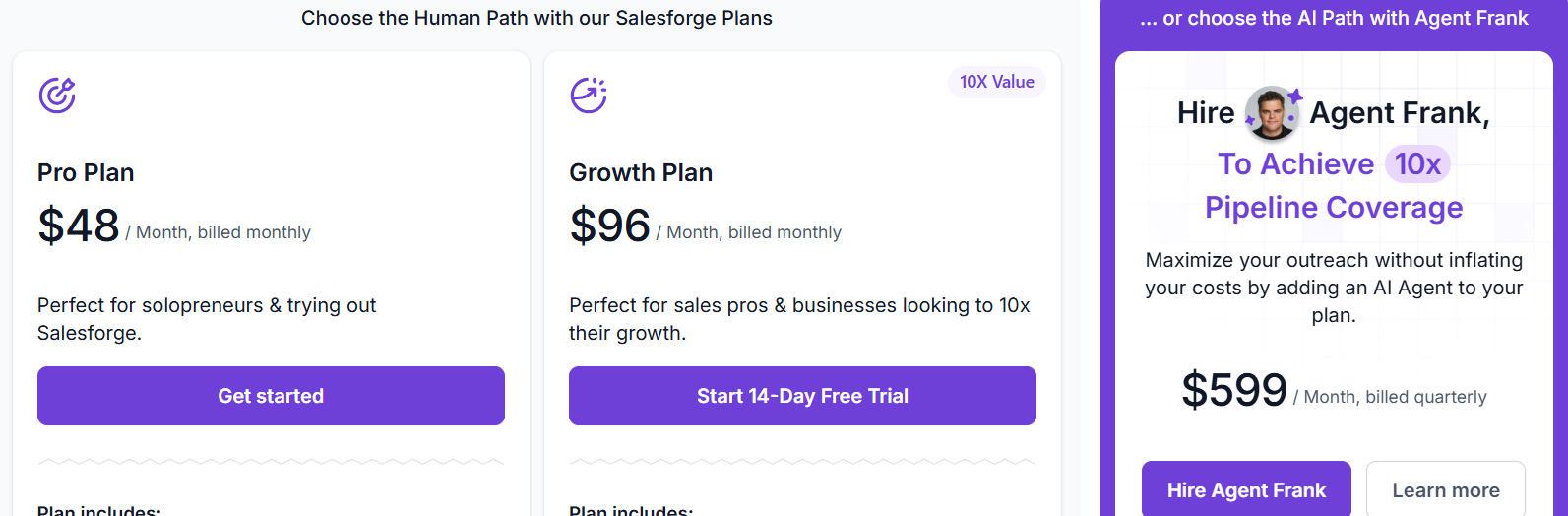
This image shows the Salesforge pricing
Salesforge offers flexible plans based on how much outreach you want to run:
Pro plan – $48/month, designed for solopreneurs and small teams starting outbound.
Growth plan – $96/month, designed for teams that want to scale outreach with more features and unlimited users.
Free trial – 14-day free trial is available.
Salesforge also offers Agent Frank (AI SDR) as an add-on, starting at $499/month (billed quarterly) for automated prospecting and meeting booking.
Personalized Outbound Strategy
Get The Right Outbound Strategy In Minutes
Enter your email to get a custom plan & stack recommendation for your
business
It's being carefully crafted by AI
Please check your mailbox in 5 minutes
2. Expandi – Best LinkedIn Automation Tool for Safe, Multi-Channel Outreach
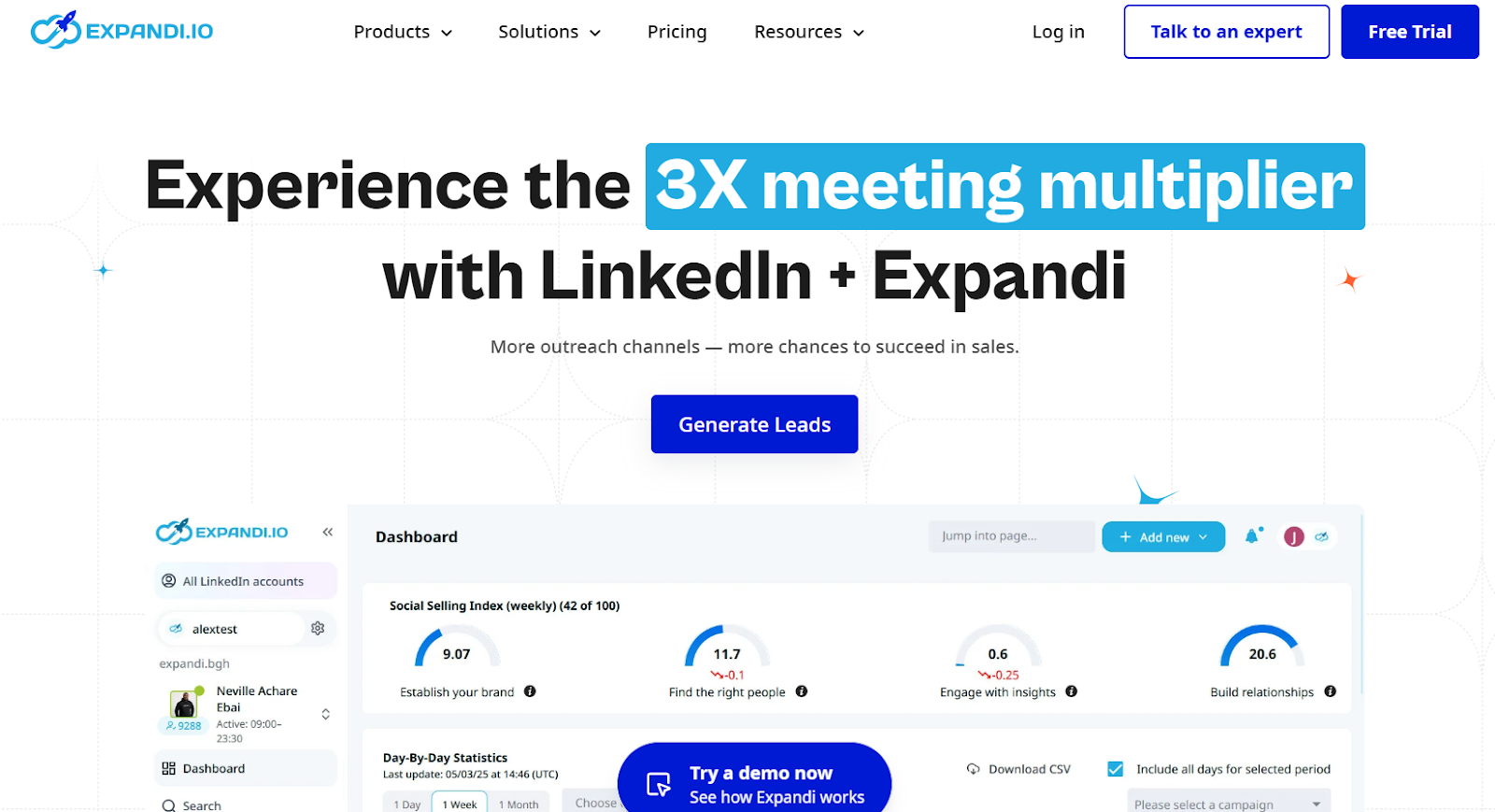
This image shows the Expandi homepage
Expandi is a LinkedIn automation tool built for sales teams, agencies, recruiters, and business owners who want to run safe, compliant outreach on LinkedIn.
It helps you automate connection requests, follow-ups, and messages, and also lets you add email follow-ups inside the same sequence.
Unlike desktop tools, Expandi runs with dedicated country-based IPs and built-in safety limits.
Key Features of Expandi
Expandi supports LinkedIn automation for connection requests, messages, InMails, event invites, and follow-ups.
It offers smart sequences with actions and conditions that change based on how prospects behave.
It includes multichannel outreach, so you can combine LinkedIn actions with email follow-ups in one flow.
Expandi uses dedicated country-based IPs for better account safety.
It provides profile auto warm-up and smart daily limits to keep LinkedIn accounts safe.
Expandi supports image, GIF, and video personalization using integrations like Sendspark and Hyperize (paid add-ons).
Expandi Pricing
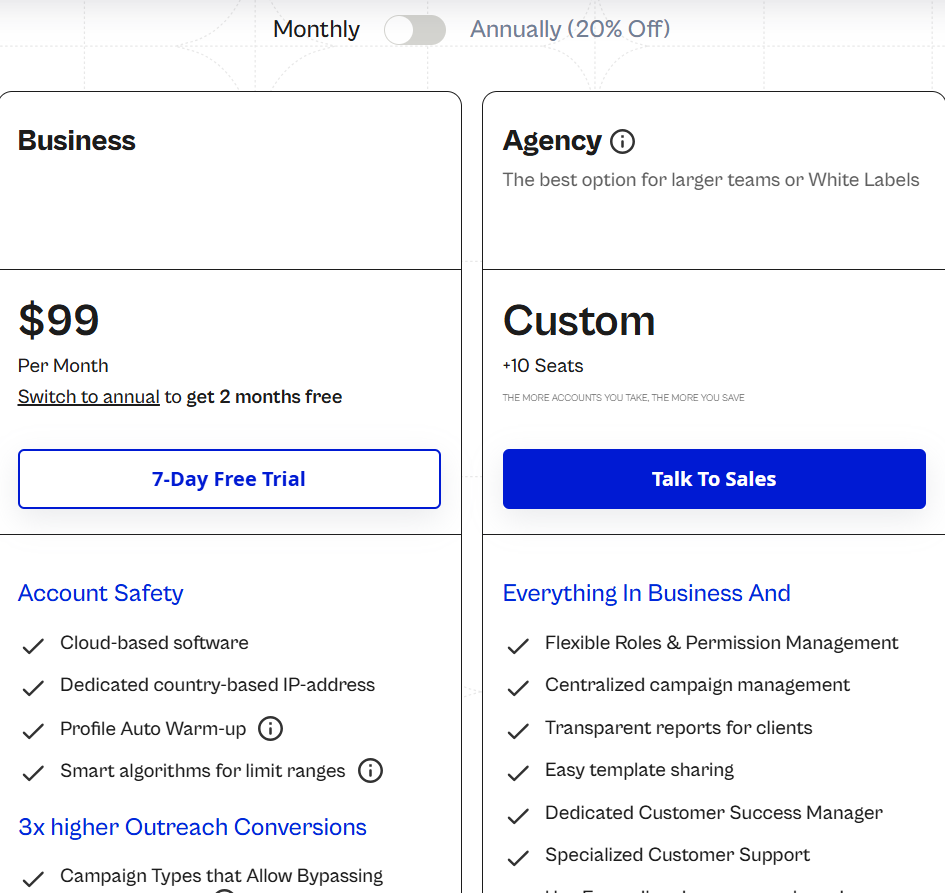
This image shows the Expandi pricing
Expandi uses per-seat pricing, where one seat = one LinkedIn account.
Business plan: $99 per month, per seat, includes LinkedIn automation, smart sequences, multichannel outreach, analytics, and safety features, 7-day free trial available
Agency / White-label plan: Custom pricing, Designed for teams with 10+ seats, Includes client management, roles, permissions, reporting, and white-label options
Expandi offers discounts on annual billing, and the more seats you buy, the lower the price per seat.
3. PhantomBuster – Multi-Platform Lead Generation With LinkedIn + Live Data
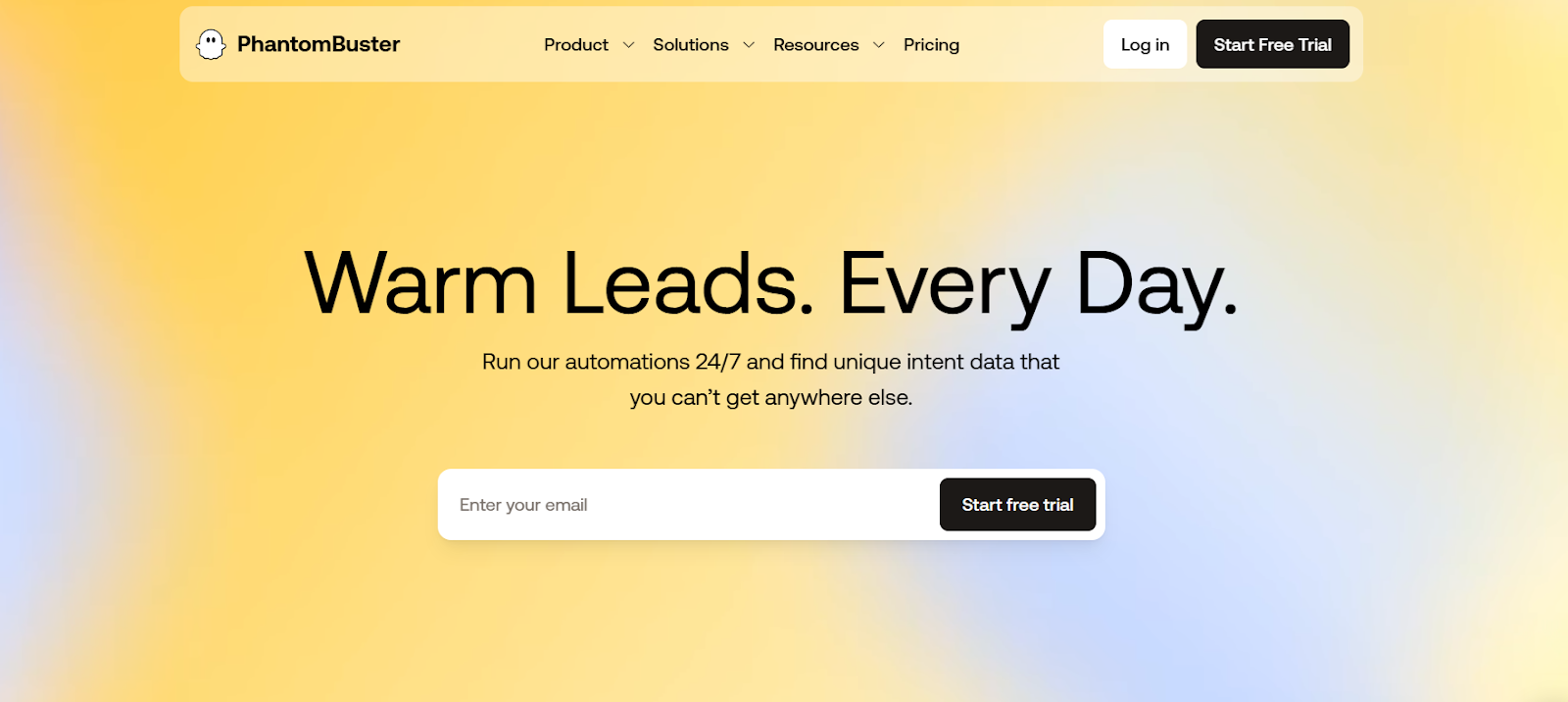
This image shows the PhantomBuster homepage
PhantomBuster is a automation tool that helps sales teams find leads, collect live data, and run outreach across many platforms.
Instead of working only on LinkedIn like Linked Helper, PhantomBuster lets you extract leads from 15+ platforms such as LinkedIn, Sales Navigator, Instagram, Google Maps, Slack, GitHub, and more.
It pulls live data like likes, comments, job changes, and profile activity, so you can reach people when they show interest.
Key Features of PhantomBuster
PhantomBuster lets you collect leads from 15+ platforms, not only LinkedIn.
You can scrape profiles, posts, comments, groups, and company pages to build lead lists from live sources.
It supports LinkedIn outreach automation, including connection requests and follow-ups.
You can build workflows to find leads, enrich data, and sync them to your CRM.
It tracks real-time intent signals like post likes, comments, job changes, and profile activity.
You can enrich leads with emails, phone numbers, job roles, and company details using built-in tools and integrations.
PhantomBuster Pricing
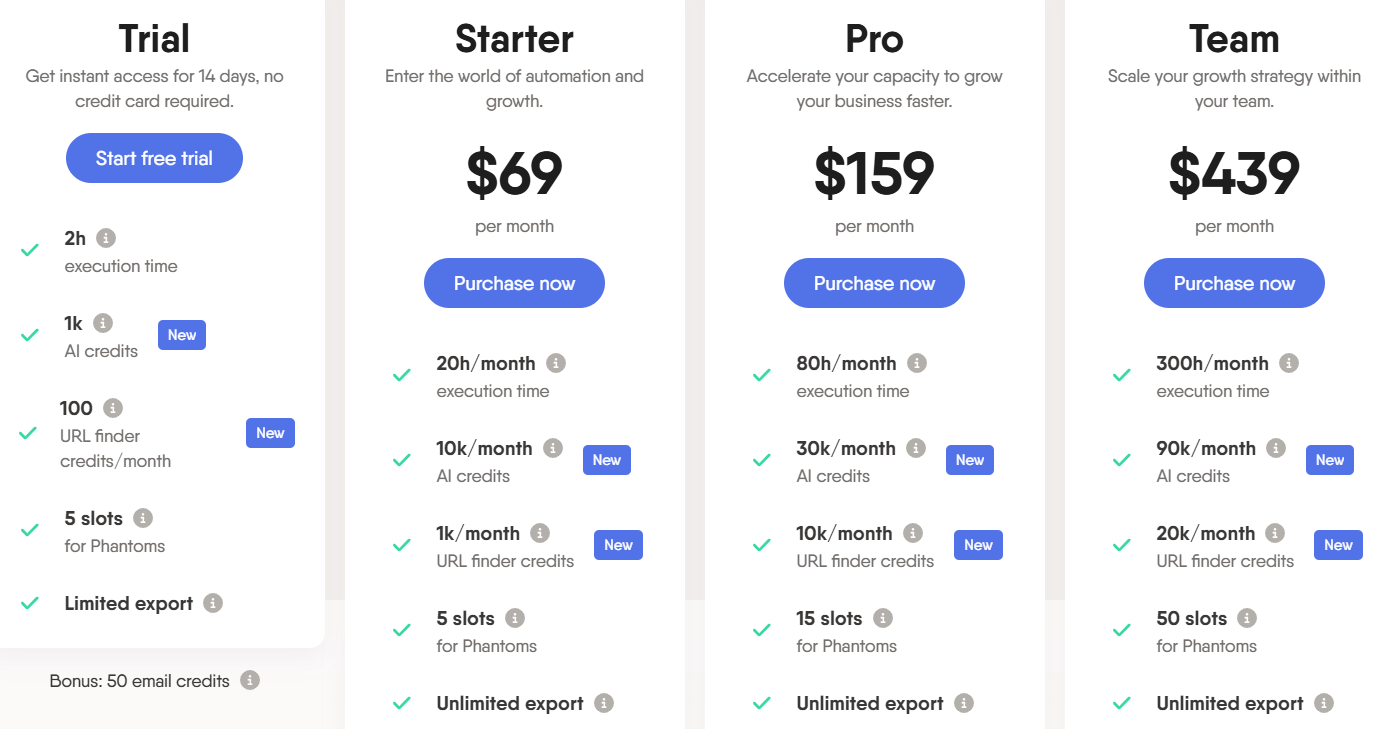
This image shows the PhantomBuster pricing
PhantomBuster pricing is based on how much automation you want to run:
Free trial – 14-day free trial is available.
Starter plan – $69/month, for small teams starting automation.
Pro plan – $159/month, for teams that want to scale workflows.
Team plan – $439/month, for larger teams and agencies.
Pricing depends on execution time and Phantom slots.
4. Apollo – All-In-One Sales Platform With LinkedIn, Email, Calls and AI
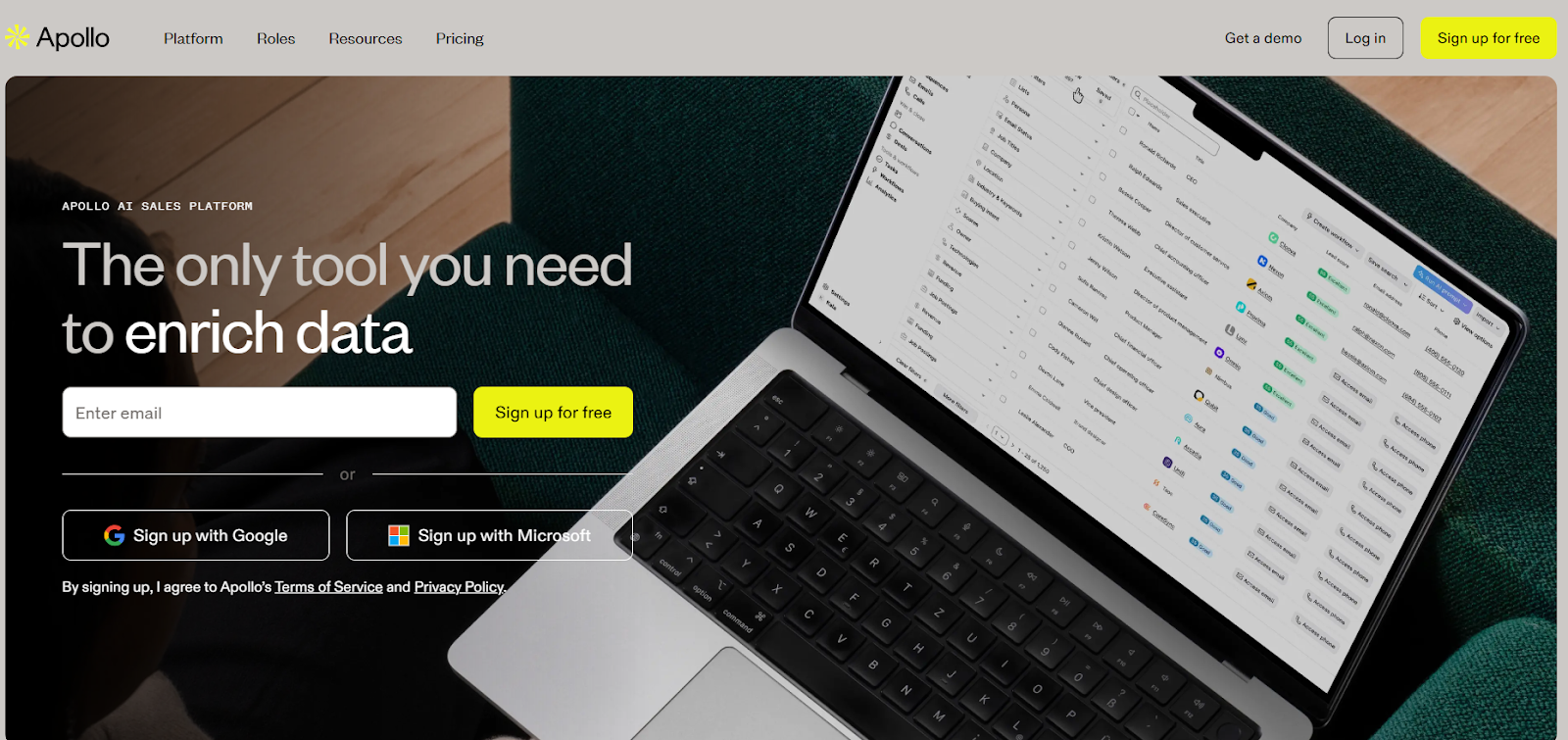
This image shows the Apollo.io homepage
Apollo is an all-in-one AI sales platform that helps teams find leads, enrich data, send emails, make calls, and run outreach from one place.
Instead of only doing LinkedIn automation like Linked Helper, Apollo lets you combine LinkedIn tasks, cold emails, calls, and meetings in one workflow.
It includes a large B2B database with 210M+ contacts and 35M+ companies, AI tools for writing messages, and built-in tools for email, calling, meeting booking, and CRM sync.
Key Features of Apollo
You can run multi-channel outreach, including email, LinkedIn tasks, and phone calls in the same platform.
Apollo includes AI tools to help with lead research, message writing, and personalizing outreach at scale.
It offers data enrichment to keep your CRM and contact records fresh with emails, phone numbers, and company data.
It includes a call assistant with call recording, AI insights, and meeting scheduling.
Apollo Pricing
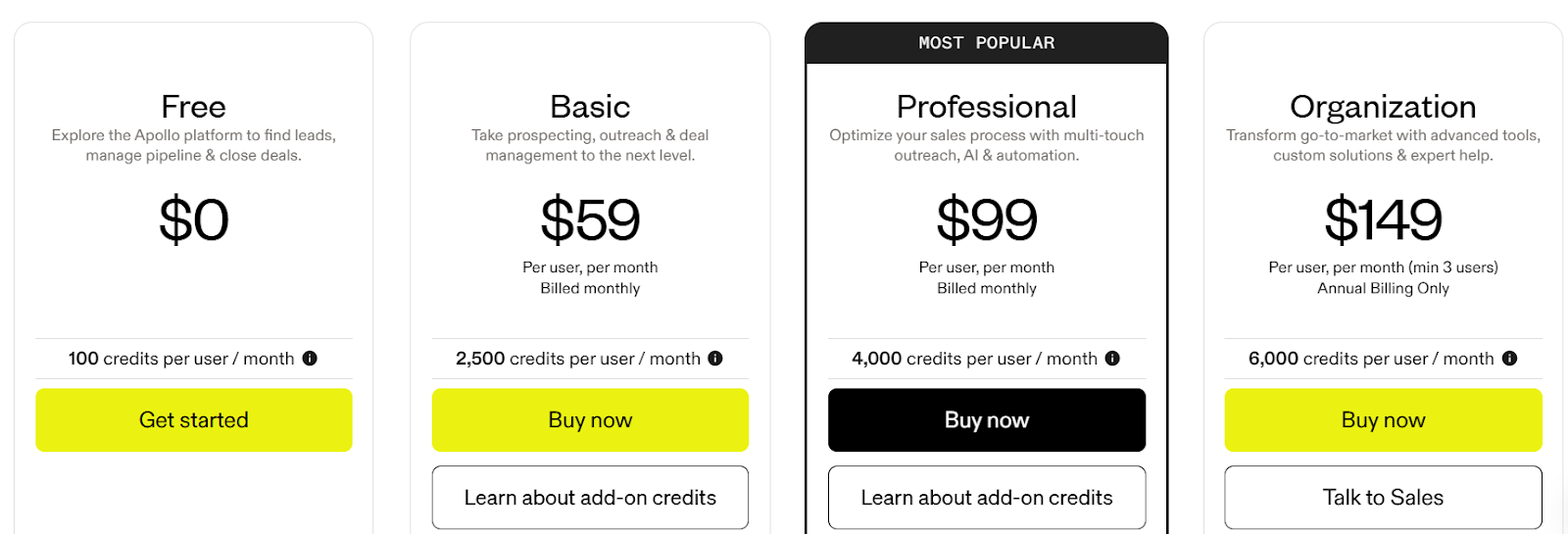
This image shows the Apollo.io pricing
Apollo offers free and paid plans based on how much data and outreach you need:
Free plan – $0/month, includes 100 credits per user per month and basic prospecting tools.
Basic plan – $59/user/month, includes 2,500 credits per user per month, advanced filters, CRM integrations, and meeting scheduling.
Professional plan – $99/user/month, includes 4,000 credits per user per month, AI features, workflows, calling tools, and more outreach features.
Organization plan – $149/user/month (annual, minimum 3 users), includes higher credits, dialer (US + international), advanced security, SSO, and admin controls.
5. Snov.io – Lead Generation + Cold Email Outreach in One Tool
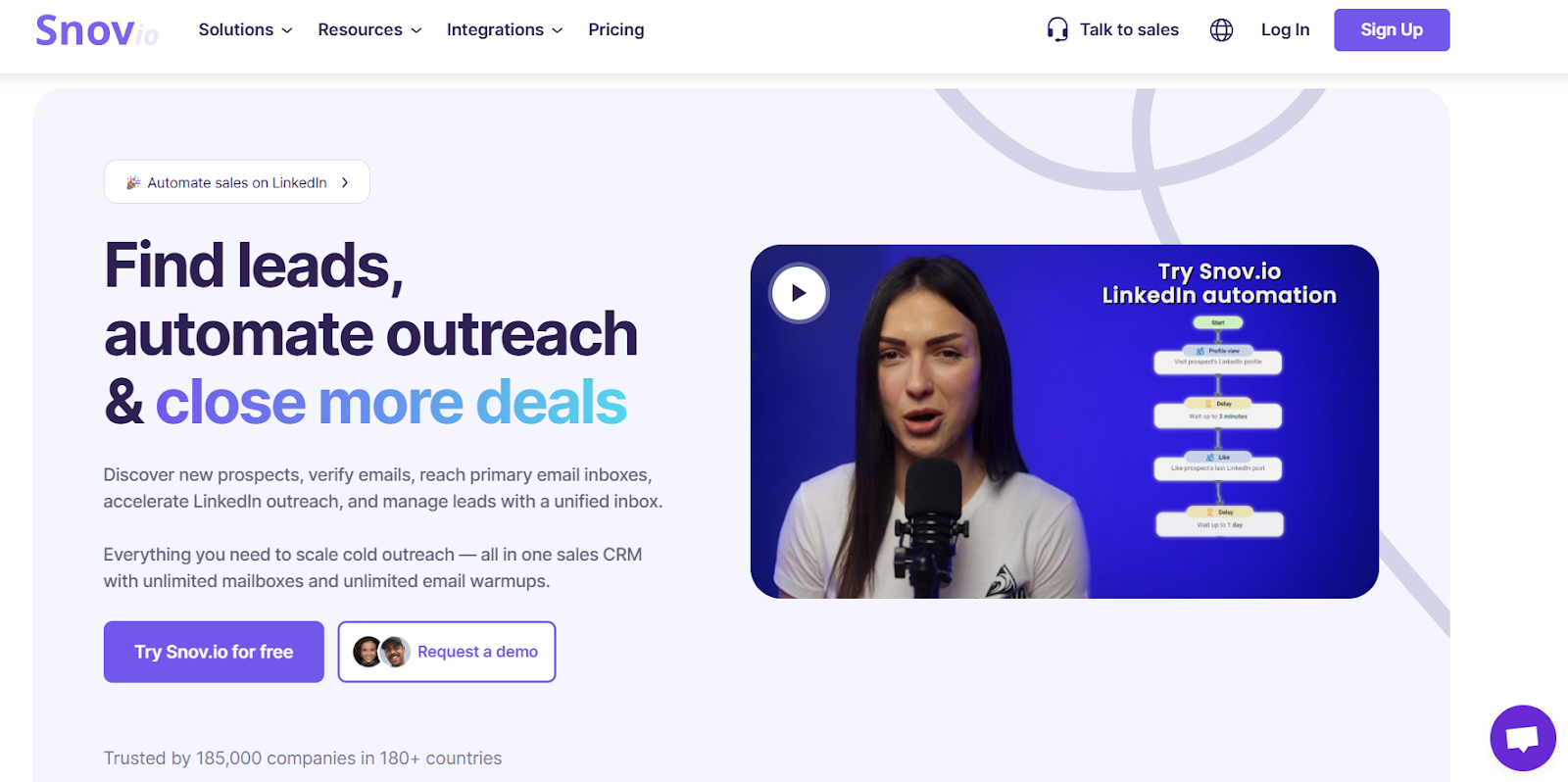
This image shows the Snov.io homepage
Snov.io is a sales outreach tool that helps sales teams find leads and send cold emails from one platform.
It combines email finder, email verification, and cold email campaigns in one dashboard.
You can find emails from LinkedIn profiles, company domains, and websites, then send cold emails to those leads.
Key Features of Snov.io
Snov.io helps you find B2B leads using domain search, email finder, and LinkedIn email lookup.
You can verify email addresses before sending to reduce bounce rates and protect deliverability.
It lets you run cold email campaigns with automated follow-ups from one dashboard.
You can build simple sequences and track opens, clicks, and replies.
Snov.io also provides a Chrome extension to collect leads from LinkedIn and websites.
Snov.io Pricing
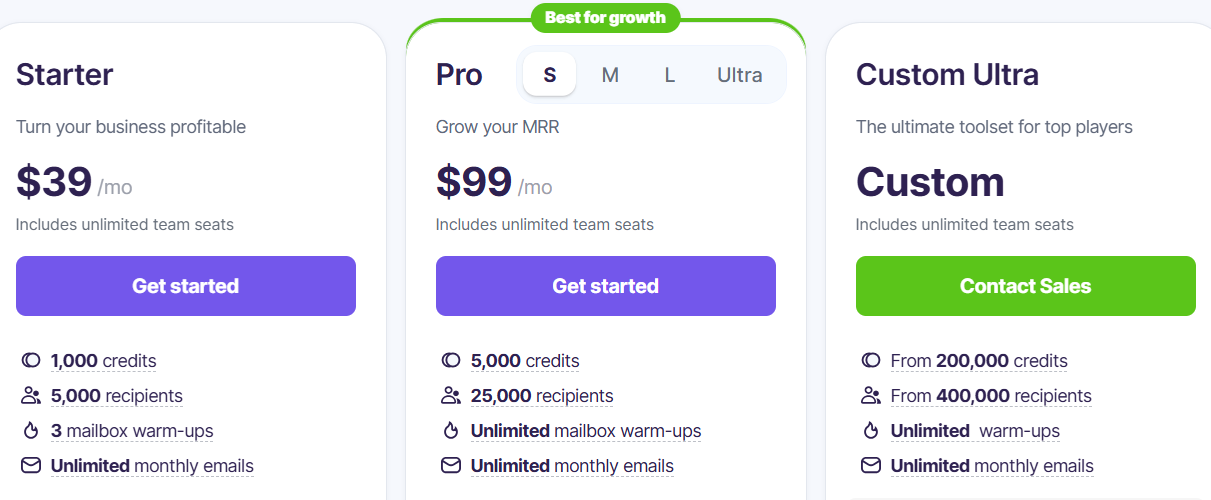
This image shows the Snov.io pricing
Snov.io pricing is based on credits and email sending limits:
Free plan – Limited credits for testing lead search and email sending.
Starter plan – Paid plan for small teams doing light outreach.
Pro plan – Higher limits for lead generation, verification, and cold email campaigns.
Trial – Free trial is available with limited credits.
Pricing increases based on:
Number of email searches
Email verifications
Email sending volume
6. ZoomInfo – B2B Data & GTM Intelligence for Large-Scale Prospecting
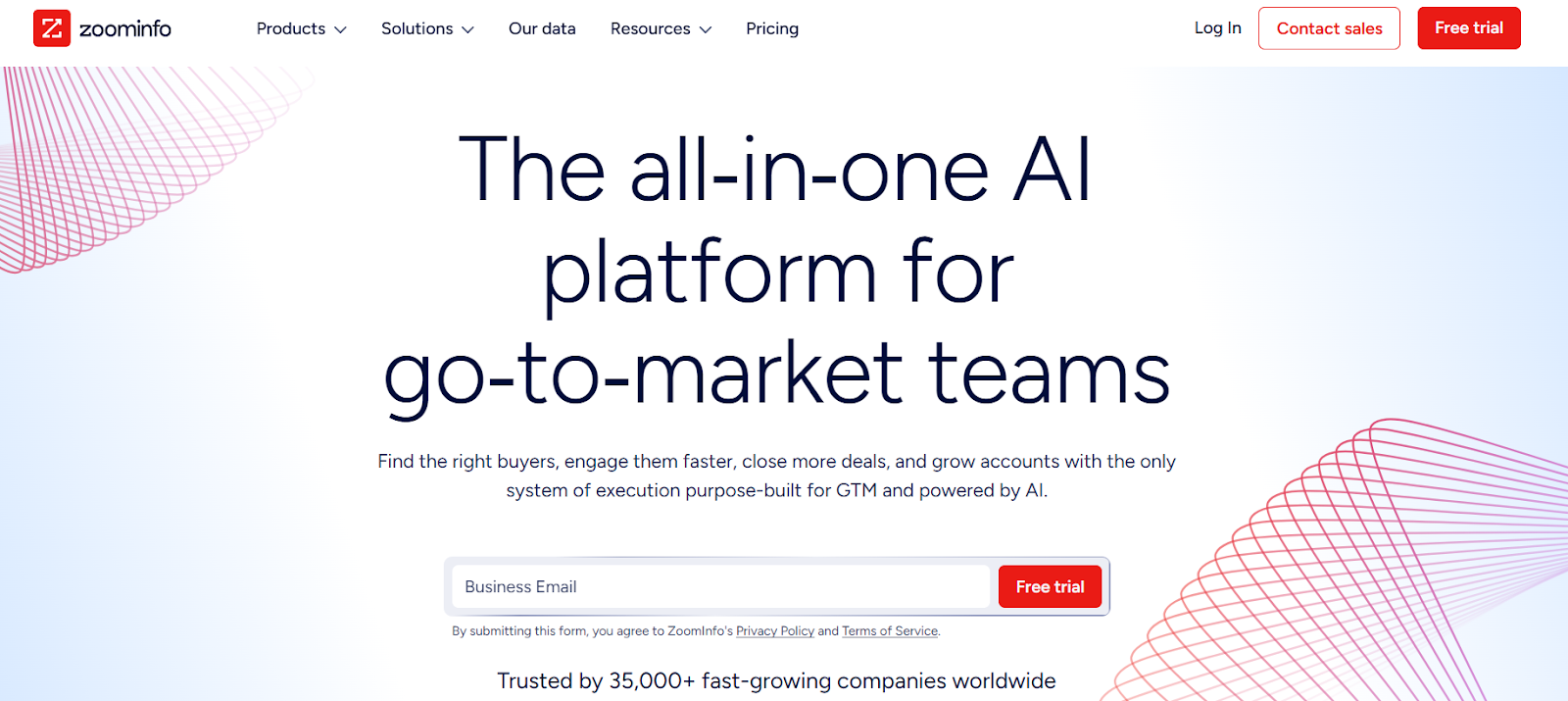
This image shows the ZoomInfo homepage
ZoomInfo is a go-to-market intelligence platform that helps sales and marketing teams find verified B2B contacts, buyer intent data, and company insights.
Instead of only automating LinkedIn actions like Linked Helper, ZoomInfo focuses on high-quality B2B data, account intelligence, and pipeline building.
It also offers AI-powered features and integrated outreach tools to help GTM teams work faster and close more deals.
Key Features of ZoomInfo
ZoomInfo gives you verified B2B contact data, including business emails, direct dials, and mobile numbers.
You can find and prioritize accounts using firmographic, technographic, and buyer intent data.
It offers AI-powered insights to help identify in-market buyers and growth segments.
ZoomInfo helps with CRM enrichment and data cleaning to keep your lead data fresh and accurate.
ZoomInfo Pricing
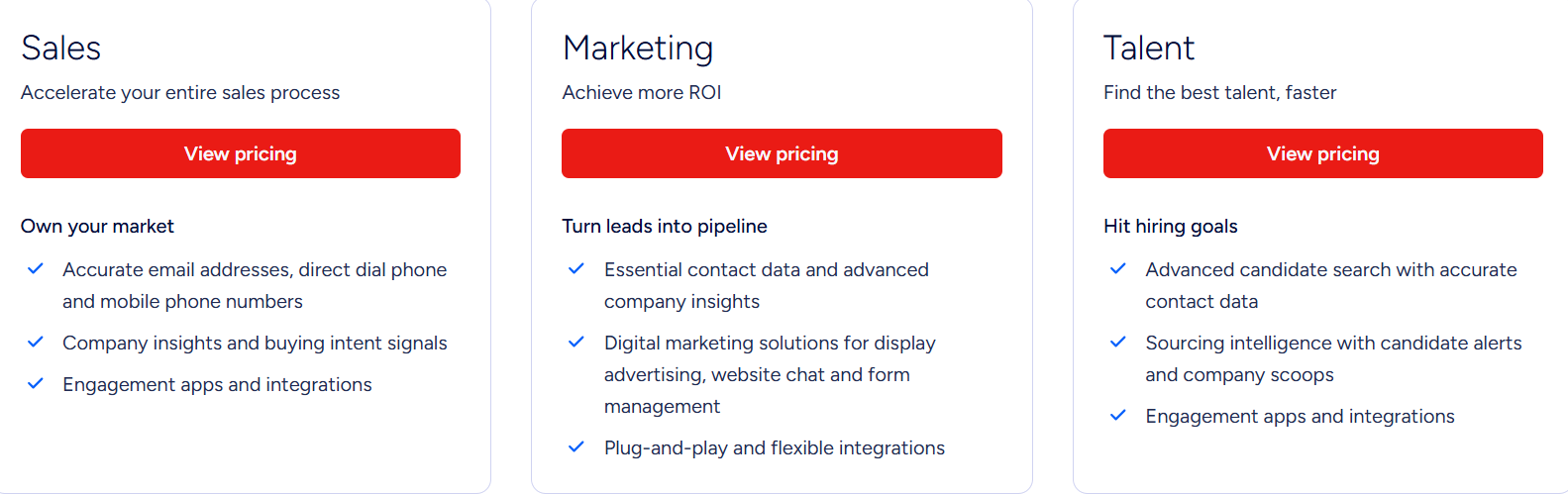
This image shows the ZoomInfo pricing
ZoomInfo pricing is custom and quote-based, depending on:
Number of users
Credits usage
Data depth (contacts, intent, technographics, etc.)
Add-ons and integrations
ZoomInfo offers a free trial, but full pricing is typically designed for mid-size to enterprise teams, not budget solo users.
Lusha is a B2B sales intelligence platform that helps teams find verified emails and phone numbers for prospects.
Instead of automating LinkedIn actions, Lusha helps you build clean prospect lists, spot buying signals, and keep your CRM updated with fresh contact data.
It offers access to 280M+ verified contacts and supports GDPR, CCPA, ISO, and SOC 2 Type II compliance.
Key Features of Lusha
Lusha helps you find verified emails and direct phone numbers for B2B prospects.
You can search contacts and companies using filters like role, company size, tech stack, funding, and intent.
It provides buyer intent signals and activity alerts to find accounts that are ready to buy.
You can enrich your CRM and keep data clean with automated sync and enrichment.
Lusha integrates with Salesforce, HubSpot, Outreach, Slack, and more.
It supports AI recommendations to suggest new leads and build live prospect lists.
Lusha Pricing
This image shows the Lusha pricing
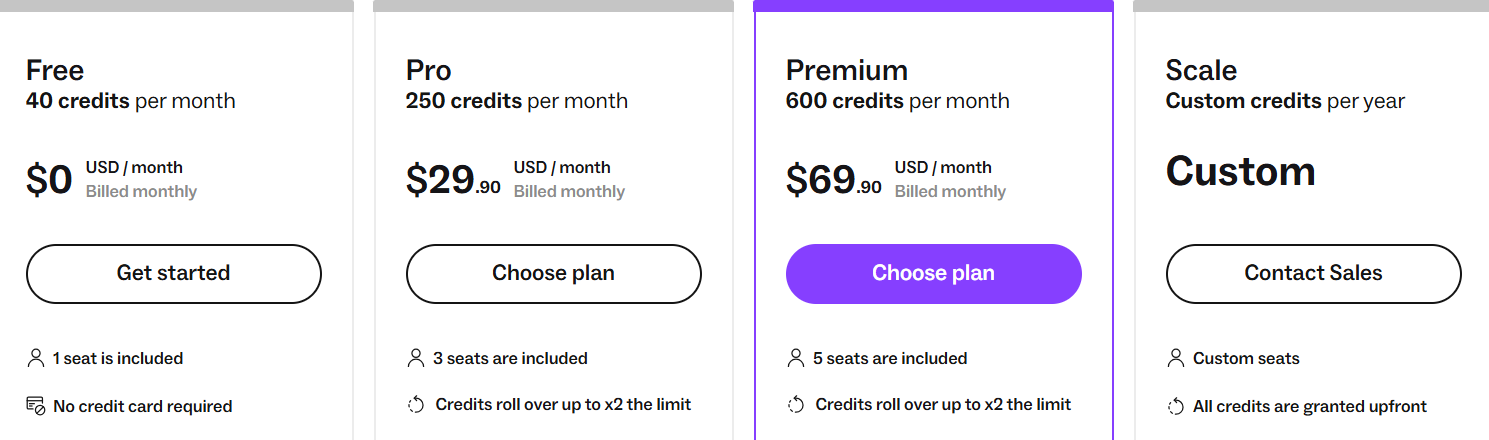
Lusha uses a credit-based pricing model.
You spend credits to reveal emails and phone numbers.
Free plan – 40 credits/month, 1 seat, no credit card needed.
Pro plan – 250 credits/month, $29.90/month, 3 seats.
Premium plan – 600 credits/month, $69.90/month, 5 seats.
Scale plan – Custom credits and seats, built for large teams.
Credit usage:
Reveal email = 1 credit
Reveal phone number = 5 credits
Credits can roll over (up to 2x on paid plans).
Personalized Outbound Strategy
Get The Right Outbound Strategy In Minutes
Enter your email to get a custom plan & stack recommendation for your
business
It's being carefully crafted by AI
Please check your mailbox in 5 minutes
Which Linked Helper Alternative Should You Choose?
Choosing the right tool depends on what matters most to you, such as automation depth, outreach channels, team size, data quality, or ease of use.
Here’s a quick guide to help you choose the best Linked Helper alternative:
If you want a complete outbound system with LinkedIn + email outreach, inbox warm-up, reply handling, and AI SDR support → Go with Salesforge.
If you want LinkedIn automation with smart sequences and safety limits → Use Expandi.
If you want automation and data extraction across multiple platforms (not just LinkedIn) → Try PhantomBuster.
If you want B2B contact data with built-in email outreach and CRM features → Consider Apollo.
If you want email finding, verification, and simple outreach in one tool → Use Snov.io.
If you want enterprise-grade contact data and buyer intent signals → Go with ZoomInfo.
If you want quick access to verified emails and phone numbers directly from LinkedIn → Try Lusha.
If you want to scale outbound without risking LinkedIn restrictions or juggling too many tools, you may want to start with Salesforge.
You can run multi-channel outreach (LinkedIn + email), manage replies in one inbox, warm up mailboxes, and use AI to book more meetings from a single platform.
Compare 5 AI inbox managers for cold email and sales outreach. See how Salesforge, Smartlead, Instantly, Reply.io, and Saleshandy handle replies, AI features, and pricing.





.jpg)

.jpg)