
Personalized Outbound Strategy
Get The Right Outbound Strategy In Minutes
Enter your email to get a custom plan & stack recommendation for your business
It's being carefully crafted by AI
Please check your mailbox in 5 minutes
Here is a problem you probably have and cannot see. Your sequencer only tracks replies from the exact people you emailed.
So when a prospect forwards your email to their boss, and the boss replies, that reply never reaches you.
Same with anyone CC'd, and anyone who writes back while your campaign is paused. Every one of those is a potential buyer you simply never find out about.
That is the specific thing HotHawk claims to fix: it reads your actual mailboxes, not just its sent list, so it catches those replies too.
I ran it for 30 days to test whether that claim holds, and whether the replies it surfaces are worth switching for. Here is what I found.
HotHawk is a strong fit if you send at volume and keep losing replies. Most sequencers only show you responses from people you emailed directly.
It reads your actual mailboxes, so the forwarded replies, the CC'd colleagues and the out-of-office notes all surface too, and each one gets handed to a rep before it goes cold.
HotHawk covers sending and the replies that come back. It does not find your leads for you, it does not run LinkedIn as its own channel, and it will not work outbound on its own the way an AI SDR does.
Use HotHawk if you send a lot of cold email and want clearer visibility into the replies coming back to your mailboxes.
It is less of a fit if LinkedIn outreach, built-in prospecting or automated campaign management are central to your process. In that case, you may be better off with a broader outbound platform such as Salesforge
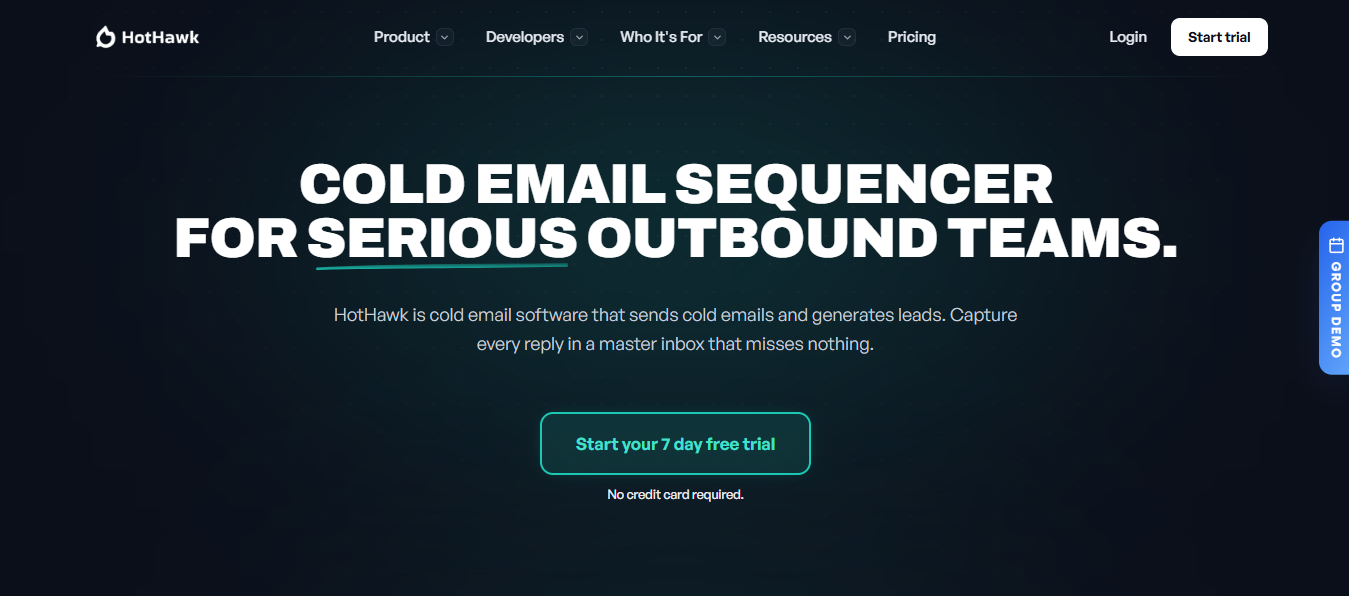
You already have a sequencer, so the fair question is what a new one gives you. With HotHawk, the answer is not on the sending side. It is on the replies.
Sending was never the hard part. What breaks down is what comes back. Across a dozen mailboxes, replies pile up in places nobody is watching, and a share of them never reach the person who should act on them.
The reason is how most tools are built. They match a reply to an email they sent, so they only surface responses from the people you actually emailed. A prospect forwards your email internally, and their colleague replies.
Someone gets CC'd. A reply arrives while the campaign is paused. None of it registers, because none of it is a thread the tool started.
HotHawk reads the mailbox directly instead of matching against its sent list. So those forwarded, CC'd, and off-thread replies get pulled in with the rest, and the buyer you never emailed ends up in front of you.
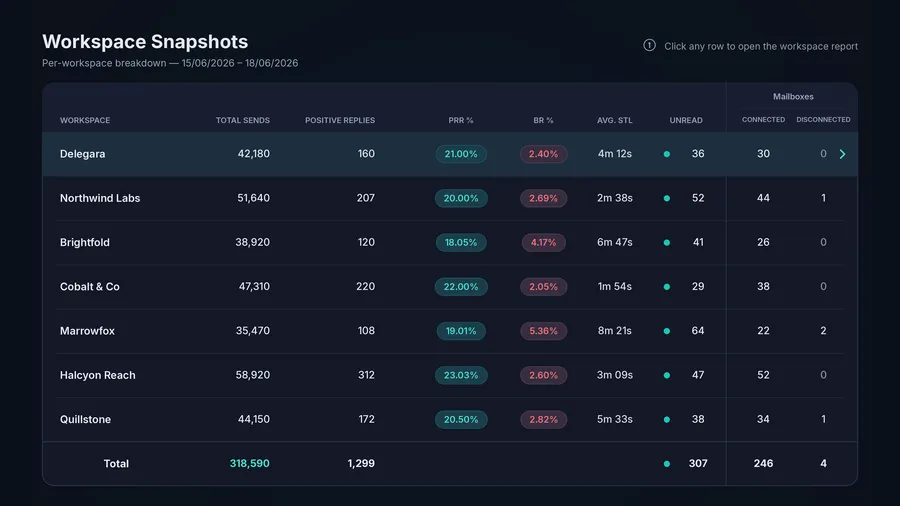
From there, it assigns each reply to one person as it arrives, either through round-robin or by mailbox. That is the part a shared inbox misses: a warm reply sits for days because everyone assumes someone else has it.
Here is the honest read on the four features that actually decide whether HotHawk is worth it.
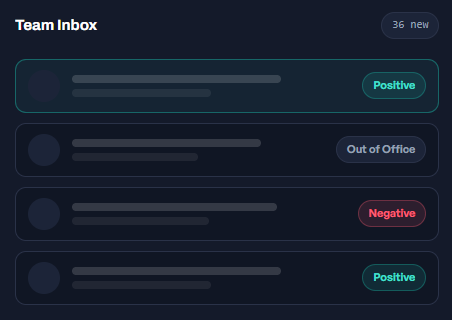
Every reply, from every mailbox, lands in one place. That alone is ordinary. What makes it work is where the replies come from.
A normal sequencer only knows about a reply if it can match it to something it sent. It listens on the sending side. HotHawk reads the mailbox itself, and that changes what it can see.
It catches three replies your sequence cannot. A prospect forwards your email to their boss, and the boss writes back.
A colleague gets CC'd into the thread. Someone replies while your campaign is paused. Each one comes from a new sender on a new thread, so a sending-side tool has nothing to match them to. HotHawk picks them up anyway.
If you have ever found out weeks later that a decision-maker replied and nobody saw it, this closes that exact hole.
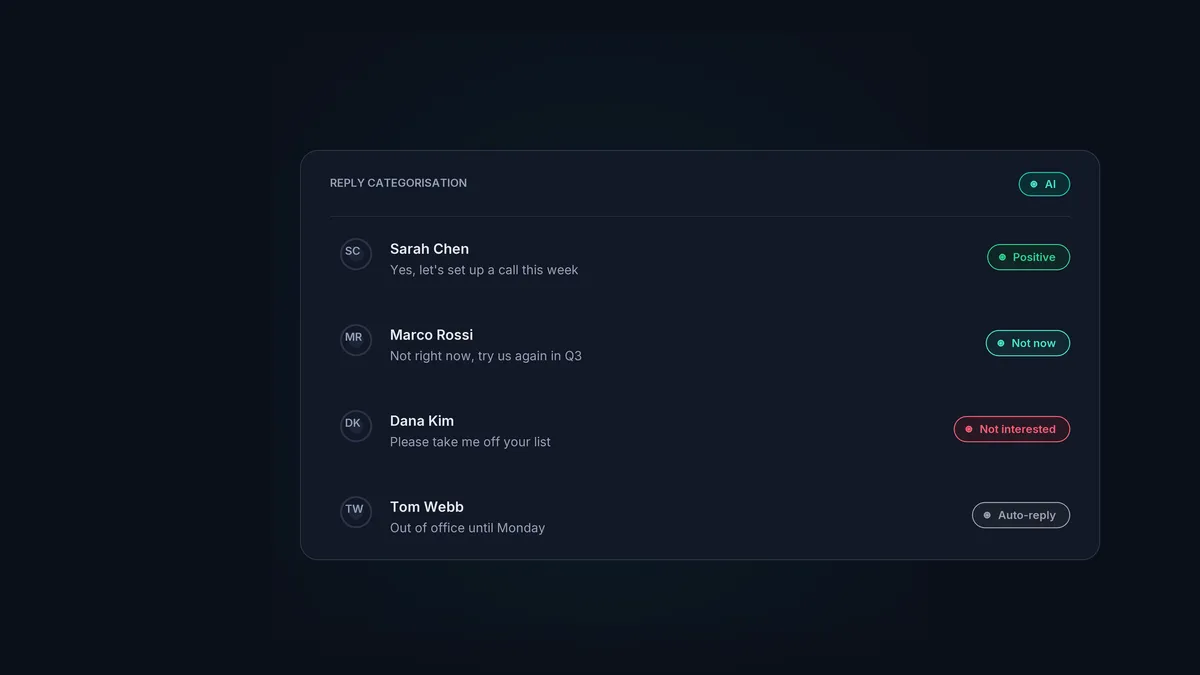
Capture is only the start. Replies arrive sorted into positive, negative, and out-of-office categories, so your team works the hot ones first rather than reading through every message to find them.
10 n8n LinkedIn Automation Workflow Examples + Templates
Catching a reply is half the job. The other half is making sure a specific person owns it, fast, before it goes cold.
A reply lands in a shared inbox everyone can see, and no one owns it, sits for three days, and the buyer moves on. HotHawk assigns each reply the moment it arrives.
Round robin shares them evenly across the reps you pick, or you route by mailbox so the right pod or region always picks up.
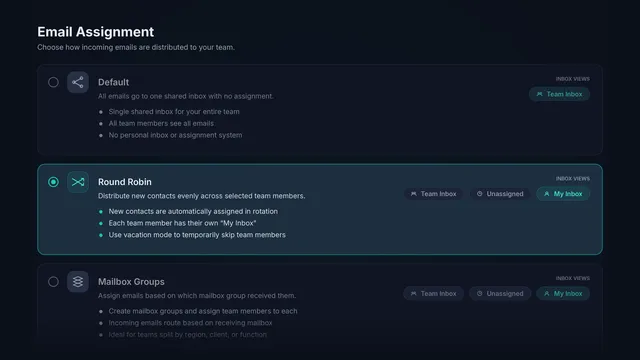
Each rep gets their own view of just their replies, and managers see everything. So nothing sits unclaimed, and no two reps answer the same person.
On a team, this is the feature that pays for itself, because "who is handling this?" is the question that kills warm leads.
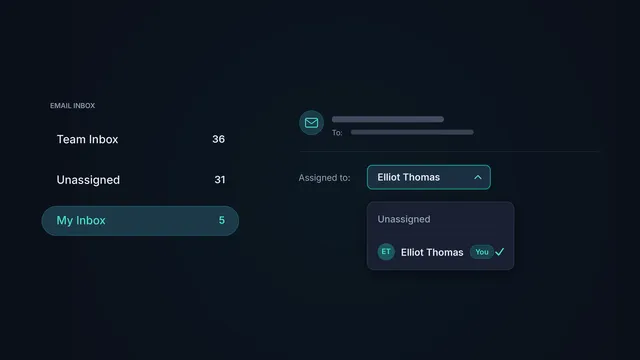
What you are still left to handle: the routing decides who owns a reply, not how fast they act on it.
HotHawk tracks your speed-to-lead so you can see when a rep is slow, but closing that gap is still a people problem, not a software one.
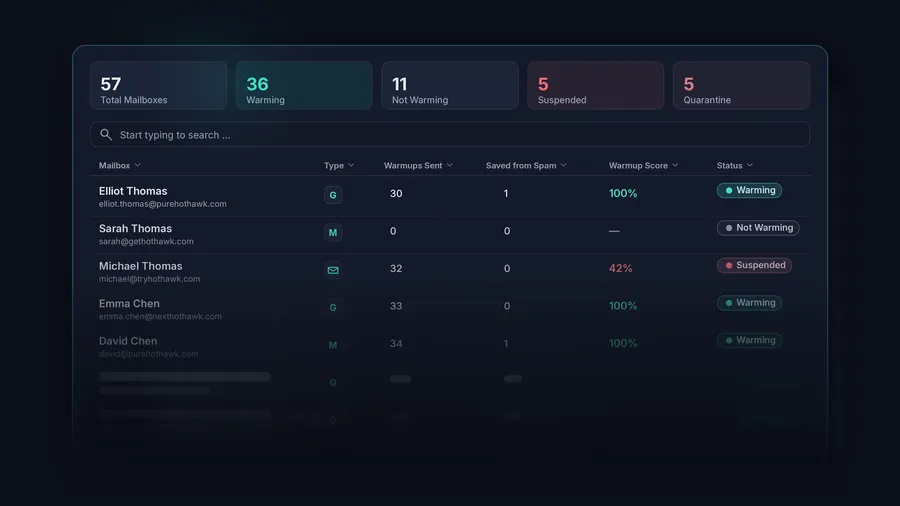
Warmup and rotation are the features nobody gets excited about until their domain tanks, and suddenly it's all that matters.
HotHawk does both well. It also does nothing here that a serious tool would not, so this is not where it wins you over.
Where it actually earns some trust is the pool. If you have shared a warmup pool before, you know the quiet risk in it: you are building your reputation next to strangers, and you have no idea who they are.
HotHawk only lets real Google and Microsoft inboxes in, over 50,000 of them, no SMTP accounts, no bots. So the mailboxes vouching for yours are real senders, not a farm of throwaway accounts quietly rotting your reputation while you warm up beside them.
And it does not just trust the pool to stay clean. A mailbox that starts looking risky gets pulled out, and one that starts bouncing gets cut immediately, before it can drag the rest of you down.
You set your own send and reply limits per mailbox, and the warmup traffic never clutters the inbox you actually read.
Rotation is the quieter half. You connect your mailboxes, and HotHawk spreads the sending across all of them so no single account burns out, on rotating IPs, with dedicated ones waiting when you get big enough to need them.
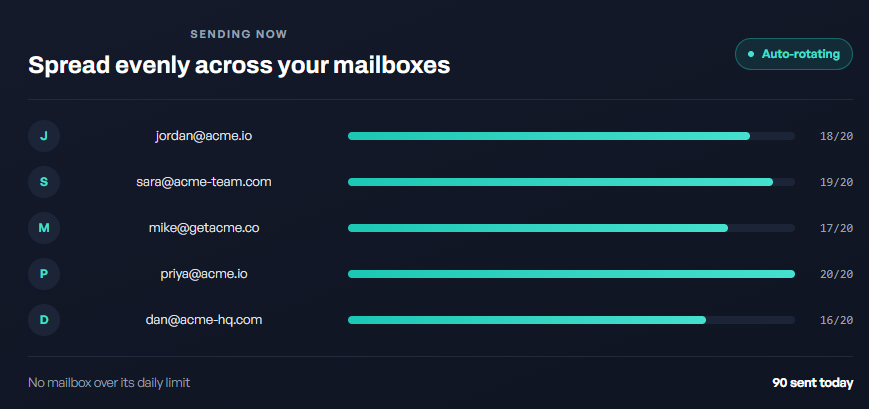
HotHawk turns off open and link tracking for everyone.
Two reasons.
So HotHawk reports on human replies, positive replies, and bounce rate instead of opens and clicks.
5 Tools To Automate Your Sales Workflow in 2026
The short version: it is built for people who send cold emails at volume and have too many replies to manage by hand.
If that is not you yet, you would be paying for features you never touch.
Unlimited client workspaces, white-label included, not billed per client. Each client logs in to a portal on your domain and never sees HotHawk.
If you dread the per-client math, this is aimed at you.
HotHawk prices on your sending, not your headcount, so you add the whole team without paying per seat.
Replies route to the right rep automatically, and managers see everything.
A fit too. The reply-catching and the lightweight CRM help when you are the whole sales team.
Now the honest part.
If you send fifty emails a week, this is more than you need. Its problems- scattered replies and burning domains, only show up at scale.
You would pay for capacity you never use.
HotHawk intentionally turns off open and link tracking.
If your reporting leans on open rates, this will feel like a gap, even though it is a deliberate choice.
You still direct the work here. If you want to hand over the keys and let software run outbound with no one steering, this is not that.
So read yourself honestly. High volume with replies you keep losing: HotHawk fits. Light sending or open-rate reporting: look elsewhere.
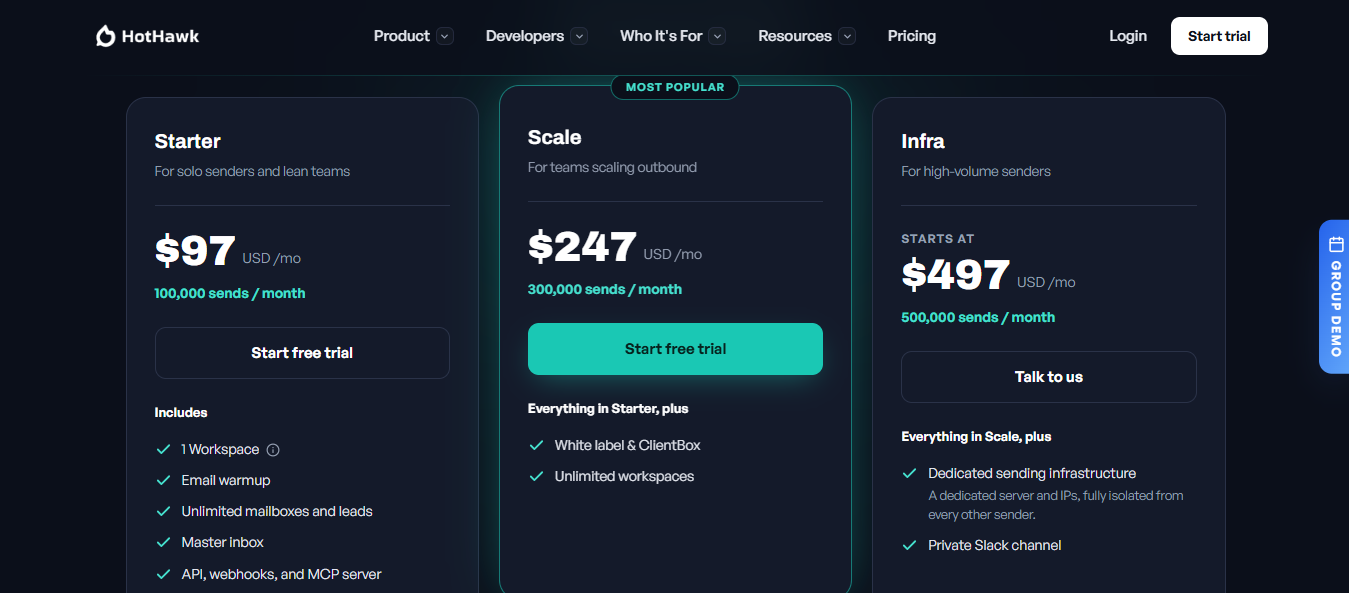
HotHawk runs three tiers, priced on one thing only: how many emails you send each month.
Everything else, including mailboxes, leads, seats, and client access, is unlimited across all plans.
Need more than 500,000? Add 100,000 sends for $70/mo, stacked as many times as you want on any plan. So you grow volume without jumping a tier.
One thing to know about "a send": it is one email out, and every campaign step counts.
A four-step sequence to one prospect is four sends.
So size your plan to how many steps you run, not how many contacts you hold, because sends reset each cycle and do not roll over.
The good part is the no-per-anything model.
Unlimited seats, leads, mailboxes, and client access across all tiers are rare, which is why a growing team or agency saves real money.
You add people and clients, and your bill stays put.
There is a free trial, too: seven days, no card required, enough to run a real campaign before you pay.
So what does it really cost?
Fair for the volume, as long as you match your plan to your sending.
HotHawk is mainly built for cold email sending and reply management. Its biggest strength is how it reads connected mailboxes and picks up replies that other sequencers may miss, including forwarded messages, CCs, and replies from people who were not part of the original campaign.
That makes it a strong fit for teams that already have their lead lists and do most of their outreach by email.
You may need a different setup if LinkedIn is a regular part of your campaigns, or if you want prospecting, email, and LinkedIn steps managed in one workflow. In that case, a platform like Salesforge may make more sense, while HotHawk is still the better choice when reply capture and routing are the main problems you want to solve
HotHawk does one job well: send cold emails and catch every reply. If that is all you need, it is a fair choice.
But it has three built-in limits, and if any of them matter to you, Salesforge is the stronger tool.
Here is the honest difference. HotHawk is one app.
Salesforge is the outreach layer of a wider stack, so it does more, as long as you are willing to run more than one product to get there.
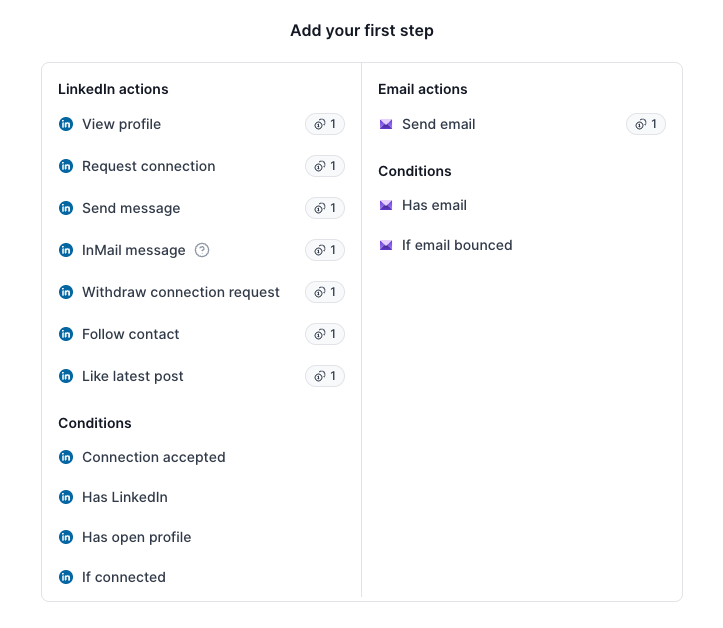
This is the biggest gap. HotHawk sends email and only pulls in LinkedIn replies through a separate HeyReach connection.
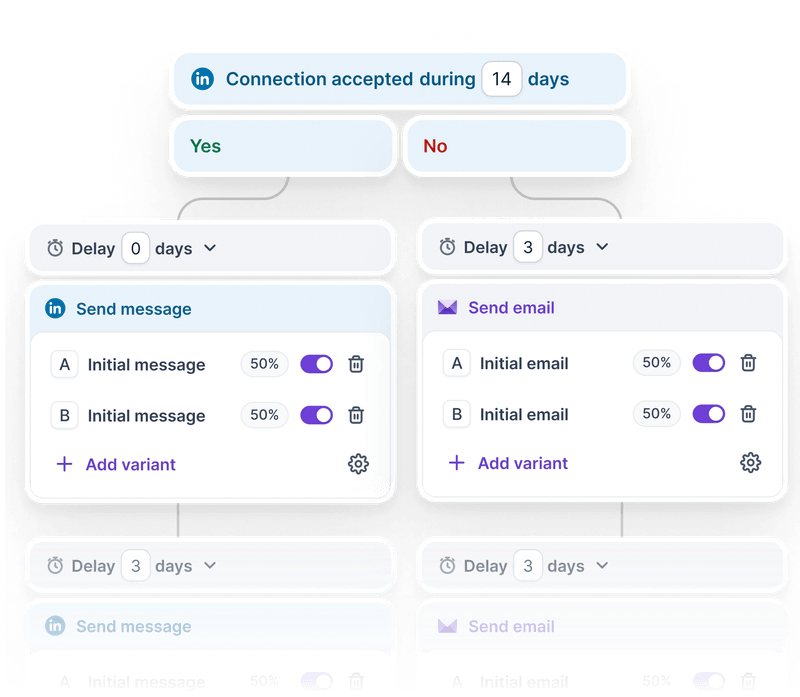
Salesforge builds email, and LinkedIn touches into a single sequence, so a prospect receives a connection request, a message, and an email in a single motion.
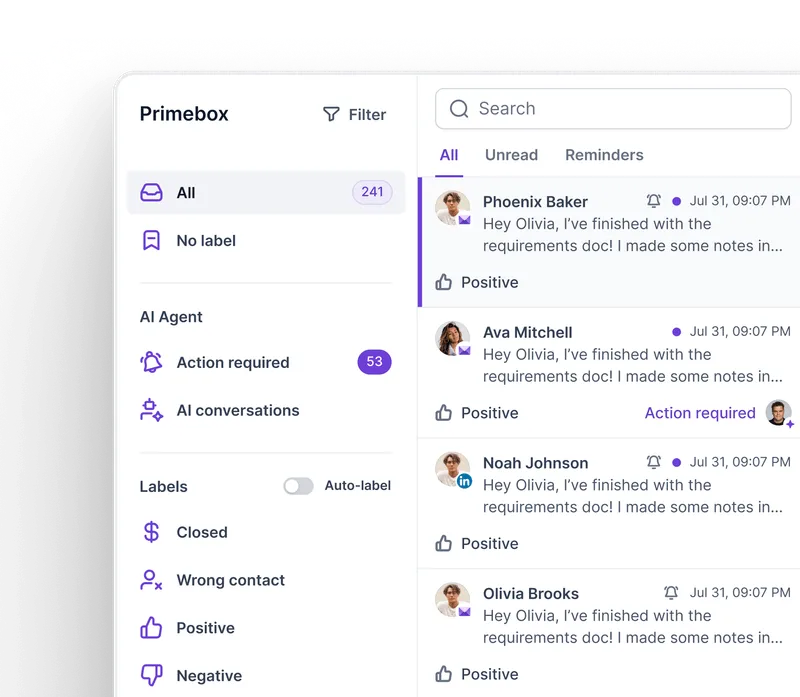
Replies from both channels land in the same inbox, Primebox, alongside every mailbox you send from.
If LinkedIn is part of how you book meetings, HotHawk cannot match this.
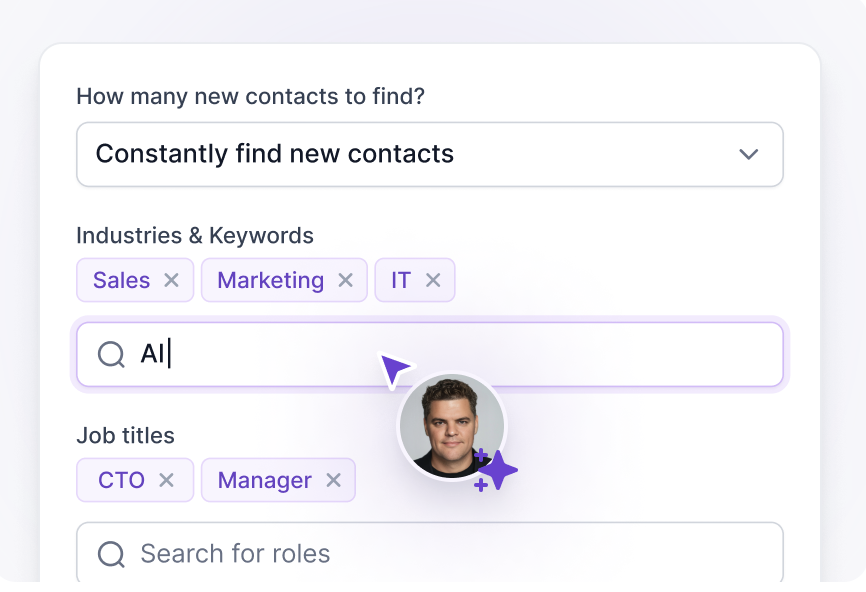
HotHawk assumes you already have a list. Salesforge integrates with Leadsforge, so you can search for leads, enrich them with email and LinkedIn data, and load them directly into a sequence without leaving the flow.
So the step before outreach, finding who to email, lives in the same place instead of a separate tool.
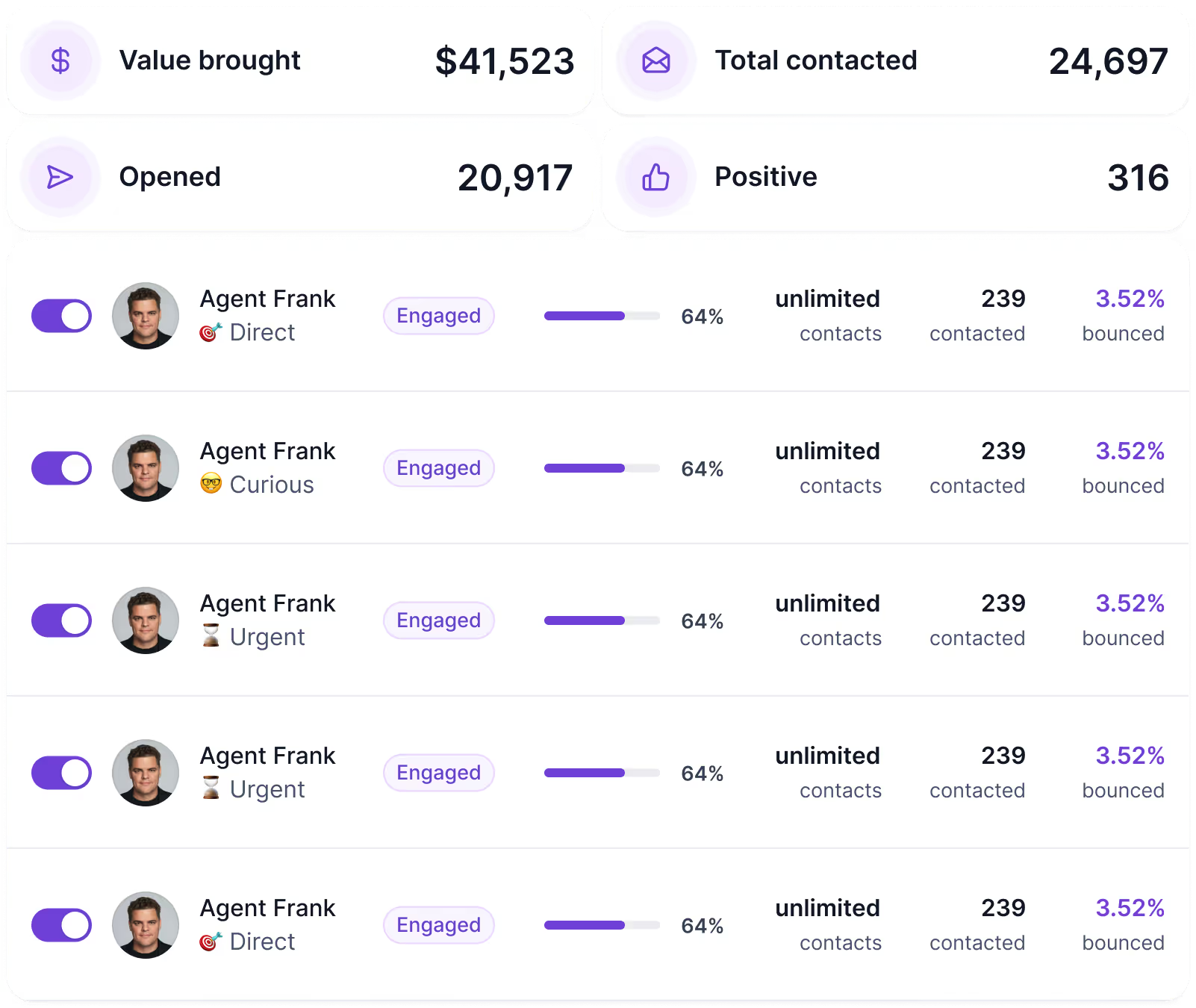
HotHawk is clear that it is not an AI SDR. Salesforge offers Agent Frank, which runs the entire outbound steps: finds prospects, verifies them, writes outreach messages, follows up, and handles replies according to the rules you set.
HotHawk hands you the work faster. Agent Frank does the work for you.
Those are different products for different buyers, and only one of them exists here.
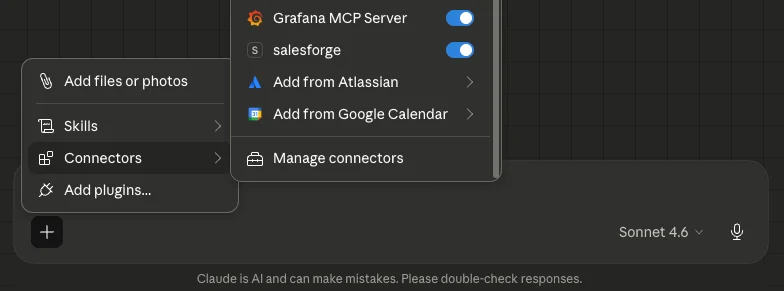
Both tools run from Claude through an MCP server, so this is close. The difference is reach. HotHawk's MCP drives HotHawk.
The Forge MCP drives the whole stack through one endpoint, so from a single chat you can source leads, set up mailboxes, warm them, build the sequence, and check deliverability.
If you want to run outbound end-to-end from Claude, Salesforge reaches further.
Enter your email to get a custom plan & stack recommendation for your business
Please check your mailbox in 5 minutes

HotHawk is worth a look if missed replies are already costing your team conversations.
Its biggest strength is not sending more email. It is catching forwarded, CC’d, and off-thread responses, then making sure someone owns each one.
At lower volume, it may be more than you need, and it will not be the best fit for teams that rely heavily on open and click reporting. Teams running email and LinkedIn together may also prefer a broader outbound platform, such as Salesforge.
For email-focused teams that care most about reply capture, routing, and predictable pricing, HotHawk has a clear place.
.jpg)

.jpg)

.png)
