Personalized Outbound Strategy
Get The Right Outbound Strategy In Minutes
Enter your email to get a custom plan & stack recommendation for your business
It's being carefully crafted by AI
Please check your mailbox in 5 minutes
Graph8 has gained attention because it positions itself as more than a sales engagement tool. It combines prospect data, buyer intent, AI agents, voice calls, outreach, CRM, meeting booking, and pipeline management inside one platform.
For founders, sales leaders, and RevOps teams, the appeal is clear. Graph8 can help find buyers, launch campaigns, qualify leads, book meetings, and keep sales activity connected without forcing teams to manage every step manually.
But the bigger question is whether Graph8 is strong enough to handle these workflows in real sales teams. In this Graph8 review, I’ll break down its features, pricing, AI capabilities, pros and cons, user feedback, and overall value.
By the end, you’ll know where Graph8 stands out, where it may fall short, and whether it is the right platform for your team.
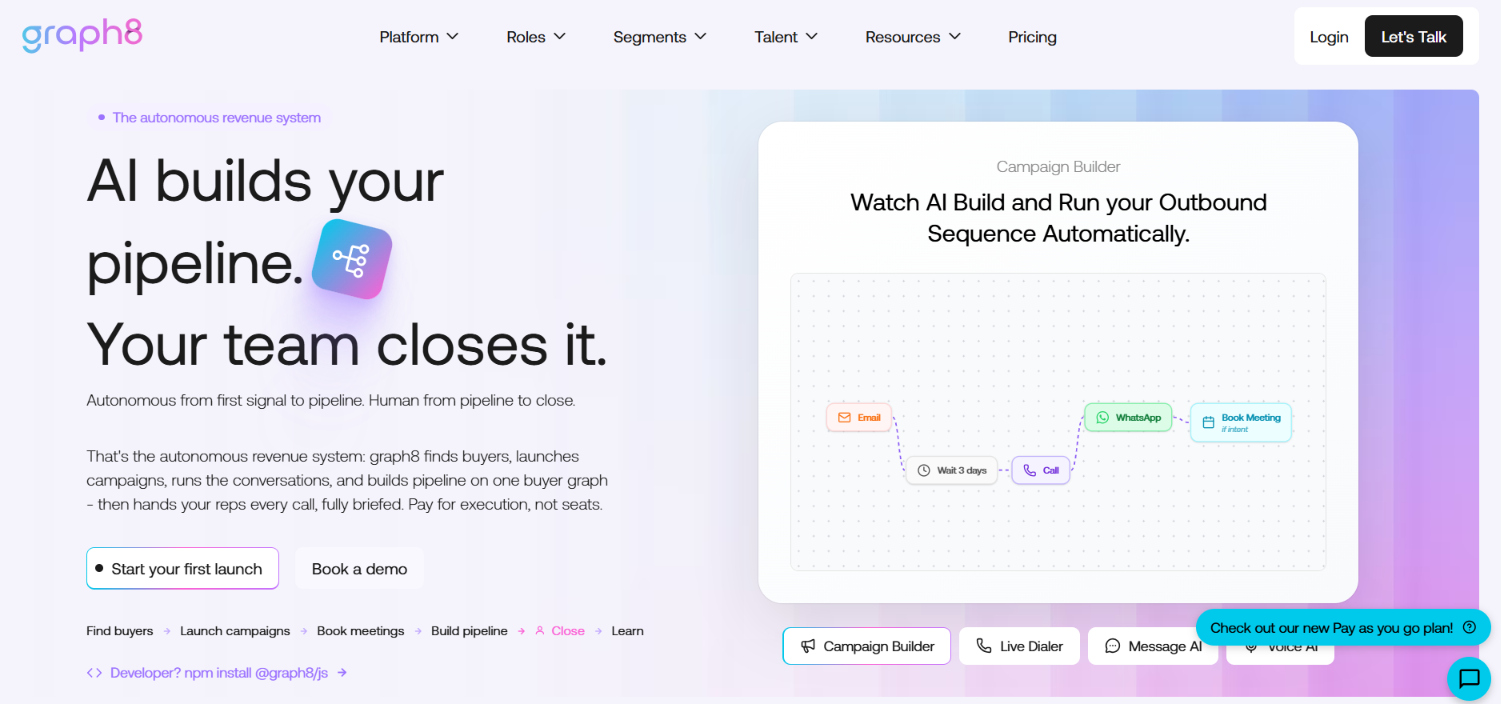
Graph8 is an AI GTM platform that brings CRM, outbound sequencing, dialer, B2B data, intent signals, visitor identification, meeting routing, and AI agents into one system. The platform works around a central Buyer Graph.
This means contacts, accounts, conversations, signals, campaigns, deals, and pipeline data sit in the same place instead of being spread across separate tools.
In simple terms, Graph8 helps a team find buyers, launch campaigns, handle conversations, book meetings, update CRM data, and move opportunities through pipeline from one workspace.
Graph8 offers a wide range of GTM features, but some stand out more than others. Below are the features that I think add the most value and make Graph8 different from many other platforms.
This is easily the most important part of Graph8. Instead of keeping prospect data, CRM records, emails, calls, meetings, and pipeline in separate systems, Graph8 keeps everything connected through one Buyer Graph.
Every interaction updates the same buyer record, so your sales team and AI agents always work from the latest information. I think this is one of Graph8's strongest ideas because it removes a lot of the data silos that exist in most outbound stacks.
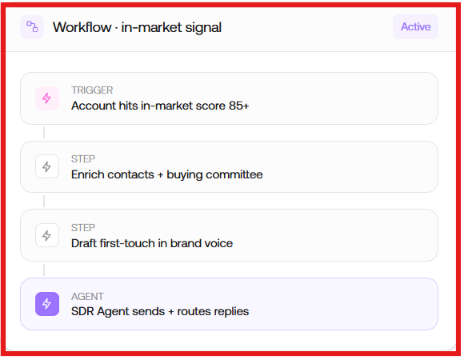
Many AI sales tools help you write emails. Graph8 tries to replace much more of an SDR's daily work. Its AI SDR Agent can build prospect lists, draft outreach, route replies, qualify leads, and pass opportunities to the right rep. For teams spending hours on manual prospecting every day, this could save a significant amount of time.
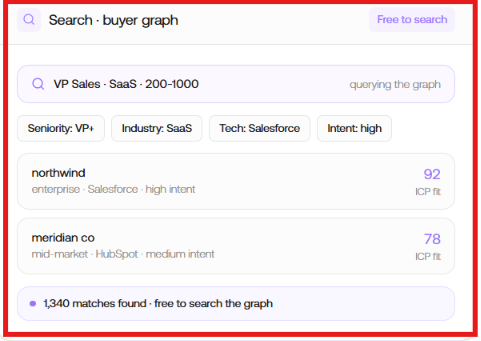
Graph8 includes prospect data inside the platform. It includes access to 700M+ verified contacts, 100M+ companies, buying signals, visitor identification, and enrichment. That means you can find prospects and start outreach from the same workspace instead of exporting data between multiple tools.
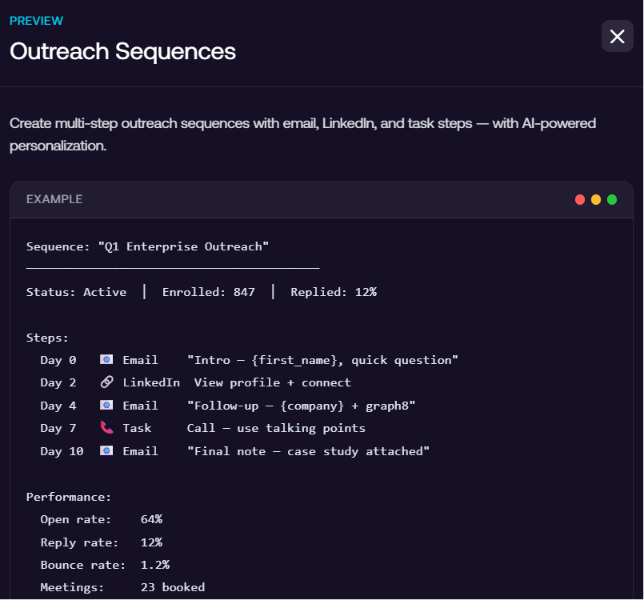
Graph8 lets you build one sequence across email, phone, LinkedIn, SMS, and WhatsApp. That's useful because modern outbound rarely happens on a single channel. Managing every touchpoint from one campaign is much easier than switching between separate outreach tools.
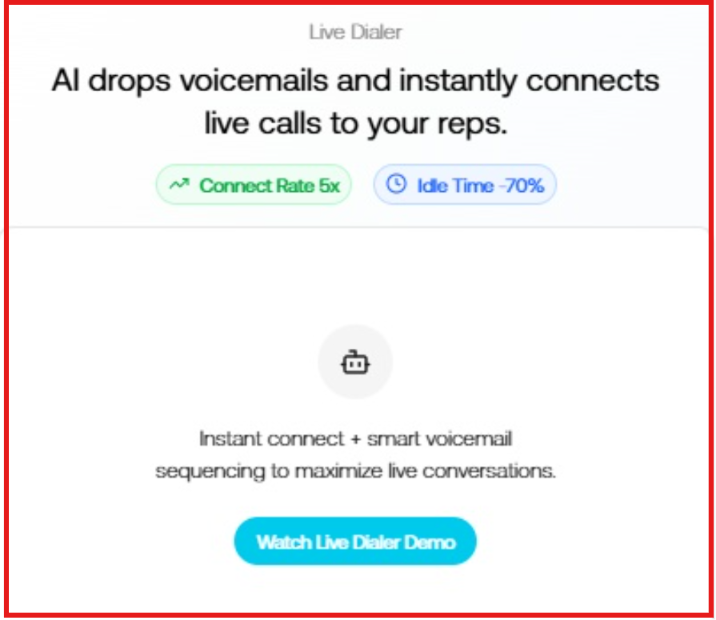
Graph8's Live Dialer uses AI to handle repetitive calling tasks before bringing a sales rep into the conversation. It can automatically drop voicemails, connect reps only when a prospect answers, and use AI Voice to qualify prospects or book meetings before handing the call over. This feature helps sales reps spend less time waiting between calls and more time talking to qualified prospects.
Instead of sending data back and forth between different platforms, Graph8 keeps outreach, contacts, pipeline, and deals together in one CRM. If you already use HubSpot, Salesforce, or Pipedrive, you can sync them instead of replacing them completely. For businesses trying to simplify their GTM stack, this flexibility is a great advantage.
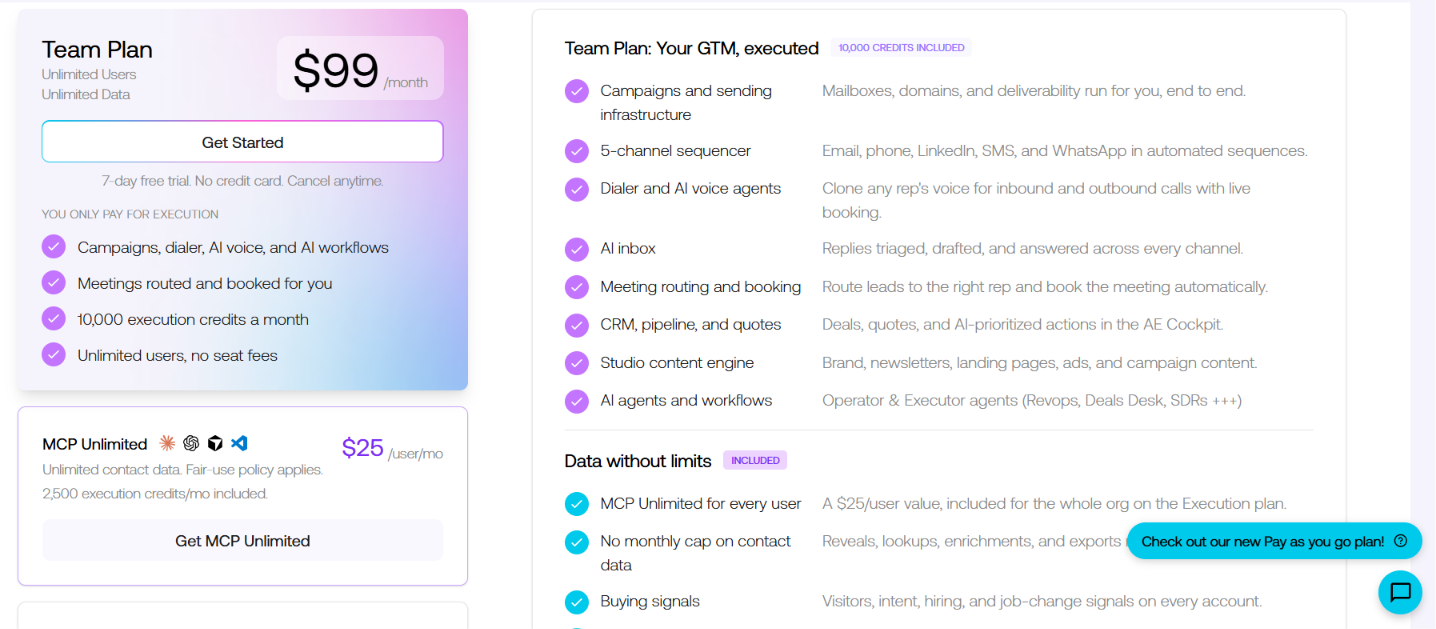
Graph8 has a simple pricing model with three options. You can start for free, pay only for what you use, or choose the Team Plan if your business runs outbound at scale. The Team Plan includes unlimited users, so your cost doesn't increase as your team grows.
I think the $99 Team Plan offers the best value. Unlimited users are included, and every major feature is unlocked, so you don't have to pay extra as your team grows. If you're not ready to commit, the free Pay As You Go plan is a good starting point because you can try the platform without a credit card. As your usage grows, you can move to the Team Plan instead of paying for multiple GTM tools separately.
One thing I like is that Graph8 lets you build multichannel outreach from one place. You can combine email, phone, WhatsApp, and meeting booking into a single workflow instead of managing separate outbound tools.
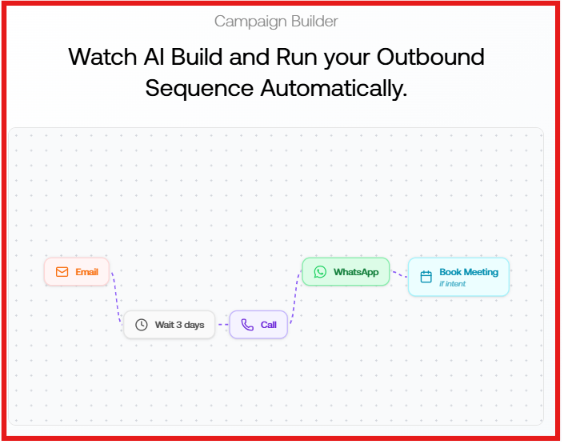
Whether it can replace your entire outbound stack depends on how your team works. If you're using different tools for outreach, calling, meeting scheduling, and prospect data, Graph8 has enough built-in functionality to replace a large part of that workflow.
Graph8 is a strong option if your goal is to reduce the number of outbound and GTM tools your team uses. It combines prospecting, outreach, calling, CRM, buyer signals, and AI workflows into one platform, so you spend less time switching between different systems.
That said, I wouldn't replace every tool on day one. If your business already relies on platforms like HubSpot or Salesforce, I'd connect Graph8 first, see how it fits your workflow, and then decide which tools are worth replacing.
Graph8 isn't difficult to use, but it isn't a beginner tool either. Because it combines prospecting, CRM, outreach, calling, buyer signals, and AI agents in one platform, there are more menus and workflows to learn than with a dedicated outreach tool.
The platform becomes much easier once your data sources, mailbox, CRM, and workflows are connected. After that, most day-to-day work happens from the same place instead of switching between multiple GTM tools.
Who Will Find It Easy?
Who May Need More Time?
Graph8 has a learning curve because it covers so many GTM functions. But if your team plans to use most of those features, the extra setup is worth it because everything works from one platform.
I think Graph8 is a good choice if you want one platform to manage most of your GTM work. It brings together prospecting, outreach, calling, CRM, buyer signals, and AI workflows, so you don't have to switch between multiple tools. That said, not every business needs everything Graph8 offers.
Graph8 Is Right for You If
Graph8 May Not Be Right for You If
If your goal is to manage most of your GTM work from one platform, Graph8 is worth considering. But if you only need one part of the sales process, a more focused tool will probably give you better value.
Graph8 is a broad GTM platform. It combines prospecting, CRM, buyer signals, AI agents, calling, content, and outreach in one system. If your main goal is outbound, I think Salesforge is the better choice.
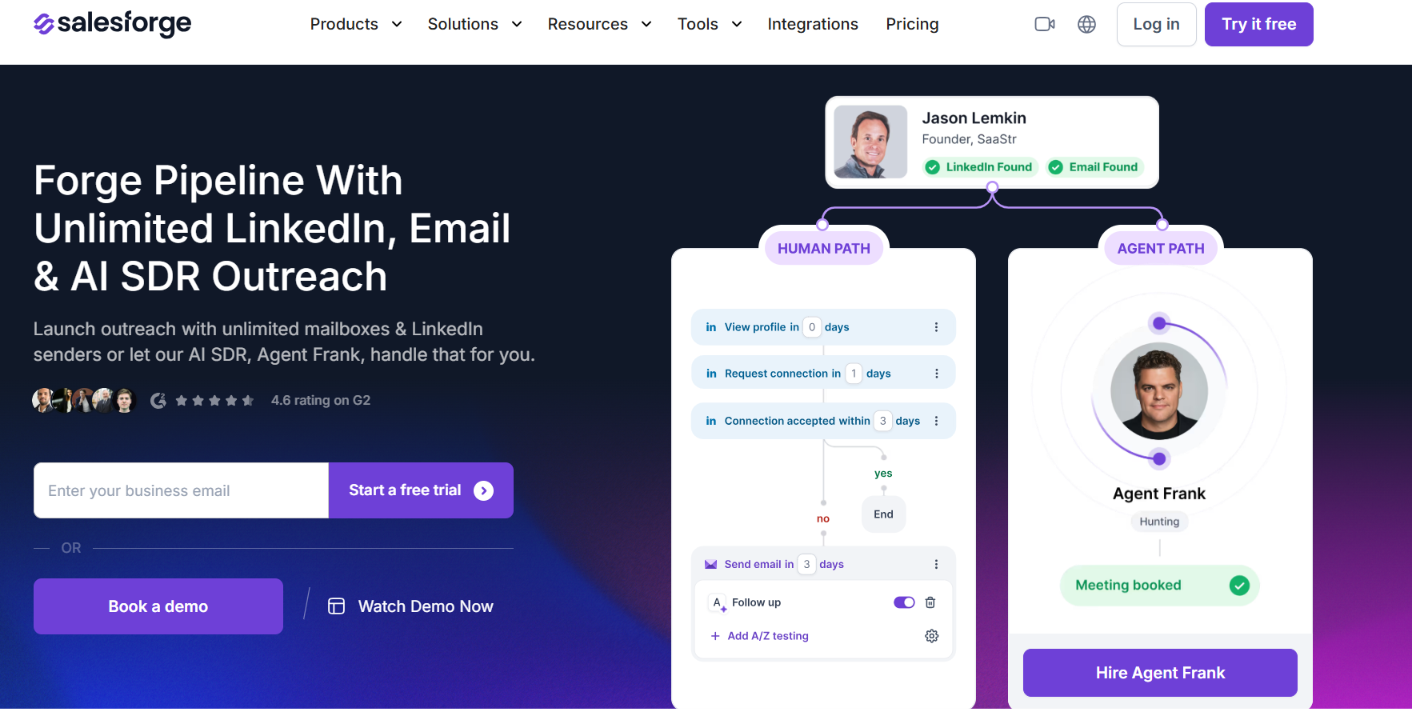
Salesforge is a cold outreach platform built specifically for email and LinkedIn prospecting. It helps outbound teams run campaigns at scale, improve deliverability, personalize emails with AI, manage replies from one inbox, and track performance across every campaign.
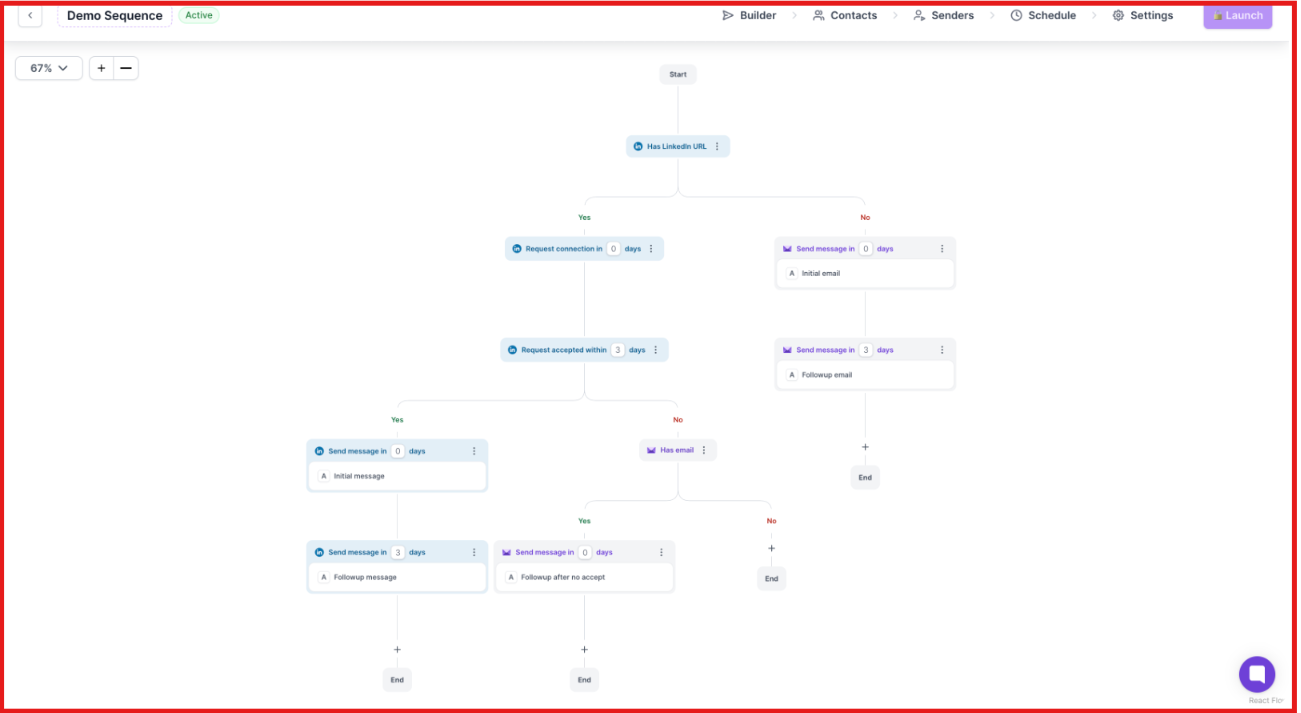
Instead of trying to replace your entire GTM stack, it focuses on helping you book more meetings through outbound.
If your business wants one platform to manage CRM, buyer signals, calling, and the wider GTM workflow, Graph8 is a solid option. But if your priority is booking more meetings through cold outreach, Salesforge is the stronger choice.
It's built specifically for outbound teams and puts more focus on deliverability, multichannel sequences, reply management, and scaling campaigns without paying per mailbox or sender.
Enter your email to get a custom plan & stack recommendation for your business
Please check your mailbox in 5 minutes

Graph8 is a strong choice for businesses that want to manage prospecting, outreach, CRM, buyer signals, calling, and AI workflows from one platform. If your goal is to replace multiple GTM tools with a single system, it's worth considering.
However, if your main focus is outbound, Salesforge is the better fit. It is built specifically for cold email and LinkedIn outreach, with unlimited mailboxes, AI personalization, built-in deliverability tools, multichannel sequences, and Primebox to manage every reply from one place.
If you're looking for a platform that helps you send more campaigns, improve deliverability, and book more meetings, try Salesforge with its 14-day free trial and see how it fits your outbound workflow.