
Personalized Outbound Strategy
Get The Right Outbound Strategy In Minutes
Enter your email to get a custom plan & stack recommendation for your business
It's being carefully crafted by AI
Please check your mailbox in 5 minutes
Ask anyone who has scaled LinkedIn outreach what keeps them up at night, and it is rarely the copy or the targeting.
It is the yellow warning in the corner of the account, the PIN request, the sudden restriction that takes a working profile offline, and a channel with it.
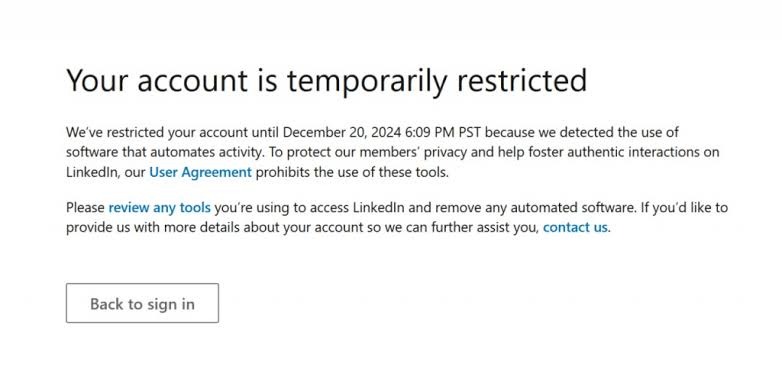
That single fear shapes everything about GetSales. Most outreach tools treat the LinkedIn account as a pipe to push messages through.
GetSales treats it as an asset to keep alive, with isolated cloud sessions per profile, activity limits that mimic a real person, and health monitoring that flags trouble before a profile crosses the line.
Email, enrichment, sequences, and a built-in CRM sit on top, but account safety is the spine.
So this review tests a specific claim, not a generic one. Is GetSales' safety-first LinkedIn automation enough to build outbound on, and where does it stop being enough?
Our rating: 7.8/10
GetSales is worth considering if LinkedIn is a major part of your outbound strategy and account safety is one of your main concerns. Its isolated cloud sessions, stable regional activity, and Smart Limits show that the platform takes LinkedIn risk management more seriously than many basic automation tools.
That is an important advantage. With LinkedIn outreach, the goal is not simply to send more connection requests or messages. It is to run consistent activity without pushing accounts beyond realistic usage patterns.
In our view, GetSales works best as a LinkedIn-first platform with email added to support the wider sequence. It is a good fit for teams managing several LinkedIn profiles, agencies running outreach for clients, or sales teams that want more control over account-level activity.
Its limitations become more noticeable when email is the primary outbound channel. GetSales does not appear to be built around large mailbox fleets, advanced deliverability infrastructure, or high-volume email execution in the same way as a dedicated outbound platform.
For teams that want LinkedIn automation with strong safety controls, GetSales is a credible option. For teams building a broader outbound system across email and LinkedIn, we would lean toward Salesforge because it brings mailbox infrastructure, deliverability protection, AI-assisted outreach, and reply management into the same workflow.
The decision ultimately comes down to your priority:
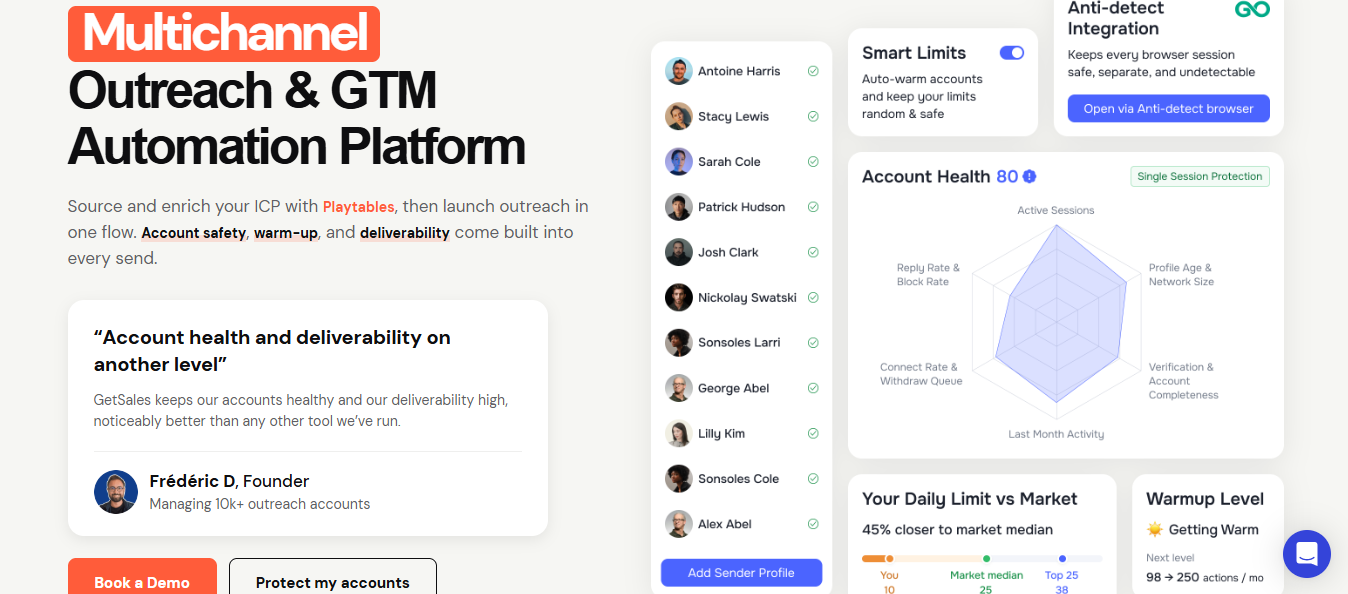
GetSales is a multichannel outreach and GTM automation platform.
It helps teams source and enrich ICP lists, run LinkedIn and email sequences, manage account safety, warm up senders, and track replies inside a built-in CRM.
In simple terms, GetSales sits between prospect data and outbound execution.
It helps when:
It is not only a LinkedIn message sender. The current positioning is broader: source and enrich your ICP with Playtables, then launch outreach in one flow.
GetSales helps with LinkedIn prospecting, email outreach, follow-ups, campaign sequences, CRM-style prospect tracking, templates, enrichment, and multichannel outreach.
The platform also puts a lot of weight behind account safety. Each account gets its own isolated cloud workspace.
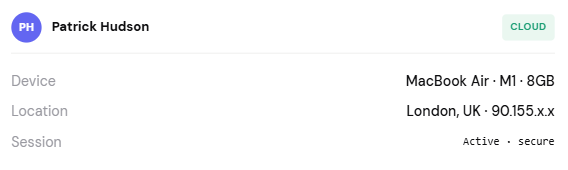
Each session keeps a stable regional presence. Persistent Cloud Browser sessions reduce surprise logouts and repeated re-authentication.
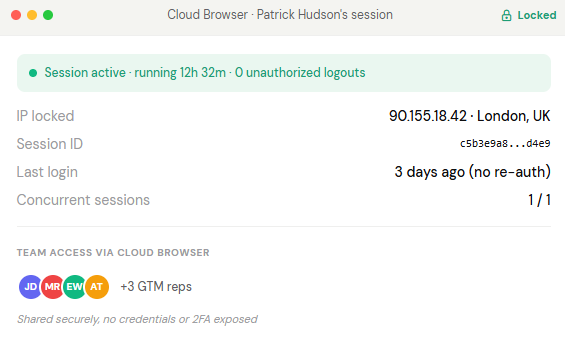
That is useful for teams managing many profiles because account access is usually where LinkedIn automation gets messy.
GetSales fits founders, SDRs, sales teams, recruiters, agencies, consultants, and B2B service providers.
These buyers do not want manual LinkedIn work, but they also do not want to lose control of account safety.
The fastest way to judge GetSales is by workflow, not the menu.
A LinkedIn-led outbound motion runs in a clear order: source and enrich the list, keep each profile safe, sequence across LinkedIn and email, sort the replies, and read the analytics.
Here is how GetSales handles each step and where it earns its keep.
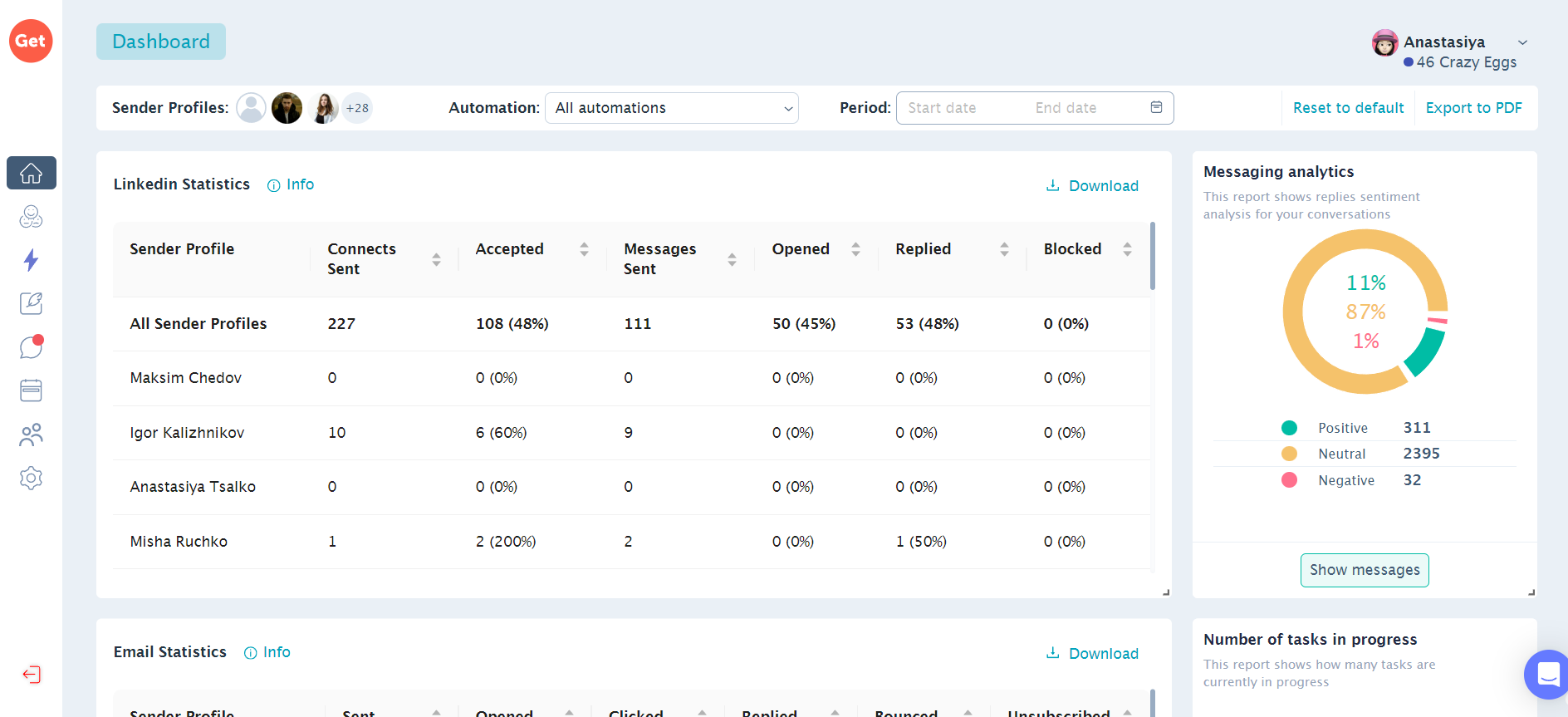
LinkedIn is where GetSales feels most specific.
The platform supports profile activity such as visits, invites, InMails, messages, and follow-ups. More importantly, it adds controls around how those actions happen.
Smart Limits auto-throttle daily invites, InMails, and visits. Activity is randomized and raised gradually, which is the right idea. Real reps do not behave in perfectly even patterns, and they do not run 24 hours a day.
GetSales also tracks more than 24 account health signals and gives steps to fix risk before a profile reaches the danger zone.
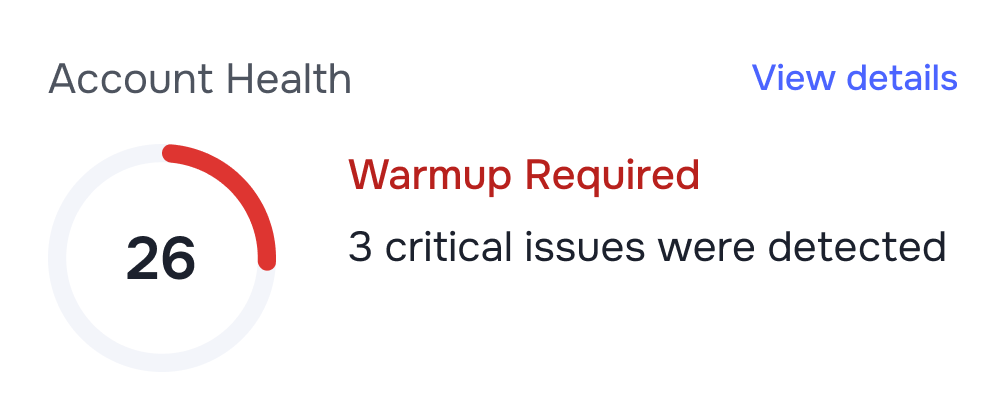
That safety-first setup is not a small detail. In LinkedIn automation, the sender account is the asset. If the account gets restricted, the campaign is not the only thing that breaks. The rep loses a channel.
Alfredo T. shares that he likes GetSales for its “documentation, platform safety, and pricing,” and also called out the ability to send InMails to open profiles and rotate sender profiles when someone does not accept a request.

That review points to the right use case: GetSales is not only sending messages. It is giving operators more ways to manage LinkedIn profiles as campaign assets.
10 n8n LinkedIn Automation Workflow Examples + Templates
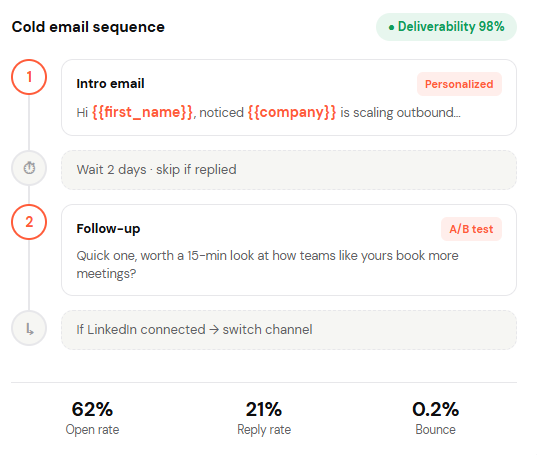
Email in GetSales serves the LinkedIn motion rather than standing on its own as a heavy sending engine.
The core is a sequence builder with IF/ELSE branching, so a prospect who opens but stays silent takes a different path than one who ignores the email.
Follow-ups stop automatically once someone replies, which avoids the worst cold email mistake: emailing a prospect who already said yes.
Enrichment runs in the same flow, so you branch on real behavior, not guesswork.
Deliverability covers the fundamentals: automatic warm-up, list validation that strips dead and risky addresses, SPF/DKIM/DMARC checks, and Smart Limits to pace sending.
This is where GetSales does its best work. Email and LinkedIn run inside one automated sequence, and the two channels stay aware of each other.
Replies rarely come from one channel on a fixed schedule. A prospect ignores an email but accepts a LinkedIn request. Another replies by email after a profile visit.
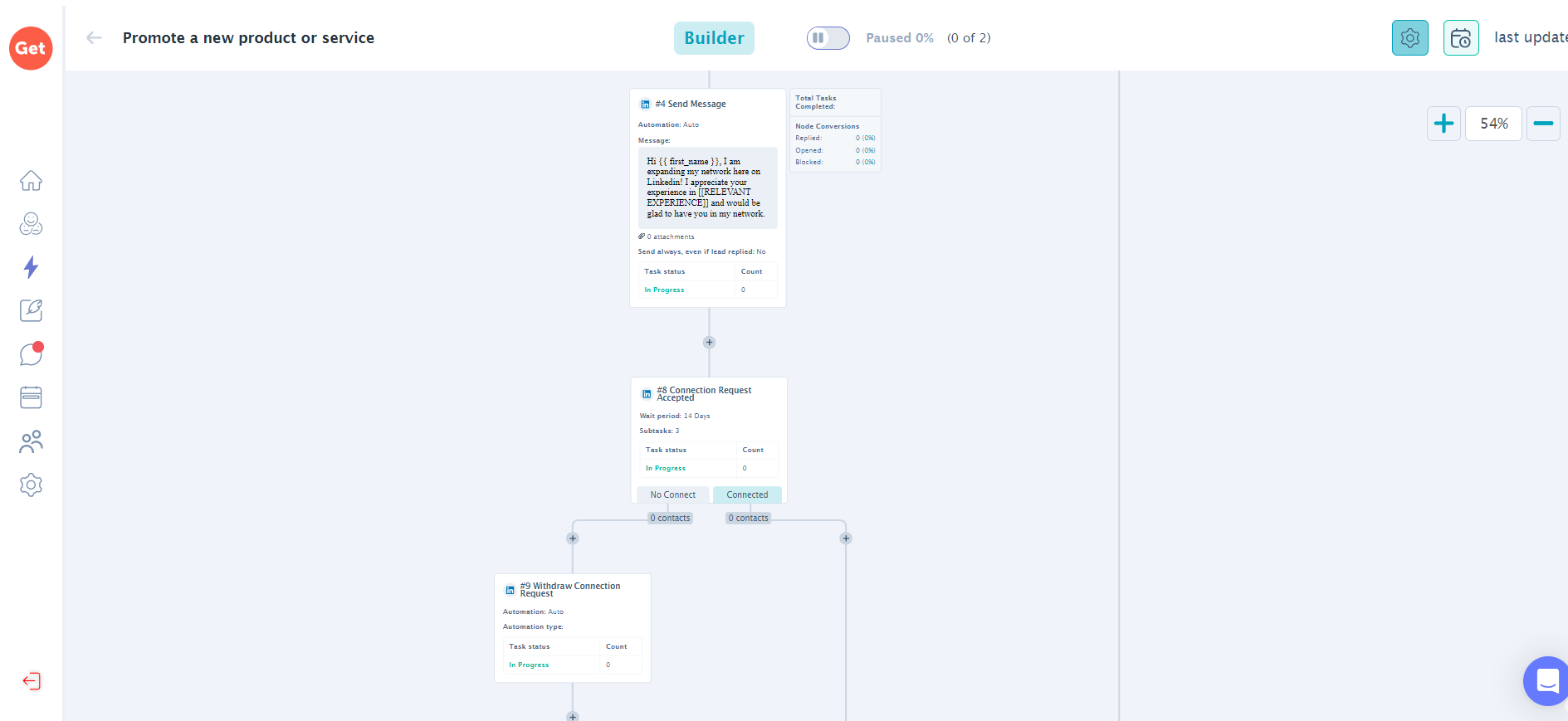
Run the channels in separate sales tools, and they cannot see each other, so one keeps messaging after the prospect has already replied to the other. GetSales treats both as one conversation.
The branching makes it practical: visit a profile, wait, send a request, and move to email only if the request goes unanswered.
Ankit M. on G2 called it a single tool for LinkedIn and cold email.

Similarly, Oleg G. noted it switches between the two automatically to lift conversions.

That is the point of a multichannel tool, not more touches, but touches that stop when the prospect responds.
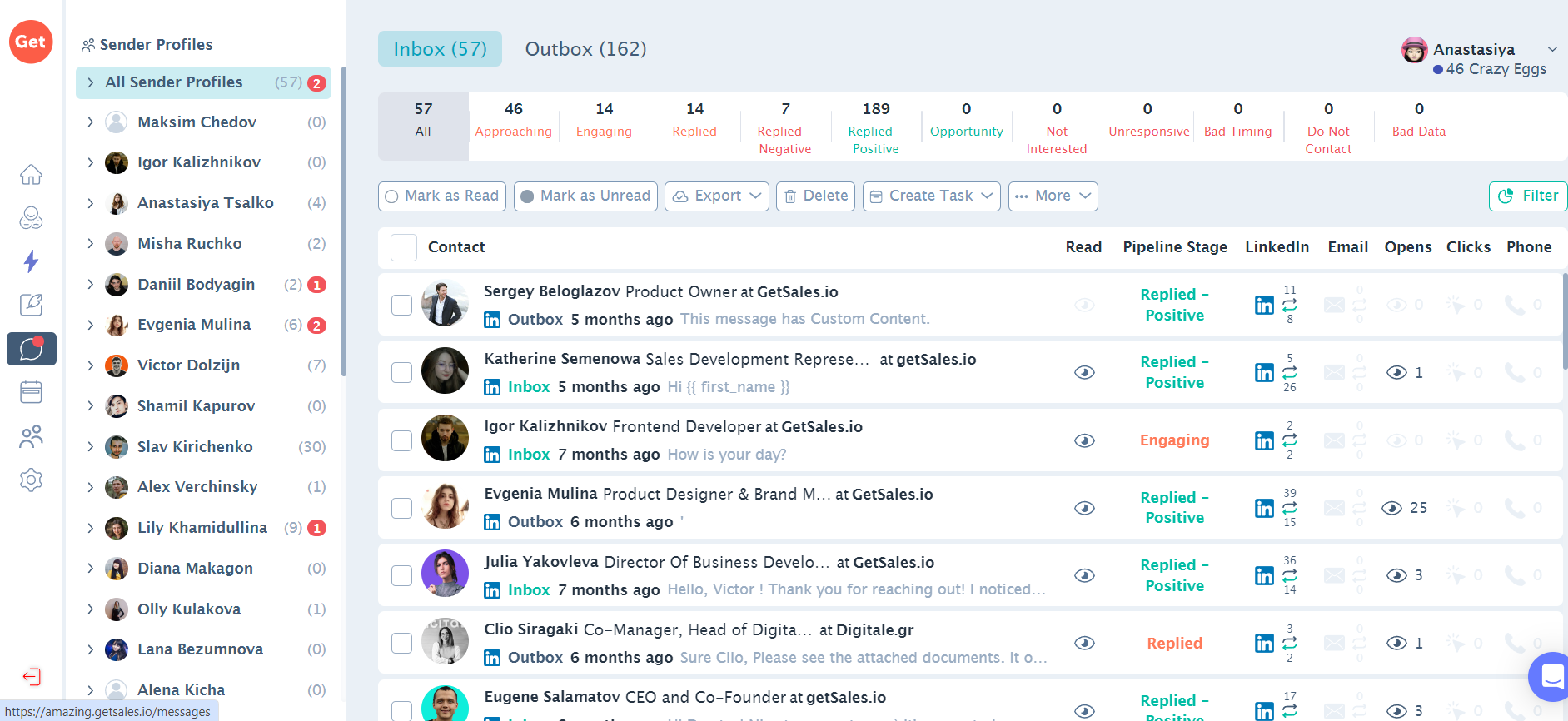
GetSales includes a built-in CRM, so leads live in the same place they are contacted. You move prospects by stage, track every response, and let AI score them on acceptance, response, and conversion rate, so the hottest deals surface first.
For a small team, this replaces the usual messy Google Sheet. For an agency, it does something more useful: it gives full traceability across profiles and campaigns.
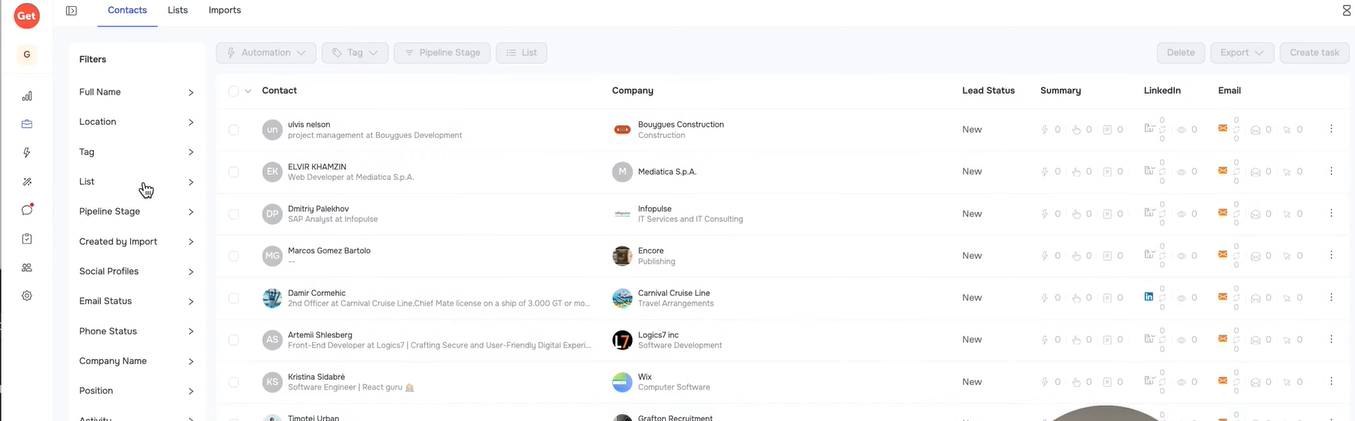
Alfredo T. shares that his agency and clients use GetSales daily and shares how the full traceability of messages and the better data overall is a win.

That traceability is the real point for agency outbound. The hard question is rarely "did we send enough?"
It is "which profile sent this, where did the lead come from, and which step created the reply." GetSales answers that inside the tool.
5 Tools To Automate Your Sales Workflow in 2026
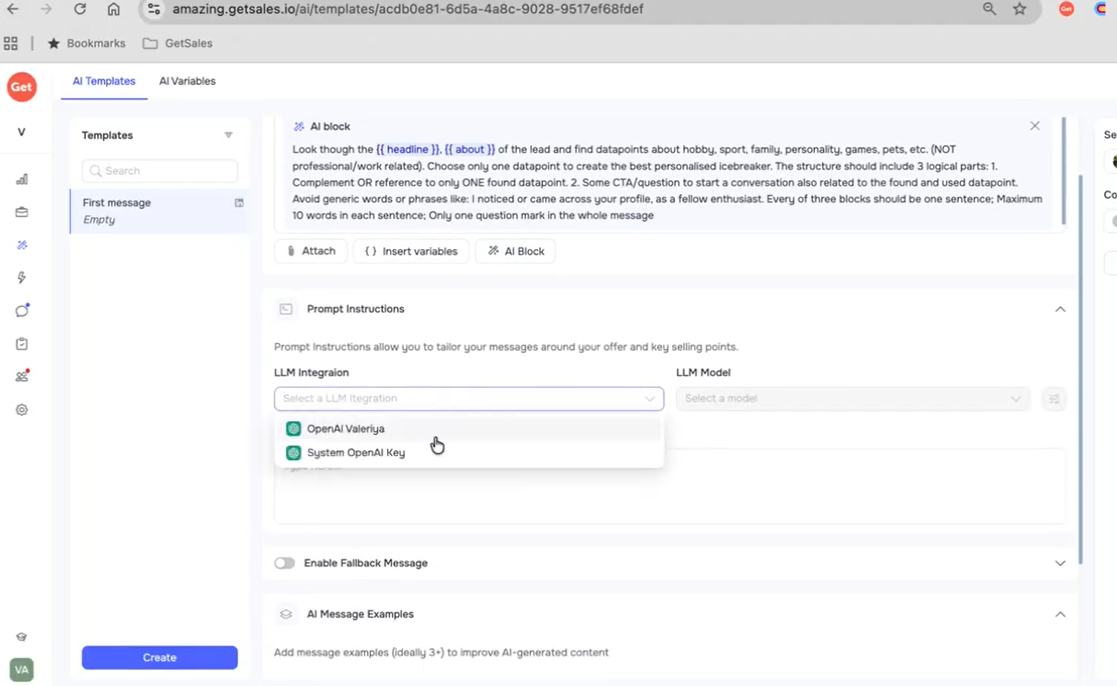
GetSales handles personalization at two levels. The basic layer is dynamic variables, custom placeholders, and personalized images and GIFs, so thousands of messages can still be read as one-to-one.
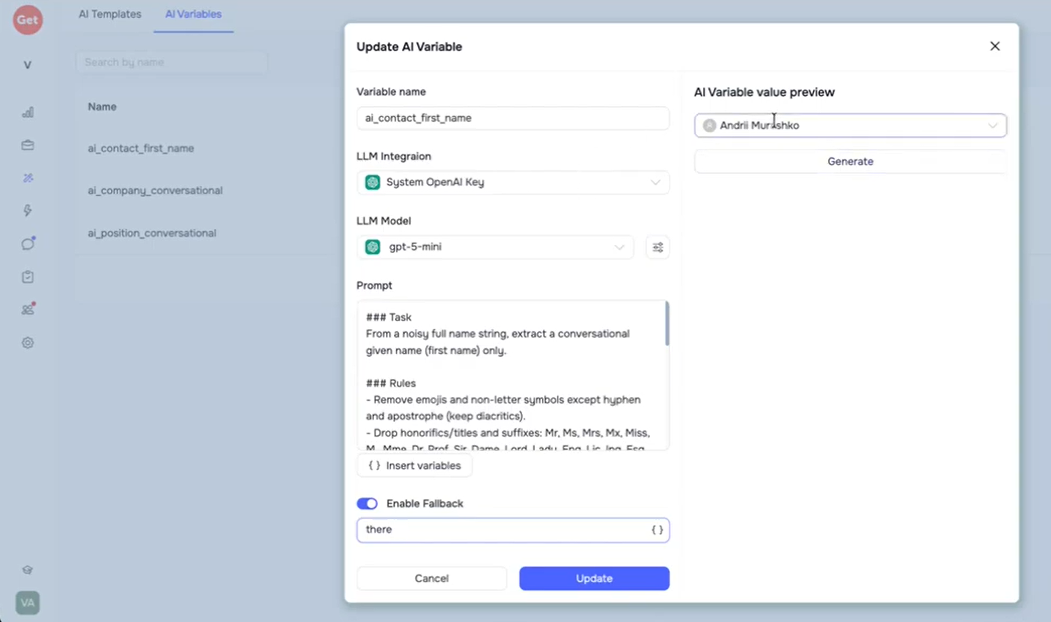
The smarter layer is AI reply-sentiment recognition, which sorts incoming replies by intent so reps chase the conversations that matter.
Vadim G shares that GetSales lets his team scale outbound without compromising personalization, and pointed to A/B testing, performance tracking, and automated follow-ups as the reason.

That is the right way to read this feature. Personalization here is not decoration. Paired with A/B testing, it tells you which message, channel, and segment actually earns replies.
GetSales uses a built-in CRM and AI assistant to help sort replies by cold, neutral, or positive intent.
It can also detect low-value replies so reps can focus on conversations that may turn into meetings.
This is useful for teams that run many campaigns at once. The faster you scale outreach, the faster reply handling becomes the bottleneck.
GetSales tracks opens, replies, conversion rates, step-level results, SDR stats, and funnel analytics. It also gives account health alerts.
That mix is useful because campaign data and account safety data need to sit close together.
If one LinkedIn profile performs well but starts showing risk signals, you need to know before raising activity.
If email replies drop while warm-up health is weak, you need to fix the sender before blaming the copy
5 Best Practices to Improve Sender Reputation
GetSales lists more than 20 native integrations and supports CRM-style workflows. The product details mention syncing every channel and keeping prospect data in one place.
Before buying, check the specific systems your team needs: CRM, inbox provider, enrichment source, calendar, Slack, and any reporting layer.
The tool is useful only if it fits the way your team works every day.
GetSales is strongest where LinkedIn safety and multichannel setup meet.
Account safety is treated as part of the product, not an afterthought. Isolated cloud sessions, persistent connections, Smart Limits, and 24+ Account Health signals all exist to keep a profile out of the danger zone.
For LinkedIn automation, where the account is the asset, the focus matters more than raw sending speed.
The multichannel flow is the second strength. Email and LinkedIn run in one synchronized sequence, so the channels stay aware of each other instead of talking over one another.

It fits agencies well. Secure Cloud Browser access lets a team manage many profiles without sharing credentials or 2FA secrets.
The analytics back this up, with reply tracking, funnel views, and AI sentiment showing what is working.
LinkedIn OutReach Automation Tutorial (step-by-step guide)
The gaps are honest and mostly about scope.
Contact quality still needs a human pass. Liza K. noted that even with GetSales, you should filter the LinkedIn contact lists it pulls to keep the right targets. The tool sources; you still qualify.

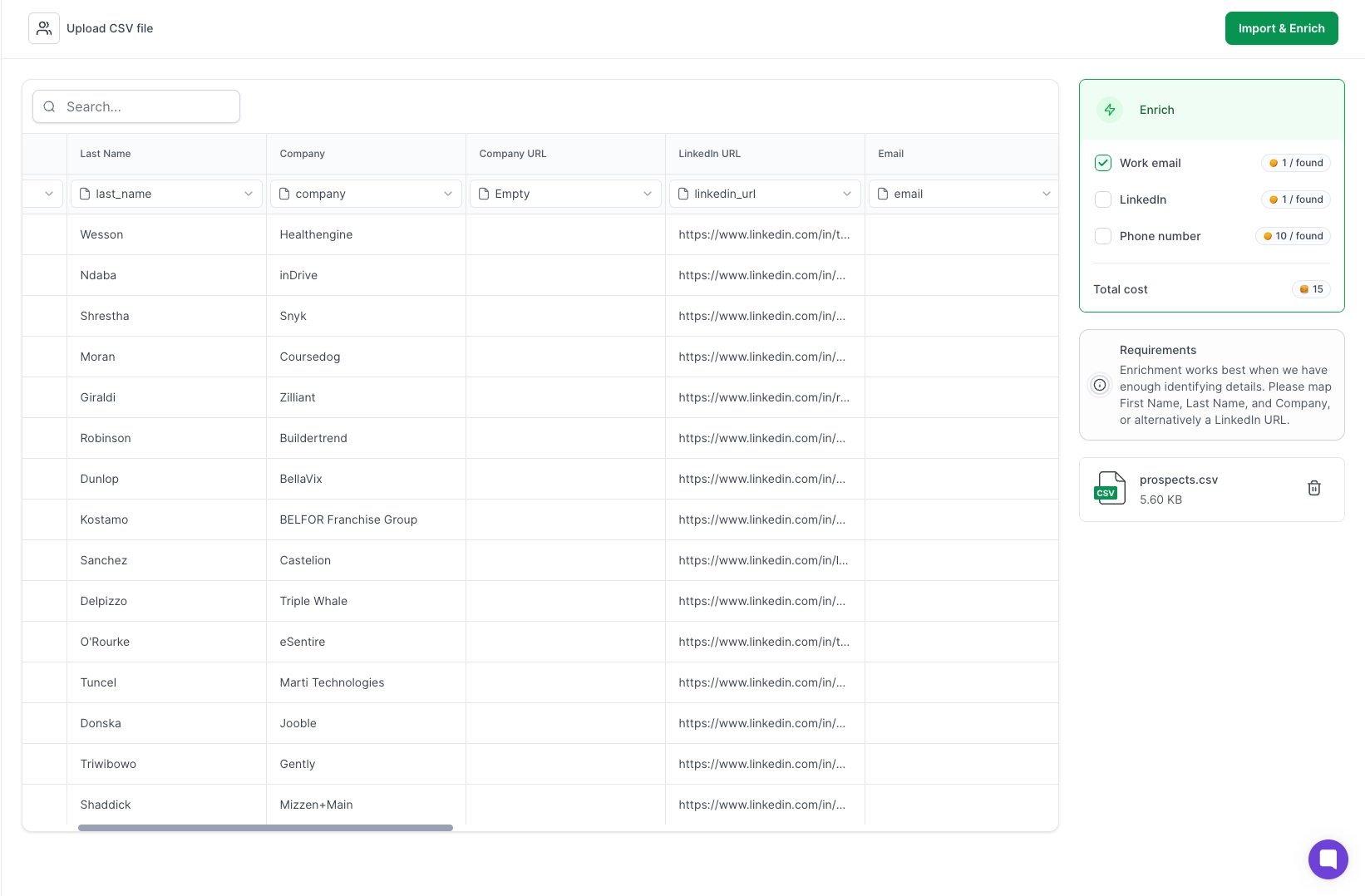
It is not built to be your sending infrastructure. If the core problem is domains, mailbox scale, warm-up, and sender rotation, GetSales connects inboxes you already own rather than provisioning new ones. That is a different job.
👉 Run LinkedIn and email outreach from one platform with Salesforge
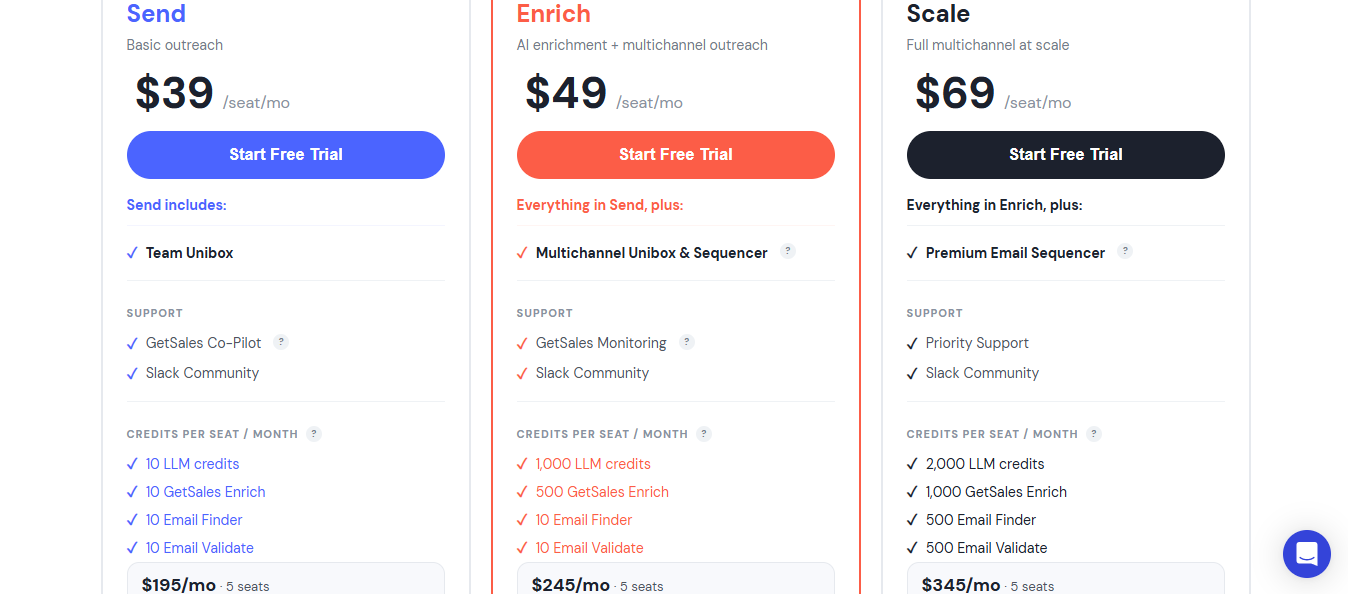
GetSales runs three per-seat plans, billed monthly with cheaper 6- and 12-month options.
Two things to weigh before buying.
First, price is per seat and credit-gated, so a 5-seat team runs roughly $195 to $345 a month, depending on tier, and heavy enrichment or AI use can push you to a higher plan for the credits alone, not the features.
Second, do not compare the monthly price in isolation. Compare total sending capacity. For a LinkedIn-heavy team, weigh profile count, session stability, Smart Limits, and account health pacing.
For an email-heavy team, weigh mailbox count, warm-up, validation, and reply management.
The honest way to compare these two is not feature by feature. It is to ask the question a buyer is actually deciding: is my outbound a LinkedIn problem or a scale problem?
GetSales is the answer to the first. Salesforge is the answer to the second. Almost every real difference flows from that.
Some teams live or die by LinkedIn. The account is the asset, and the daily fear is a profile getting restricted and taking the channel down with it.
GetSales is engineered around that exact fear. Every profile sits in its own isolated cloud session, Smart Limits pace the activity to look human, and Account Health watches 24+ signals and warns you before a profile crosses the line.
For an agency running dozens of profiles, Cloud Browser access means the team works those accounts without ever passing around credentials or 2FA codes.
Salesforge does LinkedIn, too, with unlimited senders. But it does not treat the LinkedIn profile as a fragile object to be nursed with isolated sessions and health scoring.

If that nursing is the thing keeping you up at night, GetSales is the more specialized answer, and this review will not pretend otherwise.
Here is where the buyer's question flips. The moment email volume becomes the growth lever, GetSales's model shows its edge.
It connects inboxes you already own and places them carefully, but it does not create sending capacity.
No domain provisioning, no fresh mailboxes, no rotation across a large pool. Its safety story is about the accounts you have, not the sending operation you need to build.
That is precisely the problem Forge Stack addresses.
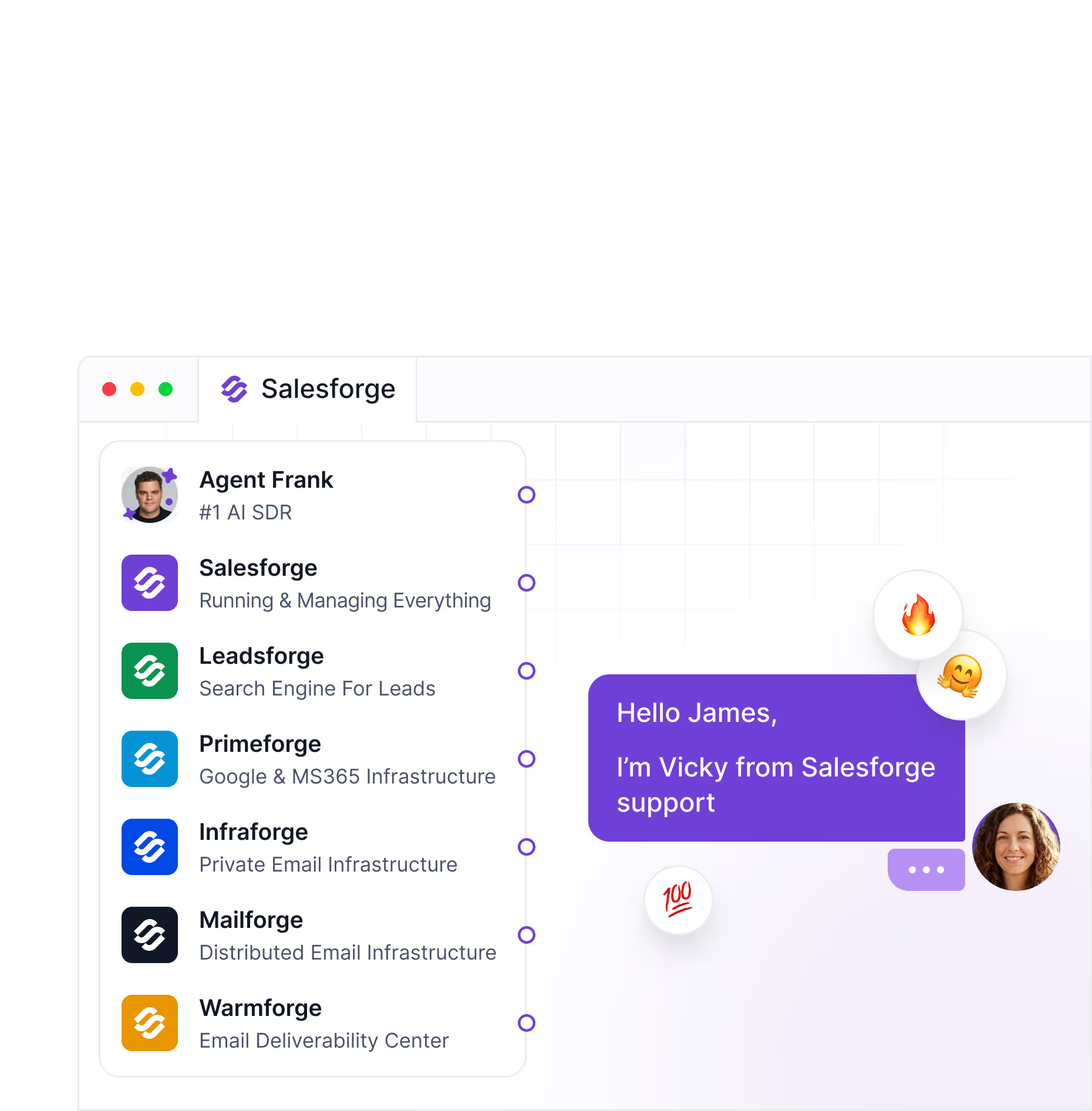
Primeforge and Mailforge spin up new mailboxes, so volume is not capped at the inboxes you started with.
Infraforge gives a private multi-IP infrastructure, so one damaged reputation does not drag down the rest.
Warmforge warms those mailboxes in a closed pool that keeps external SMTP vendors out.

Leadsforge feeds enriched, intent-scored lists into the same engine that sends them.
When the job is "send a lot, to the right people, without burning domains," that is an infrastructure job, and GetSales was never built to be infrastructure.
Once you know whether you are LinkedIn-first or scale-first, two smaller decisions usually settle it.
Do you want AI that helps, or AI that runs the desk? GetSales sorts reply sentiment and scores leads so a human works faster.
Salesforge's Agent Frank takes the persona, ICP, and rules and runs the whole SDR motion himself, prospecting through booked meetings.
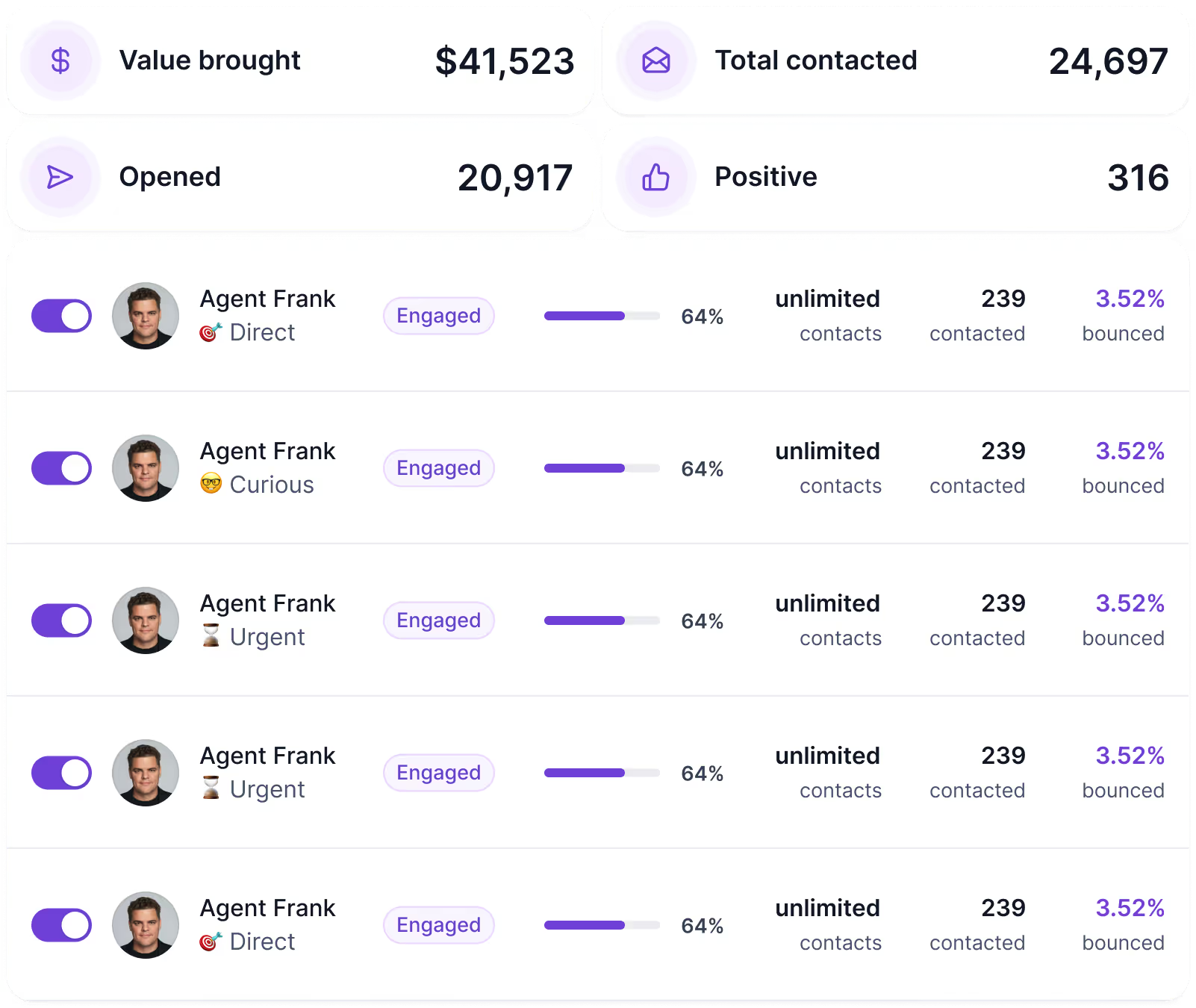
One assists the rep. The other is the rep.
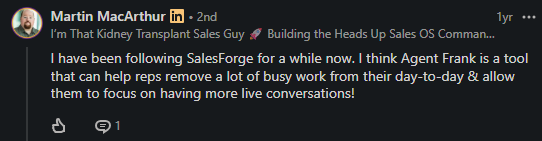
GetSales lives inside its own app. Salesforge exposes the entire stack through an MCP server, so leads, sequences, mailboxes, warm-up, and reporting can be run in plain language from an assistant like Claude, keys are kept local, and a separate instance per client for agencies.
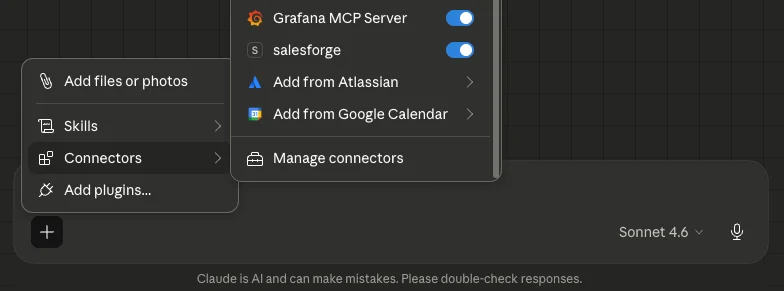
If running outbound by prompt is where your team is headed, only one of these tools goes there.
How to Automate Cold Email With Claude Code and Salesforge MCP
Reach for GetSales when LinkedIn is the channel, and keeping profiles alive is the daily work.
Reach for Salesforge when the bottleneck is volume, deliverability, and turning outreach into a repeatable system across email and LinkedIn.
GetSales keeps your LinkedIn accounts safe while you run outreach. Salesforge builds the machine that lets you scale it.
Enter your email to get a custom plan & stack recommendation for your business
Please check your mailbox in 5 minutes

Everything about GetSales comes back to one idea: keep the LinkedIn account alive. The isolated sessions, Smart Limits, and health monitoring all exist so that a profile survives the volume you run through it. On that job, GetSales is genuinely good.
The question is whether that is the job you are doing. GetSales guards the profiles and inboxes you already have.
For a LinkedIn-led team, that boundary never bites. For an email-led team, it does, fast.
So be honest about the work. If it is safe, LinkedIn outreach with email alongside, GetSales fits.
If it is building an outbound engine that scales without burning domains, Salesforge is the answer.
Start your free 14-day trial, connect your infrastructure, and let Agent Frank run a full sequence end to end.
.jpg)

.jpg)

.jpg)
