
Personalized Outbound Strategy
Get The Right Outbound Strategy In Minutes
Enter your email to get a custom plan & stack recommendation for your business
It's being carefully crafted by AI
Please check your mailbox in 5 minutes
I want to find the few thousand companies already paying for the tool I replace. They should be my easiest pitch, but no contact database tells me who they are.
BuiltWith does. It identifies the software each website uses, stores 41 years of history, and turns any technology into a downloadable list.
Whether that’s worth $295 to $995 a month depends on details the pricing page glosses over. Basic sounds affordable until you realize it covers only two technologies. Contact data ends at the EU and California border. And your list arrives as a CSV, leaving everything after the download to you.
I tested the reports, filters, export tools, and all three tiers to show you what you’re really paying for. You’ll also see what paying customers say and the one thing they consistently agree on.
And if you’d rather find the people inside those companies than collect website lists, I’ll show you where Leadsforge takes over.
BuiltWith knows which software a website uses and has tracked that data since 1985. If your product replaces, integrates with, or competes against a specific tool, that index becomes your prospect list.
You can find every site using a competitor’s product, filter by revenue, employee count, traffic rank, or technology spend, then export the full list. The Shopify Plus report alone contains 72,910 current customers.
I’d use the technology spend filter most. It shows what a company already spends on its stack each month, giving you a stronger budget signal than employee count.
You can also search homepage text like a search engine. For example, you could find dentists in California using no marketing automation, a list contact databases can’t build.
Usage alerts may be the best reason to pay. BuiltWith tells you when a company starts or stops using a technology, helping you spot a dropped competitor while the decision is still fresh.
What you don’t get is a person to contact across much of your market. You only get names, titles, and emails outside the EU and California because of GDPR and CCPA. If you sell into Europe, your list contains domains and nothing else.
You also get nowhere to send from. The list arrives as a CSV or Excel file, so campaigns, mailboxes, and replies must live in another tool.
And the plans are more restrictive than their prices suggest. Basic at $295 covers two technologies and two keywords, so anyone competing with several tools will realistically need Pro at $495.
Leadsforge approaches the problem from the opposite direction. You describe your ideal buyer, including their tech stack, and receive people with verified contact details.
BuiltWith has a G2 page, putting it ahead of most tools I’ve reviewed this year. Reviewers praise the data and consistently agree on one thing: the price.
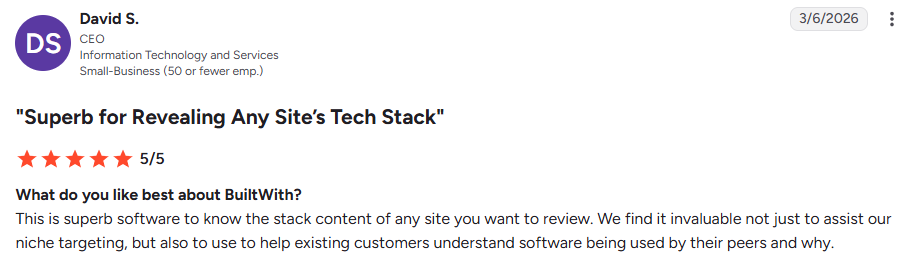
David S., a CEO in IT (G2, Mar 6, 2026, 5/5), calls it “superb software to know the stack content of any site.” His team uses it to show customers what their peers run.
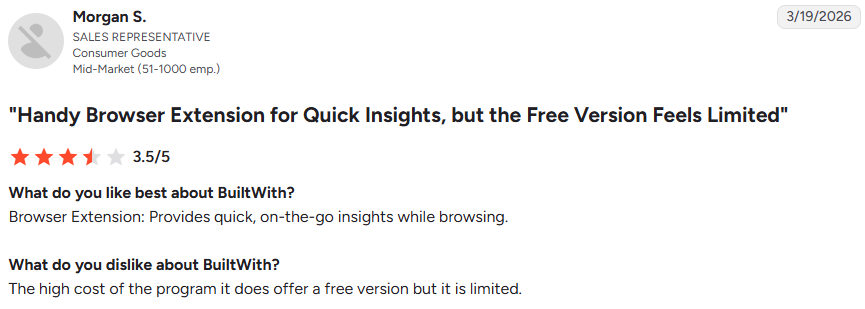
Morgan S., a sales rep (G2, Mar 19, 2026, 3.5/5), says the free version feels limited and lists “the high cost of the program” as the main drawback.
David S. puts it more gently: “Not the cheapest software available.”

None mentions which plan they use, so I’d weigh those complaints against the $495 Pro tier most prospecting teams will need.

The verified user says the amount of data can make the interface “feel a bit cluttered and slightly overwhelming” for newcomers.
It’s the only usability complaint in the set, and it matches what I saw in the product screenshots.

Morgan S. highlights “excellent prospecting filters that are especially useful for B2B sales,” along with the browser extension for quick checks while browsing.
The six testimonials on BuiltWith’s site have no dates, but two include numbers worth considering.
Deepak Shukla of Pearl Lemon says they won two clients who spent nearly $60,000.

Tom Cruz of eTailPro says he has tried most sales intelligence tools and finds BuiltWith’s data the most accurate.
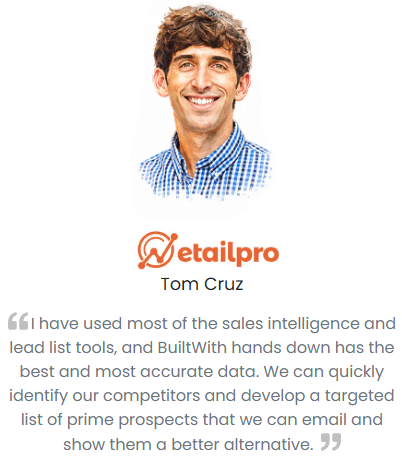
He describes identifying competitors and building a targeted list to email with a better alternative.
That’s the clearest summary of the workflow: BuiltWith builds the list, while the emailing happens elsewhere.
My hands-on experience with BuiltWith
I explored BuiltWith’s reports, filters, and export tools to see what building a list involves and which screens handle the real work.
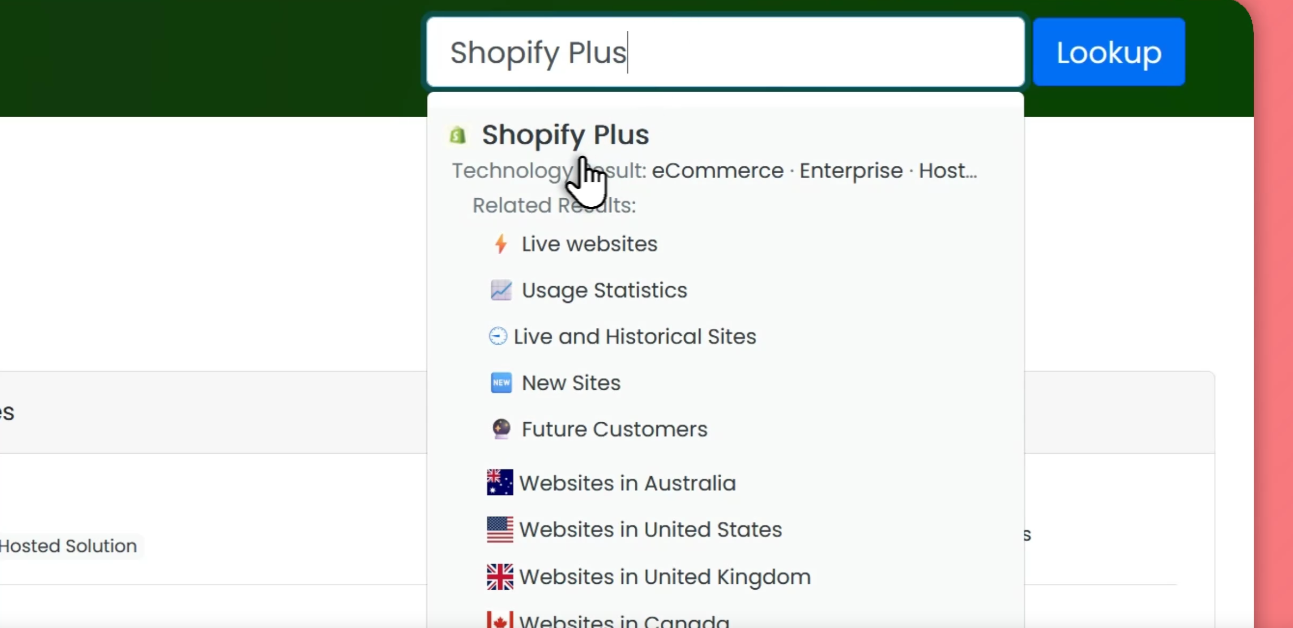
This image shows the technology lookup in BuiltWith.
Enter a technology in the lookup bar to open its usage page. Shopify Plus, for example, has 72,910 live websites, 27,368 redirecting to it, and 14,523 that stopped using it.
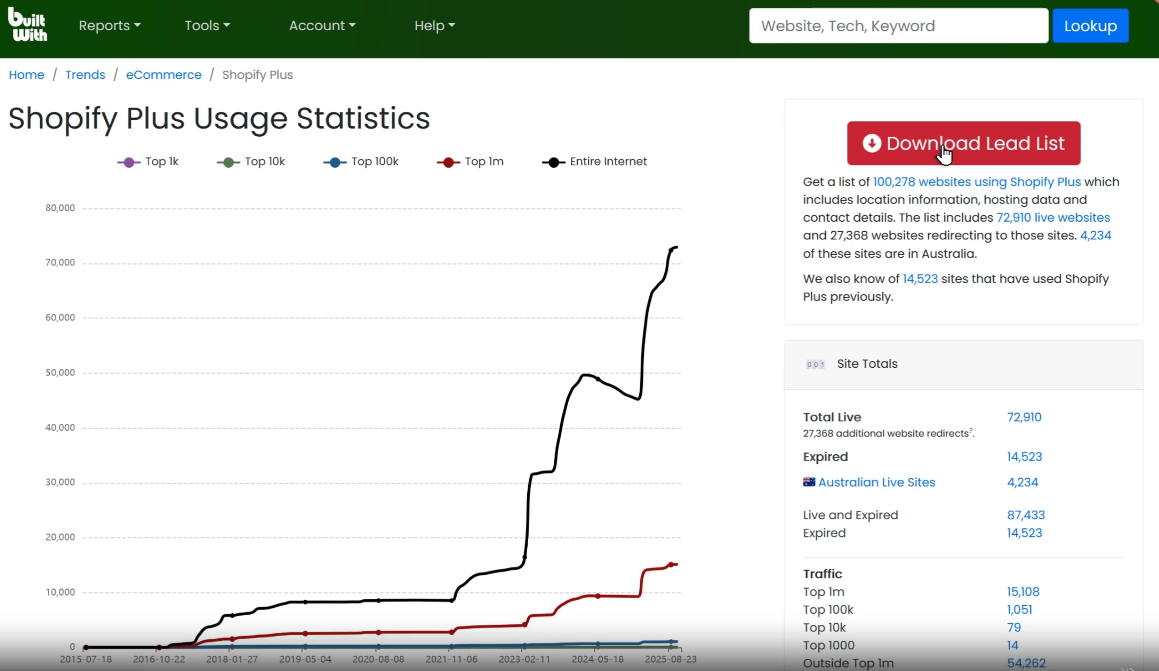
I’d open the expired list first. Those 14,523 companies left the platform, giving you a churn list your competitor can’t see.
The adoption chart breaks usage down by traffic tier, from the top 1,000 sites to the entire internet. You can see whether a tool is growing among large or small sites before building a campaign around it.
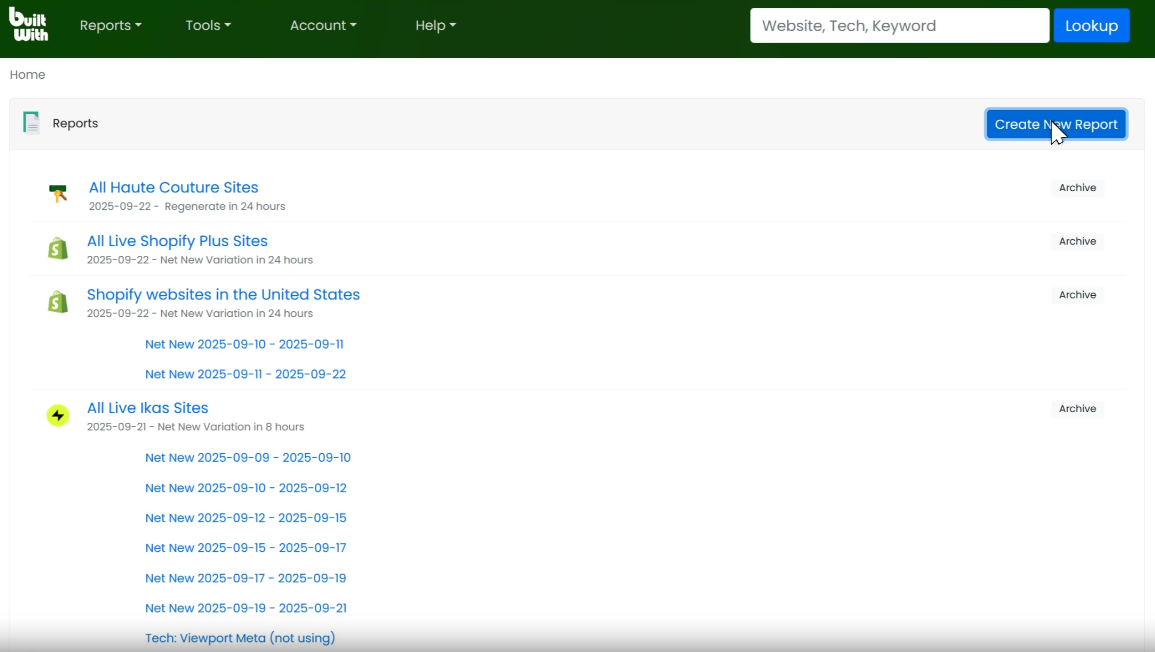
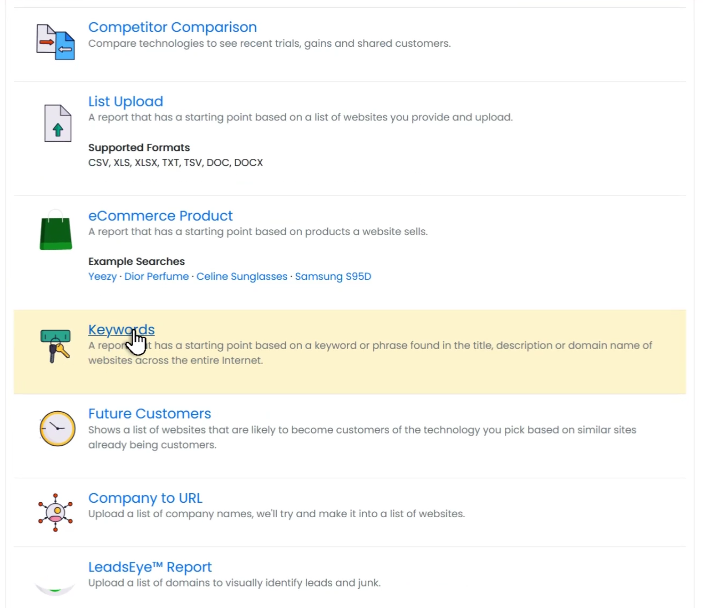
The New Report screen includes Technology, Competitor Comparison, List Upload, eCommerce Product, and Keywords.
Competitor Comparison fits a sales workflow best. It shows recent trials, gains, and shared customers between two tools, helping you find accounts already testing your rival.
The eCommerce Product report searches by what a site sells, such as Yeezy or Dior Perfume. If you target retailers carrying a specific product, that’s more useful than a broad industry filter.
The Keyword Website Lists screen searches homepage text. Searching “Haute Couture” returns 4,666 websites, with sales revenue, technology spend, product count, followers, employees, and traffic rank for each.
Categories are pre-counted too, including 20,709 sites for Sustainable Fashion. That gives you a quick market-size check before committing a quarter to a segment.
First, choose an intent type: Marketing Spend Expansion, Revenue and Infra Growth, Vendor Churn, or Platform Migration. Then select a country, start date, minimum technology spend, and maximum traffic rank.
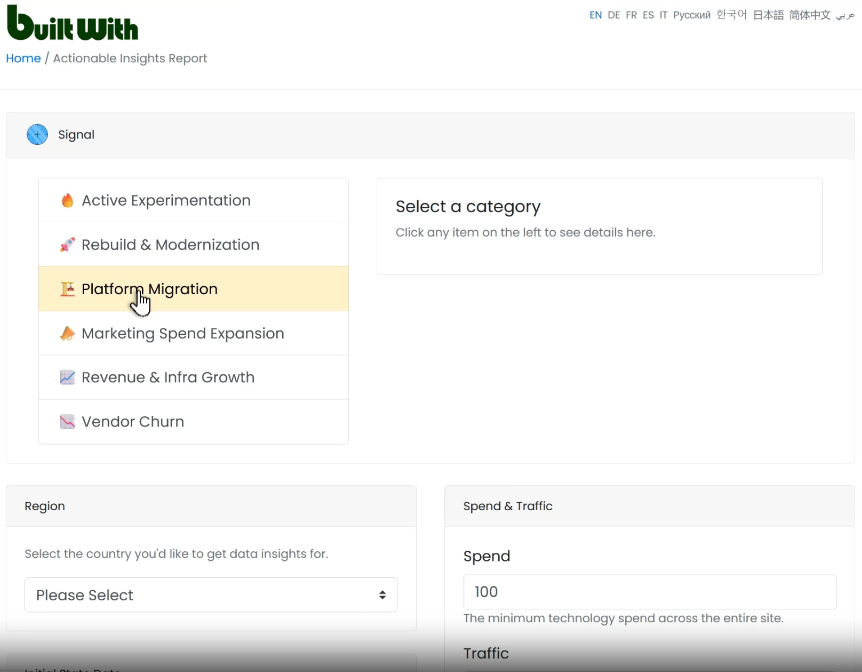
Each result includes a timestamp. One example shows a site that, flagged the previous day, spends AU$31,889+ monthly, added LinkedIn Insight Tag, TikTok conversion tracking, and HubSpot COS, and removed legacy tools.
That company is rebuilding its stack, and knowing it happened yesterday makes the record valuable.
Open a domain profile, and the Meta tab displays the registered company name, postal address, phone numbers, monthly technology spend, and a Find People on LinkedIn link.
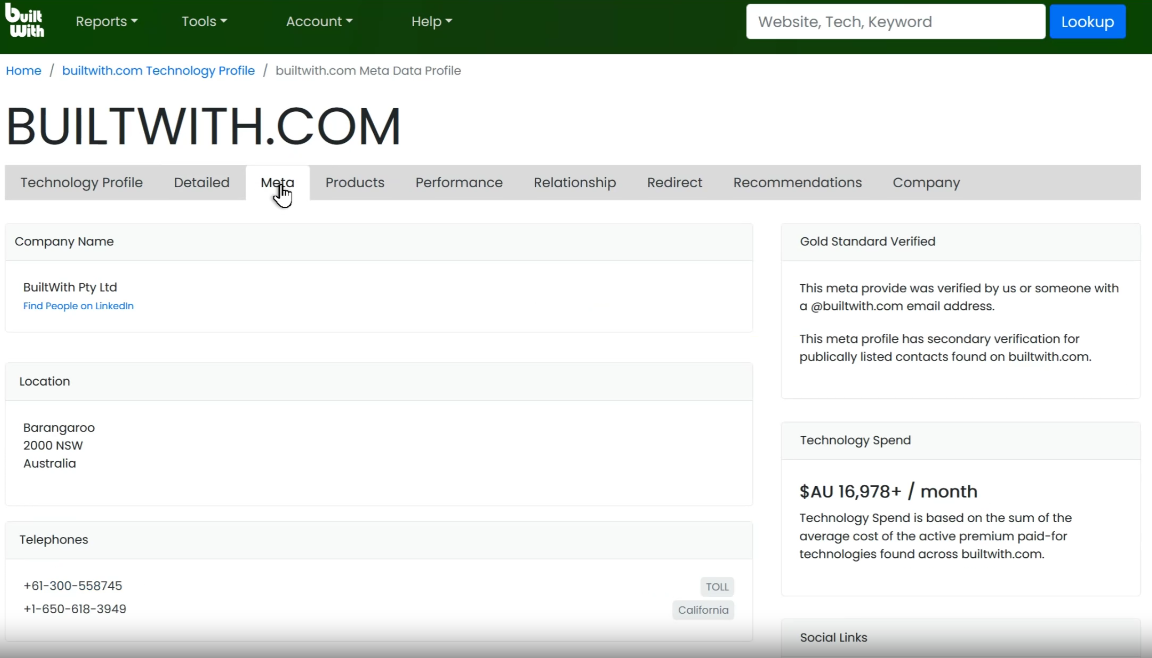
Public contacts appear with names, seniority, and verification marks. In this example, both are founders with verified emails and LinkedIn profiles.
BuiltWith calculates technology spend from paid tools detected on the site, so view it as a budget estimate, not an invoice.
List Upload accepts CSV, XLS, XLSX, TXT, TSV, DOC, and DOCX files up to 50MB, using either websites or email addresses.
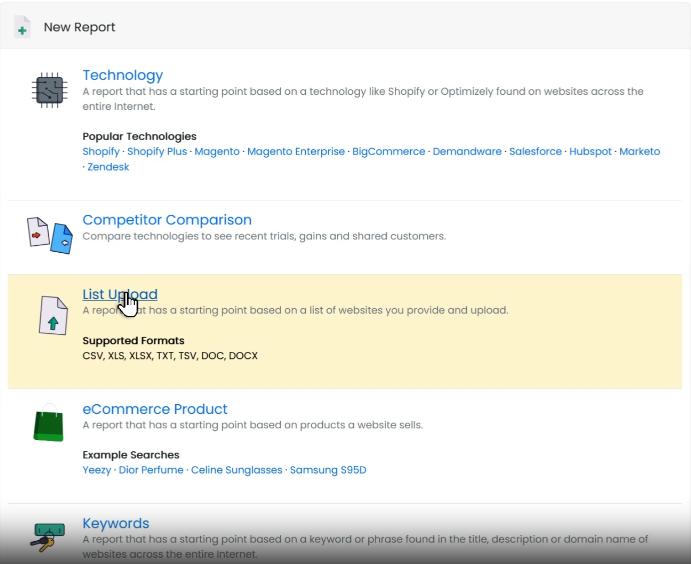
I’d start with my CRM export. Discovering which current accounts recently added a competitor’s tool offers faster returns than any cold list.
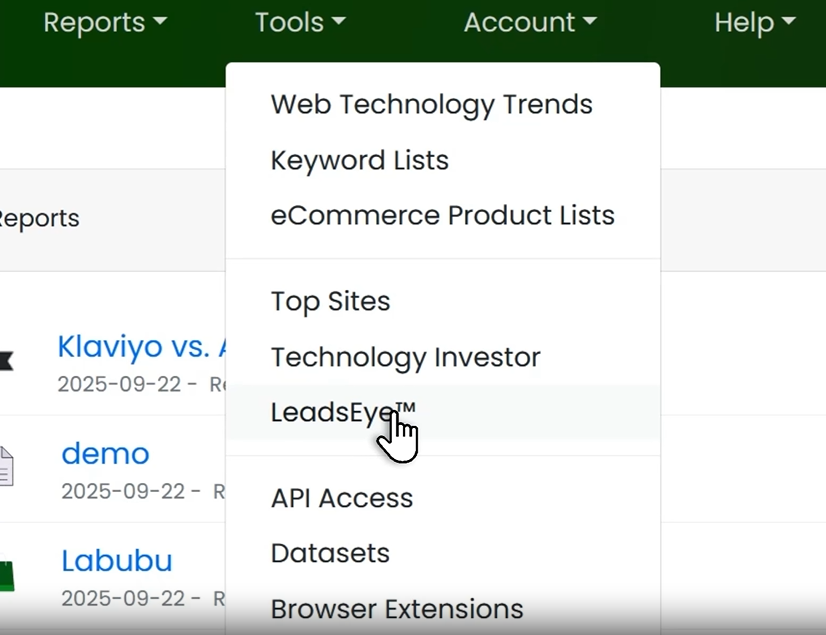
Leads appear as homepage screenshots with spend data, and you sort them using single keys: L for lead, J for junk, and O to open the site.
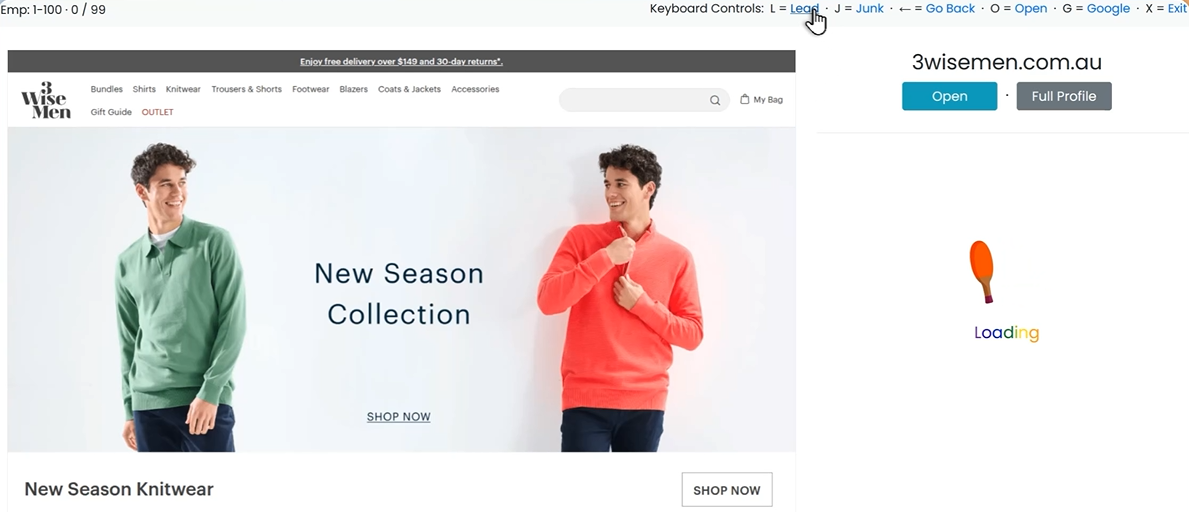
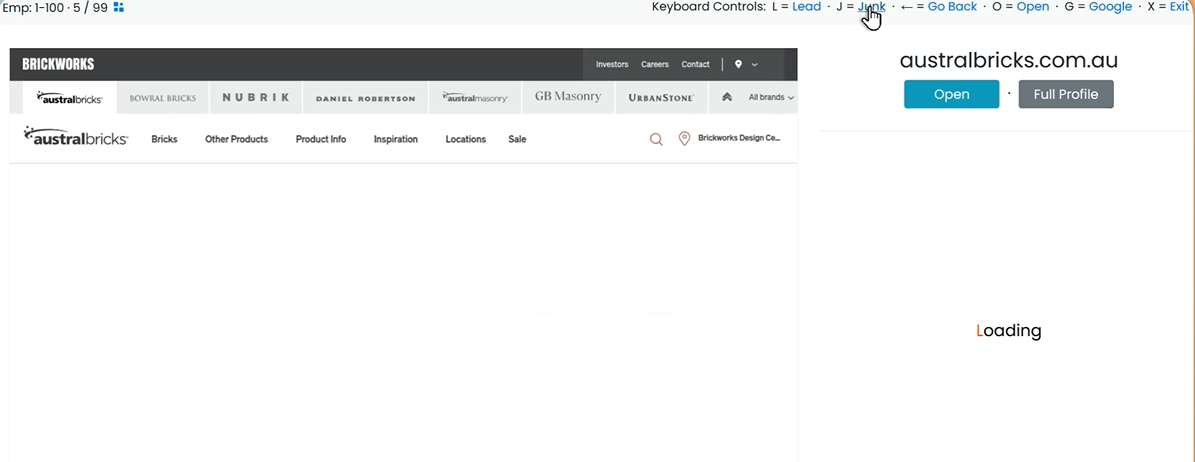
You could review 500 sites this way in an afternoon instead of a week. It also solves a common problem with technographic lists: detecting a technology doesn’t prove there’s a real business behind the domain.
The custom export builder lets you choose only the fields you need, with preset templates and separate exports for metadata, CRM data, and the technology matrix.
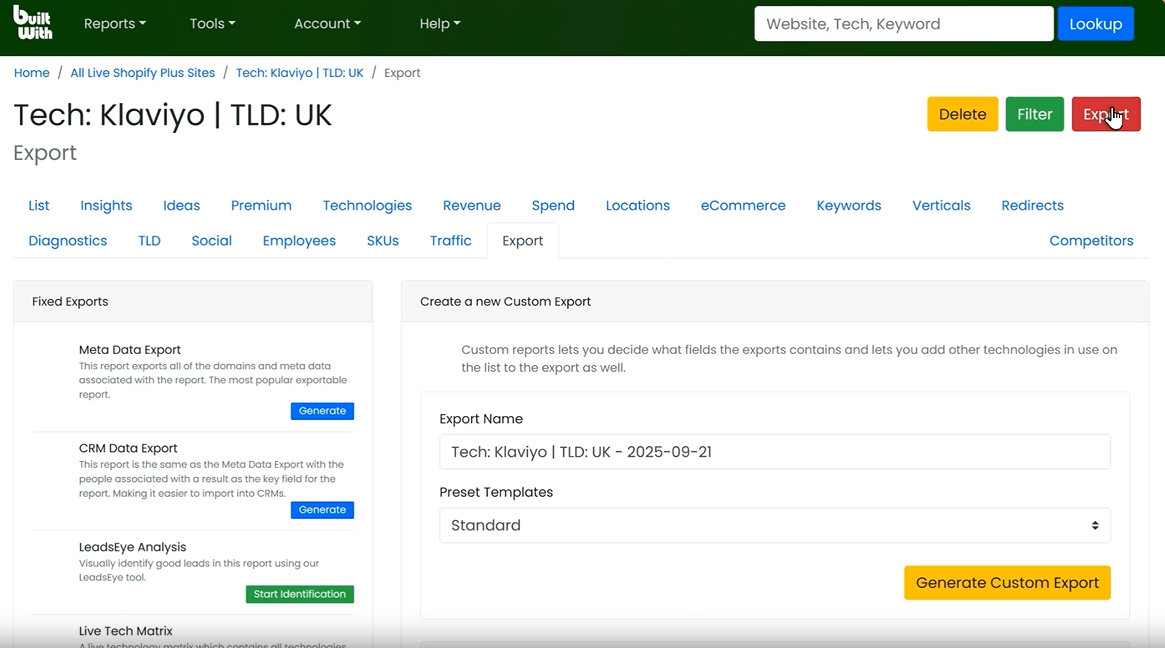
A report with 7,000,000 records exports all 7,000,000. There’s no row limit or credit meter, which is unusual at this end of the market.
BuiltWith charges monthly, while individual site lookups remain free forever.
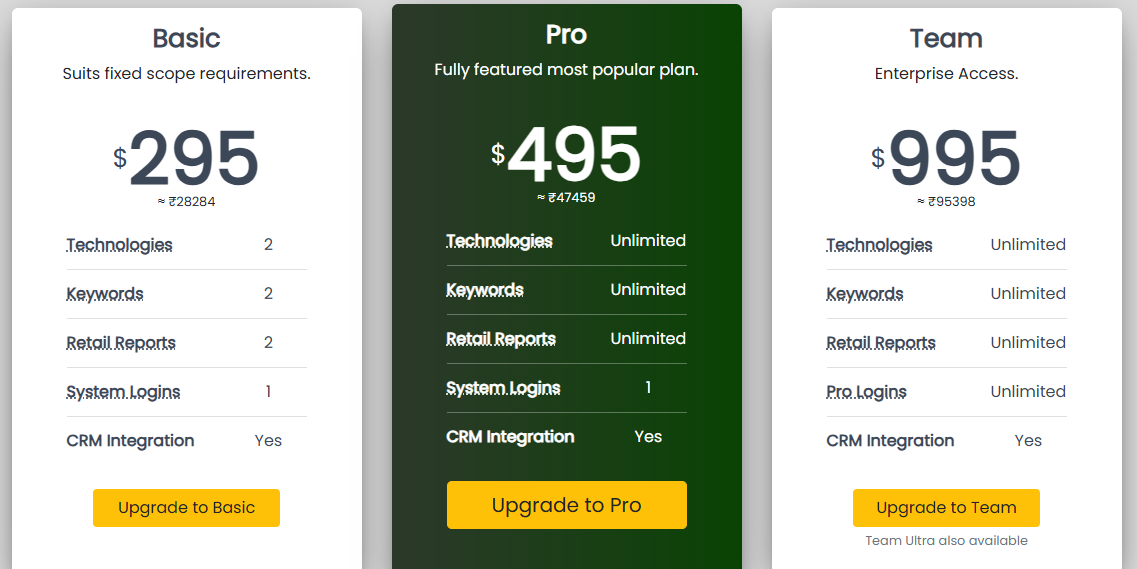
Two technologies and two keywords cover one competitor and one search. If you compete with three tools, your actual starting price is $495.
Pro and Team are identical apart from logins. That means BuiltWith costs $995 for two people, or about $498 each.
Alerts, Actionable Insights, spend data, contact exports, LeadsEye, and CRM integrations all come with the $295 plan. Only the limits change.
You can cancel anytime and keep access until your paid term ends. That makes one month a reasonable way to test a list before committing.
Without EU or California contacts or sending tools, your monthly cost is BuiltWith plus a contact source and a sequencer.
BuiltWith works best when your target companies are defined by the software they use.
BuiltWith leaves you with a spreadsheet of websites, but you still don’t know who to contact.
Leadsforge fills that gap. Describe your ideal buyer, and it finds people with verified contact details.
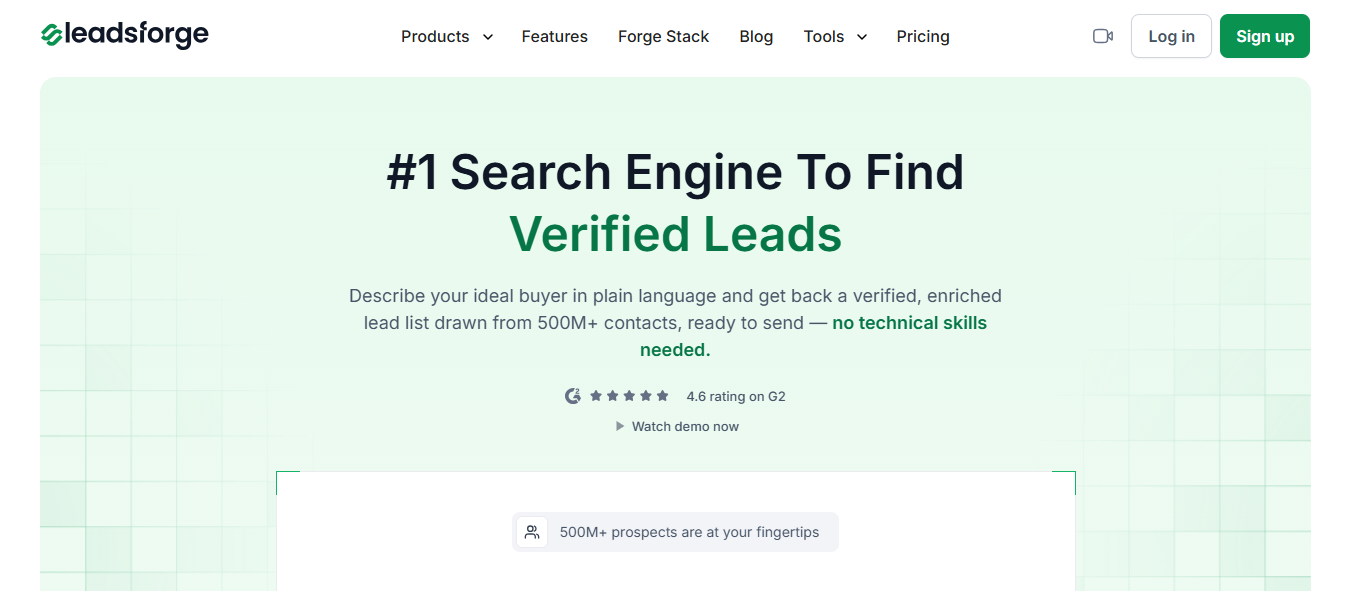
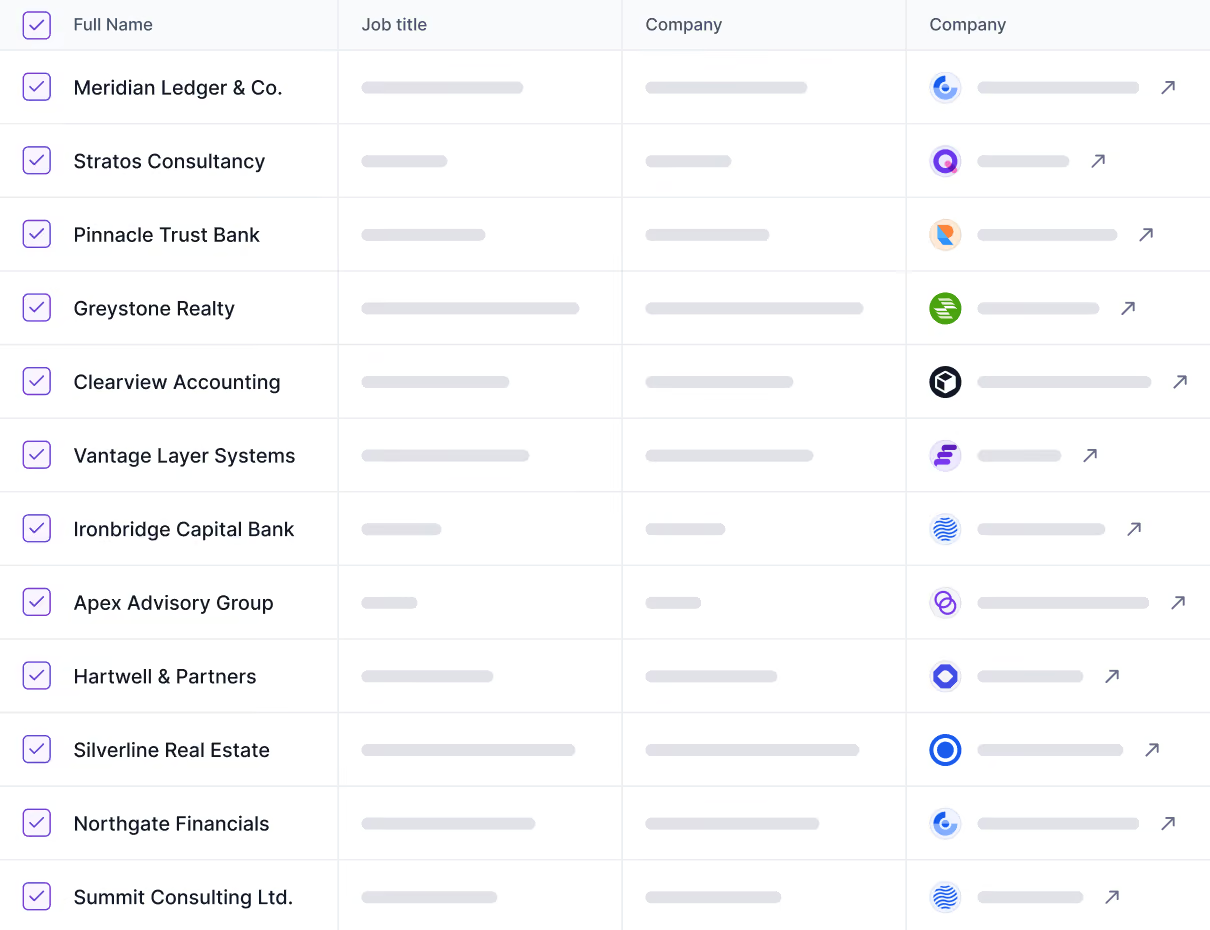
Knowing a company uses Shopify Plus doesn’t tell you who approves your product. Leadsforge gives you the decision-maker’s name, verified email, LinkedIn URL, and, for extra credit, mobile number.
BuiltWith excludes contacts in the EU and California. If you target Berlin or Paris, you’re paying $495 monthly for URLs and handling everything else yourself.
Leadsforge covers those regions, giving you one tool for your entire territory instead of two.
Try something like: heads of ecommerce at European fashion retailers with 50 to 200 employees. Then refine the results in your next message.
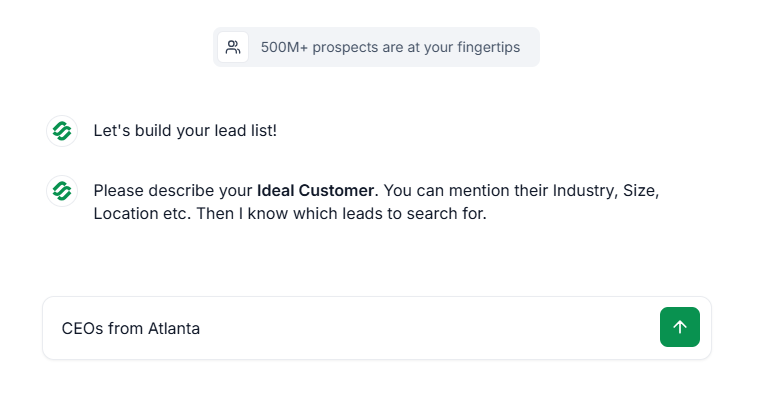
You can include tech stack as one of several criteria. BuiltWith makes technology the starting point for every list, forcing your targeting to fit its database.
Drop a pin, choose a radius, and select a business type to find every matching company nearby.
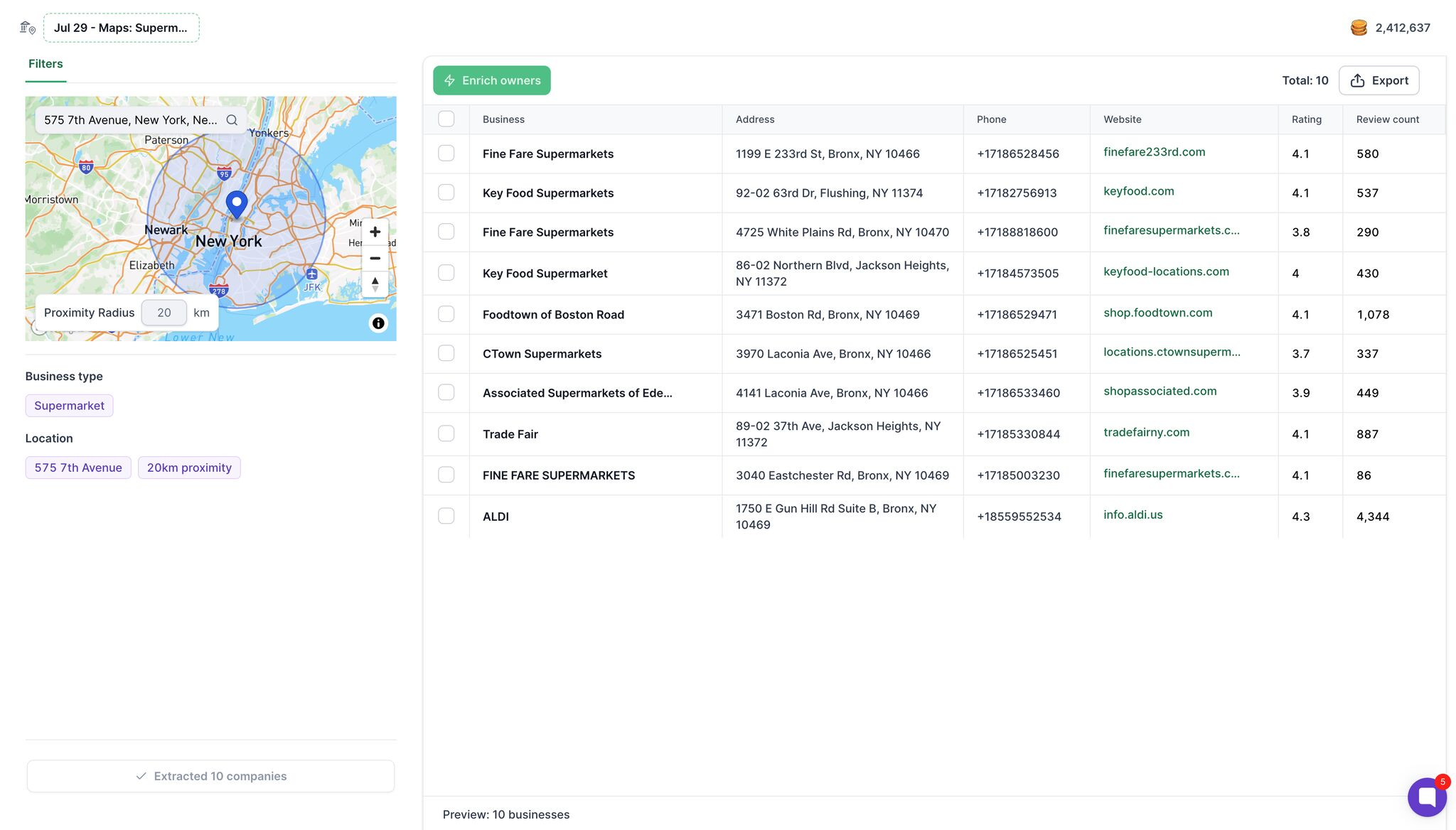
Results include the business name, address, phone number, website, Google rating, and review count. Select Enrich owners to find decision-makers and their mobile numbers.
If you target dentists, law firms, or restaurants, BuiltWith struggles because local businesses rarely use the tracked software its index relies on.
Enter a competitor’s domain to find their LinkedIn followers. Enter a customer’s domain to discover similar companies.
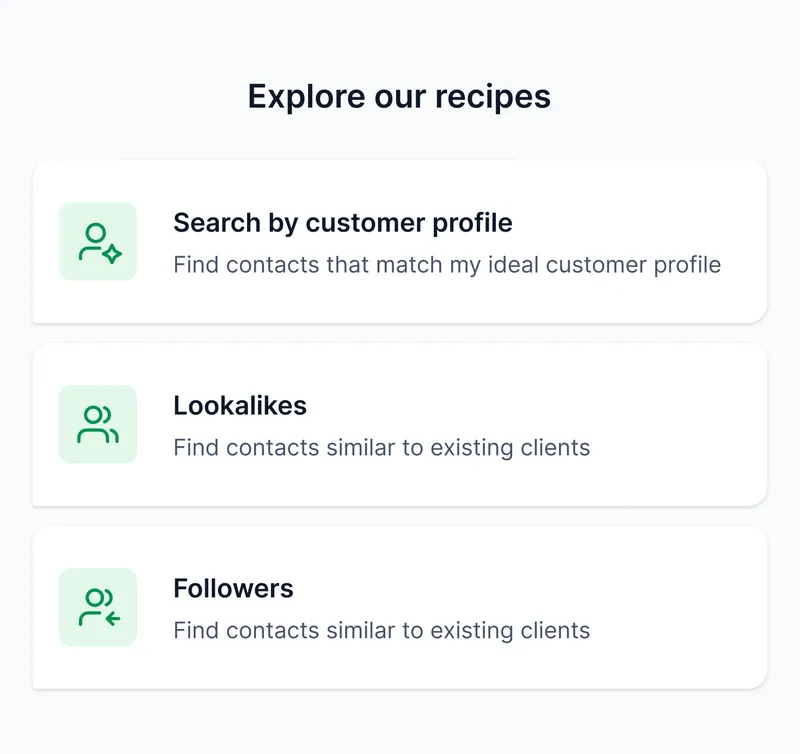
These audiences leave no trace in website code, so scanning alone can’t uncover them.
One click sends your list to Salesforge, where email and LinkedIn steps run together, and every reply lands in Primebox.
Your first 100 credits are free, letting you test your ICP in Leadsforge and compare it with a BuiltWith report before paying.
Enter your email to get a custom plan & stack recommendation for your business
Please check your mailbox in 5 minutes

I’d subscribe to BuiltWith when I needed a competitor’s customer list, then cancel. You keep access through the paid term; exports have no row limits, and one $495 Pro month gives you enough leads for a quarter.
That makes more sense than an ongoing subscription unless someone checks the alerts weekly and acts on the changes. Otherwise, you’re renting a database you only search twice a month.
The bigger concern is what happens next. The CSV contains domains, excludes EU and California contacts, and offers no sending tools. Add a contact database and sequencer, and that $495 approaches $600 before you email anyone.
Leadsforge handles both sides for $49. Describe your buyer, receive verified emails, LinkedIn URLs, and mobile numbers, then send the list to Salesforge and launch your sequence.
Use your 100 free Leadsforge credits on the same ICP, then see which list your reps prefer.
.jpg)

.jpg)

.jpg)