I have been using Bitscale for the past two months to build and enrich prospect lists for outbound campaigns. During that period, I paid for its $349 plan, enriched more than 10,000 leads, and connected the data directly to Salesforge, where I now send roughly 12,000 emails per month.
My experience has been mixed, but mostly positive. The contact data itself has been reliable, and I have not noticed any major issues with names, job titles, company information, or general enrichment quality. The workflow is also practical when you need to process a large number of leads without manually moving data between tools.
Email verification, however, has been the weaker part of the platform. Even after using Bitscale's verified emails, my campaigns recorded bounce rates above 4%. That is higher than I would expect from a properly verified list and suggests that its verification coverage or underlying data providers could still be improved.
In this Bitscale review, I will break down how the platform performed across lead enrichment, email accuracy, workflow automation, integrations, pricing, and overall value. I will also explain where it worked well for me, where it fell short, and whether I think the $349 plan is worth paying for in 2026.
Bitscale's biggest strength is its enrichment engine and its pricing, especially for users who recently migrated from Clay. Between its email and phone waterfalls, AI research agent, buying signals, and CRM enrichment features, it covers most of the data enrichment and prospecting workflow inside a single platform. The platform feels most valuable when you're actively building prospect lists, enriching contacts, tracking signals, and pushing data into HubSpot, Salesforce, or Salesforge.
My Take: If data enrichment, buying signals, and prospect research are a big part of your workflow, Bitscale is worth considering. If your goal is simply finding targeted prospects faster, Leadsforge may be a better fit.
Bitscale is a GTM platform that helps teams generate leads, enrich contact data, find buying signals, research accounts, and create personalized outreach campaigns from a single platform. It combines a database of 300M+ contacts and companies, 100+ data providers, email and phone waterfalls, AI-powered research, CRM enrichment, and outbound integrations to help teams find and qualify prospects faster.
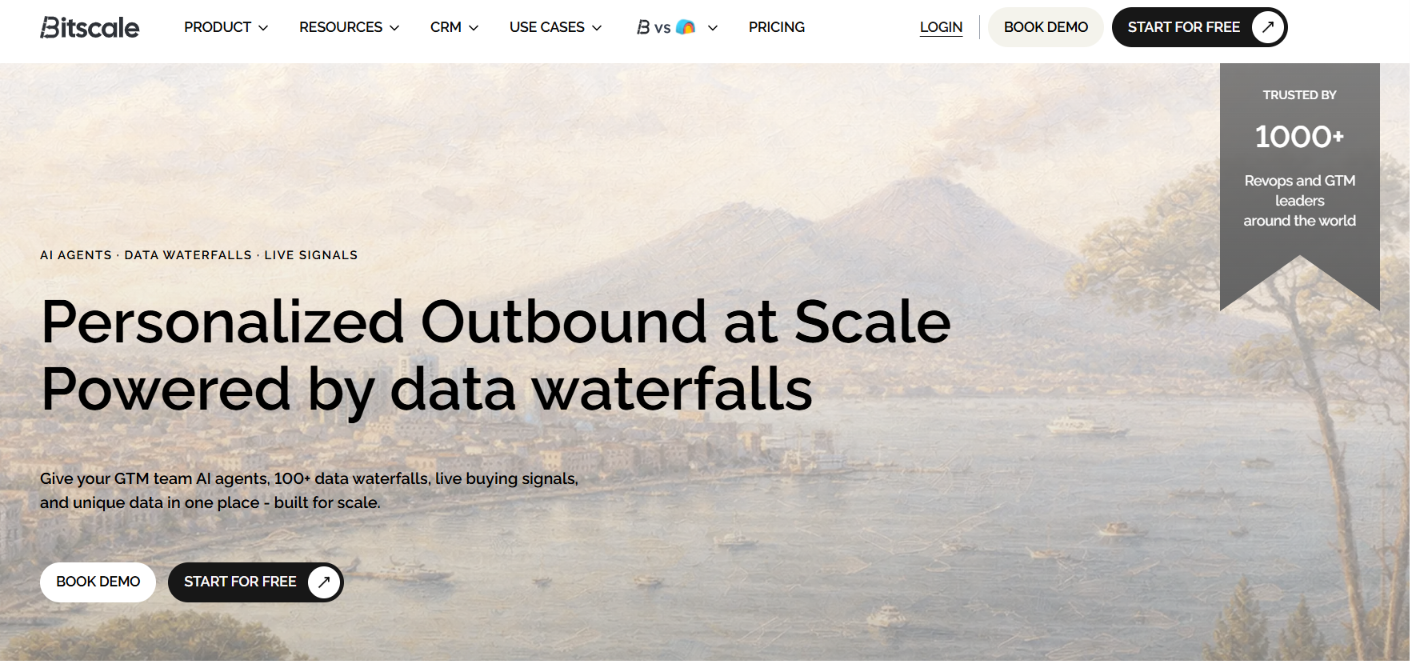
The platform is mainly used by sales, RevOps, growth, and lead generation teams that want to enrich prospect data, identify high-intent accounts, and build outreach-ready lead lists without relying on multiple tools.
Bitscale’s UI feels very familiar if you have used Clay before. The table-based workflow, enrichment columns, and step-by-step data-building experience make it feel like a Clay-style workspace from the moment you start using it.
For users who are new to this type of tool, Bitscale works in three simple stages.
First, you build a list of companies or contacts. Then, you enrich that list with verified emails, phone numbers, company data, buying signals, and AI research. Finally, you use that enriched data to write more personalized outbound messages for email, LinkedIn, or sales campaigns.
So instead of switching between a lead database, enrichment tool, research assistant, and personalization tool, Bitscale brings most of that workflow into one interface.
Here's how the process works:
Step 1: Build Your Target Account List - Start by creating a list of companies or contacts. You can use Bitscale's database, LinkedIn, Sales Navigator, HubSpot, Salesforce, Google Maps, CSV files, or other data sources.
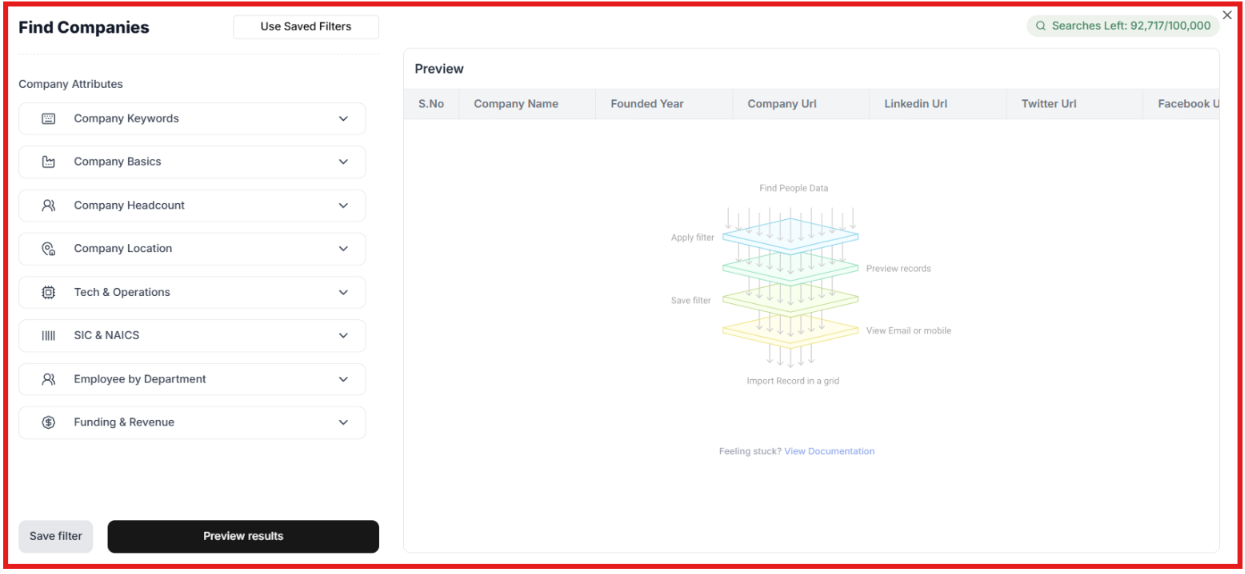
Step 2: Research and Enrich Accounts - Bitscale enriches your list with company data, decision-makers, emails, phone numbers, LinkedIn profiles, technology stack information, and buying signals. It can also use its AI research agent to gather information from websites and the web.
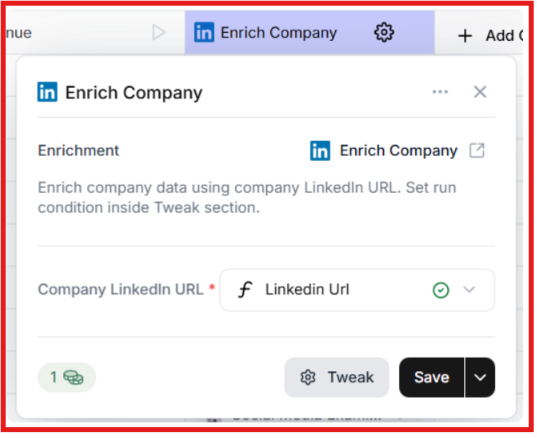
Step 3: Identify High-Intent Prospects - The platform tracks signals such as hiring activity, funding rounds, job changes, website engagement, social activity, and technology changes. This helps you prioritize accounts that may be more likely to buy.
Step 4: Generate Personalized Outreach - Using the research and signals it collects, Bitscale can generate personalized emails, icebreakers, and outreach messages for each prospect.
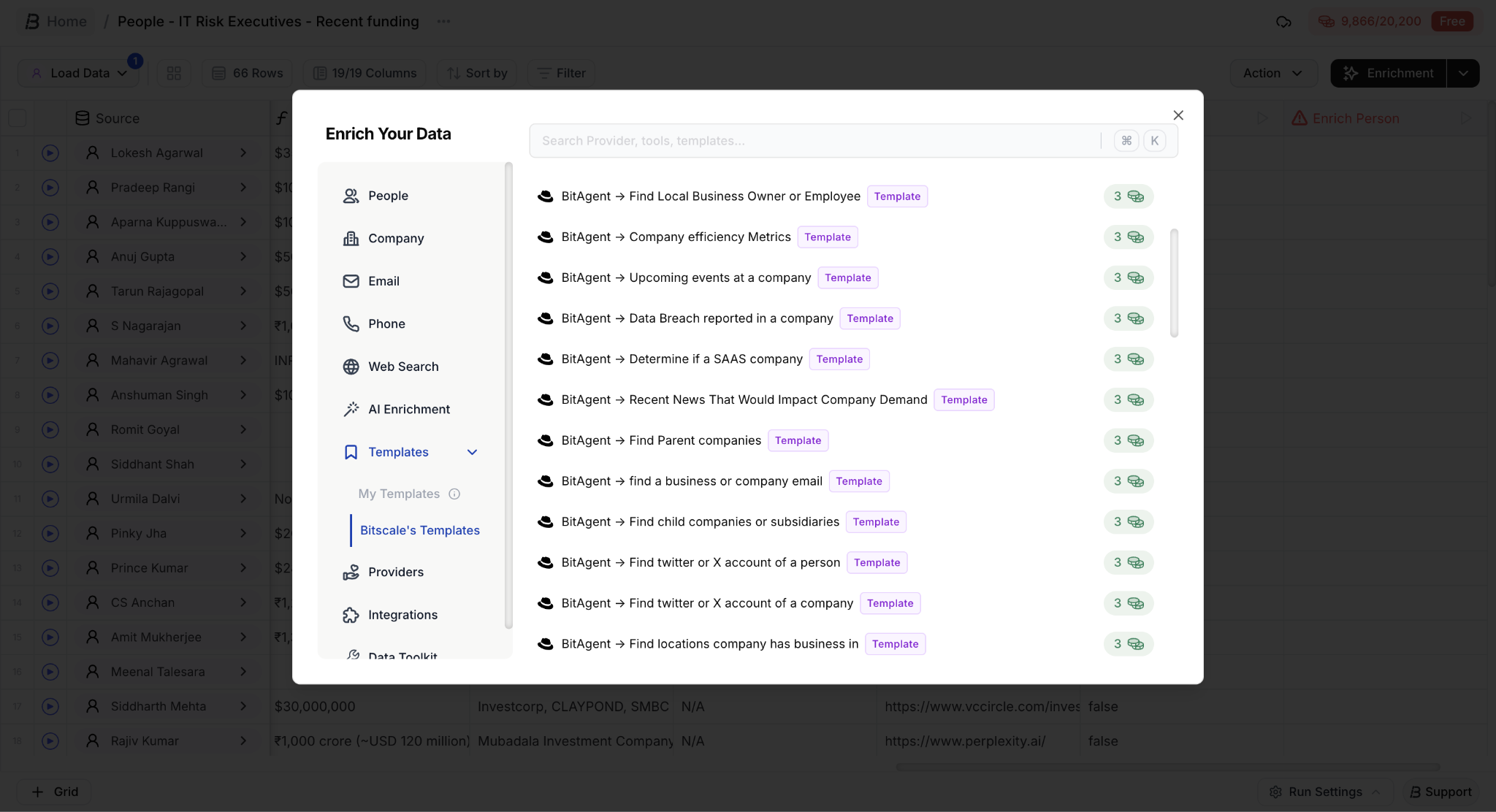
Step 5: Push Leads Into Your Sales Stack - Once your leads are ready, you can send them directly to tools like Instantly, Smartlead, HubSpot, Salesforce, and other sales platforms.
In short, Bitscale takes you from lead discovery to enriched, outreach-ready prospects inside a single platform.
After reviewing Bitscale, I think its biggest strength is that it combines data enrichment, intent signals, account research, and CRM workflows in a single platform. Most tools do one or two of these things well. Bitscale tries to bring them together. Here are the features that stood out to me.
If I had to pick one reason to use Bitscale, it would be the waterfall enrichment. Instead of relying on a single database, Bitscale checks multiple providers until it finds a verified email or phone number. According to the company, the platform achieved 94% email coverage and 89% phone coverage in the last 30 days using 18+ providers.
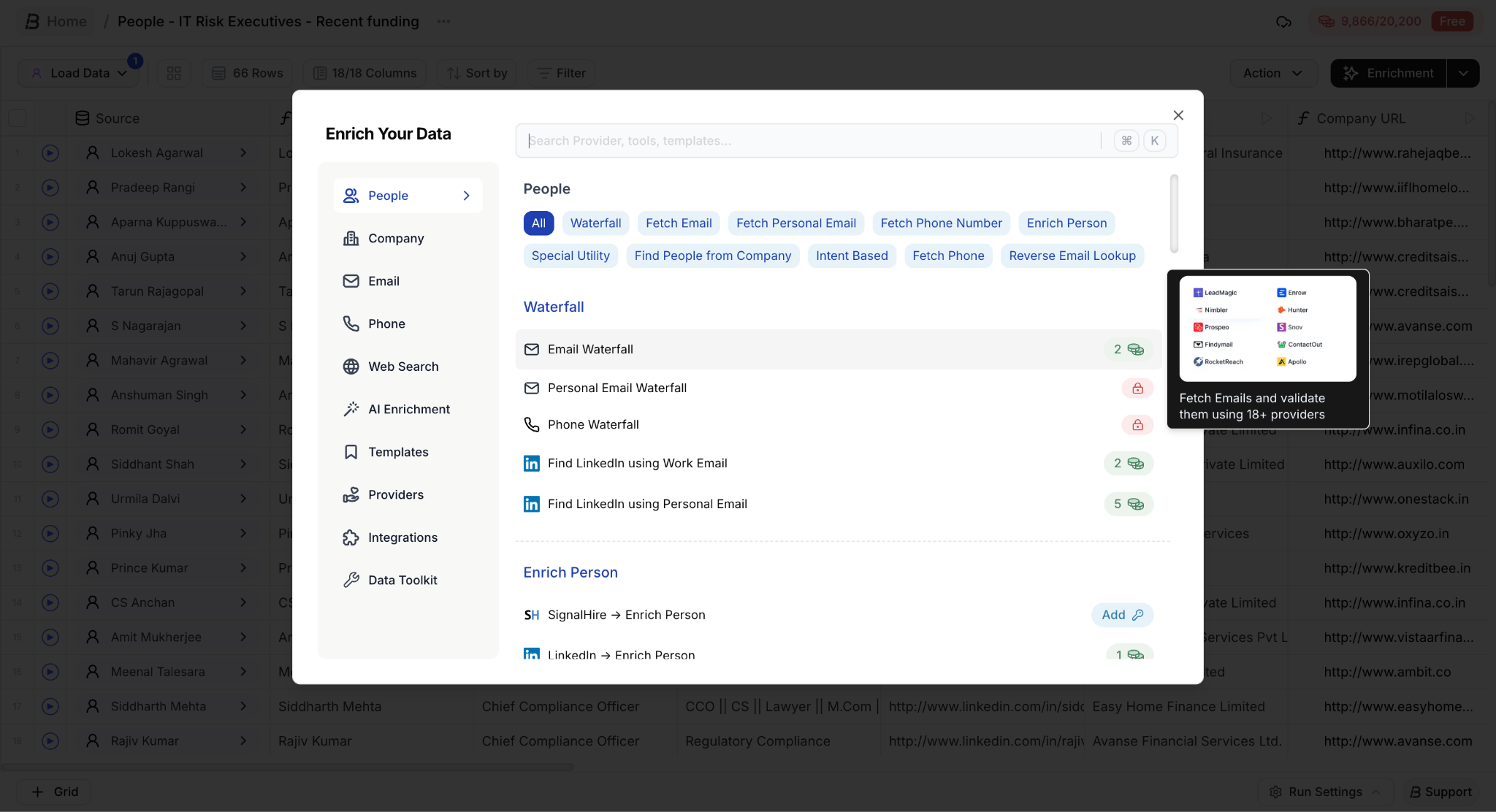
For teams that care about data coverage, this is probably the most valuable feature in the platform.
Most prospecting tools tell you who a company is. Bitscale also tries to tell you when a company might be ready to buy. The platform tracks signals such as hiring activity, funding events, job changes, LinkedIn engagement, website activity, and technology changes. I particularly like that multiple signals can be combined, helping teams prioritize accounts instead of prospecting blindly.
The AI research agent is one of the more interesting parts of Bitscale. It can research websites, find decision-makers, identify technology stacks, gather company information, and pull insights from the web. This saves a lot of manual research time when building prospect lists or personalizing outreach.
A feature that often gets overlooked is CRM enrichment. Bitscale integrates with HubSpot and Salesforce and can continuously update records with fresh contact and company data. For teams dealing with outdated CRM records, this can be just as valuable as finding new leads.
I also like the playbook approach. Instead of building every workflow yourself, Bitscale provides ready-made workflows for use cases such as hiring signals, competitor prospecting, champion tracking, CRM re-enrichment, and LinkedIn intent monitoring. For smaller GTM teams, this can significantly reduce setup time.
Bitscale paid plans start at $349/month, so it makes the most sense for teams that run enrichment, intent tracking, CRM updates, and prospect research regularly.
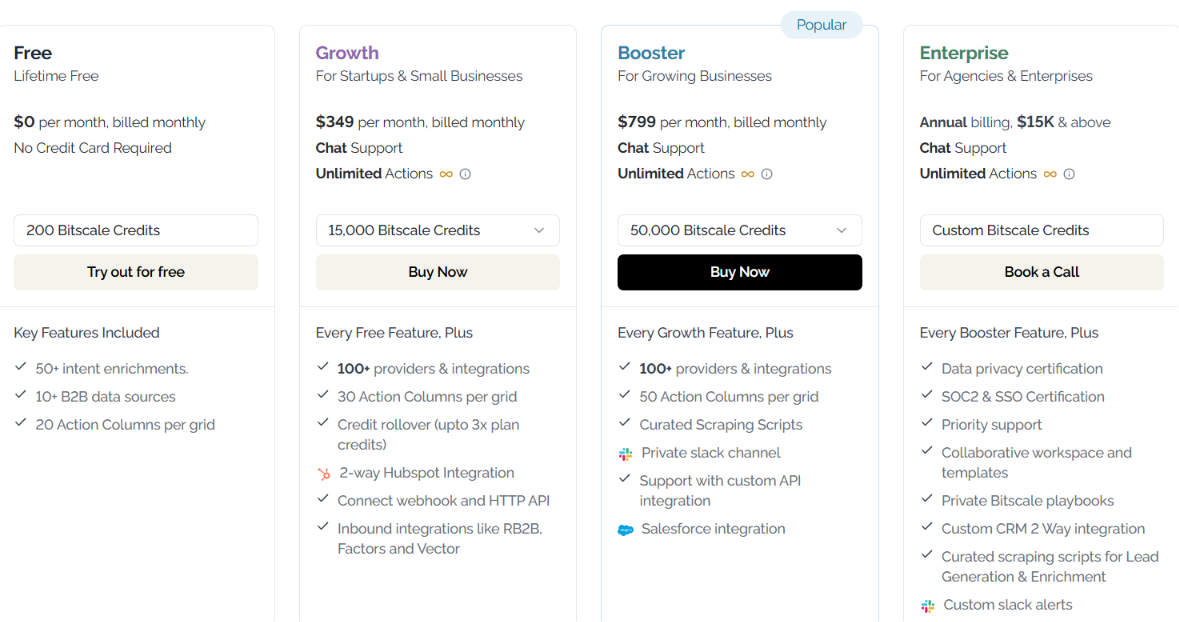
Here is the pricing:
Bitscale is worth the cost if enrichment is a serious part of your GTM workflow. If your team needs email and phone waterfalls, intent signals, CRM enrichment, and AI research in one place, the pricing can make sense. But if you only need basic email finding or a small prospect list every month, Bitscale may feel expensive.
The Bitscale and Salesforge integration connects lead generation and data enrichment with outbound execution. You can find and enrich prospects inside Bitscale, then send those contacts directly into Salesforge without exporting CSV files or manually importing data.
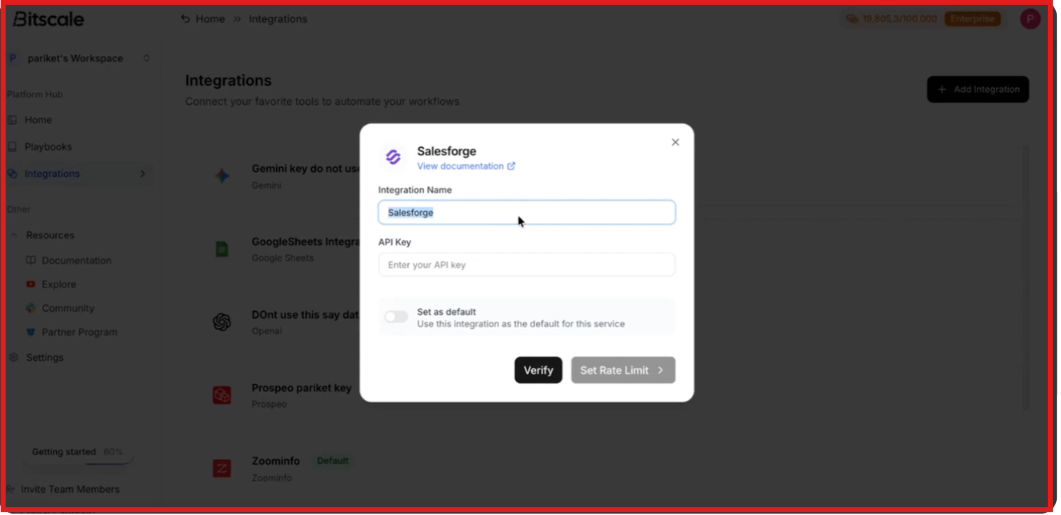
Here's how the workflow works:
What I like about this integration is that it keeps prospecting, enrichment, and outreach connected. Instead of moving leads between multiple tools, you can source and qualify contacts in Bitscale and send them directly into your Salesforge campaigns. For teams already using Salesforge, this can significantly reduce manual work and help get qualified leads into sequences faster.
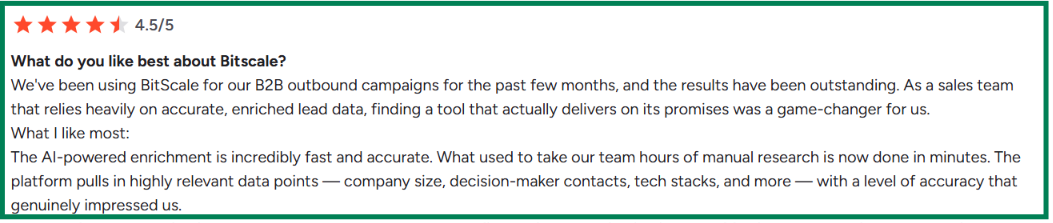
After analyzing Bitscale reviews, I noticed a clear pattern. Users consistently praise the platform's data enrichment capabilities, CRM enrichment features, and workflow flexibility. At the same time, the most common criticism is that there can be a learning curve when setting up more advanced workflows.



I think Bitscale is strongest when you need more than basic contact enrichment. Most enrichment tools focus mainly on finding emails and phone numbers. Bitscale goes a step further by combining data enrichment, intent signals, AI research, and CRM workflows in a single platform. That means you can find prospects, enrich them, qualify them, and prepare them for outreach without jumping between multiple tools.
Here's what stood out to me:
What I like most is that Bitscale does not stop at data collection. The platform can enrich companies with funding data, employee counts, company news, hiring activity, technology stacks, and buying signals. It can also help identify decision-makers and keep CRM records up to date.
That said, Bitscale may be more than some teams need. If your only goal is finding a few email addresses, simpler enrichment tools may be enough. But if you want data enrichment, intent signals, research, and workflow automation in one platform, Bitscale offers much broader functionality.
My Verdict:
I would recommend Bitscale for:
If your workflow goes beyond basic email finding, Bitscale provides enough enrichment, research, and automation capabilities to justify its position as a modern data enrichment platform.
If your main goal is finding prospects and getting them into outreach campaigns quickly, I think Leadsforge is a better alternative to Bitscale.
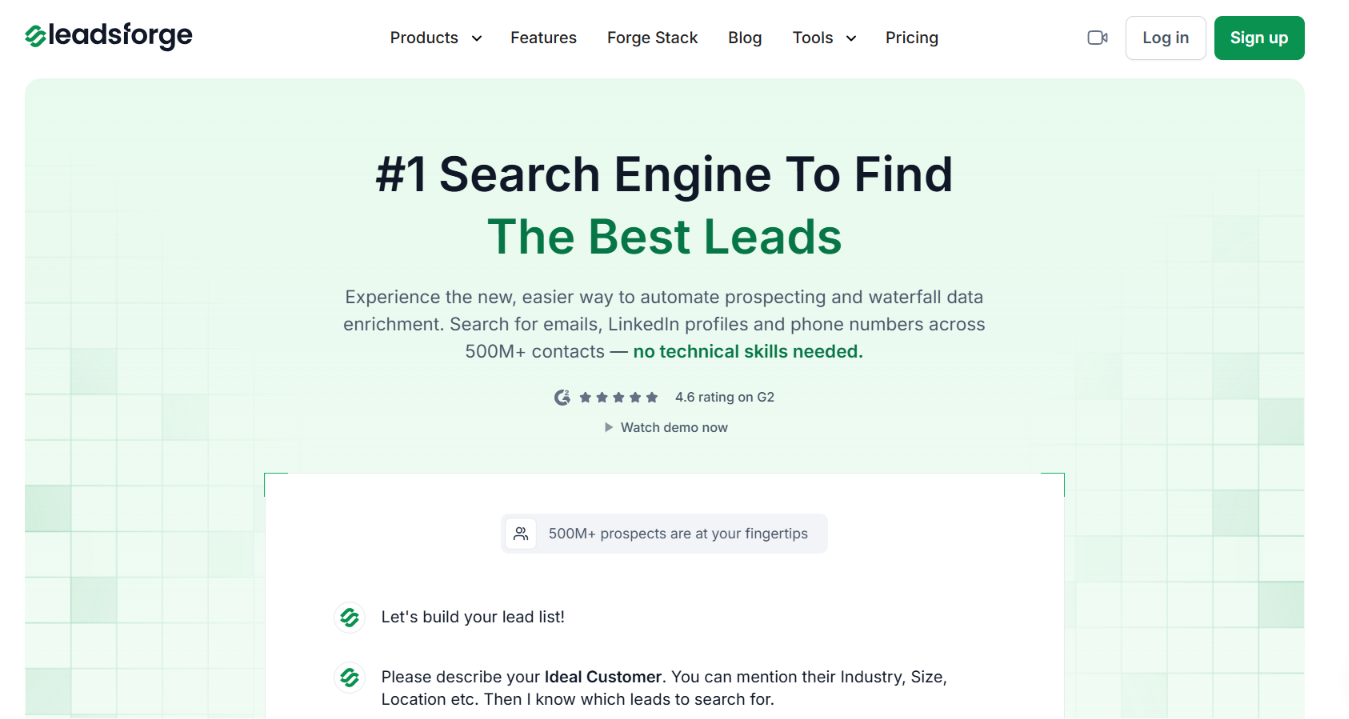
While Bitscale focuses heavily on enrichment workflows, playbooks, and GTM automation, Leadsforge is built around a much simpler lead generation experience. You can search for prospects using a chat-style interface, find lookalike companies, discover competitor followers, and build lists using buying signals from one place. Some of the features I like most about Leadsforge include:
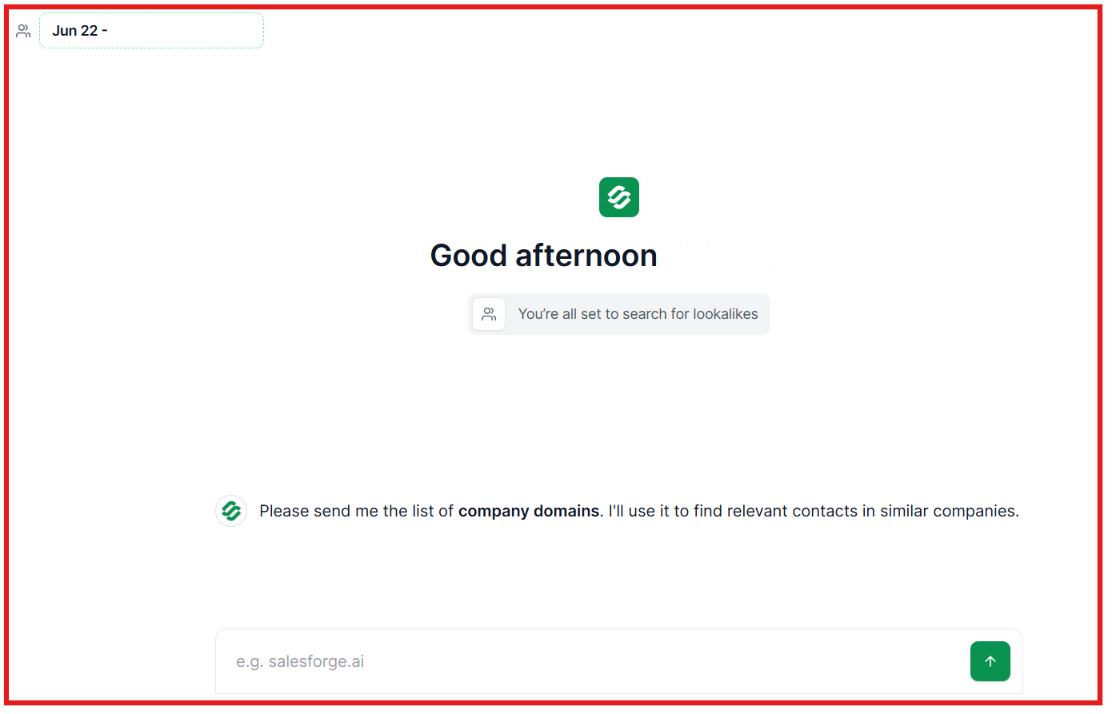
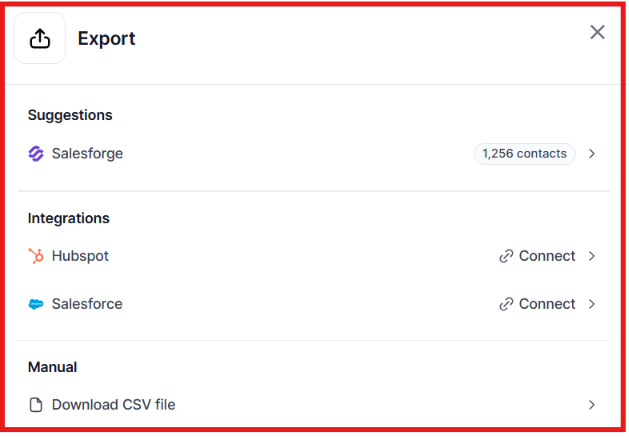
Pricing is another area where Leadsforge stands out. Paid plans start at $49 per month with 2,000 credits included, while Bitscale's first paid plan starts at $349 per month. If you need advanced CRM enrichment and large-scale GTM workflows, Bitscale is a solid option. But if your goal is to find targeted prospects, enrich them, and move them into outreach as quickly as possible, I'd choose Leadsforge. It delivers the core prospecting workflow with far less complexity and at a much lower starting cost.
Bitscale is a solid platform for teams that need data enrichment, intent signals, CRM enrichment, and prospect research in one place. It offers a wide range of features that can help sales and GTM teams find better data and identify potential buyers.
However, not every team needs that level of complexity. If your main goal is finding qualified prospects and building outreach-ready lists quickly, Leadsforge is worth considering. It helps you find prospects using simple searches, lookalikes, competitor followers, and buying signals. You can also enrich contacts with verified emails, LinkedIn profiles, and phone numbers, then export them directly into your outreach workflow.
Try Leadsforge and get 100 free credits.
Bitscale is a GTM platform that combines data enrichment, intent signals, AI-powered research, CRM enrichment, and prospecting workflows in one place. It helps teams find, enrich, and manage prospect data more efficiently.
Yes. Data enrichment is one of Bitscale's strongest areas. The platform uses waterfall enrichment with multiple data providers to help teams find verified emails, phone numbers, company data, and contact information.
Bitscale tracks several buying and engagement signals, including hiring activity, funding events, job changes, LinkedIn engagement, website activity, competitor engagement, and technology changes.
Yes. Bitscale offers two-way integrations with both Salesforce and HubSpot. It can enrich CRM records, update contact information, and help maintain cleaner customer data.
Bitscale can be worth the cost for teams that need enrichment, intent data, CRM workflows, and account research in a single platform. However, smaller teams that mainly need prospecting may find simpler and lower-cost alternatives a better fit.