Hermes Agent can research prospects, qualify accounts, write outreach messages, schedule follow-ups, and manage recurring tasks. That makes it an interesting option for teams looking to automate parts of their cold outreach workflow.
But cold outreach is more than writing emails. It also involves prospect qualification, personalization, suppression management, deliverability, follow-ups, and reply handling. Automating the wrong part of the process can create more problems than pipeline.
In this guide, you'll learn how to use Hermes Agent for cold outreach, which tasks it handles best, how to build a safe workflow around it, and where dedicated outbound platforms fit when it's time to scale.
Yes. Hermes Agent can automate prospect research, account qualification, message drafting, QA reviews, follow-up planning, and reply classification. However, Hermes is not a complete outbound platform. It does not handle deliverability, mailbox infrastructure, warmup, suppression management, mailbox rotation, or outbound reporting out of the box.
The safest approach is to use Hermes for research and drafting while keeping sending, deliverability, and approval workflows under human or outbound-platform control.
A typical workflow looks like this:
Hermes is most valuable before a message is sent. Keep sending gated until the workflow can consistently identify good-fit prospects and produce accurate outreach.
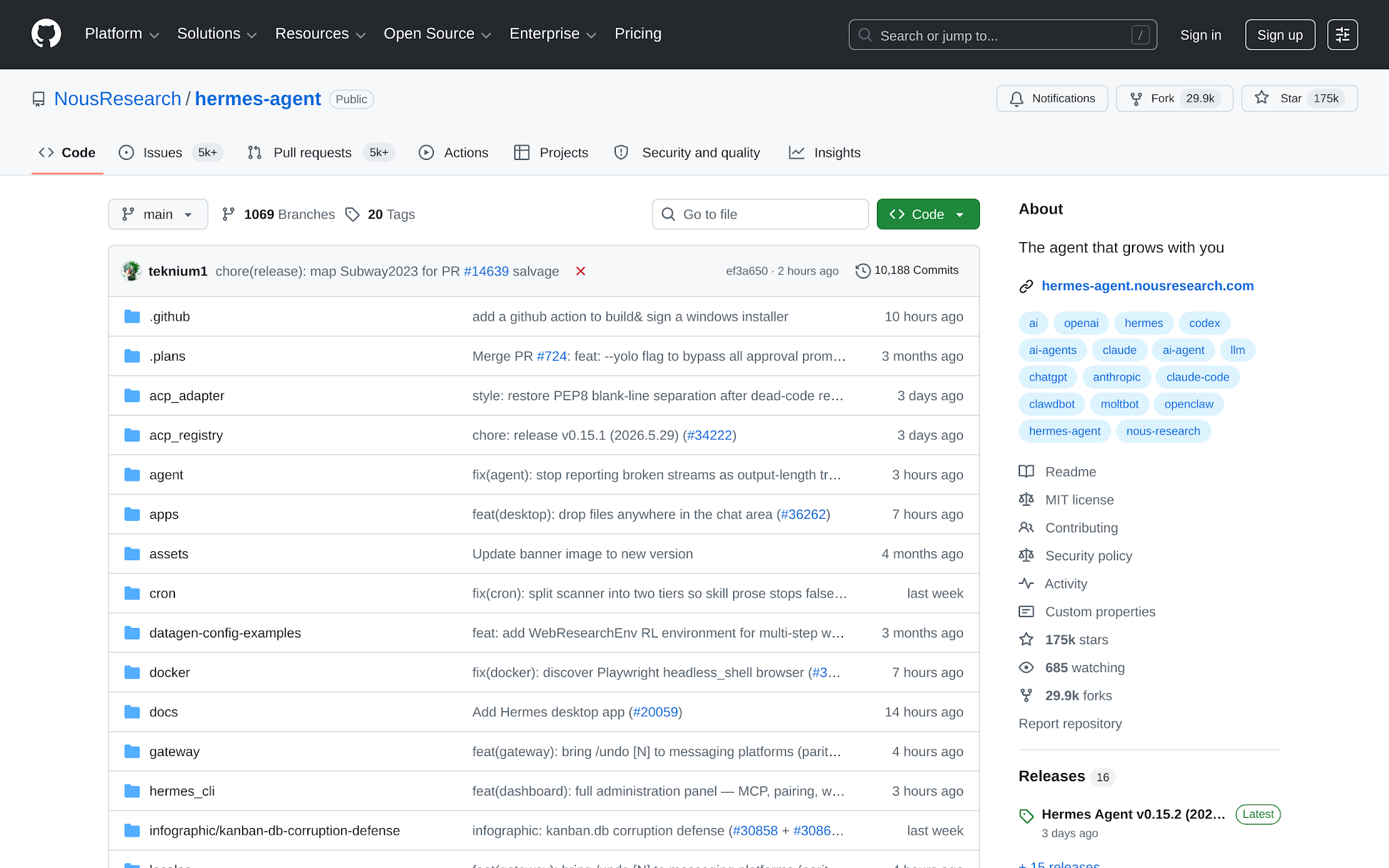
Hermes Agent is an open-source AI agent that helps automate research, planning, writing, and repetitive business tasks. Instead of working like a simple chatbot, Hermes can be given a role, instructions, memory, tools, and scheduled tasks. This allows it to perform multi-step workflows such as researching companies, qualifying prospects, drafting emails, summarizing information, and managing recurring processes.
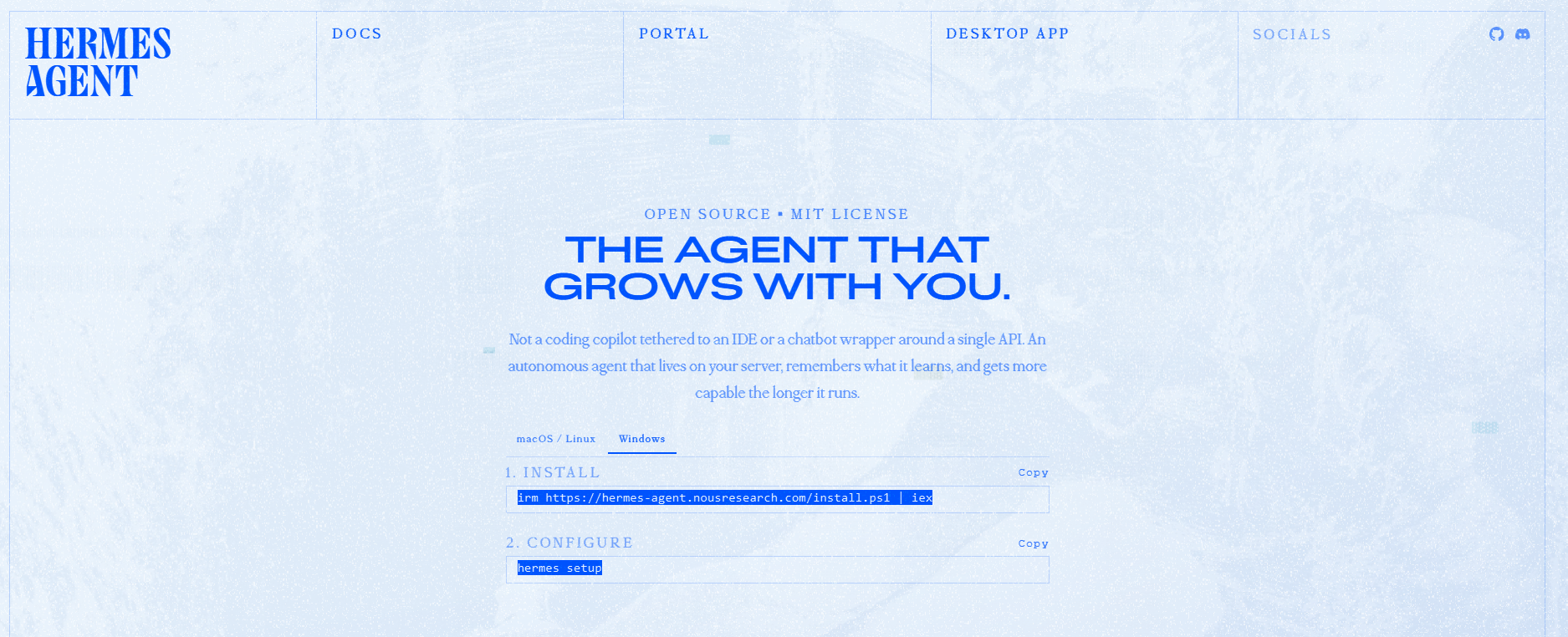
For cold outreach, Hermes can research accounts, identify buying signals, qualify prospects against your ICP, write personalized outreach messages, create follow-up drafts, and classify replies. It can also store reusable instructions and operate according to rules you define.
However, Hermes is not a dedicated outbound platform. It does not manage email infrastructure, mailbox warmup, deliverability, suppression lists, sequence execution, or outbound reporting out of the box.
The test is simple: does Hermes improve outbound quality without getting blind control over sending? You can judge the workflow on five criteria:
| Criteria | What I look for | Failure signal |
|---|---|---|
| Control before scale | Approval gate, daily cap, and clear owner before anything sends | Hermes can send to any contact without review |
| Prospect relevance | ICP rules, disqualifiers, and account context are used before drafting | Every contact gets a message by default |
| Message quality | Drafts are checked for specificity, claim accuracy, offer fit, and tone | Generic copy with fake familiarity |
| Deliverability and compliance | Suppression, unsubscribe language, bounce handling, and mailbox limits sit outside free-form agent reasoning | The agent decides who to suppress from memory alone |
| Feedback loop | Replies, bounces, bad fits, and meetings update prompts or memory after review | The system repeats the same bad message pattern |
If the workflow fails any one of those, fix the control point before scale.
Most bad agent outbound starts because the operator gives the agent a vague goal and too much access. Do the opposite. Before you build the Hermes workflow, prepare these inputs:
If email is the channel, make sure the sending email infrastructure is clean. SPF, DKIM, DMARC, warmup, mailbox rotation, and conservative volume limits are not Hermes tasks. They belong in the outbound infrastructure layer.
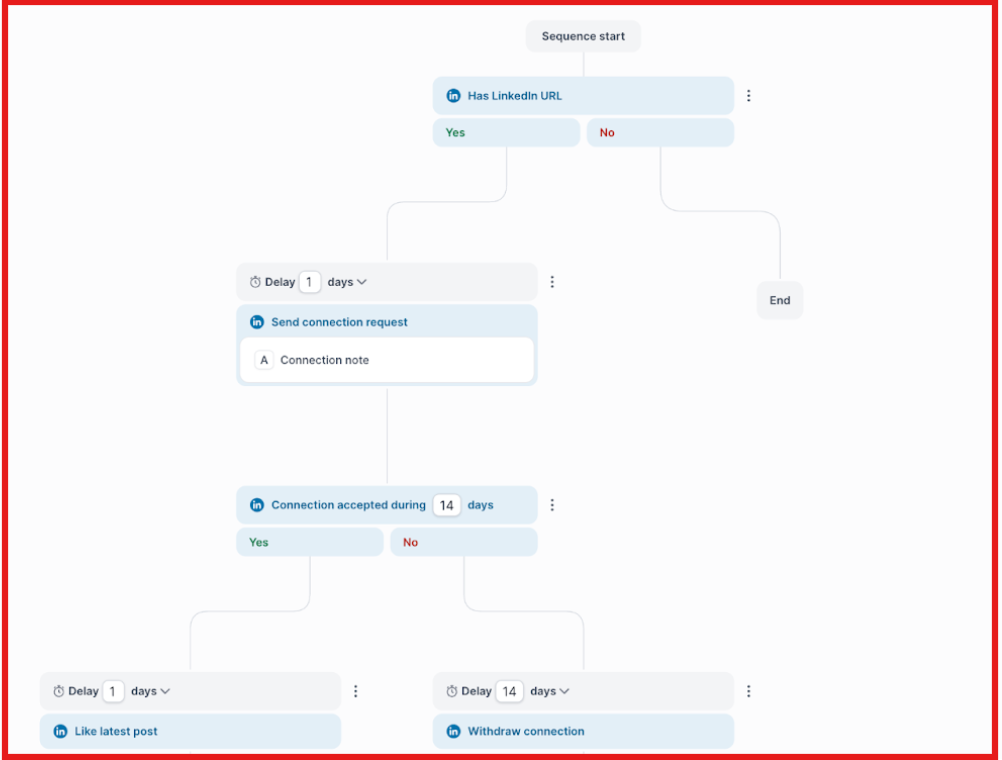
If you use Salesforge as the sending path, the email and LinkedIn steps are arranged inside a sequence. Hermes prepares the segment and approved copy. Salesforge handles the sequence workflow.
Before connecting Hermes to your outreach workflow, decide exactly which tasks it is responsible for. Many outbound automation mistakes happen because the agent is given too much responsibility too early.
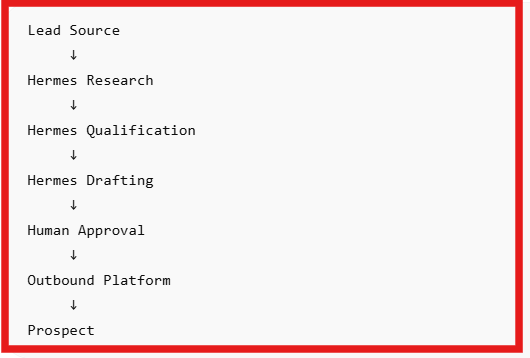
Hermes works best as a research, qualification, and drafting assistant. High-risk decisions such as sending, deliverability, and compliance should remain under human or outbound-platform control.
| Hermes should handle | Keep under human or outbound system control |
|---|---|
| Account research | Final send approval |
| Contact notes | Daily sending limits |
| Prospect qualification | Mailbox rotation |
| First-touch drafts | Domain health decisions |
| Follow-up drafts | Suppression management |
| Message QA | Unsubscribe handling |
| Reply classification | Final meeting qualification |
| Weekly performance reviews | Deliverability decisions |
Once those responsibilities are clear, create a role prompt that tells Hermes how it should operate. Use a role prompt like this:
You are Hermes working as a cold outreach operations assistant. Your job is to research accounts, classify fit, draft messages, and prepare follow-up recommendations. You are not allowed to send messages, remove contacts from suppression, change daily send limits, or approve your own drafts. Reject weak-fit contacts instead of forcing a message. Every account note must include a source URL or be marked as unknown. Every draft must include one reason for reaching out, one relevant proof point, and one low-friction CTA.
That prompt makes the operating boundary explicit before you connect anything with write access.
Once Hermes knows its responsibilities, the next step is giving it clear rules for who should and should not receive outreach.
Many teams make the mistake of describing their ideal customer in broad terms such as "B2B companies" or "sales leaders." That is not enough. If the ICP is vague, Hermes will research the wrong accounts, qualify weak prospects, and write messages for people who were never likely to buy in the first place. Instead, define your ICP using criteria the agent can actually evaluate.
| ICP Element | Example |
|---|---|
| Industry | B2B SaaS |
| Company Size | 20–200 employees |
| Buyer Role | Founder, Head of Sales, RevOps |
| Trigger Event | Recently hired a sales leader |
| Pain Signal | Growing outbound volume but flat reply rates |
| Region | US, UK, Canada, Australia |
Example ICP:
Target accounts: B2B SaaS companies with 20–200 employees. Trigger: recently hired a Head of Sales, VP Sales, or RevOps lead. Buyer: founder, Head of Sales, RevOps, or growth lead. Pain: outbound volume is rising but reply quality is flat, or the team is adding mailboxes manually. Region: US, UK, Canada, Australia, and EU markets with English-language outbound. Disqualify: existing customers, competitors, students, job seekers, unsupported geographies, unsubscribed contacts, and accounts with no visible outbound motion.
Finally, provide context about the offer. Hermes needs to understand what problem you solve, which proof points it can use, and which claims it should never make. For example, you may allow public case studies and approved customer stories while prohibiting invented revenue impact, reply rates, or customer references.
Store these rules in Hermes memory or a reusable skill file. Strong outreach starts with strong qualification rules. The clearer your ICP, the fewer bad-fit prospects Hermes will push into the workflow.
Give Hermes the smallest set of permissions that gets the job done. For the first version, a spreadsheet or CRM export is enough. A controlled architecture looks like this:
| Workflow step | Hermes task | Human/tool gate | Output | Risk controlled |
|---|---|---|---|---|
| Import contacts | Read CSV or CRM export | Suppression list check | Clean working queue | Wrong contact pool |
| Research account | Summarize fit and context | Source requirement | Account note | Fake personalization |
| Draft message | Create first touch and follow-up | QA prompt and human review | Approved or rejected draft | Generic copy |
| Send | Prepare copy for manual send or sequence | Daily cap and mailbox rules | Sent batch | Domain damage |
| Review outcome | Classify replies and bounces | Operator approves learning | Updated prompt or skill | Bad feedback loop |
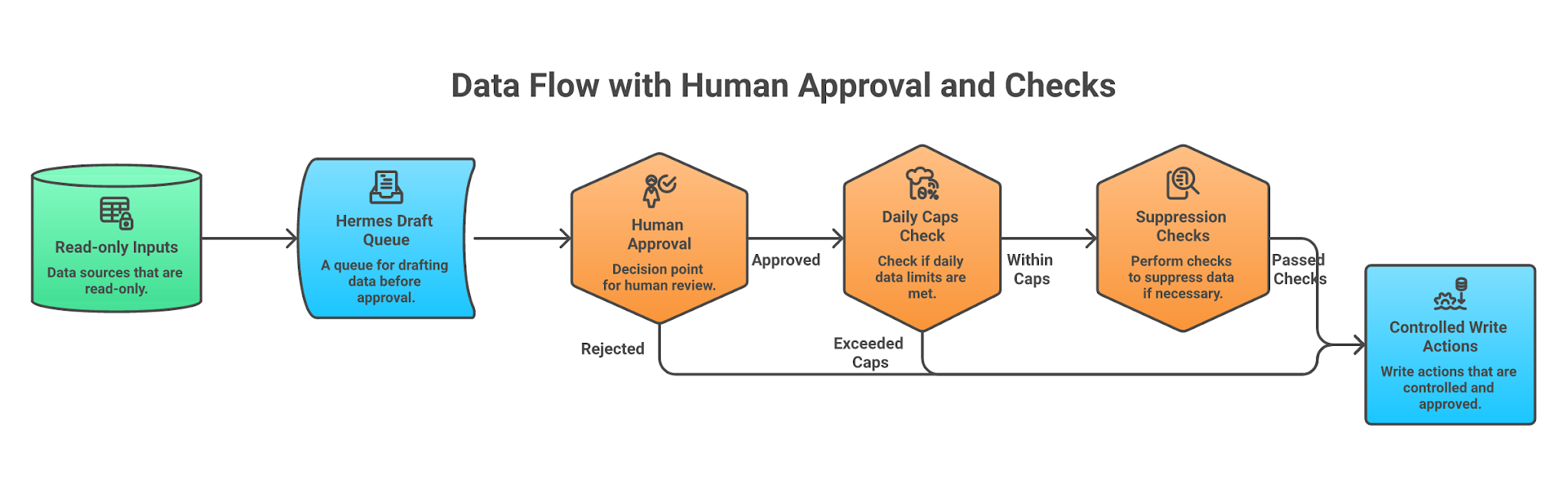
If you use Salesforge as the delivery layer, treat Hermes as the research and drafting system while Salesforge manages sequence execution, mailbox operations, and reporting. Minimum permission beats maximum access. That is how you keep one bad prompt from becoming 500 bad sends.
The goal of the research prompt is to make Hermes qualify or reject prospects before it writes a single message. Many outreach workflows fail because the agent starts drafting emails for every contact in the list. A better approach is to have Hermes research the account, verify the fit, identify a relevant trigger, and reject weak prospects before outreach begins.
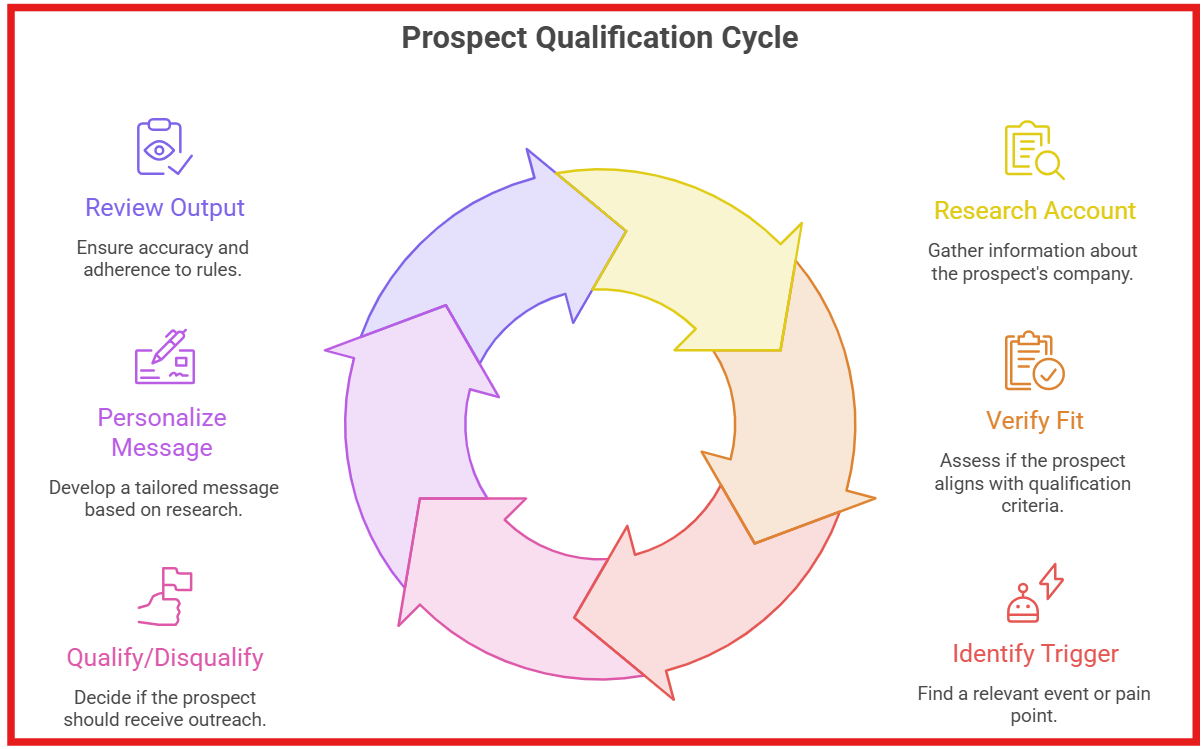
Use a research prompt like this: For each account and contact, determine whether this prospect should receive outreach.
Return:
Rules:
A useful research output might look like this:
| Account | Contact | Fit | Reason | Message Angle | Risk |
|---|---|---|---|---|---|
| AcmeOps | VP Sales | High | Recently hired SDRs and expanding outbound operations | Scaling outbound infrastructure efficiently | Avoid making assumptions about current deliverability performance |
This structured output makes qualification decisions easier to review before any outreach is drafted. One rule is worth following throughout the workflow: if Hermes cannot verify a claim, the message should not use it.
Once Hermes has qualified a prospect, it can start drafting outreach. The goal is not to generate as many emails as possible. The goal is to create messages that are relevant, accurate, and easy to review before sending.
A common mistake is giving the agent complete creative freedom. That usually leads to generic personalization, exaggerated claims, and emails that sound impressive but say very little. Instead, give Hermes clear rules for what every message must include.
For example, you might instruct Hermes to:
Just as importantly, tell Hermes what to avoid. Generic compliments, fake familiarity, unsupported claims, invented numbers, and irrelevant AI references should never appear in outreach. After the draft is created, run a separate QA review before approval. The QA check should verify:
The review should return only three possible outcomes: Approved, Revise, or Reject, along with a short explanation.
Here is an example of a simple first-touch email:
Subject: outbound growth
Saw AcmeOps recently expanded its SDR team.
Teams often run into process and infrastructure challenges before they run into prospecting challenges when outbound volume starts growing.
Curious how your team is managing mailbox operations and sequence execution as the team scales?
Notice what the message does not do. It does not invent pain points, make aggressive assumptions, or force a meeting request. It simply connects a real trigger event to a relevant conversation. That is usually enough.
Sending is the highest-risk part of cold outreach automation. Keep it controlled until the system earns more freedom. Use one of three paths.
Hermes writes approved drafts into a spreadsheet, CRM field, or task queue. A human reviews every message and sends manually. Slow, but safest.
In this setup, Hermes researches accounts, qualifies prospects, and prepares approved message variants. A human reviews the batch, then an outbound platform such as Salesforge handles sequence execution, email steps, LinkedIn touches, and reporting. This is the approach most teams will eventually use because it combines AI-assisted research with a controlled outbound workflow.
This is the most automated setup, but it is also the riskiest. In this workflow, Hermes passes approved outreach to a sending system through an API. This removes most of the manual work, but it also means mistakes can scale much faster.
Do not start here. Before giving Hermes any role in delivery, make sure you already have suppression checks, approval workflows, sending limits, unsubscribe handling, mailbox controls, and activity logs running outside the agent.
A good rule is: if a bad prompt can send hundreds of emails, the workflow is not ready for full automation. For most teams, this path only makes sense after the research, qualification, drafting, and review process has been tested successfully on smaller batches.
The feedback loop should improve the workflow, not blindly train Hermes on every outcome. Track these fields:
A useful learning: RevOps buyers responded better to infrastructure-risk framing than headcount-replacement framing when the account is actively hiring SDRs. Update RevOps segment prompt to lead with mailbox setup and sequence control.
A bad learning: Use more casual language because one person replied to a casual message.
Use scheduled review if your Hermes setup supports it. A weekly cron-style review is enough: summarize the batch, identify repeat objections, flag bad-fit patterns, and recommend prompt changes. A human approves the changes before they become durable memory or skill updates.
That is how the workflow gets better without becoming self-reinforcing spam.
Run a 10-contact test before you touch volume. Ten. Not 100.
For each contact, inspect:
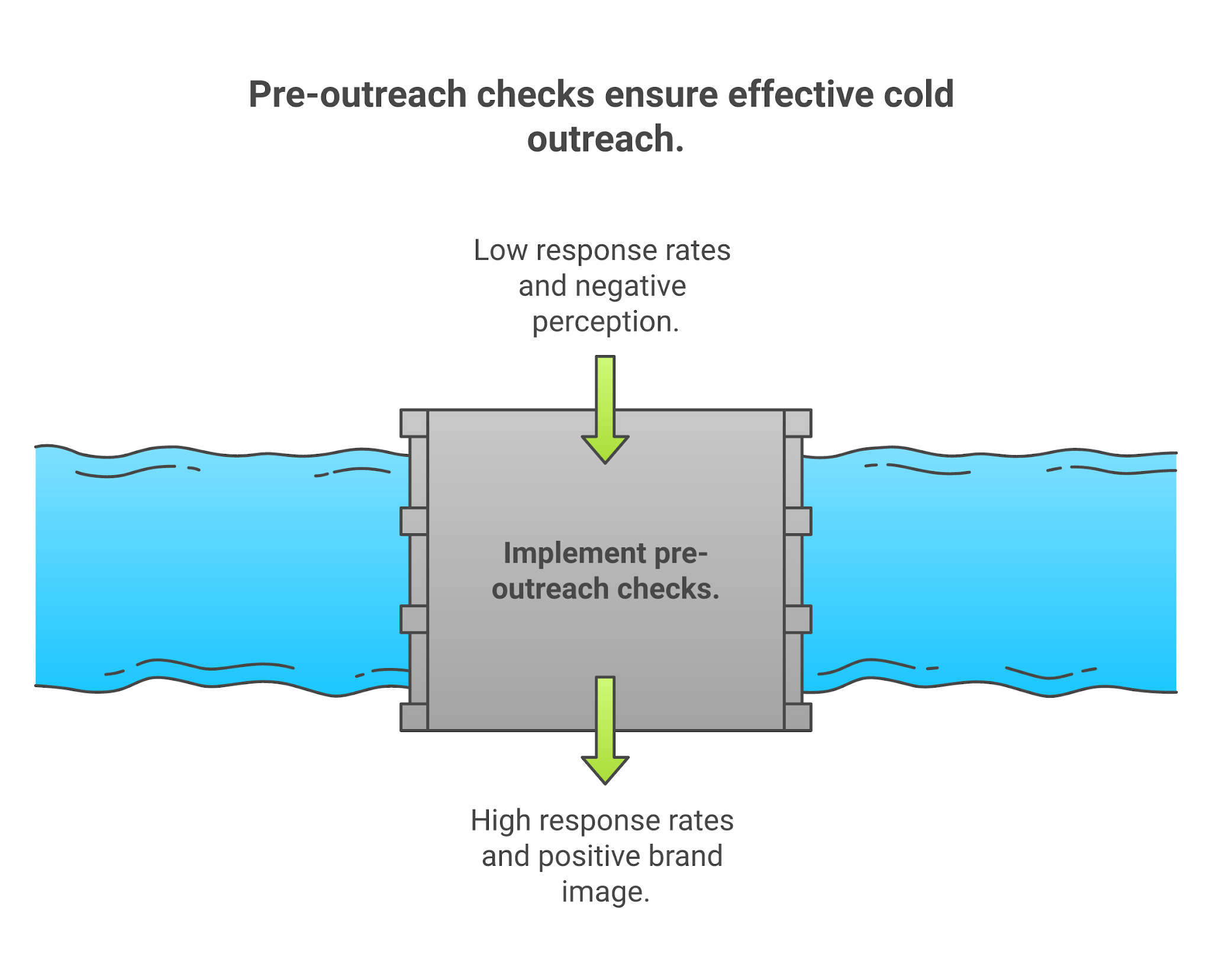
Send a tiny batch only after every contact passes review. Then inspect outcomes manually.
Stop the workflow if Hermes:
Do not scale a workflow that cannot pass a 10-contact test. Volume exposes problems. It does not solve them.
Most Hermes outbound failures come from giving the agent too much freedom too early.
Mistake 1: Letting Hermes send before it can reject bad-fit contacts.
Fix it by requiring a fit/no-fit decision before every draft. If the agent cannot reject an account, it is not ready to write.
Mistake 2: Using one prompt for every segment.
Fix it by segmenting prompts by ICP pain, buying trigger, and role. Founder pain is not RevOps pain. RevOps pain is not SDR manager pain.
Mistake 3: Allowing personalization without sources.
Fix it by requiring a source URL or an unknown label. Unknown is better than invented.
Mistake 4: Putting suppression inside the agent’s memory.
Fix it by keeping suppression in a structured list or system outside free-form reasoning. Hermes can read it. Hermes should not be the only control protecting it.
Mistake 5: Treating deliverability as an LLM problem.
Fix it with infrastructure. SPF, DKIM, DMARC, warmup, heat score, bounce rate, and mailbox rotation sit outside the model. If your heat score is under 85, do not ask Hermes for better copy. Fix the sending foundation first.
Mistake 6: Updating memory from every reply.
Fix it with review. One angry reply is not a strategy. Ten similar objections across one ICP segment is a signal.
The rule is simple: automate repeatable judgment after you define the judgment.
Hermes and Salesforge solve different jobs. Hermes is the better route when you want custom agent control. Salesforge is the better route when the job is production outbound execution.
| Route | Best Fit | Setup Effort | Sending Control | Reporting | Avoid If |
|---|---|---|---|---|---|
| Hermes Agent | Self-hosted research assistant, custom scripts, unusual tools, bespoke workflows | Higher | You design the gates | You build or connect it | You need production sending without custom plumbing |
| Salesforge / Agent Frank | Cold outreach execution, multichannel sequences, pipeline coverage, reply handling | Lower | Built for sales workflow controls | Native outbound reporting | You only want a non-sales automation agent |
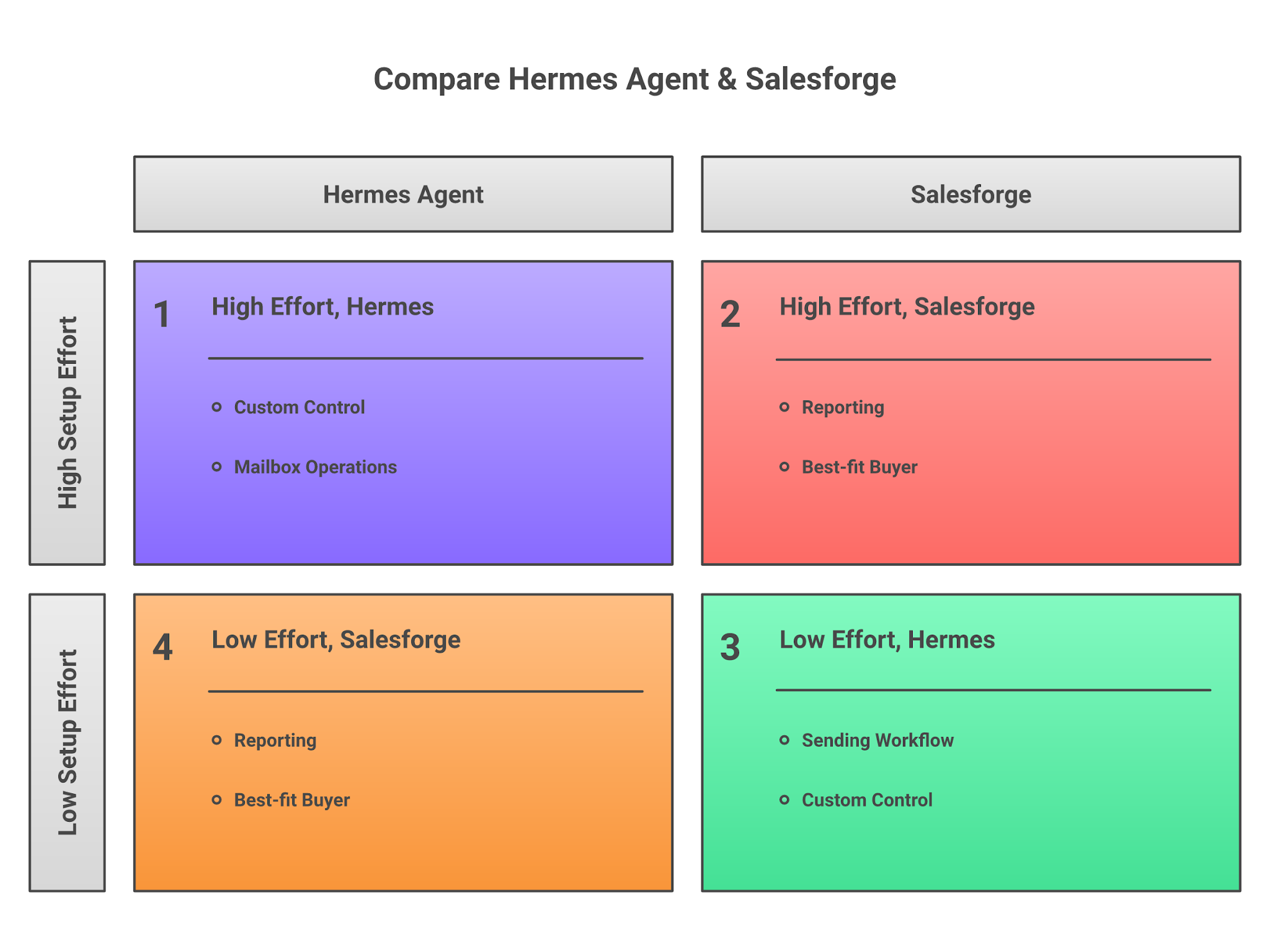
Choose Hermes if:
Choose Salesforge or Agent Frank if:
Hermes Agent can automate research, qualification, drafting, QA, and follow-up workflows, making it a useful tool for outbound teams that want more control over their process. The key is to automate in the right order. Start with a clear ICP, use Hermes to qualify prospects and draft outreach, then keep sending controlled until the workflow consistently produces accurate results.
For most teams, Hermes works best as the research and decision layer, while a dedicated outbound platform handles delivery, reporting, and mailbox management. The goal is not to send more emails. The goal is to send better emails to better prospects without sacrificing deliverability or control.
Want to Skip Building the Workflow?
This guide showed how to use Hermes Agent for prospect research, qualification, outreach drafting, QA reviews, and controlled sending. The challenge is that you still need to build and maintain the workflow yourself. If your goal is simply to generate more pipeline, Salesforge already provides the infrastructure, prospecting, sequencing, reply management, and reporting needed to run outbound campaigns.
And if you want an AI SDR instead of managing prompts, workflows, and reviews manually, Agent Frank can handle prospect research, outreach execution, follow-ups, and reply management for you. In short, use Hermes if you want to build the system. Use Salesforge and Agent Frank if you want to focus on pipeline instead.
.jpg)

.jpg)
.jpg)