If you're looking for an Amplemarket alternative, you probably ran into one of three problems.
Price: Amplemarket works well for a founder and one hire. The Startup plan covers exactly that. That plan runs $600 a month for two seats on a yearly contract. The tiers above it need a sales call.
Data: I found contacts going stale after job changes. Coverage outside the US runs thinner than inside it.
Everything else: I ran into missing features, sequences that break mid-campaign, and about a month of learning curve.
None of those three makes Amplemarket a bad tool. They just make it a costly one to keep as the team grows.
I tested 10 AmpleMarket alternatives against those three reasons myself. Most cost less. Some handle the data better. A few drop the all-in-one idea and do one job properly.
Salesforge: Best all-in-one multichannel outreach tool that offers unlimited mailboxes and senders on a flat fee, with free email warm-up and an optional AI SDR called Agent Frank.
Apollo: Best for contact data on a budget, with 240M contacts, sequencing and a dialer in one place. Credits expire each month, and the bill grows with every seat you add.
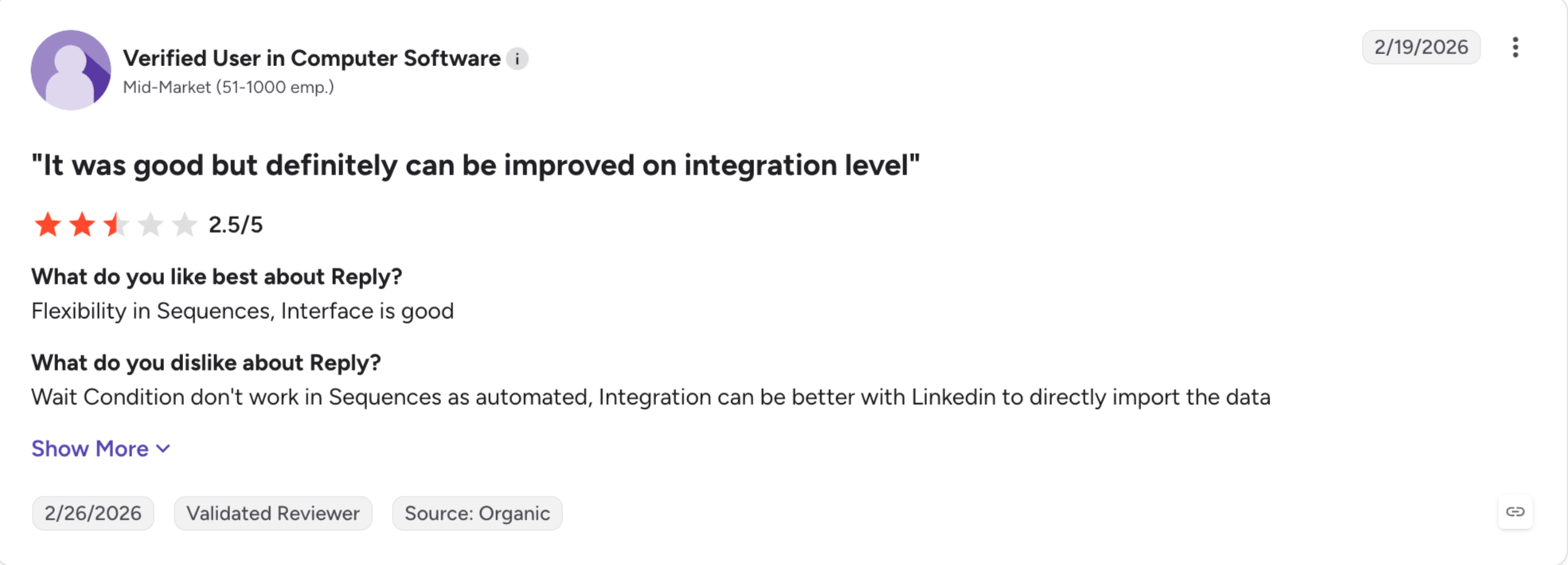
Reply.io: Best for an AI SDR without the platform, with multichannel sequences and a trainable agent called Jason. Jason bills separately from the seats.
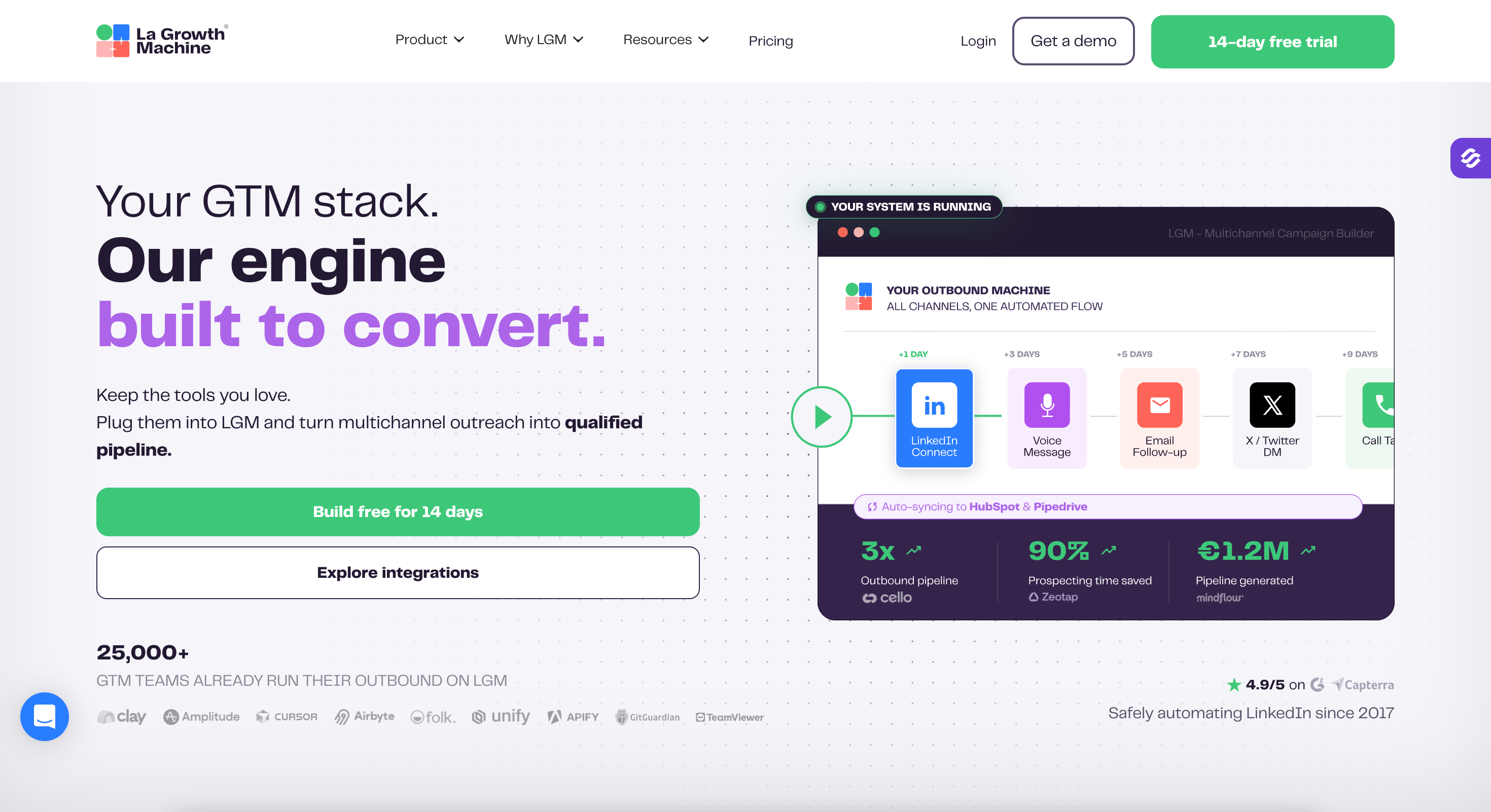
LaGrowthMachine: Best for LinkedIn, email and X in one coordinated sequence, with enrichment built into the flow. Pricing runs per LinkedIn identity, so a three-person team pays three times.
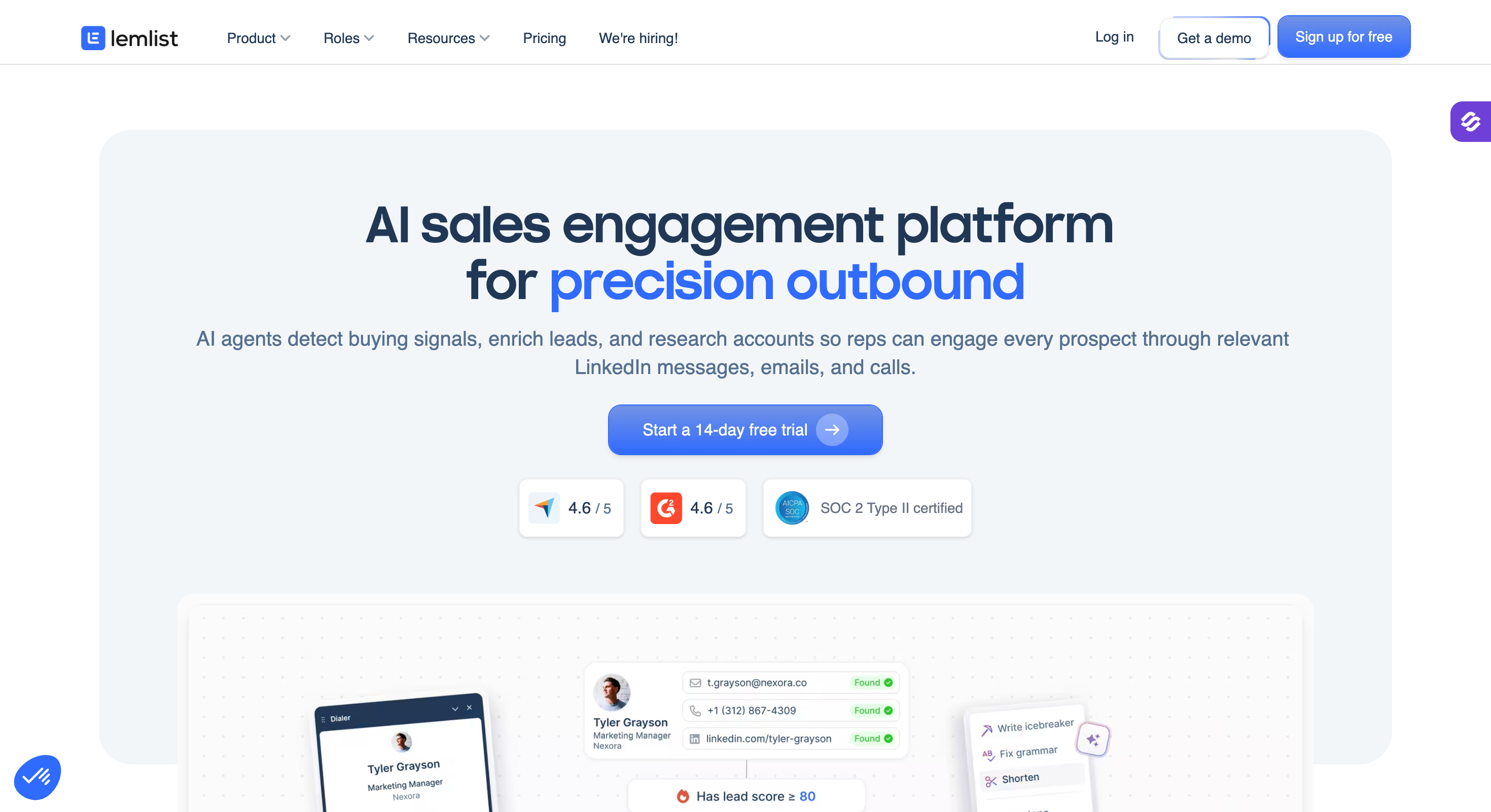
Lemlist: Best for image and video personalization, with a built-in lead database and warm-up included. LinkedIn and calling need the higher tier.
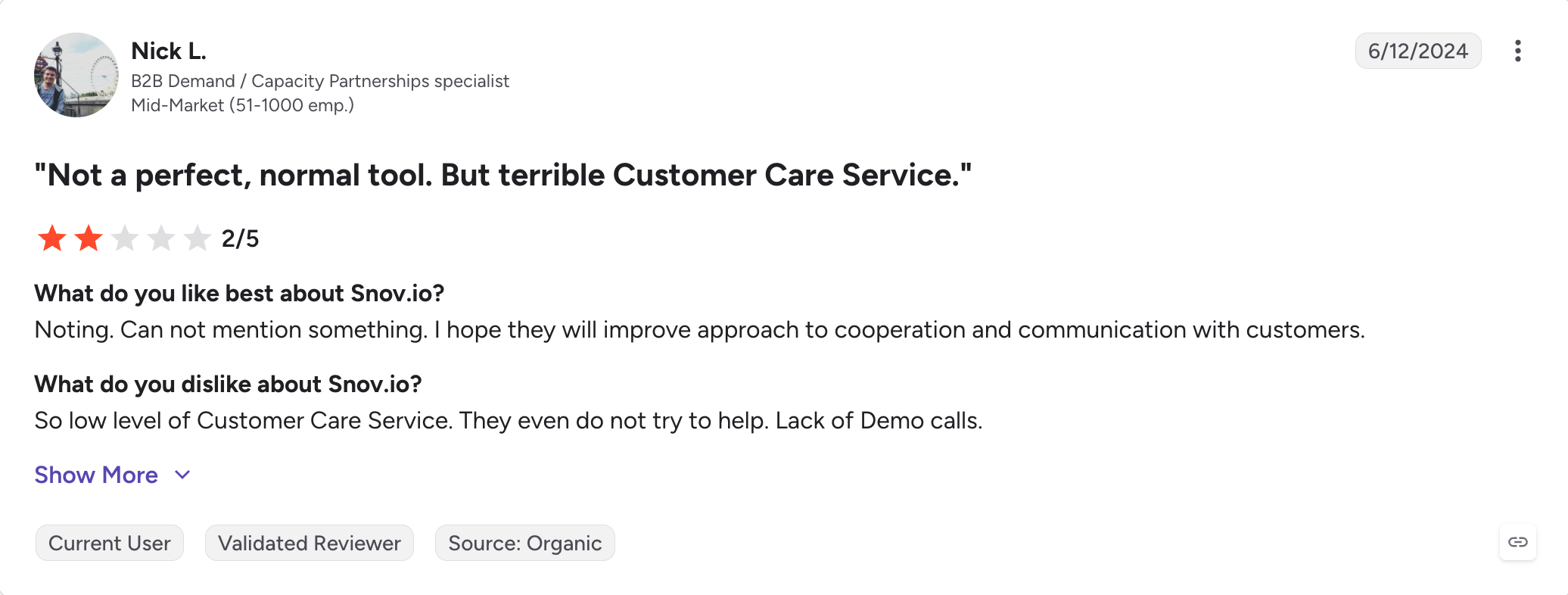
Snov.io: Best cheap entry for email prospecting, with an email finder, verifier and drip campaigns from $39 a month. LinkedIn automation sits outside every plan as a $69 add-on.
Instantly: Best for high-volume cold email, with inbox rotation and warm-up on every plan. No contact database, and the lead data is a separate subscription.
Smartlead: Best for agencies, with unlimited mailboxes and white-label client portals. No lead data, and every client workspace costs extra.
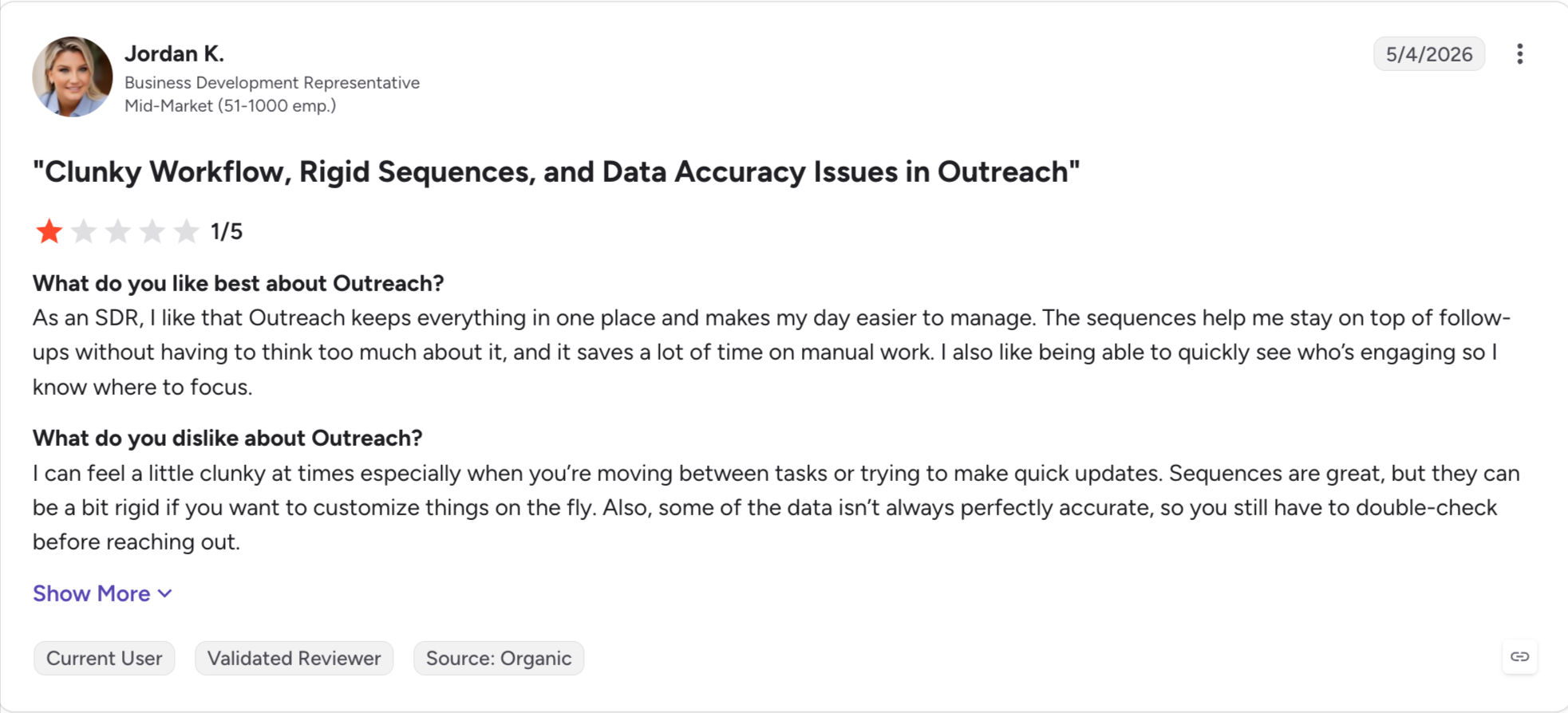
Outreach: Best for large structured teams, with deep forecasting and conversation intelligence. Priced on a call, and AI credits add a variable cost on top.
Salesloft: Best for CRM-first revenue teams, with cadences, deal management and coaching in one suite. Priced on a call, with a minimum seat count most small teams cannot meet.
Feature Comparison: Top 3 Amplemarket Alternatives At A Glance
50+ including Salesforce, HubSpot, Outreach, Salesloft
Salesforce, HubSpot, Pipedrive, webhooks and API
API, MCP and CLI
Forge MCP server, CLI and open API
Apollo MCP, CLI and open API
API and webhooks, no MCP published
Free trial
14 days, no card
Free plan, no card
Free plan plus a 14-day trial
Why People Leave Amplemarket
Amplemarket does most of what it promises, so people rarely leave over a broken product. They leave over the shape of the deal.
These three pain points come up most.
Pricing
The Startup plan covers two seats at $600 a month, and you pay for a year up front. The Startup plan covers two users and nothing more. That suits a small team, and it suits nobody else.
Amplemarket prices per seat, so the bill climbs fast with headcount. A third person takes you past the published pricing, because Growth and Elite both need a sales call.
Contact Data Freshness
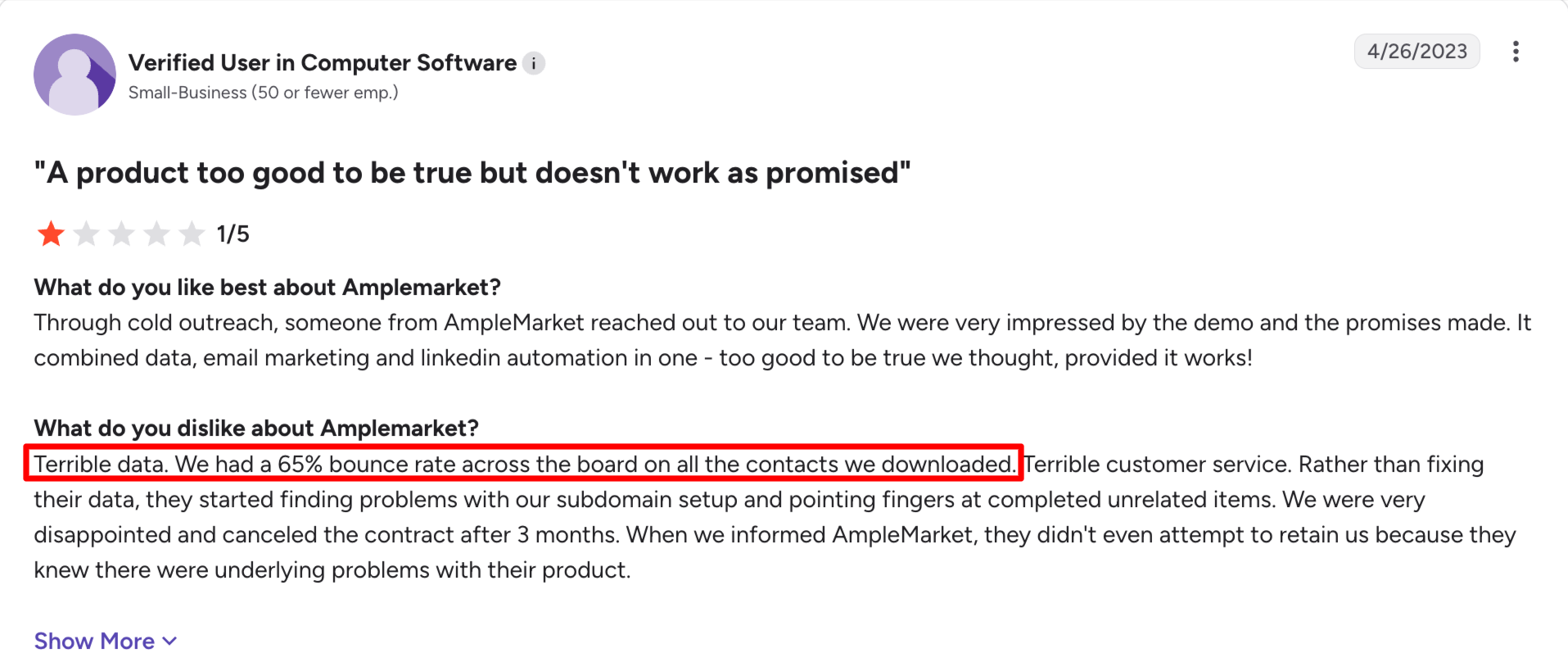
G2 lists data accuracy among its five biggest complaints, and the reviews say the same thing in different words. Contacts go stale when someone changes company or role.
One reviewer wrote that the data could improve, especially after a job change.
The coverage outside the US runs weaker than inside it. Several reviews flag it. Amplemarket's own claim of under 3% bounces covers the whole database, not one region.
Missing Features
Users complain about missing features more than anything else.
That covers a lot of ground. Sequences break mid-campaign. Integrations drop out. And your team needs about a month before anyone moves quickly in it.
Support surprised me, though. Users rate it highly and name it as a strength. The pages calling it terrible are copying each other instead of checking.
How I Picked These 10 AmpleMarket Alternatives
I judged every tool on this list against six things.
What it replaces: Outbound tools bundle data, sequencing, signals and AI in different combinations. I checked which of those four each tool covers. If you buy a sender when you needed data, you end up worse off.
How it scales: I worked out what each tool costs at one seat, five and ten.
Contract terms: I checked whether you can pay monthly.
Data coverage: I looked at how many contacts each one holds and how it handles job changes. I also checked whether coverage outside the US matches coverage inside it.
Real reviews: I read the critical G2 reviews, not just the scores.
1 - Salesforge
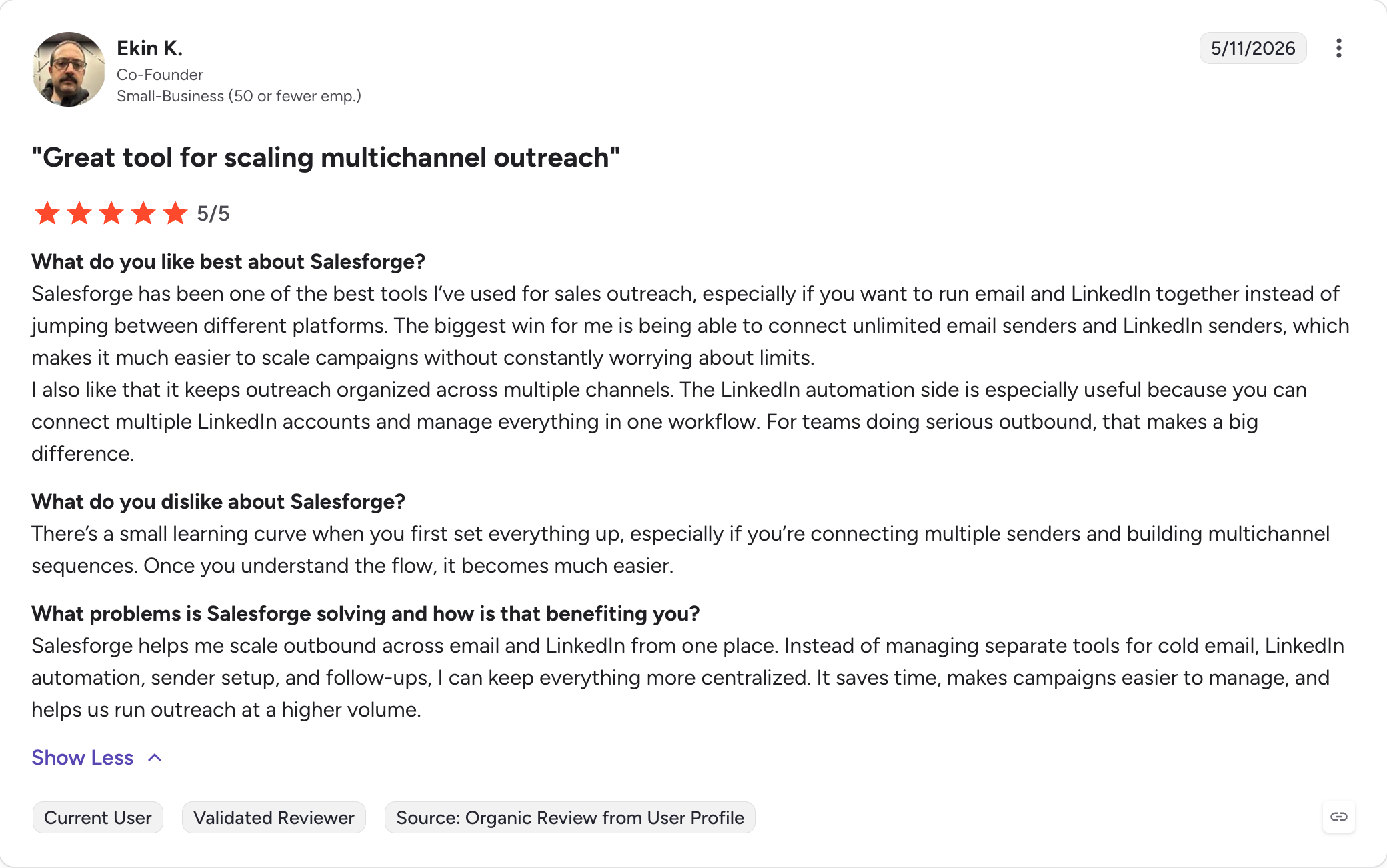
Best for: GTM teams and agencies who want email and LinkedIn in one sequence without paying per seat.
G2 Rating: 4.6 out of 5
Salesforge is the best Amplemarket alternative for teams who outgrew the two-seat plan.
Amplemarket sells data, sequencing, signals and AI as one product at one price.
The Forge stack sells the same four as separate products under one login. Salesforge runs the sequencing, Leadsforge brings the data and signals, and Agent Frank does the AI SDR work.
The stack also covers something Amplemarket does not sell at all. Mailforge, Infraforge and Primeforge give you three ways to buy the mailboxes you send from.
You start on shared infrastructure and move to dedicated as you scale.
Salesforge Key Features
Unlimited mailboxes and senders: You connect every mailbox and LinkedIn profile you own. Your bill does not change when you add people.
Conditional sequences: A connection request gets accepted and the next step becomes a LinkedIn message. If it gets ignored, the sequence can shift into personalized multichannel outreach across multiple channels instead of relying on one path.
Primebox: Every reply from every mailbox and LinkedIn account lands in one inbox. Co-Pilot drafts, Auto-Pilot answers.
Free unlimited warm-up: Warmforge warms every mailbox you connect, on both plans, with no cap on slots. Heat Score shows when a mailbox is safe to scale.
AI personalization: Sequences write in the prospect's own language across 21+ languages. You skip hiring a copywriter per region.
Six LinkedIn actions: Connection requests, messages, InMails, post likes, follows and withdraw requests all run as sequence steps. Each one caps at 30 a day per profile.
Leadsforge database: 500M+ contacts feed straight into your sequences. You type your ICP the way you would into ChatGPT, and Leadsforge returns the list to support lead generation and enrich leads from those prompts.
Free Chrome extension: You pull verified emails and phone numbers straight from LinkedIn while you browse. New accounts get 100 credits on signup.
Sender rotation: Volume spreads across your mailboxes and domains. No single mailbox carries the whole campaign.
Text-only sending: Your emails go out plain, with no heavy HTML and no tracking pixels. This is the quietest deliverability lever you have.
Native CRM integrations: Salesforge connects to HubSpot, Salesforce, Pipedrive, Attio, folk and GoHighLevel. Zapier and webhooks cover the rest, with CRM data syncing into sales workflows.
Three infrastructure options: Mailforge, Infraforge and Primeforge sit under one login. You move between shared and dedicated mailboxes without migrating.
Agent Frank: An AI SDR prospects, writes, follows up, handles meeting booking, and can book meetings on his own. You hire him from $499 a month.
Forge MCP server and CLI: Claude, Cursor or your own agents can build sequences and manage contacts across the whole Forge stack.
Salesforge Pros And Cons
Pros
Cons
Flat pricing, so mailboxes and senders never move the bill
10,000 contacts, 50,000 emails a month, unlimited users and LinkedIn senders, A/B testing, ESP matching, API
Agent Frank
From $499 a month, billed annually
Autonomous AI SDR that prospects, writes, follows up and books meetings
Both plans include unlimited Warmforge warm-up, mailbox rotation, email validation and Primebox. The trial runs fourteen days and asks for no credit card.
Best for: Teams who want Amplemarket's shape at a published price, with a free plan to test on first.
G2 Rating: 4.7 out of 5
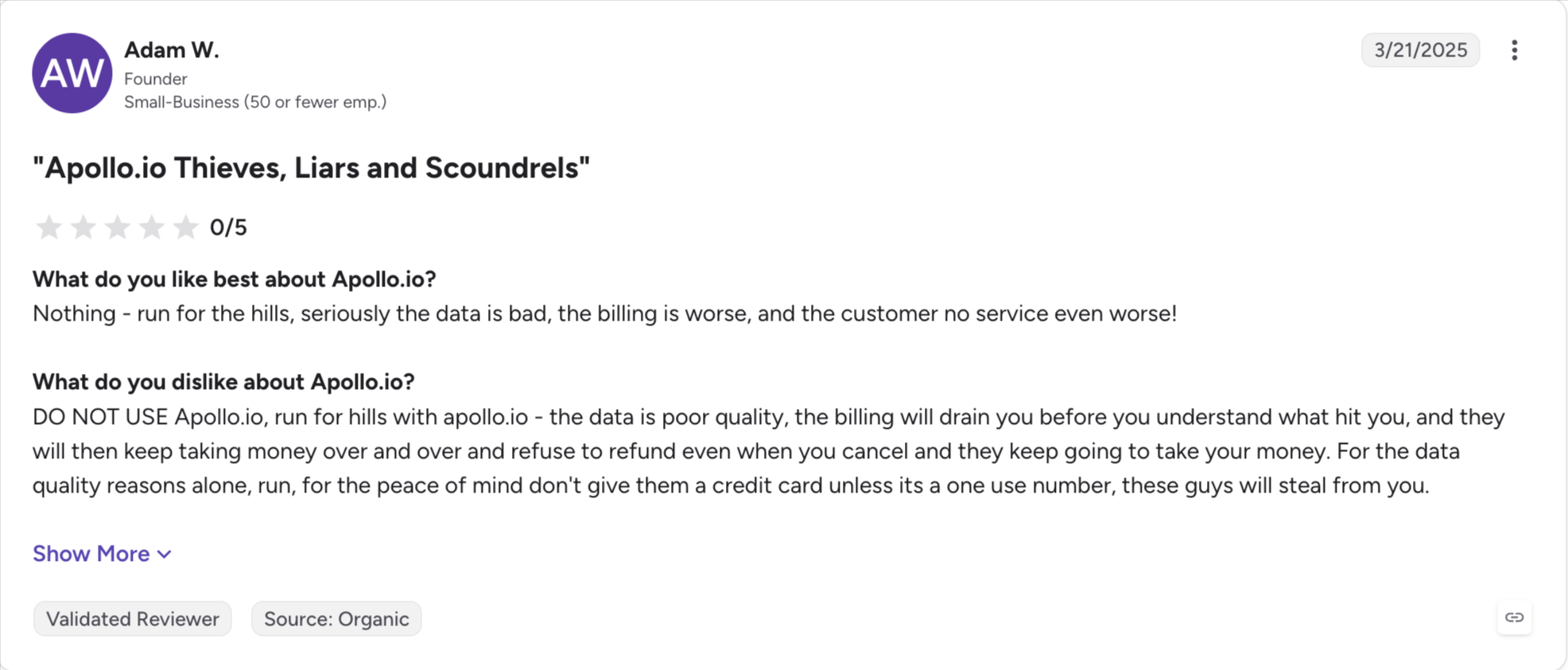
Apollo is the closest structural match to Amplemarket on this list. Apollo sells data, sequencing and a dialer as one product. Amplemarket bundles four things, so Apollo covers three.
The database runs larger too. Apollo holds 240M contacts against Amplemarket's 200M, and it publishes every price.
I would start on the free plan. You get 900 credits a year and two sequences, enough to judge the data before you pay.
The credit system catches people out. Email reveals cost one credit and phone reveals cost eight. Unused credits expire at month end with no rollover. Reviewers who price it properly put real spend well above the sticker once overages arrive.
I would watch the per-seat pricing too. Five reps on Professional cost $395 a month, and that figure climbs in a straight line.
Apollo Key Features
240M contacts and 30M companies: The database covers more people than Amplemarket's. Apollo validates records continuously instead of refreshing on a schedule.
Free plan: You get 900 credits a year and two sequences at no cost. No other tool here lets you test the data before paying.
Published pricing: All four tiers sit on Apollo's pricing page. You never book a call to learn the price.
Multichannel sequences: Email, calls and social steps run in one flow. The dialer arrives on Professional and above.
Waterfall enrichment: Each lookup runs through several providers in order. Leadsforge takes the same approach.
AI Assistant and Sequence Builder: You describe a sequence in plain language and Apollo builds it. Its AI-powered workflow adds AI features for prospect research, and the AI research agent sits on Professional.
Chrome extension: You pull contacts from LinkedIn and company sites without leaving the page, with quick access to contact details while prospecting.
Apollo MCP, CLI and API: Claude, ChatGPT and your own scripts can reach the data directly. Only two tools here offer all three.
50+ integrations: Apollo syncs both ways with Salesforce and HubSpot. Outreach, Salesloft, Orum and Marketo connect too.
Apollo Pros And Cons
Pros
Cons
A free plan, so you test the data before paying
Credits expire at month end with no rollover
Published pricing across all four tiers
Phone reveals cost eight credits against one for email
240M contacts, more than Amplemarket holds
Per-seat pricing climbs in a straight line as you grow
A dialer, sequencing and data in one product
Data quality outside the US trails the US records
MCP, CLI and open API
A narrower signal catalogue than Amplemarket's
9,500+ G2 reviews, the largest sample on this list
Organization needs three seats minimum
Apollo Pricing
Plan
Annual
Monthly
What you get
Free
$0
$0
900 credits a year, 2 sequences, 250 daily emails
Basic
$49 a user a month
$59
30,000 credits a year, unlimited sequences, CRM integrations, email warm-up
Professional
$79 a user a month
$99
48,000 credits, unlimited mailboxes, A/B testing, the US dialer, workflows
Organization
$119 a user a month
$149
72,000 credits, international dialer, SSO, call recordings. Three seats minimum
Apollo offers monthly billing at a higher rate, while annual billing saves about 20%; the annual prices shown are per user month. Overage credits cost $0.20 each.
Best for: Teams who want an autonomous AI SDR without buying an enterprise platform around it.
G2 Rating: 4.6 out of 5
Reply.io sells the same bundle Amplemarket does, at a smaller price. You get multichannel sequences, a billion-contact database and an AI SDR called Jason.
Jason works without a rep behind him. He searches the database, writes the outreach, handles replies and books meetings. Only Agent Frank does the same here.
Multichannel costs $89 a user a month on annual billing. The plan covers email, LinkedIn, calls, SMS and WhatsApp in one workflow. Email Volume runs $49 for email alone.
Jason sits outside both plans. Starter begins at $500 a month and Growth at $1,500. The AI costs more than the platform it runs on.
I would read the billing terms twice. Reviewers report a three-month minimum that does not always come up before you pay. Reply.io issues no refunds, and its auto-renewal policy draws complaints.
Reply.io Key Features
Jason AI SDR: The agent prospects, writes, handles replies, supports email generation, adds deeper personalization, and manages meeting booking without a rep touching it. You can let him send or approve each message first.
True multichannel: Email, LinkedIn messages, calls, SMS and WhatsApp run in one sequence with conditional logic. Only Salesforge covers as many channels here.
1B+ contact database: The data sits inside the platform, not beside it, so reps can pull contact details and reach the right person faster. I have not seen another tool this size bundle its own database.
Unlimited mailboxes: Both self-serve plans take as many sending accounts as you connect.
AI Variables: Personalization pulls prospect details into each message at scale, and these AI-powered features come on both self-serve plans without paying for the agent.
Conditional sequences: Steps branch on what each prospect does. The logic runs across every channel, not just email.
CRM integrations: Salesforce, HubSpot and Pipedrive all connect, with webhooks and an API behind them.
Free plan: An AI sequence generator and 200 data credits cost nothing. The trial runs fourteen days on top.
Reply.io Pros And Cons
Pros
Cons
An autonomous AI SDR, which almost nothing here offers
Jason starts at $500 a month on top of the seats
Five channels in one sequence with branching
Reviewers report a three-month minimum that is easy to miss
A billion-contact database built in
No refunds, and the auto-renewal has drawn complaints
Published pricing on both self-serve plans
Per-seat billing climbs fast across an SDR team
1,500+ G2 reviews at 4.6, shipping since 2014
Reviewers report LinkedIn integration bugs
A free plan and a fourteen-day trial
Jason personalizes on firmographics, not behaviour
Reply.io Pricing
Plan
Annual
Monthly
What you get
Free
$0
$0
AI sequence generator, 200 data credits
Email Volume
$49 a user a month
$59
1,000 active contacts, unlimited mailboxes, email only
Best for: European teams who want LinkedIn, email and X running as one coordinated sequence.
G2 Rating: 4.3 out of 5
LaGrowthMachine runs the closest thing here to Amplemarket's multichannel idea. LinkedIn, email and X steps sit in one sequence. The enrichment happens inside the flow, not before it.
You drop a list in and LaGrowthMachine finds the missing emails and profiles as the campaign runs. Most tools make you enrich first, then import, then send.
The pricing works per LinkedIn identity, and that is the thing to weigh. Basic costs €60 a month for one identity and 2,400 actions. Pro moves to €100 and lifts the action cap.
Three reps each need their own identity, so a small team pays €300 a month on Pro. The bill climbs in a straight line as you hire.
I would also flag the learning curve. The sequence builder rewards people who plan the branching properly. Reviewers say the first campaign takes longer than they expected.
LaGrowthMachine Key Features
Three channels in one sequence: LinkedIn, email and X steps run together with conditional logic. I have found only one other tool here that treats X as a real channel.
Enrichment inside the flow: LaGrowthMachine fills in missing emails and profiles while the campaign runs. You skip the separate enrichment step.
Identity-based sending: Each LinkedIn identity carries its own sequences and limits. The model suits teams who send from several profiles.
Conditional branching: Each step reacts to what the prospect does, across every channel and not just email.
Unified inbox: Replies from LinkedIn and email land in one place.
CRM sync: HubSpot and Pipedrive both connect, with an API behind them.
Reporting by channel: You see which channel produced each reply. The split matters when three run at once.
LaGrowthMachine Pros And Cons
Pros
Cons
LinkedIn, email and X in one coordinated sequence
Pricing runs per LinkedIn identity, so teams pay per profile
Enrichment runs inside the campaign, not before it
Three reps on Pro cost €300 a month
Conditional branching across all three channels
The first campaign takes longer to build than most tools here
A unified inbox for LinkedIn and email replies
Enrichment runs lighter than a dedicated data tool
Annual billing takes about 20% off
Action caps on Basic at 2,400 a month
Strong fit for European outbound teams
A smaller review sample than most tools on this list
LaGrowthMachine Pricing
Plan
Monthly
What you get
Basic
€60 an identity
2,400 actions a month, email sequences, basic enrichment
Pro
€100 an identity
Unlimited actions, advanced conditions, full enrichment
Ultimate
€150 an identity
Every feature, priority support
Annual billing takes about 20% off. Pricing runs per LinkedIn identity, not per team member.
Best for: Small teams who win on how the message looks rather than how many go out.
G2 Rating: 4.4 out of 5
Lemlist fixes the complaint that Amplemarket emails read like templates. I would pick it on that basis alone.
Lemlist builds a different image, video thumbnail or landing page for each prospect. G2 reviewers credit that for open rates running 5 to 15% higher than text-only campaigns.
Lemwarm comes included from Email Pro up, where most tools here charge for warm-up or skip it.
The tiering makes Lemlist awkward. LinkedIn sits behind Multichannel Expert at about $99 a seat, and every plan prices per user. Five reps on that tier run close to $495 a month.
I would test the Chrome extension first. Reviewers on G2 and Capterra report it failing, and LinkedIn prospecting depends on it.
Lemlist Key Features
Image and video personalization: Each prospect gets a different visual built from their own details. Nothing else on this list does it.
Lemwarm: Warm-up runs inside the platform at no extra cost. The standalone product costs $29 a month.
Multichannel sequences: Email, LinkedIn and calling steps run in one flow with conditional logic. Multichannel Expert unlocks it.
600M+ lead database: Contact data sits inside the platform with leads based targeting using filters for size, industry and title.
Waterfall enrichment: Lookups run through several providers for emails and phone numbers. Each plan includes a set number of credits.
Landing pages: You build a page per prospect and drop it into the sequence. The feature pairs with the image personalization.
CRM integrations: HubSpot, Salesforce and Pipedrive all connect. Reviewers report bugs in these more than in the rest of the product.
Lemlist Pros And Cons
Pros
Cons
Image and video personalization nothing here matches
Per-seat pricing, with no volume discount until 20 seats
Lemwarm costs nothing on paid plans
LinkedIn needs the $99 Multichannel Expert tier
A 600M+ database with waterfall enrichment built in
Reviewers report Chrome extension failures
Email, LinkedIn and calls in one sequence
A February 2026 price rise added about $10 a seat
A fourteen-day trial with full Multichannel Expert access
Best for: Founders and small teams who want an email finder, a verifier and sending in one cheap bundle.
G2 Rating: 4.5 out of 5
Snov.io bundles the finding, the verifying and the sending for less than any other tool here. Starter costs $39 a month and covers 1,000 credits and 5,000 campaign recipients.
The free Trial plan renews 50 credits every thirty days. You test the data without paying anything.
I would check the LinkedIn maths before you commit, though. LinkedIn automation sits outside every plan at $69 a slot, or $62 on annual billing. Three reps running LinkedIn and email pay $99 for Pro plus $207 in slots.
The cheapest tool on this list becomes a $306 bill. The LinkedIn workflow also runs separately from your email sequence, not inside it.
Credits expire at the end of each cycle on every plan except Custom Ultra. Seats cost nothing, so a growing team adds people for free.
Snov.io Key Features
Email finder and verifier: You search by name, domain or LinkedIn profile, then verify what comes back. Both draw on the same credit pool.
Chrome extension: You pull emails from LinkedIn profiles and company sites as you browse. I have not seen a cheaper tool do this as well.
Drip campaigns: Email sequences run with follow-ups and basic conditions. The campaigns cover email only.
Email warm-up: Starter includes three warm-up mailboxes. Pro plans move to unlimited.
Built-in CRM: You track deals inside Snov.io instead of exporting to another tool.
Unlimited team seats: Every paid plan takes as many people as you want. The credits stay shared.
LinkedIn automation add-on: Connection requests, messages, InMails and profile views run from a separate workflow. Every slot costs $69 a month on top.
API and integrations: Snov.io connects to HubSpot, Pipedrive and Salesforce, with an open API behind them.
Snov.io Pros And Cons
Pros
Cons
The cheapest full bundle here, from $39 a month
LinkedIn automation costs $69 a slot on top of every plan
A free Trial plan that renews 50 credits a month
The LinkedIn workflow runs separately from your email sequence
Unlimited team seats on every paid plan
Credits expire each cycle on all but Custom Ultra
The Chrome extension reviewers rate highest
Unlimited warm-up needs Pro at $99
Email finder, verifier and sending in one place
Finding, verifying and enriching all draw on one credit pool
About 25% off annual billing
473 G2 reviews, a smaller sample than Apollo or Instantly
Snov.io Pricing
Plan
Monthly
Credits
Recipients
Trial
Free
50, renewing every 30 days
100 emails a day
—
—
Starter
$39
1,000
5,000
—
Pro 5K
$99
5,000
10,000
—
Pro 20K
$189
20,000
50,000
—
Pro 50K
$369
50,000
100,000
—
Pro 100K
$738
100,000
Higher limits
—
Annual billing takes about 25% off. LinkedIn automation costs $69 a slot a month, or $62 on annual.
Best for: Teams who send a lot of cold email and already have their list.
G2 Rating: 4.8 out of 5
Instantly replaces the sending half of Amplemarket and nothing else. You connect unlimited mailboxes on every plan and warm them all for free.
For that one job it runs cheaper than anything here. Growth costs $37.60 a month on annual billing.
I would read the contact cap before the price, though. Growth stops at 1,000 contacts, and lead data costs extra on top. A working setup lands between $94 and $194 a month.
I would also check the deliverability dashboard. Reviewers across G2, Trustpilot and Reddit report healthy warm-up scores while their mail still lands in spam.
Instantly Key Features
Unlimited mailboxes on every plan: You connect as many sending accounts as you own. The cheapest tier carries the same limit as the dearest.
Free warm-up on every plan: Instantly warms every connected mailbox against a network of millions of accounts. Nothing here costs extra.
Inbox rotation: Volume spreads across your mailboxes automatically. Reviewers call this the most reliable part of the product.
Unibox: Every reply from every mailbox lands in one place. Instantly runs no LinkedIn channel, so the inbox covers email only.
Deliverability monitoring: The dashboard includes domain health monitoring, custom tracking domain health and flagging problems early. Reviewers question how closely the scores track real placement.
A/B testing: You test subject lines and bodies from Hypergrowth up. Growth does not include it.
450M+ lead database: SuperSearch sells contact data as a separate subscription. Nothing in the sending plans includes leads.
API access: Growth and above reach the API. Instantly publishes no MCP server or CLI yet.
Instantly Pros And Cons
Pros
Cons
Unlimited mailboxes on every plan, including the cheapest
Growth caps at 1,000 contacts, so most teams need Hypergrowth
Free warm-up against a network of millions of accounts
Lead data and the CRM both cost extra
The cheapest entry price on this list
Reviewers report warm-up scores that overstate real placement
Inbox rotation that reviewers trust
No LinkedIn channel at any price
4,100+ G2 reviews, the second largest sample here
Analytics run basic against Outreach or Salesloft
Fast setup, named repeatedly in reviews
Trustpilot sits near 3.7 against 4.8 on G2
Instantly Pricing
Plan
Annual
Monthly
What you get
Growth
$37.60 a month
$47
1,000 contacts, 5,000 emails a month, unlimited mailboxes, warm-up
Hypergrowth
$77.60 a month
$97
25,000 contacts, 100,000 emails, A/B testing, premium support
Light Speed
$286.30 a month
$358
100,000 contacts, 500,000 emails, sender and IP rotation
Enterprise
Custom
Custom
Higher limits and managed deliverability
Lead credits start at $37.60 a month on top. A working setup with leads runs $94 to $194.
Best for: Agencies running cold email for several clients at once.
G2 Rating: 4.6 out of 5
Smartlead does the same sending job as Instantly and adds white-label client portals. Each client logs in and sees your brand instead of Smartlead's.
Nothing here prices per seat either. One account covers your whole team, while Reply.io charges $89 a head.
Unlimited mailboxes come on every plan, including Basic at $32.50 on annual billing. The warm-up runs unlimited too.
Basic falls over on the lead cap. Two thousand active leads sounds fine until one SDR adds 500 a week. Most teams reach Pro at $78.30 inside a month.
I kept running into the same complaint about support. Nineteen G2 reviewers name it as the reason they left. Others across G2 and Reddit report bugs that take days to clear.
Smartlead Key Features
Unlimited mailboxes on every plan: You connect as many sending accounts as you own. Basic carries the same limit as the top tier.
White-label client portals: Each client workspace costs $29 a month. I would price that in before quoting a retainer.
Unlimited warm-up: Every connected mailbox warms continuously at no extra cost. The engine adjusts sending patterns to stay out of spam filters.
Master inbox: Replies from every mailbox and every client land in one place. Smartlead covers email only, with no LinkedIn or phone.
AI icebreakers: Smartlead writes an opening line per prospect from the Basic tier up. Most tools gate this behind a higher plan.
Conditional sequences: Steps branch on what the prospect does. The logic runs deeper than most cold email tools offer.
API and webhooks: Pro and above reach a documented API. Basic includes neither API access nor CRM integrations.
Flat pricing: Plans price by leads and sends, never by seat. Adding your fifth rep changes nothing.
Smartlead Pros And Cons
Pros
Cons
White-label client portals, which Instantly does not offer
Each client workspace costs $29 a month on top
Unlimited mailboxes and warm-up on every plan
Basic caps at 2,000 active leads, which one SDR fills in a month
Flat pricing with no per-seat charge
Nineteen G2 reviewers name support as why they left
AI icebreakers from the cheapest tier
Bugs and reliability come up across G2 and Reddit
Conditional sequences deeper than most rivals
No API or CRM integration on Basic
301 G2 reviews at 4.6
Email only, with no LinkedIn or phone channel
Smartlead Pricing
Plan
Monthly
Annual
What you get
Basic
$39
$32.50 a month
2,000 active leads, 6,000 emails a month, unlimited mailboxes and warm-up
Pro
$94
$78.30 a month
30,000 active leads, 150,000 emails, API, webhooks, CRM integrations
Best for: Enterprise teams of 50 reps or more who need forecasting as much as sequencing.
G2 Rating: 4.3 out of 5
Teams move to Outreach when they outgrow Amplemarket, not when they want to spend less. The company rebranded to outreach.ai in spring 2026.
Three things here have no Amplemarket equivalent. Conversation intelligence records and scores calls. Forecasting rolls pipeline up by rep and deal, and AI agents flag deals going cold.
The price moves in the same direction. Vendr tracks a median contract of $45,600 a year across 914 purchases. The bill runs six times Amplemarket's entry price.
Outreach repackaged in 2026 into four Amplify tiers. You now pay per seat and again for AI credits. The credits run from 10,000 on Essentials to 100,000 on Pro.
Nobody publishes what one credit buys. I would push hardest on that during the call.
Outreach Key Features
Four Amplify tiers: The tiers differ by AI credits, API calls and storage. Every one says request pricing.
AI agents: Omni answers questions, the Research Agent studies accounts, and the Deal Agent flags risk. Together they support outbound execution inside a broader sales engagement platform built for large sales organizations. All three run on credits.
Conversation intelligence: Outreach records calls, transcribes them and scores what reps say. Amplemarket ships nothing equivalent.
Forecasting: Pipeline rolls up by rep, deal and segment, with scenario planning on top. Revenue leaders buy the platform for this.
Multichannel sequences: Email, calls and linkedin outreach steps run in one flow, giving sales teams tighter control over the full outbound motion. The sequencing matches what Amplemarket already does.
Deep Salesforce sync: The CRM integration runs two ways, handles custom objects, and gives deeper CRM data orchestration for sales teams. I have not seen a deeper one on this list.
Coaching tools: Managers review call recordings and score them against a rubric. Nothing else on this list does it.
Outreach Pros And Cons
Pros
Cons
Conversation intelligence and coaching nothing here matches
A median contract of $45,600 a year, per Vendr
Forecasting built for revenue leaders, not just reps
No published price on any of the four tiers
The deepest Salesforce integration on this list
Implementation runs $5,000 to $25,000 on top
AI agents for research, deals and account questions
AI credits add a variable cost nobody can forecast
3,645 G2 reviews
Annual contracts only, with no trial
Built to run at 50 seats and above
Reviewers call it an expensive email scheduler below that
Outreach Pricing
Tier
AI credits
Reported per seat
Published price
Amplify Essentials
10,000
Not reported
Request pricing
Amplify Core
25,000
Around $100 a month
Request pricing
Amplify Plus
50,000
Around $130 a month
Request pricing
Amplify Pro
100,000
Around $160 a month
Request pricing
Outreach publishes none of these figures. Per-seat estimates come from buyer reports. Implementation adds $5,000 to $25,000 in year one.
Best for: Revenue teams of ten or more who want signal-based prioritization built in.
G2 Rating: 4.5 out of 5
Salesloft and Outreach both sell sequencing, call recording and forecasting to the same enterprise buyer. Rhythm separates them.
Rhythm reads signals from your CRM and tells each rep what to do first that morning. No other tool here orders the day for you.
The pricing works like Outreach too. Salesloft publishes nothing and quotes every deal. Buyers report $125 to $165 a user a month.
The seat minimum stops most small teams before price does. Essentials needs ten seats in North America, so a two-person team cannot buy the entry tier.
I would read the reliability complaints before signing. G2 reviewers report outages and dropped calls, and one counted nine incidents in ninety days.
Salesloft Key Features
Rhythm: The AI layer scores buyer signals and prioritizes tasks using buying signals and company news from the CRM. G2 reviewers cite it more than any other feature.
Cadence: The sequencing engine combines email, call, and LinkedIn steps to support personalized outreach at scale. Salesloft built its reputation on this.
Conversations: Calls record, transcribe and score against a coaching rubric. Advanced and above include it.
Deals and Forecast: Pipeline management and revenue forecasting sit inside the same platform. Premier adds the deepest version.
Deep CRM sync: Salesforce syncs reliably both ways, including data like company size that can support segmentation and prioritization. The HubSpot connection creates duplicate records, according to G2.
Coaching tools: Managers score recorded calls and track rep improvement over time. Only Outreach matches it on this list.
Dialer: Calling works inside the platform as a paid add-on. I would budget it in from the start.
Salesloft Pros And Cons
Pros
Cons
Rhythm orders the day, which reviewers rate above everything else
Essentials needs ten seats minimum in North America
A cadence engine with a long track record
No published price on any tier
Conversation intelligence and coaching included from Advanced
The dialer costs $300 to $400 a user a year on top
Forecasting and deal management in the same platform
G2 reviewers report outages and dropped calls
4,300+ G2 reviews at 4.5
Annual contracts with 5 to 8% yearly increases
Buyers negotiate about 17.5% off list, per Vendr
The HubSpot sync creates duplicate records, per reviewers
Salesloft Pricing
Plan
Reported per seat
What it adds
Essentials
$75 to $100 a month
Cadences, email and call steps, basic reporting. Ten seats minimum
Forecasting, deal management, governance and coaching depth
Salesloft publishes none of these figures. Every number comes from buyer reports and Vendr's data, so there is no transparent pricing or public list pricing and buyers need a custom quote.
Amplemarket bills annually. Miss the cancellation window and you pay for another year. I would run five steps, in this order.
Find your renewal date: Annual contracts need written notice before they roll over. Check your agreement for the notice period, then put that date in your calendar.
Export your contacts: Pull your lists, enriched records and custom fields out as CSV. Do it while the account still works. Every tool here imports CSV, so the data moves cleanly.
Screenshot your sequences: No tool exports a sequence into another tool. If one works for you, capture the steps, delays and copy before your access ends.
Pull your reply history: Conversations live inside Amplemarket's inbox, not in Gmail. Export what you need into your CRM before you lose access.
Pause campaigns, then cancel: Stop anything running so nobody sits half-way through a campaign. Then send your cancellation in writing and keep the confirmation.
You rebuild the sequences yourself wherever you land, and that takes about a week.
If you move to Salesforge, I would run Warmforge on your mailboxes for a week first.
The warm-up costs nothing and has no slot limit. A week of it decides whether you land in the inbox or in spam.
Final Verdict: Which Amplemarket Alternative Is Best?
Amplemarket sells four things in one box. Most teams need two of them.
The Forge stack sells the same four separately, under one login. You buy the parts you use and leave the rest.
Salesforge runs the outreach, with email and LinkedIn in one sequence.
Leadsforge brings the data and the signals. Agent Frank runs the whole workflow when you want him to.
Warmforge warms every mailbox for free, with no cap on slots.
Mailforge, Infraforge and Primeforge sell you the mailboxes themselves, so you move from shared to dedicated without migrating.
Salesforge Growth plan costs $80 a month flat. The price covers every mailbox, sender, user and workspace you add. Amplemarket charges $600 for two seats.
The Startup plan costs $600 a month for two seats, billed annually. The first cheque comes to $7,200. Growth and Elite both need a sales call, and Amplemarket publishes no price for either. Extra phone credits run $0.50 each on top.
2) What Is The Cheapest Amplemarket Alternative?
Smartlead costs $32.50 a month on annual billing if you only need sending. Instantly sits close behind at $37.60, and Salesforge Pro runs $40. All three cost less than one month of Amplemarket's entry plan.
3) Which Amplemarket Alternative Has The Best Data?
ZoomInfo for North America and Cognism for Europe. Both price on a call, and both run into five figures a year. Apollo holds 240M contacts at $49 a seat. I would start there if the budget matters more than the depth.
4) Does Amplemarket Have A Free Trial?
Yes, fourteen days. Several alternatives go further. Apollo, Clay and Instantly all run free plans you can keep. Reply.io offers a free tier alongside its trial.
5) Can I Replace Amplemarket With One Tool?
Only if you need one or two of the four things it does. Amplemarket bundles data, sequencing, signals and AI. Most tools here cover two of those at most. The Forge stack sells all four as separate products under one login.
6) Is Amplemarket Good For Small Teams?
The two-seat Startup plan suits a founder and one hire. Past that you leave published pricing behind, and the annual commitment makes a wrong call expensive. Most teams on this list bill monthly.
7) Why Do People Leave Amplemarket?
Three reasons come up repeatedly. The price floor sits at $600 for two seats. Contacts go stale after job changes, and the features people ask for sit on a roadmap. G2 groups the complaints as missing features, learning curve, sequence issues, integration issues and data accuracy.
8) Does Amplemarket Have Bad Customer Support?
No. G2 scores Amplemarket's support at 9.3 out of 10 and names it a strength in 68 reviews. Articles claiming otherwise repeat each other instead of checking.
9) How Many Mailboxes Do I Need To Send 10,000 Emails A Month?
Around ten to fifteen, based on a safe ceiling of 30 to 50 emails per mailbox per day. Warm each one for at least a week before you send properly. Sending more per mailbox is the fastest way to burn a domain.
10) Can I Export My Data Out Of Amplemarket?
Yes, as CSV. Export contacts, enriched records and custom fields before your access ends. Pull your reply history into your CRM too. Sequences do not export anywhere, so screenshot the ones that work.
Book more meetings on autopilot
Set up in minutes. No per-seat pricing. No commitment.
Compare 5 AI inbox managers for cold email and sales outreach. See how Salesforge, Smartlead, Instantly, Reply.io, and Saleshandy handle replies, AI features, and pricing.











.jpg)

.jpg)

